

'%3e%3cpath%20d='M8%200C12.4183%200%2016%203.58172%2016%208C16%2012.4183%2012.4183%2016%208%2016C3.58172%2016%200%2012.4183%200%208C0%203.58172%203.58172%200%208%200ZM11.6162%204.38379C11.2257%203.99337%2010.5927%203.99338%2010.2021%204.38379L8%206.58594L5.79785%204.38379C5.40732%203.99334%204.77429%203.99329%204.38379%204.38379C3.99331%204.77429%203.99335%205.40733%204.38379%205.79785L6.58594%208L4.38379%2010.2021C3.99348%2010.5927%203.99341%2011.2257%204.38379%2011.6162C4.77426%2012.0066%205.40734%2012.0065%205.79785%2011.6162L8%209.41406L10.2021%2011.6162C10.5927%2012.0066%2011.2257%2012.0067%2011.6162%2011.6162C12.0067%2011.2257%2012.0066%2010.5927%2011.6162%2010.2021L9.41406%208L11.6162%205.79785C12.0066%205.40735%2012.0066%204.77429%2011.6162%204.38379Z'%20fill='%23080E17'%20fill-opacity='0.46'/%3e%3c/g%3e%3cdefs%3e%3cclipPath%20id='clip0_3761_713'%3e%3crect%20width='16'%20height='16'%20fill='white'/%3e%3c/clipPath%3e%3c/defs%3e%3c/svg%3e)




'%3e%3cpath%20fill-rule='evenodd'%20clip-rule='evenodd'%20d='M21.4999%2010.9993C21.4999%205.20009%2016.7986%200.498901%2010.9993%200.498901C5.19994%200.498901%200.498657%205.20009%200.498657%2010.9993C0.498657%2016.2404%204.33858%2020.5844%209.35855%2021.3722V14.0346H6.69238V10.9993H9.35855V8.68594C9.35855%206.05427%2010.9262%204.60062%2013.3248%204.60062C14.4736%204.60062%2015.6753%204.80571%2015.6753%204.80571V7.38979H14.3512C13.0468%207.38979%2012.64%208.19921%2012.64%209.0296V10.9993H15.5523L15.0867%2014.0346H12.64V21.3722C17.66%2020.5844%2021.4999%2016.2404%2021.4999%2010.9993Z'%20fill='%231568EA'/%3e%3c/g%3e%3c/svg%3e)


'%3e%3cpath%20d='M2.42045%2022.1876H6.31818V12.7217L0.75%208.54553V20.5171C0.75%2021.4414%201.49892%2022.1876%202.42045%2022.1876Z'%20fill='%234285F4'/%3e%3cpath%20d='M19.682%2022.1876H23.5797C24.5041%2022.1876%2025.2502%2021.4387%2025.2502%2020.5171V8.54553L19.682%2012.7217'%20fill='%2334A853'/%3e%3cpath%20d='M19.682%205.48293V12.7216L25.2502%208.54543V6.31816C25.2502%204.25236%2022.8921%203.07469%2021.2411%204.31361'%20fill='%23FBBC04'/%3e%3cpath%20d='M6.31824%2012.7217V5.48303L13.0001%2010.4944L19.6819%205.48303V12.7217L13.0001%2017.733'%20fill='%23EA4335'/%3e%3cpath%20d='M0.75%206.31816V8.54543L6.31818%2012.7216V5.48293L4.75909%204.31361C3.10534%203.07469%200.75%204.25236%200.75%206.31816Z'%20fill='%23C5221F'/%3e%3c/g%3e%3cdefs%3e%3cclipPath%20id='clip0_2954_7305'%3e%3crect%20width='24.5'%20height='18.375'%20fill='white'%20transform='translate(0.75%203.8125)'/%3e%3c/clipPath%3e%3c/defs%3e%3c/svg%3e)


If you still rely on familiar ribbons from the mid-2000s—or need tools that once ran on older PCs—you have probably typed office 2007 license key into a search box more than once. Genuine keys are no longer sold by Microsoft, activation servers for this retired suite are unreliable, and “free key” pages are a common malware trap. This guide explains what changed, how a legitimate key used to work, and why a free modern suite like WPS Office is the safer everyday replacement.
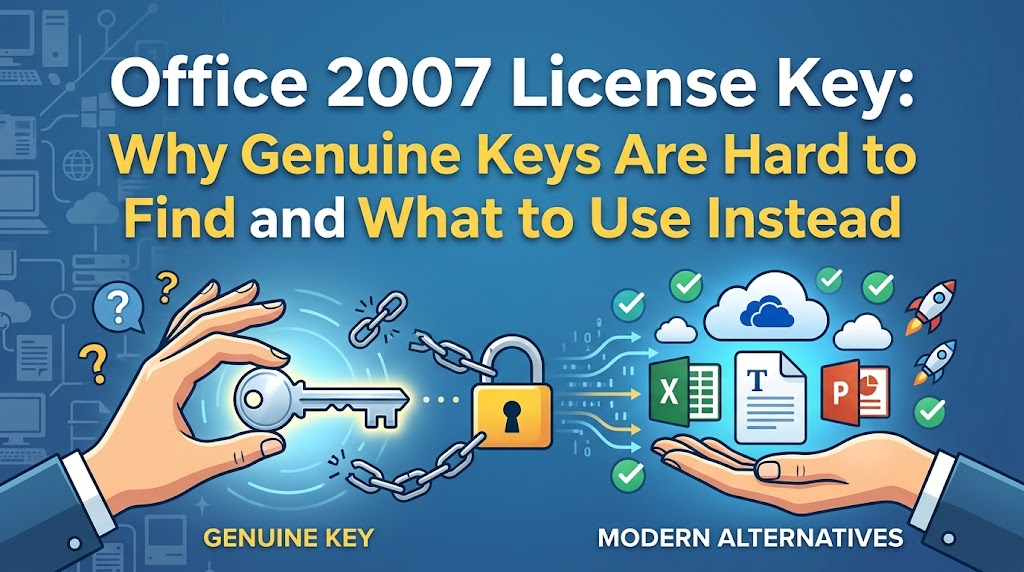
Introduction: The Search for an Office 2007 License Key
Many people chase an office 2007 license key because the interface feels familiar, because an old PC still has the disc, or because a reinstall suddenly asked for activation again. Those motives are understandable—Word, Excel, and PowerPoint from that era shaped how millions of people work.
The direct answer is uncomfortable but clear: Microsoft retired Office 2007, stopped selling it, and ended extended support years ago. You cannot buy a fresh official key from Microsoft today, and even a key that worked in the past may fail when you try to reinstall or reactivate. Searching random websites for unused serials is not a reliable path back to a supported product.
Related reading on our blog: how to retrieve a Microsoft Office 2007 product key you already own, and how activation used to work.
The Current Reality of an Office 2007 License Key
Before you keep hunting for an office 2007 license key, it helps to separate nostalgia from risk.
End of Life (EOL) warning
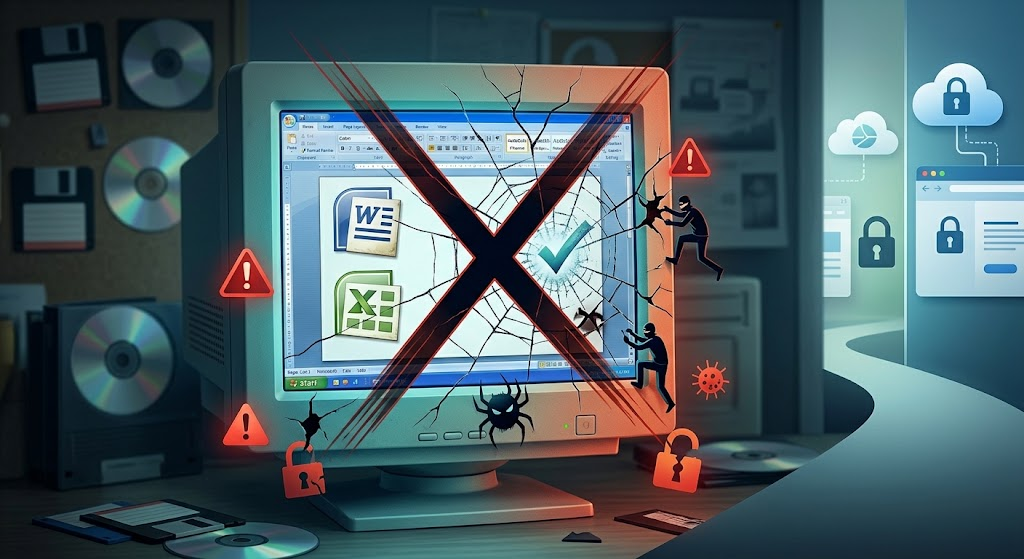
According to Microsoft’s lifecycle documentation, support for Office 2007 ended on October 10, 2017. That means no more security updates, bug fixes, or free technical support from Microsoft. Apps that are already installed may still open files, but every day without patches increases exposure to malware that targets outdated software.
Risks of “free key” websites
Security threats: Pages that promise free or cracked keys often bundle trojans, fake downloaders, or browser hijackers. One bad click can cost more than any office suite.
Legal and compliance risk: Using an unauthorized key can violate the software license. Keys can stop working after Microsoft blacklists them, leaving you mid-project with reduced functionality.
Compatibility problems: On Windows 10 and Windows 11, Office 2007 installers may refuse to run, crash, show garbled UI fonts, or fail activation even when the key looks correct.
Microsoft’s own guidance for retired versions is to move to a currently supported suite rather than keep stretching an unsupported install.


How to use Office 2007 License Key
If you already own original media, this section explains how a legitimate office 2007 license key was supposed to work—then pivots to a free, modern alternative that does not depend on retired activation servers.
Reference: where genuine keys came from
A real Office 2007 product key is a 25-character code in five groups of five characters (letters and numbers), usually printed on the retail box sticker or Certificate of Authenticity (COA). Microsoft does not publish working consumer keys for download, and any “complete free key list” on third-party sites should be treated as unsafe.
Use this reference table only to understand editions and sources:
| Edition (examples) | Typical key source | Notes |
|---|---|---|
| Home and Student / Standard / Professional | Retail DVD case sticker or purchase receipt | One retail key; activation limited by license terms |
| OEM / preinstalled PC bundle | COA sticker on the PC chassis or recovery media | Usually tied to that machine; not freely transferable |
| Volume / enterprise | Organization’s Volume Licensing portal | Not for personal “free key” sharing |
| Format reminder | XXXXX-XXXXX-XXXXX-XXXXX-XXXXX | Enter exactly; hyphens are optional in some wizardsImportant: We do not list live serial numbers here. Circulating “working keys” is how piracy sites trap users. If you no longer have packaging or a COA, Microsoft will not issue a replacement for this retired product. |
Classic activation steps (for owners of original media)
Install from your original Office 2007 disc (or a full copy of that disc on USB). Run SETUP.EXE.
When prompted, enter the 25-character product key from your box or COA, then accept the license terms and finish setup.
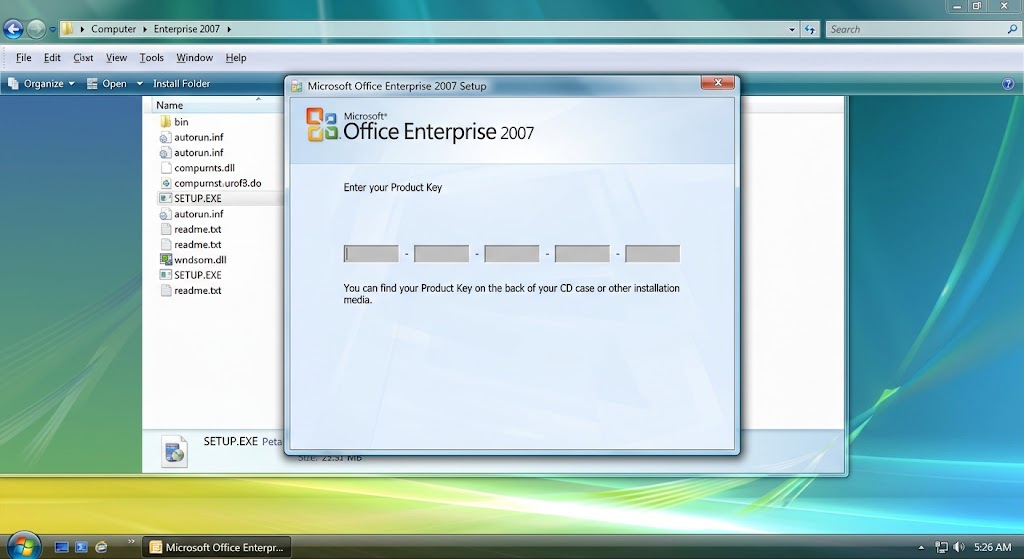
Enter the 25-character product key Open Word, Excel, PowerPoint, or Access.
Go to the Microsoft Office Button → Options → Activate Microsoft Office (in some apps: Help → Activate Product).
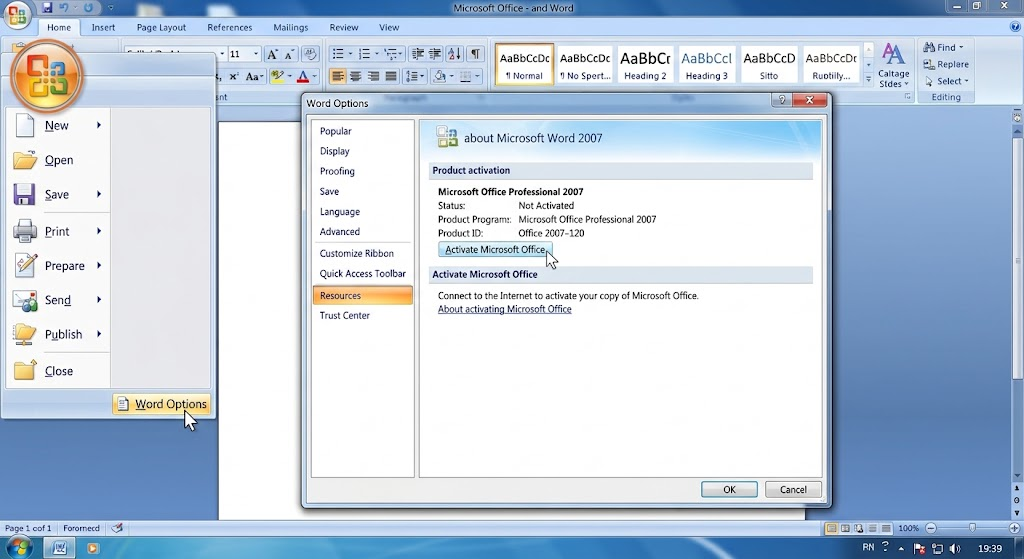
Activate Microsoft Office Choose internet activation if available, or follow the telephone wizard for your region. Keep the PC on and the key nearby.
On many modern PCs these steps now fail because activation infrastructure for Office 2007 is retired or unreliable—even with a key that was genuine years ago. A 2007 key also cannot unlock Microsoft 365 or newer perpetual Office editions.
Transition: skip keys with a free modern suite
When activation stalls, the practical move is not another risky search for an office 2007 license key. Install WPS Office instead: free core apps for documents, spreadsheets, presentations, and PDFs, with strong compatibility for .doc/.docx, .xls/.xlsx, and .ppt/.pptx—no vintage product key required.
The Best Free Alternative: WPS Office
Once you stop depending on an office 2007 license key, WPS Office covers the day-to-day work most people still need.
Free and format-friendly: Open and save common Microsoft Office formats without conversion drama for typical documents, workbooks, and decks.
Light and fast: Low resource use and quick startup help on older hardware as well as current Windows and Mac systems.
Familiar yet modern: Ribbon-style editing feels approachable if you grew up on 2007, while tabbed documents, PDF tools, and cloud options keep you current.
No dangerous key hunt: Core editing starts after a normal install—you do not need underground serial lists.
For more context on leaving FileHippo-style 2007 downloads behind, see our guide on MS Office 2007 free download risks and safer options.
Quick Comparison: Office 2007 License Key Era vs WPS Office
Here is a side-by-side look at life with an office 2007 license key versus WPS Office today:
| Factor | Office 2007 | WPS Office |
|---|---|---|
| Security updates | Ended October 10, 2017 | Ongoing product updates |
| Price for core use | Needs a valid legacy key; no official retail purchase | Free to download for core apps |
| Format compatibility | Strong for its era; struggles with newer features | Works with common .doc/.docx, .xls/.xlsx, .ppt/.pptx |
| Modern features | No PDF suite, tabs, or current cloud tools | Tabs, PDF edit/annotate, cloud options |
| Activation | Product key + aging activation path | Install and start; no 2007-style key hunt |
FAQs
1. Can I still buy an official office 2007 license key from Microsoft?
No. Office 2007 is retired and is no longer offered through Microsoft’s current download or retail channels. Microsoft directs users toward supported Microsoft 365 or newer one-time Office versions.
2. Will my old office 2007 license key always activate after a reinstall?
Not reliably. Many users report activation failures after factory resets or moves to new PCs because licensing servers for this version are no longer maintained the way they once were.
3. Are free office 2007 license key lists online safe?
Treat them as high risk. They are often invalid, already overused, or paired with malware. Prefer software you obtain from official publishers.
4. Does WPS Office need an Office 2007 key to open .doc or .xls files?
No. WPS Office opens common Microsoft Office formats with its own free apps. You do not enter a Microsoft 2007 product key to use WPS.
5. Is continuing to run Office 2007 after EOL illegal?
Using a copy you originally licensed may still be allowed under that license, but you receive no security updates. Combining an unsupported suite with pirated keys adds both security and compliance problems.


'%3e%3cpath%20d='M19.9911%204.11386V6.471H18.5894C18.0775%206.471%2017.7322%206.57814%2017.5536%206.79243C17.3751%207.00671%2017.2858%207.32814%2017.2858%207.75671V9.44421H19.9019L19.5536%2012.0871H17.2858V18.8639H14.5536V12.0871H12.2769V9.44421H14.5536V7.49779C14.5536%206.39064%2014.8632%205.53201%2015.4822%204.92189C16.1013%204.31177%2016.9257%204.00671%2017.9554%204.00671C18.8304%204.00671%2019.509%204.04243%2019.9911%204.11386Z'%20fill='%23333333'/%3e%3c/g%3e%3cdefs%3e%3cclipPath%20id='clip0_2938_8199'%3e%3crect%20width='16'%20height='16'%20fill='white'%20transform='translate(8%204.00671)'/%3e%3c/clipPath%3e%3c/defs%3e%3c/svg%3e)
'%3e%3cpath%20d='M17.5237%2010.7813L23.4811%204H22.0699L16.8949%209.88693L12.7648%204H8L14.2469%2012.9029L8%2020.0133H9.4112L14.8725%2013.7952L19.2352%2020.0133H24M9.92053%205.04213H12.0885L22.0688%2019.0224H19.9003'%20fill='%23333333'/%3e%3c/g%3e%3cdefs%3e%3cclipPath%20id='clip0_2938_8200'%3e%3crect%20width='16'%20height='16.0134'%20fill='white'%20transform='translate(8%204)'/%3e%3c/clipPath%3e%3c/defs%3e%3c/svg%3e)


