

'%3e%3cpath%20d='M8%200C12.4183%200%2016%203.58172%2016%208C16%2012.4183%2012.4183%2016%208%2016C3.58172%2016%200%2012.4183%200%208C0%203.58172%203.58172%200%208%200ZM11.6162%204.38379C11.2257%203.99337%2010.5927%203.99338%2010.2021%204.38379L8%206.58594L5.79785%204.38379C5.40732%203.99334%204.77429%203.99329%204.38379%204.38379C3.99331%204.77429%203.99335%205.40733%204.38379%205.79785L6.58594%208L4.38379%2010.2021C3.99348%2010.5927%203.99341%2011.2257%204.38379%2011.6162C4.77426%2012.0066%205.40734%2012.0065%205.79785%2011.6162L8%209.41406L10.2021%2011.6162C10.5927%2012.0066%2011.2257%2012.0067%2011.6162%2011.6162C12.0067%2011.2257%2012.0066%2010.5927%2011.6162%2010.2021L9.41406%208L11.6162%205.79785C12.0066%205.40735%2012.0066%204.77429%2011.6162%204.38379Z'%20fill='%23080E17'%20fill-opacity='0.46'/%3e%3c/g%3e%3cdefs%3e%3cclipPath%20id='clip0_3761_713'%3e%3crect%20width='16'%20height='16'%20fill='white'/%3e%3c/clipPath%3e%3c/defs%3e%3c/svg%3e)




'%3e%3cpath%20fill-rule='evenodd'%20clip-rule='evenodd'%20d='M21.4999%2010.9993C21.4999%205.20009%2016.7986%200.498901%2010.9993%200.498901C5.19994%200.498901%200.498657%205.20009%200.498657%2010.9993C0.498657%2016.2404%204.33858%2020.5844%209.35855%2021.3722V14.0346H6.69238V10.9993H9.35855V8.68594C9.35855%206.05427%2010.9262%204.60062%2013.3248%204.60062C14.4736%204.60062%2015.6753%204.80571%2015.6753%204.80571V7.38979H14.3512C13.0468%207.38979%2012.64%208.19921%2012.64%209.0296V10.9993H15.5523L15.0867%2014.0346H12.64V21.3722C17.66%2020.5844%2021.4999%2016.2404%2021.4999%2010.9993Z'%20fill='%231568EA'/%3e%3c/g%3e%3c/svg%3e)


'%3e%3cpath%20d='M2.42045%2022.1876H6.31818V12.7217L0.75%208.54553V20.5171C0.75%2021.4414%201.49892%2022.1876%202.42045%2022.1876Z'%20fill='%234285F4'/%3e%3cpath%20d='M19.682%2022.1876H23.5797C24.5041%2022.1876%2025.2502%2021.4387%2025.2502%2020.5171V8.54553L19.682%2012.7217'%20fill='%2334A853'/%3e%3cpath%20d='M19.682%205.48293V12.7216L25.2502%208.54543V6.31816C25.2502%204.25236%2022.8921%203.07469%2021.2411%204.31361'%20fill='%23FBBC04'/%3e%3cpath%20d='M6.31824%2012.7217V5.48303L13.0001%2010.4944L19.6819%205.48303V12.7217L13.0001%2017.733'%20fill='%23EA4335'/%3e%3cpath%20d='M0.75%206.31816V8.54543L6.31818%2012.7216V5.48293L4.75909%204.31361C3.10534%203.07469%200.75%204.25236%200.75%206.31816Z'%20fill='%23C5221F'/%3e%3c/g%3e%3cdefs%3e%3cclipPath%20id='clip0_2954_7305'%3e%3crect%20width='24.5'%20height='18.375'%20fill='white'%20transform='translate(0.75%203.8125)'/%3e%3c/clipPath%3e%3c/defs%3e%3c/svg%3e)


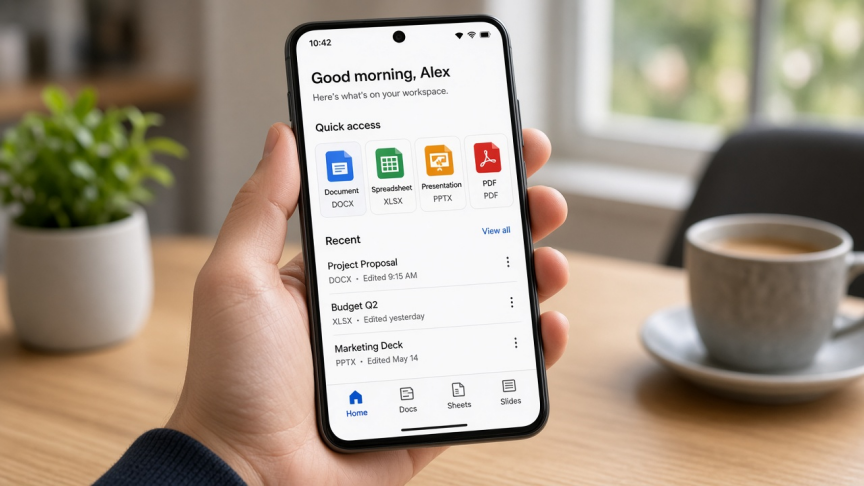
On Android, "free office app" usually means one of three jobs: edit DOCX/XLSX/PPTX offline, collaborate in the cloud, or handle PDFs without installing three separate tools. The best app depends on which job comes first, not on which brand has the longest feature list.
Quick answer: For most people who want one app for Word-like documents, Excel-like sheets, PowerPoint-like slides, and PDF tools, start with WPS Office for Android. Choose Microsoft 365 if you already live in OneDrive/Outlook, Google Docs/Sheets/Slides for real-time Drive collaboration, OfficeSuite for a lighter freemium editor, or ONLYOFFICE for OOXML-focused / open-source workflows.
How to choose a free office app on Android
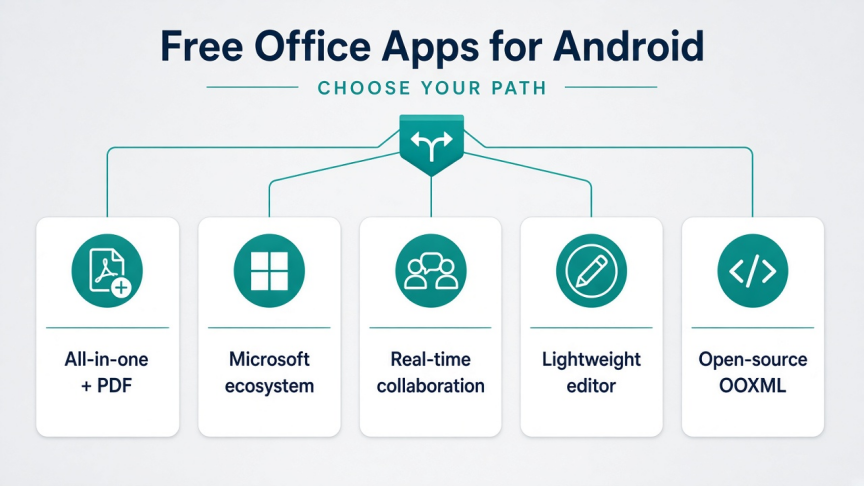
One app for docs, sheets, slides, and PDFs offline: WPS Office
Official Microsoft Word/Excel/PowerPoint + OneDrive: Microsoft 365
Real-time comments and shared Drive files: Google Docs, Sheets, and Slides
Simple freemium editor with cloud connectors: OfficeSuite
OOXML / self-hosted open-source workflows: ONLYOFFICE Documents
"Free" still has trade-offs. Some apps show ads or reserve advanced PDF/AI tools for Pro. Microsoft's free mobile editing rules also depend on your plan and device screen size, so confirm current Microsoft support terms before you buy a large tablet expecting unlimited free desktop-class editing.
Quick comparison: best free office apps for Android
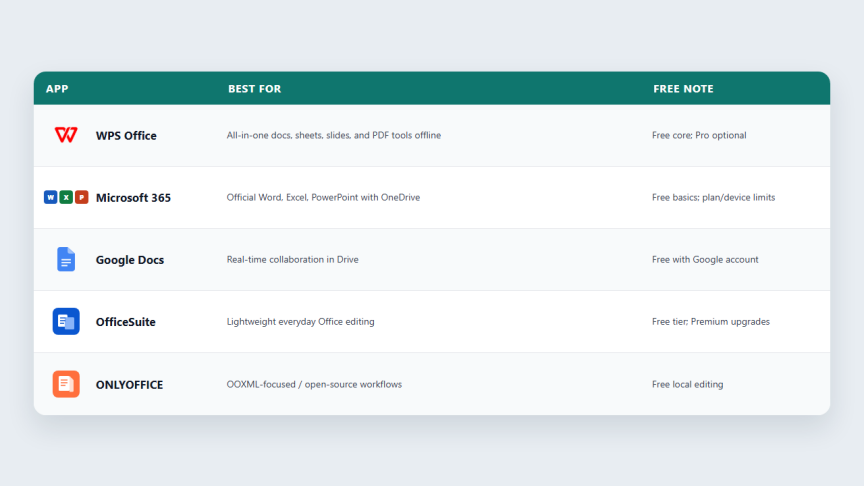
| App | Best for | Offline | PDF tools | Free note |
|---|---|---|---|---|
| WPS Office | All-in-one mobile suite | Yes | Strong (some advanced tools may be Pro) | Free core; ads/Pro extras possible |
| Microsoft 365 | Microsoft ecosystem | Yes | Basic | Free basics; plan and screen-size limits |
| Google Docs / Sheets / Slides | Collaboration | After offline setup | Limited | Free with Google account |
| OfficeSuite | Lightweight editing | Yes | Basic / Premium-gated | Free tier + Premium |
| ONLYOFFICE Documents | OOXML / open-source stacks | Yes | View / limited vs all-in-one suites | Free local editing |
We ranked these five because they cover the main Android office intents in 2026: all-in-one freemium, official Microsoft, Google collaboration, lightweight consumer suite, and OOXML/open-source. Confirm free-plan details on Google Play before you rely on a premium-only feature.
1. WPS Office: best all-in-one free office app for most Android users
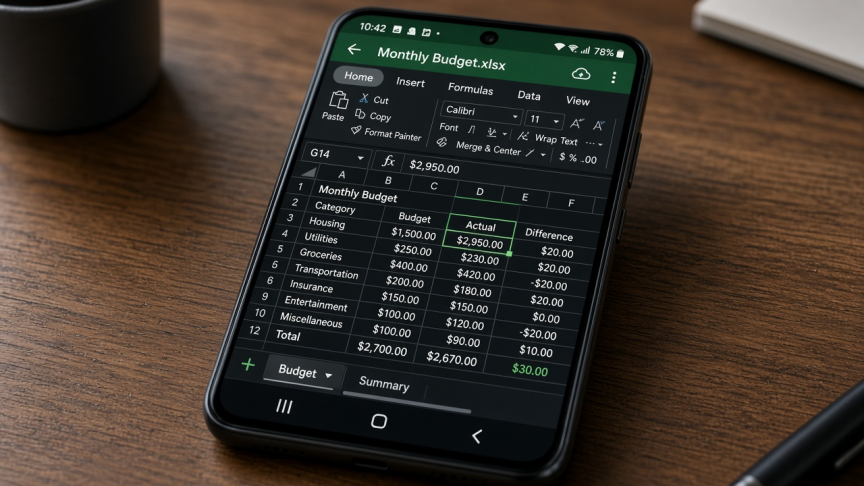
WPS Office puts Writer, Spreadsheet, Presentation, and PDF tools in one Android app. It opens common Microsoft formats (DOC/DOCX, XLS/XLSX, PPT/PPTX) and is built for phones and tablets that need offline editing without installing separate Docs, Sheets, and Slides apps.
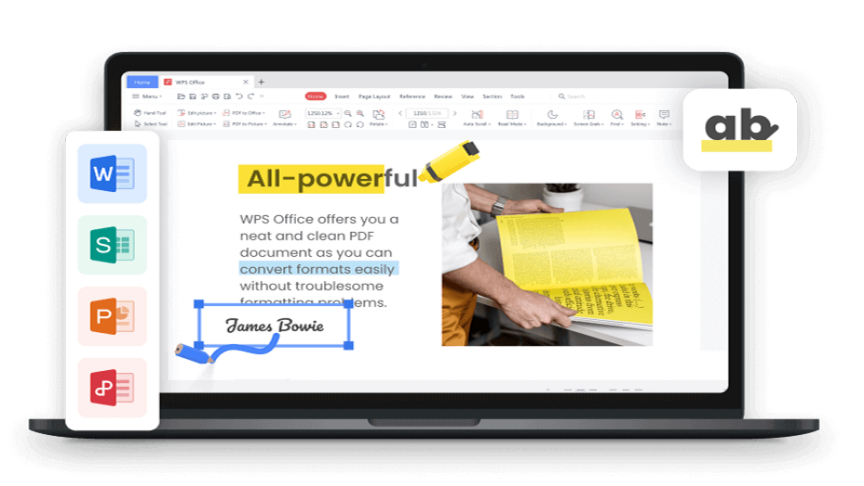
That combination is the practical reason it ranks first for most readers: one install covers school papers, budgets, slide decks, PDF markup, and common convert/scan jobs. Cross-device continuity with Windows, Mac, Linux, and iOS also helps if your Android phone is only one step in a larger workflow.
Best for: students and professionals who want one free (or freemium) Android suite for Office files plus PDF tools.
Watch-outs: the free plan covers everyday editing for many users, but advanced PDF, AI, template, or productivity extras may require WPS Pro. Play Store builds may include ads depending on region and plan. If your team only collaborates inside Google Drive or Microsoft 365, those ecosystems can feel more native for co-authoring.
Get it: install from the official WPS Office Android page or Google Play, then open a real DOCX and PDF once to confirm the free tools you need.


2. Microsoft 365: best for the Microsoft ecosystem
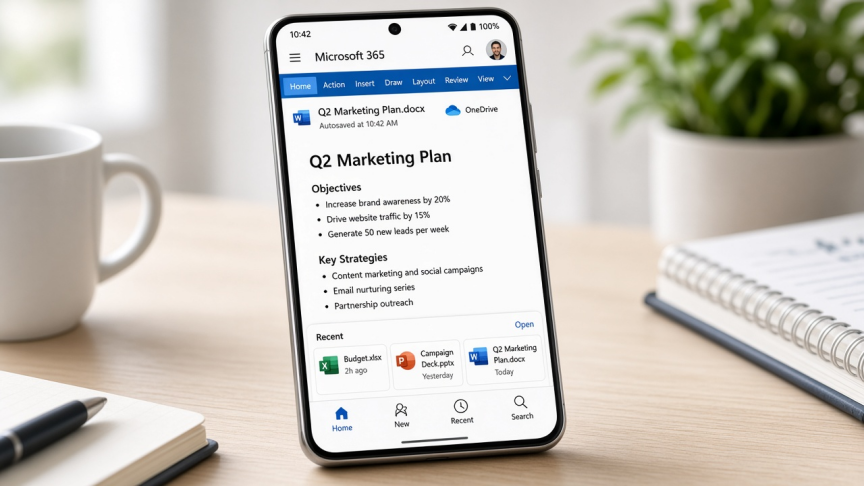
Microsoft 365 (the mobile Office experience, including the unified Microsoft 365 / Copilot mobile app depending on your store listing) is the right pick when files already live in OneDrive and teammates expect Word, Excel, and PowerPoint. Compatibility with Microsoft-created files is the main advantage: comments, layouts, and advanced Office elements usually survive better than in third-party converters.
Best for: work or school accounts already tied to Microsoft 365, Outlook, and OneDrive.
Watch-outs: downloading the app is free, but advanced features and larger-tablet editing often need a qualifying Microsoft 365 plan. Microsoft documents screen-size limits for free/basic editing on mobile (commonly around 10.1 inches for non-qualifying plans, with some education/business plans listing different ceilings). Check Microsoft's current mobile licensing page for your plan and device before you assume "free forever" on a large Android tablet.
Also note: PDF depth and all-in-one extras are thinner than WPS for many free users. If you need PDF merge/convert/sign tools in the same free-tier app, WPS is usually the better fit.
3. Google Docs, Sheets, and Slides: best for real-time collaboration
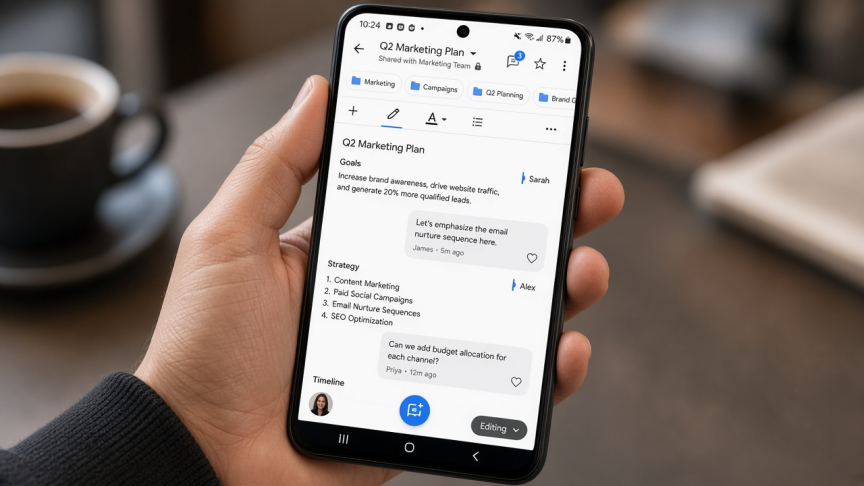
Google's Android apps win when comments, shared links, and simultaneous editing matter more than a single all-in-one installer. Docs, Sheets, and Slides sync through Drive, which is ideal for classrooms, Gmail-centric teams, and group projects.
They are separate apps, not one suite icon. Offline mode works after you enable it for specific files. Complex DOCX/XLSX/PPTX imports can still shift formatting, so open important Microsoft files in WPS or Microsoft 365 before a deadline if layout fidelity is critical.
Best for: Drive-first collaboration and simple cloud documents.
Watch-outs: PDF tooling is limited compared with dedicated office/PDF suites. Offline needs setup. Heavy Excel models and tightly designed PowerPoint decks may need a second app for final polish.
4. OfficeSuite: lightweight freemium alternative
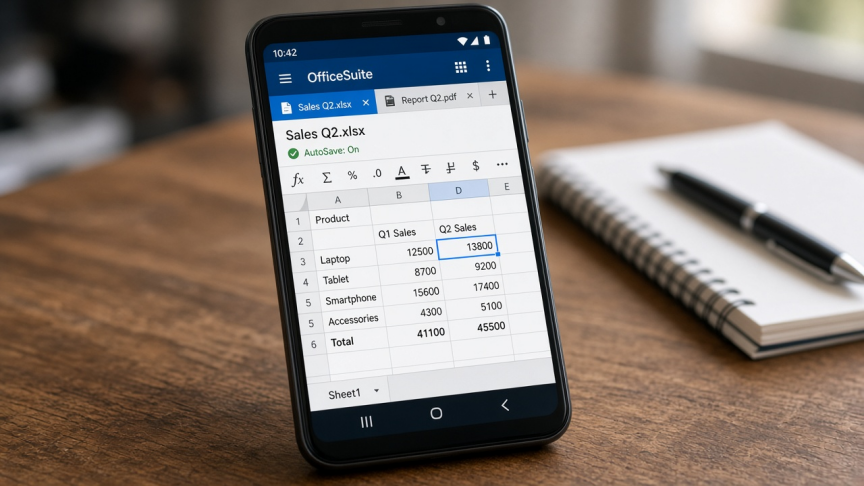
OfficeSuite (by MobiSystems) is a long-running Android office app for documents, sheets, slides, and basic PDF viewing/annotation. It connects to common cloud services and keeps the learning curve low for quick edits on the go.
Best for: users who want a familiar lightweight editor and already like OfficeSuite's file manager / cloud connectors.
Watch-outs: many advanced editing and PDF features sit behind Premium. If you want broader free-tier PDF and template depth in one brand, compare WPS before you subscribe.
5. ONLYOFFICE Documents: best OOXML-focused open-source option
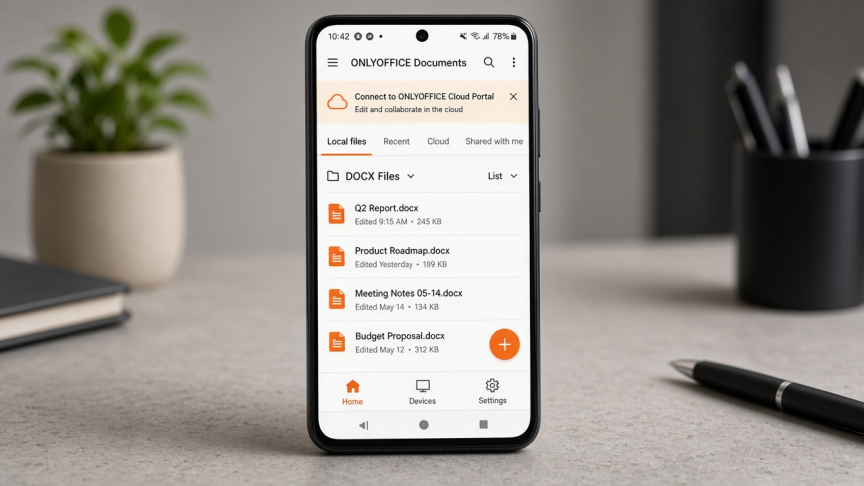
ONLYOFFICE Documents targets users who care about Office Open XML formats and may connect to ONLYOFFICE DocSpace, Workspace, or other supported clouds. On Android it supports local DOCX/XLSX/PPTX editing offline and appeals to open-source or self-hosted teams.
Best for: OOXML fidelity plus ONLYOFFICE portal workflows.
Watch-outs: everyday consumer extras (templates, scanner, deep PDF toolkit) are usually thinner than WPS. Collaboration features depend on how you connect cloud services. If you only need a simple personal suite, WPS or Google may feel faster to set up.
How we ranked these Android office apps
We prioritized what Android users actually decide on:
DOCX, XLSX, and PPTX support for Windows handoffs
Whether core editing works offline on a phone
PDF tools in the same app vs separate installs
Collaboration (Drive, OneDrive, or portal co-editing)
Free vs freemium limits (ads, Pro gates, Microsoft plan/device rules)
Everyday ease on small screens
We did not invent lab scores or fake review counts. Free plans change. Verify current Play Store and vendor pages before you standardize on one app. Last reviewed for this rebuild: September 2026.
If you specifically need a free Word reader/editor shortlist, see our related guide to free apps for reading Word on Android.
FAQ
What is the best free office app for Android? For most people who want documents, spreadsheets, presentations, and PDF tools in one place, start with WPS Office. Choose Microsoft 365 for Microsoft ecosystems, Google Docs/Sheets/Slides for collaboration, OfficeSuite for a lighter freemium editor, or ONLYOFFICE for OOXML/open-source workflows.
Can I edit Word, Excel, and PowerPoint files on Android for free? Yes, with limits. WPS Office, Google apps, OfficeSuite, and ONLYOFFICE all support common Office formats on free tiers for everyday files. Microsoft 365 offers free mobile basics subject to account and device rules.
Which Android office app has the best Microsoft Office compatibility? Microsoft 365 is the safest match for Microsoft-created files. Among third-party suites, WPS Office and ONLYOFFICE are strong everyday options for DOCX/XLSX/PPTX, but complex workbooks and decks still deserve a spot-check.
Can I use an office app on Android offline? Yes. WPS Office, Microsoft 365, OfficeSuite, and ONLYOFFICE support offline editing. Google Docs/Sheets/Slides need offline mode enabled for specific files.
Is WPS Office free on Android? Yes. Core document, spreadsheet, and presentation editing is available for free. Some advanced PDF, AI, or productivity features may require WPS Pro, and store listings may note ads or in-app purchases.
Is Microsoft 365 completely free on Android tablets? Not always. Viewing is broadly available, but editing features and larger screen sizes can require a qualifying Microsoft 365 plan. Confirm your plan and screen-size rules on Microsoft's support site.
Final verdict
Pick by constraint:
WPS Office: best overall free/freemium all-in-one for Android
Microsoft 365: best when OneDrive and official Office UI matter most
Google Docs/Sheets/Slides: best real-time collaboration
OfficeSuite: lightweight freemium alternative
ONLYOFFICE: OOXML / open-source oriented workflows
Ready to try an all-in-one free suite on Android? Install WPS Office and open your next DOCX, XLSX, PPTX, or PDF in one app.



'%3e%3cpath%20d='M19.9911%204.11386V6.471H18.5894C18.0775%206.471%2017.7322%206.57814%2017.5536%206.79243C17.3751%207.00671%2017.2858%207.32814%2017.2858%207.75671V9.44421H19.9019L19.5536%2012.0871H17.2858V18.8639H14.5536V12.0871H12.2769V9.44421H14.5536V7.49779C14.5536%206.39064%2014.8632%205.53201%2015.4822%204.92189C16.1013%204.31177%2016.9257%204.00671%2017.9554%204.00671C18.8304%204.00671%2019.509%204.04243%2019.9911%204.11386Z'%20fill='%23333333'/%3e%3c/g%3e%3cdefs%3e%3cclipPath%20id='clip0_2938_8199'%3e%3crect%20width='16'%20height='16'%20fill='white'%20transform='translate(8%204.00671)'/%3e%3c/clipPath%3e%3c/defs%3e%3c/svg%3e)
'%3e%3cpath%20d='M17.5237%2010.7813L23.4811%204H22.0699L16.8949%209.88693L12.7648%204H8L14.2469%2012.9029L8%2020.0133H9.4112L14.8725%2013.7952L19.2352%2020.0133H24M9.92053%205.04213H12.0885L22.0688%2019.0224H19.9003'%20fill='%23333333'/%3e%3c/g%3e%3cdefs%3e%3cclipPath%20id='clip0_2938_8200'%3e%3crect%20width='16'%20height='16.0134'%20fill='white'%20transform='translate(8%204)'/%3e%3c/clipPath%3e%3c/defs%3e%3c/svg%3e)


