

'%3e%3cpath%20d='M8%200C12.4183%200%2016%203.58172%2016%208C16%2012.4183%2012.4183%2016%208%2016C3.58172%2016%200%2012.4183%200%208C0%203.58172%203.58172%200%208%200ZM11.6162%204.38379C11.2257%203.99337%2010.5927%203.99338%2010.2021%204.38379L8%206.58594L5.79785%204.38379C5.40732%203.99334%204.77429%203.99329%204.38379%204.38379C3.99331%204.77429%203.99335%205.40733%204.38379%205.79785L6.58594%208L4.38379%2010.2021C3.99348%2010.5927%203.99341%2011.2257%204.38379%2011.6162C4.77426%2012.0066%205.40734%2012.0065%205.79785%2011.6162L8%209.41406L10.2021%2011.6162C10.5927%2012.0066%2011.2257%2012.0067%2011.6162%2011.6162C12.0067%2011.2257%2012.0066%2010.5927%2011.6162%2010.2021L9.41406%208L11.6162%205.79785C12.0066%205.40735%2012.0066%204.77429%2011.6162%204.38379Z'%20fill='%23080E17'%20fill-opacity='0.46'/%3e%3c/g%3e%3cdefs%3e%3cclipPath%20id='clip0_3761_713'%3e%3crect%20width='16'%20height='16'%20fill='white'/%3e%3c/clipPath%3e%3c/defs%3e%3c/svg%3e)




'%3e%3cpath%20fill-rule='evenodd'%20clip-rule='evenodd'%20d='M21.4999%2010.9993C21.4999%205.20009%2016.7986%200.498901%2010.9993%200.498901C5.19994%200.498901%200.498657%205.20009%200.498657%2010.9993C0.498657%2016.2404%204.33858%2020.5844%209.35855%2021.3722V14.0346H6.69238V10.9993H9.35855V8.68594C9.35855%206.05427%2010.9262%204.60062%2013.3248%204.60062C14.4736%204.60062%2015.6753%204.80571%2015.6753%204.80571V7.38979H14.3512C13.0468%207.38979%2012.64%208.19921%2012.64%209.0296V10.9993H15.5523L15.0867%2014.0346H12.64V21.3722C17.66%2020.5844%2021.4999%2016.2404%2021.4999%2010.9993Z'%20fill='%231568EA'/%3e%3c/g%3e%3c/svg%3e)


'%3e%3cpath%20d='M2.42045%2022.1876H6.31818V12.7217L0.75%208.54553V20.5171C0.75%2021.4414%201.49892%2022.1876%202.42045%2022.1876Z'%20fill='%234285F4'/%3e%3cpath%20d='M19.682%2022.1876H23.5797C24.5041%2022.1876%2025.2502%2021.4387%2025.2502%2020.5171V8.54553L19.682%2012.7217'%20fill='%2334A853'/%3e%3cpath%20d='M19.682%205.48293V12.7216L25.2502%208.54543V6.31816C25.2502%204.25236%2022.8921%203.07469%2021.2411%204.31361'%20fill='%23FBBC04'/%3e%3cpath%20d='M6.31824%2012.7217V5.48303L13.0001%2010.4944L19.6819%205.48303V12.7217L13.0001%2017.733'%20fill='%23EA4335'/%3e%3cpath%20d='M0.75%206.31816V8.54543L6.31818%2012.7216V5.48293L4.75909%204.31361C3.10534%203.07469%200.75%204.25236%200.75%206.31816Z'%20fill='%23C5221F'/%3e%3c/g%3e%3cdefs%3e%3cclipPath%20id='clip0_2954_7305'%3e%3crect%20width='24.5'%20height='18.375'%20fill='white'%20transform='translate(0.75%203.8125)'/%3e%3c/clipPath%3e%3c/defs%3e%3c/svg%3e)


A digital entrepreneur runs the whole business online: the shop, the marketing, the paperwork, and the support. You do not need an office or a developer to start, but you do need four skills, a clear first offer, and a small set of documents. Here is the order that works.
Digital Entrepreneur: How to Start and Run an Online Business
The Skills a Digital Entrepreneur Needs First
You do not have to be expert at all four, but you should be able to do each one at a basic level before you hire it out.
Marketing. Roughly one channel done well — search, a social platform, or email — beats five channels managed badly.
Writing. Product pages, proposals, and support replies are the copy that turns a visitor into a customer.
Numbers. You need pricing that covers costs, a simple cashflow sheet, and enough margin to pay yourself.
Automation. Templates, forms, and scheduled emails replace hours of manual follow-up — and modern AI tools cover the parts you cannot write yourself.
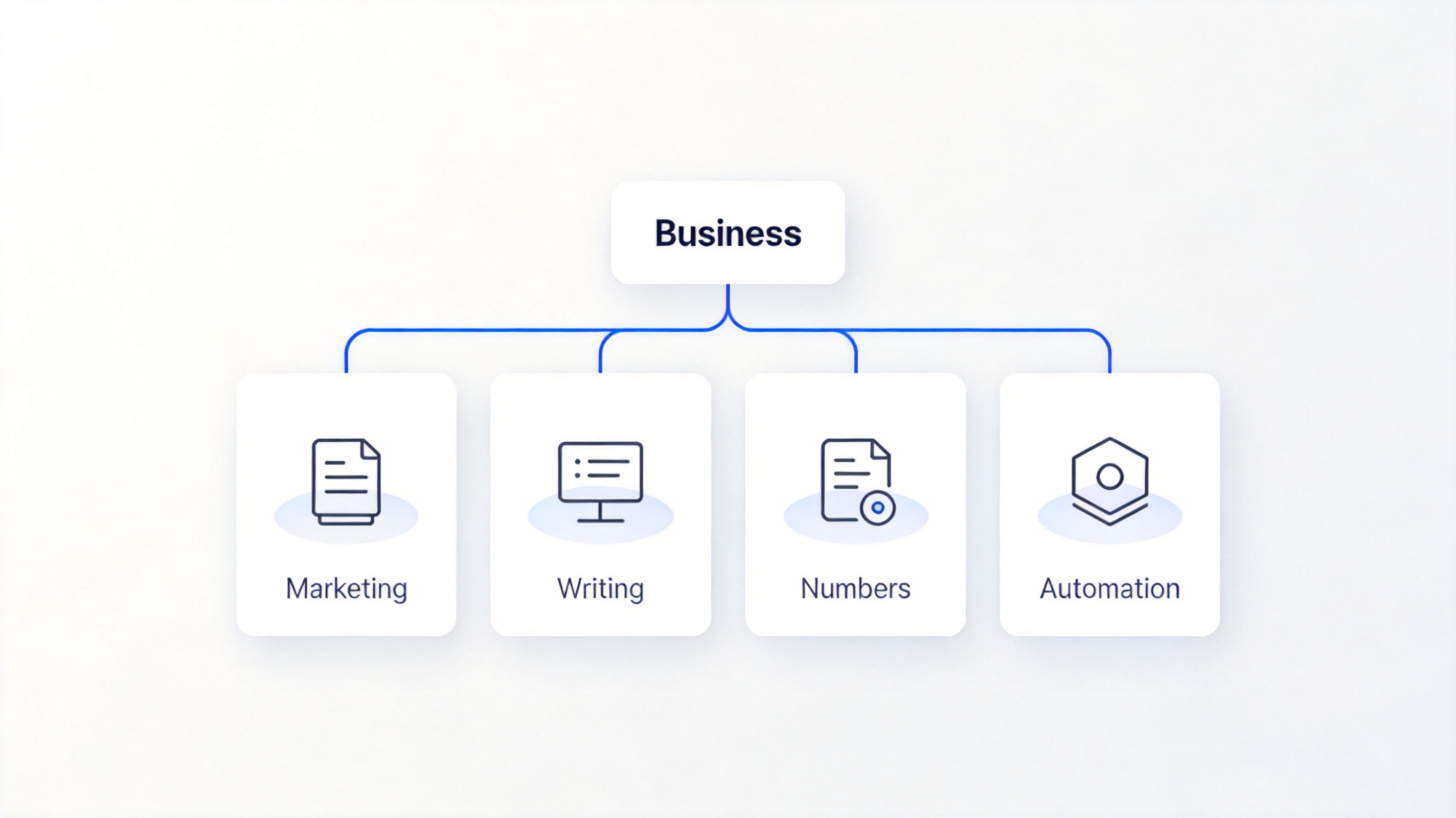
Four core skills for a digital entrepreneur


Start Your Online Business in Five Steps
Move in this order: each step de-risks the next one and stops you building something nobody wants.
Test the idea. Talk to twenty people who match your customer. If fewer than five say they would pay, change the offer, not the logo.
Define the offer and the price. Write one sentence that names the customer, the result, the timeframe, and the price.
Set up the minimum. A landing page or shop, a payment processor, and a business email. Register the business and open a separate bank account.
Launch small. Sell to a limited list first, deliver manually, and fix the rough edges while the volume is low.
Measure and scale. Track one acquisition number, one conversion number, and one cost number every week, and only add spend when they are stable.
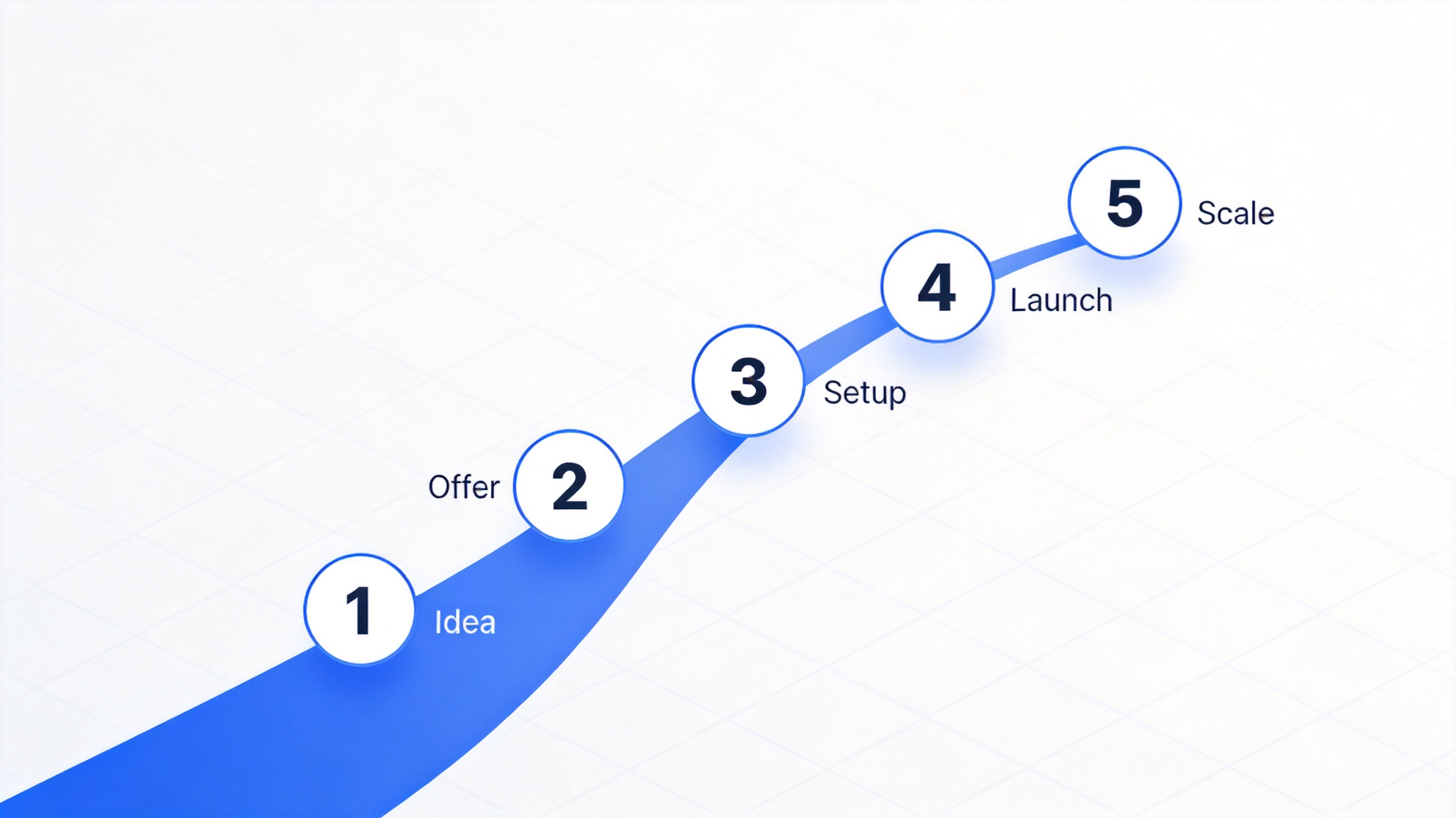
Five steps to launch an online business
The Documents and Tools You Need on Day One
Customers, platforms, and accountants all ask for the same handful of files — have them ready rather than writing them in a hurry.
A one-page plan. Customer, offer, price, channel, and costs, on a single page you can update monthly.
A cashflow sheet. Income and expenses by month, with a simple running total, so you see a short month before it happens.
An invoice. Numbered, dated, with the tax details your country requires, exported to PDF so it cannot be edited.
A service agreement or scope of work. What you deliver, when, what costs extra, and how either side can end the arrangement.
A content calendar. One row per week, so marketing does not stop the moment orders arrive.
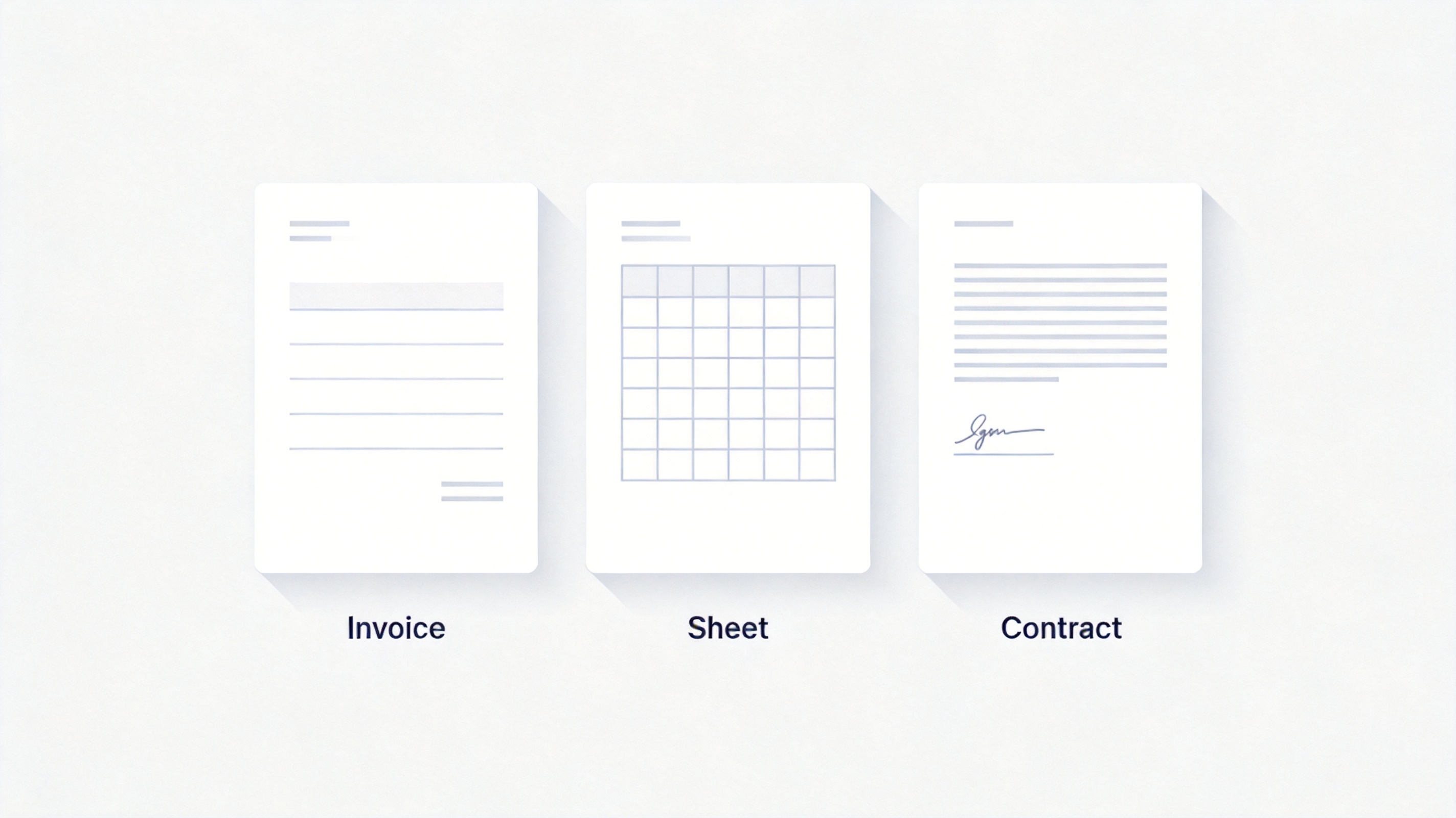
Invoice, spreadsheet and contract templates
The Best Free Alternative: WPS Office
Every document above exists as a free template, and WPS Office opens, edits, and exports all of them — the page you rewrite at midnight should not sit behind a subscription.
| What you need | WPS Office | Subscription suites |
|---|---|---|
| Invoices, contracts, cashflow sheets | Free templates and editors | Monthly fee |
| Export documents to PDF | Included | Included |
| Word, Excel, PPT plus PDF | One install | Several licences |
| Cost | Free for everyday use | Recurring |
Start today: open a template instead of spending a week formatting a document.
Looks professional: consistent invoices and contracts build trust faster than a plain text file.
Works across devices: update the cashflow on a phone between meetings.
Send as PDF: lock the figures before you email a client.
WPS Office for small business documents
FAQs
Do I need to register a company to start selling online?
Rules vary by country, but most places let you test an idea as a sole trader first. Register formally once revenue is steady, and open a separate bank account well before that.
How much money do I need to become a digital entrepreneur?
Often less than expected: a domain, a website plan, and a payment processor. The larger cost is your time before the first sale.
Can I run an online business alongside a full-time job?
Many people do. Check your employment contract for conflict-of-interest clauses before you launch, and keep work and business accounts separate.
Do I need a website to sell online?
Marketplaces can work for the first sales, but a site you control protects your margins and your customer list if a platform changes its fees.
Which tool should I buy first?
Start with the ones that handle money and paperwork — an invoicing template, a cashflow sheet, and a document suite. Marketing tools come after the offer is proven.


'%3e%3cpath%20d='M19.9911%204.11386V6.471H18.5894C18.0775%206.471%2017.7322%206.57814%2017.5536%206.79243C17.3751%207.00671%2017.2858%207.32814%2017.2858%207.75671V9.44421H19.9019L19.5536%2012.0871H17.2858V18.8639H14.5536V12.0871H12.2769V9.44421H14.5536V7.49779C14.5536%206.39064%2014.8632%205.53201%2015.4822%204.92189C16.1013%204.31177%2016.9257%204.00671%2017.9554%204.00671C18.8304%204.00671%2019.509%204.04243%2019.9911%204.11386Z'%20fill='%23333333'/%3e%3c/g%3e%3cdefs%3e%3cclipPath%20id='clip0_2938_8199'%3e%3crect%20width='16'%20height='16'%20fill='white'%20transform='translate(8%204.00671)'/%3e%3c/clipPath%3e%3c/defs%3e%3c/svg%3e)
'%3e%3cpath%20d='M17.5237%2010.7813L23.4811%204H22.0699L16.8949%209.88693L12.7648%204H8L14.2469%2012.9029L8%2020.0133H9.4112L14.8725%2013.7952L19.2352%2020.0133H24M9.92053%205.04213H12.0885L22.0688%2019.0224H19.9003'%20fill='%23333333'/%3e%3c/g%3e%3cdefs%3e%3cclipPath%20id='clip0_2938_8200'%3e%3crect%20width='16'%20height='16.0134'%20fill='white'%20transform='translate(8%204)'/%3e%3c/clipPath%3e%3c/defs%3e%3c/svg%3e)


