

'%3e%3cpath%20d='M8%200C12.4183%200%2016%203.58172%2016%208C16%2012.4183%2012.4183%2016%208%2016C3.58172%2016%200%2012.4183%200%208C0%203.58172%203.58172%200%208%200ZM11.6162%204.38379C11.2257%203.99337%2010.5927%203.99338%2010.2021%204.38379L8%206.58594L5.79785%204.38379C5.40732%203.99334%204.77429%203.99329%204.38379%204.38379C3.99331%204.77429%203.99335%205.40733%204.38379%205.79785L6.58594%208L4.38379%2010.2021C3.99348%2010.5927%203.99341%2011.2257%204.38379%2011.6162C4.77426%2012.0066%205.40734%2012.0065%205.79785%2011.6162L8%209.41406L10.2021%2011.6162C10.5927%2012.0066%2011.2257%2012.0067%2011.6162%2011.6162C12.0067%2011.2257%2012.0066%2010.5927%2011.6162%2010.2021L9.41406%208L11.6162%205.79785C12.0066%205.40735%2012.0066%204.77429%2011.6162%204.38379Z'%20fill='%23080E17'%20fill-opacity='0.46'/%3e%3c/g%3e%3cdefs%3e%3cclipPath%20id='clip0_3761_713'%3e%3crect%20width='16'%20height='16'%20fill='white'/%3e%3c/clipPath%3e%3c/defs%3e%3c/svg%3e)




'%3e%3cpath%20fill-rule='evenodd'%20clip-rule='evenodd'%20d='M21.4999%2010.9993C21.4999%205.20009%2016.7986%200.498901%2010.9993%200.498901C5.19994%200.498901%200.498657%205.20009%200.498657%2010.9993C0.498657%2016.2404%204.33858%2020.5844%209.35855%2021.3722V14.0346H6.69238V10.9993H9.35855V8.68594C9.35855%206.05427%2010.9262%204.60062%2013.3248%204.60062C14.4736%204.60062%2015.6753%204.80571%2015.6753%204.80571V7.38979H14.3512C13.0468%207.38979%2012.64%208.19921%2012.64%209.0296V10.9993H15.5523L15.0867%2014.0346H12.64V21.3722C17.66%2020.5844%2021.4999%2016.2404%2021.4999%2010.9993Z'%20fill='%231568EA'/%3e%3c/g%3e%3c/svg%3e)


'%3e%3cpath%20d='M2.42045%2022.1876H6.31818V12.7217L0.75%208.54553V20.5171C0.75%2021.4414%201.49892%2022.1876%202.42045%2022.1876Z'%20fill='%234285F4'/%3e%3cpath%20d='M19.682%2022.1876H23.5797C24.5041%2022.1876%2025.2502%2021.4387%2025.2502%2020.5171V8.54553L19.682%2012.7217'%20fill='%2334A853'/%3e%3cpath%20d='M19.682%205.48293V12.7216L25.2502%208.54543V6.31816C25.2502%204.25236%2022.8921%203.07469%2021.2411%204.31361'%20fill='%23FBBC04'/%3e%3cpath%20d='M6.31824%2012.7217V5.48303L13.0001%2010.4944L19.6819%205.48303V12.7217L13.0001%2017.733'%20fill='%23EA4335'/%3e%3cpath%20d='M0.75%206.31816V8.54543L6.31818%2012.7216V5.48293L4.75909%204.31361C3.10534%203.07469%200.75%204.25236%200.75%206.31816Z'%20fill='%23C5221F'/%3e%3c/g%3e%3cdefs%3e%3cclipPath%20id='clip0_2954_7305'%3e%3crect%20width='24.5'%20height='18.375'%20fill='white'%20transform='translate(0.75%203.8125)'/%3e%3c/clipPath%3e%3c/defs%3e%3c/svg%3e)


Sometimes your professor says, "Use at least five scholarly articles," and you are left wondering what exactly makes an article scholarly — and how it differs from the news stories and blog posts that dominate your search results. A scholarly article is a formal piece of research written by experts, reviewed by other experts, and published in an academic journal.
This guide explains what a scholarly article is, how to identify one in minutes, how its structure works, where to find scholarly articles for free, and how to read and manage them efficiently with free tools like WPS Office.
What Is a Scholarly Article and How to Find, Read, and Manage One
What Is a Scholarly Article?
A scholarly article is a research paper written by researchers, scholars, or subject experts and published in an academic journal. It reports original research, reviews existing literature, or presents new theory, and it is written for other researchers and students in the field — not for the general public.
Most scholarly articles go through peer review: before publication, independent experts in the same field evaluate the paper's methods, evidence, and conclusions, and require revisions or reject weak work. The terms "scholarly", "peer-reviewed", and "refereed" are often used interchangeably, though technically peer review is one extra quality check on top of scholarly writing.
Key characteristics to remember:
Expert authors with credentials and institutional affiliations clearly stated.
Original research or analysis, not general-interest reporting.
Formal, technical language and a structured format with an abstract and references.
Extensive citations and a bibliography of previous work.
This process is what separates a scholarly article from a popular magazine story: the magazine piece is written by a journalist, edited quickly, and rarely cites sources, while the scholarly article is written by a specialist, reviewed by peers, and built on documented evidence.
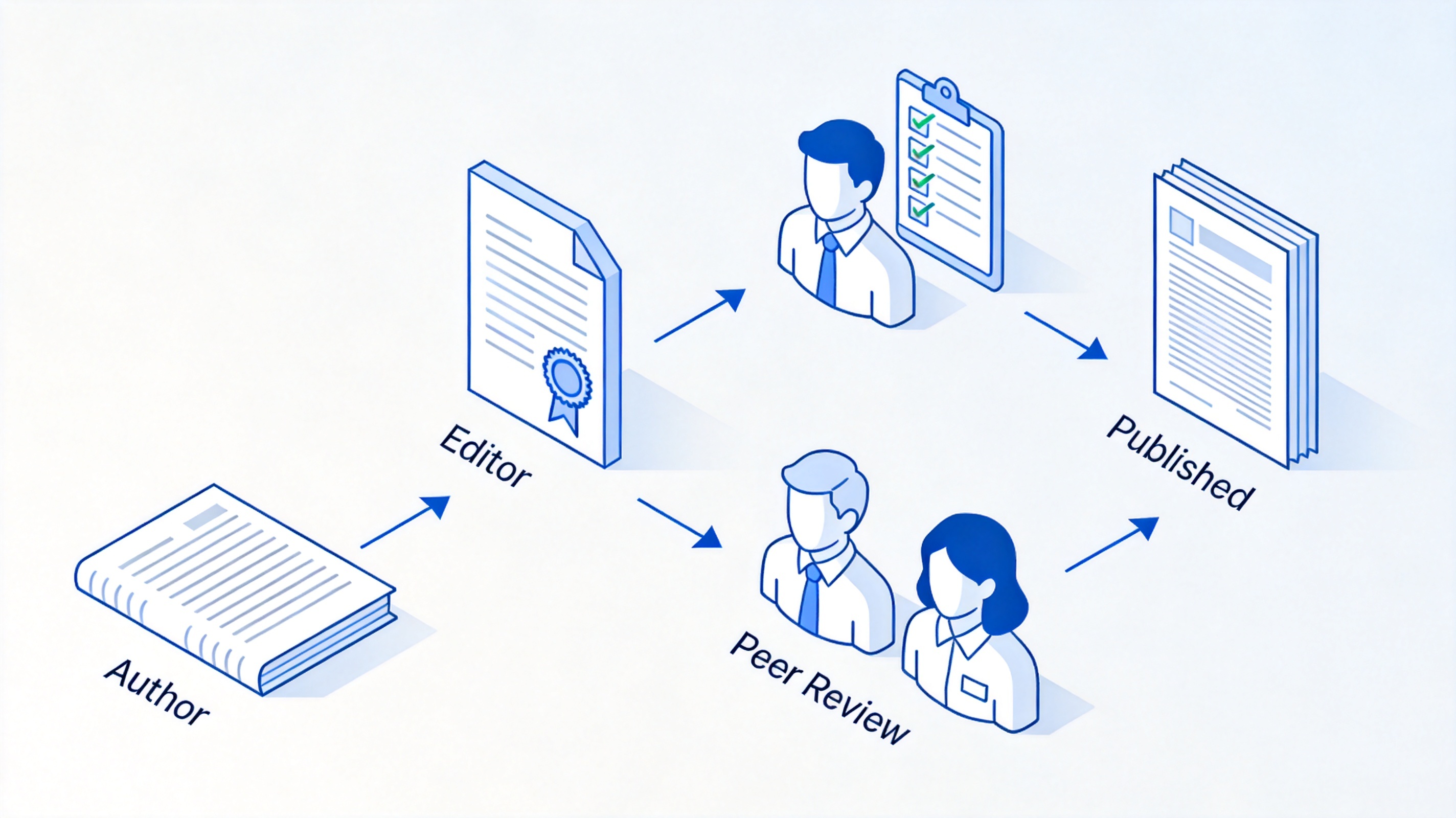
peer review process of scholarly articles


How to Identify a Scholarly Article
Not every PDF that looks academic is peer-reviewed. A quick checklist keeps you honest when a database mixes scholarly journals, trade magazines, and news sources in the same results list:
Check the journal, not just the article. Titles like Journal of Applied Psychology or The Lancet indicate scholarly venues; Forbes or Newsweek do not publish research articles.
Look at the authors. Scholarly articles list full names, degrees, and university or lab affiliations. Anonymous or staff-written pieces are popular sources.
Find the abstract and structure. A summary at the top plus clearly marked sections signals a research paper.
Scan the references. A long bibliography with formal citations is the strongest single signal.
Look for a DOI. A Digital Object Identifier (a persistent link such as doi.org/10.xxxx) is standard for peer-reviewed work.
Confirm peer-review status. Many databases, including Ulrichsweb and library discovery tools, flag journals as "refereed".
One warning worth learning early: watch out for predatory journals — publications that charge authors fees but skip real editorial and peer-review standards, often imitating the names of legitimate journals. If the journal promises impossibly fast publication or the editorial board cannot be verified, treat the source with suspicion.
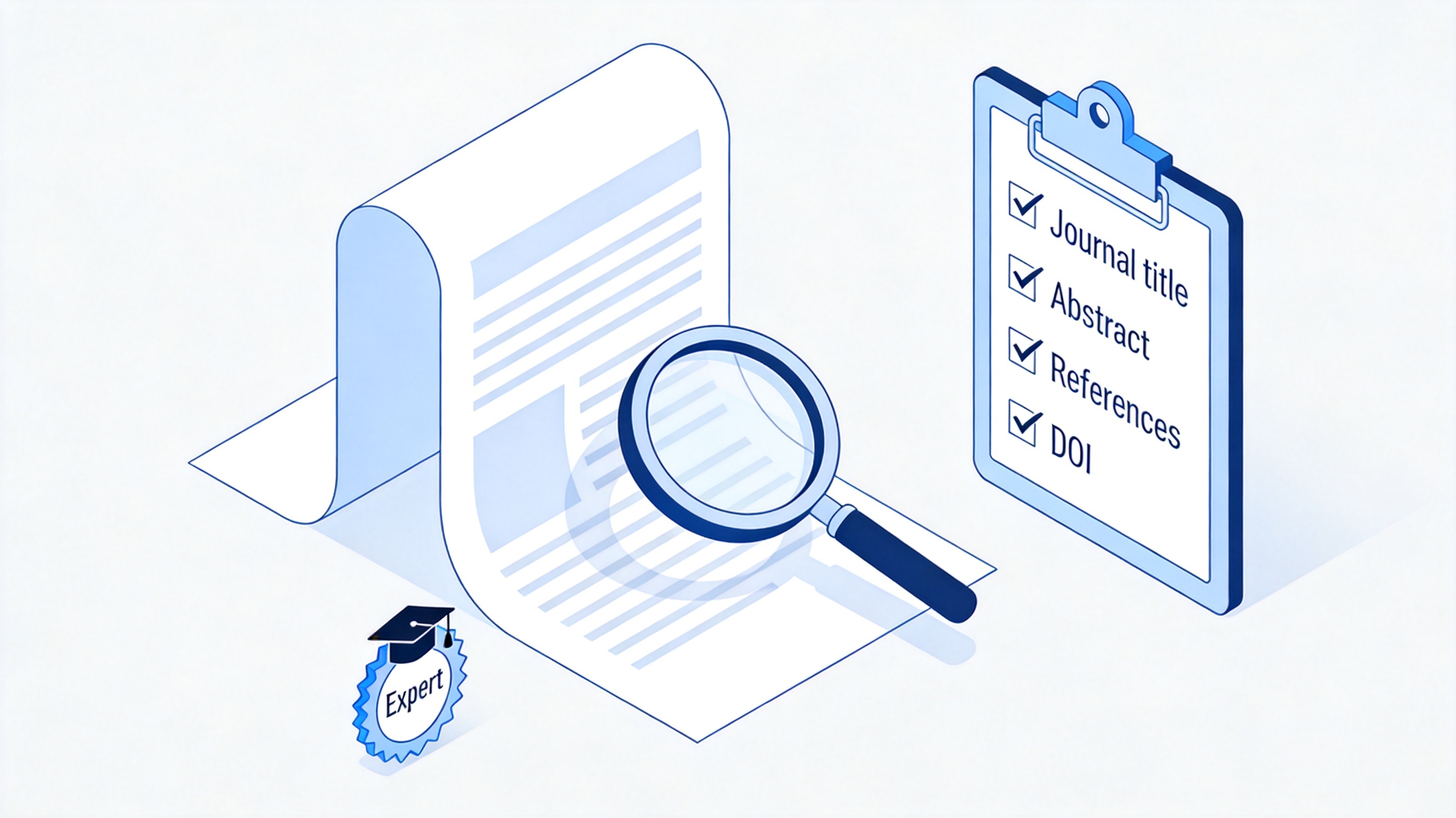
checklist identifying a scholarly article
The Structure of a Scholarly Article (IMRaD)
Most empirical scholarly articles follow the IMRaD structure — Introduction, Methods, Results, and Discussion — which makes them faster to read once you know where to look:
Abstract: a 150–300 word summary of the whole paper. Read this first to decide whether the article is relevant.
Introduction: the research question, background, and why the study matters.
Methods: how the study was conducted, in enough detail to be reproduced.
Results: the findings, usually with tables, charts, or figures.
Discussion and Conclusion: what the results mean, their limitations, and directions for future research.
References: the full list of cited works, formatted in styles such as APA or MLA. If you need to cite what you read, our guide on APA vs MLA citation styles explains which format fits your assignment.
Length varies by discipline: STEM papers commonly run 3,000–8,000 words, while humanities articles can exceed 10,000 words. Review articles — which synthesize many studies instead of reporting one experiment — also count as scholarly articles when they are peer-reviewed and published in academic journals.
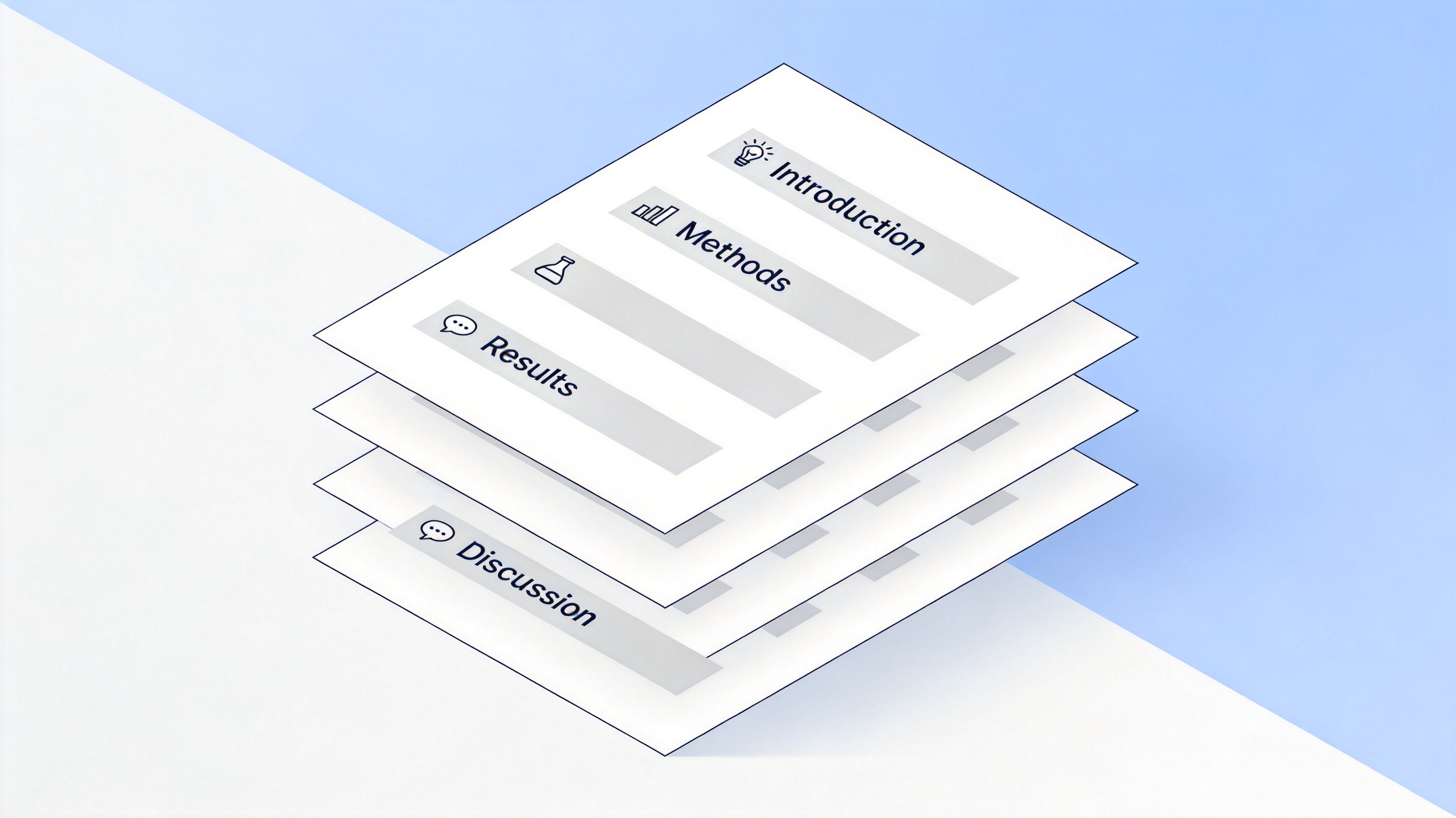
IMRaD structure of a scholarly article
How to Find Scholarly Articles for Free
You do not always need a subscription to read scholarly articles. These free routes cover most student research needs:
Start with your library portal. University libraries subscribe to major databases and provide free full-text access through a campus login — usually the fastest legitimate path.
Search Google Scholar. It indexes scholarly literature across disciplines and links to free copies when they exist; look for the [PDF] tag on the right of results.
Use open-access databases. DOAJ (Directory of Open Access Journals), PubMed for biomedical research, and PLOS journals publish peer-reviewed work that is free to read.
Check preprint servers. arXiv, bioRxiv, and SSRN host research shared before formal publication — useful, but note that preprints have not yet passed peer review.
Try repository and unpaywall tools. Institutional repositories and browser extensions such as Unpaywall locate legal free versions of paywalled papers.
Two practical notes: many journals impose an embargo period of 6–12 months before an article becomes free to read, and for very recent research the preprint may be the only accessible version. When a topic is entirely locked behind paywalls, ask your librarian about interlibrary loan — it remains one of the most underused free services.
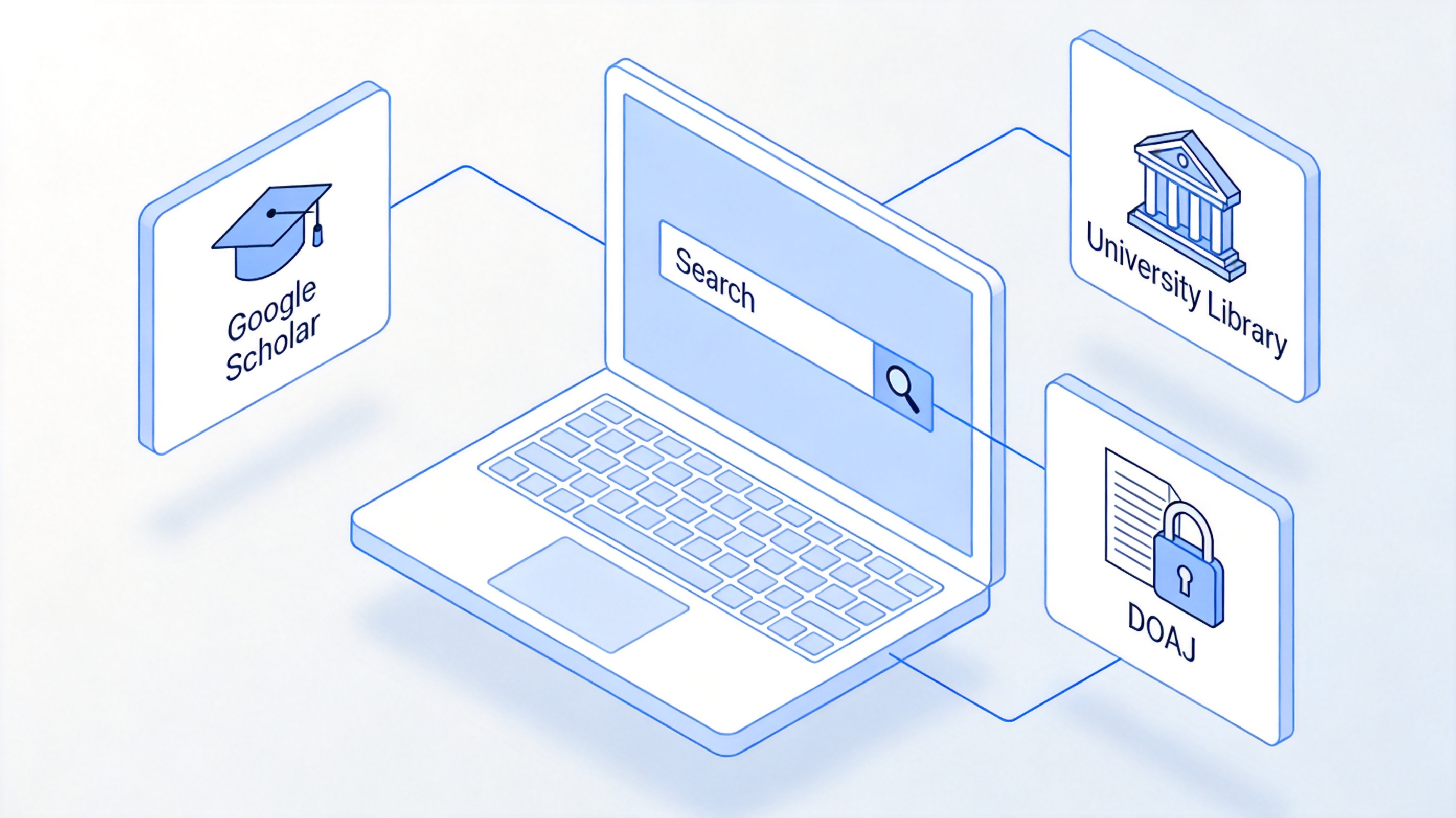
find free scholarly articles online
The Best Free Alternative: WPS Office for Reading Scholarly Articles
Most scholarly articles arrive as PDFs, and reading a 20-page paper in a basic viewer gets messy fast. WPS Office solves this with a free, built-in PDF toolkit: you can open the article, highlight key passages, attach sticky notes to arguments you want to revisit, and keep all marks stored inside the same PDF file. Because annotations live on a separate layer, the original text stays untouched — important when you need to quote the paper accurately later.
To read and manage a scholarly article in WPS Office:
Open the article PDF in WPS Office by double-clicking the file or via File > Open.
Read the abstract first, then jump to the Results and Discussion sections using the page thumbnails in the sidebar.
Switch to the Comment tab and use Highlight on key findings — one color per purpose keeps long papers scannable.
Add sticky notes for your own thoughts, such as how the study supports your thesis.
Save the annotated PDF with Ctrl+S (Cmd+S on Mac) so every mark is stored in the file, and convert extracts to Word with the built-in PDF-to-Word tool when you start drafting. For a deeper walkthrough, see our guide on how to annotate a PDF.
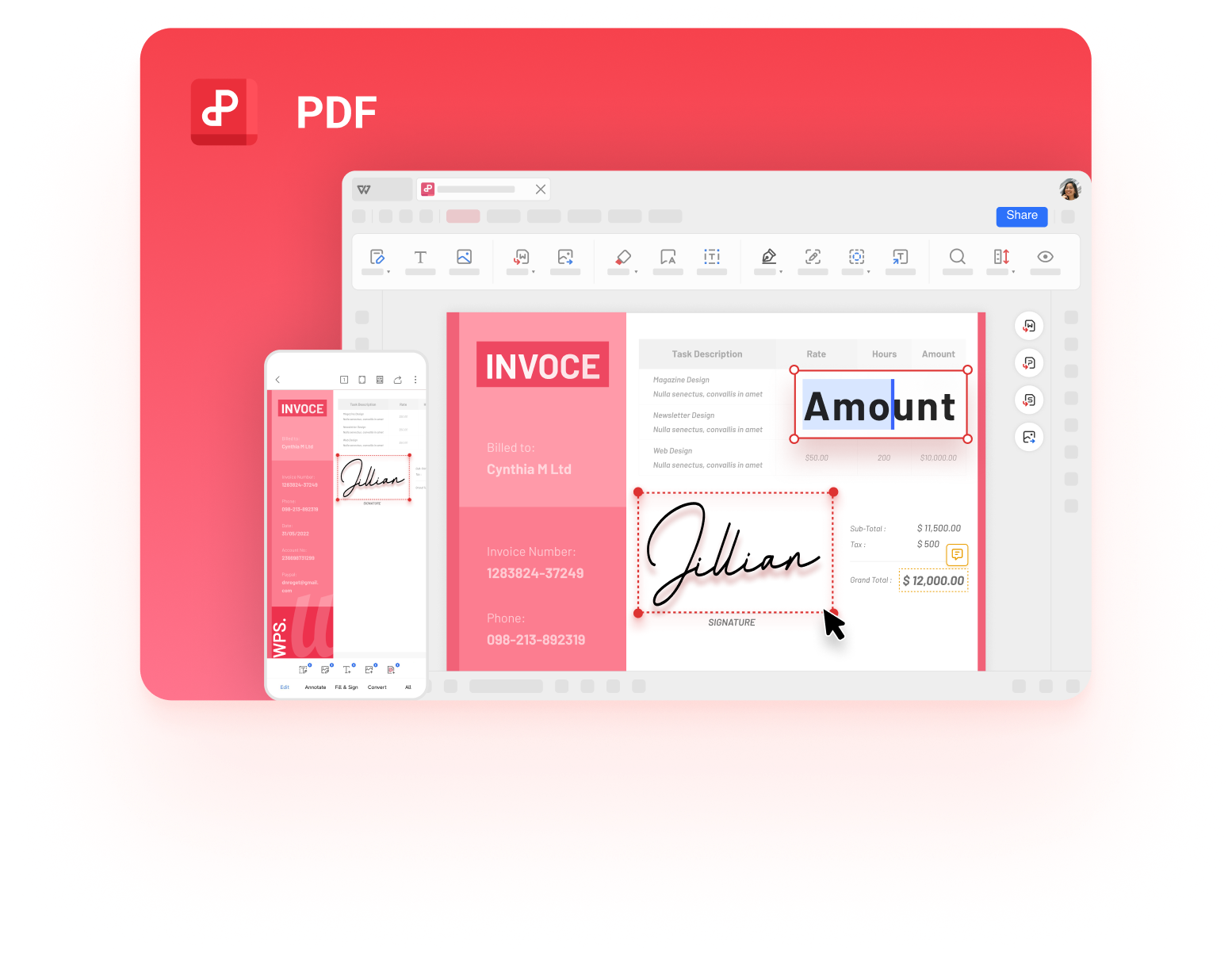
highlight and annotate PDF in WPS
FAQs
What is the difference between a scholarly article and a popular article?
A scholarly article is written by experts, peer-reviewed, presents original research or analysis, and cites its sources extensively. A popular article is written by journalists for a general audience, is not peer-reviewed, and rarely includes formal references.
Are all scholarly articles peer-reviewed?
No. Peer review is the most common quality gate, but some scholarly content — editorials, book reviews, and conference papers in some fields — may not go through full peer review. Check the journal's policy if the distinction matters for your assignment.
Is a review article a scholarly article?
Yes. A review article critically synthesizes many existing studies and is peer-reviewed and published in academic journals, so it counts as a scholarly source — often a great starting point for a literature review.
How do I cite a scholarly article?
The core pattern is: Author, A. A., & Author, B. B. (Year). Title of the article. Journal Name, volume(issue), pages. DOI. Adjust the details to APA, MLA, or Chicago depending on what your instructor requires.
How can I read scholarly articles that are behind a paywall?
Use your library's subscriptions first, then look for open-access versions on Google Scholar, repositories, or through tools like Unpaywall. After the embargo period (often 6–12 months), many articles become legally free to read.


'%3e%3cpath%20d='M19.9911%204.11386V6.471H18.5894C18.0775%206.471%2017.7322%206.57814%2017.5536%206.79243C17.3751%207.00671%2017.2858%207.32814%2017.2858%207.75671V9.44421H19.9019L19.5536%2012.0871H17.2858V18.8639H14.5536V12.0871H12.2769V9.44421H14.5536V7.49779C14.5536%206.39064%2014.8632%205.53201%2015.4822%204.92189C16.1013%204.31177%2016.9257%204.00671%2017.9554%204.00671C18.8304%204.00671%2019.509%204.04243%2019.9911%204.11386Z'%20fill='%23333333'/%3e%3c/g%3e%3cdefs%3e%3cclipPath%20id='clip0_2938_8199'%3e%3crect%20width='16'%20height='16'%20fill='white'%20transform='translate(8%204.00671)'/%3e%3c/clipPath%3e%3c/defs%3e%3c/svg%3e)
'%3e%3cpath%20d='M17.5237%2010.7813L23.4811%204H22.0699L16.8949%209.88693L12.7648%204H8L14.2469%2012.9029L8%2020.0133H9.4112L14.8725%2013.7952L19.2352%2020.0133H24M9.92053%205.04213H12.0885L22.0688%2019.0224H19.9003'%20fill='%23333333'/%3e%3c/g%3e%3cdefs%3e%3cclipPath%20id='clip0_2938_8200'%3e%3crect%20width='16'%20height='16.0134'%20fill='white'%20transform='translate(8%204)'/%3e%3c/clipPath%3e%3c/defs%3e%3c/svg%3e)


