A Power of Attorney form is a vital legal safeguard, allowing a
designated individual to manage financial or medical decisions when it
matters most. However, the complexity of choosing between durable,
general, or limited options often leads to confusion and the risk of
drafting invalid documents that institutions may reject. Securing one's
future requires precision rather than guesswork. This guide provides
free power of attorney forms and detailed instructions on using WPS
Office to customize them, ensuring every form is legally sound and ready
for execution.
Use Word, Excel, and PPT for FREE
Power of Attorney Form
How to Write a Power of
Attorney
Before downloading a template, it is crucial to understand the
implications of the document. Creating a Power of Attorney requires a
clear understanding of the legal responsibilities involved. Using a
generic form without customization can lead to unintended consequences.
It is vital to select the specific type of arrangement that aligns with
your personal or business needs.
A POA is a legal instrument where you (the Principal) grant authority
to another person (the Agent or Attorney-in-Fact) to act on your behalf.
This can range from signing a single check to managing your entire
estate. The document must explicitly state what the agent can and cannot do.
Types of Powers of Attorney
General Power of Attorney: Grants broad powers to handle financial and business affairs. It typically ends if the principal becomes incapacitated.
Durable Power of Attorney: Remains effective even if the principal becomes mentally incompetent or incapacitated. This is essential for long-term estate planning.
Limited (Special) Power of Attorney: restricts the agent to specific tasks, such as selling a specific property or handling a specific bank transaction.
Medical Power of Attorney: Grants authority to make healthcare decisions if the principal cannot do so themselves.
What to Include:
Principal and Agent Details: Full legal names and addresses.
Powers Granted: A specific list of what the agent is authorized to do.
Durability Clause: A statement defining if the power continues after incapacity.
Signatures: The document usually requires notarization and witnesses to be valid.
Top 10 Power of Attorney
Templates
This collection features a curated list of Power of Attorney form
examples covering the most common legal scenarios to ensure the correct
document is available for specific requirements. These forms are
designed to meet standard legal requirements, providing a solid
foundation for safeguarding personal and financial interests.
How to Download the Templates:
Before you begin, follow this simple workflow to save these files to
your device for editing:
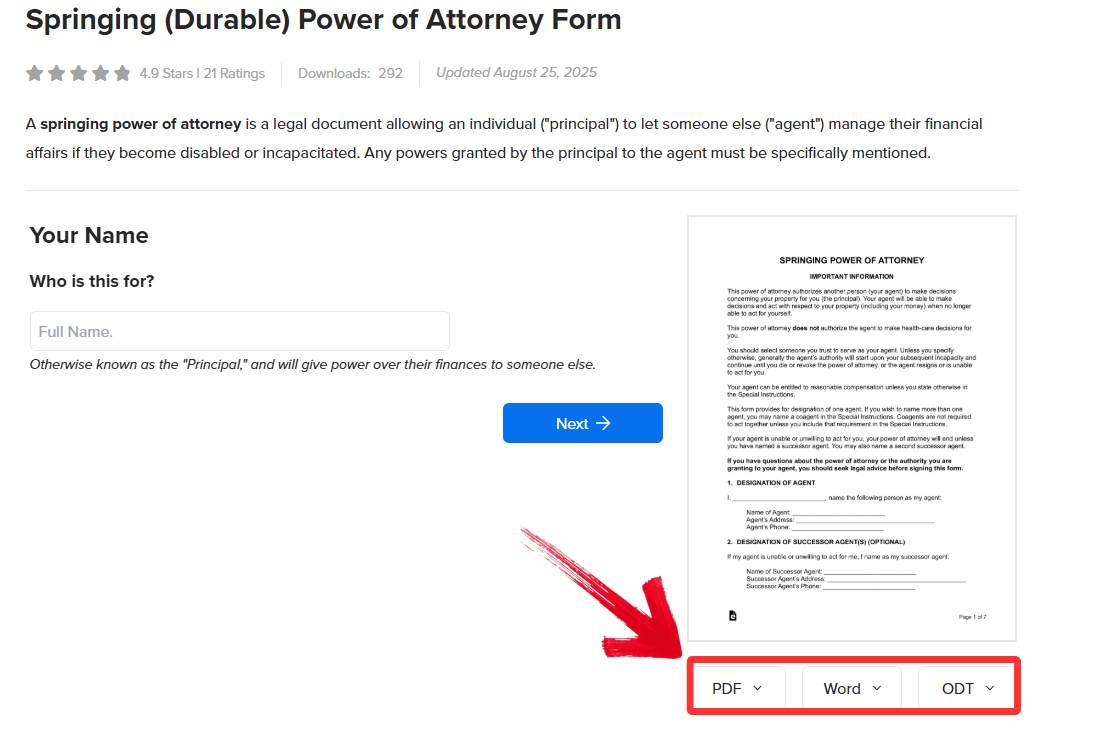
Step 1: Click on the specific Link provided below
the template description.
Step 2: On the destination page, click either of the
options, which usually include PDF, Word, or ODT.
Click Preferred Format
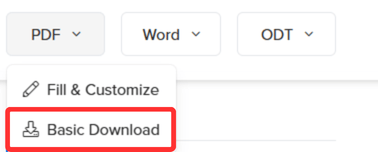
Step 3: Select your preferred file format and click “Basic Download” to save the document to your local
drive to begin customizing it.
Click Basic Download
1. Durable (Financial)
Power of Attorney Form
This Durable
(Financial) Power of Attorney Form is designed for individuals
seeking long-term financial security regardless of their future health
status. It includes sections for appointing an attorney-in-fact and
specifies powers that remain valid even if the principal becomes
incapacitated. This ensures uninterrupted management of assets and bills
during medical emergencies or mental decline.
Durable (Financial) Power of Attorney Form
2. Advance Directive Form
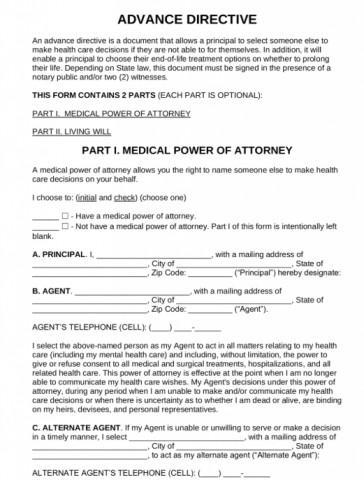
This Advance
Directive Form serves patients who wish to outline their medical
preferences before a crisis occurs. It combines a living will for
end-of-life choices with the appointment of a healthcare proxy to
enforce those decisions. Using this form guarantees that doctors respect
your personal values regarding life support and treatment when you
cannot speak for yourself.
Advance Directive Form
3. General Financial
Power of Attorney Form
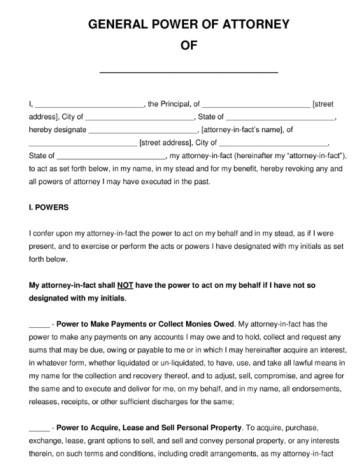
This General
Financial Power of Attorney Form helps business owners and
professionals delegate broad but often temporary authority. It lists
comprehensive financial powers such as banking, tax filing, and contract
signing, effective immediately upon execution. This tool allows an agent
to handle daily business operations or personal finances smoothly while
the principal is mentally competent.
General Financial Power of Attorney Form
4. IRS Power of Attorney | Form
2848
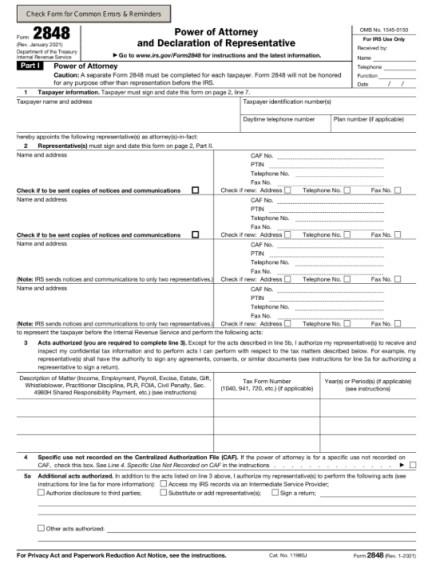
This IRS
Power of Attorney | Form 2848 is required for taxpayers facing
audits or complex filing issues to designate representation. It
explicitly authorizes a CPA, attorney, or enrolled agent to inspect
confidential tax information and sign returns. Filing this form enables
a professional to negotiate directly with the IRS on your behalf to
resolve tax disputes efficiently.
IRS Power of Attorney | Form 2848
5. Limited (Special)
Power of Attorney Form
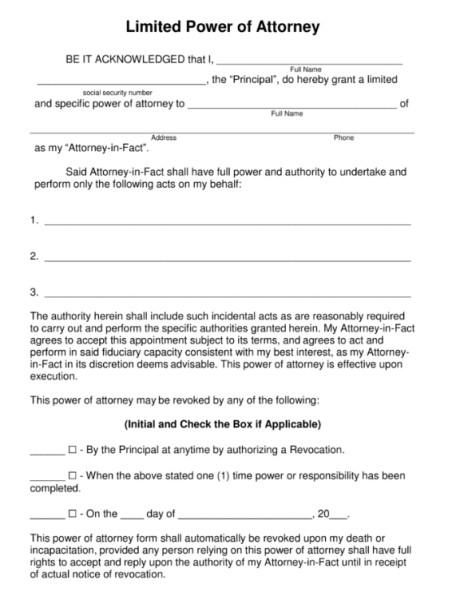
This Limited
(Special) Power of Attorney Form caters to individuals who need
to delegate a single and specific task without granting broad authority.
It restricts the agent's power to a defined activity such as signing
closing documents for a house or handling a vehicle transfer. This
provides a safe way to handle transactions remotely while ensuring the
agent cannot access other assets or make unauthorized decisions.
Limited (Special) Power of Attorney Form
6. Medical Power of
Attorney (MPOA) Form
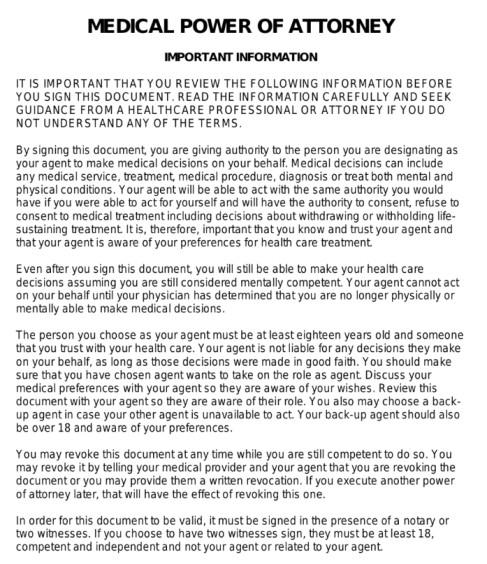
This Medical Power of
Attorney (MPOA) Form allows adults of all ages to appoint a
trusted decision-maker strictly for healthcare matters. It focuses
solely on medical consent and access to records without affecting
financial or property rights. This ensures a designated person can
consult with doctors and approve treatments immediately if the principal
is rendered unconscious.
Medical Power of Attorney (MPOA) Form
7. Minor (Child) Power of
Attorney Form
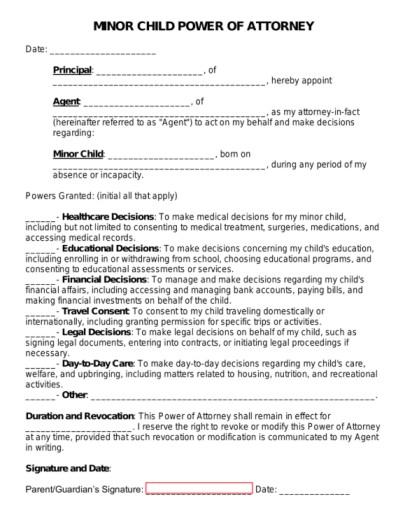
This Minor
(Child) Power of Attorney Form allows parents or guardians
traveling away from their children to ensure temporary care. It assigns
temporary guardianship rights to a caregiver for medical care and
school-related decisions for a specified timeframe. This allows the
caregiver to authorize emergency medical treatment for the child without
waiting for parental consent from abroad.
Minor (Child) Power of Attorney Form
8. Real Estate Power of
Attorney Form
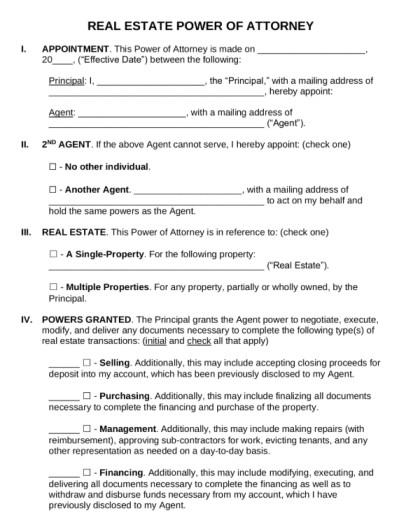
This Real Estate
Power of Attorney Form helps property buyers and sellers manage
real estate transactions in their absence. It details the specific
property address and authorizes the agent to sign deeds, mortgages, or
closing statements. This facilitates the seamless closing of a property
sale or purchase when the principal cannot attend the settlement meeting
in person.
Real Estate Power of Attorney Form
9. Power of Attorney
Revocation Form
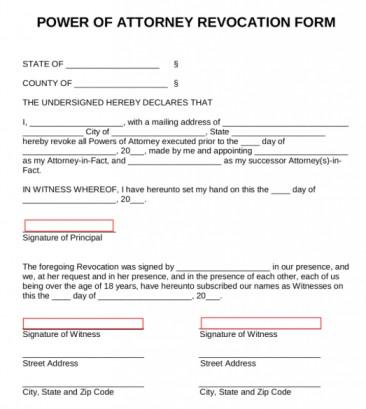
This Power of
Attorney Revocation Form is used by principals who wish to
cancel or terminate an existing agency relationship. It references the
original Power of Attorney date and explicitly states that all
previously granted authority is withdrawn. Recording and delivering this
form prevents a former agent from continuing to act on your behalf and
protects against unauthorized transactions.
Power of Attorney Revocation Form
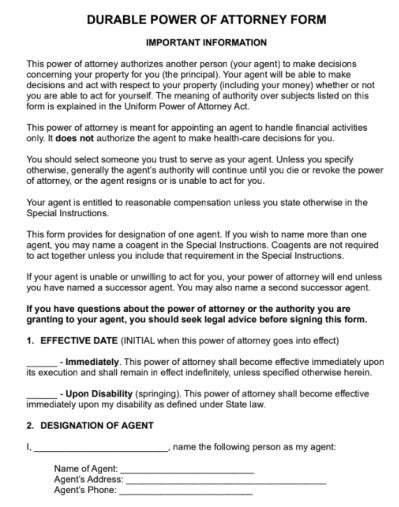
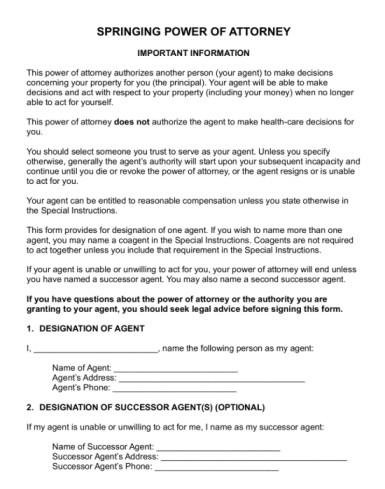
10. Springing
(Durable) Power of Attorney Form
This Springing
(Durable) Power of Attorney Form is preferred by cautious
planners as it remains inactive until a specific criterion is met. It
contains a triggering clause that activates the agent's powers only
after a physician certifies the principal's incapacity. This offers
maximum control by ensuring the agent has no authority over your affairs
while you remain healthy and capable.
Springing (Durable) Power of Attorney Form
These templates provide a solid legal foundation for the most common
scenarios, but every personal or business situation is unique and may
require a more tailored approach. If the standard government forms feel
too rigid or lack the professional polish needed for a corporate
setting, I strongly recommend exploring the WPS Template
Store. It offers a vast library of professionally
designed documents that are not only legally structured but also
formatted for clarity and ease of editing.
How
to Further Edit and Print Optimized Power of Attorney Templates
After downloading the right template, the focus shifts to
customization. Any form needs specific details like names, addresses,
and defined powers to be legally binding. WPS Office handles this
effortlessly, providing a single platform to edit both PDF and Word
documents. It ensures the final Power of Attorney is clean,
professional, and ready for notarization. Here’s how to write a Power of
Attorney form in PDF form or Word:
How to Edit
the Power of Attorney Form in WPS PDF
Many legal
templates are provided in PDF format to preserve formatting,
which can make them difficult to edit with standard viewers. WPS PDF
resolves this by allowing direct text manipulation.
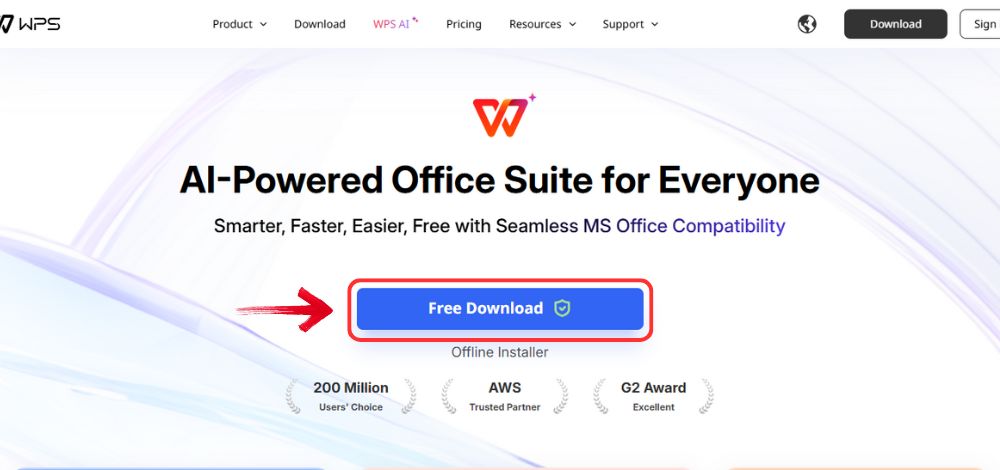
Step 1: Open your browser to visit WPS Office and click the "Free Download" button to start the download.
Download WPS Office
Step 2: The download will finish in a few seconds.
Once done, run the installation file like you would for any other app or
software.
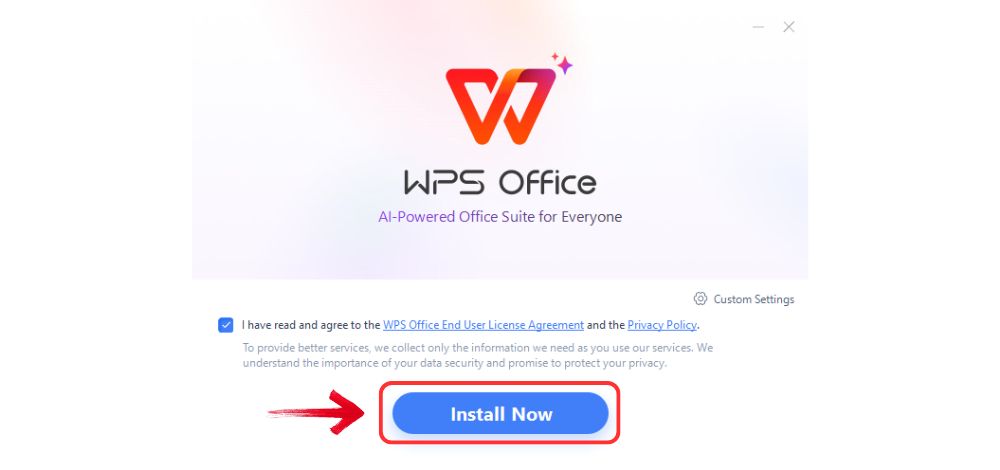
Step 3: WPS Office will show you a few simple terms
and conditions. Accept them, then click the "Install
Now" button to begin the installation.
Install WPS Office
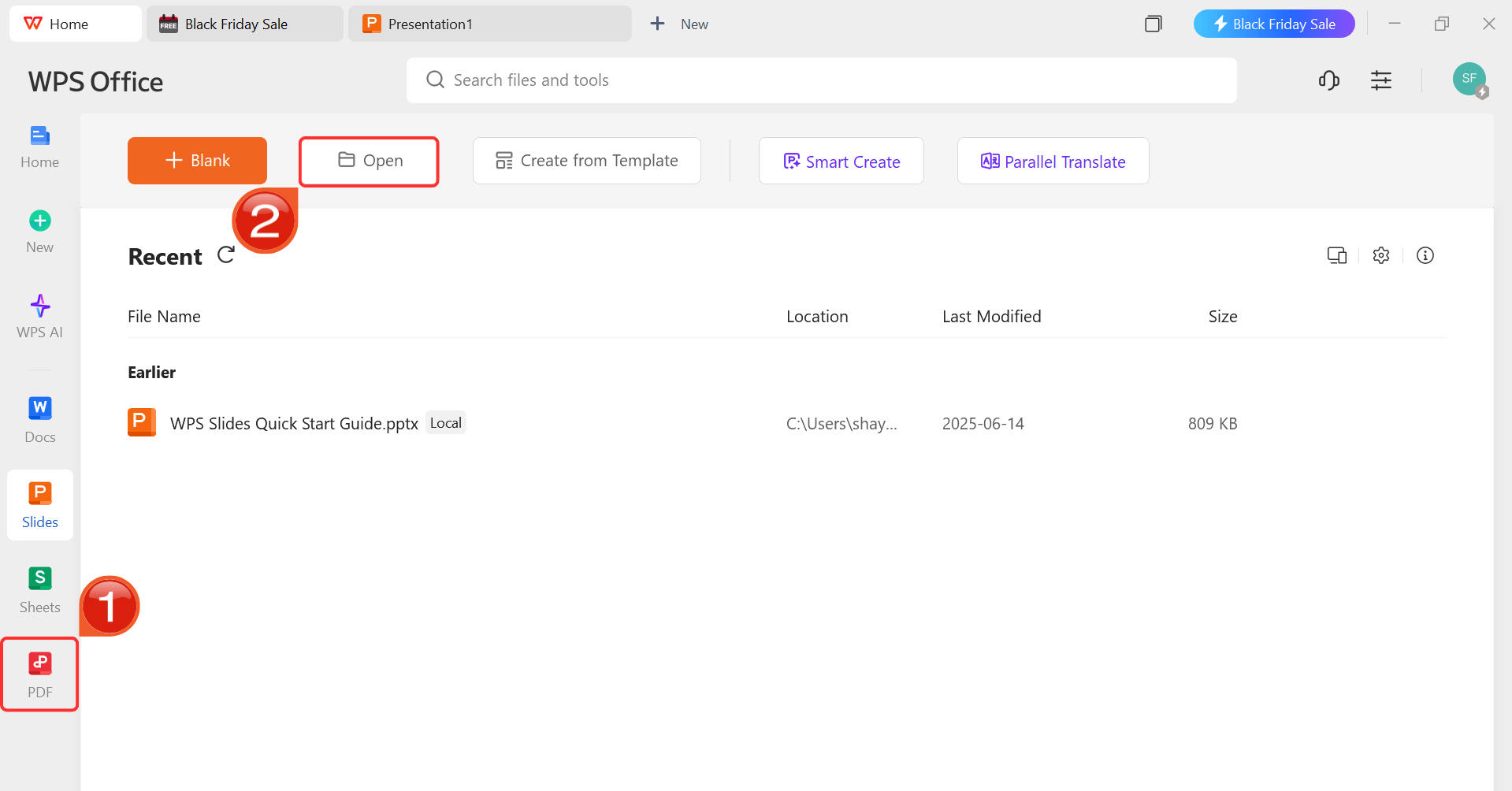
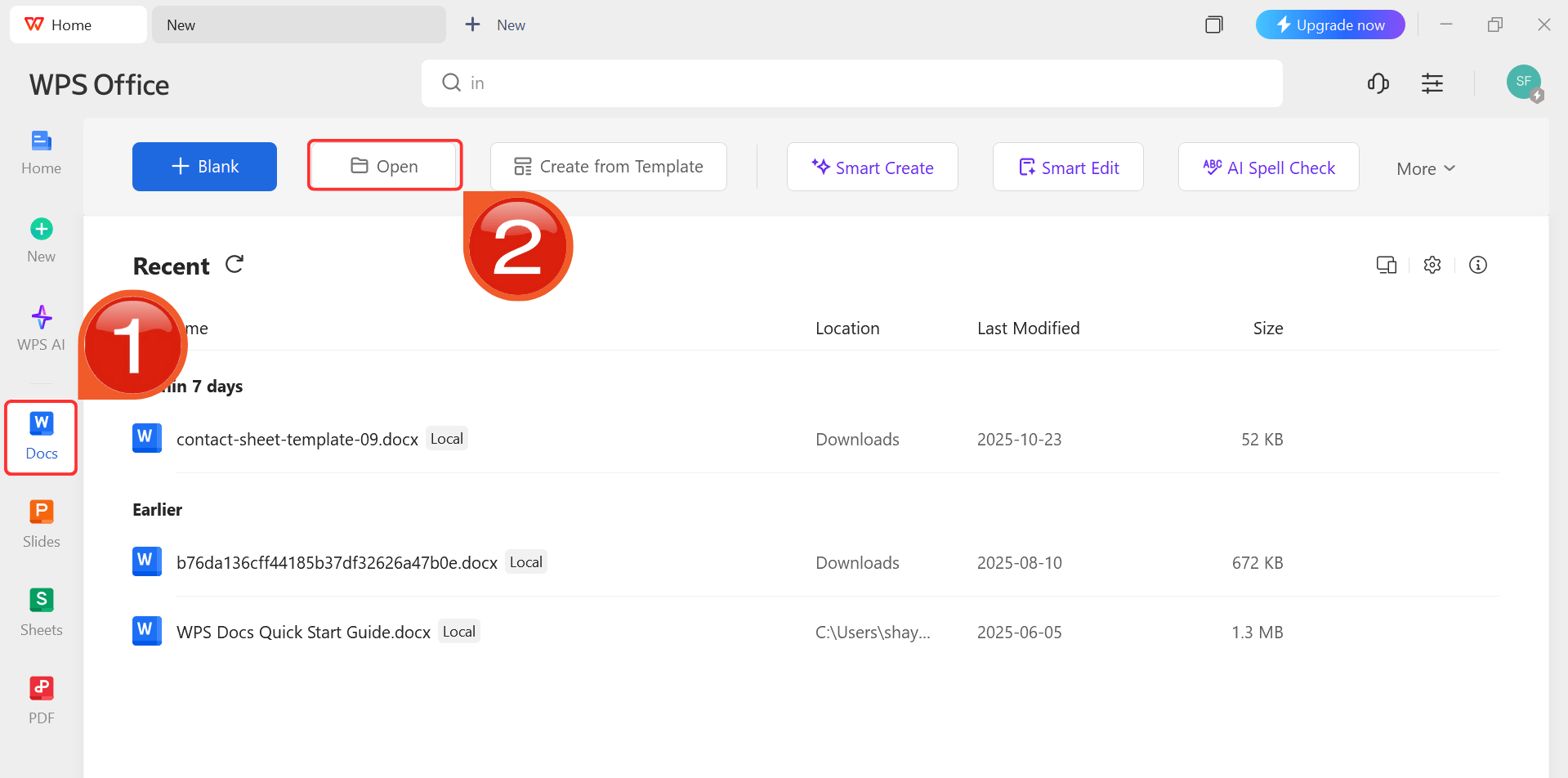
Step 4: After installation, in WPS Office, click “PDF” from the left sidebar and hit “Open” to select the Power of Attorney PDF file or
select from the template library in WPS Office.
WPS PDF Dashboard
Step 5: Select the "Edit" tool from
the top toolbar. This enables the modification of existing text. Use the "Add Text" feature to insert new clauses or specific
instructions if the template requires additional custom powers.
Edit the PDF
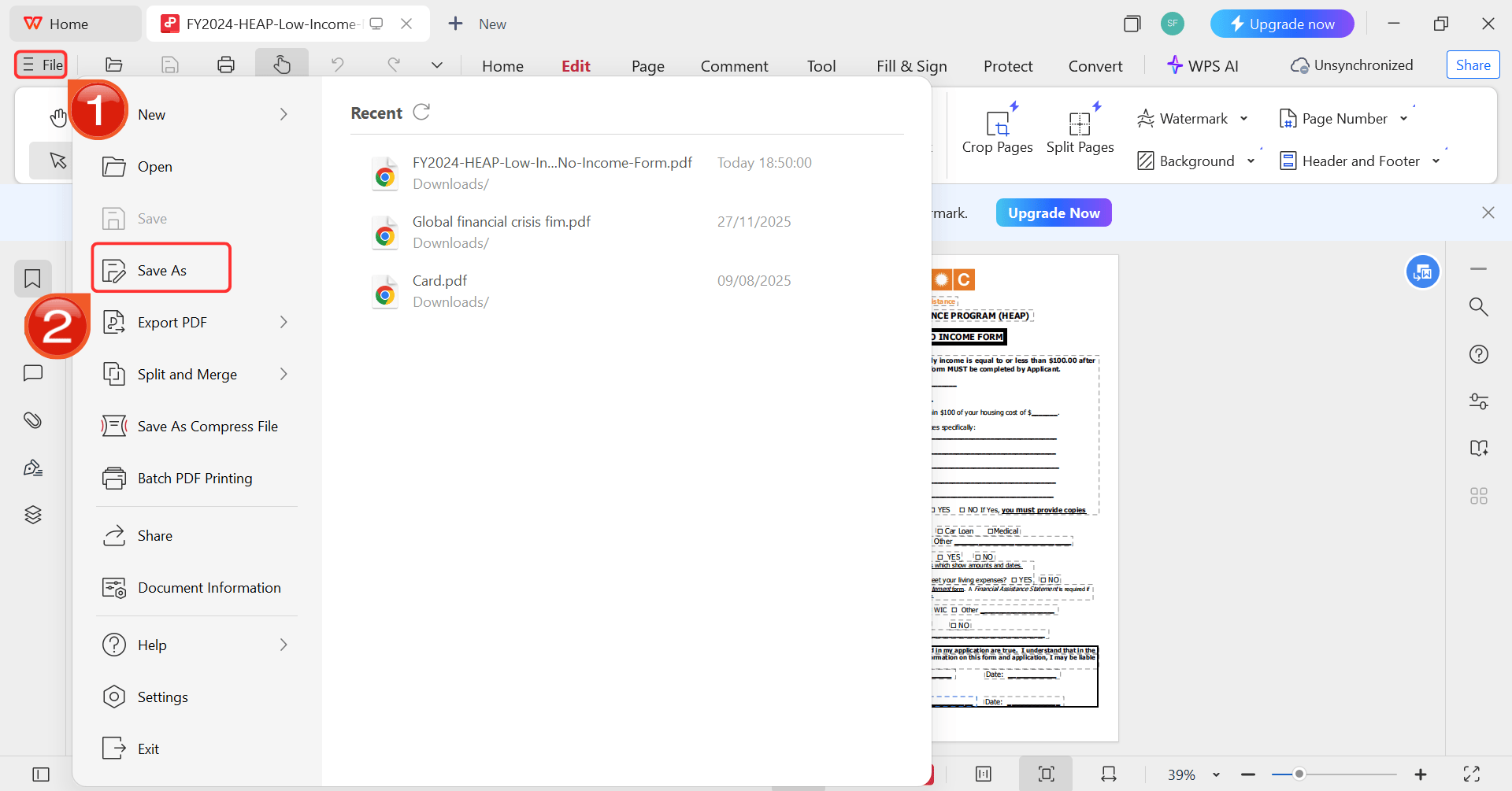
Step 6: Once the edits are complete, click "File" then from the menu that opens up click "Save As" to store the secure, finalized document ready
for printing.
Save as button
How to Edit
the Power of Attorney Form in WPS Word
For templates downloaded as Word documents (.doc or .docx), WPS
Writer offers comprehensive formatting tools to ensure the document
looks professional.
Step 1: Open your browser to visit WPS Office and click the "Free Download" button to start the download.
Download WPS Office
Step 2: The download will finish in a few seconds.
Once done, run the installation file like you would for any other app or
software.
Step 3: WPS Office will show you a few simple terms
and conditions. Accept them, then click the "Install
Now" button to begin the installation.
Install WPS Office
Step 4: After installation, in WPS Office, click “Docs” from the left sidebar and hit “Open” to select your downloaded template or select
from the template library in WPS Office.
WPS Docs Dashboard
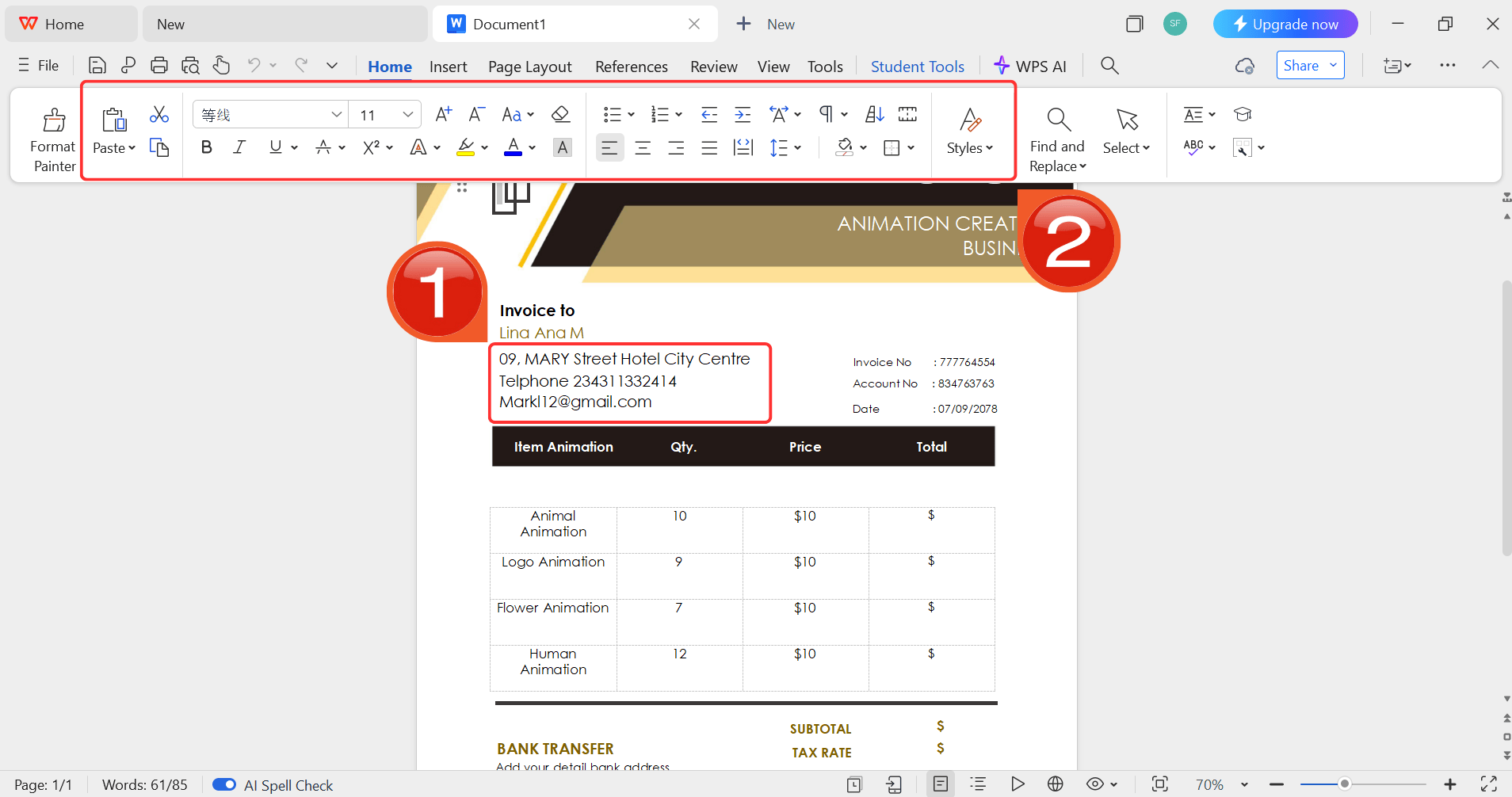
Step 5: Then click on the text you want to modify
and just enter your details within it by using the Ribbon above.
Customize your template
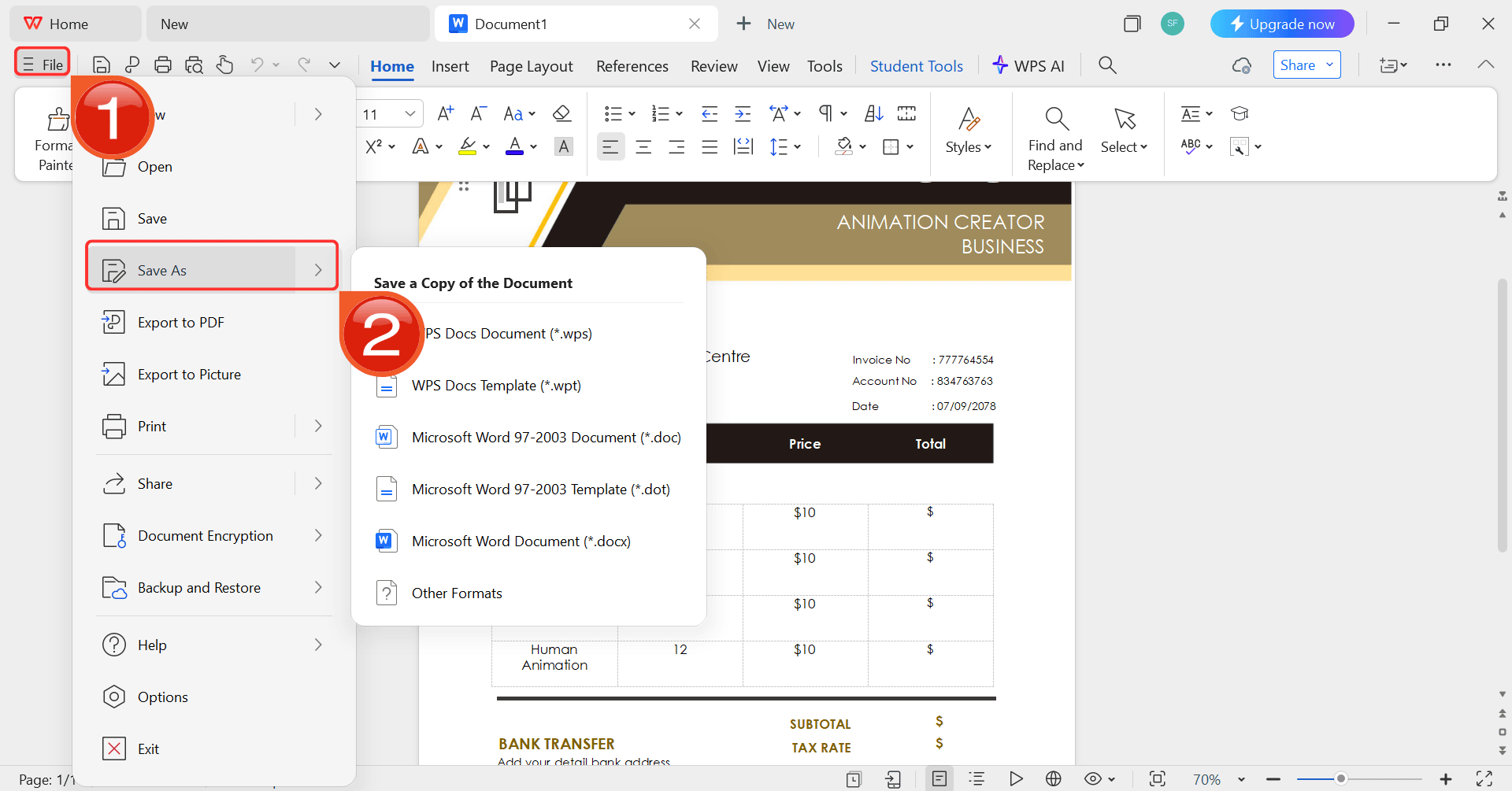
Step 6: After you’re done modifying the template,
head to “File” and choose “Save as” to
save the invoice in your desired format.
Save the template
Free Office Suite
with Editable Templates
Finding the right software to handle sensitive legal documents is
just as important as selecting the correct template. There are many formatting errors when converting files or the barrier of expensive subscriptions
just to make simple edits to a downloaded PDF. WPS Office eliminates these by
offering a seamless and cost-effective way to manage critical paperwork
without the technical headaches usually associated with document
preparation.
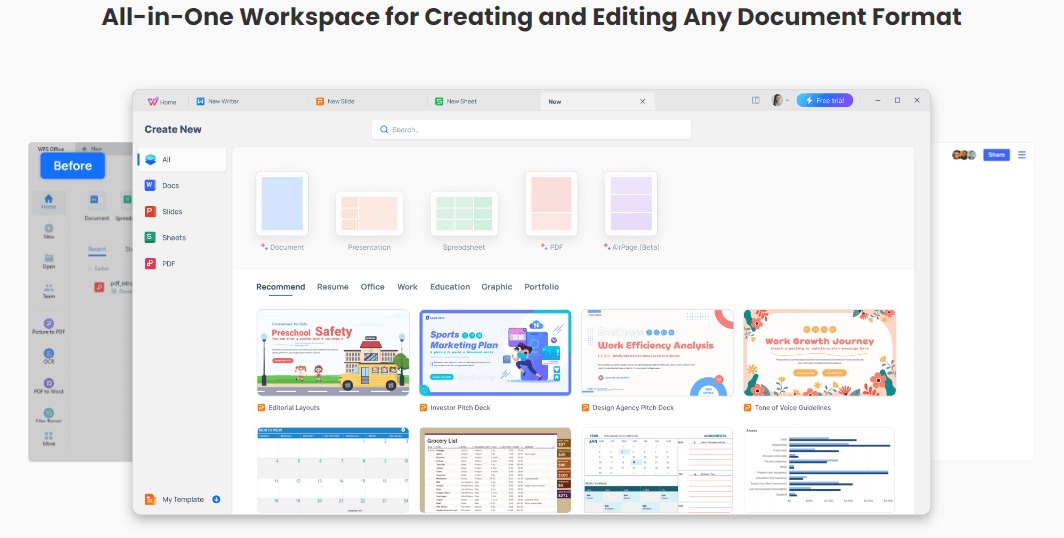
WPS Template Library
As a comprehensive all-in-one suite, WPS Office integrates powerful
PDF editing, word processing, and AI capabilities into a single
lightweight application. It stands out for its extensive library of
free, professional templates which simplifies starting complex legal
drafts, while its robust PDF toolkit allows users to modify and sign
downloaded government forms directly. With cross-platform support across
Windows, Mac, and mobile devices, it ensures that essential documents
remain accessible and secure whenever they are needed.
Features:
AI Writing Assistant: Helps rephrase complex legal jargon into clear terms.
Powerful PDF Toolkit: Edit, sign, and convert PDF forms seamlessly.
Rich Template Store: Access thousands of free, professional templates for legal, business, and personal use.
Cross-Platform: Works on Windows, Mac, Android, and iOS, allowing you to view your documents anywhere.
Safe and Stable: Trusted by millions of users to handle sensitive data securely.
100% secure
FAQs
Q1: What is the difference between a durable and non-durable
POA?
A durable POA contains specific language stating it remains effective
if you become mentally incapacitated (e.g., coma, dementia). A
non-durable POA automatically ends the moment you become
incapacitated.
Q2: When does a POA become effective?
Standard POAs usually take effect immediately upon signing. However,
a Springing POA only becomes effective after a specific event occurs,
such as a doctor certifying that you can no longer make decisions.
Q3: Do I need a lawyer to create a Power of
Attorney?
In many jurisdictions, a lawyer is not strictly required to write a
POA. However, having a legal professional review your document is highly
recommended to ensure it meets local state laws and accurately reflects
your intent.
Q4: Can a Power of Attorney be used after death?
No. All Power of Attorney authority ceases the moment the principal
dies. At that point, the Executor of the Will takes over the management
of the estate.
Q5: Does a POA need to be notarized?
In most cases, yes. To be accepted by banks, hospitals, and courts, a
Power of Attorney usually requires the signature to be notarized. Some
states also require witness signatures in addition to the notary.
Summary
Choosing the right Power of Attorney form is the first step in protecting your future and your assets. Whether you need a Durable POA for long-term security or a Limited POA for a single transaction, using a correct template is vital. To ensure your document is professional and clearly formatted, I highly recommend using WPS Office. Its integrated PDF and Word tools allow you to edit, customize, and print your legal documents with confidence and ease.
I'm Maira, experienced in using office suite tools and technology to support professional tasks. My regular use of Office software has helped me develop strong command over these tools, especially in drafting legal instruments and helpful content.


'%3e%3cpath%20d='M8%200C12.4183%200%2016%203.58172%2016%208C16%2012.4183%2012.4183%2016%208%2016C3.58172%2016%200%2012.4183%200%208C0%203.58172%203.58172%200%208%200ZM11.6162%204.38379C11.2257%203.99337%2010.5927%203.99338%2010.2021%204.38379L8%206.58594L5.79785%204.38379C5.40732%203.99334%204.77429%203.99329%204.38379%204.38379C3.99331%204.77429%203.99335%205.40733%204.38379%205.79785L6.58594%208L4.38379%2010.2021C3.99348%2010.5927%203.99341%2011.2257%204.38379%2011.6162C4.77426%2012.0066%205.40734%2012.0065%205.79785%2011.6162L8%209.41406L10.2021%2011.6162C10.5927%2012.0066%2011.2257%2012.0067%2011.6162%2011.6162C12.0067%2011.2257%2012.0066%2010.5927%2011.6162%2010.2021L9.41406%208L11.6162%205.79785C12.0066%205.40735%2012.0066%204.77429%2011.6162%204.38379Z'%20fill='%23080E17'%20fill-opacity='0.46'/%3e%3c/g%3e%3cdefs%3e%3cclipPath%20id='clip0_3761_713'%3e%3crect%20width='16'%20height='16'%20fill='white'/%3e%3c/clipPath%3e%3c/defs%3e%3c/svg%3e)




'%3e%3cpath%20fill-rule='evenodd'%20clip-rule='evenodd'%20d='M21.4999%2010.9993C21.4999%205.20009%2016.7986%200.498901%2010.9993%200.498901C5.19994%200.498901%200.498657%205.20009%200.498657%2010.9993C0.498657%2016.2404%204.33858%2020.5844%209.35855%2021.3722V14.0346H6.69238V10.9993H9.35855V8.68594C9.35855%206.05427%2010.9262%204.60062%2013.3248%204.60062C14.4736%204.60062%2015.6753%204.80571%2015.6753%204.80571V7.38979H14.3512C13.0468%207.38979%2012.64%208.19921%2012.64%209.0296V10.9993H15.5523L15.0867%2014.0346H12.64V21.3722C17.66%2020.5844%2021.4999%2016.2404%2021.4999%2010.9993Z'%20fill='%231568EA'/%3e%3c/g%3e%3c/svg%3e)


'%3e%3cpath%20d='M2.42045%2022.1876H6.31818V12.7217L0.75%208.54553V20.5171C0.75%2021.4414%201.49892%2022.1876%202.42045%2022.1876Z'%20fill='%234285F4'/%3e%3cpath%20d='M19.682%2022.1876H23.5797C24.5041%2022.1876%2025.2502%2021.4387%2025.2502%2020.5171V8.54553L19.682%2012.7217'%20fill='%2334A853'/%3e%3cpath%20d='M19.682%205.48293V12.7216L25.2502%208.54543V6.31816C25.2502%204.25236%2022.8921%203.07469%2021.2411%204.31361'%20fill='%23FBBC04'/%3e%3cpath%20d='M6.31824%2012.7217V5.48303L13.0001%2010.4944L19.6819%205.48303V12.7217L13.0001%2017.733'%20fill='%23EA4335'/%3e%3cpath%20d='M0.75%206.31816V8.54543L6.31818%2012.7216V5.48293L4.75909%204.31361C3.10534%203.07469%200.75%204.25236%200.75%206.31816Z'%20fill='%23C5221F'/%3e%3c/g%3e%3cdefs%3e%3cclipPath%20id='clip0_2954_7305'%3e%3crect%20width='24.5'%20height='18.375'%20fill='white'%20transform='translate(0.75%203.8125)'/%3e%3c/clipPath%3e%3c/defs%3e%3c/svg%3e)




'%3e%3cpath%20d='M19.9911%204.11386V6.471H18.5894C18.0775%206.471%2017.7322%206.57814%2017.5536%206.79243C17.3751%207.00671%2017.2858%207.32814%2017.2858%207.75671V9.44421H19.9019L19.5536%2012.0871H17.2858V18.8639H14.5536V12.0871H12.2769V9.44421H14.5536V7.49779C14.5536%206.39064%2014.8632%205.53201%2015.4822%204.92189C16.1013%204.31177%2016.9257%204.00671%2017.9554%204.00671C18.8304%204.00671%2019.509%204.04243%2019.9911%204.11386Z'%20fill='%23333333'/%3e%3c/g%3e%3cdefs%3e%3cclipPath%20id='clip0_2938_8199'%3e%3crect%20width='16'%20height='16'%20fill='white'%20transform='translate(8%204.00671)'/%3e%3c/clipPath%3e%3c/defs%3e%3c/svg%3e)
'%3e%3cpath%20d='M17.5237%2010.7813L23.4811%204H22.0699L16.8949%209.88693L12.7648%204H8L14.2469%2012.9029L8%2020.0133H9.4112L14.8725%2013.7952L19.2352%2020.0133H24M9.92053%205.04213H12.0885L22.0688%2019.0224H19.9003'%20fill='%23333333'/%3e%3c/g%3e%3cdefs%3e%3cclipPath%20id='clip0_2938_8200'%3e%3crect%20width='16'%20height='16.0134'%20fill='white'%20transform='translate(8%204)'/%3e%3c/clipPath%3e%3c/defs%3e%3c/svg%3e)


