

'%3e%3cpath%20d='M8%200C12.4183%200%2016%203.58172%2016%208C16%2012.4183%2012.4183%2016%208%2016C3.58172%2016%200%2012.4183%200%208C0%203.58172%203.58172%200%208%200ZM11.6162%204.38379C11.2257%203.99337%2010.5927%203.99338%2010.2021%204.38379L8%206.58594L5.79785%204.38379C5.40732%203.99334%204.77429%203.99329%204.38379%204.38379C3.99331%204.77429%203.99335%205.40733%204.38379%205.79785L6.58594%208L4.38379%2010.2021C3.99348%2010.5927%203.99341%2011.2257%204.38379%2011.6162C4.77426%2012.0066%205.40734%2012.0065%205.79785%2011.6162L8%209.41406L10.2021%2011.6162C10.5927%2012.0066%2011.2257%2012.0067%2011.6162%2011.6162C12.0067%2011.2257%2012.0066%2010.5927%2011.6162%2010.2021L9.41406%208L11.6162%205.79785C12.0066%205.40735%2012.0066%204.77429%2011.6162%204.38379Z'%20fill='%23080E17'%20fill-opacity='0.46'/%3e%3c/g%3e%3cdefs%3e%3cclipPath%20id='clip0_3761_713'%3e%3crect%20width='16'%20height='16'%20fill='white'/%3e%3c/clipPath%3e%3c/defs%3e%3c/svg%3e)




'%3e%3cpath%20fill-rule='evenodd'%20clip-rule='evenodd'%20d='M21.4999%2010.9993C21.4999%205.20009%2016.7986%200.498901%2010.9993%200.498901C5.19994%200.498901%200.498657%205.20009%200.498657%2010.9993C0.498657%2016.2404%204.33858%2020.5844%209.35855%2021.3722V14.0346H6.69238V10.9993H9.35855V8.68594C9.35855%206.05427%2010.9262%204.60062%2013.3248%204.60062C14.4736%204.60062%2015.6753%204.80571%2015.6753%204.80571V7.38979H14.3512C13.0468%207.38979%2012.64%208.19921%2012.64%209.0296V10.9993H15.5523L15.0867%2014.0346H12.64V21.3722C17.66%2020.5844%2021.4999%2016.2404%2021.4999%2010.9993Z'%20fill='%231568EA'/%3e%3c/g%3e%3c/svg%3e)


'%3e%3cpath%20d='M2.42045%2022.1876H6.31818V12.7217L0.75%208.54553V20.5171C0.75%2021.4414%201.49892%2022.1876%202.42045%2022.1876Z'%20fill='%234285F4'/%3e%3cpath%20d='M19.682%2022.1876H23.5797C24.5041%2022.1876%2025.2502%2021.4387%2025.2502%2020.5171V8.54553L19.682%2012.7217'%20fill='%2334A853'/%3e%3cpath%20d='M19.682%205.48293V12.7216L25.2502%208.54543V6.31816C25.2502%204.25236%2022.8921%203.07469%2021.2411%204.31361'%20fill='%23FBBC04'/%3e%3cpath%20d='M6.31824%2012.7217V5.48303L13.0001%2010.4944L19.6819%205.48303V12.7217L13.0001%2017.733'%20fill='%23EA4335'/%3e%3cpath%20d='M0.75%206.31816V8.54543L6.31818%2012.7216V5.48293L4.75909%204.31361C3.10534%203.07469%200.75%204.25236%200.75%206.31816Z'%20fill='%23C5221F'/%3e%3c/g%3e%3cdefs%3e%3cclipPath%20id='clip0_2954_7305'%3e%3crect%20width='24.5'%20height='18.375'%20fill='white'%20transform='translate(0.75%203.8125)'/%3e%3c/clipPath%3e%3c/defs%3e%3c/svg%3e)


Preface
Getting fit in our wild, fast-paced world is like unlocking a superpower, but starting a fitness plan can feel like wrestling a bear. Newbies are lost on where to begin, and even gym buffs stall at plateaus. How do you score a fitness plan template free that’s legit and easy to tweak? This guide’s your gym bro, dishing out 10 dope templates and a simple way to customize them with WPS Office.


Part 1: What is a Fitness Plan?
A fitness plan is your personal cheat sheet to smashing health goals, whether you’re chasing weight loss, muscle gains, or just feeling like a champ. It blends workouts, rest, and sometimes diet to keep you on track. I used one to prep for a 5K, turning my random jogs into a routine I stuck with. Here’s what goes into a killer fitness plan template and why it’s a must.
Key Components:
Aerobic Fitness: Running, cycling, or dance cardio, 5 days/week, 30 minutes.
Strength Training: Weights or push-ups, 2-3 days/week for muscle.
Core Exercises: Planks or crunches, 2-3 days/week for a tight midsection.
Balance Training: Single-leg stands, 2 days/week for stability.
Flexibility & Stretching: Yoga or stretches, 60 seconds/move, 2-3 days/week.
Exercise Frequency: Aerobics (5x/week), strength (2-3x/week), stretching (2-3x/week), balance (2x/week). Adjust based on your level—newbies go lighter, pros push harder.
Part 2: 10 Prominent Fitness Plan Templates [Free Download]
Here’s the juice: 10 free, editable fitness plan templates for Word and Excel from WPS Office to kick your workouts into high gear. Each one’s got a unique vibe, from beginner-friendly schedules to diet-focused trackers, and they’re all stupidly easy to tweak. I used the Fitness Planner for my 5K prep, and it was like having a coach in my pocket. Check these out, grab the links, and get moving!
Healthy Recipe Plan [Word]
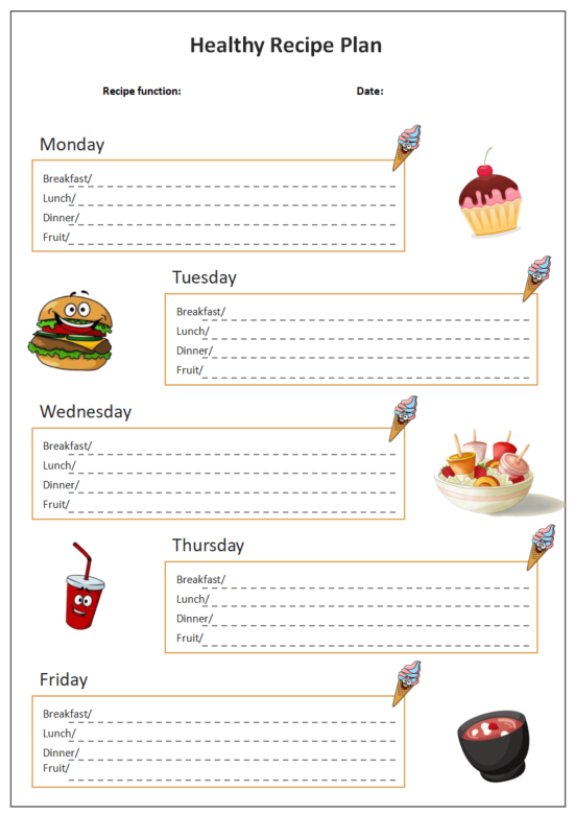
This template pairs your workouts with meal ideas to keep your diet as tight as your abs. I used it to plan protein-packed meals during a weight loss push, and it made grocery shopping a breeze. It’s great for anyone wanting to sync nutrition with exercise. Perfect for meal preppers or foodies.
Weekly Fitness Schedule [Word]
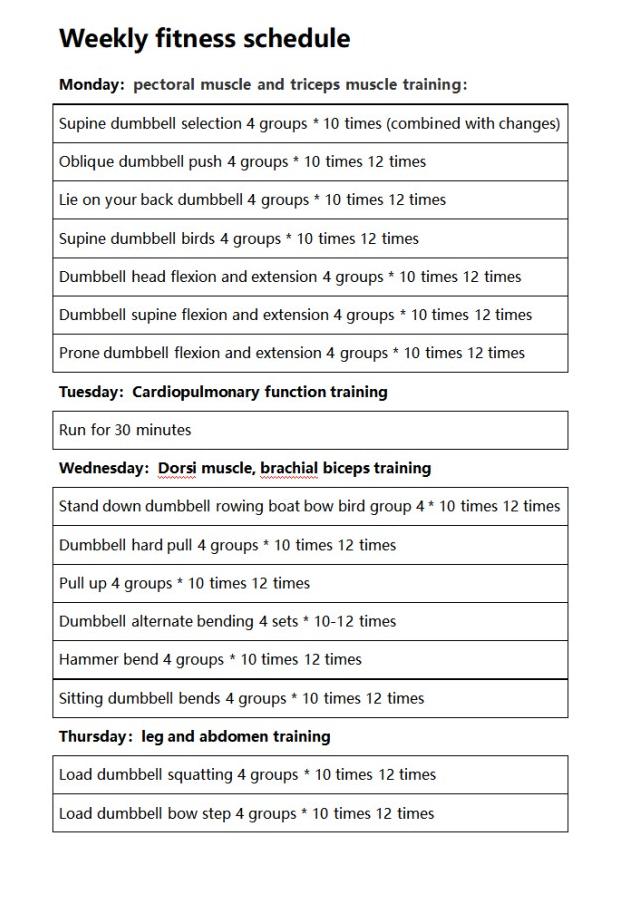
This clean, no-fuss template lays out your week’s workouts and rest days, perfect for beginners or busy bees juggling life. I used it to plan my runs and yoga, and it kept me from skipping sessions. It’s got space for notes, so you can track how you feel post-workout. A total lifesaver for staying organized.
Fitness Planner [Word]
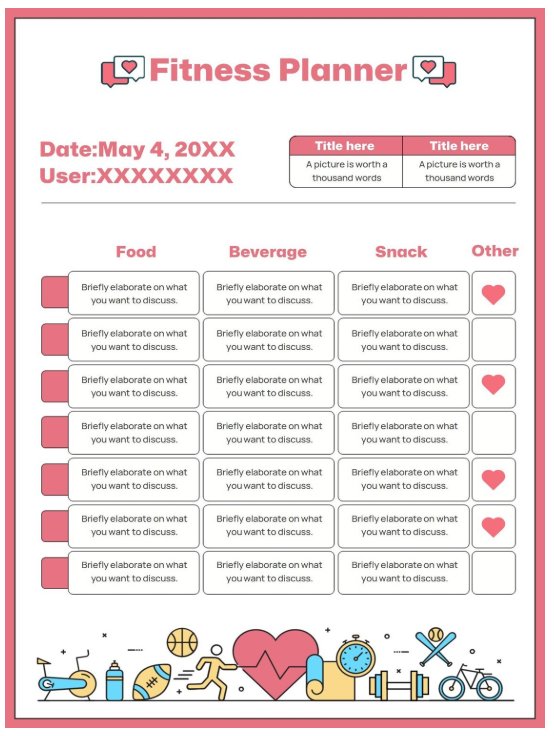
A detailed gem for tracking workouts, meals, and goals, this one’s a must for type-A fitness buffs who love structure. I leaned on it to mix cardio and weights, and it kept me hyped seeing my progress. It’s got spots for everything—reps, sets, even water intake. Ideal for keeping your fitness game on lock.
Bodybuilding Course Plan [Word]
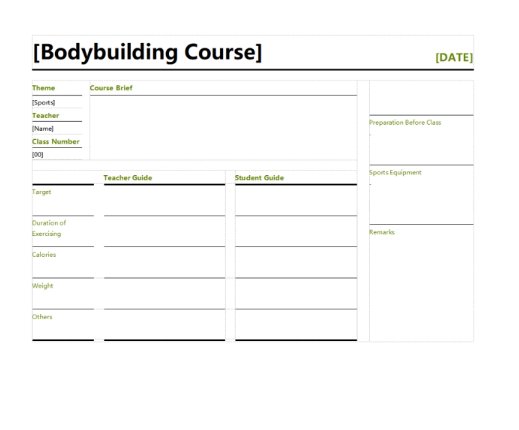
Built for gym rats chasing serious gains, this hardcore template maps out muscle-building routines with precision. I gave it to a buddy bulking up, and he loved how it tracked his lifts and rest days. It’s perfect for weightlifters who want a pro-level plan without the coach price tag. Straight-up dope for bodybuilders.
Yellow Fitness Plan [Excel]
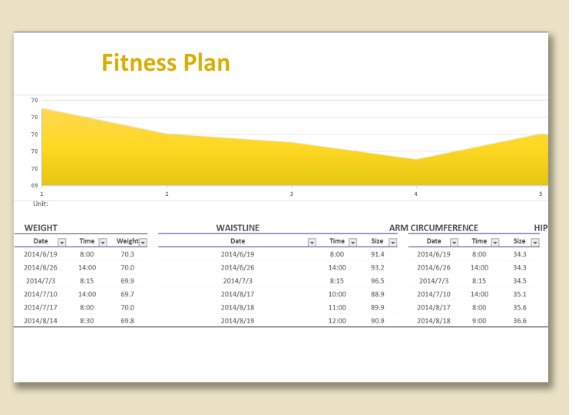
This bright, functional spreadsheet tracks workouts and progress with a sunny vibe, perfect for data nerds. I used it to log my cardio times, and the color-coding made it fun to check off goals. It’s great for visual folks who love seeing numbers add up. A total win for tracking geeks.
Weekly Fitness Diet [Excel]
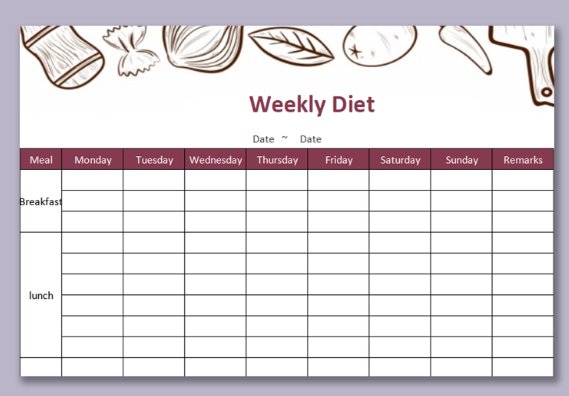
This template blends workout and meal tracking for a balanced approach, ideal for those who live for meal prep. I used it to plan chicken-and-veggie dinners alongside gym days, and it kept me consistent. It’s got space for calories and macros if you’re into that. Perfect for diet-driven fitness fans.
Fitness Plan for Male [Excel]
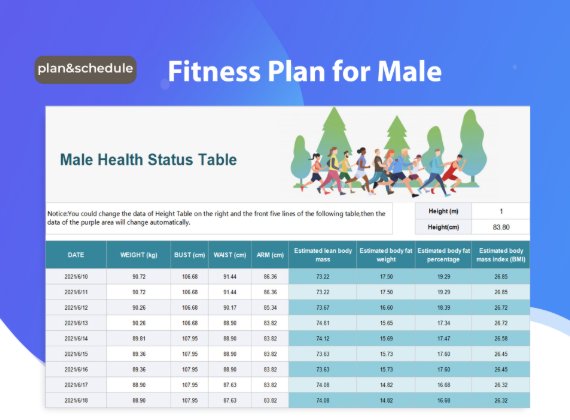
Tailored for dudes chasing strength and cardio goals, this spreadsheet is straightforward and effective. My brother used it to prep for a powerlifting meet, and it kept his lifts organized. It’s got a no-nonsense layout for tracking progress. Great for guys who want results without fluff.
Fitness Weekly Diet [Excel]
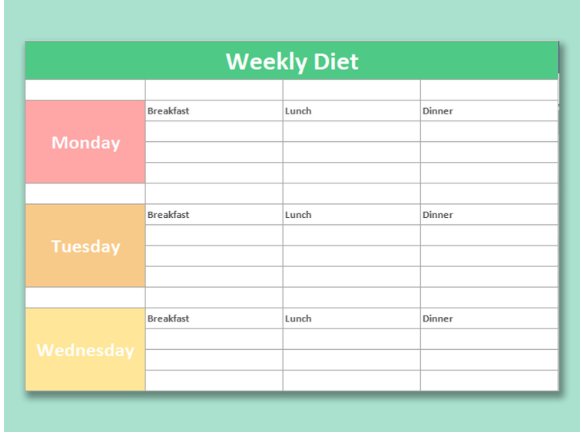
Focused on nutrition with room for workouts, this template’s a gem for diet-first fitness plans. I used it to track my smoothies and weights during a cut, and it was a game-changer. It’s perfect for balancing food and exercise without overcomplicating things. Foodies, this one’s for you.
Simple Fitness Plan [Excel]
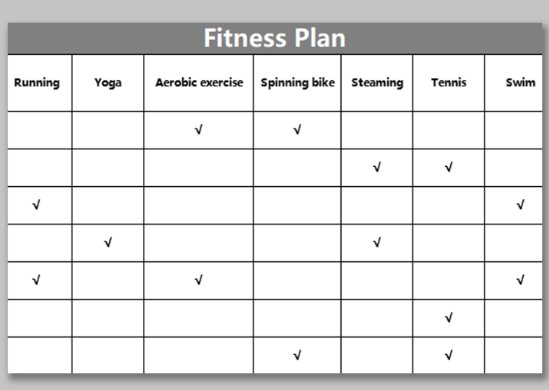
A minimalist dream for tracking basics—workouts, reps, goals—without overwhelming you. I started with this when I was new to fitness, and it kept things stupidly simple. It’s great for beginners who just want to start moving. Clean and easy, no stress.
Fitness Food Plan [Excel]
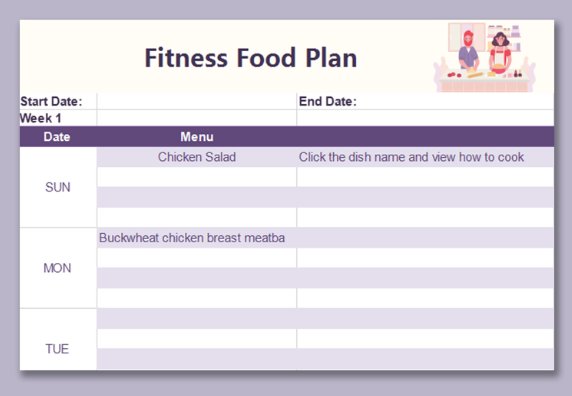
Meal-focused with workout notes, this template’s a lifesaver for balancing diet and exercise. I used it to plan my post-workout meals, and it made eating healthy feel effortless. It’s got space for recipes and calorie counts, perfect for foodies with fitness goals. A total banger for nutrition nerds.
Part 3: How to Edit and Print Fitness Plan Template in Word & Excel
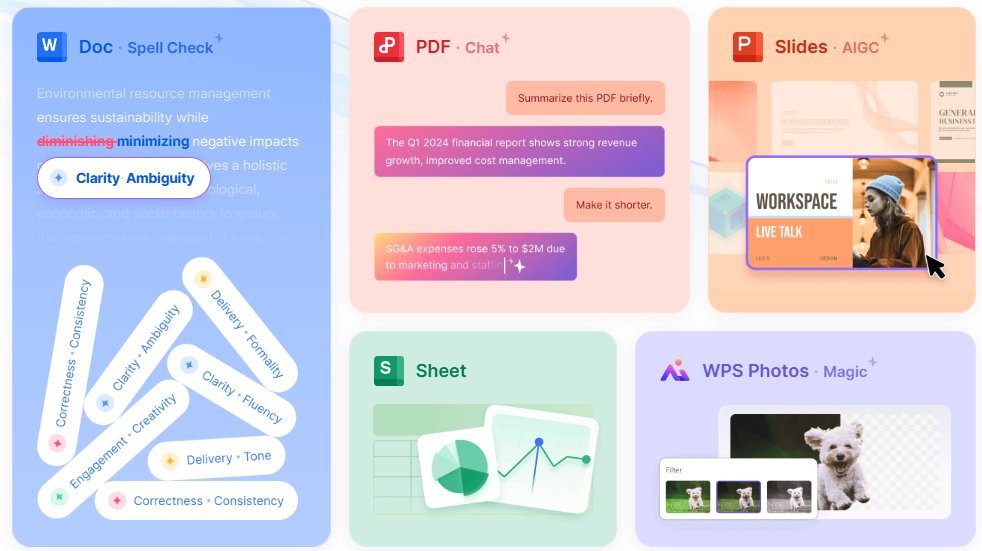
Customizing a fitness plan template is easier than tying your gym shoes, and WPS Office makes it a total breeze. I used the Fitness Planner to map my 5K training, and it felt like having a coach for free. Here’s how to edit and print your fitness plan template using WPS Writer and Spreadsheet, plus share it online.
Editing in WPS Writer (Word):
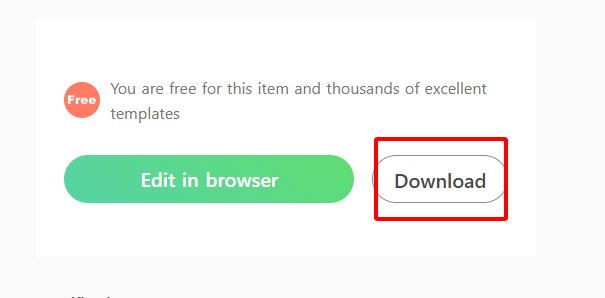
Step 1: Download a Word template (like Fitness Planner) from Part 2 and save it.
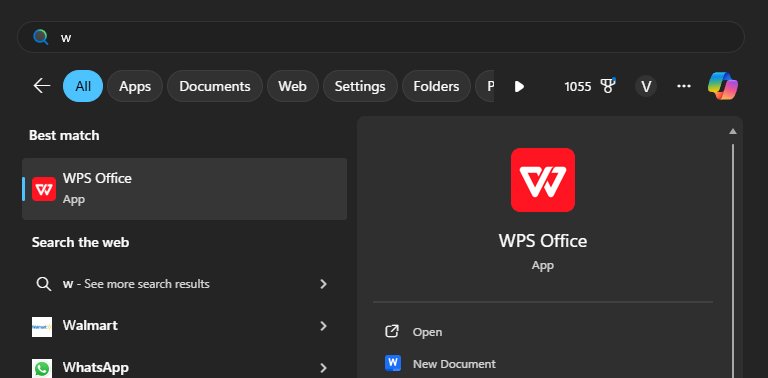
Step 2: Open WPS Writer (free at wps.com), click “Open,” and load the .docx file.
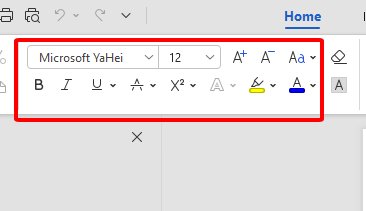
Step 3: Edit fields for workouts (e.g., “20 min bike”), reps, or goals. Change fonts or colors for vibe.
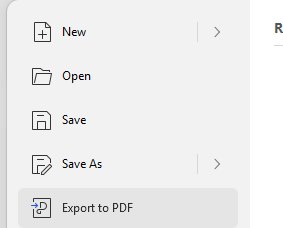
Step 4: Export to PDF via “File” > “Export to PDF” for printing or sharing.
Editing in WPS Spreadsheet (Excel):
Step 1: Download an Excel template (like Yellow Fitness Plan).
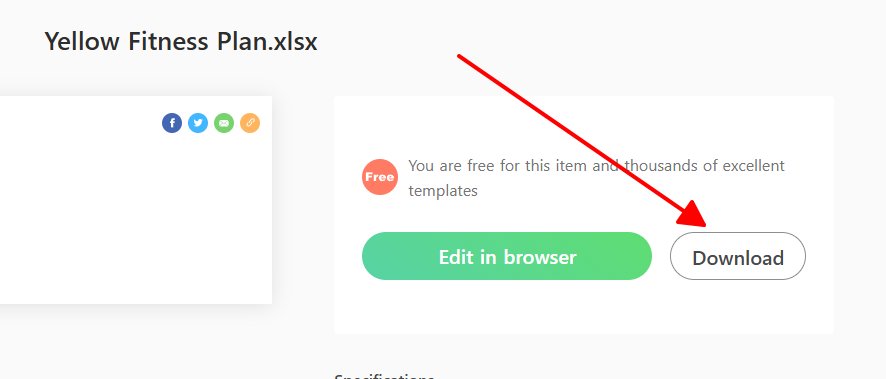
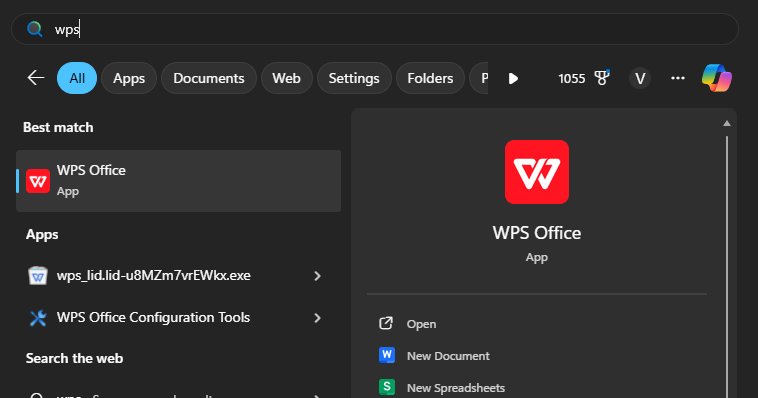
Step 2: Open WPS Spreadsheet, click “Open,” and load the .xlsx file.
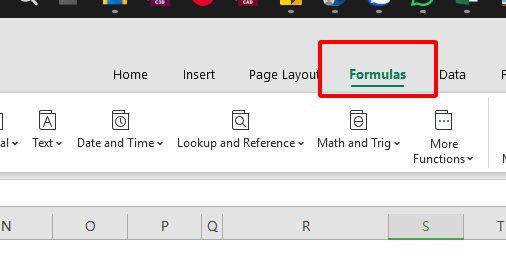
Step 3: Update cells with workouts or meals. Add formulas (e.g., SUM for workout time).
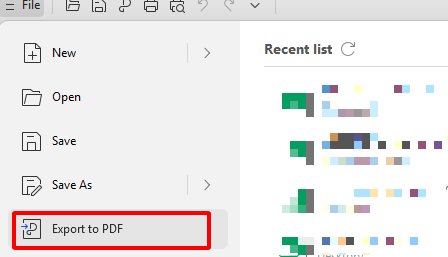
Step 4: Save as .xlsx or export to PDF via “File” > “Export to PDF.”
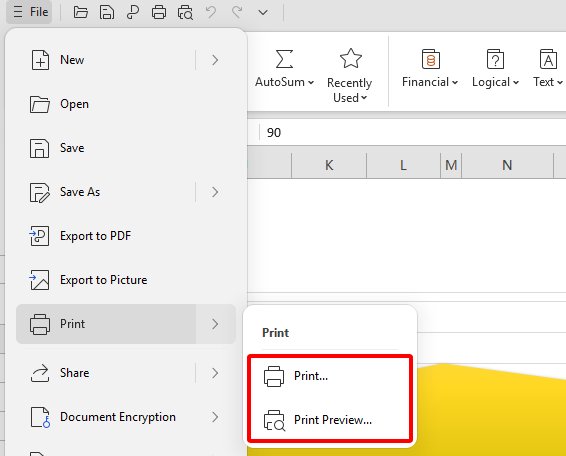
Printing: Click “File” > “Print” in WPS Writer or Spreadsheet. Use quality paper for a pro look—I stuck mine on my fridge.
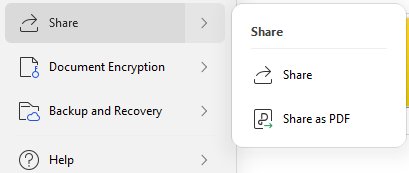
Sharing: Click “Share” > “Generate Link” in WPS Office to create a shareable link for gym buddies.
Part 4: Powerful, Free Tools for Stunning Fitness Plan: Office Suite

WPS Office is your fitness plan’s MVP—a free, all-in-one suite that’s like having a personal trainer for your docs. I edited my marathon plan on my phone mid-gym, and it was smoother than my protein shake. It’s perfect for tweaking templates without spending a dime. Here’s why it’s a total banger.
Free Forever: Use Word, Excel, and PPT for zero bucks. wps.com
Template Treasure: Free fitness plan templates galore, ready to edit.
Edit Everything: Tweak Word, Excel, or PDFs like a pro, no skills needed.
AI Helper: AI suggests workout notes or formats when you’re stuck.
Shareable: Cloud saving and link sharing for collabs with gym crew.
Safe & Light: Stable, secure, and won’t slow your device.
FAQs
Q1: How often should I work out?
3-5 times a week is solid for most, balancing training and rest. Adjust for your fitness level—newbies go easy, pros push harder.
Q2: How do I track my progress with a fitness plan template?
Log weights, reps, or cardio time in the template to see gains and stay hyped.
Q3: Can I customize templates for specific goals?
Yup, WPS lets you tweak templates for running, lifting, or yoga—whatever your vibe.
Q4: Are WPS templates shareable with a trainer?
Totally, generate a link in WPS Office to share your plan with your coach or gym squad.

'%3e%3cpath%20d='M19.9911%204.11386V6.471H18.5894C18.0775%206.471%2017.7322%206.57814%2017.5536%206.79243C17.3751%207.00671%2017.2858%207.32814%2017.2858%207.75671V9.44421H19.9019L19.5536%2012.0871H17.2858V18.8639H14.5536V12.0871H12.2769V9.44421H14.5536V7.49779C14.5536%206.39064%2014.8632%205.53201%2015.4822%204.92189C16.1013%204.31177%2016.9257%204.00671%2017.9554%204.00671C18.8304%204.00671%2019.509%204.04243%2019.9911%204.11386Z'%20fill='%23333333'/%3e%3c/g%3e%3cdefs%3e%3cclipPath%20id='clip0_2938_8199'%3e%3crect%20width='16'%20height='16'%20fill='white'%20transform='translate(8%204.00671)'/%3e%3c/clipPath%3e%3c/defs%3e%3c/svg%3e)
'%3e%3cpath%20d='M17.5237%2010.7813L23.4811%204H22.0699L16.8949%209.88693L12.7648%204H8L14.2469%2012.9029L8%2020.0133H9.4112L14.8725%2013.7952L19.2352%2020.0133H24M9.92053%205.04213H12.0885L22.0688%2019.0224H19.9003'%20fill='%23333333'/%3e%3c/g%3e%3cdefs%3e%3cclipPath%20id='clip0_2938_8200'%3e%3crect%20width='16'%20height='16.0134'%20fill='white'%20transform='translate(8%204)'/%3e%3c/clipPath%3e%3c/defs%3e%3c/svg%3e)


