

'%3e%3cpath%20d='M8%200C12.4183%200%2016%203.58172%2016%208C16%2012.4183%2012.4183%2016%208%2016C3.58172%2016%200%2012.4183%200%208C0%203.58172%203.58172%200%208%200ZM11.6162%204.38379C11.2257%203.99337%2010.5927%203.99338%2010.2021%204.38379L8%206.58594L5.79785%204.38379C5.40732%203.99334%204.77429%203.99329%204.38379%204.38379C3.99331%204.77429%203.99335%205.40733%204.38379%205.79785L6.58594%208L4.38379%2010.2021C3.99348%2010.5927%203.99341%2011.2257%204.38379%2011.6162C4.77426%2012.0066%205.40734%2012.0065%205.79785%2011.6162L8%209.41406L10.2021%2011.6162C10.5927%2012.0066%2011.2257%2012.0067%2011.6162%2011.6162C12.0067%2011.2257%2012.0066%2010.5927%2011.6162%2010.2021L9.41406%208L11.6162%205.79785C12.0066%205.40735%2012.0066%204.77429%2011.6162%204.38379Z'%20fill='%23080E17'%20fill-opacity='0.46'/%3e%3c/g%3e%3cdefs%3e%3cclipPath%20id='clip0_3761_713'%3e%3crect%20width='16'%20height='16'%20fill='white'/%3e%3c/clipPath%3e%3c/defs%3e%3c/svg%3e)




'%3e%3cpath%20fill-rule='evenodd'%20clip-rule='evenodd'%20d='M21.4999%2010.9993C21.4999%205.20009%2016.7986%200.498901%2010.9993%200.498901C5.19994%200.498901%200.498657%205.20009%200.498657%2010.9993C0.498657%2016.2404%204.33858%2020.5844%209.35855%2021.3722V14.0346H6.69238V10.9993H9.35855V8.68594C9.35855%206.05427%2010.9262%204.60062%2013.3248%204.60062C14.4736%204.60062%2015.6753%204.80571%2015.6753%204.80571V7.38979H14.3512C13.0468%207.38979%2012.64%208.19921%2012.64%209.0296V10.9993H15.5523L15.0867%2014.0346H12.64V21.3722C17.66%2020.5844%2021.4999%2016.2404%2021.4999%2010.9993Z'%20fill='%231568EA'/%3e%3c/g%3e%3c/svg%3e)


'%3e%3cpath%20d='M2.42045%2022.1876H6.31818V12.7217L0.75%208.54553V20.5171C0.75%2021.4414%201.49892%2022.1876%202.42045%2022.1876Z'%20fill='%234285F4'/%3e%3cpath%20d='M19.682%2022.1876H23.5797C24.5041%2022.1876%2025.2502%2021.4387%2025.2502%2020.5171V8.54553L19.682%2012.7217'%20fill='%2334A853'/%3e%3cpath%20d='M19.682%205.48293V12.7216L25.2502%208.54543V6.31816C25.2502%204.25236%2022.8921%203.07469%2021.2411%204.31361'%20fill='%23FBBC04'/%3e%3cpath%20d='M6.31824%2012.7217V5.48303L13.0001%2010.4944L19.6819%205.48303V12.7217L13.0001%2017.733'%20fill='%23EA4335'/%3e%3cpath%20d='M0.75%206.31816V8.54543L6.31818%2012.7216V5.48293L4.75909%204.31361C3.10534%203.07469%200.75%204.25236%200.75%206.31816Z'%20fill='%23C5221F'/%3e%3c/g%3e%3cdefs%3e%3cclipPath%20id='clip0_2954_7305'%3e%3crect%20width='24.5'%20height='18.375'%20fill='white'%20transform='translate(0.75%203.8125)'/%3e%3c/clipPath%3e%3c/defs%3e%3c/svg%3e)


When you're hunting for a time off request form, it's usually because you want something simple to fill out for vacation days, sick time, or family needs without the usual hassle of back-and-forth emails. HR folks search too, needing consistent templates to track approvals across the whole team and avoid payroll headaches down the line. Here you'll find 10 solid free options that cover all bases, a clear breakdown of what makes a form effective, and straightforward steps to customize them right in WPS Office so you can get back to your day.
What Is a Time Off Request Form?
Picture this: a time off request form is that one sheet everyone fills out to say, "Hey, I need a few days off for vacation, family stuff, or feeling under the weather." It keeps things neat so managers can check dates, balances, and approve without guessing games, while HR tracks it all for payroll and rules. Whether you're in a small shop or big company, these forms stop the "Did I tell you?" drama and help plan who covers your shift.
Hand it in early, like 2-4 weeks ahead if you can, so there's no last-minute scramble. Emails get buried, chats forgotten, but a form? That's solid proof, easy to file, and covers you if questions pop up later.
The best ones pack in name, ID, department, exact dates (start to end, total days), leave type (paid or not), quick reason, your leftover PTO, and spots for boss and HR to sign off with dates. Miss any, and approvals drag on, but get it right and you're golden.
10 Best Time Off Request Form Templates [Free to Download]
You want variety to match your exact situation? These templates hit every angle, from super-basic personal asks that take 30 seconds to fill, to full-featured trackers for teams or niche cases like charity volunteer days. They're all free to snag anytime, print straight off or pop into an editor for tweaks, giving employees an easy way to submit and HR pros a head start on standardizing across departments without starting from scratch every time.
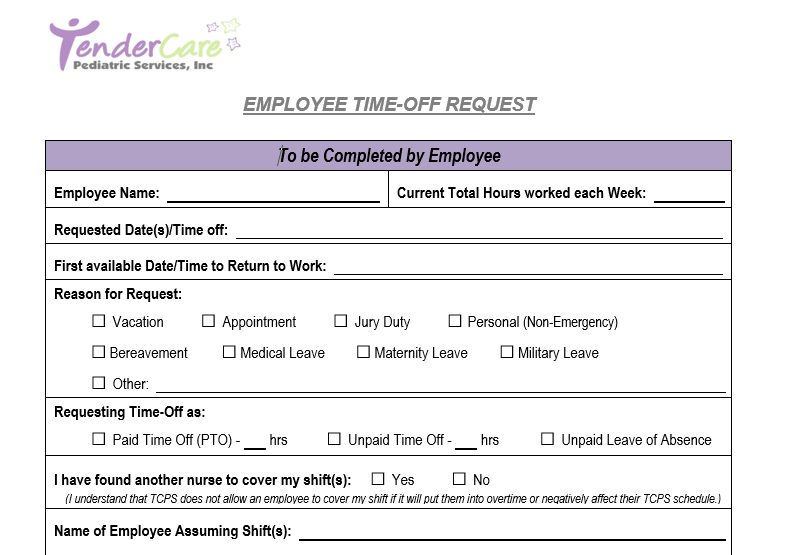
1.Employee time-off request form
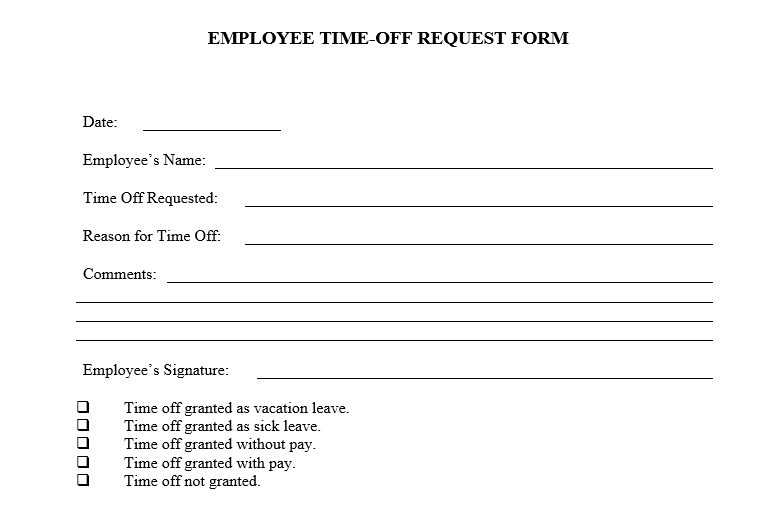
Employee time-off request form keeps it basic and no-frills with clear spots for your basic info, requested dates from start to finish, a spot for your reason without too much prying, and simple sign-off lines for approvals. Great for everyday vacation or personal days in smaller teams where you just want something quick that doesn't slow down the boss's inbox.
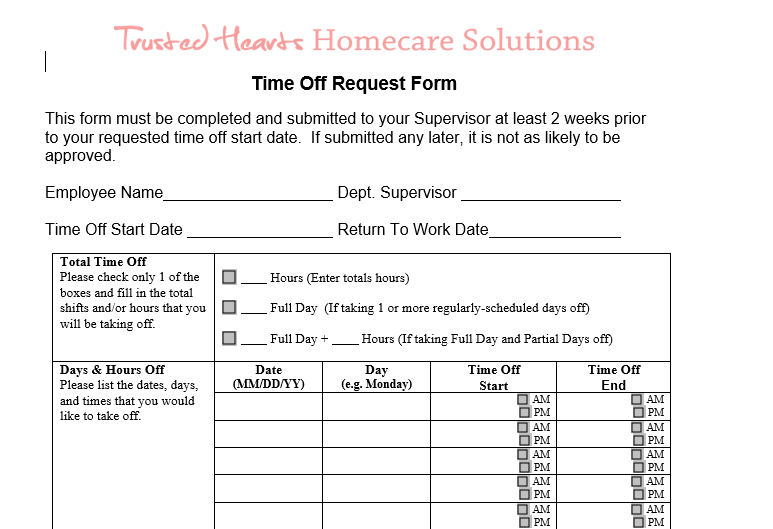
2.Time off request form
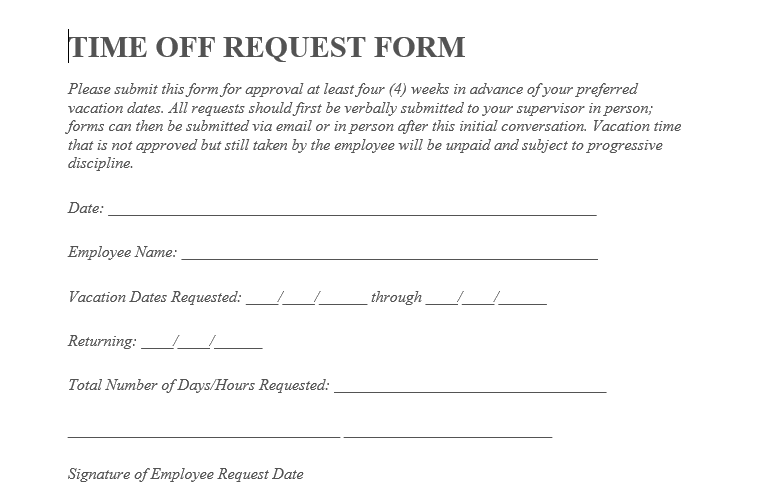
Time off request form throws in a handy PTO tracker table smack in the middle, listing your yearly running balance right next to the new request so both you and the manager spot any issues at a glance. Super practical when companies track accruals monthly and hate surprise overages.
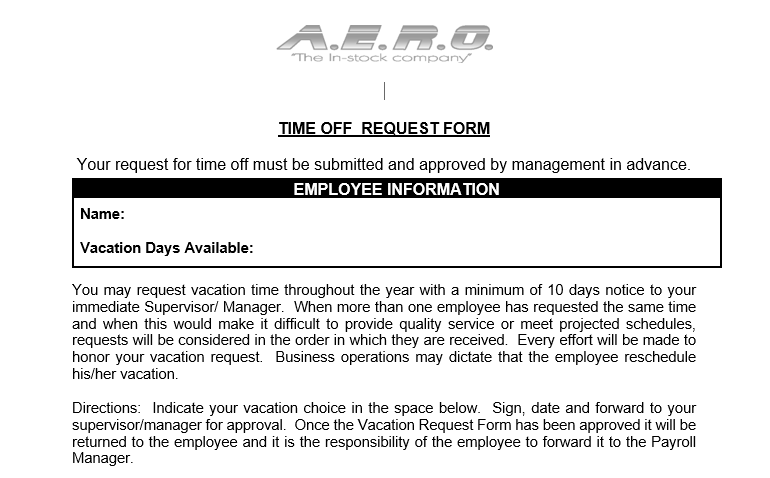
3.Time off request form
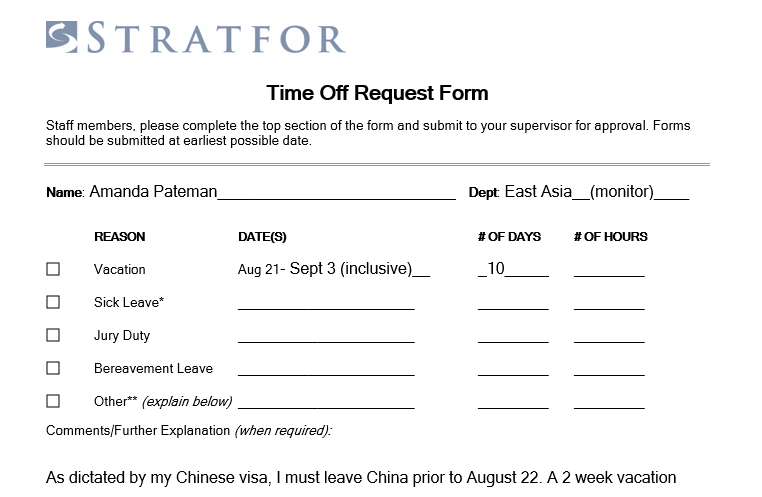
Time off request form crams all the essentials onto a single tight page, tailored for those urgent sick days or surprise emergencies where you need to submit fast without digging through extra pages. Minimal fields mean you fill it out in under a minute even when your head's not fully in the game.
4.Employee time-off request
Employee time-off request builds in a generous notes box down below for the supervisor to jot feedback, explain approvals or denials, or note coverage plans, which shines in places that tie leave patterns to performance chats or need audit-ready details.
5.Time off request form
Time off request form lets multiple folks submit on one sheet, ideal for shift crews or project teams plotting group days off together like for workshops or holidays without flooding the manager with separate papers.
6.Time off request form
Time off request form lays out a visual calendar grid that highlights your dates bold against the month, making overlaps or busy periods jump out instantly. Perfect for retail, healthcare, or any spot where scheduling clashes spell trouble.
7.Time off request form
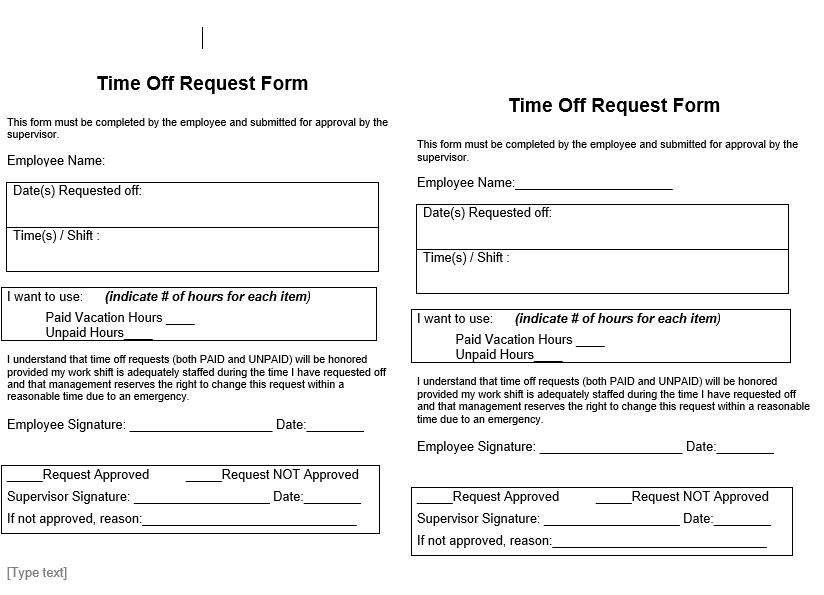
Time off request form mixes in checkboxes and toggles for paid vs. unpaid leave, even simple accrual math built-in, giving flexibility for workplaces with mixed contracts or rules that shift by role.
8.Quarterly charitable time off request form
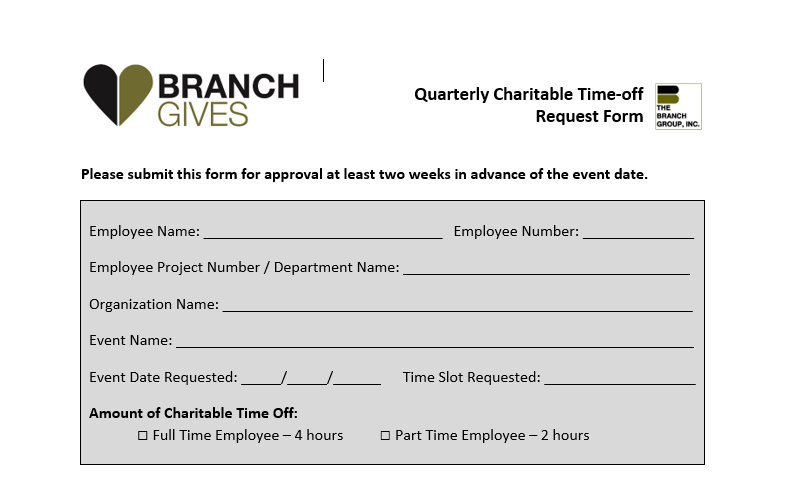
Quarterly charitable time off request form zeros in on volunteer or community service hours, with fields for event names, org contacts, and even impact summaries to show real value. A smart pick for companies pushing CSR goals or matching donations to time given.
9.Time request form
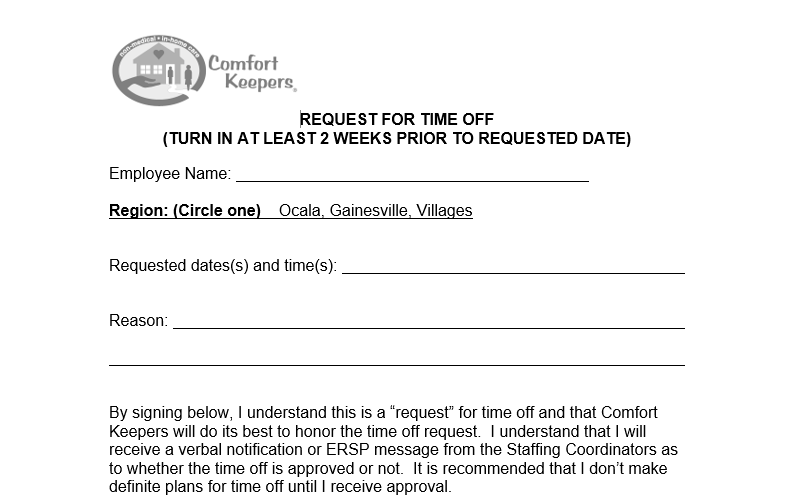
Time request form strips it down to bare bones for those frequent half-days like doc visits or errands, just core fields so managers approve in seconds amid their packed day.
10.Time request form
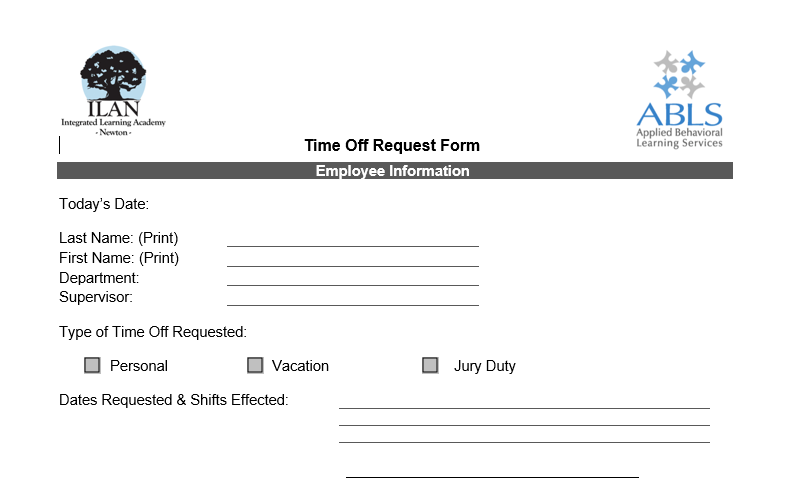
Time request form adds a clean attachments section for proof like med notes or flight confirmations, crucial for regulated jobs in government, finance, or healthcare where backups make or break approvals.
More waiting at your fingertips? Swing by the WPS template site, where a huge library of time off request form variations waits, all customizable on the fly for whatever twist your team needs.
How to Edit a Time Off Request Form Template in Word
Grabbed one of those templates but it needs your company's logo, exact policy wording, or a tweak for remote teams? They're flexible starters you can polish in no time flat. WPS Office steps up big here with dead-simple tools for resizing, reformatting, and exporting, so even non-designers turn raw downloads into sharp, branded docs that impress without eating your afternoon.
Step 1: Kick off WPS Writer on your laptop, phone, or whatever, then drag the template file right into the window or tap Open to load it up smooth as butter. Full compatibility means zero glitches with fonts, tables, or spacing getting mangled on import.
Step 2: Jump straight to the fillable fields by clicking in, plug in your name, precise dates, department name, and reason in plain English, all while the tabbed view lets you flip between this form and your company handbook side-by-side for spot-on accuracy.
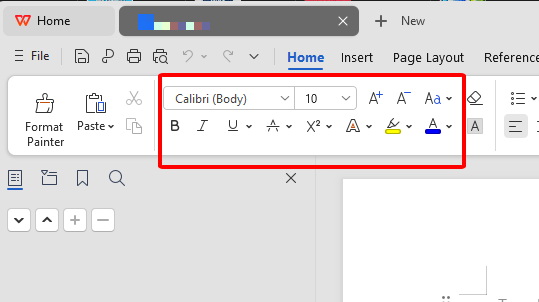
Step 3: Dial up the pro look with quick formats: bold those headers for pop, drag table edges wider for legibility, shrink or grow text boxes, or slide in your logo and header via the Insert tab. Live preview shows exactly how it'll print or email.
Step 4: Beef it up where needed by inserting fresh table rows for PTO math, adding checkboxes for leave types, or policy blurbs via simple drag-and-drop tools, tailoring it perfectly to your org's quirks without code or hassle.
Step 5: Wrap it with File > Export to lock a tamper-proof PDF for emailing around or e-signing, or hit Print for stackable hard copies that come out crisp on any office machine ready for pen signatures.
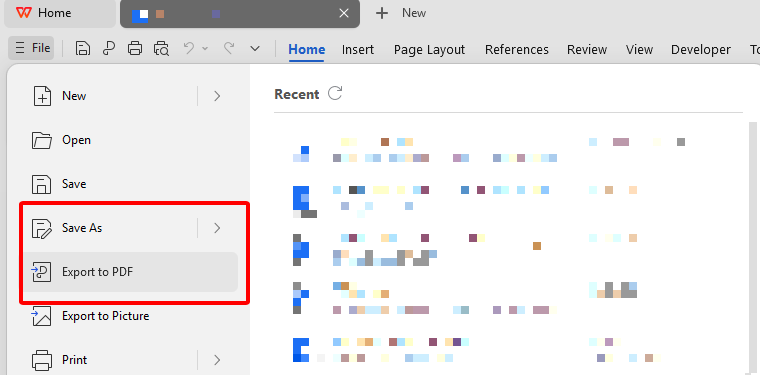
PDF export right away seals it shut, no accidental overwrites mid-review.
Free Office Suite with Editable Templates

WPS Office flips the script on pricey office software, handing you a free powerhouse packed with templates galore for stuff like time off requests, invoices, planners, you name it. Download once, edit forever in familiar formats, sync to the cloud for grabbing on your phone during commute, share links for team tweaks, all without nickel-and-diming for basics that should just work.
FAQs
Are time off request form templates on WPS free?
Most absolutely are, pull 'em down, tweak colors or fields, use forever no strings or ugly watermarks. Daily drivers stay free; fancy extras unlock cheap if you crave them later.
Can I edit time off request forms on my phone?
You bet, full-powered apps on Android and iOS let you swap details, resize boxes, export PDFs right there. Auto-syncs to your work PC so commute edits land ready for morning.
Can these templates be used for HR records?
Dead on, customize the fields to mirror your policies, spits out files pro enough for binders, scans, or plugging into HR software without rework.
How far in advance should I submit a time off request form?
Aim 2-4 weeks early on regular leaves so coverage gets sorted smooth. Double-check your handbook though, holidays or quarters-end often demand extra buffer time.
Does WPS support digital signatures on forms?
Full send, drop a shareable link for e-signs via cloud or PDF tools, timestamps everything, skips printers entirely for greener faster flow.

'%3e%3cpath%20d='M19.9911%204.11386V6.471H18.5894C18.0775%206.471%2017.7322%206.57814%2017.5536%206.79243C17.3751%207.00671%2017.2858%207.32814%2017.2858%207.75671V9.44421H19.9019L19.5536%2012.0871H17.2858V18.8639H14.5536V12.0871H12.2769V9.44421H14.5536V7.49779C14.5536%206.39064%2014.8632%205.53201%2015.4822%204.92189C16.1013%204.31177%2016.9257%204.00671%2017.9554%204.00671C18.8304%204.00671%2019.509%204.04243%2019.9911%204.11386Z'%20fill='%23333333'/%3e%3c/g%3e%3cdefs%3e%3cclipPath%20id='clip0_2938_8199'%3e%3crect%20width='16'%20height='16'%20fill='white'%20transform='translate(8%204.00671)'/%3e%3c/clipPath%3e%3c/defs%3e%3c/svg%3e)
'%3e%3cpath%20d='M17.5237%2010.7813L23.4811%204H22.0699L16.8949%209.88693L12.7648%204H8L14.2469%2012.9029L8%2020.0133H9.4112L14.8725%2013.7952L19.2352%2020.0133H24M9.92053%205.04213H12.0885L22.0688%2019.0224H19.9003'%20fill='%23333333'/%3e%3c/g%3e%3cdefs%3e%3cclipPath%20id='clip0_2938_8200'%3e%3crect%20width='16'%20height='16.0134'%20fill='white'%20transform='translate(8%204)'/%3e%3c/clipPath%3e%3c/defs%3e%3c/svg%3e)


