

'%3e%3cpath%20d='M8%200C12.4183%200%2016%203.58172%2016%208C16%2012.4183%2012.4183%2016%208%2016C3.58172%2016%200%2012.4183%200%208C0%203.58172%203.58172%200%208%200ZM11.6162%204.38379C11.2257%203.99337%2010.5927%203.99338%2010.2021%204.38379L8%206.58594L5.79785%204.38379C5.40732%203.99334%204.77429%203.99329%204.38379%204.38379C3.99331%204.77429%203.99335%205.40733%204.38379%205.79785L6.58594%208L4.38379%2010.2021C3.99348%2010.5927%203.99341%2011.2257%204.38379%2011.6162C4.77426%2012.0066%205.40734%2012.0065%205.79785%2011.6162L8%209.41406L10.2021%2011.6162C10.5927%2012.0066%2011.2257%2012.0067%2011.6162%2011.6162C12.0067%2011.2257%2012.0066%2010.5927%2011.6162%2010.2021L9.41406%208L11.6162%205.79785C12.0066%205.40735%2012.0066%204.77429%2011.6162%204.38379Z'%20fill='%23080E17'%20fill-opacity='0.46'/%3e%3c/g%3e%3cdefs%3e%3cclipPath%20id='clip0_3761_713'%3e%3crect%20width='16'%20height='16'%20fill='white'/%3e%3c/clipPath%3e%3c/defs%3e%3c/svg%3e)




'%3e%3cpath%20fill-rule='evenodd'%20clip-rule='evenodd'%20d='M21.4999%2010.9993C21.4999%205.20009%2016.7986%200.498901%2010.9993%200.498901C5.19994%200.498901%200.498657%205.20009%200.498657%2010.9993C0.498657%2016.2404%204.33858%2020.5844%209.35855%2021.3722V14.0346H6.69238V10.9993H9.35855V8.68594C9.35855%206.05427%2010.9262%204.60062%2013.3248%204.60062C14.4736%204.60062%2015.6753%204.80571%2015.6753%204.80571V7.38979H14.3512C13.0468%207.38979%2012.64%208.19921%2012.64%209.0296V10.9993H15.5523L15.0867%2014.0346H12.64V21.3722C17.66%2020.5844%2021.4999%2016.2404%2021.4999%2010.9993Z'%20fill='%231568EA'/%3e%3c/g%3e%3c/svg%3e)


'%3e%3cpath%20d='M2.42045%2022.1876H6.31818V12.7217L0.75%208.54553V20.5171C0.75%2021.4414%201.49892%2022.1876%202.42045%2022.1876Z'%20fill='%234285F4'/%3e%3cpath%20d='M19.682%2022.1876H23.5797C24.5041%2022.1876%2025.2502%2021.4387%2025.2502%2020.5171V8.54553L19.682%2012.7217'%20fill='%2334A853'/%3e%3cpath%20d='M19.682%205.48293V12.7216L25.2502%208.54543V6.31816C25.2502%204.25236%2022.8921%203.07469%2021.2411%204.31361'%20fill='%23FBBC04'/%3e%3cpath%20d='M6.31824%2012.7217V5.48303L13.0001%2010.4944L19.6819%205.48303V12.7217L13.0001%2017.733'%20fill='%23EA4335'/%3e%3cpath%20d='M0.75%206.31816V8.54543L6.31818%2012.7216V5.48293L4.75909%204.31361C3.10534%203.07469%200.75%204.25236%200.75%206.31816Z'%20fill='%23C5221F'/%3e%3c/g%3e%3cdefs%3e%3cclipPath%20id='clip0_2954_7305'%3e%3crect%20width='24.5'%20height='18.375'%20fill='white'%20transform='translate(0.75%203.8125)'/%3e%3c/clipPath%3e%3c/defs%3e%3c/svg%3e)


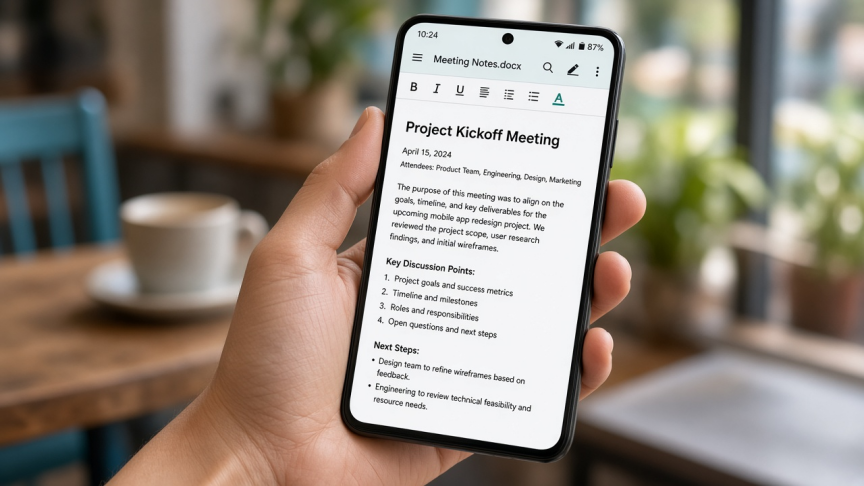
Need to open a .doc or .docx file on your Android phone? That is usually an email attachment, a WhatsApp file, or something in Downloads. You need a free app that can read Word formats clearly, and ideally let you make a quick edit when required.
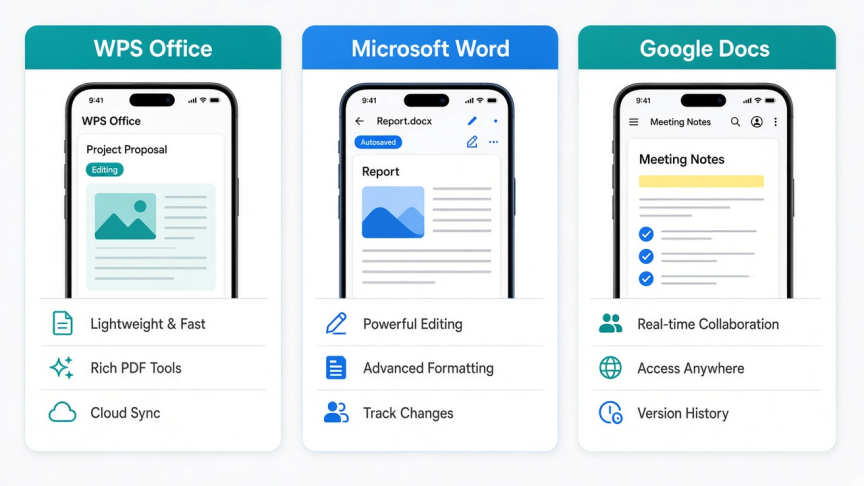
This guide compares three free Android options that cover almost every case: WPS Office, Microsoft Word, and Google Docs. Pick by whether you need offline reading, Microsoft's own mobile Word UI, or Google Drive collaboration.
Quick comparison: free Word apps on Android
| App | Best for | Offline read | Edit | Cost note |
|---|---|---|---|---|
| WPS Office | All-in-one open, read, and light edit of DOC/DOCX | Yes | Yes | Free core use; some advanced tools may be premium |
| Microsoft Word | Official Word UI and OneDrive files | Yes (after download/sign-in) | Yes on phones; advanced features may need Microsoft 365 | App is free to install; subscription unlocks more |
| Google Docs | Gmail and Drive attachments with collaboration | Limited (offline mode) | Yes | Free with a Google account |
If you need a broader Android Word editor comparison beyond reading, see top free Word alternatives for Android.
How to choose a Word reader for Android
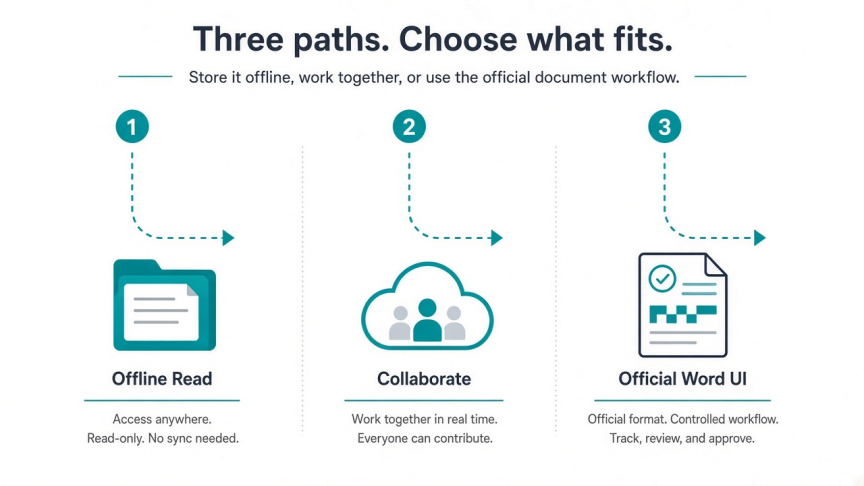
Open a local file from Downloads or Files with no fuss: WPS Office
You already live in Microsoft 365 or OneDrive: Microsoft Word
The file arrived in Gmail or Google Drive: Google Docs
You also need Excel, PowerPoint, and PDF in one app: WPS Office
You only want read-only book-style reading: a dedicated reader can work, but the three apps below also cover edit when you need it
Reading is the first job. Editing, comments, and cloud sync are the second. Choose the app that matches where your files already live.
1. WPS Office: best free all-in-one Word reader for most Android users
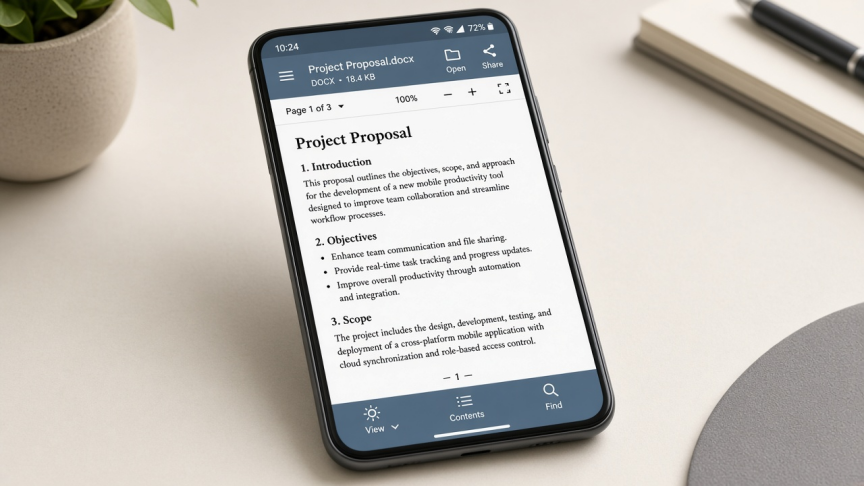
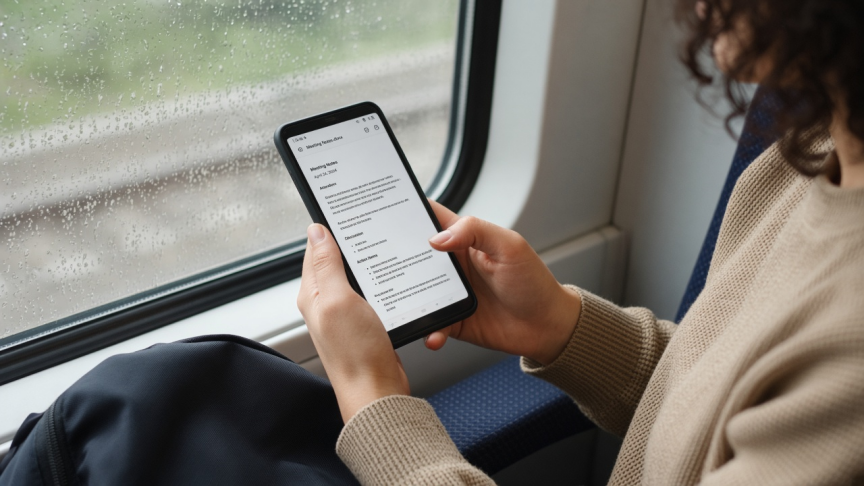
WPS Office for Android opens Word documents from local storage and popular cloud drives. It is built for the exact phone workflow this keyword describes: tap a DOC/DOCX file, read it, then edit or share if needed.
Best for
Offline reading of .doc and .docx files
One app for Writer, Spreadsheet, Presentation, and PDF
Students and workers who open attachments on the go
Watch-outs
Some advanced tools may sit behind optional premium plans
Very complex desktop Word layouts can still need a desktop fidelity check
Choose WPS Office when you want a free Android suite that treats reading Word files as a daily task, not a one-off preview.
2. Microsoft Word: best official Word app for Android
Microsoft Word for Android is free to install from Google Play. On phones, you can open and edit many Word documents with a Microsoft account. Advanced features and some tablet scenarios may require a Microsoft 365 subscription. Confirm current device-size and feature rules on Microsoft's help pages before you depend on a specific tool.
Best for
People who already use OneDrive or Microsoft 365
Official Word UI for comments, track changes, and familiar formatting
Opening Word files that must stay in Microsoft's ecosystem
Watch-outs
Not a fully unlimited free desktop-class Word experience on every device
Sign-in and OneDrive habits are part of the workflow
You may still want a separate app for PDF or multi-format suites
Choose Microsoft Word when "official Word on my phone" matters more than an all-in-one free suite.


3. Google Docs: best free option for Drive and Gmail Word files
Google Docs opens Word attachments from Gmail and Drive, lets you read and edit in a familiar mobile editor, and exports back to .docx when needed. Enable offline mode in Docs or Drive if you need to keep reading without a connection.
Best for
Gmail and Google Drive users
Comments and real-time collaboration
Quick reads when you already have a Google account signed in
Watch-outs
Formatting can shift when Word files move in and out of Docs
Offline use needs setup before you lose connectivity
Less ideal as a default opener for random local Downloads files
Choose Google Docs when your Word files arrive through Google's apps more often than through local storage.
How to open a Word document in WPS Office on Android
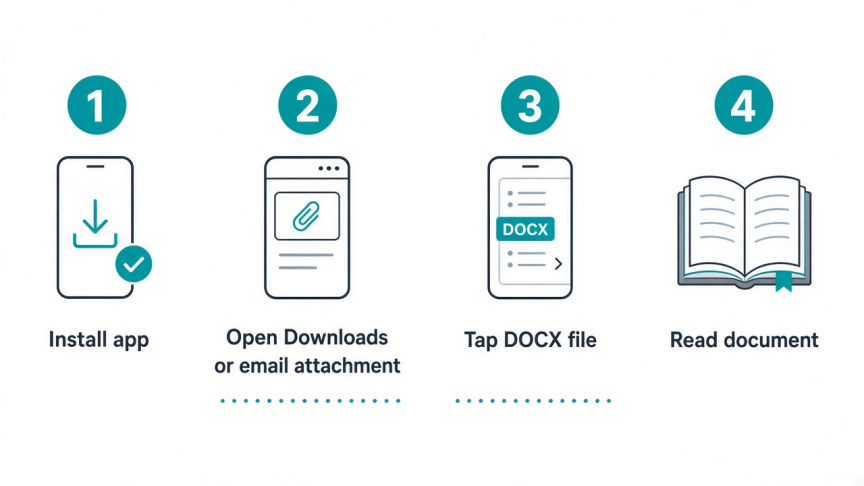
Step 1. Install WPS Office from the official download page or Google Play.
Step 2. Open the app and allow file access when Android asks.
Step 3. Tap Open, or open the file directly from Files, Downloads, email, or chat and choose WPS Office.
Step 4. Select the .doc or .docx file. Wait for it to load.
Step 5. Read in document view. Zoom, scroll, and search as needed. Tap edit if you need to change text, then save or export.
Supported everyday formats include .doc, .docx, and related Word files. If a rare attachment fails to open, save it to phone storage first, then open it from WPS rather than from a temporary preview cache.
FAQ
What is the best free app to read Word documents on Android? For most people who open local DOC/DOCX files and may need a quick edit, start with WPS Office. Choose Microsoft Word if you want the official Word app. Choose Google Docs if your files live in Gmail or Drive.
Can I open Word documents on Android without paying? Yes. WPS Office, Microsoft Word (free install with feature limits), and Google Docs all support free reading of common Word files. Paid plans unlock extra features, not the basic ability to open a normal DOCX.
Is Microsoft Word free on Android? The Microsoft Word app is free to download. Basic viewing and editing are available for many phone users with a Microsoft account. Advanced features and some larger-device scenarios may require Microsoft 365.
Does Android have a built-in Word reader? Not a full Microsoft Word app. Some phones can preview files in Files or Drive, but a dedicated app is more reliable for DOC/DOCX formatting, search, and editing.
Can WPS Office edit Word documents after I read them? Yes. You can move from reading to editing in the same app, then save as DOCX or share the file.
What about Collabora Office or other open-source apps? Collabora Office is a solid open-source-aligned option for some users. It is less common as the default for quick attachment reading than WPS, Microsoft Word, or Google Docs.
Conclusion
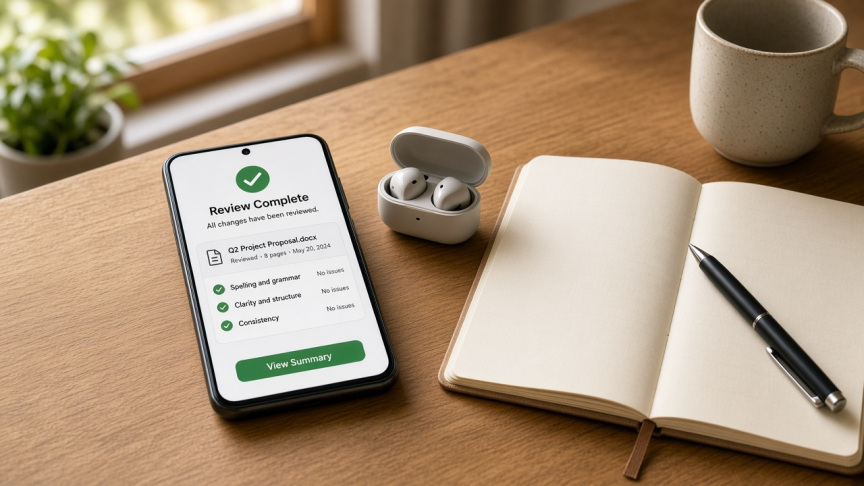
The best free Word reader for Android is the one that matches where your files already are.
Use WPS Office for offline DOC/DOCX reading and light edits in one suite. Use Microsoft Word for the official mobile Word experience. Use Google Docs when Gmail and Drive are your main inbox. Install one default opener so every attachment opens the same way.
Ready to open Word files on Android without friction? Download WPS Office and set it as your DOCX opener.


'%3e%3cpath%20d='M19.9911%204.11386V6.471H18.5894C18.0775%206.471%2017.7322%206.57814%2017.5536%206.79243C17.3751%207.00671%2017.2858%207.32814%2017.2858%207.75671V9.44421H19.9019L19.5536%2012.0871H17.2858V18.8639H14.5536V12.0871H12.2769V9.44421H14.5536V7.49779C14.5536%206.39064%2014.8632%205.53201%2015.4822%204.92189C16.1013%204.31177%2016.9257%204.00671%2017.9554%204.00671C18.8304%204.00671%2019.509%204.04243%2019.9911%204.11386Z'%20fill='%23333333'/%3e%3c/g%3e%3cdefs%3e%3cclipPath%20id='clip0_2938_8199'%3e%3crect%20width='16'%20height='16'%20fill='white'%20transform='translate(8%204.00671)'/%3e%3c/clipPath%3e%3c/defs%3e%3c/svg%3e)
'%3e%3cpath%20d='M17.5237%2010.7813L23.4811%204H22.0699L16.8949%209.88693L12.7648%204H8L14.2469%2012.9029L8%2020.0133H9.4112L14.8725%2013.7952L19.2352%2020.0133H24M9.92053%205.04213H12.0885L22.0688%2019.0224H19.9003'%20fill='%23333333'/%3e%3c/g%3e%3cdefs%3e%3cclipPath%20id='clip0_2938_8200'%3e%3crect%20width='16'%20height='16.0134'%20fill='white'%20transform='translate(8%204)'/%3e%3c/clipPath%3e%3c/defs%3e%3c/svg%3e)


