

'%3e%3cpath%20d='M8%200C12.4183%200%2016%203.58172%2016%208C16%2012.4183%2012.4183%2016%208%2016C3.58172%2016%200%2012.4183%200%208C0%203.58172%203.58172%200%208%200ZM11.6162%204.38379C11.2257%203.99337%2010.5927%203.99338%2010.2021%204.38379L8%206.58594L5.79785%204.38379C5.40732%203.99334%204.77429%203.99329%204.38379%204.38379C3.99331%204.77429%203.99335%205.40733%204.38379%205.79785L6.58594%208L4.38379%2010.2021C3.99348%2010.5927%203.99341%2011.2257%204.38379%2011.6162C4.77426%2012.0066%205.40734%2012.0065%205.79785%2011.6162L8%209.41406L10.2021%2011.6162C10.5927%2012.0066%2011.2257%2012.0067%2011.6162%2011.6162C12.0067%2011.2257%2012.0066%2010.5927%2011.6162%2010.2021L9.41406%208L11.6162%205.79785C12.0066%205.40735%2012.0066%204.77429%2011.6162%204.38379Z'%20fill='%23080E17'%20fill-opacity='0.46'/%3e%3c/g%3e%3cdefs%3e%3cclipPath%20id='clip0_3761_713'%3e%3crect%20width='16'%20height='16'%20fill='white'/%3e%3c/clipPath%3e%3c/defs%3e%3c/svg%3e)




'%3e%3cpath%20fill-rule='evenodd'%20clip-rule='evenodd'%20d='M21.4999%2010.9993C21.4999%205.20009%2016.7986%200.498901%2010.9993%200.498901C5.19994%200.498901%200.498657%205.20009%200.498657%2010.9993C0.498657%2016.2404%204.33858%2020.5844%209.35855%2021.3722V14.0346H6.69238V10.9993H9.35855V8.68594C9.35855%206.05427%2010.9262%204.60062%2013.3248%204.60062C14.4736%204.60062%2015.6753%204.80571%2015.6753%204.80571V7.38979H14.3512C13.0468%207.38979%2012.64%208.19921%2012.64%209.0296V10.9993H15.5523L15.0867%2014.0346H12.64V21.3722C17.66%2020.5844%2021.4999%2016.2404%2021.4999%2010.9993Z'%20fill='%231568EA'/%3e%3c/g%3e%3c/svg%3e)


'%3e%3cpath%20d='M2.42045%2022.1876H6.31818V12.7217L0.75%208.54553V20.5171C0.75%2021.4414%201.49892%2022.1876%202.42045%2022.1876Z'%20fill='%234285F4'/%3e%3cpath%20d='M19.682%2022.1876H23.5797C24.5041%2022.1876%2025.2502%2021.4387%2025.2502%2020.5171V8.54553L19.682%2012.7217'%20fill='%2334A853'/%3e%3cpath%20d='M19.682%205.48293V12.7216L25.2502%208.54543V6.31816C25.2502%204.25236%2022.8921%203.07469%2021.2411%204.31361'%20fill='%23FBBC04'/%3e%3cpath%20d='M6.31824%2012.7217V5.48303L13.0001%2010.4944L19.6819%205.48303V12.7217L13.0001%2017.733'%20fill='%23EA4335'/%3e%3cpath%20d='M0.75%206.31816V8.54543L6.31818%2012.7216V5.48293L4.75909%204.31361C3.10534%203.07469%200.75%204.25236%200.75%206.31816Z'%20fill='%23C5221F'/%3e%3c/g%3e%3cdefs%3e%3cclipPath%20id='clip0_2954_7305'%3e%3crect%20width='24.5'%20height='18.375'%20fill='white'%20transform='translate(0.75%203.8125)'/%3e%3c/clipPath%3e%3c/defs%3e%3c/svg%3e)


Ever stared at a wall of trip notes wondering where your beach day went among the museum visits? Travelers search for color tab itinerary template options because plain lists turn chaotic fast, especially with multiple stops or group plans. Standard spreadsheets blend everything together, making last-minute changes a nightmare. You want free color tab itinerary templates that use visual tabs to separate days, flights, hotels, and fun at a glance. This guide solves that with practical writing steps, 10 handpicked free downloads, detailed editing tutorials in WPS Office, and tips to print pro results every time.


Part 1: How to Write a Color Tab Itinerary
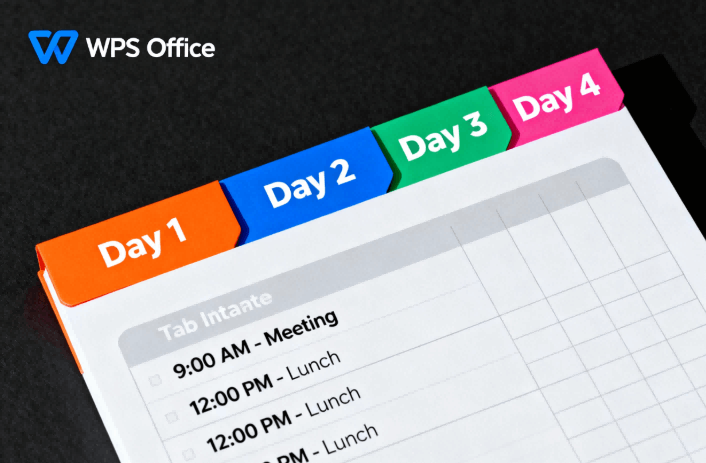
Nothing beats the satisfaction of flipping through a clean color tab itinerary template that actually works. Busy travelers need structures that handle real life: delays, weather shifts, or sudden cravings for that extra coffee stop. A solid travel itinerary excel template starts simple but scales for week-long adventures or quick weekends. Let's break it down step by step so your next trip feels effortless.
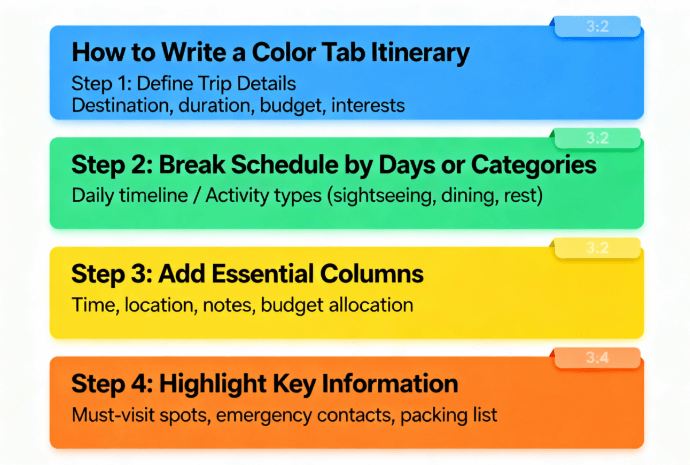
1: Define Trip Details
Note destination, duration, travelers, and budget. Include trip goals like relaxation or adventure to guide choices.
2: Break Schedule by Days or Categories
Split into days or themes. Use color tabs for flights in blue, activities in green, and hotels in yellow for instant scans.
3: Add Essential Columns
Set up date, time, activity, location, notes, and costs. Keep rows short for readability.
4: Highlight Key Information
Bold flights and check-ins. Use brighter colors on tabs for priorities. Add space for changes.
Part 2: Top 10 Free Color Tab Itinerary Templates
Curated these free color tab itinerary template standouts after testing dozens. Travelers grab them for instant organization across solo jaunts, family chaos, or boardroom hops. Each brings unique tab setups that pop in WPS Office. Pick by your trip style and tweak away.
1. Travel Itinerary Planner [Excel]
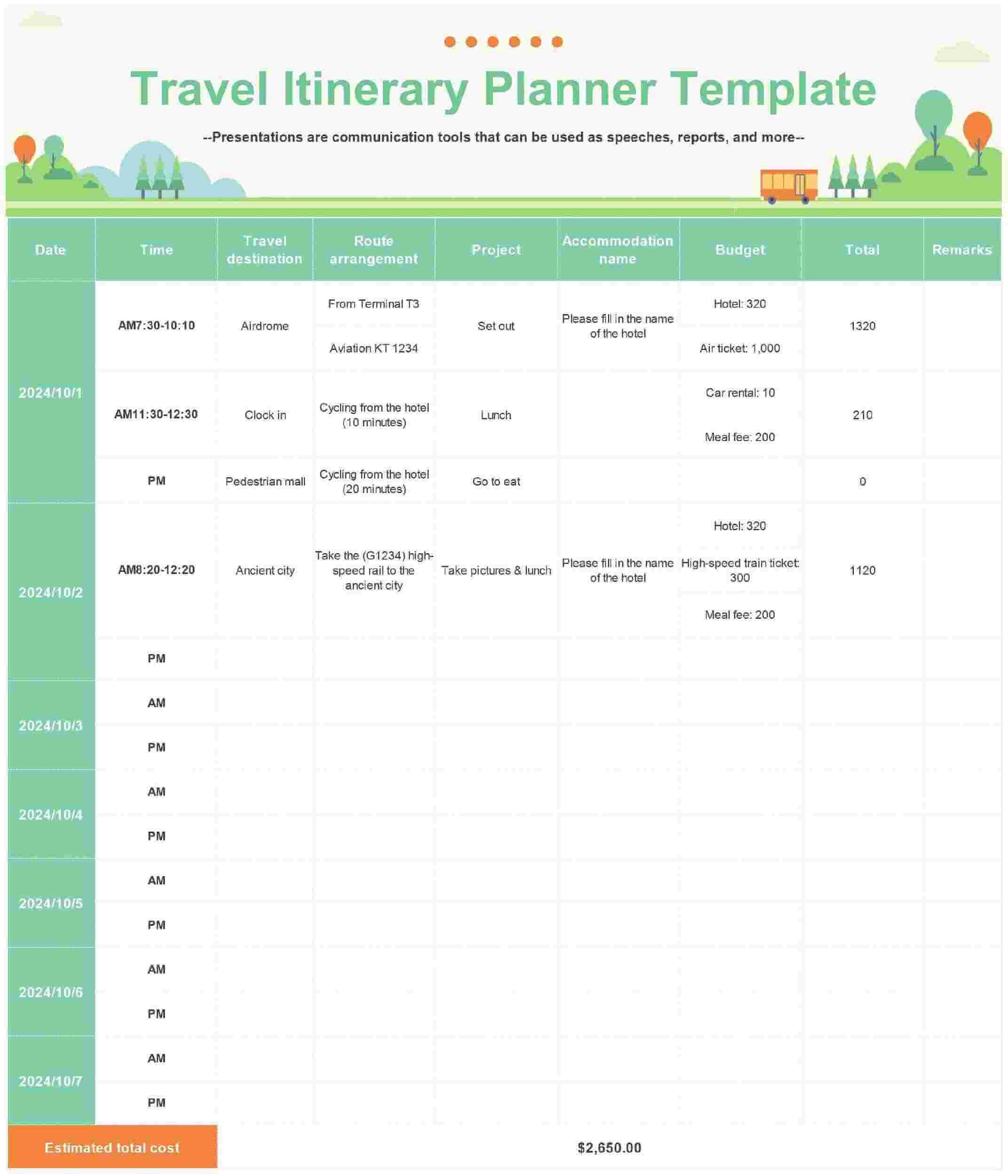
Clean powerhouse for multi-stop epics. Color tabs split flights, hotels, daily adventures, and budget trackers across expandable sheets. Overlanders swear by its mileage calculator under transport tabs while the notes section catches border crossing details. Stretches for 30-day treks or shrinks for city breaks without losing tab clarity. Handles group coordination too with shareable columns per person.
2. Lost With Loz Travel Itinerary [Excel]
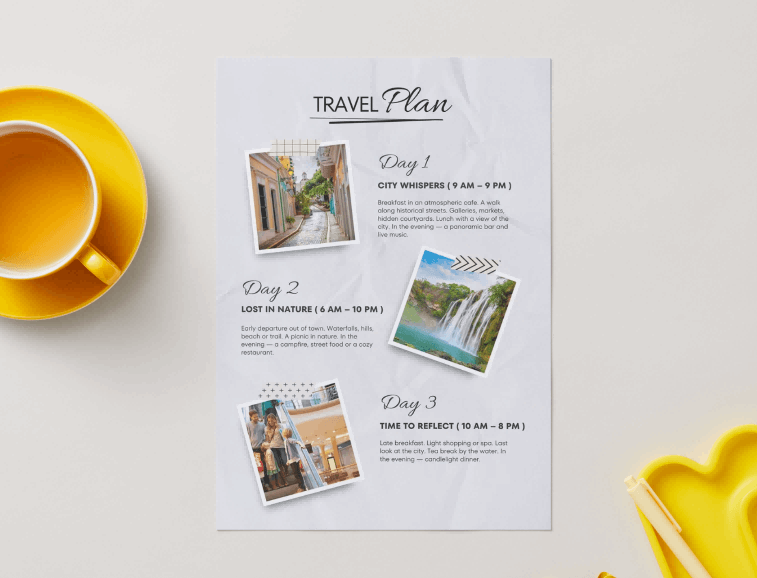
Travel blogger's gem with pastel tabs bursting energy for backpacker vibes. Separate spontaneous adventures, chill downtime, and logistics like visas or laundry days. Built-in packing checklists hide under each tab, perfect for digital nomads hitting five countries in a month. The flexible grid lets you drag activities between days when plans pivot, keeping that free-spirit flow intact.
3. Family Vacation Itinerary [Excel]
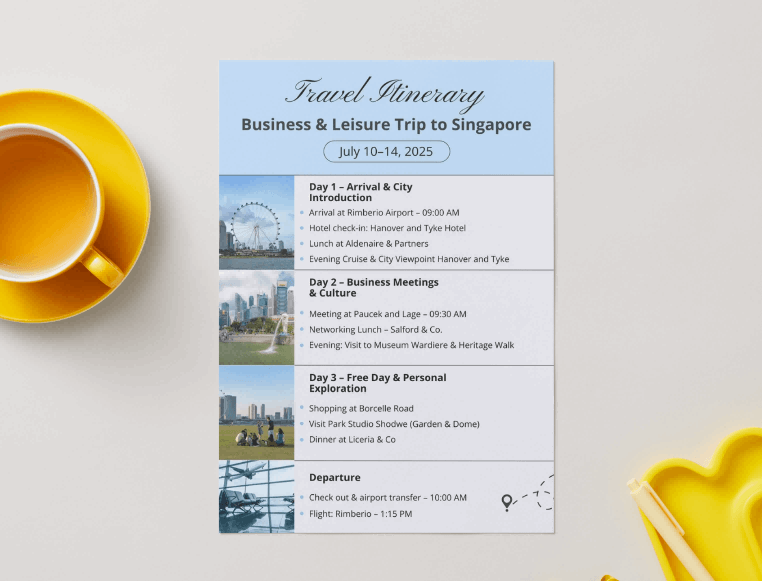
Chaos-tamer for parents juggling kids and in-laws. Cheerful tabs carve out toddler naps, teen hangouts, group dinners, and adult downtime. Meal planning slots predict picky eater battles while emergency contacts glow under safety tabs. Scales for Disney marathons or road trips, with columns tracking snacks and souvenirs per traveler. Keeps everyone synced without constant questions.
4. Trip Planner Worksheet [Excel]
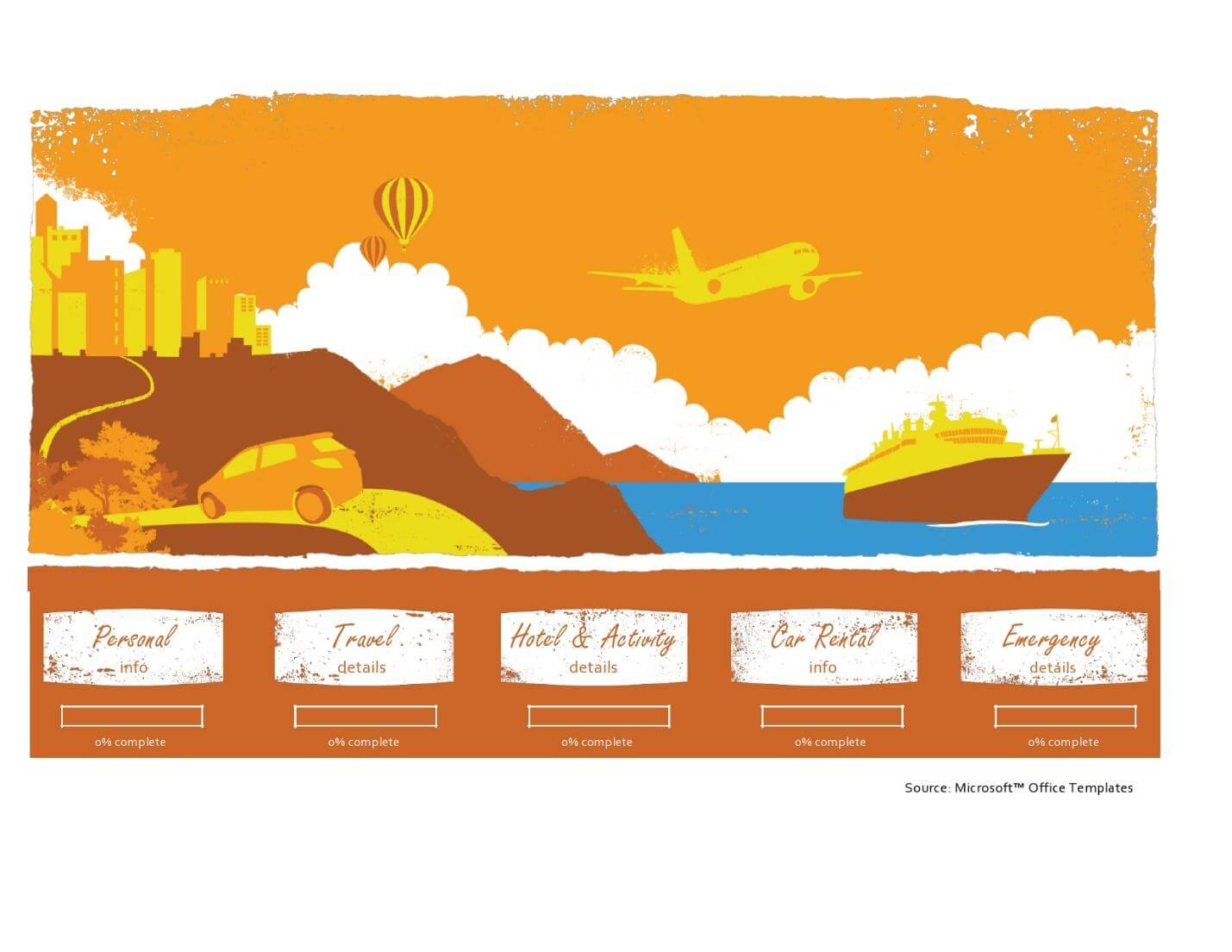
Budget hawk's dream in worksheet format. Tabs color-code expenses alongside timelines: red for splurges, green for deals. Auto-sums watch your wallet while daily tabs log actual spends versus plans. Weekend warriors or conference hoppers love the compact setup that fits one page printed. Formulas flag overspends instantly for mid-trip corrections.
5. Cute Travel Itinerary Template 02 [Excel]
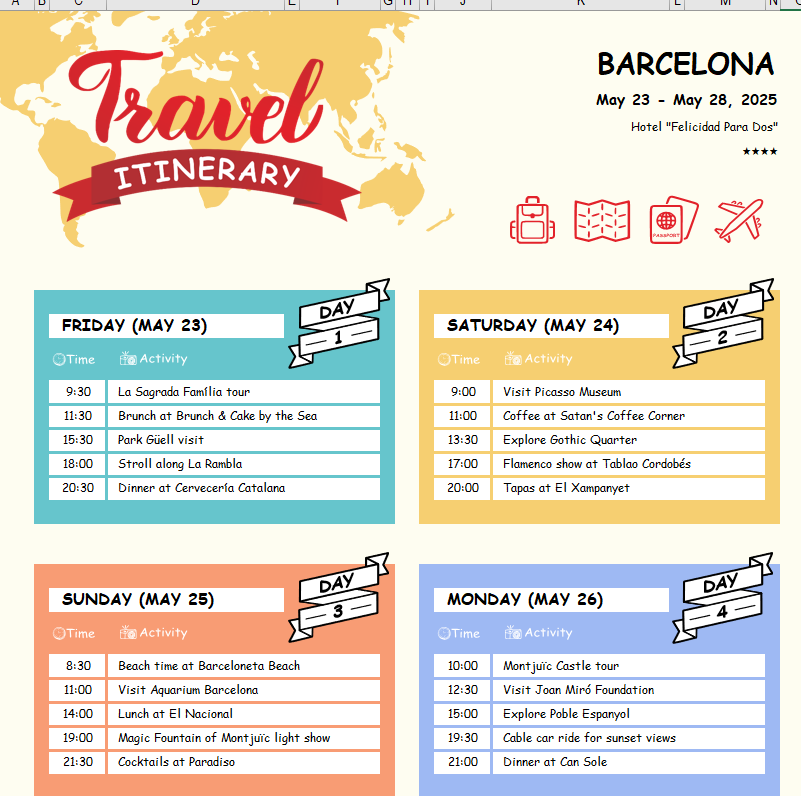
Girly charm meets function with floral tabs framing romantic getaways or bestie escapes. Leisure slots under pink tabs hold spa dates, sunset dinners, boutique shopping lists. Maps integrate easily for visual routes while wishlist tabs capture spontaneous finds. Couples print these for bedside reference; the whimsy makes planning date nights feel fun, not chore-like.
6. Business Trip Itinerary [Word]
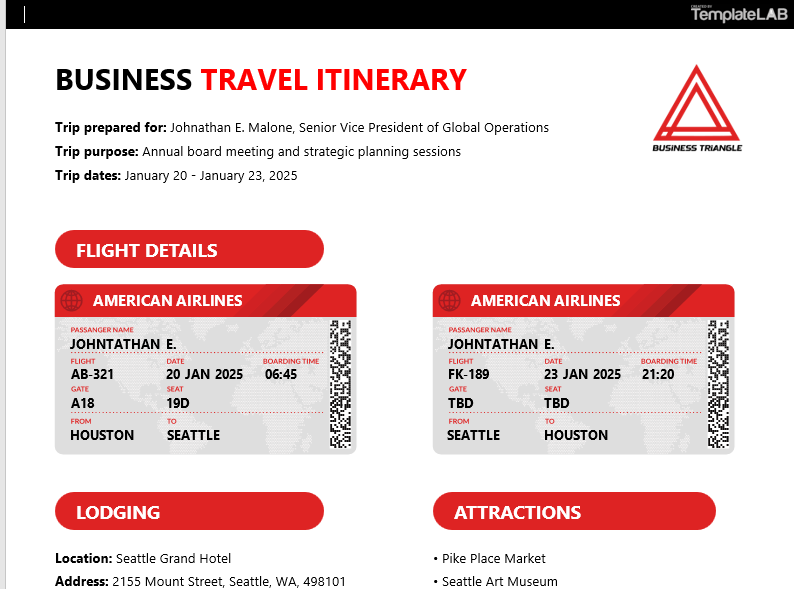
No-nonsense exec tool with crisp tabs dividing client meetings, transit windows, networking dinners. Contact sheets and agendas nest under each, ready for assistant pre-fills. Word's table tools let you merge cells for complex schedules across time zones. Impresses stakeholders when shared pre-flight; the tabbed polish screams prepared professional.
7. Blank Travel Itinerary Template [Word]
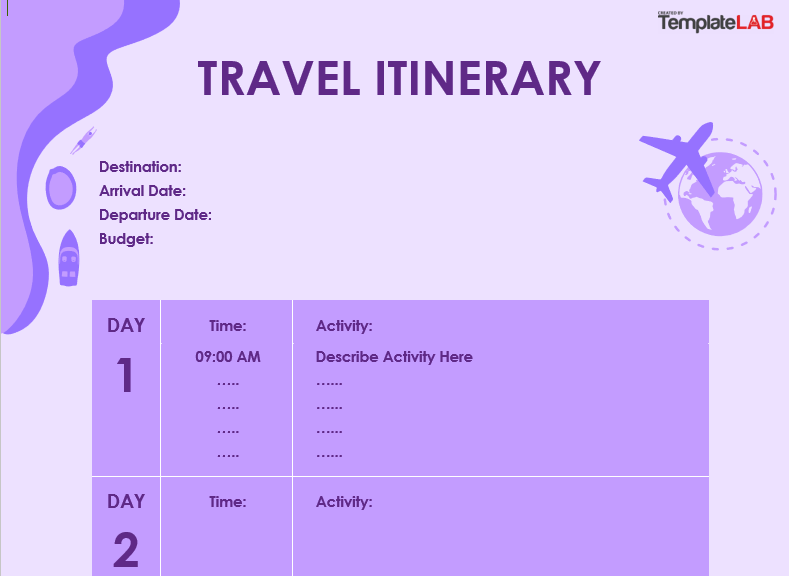
Ultimate customizer's canvas with neutral tabs begging your personal spin. Frequent fliers build recurring setups: surf trip tabs, conference blueprints, holiday rushes. Endless rows mean no outgrowing it while color fills adapt to any theme. Power users add hyperlinks to bookings; newbies fill sequentially for first-timer confidence. Total control, zero fluff.
8. Corporate Travel Itinerary Template [Word]
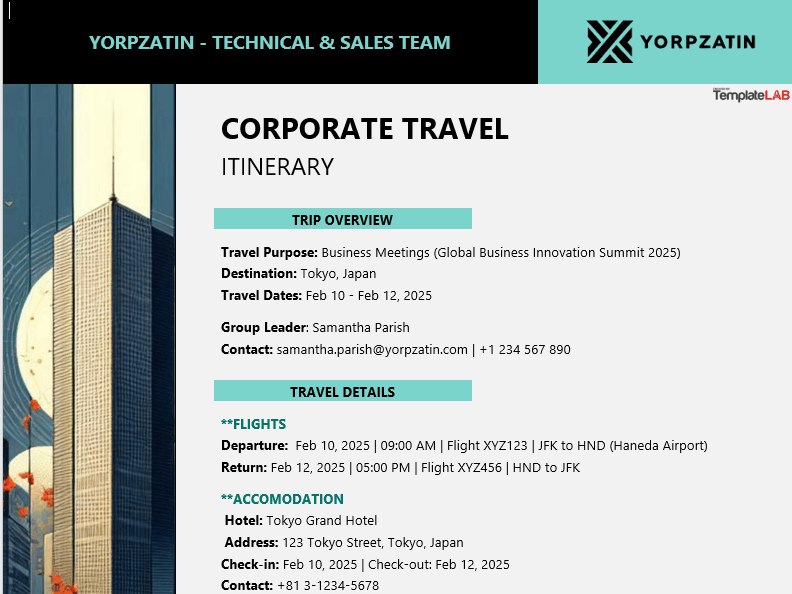
Boardroom-ready with hierarchical tabs for team syncs, strategy huddles, expense logs. Pre-built fields for approvals and reimbursements save admin headaches. Coordinators populate flights early, leaving activity tabs for exec tweaks. Prints to sleek binders that wow during quarterly reviews. Formal yet flexible for global roadshows.
9. Personal Travel Itinerary Template [Word]
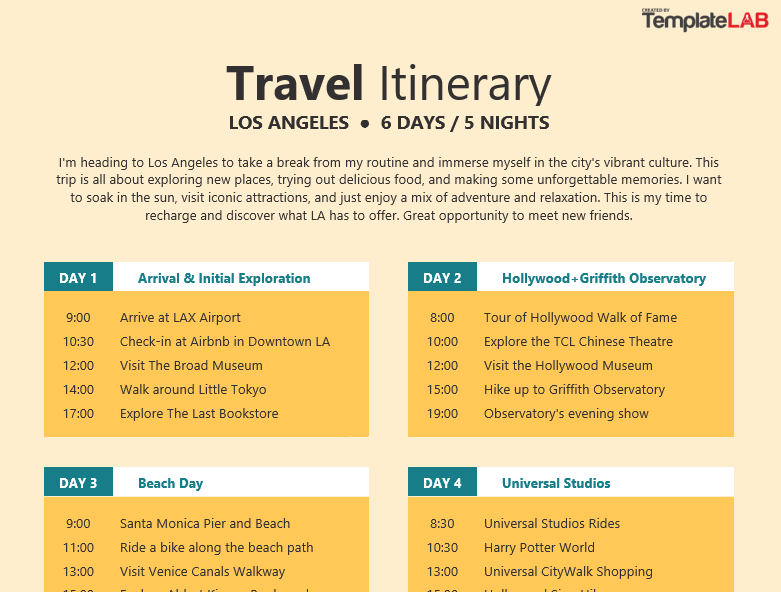
Solo traveler's quiet companion with gentle tabs carving personal quests, reflection time, self-care rituals. Journal prompts hide under evening tabs alongside trail maps or cafe recs. Milestone trips like 40th birthdays thrive here with goal-setting space per day. Compact for wallet printouts; intimate enough for solo soul-searching adventures.
Part 3: How to Edit and Print
WPS Office turns any free color tab itinerary template into your personal command center. No subscriptions, full power. Download at wps.com and follow these exact paths for tab magic.
How to Edit in WPS Writer
Step 1: Launch WPS Writer, drag your Word template in.
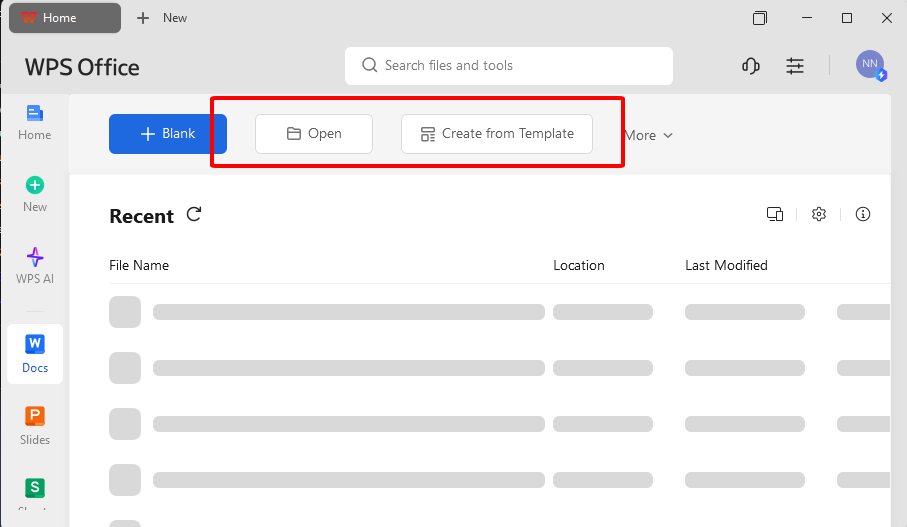
Step 2: Click tab cells, hit Home ribbon, Fill Color dropdown for instant hues.
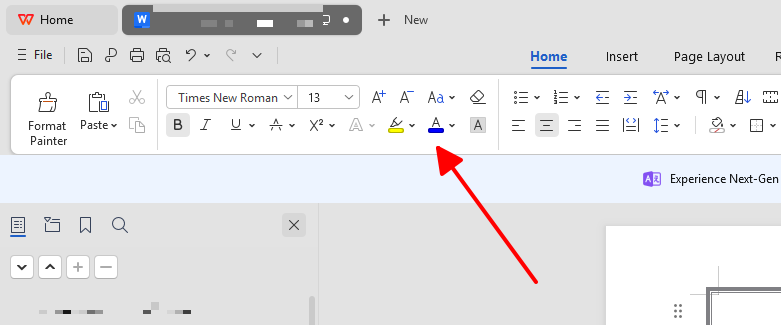
Step 3: Type over placeholders. Right-click table, Insert Rows Above for extras.
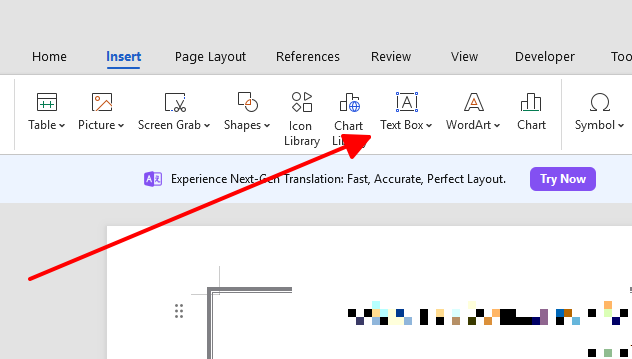
Step 4: Text boxes via Insert menu layer flexible notes over tabs. Drag to fit.
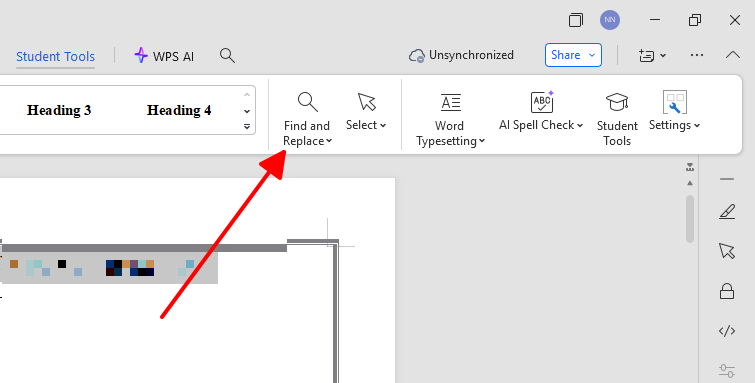
Step 5: Find/Replace speeds bulk updates like swapping city names.
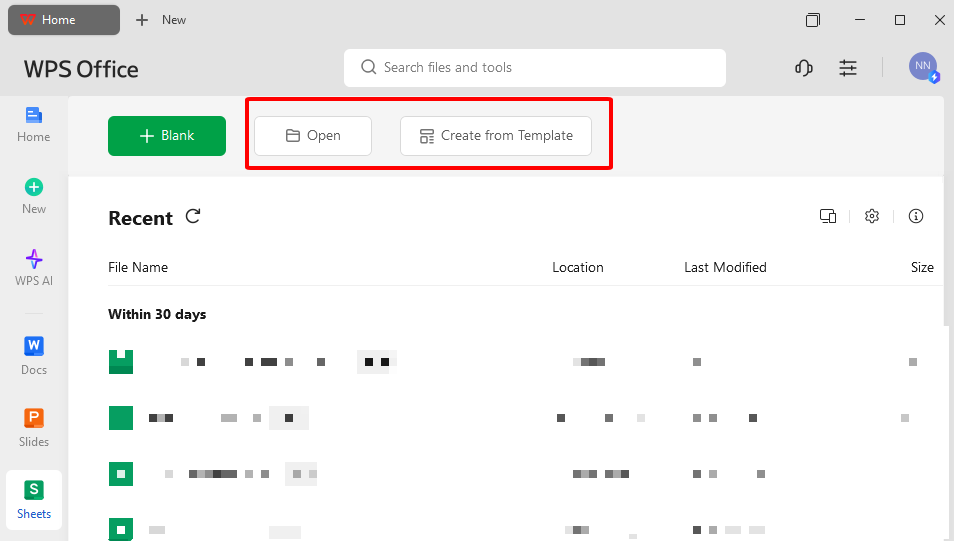
Step 1: Open Excel files directly in Spreadsheet app. Tabs load perfect.
Step 2: Select day rows, Home > Fill Color palette. Custom shades for moods.
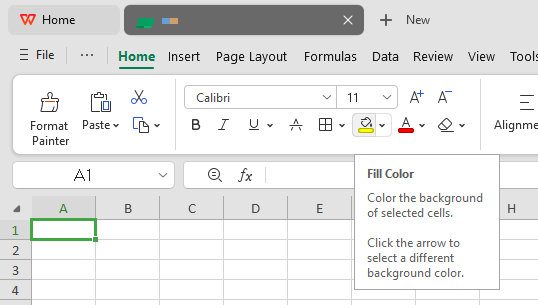
Step 3: Double-click column borders to auto-fit. Formulas like SUM track costs live.
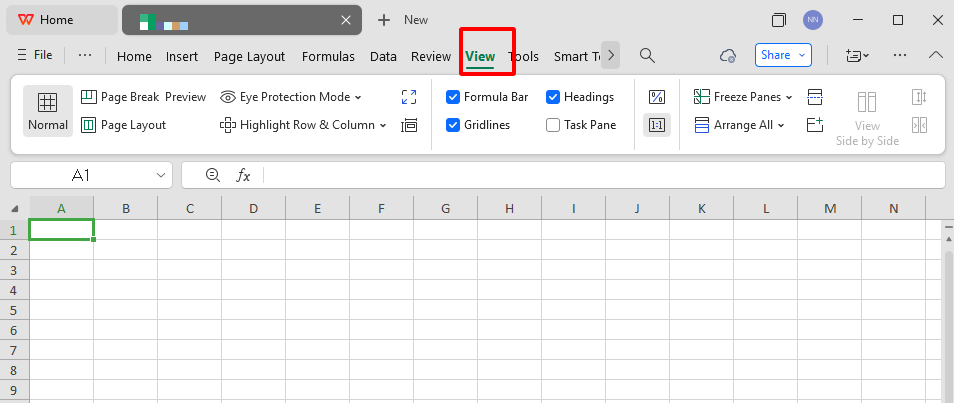
Step 4: View tab, Freeze Panes at top row so headers scroll with you.
Step 5: Conditional formatting auto-colors high-priority cells based on keywords.
Save as PDF for Perfect Prints
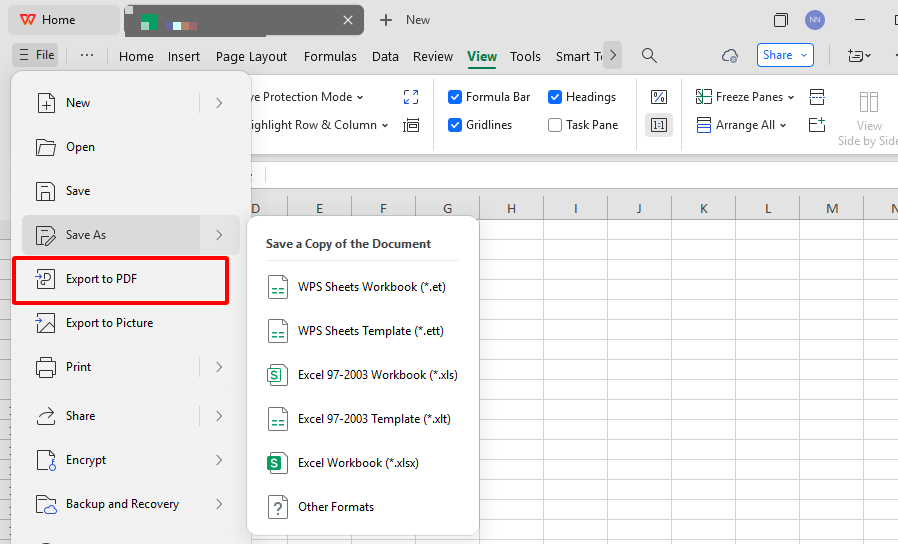
File dropdown, Export to PDF. Select high-res for sharp tab colors. Landscape mode maximizes tables. No quality drop even on basic printers.
Generate Share Link for Teams
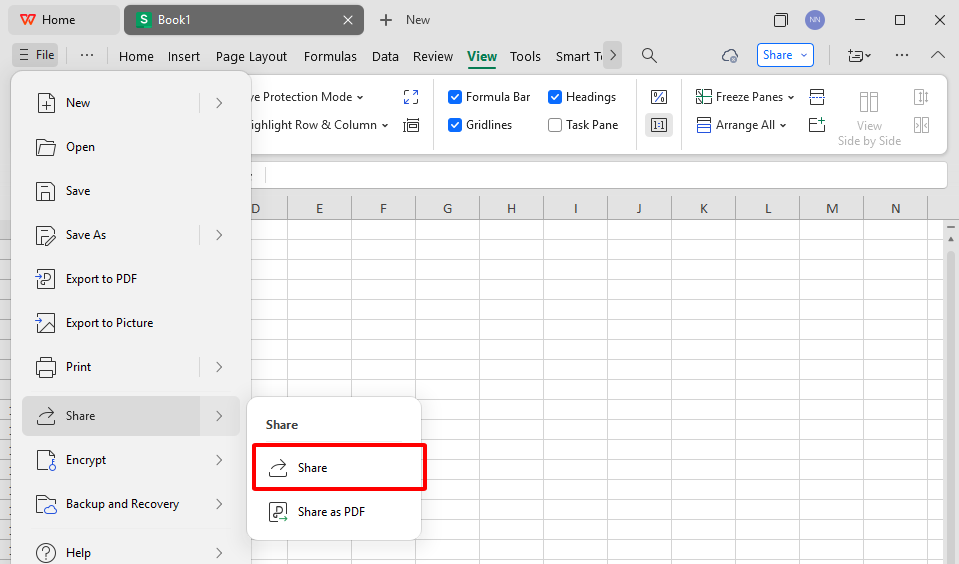
File > Share > Get Cloud Link. Set edit/view permissions. Real-time changes sync instantly. Ditch email chains forever.
Part 4: Free Office Suite with Editable Templates & Smart AI
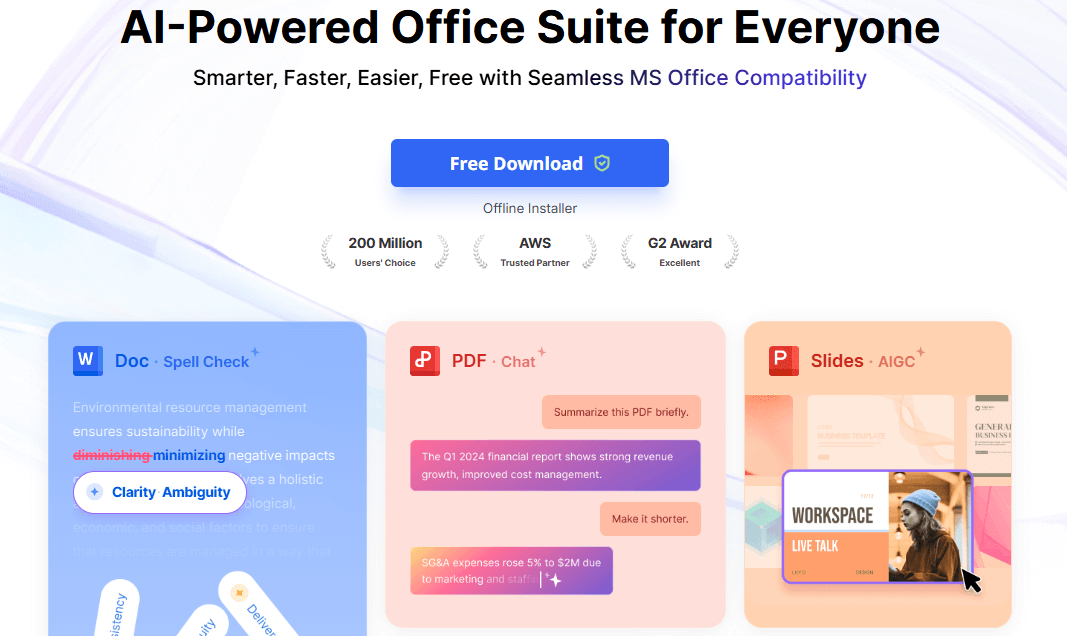
Many travelers want to quickly plan, edit, and print itineraries without paying for expensive software. WPS Office is a popular free solution in 2025, offering an office suite with all the tools needed for documents, spreadsheets, presentations, and PDFs. Downloading from the official website gives users permanent access to powerful features without a subscription or hidden costs.
Why Recommend WPS Office
WPS Office works smoothly on Windows, Mac, Linux, Android, and iOS, which means you can edit and share your color tab itinerary template at home or while traveling. The design mimics familiar interfaces from other office suites, letting users jump in without learning curves. Travel planners benefit from its templates, real-time cloud sharing, and editing flexibility from any device. PDF tools make documents print-ready, and AI integration boosts productivity even for first-time users.
Overall, WPS Office is a top choice for free color tab itinerary template editing. Whether planning a vacation or a business trip, its easy-to-use apps, smart AI, and extensive template library help users create organized, visually appealing itineraries for every situation.
FAQs
How do I make my itinerary easy to follow?
Color tabs split days from activities. Bullet key details. One glance tells all.
Can I share the itinerary with my group?
Export PDF or WPS Cloud link. Everyone edits live, no version mess.
Which is better, Word or Excel for itineraries?
Excel owns color tab itinerary template tables and math. Word shines for stories and photos.
Are these templates printable?
100%. WPS PDF keeps tabs crisp on any paper.
How to add custom tab colors?
WPS Home tab, More Colors for exact matches. Pantone-level precision free.
Where to find more templates?
WPS site thousands strong. Filter "travel" for endless color tab itinerary template gems.
Work offline with these?
Yes. WPS saves locally, syncs when connected. Plane-proof.

'%3e%3cpath%20d='M19.9911%204.11386V6.471H18.5894C18.0775%206.471%2017.7322%206.57814%2017.5536%206.79243C17.3751%207.00671%2017.2858%207.32814%2017.2858%207.75671V9.44421H19.9019L19.5536%2012.0871H17.2858V18.8639H14.5536V12.0871H12.2769V9.44421H14.5536V7.49779C14.5536%206.39064%2014.8632%205.53201%2015.4822%204.92189C16.1013%204.31177%2016.9257%204.00671%2017.9554%204.00671C18.8304%204.00671%2019.509%204.04243%2019.9911%204.11386Z'%20fill='%23333333'/%3e%3c/g%3e%3cdefs%3e%3cclipPath%20id='clip0_2938_8199'%3e%3crect%20width='16'%20height='16'%20fill='white'%20transform='translate(8%204.00671)'/%3e%3c/clipPath%3e%3c/defs%3e%3c/svg%3e)
'%3e%3cpath%20d='M17.5237%2010.7813L23.4811%204H22.0699L16.8949%209.88693L12.7648%204H8L14.2469%2012.9029L8%2020.0133H9.4112L14.8725%2013.7952L19.2352%2020.0133H24M9.92053%205.04213H12.0885L22.0688%2019.0224H19.9003'%20fill='%23333333'/%3e%3c/g%3e%3cdefs%3e%3cclipPath%20id='clip0_2938_8200'%3e%3crect%20width='16'%20height='16.0134'%20fill='white'%20transform='translate(8%204)'/%3e%3c/clipPath%3e%3c/defs%3e%3c/svg%3e)


![4. Trip Planner Worksheet [Excel]](https://templatelab.com/wp-content/uploads/2024/01/travel-planner-template-06.jpg)