

'%3e%3cpath%20d='M8%200C12.4183%200%2016%203.58172%2016%208C16%2012.4183%2012.4183%2016%208%2016C3.58172%2016%200%2012.4183%200%208C0%203.58172%203.58172%200%208%200ZM11.6162%204.38379C11.2257%203.99337%2010.5927%203.99338%2010.2021%204.38379L8%206.58594L5.79785%204.38379C5.40732%203.99334%204.77429%203.99329%204.38379%204.38379C3.99331%204.77429%203.99335%205.40733%204.38379%205.79785L6.58594%208L4.38379%2010.2021C3.99348%2010.5927%203.99341%2011.2257%204.38379%2011.6162C4.77426%2012.0066%205.40734%2012.0065%205.79785%2011.6162L8%209.41406L10.2021%2011.6162C10.5927%2012.0066%2011.2257%2012.0067%2011.6162%2011.6162C12.0067%2011.2257%2012.0066%2010.5927%2011.6162%2010.2021L9.41406%208L11.6162%205.79785C12.0066%205.40735%2012.0066%204.77429%2011.6162%204.38379Z'%20fill='%23080E17'%20fill-opacity='0.46'/%3e%3c/g%3e%3cdefs%3e%3cclipPath%20id='clip0_3761_713'%3e%3crect%20width='16'%20height='16'%20fill='white'/%3e%3c/clipPath%3e%3c/defs%3e%3c/svg%3e)




'%3e%3cpath%20fill-rule='evenodd'%20clip-rule='evenodd'%20d='M21.4999%2010.9993C21.4999%205.20009%2016.7986%200.498901%2010.9993%200.498901C5.19994%200.498901%200.498657%205.20009%200.498657%2010.9993C0.498657%2016.2404%204.33858%2020.5844%209.35855%2021.3722V14.0346H6.69238V10.9993H9.35855V8.68594C9.35855%206.05427%2010.9262%204.60062%2013.3248%204.60062C14.4736%204.60062%2015.6753%204.80571%2015.6753%204.80571V7.38979H14.3512C13.0468%207.38979%2012.64%208.19921%2012.64%209.0296V10.9993H15.5523L15.0867%2014.0346H12.64V21.3722C17.66%2020.5844%2021.4999%2016.2404%2021.4999%2010.9993Z'%20fill='%231568EA'/%3e%3c/g%3e%3c/svg%3e)


'%3e%3cpath%20d='M2.42045%2022.1876H6.31818V12.7217L0.75%208.54553V20.5171C0.75%2021.4414%201.49892%2022.1876%202.42045%2022.1876Z'%20fill='%234285F4'/%3e%3cpath%20d='M19.682%2022.1876H23.5797C24.5041%2022.1876%2025.2502%2021.4387%2025.2502%2020.5171V8.54553L19.682%2012.7217'%20fill='%2334A853'/%3e%3cpath%20d='M19.682%205.48293V12.7216L25.2502%208.54543V6.31816C25.2502%204.25236%2022.8921%203.07469%2021.2411%204.31361'%20fill='%23FBBC04'/%3e%3cpath%20d='M6.31824%2012.7217V5.48303L13.0001%2010.4944L19.6819%205.48303V12.7217L13.0001%2017.733'%20fill='%23EA4335'/%3e%3cpath%20d='M0.75%206.31816V8.54543L6.31818%2012.7216V5.48293L4.75909%204.31361C3.10534%203.07469%200.75%204.25236%200.75%206.31816Z'%20fill='%23C5221F'/%3e%3c/g%3e%3cdefs%3e%3cclipPath%20id='clip0_2954_7305'%3e%3crect%20width='24.5'%20height='18.375'%20fill='white'%20transform='translate(0.75%203.8125)'/%3e%3c/clipPath%3e%3c/defs%3e%3c/svg%3e)


You search for gift card template free options because you need professional designs without subscriptions or complex tools that waste time. Readers want quick downloads of free printable gift card templates and editable gift certificate templates that open easily, edit fast, and print perfectly for birthdays, holidays, or business rewards without paywalls or limited customizations getting in the way.


Part 1: How to Write a Gift Card
Gift Card Basic Structure
Every effective gift card follows a clear layout that readers can scan in seconds. Start with a bold title like "Gift Certificate" centered at the top in large font. Add a field for the recipient's name right below to make it personal.
Next include the amount in even larger text, such as "$50 Value" or "One Free Massage." Position the expiry date nearby with terms like "Valid 12 months from issue date. Non-refundable."
Finish with issuer details at the bottom: business name, phone number, and website. This structure ensures legal protection while looking polished and trustworthy.
Essential Design Principles
Simplicity drives professional results in gift card design. Stick to two font families maximum and three colors from your brand palette. High contrast between text and background guarantees readability from across a room.
Incorporate subtle festive elements based on the occasion. Balloons work for birthdays. Evergreen borders suit holidays. Leave generous white space around key details to avoid a cramped, cheap appearance.
Scale matters greatly. Use 24pt for titles, 14pt for amounts, and 12pt minimum for body text. Always preview at 100% zoom and print a test copy to verify proportions on paper.
Top Use Cases and Scenarios
Birthdays call for playful colors and space for custom messages that delight recipients. Holidays benefit from neutral designs with seasonal icons that reuse well year after year.
Businesses excel with promotion-focused layouts like "Buy One Get One Free" or loyalty rewards that encourage repeat visits. Spas prefer elegant florals while restaurants lean toward food-themed graphics.
Nonprofits leverage them for fundraisers since they print cheaply in bulk. Versatile templates adapt across all these scenarios with minor tweaks.
Part 2: Top 10 Free Gift Card Templates
These gift card template free options deliver fully editable files ready for immediate use. Each one customizes in under five minutes for any occasion or business need with clear fields for recipient details, amounts, dates, and personal messages.
1. Birthday Gift Certificate (Bright Design)
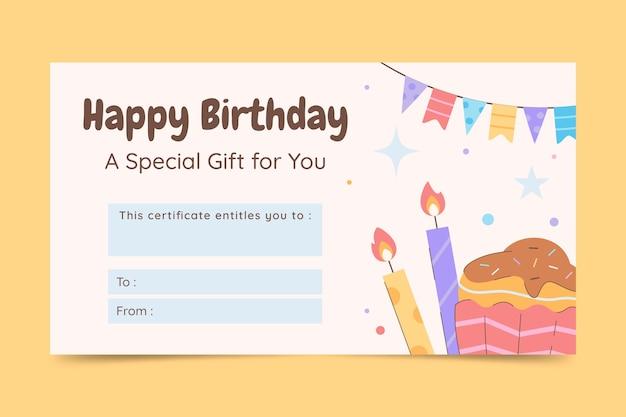
Picture this: a explosion of colorful balloons and confetti dancing across the page, instantly screaming celebration. This one's perfect for kids' birthdays or those casual adult parties where you want fun without fuss. Fields pop right up for easy edits, name goes here, dollar amount there, maybe toss in "Happy 30th Sarah!" in the message spot. Recipients light up when they see it, feels special but took you two minutes tops. Small businesses targeting families or party planners grab this first, always gets compliments every time.
2. Gift Certificates (Three Per Page)
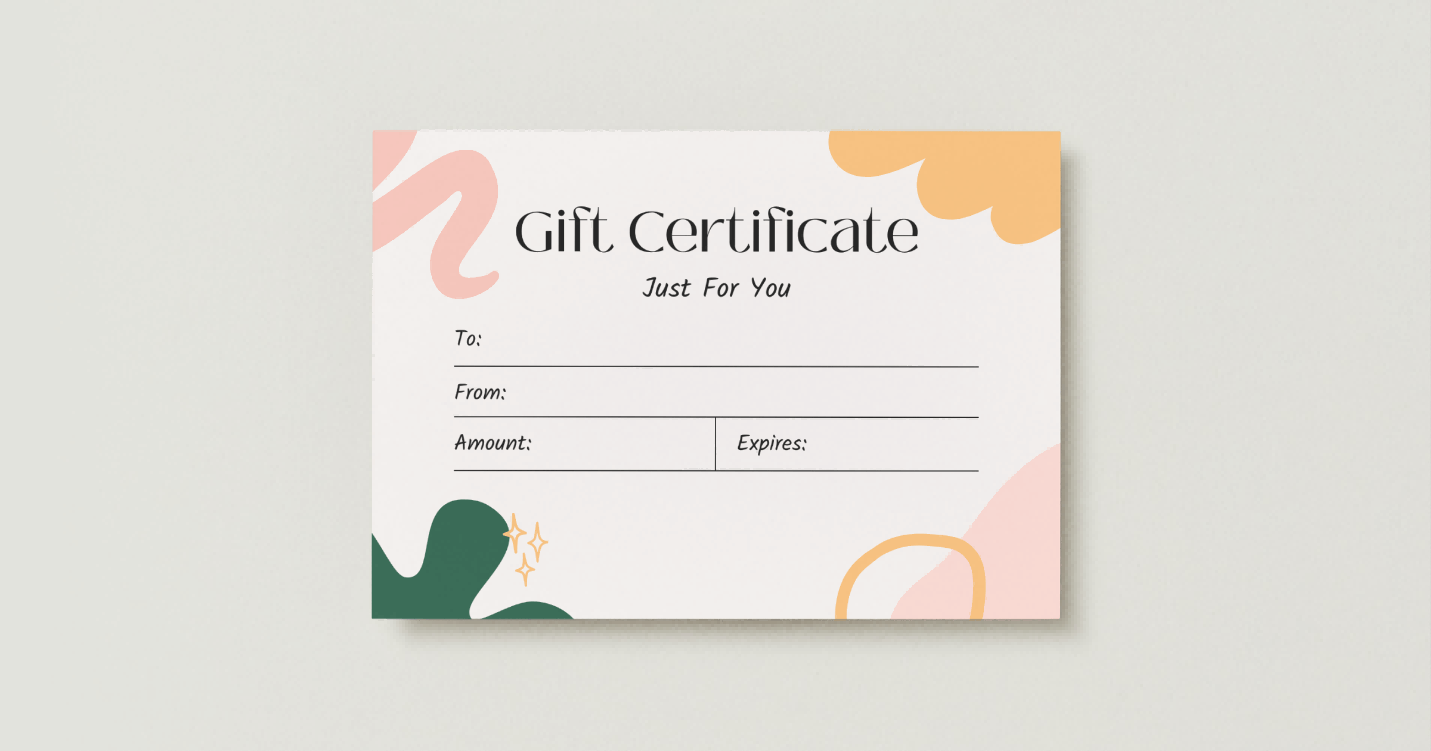
Ever need to crank out a dozen gift cards without wasting a forest of paper? This smart layout fits three perfect certificates on one sheet, boom, efficiency unlocked. Businesses love it for corporate giveaways, holiday staff bonuses, or event swag bags. Each card has its own space for custom tweaks while staying identical, print once, cut three ways, done. Saves time and money every single run, no uneven edges or mismatched designs to fix later.
3. Holiday Gift Coupons
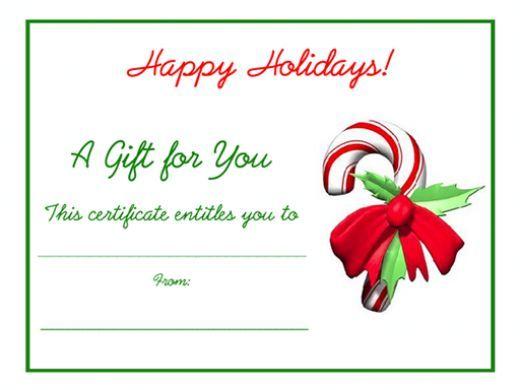
Those little perforation lines? Pure genius that makes tearing off a coupon feel exciting, like opening a present. Festive graphics give holiday vibes but swap the colors and it works for any sale, Black Friday madness included. Quick to personalize values or add "20% off next purchase," drives people through your door fast. Retail folks swear by this for end-of-year rushes, customers hold onto them longer than loose flyers too.
4. Ribbon Gift Certificate

Nothing says luxury like elegant ribbons curling around the edges, turns a simple voucher into boutique-level swag. Spas, salons, high-end dinners, this template fits right in where class matters. Subtle frame keeps eyes on the big stuff, amount and date stand out crisp. Clients feel pampered just holding it, perfect thank-you for VIP customers or bridal party gifts that wow without breaking your budget.
5. Christmas Spirit Gift Certificate
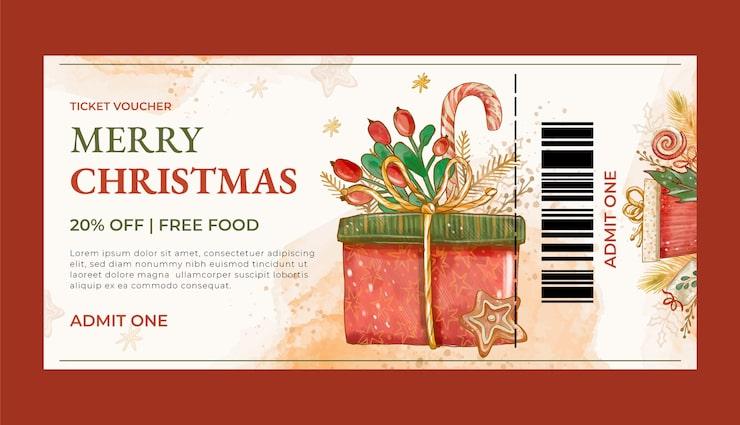
Warm reds and greens with just enough holly to nail that cozy holiday feel, but smart enough to recolor for New Year's or winter sales. Plenty of room up top for your logo, bottom for contact deets, middle all about the gift magic. Cafes and shops use this to boost December traffic, recipients smile remembering the festive vibe when they redeem. Classic never fails when seasons roll around.
6. Classic Gift Certificate
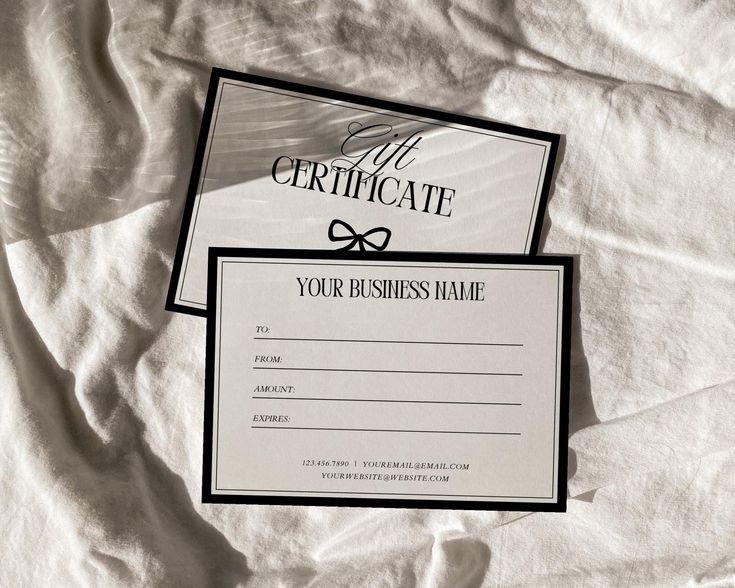
Gold accents gleaming on clean white space, timeless look that works for suits or casual Fridays equally well. No busy patterns stealing the show, just pro layout letting value and terms shine bright. Corporate types grab it for employee perks, personal use for "thanks for house sitting" moments. Never goes out of style, edits in seconds, prints like a million bucks every time.
7. Elegant Florals Mother's Day Gift Certificate
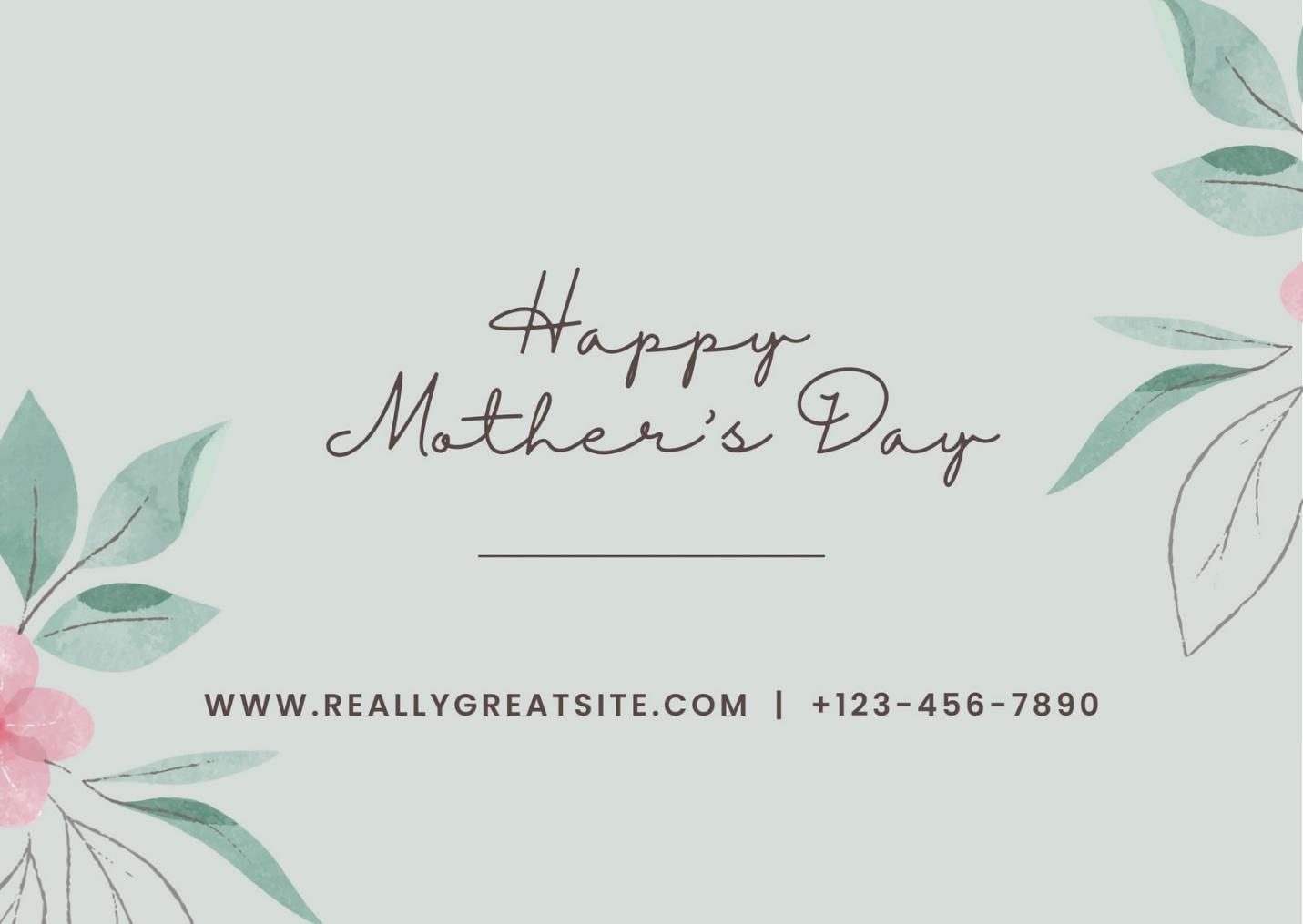
Soft watercolor blooms in pretty pastels whisper sophistication, ideal for moms, brides-to-be, or ladies' night spa packages. Heartfelt message area begs for "You deserve this!" alongside standard fields. Beauty spots and wellness centers thrive with this, feels custom-made rather than generic download. Recipients treasure the delicate touch, redeems way higher than plain designs.
8. Holiday Gift Certificates
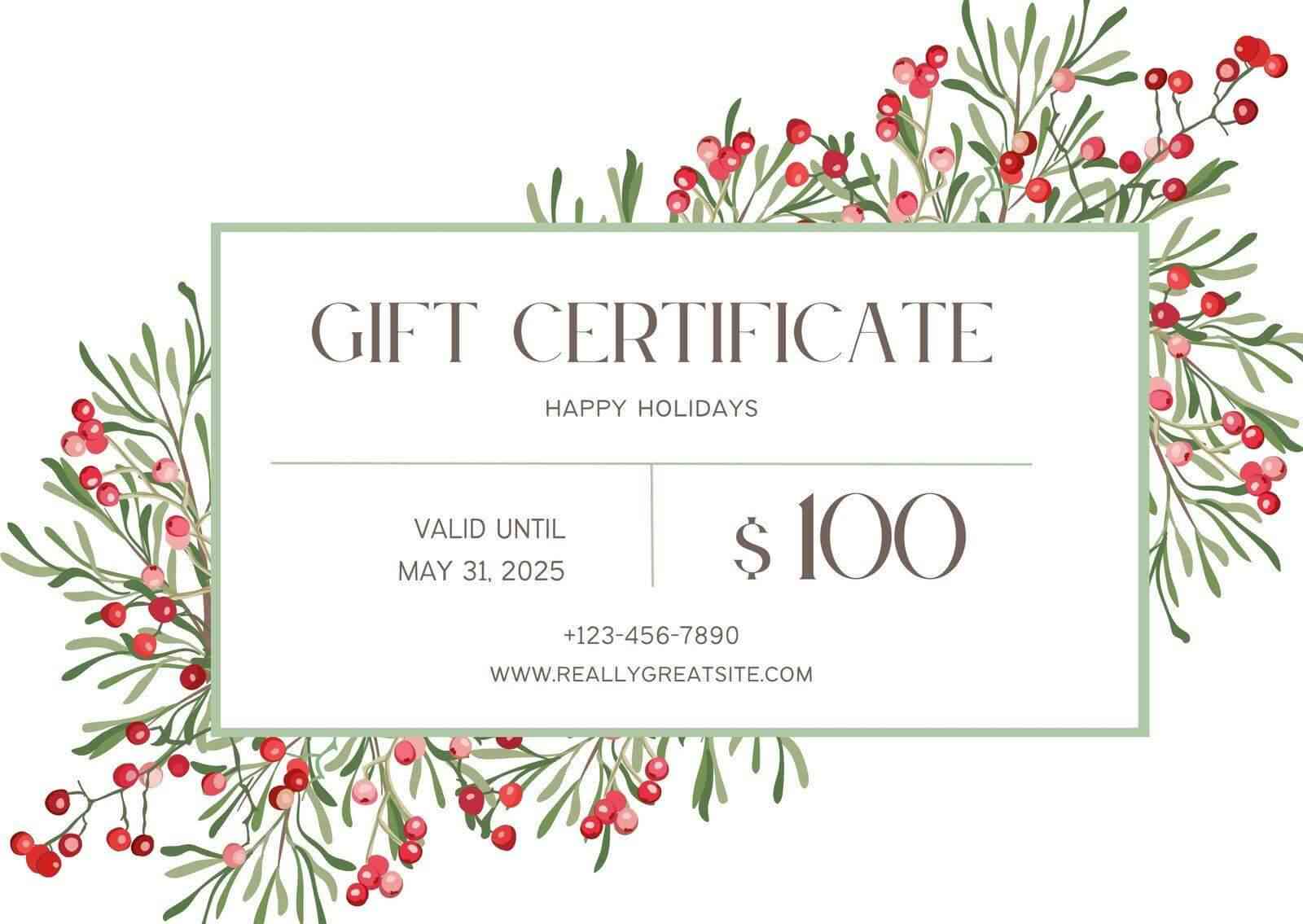
One template, endless holidays, snowflakes one week, stars the next, mix it up however your calendar demands. Bulk printing pros since fields line up perfect across the page. Event planners and year-round retailers keep this in rotation, saves reformatting headaches. Versatile enough to cover Christmas through summer fests without starting from scratch.
9. Birthday Balloons Gift Certificate
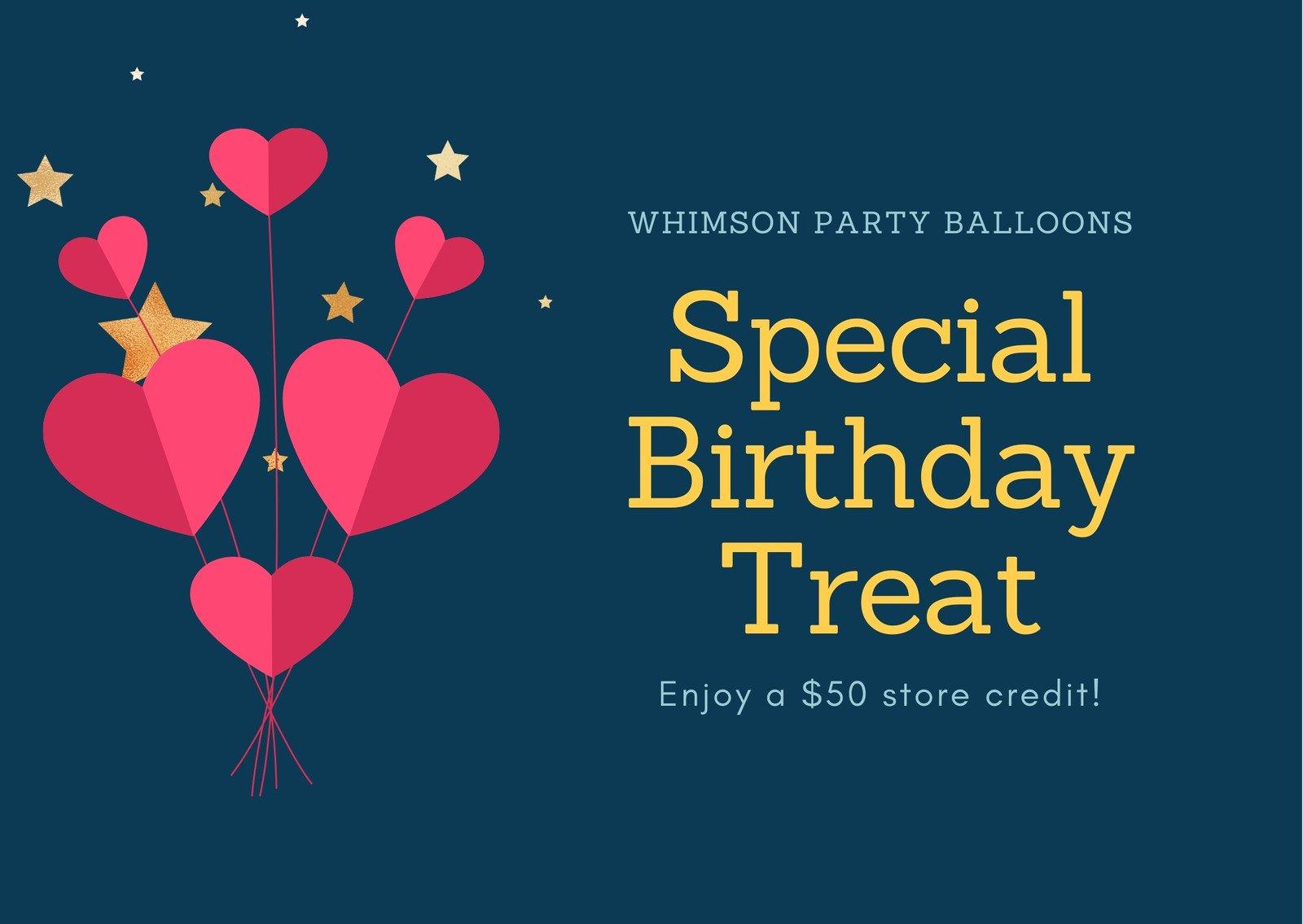
Balloons floating in a cheerful bunch, injects pure party energy that grabs attention instantly. Great for scaling up to poster size for big bashes or standard for quick prints. Fun graphics balance with editable spots for all the personal bits, name, value, funny quote. Birthday businesses and family events can't get enough, sparks that "open me now!" excitement right away.
10. Easter Gift Card
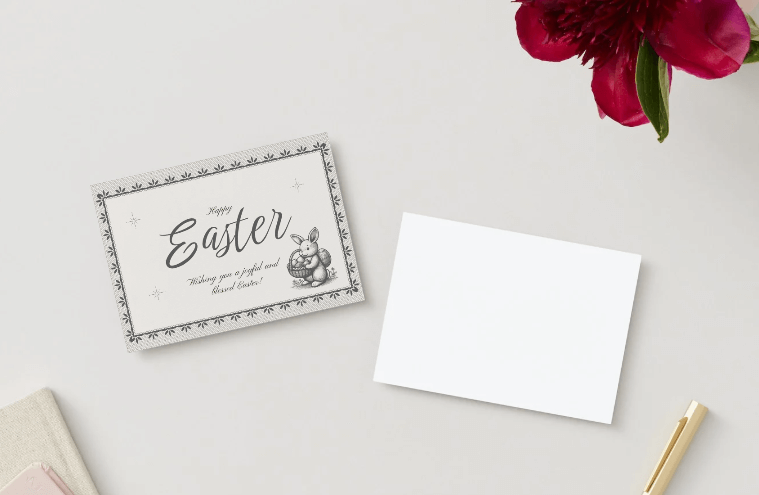
Fresh two-tone pastels with spring hints like eggs or buds, modern twist that skips cheesy for stylish seasonal pop. Warms up brunches, spring sales, or early mom gifts beautifully. Younger crowds dig the clean contemporary lines while fields handle business basics smooth. Stands out from tired old patterns, perfect refresh for warm weather promos.
Part 3: How to Edit and Print Gift Card Templates
Turn any template into a custom masterpiece with these precise steps. No design skills required for pro results.
Editing in WPS Word
Step 1: Open Template
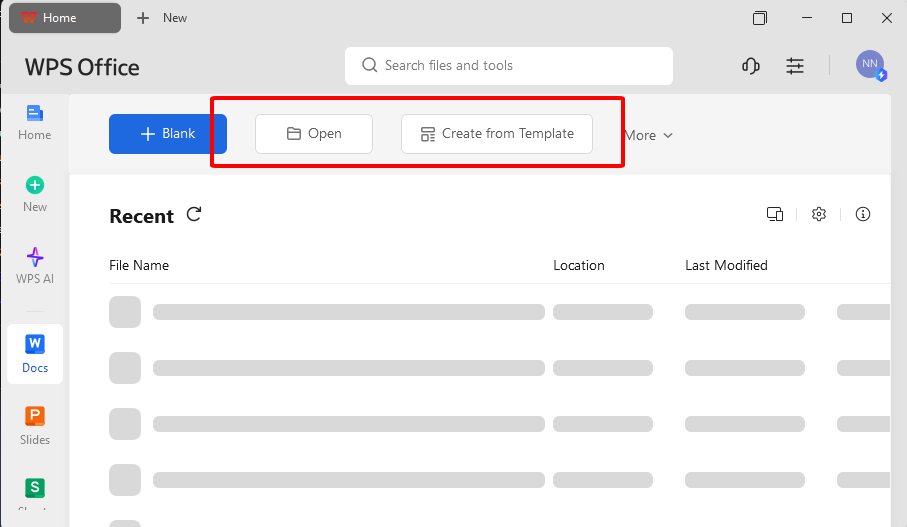
Launch WPS Writer from your desktop. Click File then Open. Navigate to your downloaded template file and select it.
Step 2: Update All Text
Click into each placeholder field one by one. Replace generic text with recipient name, exact amount, and specific expiry date. Home tab adjusts font size or style instantly.
Step 3: Customize Visuals
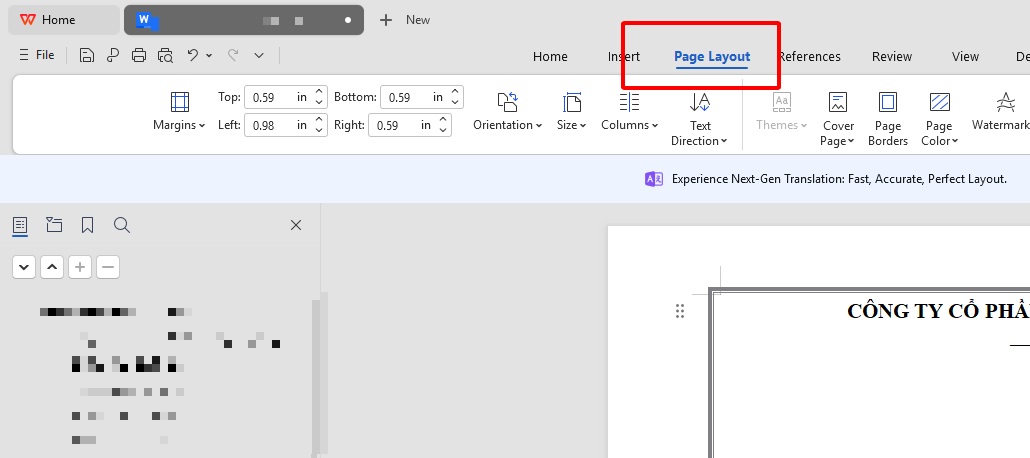
Switch to Page layout tab for instant color themes. Drag to resize elements. Ensure key details stay centered and prominent.
Step 4: Add Branding
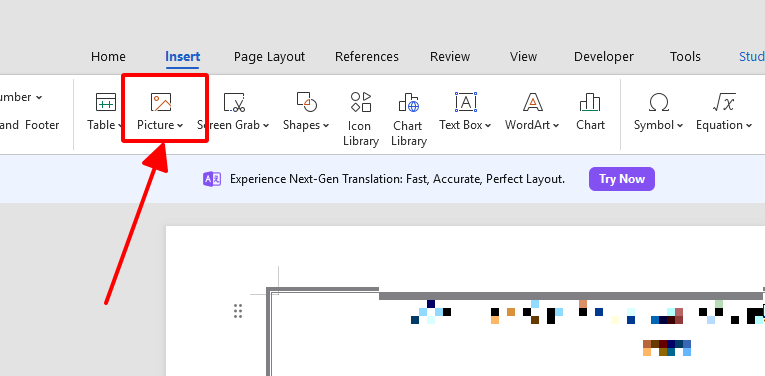
Insert tab leads to Pictures option. Upload your logo file. Position it in the header corner and resize proportionally.
Step 5: Final Proofread
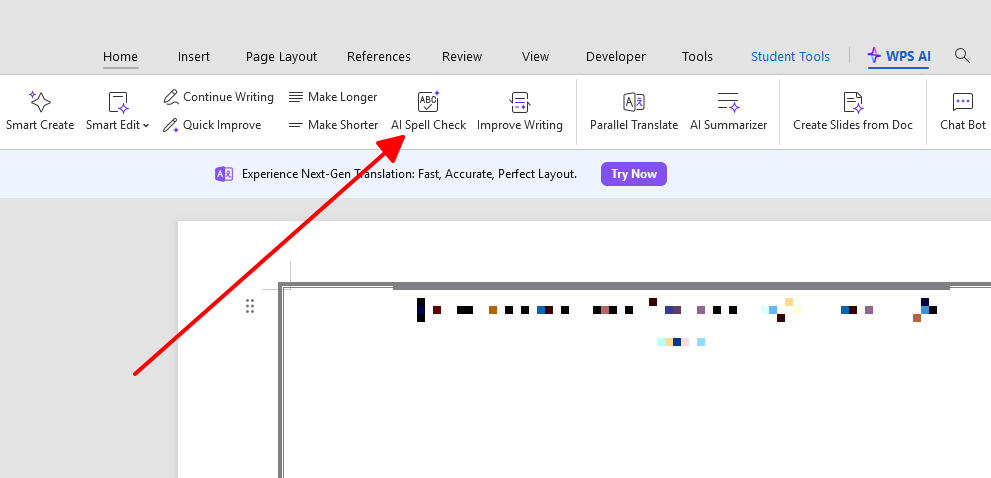
Zoom to 100% view. Run spell check or you can use WPS AI. Verify alignment across all fields looks balanced.
Exporting and Printing
Step 6: Export to PDF
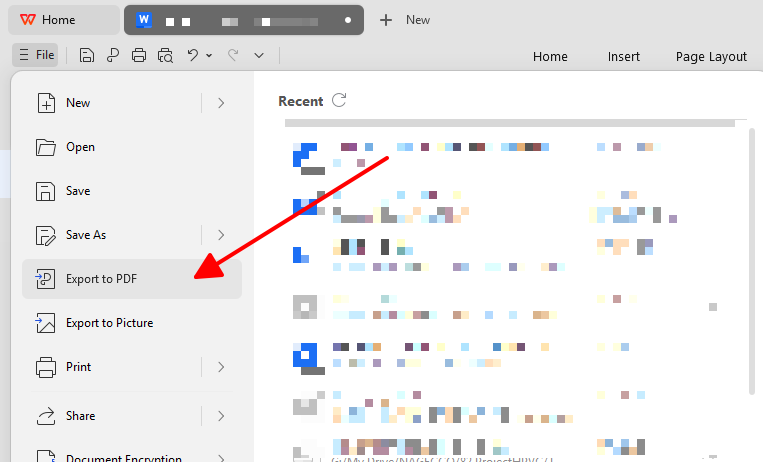
File menu to Export function. Select PDF format to lock design and ensure consistent quality everywhere.
Step 7: Printer Setup
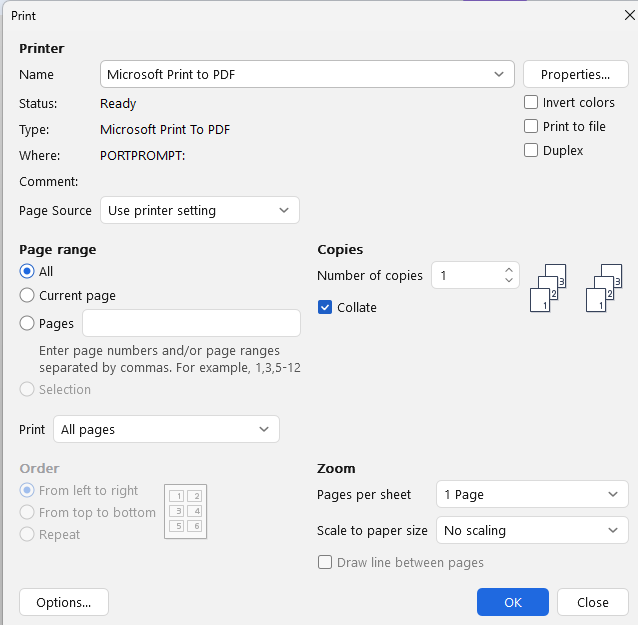
Load your PDF. Open Print dialog with Ctrl+P. Choose Best or High quality setting. Select cardstock paper tray if available.
Step 8: Precision Cutting
Allow ink to dry fully for two minutes. Measure with ruler then cut using craft knife for straight professional edges.
Digital option skips printing entirely. Email the PDF file or convert to image for messaging apps. Recipients access instantly anywhere.
Always print one test sheet first. Matte cardstock hides fingerprints best. Batch multiple templates in one session.
Part 4: Free Office Suite with Editable Templates & Smart AI
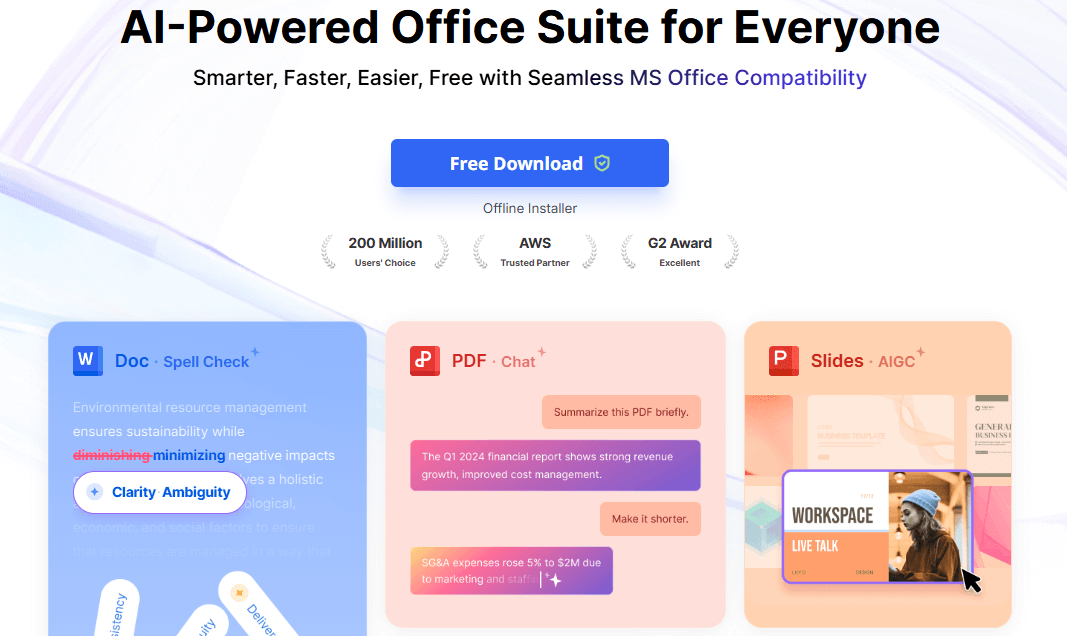
WPS Office handles every gift certificate project smoothly without surprise costs or weird file glitches that kill your flow. You grab those free templates, pop them open, and everything just works.
Core Functionality Overview
Replaces full Microsoft Office suite at no charge. Native support for Word, Excel, PowerPoint files from the start. Installs lightweight on any computer setup.
Massive built-in template library covers gift cards plus invoices and flyers. Search and download directly inside the app.
Highlighted Features
AI assistant suggests text improvements and auto-formats layouts as you work. Supports spell check across dozens of languages.
Cloud integration syncs files across phone, tablet, and PC seamlessly. Real-time team collaboration built standard.
PDF tools let you import and edit directly, no conversions needed. Export matches every common format perfectly.
Offline access works anywhere without internet dependency. Zero ads or subscription prompts interrupt your flow.
Recommendation Reasons
Eliminates yearly fees that add up fast. Avoids software bloat that slows older machines. Delivers results faster than competitors.
Templates load without glitches. AI cuts editing time in half. Perfect match for editable gift certificate templates workflows.
FAQs
How can I make a gift card template unique for my brand?
Insert logo through Pictures menu. Change colors via Design tab. Update fonts and add custom messages in text fields.
Can I print these gift cards at home?
Yes. PDF export from WPS ensures sharp results. Thick cardstock paper and high quality print settings mimic professional output.
Are all these templates really free?
Confirmed free downloads with full edit access. No payments, sign-ups, or feature restrictions applied.
Can I send a gift card digitally instead of printing?
Export PDF for email delivery. Convert to image format for texts or social sharing. Instant and trackable.
Which software is best for editing gift card templates?
WPS Office Word tops the list for free access, format compatibility, and simple controls across all devices.
How do I handle bulk template editing efficiently?
Open multiple files in WPS tabs. Copy changes across documents. AI generates consistent text variations quickly.
What paper specifications work best at home?
Choose 110-180gsm cardstock. Matte finish reduces glare and smudges. Standard sizes fit most printers.

'%3e%3cpath%20d='M19.9911%204.11386V6.471H18.5894C18.0775%206.471%2017.7322%206.57814%2017.5536%206.79243C17.3751%207.00671%2017.2858%207.32814%2017.2858%207.75671V9.44421H19.9019L19.5536%2012.0871H17.2858V18.8639H14.5536V12.0871H12.2769V9.44421H14.5536V7.49779C14.5536%206.39064%2014.8632%205.53201%2015.4822%204.92189C16.1013%204.31177%2016.9257%204.00671%2017.9554%204.00671C18.8304%204.00671%2019.509%204.04243%2019.9911%204.11386Z'%20fill='%23333333'/%3e%3c/g%3e%3cdefs%3e%3cclipPath%20id='clip0_2938_8199'%3e%3crect%20width='16'%20height='16'%20fill='white'%20transform='translate(8%204.00671)'/%3e%3c/clipPath%3e%3c/defs%3e%3c/svg%3e)
'%3e%3cpath%20d='M17.5237%2010.7813L23.4811%204H22.0699L16.8949%209.88693L12.7648%204H8L14.2469%2012.9029L8%2020.0133H9.4112L14.8725%2013.7952L19.2352%2020.0133H24M9.92053%205.04213H12.0885L22.0688%2019.0224H19.9003'%20fill='%23333333'/%3e%3c/g%3e%3cdefs%3e%3cclipPath%20id='clip0_2938_8200'%3e%3crect%20width='16'%20height='16.0134'%20fill='white'%20transform='translate(8%204)'/%3e%3c/clipPath%3e%3c/defs%3e%3c/svg%3e)


