

'%3e%3cpath%20d='M8%200C12.4183%200%2016%203.58172%2016%208C16%2012.4183%2012.4183%2016%208%2016C3.58172%2016%200%2012.4183%200%208C0%203.58172%203.58172%200%208%200ZM11.6162%204.38379C11.2257%203.99337%2010.5927%203.99338%2010.2021%204.38379L8%206.58594L5.79785%204.38379C5.40732%203.99334%204.77429%203.99329%204.38379%204.38379C3.99331%204.77429%203.99335%205.40733%204.38379%205.79785L6.58594%208L4.38379%2010.2021C3.99348%2010.5927%203.99341%2011.2257%204.38379%2011.6162C4.77426%2012.0066%205.40734%2012.0065%205.79785%2011.6162L8%209.41406L10.2021%2011.6162C10.5927%2012.0066%2011.2257%2012.0067%2011.6162%2011.6162C12.0067%2011.2257%2012.0066%2010.5927%2011.6162%2010.2021L9.41406%208L11.6162%205.79785C12.0066%205.40735%2012.0066%204.77429%2011.6162%204.38379Z'%20fill='%23080E17'%20fill-opacity='0.46'/%3e%3c/g%3e%3cdefs%3e%3cclipPath%20id='clip0_3761_713'%3e%3crect%20width='16'%20height='16'%20fill='white'/%3e%3c/clipPath%3e%3c/defs%3e%3c/svg%3e)




'%3e%3cpath%20fill-rule='evenodd'%20clip-rule='evenodd'%20d='M21.4999%2010.9993C21.4999%205.20009%2016.7986%200.498901%2010.9993%200.498901C5.19994%200.498901%200.498657%205.20009%200.498657%2010.9993C0.498657%2016.2404%204.33858%2020.5844%209.35855%2021.3722V14.0346H6.69238V10.9993H9.35855V8.68594C9.35855%206.05427%2010.9262%204.60062%2013.3248%204.60062C14.4736%204.60062%2015.6753%204.80571%2015.6753%204.80571V7.38979H14.3512C13.0468%207.38979%2012.64%208.19921%2012.64%209.0296V10.9993H15.5523L15.0867%2014.0346H12.64V21.3722C17.66%2020.5844%2021.4999%2016.2404%2021.4999%2010.9993Z'%20fill='%231568EA'/%3e%3c/g%3e%3c/svg%3e)


'%3e%3cpath%20d='M2.42045%2022.1876H6.31818V12.7217L0.75%208.54553V20.5171C0.75%2021.4414%201.49892%2022.1876%202.42045%2022.1876Z'%20fill='%234285F4'/%3e%3cpath%20d='M19.682%2022.1876H23.5797C24.5041%2022.1876%2025.2502%2021.4387%2025.2502%2020.5171V8.54553L19.682%2012.7217'%20fill='%2334A853'/%3e%3cpath%20d='M19.682%205.48293V12.7216L25.2502%208.54543V6.31816C25.2502%204.25236%2022.8921%203.07469%2021.2411%204.31361'%20fill='%23FBBC04'/%3e%3cpath%20d='M6.31824%2012.7217V5.48303L13.0001%2010.4944L19.6819%205.48303V12.7217L13.0001%2017.733'%20fill='%23EA4335'/%3e%3cpath%20d='M0.75%206.31816V8.54543L6.31818%2012.7216V5.48293L4.75909%204.31361C3.10534%203.07469%200.75%204.25236%200.75%206.31816Z'%20fill='%23C5221F'/%3e%3c/g%3e%3cdefs%3e%3cclipPath%20id='clip0_2954_7305'%3e%3crect%20width='24.5'%20height='18.375'%20fill='white'%20transform='translate(0.75%203.8125)'/%3e%3c/clipPath%3e%3c/defs%3e%3c/svg%3e)


If you’re a patient managing multiple prescriptions, a caregiver overseeing a loved one’s meds, or a nurse needing clear records, a med list template is a lifesaver. Crafting a list from scratch is a hassle and risks costly errors. Where can you find editable med list templates that are quick to use and reliable? This article shares 10 free templates, from free med list template to travel med list template, and shows how to customize them effortlessly with WPS Office for organized, shareable medication lists.


Part 1. 10 Med List Template Options
Here’s a lineup of 10 free med list templates tailored for all sorts of needs, whether you’re managing daily meds, hitting the road, or looking after kids. They’re super easy to use, fully editable, and designed to take the stress out of tracking medications.
1. Free Generic Medication List Template
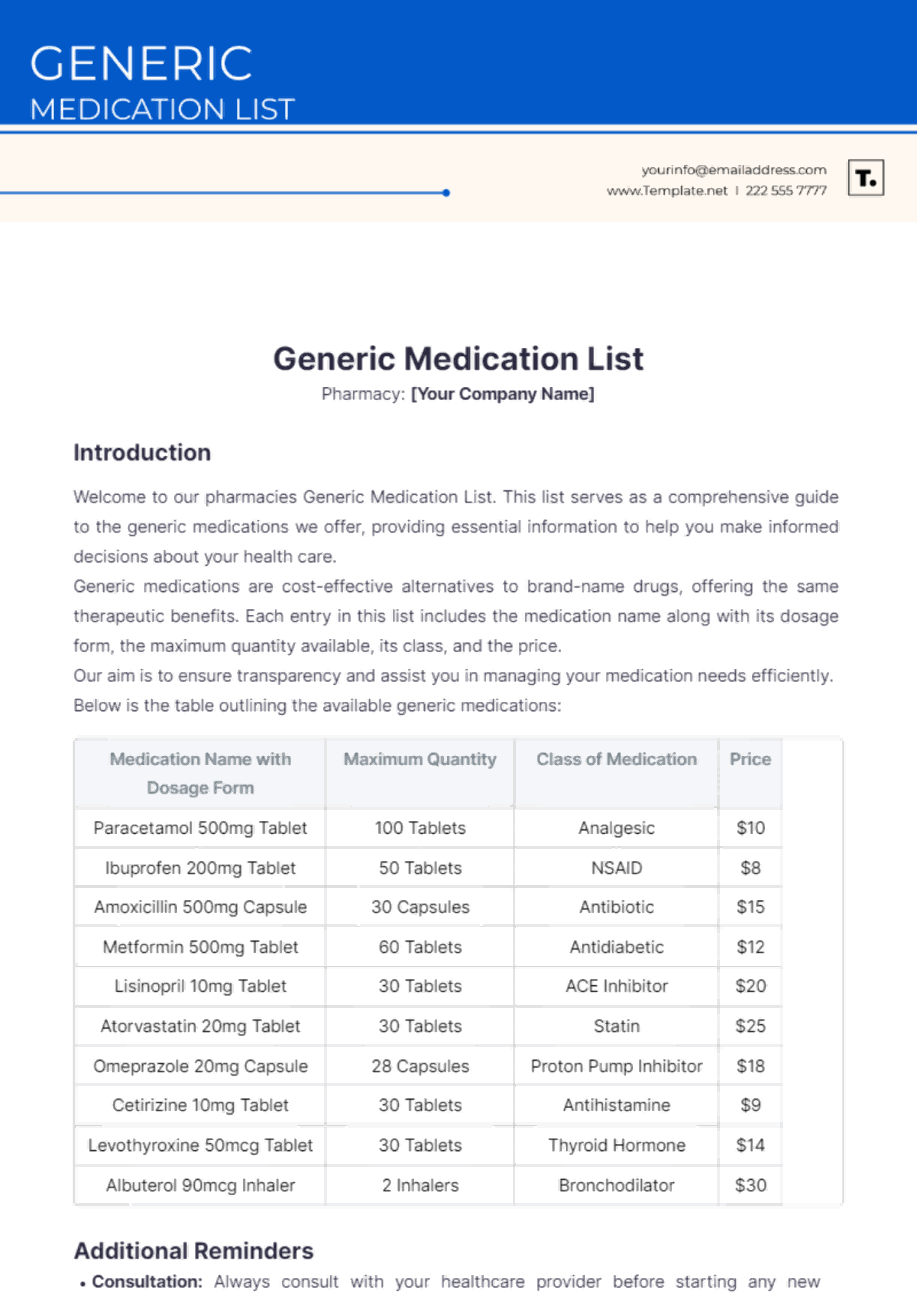
This template is your go-to for basic medication tracking, with clear spots for drug names, doses, and times. It’s perfect for anyone who wants a no-fuss med list template to stay on top of their routine. Just pop in your details, and you’re good to go for personal or doctor visits.
2. Free Supplement Medication List Template
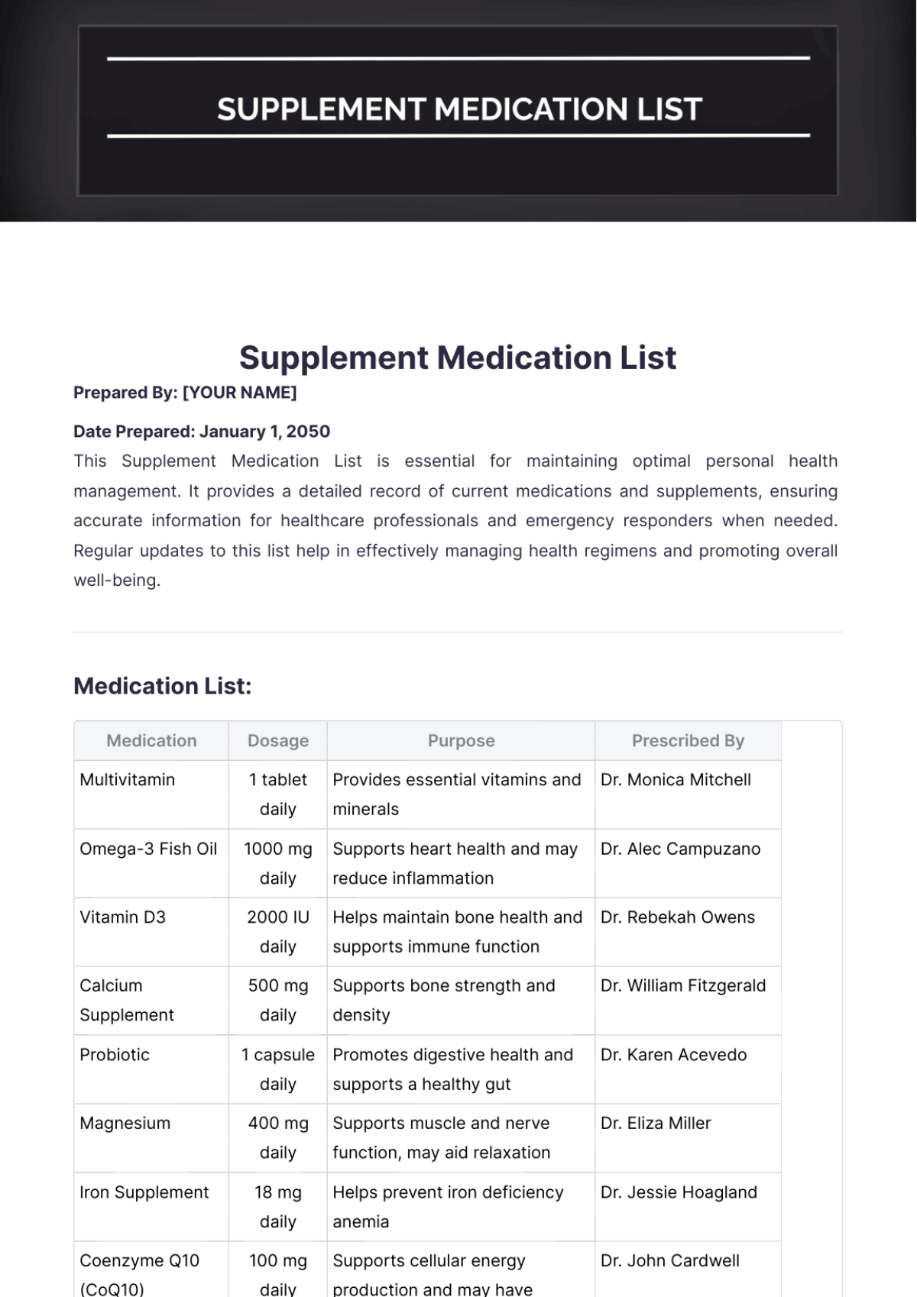
Got a mix of vitamins, supplements, and meds? This template keeps it all organized in one neat layout. It’s a lifesaver for health buffs or anyone with a packed regimen. You can tweak it to match your daily needs without breaking a sweat.
3. Free Pediatric Medication List Template
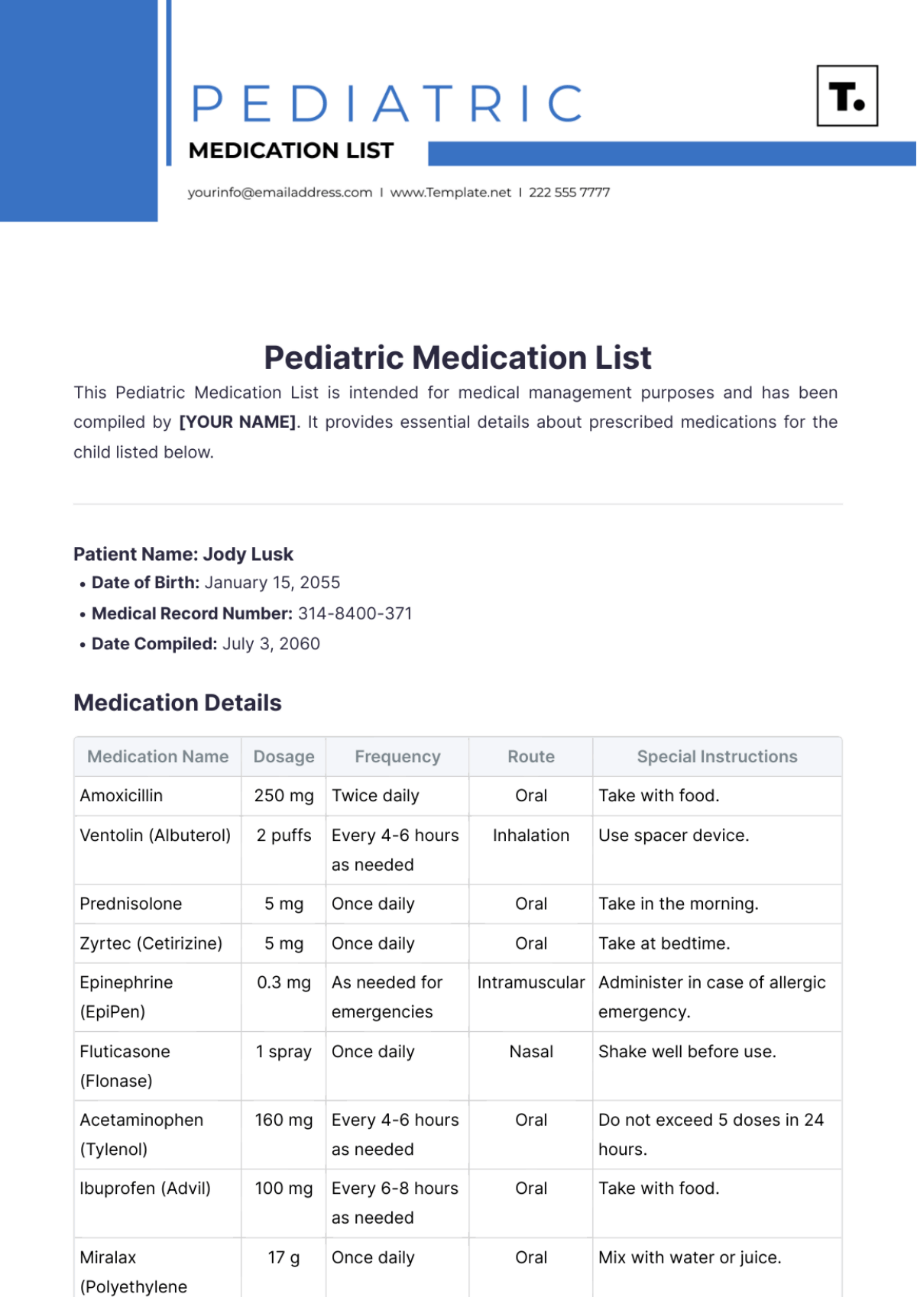
Kids’ meds can be a headache to manage, but this template makes it easier with space for things like allergies or special instructions. It’s a parent’s best friend for keeping doses safe and organized. Editing is a breeze, so you can focus on caregiving.
4. Free Home Medication List Template
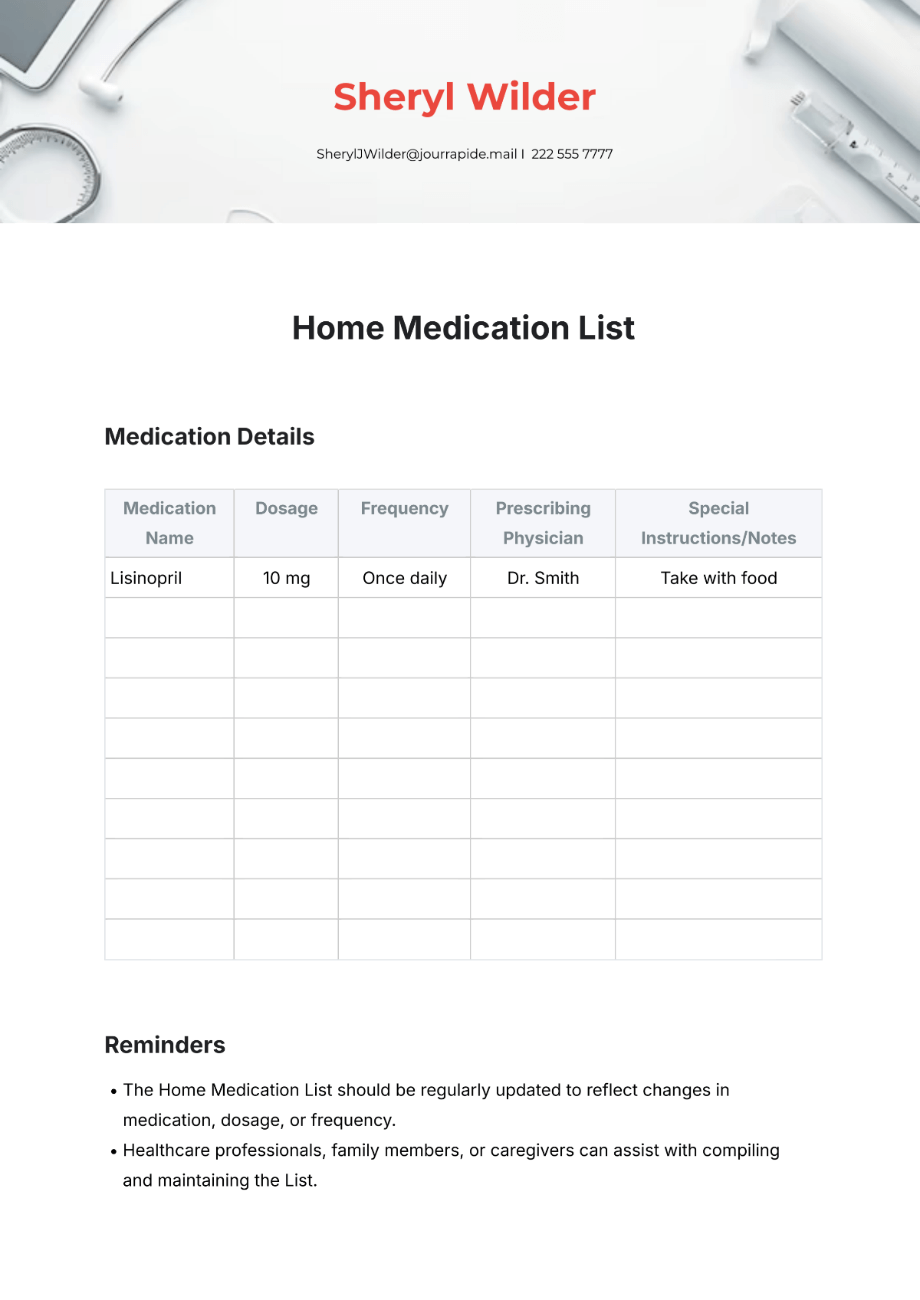
Perfect for families, this template lets you track everyone’s meds in one place, kids, parents, even grandparents. Its clear design keeps things straight, no matter how many prescriptions you’re juggling. Customize it to fit your household’s unique needs.
5. Free First Aid Medication List Template
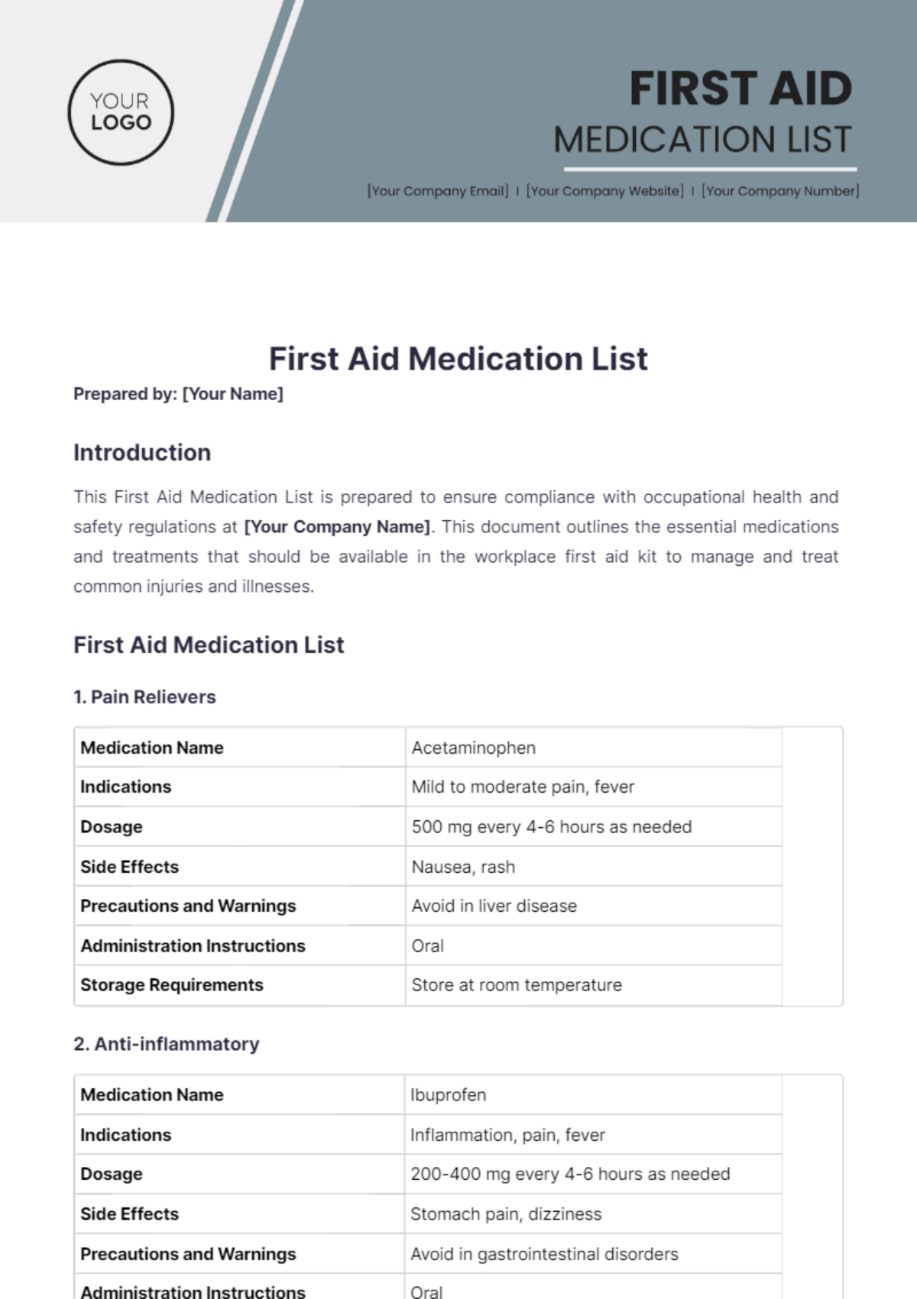
Built for emergency kits, this template lists critical meds for quick access when it counts. Its compact design ensures you’re ready for unexpected situations. Add your go-to drugs to make it your own for any first aid scenario.
6. Free Cancer Treatment Medication List Template
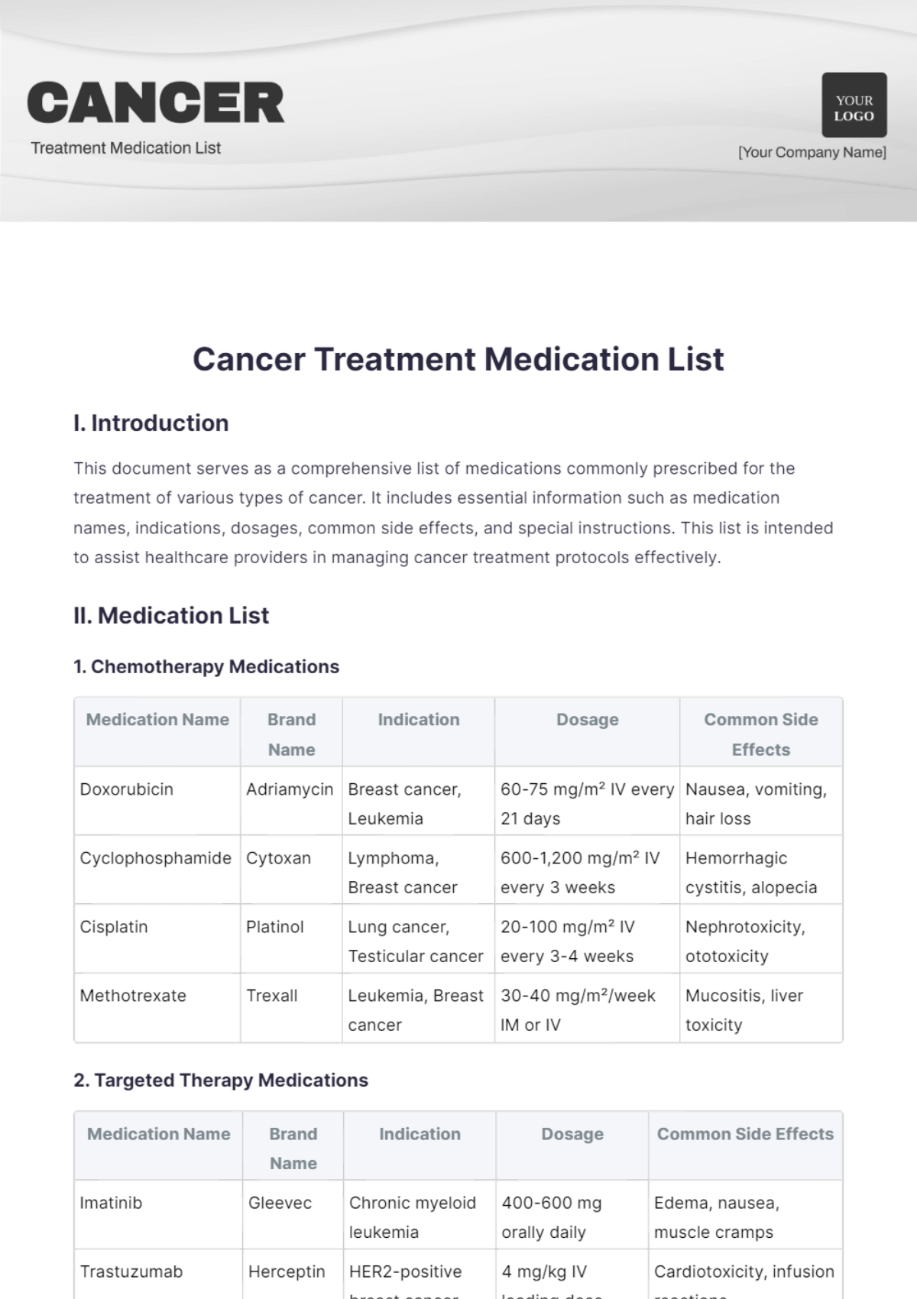
Designed for oncology patients, this template handles complex treatment plans with spots for detailed schedules and notes. It keeps your cancer care meds organized and easy to share with doctors. Its layout is clear and practical for tough times.
7. Free Anxiety Medication List Template
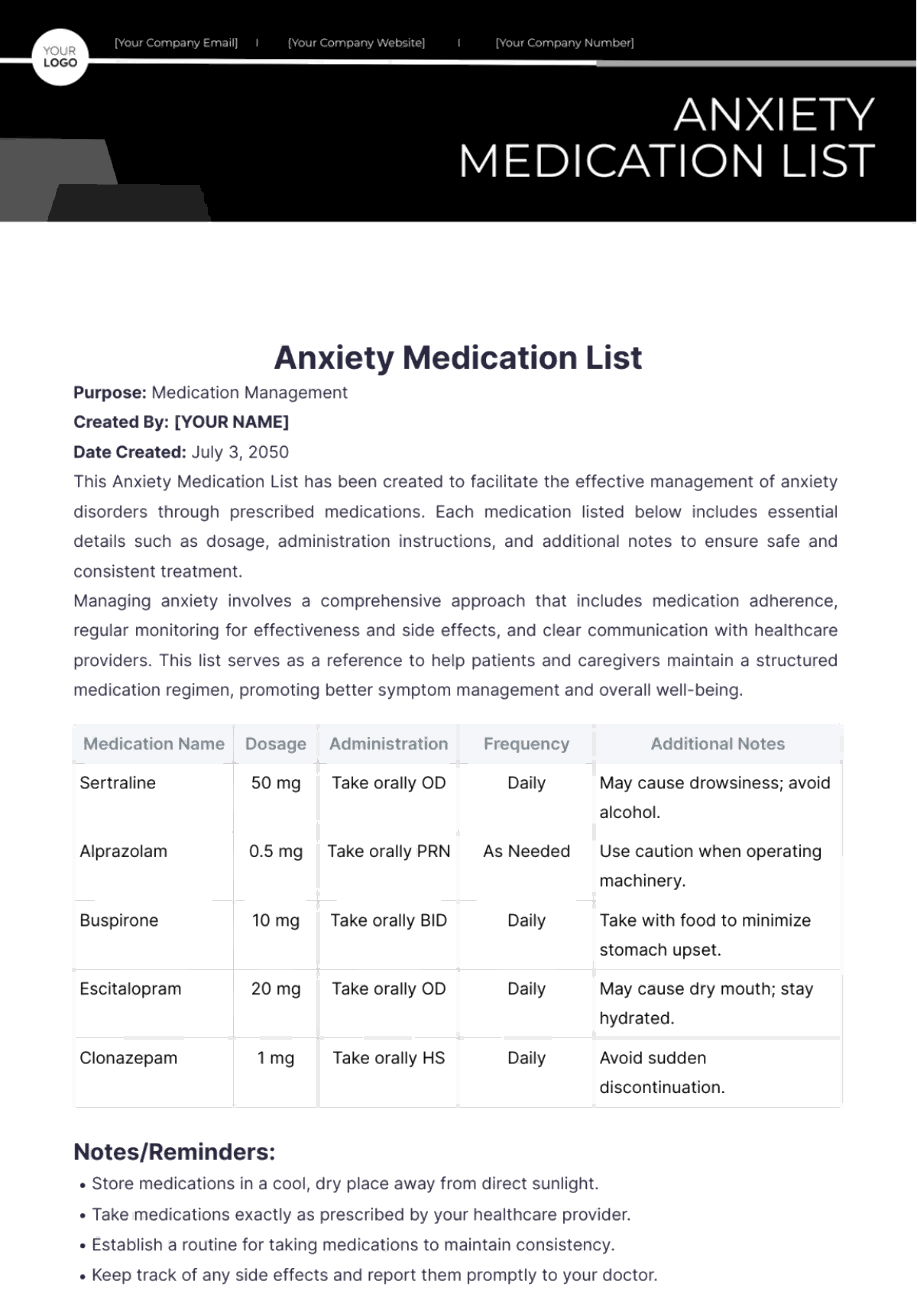
This template simplifies tracking anxiety meds, with fields for dosages, times, and notes. It’s great for mental health routines, whether for yourself or a patient. You can easily adjust it to fit your specific treatment plan.
8. Free Medication List For Seniors Template
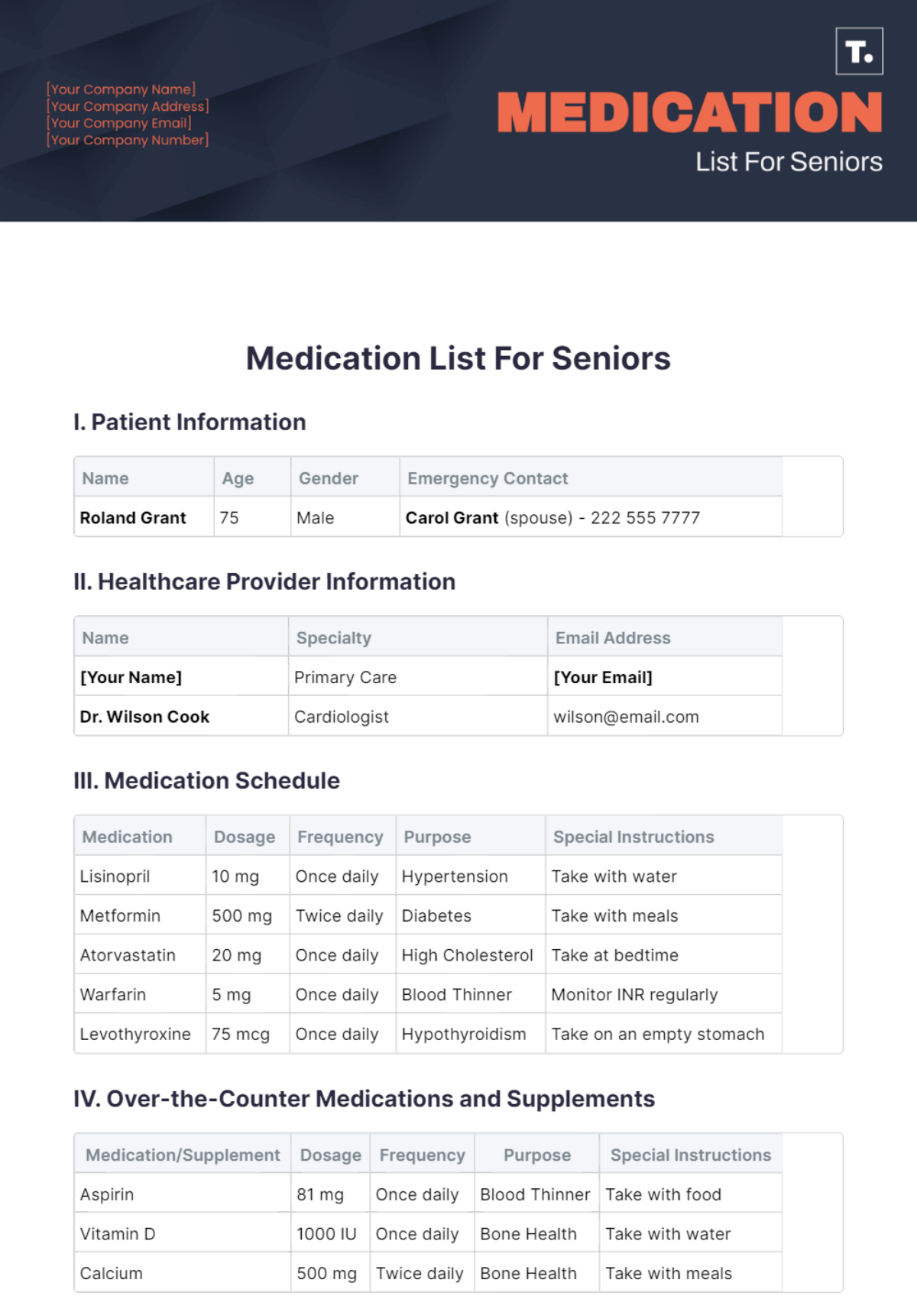
With bigger text and a simple layout, this template is made for seniors or their caregivers. It cuts through the confusion of tracking age-related meds. It’s user-friendly, ensuring daily routines stay accurate and stress-free.
9. Free Travel Medication List Template
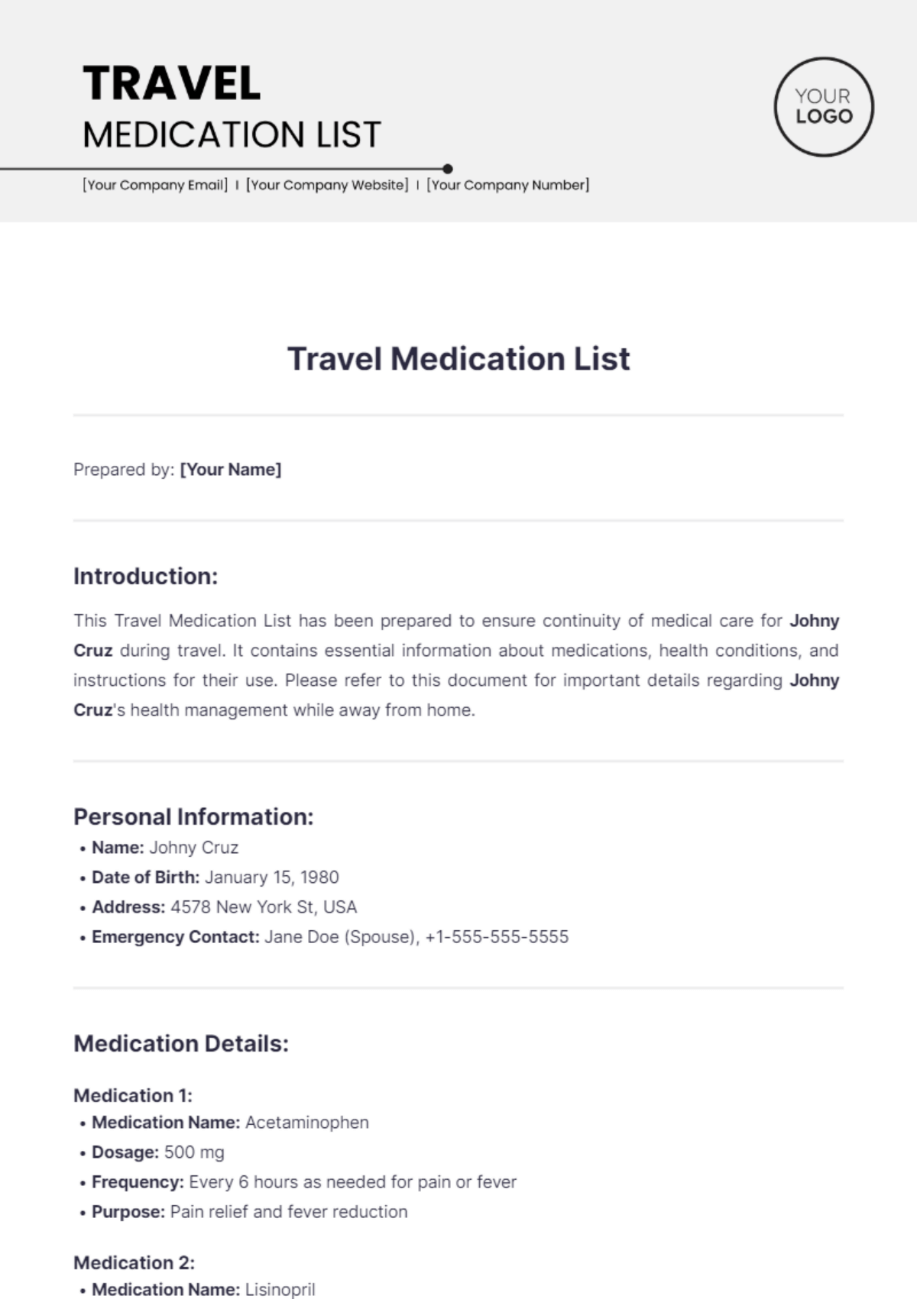
This travel med list template is compact and perfect for keeping meds handy while traveling. It’s built for quick reference and sharing with doctors abroad. Tweak it to match your trip’s needs, and you’re set for worry-free travel.
10. Free Patient Medication List Template
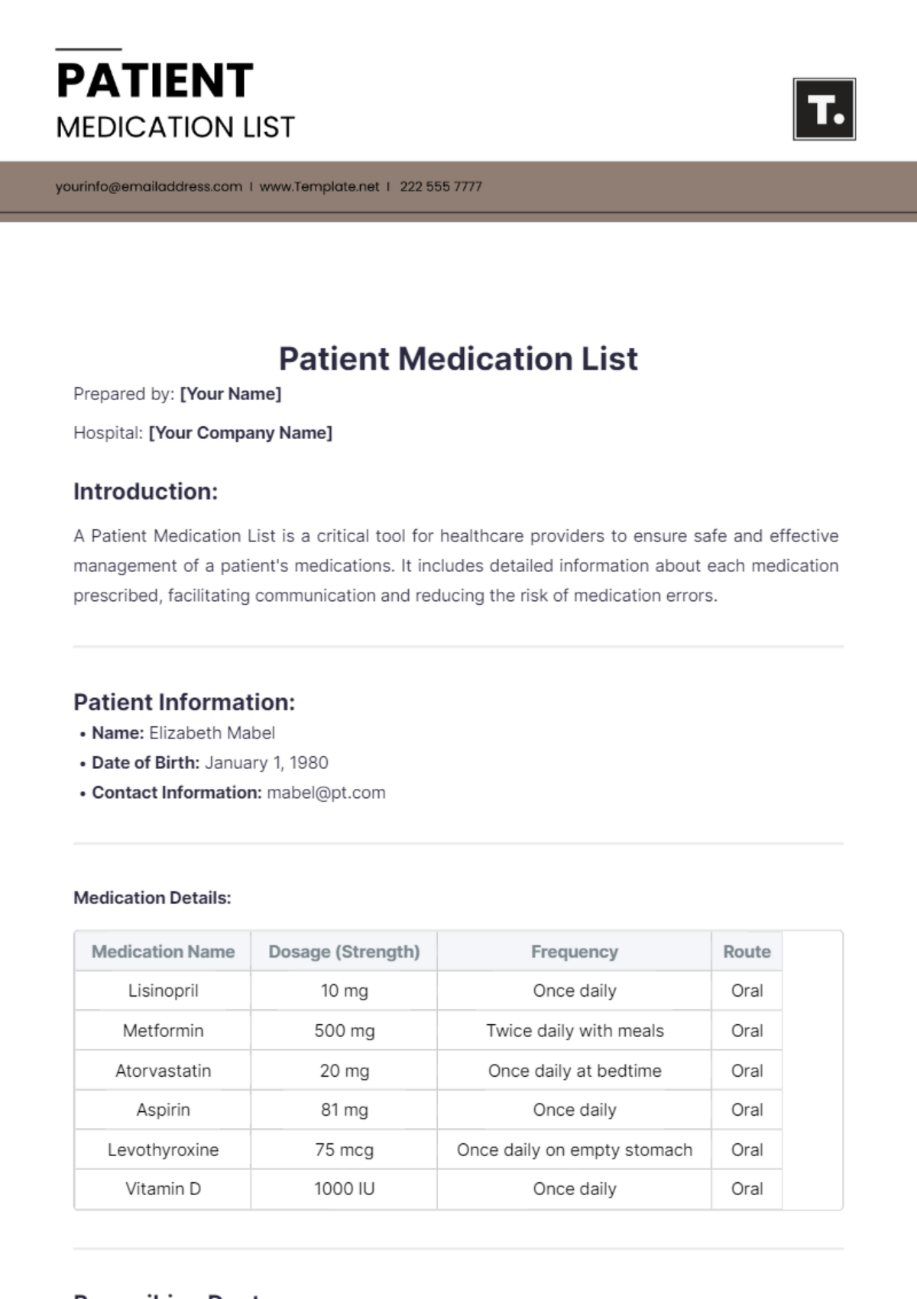
This patient med list template is a pro-level tool for healthcare settings, making patient-doctor communication crystal clear. It organizes meds, doses, and notes efficiently. It’s highly editable and ideal for clinics or hospitals.
The home med list template was a total win for keeping my family’s medications in check, no more guessing who takes what! The travel med list template saved my bacon on a recent trip; pulling it up for a doctor abroad was a cinch. The patient med list template feels like something a nurse would hand you, super polished and thorough.
Part 2. How to Edit Med List Template Files
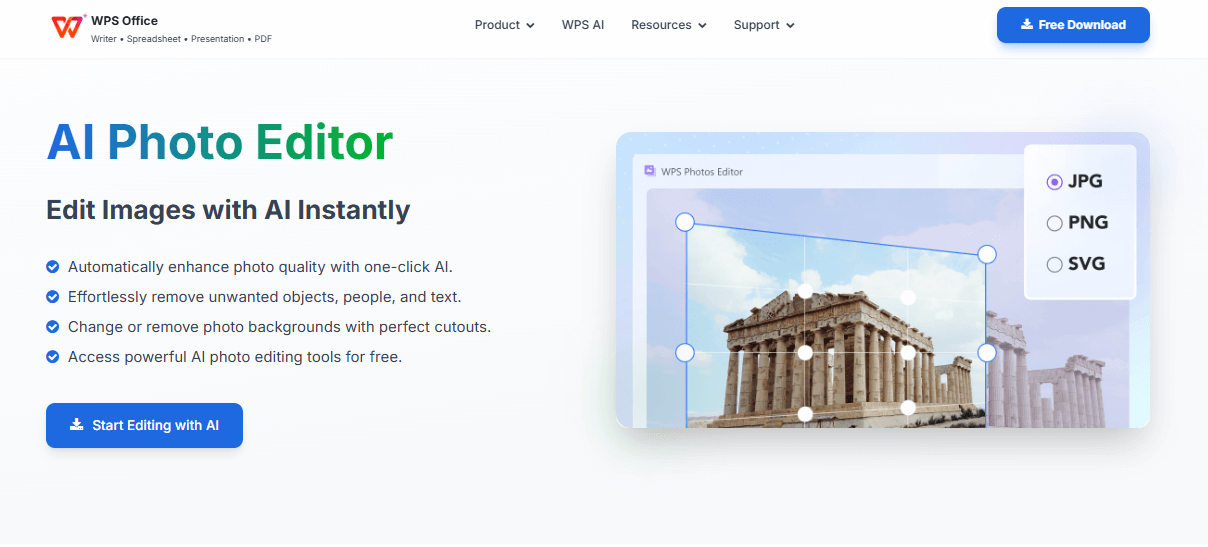
Editing a med list template is a snap with WPS Office, a free, all-in-one suite that handles Word, PDF, and image formats like a pro. Here’s how to customize image-based and PDF templates to fit your needs.
Edit Image Templates with WPS Photo
WPS Photo is a gem for tweaking image-based med list templates (like PNG or JPEG), especially if you want a quick, visual edit.
Step 1: Open the Template in WPS Photo
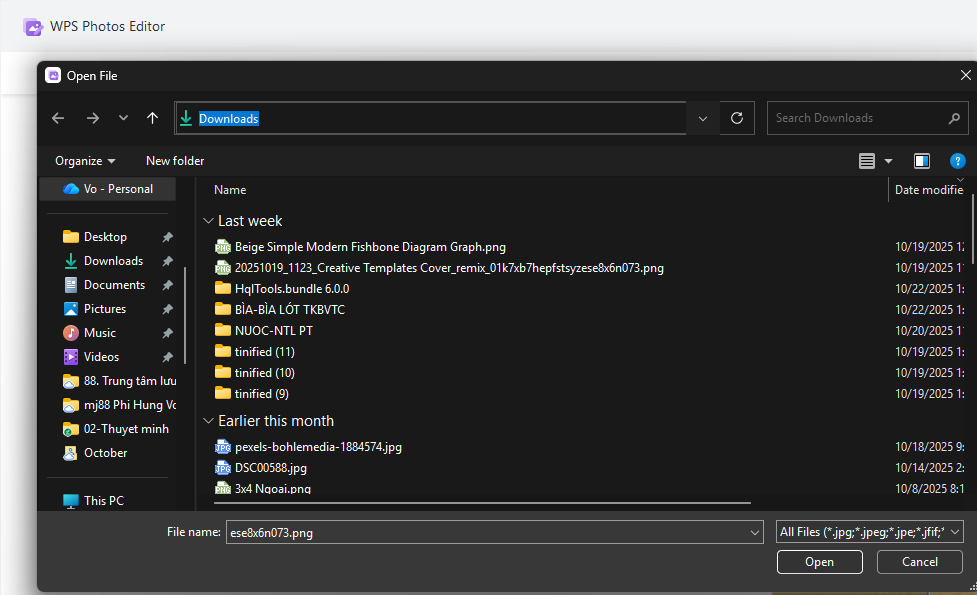
Download your chosen free med list template and fire up WPS Office. In WPS Photo, click “Open,” find your image file, and load it up. The interface is clean, so you won’t feel lost.
Step 2: Replace Placeholders with Real Content
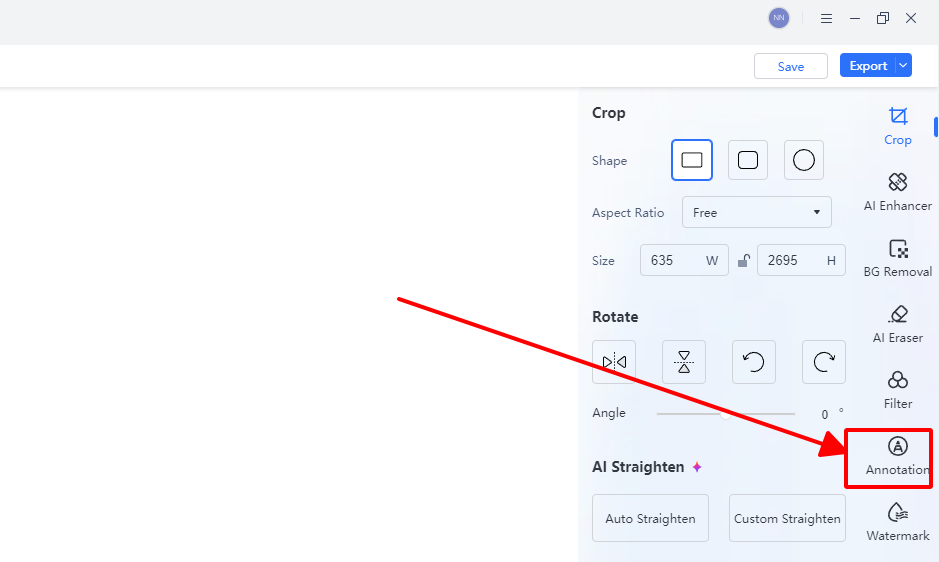
Click the text tool and update placeholders like “Medication Name” with specifics, say, “Aspirin, 81mg, daily at 8 AM.” Tweak the font size or style to make it readable, especially helpful for seniors or busy caregivers.
Step 3: Export or Print
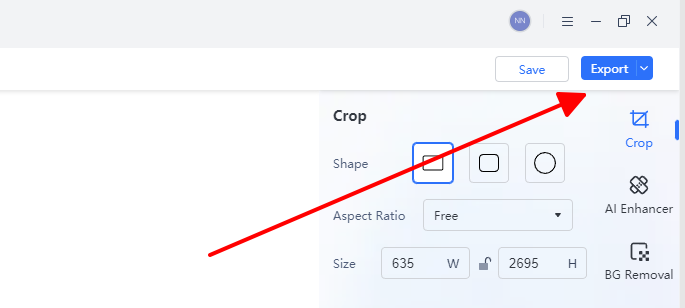
When you’re done, hit “Export” to save as a PDF for sharing with doctors or print it straight from WPS Photo. I always go for PDF, it’s universally compatible and looks professional.
Editing an editable medication list template in WPS Photo felt intuitive, even for someone not super tech-savvy. I customized a home med list template in under 10 minutes, and the result was clean and easy to read. Compared to clunky alternatives, WPS Photo is fast and doesn’t hog system resources.
Edit PDF Templates with WPS PDF
For PDF-based med list templates, WPS PDF offers powerful editing tools that don’t require a pricey subscription.
Step 1: Open the PDF Template
Download a patient med list template in PDF format and open it in WPS Office’s PDF module. Click “Edit” to unlock text fields, it’s that simple to start.
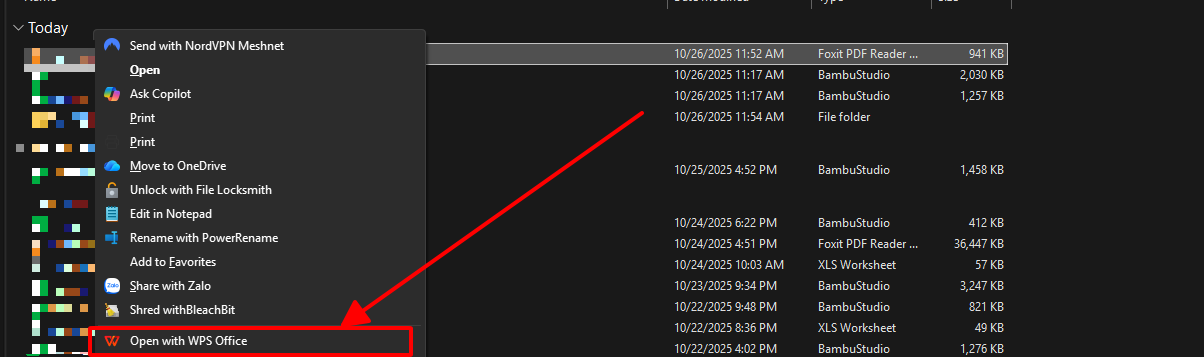
Step 2: Update Medication Details
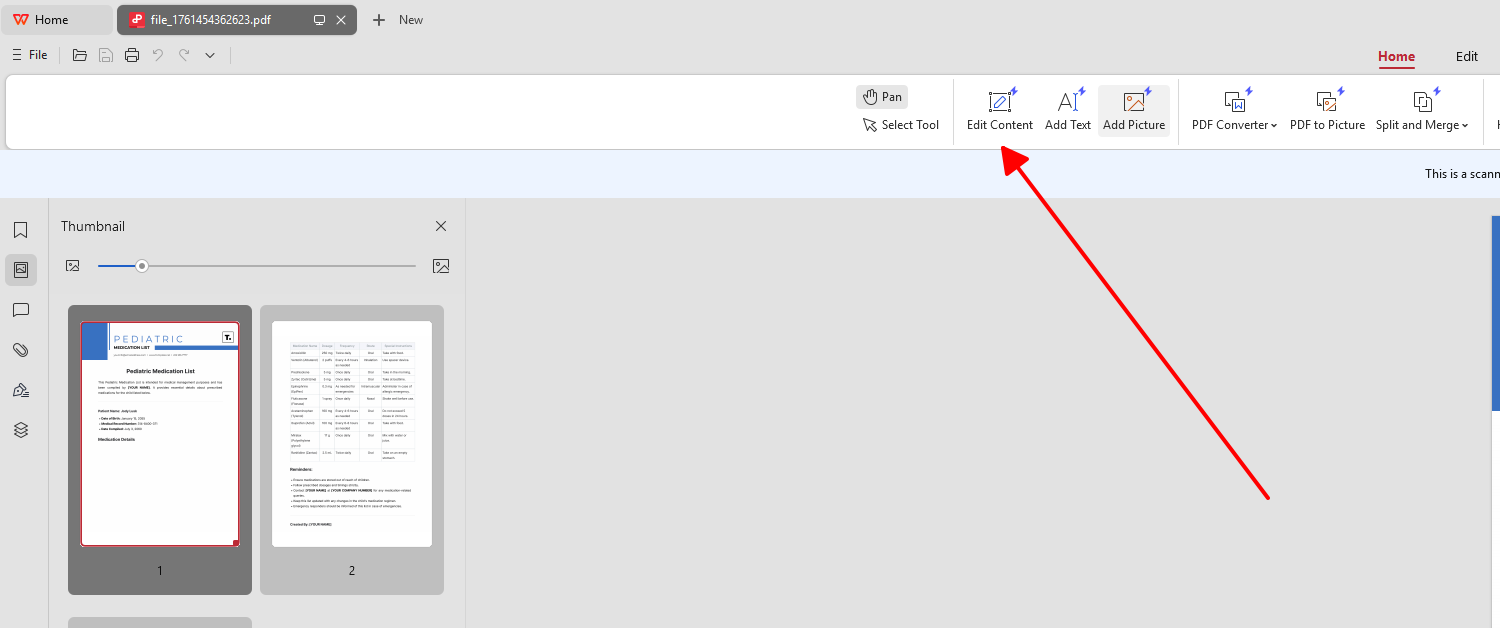
Replace placeholders with details like “Metformin, 500mg, twice daily.” Use the note fields for extras, like “Take with food” or “Allergy: penicillin.” The interface makes it easy to keep things organized.
Step 3: Save or Share
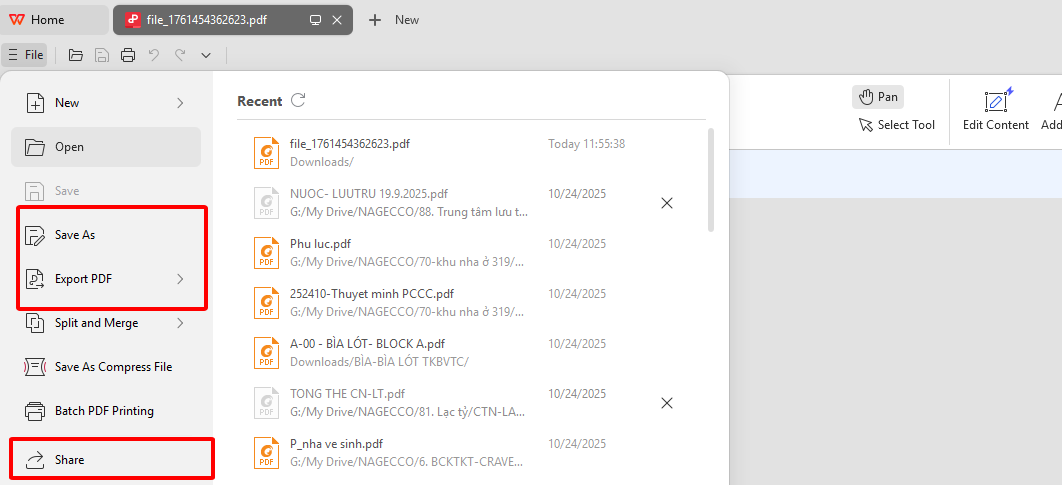
Export the file as a PDF for emailing to your doctor or print it for your records. WPS PDF’s cloud sync lets you access the file on your phone or laptop, which is a huge plus for travelers.
I edited a travel med list template in WPS PDF before a trip, and it was a breeze. Adding notes for my doctor took seconds, and the cloud sync meant I could pull it up on my phone at the airport. Unlike other PDF editors, WPS PDF doesn’t feel sluggish or push premium upsells.
Part 3. A Smarter Office Suite to Support Med List Template Editing
WPS Office is my go-to for managing med list templates because it’s free, lightweight, and handles every format you’ll need. Whether you’re working with a free med list template in Word, PDF, or image format, WPS Office makes editing, exporting, and sharing a walk in the park. Here’s why it’s a cut above:
Weighing in at just 200MB, WPS Office runs like a dream on Win7, 10, 11, Mac, Linux, Android, and iOS, no lag, no crashes. It’s a breath of fresh air compared to heavy, bloated suites like Microsoft Office.
FAQs
What is a med list template?
A pre-designed document that organizes medications, dosages, schedules, and notes, making tracking easier and cutting down on errors.
Can I edit med list templates in WPS Office?
You bet! WPS Writer, Photo, and PDF handle Word, image, and PDF formats, so customizing is a piece of cake.
Are these med list templates free to use?
Yup, every template here is totally free for personal or professional use, no strings attached.
Which format is best for sharing med lists?
PDF is king for sharing because it works everywhere, but Word is great if you’re still tweaking the list.

'%3e%3cpath%20d='M19.9911%204.11386V6.471H18.5894C18.0775%206.471%2017.7322%206.57814%2017.5536%206.79243C17.3751%207.00671%2017.2858%207.32814%2017.2858%207.75671V9.44421H19.9019L19.5536%2012.0871H17.2858V18.8639H14.5536V12.0871H12.2769V9.44421H14.5536V7.49779C14.5536%206.39064%2014.8632%205.53201%2015.4822%204.92189C16.1013%204.31177%2016.9257%204.00671%2017.9554%204.00671C18.8304%204.00671%2019.509%204.04243%2019.9911%204.11386Z'%20fill='%23333333'/%3e%3c/g%3e%3cdefs%3e%3cclipPath%20id='clip0_2938_8199'%3e%3crect%20width='16'%20height='16'%20fill='white'%20transform='translate(8%204.00671)'/%3e%3c/clipPath%3e%3c/defs%3e%3c/svg%3e)
'%3e%3cpath%20d='M17.5237%2010.7813L23.4811%204H22.0699L16.8949%209.88693L12.7648%204H8L14.2469%2012.9029L8%2020.0133H9.4112L14.8725%2013.7952L19.2352%2020.0133H24M9.92053%205.04213H12.0885L22.0688%2019.0224H19.9003'%20fill='%23333333'/%3e%3c/g%3e%3cdefs%3e%3cclipPath%20id='clip0_2938_8200'%3e%3crect%20width='16'%20height='16.0134'%20fill='white'%20transform='translate(8%204)'/%3e%3c/clipPath%3e%3c/defs%3e%3c/svg%3e)


