

'%3e%3cpath%20d='M8%200C12.4183%200%2016%203.58172%2016%208C16%2012.4183%2012.4183%2016%208%2016C3.58172%2016%200%2012.4183%200%208C0%203.58172%203.58172%200%208%200ZM11.6162%204.38379C11.2257%203.99337%2010.5927%203.99338%2010.2021%204.38379L8%206.58594L5.79785%204.38379C5.40732%203.99334%204.77429%203.99329%204.38379%204.38379C3.99331%204.77429%203.99335%205.40733%204.38379%205.79785L6.58594%208L4.38379%2010.2021C3.99348%2010.5927%203.99341%2011.2257%204.38379%2011.6162C4.77426%2012.0066%205.40734%2012.0065%205.79785%2011.6162L8%209.41406L10.2021%2011.6162C10.5927%2012.0066%2011.2257%2012.0067%2011.6162%2011.6162C12.0067%2011.2257%2012.0066%2010.5927%2011.6162%2010.2021L9.41406%208L11.6162%205.79785C12.0066%205.40735%2012.0066%204.77429%2011.6162%204.38379Z'%20fill='%23080E17'%20fill-opacity='0.46'/%3e%3c/g%3e%3cdefs%3e%3cclipPath%20id='clip0_3761_713'%3e%3crect%20width='16'%20height='16'%20fill='white'/%3e%3c/clipPath%3e%3c/defs%3e%3c/svg%3e)




'%3e%3cpath%20fill-rule='evenodd'%20clip-rule='evenodd'%20d='M21.4999%2010.9993C21.4999%205.20009%2016.7986%200.498901%2010.9993%200.498901C5.19994%200.498901%200.498657%205.20009%200.498657%2010.9993C0.498657%2016.2404%204.33858%2020.5844%209.35855%2021.3722V14.0346H6.69238V10.9993H9.35855V8.68594C9.35855%206.05427%2010.9262%204.60062%2013.3248%204.60062C14.4736%204.60062%2015.6753%204.80571%2015.6753%204.80571V7.38979H14.3512C13.0468%207.38979%2012.64%208.19921%2012.64%209.0296V10.9993H15.5523L15.0867%2014.0346H12.64V21.3722C17.66%2020.5844%2021.4999%2016.2404%2021.4999%2010.9993Z'%20fill='%231568EA'/%3e%3c/g%3e%3c/svg%3e)


'%3e%3cpath%20d='M2.42045%2022.1876H6.31818V12.7217L0.75%208.54553V20.5171C0.75%2021.4414%201.49892%2022.1876%202.42045%2022.1876Z'%20fill='%234285F4'/%3e%3cpath%20d='M19.682%2022.1876H23.5797C24.5041%2022.1876%2025.2502%2021.4387%2025.2502%2020.5171V8.54553L19.682%2012.7217'%20fill='%2334A853'/%3e%3cpath%20d='M19.682%205.48293V12.7216L25.2502%208.54543V6.31816C25.2502%204.25236%2022.8921%203.07469%2021.2411%204.31361'%20fill='%23FBBC04'/%3e%3cpath%20d='M6.31824%2012.7217V5.48303L13.0001%2010.4944L19.6819%205.48303V12.7217L13.0001%2017.733'%20fill='%23EA4335'/%3e%3cpath%20d='M0.75%206.31816V8.54543L6.31818%2012.7216V5.48293L4.75909%204.31361C3.10534%203.07469%200.75%204.25236%200.75%206.31816Z'%20fill='%23C5221F'/%3e%3c/g%3e%3cdefs%3e%3cclipPath%20id='clip0_2954_7305'%3e%3crect%20width='24.5'%20height='18.375'%20fill='white'%20transform='translate(0.75%203.8125)'/%3e%3c/clipPath%3e%3c/defs%3e%3c/svg%3e)


HR folks, team leads, or bosses, keeping everyone in sync is like herding wild cats! Performance improvement plan templates are your clutch move: clear goals, easy progress checks, and solid accountability. But starting from zero? Total pain, and you’re left with a sloppy mess. That’s why I’m hyped for free employee performance plan templates in Excel from WPS Template Center. Pop ‘em into WPS Office, and editing, saving, and sharing is so slick it feels like a hack. Ditch the paperwork drama and get your team crushing it!


Part 1. 10 Free Performance Improvement Plan Templates
Here’s a handpicked list of 10 free performance improvement plan templates in Excel from WPS Template Center, crafted to make employee performance tracking a whole lot easier. Each one is tailored to specific HR or management needs, ready for you to dive in and customize.
1. Performance Goal Commitment Statement
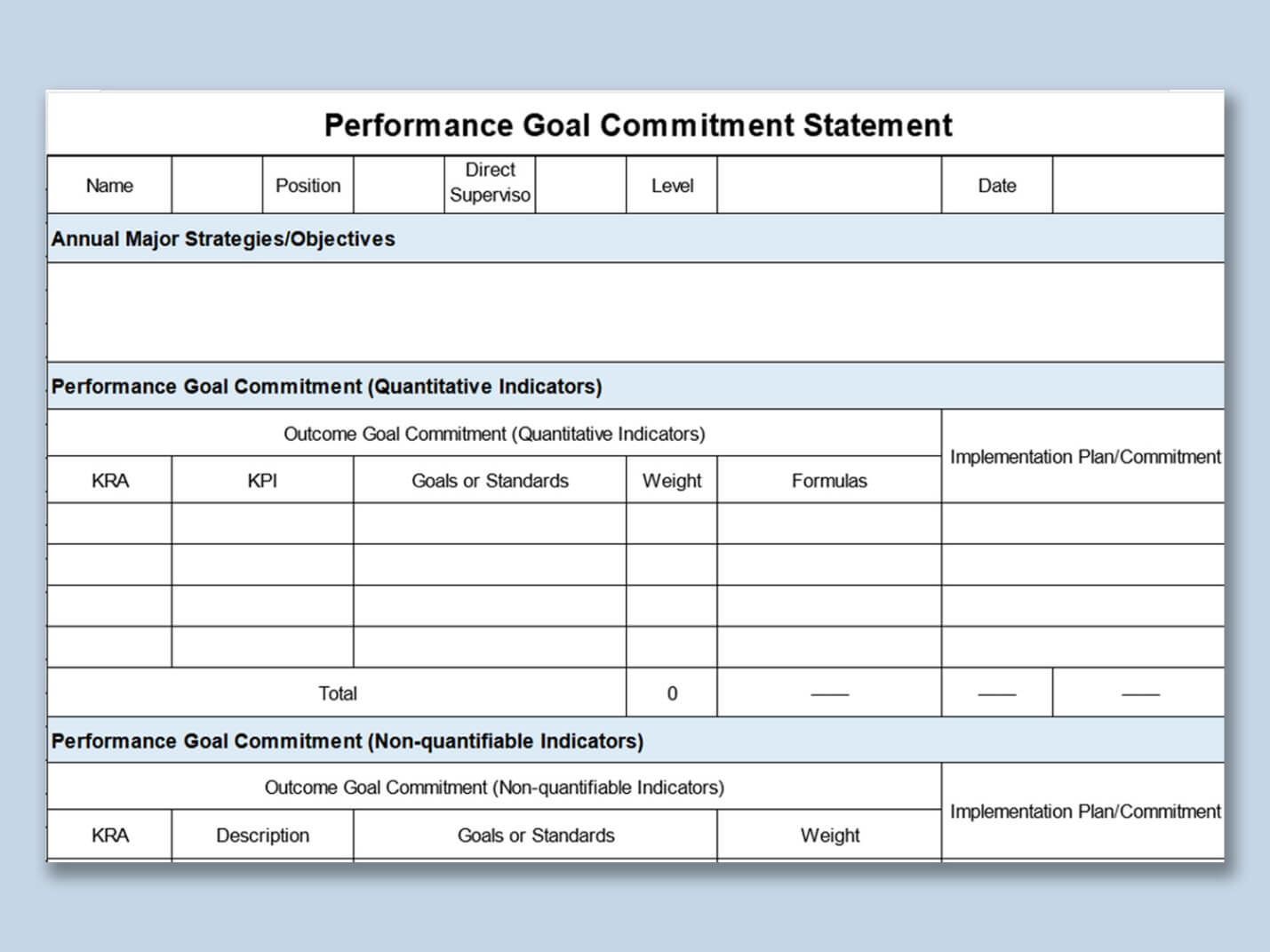
This template is meant for establishing transparent, practical employee objectives which comply with the priorities of the corporation. It is very effective and very simple at the same time since it allows you to express your expectations and deadlines without making things too complex. A great tool for starting a PIP with clarity and concentration. HR people will appreciate that it makes things easy to manage and neat.
2. Performance Appraisal Interview
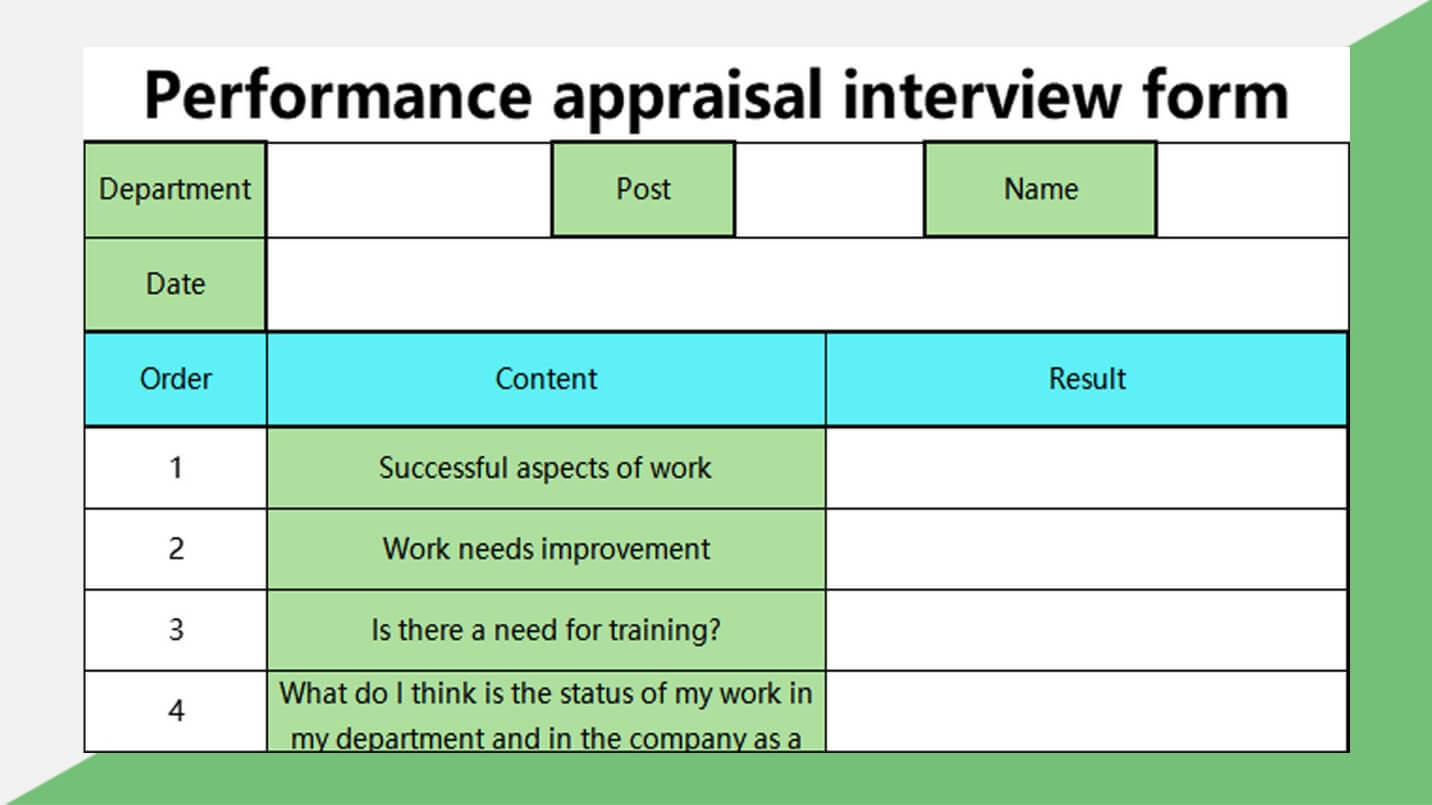
This template aims at facilitating performance assessment conversations that have real meanings, and it also organizes feedbacks and action plans in an orderly manner. It can be used for recording the important topics discussed during appraisal meetings, thus guaranteeing that all parties are aware of and understand each other. Managers can use its framework to provide uniformity in different reviews. It helps to make those difficult discussions still useful.
3. Employee Performance Statistics
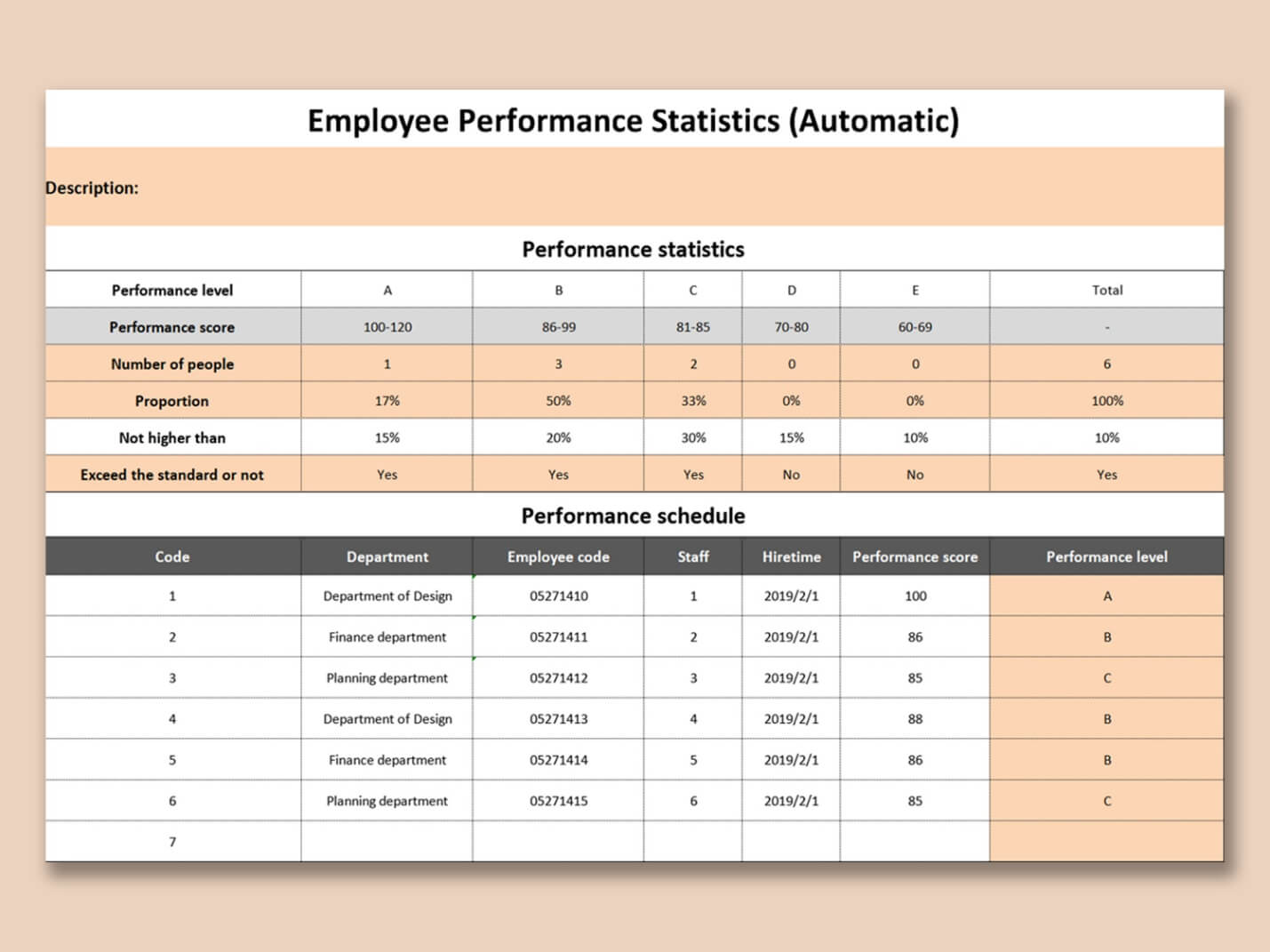
This template is all about data-driven insights, tracking key metrics like productivity or quality for individual employees. It’s perfect for HR teams who need to quantify progress and spot areas for growth. The layout makes it easy to plug in KPIs and analyze results. Use it to make evaluations feel objective and fair.
4. Marketing Performance Analysis Report
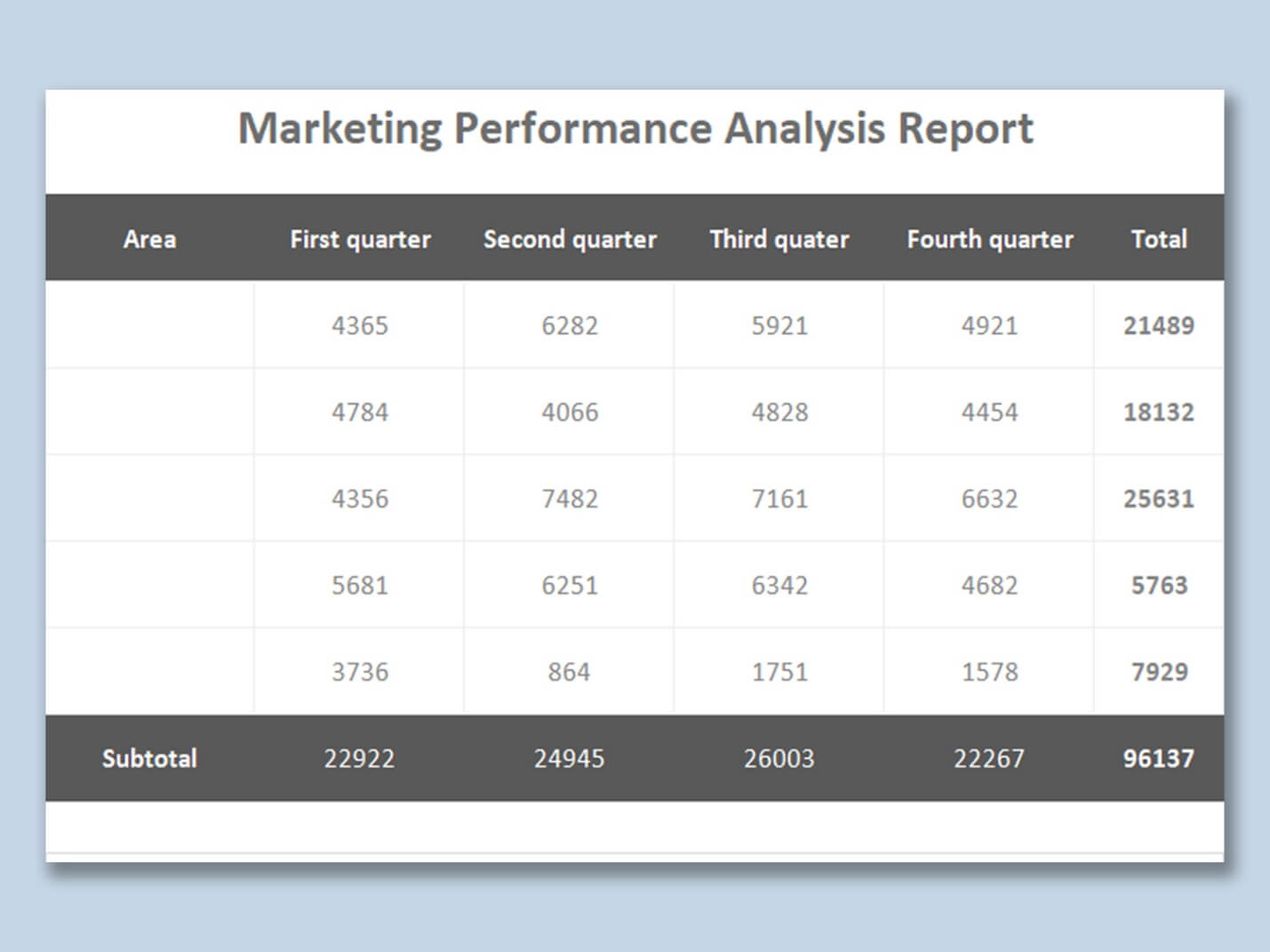
Built for marketing teams, this template digs into campaign performance, ROI, and other key metrics. It helps you assess what’s working and where to improve, with visuals that make data pop. Marketing leads will find it super handy for tracking team or campaign success. It’s a solid tool for strategic planning.
5. Gray Performance Pay Statement Form
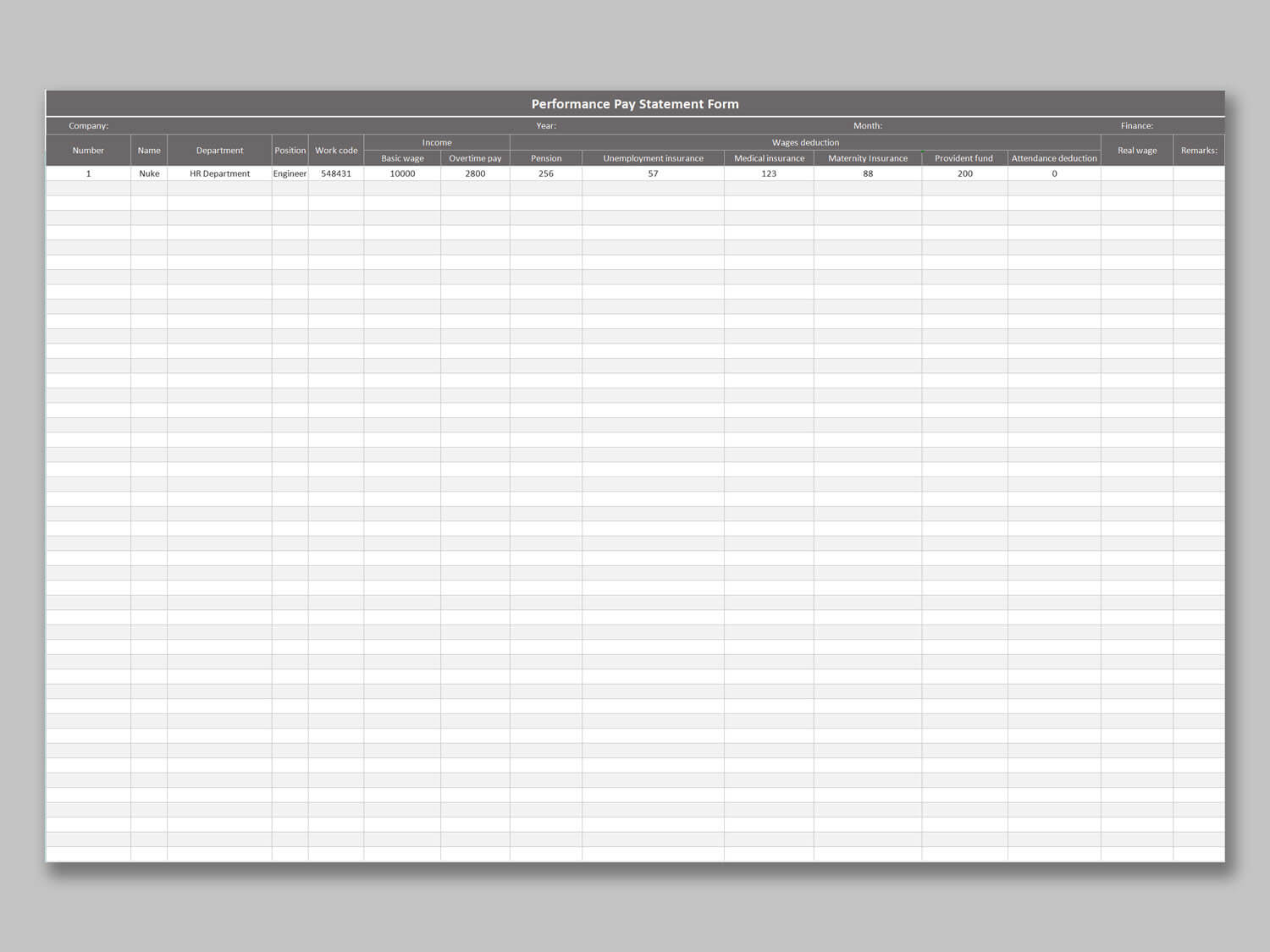
This clean template streamlines tracking performance-based pay and bonuses, making payroll a bit less stressful. It aligns compensation with results, keeping things transparent for HR and employees alike. The organized layout saves time on data entry and review. Ideal for businesses with incentive-driven pay structures.
6. Company Performance Statistical Table
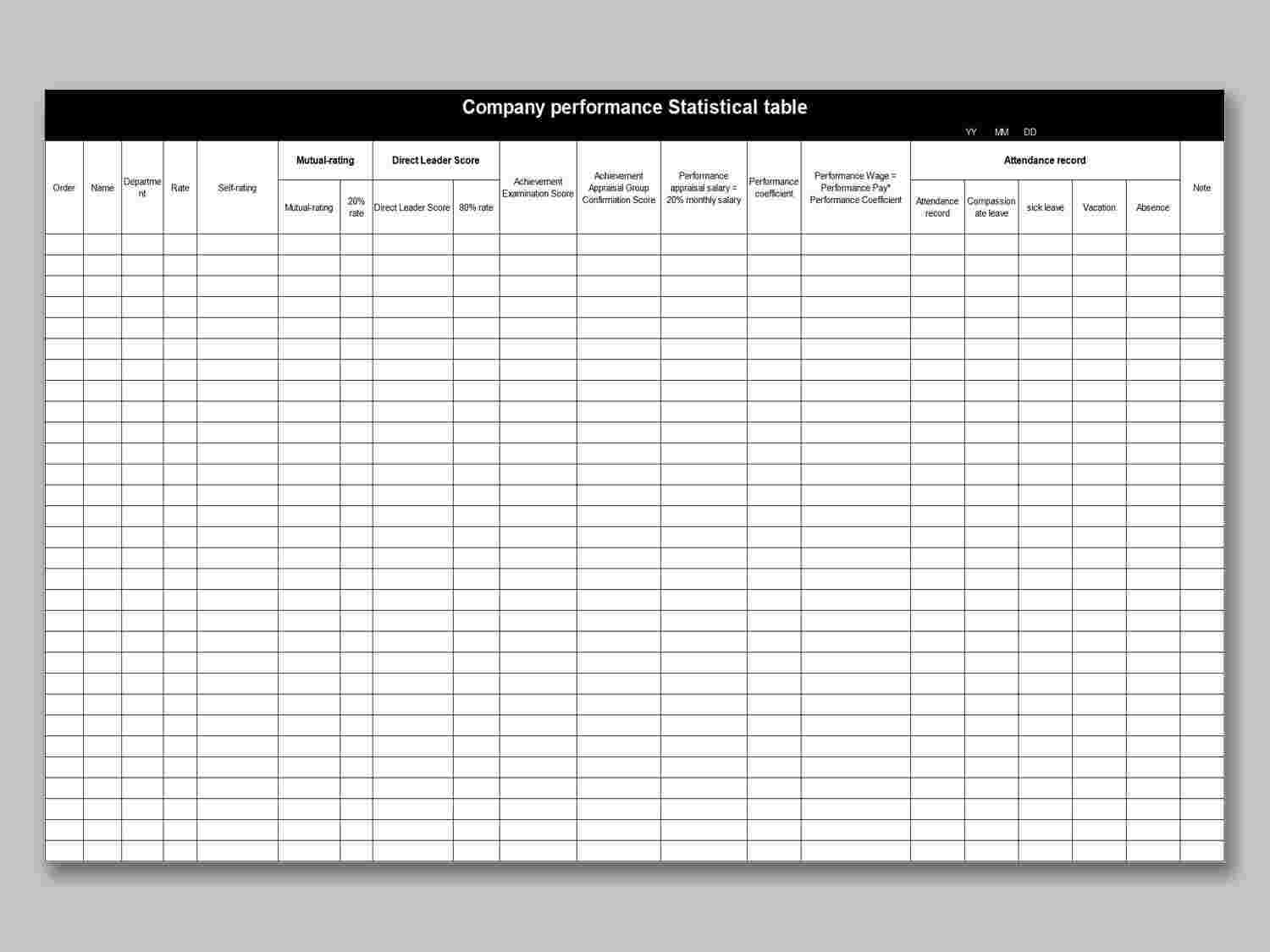
Need a big-picture view? This template summarizes company-wide performance data across departments for strategic insights. It’s perfect for executives and HR pros tracking trends and planning improvements. The clear format makes it easy to present to stakeholders. Use it to drive smarter decision-making.
7. New Store Performance Appraisal Form
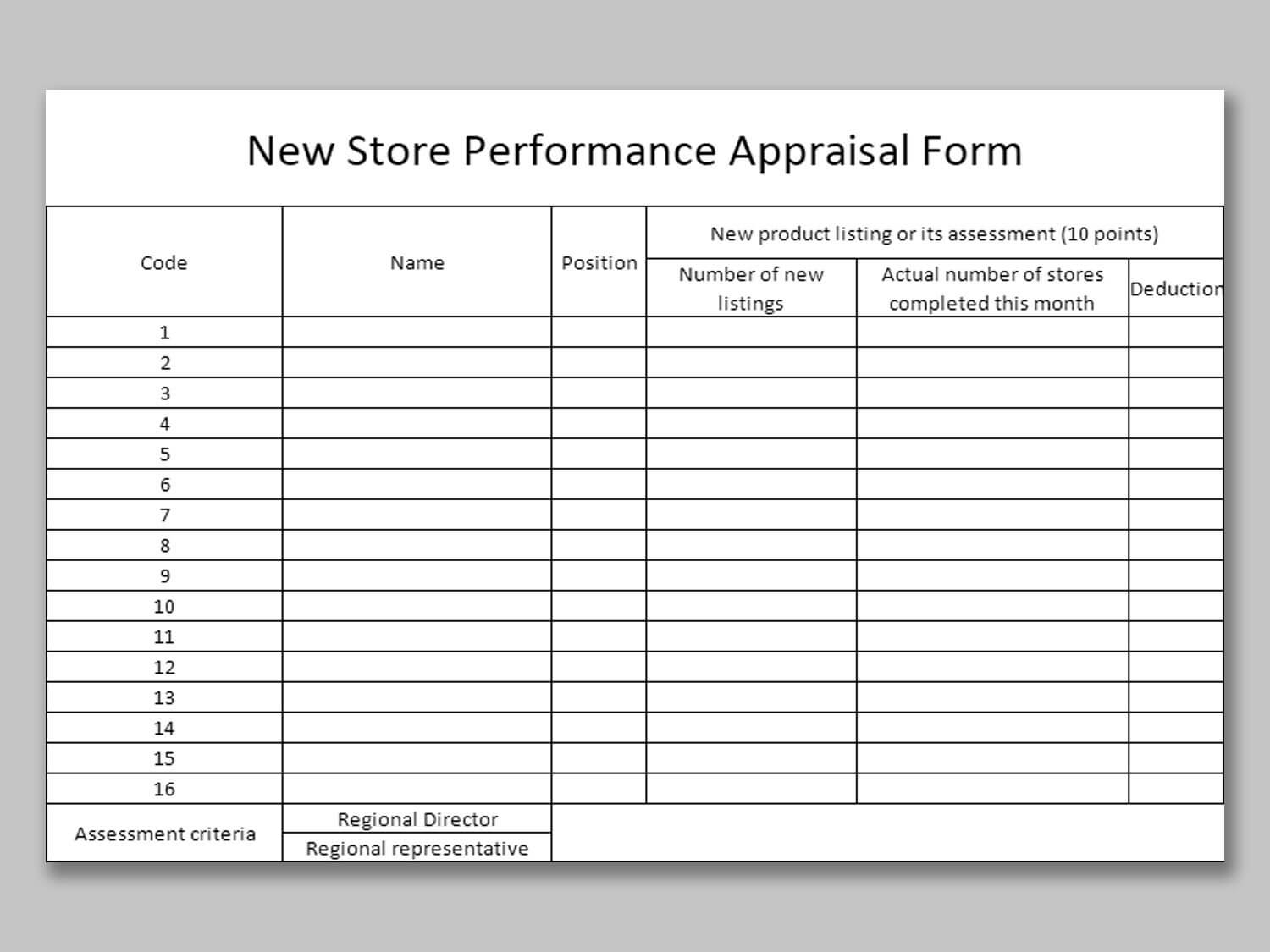
This template focuses on evaluating sales and operations for new store locations, covering metrics like revenue and customer satisfaction. It’s a must-have for retail managers setting goals for new ventures. The structured layout ensures you don’t miss any key details. It keeps your new store’s progress on track.
8. Store Performance Appraisal Detailed List
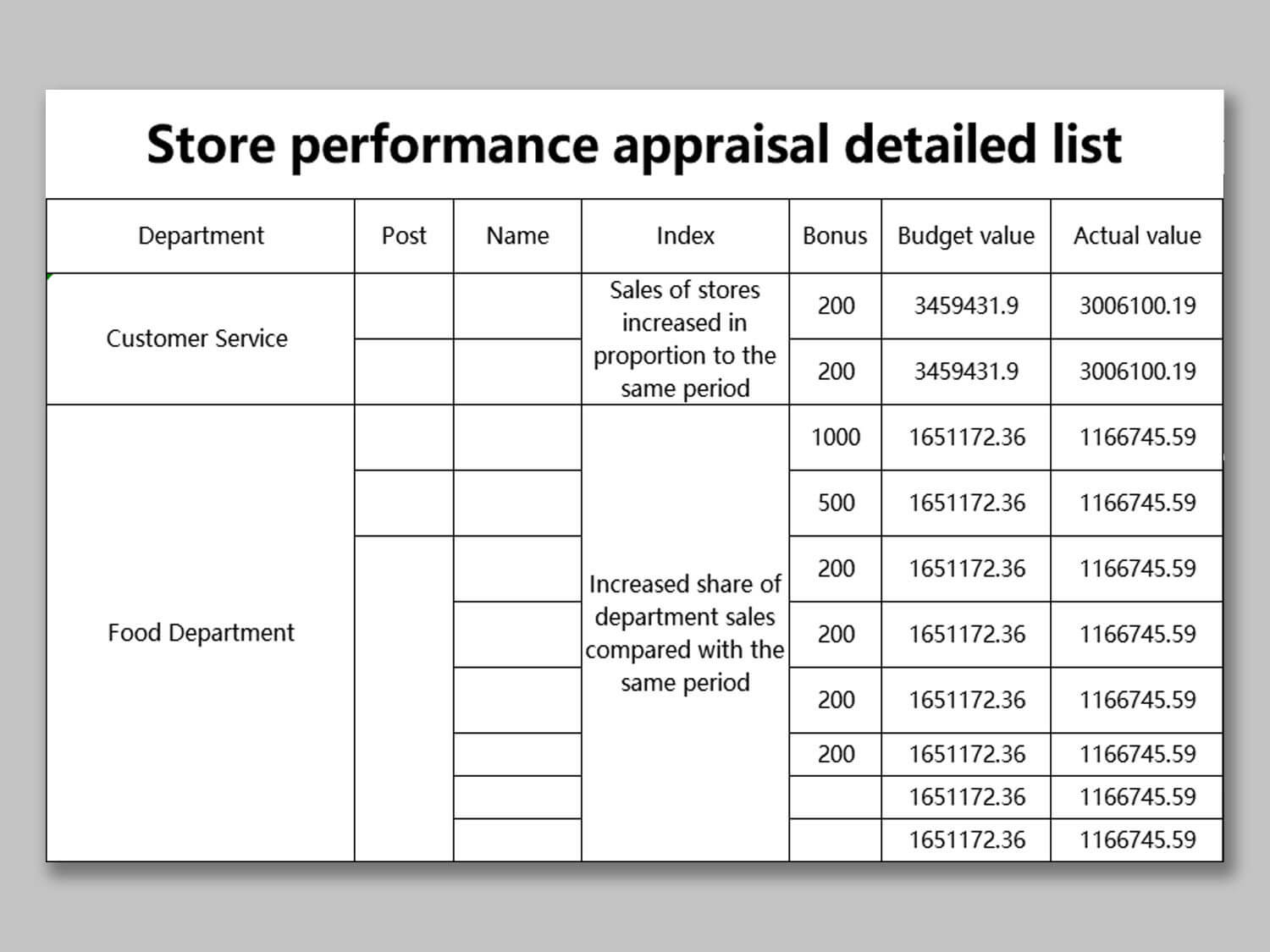
For in-depth retail analysis, this template tracks store performance with granular metrics like sales and staff efficiency. It’s ideal for managers who need detailed data to boost performance. The comprehensive design supports actionable insights for multiple locations. It’s a game-changer for chain-store oversight.
9. Performance Analysis
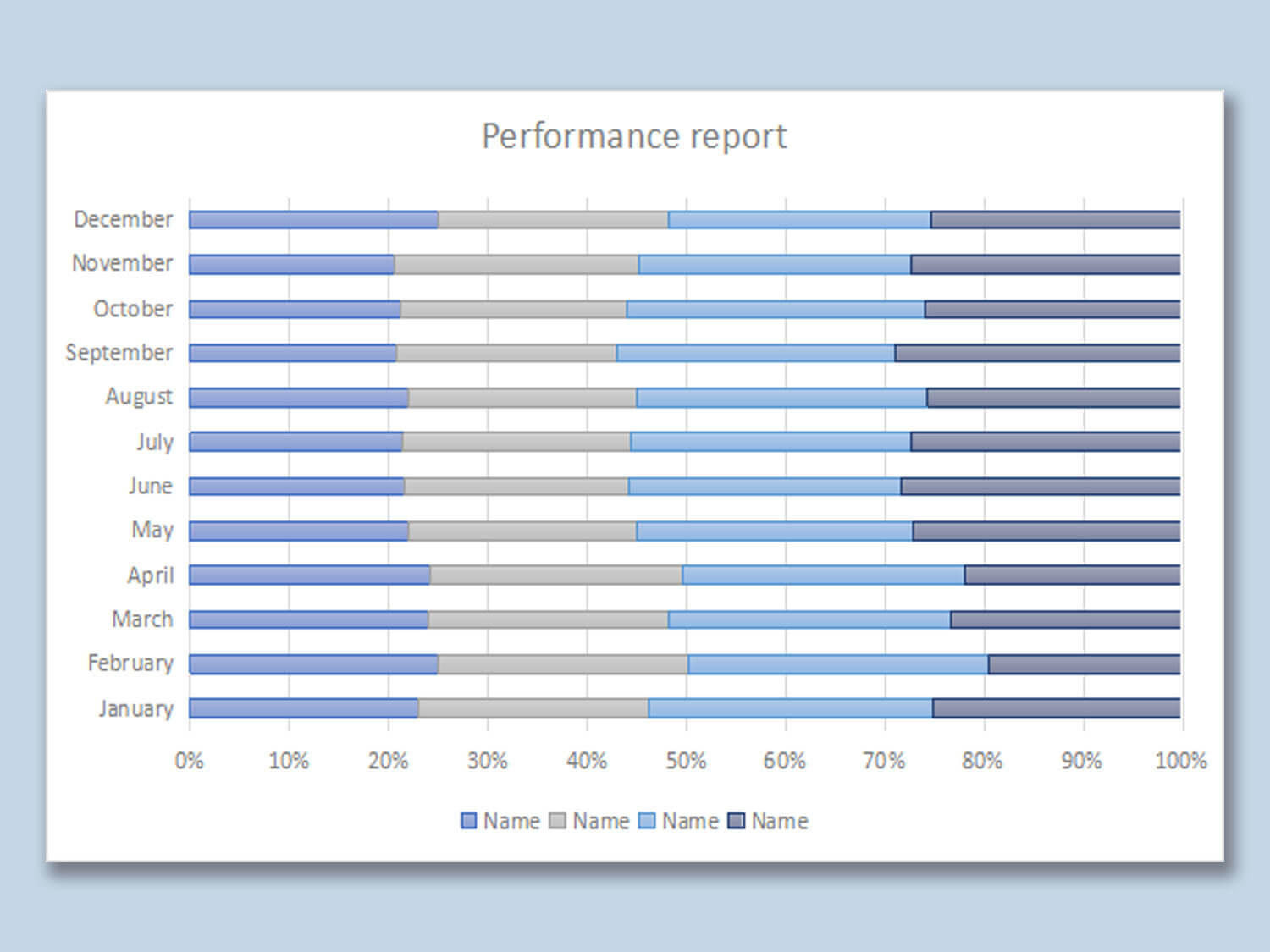
This versatile template works across departments or projects, letting you analyze performance with flexibility. It organizes data to highlight strengths and areas for improvement, perfect for strategic reviews. HR and managers can tweak it to fit any context. It’s your all-purpose tool for cross-functional evaluations.
10. Sales Performance Report
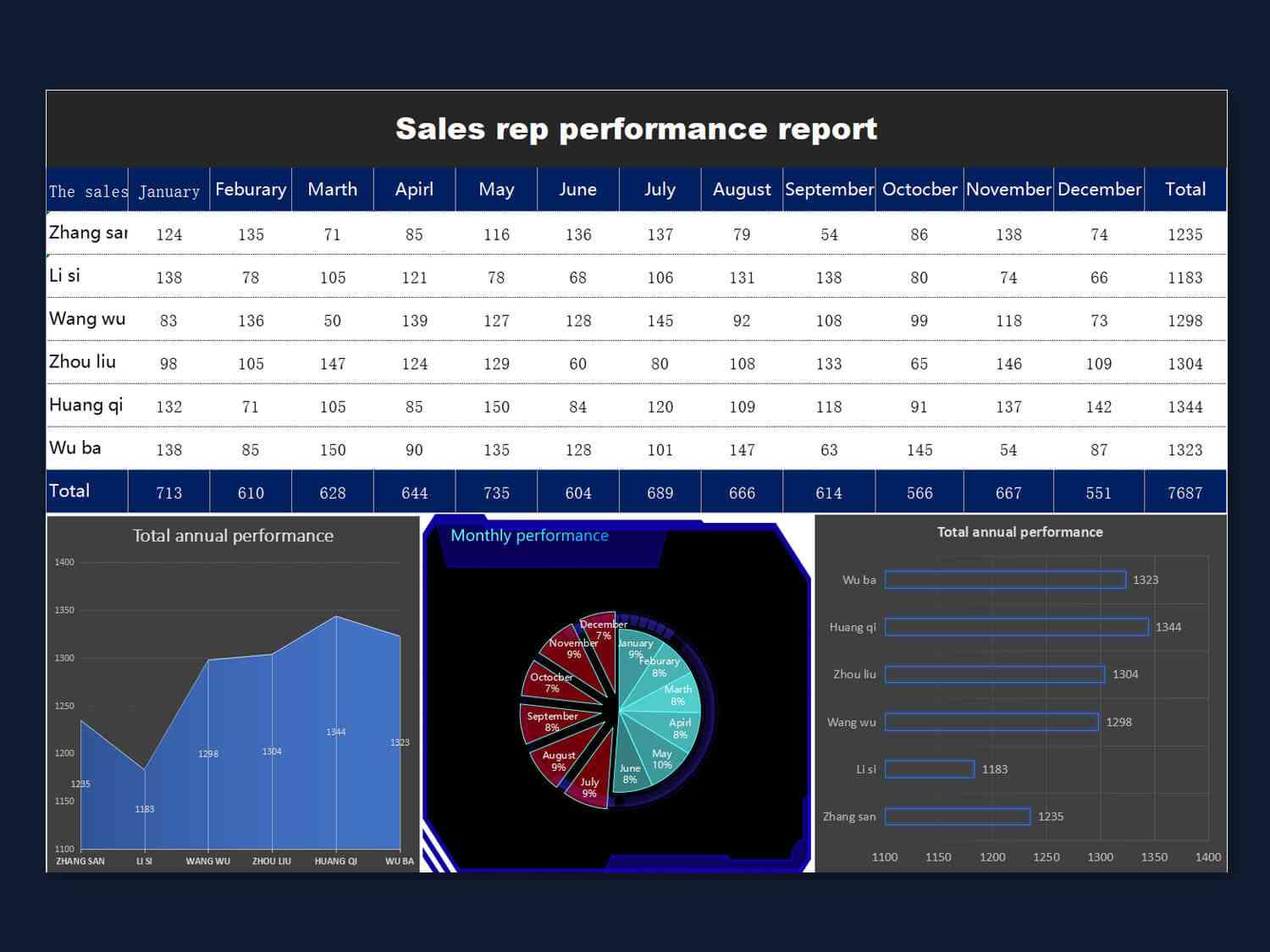
Track your sales team’s progress with this template, packed with clear metrics and visuals for impactful reporting. It helps managers set quotas, monitor results, and share updates with stakeholders. The charts make data easy to grasp and present. Perfect for keeping your sales team accountable and motivated.
Part 2. How to Edit Performance Improvement Plan Templates
Editing performance improvement plan templates in WPS Spreadsheet is a breeze, designed for busy HR pros and managers who want polished results fast. Here’s how to make it happen:
Step 1: Open WPS Spreadsheet and Use the Template
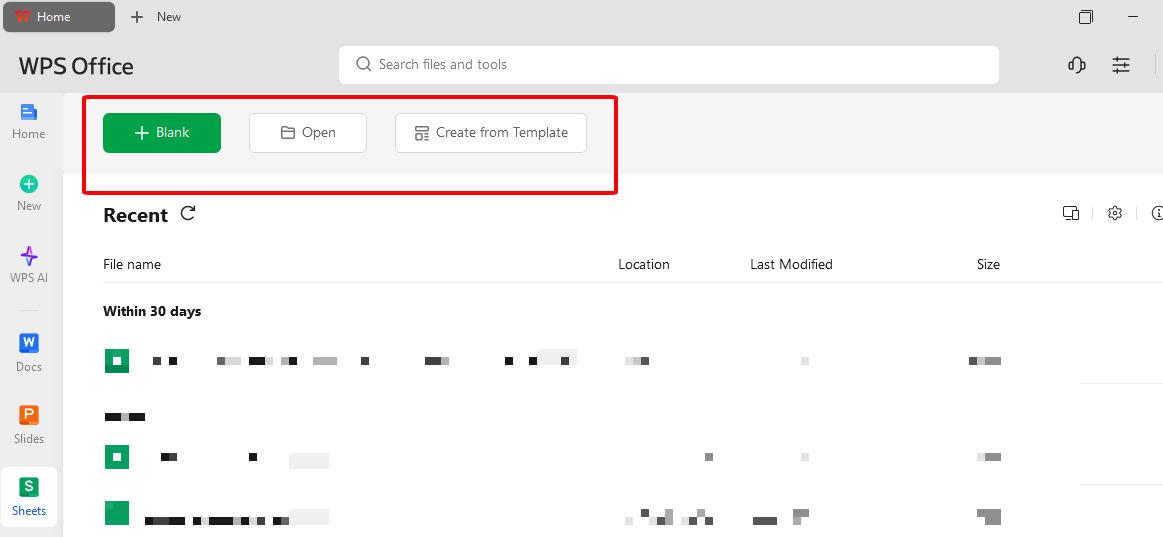
Take your performance action plan template from the WPS Template Center and open it in WPS Spreadsheet. It works perfectly with Excel, therefore you won’t face any annoying formatting glitches. It is ready to use straight away.
Step 2: Replace the Placeholders with Actual Data
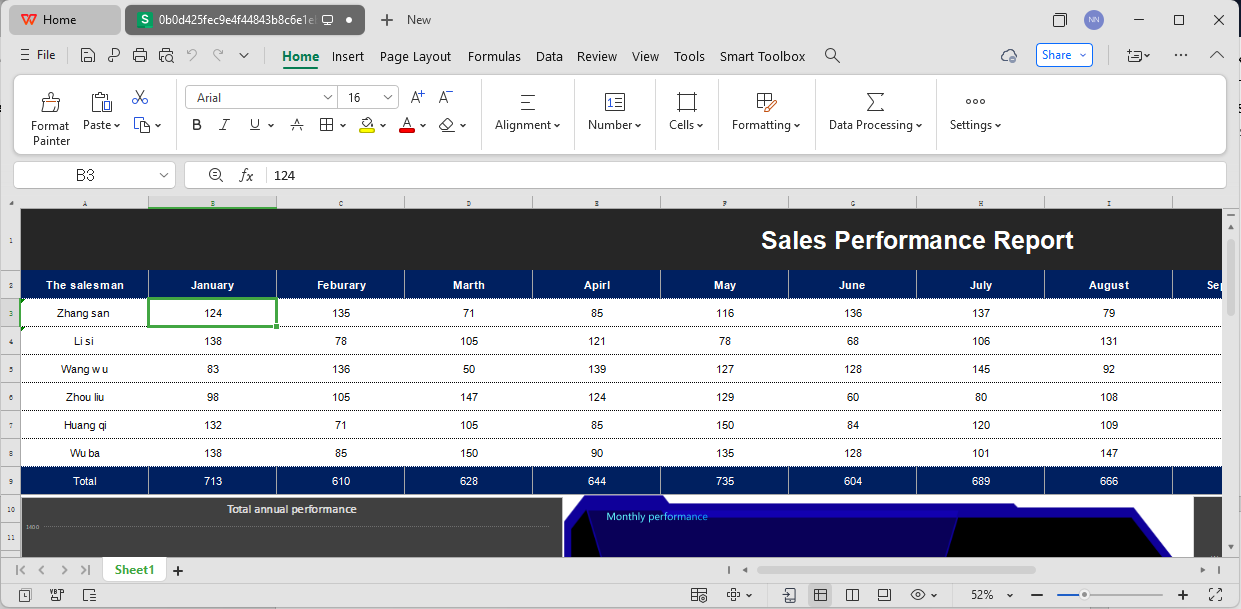
Use the cells to change the placeholders with the real data like employee names, IDs, goals, timelines, and metrics such as sales targets. For instance, in the Employee Performance Statistics template, enter specific KPIs and WPS’s formula tools will do the math for you. It is fast and keeps your data secured.
Step 3: Convert to PDF for Distribution
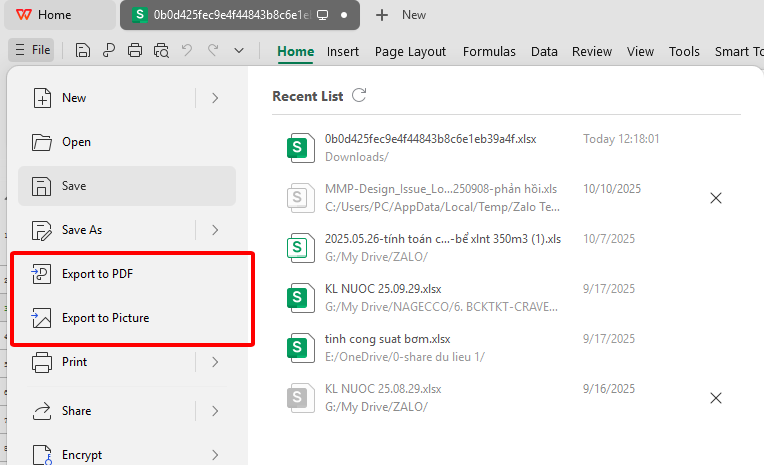
After you finish, go to File > Export to PDF in WPS Spreadsheet and create a neat performance report sheet. It is suitable for sending via email to managers or HR personnel. Just ensure that your data is saved before you click on export.
Step 4: Print for Official Documentation
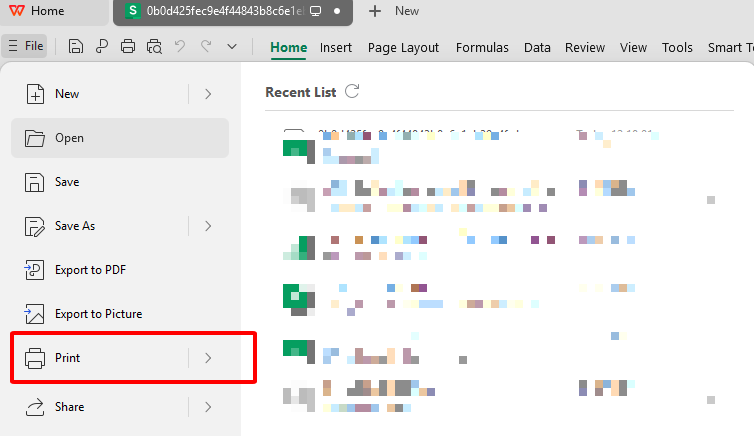
Need a hard copy? Go to File > Print, tweak settings like fitting to one page or switching to portrait, and print your staff improvement plan Excel. It’s ready for filing or handing out in meetings. No fuss, just professional results.
For HR pros and managers, having a solid tool to handle excel performance improvement templates is a must. WPS Office is your all-in-one solution, making it easy to edit, report, and collaborate without breaking a sweat.
Key Benefits:
With WPS Office, your performance action plan template workflows become faster and more accurate, helping you nail employee performance tracking.
FAQs about Performance Improvement Plan Template
1. What is a performance improvement plan template used for?
A performance improvement plan template helps HR managers and supervisors set clear performance goals for employees. It tracks progress over time and supports development with structured feedback. It’s a key tool for fostering accountability and growth.
2. Can I edit a performance improvement plan template in WPS Office?
Absolutely, WPS Spreadsheet makes editing Excel-based employee performance plan templates a snap. You can tweak data, add calculations, and format with ease. It’s built for quick, professional results.
3. Are performance improvement plan templates free?
Yes, you can find free performance improvement plan templates on platforms like WPS Template Center. They come in Excel format, ready for immediate use. No hidden costs, just download and go.
4. Can I export performance improvement plan templates as PDF?
Definitely, WPS Spreadsheet lets you export your performance report sheet to PDF with a few clicks. It’s perfect for sharing securely or printing for records. The process is smooth and reliable.

'%3e%3cpath%20d='M19.9911%204.11386V6.471H18.5894C18.0775%206.471%2017.7322%206.57814%2017.5536%206.79243C17.3751%207.00671%2017.2858%207.32814%2017.2858%207.75671V9.44421H19.9019L19.5536%2012.0871H17.2858V18.8639H14.5536V12.0871H12.2769V9.44421H14.5536V7.49779C14.5536%206.39064%2014.8632%205.53201%2015.4822%204.92189C16.1013%204.31177%2016.9257%204.00671%2017.9554%204.00671C18.8304%204.00671%2019.509%204.04243%2019.9911%204.11386Z'%20fill='%23333333'/%3e%3c/g%3e%3cdefs%3e%3cclipPath%20id='clip0_2938_8199'%3e%3crect%20width='16'%20height='16'%20fill='white'%20transform='translate(8%204.00671)'/%3e%3c/clipPath%3e%3c/defs%3e%3c/svg%3e)
'%3e%3cpath%20d='M17.5237%2010.7813L23.4811%204H22.0699L16.8949%209.88693L12.7648%204H8L14.2469%2012.9029L8%2020.0133H9.4112L14.8725%2013.7952L19.2352%2020.0133H24M9.92053%205.04213H12.0885L22.0688%2019.0224H19.9003'%20fill='%23333333'/%3e%3c/g%3e%3cdefs%3e%3cclipPath%20id='clip0_2938_8200'%3e%3crect%20width='16'%20height='16.0134'%20fill='white'%20transform='translate(8%204)'/%3e%3c/clipPath%3e%3c/defs%3e%3c/svg%3e)


