

'%3e%3cpath%20d='M8%200C12.4183%200%2016%203.58172%2016%208C16%2012.4183%2012.4183%2016%208%2016C3.58172%2016%200%2012.4183%200%208C0%203.58172%203.58172%200%208%200ZM11.6162%204.38379C11.2257%203.99337%2010.5927%203.99338%2010.2021%204.38379L8%206.58594L5.79785%204.38379C5.40732%203.99334%204.77429%203.99329%204.38379%204.38379C3.99331%204.77429%203.99335%205.40733%204.38379%205.79785L6.58594%208L4.38379%2010.2021C3.99348%2010.5927%203.99341%2011.2257%204.38379%2011.6162C4.77426%2012.0066%205.40734%2012.0065%205.79785%2011.6162L8%209.41406L10.2021%2011.6162C10.5927%2012.0066%2011.2257%2012.0067%2011.6162%2011.6162C12.0067%2011.2257%2012.0066%2010.5927%2011.6162%2010.2021L9.41406%208L11.6162%205.79785C12.0066%205.40735%2012.0066%204.77429%2011.6162%204.38379Z'%20fill='%23080E17'%20fill-opacity='0.46'/%3e%3c/g%3e%3cdefs%3e%3cclipPath%20id='clip0_3761_713'%3e%3crect%20width='16'%20height='16'%20fill='white'/%3e%3c/clipPath%3e%3c/defs%3e%3c/svg%3e)




'%3e%3cpath%20fill-rule='evenodd'%20clip-rule='evenodd'%20d='M21.4999%2010.9993C21.4999%205.20009%2016.7986%200.498901%2010.9993%200.498901C5.19994%200.498901%200.498657%205.20009%200.498657%2010.9993C0.498657%2016.2404%204.33858%2020.5844%209.35855%2021.3722V14.0346H6.69238V10.9993H9.35855V8.68594C9.35855%206.05427%2010.9262%204.60062%2013.3248%204.60062C14.4736%204.60062%2015.6753%204.80571%2015.6753%204.80571V7.38979H14.3512C13.0468%207.38979%2012.64%208.19921%2012.64%209.0296V10.9993H15.5523L15.0867%2014.0346H12.64V21.3722C17.66%2020.5844%2021.4999%2016.2404%2021.4999%2010.9993Z'%20fill='%231568EA'/%3e%3c/g%3e%3c/svg%3e)


'%3e%3cpath%20d='M2.42045%2022.1876H6.31818V12.7217L0.75%208.54553V20.5171C0.75%2021.4414%201.49892%2022.1876%202.42045%2022.1876Z'%20fill='%234285F4'/%3e%3cpath%20d='M19.682%2022.1876H23.5797C24.5041%2022.1876%2025.2502%2021.4387%2025.2502%2020.5171V8.54553L19.682%2012.7217'%20fill='%2334A853'/%3e%3cpath%20d='M19.682%205.48293V12.7216L25.2502%208.54543V6.31816C25.2502%204.25236%2022.8921%203.07469%2021.2411%204.31361'%20fill='%23FBBC04'/%3e%3cpath%20d='M6.31824%2012.7217V5.48303L13.0001%2010.4944L19.6819%205.48303V12.7217L13.0001%2017.733'%20fill='%23EA4335'/%3e%3cpath%20d='M0.75%206.31816V8.54543L6.31818%2012.7216V5.48293L4.75909%204.31361C3.10534%203.07469%200.75%204.25236%200.75%206.31816Z'%20fill='%23C5221F'/%3e%3c/g%3e%3cdefs%3e%3cclipPath%20id='clip0_2954_7305'%3e%3crect%20width='24.5'%20height='18.375'%20fill='white'%20transform='translate(0.75%203.8125)'/%3e%3c/clipPath%3e%3c/defs%3e%3c/svg%3e)


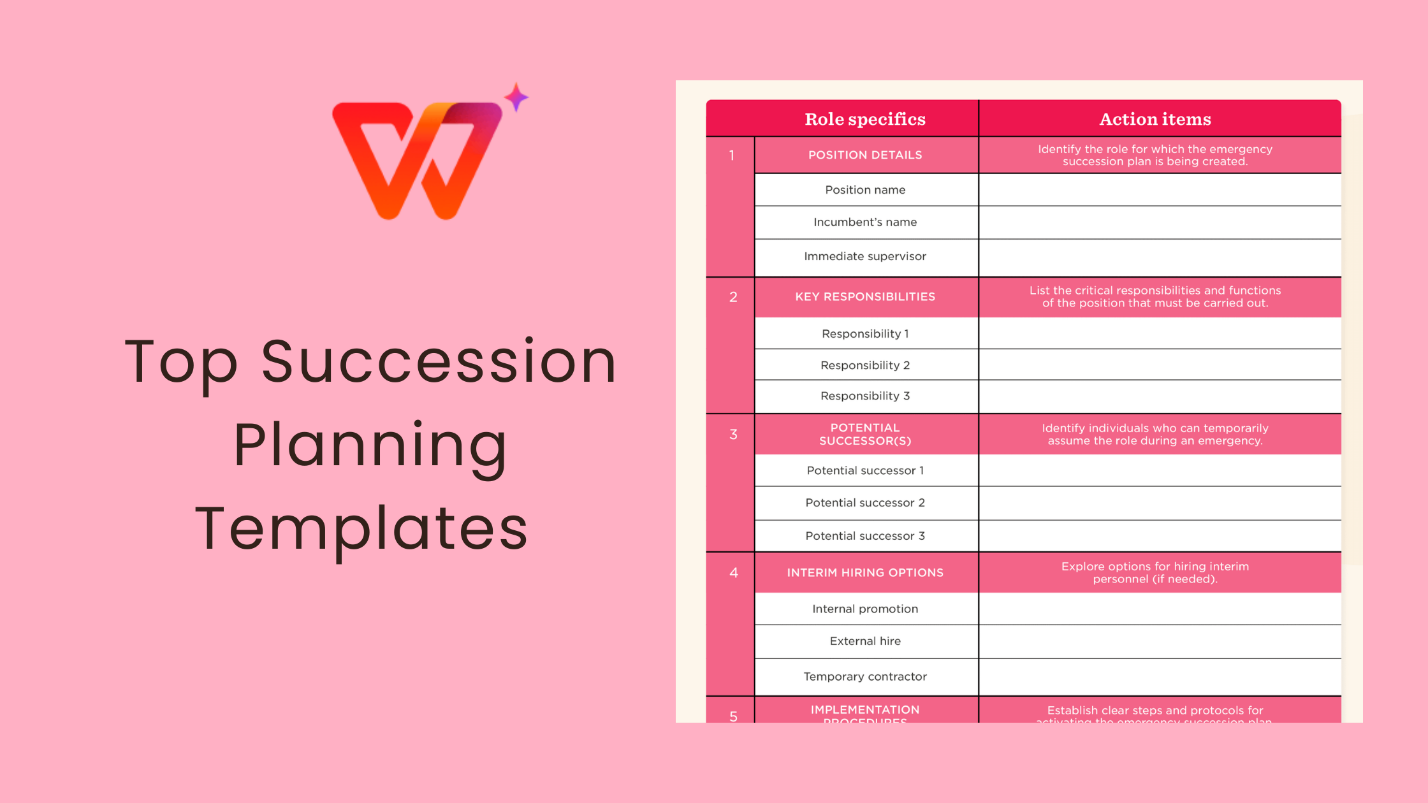
Preface
Succession planning is no longer just for large enterprises. Even small and mid-sized organizations face real risks when key leaders leave without a transition plan. The problem is that many HR teams know succession planning is important, but they struggle to structure it properly.
So how can you turn succession planning into a practical, working process? This guide explains how to write a succession planning, shares 10 free succession planning template options, and shows how to edit and print them using WPS Office.
Part 1: How to Write a Succession Plan
Creating an effective succession plan is not about filling out a form once and forgetting it. It is a structured process that aligns leadership development with long-term business goals. Below is a practical approach that works for organizations of all sizes.
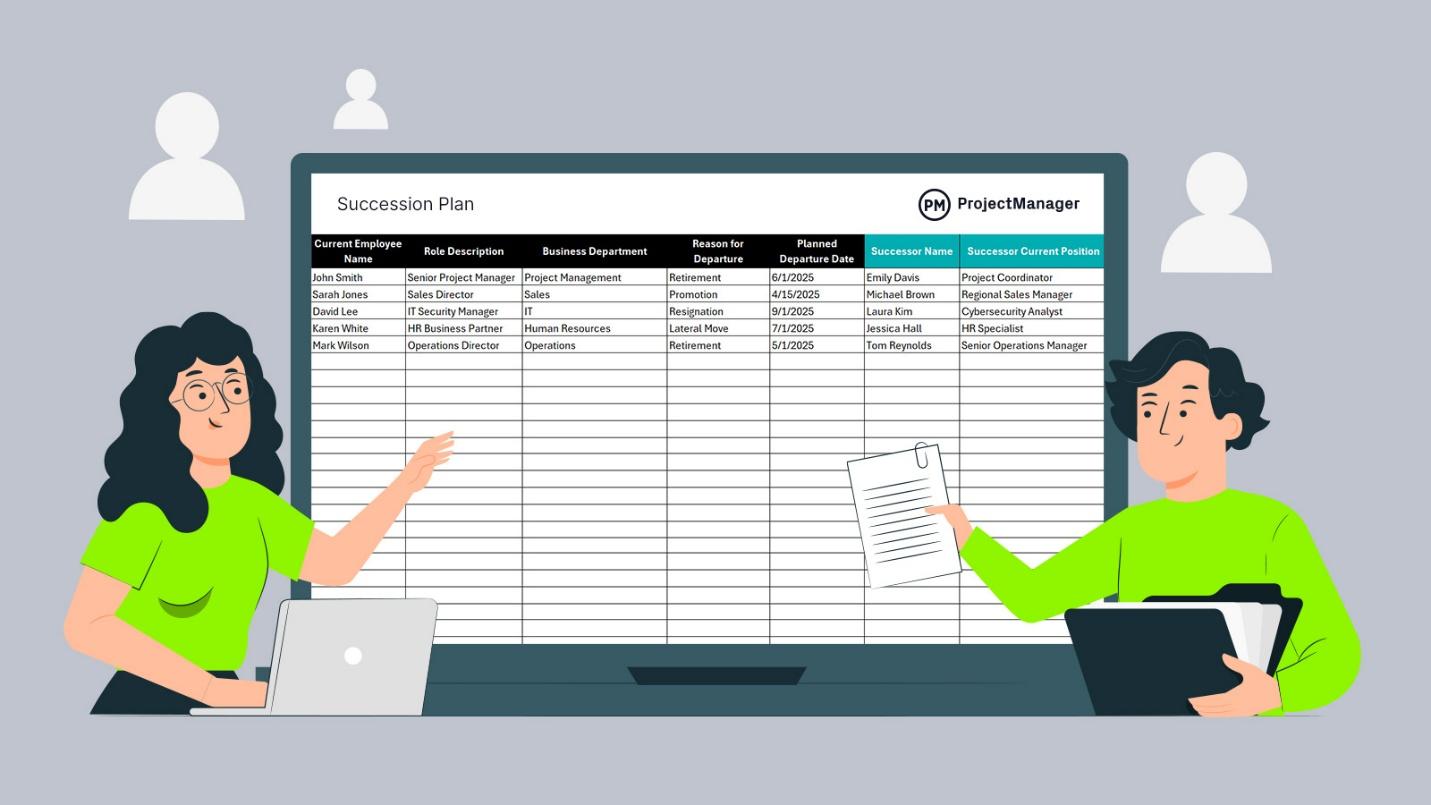
Define Organizational Goals and Critical Roles
Start by clarifying where your organization is headed. Succession planning should support future growth, not just replace people who leave.
Focus on:
Strategic goals over the next 3–5 years
Roles that directly impact business continuity
Positions that are difficult or time-consuming to replace
In my experience, organizations often overlook technical or specialist roles and focus only on senior leadership. That creates hidden risks. A good succession planning template should clearly list both leadership and mission-critical positions.
Identify Potential Successors Within the Workforce
Once key roles are defined, the next step is identifying internal candidates who could step into those roles over time.
Look beyond job titles and consider:
Current performance and consistency
Willingness to grow into leadership responsibilities
Long-term commitment to the organization
I’ve found that internal candidates adapt faster and maintain team morale better than external hires. This is one reason many HR teams prefer a free succession planning template that includes space for internal talent tracking.
Evaluate Competencies, Performance, and Leadership Potential
Not every high performer is ready for leadership. Evaluation should be balanced and evidence-based.
Common evaluation criteria include:
Technical and functional skills
Decision-making ability under pressure
Communication and collaboration skills
Feedback from managers and peers
Using structured scoring sections inside a succession planning template xls file makes this step much easier, especially when comparing multiple candidates objectively.
Provide Development Opportunities and Mentoring
A succession plan only works if candidates are actively prepared for future roles. This is where many plans fail.
Effective development actions may include:
Leadership training programs
Cross-functional projects
Job shadowing or role rotation
One-on-one mentoring with senior leaders
From practical use, I’ve seen that even simple mentoring programs dramatically increase readiness when they are tracked consistently inside the plan.
Create Succession Maps and Timelines
Succession maps visually show who can replace whom and when. They help decision-makers understand short-term and long-term readiness at a glance.
A strong plan should define:
Immediate successors (ready now)
Mid-term successors (1–2 years)
Long-term successors (3+ years)
Many teams prefer using spreadsheet-based tools or a succession planning template free download option to manage these timelines clearly.
Monitor and Update the Plan Regularly
Succession planning is not static. Business priorities, employee performance, and personal goals change over time.
Best practice is to:
Review succession plans at least once a year
Update after promotions, resignations, or restructuring
Align updates with performance review cycles
Based on real-world use, regular updates are what turn succession planning from a document into a living management tool.
Part 2: Top 10 Free Succession Planning Templates
Using a ready-made succession planning template saves time and helps you focus on decision-making instead of formatting. Below are ten carefully selected templates that cover different organizational needs. Each one is suitable for editing in Word, spreadsheets, or WPS Office, depending on your workflow.
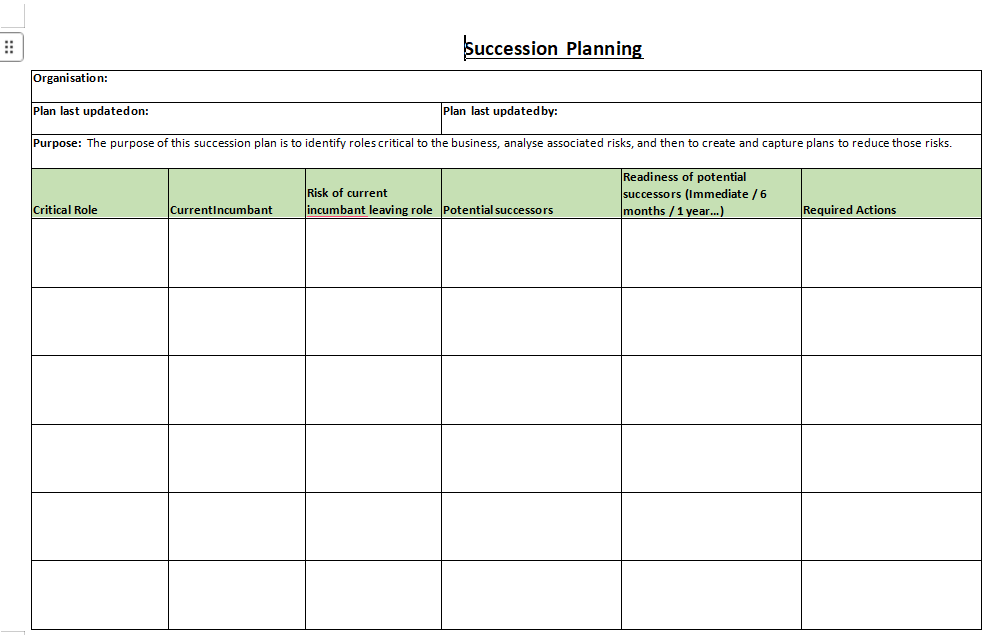
1. Basic Succession Planning Template
Download: https://templatelab.com/file/126523/
This template is ideal if you are starting from scratch. It focuses on identifying key roles, current role holders, and immediate successors.
From my experience, this works best for small teams that need clarity without complex scoring systems. It is also easy to convert into a succession planning template xls if you want to add ranking or readiness levels.
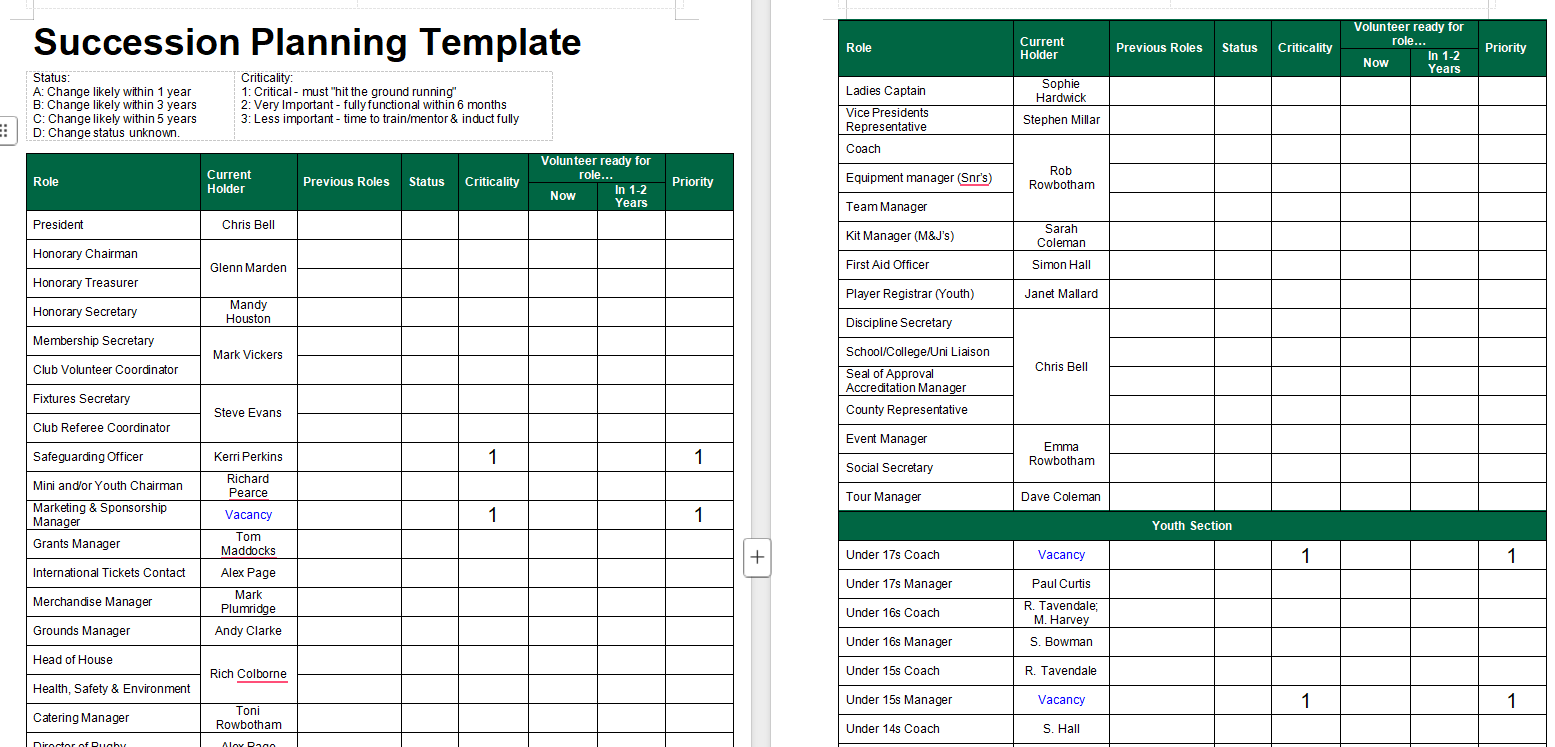
2. Succession Template
Download: https://templatelab.com/file/126526/
This version adds more structure by including performance indicators and development notes for each candidate.
I find this useful when HR teams already have performance review data and want to align it directly with succession planning decisions.
3. Succession Template
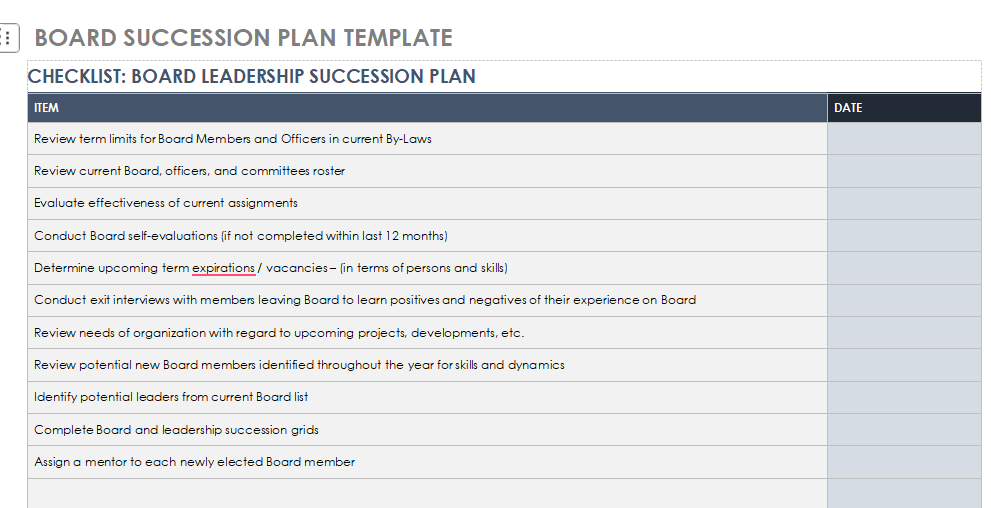
Download: https://templatelab.com/file/126532/
This template emphasizes role dependencies and internal mobility. It helps visualize how changes in one role affect others.
If you manage cross-functional teams, this free succession planning template gives better visibility into internal movement risks.
4. Executive Succession Planning Template
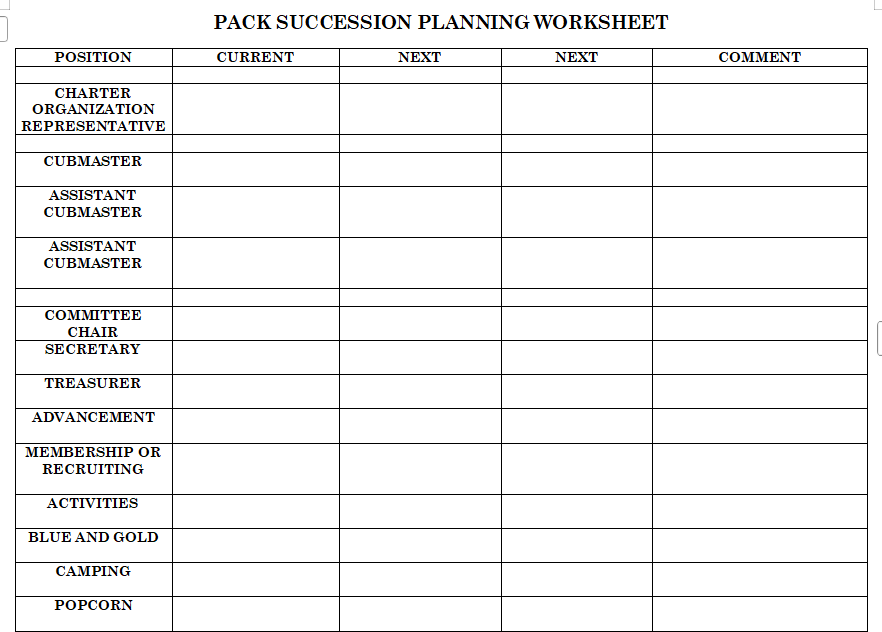
Download: https://templatelab.com/file/126538/
Designed specifically for senior leadership roles, this template focuses on long-term readiness and strategic alignment.
In real use, I recommend this template for boards or leadership teams reviewing succession annually rather than operationally.
5. Organizational Continuity Succession Template
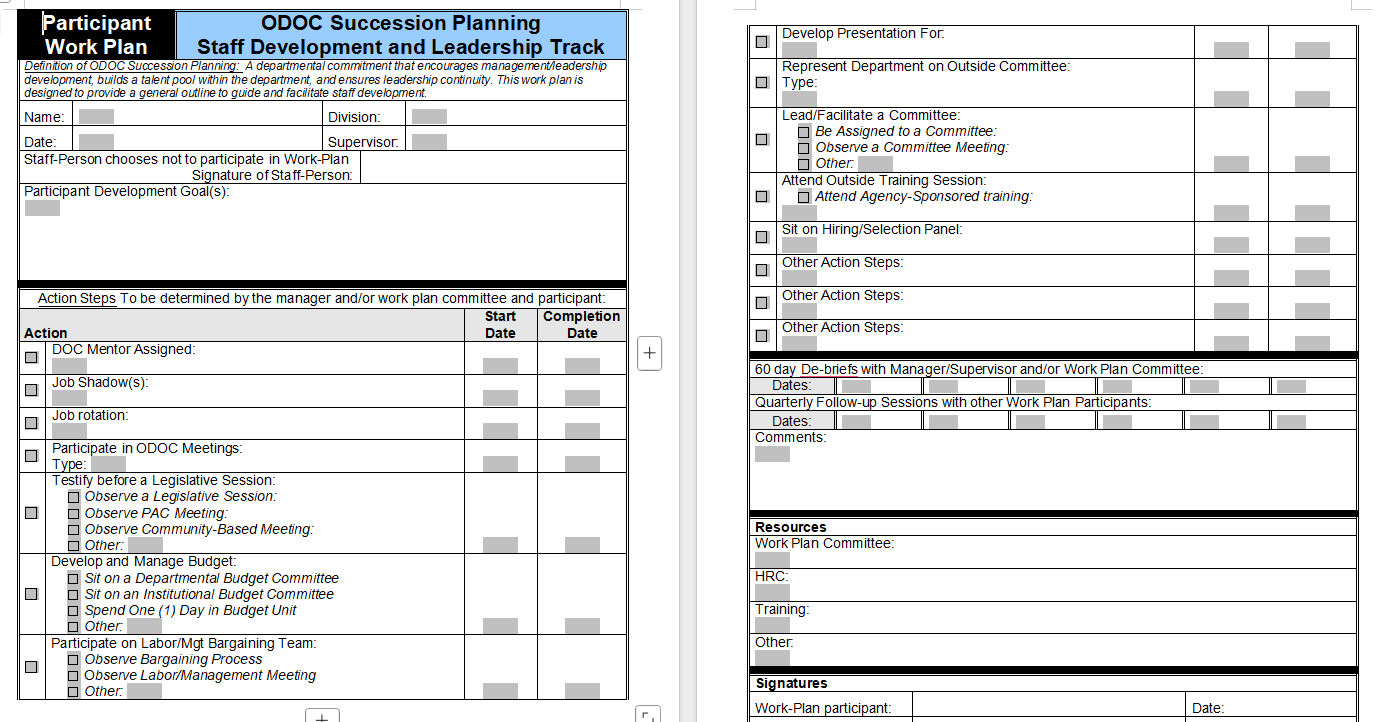
Download: https://templatelab.com/file/126541/
This template prioritizes business continuity. It highlights critical positions that could disrupt operations if left vacant.
It works especially well for industries with regulatory or operational risks where leadership gaps can have an immediate impact.
6. Talent Pool Succession Template
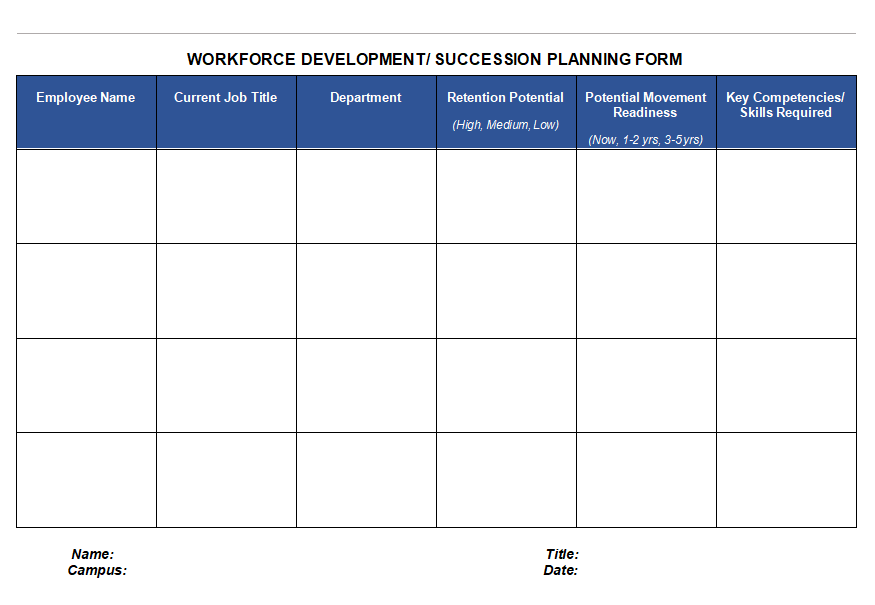
Download: https://templatelab.com/file/126544/
Instead of role-based planning, this template organizes candidates into talent pools.
I’ve seen HR teams prefer this approach when grooming future leaders across departments rather than for one-to-one role replacement.
7. HR Strategy Succession Template
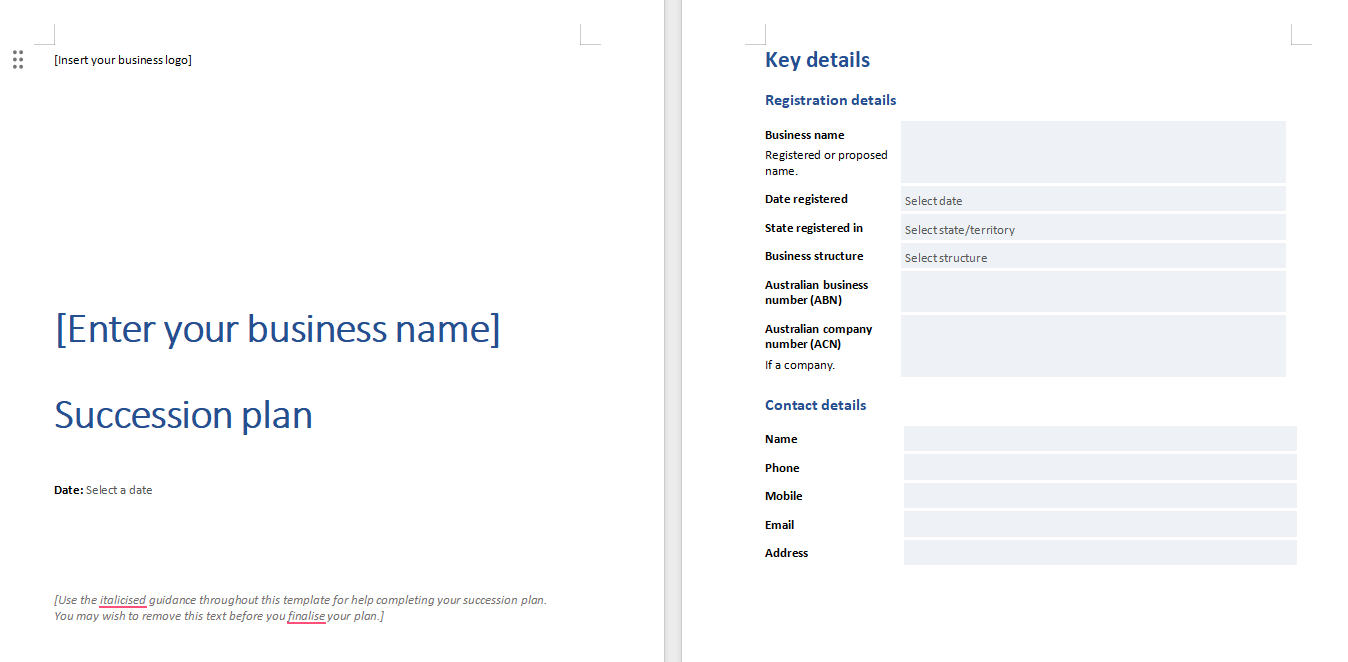
Download: https://templatelab.com/file/126550/
This template connects succession planning with broader HR strategies such as training budgets and workforce planning.
It is particularly useful when HR leaders want to justify development investments using structured succession data.
8. Workforce Planning Succession Template
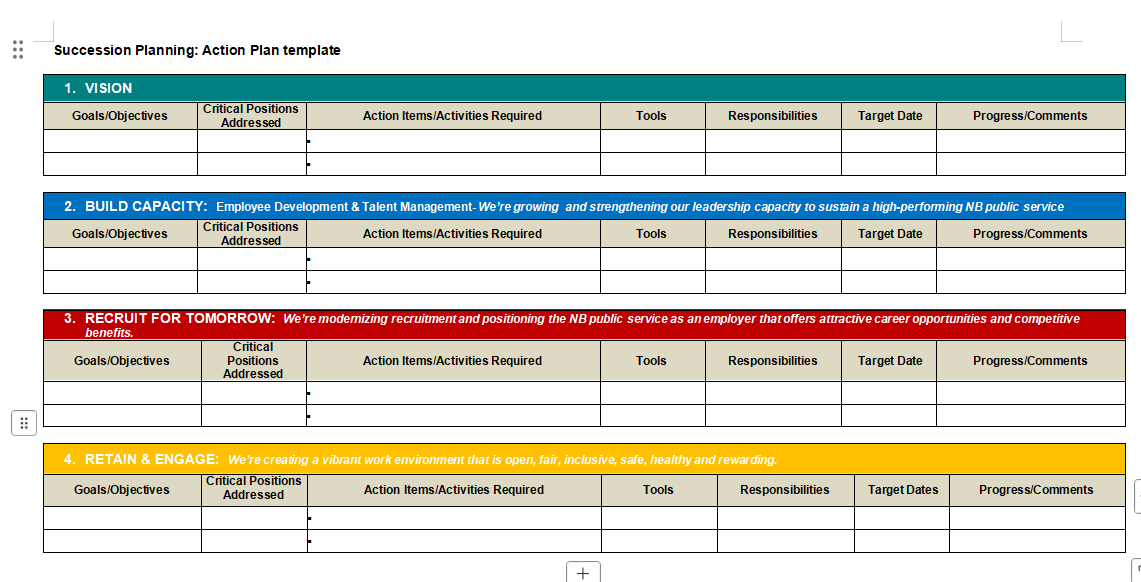
Download: https://templatelab.com/file/126553/
This option integrates workforce planning with succession timelines, making it easier to anticipate hiring needs.
In practice, this template supports medium to large organizations where succession planning and hiring decisions are closely linked.
9. Managerial Succession Template
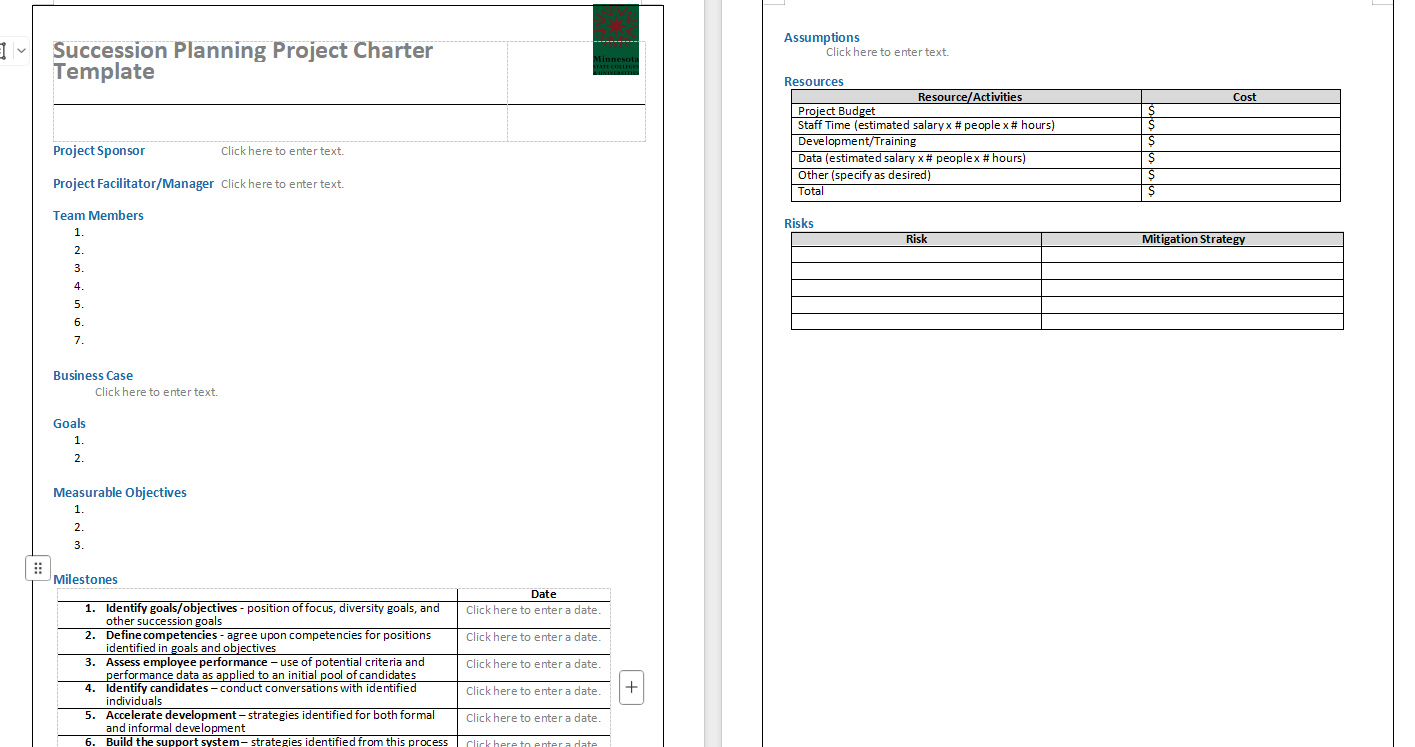
Download: https://templatelab.com/file/126556/
Focused on middle management, this template helps reduce disruption caused by sudden managerial turnover.
I recommend this one when organizations experience frequent promotions or lateral movements among managers.
10. Key Role Succession Template
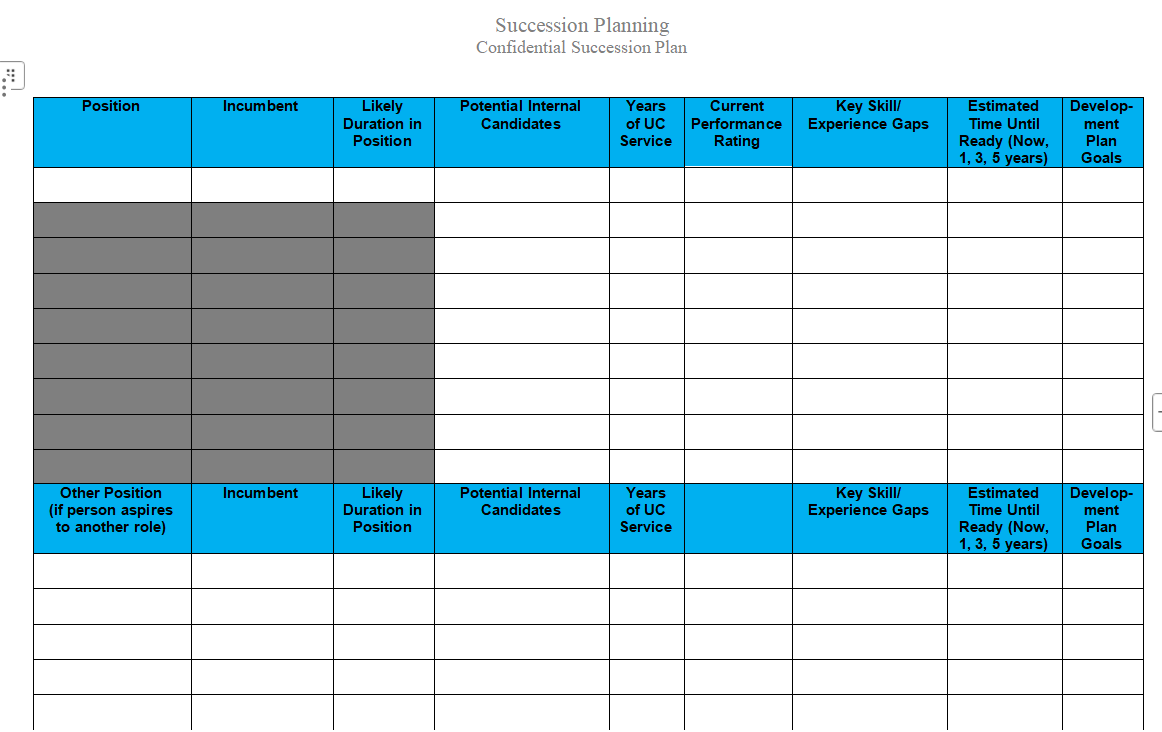
Download: https://templatelab.com/file/126565/
This template targets high-risk or high-impact roles regardless of hierarchy.
From experience, this is one of the most practical templates because it forces teams to prioritize what truly matters rather than planning for every position.
These templates provide flexible starting points. Once downloaded, the next step is adapting them to your organization and workflow. That is where editing, structuring, and sharing tools become essential.
Part 3: How to Edit and Print a Succession Planning Template
Once you download a succession planning template, the real value comes from editing it to match your organization and sharing it with stakeholders. WPS Office makes this process straightforward across spreadsheets, documents, and presentations.
Create an Organizational Chart in WPS Spreadsheet
WPS Spreadsheet is ideal when working with structured data such as roles, successors, readiness levels, and timelines.
Steps:
Step 1: Open WPS Spreadsheet and create a new file
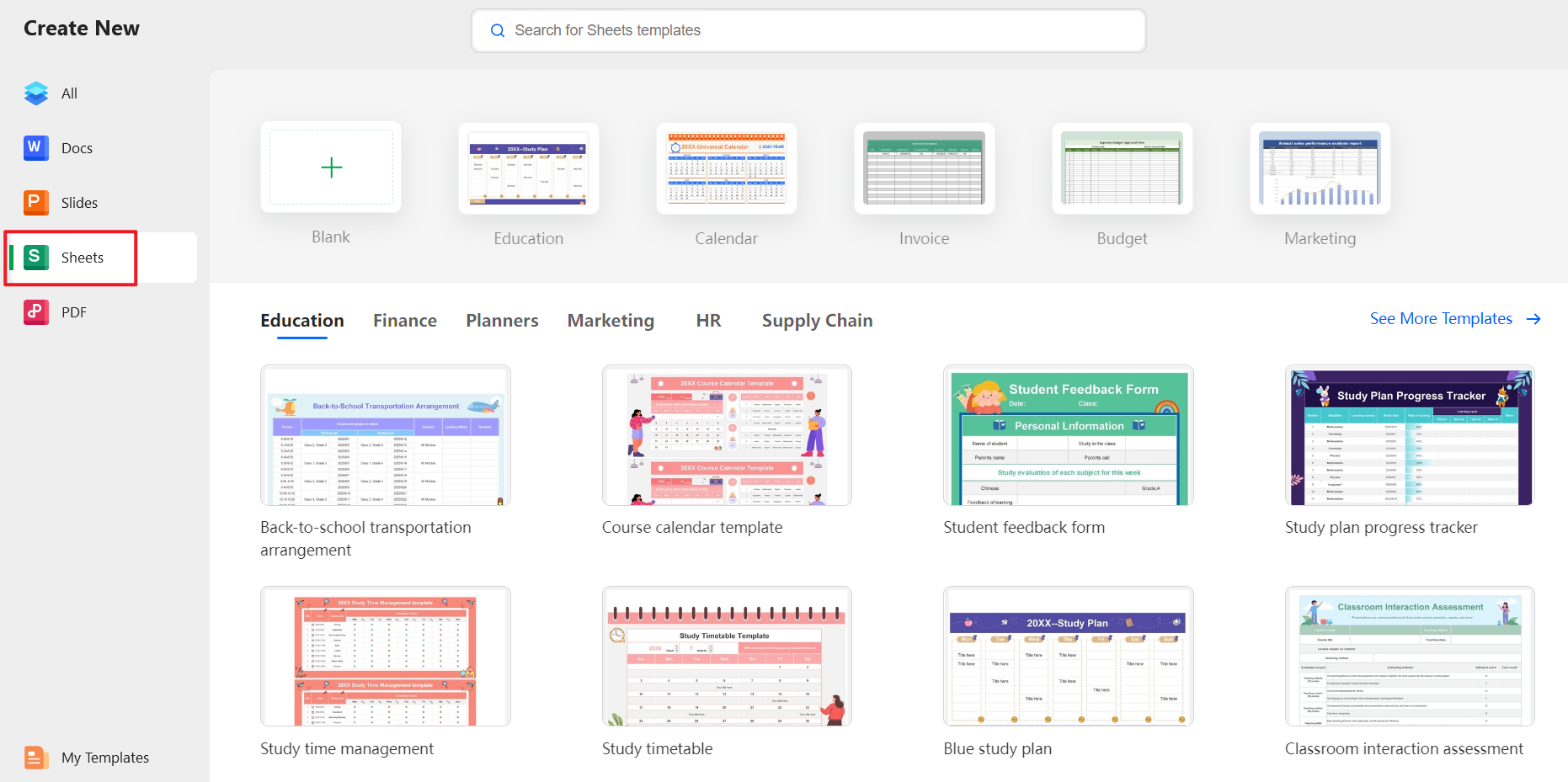
Step 2: Enter role names, current holders, and successor candidates into rows
Step 3: Use Insert → SmartArt or Shapes to build a visual organizational chart
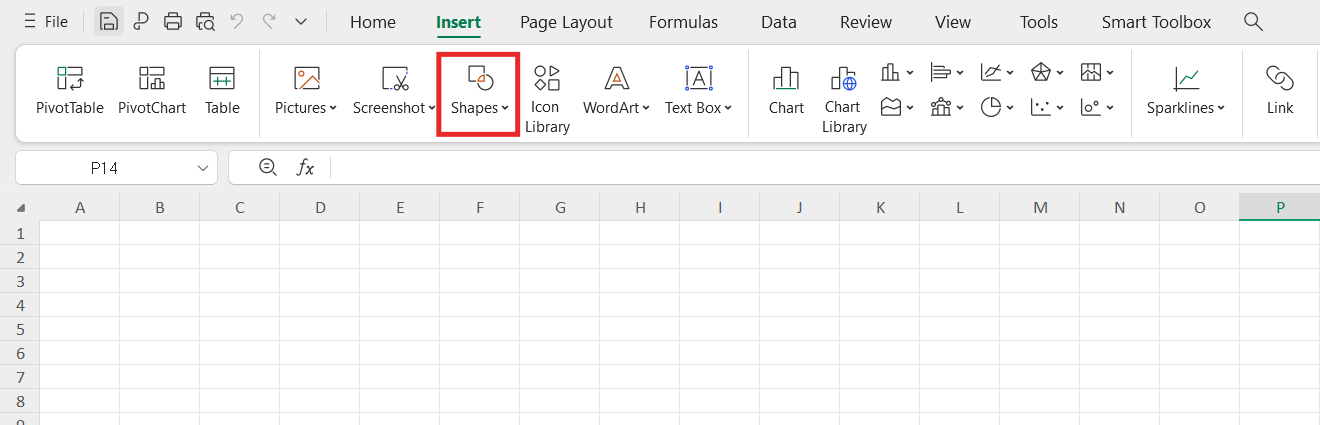
Step 4: Apply colors or labels to show readiness levels and timelines
From hands-on use, spreadsheets work best when your succession data needs frequent updates or comparisons. Many teams prefer converting their template into spreadsheet format for this reason.
Edit the Template in WPS Writer
If your template is document-based, WPS Writer provides a clean and professional editing environment.
Steps:
Step 1: Open WPS Writer and load the downloaded template
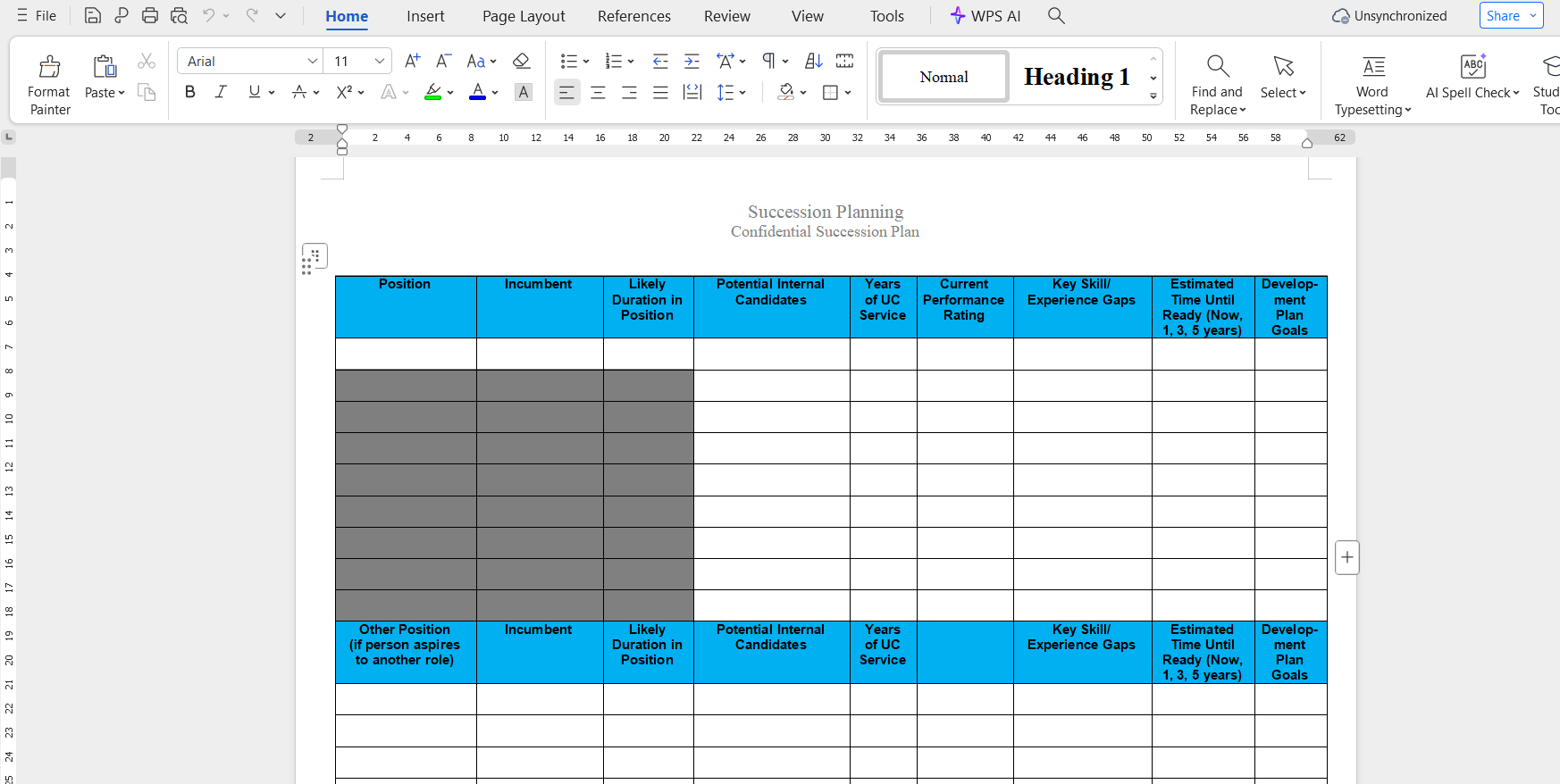
Step 2: Replace placeholder text with your organization’s roles and candidates
Step 3: Adjust headings, tables, and spacing for readability
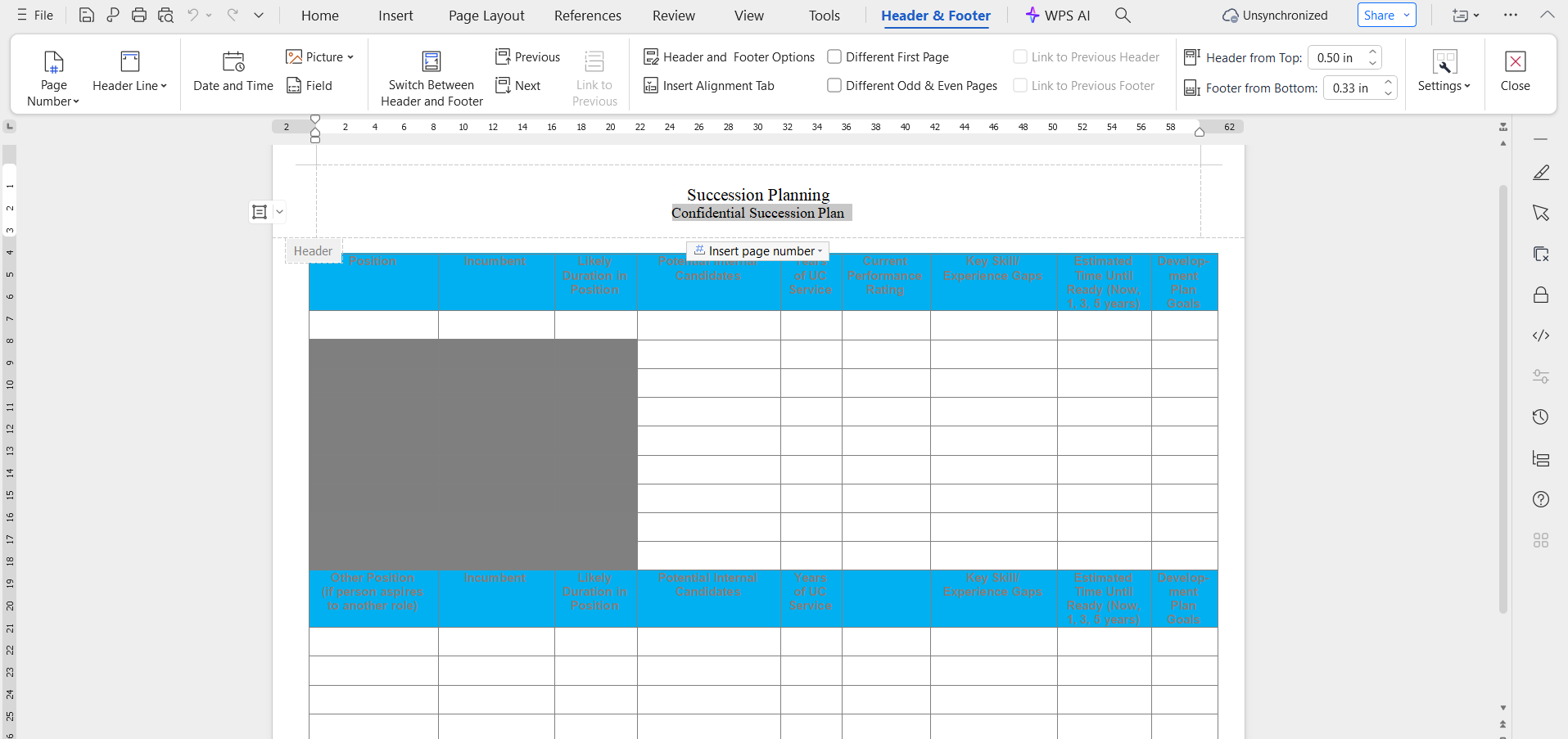
Step 4: Use Styles to keep formatting consistent across sections
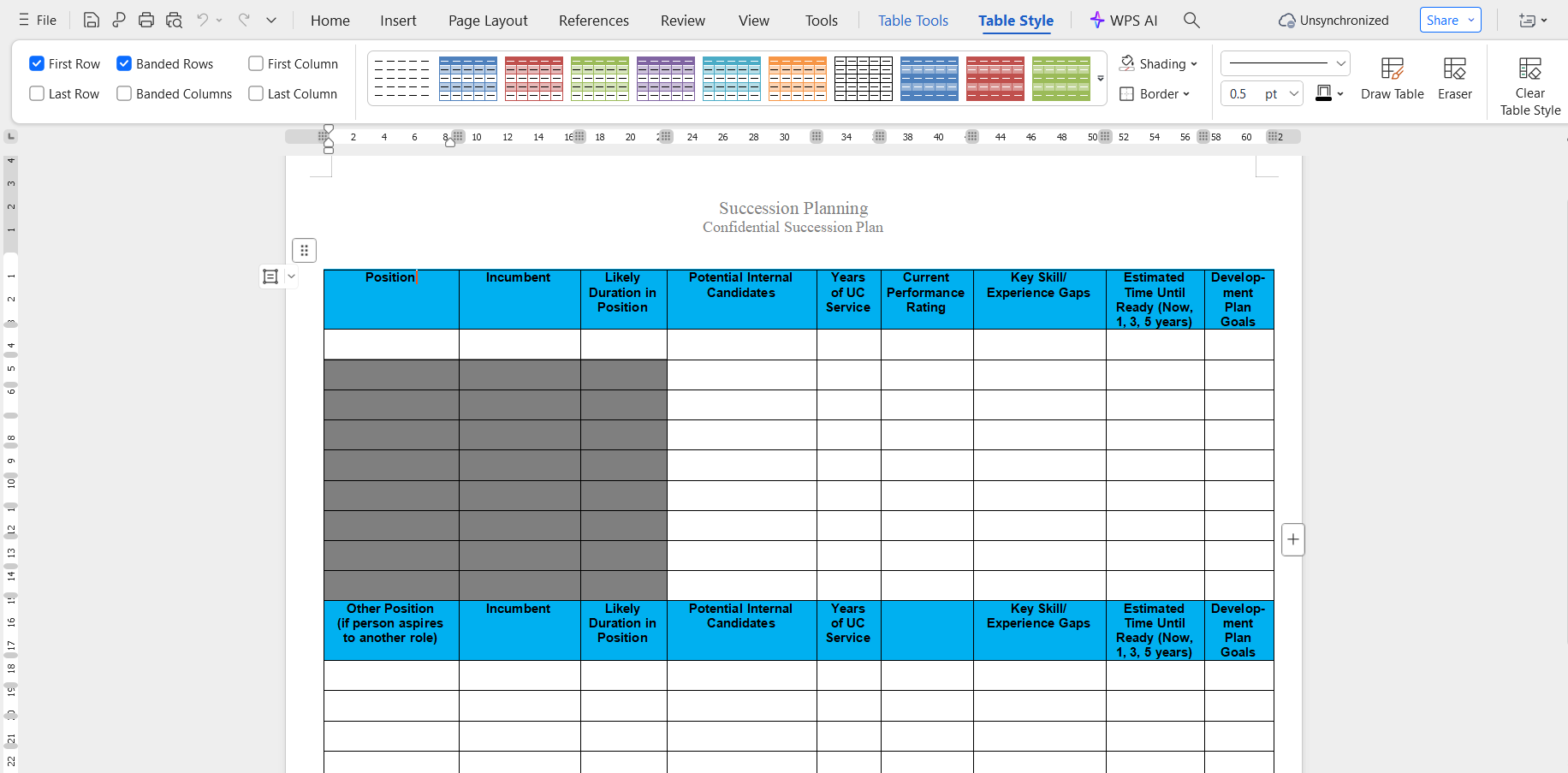
I recommend Writer when presenting succession plans to leadership, as the document format is easier to review and print.
Present Succession Flow in WPS Presentation
For meetings or executive reviews, visual clarity matters.
Steps:
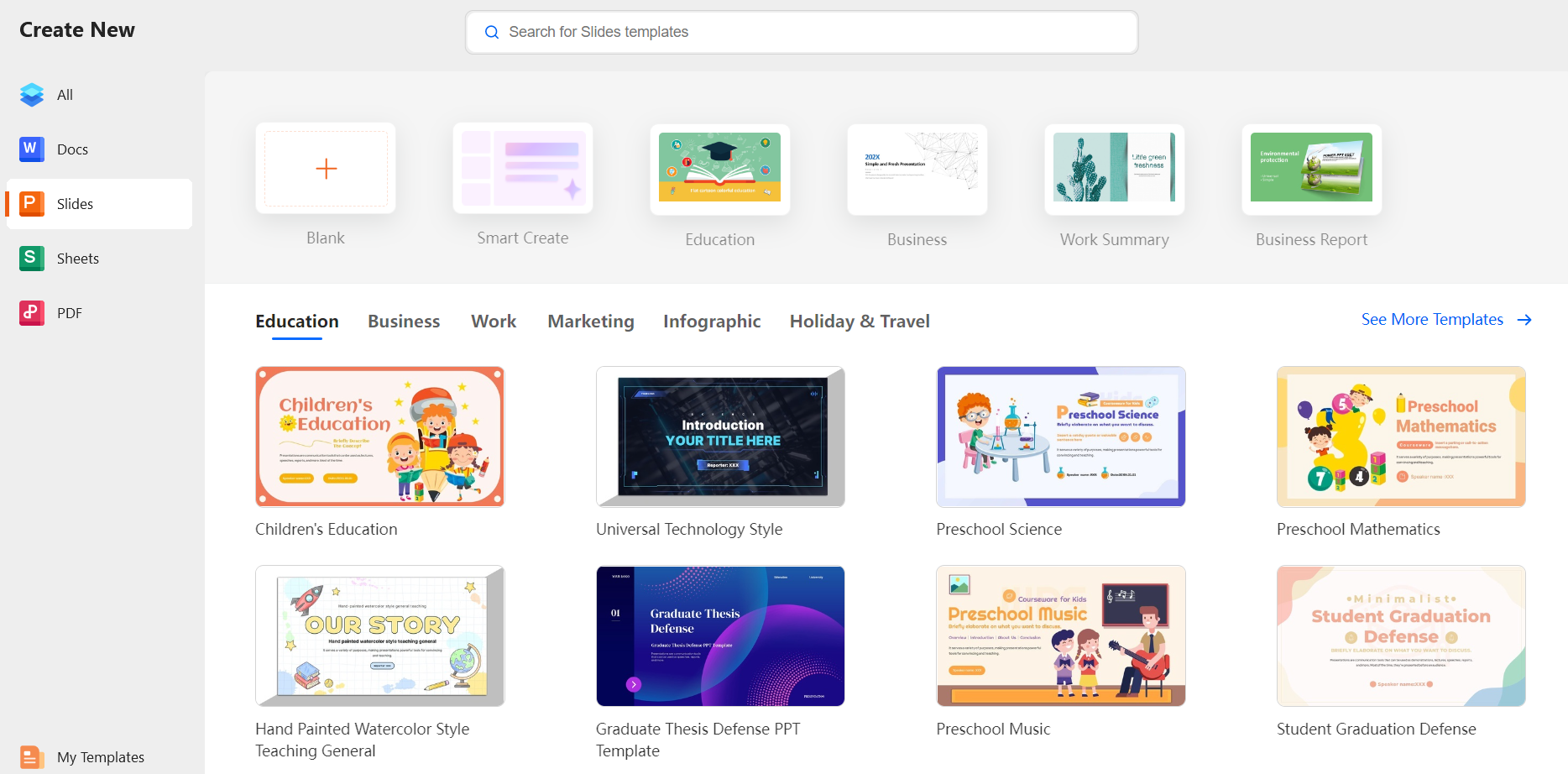
Step 1: Open WPS Presentation and choose a blank slide
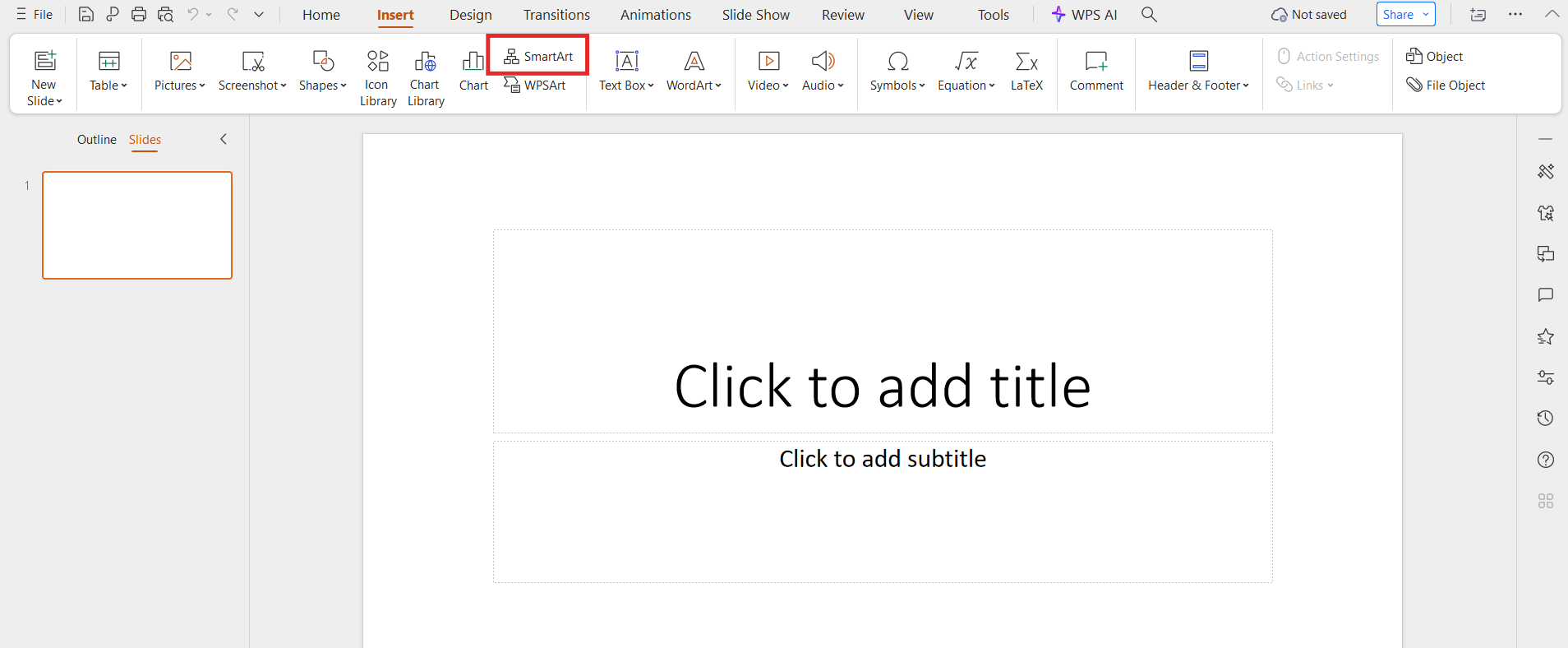
Step 2: Insert shapes or SmartArt to represent leadership flow
Step 3: Add names and transition timelines
Step 4: Keep slides simple and readable
In real scenarios, I’ve found presentations effective when explaining complex succession maps to non-HR stakeholders.
Save the Edited Template as a PDF
Once your edits are complete, saving the file as a PDF ensures consistency across devices.
Steps:
Step 1: Click File → Save As
Step 2: Select PDF as the file format
Step 3: Confirm layout and export
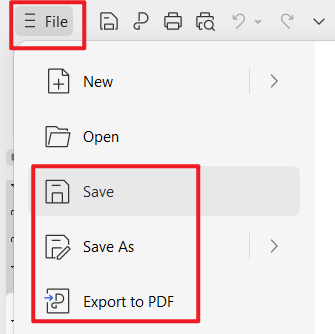
This is especially useful when finalizing documents for board review or compliance records.
Generate an Online Collaboration Link in WPS Office
Succession planning often involves collaboration between HR, managers, and executives.
Steps:
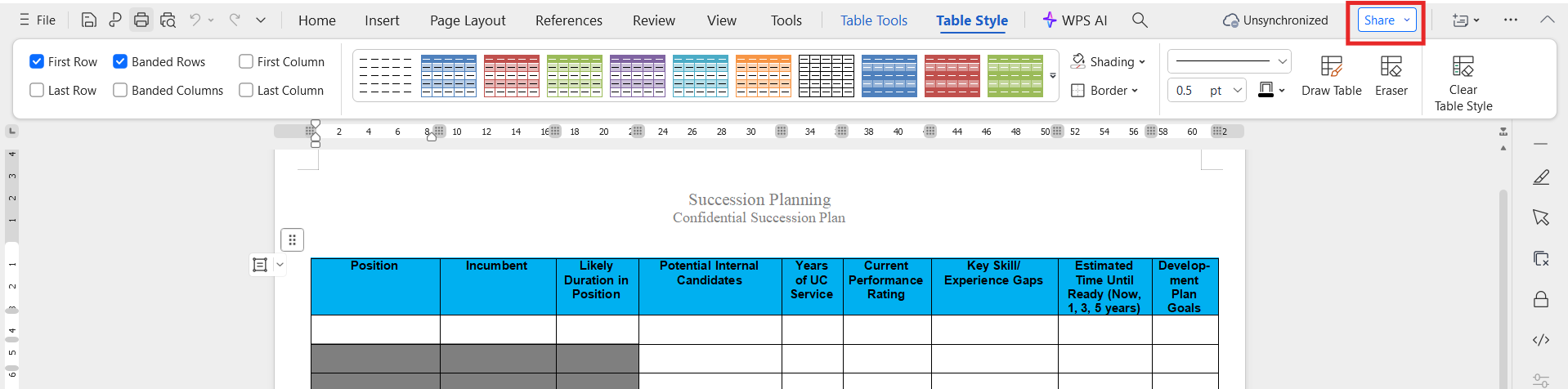
Step 1: Click Share at the top right corner and generate an online link
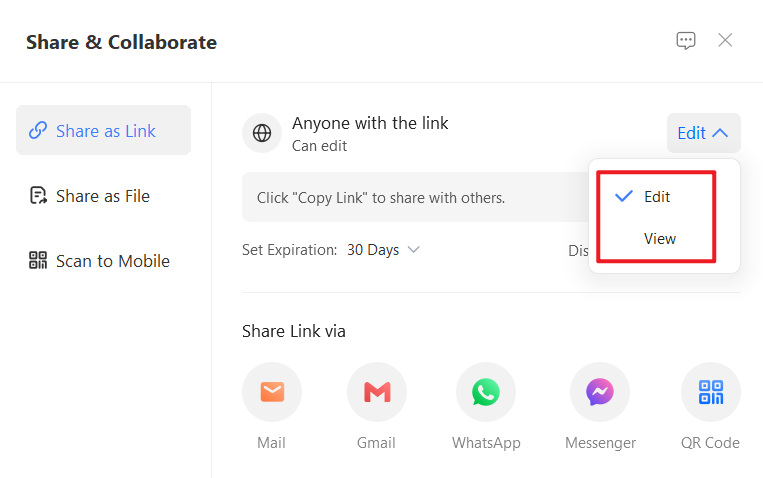
Step 2: Set permissions for viewing or editing
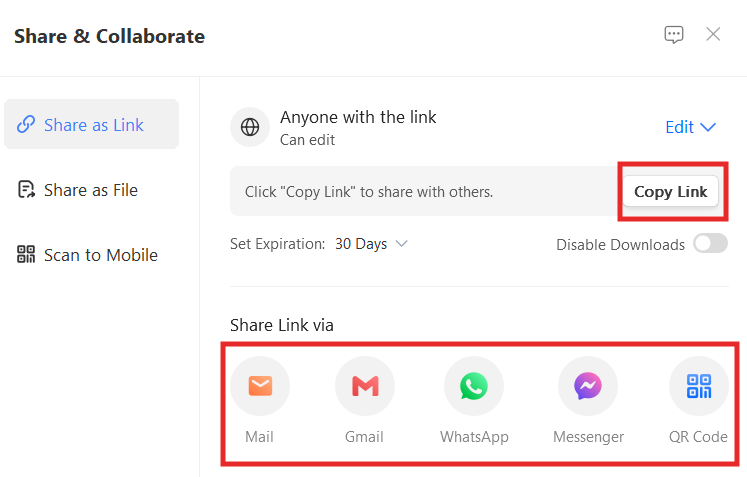
Step 3: Share the link with relevant stakeholders
From experience, this feature simplifies collaboration and reduces version control issues during reviews.
Part 4: Free Office Suite with Editable Templates
When working with a succession planning template, flexibility matters. You may need to edit documents, update spreadsheets, export PDFs, or collaborate online. This is where WPS Office fits naturally into succession planning workflows.
WPS Office Overview
WPS Office is a free, lightweight office suite designed for document creation, editing, and collaboration. It supports common business formats and offers a built-in template library that simplifies structured planning tasks such as succession planning.

In practice, using WPS Office removes the friction of switching between multiple tools. You can download a free succession planning template, edit it immediately, and share it with stakeholders from one platform.
Key Advantages for Succession Planning
Free and lightweight software
WPS Office installs quickly and runs smoothly even on modest systems, making it suitable for small businesses and HR teams with limited IT resources.
Supports multiple formats
You can edit DOC, XLS, PPT, PDF, and even image-based files. This is especially useful when working with a succession planning template xls or converting documents into PDFs for review.
Built-in template library
WPS provides access to business and organizational templates that complement succession planning, including charts and planning layouts.
Online and offline versions
You can work offline and sync later, or collaborate in real time using cloud sharing. This flexibility supports both remote and in-office teams.
Based on real usage, this combination of features makes WPS Office a practical choice for managing succession documents without additional software costs.
FAQs
What is a succession planning template?
A succession planning template is a structured document used to identify key roles, potential successors, and development plans to ensure leadership continuity.
Why is succession planning important?
It helps organizations reduce leadership risks, prepare internal talent, and maintain stability during transitions.
Are these templates customizable?
Yes. Each succession planning template can be edited in Word, WPS Office, or Google Docs to match your organization’s structure.
Can small businesses use succession planning templates?
Absolutely. Many templates are designed for simplicity and work well for small teams and growing businesses.
How often should succession plans be updated?
At least once a year, or whenever there are major changes in leadership, strategy, or workforce structure.
Can I collaborate with others using these templates?
Yes. After editing, you can share templates online through WPS Office to collaborate with HR teams and managers in real time.
Is a spreadsheet better than a document for succession planning?
It depends on your needs. Spreadsheets work well for data tracking and comparisons, while documents are better for formal reviews and presentations.
Summary
A well-structured succession planning template helps organizations prepare future leaders, reduce operational risk, and align talent development with long-term goals. By understanding how to write a succession planning process and using ready-made templates, HR teams can move from theory to action faster.
The ten templates shared in this guide offer flexible starting points for different organizational needs. With WPS Office, you can edit, customize, print, export, and collaborate on these templates efficiently, all within a free and accessible office suite.
For teams looking to streamline succession planning without added complexity or cost, WPS Office provides a practical and reliable solution.

'%3e%3cpath%20d='M19.9911%204.11386V6.471H18.5894C18.0775%206.471%2017.7322%206.57814%2017.5536%206.79243C17.3751%207.00671%2017.2858%207.32814%2017.2858%207.75671V9.44421H19.9019L19.5536%2012.0871H17.2858V18.8639H14.5536V12.0871H12.2769V9.44421H14.5536V7.49779C14.5536%206.39064%2014.8632%205.53201%2015.4822%204.92189C16.1013%204.31177%2016.9257%204.00671%2017.9554%204.00671C18.8304%204.00671%2019.509%204.04243%2019.9911%204.11386Z'%20fill='%23333333'/%3e%3c/g%3e%3cdefs%3e%3cclipPath%20id='clip0_2938_8199'%3e%3crect%20width='16'%20height='16'%20fill='white'%20transform='translate(8%204.00671)'/%3e%3c/clipPath%3e%3c/defs%3e%3c/svg%3e)
'%3e%3cpath%20d='M17.5237%2010.7813L23.4811%204H22.0699L16.8949%209.88693L12.7648%204H8L14.2469%2012.9029L8%2020.0133H9.4112L14.8725%2013.7952L19.2352%2020.0133H24M9.92053%205.04213H12.0885L22.0688%2019.0224H19.9003'%20fill='%23333333'/%3e%3c/g%3e%3cdefs%3e%3cclipPath%20id='clip0_2938_8200'%3e%3crect%20width='16'%20height='16.0134'%20fill='white'%20transform='translate(8%204)'/%3e%3c/clipPath%3e%3c/defs%3e%3c/svg%3e)


