Most people in the creative industry are working on multiple projects
simultaneously, so a professional invoice is crucial for getting paid on
time. But you've probably found that generic invoices just don't work
for design projects. They often lack the specific fields for project
scope or usage rights, which leads to frustrating payment delays. This
is where a good graphic design invoice template makes all the
difference. In this guide, I'll introduce templates you can download and
show how WPS Invoice Generator can make this process even faster.
Use Word, Excel, and PPT for FREE
Graphic Design Invoice Template
What is a Graphic
Design Invoice Template?
A graphic design invoice is the main document you use to bill for
your creative work. But before you just pick a template, it's worth understanding what
makes a design invoice effective. You've probably found that generic business templates
don't work as they lack specific fields for project scope, revisions,
or, most importantly, usage rights.
Without this clarity, clients can get confused about what they've
purchased, which often leads to disputes and slows down your payment.
It's best to think of your graphic design invoice
template as the final, professional summary of the creative
value you delivered.
Unlike generic invoices, these templates include fields tailored for
design projects, such as:
Designer and client details: Business name, contact info, and email for easy communication.
Project description and deliverables: A clear outline of what was designed, like logos, posters, or web graphics.
Hourly or fixed-rate billing: Flexibility to charge for time or total project value.
License or usage rights: Important when transferring creative ownership.
Total cost and payment terms: Clear deadlines and methods to ensure timely payment.
Once you have these elements structured, you're ready to choose a
template that fits your style.
A ready-made template is a huge time-saver. It ensures you look professional and consistent with every client. Here are 10 excellent options you can download and
use in Word.
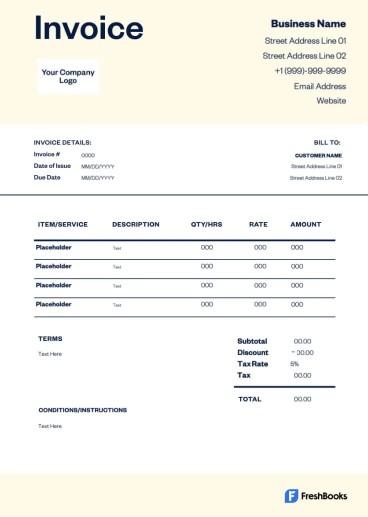
1. Graphic Design Invoice
Template [Word]
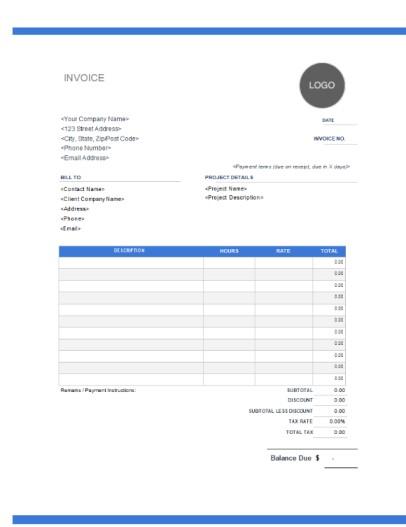
This graphic
design invoice is a clean, modern document designed for
freelancers or agencies needing a versatile billing format. The layout
features a prominent logo space and a detailed table that includes
QTY/HRS and RATE, making it adaptable for any project. Built for
clarity, this template neatly summarizes the Subtotal, Discount, and Tax
Rate, allowing designers to provide a thorough, professional bill for
both hourly and fixed-rate work.
Graphic Design Invoice Template
2. Free Graphic
Design Invoice Template [Word]
This free
graphic design invoice is a clean, corporate document designed
for small businesses or freelancers who want a strong, simple color
accent. The layout is defined by its bright green table header and
uniquely includes a large MESSAGE box for adding extra notes or project
terms. Built for straightforward billing, this template uses QTY and
RATE columns to clearly calculate the final BALANCE DUE, offering a
professional and modern look.
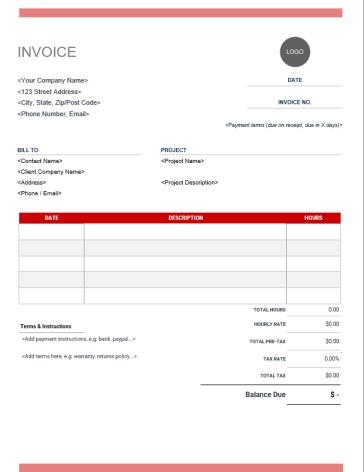
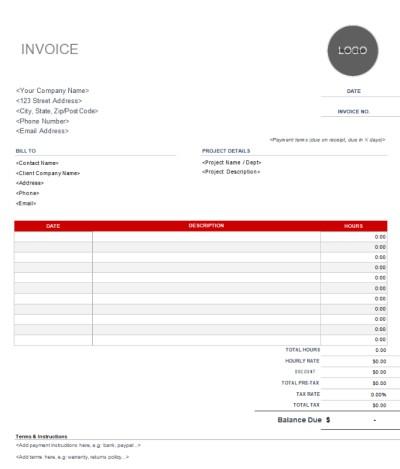
This Hourly
Rate Invoice is a specialized document perfect for freelancers
who bill strictly by the hour. Its layout, marked by clean red headers,
uniquely features a dedicated PROJECT section for a project name and
description. The billing table is simplified to DATE, DESCRIPTION, and
HOURS, which are then multiplied by a single HOURLY RATE field to
clearly calculate the final Balance Due.
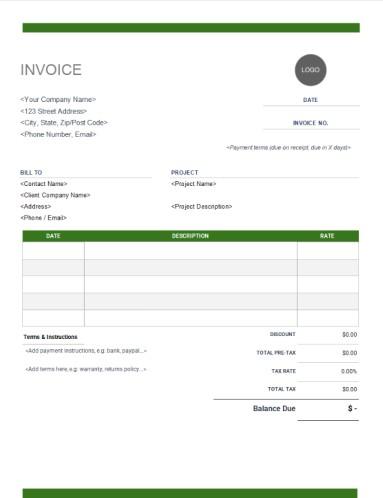
This Fixed
Rate Invoice is a clean, professional document designed for
designers or agencies that bill per-project rather than per-hour. Its
layout, marked by an olive-green header, features the same dedicated
PROJECT section as the previous hourly template.
The key difference is the billing table, which is simplified to DATE,
DESCRIPTION, and a flat RATE, removing any "Hours" column. Built for
project-based billing, this structure is perfect for clearly itemizing
fixed-price deliverables and showing the final Balance Due.
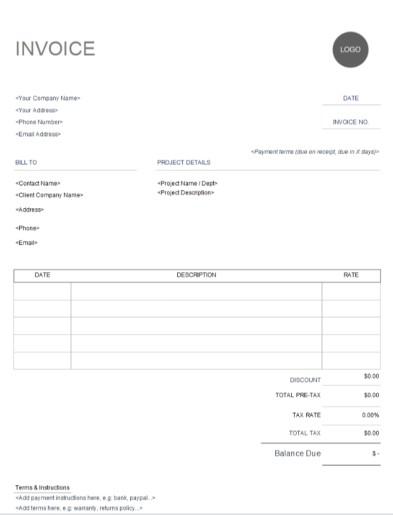
This Printable
Graphic Design Invoice is an ultra-minimalist, black-and-white
document designed for designers who need the cleanest, most
printer-friendly format. The layout is a streamlined, ink-saving version
of the fixed-rate template, featuring the same PROJECT DETAILS section
and a simplified table with DATE, DESCRIPTION, and RATE.
Built for maximum simplicity, this structure strips away all color,
making it the ideal choice for professionals who need a straightforward,
universally professional bill for fixed-price projects.
Printable Graphic Design Invoice Template
6. Web Graphic Design
Invoice Template [Word]
This Web
Graphic Design Invoice is a clean, professional document
designed for web designers or digital agencies who bill for their time.
Its layout, marked by a strong red header, features a dedicated PROJECT
DETAILS section, which is perfect for outlining project scope. The
billing table is structured for time-tracking, which is built for
service-based billing, making it ideal for tracking time on web
projects.
Web Graphic Design Invoice Template
7. Logo Graphic
Design Invoice Template [Word]
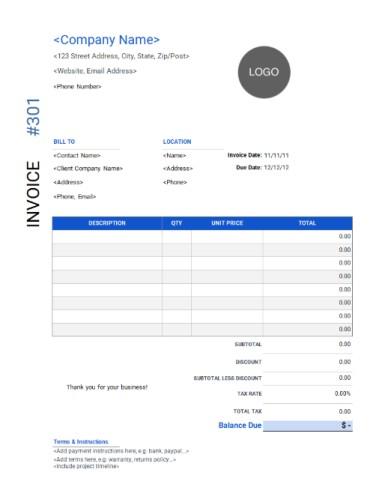
This Logo
Graphic Design Invoice is a highly stylish, modern document
designed for creative studios that want a unique, contemporary layout.
The layout's most unique feature is the vertical text on the left,
displaying "INVOICE" and the number, which is complemented by a strong
blue table header. Built for designers who want to stand out.
Logo Graphic Design Invoice Template
8. T-Shirt Graphic
Design Invoice Template [Word]
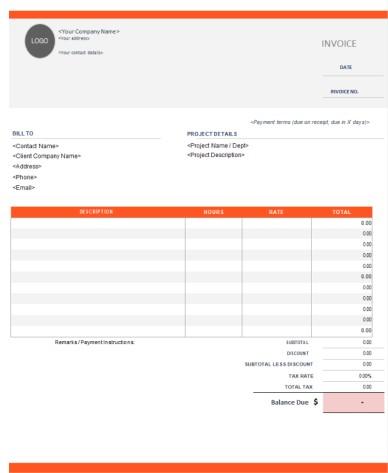
This T-shirt
graphic design invoice is a bold, energetic document, using a
bright orange color scheme to make it stand out. The layout is
structured for project-based work, featuring a dedicated PROJECT DETAILS
section to define the scope. Its key feature is the itemized table,
which includes separate columns for HOURS and RATE, allowing designers
to bill for different tasks at different hourly rates on the same
invoice. This provides excellent clarity for clients by showing a
detailed breakdown of the final Balance Due.
T-Shirt Graphic Design Invoice Template
9. Posters Graphic
Design Invoice Template [Word]
This Posters
Graphic Design template is a clean, corporate document designed
for agencies or freelancers who need a formal, professional appearance.
The layout uses a classic blue color scheme for its headers, providing a
more traditional feel than the previous orange template, but it shares
the same excellent structure.
The Poster Graphic Design invoice template includes a PROJECT DETAILS
section and a comprehensive billing table with separate HOURS and RATE
columns. This makes it a perfect choice for designers who need to bill
multiple, varied hourly rates on a single, professional-looking
invoice.
Posters Graphic Design Invoice Template
10. Graphic
Artist Graphic Design Invoice Template [Word]
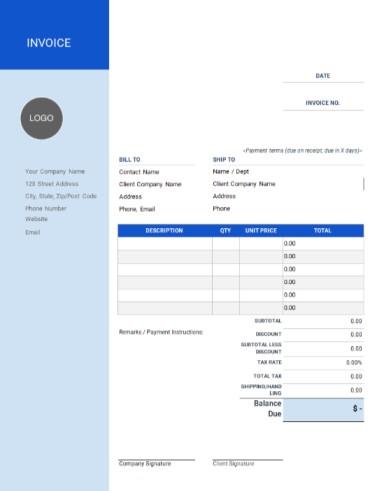
This Graphic
Artist template is a formal, stylish document, making it an
excellent choice for artists or studios that sell physical products like
prints or merchandise. Its layout is uniquely defined by a strong, solid
blue vertical sidebar that holds the company information, logo, and
"INVOICE" title.
Built for professionals selling goods, this structure includes
comprehensive fields like BILL TO, SHIP TO, and SHIPPING/HANDLING, and
even adds Company Signature and Client Signature lines, making it
perfect for projects that require a formal sign-off.
Graphic Artist Graphic Design Invoice Template
A
Smarter Way to Create Graphic Design Invoices: WPS Invoice
Generator
Downloading a good Word template is a fantastic starting point. As a
designer, however, I'm sure you've felt that frustration of manually
updating project details, deliverables, and rates for every single
client. It is a time-consuming task that takes you away from your actual
creative work.
WPS Writer
Working with these downloaded templates effectively requires a good
tool. I find WPS Invoice
Generator is excellent for this, as it lets you easily
open the Word files, add your personal logo, and customize the fonts and colors to match your brand identity. It's specifically designed for
professionals who need a polished, client-ready invoice in just a few
clicks, letting you get back to your design projects.
Why Use WPS Invoice
Generator?
Ease of Use: Create and send a professional invoice in just a few clicks, saving you valuable administrative time.
Professionalism: Offers polished, designer-ready layouts that ensure you look credible and established.
Efficiency: Manage all your invoices and clients in one place, which is perfect for busy freelancers.
Customization: Easily add your personal logo, brand colors, and specific fields like usage rights.
AI Assistance: Helps you handle complex project billing by suggesting calculations and reducing errors.
How to
Create Your First Graphic Design Invoice with WPS
Getting started with the online generator is incredibly
straightforward. Here’s how you can edit your Word document invoice
template in WPS Office.
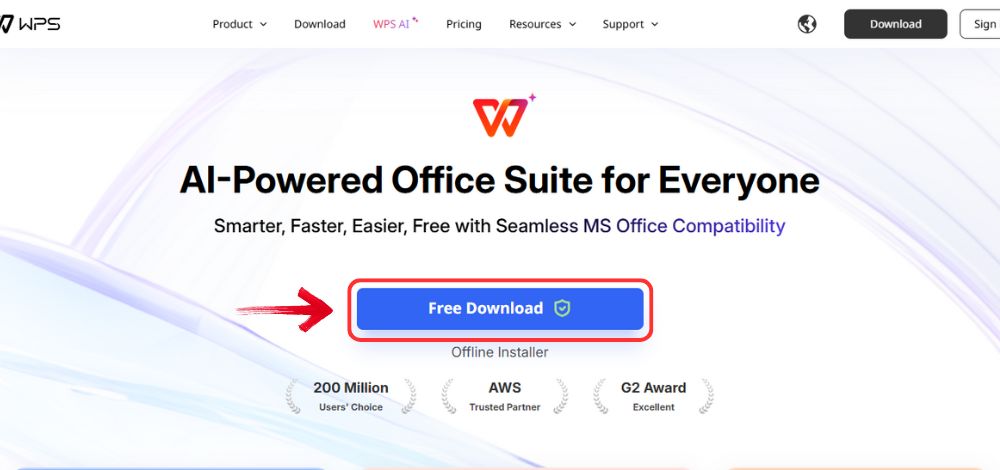
Step 1: Open your browser to visit WPS Office and click the "Free Download" button to start the download.
Download WPS Office
Step 2: The download will finish in a few seconds.
Once done, run the installation file like you would for any other app or
software.
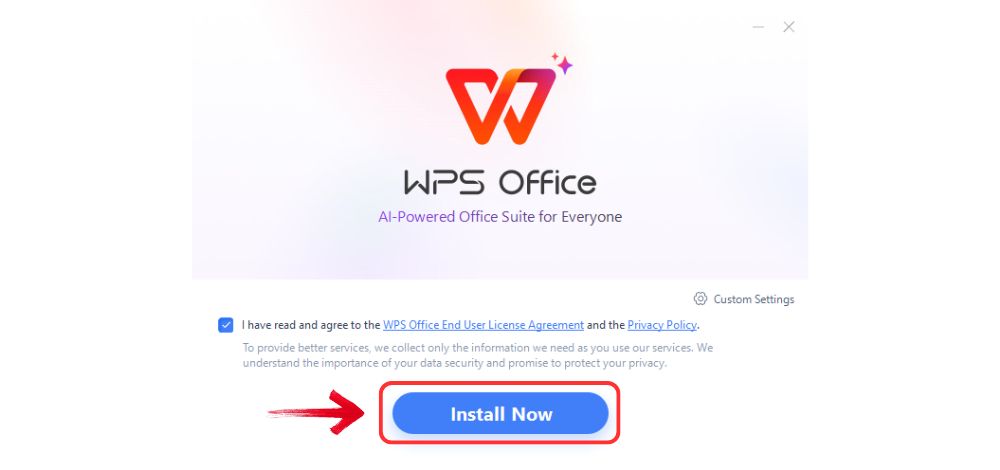
Step 3: WPS Office will show you a few simple terms
and conditions. Accept them, then click the "Install
Now" button to begin the installation.
Install WPS Office
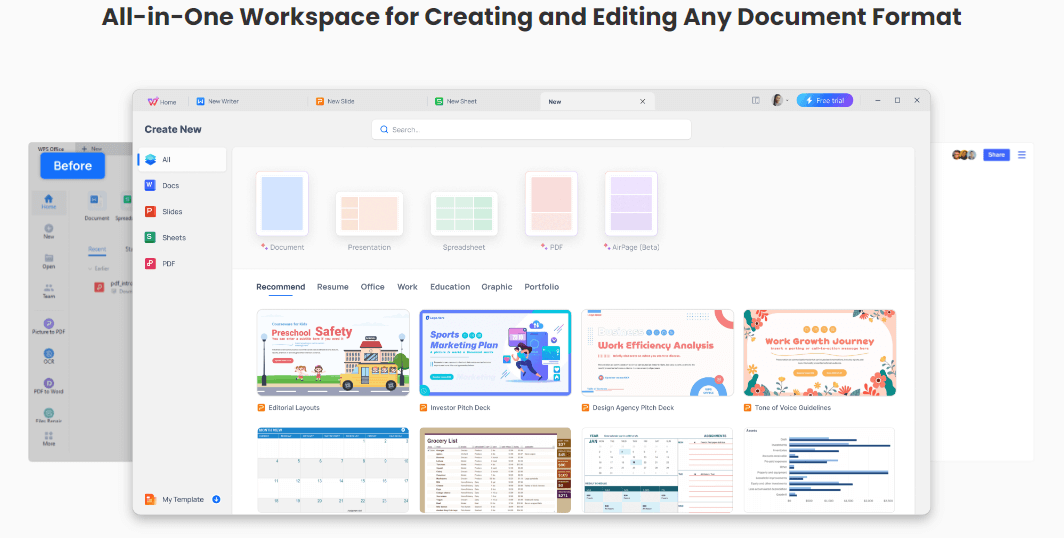
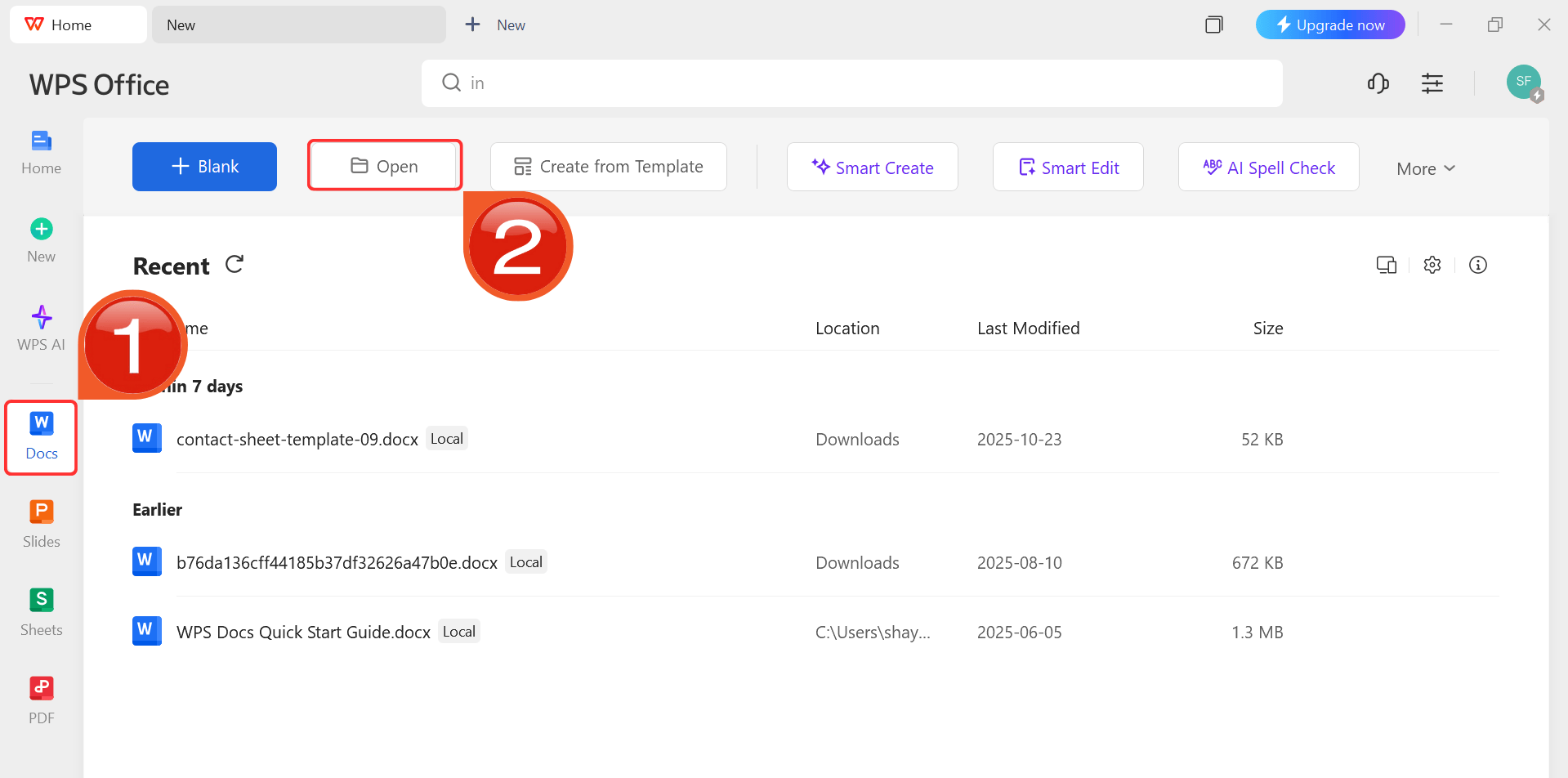
Step 4: After installation, in WPS Office, click “Docs” from the left sidebar and hit “Open” to select your downloaded template or select
from the template library in WPS Office.
WPS Docs Dashboard
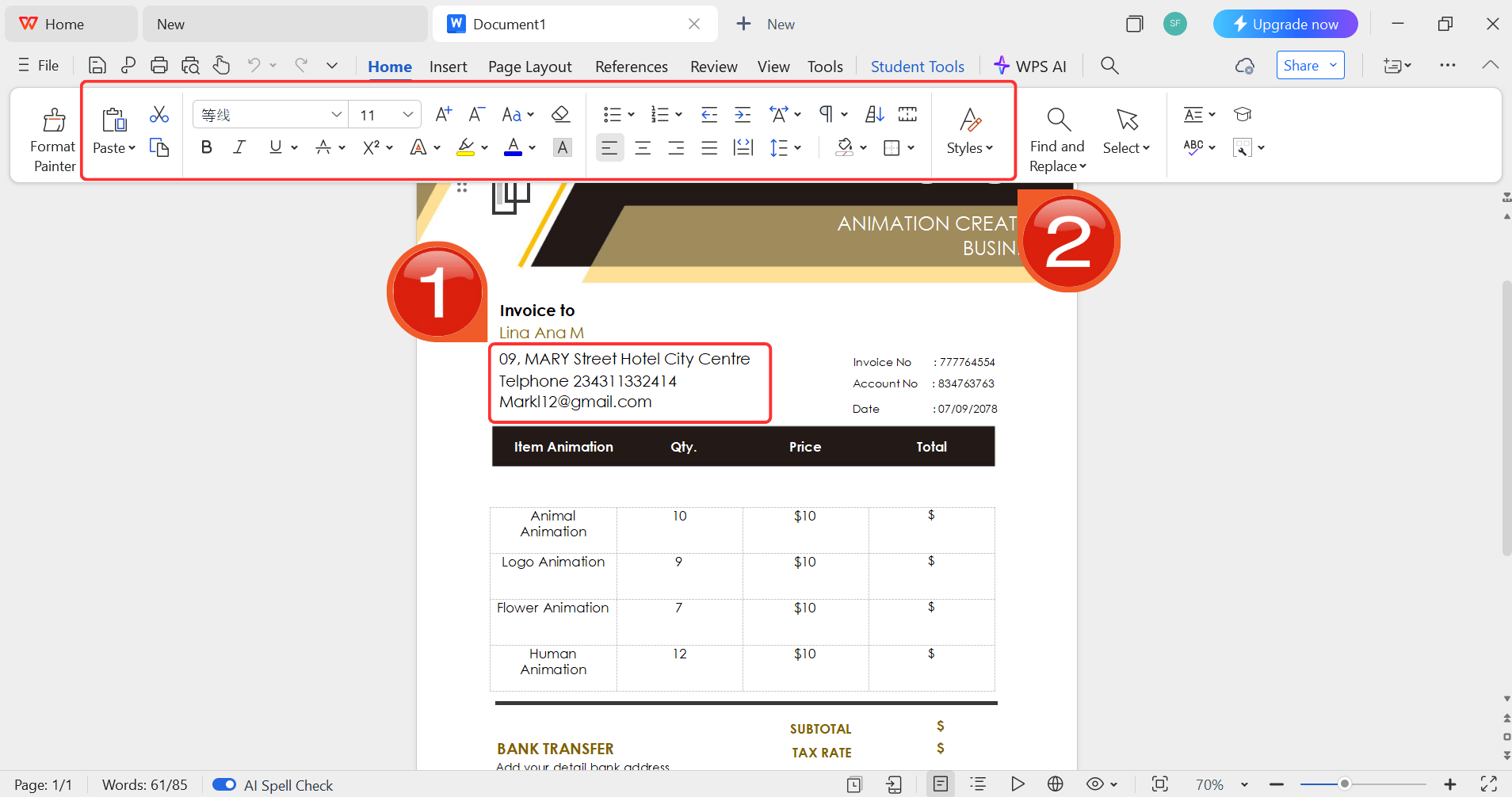
Step 5: Then click on the text you want to modify
and just enter your details within it by using the Ribbon above.
Customize your template
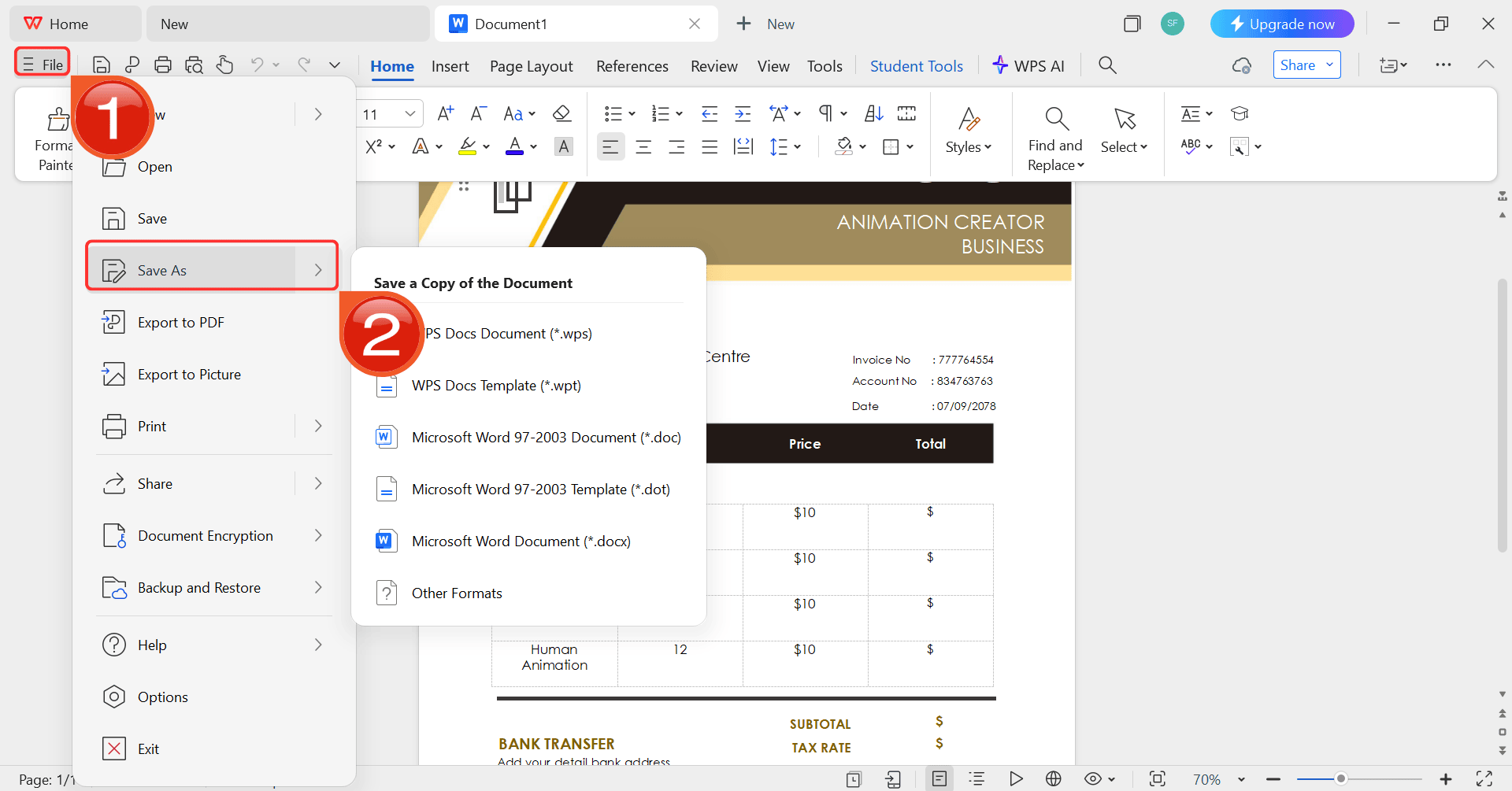
Step 6: After you’re done modifying the template,
head to “File” and choose “Save as” to
save the invoice in your desired format.
Save the invoice
100% secure
FAQs
Q1:
Can I customize these graphic design invoice templates with my own logo?
Yes, all templates are fully customizable; you can add your logo,
brand colors, and specific terms in Word or WPS Office.
Q2:
Are these templates suitable for both freelance and agency designers?
Absolutely. Whether you’re a freelancer or managing a team, these
templates adapt to your workflow.
Q3: In what
formats are these templates available?
All the templates listed are in Word, but you can also find PDF and
Excel versions in the WPS Template library.
Q4: How do I
send the completed invoice to a client?
You can save it as a PDF and email it directly, or print a hard copy
if required. I always recommend sending a PDF to lock the
formatting.
Q5:
What's the best way to list my services on a design invoice?
Be as specific as possible. Instead of just "Logo Design," try "Logo
Concept (3 Rounds)" and "Final Logo Files" as separate line items. This
shows clear value.
Q6: Should I charge
hourly or a fixed rate?
This depends on the project. Hourly rates are good for ongoing work
with a flexible scope. Fixed rates are excellent for defined
deliverables, like a single logo package or a website design.
Edit your Invoice Smoothly in WPS Invoice Generator
Getting your invoicing right is essential for any creative business. A clear graphic design invoice template is the first step to looking professional and getting paid without any hassle. While these Word templates are a fantastic start, I strongly recommend trying the WPS Invoice Generator. It’s a faster, more streamlined way to manage your billing, which frees you up to focus on what you do best: designing.
Expert in office suites and technology with a strong background in writing. I specialize in reviewing public health topics, delivering insightful, accurate content for diverse audiences in tech.


'%3e%3cpath%20d='M8%200C12.4183%200%2016%203.58172%2016%208C16%2012.4183%2012.4183%2016%208%2016C3.58172%2016%200%2012.4183%200%208C0%203.58172%203.58172%200%208%200ZM11.6162%204.38379C11.2257%203.99337%2010.5927%203.99338%2010.2021%204.38379L8%206.58594L5.79785%204.38379C5.40732%203.99334%204.77429%203.99329%204.38379%204.38379C3.99331%204.77429%203.99335%205.40733%204.38379%205.79785L6.58594%208L4.38379%2010.2021C3.99348%2010.5927%203.99341%2011.2257%204.38379%2011.6162C4.77426%2012.0066%205.40734%2012.0065%205.79785%2011.6162L8%209.41406L10.2021%2011.6162C10.5927%2012.0066%2011.2257%2012.0067%2011.6162%2011.6162C12.0067%2011.2257%2012.0066%2010.5927%2011.6162%2010.2021L9.41406%208L11.6162%205.79785C12.0066%205.40735%2012.0066%204.77429%2011.6162%204.38379Z'%20fill='%23080E17'%20fill-opacity='0.46'/%3e%3c/g%3e%3cdefs%3e%3cclipPath%20id='clip0_3761_713'%3e%3crect%20width='16'%20height='16'%20fill='white'/%3e%3c/clipPath%3e%3c/defs%3e%3c/svg%3e)




'%3e%3cpath%20fill-rule='evenodd'%20clip-rule='evenodd'%20d='M21.4999%2010.9993C21.4999%205.20009%2016.7986%200.498901%2010.9993%200.498901C5.19994%200.498901%200.498657%205.20009%200.498657%2010.9993C0.498657%2016.2404%204.33858%2020.5844%209.35855%2021.3722V14.0346H6.69238V10.9993H9.35855V8.68594C9.35855%206.05427%2010.9262%204.60062%2013.3248%204.60062C14.4736%204.60062%2015.6753%204.80571%2015.6753%204.80571V7.38979H14.3512C13.0468%207.38979%2012.64%208.19921%2012.64%209.0296V10.9993H15.5523L15.0867%2014.0346H12.64V21.3722C17.66%2020.5844%2021.4999%2016.2404%2021.4999%2010.9993Z'%20fill='%231568EA'/%3e%3c/g%3e%3c/svg%3e)


'%3e%3cpath%20d='M2.42045%2022.1876H6.31818V12.7217L0.75%208.54553V20.5171C0.75%2021.4414%201.49892%2022.1876%202.42045%2022.1876Z'%20fill='%234285F4'/%3e%3cpath%20d='M19.682%2022.1876H23.5797C24.5041%2022.1876%2025.2502%2021.4387%2025.2502%2020.5171V8.54553L19.682%2012.7217'%20fill='%2334A853'/%3e%3cpath%20d='M19.682%205.48293V12.7216L25.2502%208.54543V6.31816C25.2502%204.25236%2022.8921%203.07469%2021.2411%204.31361'%20fill='%23FBBC04'/%3e%3cpath%20d='M6.31824%2012.7217V5.48303L13.0001%2010.4944L19.6819%205.48303V12.7217L13.0001%2017.733'%20fill='%23EA4335'/%3e%3cpath%20d='M0.75%206.31816V8.54543L6.31818%2012.7216V5.48293L4.75909%204.31361C3.10534%203.07469%200.75%204.25236%200.75%206.31816Z'%20fill='%23C5221F'/%3e%3c/g%3e%3cdefs%3e%3cclipPath%20id='clip0_2954_7305'%3e%3crect%20width='24.5'%20height='18.375'%20fill='white'%20transform='translate(0.75%203.8125)'/%3e%3c/clipPath%3e%3c/defs%3e%3c/svg%3e)




'%3e%3cpath%20d='M19.9911%204.11386V6.471H18.5894C18.0775%206.471%2017.7322%206.57814%2017.5536%206.79243C17.3751%207.00671%2017.2858%207.32814%2017.2858%207.75671V9.44421H19.9019L19.5536%2012.0871H17.2858V18.8639H14.5536V12.0871H12.2769V9.44421H14.5536V7.49779C14.5536%206.39064%2014.8632%205.53201%2015.4822%204.92189C16.1013%204.31177%2016.9257%204.00671%2017.9554%204.00671C18.8304%204.00671%2019.509%204.04243%2019.9911%204.11386Z'%20fill='%23333333'/%3e%3c/g%3e%3cdefs%3e%3cclipPath%20id='clip0_2938_8199'%3e%3crect%20width='16'%20height='16'%20fill='white'%20transform='translate(8%204.00671)'/%3e%3c/clipPath%3e%3c/defs%3e%3c/svg%3e)
'%3e%3cpath%20d='M17.5237%2010.7813L23.4811%204H22.0699L16.8949%209.88693L12.7648%204H8L14.2469%2012.9029L8%2020.0133H9.4112L14.8725%2013.7952L19.2352%2020.0133H24M9.92053%205.04213H12.0885L22.0688%2019.0224H19.9003'%20fill='%23333333'/%3e%3c/g%3e%3cdefs%3e%3cclipPath%20id='clip0_2938_8200'%3e%3crect%20width='16'%20height='16.0134'%20fill='white'%20transform='translate(8%204)'/%3e%3c/clipPath%3e%3c/defs%3e%3c/svg%3e)


