Turning a document, outline, or block of text into a presentation used to mean copying content into slides and formatting everything by hand. Text-to-presentation AI tools can now handle much of that first-pass work automatically.
But generating slides is only half the job. A useful tool also needs to produce a logical structure, keep formatting consistent, let you edit the result, and export a presentation you can actually use.
In this guide, we compare five text-to-presentation AI tools for 2026: WPS AI Slides, Presentations.AI, SlideSpeak, Beautiful.ai, and Gamma. We look at how each tool handles text and document input, slide generation, editing, collaboration, export, and pricing so you can choose the right option for your workflow.
Text to Presentation AI Tools
Top 5 Text to Presentation
AI Tools
If you already have the content, the best AI presentation tools should help with more than generating attractive slides. They should understand the source material, organize it into a sensible presentation structure, and leave you with an editable deck rather than a design mockup.
Here are five tools worth considering in 2026.
1. WPS AI Slides
Best for: Turning existing documents and text into editable PowerPoint presentations.
WPS AI
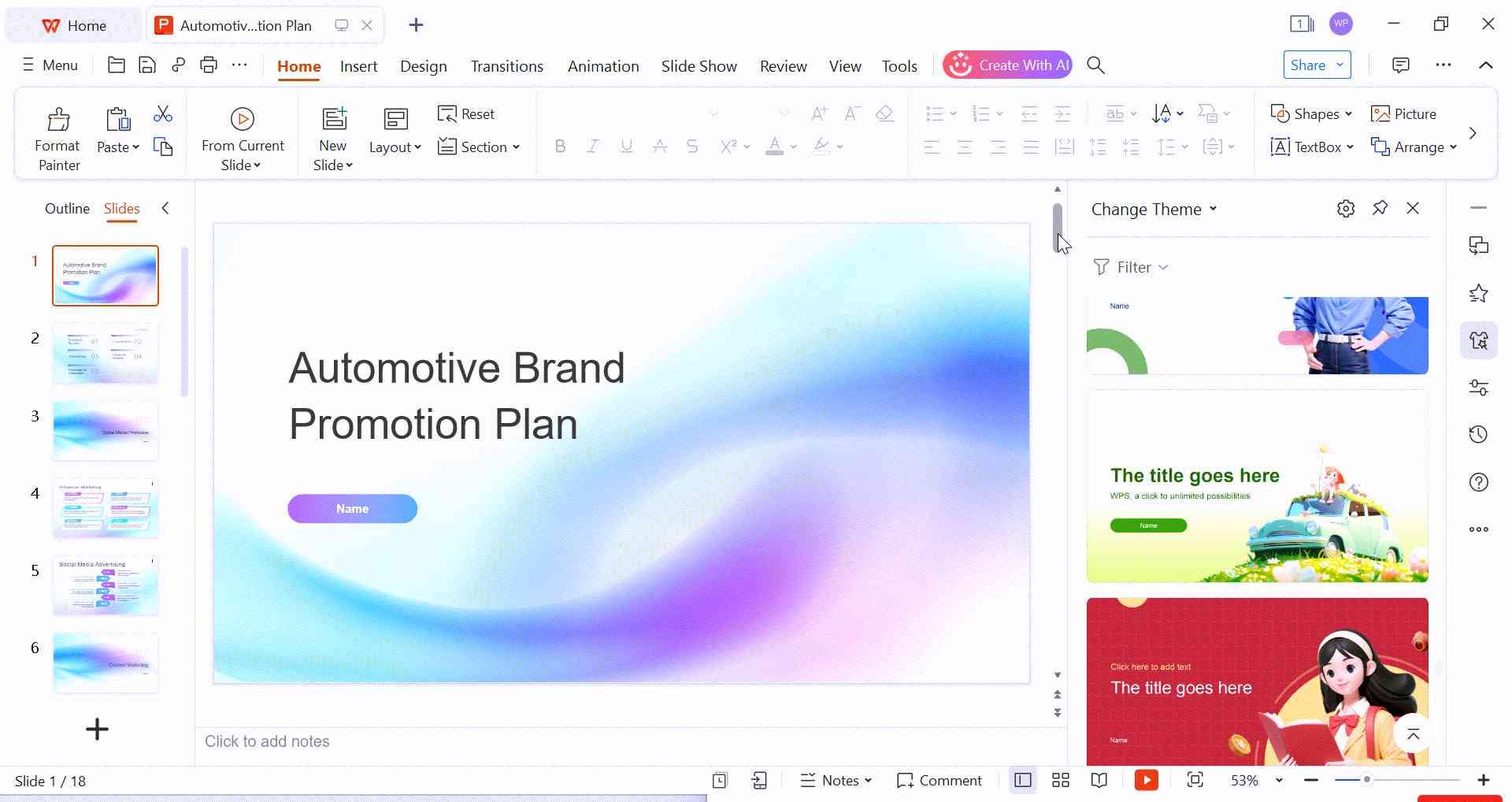
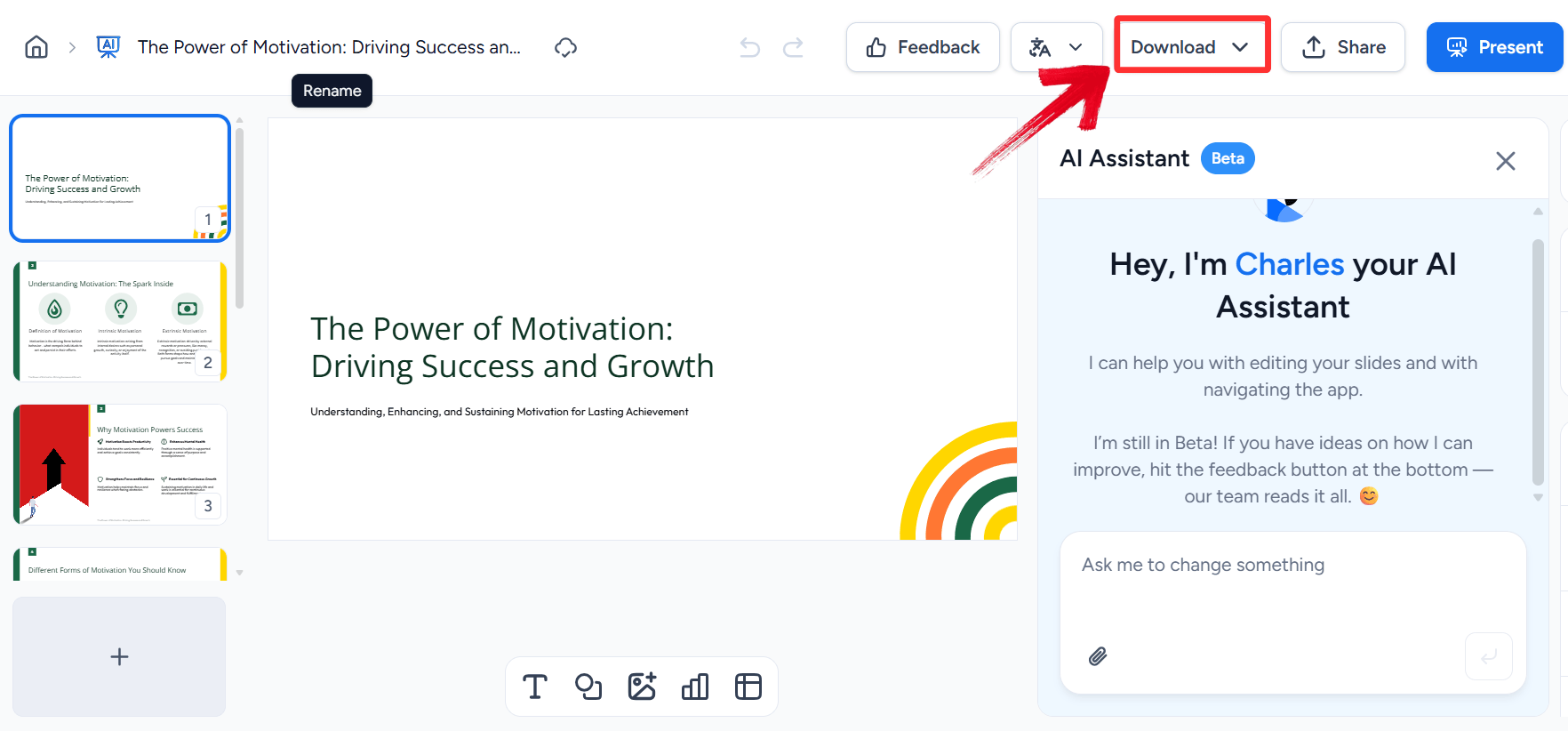
Slides is built into WPS Office and can turn text, outlines, documents, and other source material into structured presentations. Instead of moving content between separate writing and presentation tools, you can generate the deck and continue editing it within the WPS Office environment.
WPS AI Slides
This makes WPS AI Slides particularly useful when your presentation starts as a Word document, PDF, report, notes, or other existing content. It also supports standard PowerPoint workflows, so the generated presentation can be edited and shared as a PPTX file.
Key features
Text-to-presentation generation: Turn written content into a structured slide deck.
Document-based input: Use existing Word documents, PDFs, and other supported content as presentation sources.
AI content assistance: Rewrite, expand, summarize, and refine slide content.
Automated layouts: Apply presentation layouts based on the content.
PPTX compatibility: Continue editing the generated presentation in a familiar Office-style environment.
All-in-one workflow: Work with presentations, documents, spreadsheets, and PDFs in the same WPS Office ecosystem.
Best for
WPS AI Slides is a good fit for students, professionals, educators, and businesses that already have source material and want to turn it into an editable presentation without rebuilding the deck manually.
What makes it different
The main advantage is not simply AI slide generation. It is the connection between source documents, AI assistance, presentation editing, and Office-compatible output. That matters when the presentation is part of a larger document workflow rather than a one-off visual deck.
How to Use:
Getting started is incredibly intuitive because the tool lives right
inside your presentation software, eliminating the need to switch tabs.
Here is how to turn your text into slides in just a few clicks:
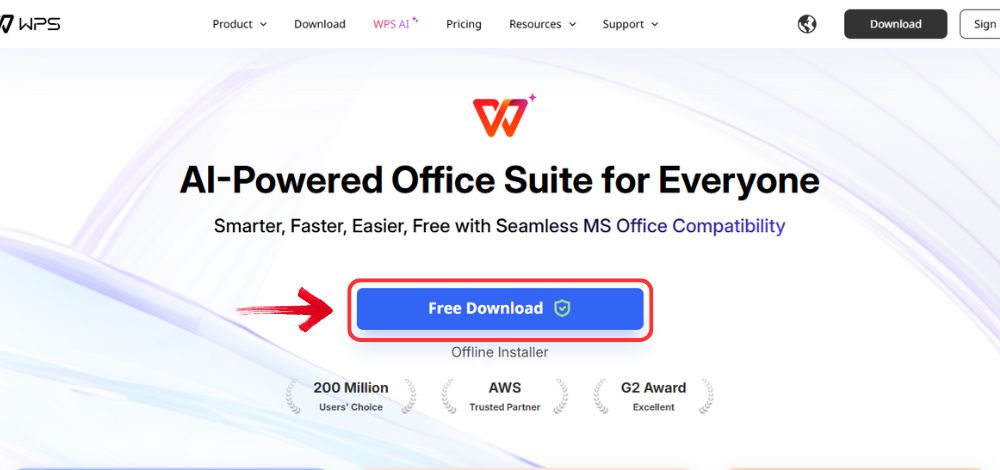
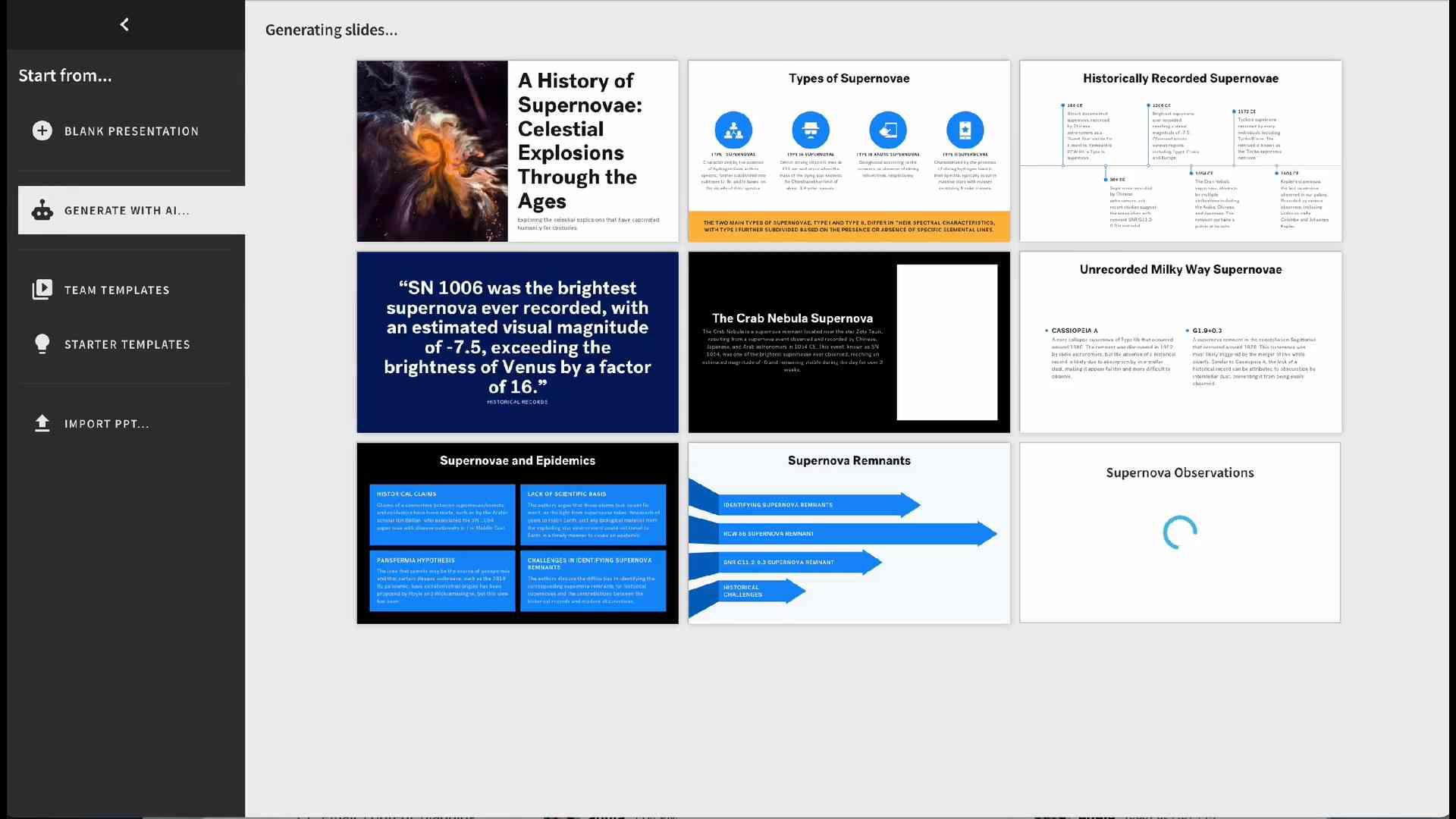
Step 1: Open your browser to visit WPS Office and click the"Free Download" button to start the download.
Download WPS Office
Step 2: The download will finish in a few seconds.
Once done, run the installation file like you would for any other app or
software.
Step 3: WPS Office will show you a few simple terms
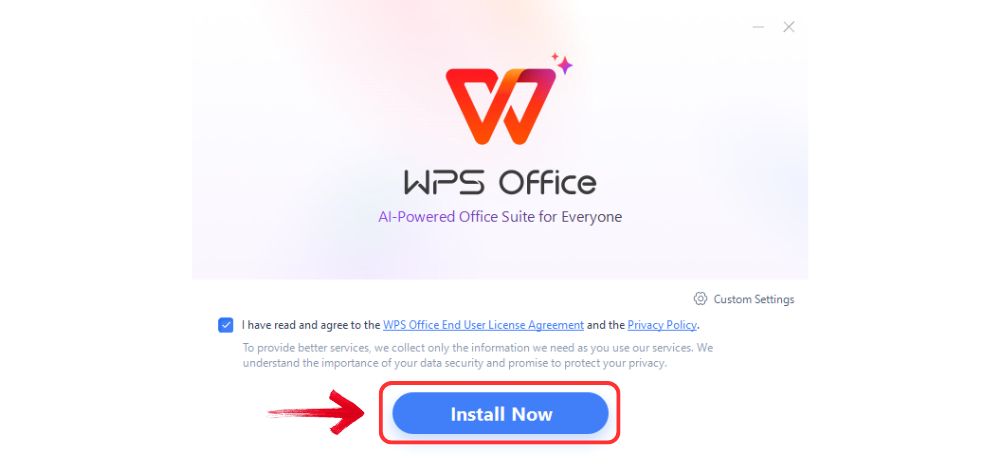
and conditions. Accept them, then click the "Install
Now" button to begin the installation.
Install WPS Office
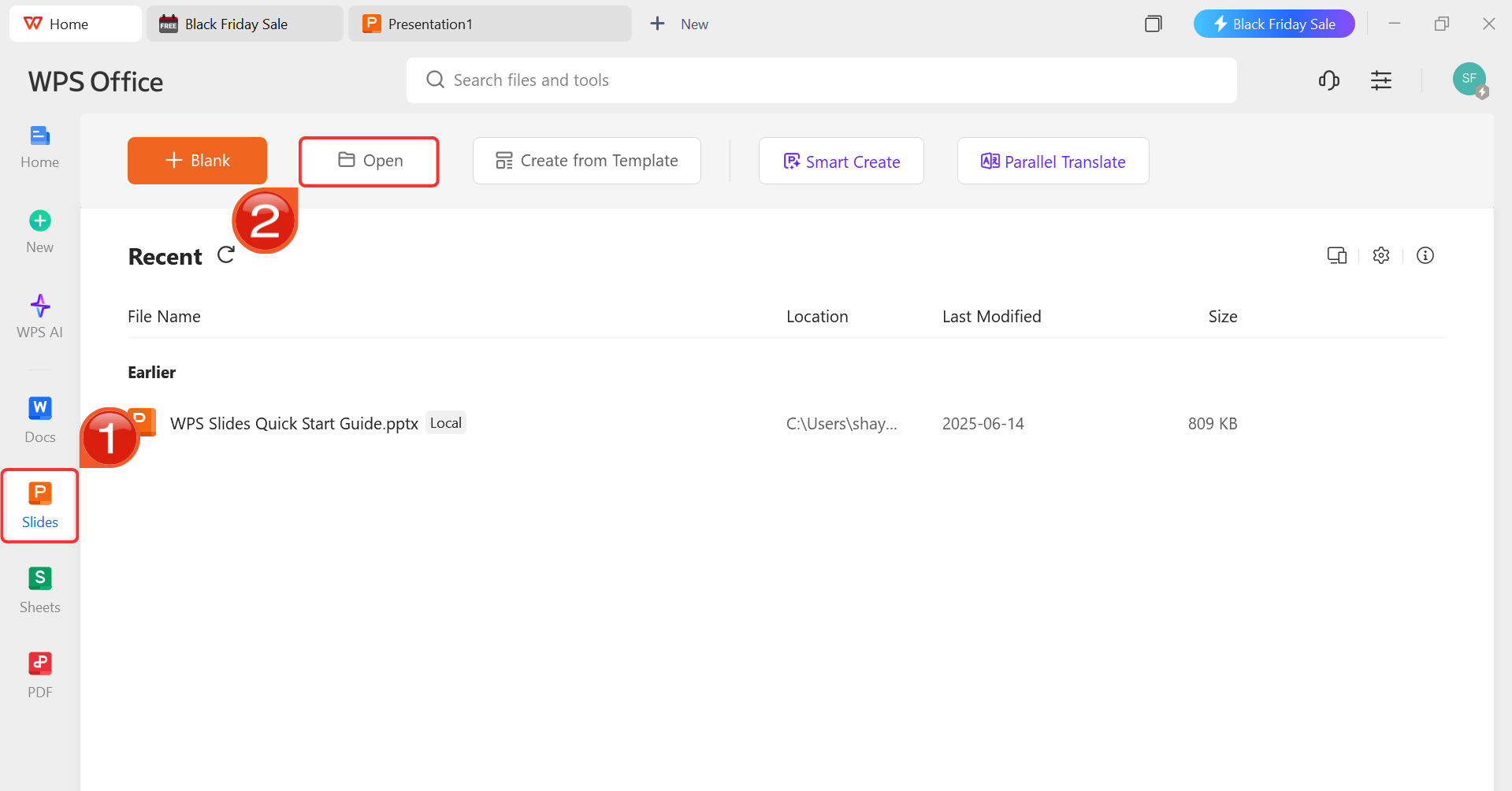
Step 4: After installation, in WPS Office, click“Slides” from the left sidebar and hit“Open” to open your presentation in WPS Office.
WPS Slides Dashboard
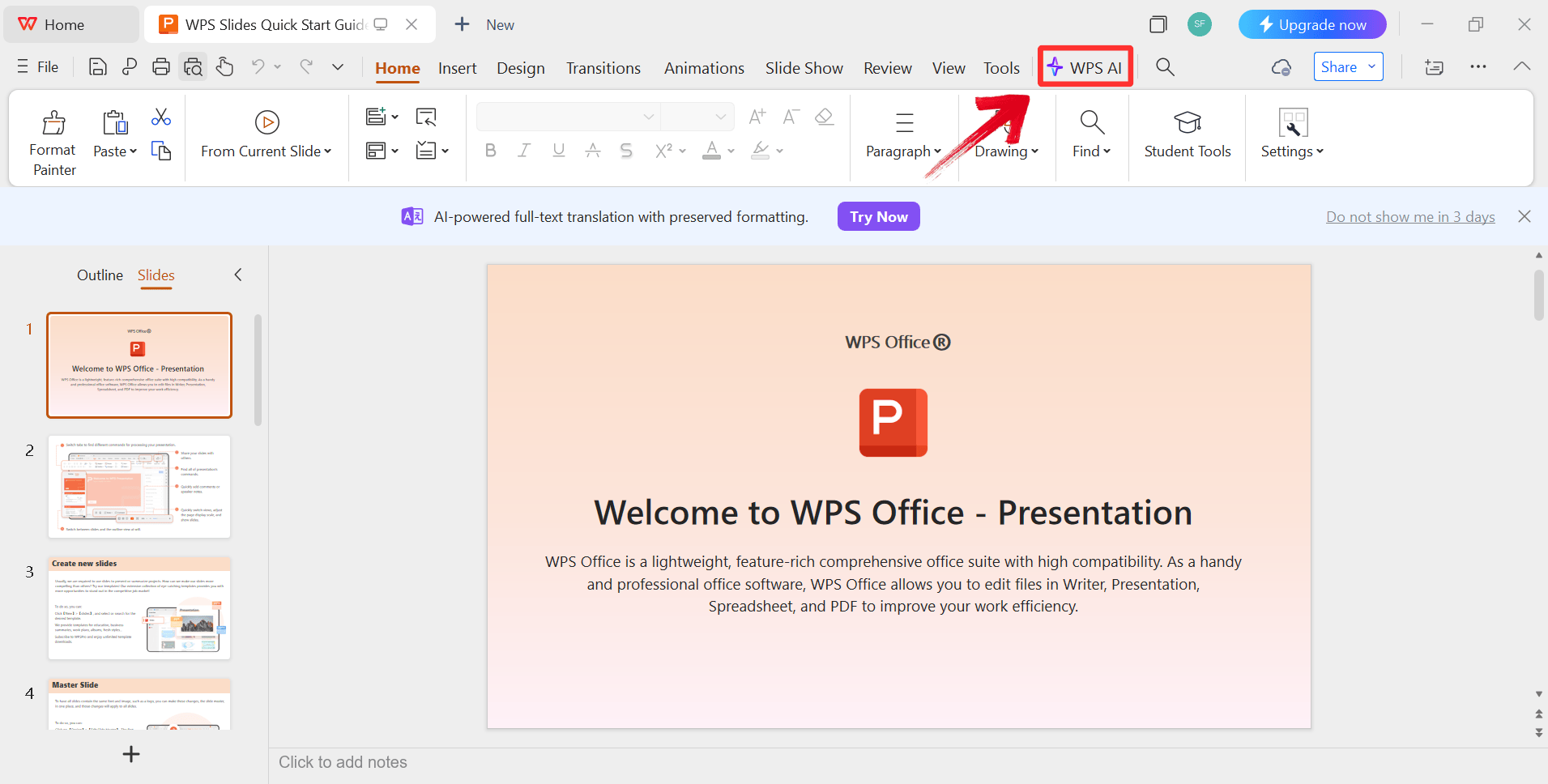
Step 5: Click on the "WPS AI" icon
in the ribbon to start enhancing your content.
Open WPS AI
Step 6: Use the AI to expand on bullet points or
generate new visual layouts.
Use AI Features
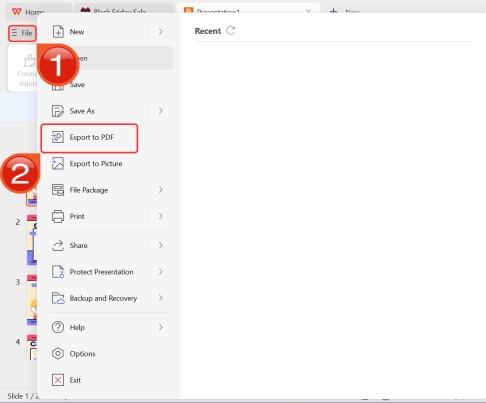
Step 7: After you’re done modifying the
Presentation, head to “File” and choose “Export
to PDF” to save the Slides in your desired format.
Export as PDF
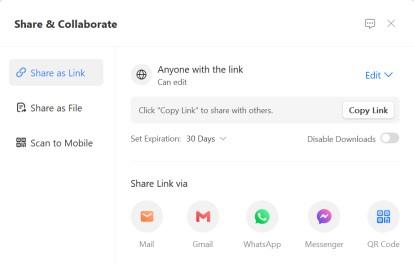
Step 8: You can also share the link to your document
with others to enable collaborative work in case they want to make their
own changes as well.
Share link
2. Presentations.AI Text to
PPT
Best for: Text-to-PowerPoint workflows and brand consistency
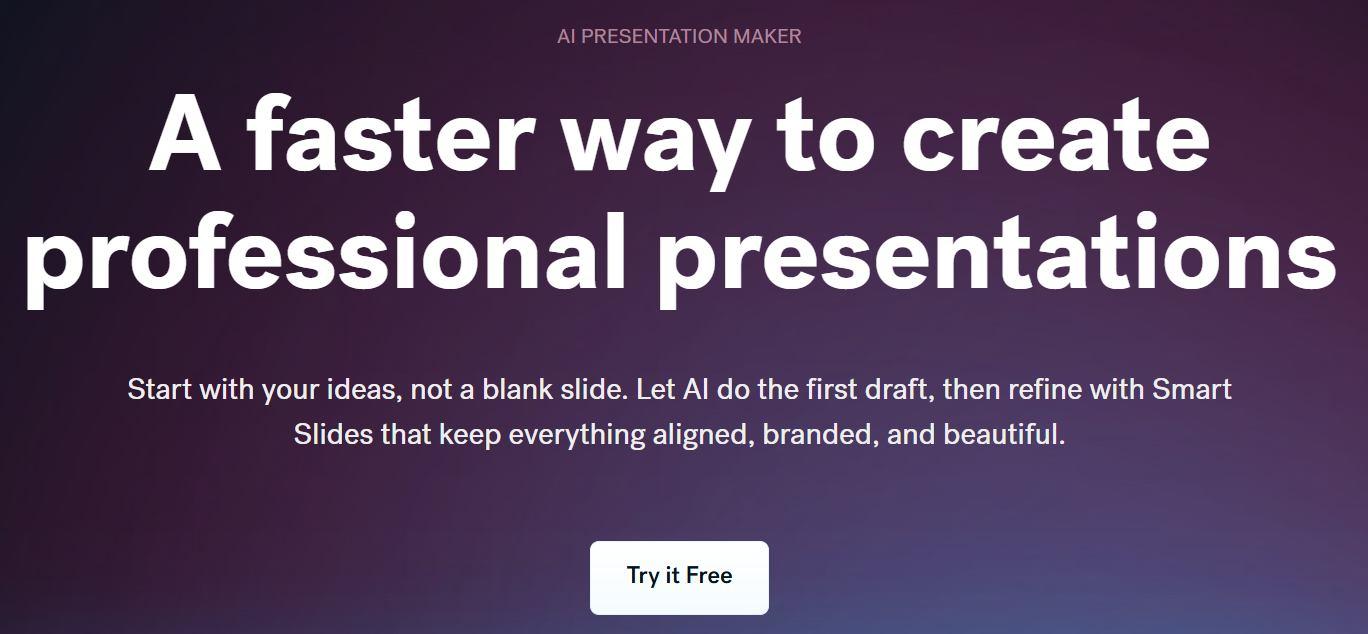
Presentations.AI focuses on turning written instructions and source material into presentation decks while maintaining consistent visual styling. It is particularly relevant for marketing and business teams that need presentations to follow a recognizable brand style.
Presentation AI Slides
The tool is designed to reduce the amount of manual formatting required after the initial deck is generated.
Key features
Text-to-presentation generation
AI-assisted slide structure
Brand and visual consistency
Presentation templates
Collaboration features
Presentation sharing and export options
Best for
Presentations.AI is a good option for business and marketing teams that create presentations regularly and want more control over brand consistency.
What to consider
Its biggest value comes from maintaining a consistent presentation style across decks. If your priority is simply converting a long document into a standard editable PPTX as quickly as possible, compare its document workflow and export options with tools such as WPS AI Slides and SlideSpeak before choosing.
How to Use:
The platform is designed for speed, so you won't need to spend hours
learning a new interface or adjusting text boxes. Follow these steps to
generate your first brand-compliant deck:
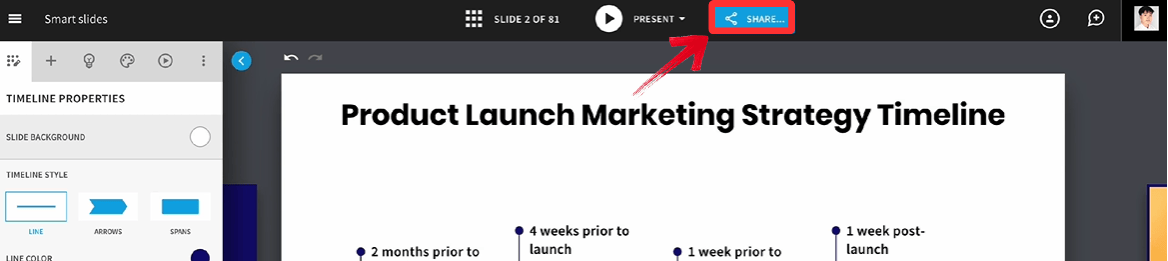
Step 1: First, head on over to the Presentations.AI website and
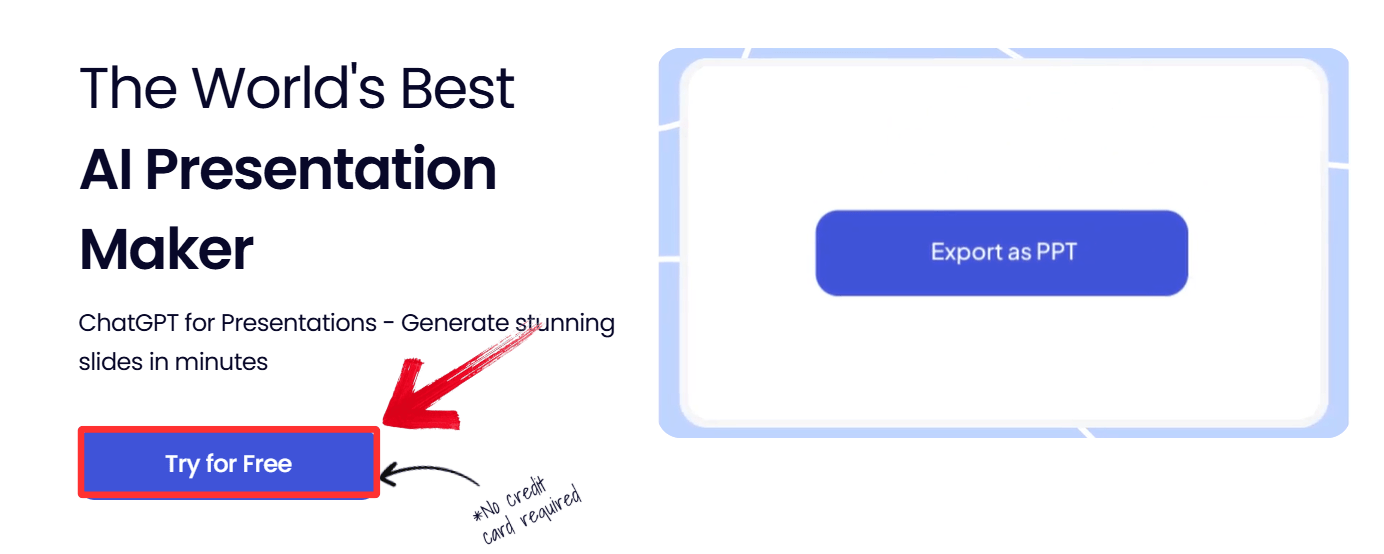
click on the “Try for Free” button, and create an
account on the Presentations.AI dashboard.
Try Presentation AI for free
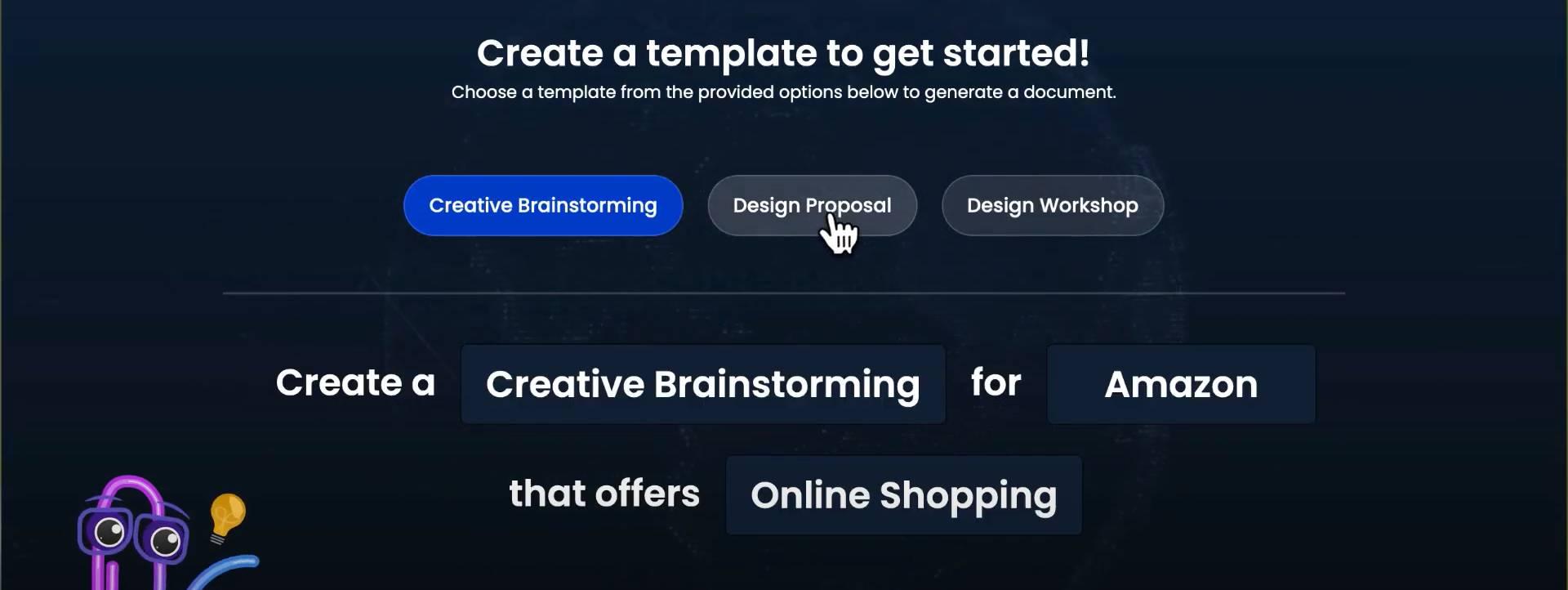
Step 2: Select a template style that matches your
company branding.
Select a Template
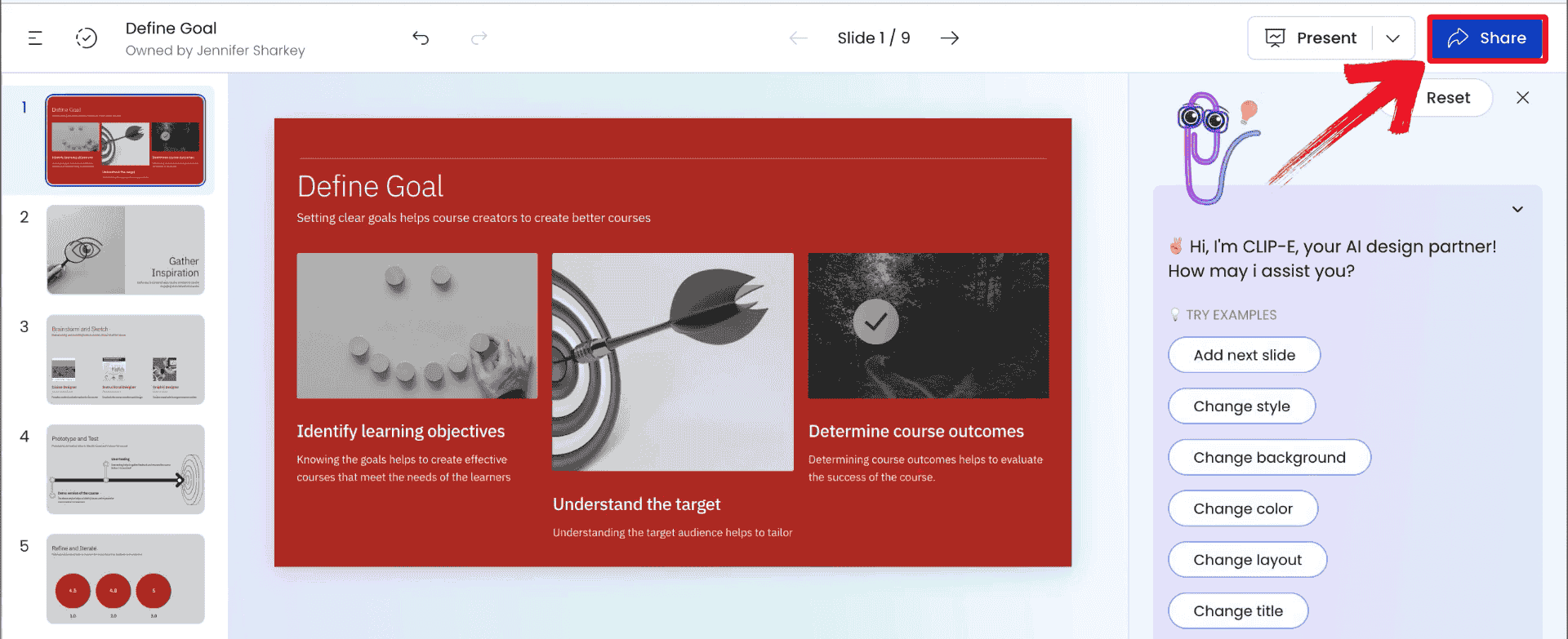
Step 3: Let the AI build the deck, then customize
specific slides, and then click “Share” to export,
although this feature might only be for premium subscribers.
Export the PPT
3. SlideSpeak AI
Presentation Generator
Best for: Turning documents and reports into presentations
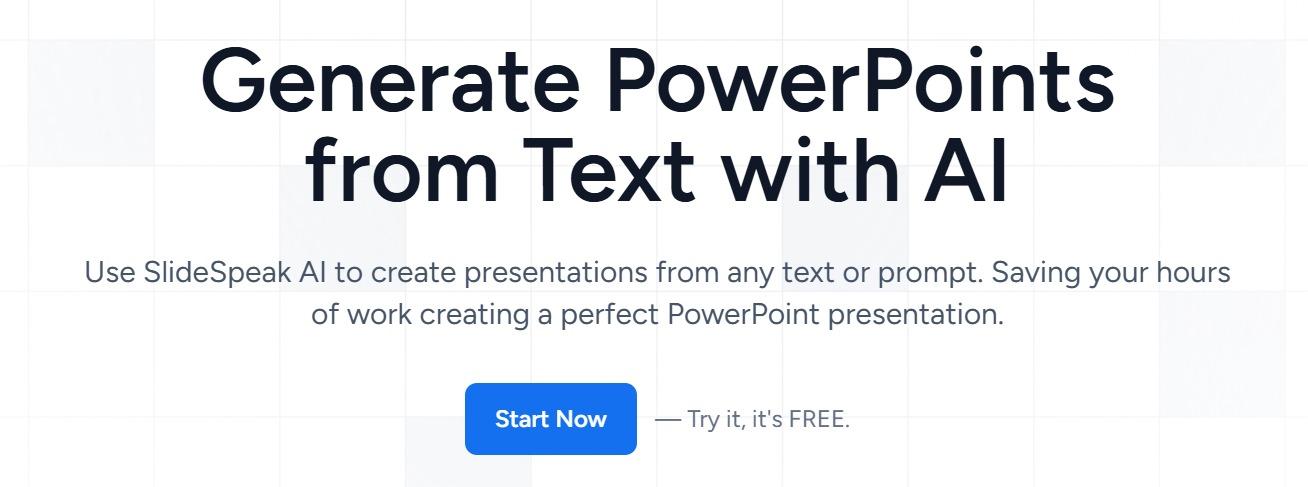
SlideSpeak takes a document-first approach to AI presentation generation. Instead of starting with a blank presentation and writing a prompt from scratch, you can provide source material such as a PDF or Word document and use AI to turn the content into a presentation.
SlideSpeak AI Presentation Generator
That makes it particularly useful for people who already have the information written and need to convert it into slides.
Key features
PDF and document upload
AI-powered content summarization
Automatic slide structuring
Presentation generation from existing files
PPTX and PDF export options
AI-assisted presentation editing
Best for
SlideSpeak is best suited to professionals, analysts, educators, and students who regularly need to turn reports, documents, or research material into presentations.
What to consider
The document-first workflow can save considerable time when the source material is already well structured. However, as with any automated presentation generator, you should review the generated slides for missing context, excessive summarization, and formatting before presenting them.
How to Use:
Transforming a dense document into a presentation is a
straightforward upload-and-go process that requires minimal manual
input. Here is the quickest way to get your summary slides ready:
Step 1: Visit the SlideSpeakwebsite and upload your source file (PDF or Word).
SlideSpeak AI Presentation Generator
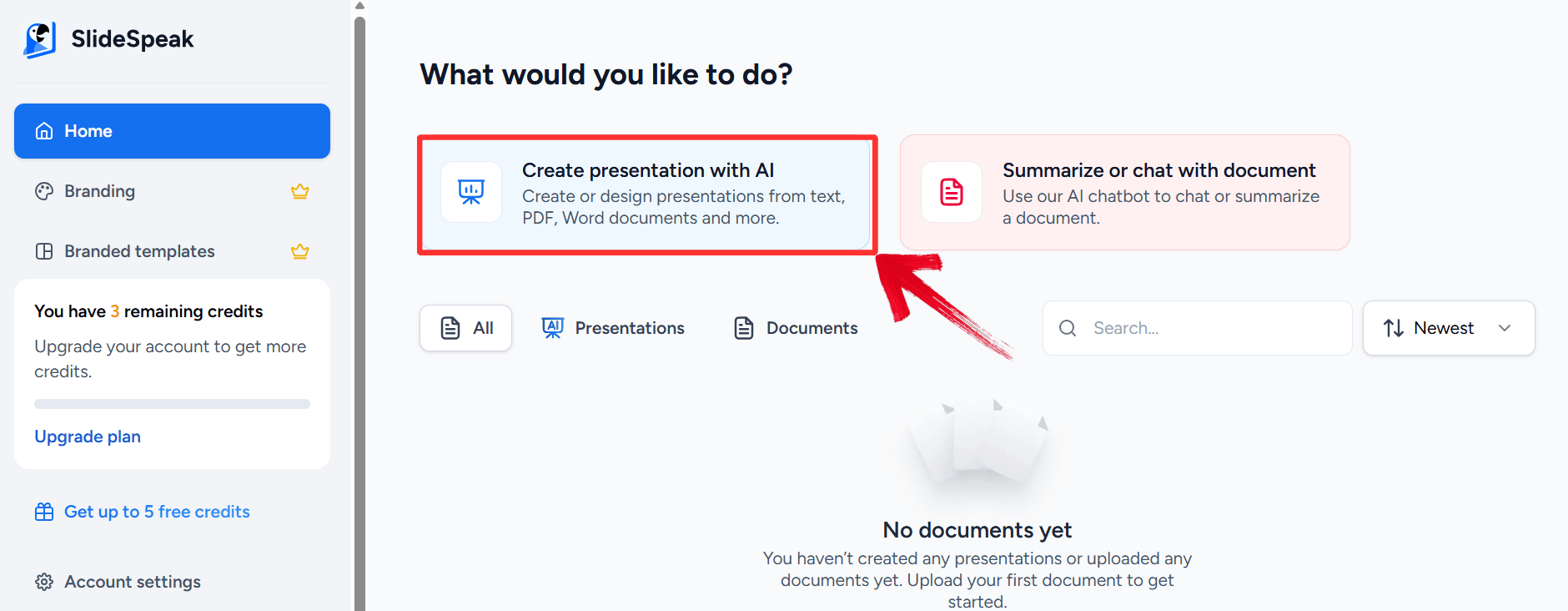
Step 2: After logging in to your account, click the"Create Presentation with AI" option from the file
menu.
Create a presentation with AI
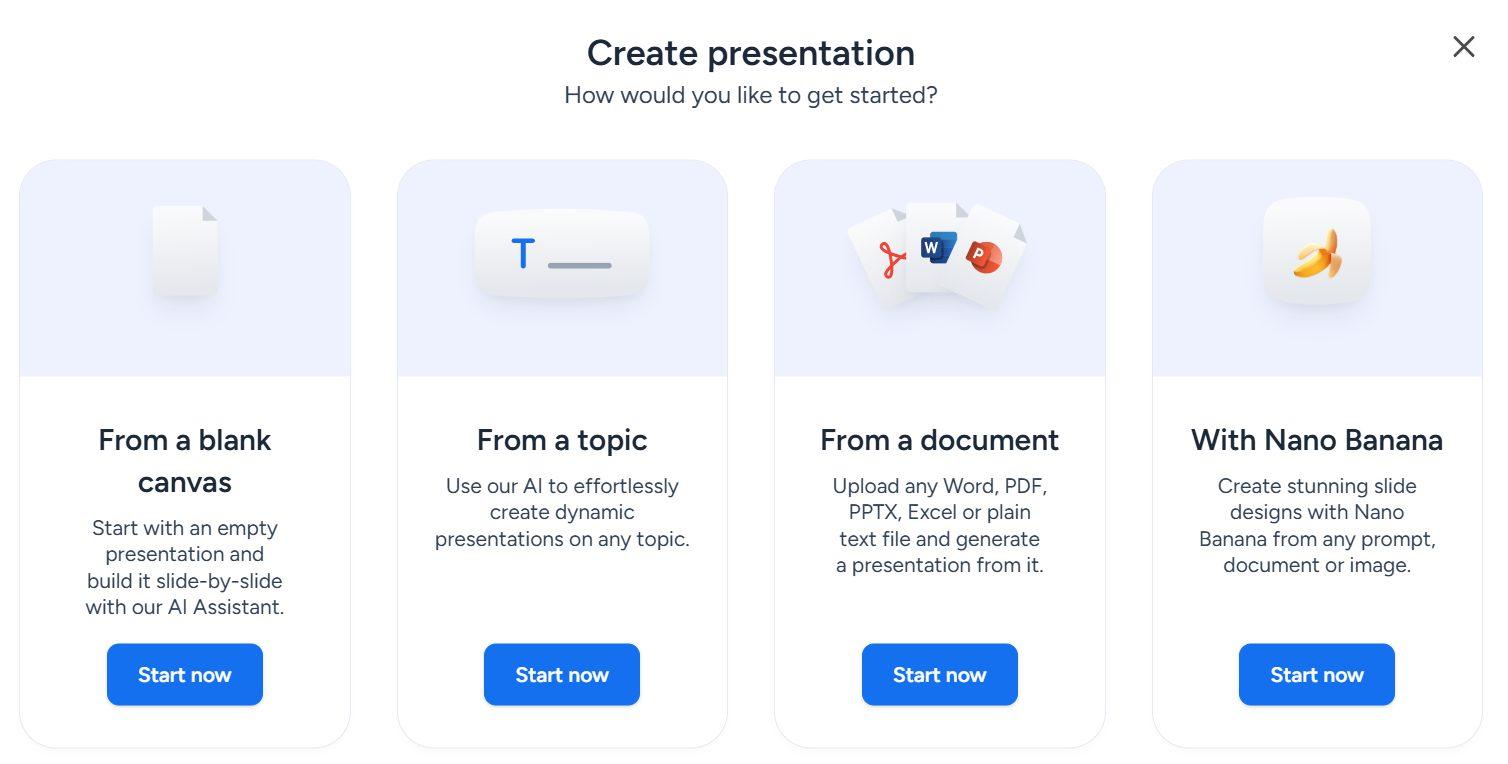
Step 3: From the pop-up, select how you would like
to create your presentation.
Select preference
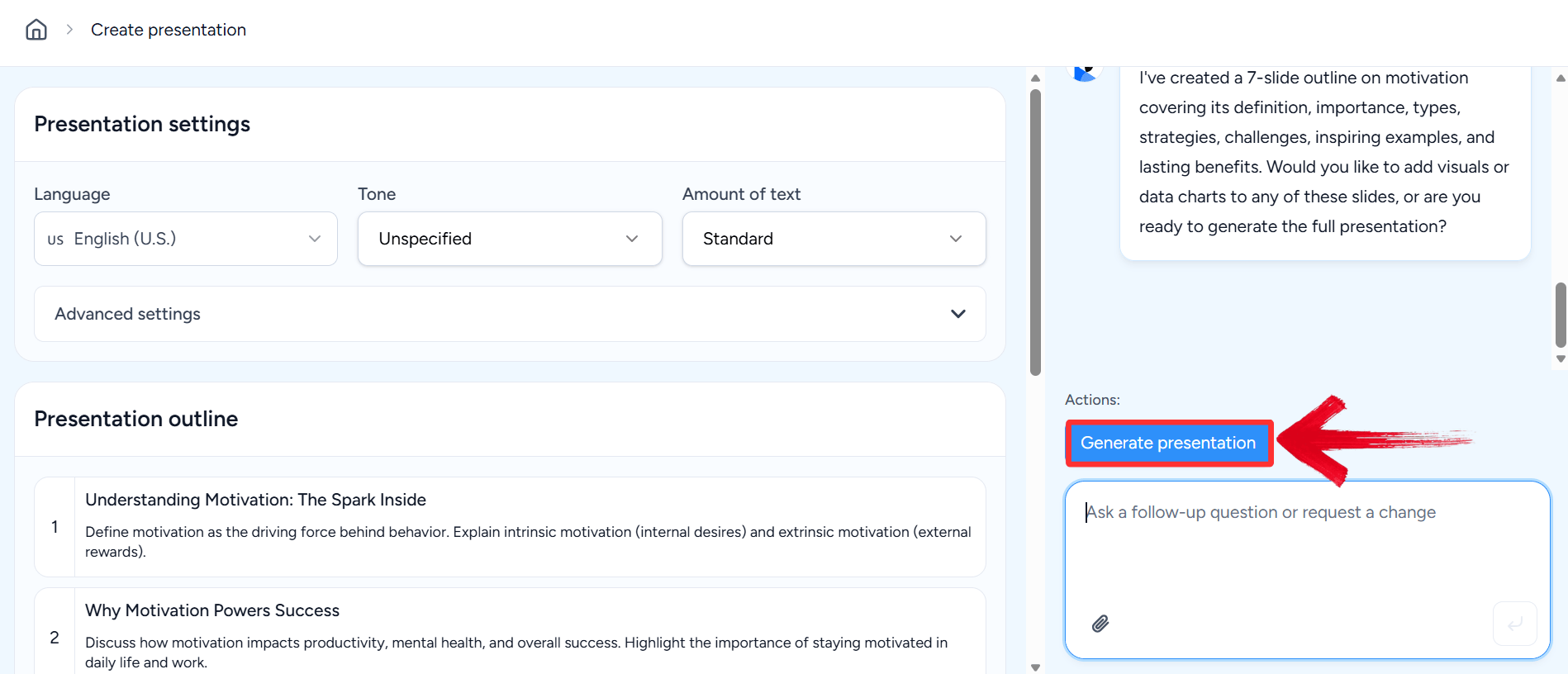
Step 4: Enter your prompt and click“Generate presentation” and review the generated slide
content.
Enter prompt and settings
Step 5: Once the AI has generated the presentation,
review your presentation and click “Download” if no
further changes are to be made.
Export PPT
4. Beautiful.AI Text to
Presentation
Best for: Automatically maintaining polished slide layouts
Beautiful.AItakes a design-first approach to presentation generation. Its AI-assisted workflow combines text-to-presentation capabilities with automated layout rules that adjust slides as content changes.
Beautiful.AI Text to Presentation
Instead of giving users complete freedom over every design element, the platform uses design constraints to help keep slides aligned and visually consistent.
Key features
AI-assisted presentation creation
Smart slide layouts
Automatic spacing and alignment
Presentation templates
Brand customization
Team collaboration
Presentation sharing and export
Best for
Beautiful.ai is a strong choice for teams that care about visual consistency but do not want to manually format every slide.
What to consider
The same design rules that make Beautiful.ai easy to use can also limit flexibility. If you need complete control over individual objects and complex slide layouts, a more traditional presentation editor may be a better fit.
How to Use:
While the design engine underneath is complex, the actual user
controls are surprisingly simple and conversational. Here is how to use
the DesignerBot to build your deck:
Step 1: Log in to Beautiful.AI and start a new
presentation with "DesignerBot".
Beautiful.AI Text to Presentation interface
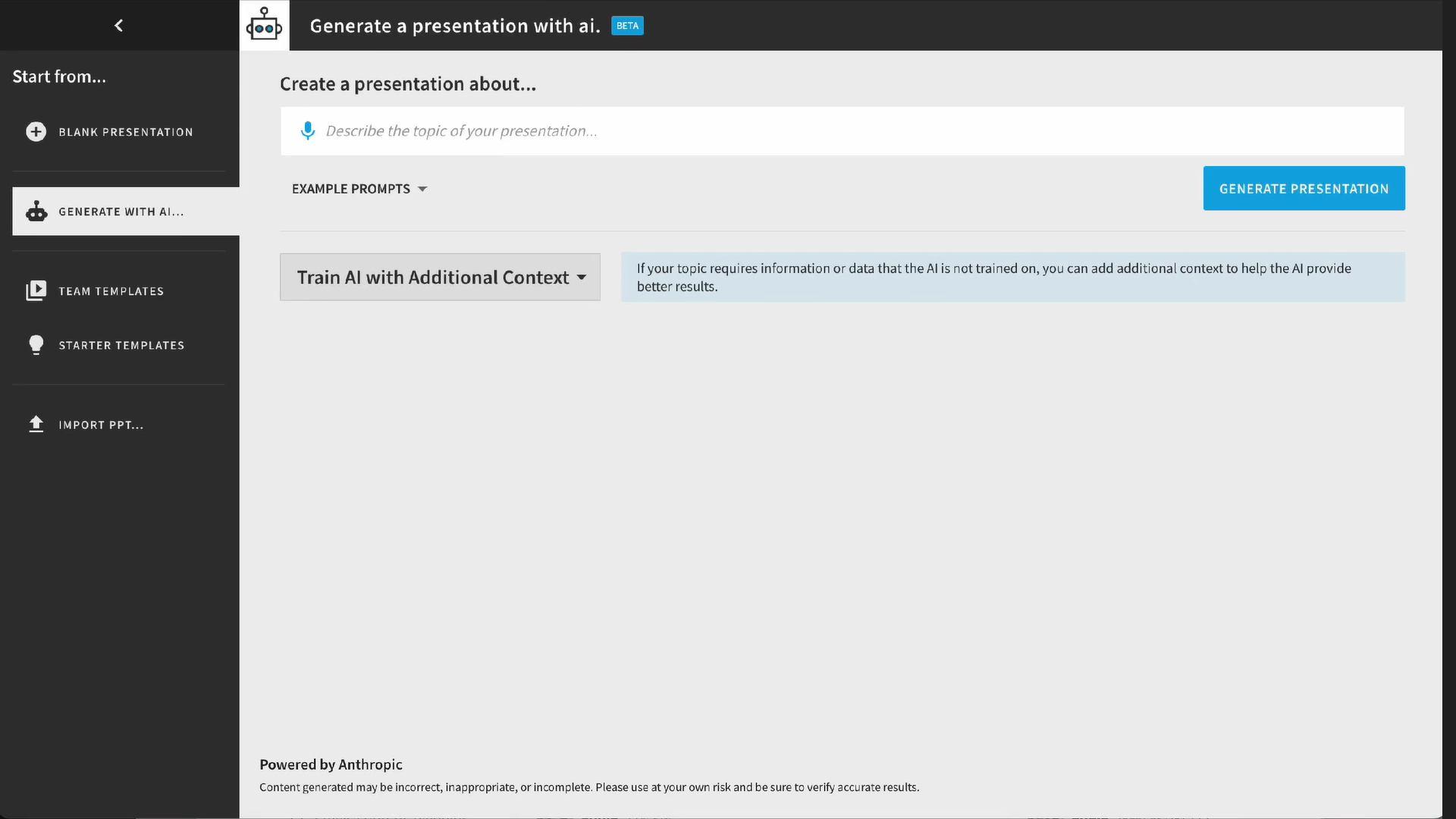
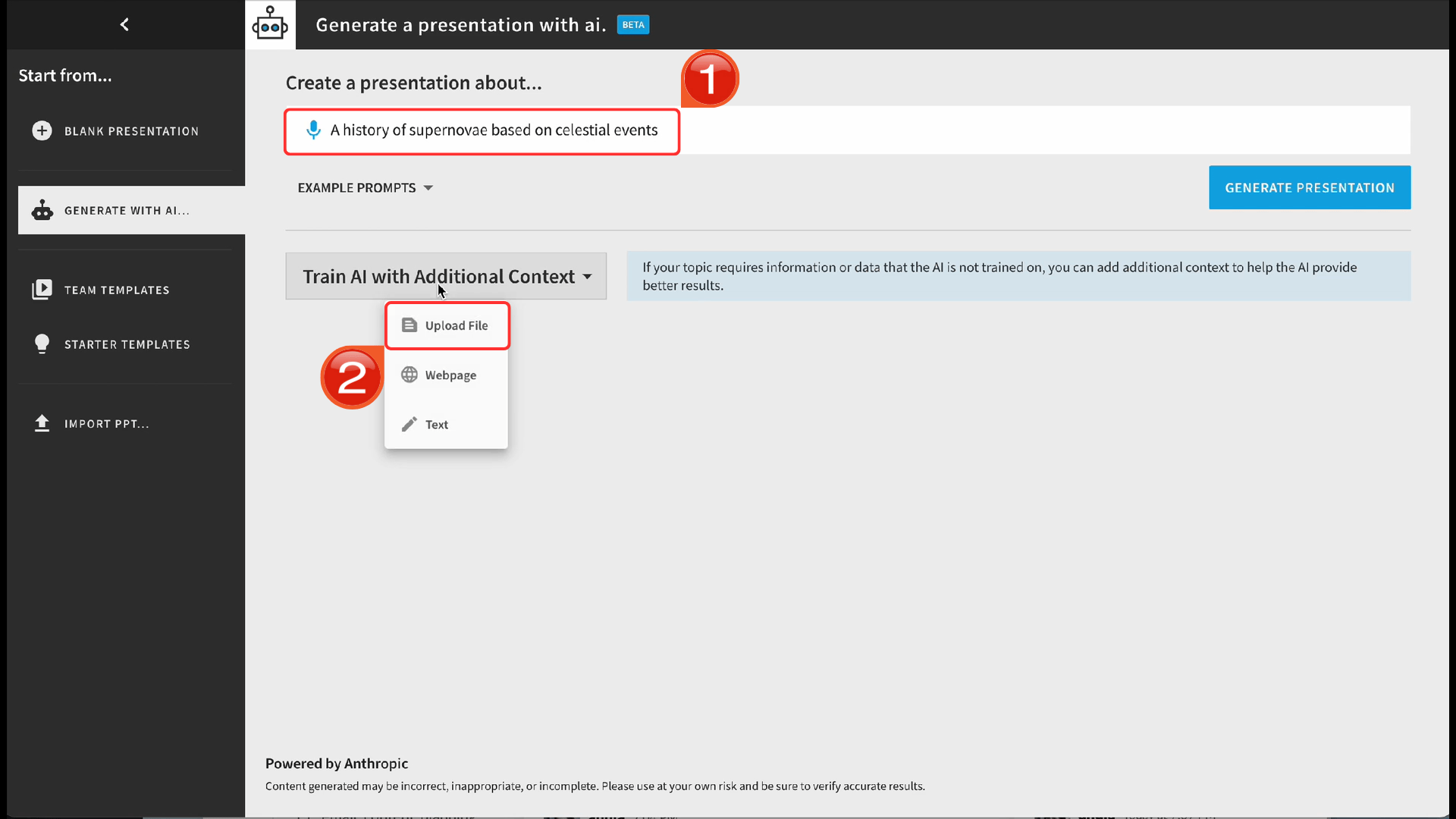
Step 2: Enter your text prompt or description of the
presentation and upload any additional files by clicking “Upload
File”, then generate it.
Enter prompt and files
Step 3: Watch as it generates a deck; use the Smart
Slide controls to adjust layouts.
Slide Deck
Step 4: Share the link directly or export for
offline use.
Export PPT
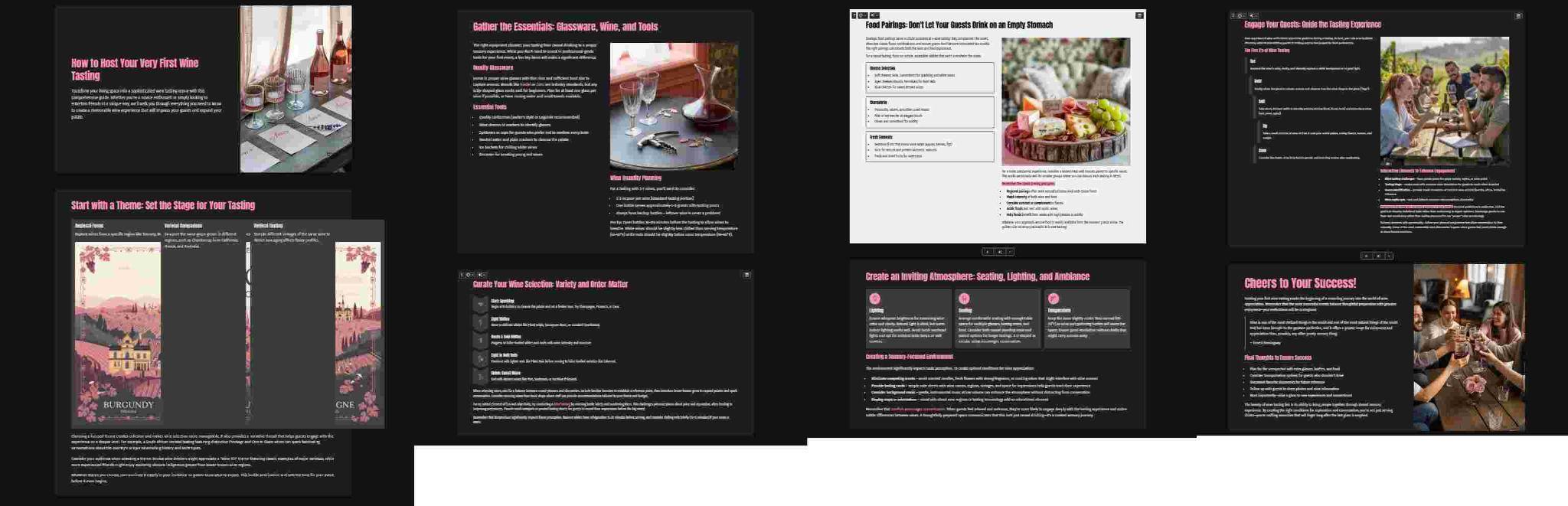
5. Gamma Text to Presentation
Best for: Fast, web-based presentations from text
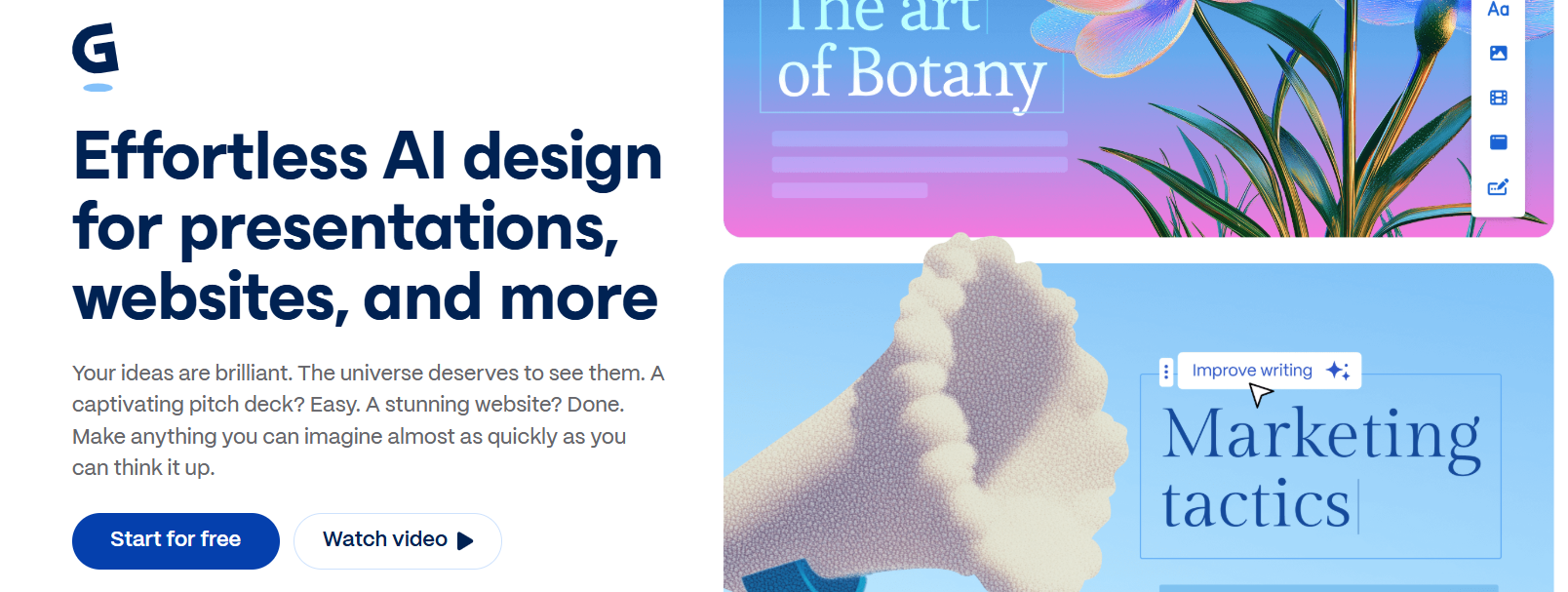
Gammatakes a different approach to text-to-presentation creation. Rather than closely reproducing a traditional PowerPoint workflow, it uses a web-native, content-first format that can turn text and prompts into visually structured presentations quickly.
Gamma Text to Presentation
This makes it especially useful when the presentation will be shared digitally or used for internal communication, proposals, or quick first drafts.
Key features
Text-to-presentation generation
AI-assisted content structuring
Modern presentation layouts
Interactive content
Web-based sharing
Collaboration
Export options
Best for
Gamma is a good fit for users who prioritize speed, modern design, and web-based sharing over traditional slide-by-slide editing.
What to consider
Gamma's content-first format is useful for fast creation, but users who ultimately need a highly editable PowerPoint file should pay particular attention to the export workflow and perform a final formatting check.
Recent user testing also tends to highlight the same trade-off: Gamma is strong for getting from an outline to a presentable draft quickly, while more traditional workflows can be preferable when precise PPTX editing is the final requirement.
How to Use:
Creating a deck in Gamma feels more like writing a document than
building a presentation, making it perfect for storytelling. Here is the
simple flow to generate your first interactive card deck:
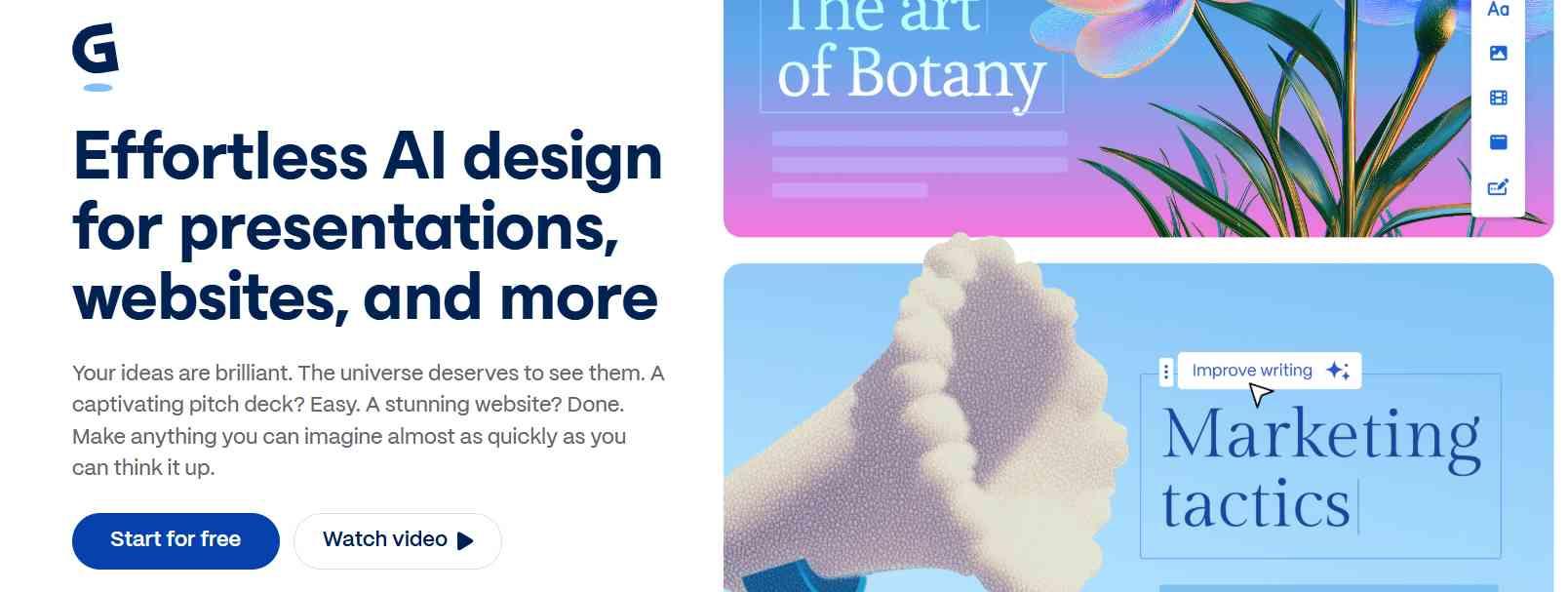
Step 1: First, head over to the Gamma website and create an
account.
Gamma Text to Presentation
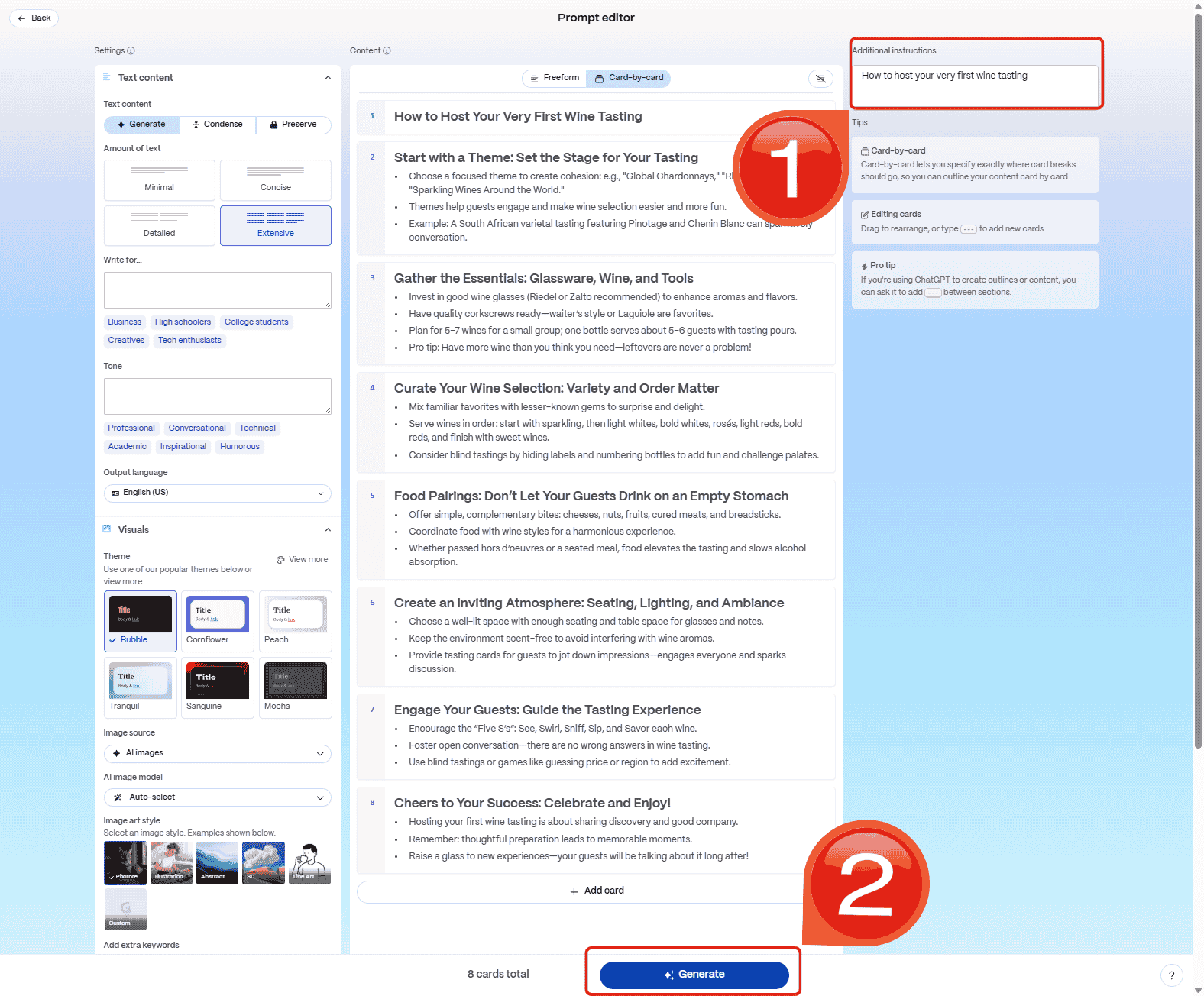
Step 2: Add in your prompt in the“Additional Instructions” section and then adjust your
settings from the left menu and click "Generate" to
create your presentation.
Generate Slides
Step 3: Publish the link to share with your audience
instantly.
Review and Export
Top AI Presentation Tools Comparison
The right text-to-presentation AI tool depends on what you already have and what you need at the end of the process. If you are starting with a long document, document handling matters. If you need a PowerPoint file, export quality matters. If your team creates branded presentations, design controls and collaboration become more important.
Tool
Best for
Text/document input
AI generation
PPTX workflow
Collaboration
Free option
WPS AI Slides
Office-compatible text-to-slide workflows
Yes
Yes
Strong
Yes*
Yes*
Presentations.AI
Brand-consistent presentations
Yes
Yes
Yes*
Yes
Limited
SlideSpeak
Turning documents into slides
Strong
Yes
Yes
Yes*
Limited
Beautiful.ai
Automated visual design
Yes
Yes
Yes*
Yes
Trial/limited
Gamma
Fast web-based presentations
Yes
Yes
Yes*
Yes
Yes
Note: *Features and availability can vary by plan, platform, or export format. Check the provider's current plan details before purchasing.
Which Text-to-Presentation AI Tool Should You Choose?
Choose WPS AI Slides if you already work with Word documents, PDFs, or PowerPoint files and want an Office-compatible workflow from source material to finished presentation.
Choose Presentations.AI if brand consistency is a major priority for your business or marketing team.
Choose SlideSpeak if most of your presentations begin as reports, PDFs, Word documents, or other structured source files.
Choose Beautiful.ai if you want AI-assisted presentation creation with strong design rules and consistent layouts.
Choose Gamma if your priority is getting from text or an outline to a modern, shareable presentation quickly.
Why Choose WPS AI Slides
If your goal is simply to generate a presentation from a sentence or short prompt, several AI presentation tools can do that. WPS AI Slides becomes more useful when the presentation starts with content you already have.
You can work from existing documents and source material, generate a structured presentation, refine the content, adjust the slides, and continue working in the WPS Office environment.
The advantage is that you do not have to treat the presentation as a completely separate project from the document that contains your original information.
WPS AI Slides
WPS AI Slides is especially useful when you need to:
Turn a report or document into presentation slides
Convert written notes into a structured deck
Create an editable PowerPoint-compatible presentation
Refine AI-generated content before presenting it
Work across documents, presentations, spreadsheets, and PDFs
Reduce manual formatting without giving up control of the final deck
For users who need an editable presentation rather than a presentation-shaped webpage, this Office-compatible workflow is an important distinction.
FAQs
What is a text-to-presentation AI tool?
A text-to-presentation AI tool converts written instructions or existing content into a structured presentation. Depending on the tool, you can provide a prompt, outline, document, PDF, or other source material and have AI generate slide content and layouts.
What is the best AI tool for turning text into a PowerPoint?
The best option depends on the workflow. WPS AI Slides is a strong choice when you want to turn existing text or documents into an editable, PowerPoint-compatible presentation. Presentations.AI and SlideSpeak are also useful for text- and document-based presentation generation.
Can AI create a PowerPoint presentation from a Word document?
Yes. Some AI presentation tools can use a Word document as source material and generate a presentation from it. WPS AI Slides is designed to support document-based workflows within WPS Office.
Can I turn a PDF into a presentation with AI?
Yes. Tools such as WPS AI Slides and SlideSpeak can use PDF content as source material for AI-assisted presentation creation. Always review the generated deck afterward to make sure important information, tables, and context have been preserved correctly.
What is the best free text-to-presentation AI tool?
There is no single best free tool for every user. WPS AI Slides and Gamma both offer ways to start creating presentations without committing to a traditional premium presentation workflow, while other tools offer limited free access or trials. Feature limits can vary by plan.
Can AI-generated presentations be edited?
Yes. Most presentation AI tools allow users to edit generated content and layouts. The amount of control differs significantly between platforms, so users who need detailed PowerPoint-style editing should prioritize tools that produce editable PPTX files.
Should I trust AI-generated presentation content without reviewing it?
No. AI can organize and rewrite information quickly, but it can also omit important context, introduce factual errors, or create overly generic content. Review the generated slides, verify important facts, and make sure the deck reflects your actual audience and purpose before presenting it.
Summary
Summary
Text-to-presentation AI tools can remove much of the repetitive work involved in turning written content into slides, but they are not interchangeable.
WPS AI Slides is a strong choice for users who want to turn existing documents and text into editable presentations while staying within an Office-compatible workflow. Presentations.AI is better suited to brand-focused teams, SlideSpeak to document-heavy workflows, Beautiful.ai to design consistency, and Gamma to fast, web-based presentation creation.
The best choice depends on what happens before and after AI generates the slides. If you already have substantial source material, prioritize document handling and content accuracy. If the final deliverable must be a PowerPoint file, prioritize PPTX compatibility and export quality. And regardless of the tool, treat the AI-generated deck as a first draft, not the finished presentation.
Khadija Khan is a tech writer who explores office suites and creates content to simplify everyday tools. She teaches and inspires through clear, engaging writing.


'%3e%3cpath%20d='M8%200C12.4183%200%2016%203.58172%2016%208C16%2012.4183%2012.4183%2016%208%2016C3.58172%2016%200%2012.4183%200%208C0%203.58172%203.58172%200%208%200ZM11.6162%204.38379C11.2257%203.99337%2010.5927%203.99338%2010.2021%204.38379L8%206.58594L5.79785%204.38379C5.40732%203.99334%204.77429%203.99329%204.38379%204.38379C3.99331%204.77429%203.99335%205.40733%204.38379%205.79785L6.58594%208L4.38379%2010.2021C3.99348%2010.5927%203.99341%2011.2257%204.38379%2011.6162C4.77426%2012.0066%205.40734%2012.0065%205.79785%2011.6162L8%209.41406L10.2021%2011.6162C10.5927%2012.0066%2011.2257%2012.0067%2011.6162%2011.6162C12.0067%2011.2257%2012.0066%2010.5927%2011.6162%2010.2021L9.41406%208L11.6162%205.79785C12.0066%205.40735%2012.0066%204.77429%2011.6162%204.38379Z'%20fill='%23080E17'%20fill-opacity='0.46'/%3e%3c/g%3e%3cdefs%3e%3cclipPath%20id='clip0_3761_713'%3e%3crect%20width='16'%20height='16'%20fill='white'/%3e%3c/clipPath%3e%3c/defs%3e%3c/svg%3e)




'%3e%3cpath%20fill-rule='evenodd'%20clip-rule='evenodd'%20d='M21.4999%2010.9993C21.4999%205.20009%2016.7986%200.498901%2010.9993%200.498901C5.19994%200.498901%200.498657%205.20009%200.498657%2010.9993C0.498657%2016.2404%204.33858%2020.5844%209.35855%2021.3722V14.0346H6.69238V10.9993H9.35855V8.68594C9.35855%206.05427%2010.9262%204.60062%2013.3248%204.60062C14.4736%204.60062%2015.6753%204.80571%2015.6753%204.80571V7.38979H14.3512C13.0468%207.38979%2012.64%208.19921%2012.64%209.0296V10.9993H15.5523L15.0867%2014.0346H12.64V21.3722C17.66%2020.5844%2021.4999%2016.2404%2021.4999%2010.9993Z'%20fill='%231568EA'/%3e%3c/g%3e%3c/svg%3e)


'%3e%3cpath%20d='M2.42045%2022.1876H6.31818V12.7217L0.75%208.54553V20.5171C0.75%2021.4414%201.49892%2022.1876%202.42045%2022.1876Z'%20fill='%234285F4'/%3e%3cpath%20d='M19.682%2022.1876H23.5797C24.5041%2022.1876%2025.2502%2021.4387%2025.2502%2020.5171V8.54553L19.682%2012.7217'%20fill='%2334A853'/%3e%3cpath%20d='M19.682%205.48293V12.7216L25.2502%208.54543V6.31816C25.2502%204.25236%2022.8921%203.07469%2021.2411%204.31361'%20fill='%23FBBC04'/%3e%3cpath%20d='M6.31824%2012.7217V5.48303L13.0001%2010.4944L19.6819%205.48303V12.7217L13.0001%2017.733'%20fill='%23EA4335'/%3e%3cpath%20d='M0.75%206.31816V8.54543L6.31818%2012.7216V5.48293L4.75909%204.31361C3.10534%203.07469%200.75%204.25236%200.75%206.31816Z'%20fill='%23C5221F'/%3e%3c/g%3e%3cdefs%3e%3cclipPath%20id='clip0_2954_7305'%3e%3crect%20width='24.5'%20height='18.375'%20fill='white'%20transform='translate(0.75%203.8125)'/%3e%3c/clipPath%3e%3c/defs%3e%3c/svg%3e)




'%3e%3cpath%20d='M19.9911%204.11386V6.471H18.5894C18.0775%206.471%2017.7322%206.57814%2017.5536%206.79243C17.3751%207.00671%2017.2858%207.32814%2017.2858%207.75671V9.44421H19.9019L19.5536%2012.0871H17.2858V18.8639H14.5536V12.0871H12.2769V9.44421H14.5536V7.49779C14.5536%206.39064%2014.8632%205.53201%2015.4822%204.92189C16.1013%204.31177%2016.9257%204.00671%2017.9554%204.00671C18.8304%204.00671%2019.509%204.04243%2019.9911%204.11386Z'%20fill='%23333333'/%3e%3c/g%3e%3cdefs%3e%3cclipPath%20id='clip0_2938_8199'%3e%3crect%20width='16'%20height='16'%20fill='white'%20transform='translate(8%204.00671)'/%3e%3c/clipPath%3e%3c/defs%3e%3c/svg%3e)
'%3e%3cpath%20d='M17.5237%2010.7813L23.4811%204H22.0699L16.8949%209.88693L12.7648%204H8L14.2469%2012.9029L8%2020.0133H9.4112L14.8725%2013.7952L19.2352%2020.0133H24M9.92053%205.04213H12.0885L22.0688%2019.0224H19.9003'%20fill='%23333333'/%3e%3c/g%3e%3cdefs%3e%3cclipPath%20id='clip0_2938_8200'%3e%3crect%20width='16'%20height='16.0134'%20fill='white'%20transform='translate(8%204)'/%3e%3c/clipPath%3e%3c/defs%3e%3c/svg%3e)


