WPS AI

AI Document Generator

Turn a short prompt into a structured draft—then finish it in the native WPS editor.

  • Generate Doc, Excel, Slide, or PDF from one prompt
  • Edit AI drafts with the native WPS office editor
  • Convert, summarize, translate, and share in one suite
See 3-Step Guide

100% Safe & Secure · No Credit Card Required

Demo preview only. Download WPS for full AI & export.

W Doc Preview Ready

Your AI draft appears here

Pick a format, enter a prompt, then hit Generate.

Five capabilities. One document workflow.

WPS AI Document Generator lives inside your office suite—not a separate chat. Draft, extract, optimize, ask questions, then convert to PDF, PPTX, and more.

WPS Docs · AI Write

Prompt → structured draft

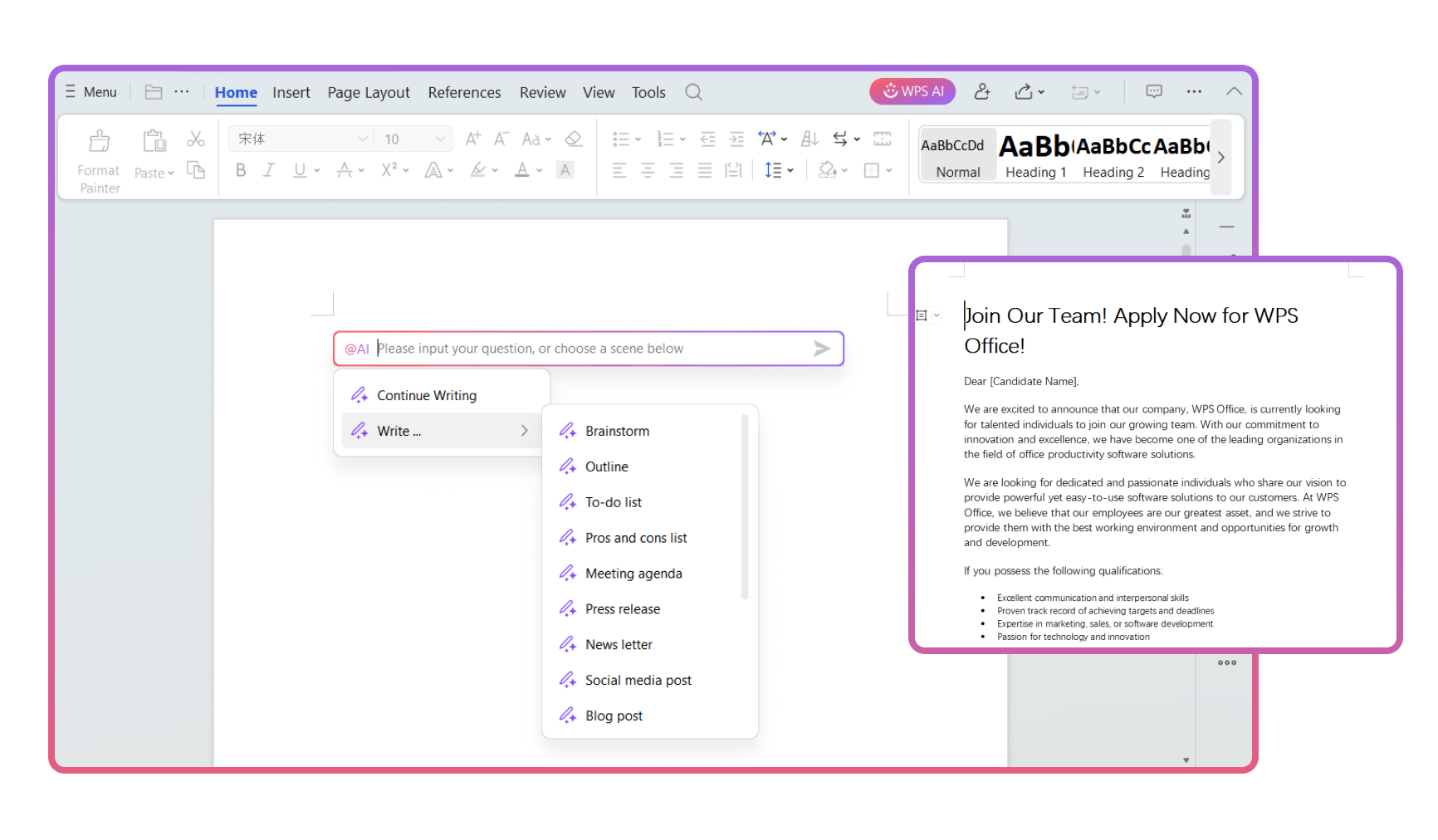
Describe the document you need—or pick a scene like outline, meeting agenda, or blog post. WPS AI writes a draft you can keep editing in Writer.

  • Write scenes for brainstorms, outlines, press releases, newsletters, and more.
  • Continue Writing to expand sections without leaving the page.
  • Edit in place—Accept the draft and refine headings, tone, and details.
See step-by-step guide
WPS AI Write — generate documents from prompts and scenes

Productivity · Extract Text

Image → editable text

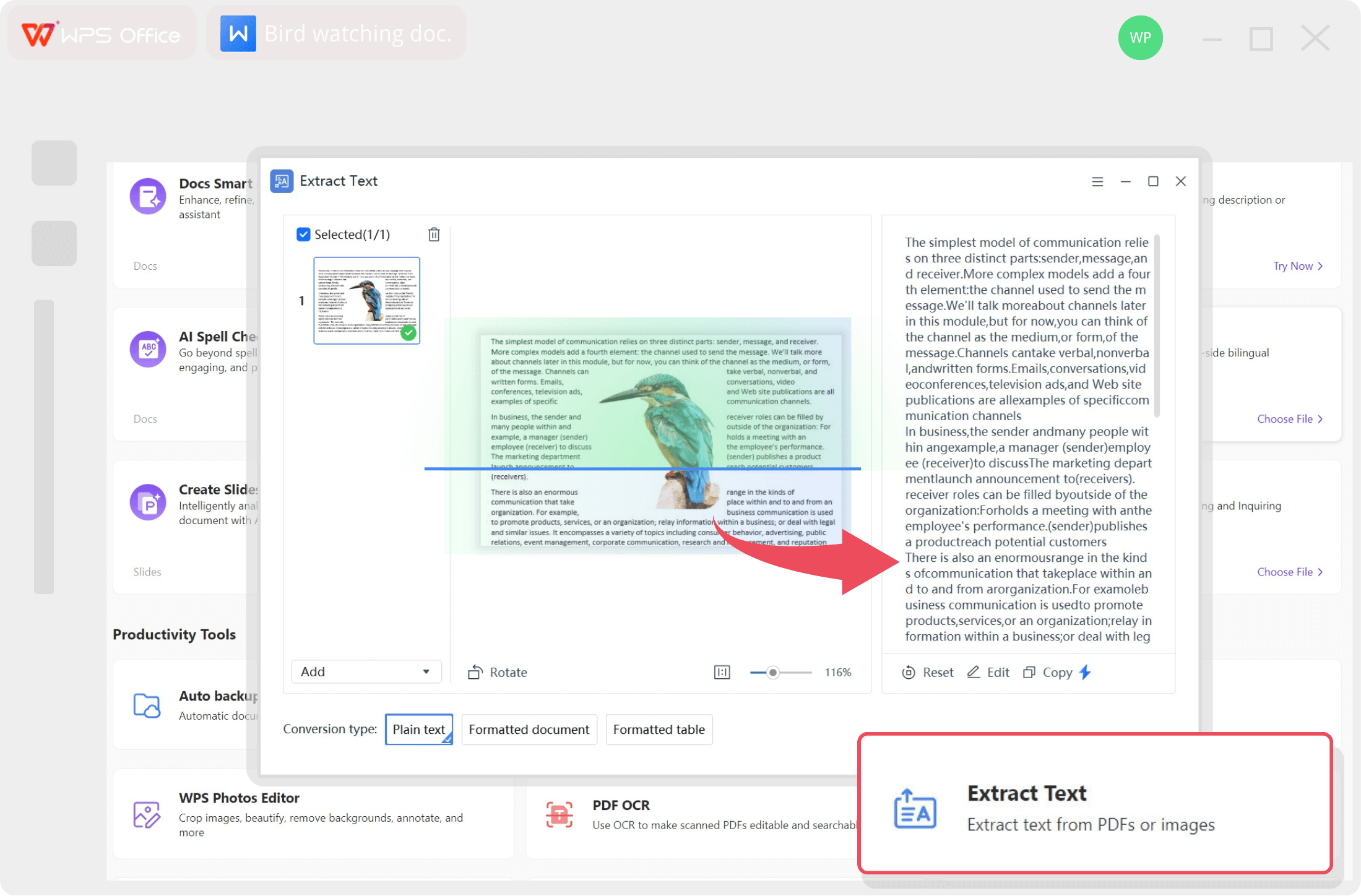
Upload a photo or scan. WPS AI extracts text into plain text, a formatted document, or a table—so you skip retyping hard copies.

  • Drag & drop images into Extract Text.
  • Preview, edit, then Copy to clipboard.
  • Choose Formatted document or Formatted table to keep layout.
WPS AI Extract Text from images and PDFs

WPS AI · Spell Check & Optimize

Catch errors—and polish the line

AI highlights issues and suggests better wording across Correctness, Delivery, Engagement, and Clarity. Accept improvements in one click.

  • Correctness — fix grammar and spelling instantly.
  • Delivery & Clarity — tighten phrasing for a more professional tone.
  • One-click Accept — apply suggestions without leaving the document.
WPS AI spell check and writing optimization suggestions

WPS AI · Chat with Document

Ask, summarize, and optimize in chat

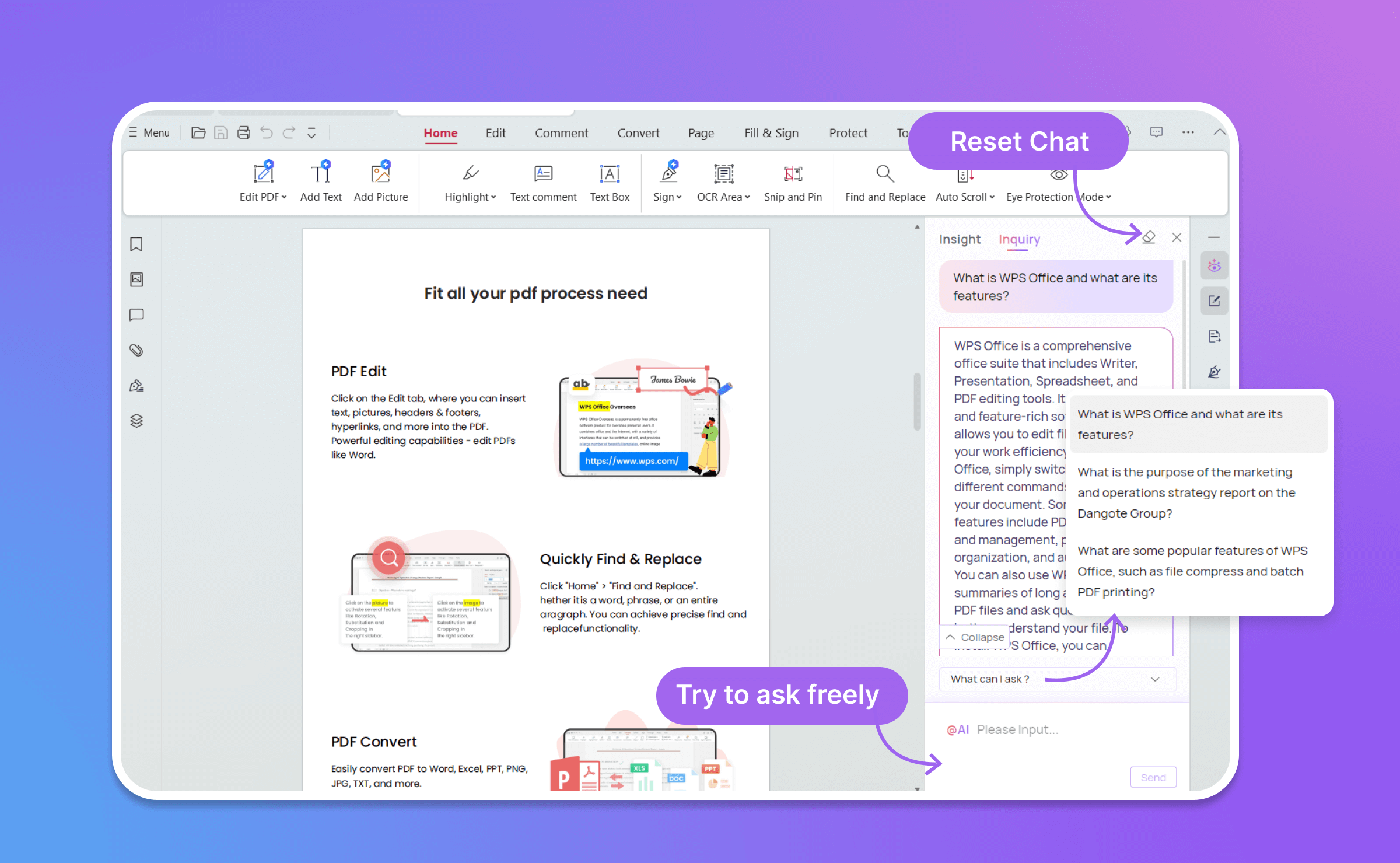
Open Inquiry beside your Doc or PDF. Ask what the file says, pull key points, or request rewrite directions—then apply improvements without switching apps.

  • Ask freely about long reports, contracts, and handbooks.
  • Optimize via prompts—request clearer tone, shorter summaries, or action items.
  • Reset Chat anytime and start a new thread on the same file.
WPS AI Chat with Document inquiry sidebar

WPS Suite · File Conversion

Export to PDF, PPTX, and more

After you generate a draft, convert it for the channel you need—share as PDF, present as PPTX, or keep editing as Doc/Excel—without leaving WPS Office.

  • Doc → PDF for share-ready handouts and proposals.
  • Doc → PPTX when the draft needs to become a deck.
  • PDF ↔ Office convert back to Word, Excel, or slides for edits.

One draft · many formats

W
Generated Doc
AI draft in Writer
Convert
PDF
PDF
Share
P
PPTX
Present
X
XLSX
Tables

Keep formatting intact across Word, Excel, PowerPoint, and PDF workflows in one suite.

AI Generate Documents + Native WPS Editing

Prompt to a high-quality draft with WPS AI—then polish, format, and finish in the real office editor, not a separate chat window.

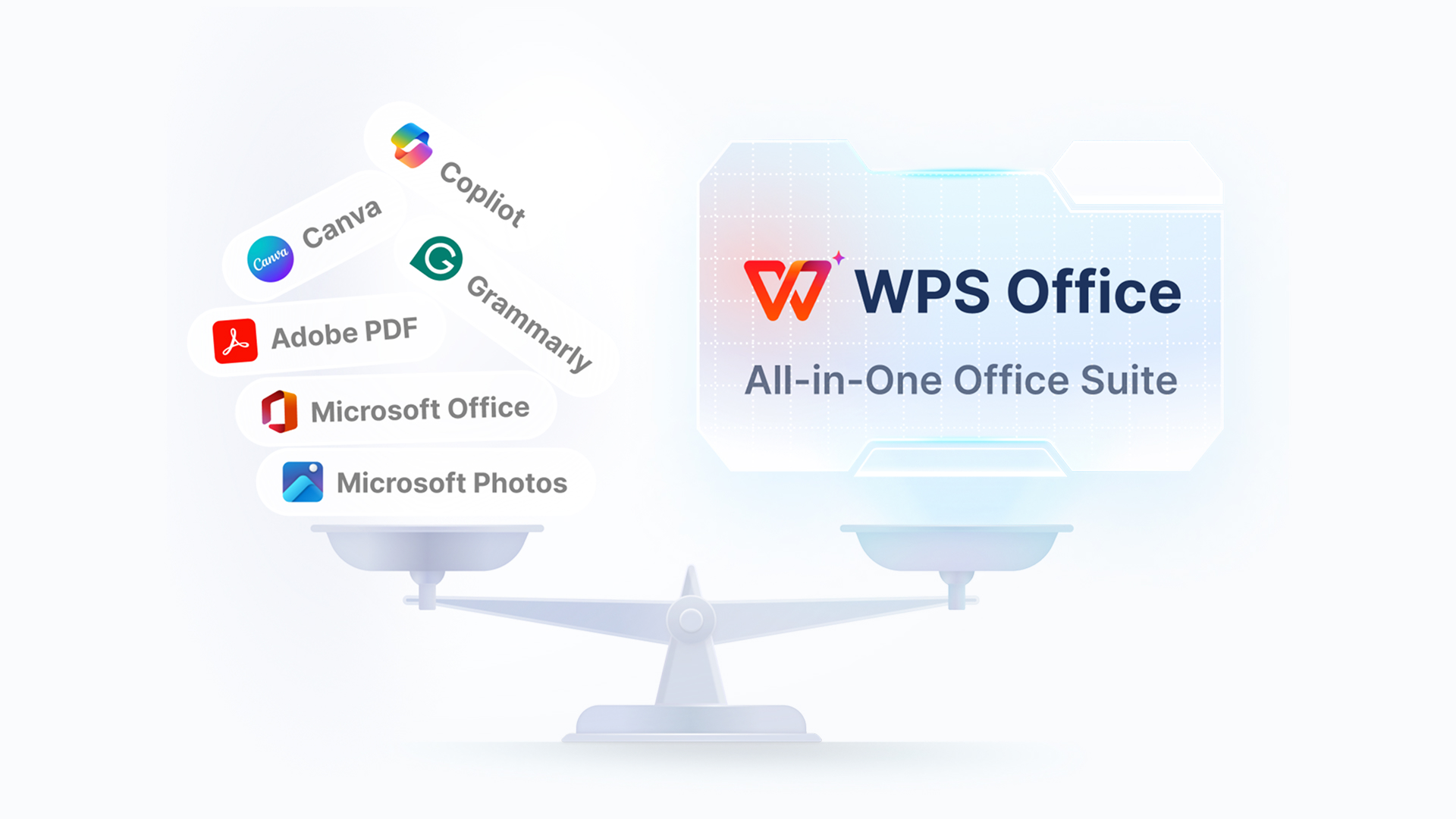
WPS AI-powered all-in-one office suite for document generation
Intent-aware model

WPS AI understands what you mean—not just keywords

Describe the audience, goal, and sections you need. The model reads prompt intent—tone, structure, and deliverable type—then produces a coherent draft with headings and usable body copy, not a pile of disconnected paragraphs.

  • Maps vague ideas to clear document outlines
  • Keeps professional structure for reports, proposals, and letters
  • Responds better when you include purpose, length, and must-have sections
Native WPS editor

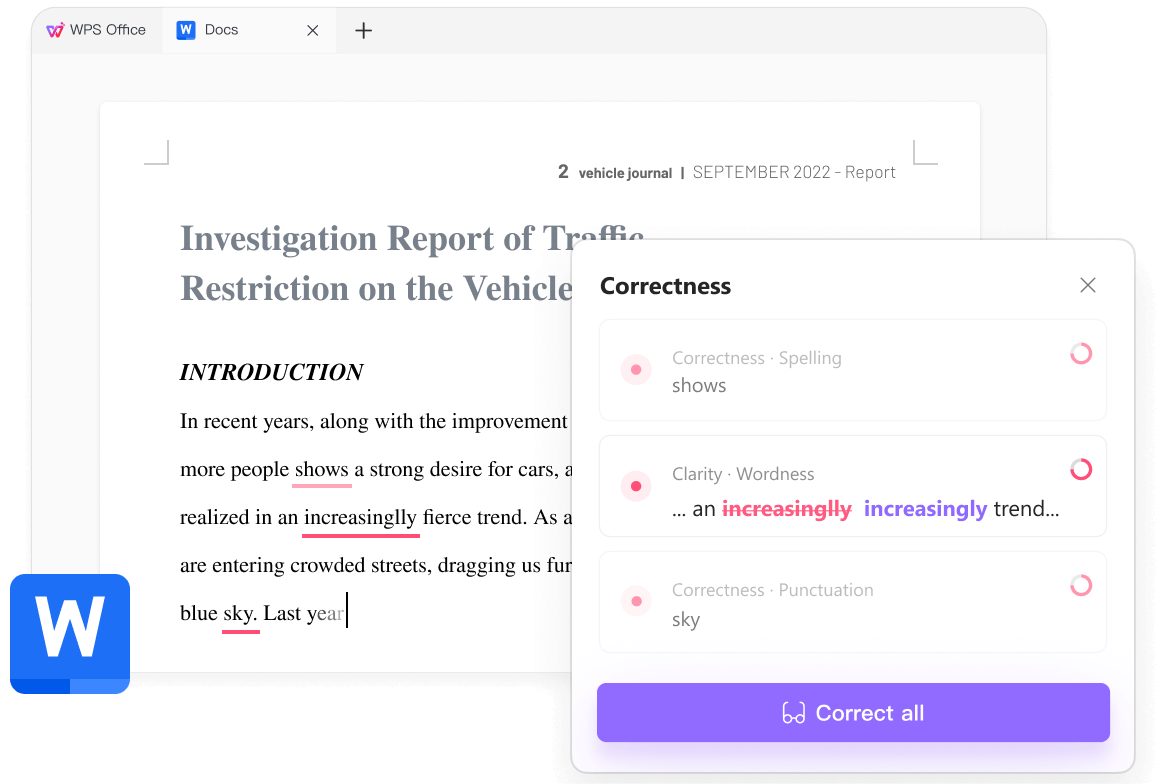
AI drafts are a start—edit like a real document

No AI draft is final. After generation, the content lands in the native WPS Writer (or Spreadsheet / Presentation / PDF) so you can fix facts, rewrite paragraphs, adjust styles, and brand the file with the same tools you already use for Office work—no copy-paste into another app.

  • Full formatting, styles, tables, and track-friendly editing
  • Built-in correctness and clarity suggestions while you edit
  • Compatible DOC/DOCX workflow with Microsoft Office files
Polish AI drafts with native WPS Docs correctness and clarity tools
WPS Office all-in-one suite replaces multiple separate tools
All-in-one toolbox

Finish the job inside WPS—not five other tabs

Generation is only the first step. The same suite handles the rest of the document lifecycle so you stay in one workspace from draft to delivery.

Format conversion
PDF, PPTX, XLSX, and back
Summarize & analyze
Chat, insights, key takeaways
Translate
Keep layout while switching language
Print & share
Export, print, and send from one app

Step-by-step guide

How to use AI Document Generator

Follow the Smart Create flow to draft a project proposal in minutes—then Accept, Redo, or expand.

1

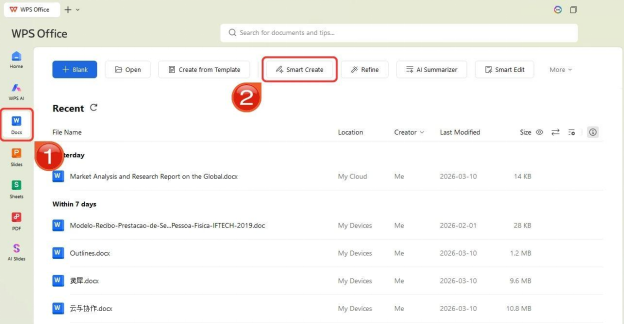
Open Docs → Smart Create

Launch WPS Office, select the Docs tab on the left, then click Smart Create.

WPS Smart Create button on Docs tab
2

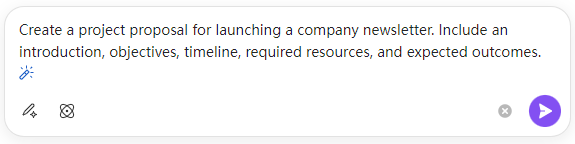
Enter a detailed prompt

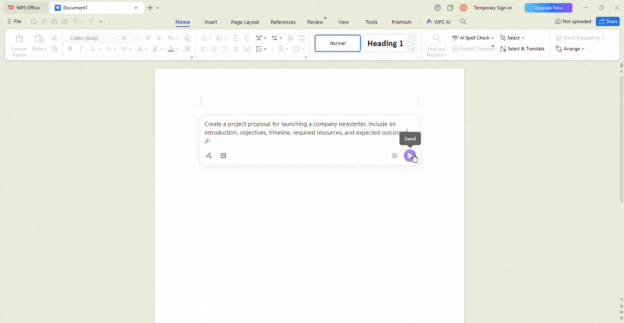
A new Doc opens with an AI prompt box and presets. Type what you need—include sections like introduction, objectives, and timeline for better results.

Enter prompt in WPS AI Writer prompt box
3

Review the AI draft

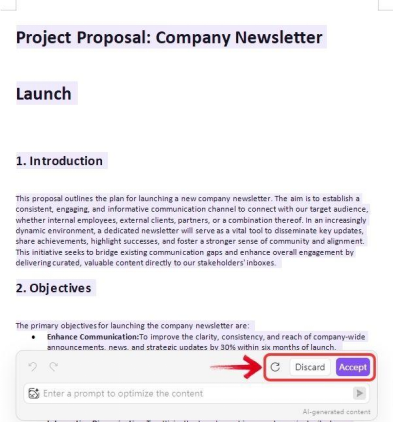
WPS AI generates a complete draft. Use Accept to insert it, Redo for a new version, or Discard.

WPS AI generated draft for project proposal
4

Optimize & fill placeholders

Ask AI to expand sections (e.g. budget and risk assessment), then replace placeholders like Company Name. Tip: use Find & Replace (Ctrl + H) for repeated fields.

WPS AI draft with Accept, Redo, and Discard options

Full walkthrough: AI Document Generator guide on WPS Academy

Export-ready across Doc, Excel, Slide & PDF

Generate in Writer, then continue in Spreadsheet, Presentation, or PDF—same suite, same AI layer.

W
Doc
Reports & proposals
X
Excel
Tables & trackers
P
Slide
Decks & briefings
PDF
PDF
Share-ready files

FAQ

Frequently Asked Questions

Document generation made easy

Download WPS Office free—draft with AI Write, extract text, optimize copy, chat with your files, and convert to PDF or PPTX without leaving the suite.

One installer · Writer + Spreadsheet + Presentation + PDF · No credit card required