

'%3e%3cpath%20d='M8%200C12.4183%200%2016%203.58172%2016%208C16%2012.4183%2012.4183%2016%208%2016C3.58172%2016%200%2012.4183%200%208C0%203.58172%203.58172%200%208%200ZM11.6162%204.38379C11.2257%203.99337%2010.5927%203.99338%2010.2021%204.38379L8%206.58594L5.79785%204.38379C5.40732%203.99334%204.77429%203.99329%204.38379%204.38379C3.99331%204.77429%203.99335%205.40733%204.38379%205.79785L6.58594%208L4.38379%2010.2021C3.99348%2010.5927%203.99341%2011.2257%204.38379%2011.6162C4.77426%2012.0066%205.40734%2012.0065%205.79785%2011.6162L8%209.41406L10.2021%2011.6162C10.5927%2012.0066%2011.2257%2012.0067%2011.6162%2011.6162C12.0067%2011.2257%2012.0066%2010.5927%2011.6162%2010.2021L9.41406%208L11.6162%205.79785C12.0066%205.40735%2012.0066%204.77429%2011.6162%204.38379Z'%20fill='%23080E17'%20fill-opacity='0.46'/%3e%3c/g%3e%3cdefs%3e%3cclipPath%20id='clip0_3761_713'%3e%3crect%20width='16'%20height='16'%20fill='white'/%3e%3c/clipPath%3e%3c/defs%3e%3c/svg%3e)




'%3e%3cpath%20fill-rule='evenodd'%20clip-rule='evenodd'%20d='M21.4999%2010.9993C21.4999%205.20009%2016.7986%200.498901%2010.9993%200.498901C5.19994%200.498901%200.498657%205.20009%200.498657%2010.9993C0.498657%2016.2404%204.33858%2020.5844%209.35855%2021.3722V14.0346H6.69238V10.9993H9.35855V8.68594C9.35855%206.05427%2010.9262%204.60062%2013.3248%204.60062C14.4736%204.60062%2015.6753%204.80571%2015.6753%204.80571V7.38979H14.3512C13.0468%207.38979%2012.64%208.19921%2012.64%209.0296V10.9993H15.5523L15.0867%2014.0346H12.64V21.3722C17.66%2020.5844%2021.4999%2016.2404%2021.4999%2010.9993Z'%20fill='%231568EA'/%3e%3c/g%3e%3c/svg%3e)


'%3e%3cpath%20d='M2.42045%2022.1876H6.31818V12.7217L0.75%208.54553V20.5171C0.75%2021.4414%201.49892%2022.1876%202.42045%2022.1876Z'%20fill='%234285F4'/%3e%3cpath%20d='M19.682%2022.1876H23.5797C24.5041%2022.1876%2025.2502%2021.4387%2025.2502%2020.5171V8.54553L19.682%2012.7217'%20fill='%2334A853'/%3e%3cpath%20d='M19.682%205.48293V12.7216L25.2502%208.54543V6.31816C25.2502%204.25236%2022.8921%203.07469%2021.2411%204.31361'%20fill='%23FBBC04'/%3e%3cpath%20d='M6.31824%2012.7217V5.48303L13.0001%2010.4944L19.6819%205.48303V12.7217L13.0001%2017.733'%20fill='%23EA4335'/%3e%3cpath%20d='M0.75%206.31816V8.54543L6.31818%2012.7216V5.48293L4.75909%204.31361C3.10534%203.07469%200.75%204.25236%200.75%206.31816Z'%20fill='%23C5221F'/%3e%3c/g%3e%3cdefs%3e%3cclipPath%20id='clip0_2954_7305'%3e%3crect%20width='24.5'%20height='18.375'%20fill='white'%20transform='translate(0.75%203.8125)'/%3e%3c/clipPath%3e%3c/defs%3e%3c/svg%3e)


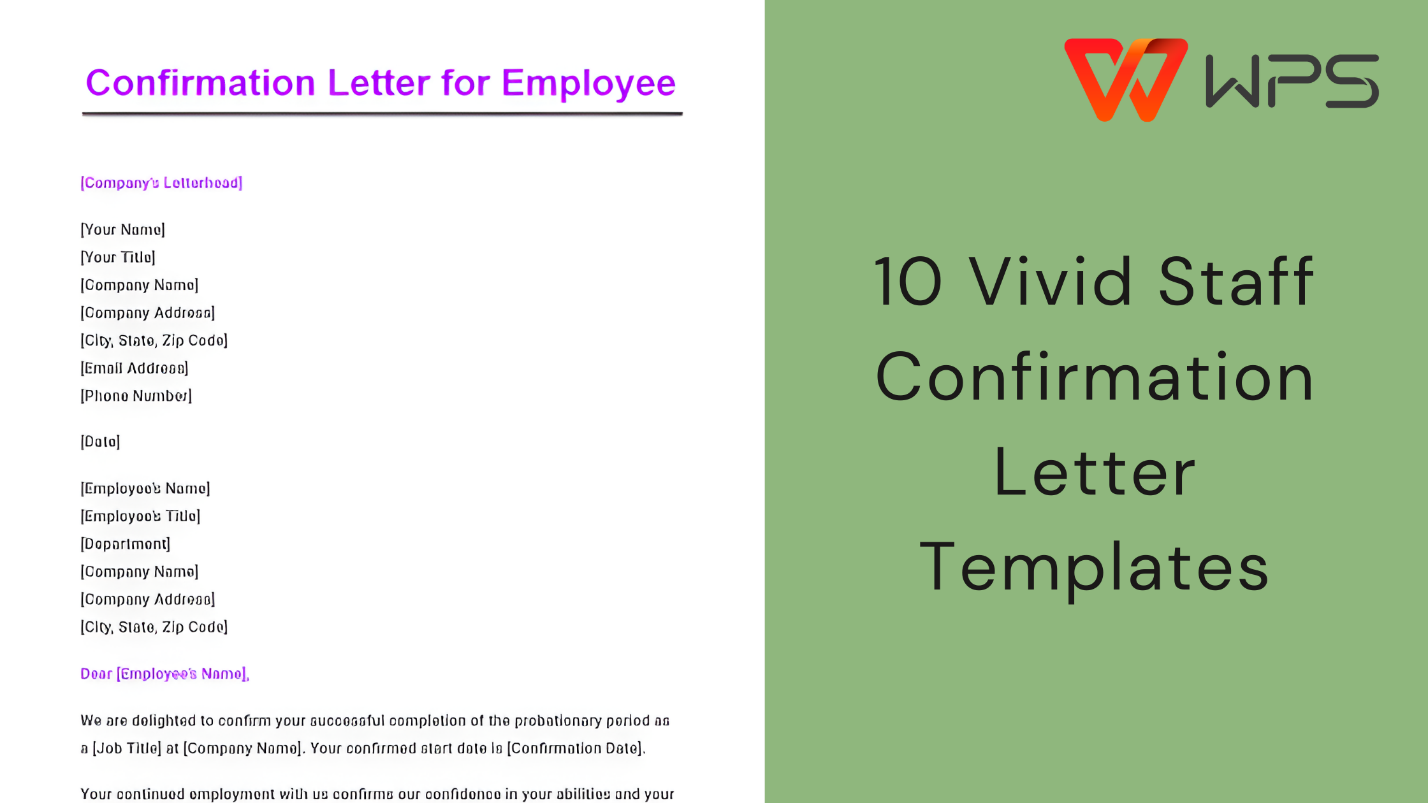
In the world of Human Resources, formal documentation plays a crucial role in maintaining clarity and trust between employers and employees. A staff confirmation letter is one such document that carries both professional and legal significance.
However, many employers and HR professionals struggle finding a reliable and correct format that meets official standards. In this article, you will find practical guidance along with ready-to-use staff confirmation letter format options that you can download, edit, and use confidently.


Part 1. What Is a Staff Confirmation Letter Format
A staff confirmation letter format is a formal document issued by an employer to officially confirm an employee’s job status within an organization. It is commonly used to acknowledge the completion of a probation period, verify ongoing employment, or provide official proof of employment for external purposes.
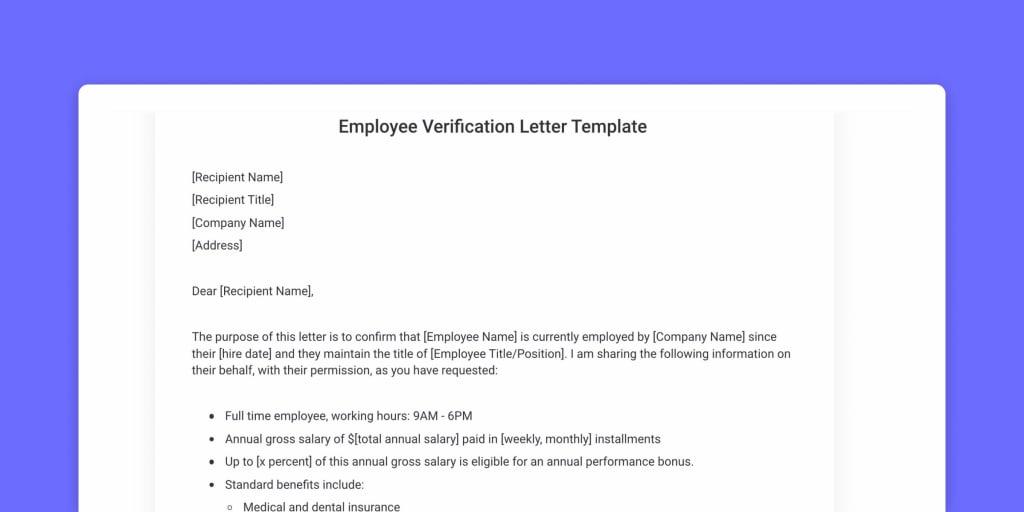
Unlike informal emails or verbal confirmations, this letter follows a structured format that ensures clarity, consistency, and professional credibility.
Essential Information Included in a Staff Confirmation Letter
A well-prepared confirmation letter for employee use should clearly present all relevant employment details. Typically, it includes:
Employee details such as full name and employee ID
Job title and department
Employment start date and confirmation date
Employment status, such as permanent, full-time, or contractual
Reporting manager or department
Company name and official address
Authorized signature and company seal, if applicable
Including these elements ensures the document can serve as a reliable job confirmation letter from employer sample when requested by third parties.
What Are Employment Confirmation Letters Used For
Employment confirmation letters serve multiple professional and administrative purposes. Some of the most common uses include:
Confirming the successful completion of a probation period
Serving as an employment verification letter template free for banks or landlords
Supporting visa, immigration, or travel applications
Providing proof of employment for loan or credit card applications
Confirming job details for background checks or audits
Because of these varied uses, it is important that the letter format
remains formal, accurate, and universally acceptable. While this document confirms your current standing, employers are often also required to provide a standard
Part 2. 10 Staff Confirmation Letter Format [Free Download]
Based on practical HR use cases, different situations require different confirmation letter structures. Below are 10 carefully selected staff confirmation letter format free templates that cover common employment scenarios. Each template is editable and suitable for professional use.
Tip from experience: If you plan to submit the letter to a bank, embassy, or government office, always download the PDF version to preserve formatting. For internal HR use or customization, Word format is more flexible.
1. Free Confirmation Letter [PDF, Word]
This is a general-purpose confirmation letter format suitable for most organizations. It clearly confirms employment status and basic job details without unnecessary complexity.
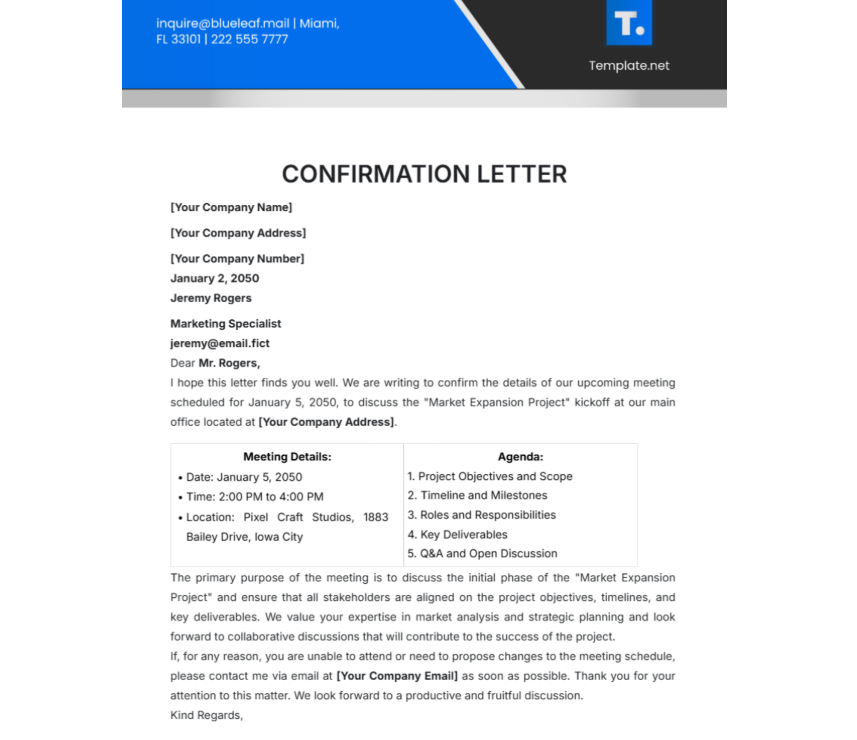
Download Link: https://www.template.net/edit-online/258422/confirmation-letter
2. Free Sample Job Confirmation Letter [PDF, Word]
This template works well as a job confirmation letter from employer sample, especially after probation completion. The tone is formal and appropriate for official verification.
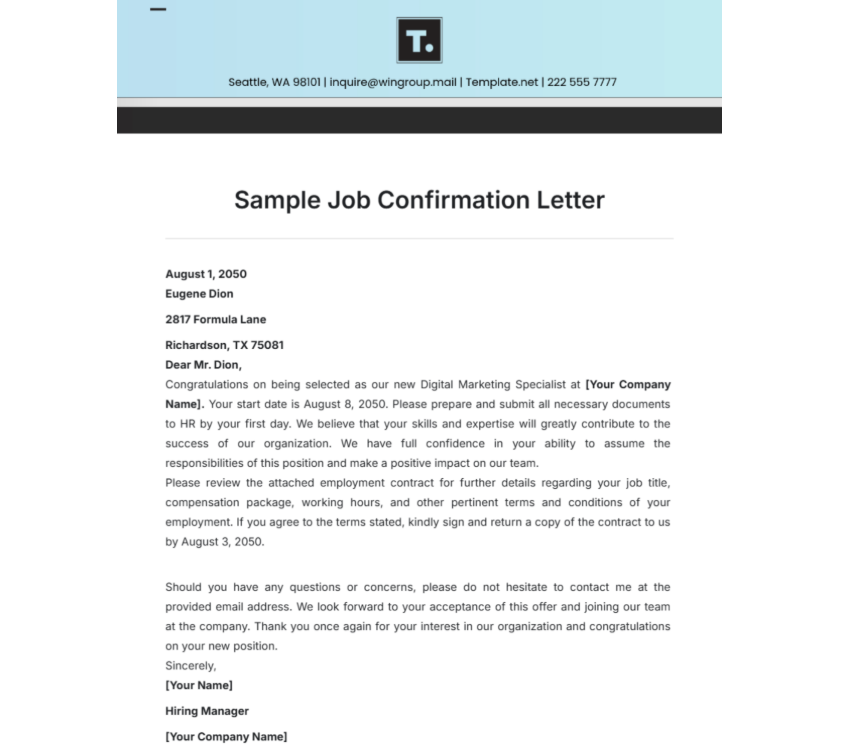
Download Link: https://www.template.net/edit-online/258425/job-confirmation-letter
3. Free Confirmation Letter for Employee [PDF, Word]
This confirmation letter for employee use is ideal for internal HR communication. It focuses on clarity and avoids legal overcomplication.
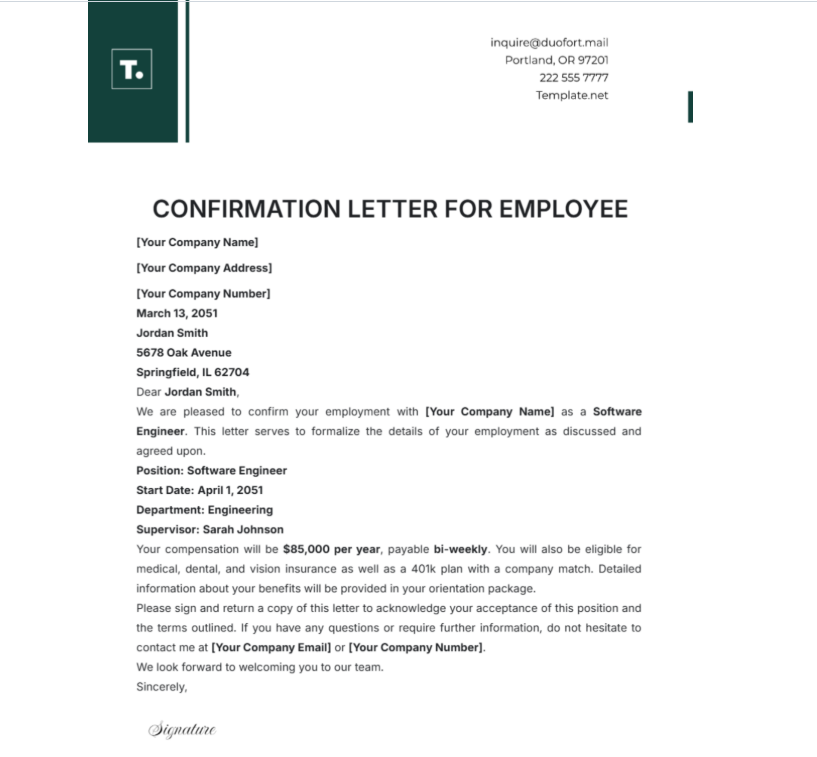
Download Link: https://www.template.net/edit-online/436645/confirmation-letter-for-employee
4. Free Membership Confirmation Letter [PDF, Word]
Although not strictly employment-focused, this format is useful when confirming professional membership or organizational association linked to employment.
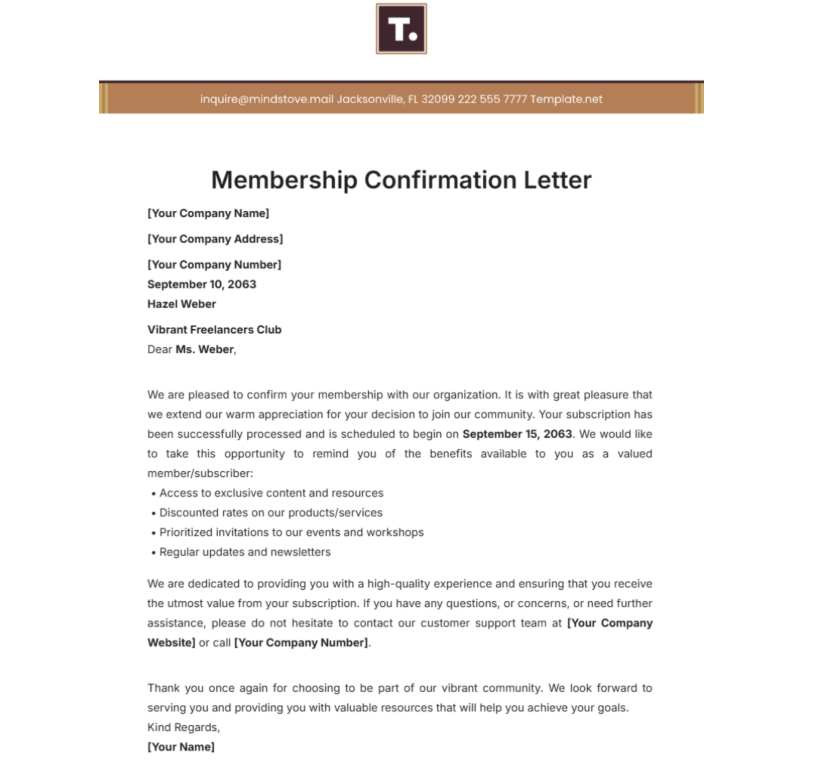
Download Link: https://www.template.net/edit-online/257833/membership-confirmation-letter
5. Letter of Job Confirmation [PDF, Word]
This letter follows a traditional structure often accepted by banks and financial institutions. It is suitable when employment verification must appear highly formal.
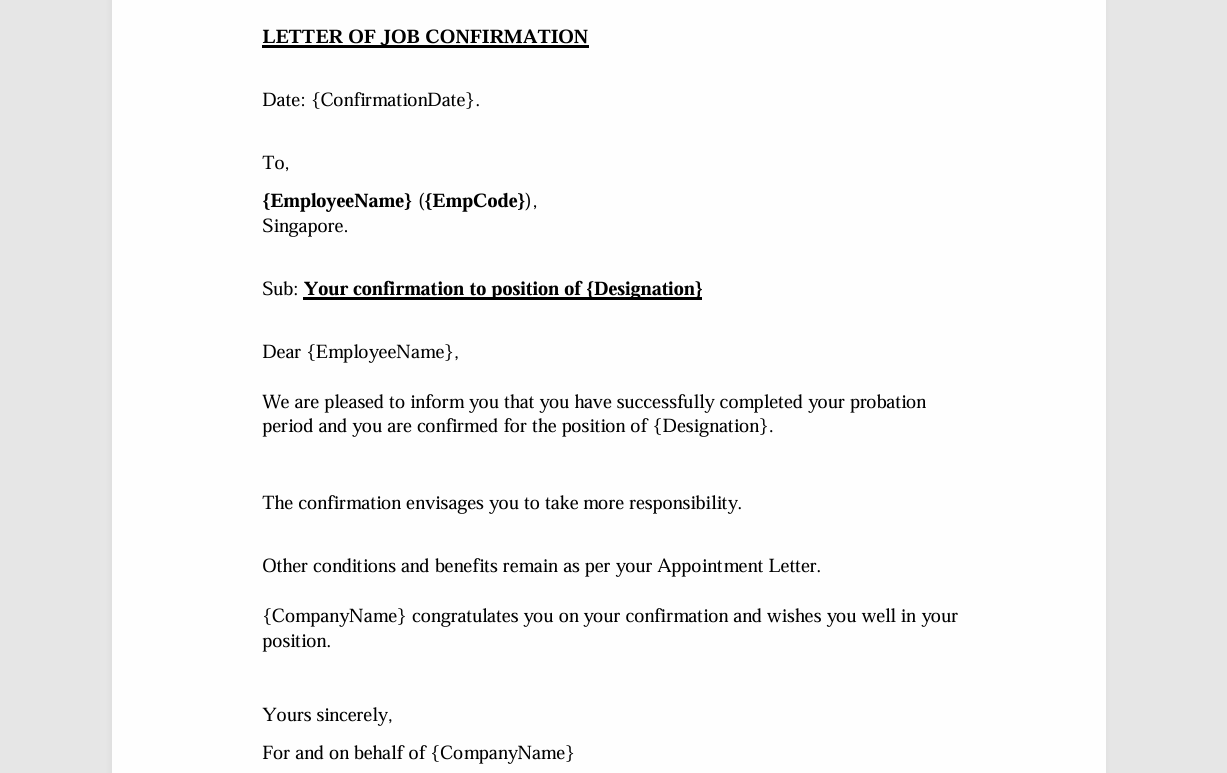
Download Link: https://peoplecentral.co/downloads/resources/Confirmation-Letter.pdf
6. Confirmation Letter [PDF, Word]
This template is simple and adaptable. I often recommend it when HR teams need a fast solution that still looks professional.
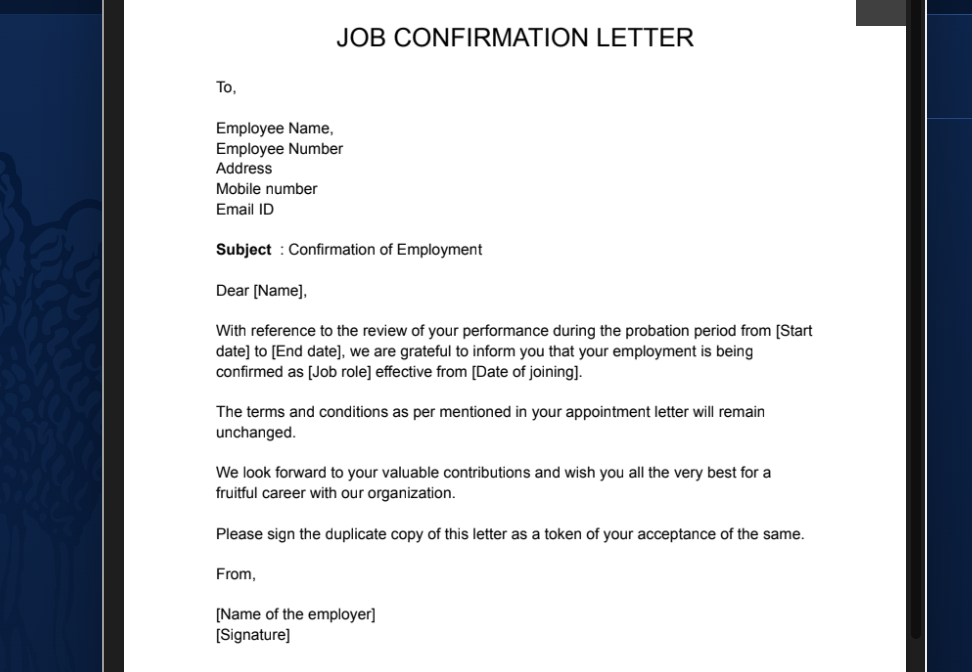
Download Link: https://razorpay.com/rize/templates/job-confirmation-letter
7. Free Payment Received Confirmation Letter [PDF, Word]
While primarily financial, this format is useful when employment confirmation includes payment acknowledgment, such as final settlements or allowances.
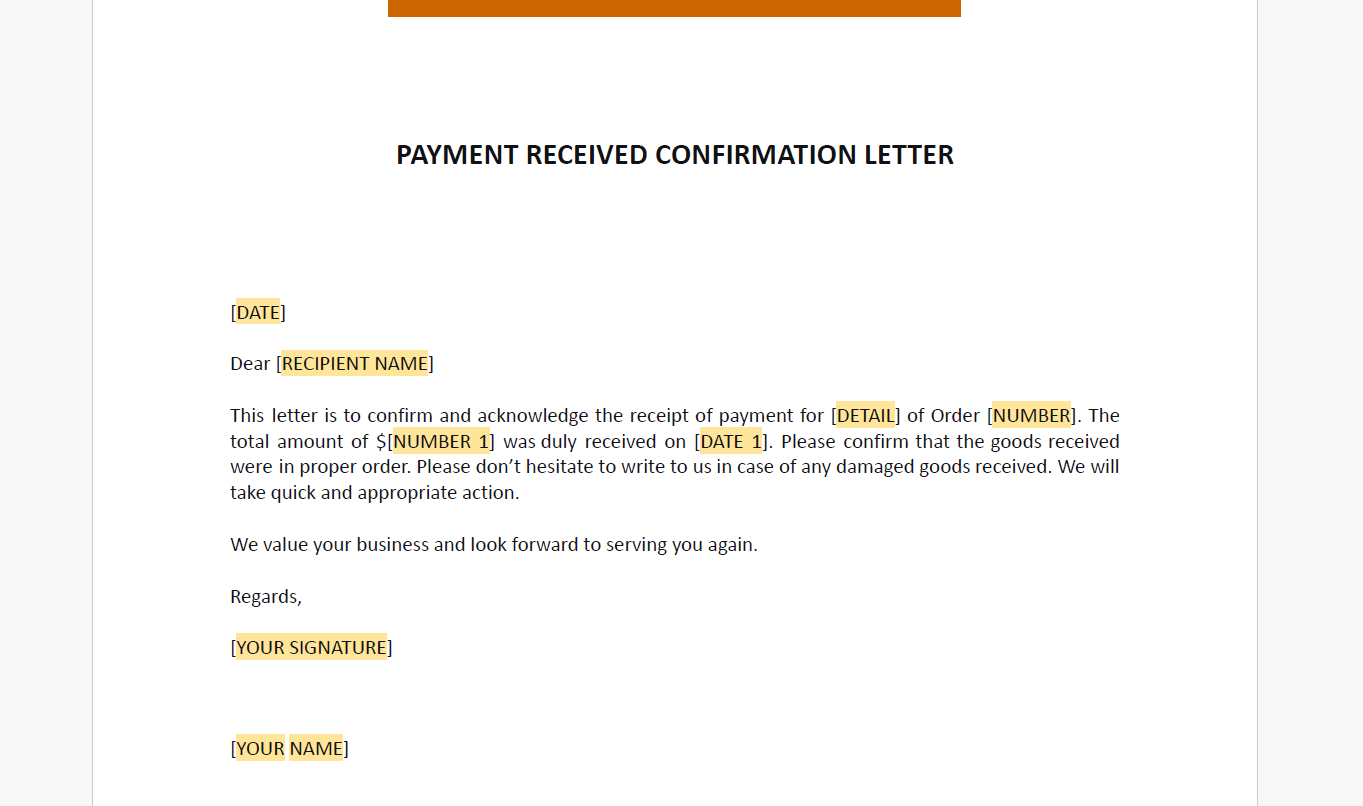
Download Link: https://www.template.net/editable/14312/free-payment-received-confirmation-letter
8. Restaurant Employment Confirmation Letter [PDF, Word]
Designed for hospitality businesses, this template uses straightforward language while maintaining formal structure. It is ideal for industry-specific verification.
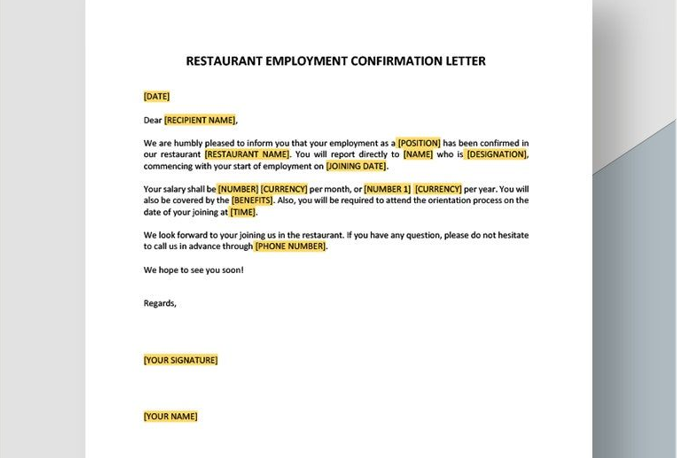
Download Link: https://www.template.net/editable/11686/restaurant-employment-confirmation-letter
9. Confirmation of Retirement Letter to Employee [PDF, Word]
This format is useful for confirming the conclusion of employment. It follows the same professional tone as a standard employment confirmation letter template free of unnecessary details.
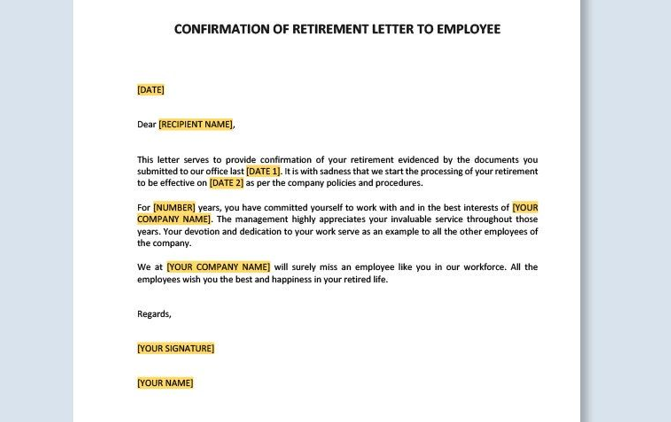
Download Link: https://www.template.net/editable/22163/confirmation-of-retirement-letter-to-employee
10. Employment Confirmation Letter [PDF, Word]
This is one of the most versatile templates. It works well for general employment verification and external submissions.
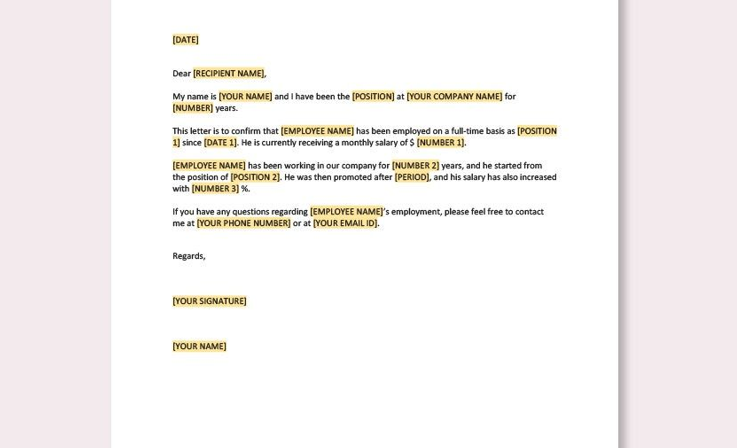
Download Link: https://www.template.net/editable/5821/employment-confirmation-letter
Practical Recommendation
From hands-on experience, I suggest keeping 2–3 formats saved:
One editable Word version for internal HR updates
One polished PDF version for external submissions
In the next section, I’ll show how to create staff confirmation letter format content efficiently, edit these templates, and optimize them for printing using WPS Writer, WPS PDF, and WPS Photo.
Part 3. How to Further Edit and Print Optimized Staff Confirmation Letter Format
After reviewing the templates above, you can download the most suitable staff confirmation letter format free version based on your specific needs. Some templates are better for internal HR confirmation, while others are designed for official third-party verification. Once downloaded, the next step is editing, refining, and preparing the document for professional use.
This is where WPS Office becomes especially useful.
How to Create Staff Confirmation Letter Format in WPS Writer
If you downloaded a Word template, WPS Writer allows you to edit it easily while preserving professional formatting.
Step 1: Open WPS Writer
Launch WPS Office and select WPS Writer from the home screen.
Step 2: Import the Template
Click Open and upload the downloaded Word file. The layout, headings, and spacing will remain intact.
Step 3: Customize Employee Details
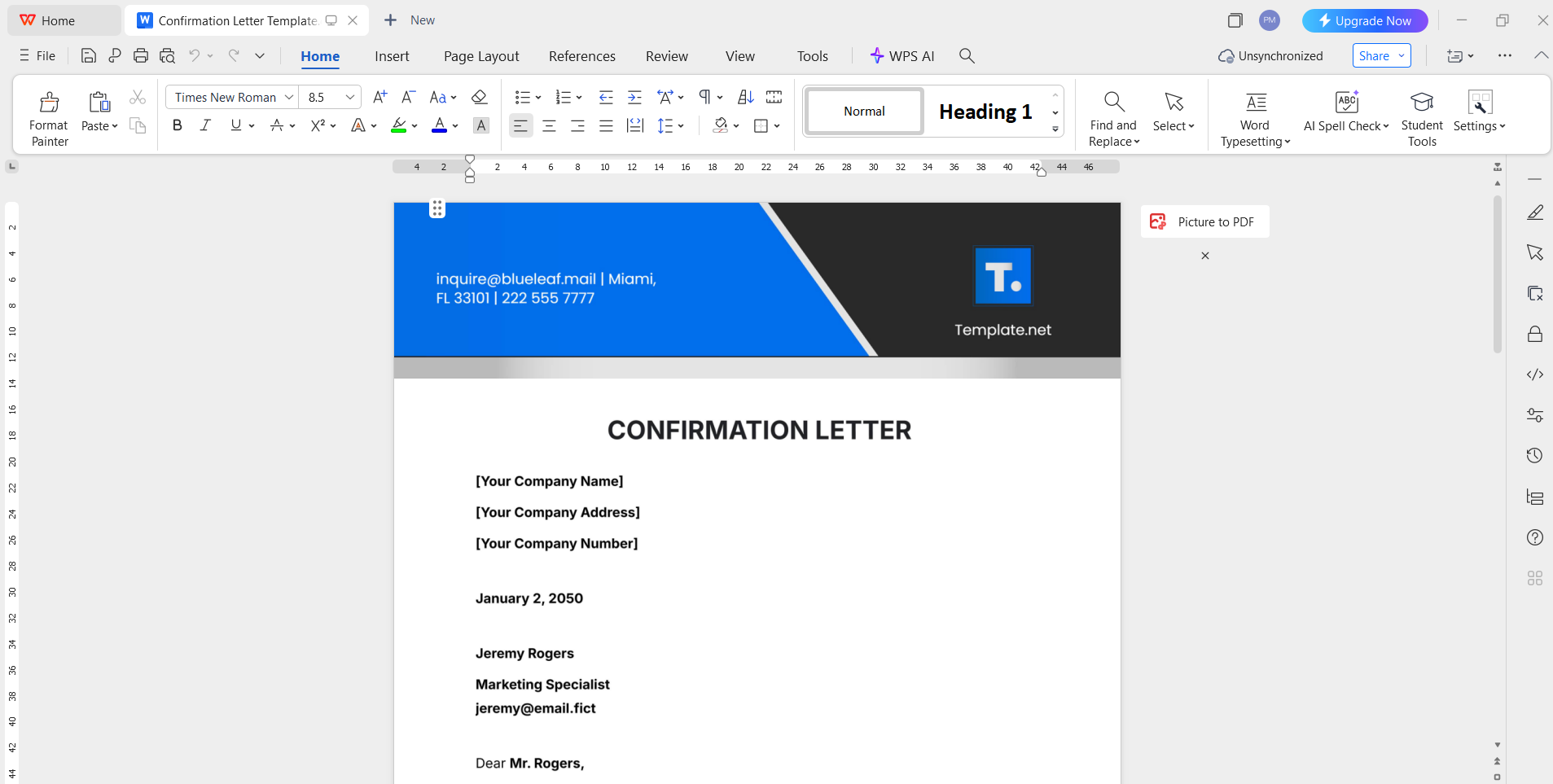
Edit the employee name, job title, department, employment dates, and
confirmation status.
Keep the wording factual and concise to ensure clarity.
Step 4: Adjust Formatting if Needed
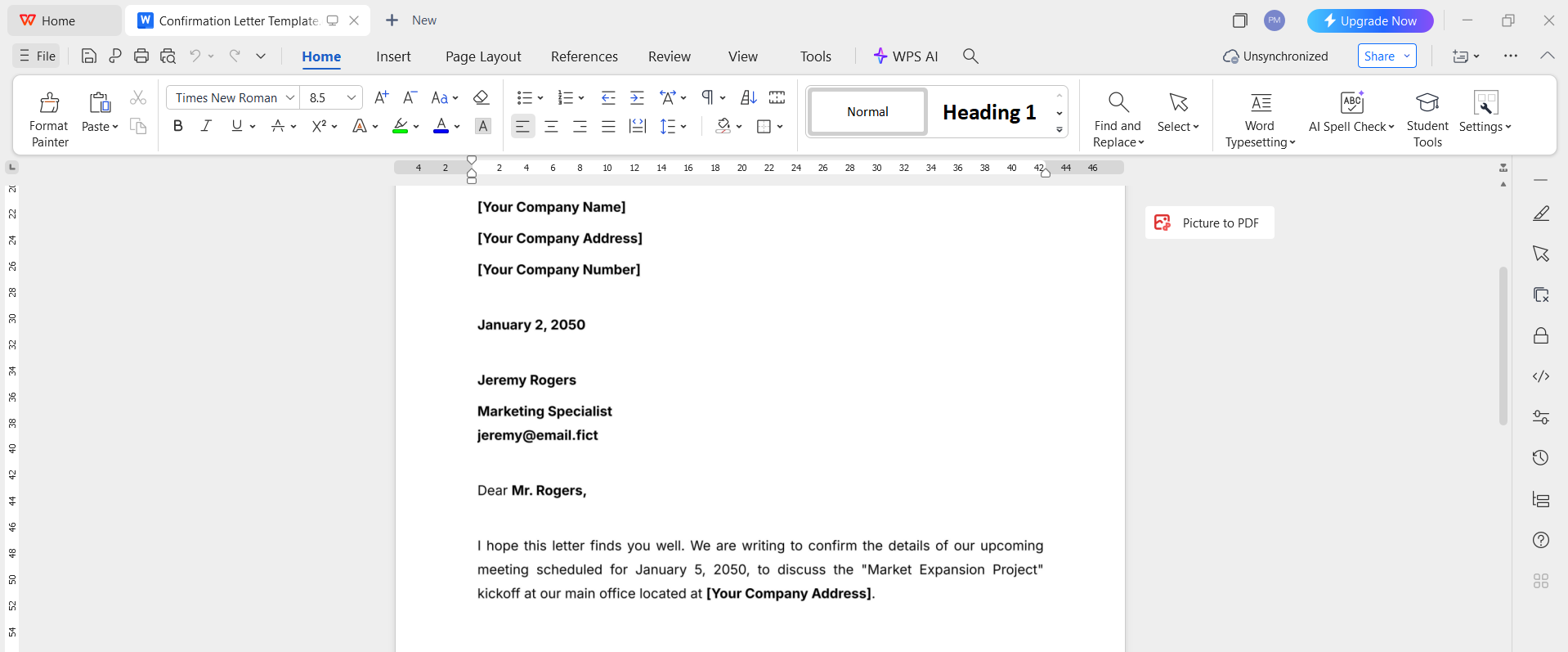
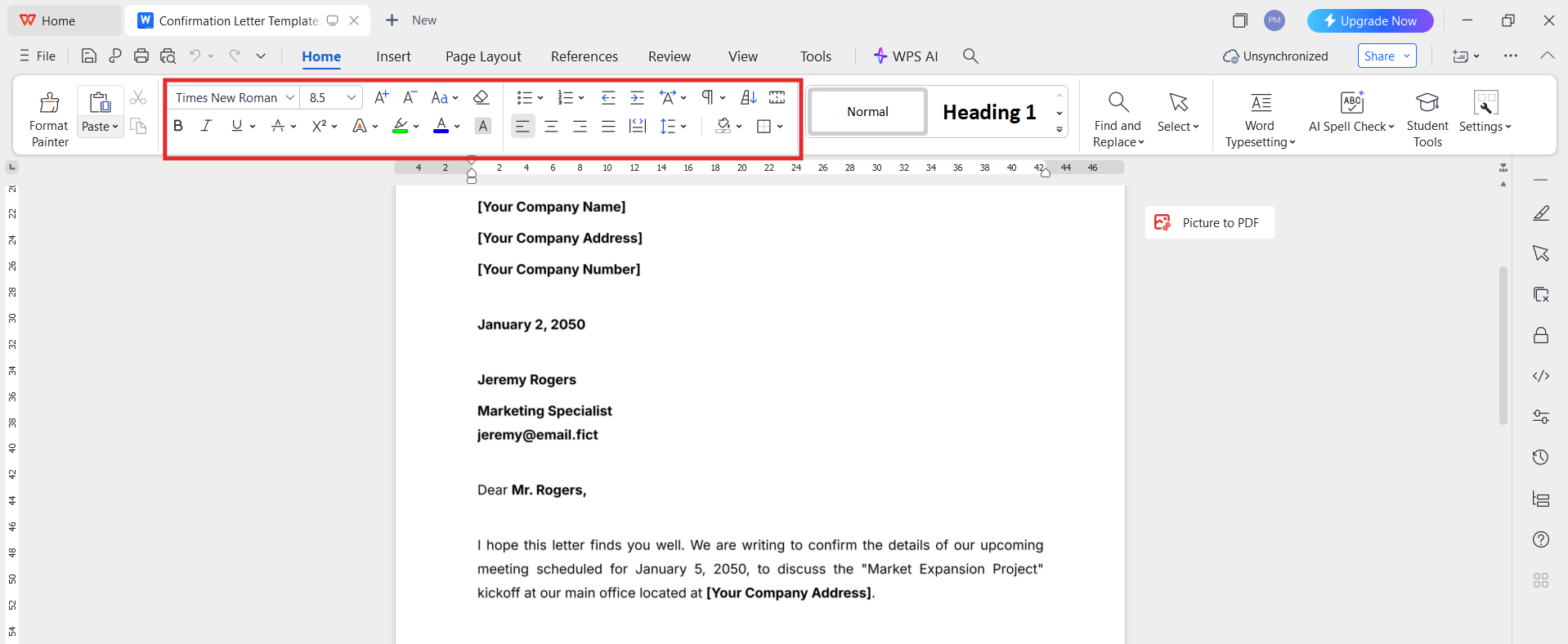
You can update font size, spacing, or alignment while maintaining a formal structure suitable for a confirmation letter for employee use.
Step 5: Save the File
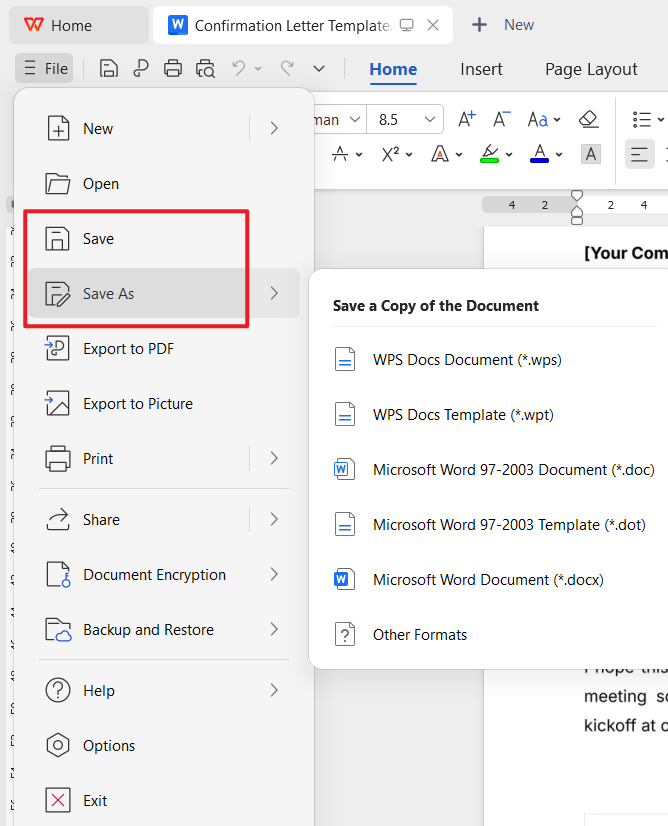
Save the edited document in DOCX format for future revisions, or export it directly as a PDF for official use.
Recommended Tool: WPS PDF for Editing PDF Templates
Many templates are available only in PDF format. Instead of recreating them, you can edit them directly using WPS PDF Editor.
Step 1: Open WPS PDF
Go to WPS PDF Editor and open the downloaded PDF template.
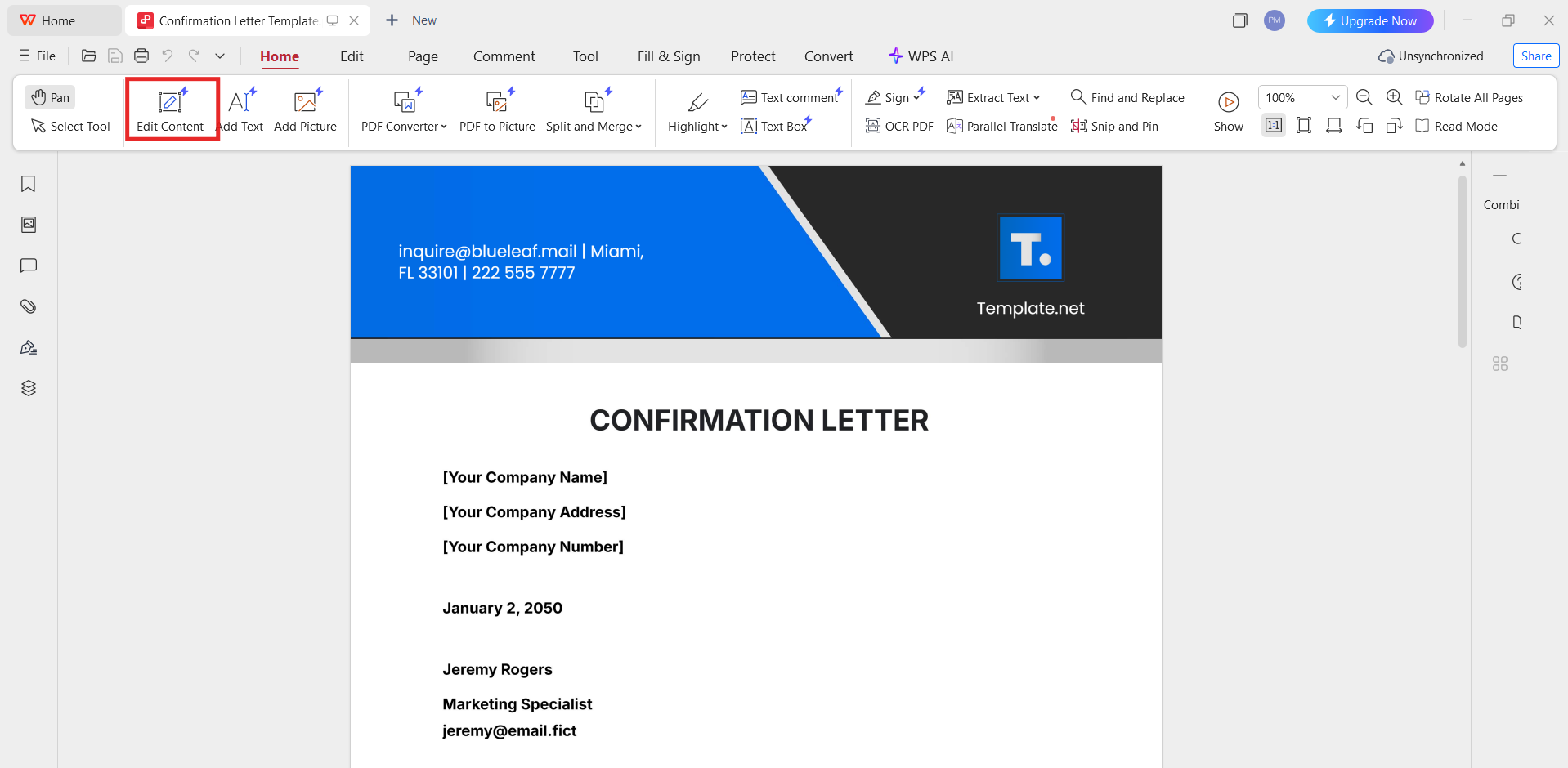
Step 2: Enable Edit Mode
Click Edit PDF to modify text fields, job details, or employer information.
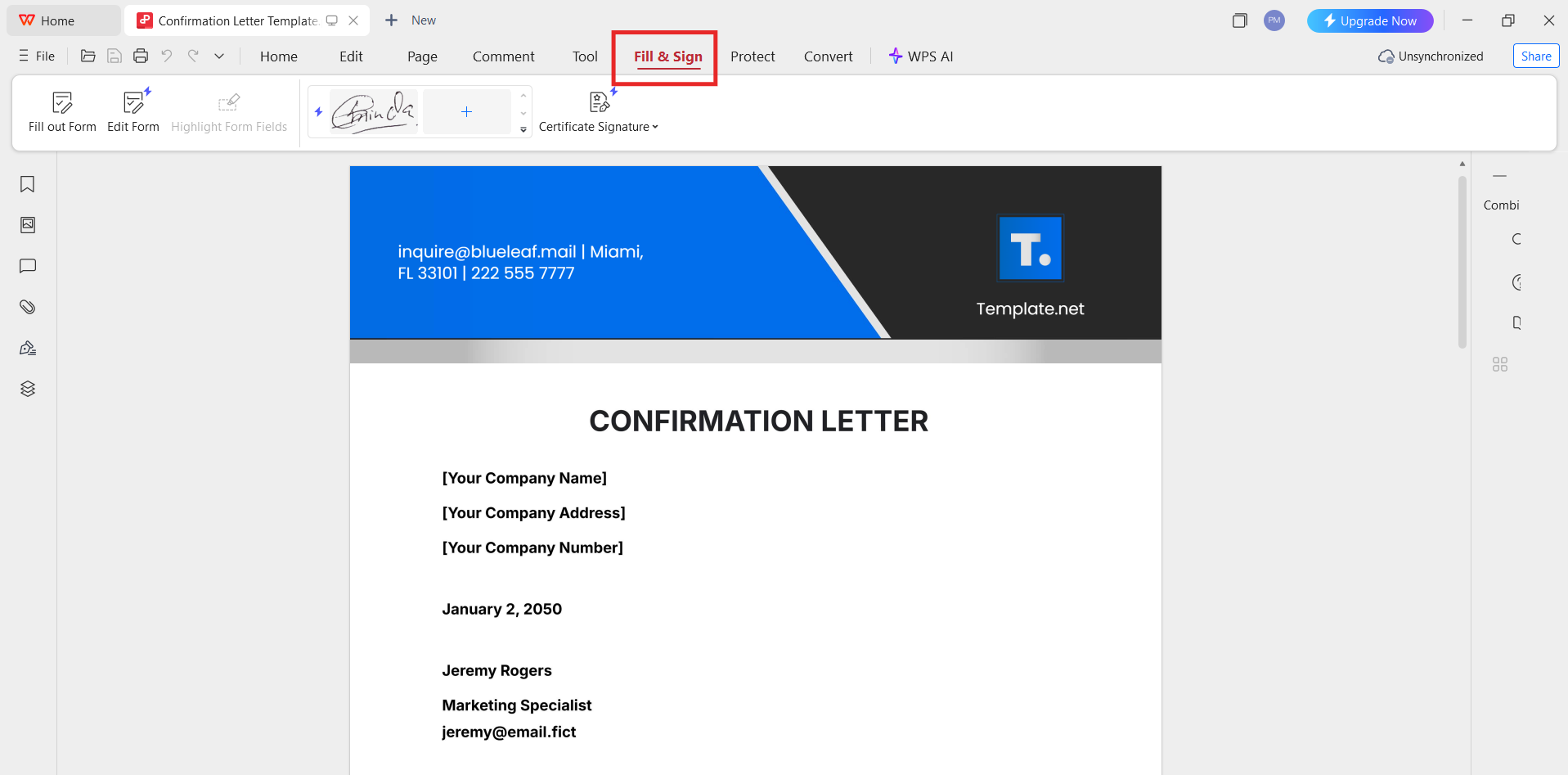
Step 3: Insert Signature or Stamp
Add a digital signature or company seal if required for official validation.
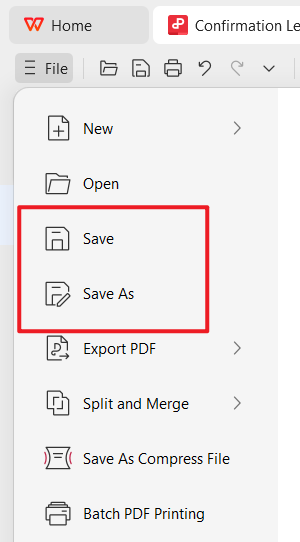
Step 4: Save the Final Version
Save the document as a new PDF to maintain a professional and print-ready format.
This approach works well when preparing a job confirmation letter from employer sample for banks, visa offices, or landlords.
Recommended Tool: WPS Photo for Image-Based Templates
Some templates are provided as JPG or PNG images. In such cases, WPS Photo allows light visual editing.
Step 1: Open the Image in WPS Photo
Import the image-based template into WPS Photos.
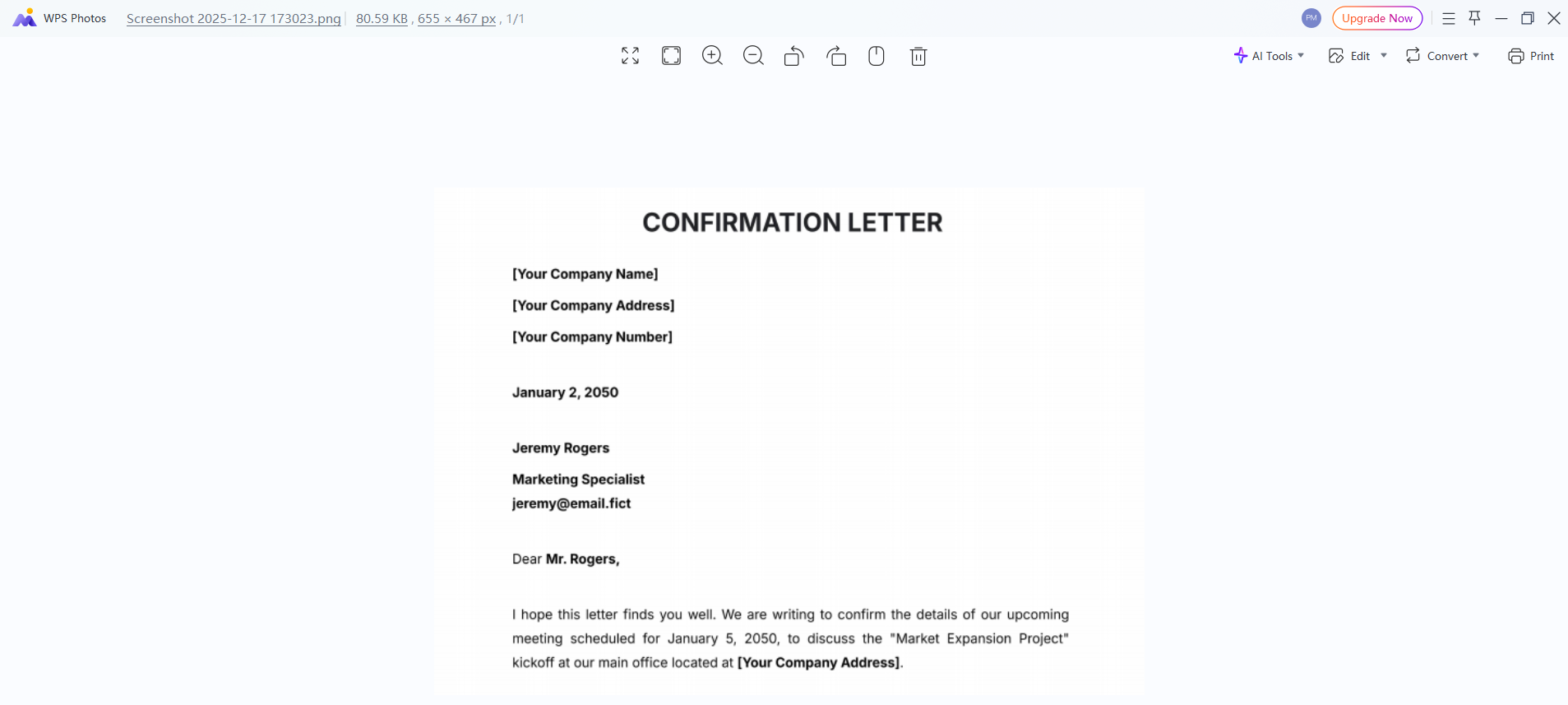
Step 2: Add or Adjust Text
Overlay text boxes to insert employee information while maintaining alignment.
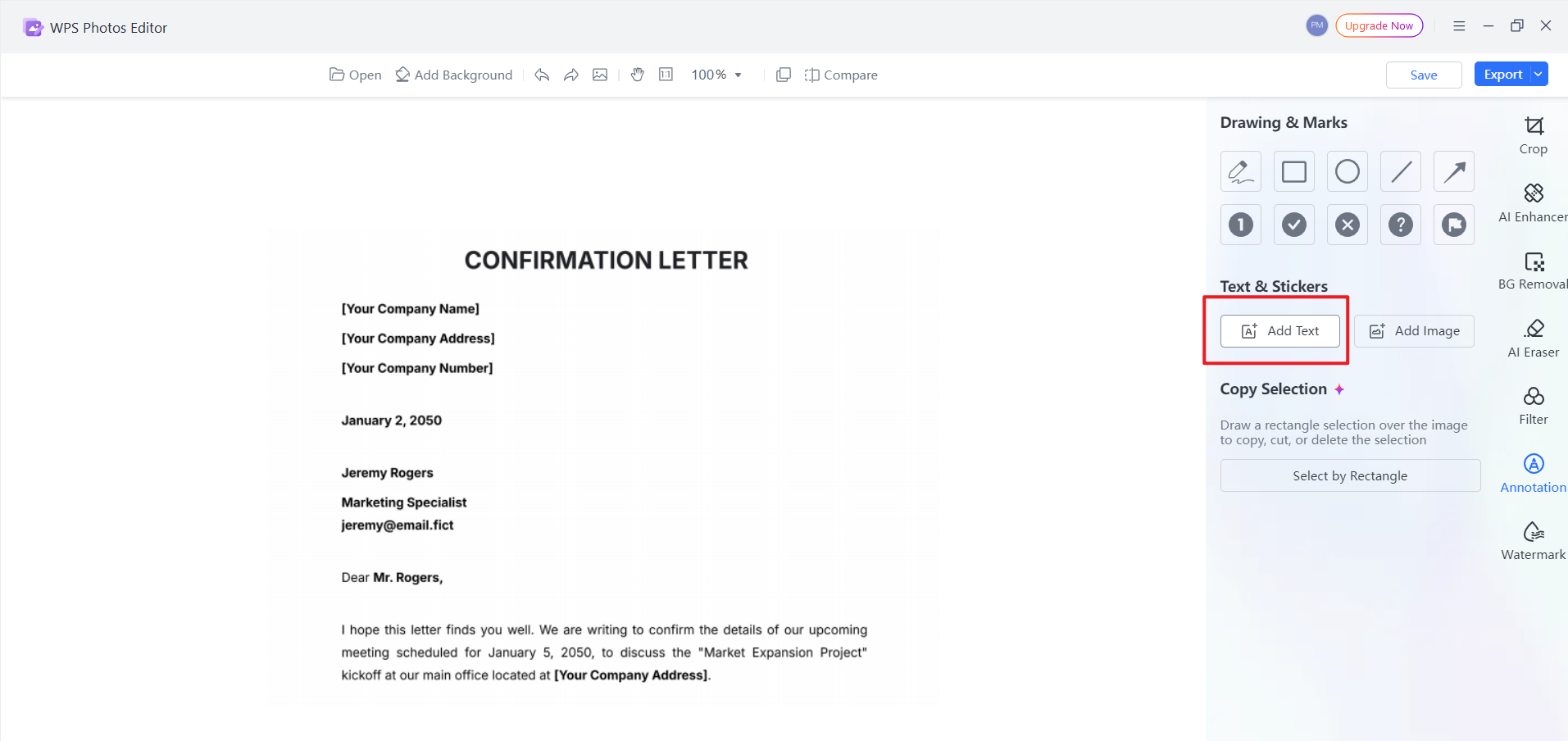
Step 3: Export the Image
Save the edited file in high resolution or convert it into a PDF for official submission.
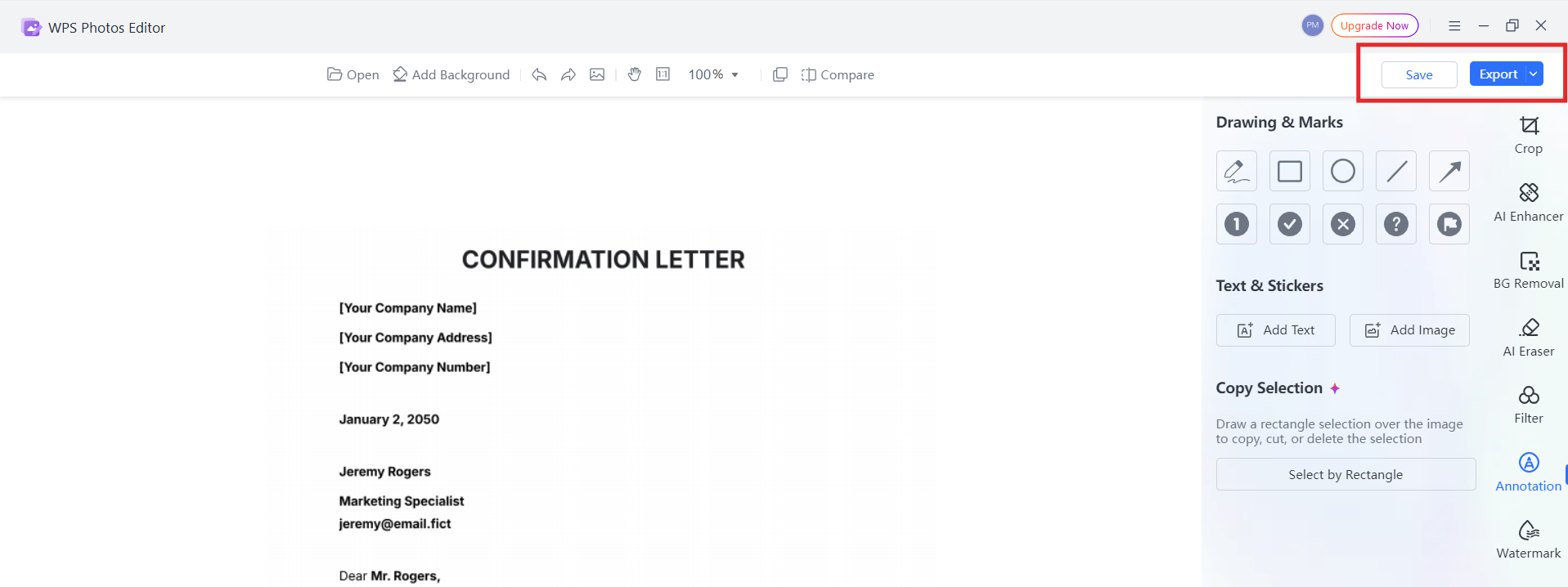
This method is helpful when working with scanned or visual employment verification letter template free files.
How to Save the Edited Letter as a PDF
Regardless of the original format, saving the final version as a PDF is recommended.
In WPS Writer, select Export to PDF
In WPS PDF, use Save As
In WPS Photo, choose Export as PDF
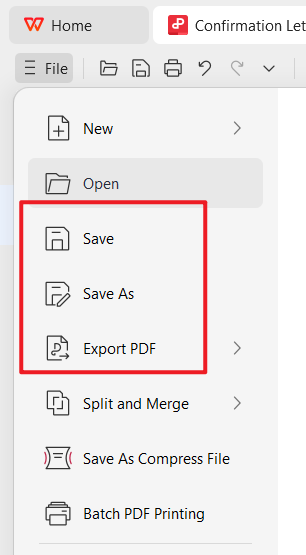
PDF files prevent unintended edits and ensure consistent formatting across devices and printers.
How to Edit the Staff Confirmation Letter Format in Word
If you prefer Word-based editing, WPS Writer functions as a full alternative.
Supports all standard Word features
Allows easy formatting adjustments
Keeps layouts stable for printing
This makes it ideal for HR professionals who regularly prepare employment confirmation letters and need a reusable workflow.
Part 4. Free Office Suite: Easy Create Staff Confirmation Letter
To manage, edit, and finalize a staff confirmation letter format efficiently, having the right office software makes a significant difference. WPS Office is a free and reliable office suite designed for both individual users and HR teams who need professional documents without complexity.

WPS Office allows you to create, edit, and export confirmation letters without switching between multiple tools. Whether you are working with Word, PDF, or image-based templates, everything can be handled in one place.
From experience, WPS Office is especially useful when you frequently prepare confirmation letters for employee verification, probation confirmation, or official documentation requests.
FAQs
1. What is the primary purpose of a staff confirmation letter?
The primary purpose is to officially confirm an employee’s employment status. This usually includes confirmation after probation or verification of active employment for third-party requirements.
2. What tone and language should the confirmation letter format adopt?
The tone should be professional, formal, and factual. Clear language helps avoid ambiguity and ensures the document is suitable for legal or official use.
3. Can a staff confirmation letter be used as employment verification?
Yes. A properly structured confirmation letter can function as an employment verification letter template free for banks, landlords, or government authorities.
4. Is it better to submit a confirmation letter in Word or PDF format?
PDF format is recommended for official submissions because it preserves formatting and prevents unauthorized edits. Word format is better for internal editing.

'%3e%3cpath%20d='M19.9911%204.11386V6.471H18.5894C18.0775%206.471%2017.7322%206.57814%2017.5536%206.79243C17.3751%207.00671%2017.2858%207.32814%2017.2858%207.75671V9.44421H19.9019L19.5536%2012.0871H17.2858V18.8639H14.5536V12.0871H12.2769V9.44421H14.5536V7.49779C14.5536%206.39064%2014.8632%205.53201%2015.4822%204.92189C16.1013%204.31177%2016.9257%204.00671%2017.9554%204.00671C18.8304%204.00671%2019.509%204.04243%2019.9911%204.11386Z'%20fill='%23333333'/%3e%3c/g%3e%3cdefs%3e%3cclipPath%20id='clip0_2938_8199'%3e%3crect%20width='16'%20height='16'%20fill='white'%20transform='translate(8%204.00671)'/%3e%3c/clipPath%3e%3c/defs%3e%3c/svg%3e)
'%3e%3cpath%20d='M17.5237%2010.7813L23.4811%204H22.0699L16.8949%209.88693L12.7648%204H8L14.2469%2012.9029L8%2020.0133H9.4112L14.8725%2013.7952L19.2352%2020.0133H24M9.92053%205.04213H12.0885L22.0688%2019.0224H19.9003'%20fill='%23333333'/%3e%3c/g%3e%3cdefs%3e%3cclipPath%20id='clip0_2938_8200'%3e%3crect%20width='16'%20height='16.0134'%20fill='white'%20transform='translate(8%204)'/%3e%3c/clipPath%3e%3c/defs%3e%3c/svg%3e)


