Wanted posters have a timeless charm. They instantly grab attention
and add personality to events, classrooms, and creative projects. Today,
using a wanted poster template lets you recreate that classic style
without design skills or hours of formatting. Free options look cheap,
are difficult to edit, or don’t print clearly. You might download a
design only to find blurry text or locked elements you can’t change. In
this guide, I’ll take you through how to write a wanted poster and show
you how to edit and print them easily using WPS Office
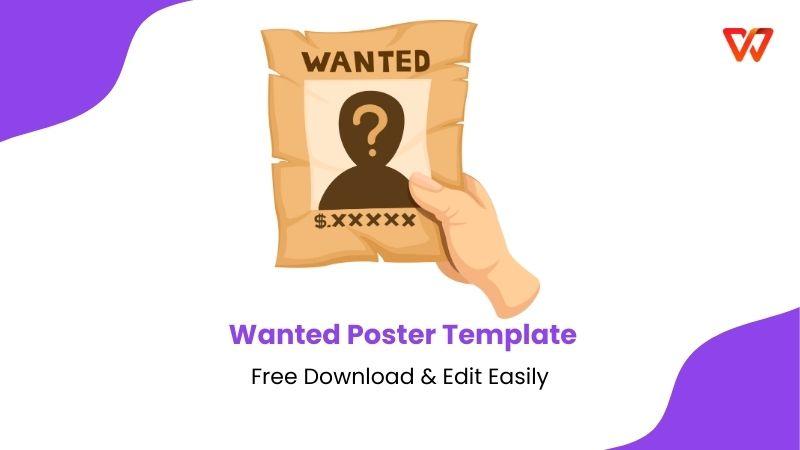
Wanted Poster Template
Before choosing a wanted poster template, it helps to understand what
makes a wanted poster effective. A wanted poster is a visual
announcement designed to draw attention to a person, object, or idea.
Traditionally used in Western themes, it’s now commonly adapted for
party invitations, classroom activities, office humor, hiring notices, and even themed marketing campaigns. If you are creating a poster for a lighthearted office prank or a friend's birthday, you can fill the "crimes" section with good roasts that hurtjust enough to be funny, turning a simple template into a personalized and hilarious masterpiece.
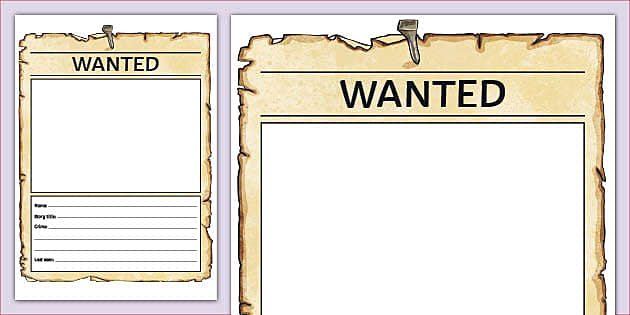
Wanted Poster Enlarged
There are different types of wanted posters depending on your goal.
Some are playful and fictional, such as birthday party posters or
classroom rewards. Others are informational, like “wanted” notices for
missing items, fundraising drives, or recruitment posters. Choosing the
right wanted poster template ensures the tone matches your intent.
If you’re learning how to write a wanted poster template correctly,
these elements are essential:
Headline: Usually starts with “Wanted” in bold,
eye-catching typography.
Subject Name: This could be a person, character,
item, or role.
Image or Illustration: A central visual helps
anchor the design and makes the poster memorable.
Description: A short paragraph explaining why
the subject is “wanted.”
Reward or Call to Action: Optional, but
effective for engagement.
Additional Details: Dates, locations, contact
information, or instructions.
Once you know what content you need, selecting a suitable wanted
poster template becomes much easier.
Wanted Poster Templates
The choice of layout and structure in a wanted poster template
affects clarity and impact. Each one serves a different function. For
example, sites like Visme emphasize templates that help organize key
fields like names, descriptions, contact info, and even QR codes so your
poster doesn’t just look good but communicates effectively too, whether
you’re promoting an event or broadcasting a lost item notice. I’m
sharing 10 free wanted poster template examples that aren’t just
visually appealing but also ready to edit and print.
1. Black and White
Simple Framed Wanted Poster
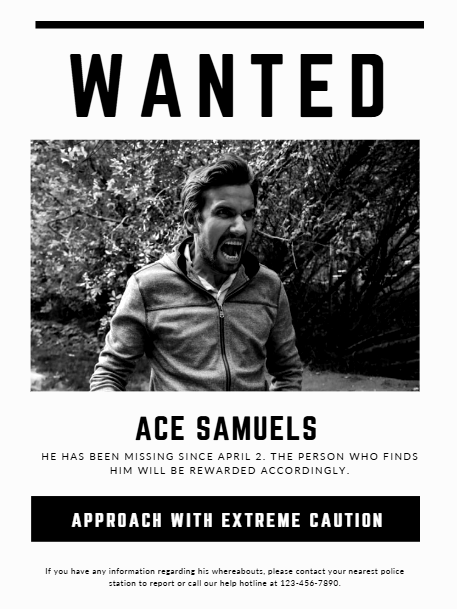
This poster features a stark, high-contrast design intended for a modern missing or
dangerous person alert. The layout highlights the name Ace Samuels
beneath a monochromatic, intense photograph of the subject in an
agitated state. It provides a specific timeline, noting he has been
missing since April 2, and incentivizes the public by mentioning a
reward for his discovery. A heavy black warning bar commands readers to
"Approach with Extreme Caution," signaling a potential threat to public
safety.
Black and White Simple Framed Poster
2. Brown Peach Photo
Coffee Wanted Poster
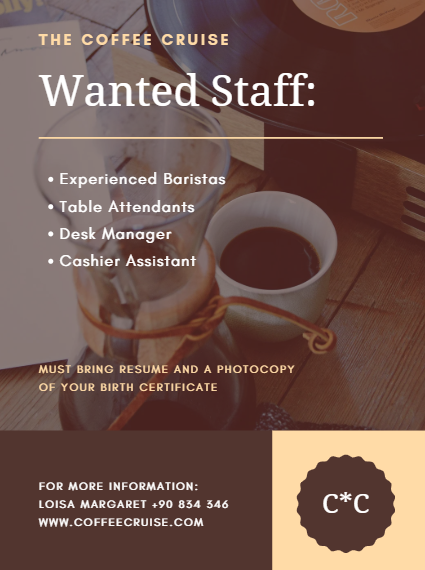
This recruitment poster features a warm, sepia-toned background showcasing coffee brewing
equipment and a vinyl record, evoking a cozy and professional
atmosphere. The central text announces a search for several staff roles,
specifically seeking Experienced Baristas, Table Attendants, a Desk
Manager, and a Cashier Assistant. Applicants are instructed to bring
both a resume and a photocopy of their birth certificate for the
application process. At the bottom, clear contact details are provided
for Loisa Margaret, along with a website and a distinct circular "C*C"
logo.
Brown Peach Wanted Poster
3. Blue Modern We Are Hiring
Poster
This professional recruitment poster features a corporate blue and yellow theme set against a blurred
background of modern skyscrapers. The design prominently displays "We
are hiring" in bold yellow text and lists open positions for a Graphic
Designer, Software Developer, and Marketing Specialist. A circular
cutout in the bottom right corner shows a person working on a laptop,
emphasizing a tech-focused or office environment. The poster encourages
candidates to "Apply Now" and directs them to a specific website for
further details.
Blue Modern Wanted Poster
4. Lineup Wanted Poster
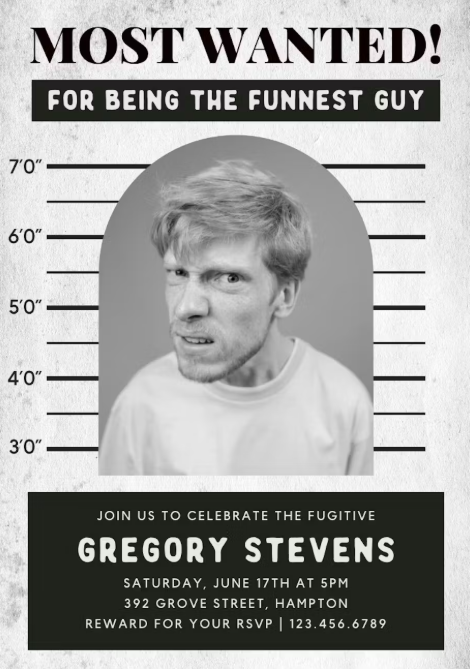
This playful template is styled like a police mugshot, complete with a height chart background
for the subject, Gregory Stevens. The poster humorously claims he is
wanted "for being the funniest guy" and invites guests to "celebrate the
fugitive" at an event on June 17th. It includes essential party details
such as the time, the Hampton address, and a phone number for RSVPs. The
design concludes with a clever "Reward for your RSVP" line to encourage
guests to confirm their attendance.
Lineup Wanted Poster
5. Wild Wild West
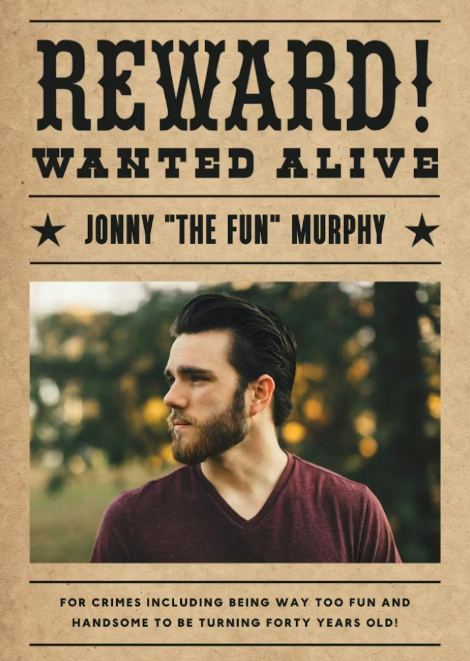
Emulating a classic Wild West style, this aged, parchment-textured poster features a prominent "Reward! Wanted Alive" headline. It showcases Jonny
"The Fun" Murphy and humorously lists his "crimes" as being way too fun
and handsome to be turning forty years old. The central image is a
profile shot of the subject in a natural, outdoor setting, framed by
traditional western stars and decorative lines. This template is
designed as a lighthearted birthday tribute that blends vintage outlaw
aesthetics with modern humor.
Wild Wild Wanted Poster
6. Vintage Frame
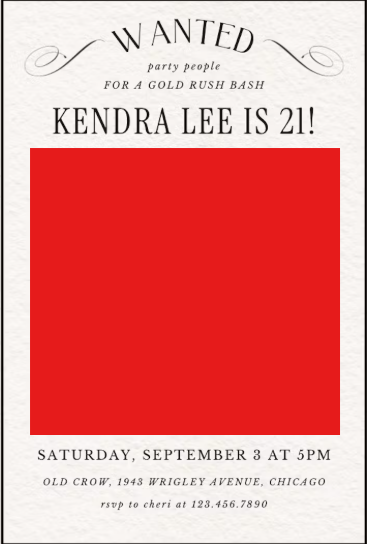
This elegant poster uses a "Wanted" theme for "party people" to announce a "Gold Rush Bash"
celebrating Kendra Lee turning 21. The design features classic
flourishes and a large red placeholder for a central photo of the
birthday honoree. It provides clear event details for Saturday,
September 3rd at 5 PM, located at Old Crow on Wrigley Avenue in Chicago.
Guests are instructed to RSVP to Cheri at the provided phone number to
confirm their spot at the celebration.
Vintage Frame Wanted Poster
7. Dead or Alive
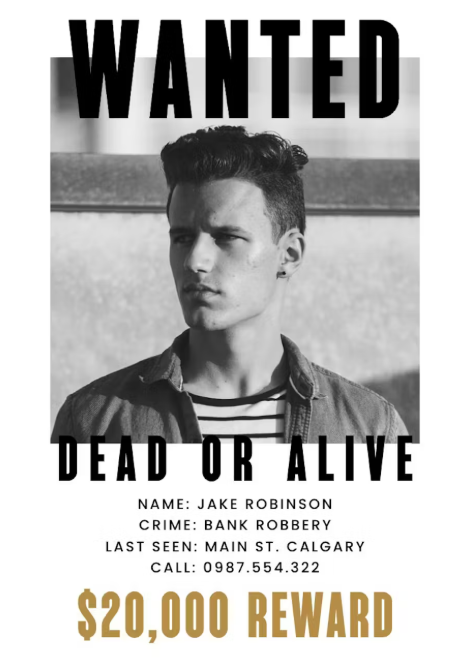
This traditional "Wanted Dead or Alive" poster features a modern individual named Jake Robinson pictured in a
monochromatic urban setting. The text lists his "crime" as a bank
robbery and notes that he was last seen on Main St. in Calgary. A
significant reward of $20,000 is displayed in bold gold lettering at the
bottom to attract attention. The design includes a specific contact
number, 0987.554.322, for anyone with information regarding his
whereabouts.
Dead or Alive Wanted Poster
8. All Lined Up Wanted Poster
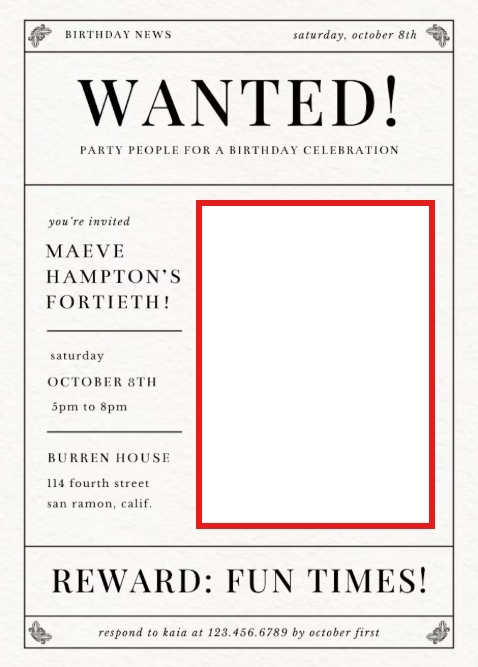
This "Birthday News" template is styled like a vintage newspaper and calls for "party people" to join
a celebration. It invites guests to Maeve Hampton's fortieth birthday on
Saturday, October 8th, from 5 PM to 8 PM. The event is held at Burren
House on 114 fourth street in San Ramon, California, and features a
"Reward: Fun Times!" headline. Guests are asked to respond to Kaia at
123.456.6789 by October first to secure their invitation.
All Lined Up Wanted Poster
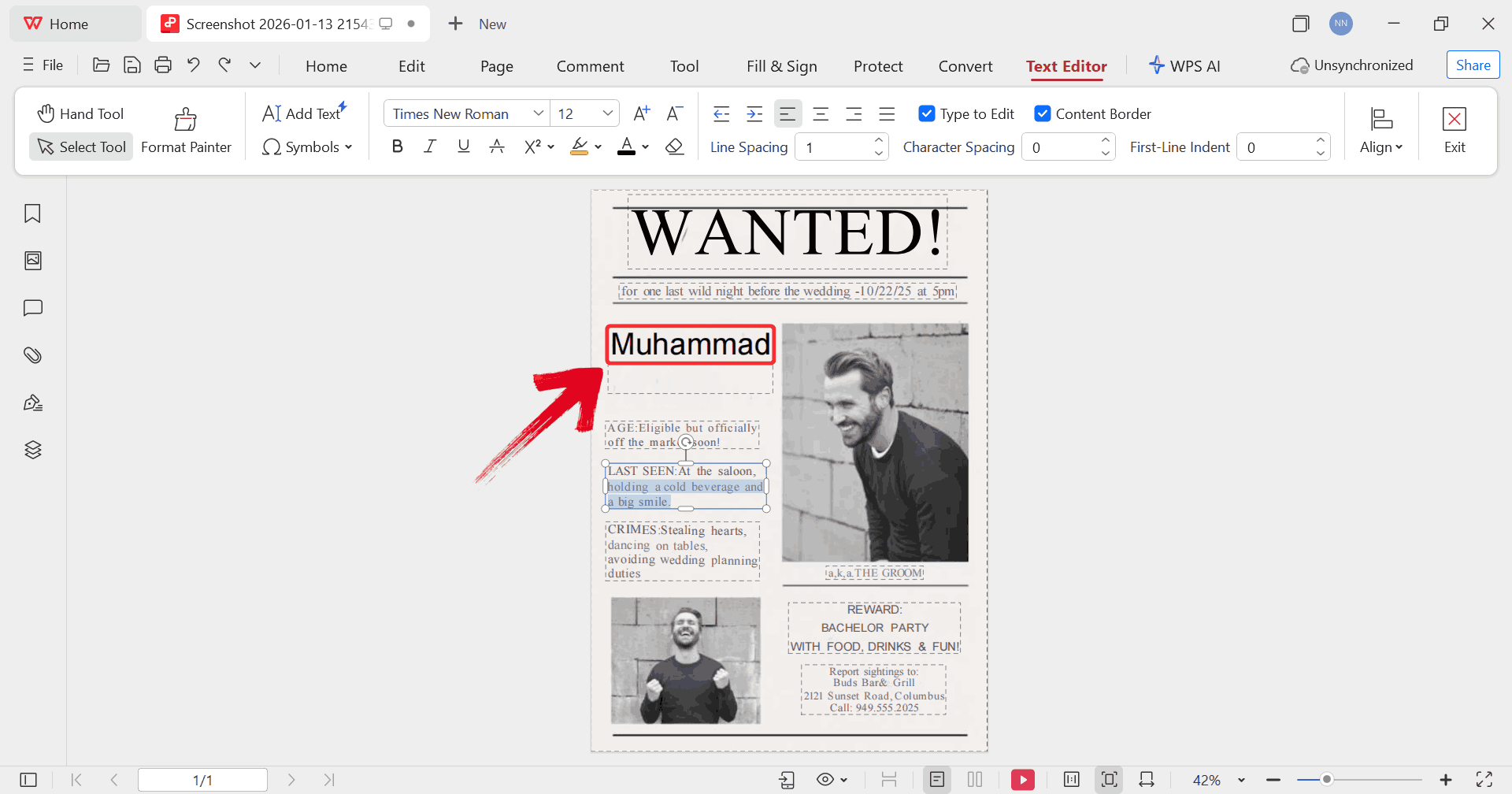
9. News Flash
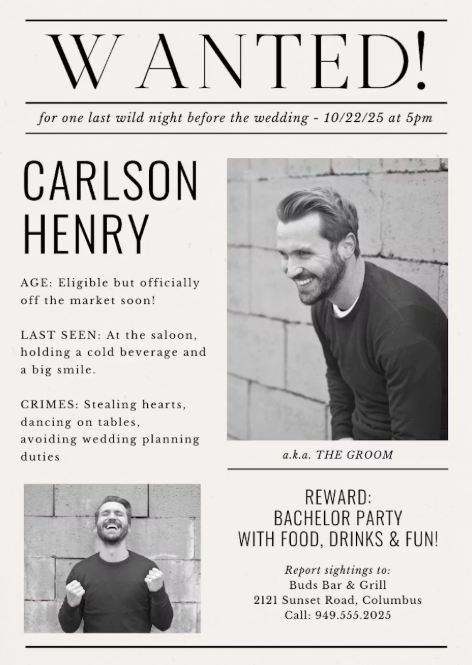
This creative invitation features Carlson Henry, jokingly referred to as "The Groom" and labeled
as officially off the market soon. It lists lighthearted "crimes" such
as stealing hearts, dancing on tables, and avoiding wedding planning
duties. The "Reward" offered is a bachelor party with food, drinks, and
fun scheduled for 10/22/25 at 5 PM. Sightings are to be reported to Buds
Bar & Grill at 2121 Sunset Road in Columbus.
News Flash Wanted Poster
10. Modern Wanted
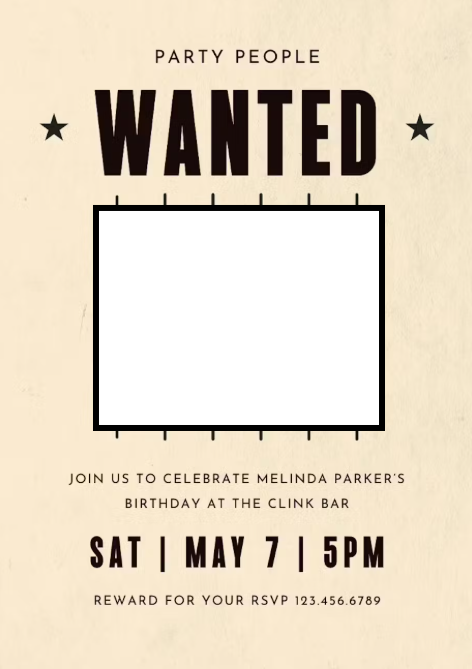
This invitation features a playful jail-themed design, placing a black-and-white photo
of Melinda Parker behind vertical black bars. It calls for "party
people" to join together to celebrate her birthday at The Clink Bar. The
event is scheduled for Saturday, May 7th at 5 PM, presented in a clean,
minimalist layout with vintage-style stars. Like other festive
templates, it offers a "Reward for your RSVP" and provides a contact
number for confirmation.
Modern Wanted Poster
The Black and White Simple Framed template is the most versatile,
while Wild Wild West is unbeatable for themed events. If you want
something modern and flexible, Modern Wanted is easy to adapt. If you’re
looking for even more options, the WPS template website offers a wide
range of editable templates that you can download and use directly
within the software.
How
to Further Edit and Print Optimized Wanted Poster Templates
The part that made the biggest difference was refining the design so
the text, images, and layout actually worked for what I needed. Many
free templates you download come as static PDFs or simple images. That’s
fine for a quick print, but if you need clean typography, consistent
spacing, or to swap in higher-resolution photos without distortion, you need the right editing workflow. In practice,
that means using tools such as WPS Office that handle both text and
visual elements without forcing you to rebuild the poster from scratch.
Here;s how to start editing in WPS PDF.
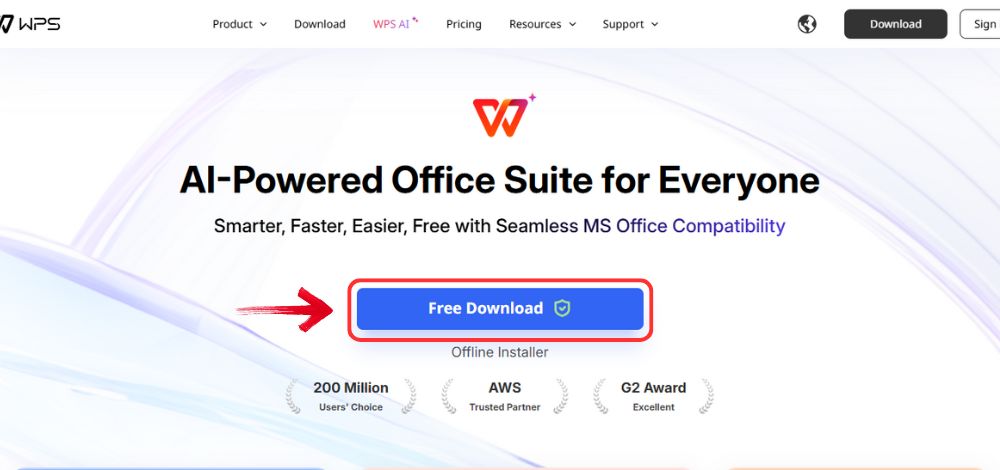
Step 1: Visit the official WPS Office website and
select the “Free Download” option to save the installer
to your computer.
Download WPS Office
Step 2: After the file finishes downloading,
double-click the installer just as you would with any regular software
and begin the setup process.
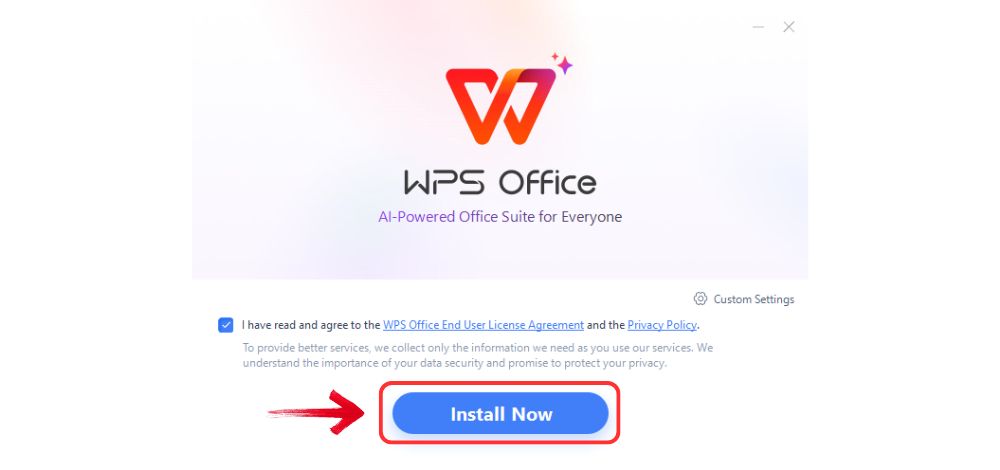
Step 3: Review the license terms, confirm your
agreement, and choose “Install Now”. The installation
runs quickly and doesn’t require any technical setup.
Install WPS Office
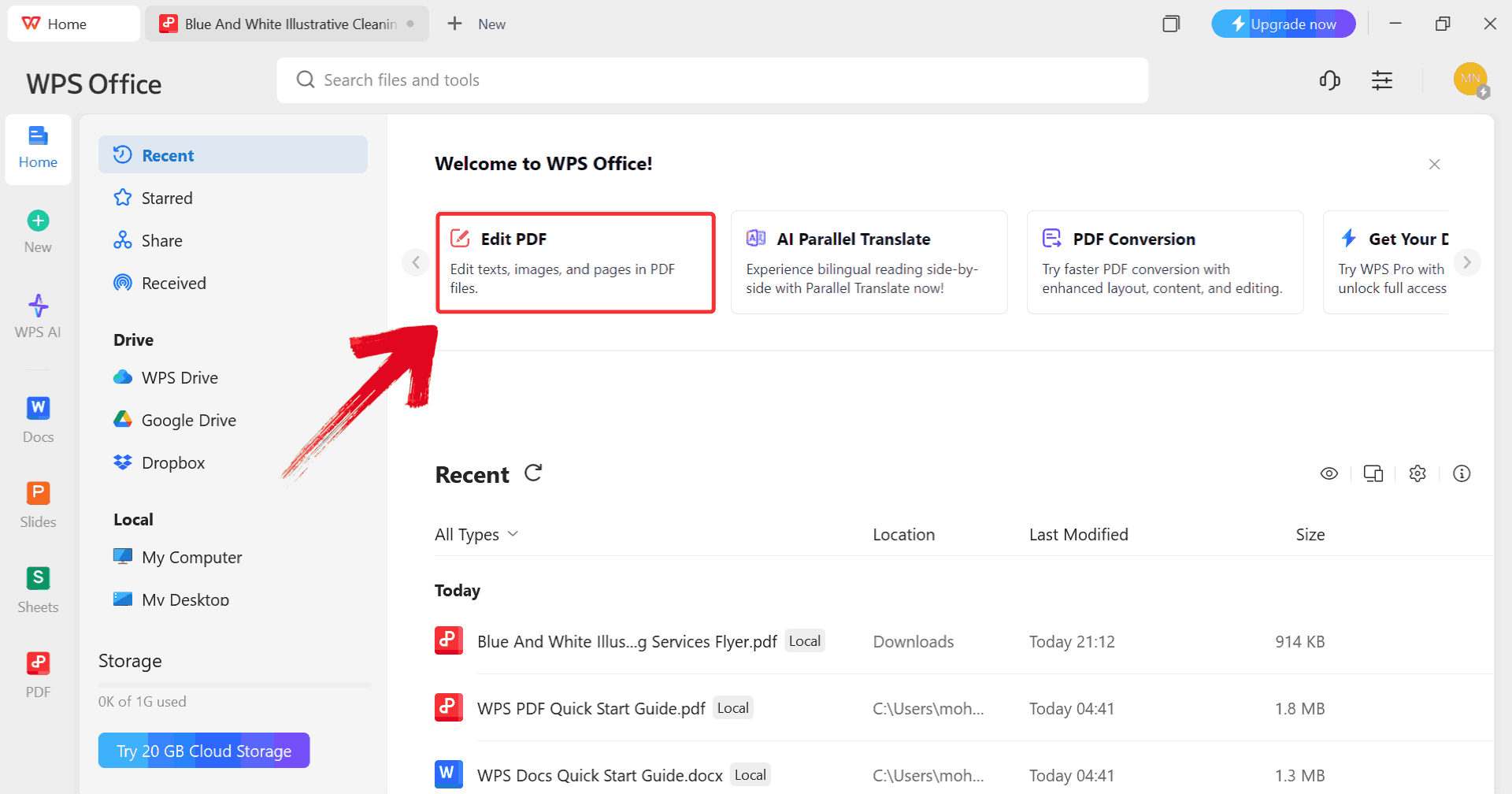
Step 4: Once WPS Office opens, head to the main
dashboard and click “Edit PDF” to prepare your child
travel consent form for changes.
Click Edit PDF
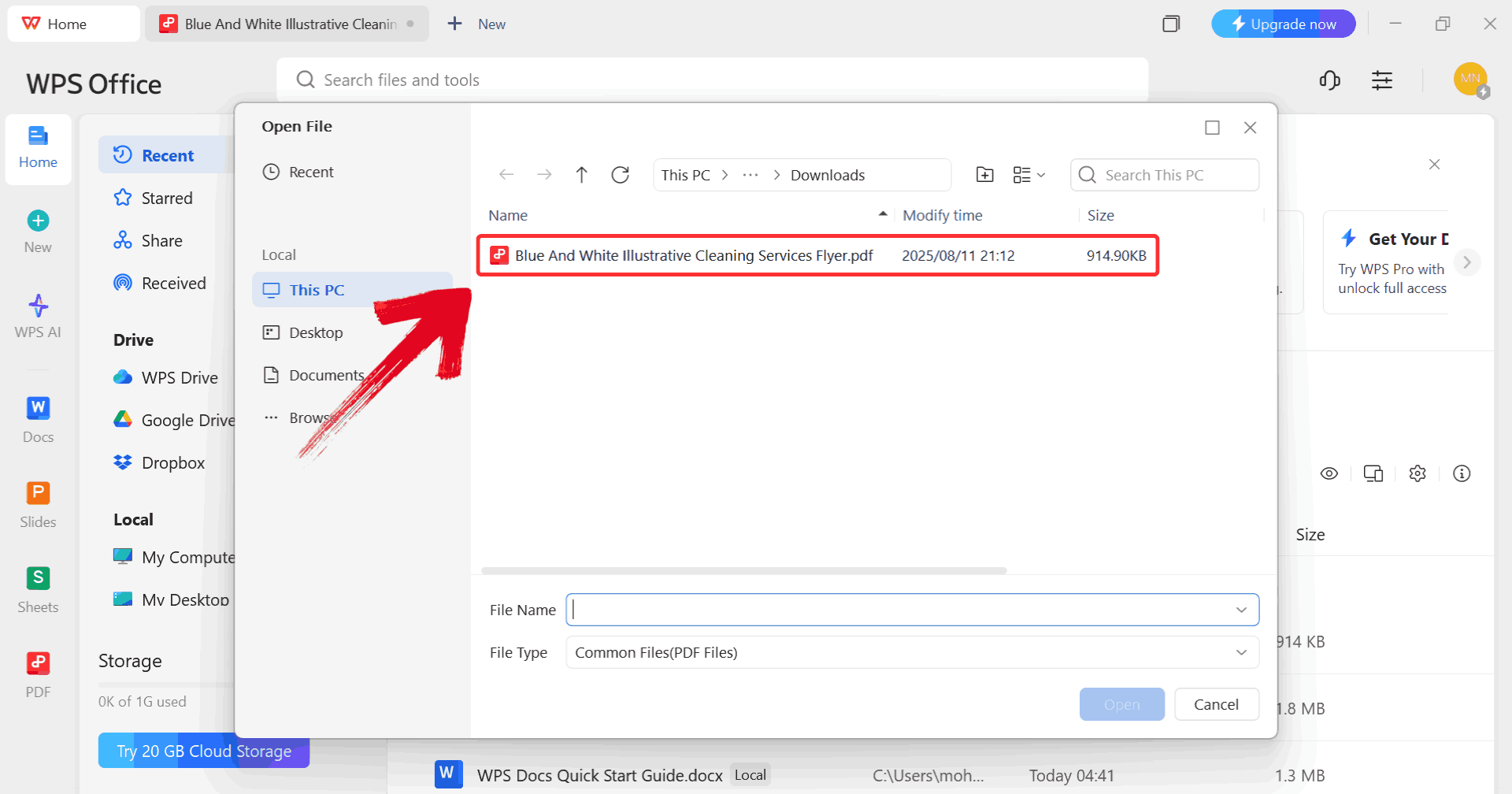
Step 5: Navigate through your folders to find the
PDF you want to edit, then open it directly in WPS PDF.
Select PDF
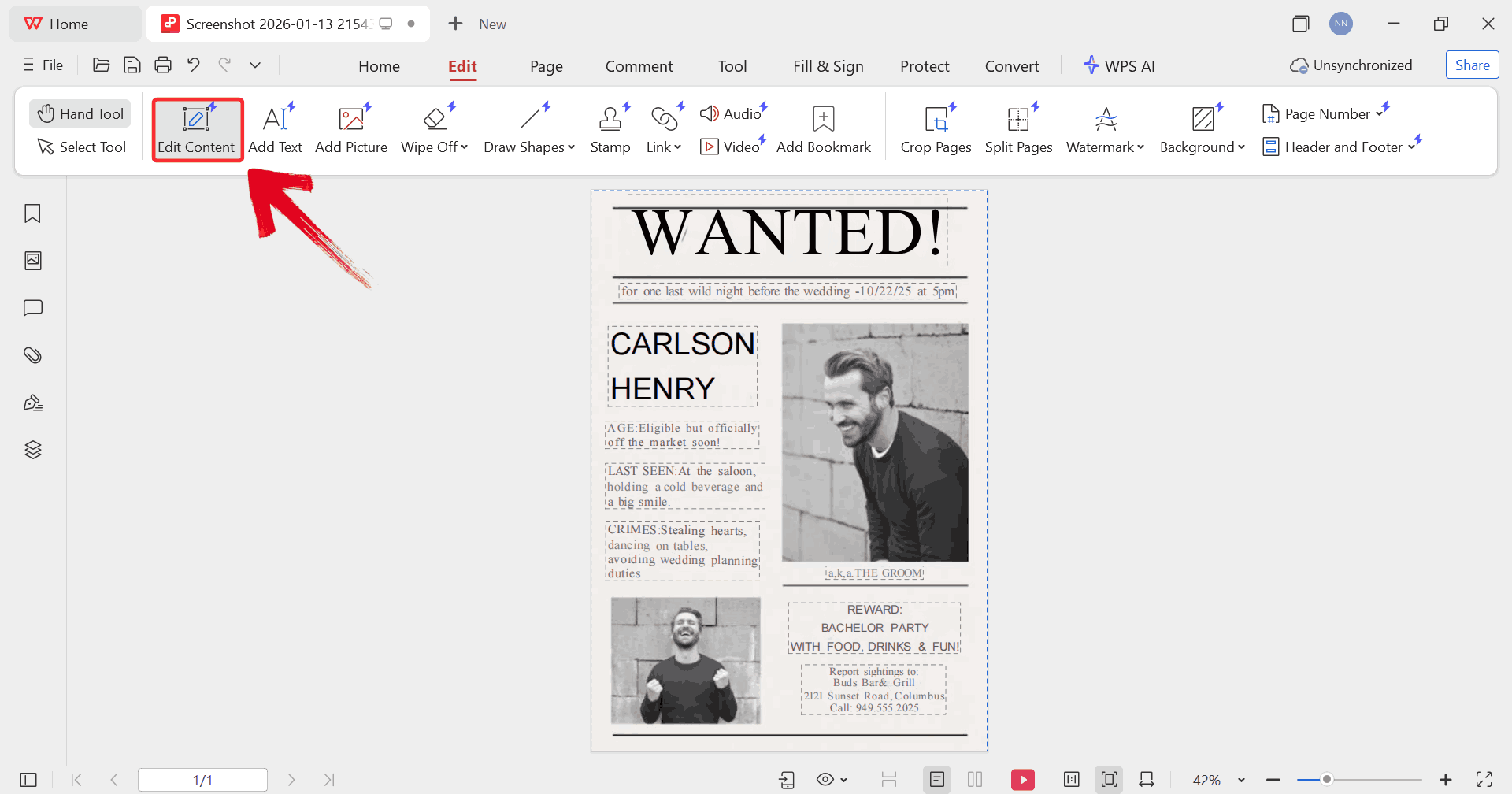
Step 6: Select “Edit Content” to
unlock the document. This allows you to change existing text, adjust
fonts, and insert additional text fields if necessary.
Edit Content
Step 7: Click inside any editable area and fill in
the required details, including date, information, and your child’s
personal details.
Text Box
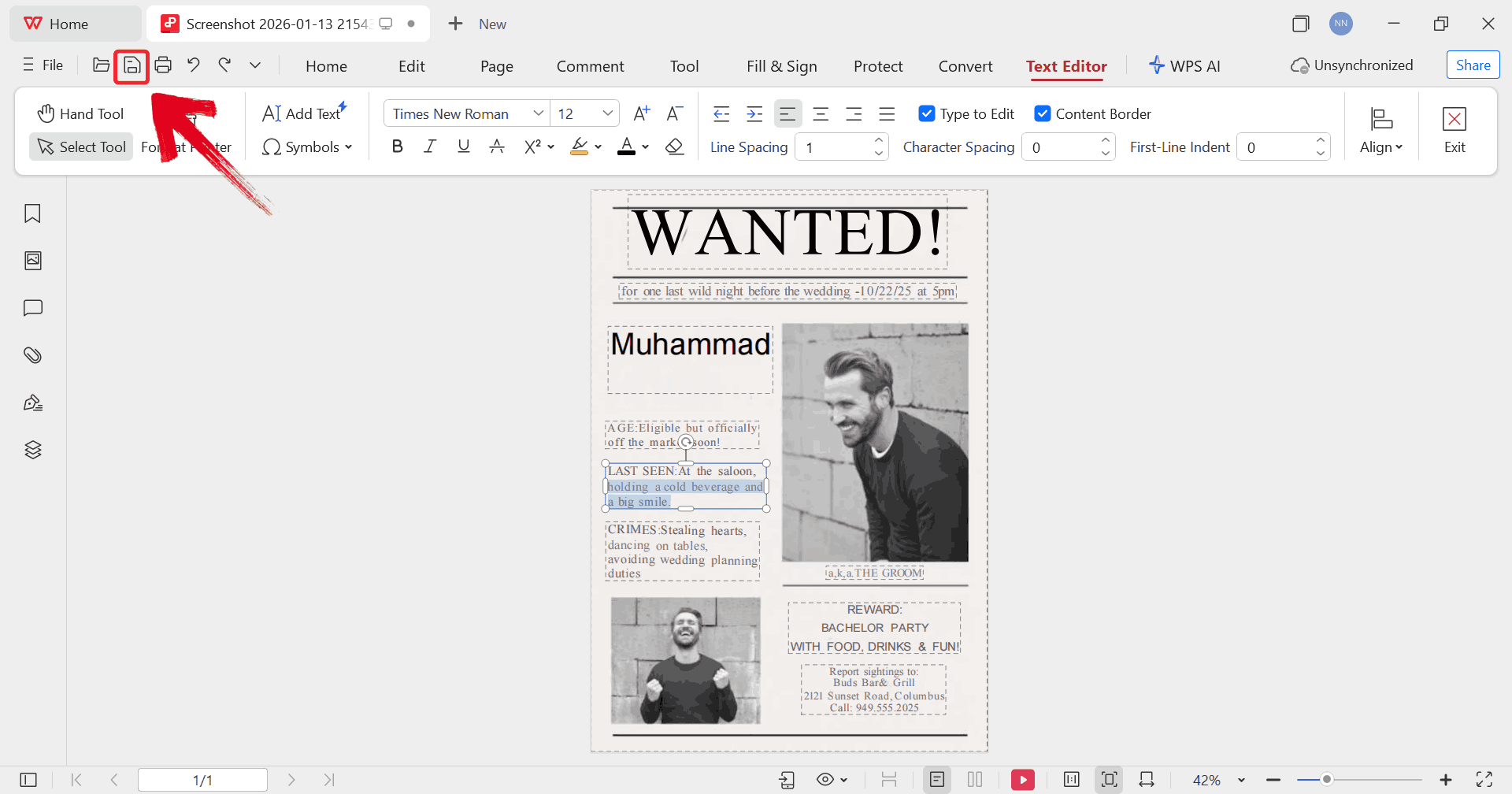
Step 8: When everything looks correct, select the print icon to produce a finalized copy with all your
edits accurately applied.
Print PDF
Part 4. Free
Office Suite with Editable Templates
When you’re working with a wanted poster template, the real challenge
usually shows up after you’ve chosen a design. You might need to adjust
headline spacing so “Wanted” actually commands attention, resize a photo
without blurring it, or fix text alignment so the poster prints cleanly
on a single page. These are small details, but they’re what separate a
rough draft from a finished poster you’d actually display or share.
WPS Office is built to
handle those exact edits across document, PDF, and image formats, which
means you can refine a wanted poster without recreating it from scratch
or switching between multiple tools. That makes it practical when you’re
working with downloadable templates and want consistent, print-ready
results.
WPS Office
Features
AI-Assisted Text Editing: WPS AI helps you
quickly fill in poster headlines, descriptions, and rewards with
professional phrasing, making your wanted poster look polished in
minutes.
Comprehensive PDF Toolkit: Edit, resize, and
annotate PDF templates directly without needing separate software, so
your poster maintains print-ready quality.
Extensive Template Library: Thousands of
editable templates are available, including themed wanted poster
designs, so you can start with a layout that fits your project
perfectly.
Advanced Formatting Options: WPS Office provides
tables, text boxes, font styles, and spacing tools to make sure every
element of your poster is aligned and visually balanced.
Real-Time Online Collaboration: Share your
poster with teammates or classmates to get instant feedback and make
edits together without emailing multiple file versions.
Secure and Stable: Work confidently knowing your
designs are safely stored, edits won’t be lost, and the software runs
smoothly even with large, image-heavy templates.
Flexible Export and Printing: Save your finished
poster in PDF, JPG, or PNG formats, ensuring your edits look crisp both digitally and on
paper.
When you combine these features, WPS Office makes working with wanted
poster templates simple and efficient, removing the hassle of switching
between multiple programs or redoing layouts from scratch.
100% secure
FAQs
1. How
do I edit a downloaded wanted poster template easily?
Open the template in WPS Office and replace the text, swap in a
photo, adjust fonts, and fine-tune spacing.
2. Can I add a
photo to a wanted poster template?
Yes. Most templates support image placeholders, and WPS Office lets
you insert and crop photos easily.
3. Are
free wanted poster templates suitable for printing?
Yes, as long as they’re high resolution and saved as PDFs before
printing.
4. What
file format is best for sharing a wanted poster?
PDF is best because it preserves layout and ensures consistent
viewing.
5. Can I
create a wanted poster template from scratch?
You can, but starting with a ready-made template saves time and
ensures better design balance.
Wanted Posters Truly Wanted with WPS
With free wanted poster template options available online, you can start with a design that already has the right structure and visual balance. Once you understand how to write a wanted poster template, customizing the text and images becomes a simple process rather than a design challenge. The difference comes from using tools that let you edit layouts, photos, and PDFs without friction. That’s where an all-in-one solution like WPS Office fits naturally. It allows you to refine details, maintain print quality, and export polished results in minutes. While basic editors can handle quick changes, having a flexible platform gives you consistency across projects. In the end, the right wanted poster template paired with the right editing tool saves time and delivers results you can confidently share or print.
7+ years in productivity tech. I test and review the latest tools to simplify your workflow. Follow for honest app comparisons, practical guides, and curated tech picks to boost efficiency.


'%3e%3cpath%20d='M8%200C12.4183%200%2016%203.58172%2016%208C16%2012.4183%2012.4183%2016%208%2016C3.58172%2016%200%2012.4183%200%208C0%203.58172%203.58172%200%208%200ZM11.6162%204.38379C11.2257%203.99337%2010.5927%203.99338%2010.2021%204.38379L8%206.58594L5.79785%204.38379C5.40732%203.99334%204.77429%203.99329%204.38379%204.38379C3.99331%204.77429%203.99335%205.40733%204.38379%205.79785L6.58594%208L4.38379%2010.2021C3.99348%2010.5927%203.99341%2011.2257%204.38379%2011.6162C4.77426%2012.0066%205.40734%2012.0065%205.79785%2011.6162L8%209.41406L10.2021%2011.6162C10.5927%2012.0066%2011.2257%2012.0067%2011.6162%2011.6162C12.0067%2011.2257%2012.0066%2010.5927%2011.6162%2010.2021L9.41406%208L11.6162%205.79785C12.0066%205.40735%2012.0066%204.77429%2011.6162%204.38379Z'%20fill='%23080E17'%20fill-opacity='0.46'/%3e%3c/g%3e%3cdefs%3e%3cclipPath%20id='clip0_3761_713'%3e%3crect%20width='16'%20height='16'%20fill='white'/%3e%3c/clipPath%3e%3c/defs%3e%3c/svg%3e)




'%3e%3cpath%20fill-rule='evenodd'%20clip-rule='evenodd'%20d='M21.4999%2010.9993C21.4999%205.20009%2016.7986%200.498901%2010.9993%200.498901C5.19994%200.498901%200.498657%205.20009%200.498657%2010.9993C0.498657%2016.2404%204.33858%2020.5844%209.35855%2021.3722V14.0346H6.69238V10.9993H9.35855V8.68594C9.35855%206.05427%2010.9262%204.60062%2013.3248%204.60062C14.4736%204.60062%2015.6753%204.80571%2015.6753%204.80571V7.38979H14.3512C13.0468%207.38979%2012.64%208.19921%2012.64%209.0296V10.9993H15.5523L15.0867%2014.0346H12.64V21.3722C17.66%2020.5844%2021.4999%2016.2404%2021.4999%2010.9993Z'%20fill='%231568EA'/%3e%3c/g%3e%3c/svg%3e)


'%3e%3cpath%20d='M2.42045%2022.1876H6.31818V12.7217L0.75%208.54553V20.5171C0.75%2021.4414%201.49892%2022.1876%202.42045%2022.1876Z'%20fill='%234285F4'/%3e%3cpath%20d='M19.682%2022.1876H23.5797C24.5041%2022.1876%2025.2502%2021.4387%2025.2502%2020.5171V8.54553L19.682%2012.7217'%20fill='%2334A853'/%3e%3cpath%20d='M19.682%205.48293V12.7216L25.2502%208.54543V6.31816C25.2502%204.25236%2022.8921%203.07469%2021.2411%204.31361'%20fill='%23FBBC04'/%3e%3cpath%20d='M6.31824%2012.7217V5.48303L13.0001%2010.4944L19.6819%205.48303V12.7217L13.0001%2017.733'%20fill='%23EA4335'/%3e%3cpath%20d='M0.75%206.31816V8.54543L6.31818%2012.7216V5.48293L4.75909%204.31361C3.10534%203.07469%200.75%204.25236%200.75%206.31816Z'%20fill='%23C5221F'/%3e%3c/g%3e%3cdefs%3e%3cclipPath%20id='clip0_2954_7305'%3e%3crect%20width='24.5'%20height='18.375'%20fill='white'%20transform='translate(0.75%203.8125)'/%3e%3c/clipPath%3e%3c/defs%3e%3c/svg%3e)




'%3e%3cpath%20d='M19.9911%204.11386V6.471H18.5894C18.0775%206.471%2017.7322%206.57814%2017.5536%206.79243C17.3751%207.00671%2017.2858%207.32814%2017.2858%207.75671V9.44421H19.9019L19.5536%2012.0871H17.2858V18.8639H14.5536V12.0871H12.2769V9.44421H14.5536V7.49779C14.5536%206.39064%2014.8632%205.53201%2015.4822%204.92189C16.1013%204.31177%2016.9257%204.00671%2017.9554%204.00671C18.8304%204.00671%2019.509%204.04243%2019.9911%204.11386Z'%20fill='%23333333'/%3e%3c/g%3e%3cdefs%3e%3cclipPath%20id='clip0_2938_8199'%3e%3crect%20width='16'%20height='16'%20fill='white'%20transform='translate(8%204.00671)'/%3e%3c/clipPath%3e%3c/defs%3e%3c/svg%3e)
'%3e%3cpath%20d='M17.5237%2010.7813L23.4811%204H22.0699L16.8949%209.88693L12.7648%204H8L14.2469%2012.9029L8%2020.0133H9.4112L14.8725%2013.7952L19.2352%2020.0133H24M9.92053%205.04213H12.0885L22.0688%2019.0224H19.9003'%20fill='%23333333'/%3e%3c/g%3e%3cdefs%3e%3cclipPath%20id='clip0_2938_8200'%3e%3crect%20width='16'%20height='16.0134'%20fill='white'%20transform='translate(8%204)'/%3e%3c/clipPath%3e%3c/defs%3e%3c/svg%3e)


