

'%3e%3cpath%20d='M8%200C12.4183%200%2016%203.58172%2016%208C16%2012.4183%2012.4183%2016%208%2016C3.58172%2016%200%2012.4183%200%208C0%203.58172%203.58172%200%208%200ZM11.6162%204.38379C11.2257%203.99337%2010.5927%203.99338%2010.2021%204.38379L8%206.58594L5.79785%204.38379C5.40732%203.99334%204.77429%203.99329%204.38379%204.38379C3.99331%204.77429%203.99335%205.40733%204.38379%205.79785L6.58594%208L4.38379%2010.2021C3.99348%2010.5927%203.99341%2011.2257%204.38379%2011.6162C4.77426%2012.0066%205.40734%2012.0065%205.79785%2011.6162L8%209.41406L10.2021%2011.6162C10.5927%2012.0066%2011.2257%2012.0067%2011.6162%2011.6162C12.0067%2011.2257%2012.0066%2010.5927%2011.6162%2010.2021L9.41406%208L11.6162%205.79785C12.0066%205.40735%2012.0066%204.77429%2011.6162%204.38379Z'%20fill='%23080E17'%20fill-opacity='0.46'/%3e%3c/g%3e%3cdefs%3e%3cclipPath%20id='clip0_3761_713'%3e%3crect%20width='16'%20height='16'%20fill='white'/%3e%3c/clipPath%3e%3c/defs%3e%3c/svg%3e)




'%3e%3cpath%20fill-rule='evenodd'%20clip-rule='evenodd'%20d='M21.4999%2010.9993C21.4999%205.20009%2016.7986%200.498901%2010.9993%200.498901C5.19994%200.498901%200.498657%205.20009%200.498657%2010.9993C0.498657%2016.2404%204.33858%2020.5844%209.35855%2021.3722V14.0346H6.69238V10.9993H9.35855V8.68594C9.35855%206.05427%2010.9262%204.60062%2013.3248%204.60062C14.4736%204.60062%2015.6753%204.80571%2015.6753%204.80571V7.38979H14.3512C13.0468%207.38979%2012.64%208.19921%2012.64%209.0296V10.9993H15.5523L15.0867%2014.0346H12.64V21.3722C17.66%2020.5844%2021.4999%2016.2404%2021.4999%2010.9993Z'%20fill='%231568EA'/%3e%3c/g%3e%3c/svg%3e)


'%3e%3cpath%20d='M2.42045%2022.1876H6.31818V12.7217L0.75%208.54553V20.5171C0.75%2021.4414%201.49892%2022.1876%202.42045%2022.1876Z'%20fill='%234285F4'/%3e%3cpath%20d='M19.682%2022.1876H23.5797C24.5041%2022.1876%2025.2502%2021.4387%2025.2502%2020.5171V8.54553L19.682%2012.7217'%20fill='%2334A853'/%3e%3cpath%20d='M19.682%205.48293V12.7216L25.2502%208.54543V6.31816C25.2502%204.25236%2022.8921%203.07469%2021.2411%204.31361'%20fill='%23FBBC04'/%3e%3cpath%20d='M6.31824%2012.7217V5.48303L13.0001%2010.4944L19.6819%205.48303V12.7217L13.0001%2017.733'%20fill='%23EA4335'/%3e%3cpath%20d='M0.75%206.31816V8.54543L6.31818%2012.7216V5.48293L4.75909%204.31361C3.10534%203.07469%200.75%204.25236%200.75%206.31816Z'%20fill='%23C5221F'/%3e%3c/g%3e%3cdefs%3e%3cclipPath%20id='clip0_2954_7305'%3e%3crect%20width='24.5'%20height='18.375'%20fill='white'%20transform='translate(0.75%203.8125)'/%3e%3c/clipPath%3e%3c/defs%3e%3c/svg%3e)


Writing a white paper is like telling a story that shows off your expertise, but getting the format right can feel like untangling Christmas lights. You want a free white paper template Word that’s sharp, editable, and lets you focus on your ideas, not fussing with margins. I’ve rounded up 10 free, editable templates to make your white paper shine. I’ll also walk you through tweaking them in WPS Office, so you can create a pro document without losing your cool. Let’s get your ideas out there, looking slick and stress-free.


Part 1. What Is a White Paper Template?
A white paper template is like a trusty roadmap for your big ideas—it lays out sections like Title Page, Executive Summary, Introduction, Problem Statement, Solution or Analysis, Conclusion, and References in a neat, organized way. It’s a lifesaver for business pros, marketers, or academics who need to share expertise, pitch solutions, or dive into industry insights without starting from scratch. A good template keeps your document consistent, readable, and polished, so your audience stays hooked on your message, not distracted by messy formatting.
Common Uses
Key Elements of a Good Template
I once tried writing a white paper without a template, and it was like building a house without a blueprint—hours wasted on formatting. Using a template for a client proposal later was a total game-changer; it kept my sections tight and let me focus on nailing the content. A good white paper template is like a friend who keeps your ideas organized.
Part 2. 10 Best Free White Paper Templates
I’ve scoured WPS Template for 10 free white paper templates, all in Word format, ready to download and customize. These range from clean and corporate to creative and vibrant, perfect for business reports, academic papers, or marketing pitches. They’re designed to be easy to edit, letting you add your branding or content in a snap. If you want more options, check out WPS Template for a huge selection—there’s always one that fits your vibe. Download as Word for editing or PDF for sharing. Here’s a warm, honest take on each to help you pick the right one.
1. Fresh White Letter Paper Template
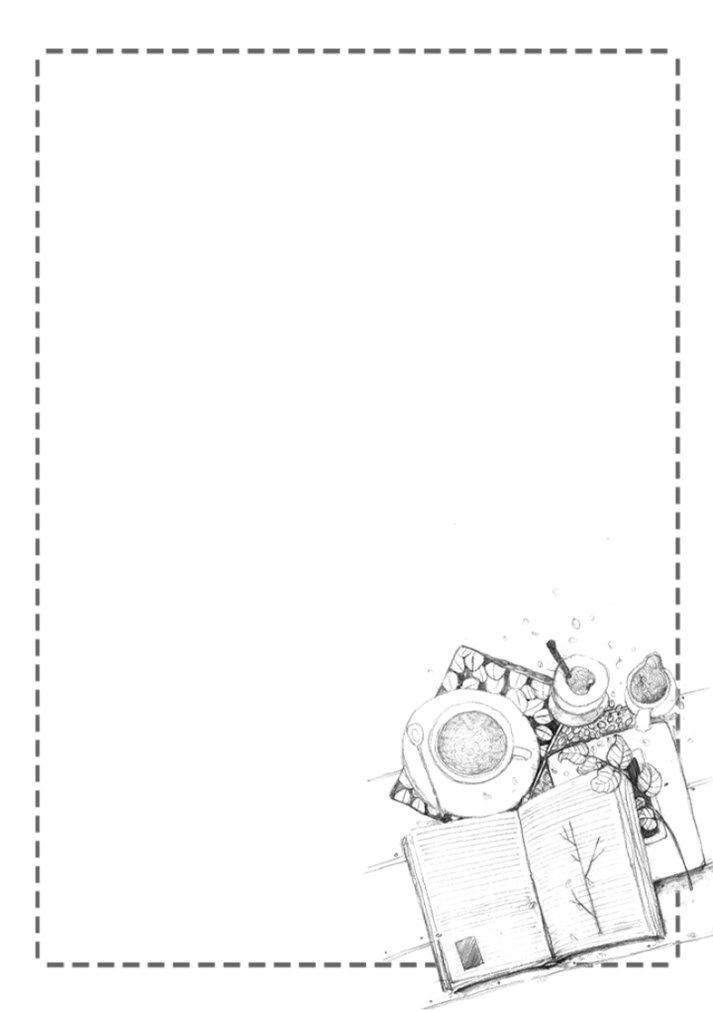
This template’s like a clean notepad—simple, professional, and ready to make your ideas shine. Its plain styling is perfect for corporate reports or academic papers needing a no-fuss look. Ideal for businesses or researchers who want clarity over flash. You can tweak it in minutes to fit your brand.
I used this for a business report, and its simplicity kept my ideas front and center. Adding my logo was so quick, it felt like the template was cheering me on.
2. Modern White and Green Letter Paper
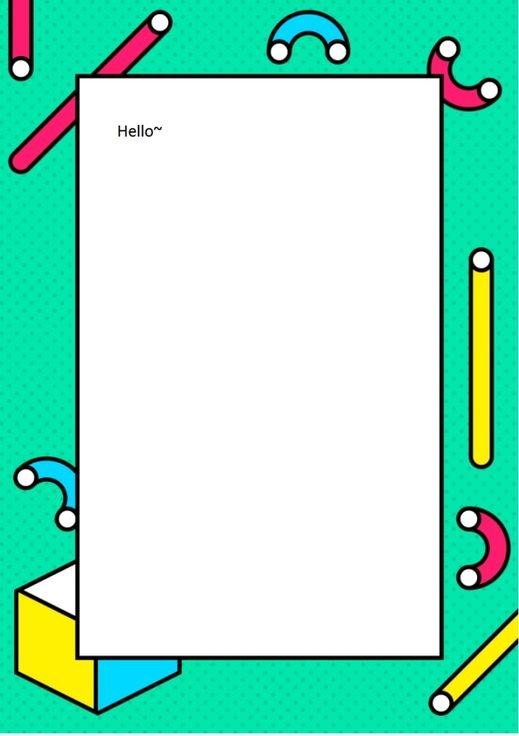
This one’s like a fresh spring day, with a modern layout and green accents that add a lively touch. It’s great for marketing pitches or industry reports, with clear sections for summaries and solutions. Perfect for businesses wanting a vibrant, pro look. Customize it fast to make it yours.
This worked great for a client pitch. The green pop made it engaging, and editing sections was so easy I had time to polish my content.
3. Modern Letter Paper for White Collar

This template’s like a sharp blazer—clean, corporate, and built for serious business. It’s ideal for professional reports or proposals, with a layout that screams authority. Perfect for corporate settings or consultants needing a polished look. Tweak it quick to match your style.
I used this for a corporate proposal, and it looked so legit. Adding my branding was a breeze, and it gave my paper a big-shot vibe.
4. Simple White Disney Letter Paper

This template’s like a creative spark with a formal edge, blending a playful Disney-inspired style with pro formatting. It’s great for marketing or creative industries needing a unique yet structured white paper. Ideal for standing out while keeping things professional. Edit it in a snap.
This was perfect for a creative pitch. The playful vibe grabbed attention, and customizing it was so easy it felt like fun.
5. Modern White and Blue Letter Paper
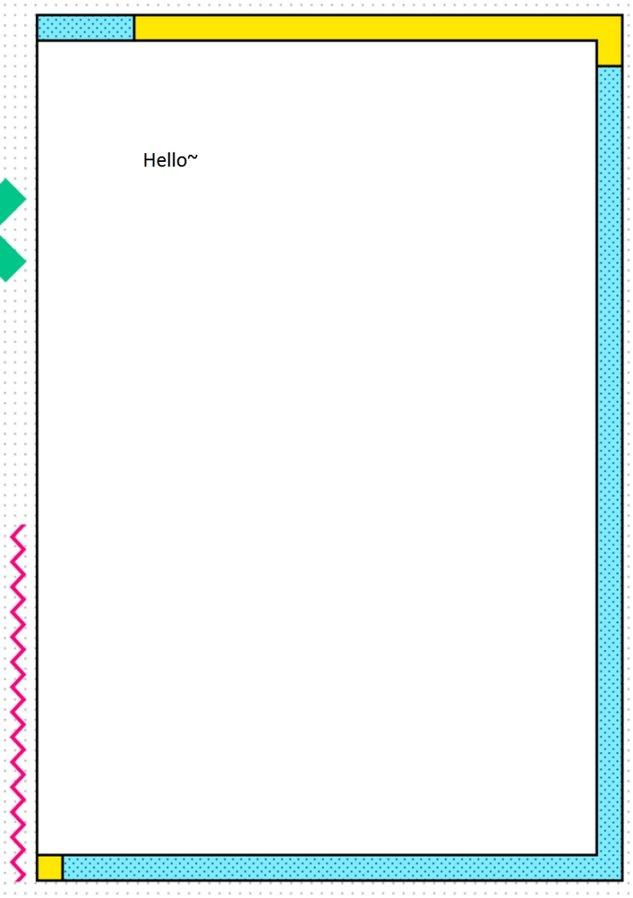
This one’s like a clear blue sky—modern and professional with a stylish blue header. It’s perfect for business reports or academic papers, with space for summaries and visuals. Ideal for anyone wanting a clean, engaging look. You can make it yours in minutes.
This made my industry report pop. The blue header added flair, and editing was so quick I had time to refine my arguments.
6. White Food Letter Paper
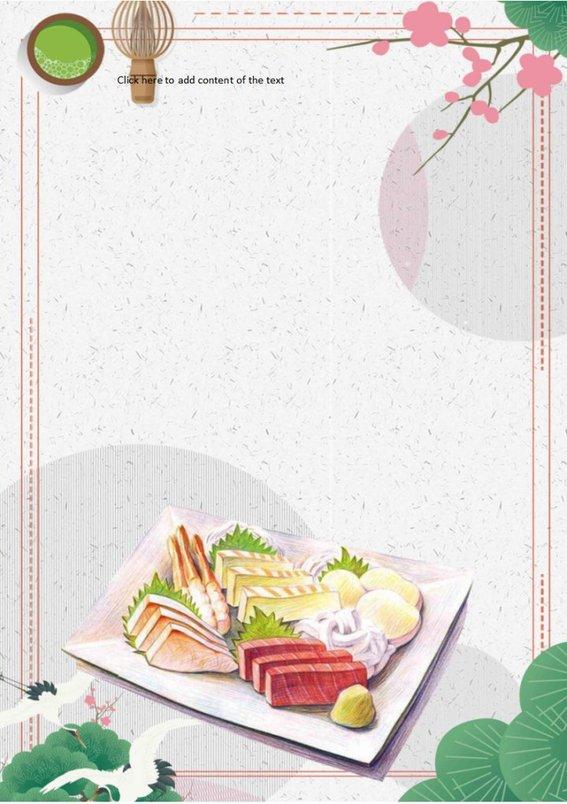
This template’s like a unique recipe—professional with a creative twist, perfect for food industry reports or niche proposals. It’s got clear sections for analysis and conclusions, ideal for standing out in specialized fields. Customize it fast to fit your brand.
I used this for a food industry pitch, and the unique style was a hit. Tweaking it was a cinch, and it made my paper feel fresh.
7. Romantic White Roses Letter

This template’s like a bouquet of roses—elegant and warm, with a floral design that’s perfect for creative or nonprofit white papers. It’s got space for all key sections, ideal for a soft yet professional look. You can edit it quick to match your vibe.
This worked for a nonprofit report, and the floral touch felt so warm. Adding my content was easy, and it looked beautifully pro.
8. White Botany Fresh Leaves Letter

This one’s like a walk in a garden, with fresh leaf accents that add a natural, pro vibe. It’s great for environmental or academic papers, with clear sections for insights and solutions. Perfect for a clean, nature-inspired look. Customize it in no time.
This was perfect for an environmental report. The leaf design was refreshing, and editing was so smooth I had time to focus on my data.
9. Fresh Pure White Flowers Letter

This template’s like a spring bloom—pure, clean, and floral, perfect for creative or marketing white papers. It’s got space for summaries, analysis, and visuals, ideal for a vibrant yet pro look. Customize it fast to make it your own.
This made my marketing paper stand out. The floral vibe was so engaging, and tweaking it was a breeze, leaving me time to perfect my points.
10. Simple Blue White Plant Letter
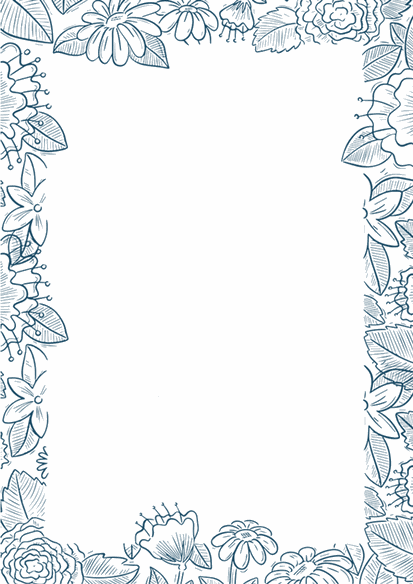
This template’s like a calm breeze, with a blue and white plant design that’s clean and professional. It’s great for business or academic papers, with space for all key sections. Perfect for a modern, nature-inspired look. Edit it quick to fit your style.
This worked great for a client report. The plant design added a fresh touch, and customizing it was so easy I felt like a pro.
Tip: I’d go for the Modern White and Blue Letter Paper for its clean, pro vibe—perfect for business reports. The Romantic White Roses Letter is my favorite for its warm, elegant feel, great for nonprofits. The Simple Address Book is a solid pick for straightforward needs. Download as Word for editing or PDF for sharing, depending on your needs. For more templates, check out WPS Template—there’s always one that fits.
Part 3. How to Edit a White Paper Template in WPS Office
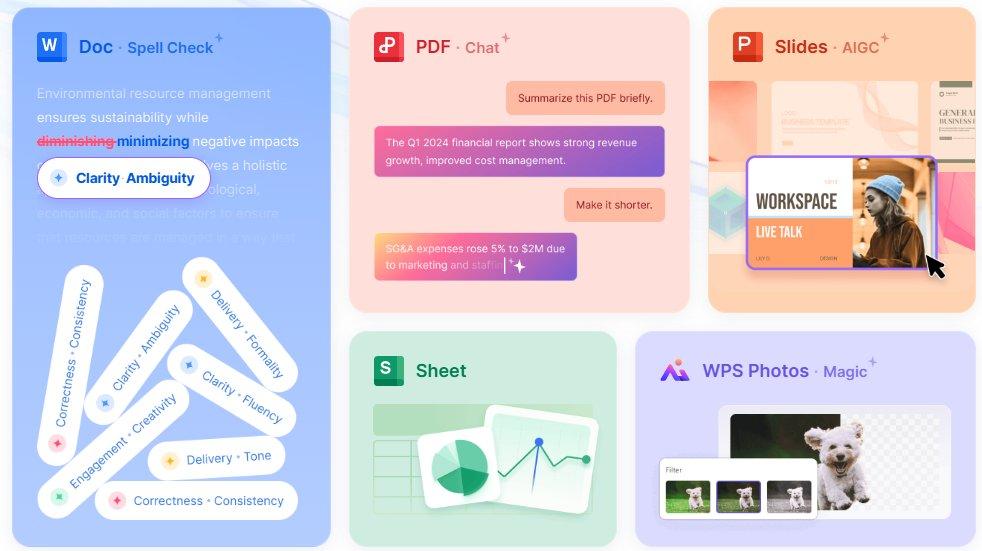
These 10 white paper templates offer professional, polished layouts to make your reports stand out, from clean corporate designs to vibrant, creative ones. Download them as Word files for easy editing or PDFs for quick sharing, and customize them to fit your brand or message. WPS Office makes editing a breeze with its intuitive Writer tool, letting you focus on your content, not formatting. Here’s a step-by-step guide to customize your professional white paper template download in WPS Writer.
How to Edit in WPS Writer
Step 1: Open the Template in WPS Writer
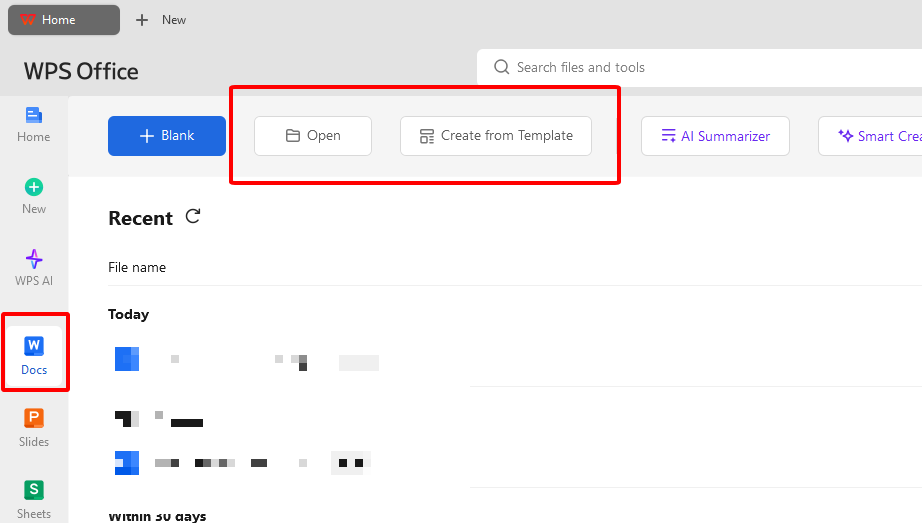
Download a Word-based white paper template from the links above. Open WPS Writer, part of WPS Office, at wps.com. Go to “File” > “Open” and select your .docx file. It loads faster than you can grab a coffee. Keep WPS updated for a smooth ride
Step 2: Customize Text and Details
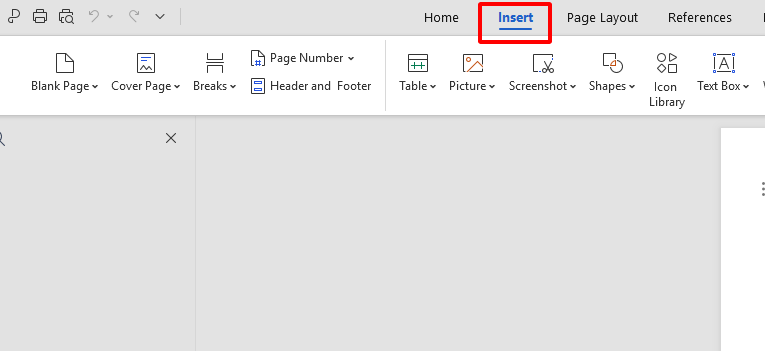
Click text fields to update the title, executive summary, problem statement, or conclusions. Tweak fonts, sizes, or colors in the toolbar to match your brand. Add your logo or charts via “Insert” > “Picture.” WPS’s AI tools suggest formatting for a pro look. Save often to lock in changes.
Step 3: Add Visuals or Branding
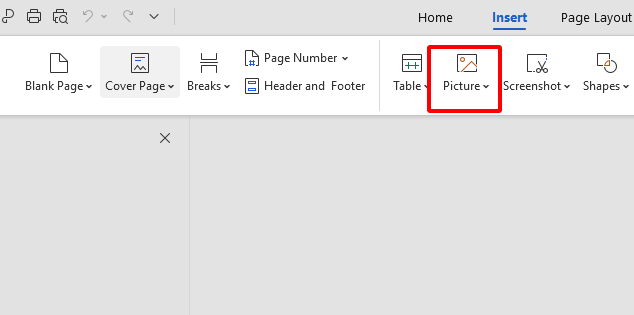
Go to “Insert” > “Picture” to add your logo or visuals like charts. Drag to place them in the header or body. Resize or crop with WPS’s drag-and-drop tools for a perfect fit. Check alignment to keep it polished. Save your work.
Step 4: Save and Export to PDF
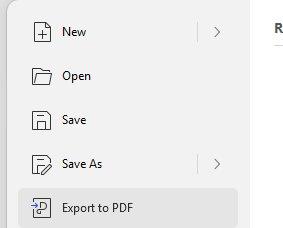
Save with “File” > “Save.” Go to “File” > “Export to PDF” for sharing or printing. Check formatting for a clean look. Use WPS cloud for a shareable link to collaborate with your team. Your white paper’s ready to impress.
I customized a white paper template for a client pitch in WPS Writer, and it was like writing a note to a friend—easy and stress-free. Adding my logo and tweaking sections took minutes, and the AI suggestions made it look so pro. The PDF export gave me a sharp file that wowed my client.
Part 4. Free Office Suite with Editable Templates
WPS Office is a free, all-in-one suite that makes crafting an editable white paper layout feel like a quick coffee break. It handles Word, Excel, PDF, and Presentation files, syncing perfectly with Microsoft formats. Its lightweight 200MB size runs smoothly on Win7, 10, 11, macOS, Linux, and mobile. The template store’s packed with free white paper templates, and its simple tools mean you don’t need to be a design whiz. It’s like a buddy who’s always got your back for any project.
Features
WPS Office saved my neck for a last-minute client report. The template store had so many sharp white paper designs, and the AI tools helped me polish my content in no time. Cloud sharing let my team tweak it together, and it ran like a dream on my old laptop. It made a tough task feel like a breeze.
FAQs
1. Are these white paper templates free to use in WPS?
Yup, most WPS templates are free to grab and edit. Some premium ones need a Pro plan, but there’s loads of free options.
2. Can I use these templates on mobile?
Totally, WPS Office apps for Android and iOS let you edit templates on your phone or tablet.
3. Can I export to PDF directly?
Yes, WPS lets you export to PDF with “File” > “Export to PDF” for easy sharing.
4. Is there AI assistance for writing in WPS?
Absolutely, WPS AI suggests text, style, and formatting to make your white paper shine.
5. Is WPS Office secure and widely trusted?
Yup, it’s used by millions with solid security and no crashes, so your work’s safe.

'%3e%3cpath%20d='M19.9911%204.11386V6.471H18.5894C18.0775%206.471%2017.7322%206.57814%2017.5536%206.79243C17.3751%207.00671%2017.2858%207.32814%2017.2858%207.75671V9.44421H19.9019L19.5536%2012.0871H17.2858V18.8639H14.5536V12.0871H12.2769V9.44421H14.5536V7.49779C14.5536%206.39064%2014.8632%205.53201%2015.4822%204.92189C16.1013%204.31177%2016.9257%204.00671%2017.9554%204.00671C18.8304%204.00671%2019.509%204.04243%2019.9911%204.11386Z'%20fill='%23333333'/%3e%3c/g%3e%3cdefs%3e%3cclipPath%20id='clip0_2938_8199'%3e%3crect%20width='16'%20height='16'%20fill='white'%20transform='translate(8%204.00671)'/%3e%3c/clipPath%3e%3c/defs%3e%3c/svg%3e)
'%3e%3cpath%20d='M17.5237%2010.7813L23.4811%204H22.0699L16.8949%209.88693L12.7648%204H8L14.2469%2012.9029L8%2020.0133H9.4112L14.8725%2013.7952L19.2352%2020.0133H24M9.92053%205.04213H12.0885L22.0688%2019.0224H19.9003'%20fill='%23333333'/%3e%3c/g%3e%3cdefs%3e%3cclipPath%20id='clip0_2938_8200'%3e%3crect%20width='16'%20height='16.0134'%20fill='white'%20transform='translate(8%204)'/%3e%3c/clipPath%3e%3c/defs%3e%3c/svg%3e)


