"I needed smaller audio files for team presentations, and converting WAV to MP3 made uploads much faster and easier to manage."
Ethan Walker
Project Consultant
Convert WAV to MP3 to reduce audio file size and make music, recordings, and voice files easier to store and share.
or drag and drop a WAV file
 Free and UnlimitedNo Signup RequiredSave TimeNo Ads
Choose your WAV audio file from your computer, tablet, or mobile device to begin the conversion process.

Our converter compresses WAV audio into MP3 format while keeping clear and balanced playback quality.

Save your MP3 file for easier storage, faster sharing, and convenient playback across devices and media players.
WAV files provide excellent audio quality, but they are often too large for convenient sharing and storage. Uploading recordings can take longer, cloud storage fills quickly, and sending large files through email or messaging apps becomes difficult. This WAV to MP3 converter helps shrink audio file sizes while keeping sound quality clear enough for daily listening, presentations, lectures, podcasts, and voice recordings. Convert WAV to MP3 to make your audio easier to manage across devices and platforms.
Get StartedMP3 is one of the most widely supported audio formats for streaming, social sharing, messaging apps, and cloud platforms. Converting WAV to MP3 helps reduce upload times and avoids issues caused by oversized files. Share recordings, music clips, interviews, and classroom audio more efficiently without dealing with unnecessary storage problems.
Get Started
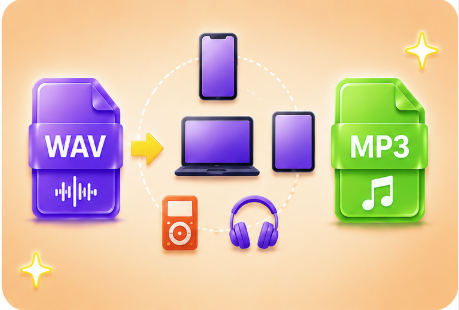
Some devices and apps handle WAV files inefficiently because of their large size. MP3 files are supported by smartphones, tablets, laptops, media players, and presentation tools worldwide. This WAV to MP3 converter helps students, office workers, and general users create audio files that work smoothly across modern playback environments.
Get StartedMany users only need a fast and practical way to reduce audio file sizes without learning professional editing software. This WAV to MP3 converter keeps the process simple. Upload your WAV file, convert it, and save a smaller MP3 version for easier backups, sharing, and playback management.
Get Started

Convert WEBP images to high-quality PNG format quickly and securely.

Easily change Apple HEIC photos to standard JPG format for universal viewing.

Transform WEBP graphics into universally supported JPG images in seconds.

Convert next-gen AVIF image files into widely compatible JPG format.

Convert iPhone HEIC images to transparent and high-resolution PNGs.

Change AVIF files to PNG format while preserving image quality and transparency.

Compile your HEIC photos into a secure and shareable PDF document.

Extract tabular data from JPG images and convert them into editable Excel spreadsheets.

Save your MP3 tracks as compact M4A files for clear online playback.

"I needed smaller audio files for team presentations, and converting WAV to MP3 made uploads much faster and easier to manage."
Ethan Walker
Project Consultant

"I convert lecture recordings into MP3 files so I can save more study materials on my phone without running out of storage."
Chloe Bennett
College Student

"I share podcast clips with clients every week, and MP3 files are much easier to upload and send than large WAV recordings."
Lily Anderson
Content Manager

