

'%3e%3cpath%20d='M8%200C12.4183%200%2016%203.58172%2016%208C16%2012.4183%2012.4183%2016%208%2016C3.58172%2016%200%2012.4183%200%208C0%203.58172%203.58172%200%208%200ZM11.6162%204.38379C11.2257%203.99337%2010.5927%203.99338%2010.2021%204.38379L8%206.58594L5.79785%204.38379C5.40732%203.99334%204.77429%203.99329%204.38379%204.38379C3.99331%204.77429%203.99335%205.40733%204.38379%205.79785L6.58594%208L4.38379%2010.2021C3.99348%2010.5927%203.99341%2011.2257%204.38379%2011.6162C4.77426%2012.0066%205.40734%2012.0065%205.79785%2011.6162L8%209.41406L10.2021%2011.6162C10.5927%2012.0066%2011.2257%2012.0067%2011.6162%2011.6162C12.0067%2011.2257%2012.0066%2010.5927%2011.6162%2010.2021L9.41406%208L11.6162%205.79785C12.0066%205.40735%2012.0066%204.77429%2011.6162%204.38379Z'%20fill='%23080E17'%20fill-opacity='0.46'/%3e%3c/g%3e%3cdefs%3e%3cclipPath%20id='clip0_3761_713'%3e%3crect%20width='16'%20height='16'%20fill='white'/%3e%3c/clipPath%3e%3c/defs%3e%3c/svg%3e)




'%3e%3cpath%20fill-rule='evenodd'%20clip-rule='evenodd'%20d='M21.4999%2010.9993C21.4999%205.20009%2016.7986%200.498901%2010.9993%200.498901C5.19994%200.498901%200.498657%205.20009%200.498657%2010.9993C0.498657%2016.2404%204.33858%2020.5844%209.35855%2021.3722V14.0346H6.69238V10.9993H9.35855V8.68594C9.35855%206.05427%2010.9262%204.60062%2013.3248%204.60062C14.4736%204.60062%2015.6753%204.80571%2015.6753%204.80571V7.38979H14.3512C13.0468%207.38979%2012.64%208.19921%2012.64%209.0296V10.9993H15.5523L15.0867%2014.0346H12.64V21.3722C17.66%2020.5844%2021.4999%2016.2404%2021.4999%2010.9993Z'%20fill='%231568EA'/%3e%3c/g%3e%3c/svg%3e)


'%3e%3cpath%20d='M2.42045%2022.1876H6.31818V12.7217L0.75%208.54553V20.5171C0.75%2021.4414%201.49892%2022.1876%202.42045%2022.1876Z'%20fill='%234285F4'/%3e%3cpath%20d='M19.682%2022.1876H23.5797C24.5041%2022.1876%2025.2502%2021.4387%2025.2502%2020.5171V8.54553L19.682%2012.7217'%20fill='%2334A853'/%3e%3cpath%20d='M19.682%205.48293V12.7216L25.2502%208.54543V6.31816C25.2502%204.25236%2022.8921%203.07469%2021.2411%204.31361'%20fill='%23FBBC04'/%3e%3cpath%20d='M6.31824%2012.7217V5.48303L13.0001%2010.4944L19.6819%205.48303V12.7217L13.0001%2017.733'%20fill='%23EA4335'/%3e%3cpath%20d='M0.75%206.31816V8.54543L6.31818%2012.7216V5.48293L4.75909%204.31361C3.10534%203.07469%200.75%204.25236%200.75%206.31816Z'%20fill='%23C5221F'/%3e%3c/g%3e%3cdefs%3e%3cclipPath%20id='clip0_2954_7305'%3e%3crect%20width='24.5'%20height='18.375'%20fill='white'%20transform='translate(0.75%203.8125)'/%3e%3c/clipPath%3e%3c/defs%3e%3c/svg%3e)


Announcing the death of a family member or a loved one can be really difficult and needs to be handled with great sensitivity. However, so many people don’t know how to convey the emotion of their message clearly, without compromising the structure of the announcement. So, is there a way to write an appropriate death announcement easily? In this guide, I’ll be walking you through 10 death announcement template printable examples so you don’t have to worry about manually writing and formatting everything.
Why a Death Announcement Template is Helpful
Going through the death of a family member or a loved one can be really stressful, especially if you were close to them. In this state of emotional turmoil, nobody can focus on writing a death announcement properly. This is where simple death announcement wording examplesreally save the day. They help me save a lot of time that would otherwise be spent on thinking of what to write, along with structuring everything manually.
Benefits
Helps relieve the stress of writing a death announcement from scratch
Provides structure and clarity without compromising on the emotional depth
Ensures important details are not missed
Customizable templates allow you to add your own personal touch without needing to do the formatting yourself
10 Free Death Announcement Templates to Use Immediately
When I was dealing with the death of a loved one, I was really overwhelmed and confused. The emotional toll was already great enough, and the stress of figuring out how to announce it just burdened me even more. After doing some research, I discovered some reliable templates I could use to streamline the process and save myself from a lot of stress. In this section, I’ll be covering 10 of these editabledeath announcement template free that proved to be really useful to me.
1. Free Death Announcement Condolence Post Template
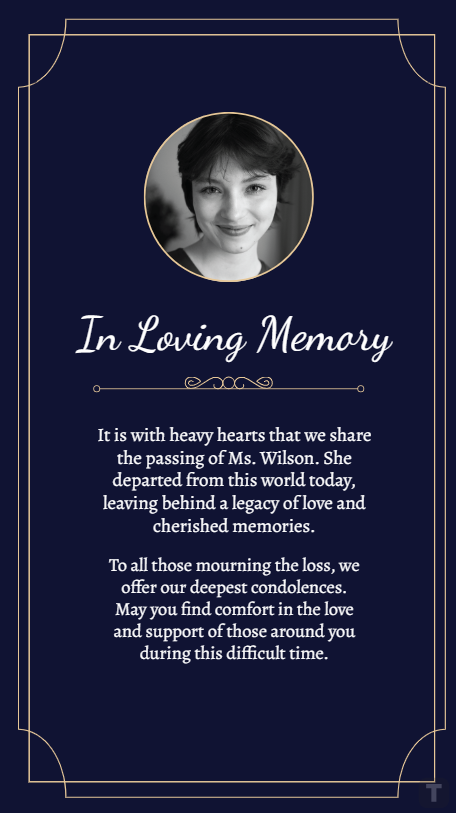
The Free Death Announcement Condolence Post Template is a simple and elegant death announcement template that has the perfect balance of emotional weight and structured polish. It features a picture of the deceased person at the top, along with a heartfelt message under it to pay respects to them.
2. Wreath Death Announcement
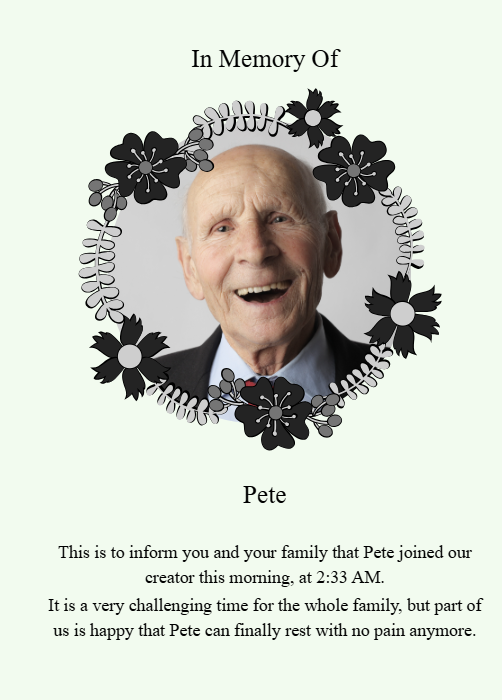
The Wreath Death Announcement template is a solid choice for those looking for a simple yet elegant announcement that conveys the emotional weight of this news. It features a beautiful flower wreath around the picture of the deceased person, along with a small message at the bottom containing the announcement details.
3. Frame Death Announcement
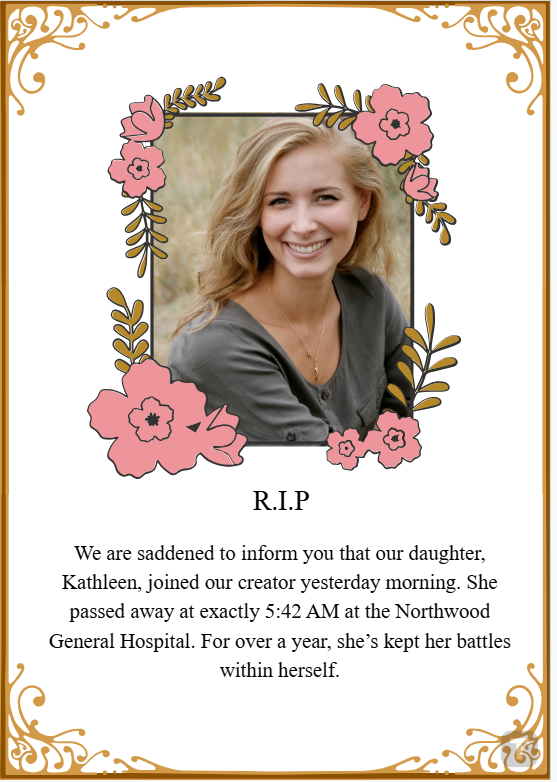
If you were really close to the deceased person and want to show how much they meant to you, the Frame Death Announcement might serve you well. It features a beautiful golden frame around the whole card, along with a flowered frame for the picture, with the announcement details given below it.
4. Rest In Peace Death Announcement
If you want to announce the sad news of someone’s death in an appropriate manner, then the Rest In Peace Death Announcement template is a good option. It features the picture of the deceased person with a cross over it, which can be a good addition if they were a Christian. You can edit it out if you like, and customize anything else you want to.
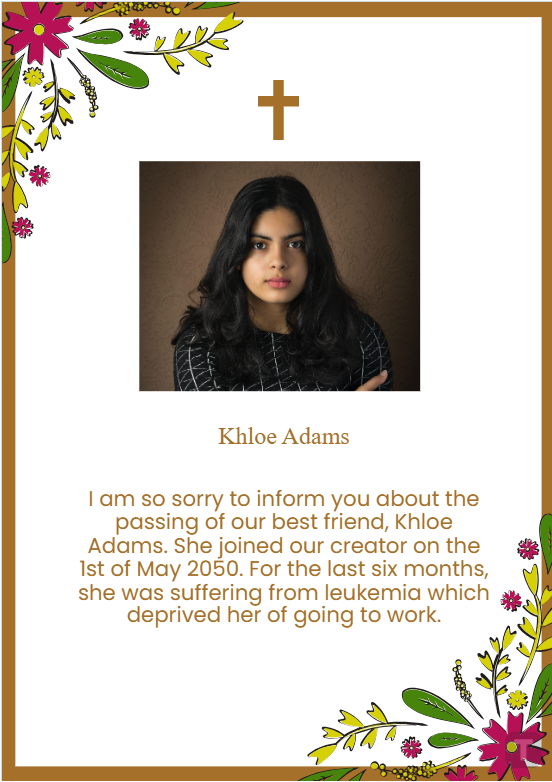
5. Employee Death Announcement Template
The Employee Death Announcement Template is perfect for those who want to announce the death of a fellow employee in the workplace. It features a black and white tone that accurately portrays the mournful nature of the news, along with including the company name and logo at the very bottom, which can be customized.
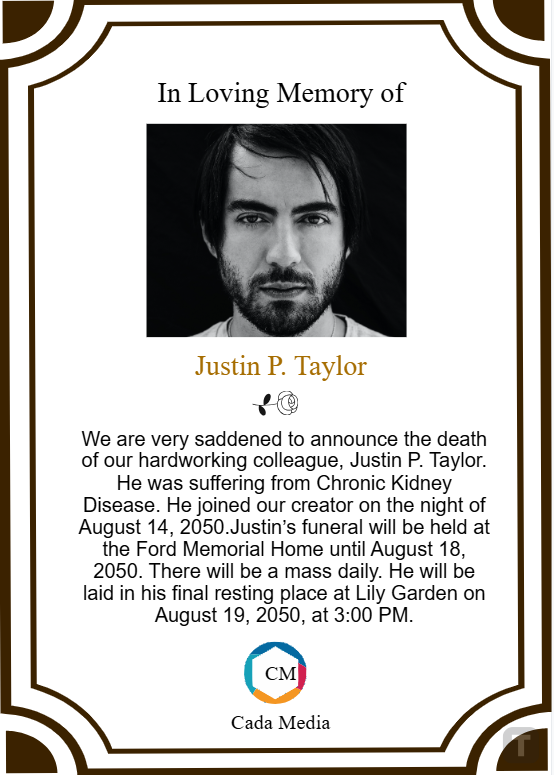
6. Baby Death Announcement
Dealing with the death of a baby can be extremely tough, especially for the parents who had been waiting for it for so long. The Baby Death Announcement features a beautiful blue sky background, with the baby’s picture adorned with a flowered frame. It includes the standard “R.I.P” at the top, with a short heartfelt message under it, which can be edited.
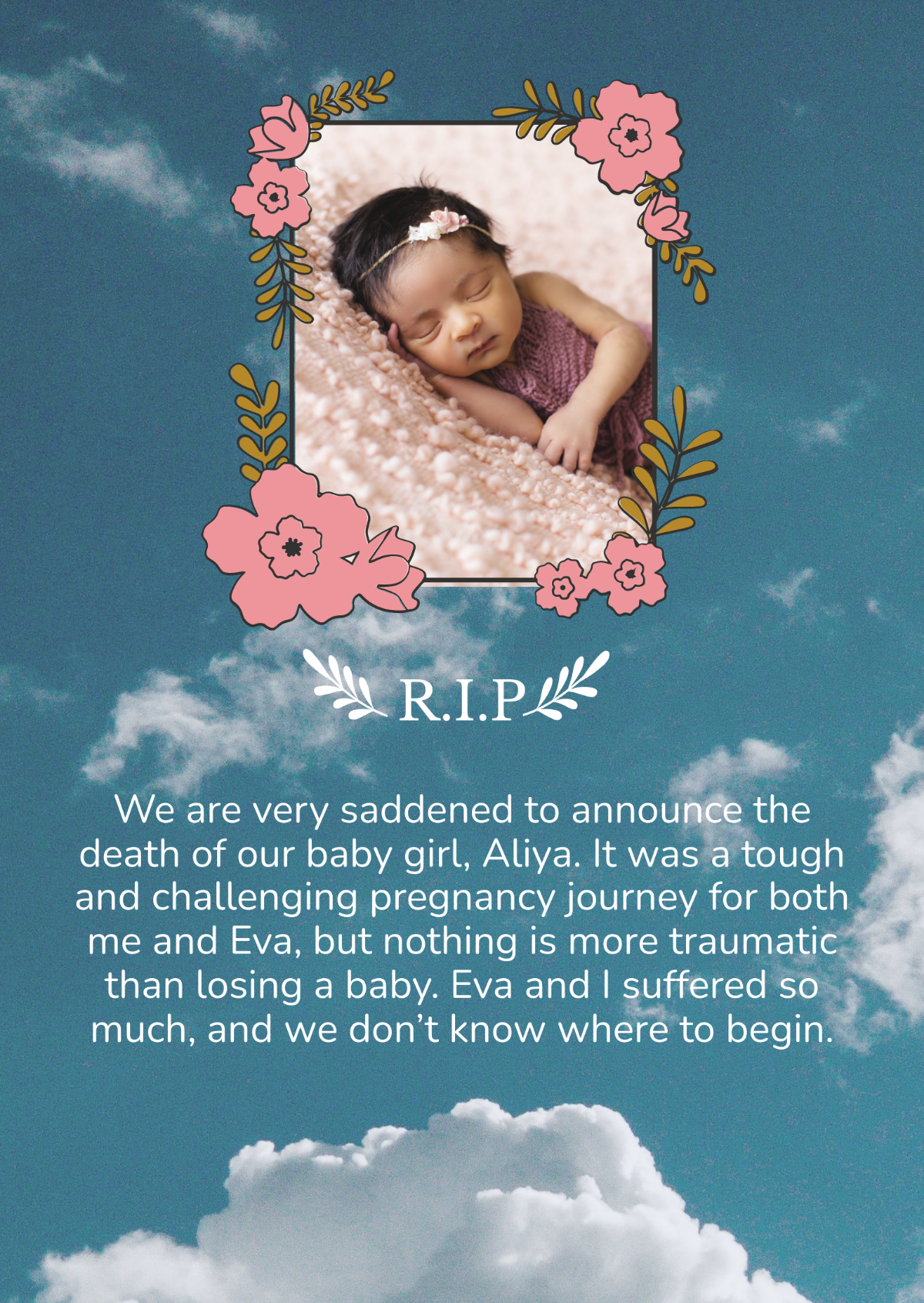
7. Death Announcement
If you don’t want to go for anything too extravagant and want something more minimalistic instead, the Death Announcement template is a solid option. It features a light beige background, with the picture of the deceased at the very centre. You can edit the colors and the message given below however you like to add a personal touch.
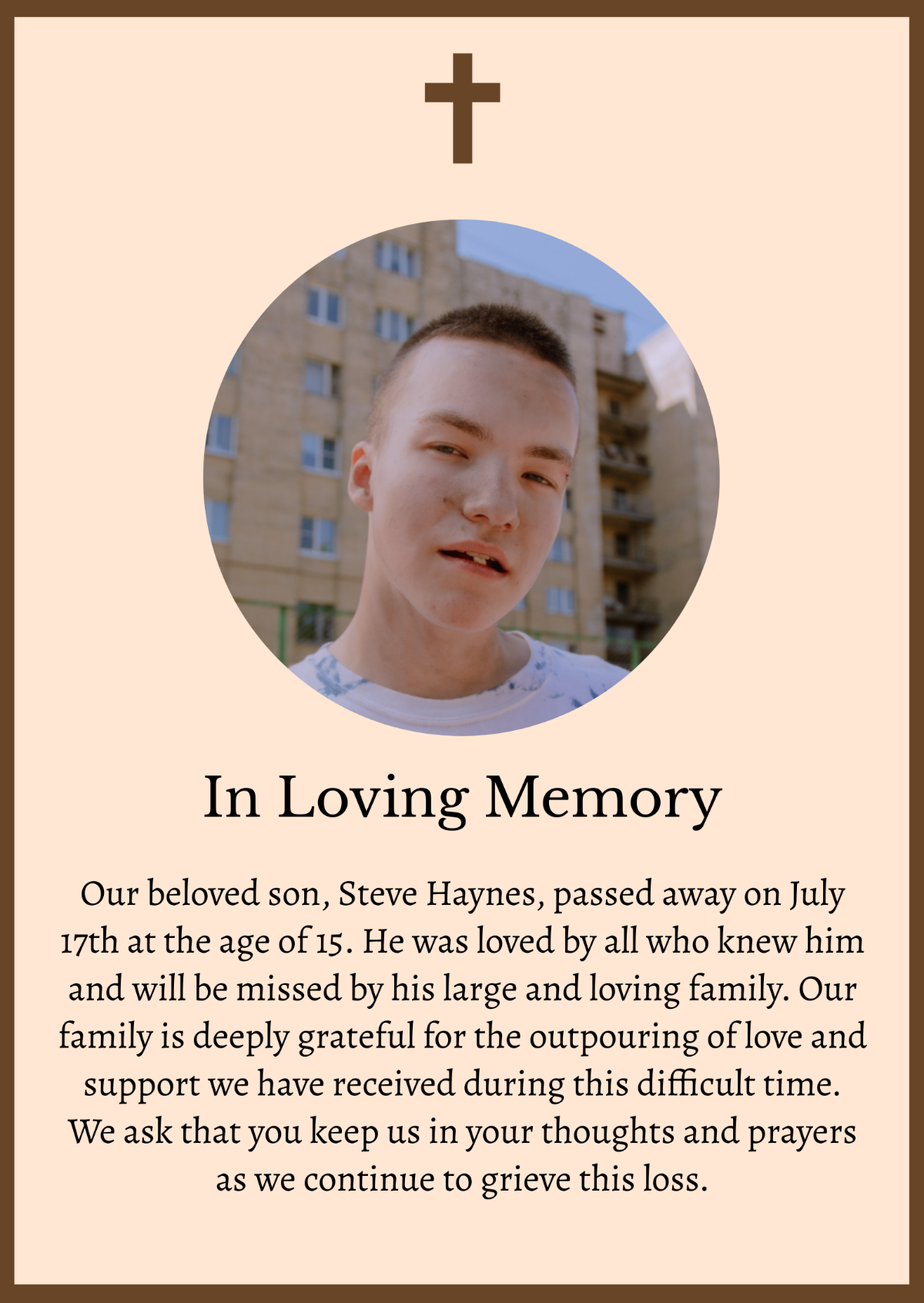
8. Elegant Death Announcement
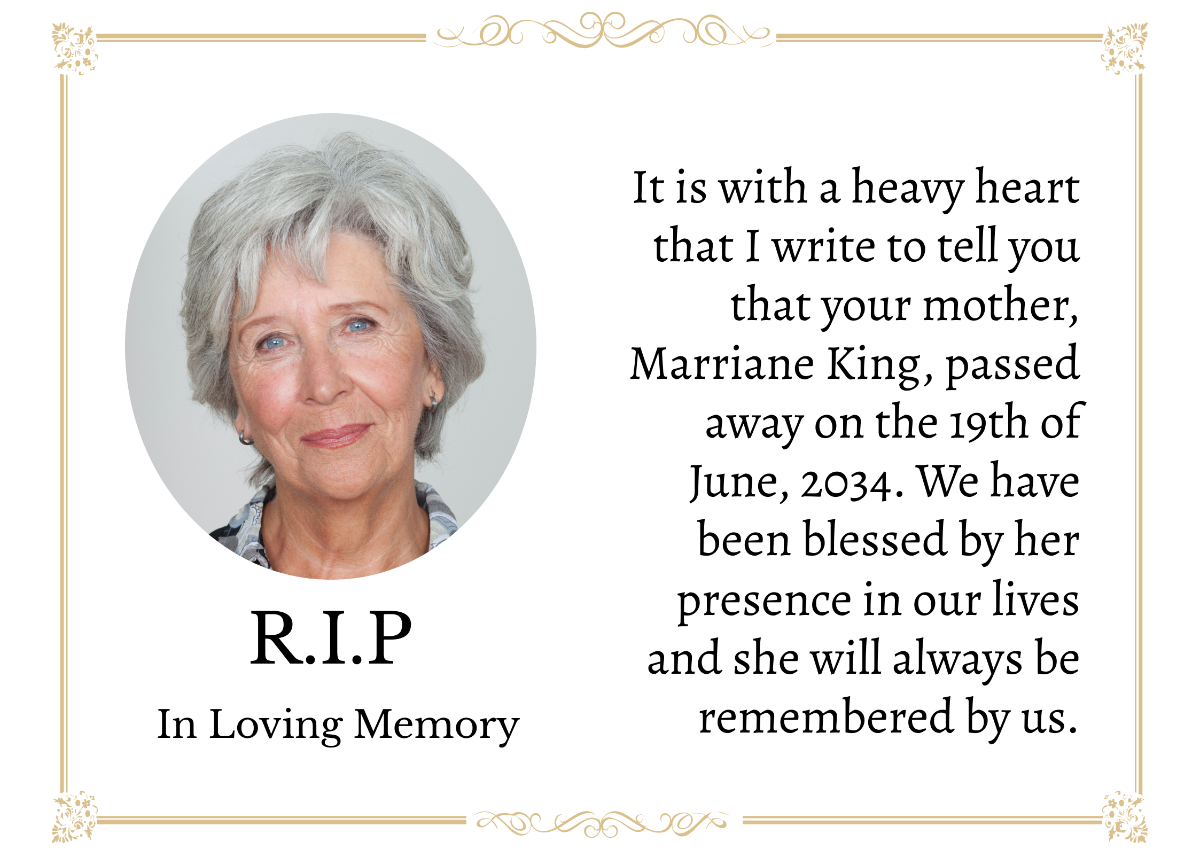
If you want to be more respectful towards the deceased, the Elegant Death Announcement might be more suitable. It features a white background with a golden frame with the picture of the deceased on the left, and the details of the death on the right. It’s completely customizable, so you can edit it to match the picture and details of the person.
9. Funeral Announcement Template
The Funeral Announcement Template is an ideal choice if you want something darker and colder to display the emotional weight of the situation. It features a black and white picture of the deceased, along with the details of the funeral right under it. You can edit the message and add your own personal touch to the announcement template.

10. Newspaper Death Announcement
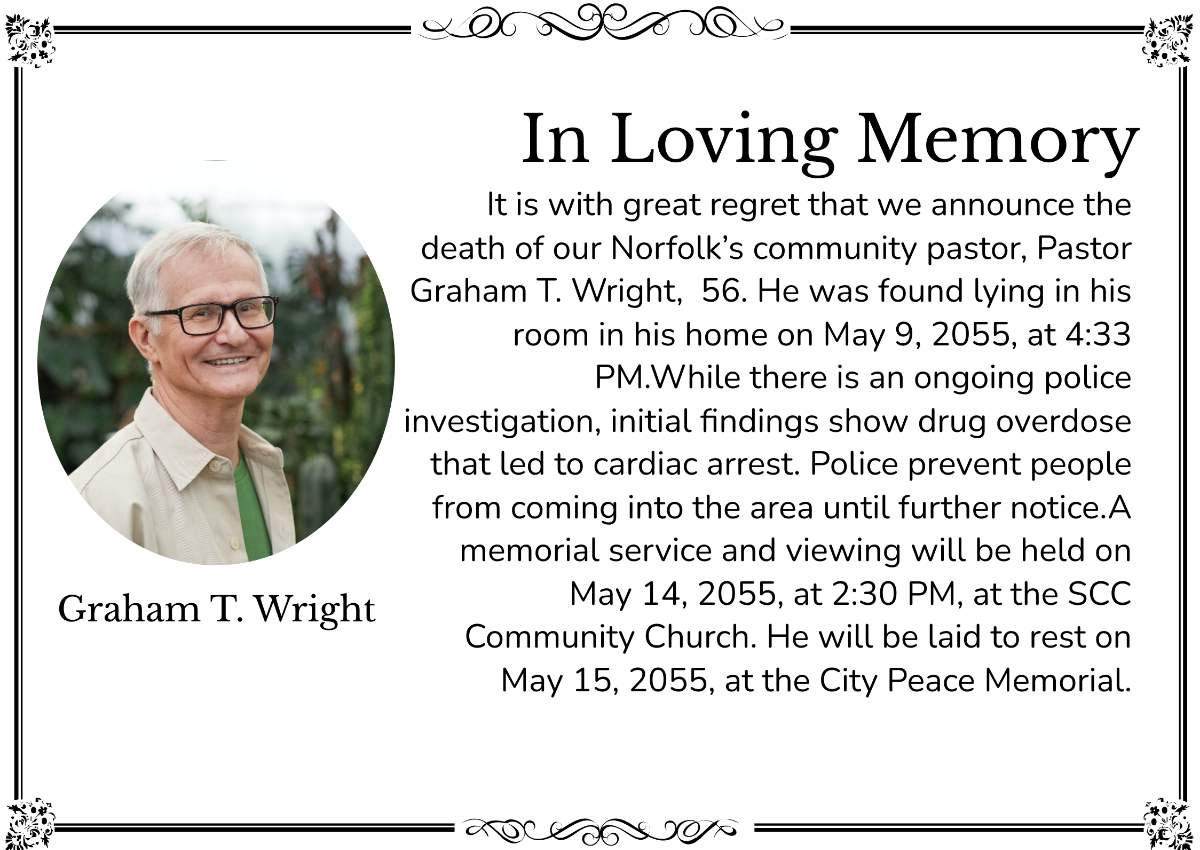
The Newspaper Death Announcement is another reliable option for announcing the death of a friend, family member, or loved one. It features a white background, with a long paragraph highlighting the details of the death and the funeral event. You can change the picture and the details to match your own funeral details.
How to Edit a Death Announcement Template in PDF & Photo
Once you’ve chosen the template you want to use, the next step is changing the details to match your own. Whether your death announcement is in a customizable PDF document or a standard image file, WPS Office has a tool to customize and enhance it further. In this section, I’ll be highlighting the steps you need to take to edit your death announcement template in a few simple steps.
How to Edit a Death Announcement Template in WPS PDF
If your death announcement template is saved as a PDF, you can edit it very easily and have much more control over it. WPS PDF Editor allows me to easily edit any document, and I’ll walk you through every step to get rid of any worries you might have.
Step 1: Download the death announcement template you want to use as a PDF and open it using WPS Office.
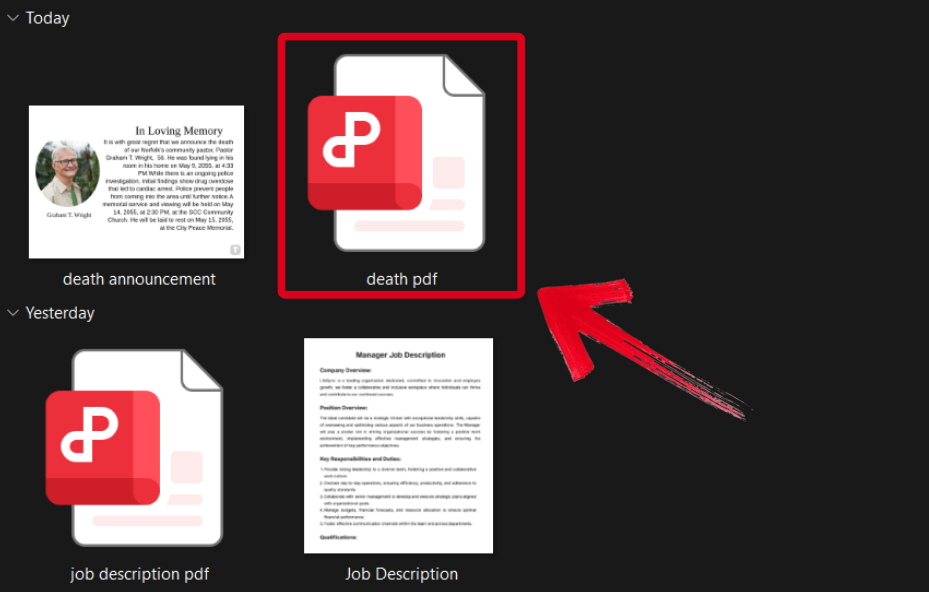
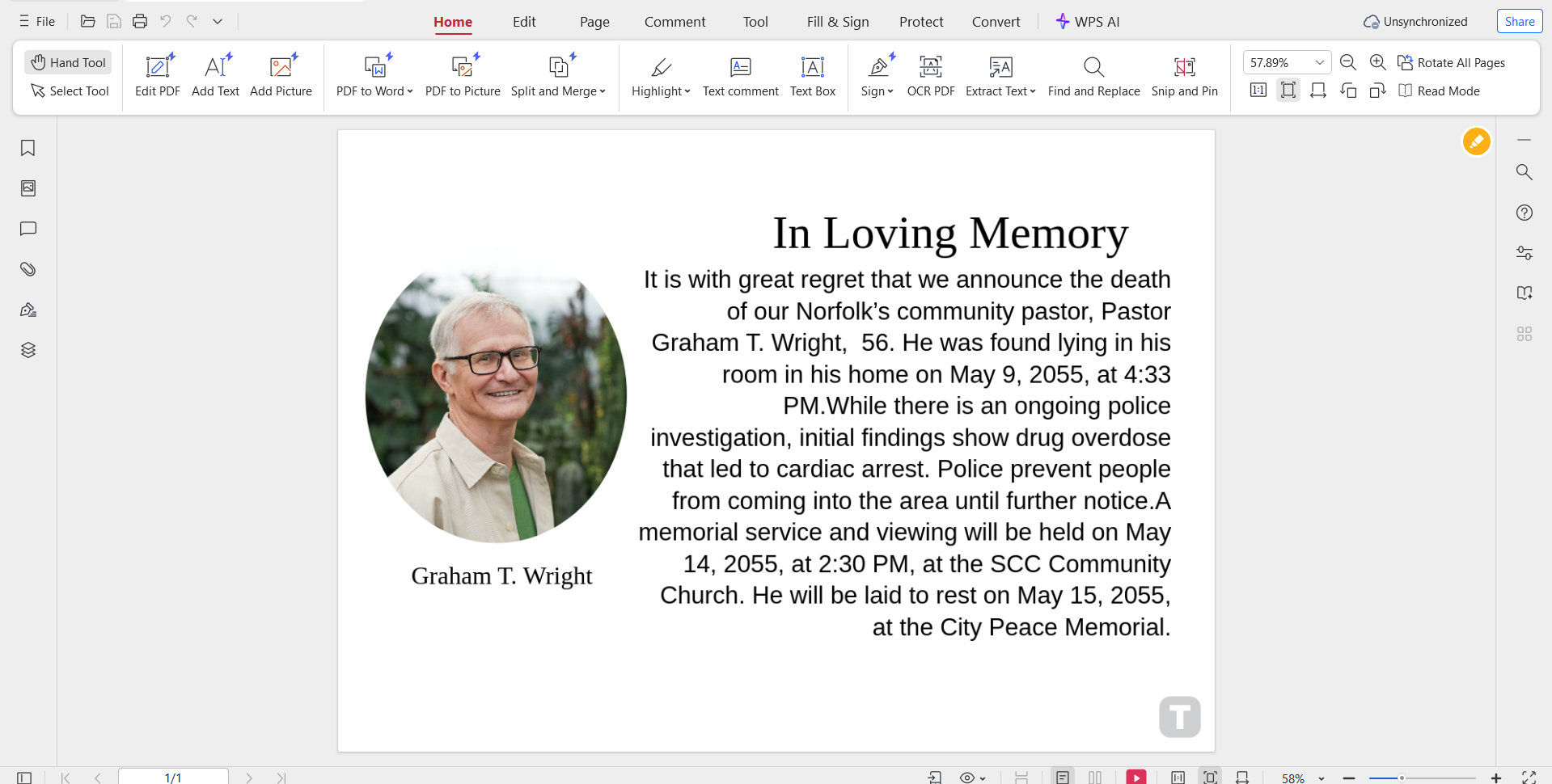
Step 2: Change the description details to match your own. You can customize the font, text size, and even the color scheme easily.
Step 3: Once you’ve finished editing, press theFile button in the top-right corner and then hitSave As.
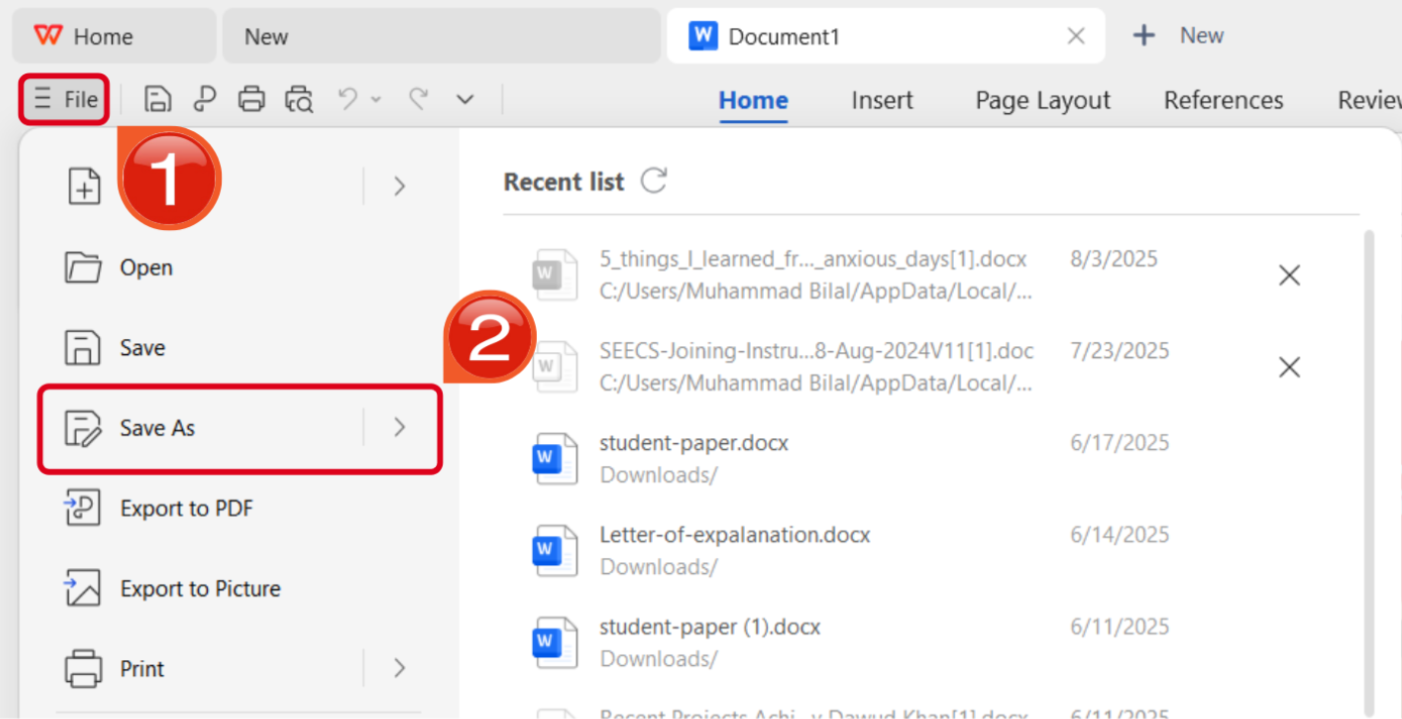
Step 4: Select the folder you want your PDF downloaded to, then press Save.
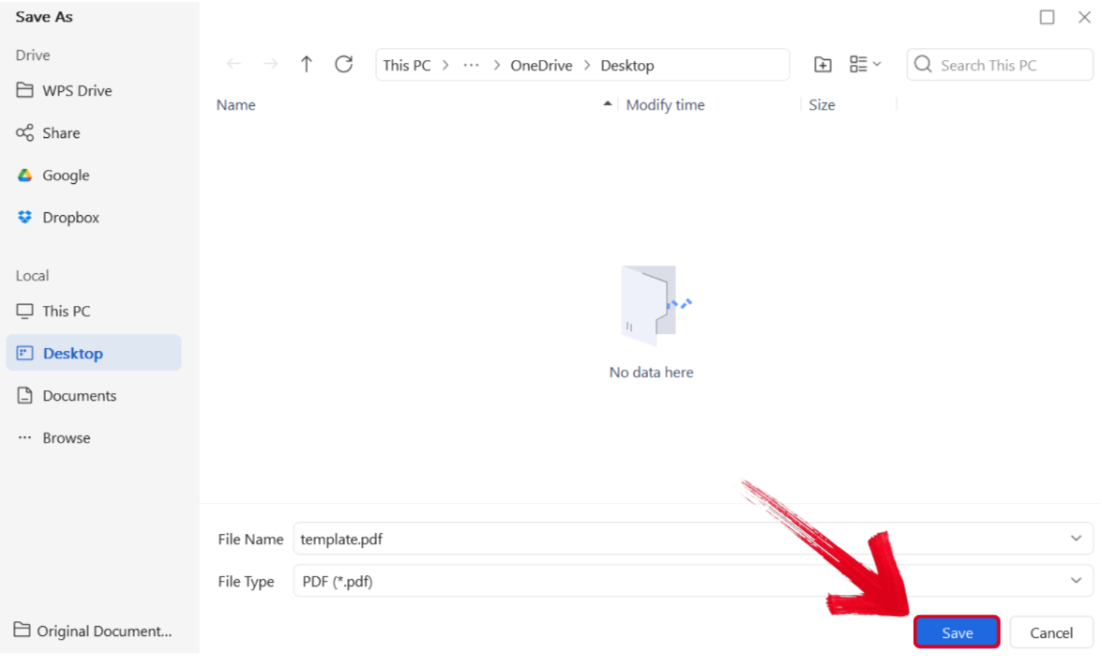
How to Edit a Death Announcement Template in WPS Photo
If your death announcement template example is saved as an image, then you can easily enhance it using WPS Photo. The process is incredibly simple, and I’ll walk you through each step myself so you don’t have to deal with any hassle.
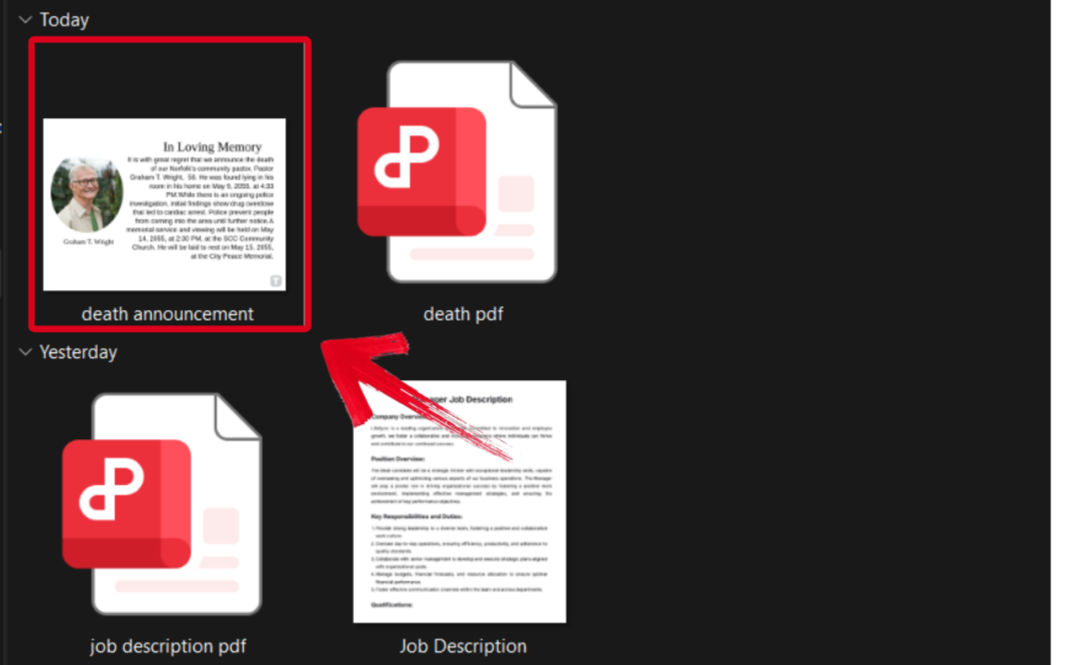
Step 1: Open the death announcement template you downloaded using WPS Photos to get started.
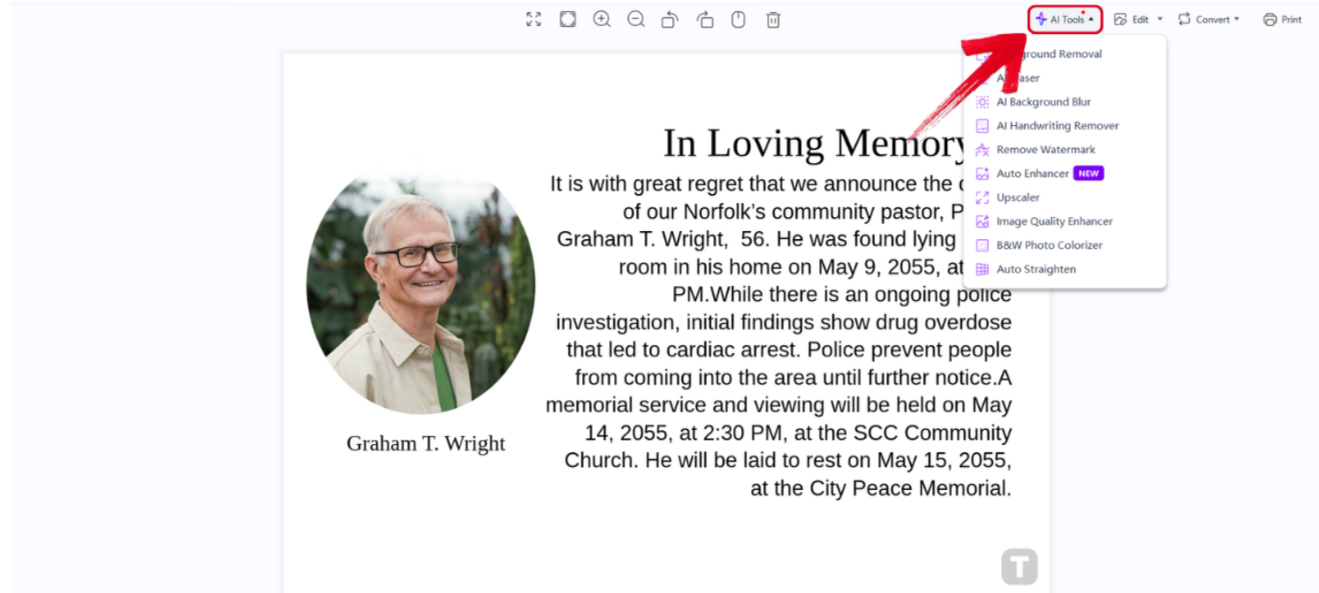
Step 2: In the WPS Photos window, you’ll see a bunch of editing tools given to you, including smart AI Toolsto help you enhance your photos.
AI Image Enhancer: Improve the quality of your image using AI enhancement.
AI Upscaler: Bring life back into old photos by restoring them through the AI upscaler.
AI Watermark Removal: If there are any watermarks on your template, you can elevate the visual appeal with the watermark removal tool.
AI Background Blur: Emphasize focus on the main subjects of your photo by blurring the background.
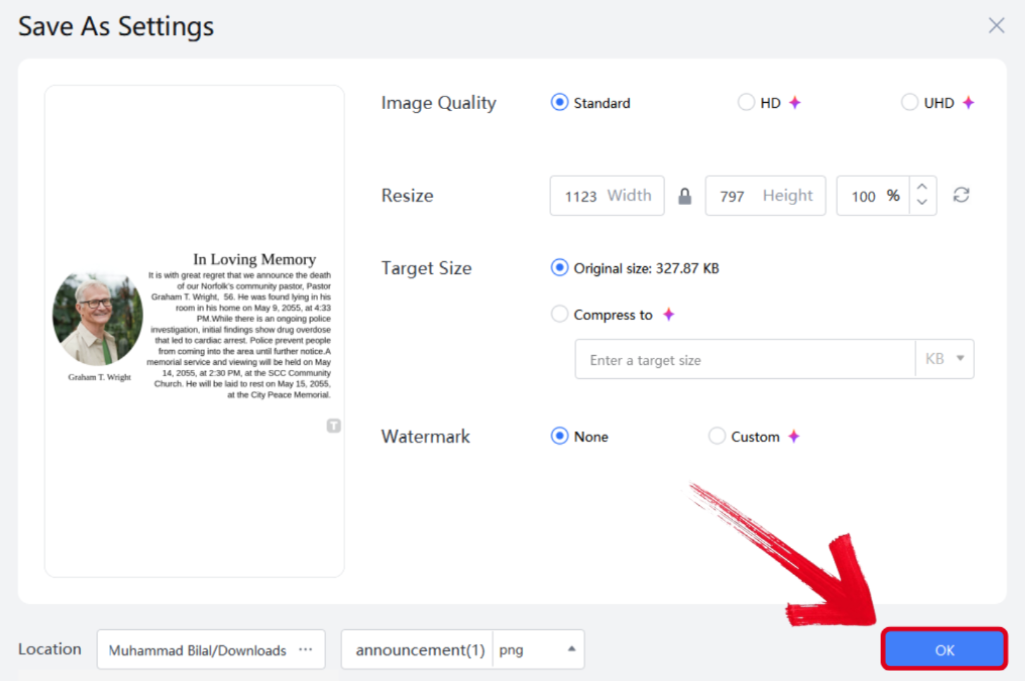
Step 3: Press Ctrl + S to open theSave As window. Adjust the image quality, size, and format, and then press OK to finish.
Experience an All-in-One Editing Solution with WPS Office
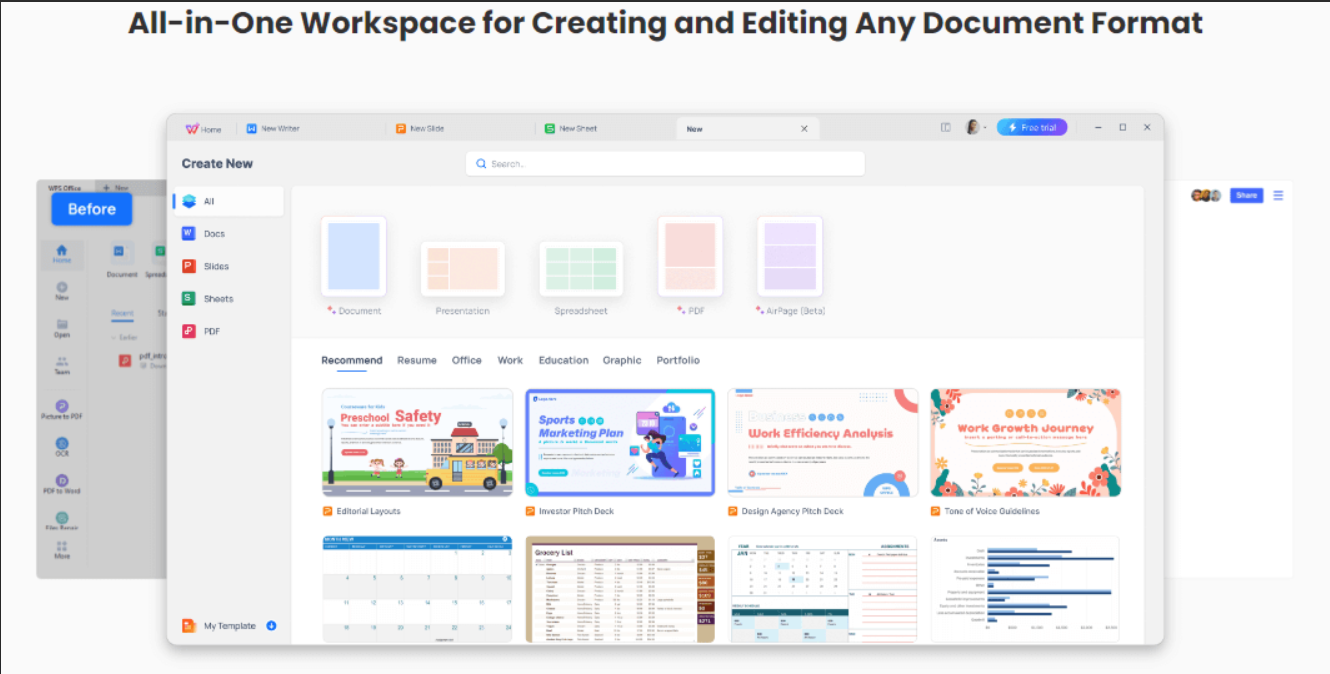
When I’m dealing with the death of someone who was really close to me, it can be really stressful, and the last thing I want to do is add to my frustration by dealing with unreliable tools that only waste my time and slow me down. This is why I use WPS Office to speed up the formatting process and edit my death announcement template easily. It’s completely free and gives me everything I need to polish my announcement. In this section, I’ll walk you through the key features of WPS that make it my go-to tool.
Features
Smart AI assistance to help you write a warm message
Completely free to use
A wide library of editable templates
Compatible with all office formats, including Word, Excel, and PPT.
Easy sharing through cloud syncing features
The templates are just one of the countless features offered by WPS Office. It gives me everything I need for my workflow without slowing me down or asking for money. It has become my top choice for all my work, whether it’s editing death announcement templates or writing essays using the AI Writer.
FAQs
Q1: How soon after a passing should I send a death announcement?
It’s typically shared within a few days, once service arrangements are confirmed.
Q2: Should family members approve the death announcement before it’s published?
Yes. It’s best to review the wording with close family to ensure accuracy and sensitivity.
Q3: How can I customize a free death announcement template?
You can edit templates in programs like WPS Office, adjusting text, fonts, colors, and even adding photos.
Announcing Death Appropriately
Dealing with the death of someone close to you can be really stressful, and figuring out how to announce their passing can get confusing. I’ve gone through the same thing myself, and I know how tough it can be. I did a ton of research and found some ready-to-edit death announcement templates that helped me write heartfelt messages for my loved ones, without dealing with any confusing or added stress.
I personally use WPS Office to edit my death announcement templates easily. It equips me with everything I need to craft a polished and elegant death announcement, regardless of its format, making it perfect for anyone dealing with the same thing.

'%3e%3cpath%20d='M19.9911%204.11386V6.471H18.5894C18.0775%206.471%2017.7322%206.57814%2017.5536%206.79243C17.3751%207.00671%2017.2858%207.32814%2017.2858%207.75671V9.44421H19.9019L19.5536%2012.0871H17.2858V18.8639H14.5536V12.0871H12.2769V9.44421H14.5536V7.49779C14.5536%206.39064%2014.8632%205.53201%2015.4822%204.92189C16.1013%204.31177%2016.9257%204.00671%2017.9554%204.00671C18.8304%204.00671%2019.509%204.04243%2019.9911%204.11386Z'%20fill='%23333333'/%3e%3c/g%3e%3cdefs%3e%3cclipPath%20id='clip0_2938_8199'%3e%3crect%20width='16'%20height='16'%20fill='white'%20transform='translate(8%204.00671)'/%3e%3c/clipPath%3e%3c/defs%3e%3c/svg%3e)
'%3e%3cpath%20d='M17.5237%2010.7813L23.4811%204H22.0699L16.8949%209.88693L12.7648%204H8L14.2469%2012.9029L8%2020.0133H9.4112L14.8725%2013.7952L19.2352%2020.0133H24M9.92053%205.04213H12.0885L22.0688%2019.0224H19.9003'%20fill='%23333333'/%3e%3c/g%3e%3cdefs%3e%3cclipPath%20id='clip0_2938_8200'%3e%3crect%20width='16'%20height='16.0134'%20fill='white'%20transform='translate(8%204)'/%3e%3c/clipPath%3e%3c/defs%3e%3c/svg%3e)


