Diagrams are essential for research papers, clarifying complex data
and workflows that text alone cannot. But creating them can be
frustrating with complicated software or rigid templates. This guide
highlights the top AI diagram generator for research papers. Whether you
need an AI diagram tool for academic writing, an AI diagram creator for
research, or a research paper diagram generator, these platforms turn
complex ideas into professional, publication-ready visuals.
AI Diagram Generator for research paper
Top 5 AI Diagram
Generator for Research Paper
To help you select the best AI diagram generator for researchpaper, it is crucial to identify which AI diagram generator for
research papers actually supports the rigor of academic work. We have
selected the five most effective AI diagram generators available today,
each chosen for its ability to handle specific research demands, from
structuring literature reviews to mapping out intricate software
architectures.
1. WPS Office (WPS AI)
WPS Office has a Chatto Mind Map feature, designed to help researchers and students
visualize complex documents effortlessly. Instead of building diagrams
from scratch in separate apps, you can open your PDF or notes, and the
AI analyzes the content to generate a clear, structured mind map or outlineinstantly.
WPS Office
What sets WPS apart is how it integrates into your workflow. The AI
understands the academic context of your document, creating diagrams
that match the structure of your research. This makes it easy to
summarize long literature reviews, organize arguments visually, and
explore ideas without ever leaving the PDF or document editor.
Key Features
Sidebar mind mapping: Generate visual summaries
directly alongside your document to keep your workflow
uninterrupted.
Context-aware generation: Analyze the specific
academic context of your PDF to create accurate, hierarchical
diagrams.
Direct export: Insert generated diagrams
immediately into your thesis or presentation slides with a single
click.
One-click summarization: Convert long, dense
paragraphs into clear visual nodes to simplify studying.
Pros
Integrated directly into the reading/writing interface
Free to use with the standard version
Visualizes document structure instantly
No need to learn complex design tools
Cons
Limited to mind maps and outlines
Advanced features require an internet connection
How to Use
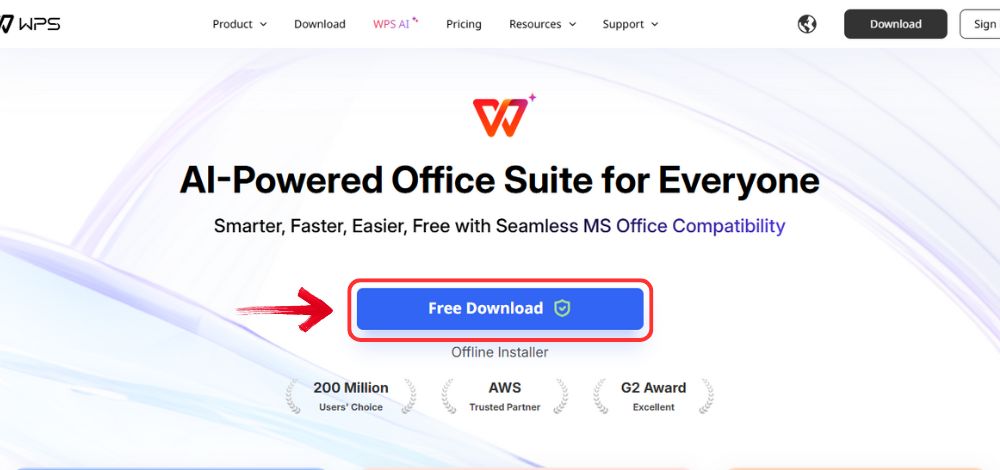
Step 1: First, head on over to the WPS Office website and click the"Free Download" button to start the download.
Download WPS Office
Step 2: After the download finishes, click and run
the installed file.
Step 3: Read through the terms and conditions, and
after verifying them, accept them and then click the "Install
Now" button to begin the installation.
Install WPS Office
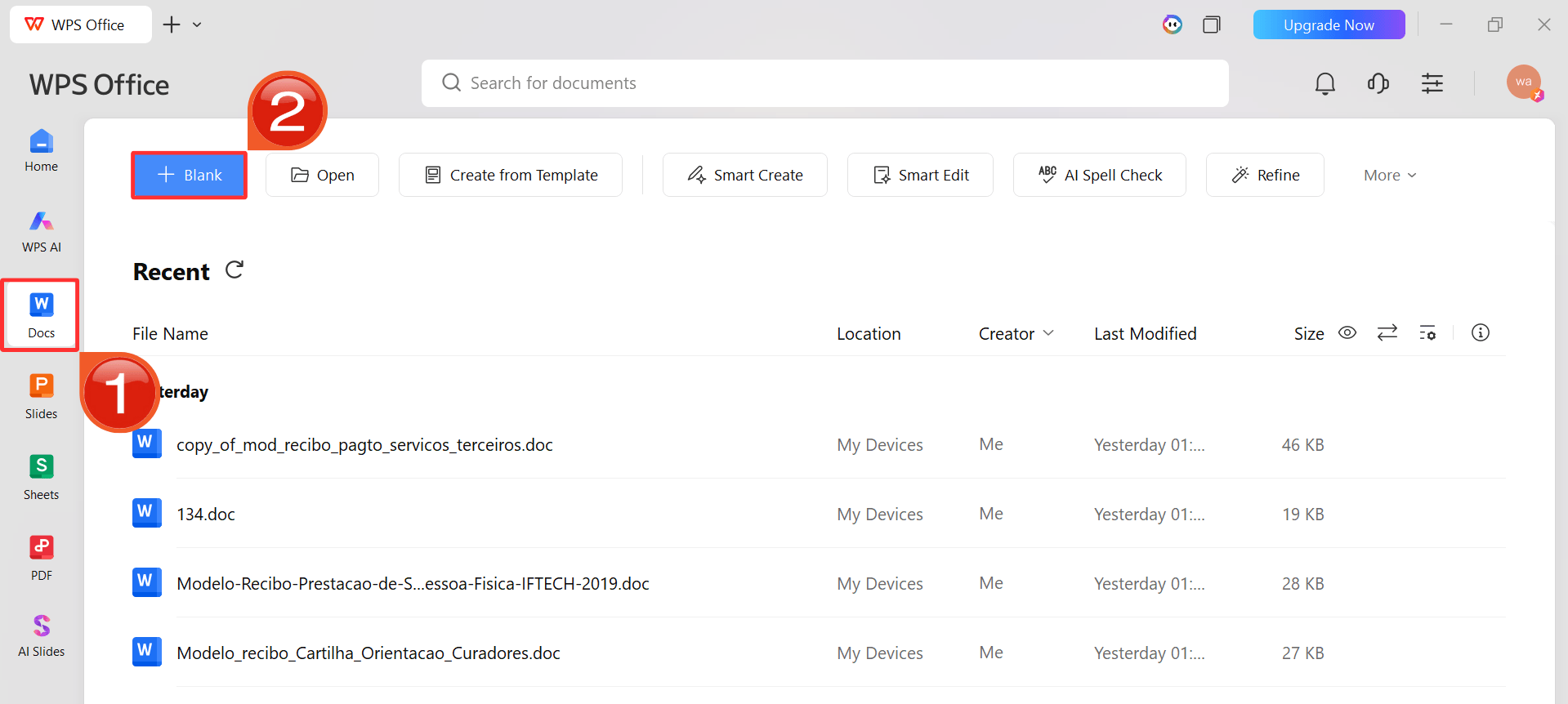
Step 4: After installation, open WPS Office and in
the left sidebar, click “Docs” and then click“Blank” to open a new document.
WPS Docs Interface
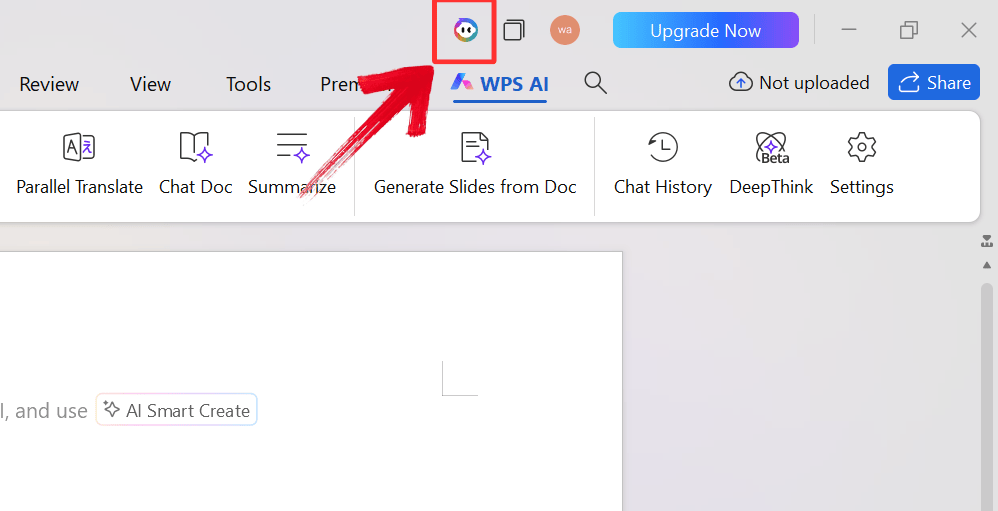
Step 5: Look for the WPS AI icon, typically located
in the right-hand sidebar or the main ribbon. Click it to open the
conversational interface alongside your document.
WPS Copilot Icon
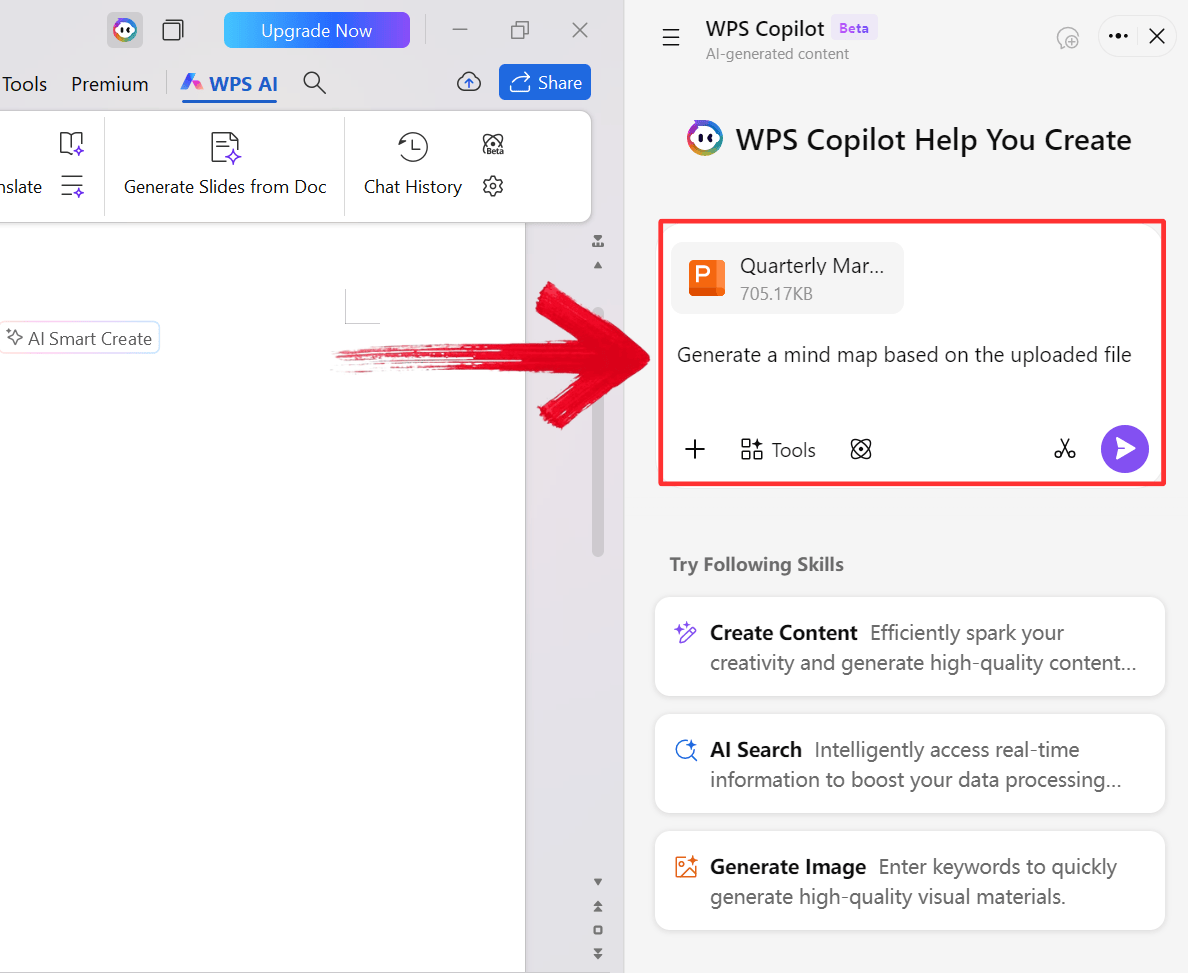
Step 6: Upload your file and type a prompt such as
Generate a mind map of this file. The AI will scan the text and
instantly build a hierarchical diagram summarizing the key
arguments.
Type in your prompt
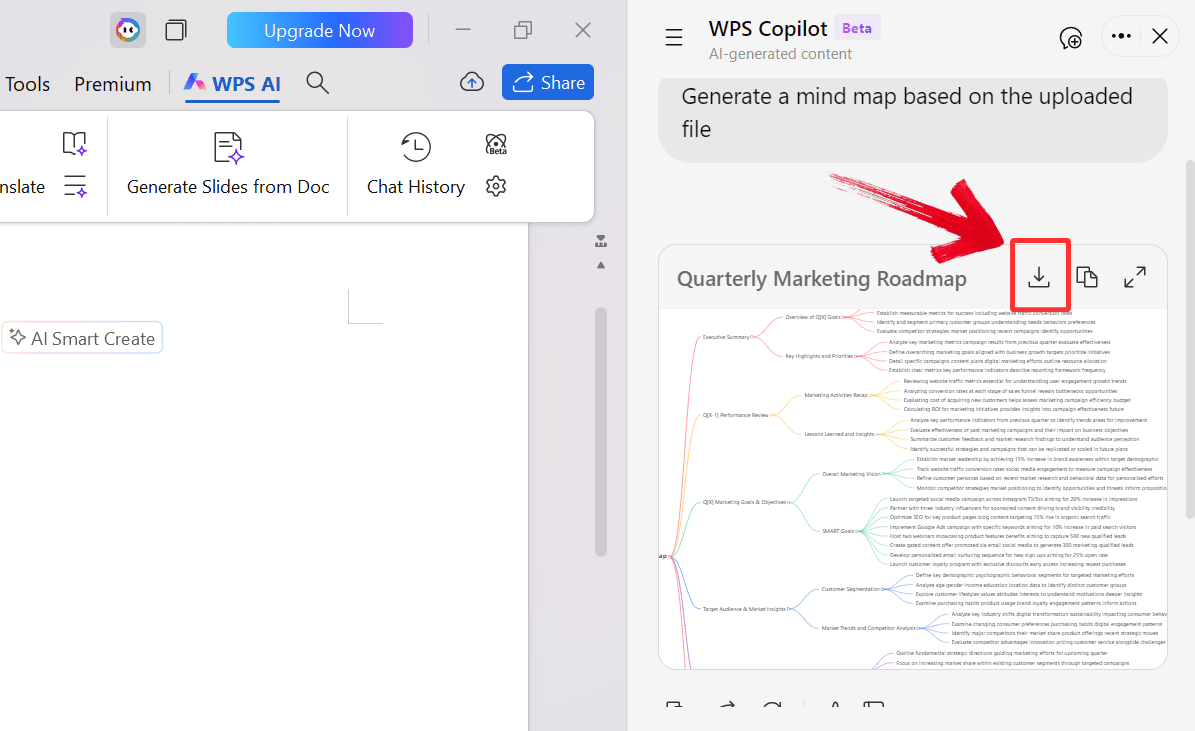
Step 7: Review the generated map to ensure accuracy,
and then click the download icon to export the Mindmap.
Download and Export
2. Eraser DiagramGPT
Eraser is
tailored for the technical research community, especially software
engineers and computer scientists. Its DiagramGPT feature lets you
create system architectures, flowcharts, and sequence diagrams using
natural language or code snippets. Designed around a docs-as-code
approach, it treats diagrams with the same precision as programming
logic.
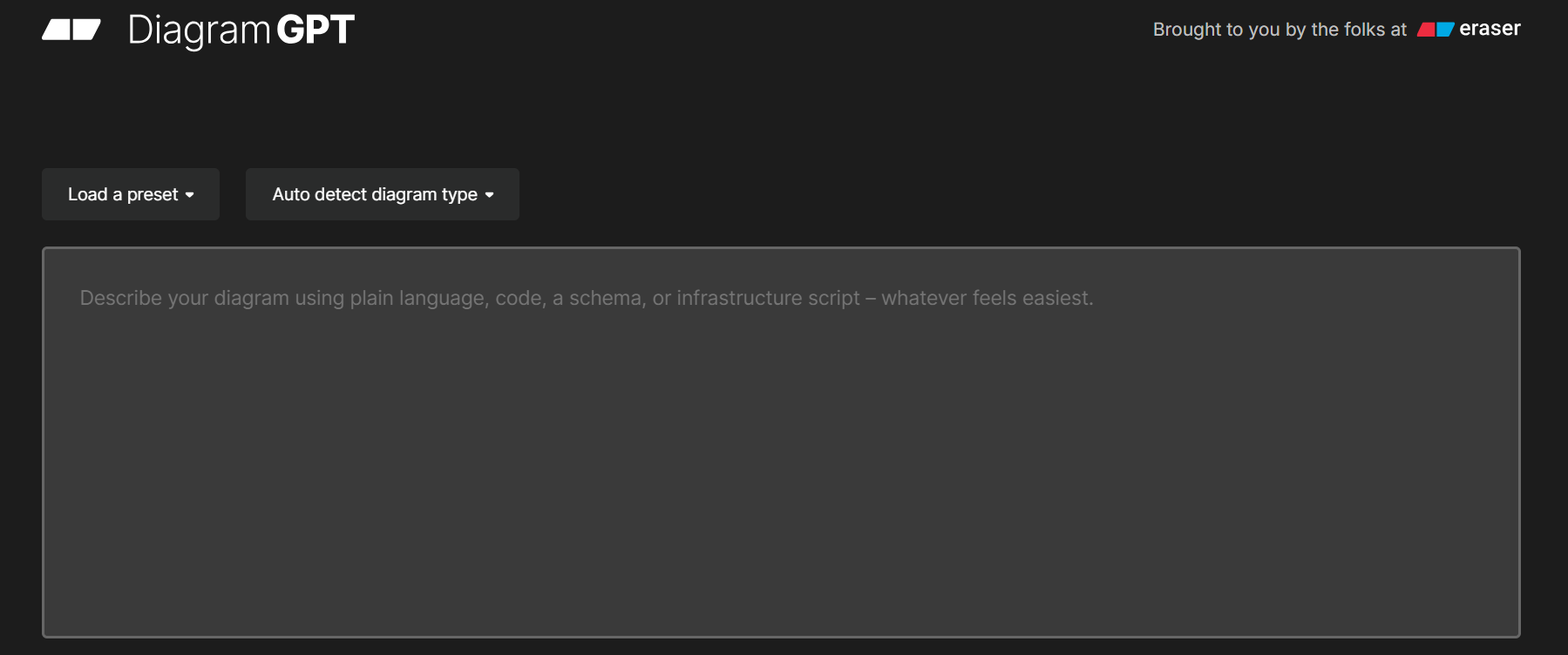
Eraser DiagramGPT Interface
Unlike general-purpose tools, Eraser maps relationships based on the
input text or code, ensuring every connection is correct. This makes it
ideal for technical papers where precision matters. The clean, modern
design is optimized for academic and engineering publications, saving
time on formatting while maintaining professional visuals.
Key Features
Text-to-diagram: Convert natural language
descriptions or code snippets into professional flowcharts
instantly.
Diagram-as-code: Edit every element of your
diagram using a code editor for absolute precision.
Technical styling: Apply specialized themes and
icons designed specifically for cloud computing and database
structures.
Pros
Extremely fast for technical diagrams
Allows code-based editing for accuracy
Modern aesthetic suitable for IEEE journals
Supports dark mode exports
Cons
Steep learning curve for non-technical users
Not suitable for non-technical subjects
3. EdrawMax
EdrawMax is
an all-in-one diagramming platform that goes beyond traditional software
like Visio. It handles a wide range of visual needs, from scientific
structures and chemical equations to business processes and timelines.
The integrated AI assistant allows users to generate diagrams simply by
describing what they need.
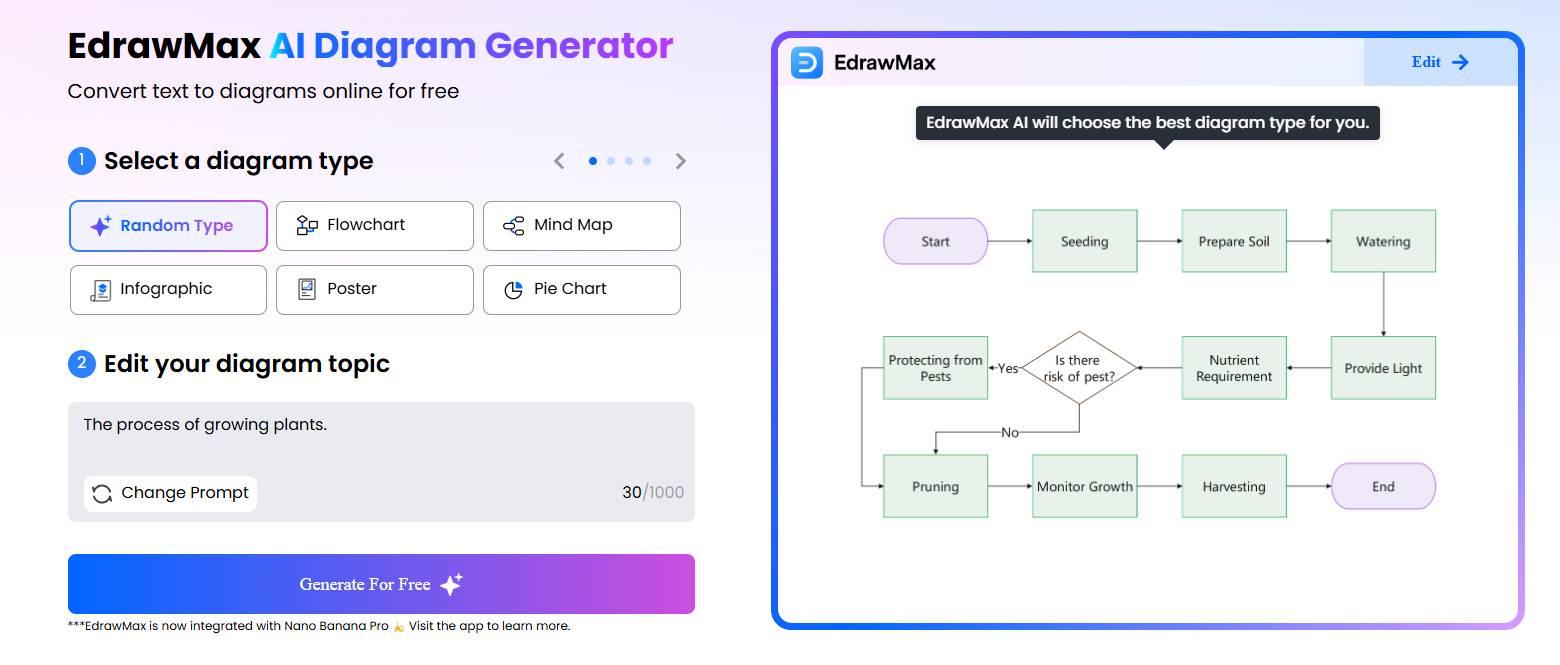
EdrawMAx Interface
With support for over 280 diagram types, EdrawMax works across
disciplines, making it a reliable tool for multidisciplinary research.
The extensive library of academic and scientific symbols lets you
produce publication-ready visuals quickly. It also converts hand-drawn
sketches into digital diagrams, which is a huge time-saver for
researchers who brainstorm on paper.
Key Features
One-click generation: Build flowcharts, mind
maps, and timelines instantly using simple text prompts.
OCR scanning: Upload a photo of a hand-drawn
sketch and let the AI convert it into an editable digital
diagram.
Academic library: Access thousands of pre-made
templates and symbols specifically for scientific use.
Pros
Supports over 280 diagram types
AI suggests chart improvements automatically
High-quality vector export for print
Available on Windows, Mac, and Web
Cons
The interface can feel cluttered and overwhelming
Free version applies watermarks to exports
4. NoteGPT
NoteGPT is primarily a
learning and research assistant, designed to turn unstructured content
into clear, structured mind maps and flowcharts. It excels at processing
YouTube videos, long-form articles, or PDFs, capturing key points and
visualizing the hierarchy of information automatically.
NoteGPT Website
Nodes in the generated diagrams link directly to the source, whether
it’s a video timestamp or a specific section of text. This feature is
invaluable during literature reviews, helping researchers track their
sources while creating clear visual notes.
Key Features
Summary-to-diagram: Automatically transform
AI-generated text summaries into visual mind maps.
YouTube integration: Generate diagrams directly
from video transcripts to visualize spoken concepts.
Lightweight editor: Use a simple drag-and-drop
interface to rearrange nodes and refine your logic.
Pros
Ideal for visual learners and qualitative analysis
Links diagrams directly to source content
Fast and lightweight browser-based tool
Generous free plan for basic use
Cons
Customization options are limited
Output is mostly restricted to simple maps
5. Venngage
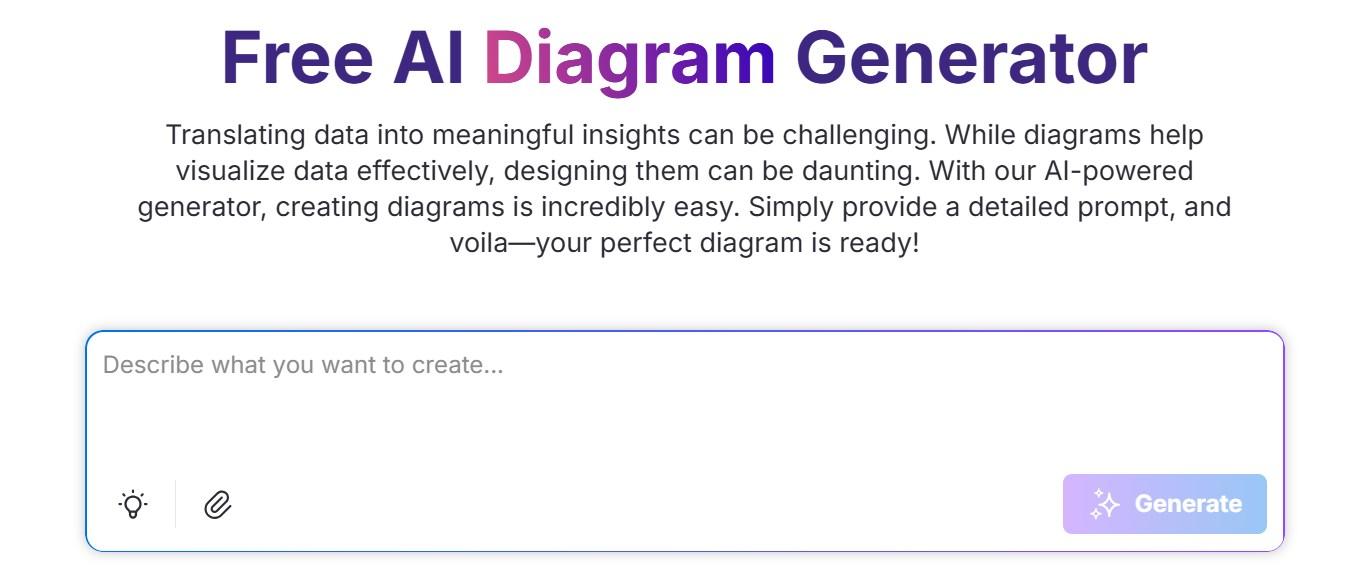
Venngagefocuses on transforming data into engaging, visually appealing content.
Its AI diagram generator automates layout and design, making it easy for
users without a design background to create professional visuals. It’s
particularly useful for visual abstracts, posters, and public-facing
summaries.
Venngage Interface
Venngage automatically adjusts fonts, colors, and layouts to ensure
clarity and accessibility. Researchers can present complex information
in a format that is both professional and approachable, turning dense
data into visuals that communicate effectively to any audience.
Key Features
Smart diagrams: Automatically resize and arrange
elements as you add text to keep the layout neat.
Visual accessibility: Check if your color
contrast and fonts are readable for all audiences instantly.
Infographic focus: Generate timelines, Venn
diagrams, and comparative lists suitable for academic posters.
Pros
Produces highly aesthetic visuals
Great for visual abstracts and posters
User-friendly for non-designers
Automated layout and color matching
Cons
Not suitable for strict technical schematics
Advanced features require a subscription
AI
Diagram Generators for Research Paper Comparison Table
Every research project has unique requirements, ranging from strict
IEEE formatting for engineering papers to flexible conceptual maps for
qualitative studies. Selecting the wrong tool can lead to frustration
with incompatible filetypes or unnecessary learning curves. To help you identify the perfect
match for your specific academic discipline, the table below breaks down
each platform’s core strengths, supported diagram types, and integration
capabilities.
Feature
WPS Office
Eraser
EdrawMax
NoteGPT
Venngage
Best For
Document summarization & Mind
Maps
Technical, code-based diagrams
Complex, scientific diagrams
Quick study summaries
Visual abstracts & posters
Diagram Types
Mind Maps, Outlines
Flowcharts, Cloud Architecture
Flowcharts, Science, 280+ types
Mind Maps, Simple Flows
Infographics, Timelines
Academic Suitability
High (Integrated workflow)
High (CS/Engineering)
Very High (All Sciences)
Medium (Study notes)
Medium (Presentations)
Ease of Use
Very Easy
Medium (Technical)
Medium (Complex)
Very Easy
Easy
Export Formats
Image, PDF, Doc
PNG, SVG, PDF
PDF, Visio, Office
PNG, PDF
PNG, PDF, HTML
Price Model
Free / Freemium
Freemium / Paid
Freemium / Paid
Free / Paid
Freemium / Paid
From
Research Diagrams to Academic Writing with WPS Office
Once you have your diagrams, the challenge is turning them into a
polished presentation. Standalone diagram tools often leave you with
static images, and building a slide deck around them. Formatting text,
arranging visuals, and maintaining a consistent design can be exhausting
and stressful, especially if you’re on a deadline. WPS AI
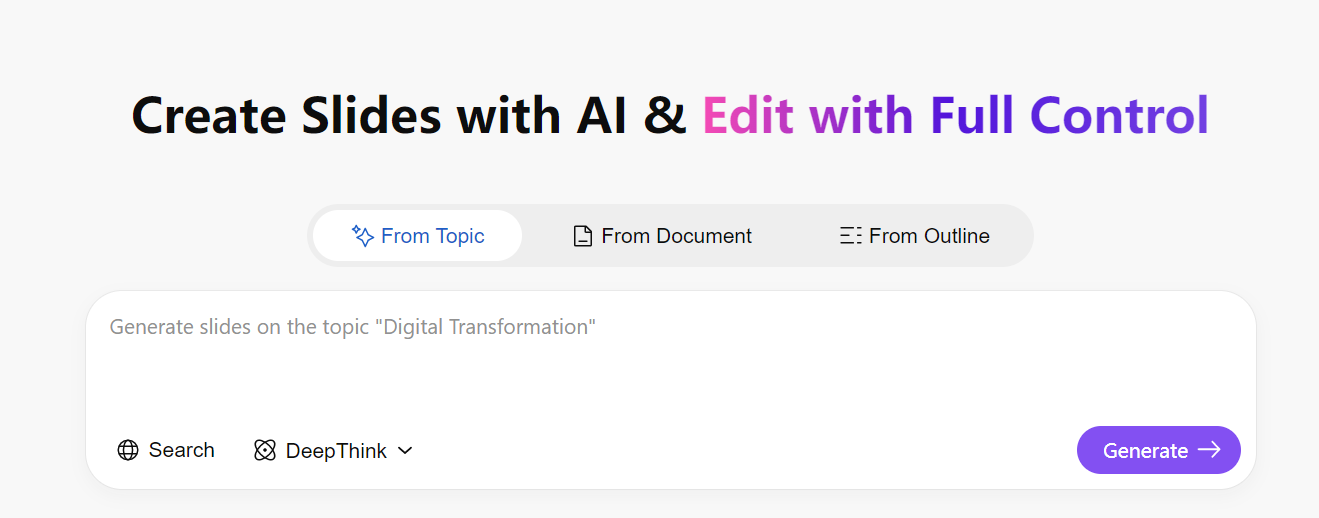
Slides acts as a complete presentation builder where you can
upload your research paper or simply enter your topic, and the AI
generates a fully structured slide deck ready for your diagrams, cutting
manual work by 90 percent.
WPS AI Slides
WPS AI Slides goes beyond a basic editor. It automatically handles layout,
design, and flow, creating organized headers, bullet
points, and even speaker notes. Instead of staring at a blank
canvas, you start with a professional, editable deck in seconds, letting
you focus on your content rather than formatting.
Features
Seamless Integration: Insert your AI-generated
diagrams directly into WPS Writer. The engine handles high-resolution
images smoothly, allowing you to wrap text, add captions, and number
figures automatically according to APA or MLA standards.
Format Preservation: WPS is fully compatible
with Microsoft Word formats (.docx). You can collaborate with
supervisors who use Word without worrying about your diagrams shifting,
your margins breaking, or your layout getting destroyed.
Final PDF Assembly: Once your paper is complete,
use the built-in PDF tools to merge your diagrams, appendices, and main
text into a single, polished submission file, ready for your defense or
conference.
FAQs
1.
What types of research diagrams can AI diagram generators create?
Most AI diagram generators for research papers can create flowcharts,
conceptual frameworks, system architectures, and process models. Some
tools, like Eraser, are better suited for technical workflows (code
structures), while others, like Venngage, focus on explanatory visuals
for posters.
2.
Are AI-generated diagrams acceptable for academic journals and theses?
Yes, as long as the diagrams are clear, accurate, and properly
labeled. Many researchers use AI diagram tools as a starting point to
save time and then refine the visuals manually to meet specific journal
or university formatting standards before submission.
3.
How do AI diagram generators improve research writing efficiency?
AI diagram generators significantly reduce the time spent translating
complex ideas into visuals. Instead of manually dragging shapes and
aligning arrows, researchers can input a text description and get a
structured diagram in seconds, allowing them to focus on refining
concepts rather than fighting with design software.
4. Can AI
diagram tools handle complex academic concepts?
To a certain extent. AI diagram tools are effective for structuring
and visualizing ideas, but they may struggle with highly abstract or
domain-specific concepts. In such cases, researchers often use the AI to
generate a base layout and then combine it with manual adjustments to
ensure scientific precision.
Choosing
the Best AI Diagram Generator for Research Papers
Selecting the best AI diagram generator for research paper writing
depends on your specific needs. For technical architecture, Eraser is
unbeatable; for general scientific depth, EdrawMax is the standard.
However, for the majority of researchers who need to streamline their
reading and writing workflow, WPS
Office stands out. Its unique ability to generate mind maps
directly from your source documents makes it an essential companion for
organizing thoughts before they even reach the page.
7+ years in productivity tech. I test and review the latest tools to simplify your workflow. Follow for honest app comparisons, practical guides, and curated tech picks to boost efficiency.


'%3e%3cpath%20d='M8%200C12.4183%200%2016%203.58172%2016%208C16%2012.4183%2012.4183%2016%208%2016C3.58172%2016%200%2012.4183%200%208C0%203.58172%203.58172%200%208%200ZM11.6162%204.38379C11.2257%203.99337%2010.5927%203.99338%2010.2021%204.38379L8%206.58594L5.79785%204.38379C5.40732%203.99334%204.77429%203.99329%204.38379%204.38379C3.99331%204.77429%203.99335%205.40733%204.38379%205.79785L6.58594%208L4.38379%2010.2021C3.99348%2010.5927%203.99341%2011.2257%204.38379%2011.6162C4.77426%2012.0066%205.40734%2012.0065%205.79785%2011.6162L8%209.41406L10.2021%2011.6162C10.5927%2012.0066%2011.2257%2012.0067%2011.6162%2011.6162C12.0067%2011.2257%2012.0066%2010.5927%2011.6162%2010.2021L9.41406%208L11.6162%205.79785C12.0066%205.40735%2012.0066%204.77429%2011.6162%204.38379Z'%20fill='%23080E17'%20fill-opacity='0.46'/%3e%3c/g%3e%3cdefs%3e%3cclipPath%20id='clip0_3761_713'%3e%3crect%20width='16'%20height='16'%20fill='white'/%3e%3c/clipPath%3e%3c/defs%3e%3c/svg%3e)




'%3e%3cpath%20fill-rule='evenodd'%20clip-rule='evenodd'%20d='M21.4999%2010.9993C21.4999%205.20009%2016.7986%200.498901%2010.9993%200.498901C5.19994%200.498901%200.498657%205.20009%200.498657%2010.9993C0.498657%2016.2404%204.33858%2020.5844%209.35855%2021.3722V14.0346H6.69238V10.9993H9.35855V8.68594C9.35855%206.05427%2010.9262%204.60062%2013.3248%204.60062C14.4736%204.60062%2015.6753%204.80571%2015.6753%204.80571V7.38979H14.3512C13.0468%207.38979%2012.64%208.19921%2012.64%209.0296V10.9993H15.5523L15.0867%2014.0346H12.64V21.3722C17.66%2020.5844%2021.4999%2016.2404%2021.4999%2010.9993Z'%20fill='%231568EA'/%3e%3c/g%3e%3c/svg%3e)


'%3e%3cpath%20d='M2.42045%2022.1876H6.31818V12.7217L0.75%208.54553V20.5171C0.75%2021.4414%201.49892%2022.1876%202.42045%2022.1876Z'%20fill='%234285F4'/%3e%3cpath%20d='M19.682%2022.1876H23.5797C24.5041%2022.1876%2025.2502%2021.4387%2025.2502%2020.5171V8.54553L19.682%2012.7217'%20fill='%2334A853'/%3e%3cpath%20d='M19.682%205.48293V12.7216L25.2502%208.54543V6.31816C25.2502%204.25236%2022.8921%203.07469%2021.2411%204.31361'%20fill='%23FBBC04'/%3e%3cpath%20d='M6.31824%2012.7217V5.48303L13.0001%2010.4944L19.6819%205.48303V12.7217L13.0001%2017.733'%20fill='%23EA4335'/%3e%3cpath%20d='M0.75%206.31816V8.54543L6.31818%2012.7216V5.48293L4.75909%204.31361C3.10534%203.07469%200.75%204.25236%200.75%206.31816Z'%20fill='%23C5221F'/%3e%3c/g%3e%3cdefs%3e%3cclipPath%20id='clip0_2954_7305'%3e%3crect%20width='24.5'%20height='18.375'%20fill='white'%20transform='translate(0.75%203.8125)'/%3e%3c/clipPath%3e%3c/defs%3e%3c/svg%3e)






'%3e%3cpath%20d='M19.9911%204.11386V6.471H18.5894C18.0775%206.471%2017.7322%206.57814%2017.5536%206.79243C17.3751%207.00671%2017.2858%207.32814%2017.2858%207.75671V9.44421H19.9019L19.5536%2012.0871H17.2858V18.8639H14.5536V12.0871H12.2769V9.44421H14.5536V7.49779C14.5536%206.39064%2014.8632%205.53201%2015.4822%204.92189C16.1013%204.31177%2016.9257%204.00671%2017.9554%204.00671C18.8304%204.00671%2019.509%204.04243%2019.9911%204.11386Z'%20fill='%23333333'/%3e%3c/g%3e%3cdefs%3e%3cclipPath%20id='clip0_2938_8199'%3e%3crect%20width='16'%20height='16'%20fill='white'%20transform='translate(8%204.00671)'/%3e%3c/clipPath%3e%3c/defs%3e%3c/svg%3e)
'%3e%3cpath%20d='M17.5237%2010.7813L23.4811%204H22.0699L16.8949%209.88693L12.7648%204H8L14.2469%2012.9029L8%2020.0133H9.4112L14.8725%2013.7952L19.2352%2020.0133H24M9.92053%205.04213H12.0885L22.0688%2019.0224H19.9003'%20fill='%23333333'/%3e%3c/g%3e%3cdefs%3e%3cclipPath%20id='clip0_2938_8200'%3e%3crect%20width='16'%20height='16.0134'%20fill='white'%20transform='translate(8%204)'/%3e%3c/clipPath%3e%3c/defs%3e%3c/svg%3e)


