

'%3e%3cpath%20d='M8%200C12.4183%200%2016%203.58172%2016%208C16%2012.4183%2012.4183%2016%208%2016C3.58172%2016%200%2012.4183%200%208C0%203.58172%203.58172%200%208%200ZM11.6162%204.38379C11.2257%203.99337%2010.5927%203.99338%2010.2021%204.38379L8%206.58594L5.79785%204.38379C5.40732%203.99334%204.77429%203.99329%204.38379%204.38379C3.99331%204.77429%203.99335%205.40733%204.38379%205.79785L6.58594%208L4.38379%2010.2021C3.99348%2010.5927%203.99341%2011.2257%204.38379%2011.6162C4.77426%2012.0066%205.40734%2012.0065%205.79785%2011.6162L8%209.41406L10.2021%2011.6162C10.5927%2012.0066%2011.2257%2012.0067%2011.6162%2011.6162C12.0067%2011.2257%2012.0066%2010.5927%2011.6162%2010.2021L9.41406%208L11.6162%205.79785C12.0066%205.40735%2012.0066%204.77429%2011.6162%204.38379Z'%20fill='%23080E17'%20fill-opacity='0.46'/%3e%3c/g%3e%3cdefs%3e%3cclipPath%20id='clip0_3761_713'%3e%3crect%20width='16'%20height='16'%20fill='white'/%3e%3c/clipPath%3e%3c/defs%3e%3c/svg%3e)



'%3e%3cpath%20fill-rule='evenodd'%20clip-rule='evenodd'%20d='M21.4999%2010.9993C21.4999%205.20009%2016.7986%200.498901%2010.9993%200.498901C5.19994%200.498901%200.498657%205.20009%200.498657%2010.9993C0.498657%2016.2404%204.33858%2020.5844%209.35855%2021.3722V14.0346H6.69238V10.9993H9.35855V8.68594C9.35855%206.05427%2010.9262%204.60062%2013.3248%204.60062C14.4736%204.60062%2015.6753%204.80571%2015.6753%204.80571V7.38979H14.3512C13.0468%207.38979%2012.64%208.19921%2012.64%209.0296V10.9993H15.5523L15.0867%2014.0346H12.64V21.3722C17.66%2020.5844%2021.4999%2016.2404%2021.4999%2010.9993Z'%20fill='%231568EA'/%3e%3c/g%3e%3c/svg%3e)


'%3e%3cpath%20d='M2.42045%2022.1876H6.31818V12.7217L0.75%208.54553V20.5171C0.75%2021.4414%201.49892%2022.1876%202.42045%2022.1876Z'%20fill='%234285F4'/%3e%3cpath%20d='M19.682%2022.1876H23.5797C24.5041%2022.1876%2025.2502%2021.4387%2025.2502%2020.5171V8.54553L19.682%2012.7217'%20fill='%2334A853'/%3e%3cpath%20d='M19.682%205.48293V12.7216L25.2502%208.54543V6.31816C25.2502%204.25236%2022.8921%203.07469%2021.2411%204.31361'%20fill='%23FBBC04'/%3e%3cpath%20d='M6.31824%2012.7217V5.48303L13.0001%2010.4944L19.6819%205.48303V12.7217L13.0001%2017.733'%20fill='%23EA4335'/%3e%3cpath%20d='M0.75%206.31816V8.54543L6.31818%2012.7216V5.48293L4.75909%204.31361C3.10534%203.07469%200.75%204.25236%200.75%206.31816Z'%20fill='%23C5221F'/%3e%3c/g%3e%3cdefs%3e%3cclipPath%20id='clip0_2954_7305'%3e%3crect%20width='24.5'%20height='18.375'%20fill='white'%20transform='translate(0.75%203.8125)'/%3e%3c/clipPath%3e%3c/defs%3e%3c/svg%3e)


Creating a professional music video used to mean coordinating a director, editor, production crew, locations, and days or weeks of post-production. An ai music video generator can remove much of that work, but the productivity difference between platforms is significant. Some can interpret an entire track and assemble a finished video, while others still require creators to generate individual clips, move files between applications, synchronize them manually, and rebuild social versions afterward.
That distinction matters more as AI becomes part of everyday creative work. Adobe’s 2026 Creators’ Toolkit surveyed more than 16,000 creators and found that 93% of creators using creative AI said it helped them work faster. However, 57% still said their AI output needed moderate or extensive editing before publication.
For this comparison, I looked at Freebeat, Neural Frames, Kaiber, Runway, Kling AI, and LTX Studio from the perspective of a freelance digital campaign producer. I care about visual quality, but I care just as much about what happens after the first generation: revisions, handoffs, synchronization, asset management, and whether the result is actually ready to send to a client.
Best AI Music Video Generator Tools: Shortlist
Freebeat: best overall for musicians who want a complete song-to-video workflow
Neural Frames: best for detailed audio-reactive control
Kaiber: best for fast music-video variations and social content
Runway: best for cinematic general-purpose video generation
Kling AI: best for high-fidelity movement and individual hero shots
LTX Studio: best for storyboard-led visual planning
The first table combines descriptive workflow information with editorial capability scores. These ratings reflect documented functionality against the same fixed brief, not laboratory test results.
| Platform | Best for | Music awareness | Character control | Workflow efficiency | Full campaign fit | Main drawback | Overall |
|---|---|---|---|---|---|---|---|
| Freebeat | Complete music-video campaigns | 9.8/10 | 9.5/10 | 9.6/10 | 9.7/10 | One aspect ratio per project | 9.5/10 |
| Neural Frames | Audio-reactive visuals | 9.6/10 | 8.4/10 | 8.6/10 | 8.7/10 | Deep controls take more setup | 8.9/10 |
| Kaiber | Social and rapid music-video creation | 8.8/10 | 8.0/10 | 9.0/10 | 8.5/10 | Maximum Montage length is 3 minutes | 8.7/10 |
| Runway | Cinematic individual scenes | 6.8/10 | 9.0/10 | 7.7/10 | 7.6/10 | Full-song assembly remains manual | 8.4/10 |
| Kling AI | Performance and movement shots | 7.2/10 | 9.1/10 | 7.8/10 | 7.7/10 | Primarily a clip-level workflow | 8.5/10 |
| LTX Studio | Storyboarding and narrative planning | 7.7/10 | 8.8/10 | 8.8/10 | 8.4/10 | Less music-specific than dedicated tools | 8.6/10 |
How I Compared These AI Music Video Generator Platforms
I used one fixed brief rather than giving every platform a different task.
The fictional client is an independent electronic-pop musician releasing a 3-minute, 24-second track at 124 BPM. The project has one lead singer, one supporting performer, three environments, and a recurring transparent umbrella that makes visual inconsistency easy to spot.
The freelancer has 48 hours and no more than $60 to spend on each platform.
The final client folder must contain:
one full-length 16:9 music video
three vertical promotional clips
one lyric clip
four usable singing close-ups
four scenes containing both performers
one looping visual
one thumbnail
one organized client handoff package
I also use 12 predetermined musical checkpoints, including the first vocal entrance, bass entrance, first chorus, instrumental drop, bridge, and final chorus peak. A good workflow should make it possible to align important visual events with those moments without turning the project into a manual editing exercise.
The Best AI Music Video Generator Tools in Detail
1. Freebeat: Best Complete Workflow for Musicians
Music analysis: full-song analysis covering eight musical dimensions
Visual workflow: full music video up to 6 minutes
Creative control: Character Lock, storyboard editing, selective regeneration
Workflow: one-click generation or detailed shot-level control
Freebeat comes first because it is designed around the musician’s starting point: a finished song. Before generating visuals, it analyzes BPM, beat grid, percussion, energy curve, spectral content, song sections, section tags, and cut density. Five pacing modes then let the same track move from tight 4-beat editing to sustained 64-beat sequences.
Its six production agents cover Creative Concept, Casting, Director, Cinematography, Motion Synthesis, and Post-Production. The one-click path targets a complete video in approximately 5 minutes and requires no prior editing experience.
Character Lock is particularly valuable for client work. Character Consistency remains active across scenes, a Character Bible preserves appearance and wardrobe, and up to two characters can appear in the same project. Singing MV also provides high lip sync accuracy of approximately 90% across more than 100 languages.
The ai music video generator supports videos up to 6 minutes, 720p and 1080p main output, and 4K AI upscaling where supported. Five native aspect ratios are available, although each project locks to one ratio. Users can export the final MP4 as well as storyboards, scene images, Character Bibles, shot plans, and lyric or caption timing files.
Pros:
full-song structure awareness rather than simple volume reactivity
Character Consistency and high lip sync accuracy
selective regeneration instead of rebuilding entire videos
one-click generation with no editing skills required
exportable production assets, not just the final video
Cons:
a separate project is required for another aspect ratio
only two recurring characters are supported per video
2. Neural Frames: Best for Detailed Audio-Reactive Visuals
Music analysis: eight-stem audio separation and reactive controls
Visual workflow: music-first generation and Autopilot
Creative control: detailed mappings between stems and visual behavior
Workflow: strong automation with deeper manual options
Neural Frames deserves serious consideration because it is genuinely music-oriented rather than simply a general video model with audio added later.
Its audio visualizer separates a track into eight stems, including drums, bass, and vocals. Creators can connect those components to visual properties such as movement, zoom, color, and effects, while Autopilot can automate the process.
For the test track, that means I could make bass movement drive camera intensity while vocals affect another visual parameter. That level of reactive control is useful for electronic music, instrumental projects, DJ visuals, and abstract work.
Neural Frames also now supports much more than the simple visualizer positioning associated with older versions of the platform. Its current product materials describe full-length music-video creation, character consistency, multiple video models, lip sync, lyric videos, and 4K output on supported paid workflows.
The trade-off is productivity versus control. Mapping stems and adjusting reactions gives me precision, but it also creates more decisions than a largely automated song-to-video pipeline.
Pros:
eight-stem audio analysis
strong audio-reactive control
Autopilot for faster full-song creation
lyric and lip-sync workflows
commercial rights to generated visuals
Cons:
deeper controls create a larger learning surface
creators seeking traditional narrative direction may spend more time configuring the project
3. Kaiber: Best for Fast Music-Video Variations
Music analysis: direct song analysis in Music Video Montage
Visual workflow: 1, 2, or 3-minute music videos
Creative control: Generate, Reference, and Restyle modes
Workflow: Canvas, Beat Sync, and Editor
Kaiber has become more music-specific than older comparisons sometimes suggest. Its Music Video Montage now accepts an audio file, analyzes the music, and creates a video shaped by the track’s style, content, and emotional character.
Creators can choose Generate mode, guide output with a reference image, or use Restyle. Video lengths of 1, 2, or 3 minutes are supported, along with five aspect ratios. Multi Shot can increase shot variety inside each generated clip.
For my 3:24 client brief, Kaiber gets close but does not cover the complete song inside one Montage. Where it becomes particularly useful is campaign repurposing. Beat Sync, Canvas, lyric and caption tools, and Editor provide a practical environment for producing multiple promotional versions from existing media.
The current five-day trial costs $5 and supplies 500 credits. Starter is $10 per month, while Beat Sync is reserved for higher plans.
Pros:
direct audio-driven Music Video Montage
useful Reference and Restyle options
Beat Sync and caption workflows
five aspect ratios
beginner-friendly campaign production
Cons:
Music Video Montage tops out at 3 minutes
more complex long-form identity continuity still requires careful reference management
4. Runway: Best for Cinematic Scene Generation
Music analysis: not its primary organizing principle
Visual workflow: high-end generative shot production
Creative control: references, consistent worlds, multiple models
Workflow: best used for selected scenes in a music campaign
Runway is one of the strongest pure video environments in this comparison, but I would approach it differently from a dedicated ai music video generator.
Gen-4 introduced consistent characters, locations, and objects across related scenes, while Gen-4.5 supports text-to-video and image-to-video generations lasting 2 to 10 seconds. Gen-4.5 currently costs 12 credits per generated second and outputs at 720p before upscaling.
Runway has also expanded beyond its own models. Its current video workspace includes first-party models alongside options such as Kling, Seedance, and Veo, which makes it a strong general creative hub.
Standard costs $12 per month when billed annually and supplies 625 credits, equivalent to about 52 seconds of Gen-4.5 generation. Pro costs $28 annually billed per month with 2,250 credits.
For my client, I would use Runway for visually important rooftop shots or difficult transitions. I would not use it as the central music timeline unless I was prepared to manage song structure and final assembly manually.
Pros:
excellent cinematic generation
strong reference and world consistency
several premium video models in one workspace
professional camera and visual control
Cons:
full-song musical planning is not the core workflow
clip-by-clip production adds editing and assembly time
5. Kling AI: Best for Movement-Heavy Hero Shots
Music analysis: native audio exists, but not full-song music direction
Visual workflow: short high-fidelity generations and extensions
Creative control: multi-shot, references, Motion Control
Workflow: strongest as a specialist scene generator
Kling AI is the platform I would bring in when movement quality becomes more important than overall campaign assembly.
Kling VIDEO 3.0 supports 3 to 15-second generation, native audio, multi-shot creation, reference elements, 720p and 1080p output, and strong continuity controls. Its Omni model can retain characters, props, and environments while the camera or scene changes.
Motion Control is particularly useful for musicians. A performer can supply an action reference and apply that movement to a generated character. Kling’s latest Motion Control documentation also emphasizes improved facial consistency during complex and multi-angle actions.
At 1080p, a five-second VIDEO 3.0 generation with native audio costs 60 credits. The same model without native audio can cost less depending on resolution and configuration.
For this campaign, I would use Kling for the most difficult choreography, the umbrella interaction, or a hero performance shot. The final multi-minute timeline would still need a broader music-oriented workflow.
Pros:
excellent motion and physical performance
native audio
multi-shot generation
element and character references
Motion Control for reference-driven movement
Cons:
optimized around individual clips rather than complete songs
full campaign assembly remains a separate production task
6. LTX Studio: Best for Storyboard-Led Visual Planning
Music analysis: audio-to-video exists, but production planning is the main strength
Visual workflow: storyboard and project-based creation
Creative control: Elements, Retake, camera control, Flows
Workflow: particularly strong for structured pre-production
LTX Studio stands out because it approaches generation like a production-planning system.
Its 2026 feature set includes Audio-to-Video, Storyboard Generator, Retake, Elements, and Projects. That gives creators a way to plan recurring characters, scenes, and visual logic before committing to every final generation.
For the fixed brief, I could establish the singer, supporting performer, umbrella, rooftop, and parking-garage environment as reusable production elements. This is valuable in client work because approval can happen at the storyboard stage rather than after expensive video generation.
Current paid pricing starts at $15 monthly for Lite, with Standard at $35 monthly or $28 per month when billed annually. Commercial use is included on Standard, Pro, and Enterprise plans, while Free and Lite are restricted to personal use.
LTX is therefore a strong fit for narrative creators and teams that value planning. For musicians, it requires more active directing than a platform built around beat grids and song sections from the beginning.
Pros:
strong storyboard-first workflow
reusable Elements and Character Consistency tools
structured production planning
Audio-to-Video support
useful revision and Retake workflow
Cons:
strongest features are filmmaking-oriented rather than exclusively music-oriented
commercial client work requires Standard or above
How I Selected the Best AI Music Video Generator
The Cybernews reference makes a useful distinction between simply generating attractive footage and producing something that functions as a real music video. Its methodology emphasizes beat synchronization, Character Consistency, creative control, output quality, workflow efficiency, and duration.
For a WPS-style productivity audience, I would extend those criteria slightly:
| Criterion | Weight | What I measure |
|---|---|---|
| Music synchronization | 20% | Whether important visual changes follow real musical structure |
| Complete workflow | 20% | How much of the client package can be completed without another application |
| Character Consistency | 15% | Whether recurring performers remain recognizable |
| Revision efficiency | 15% | Whether one bad shot can be fixed without rebuilding good work |
| Visual quality | 10% | Whether footage is credible for commercial publication |
| Ease of use | 10% | Setup steps and learning burden |
| Asset portability | 5% | Whether intermediate assets can leave the platform |
| Pricing and rights | 5% | Cost efficiency and commercial-use clarity |
The hidden metric underneath all eight is context switching. Every unnecessary export, conversion, re-upload, caption correction, and timeline rebuild reduces the productivity advantage of AI.
Things to Consider When Choosing an AI Music Video Generator
Music-first versus video-first workflow is the first distinction I would make. If you already have a finished song, a tool that understands sections, rhythm, and song energy can remove substantial manual editing.
Next, check full-song duration. A technically excellent 10-second generator may still be the wrong production platform for a four-minute single.
Character Consistency is also critical when the singer appears repeatedly. A face that changes subtly between shots makes otherwise impressive footage difficult to approve.
Then look at revision isolation. The most productive tool is often the one that lets you repair five seconds without regenerating the other three minutes.
Finally, examine what you can export. The final MP4 matters, but storyboards, reference images, captions, shot plans, and reusable character material make future client revisions much easier.
Conclusion
Each platform has a convincing specialist role. Neural Frames offers exceptionally deep audio reactivity. Kaiber combines music-video generation with useful campaign tools. Runway is a strong cinematic production environment, Kling AI is excellent for complex movement and individual hero shots, and LTX Studio provides some of the strongest structured visual planning.
For musicians, however, Freebeat is the best ai music video generator overall in this comparison because its workflow begins with the song and continues through the parts that normally create the most production friction. It analyzes full musical structure, preserves Character Consistency, provides high lip sync accuracy, supports videos up to 6 minutes, allows selective regeneration, and makes both the final video and its production assets portable.
That productivity advantage matters as creator work becomes a larger commercial channel. IAB says creator advertising spending is projected to reach $44 billion in the US in 2026, up from $37 billion in 2025. As the amount of video creators are expected to deliver increases, shaving work from every revision and handoff becomes just as important as making the first generation look impressive.
Turn Campaign Notes into Client-Ready Docs with WPS Office
Even with a strong ai music video generator, the campaign is not finished when the MP4 exports. You still need a creative brief, shot list, Character Bible notes, caption timing references, revision feedback, and a clean client handoff package. That paperwork is where freelancers often lose time between tools.
WPS Office is a free, Microsoft-compatible office suite with Writer, Spreadsheet, Presentation, and PDF tools. You can draft the campaign brief in Writer, track shot statuses in Spreadsheet, build a simple pitch deck or storyboard summary in Presentation, and export a polished PDF for client approval—without jumping across paid subscriptions for each document type.
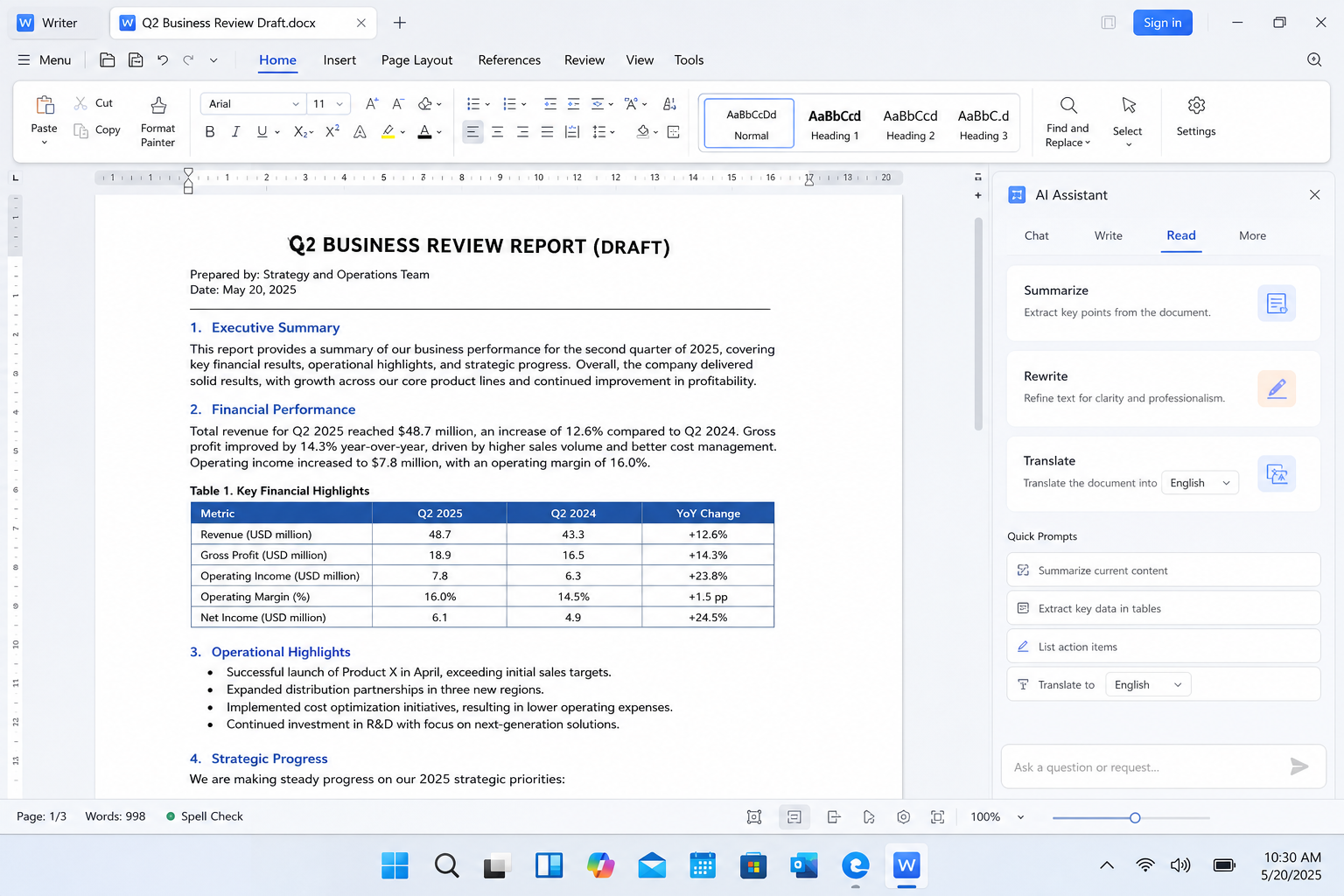
| Campaign need | WPS benefit |
|---|---|
| Creative brief & revision notes | Writer keeps DOCX/PDF drafts editable and shareable |
| Shot lists & checkpoint tracking | Spreadsheet organizes scenes, BPM cues, and delivery status |
| Client pitch / storyboard summary | Presentation turns planning into a clear slide handoff |
| Final package for approval | Built-in PDF tools help export, annotate, and combine files |
Download WPS Office from the official site, install the free desktop app, then paste your generation notes into a Writer doc or Presentation deck before the next client review. Keeping briefs, shot plans, and delivery checklists in one suite reduces the same context switching that slows down AI video production.
Get started on Windows, Mac, Android, or iOS via the official WPS Office download page.
FAQ
What is the best AI music video generator for a complete song?
Freebeat is the strongest overall choice here for musicians who want one system to interpret a complete track and build the visual production around it. Pro and higher plans support music videos up to 6 minutes.
Which AI music video generator is best for audio-reactive visuals?
Neural Frames is particularly strong for detailed audio reactivity because it separates a song into eight stems and lets creators map those components to movement, zoom, color, and effects.
Which platform is best for cinematic individual shots?
Runway and Kling AI are both strong candidates. Runway offers broad cinematic generation and reference consistency, while Kling provides particularly useful multi-shot, native-audio, and Motion Control capabilities.
Do I need video-editing skills?
It depends on the platform. Freebeat can automatically handle storyboarding, shot generation, transitions, pacing, and assembly, while still exposing those stages when a creator wants more control. General-purpose clip generators usually require more manual timeline work.
What is the difference between audio-reactive and beat-synced video?
Audio-reactive visuals change according to properties of the sound, such as amplitude or individual stems. Beat-synced or structurally synchronized workflows deliberately align edits, motion, and transitions with musical events such as beats, choruses, bridges, and energy peaks.
Which AI music video generator is best for client productivity?
For the fixed 48-hour campaign, Freebeat ranks first because it minimizes the number of handoffs between music analysis, visual planning, Character Consistency, lip sync, editing, and delivery. LTX Studio is particularly strong when storyboard approval and structured pre-production matter most, while Kaiber is useful for rapidly multiplying social variations.

'%3e%3cpath%20d='M19.9911%204.11386V6.471H18.5894C18.0775%206.471%2017.7322%206.57814%2017.5536%206.79243C17.3751%207.00671%2017.2858%207.32814%2017.2858%207.75671V9.44421H19.9019L19.5536%2012.0871H17.2858V18.8639H14.5536V12.0871H12.2769V9.44421H14.5536V7.49779C14.5536%206.39064%2014.8632%205.53201%2015.4822%204.92189C16.1013%204.31177%2016.9257%204.00671%2017.9554%204.00671C18.8304%204.00671%2019.509%204.04243%2019.9911%204.11386Z'%20fill='%23333333'/%3e%3c/g%3e%3cdefs%3e%3cclipPath%20id='clip0_2938_8199'%3e%3crect%20width='16'%20height='16'%20fill='white'%20transform='translate(8%204.00671)'/%3e%3c/clipPath%3e%3c/defs%3e%3c/svg%3e)
'%3e%3cpath%20d='M17.5237%2010.7813L23.4811%204H22.0699L16.8949%209.88693L12.7648%204H8L14.2469%2012.9029L8%2020.0133H9.4112L14.8725%2013.7952L19.2352%2020.0133H24M9.92053%205.04213H12.0885L22.0688%2019.0224H19.9003'%20fill='%23333333'/%3e%3c/g%3e%3cdefs%3e%3cclipPath%20id='clip0_2938_8200'%3e%3crect%20width='16'%20height='16.0134'%20fill='white'%20transform='translate(8%204)'/%3e%3c/clipPath%3e%3c/defs%3e%3c/svg%3e)


