

'%3e%3cpath%20d='M8%200C12.4183%200%2016%203.58172%2016%208C16%2012.4183%2012.4183%2016%208%2016C3.58172%2016%200%2012.4183%200%208C0%203.58172%203.58172%200%208%200ZM11.6162%204.38379C11.2257%203.99337%2010.5927%203.99338%2010.2021%204.38379L8%206.58594L5.79785%204.38379C5.40732%203.99334%204.77429%203.99329%204.38379%204.38379C3.99331%204.77429%203.99335%205.40733%204.38379%205.79785L6.58594%208L4.38379%2010.2021C3.99348%2010.5927%203.99341%2011.2257%204.38379%2011.6162C4.77426%2012.0066%205.40734%2012.0065%205.79785%2011.6162L8%209.41406L10.2021%2011.6162C10.5927%2012.0066%2011.2257%2012.0067%2011.6162%2011.6162C12.0067%2011.2257%2012.0066%2010.5927%2011.6162%2010.2021L9.41406%208L11.6162%205.79785C12.0066%205.40735%2012.0066%204.77429%2011.6162%204.38379Z'%20fill='%23080E17'%20fill-opacity='0.46'/%3e%3c/g%3e%3cdefs%3e%3cclipPath%20id='clip0_3761_713'%3e%3crect%20width='16'%20height='16'%20fill='white'/%3e%3c/clipPath%3e%3c/defs%3e%3c/svg%3e)



'%3e%3cpath%20fill-rule='evenodd'%20clip-rule='evenodd'%20d='M21.4999%2010.9993C21.4999%205.20009%2016.7986%200.498901%2010.9993%200.498901C5.19994%200.498901%200.498657%205.20009%200.498657%2010.9993C0.498657%2016.2404%204.33858%2020.5844%209.35855%2021.3722V14.0346H6.69238V10.9993H9.35855V8.68594C9.35855%206.05427%2010.9262%204.60062%2013.3248%204.60062C14.4736%204.60062%2015.6753%204.80571%2015.6753%204.80571V7.38979H14.3512C13.0468%207.38979%2012.64%208.19921%2012.64%209.0296V10.9993H15.5523L15.0867%2014.0346H12.64V21.3722C17.66%2020.5844%2021.4999%2016.2404%2021.4999%2010.9993Z'%20fill='%231568EA'/%3e%3c/g%3e%3c/svg%3e)


'%3e%3cpath%20d='M2.42045%2022.1876H6.31818V12.7217L0.75%208.54553V20.5171C0.75%2021.4414%201.49892%2022.1876%202.42045%2022.1876Z'%20fill='%234285F4'/%3e%3cpath%20d='M19.682%2022.1876H23.5797C24.5041%2022.1876%2025.2502%2021.4387%2025.2502%2020.5171V8.54553L19.682%2012.7217'%20fill='%2334A853'/%3e%3cpath%20d='M19.682%205.48293V12.7216L25.2502%208.54543V6.31816C25.2502%204.25236%2022.8921%203.07469%2021.2411%204.31361'%20fill='%23FBBC04'/%3e%3cpath%20d='M6.31824%2012.7217V5.48303L13.0001%2010.4944L19.6819%205.48303V12.7217L13.0001%2017.733'%20fill='%23EA4335'/%3e%3cpath%20d='M0.75%206.31816V8.54543L6.31818%2012.7216V5.48293L4.75909%204.31361C3.10534%203.07469%200.75%204.25236%200.75%206.31816Z'%20fill='%23C5221F'/%3e%3c/g%3e%3cdefs%3e%3cclipPath%20id='clip0_2954_7305'%3e%3crect%20width='24.5'%20height='18.375'%20fill='white'%20transform='translate(0.75%203.8125)'/%3e%3c/clipPath%3e%3c/defs%3e%3c/svg%3e)


Accounts receivable is one of the few finance workflows that is already well documented and still slow. Invoices go out, some customers pay on time, some do not, and a small collections team chases the difference by hand. AI in accounts receivable mainly changes how that gap gets prioritized, not who carries the risk when a decision is wrong.
This guide is educational rather than promotional. It covers where AI genuinely helps in accounts receivable, what data has to be in place first, how to keep a person in the loop, which risks stay on your side of the table, and how to tell a real vendor claim from a marketing number. Every figure quoted below comes from an independent survey or published research, and the source is named in the sentence so you can check it yourself.
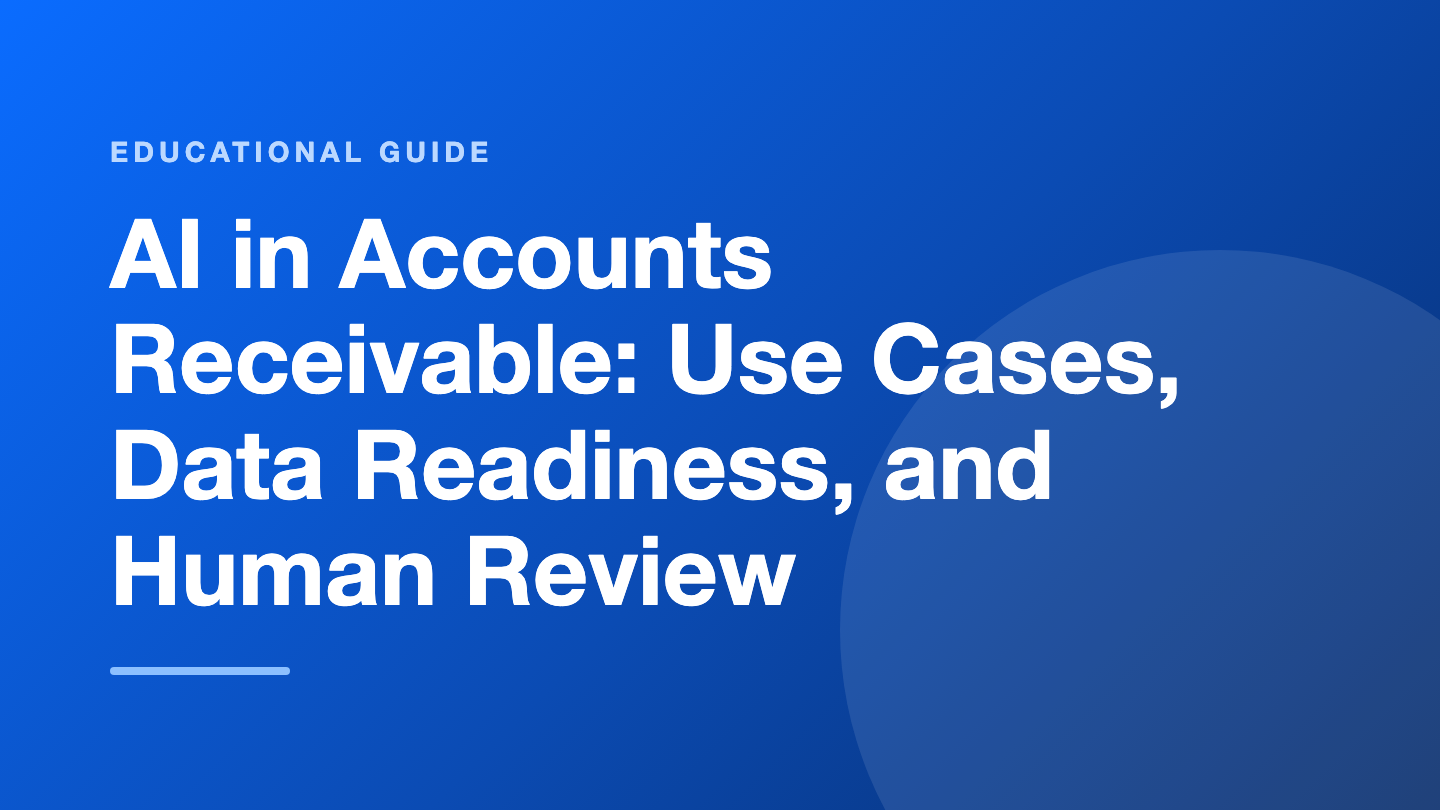
Where AI fits in the accounts receivable workflow
Accounts receivable work is not one job, it is four, and AI lands differently in each. The useful question is not whether AI can do receivables, but which of the four jobs you want to hand over first.
Invoice and remittance intake. Capture invoice numbers, dates, amounts, and remittance advice from PDFs, customer portals, and email. This is document reading, and it is the least risky place to start because a wrong capture is easy to spot.
Cash application. Match incoming payments to open invoices, including partial payments and short pays. Matching is pattern work, which is why it is a common first automation target.
Collections prioritization. Rank open invoices by how likely they are to be paid late, so collectors call the accounts that matter first instead of working the list top to bottom.
Exceptions and disputes. Detect mismatches, duplicate entries, and unusual payment behavior, then route them to a person with the context already attached.
The evidence for interest is stronger than the evidence for results. Deloitte’s Q1 2026 North American CFO Signals survey, reported by the Journal of Accountancy in April 2026, asked 200 finance chiefs at organizations with at least $1 billion in revenue: 53% picked automation or technology upgrades as the most proven lever for controlling costs, and 40% named AI as one of the three technologies most important to that work. That is a statement about intent, not proof that receivables performance improved.
Independent research also warns against treating adoption as an outcome. The PYMNTS Intelligence Growth Corporates Working Capital Index (June 2026 edition) reports that roughly seven in ten growth corporates use AI to improve working capital efficiency, while stating that higher adoption alone did not translate into better cash performance. Translation for an AR team: buying the tool is the beginning of the project, not the result.
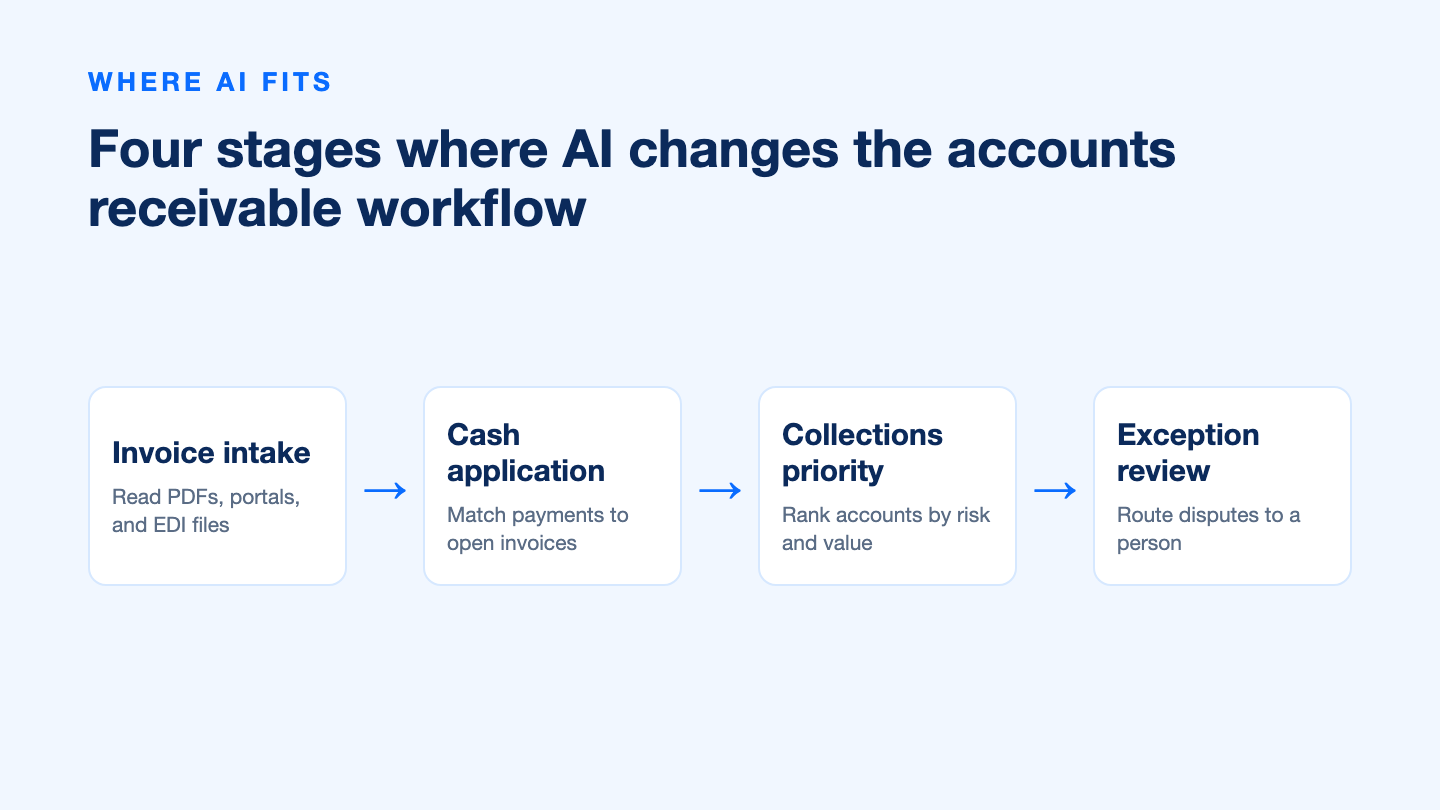


What to prepare before you put AI in accounts receivable
Predictive collections runs on invoice history. If the history is thin, duplicated, or disconnected from what actually happened, the model will rank accounts confidently and incorrectly. Prepare the data first, then pick the tool.
Invoice-level history. Invoice number, customer, issue date, due date, terms, amount, and current status. Twelve to twenty-four months is usually enough to see seasonal payment behavior.
One identifier per customer. Duplicate customer records are the most common reason an aging report and a payment history disagree. Merge them before you model anything.
Payment and dispute logs. Partial payments, credit notes, short pays, disputed invoices, and broken promises. Without these, every late invoice looks like the same kind of late invoice.
Recorded collector decisions. This is the point most teams miss. Published work on invoice payment prediction, including a 2020 research prototype by Appel and co-authors, notes that collection decisions were often not recorded in the accounts receivable system, which leaves the most useful signal out of the dataset.
A defined outcome metric. Days sales outstanding, the aging mix, promise-to-pay rate, or touches per collected dollar. Pick one before the pilot and freeze the baseline.
Keep expectations proportionate. The same research prototypes reached about 77% and 81% accuracy in predicting invoice payment, which is useful for prioritizing collectors but nowhere near accurate enough to move money without review. Treat accuracy like a weather forecast: helpful for planning, not a guarantee for any single invoice.
Keep humans in the loop as AI in accounts receivable scales
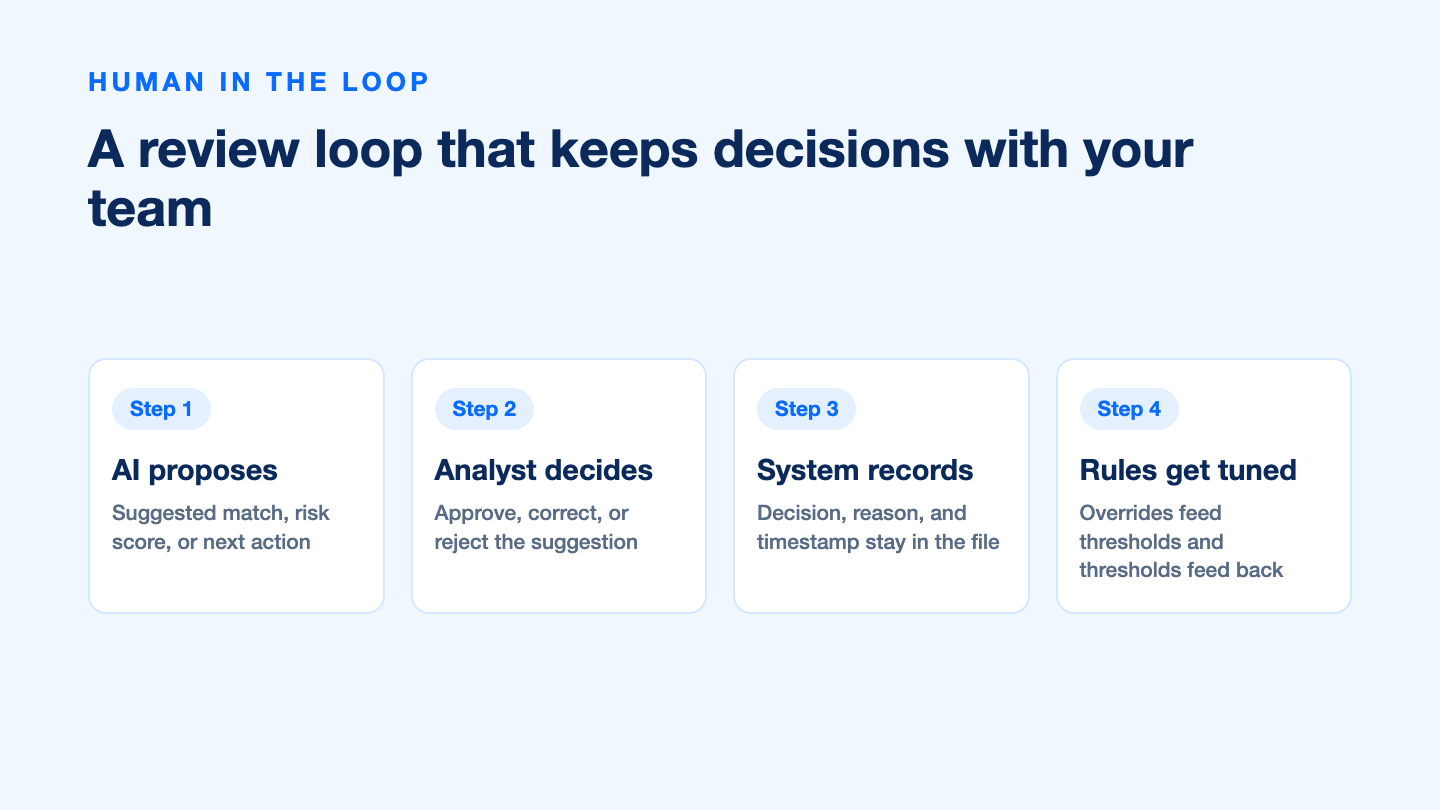
The safest pattern for AI in accounts receivable is a suggestion loop, not an autopilot. The system ranks, matches, or drafts; a person approves, corrects, or rejects; and the decision is written back so the next round is better.
AI proposes. A suggested match, a risk score, or a next action for a named account.
An analyst decides. Approve, correct, or reject, with the reason recorded in one click rather than in a separate email thread.
The system records. Decision, reason, user, and timestamp stay with the invoice record.
Thresholds get tuned. Overrides are data. A rising override rate on one customer segment is a signal to change the rule, not to push harder on the team.
Write the loop down before you automate it. The NIST AI Risk Management Framework is a free, publicly available structure that separates governance, context mapping, measurement, and ongoing management of AI risk, and it is a practical checklist for deciding who owns each AR decision. Two rules are worth fixing in advance: any change of customer bank details is confirmed out of band, and any payment above your normal range is reviewed by a second person regardless of what the model scored.
Risks and controls you still own in AI-assisted accounts receivable
Automation changes the shape of fraud risk in accounts receivable rather than removing it. A July 2026 Journal of Accountancy guide on AP/AR fraud describes how widely available generative AI, deepfake audio and video, and synthetic identities have made payment fraud more convincing and harder to detect, and it puts controls, verification, and professional skepticism at the center of the response.
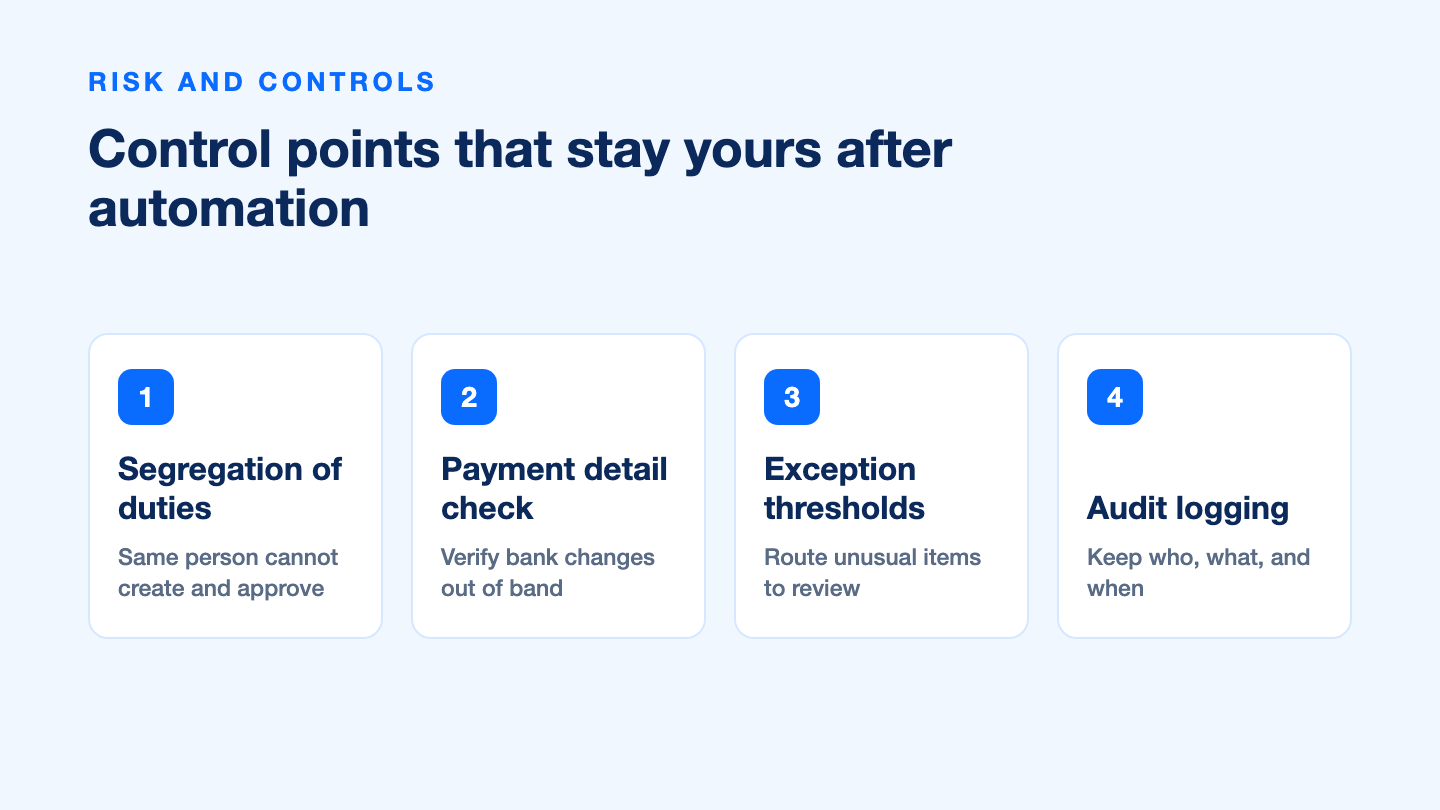
Payment detail changes. Verify new bank details through a known contact and a second channel. Never accept a change that arrives only inside the payment workflow.
Segregation of duties. The person who can create or edit a customer or vendor record should not be the person who approves the payment.
Exception thresholds. Define the amount, age, and customer segments that always go to manual review, and keep that list outside the model.
Audit logging. Keep who did what and when, including overrides of AI suggestions, so an auditor can reconstruct the decision.
Model drift. Payment behavior shifts with the economy and with your customer mix. Re-check accuracy on recent invoices on a fixed schedule instead of assuming last year’s performance holds.
Data handling. Customer payment data is sensitive. Confirm retention, access, and export terms before it leaves your environment.
How to evaluate AI accounts receivable vendors
Most AI accounts receivable vendors demo well. The differences show up in the questions that are boring to answer, so ask them in writing before a pilot.
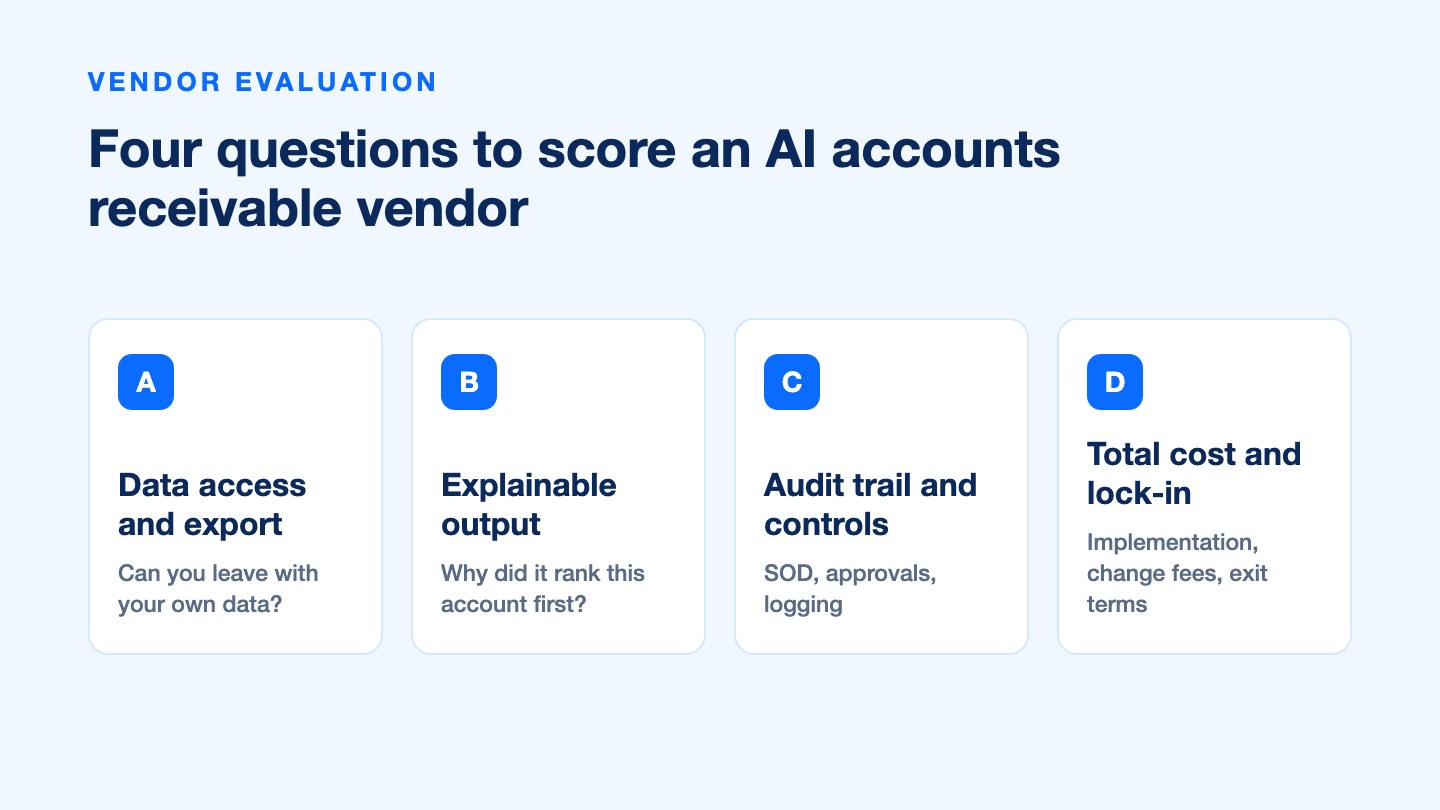
| What to test | Ask for | Warning sign |
|---|---|---|
| Your data, in and out | A documented export of every field you load | Reports available only inside the vendor’s dashboard |
| Explainability | The reason a specific account was ranked first | “The model decided” with no factor list |
| Human override | How an override is captured and who reviews it | Overrides that are not logged or not reported back |
| Controls and audit trail | Role-based access, approval limits, immutable logs | Shared admin accounts and editable history |
| Integration effort | A named scope, timeline, and owner for the connection | Implementation time quoted only after signature |
| Exit terms | Data return format and cost if you leave | Silence on termination and migration |
Treat vendor-reported performance as marketing until you can reproduce it. A claim such as a fixed reduction in days sales outstanding, or a percentage of invoices applied without human touch, is almost always measured on a vendor-selected customer set. The honest version of that claim comes with the baseline, the segment, and the measurement window. When the vendor cannot supply them, ask for a 60 to 90 day pilot on one portfolio segment with a metric you chose and a baseline you froze yourself.
Start with an accounts receivable tracker in WPS Spreadsheet
Before you evaluate a single AI tool, get your receivables into a structure you can defend. A clean spreadsheet is also the fastest way to discover how much of your AR history is missing, duplicated, or miskeyed, which is exactly the work that has to happen before any model can help.
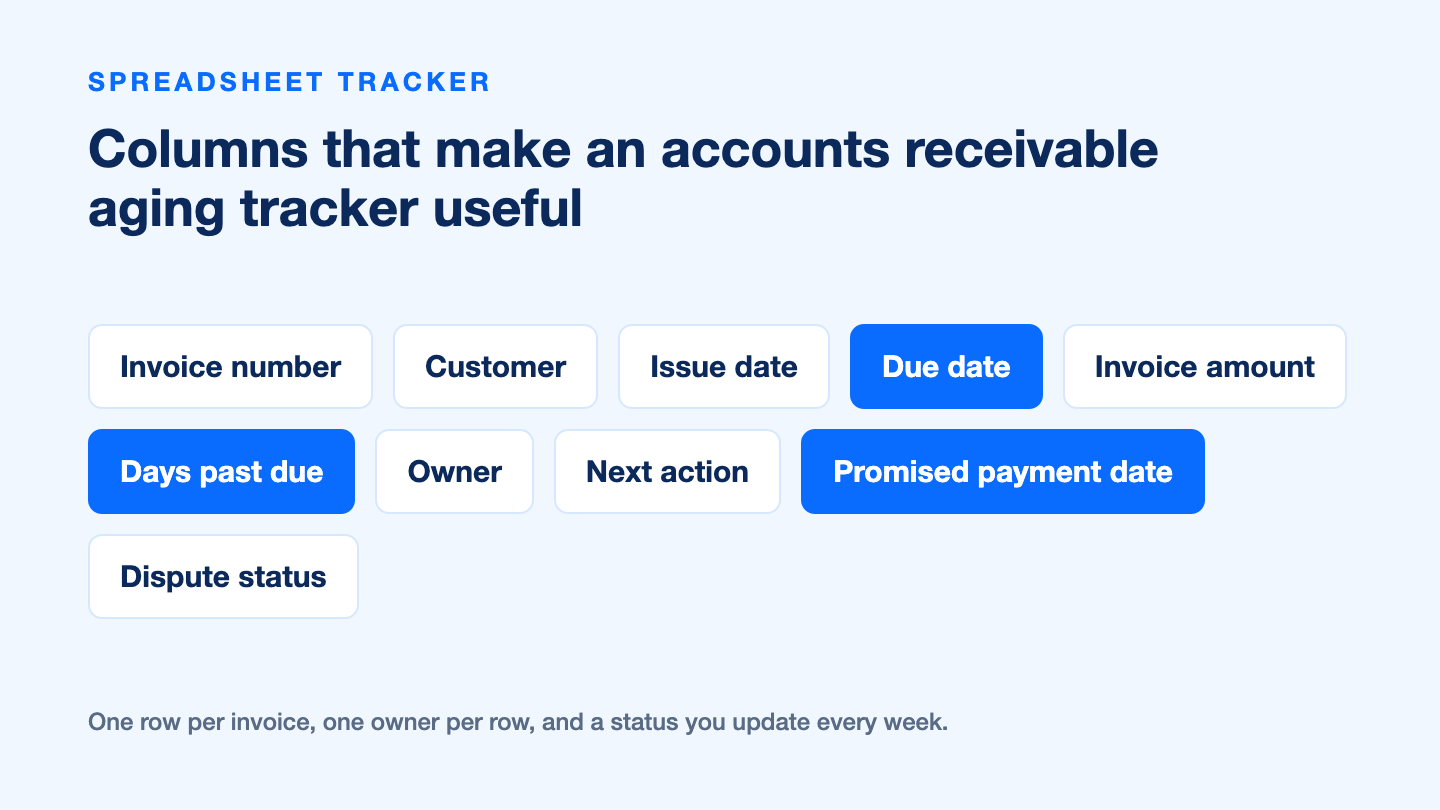
Build one row per invoice. Invoice number, customer, issue date, due date, amount, days past due, owner, next action, promised payment date, and dispute status.
Add aging buckets. Current, 1–30, 31–60, 61–90, and 90+ days. A pivot table over those buckets is the report your automation project will be measured against.
Flag what needs attention. Conditional formatting on days past due and a simple filter on owner turns the tracker into a weekly worklist.
Keep the decision history. Fill in next action and promised date every week. That column set is the dataset a future collections model will need.
If you would rather not build the layout from scratch, start from a free accounts receivable Excel template and adapt the columns to your process. To work on the tracker in a spreadsheet that also opens Excel formats, use WPS Spreadsheet.
Be clear about the boundary: WPS Office is an office suite with a spreadsheet, so it is where you run an AR tracker, not a dedicated accounts receivable automation platform. It will not reconcile payments to invoices for you or predict which customer pays late. What it gives you is the structured, exportable dataset that makes the next decision about automation an informed one.
FAQs
What does AI actually do in accounts receivable?
In practice it reads invoice and remittance documents, matches payments to open invoices, ranks which accounts are most likely to pay late, and routes exceptions to a person. It supports prioritization and data capture, and it does not replace the decision to extend credit or write off a balance.
What data do I need before using AI in accounts receivable?
Invoice-level history with issue date, due date, terms, amount, and status, one consistent identifier per customer, and logs of payments, short pays, disputes, and promised payment dates. Published research on invoice payment prediction also highlights recorded collector decisions, which many AR systems never store.
Can AI replace my collections team?
No, and the current research does not support that expectation. Research prototypes that predicted invoice payment reached roughly 77% to 81% accuracy, which is useful for ordering a worklist but not reliable enough to act on without human review, especially on high-value accounts.
How do I measure whether AI in accounts receivable is working?
Freeze a baseline before the pilot and track one primary metric, such as days sales outstanding or the aging mix, together with an operational metric like promise-to-pay rate or overrides per hundred suggestions. Adoption statistics alone will not tell you whether cash performance improved.
Should I trust a vendor's DSO improvement claim?
Treat it as a marketing number until it is reproducible. Ask for the baseline, the customer segment, and the measurement window, and check whether the result was independently verified. If that information is not available, run your own 60 to 90 day pilot on one segment with a metric and baseline you control.


'%3e%3cpath%20d='M19.9911%204.11386V6.471H18.5894C18.0775%206.471%2017.7322%206.57814%2017.5536%206.79243C17.3751%207.00671%2017.2858%207.32814%2017.2858%207.75671V9.44421H19.9019L19.5536%2012.0871H17.2858V18.8639H14.5536V12.0871H12.2769V9.44421H14.5536V7.49779C14.5536%206.39064%2014.8632%205.53201%2015.4822%204.92189C16.1013%204.31177%2016.9257%204.00671%2017.9554%204.00671C18.8304%204.00671%2019.509%204.04243%2019.9911%204.11386Z'%20fill='%23333333'/%3e%3c/g%3e%3cdefs%3e%3cclipPath%20id='clip0_2938_8199'%3e%3crect%20width='16'%20height='16'%20fill='white'%20transform='translate(8%204.00671)'/%3e%3c/clipPath%3e%3c/defs%3e%3c/svg%3e)
'%3e%3cpath%20d='M17.5237%2010.7813L23.4811%204H22.0699L16.8949%209.88693L12.7648%204H8L14.2469%2012.9029L8%2020.0133H9.4112L14.8725%2013.7952L19.2352%2020.0133H24M9.92053%205.04213H12.0885L22.0688%2019.0224H19.9003'%20fill='%23333333'/%3e%3c/g%3e%3cdefs%3e%3cclipPath%20id='clip0_2938_8200'%3e%3crect%20width='16'%20height='16.0134'%20fill='white'%20transform='translate(8%204)'/%3e%3c/clipPath%3e%3c/defs%3e%3c/svg%3e)


