

'%3e%3cpath%20d='M8%200C12.4183%200%2016%203.58172%2016%208C16%2012.4183%2012.4183%2016%208%2016C3.58172%2016%200%2012.4183%200%208C0%203.58172%203.58172%200%208%200ZM11.6162%204.38379C11.2257%203.99337%2010.5927%203.99338%2010.2021%204.38379L8%206.58594L5.79785%204.38379C5.40732%203.99334%204.77429%203.99329%204.38379%204.38379C3.99331%204.77429%203.99335%205.40733%204.38379%205.79785L6.58594%208L4.38379%2010.2021C3.99348%2010.5927%203.99341%2011.2257%204.38379%2011.6162C4.77426%2012.0066%205.40734%2012.0065%205.79785%2011.6162L8%209.41406L10.2021%2011.6162C10.5927%2012.0066%2011.2257%2012.0067%2011.6162%2011.6162C12.0067%2011.2257%2012.0066%2010.5927%2011.6162%2010.2021L9.41406%208L11.6162%205.79785C12.0066%205.40735%2012.0066%204.77429%2011.6162%204.38379Z'%20fill='%23080E17'%20fill-opacity='0.46'/%3e%3c/g%3e%3cdefs%3e%3cclipPath%20id='clip0_3761_713'%3e%3crect%20width='16'%20height='16'%20fill='white'/%3e%3c/clipPath%3e%3c/defs%3e%3c/svg%3e)



'%3e%3cpath%20fill-rule='evenodd'%20clip-rule='evenodd'%20d='M21.4999%2010.9993C21.4999%205.20009%2016.7986%200.498901%2010.9993%200.498901C5.19994%200.498901%200.498657%205.20009%200.498657%2010.9993C0.498657%2016.2404%204.33858%2020.5844%209.35855%2021.3722V14.0346H6.69238V10.9993H9.35855V8.68594C9.35855%206.05427%2010.9262%204.60062%2013.3248%204.60062C14.4736%204.60062%2015.6753%204.80571%2015.6753%204.80571V7.38979H14.3512C13.0468%207.38979%2012.64%208.19921%2012.64%209.0296V10.9993H15.5523L15.0867%2014.0346H12.64V21.3722C17.66%2020.5844%2021.4999%2016.2404%2021.4999%2010.9993Z'%20fill='%231568EA'/%3e%3c/g%3e%3c/svg%3e)


'%3e%3cpath%20d='M2.42045%2022.1876H6.31818V12.7217L0.75%208.54553V20.5171C0.75%2021.4414%201.49892%2022.1876%202.42045%2022.1876Z'%20fill='%234285F4'/%3e%3cpath%20d='M19.682%2022.1876H23.5797C24.5041%2022.1876%2025.2502%2021.4387%2025.2502%2020.5171V8.54553L19.682%2012.7217'%20fill='%2334A853'/%3e%3cpath%20d='M19.682%205.48293V12.7216L25.2502%208.54543V6.31816C25.2502%204.25236%2022.8921%203.07469%2021.2411%204.31361'%20fill='%23FBBC04'/%3e%3cpath%20d='M6.31824%2012.7217V5.48303L13.0001%2010.4944L19.6819%205.48303V12.7217L13.0001%2017.733'%20fill='%23EA4335'/%3e%3cpath%20d='M0.75%206.31816V8.54543L6.31818%2012.7216V5.48293L4.75909%204.31361C3.10534%203.07469%200.75%204.25236%200.75%206.31816Z'%20fill='%23C5221F'/%3e%3c/g%3e%3cdefs%3e%3cclipPath%20id='clip0_2954_7305'%3e%3crect%20width='24.5'%20height='18.375'%20fill='white'%20transform='translate(0.75%203.8125)'/%3e%3c/clipPath%3e%3c/defs%3e%3c/svg%3e)


Families considering Microsoft 365 now face a confusing transition: Microsoft has reportedly told subscribers that Copilot benefits and AI usage will become shareable, while its current support pages still say AI features belong only to the subscription owner.
This guide separates the announced change from what works today. It explains the expected Microsoft 365 Family Copilot sharing model, who may qualify, how normal family sharing works, what remains unknown about AI credits, and what to check before telling another household member that Copilot is ready.
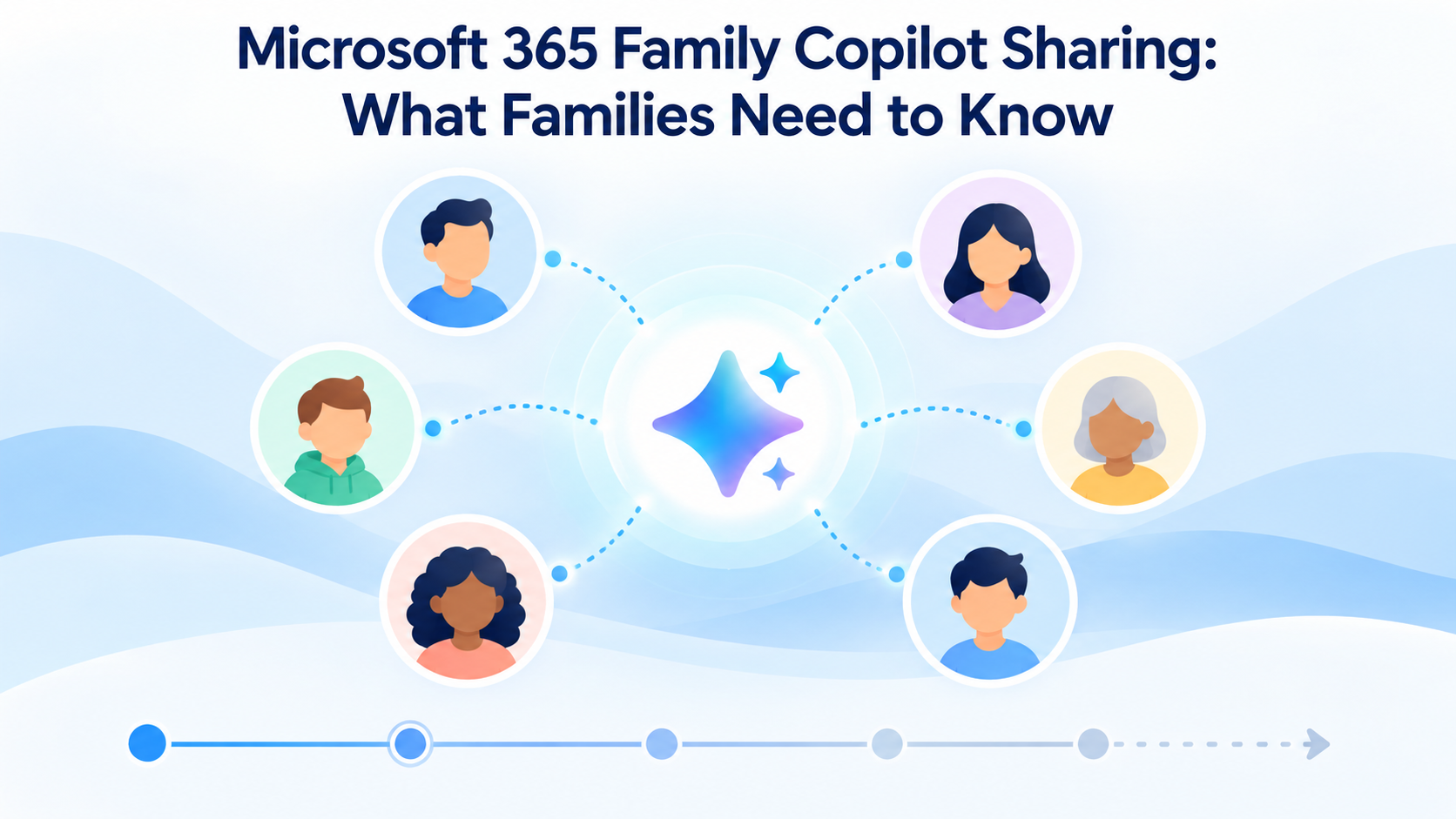
Microsoft 365 Family Copilot Sharing: What Families Need to Know
What Changed With Microsoft 365 Family Copilot Sharing?
Microsoft is preparing to let Microsoft 365 Family and Microsoft 365 Premium subscription owners share Copilot benefits and AI usage with other people on their family plan. Reporting based on Microsoft subscriber communications describes the change as arriving over the coming months, not as a feature that is already available to every account.
The distinction matters. As of October 10, 2026, Microsoft’s current AI usage guidance still says that AI benefits are available only to the subscription owner and cannot be shared. Microsoft’s subscription-sharing instructions carry the same owner-only warning for Copilot in Word, Excel, PowerPoint, and Outlook.
Therefore, the safest reading is: Microsoft has announced or previewed broader family AI sharing, but its detailed support documentation and account controls have not yet completed the rollout. Availability may vary by market, account, renewal timing, and service update.
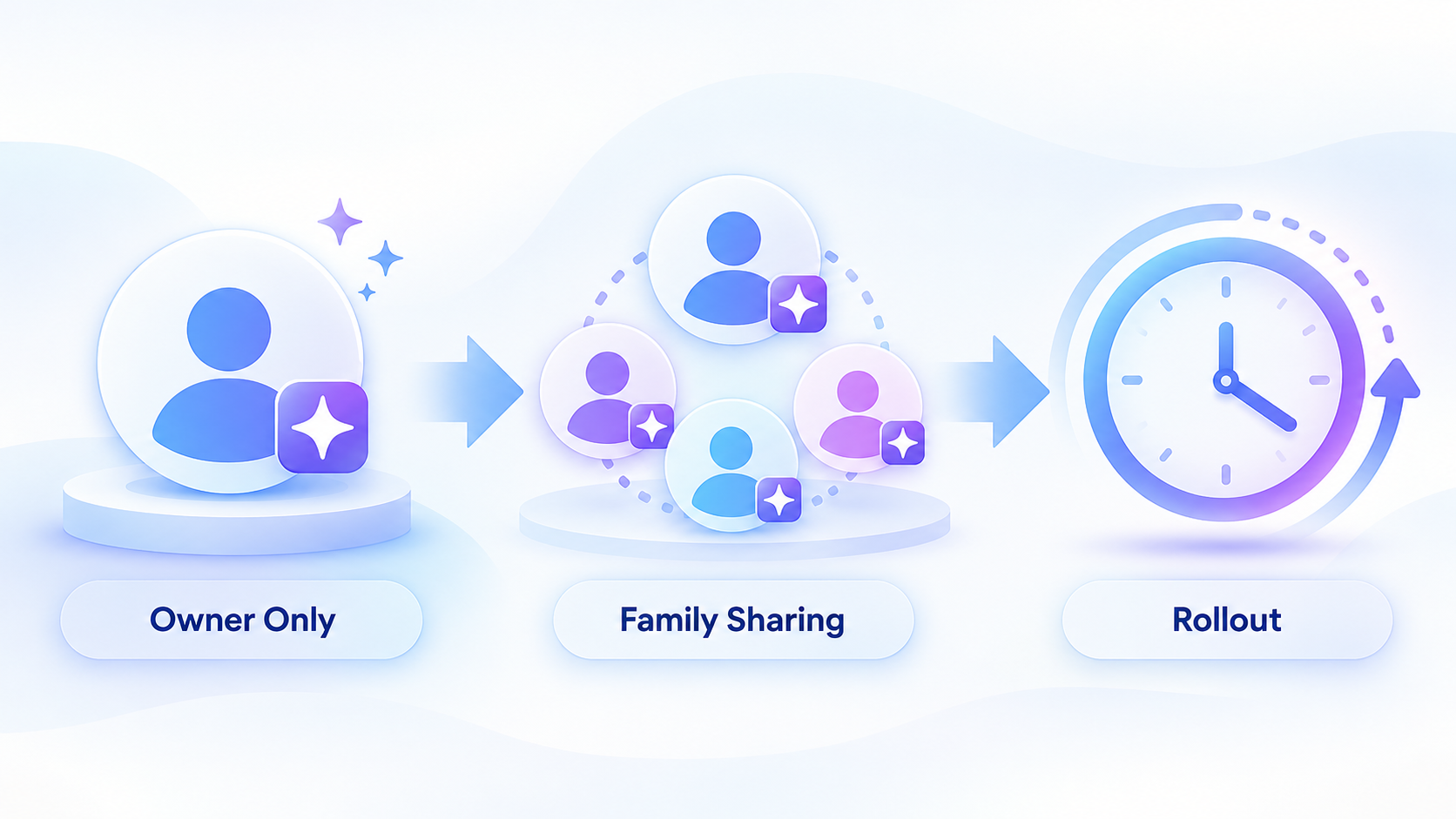
Copilot family sharing rollout timeline


Can Family Members Use Copilot on Microsoft 365 Family?
Today, do not assume they can. Under the support rules currently published by Microsoft, the subscription owner receives the Microsoft 365 Copilot entitlement in the desktop apps. Other invited members can use the shared Office apps and eligible storage benefits, but their own Microsoft accounts may still show no Copilot entitlement.
Once Microsoft enables the new family-sharing benefit for an account, the likely eligible group is the owner plus up to five additional people already included in that Microsoft family subscription. That expectation follows the existing plan structure, but Microsoft has not yet published a complete, universal entitlement table for the new AI-sharing rollout.
Each person should continue using a separate Microsoft account. Family subscription sharing does not merge documents, mailboxes, or personal OneDrive files. Microsoft’s current family-plan guidance says member files remain private even when subscription benefits or pooled storage are shared.
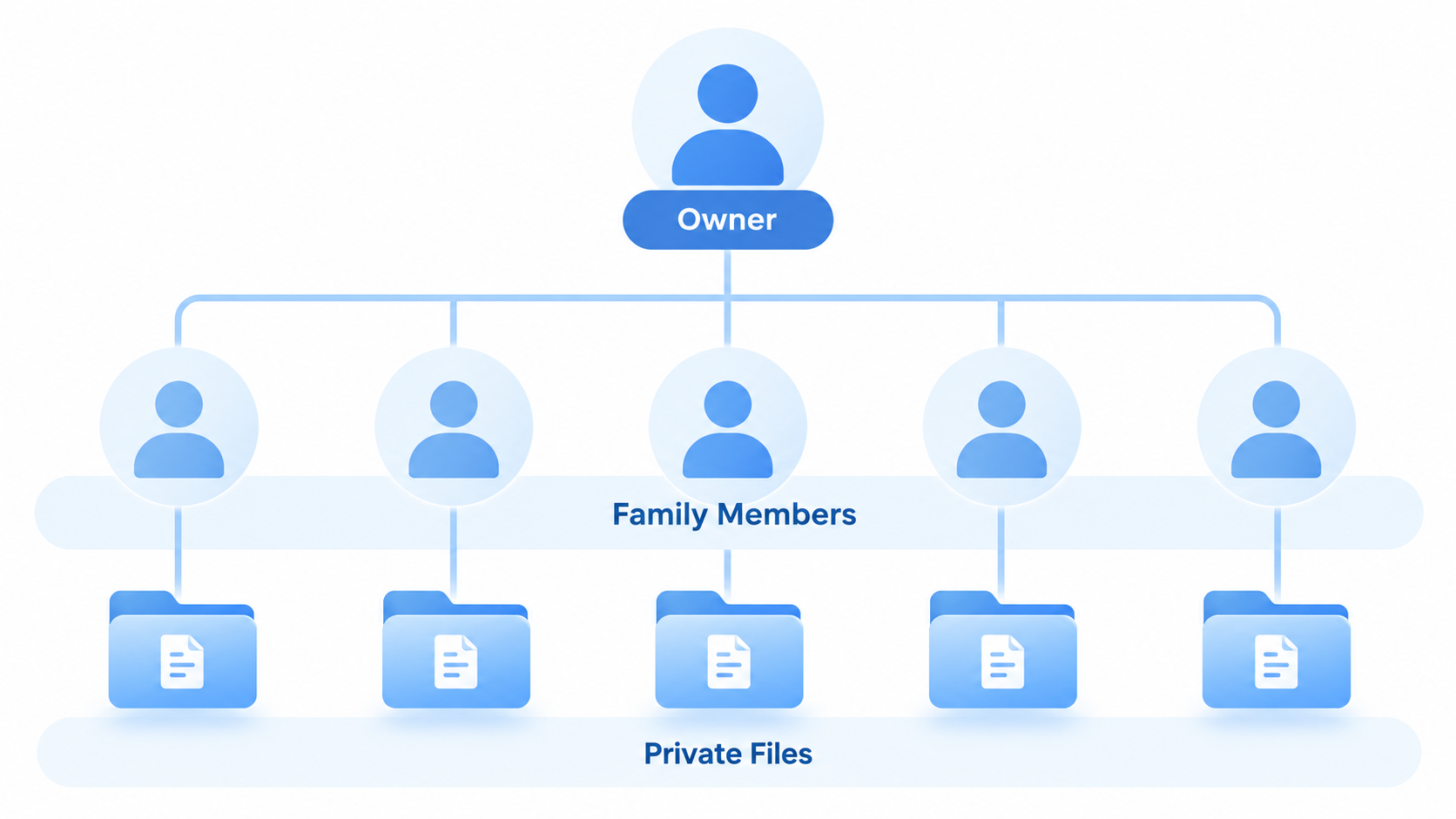
Family members keep files private
How Microsoft 365 Family Copilot Sharing Is Expected to Work
Microsoft has not yet published final step-by-step instructions specifically for sharing the new Copilot entitlement. The practical starting point is the existing Microsoft 365 family group:
Owner: Sign in to the Microsoft account that owns the Family or Premium subscription.
Open sharing: Go to Services & subscriptions > Share.
Invite members: Send an invitation by email or copy an invitation link.
Member: Accept the invitation with the Microsoft account that will use the apps.
After rollout: Check whether that member’s account now shows Copilot access in an eligible Microsoft 365 app.
Do not share the owner’s password or sign everyone into one account. Separate accounts preserve personal files and make it possible for Microsoft to apply individual or shared AI usage rules correctly.
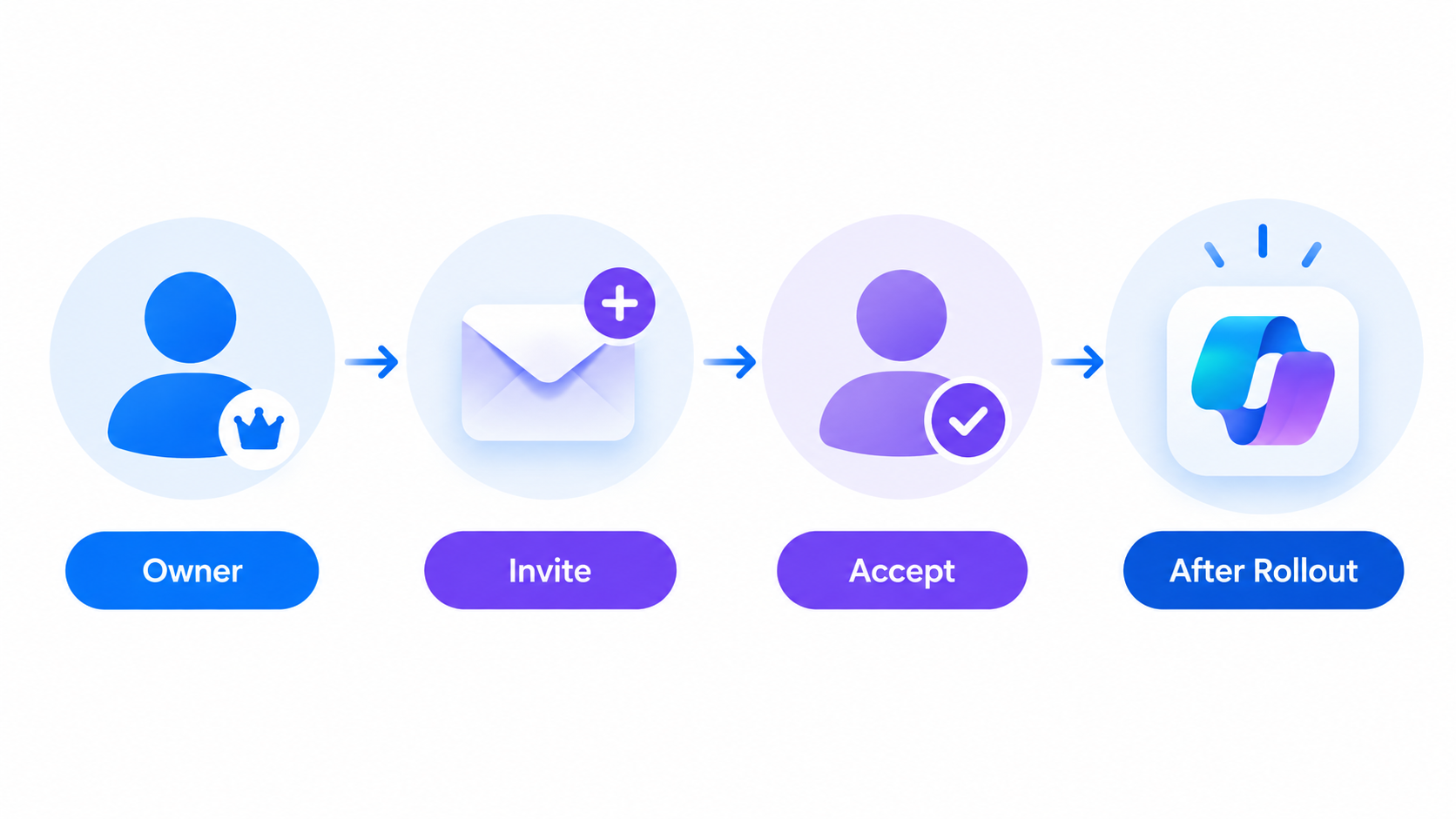
Copilot family sharing expected workflow
Microsoft 365 Family AI Credits and Copilot Limits
Microsoft uses both feature limits and AI credits. A feature limit controls how often a particular Copilot capability can be used in a period, while an AI credit may be consumed when a user requests an AI action such as generating text, a table, or an image.
Current Microsoft support material says limits differ by plan, feature, entry point, model availability, and system conditions. Older Personal and Family guidance has described a monthly allotment for the owner, while Microsoft’s newer plan table emphasizes that limits can change over time.
The unresolved question is how the new family-sharing allowance will be divided. Microsoft has reportedly described a unified AI usage allowance and the option to buy additional usage, but the company’s public support pages have not yet documented whether every member receives an individual allowance, whether everyone draws from one pool, how the owner can monitor consumption, or whether unused usage carries over.
Until Microsoft publishes those details, avoid promising a fixed number of credits per person. Check the subscription dashboard and the in-app usage indicator for the account actually using Copilot.
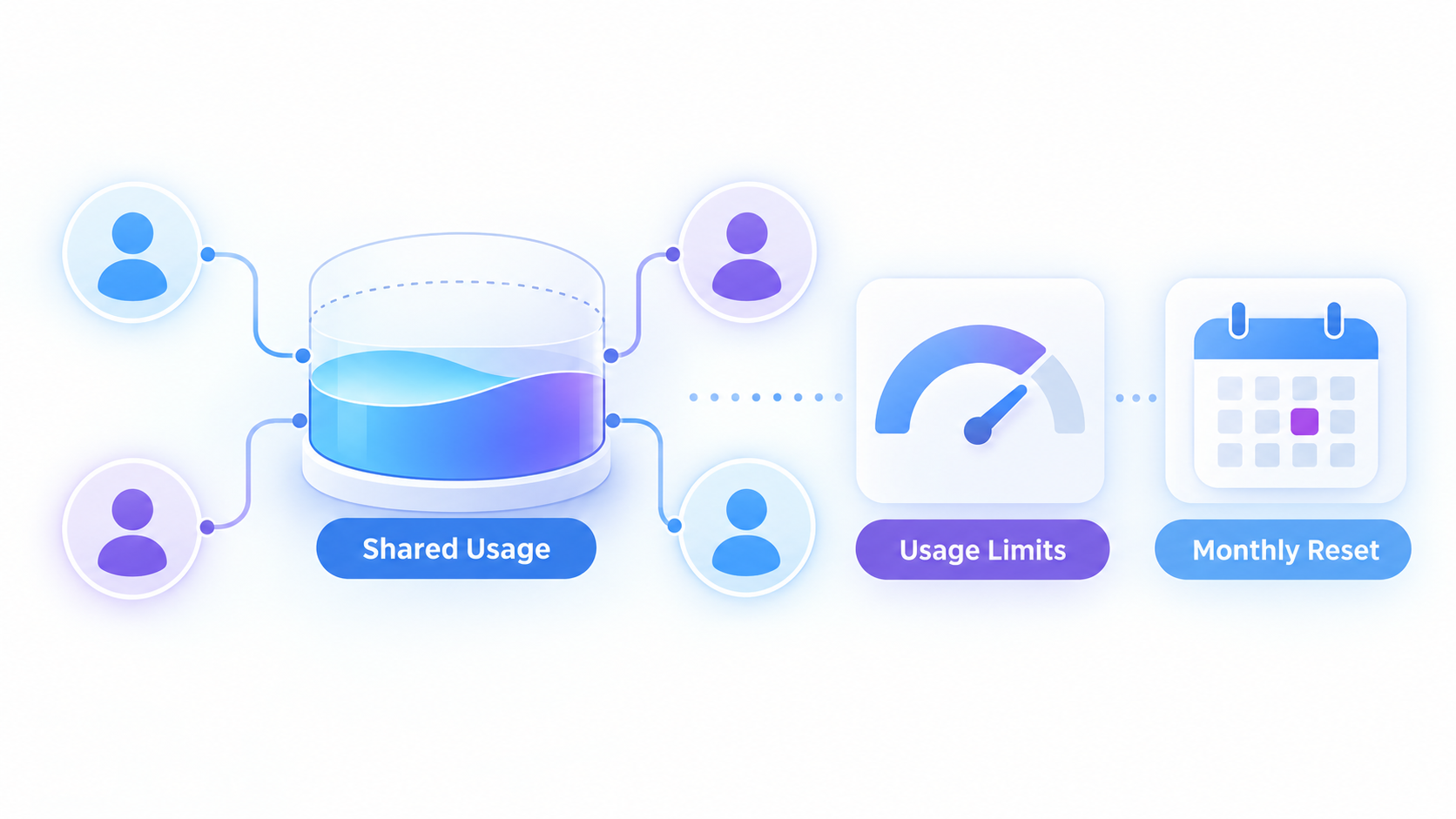
Shared Copilot AI usage limits
How to Share Copilot With Family When Rollout Arrives
Use this checklist rather than assuming the announcement automatically changed your account:
Confirm that the owner has an active Microsoft 365 Family or Microsoft 365 Premium subscription.
Open the Microsoft account subscription page and verify that the intended person appears under shared members.
If the person is missing, choose Share, then use Invite by email or Copy link.
Ask the member to accept the invitation and sign in to Word, Excel, PowerPoint, or another eligible app with that same account.
Update the Microsoft 365 apps, restart the app, and look for Copilot or an AI-usage indicator.
If Copilot is still unavailable, treat the account as not yet enabled. Recheck Microsoft’s support page or contact Microsoft support rather than repeatedly removing and re-adding the member.
The normal sharing screen may exist before the AI entitlement appears. A successful family invitation proves that the Office subscription is shared; it does not yet prove that Copilot has rolled out to that member.
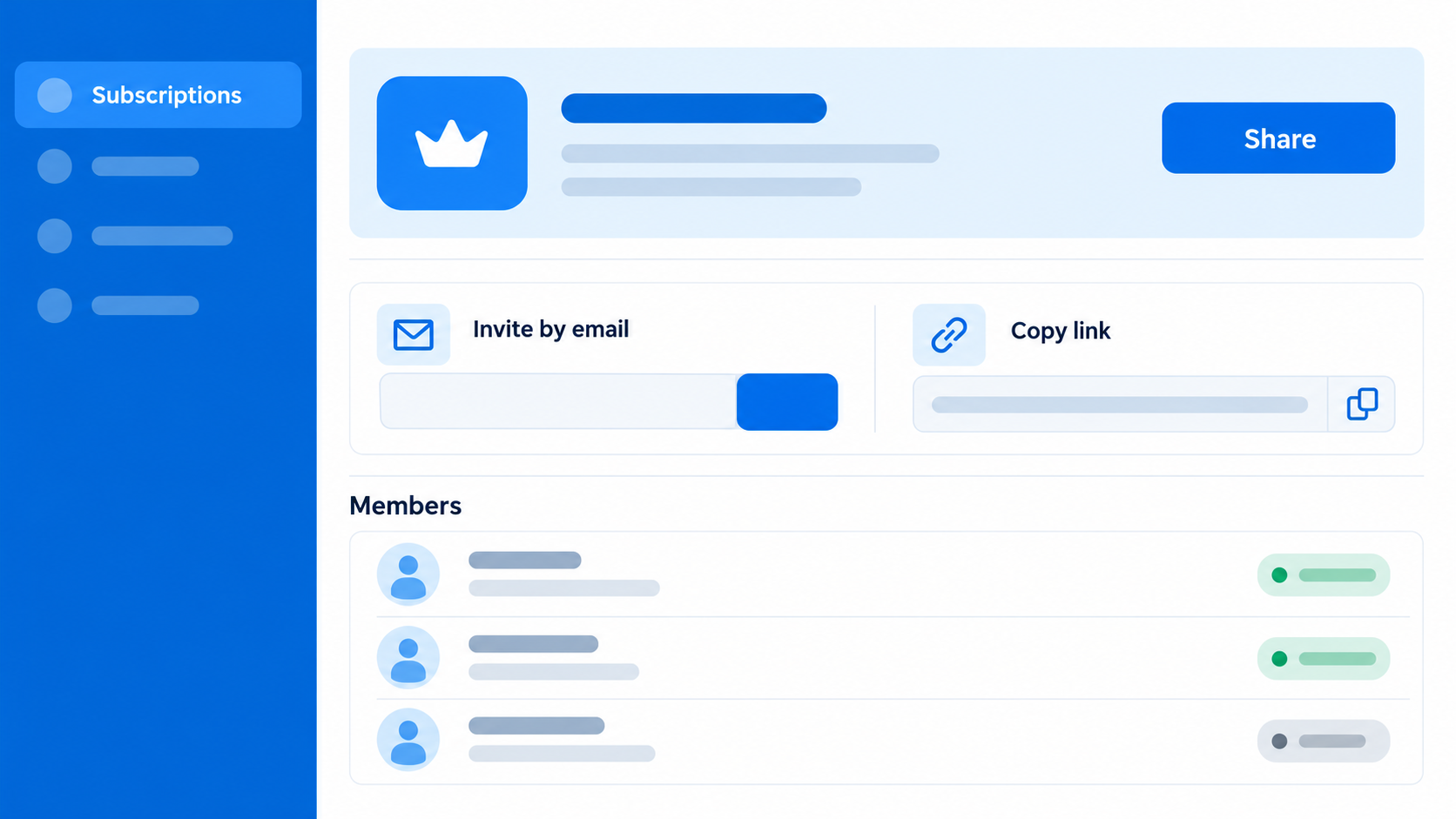
Share Copilot through family account
Microsoft 365 Family vs Premium for Copilot Sharing
Both plans are designed for up to six people and are reported to be included in the coming family AI-sharing change. The meaningful difference is expected to remain the depth and availability of AI features, not the basic ability to invite family members.
| Decision factor | Microsoft 365 Family | Microsoft 365 Premium |
|---|---|---|
| Household size | Owner plus up to five others | Owner plus up to five others |
| Copilot family sharing | Announced; rollout and account eligibility still need verification | Announced; rollout and account eligibility still need verification |
| AI capacity | Standard consumer-plan limits | Higher usage limits according to Microsoft’s plan guidance |
| Advanced AI | Core AI features, subject to plan limits | More advanced capabilities and priority access may apply |
| Best fit | Families needing shared Office apps with moderate AI use | Families expecting heavier or more advanced AI use |
Compare the live plan page before buying or upgrading. Microsoft states that limits can change, and the shared-AI allocation has not yet been fully explained in public documentation.
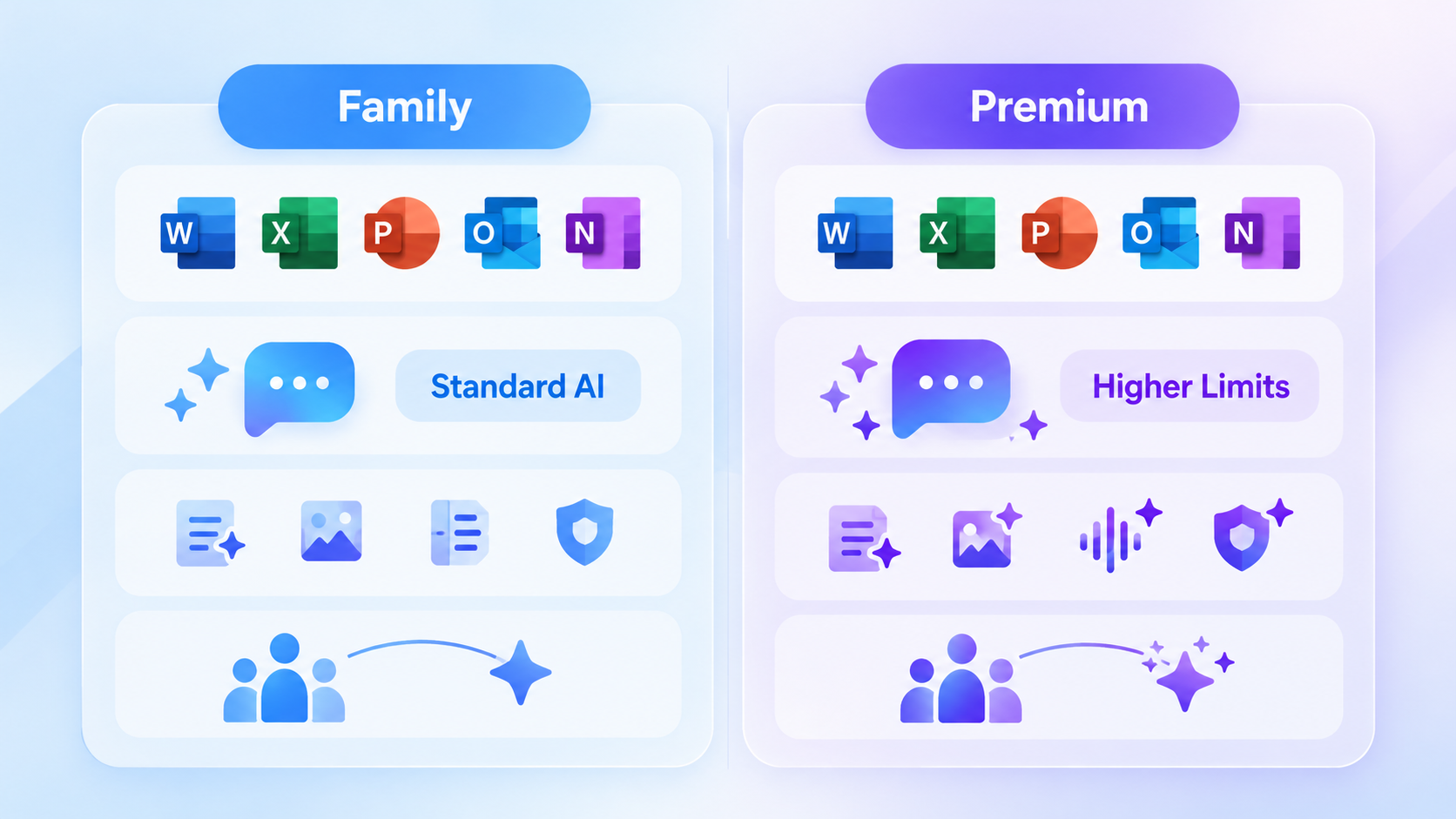
Family versus Premium Copilot limits
A Free AI Office Suite Alternative: WPS Office
If the Microsoft rollout has not reached your family, or if you do not want subscription access to determine who can edit common Office files, WPS Office is a practical alternative for documents, spreadsheets, presentations, and PDFs.
WPS focuses on a streamlined, all-in-one workflow with familiar editing tools and optional AI capabilities. That makes it useful when different family members need to open or edit Microsoft Office formats without waiting for a Copilot-sharing entitlement.
| User value | WPS Office | Microsoft 365 Family/Premium |
|---|---|---|
| Quick access | One suite for Writer, Spreadsheet, Presentation, and PDF | Multiple Microsoft apps under one subscription |
| File compatibility | Opens common DOCX, XLSX, PPTX, and PDF files | Native Microsoft format experience |
| AI access | Optional WPS AI tools across office workflows; availability and limits vary | Copilot access depends on plan, account, and rollout |
| PDF workflow | Integrated PDF reading and editing tools | PDF tasks may span Microsoft apps and services |
| Price accessibility | Core office editing is available free | Family and Premium are paid subscriptions |
Fewer workflow switches: documents, spreadsheets, slides, and PDFs live in one interface.
Immediate file access: family members can use the free core tools without waiting for a Microsoft AI rollout.
Flexible AI choice: use AI features when they fit the task while keeping standard editing available.
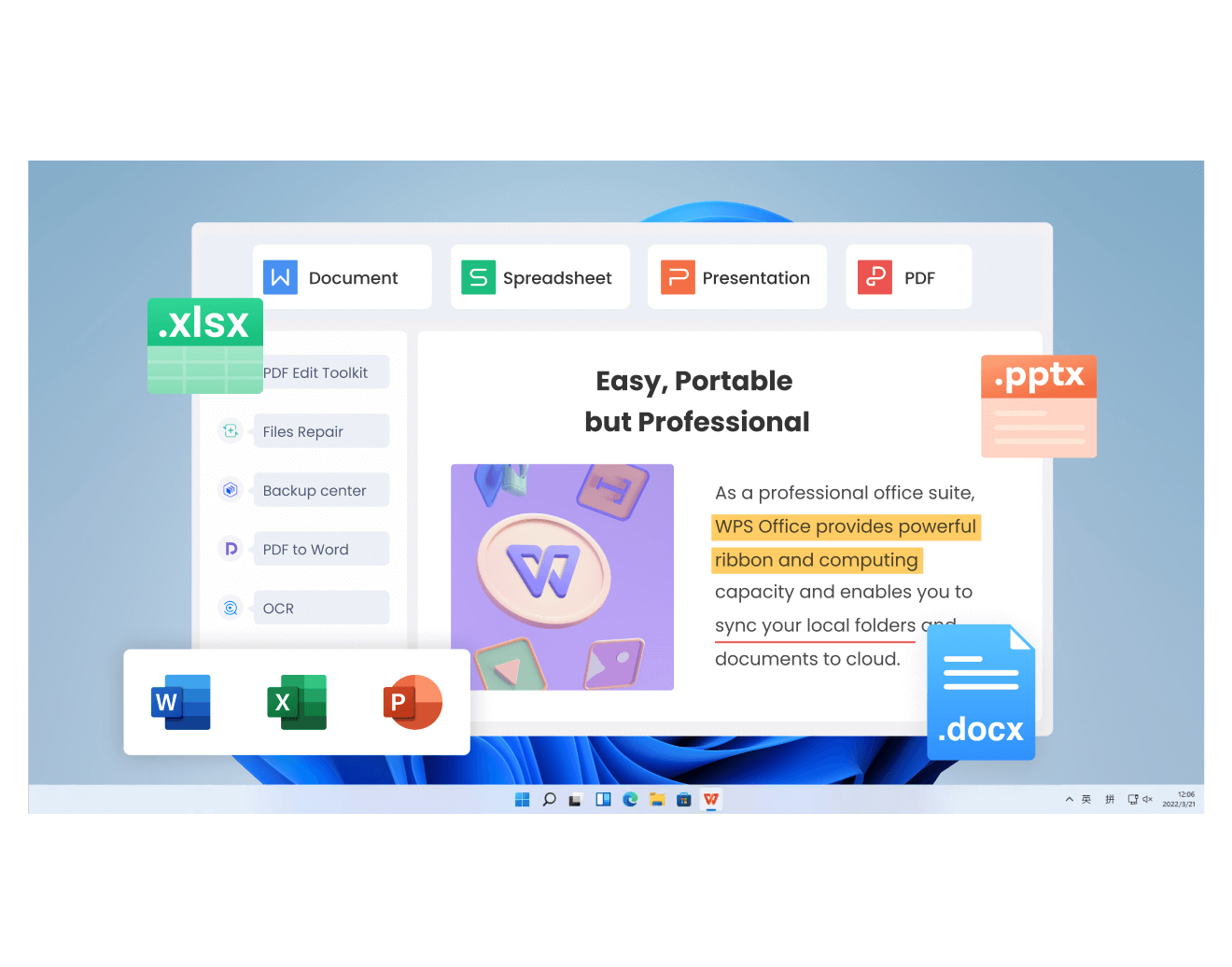
WPS Office all-in-one workspace
FAQs
Is Microsoft 365 Family Copilot sharing available now?
It has been announced or communicated as an upcoming change, but Microsoft’s current support pages still say AI benefits cannot be shared. Check your account rather than assuming universal availability.
Can all six Microsoft 365 Family users get Copilot?
The reported plan is to extend AI benefits to family members, potentially covering the owner and up to five invited people. Microsoft has not yet published a complete universal entitlement table for the rollout.
Will AI credits be shared equally?
Microsoft has not yet publicly explained whether the new allowance will be divided equally, assigned per person, or consumed from one household pool.
How do I invite someone to Microsoft 365 Family?
The owner can open Services & subscriptions, choose Share, then invite by email or copy a link. Copilot may still remain unavailable until the AI-sharing rollout reaches the account.
Does Microsoft 365 Premium give families more Copilot use?
Microsoft describes Premium as offering higher AI limits and more advanced capabilities, but the exact family-sharing allocation still needs final public documentation.


'%3e%3cpath%20d='M19.9911%204.11386V6.471H18.5894C18.0775%206.471%2017.7322%206.57814%2017.5536%206.79243C17.3751%207.00671%2017.2858%207.32814%2017.2858%207.75671V9.44421H19.9019L19.5536%2012.0871H17.2858V18.8639H14.5536V12.0871H12.2769V9.44421H14.5536V7.49779C14.5536%206.39064%2014.8632%205.53201%2015.4822%204.92189C16.1013%204.31177%2016.9257%204.00671%2017.9554%204.00671C18.8304%204.00671%2019.509%204.04243%2019.9911%204.11386Z'%20fill='%23333333'/%3e%3c/g%3e%3cdefs%3e%3cclipPath%20id='clip0_2938_8199'%3e%3crect%20width='16'%20height='16'%20fill='white'%20transform='translate(8%204.00671)'/%3e%3c/clipPath%3e%3c/defs%3e%3c/svg%3e)
'%3e%3cpath%20d='M17.5237%2010.7813L23.4811%204H22.0699L16.8949%209.88693L12.7648%204H8L14.2469%2012.9029L8%2020.0133H9.4112L14.8725%2013.7952L19.2352%2020.0133H24M9.92053%205.04213H12.0885L22.0688%2019.0224H19.9003'%20fill='%23333333'/%3e%3c/g%3e%3cdefs%3e%3cclipPath%20id='clip0_2938_8200'%3e%3crect%20width='16'%20height='16.0134'%20fill='white'%20transform='translate(8%204)'/%3e%3c/clipPath%3e%3c/defs%3e%3c/svg%3e)


