

'%3e%3cpath%20d='M8%200C12.4183%200%2016%203.58172%2016%208C16%2012.4183%2012.4183%2016%208%2016C3.58172%2016%200%2012.4183%200%208C0%203.58172%203.58172%200%208%200ZM11.6162%204.38379C11.2257%203.99337%2010.5927%203.99338%2010.2021%204.38379L8%206.58594L5.79785%204.38379C5.40732%203.99334%204.77429%203.99329%204.38379%204.38379C3.99331%204.77429%203.99335%205.40733%204.38379%205.79785L6.58594%208L4.38379%2010.2021C3.99348%2010.5927%203.99341%2011.2257%204.38379%2011.6162C4.77426%2012.0066%205.40734%2012.0065%205.79785%2011.6162L8%209.41406L10.2021%2011.6162C10.5927%2012.0066%2011.2257%2012.0067%2011.6162%2011.6162C12.0067%2011.2257%2012.0066%2010.5927%2011.6162%2010.2021L9.41406%208L11.6162%205.79785C12.0066%205.40735%2012.0066%204.77429%2011.6162%204.38379Z'%20fill='%23080E17'%20fill-opacity='0.46'/%3e%3c/g%3e%3cdefs%3e%3cclipPath%20id='clip0_3761_713'%3e%3crect%20width='16'%20height='16'%20fill='white'/%3e%3c/clipPath%3e%3c/defs%3e%3c/svg%3e)



'%3e%3cpath%20fill-rule='evenodd'%20clip-rule='evenodd'%20d='M21.4999%2010.9993C21.4999%205.20009%2016.7986%200.498901%2010.9993%200.498901C5.19994%200.498901%200.498657%205.20009%200.498657%2010.9993C0.498657%2016.2404%204.33858%2020.5844%209.35855%2021.3722V14.0346H6.69238V10.9993H9.35855V8.68594C9.35855%206.05427%2010.9262%204.60062%2013.3248%204.60062C14.4736%204.60062%2015.6753%204.80571%2015.6753%204.80571V7.38979H14.3512C13.0468%207.38979%2012.64%208.19921%2012.64%209.0296V10.9993H15.5523L15.0867%2014.0346H12.64V21.3722C17.66%2020.5844%2021.4999%2016.2404%2021.4999%2010.9993Z'%20fill='%231568EA'/%3e%3c/g%3e%3c/svg%3e)


'%3e%3cpath%20d='M2.42045%2022.1876H6.31818V12.7217L0.75%208.54553V20.5171C0.75%2021.4414%201.49892%2022.1876%202.42045%2022.1876Z'%20fill='%234285F4'/%3e%3cpath%20d='M19.682%2022.1876H23.5797C24.5041%2022.1876%2025.2502%2021.4387%2025.2502%2020.5171V8.54553L19.682%2012.7217'%20fill='%2334A853'/%3e%3cpath%20d='M19.682%205.48293V12.7216L25.2502%208.54543V6.31816C25.2502%204.25236%2022.8921%203.07469%2021.2411%204.31361'%20fill='%23FBBC04'/%3e%3cpath%20d='M6.31824%2012.7217V5.48303L13.0001%2010.4944L19.6819%205.48303V12.7217L13.0001%2017.733'%20fill='%23EA4335'/%3e%3cpath%20d='M0.75%206.31816V8.54543L6.31818%2012.7216V5.48293L4.75909%204.31361C3.10534%203.07469%200.75%204.25236%200.75%206.31816Z'%20fill='%23C5221F'/%3e%3c/g%3e%3cdefs%3e%3cclipPath%20id='clip0_2954_7305'%3e%3crect%20width='24.5'%20height='18.375'%20fill='white'%20transform='translate(0.75%203.8125)'/%3e%3c/clipPath%3e%3c/defs%3e%3c/svg%3e)


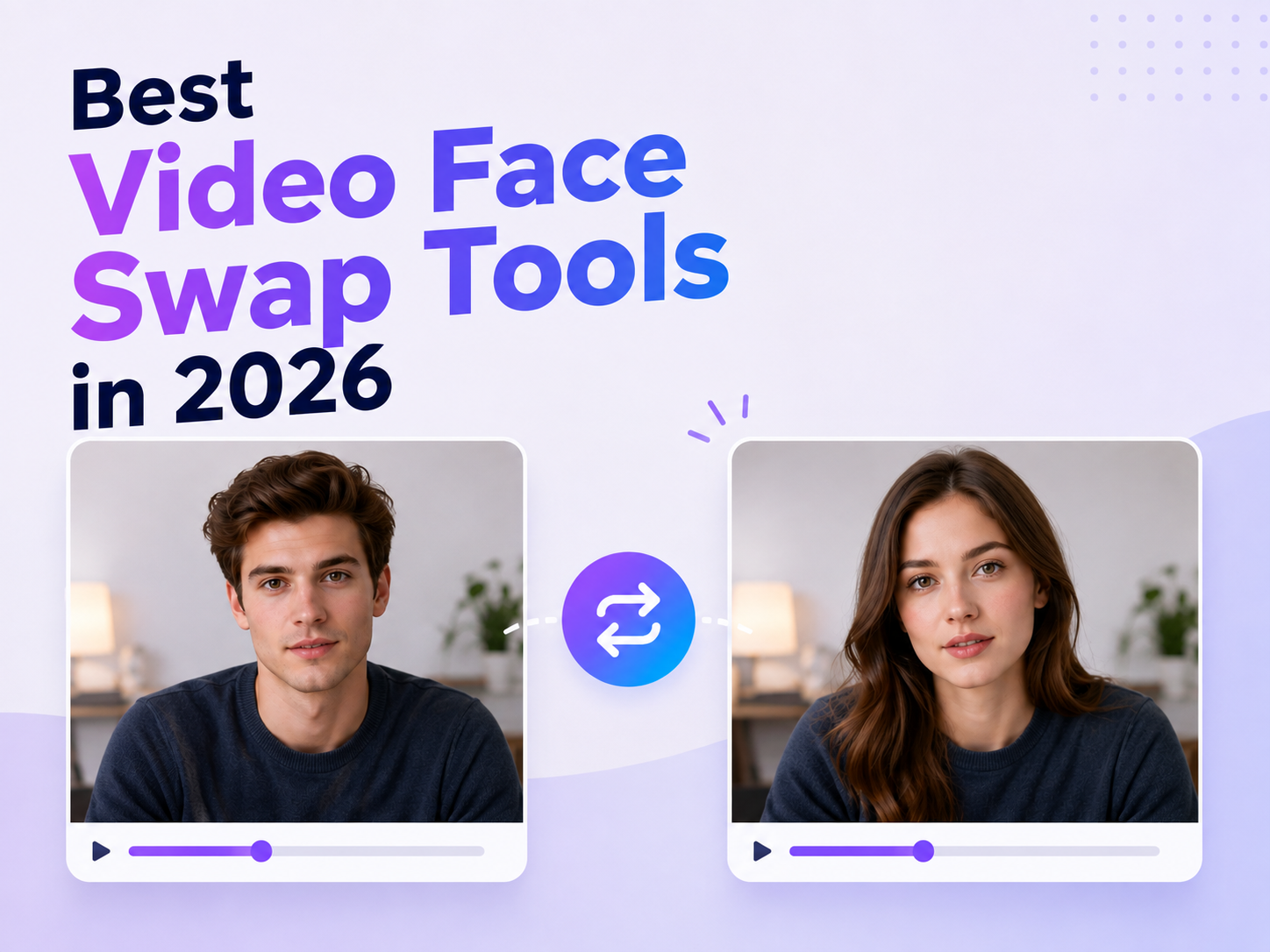
So you want to swap a face in a video, but you're not sure which app is actually worth your time. I get it, a quick search turns up dozens of tools all claiming to be "the most realistic" or "the best in 2026," and it's hard to tell which ones actually deliver and which ones just look good in a screenshot.
I spent time testing and researching the current crop of video face swap apps to put together a straight-up ranked list, no filler, no "it depends" hand-waving. Below are the six I'd actually recommend, in order, along with who each one is really built for.
Quick Answer: My Top Pick
If you just want the short version: VidMage is my top pick overall for video face swapping in 2026. It's free to start, requires no account, handles group clips with multiple faces, and its best video face swap tool held up the best out of everything I tried when the person on screen was moving around or talking. Keep reading for the full breakdown and five other solid options depending on what you need.
What to Look For in the Best Video Face Swap Tool for Your Workflow
Before jumping into specific recommendations, it helps to know which criteria separate a genuinely good video face swap tool from a gimmicky one.
Frame-by-frame consistency. The face shouldn't flicker, warp, or lose alignment as the person in the video turns their head or moves closer to the camera. This is usually the single biggest quality differentiator between tools.
Expression and lip-sync accuracy. If the source person is talking, laughing, or reacting, the swapped face needs to mirror those movements naturally. A static, mask-like face swap breaks the illusion instantly.
Lighting and skin tone blending. A face swap that ignores the ambient lighting of the original scene will always look pasted on. The best video face swap tools automatically adjust skin tone and shadow direction to match the surrounding footage.
Multi-face support. If you're editing group content (a duet, a family video, a team intro) you need a tool that can detect and swap several faces in the same clip without mixing them up.
Output resolution and watermarks. Free tools are great for testing, but if the final result needs to go on a paid campaign or a monetized channel, you'll want an option that exports in HD or higher without a forced watermark.
Privacy and file handling. Uploading a face (your own or someone else's) is sensitive. Tools that clearly state how long files are stored, whether they're used for AI training, and how quickly they're deleted are worth prioritizing over ones that stay vague about it.
Speed and accessibility. For creators publishing on a schedule, a tool that requires no sign-up and processes a clip in under a minute is far more practical than one that demands an account, a subscription, and a multi-minute render queue.
With those criteria in mind, here's a closer look at some of the strongest video face swap options available right now.
1. VidMage: Best Overall Video Face Swap Tool for Realistic, Fast Results
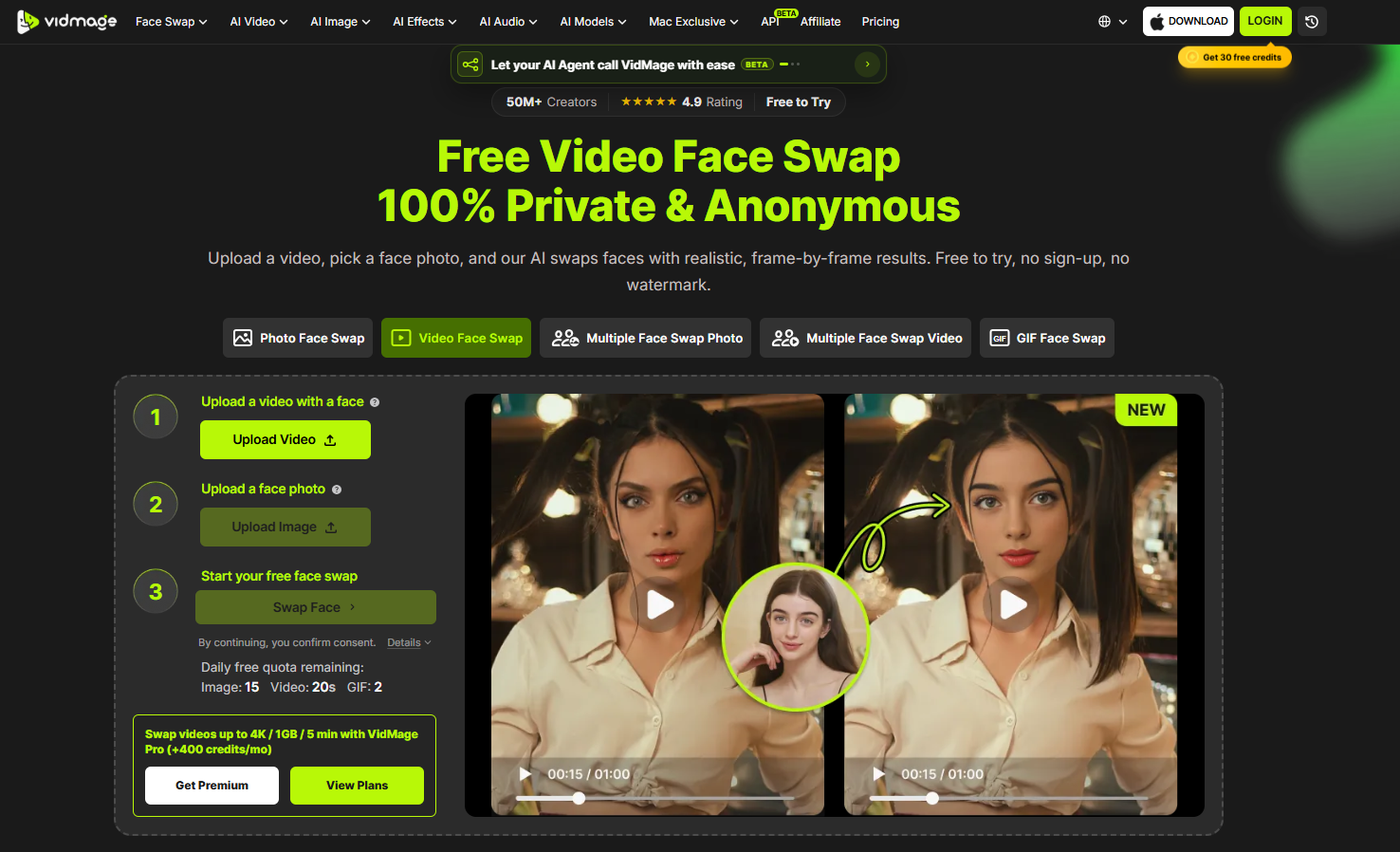
VidMagehas quickly become one of the most talked-about names in AI face swapping, and for good reason. It's built specifically to handle the harder problem described above: keeping a swapped face stable and believable across motion, not just in a single still frame.
The VidMage video face swap tool tracks close to 500 facial landmarks per frame, which is what allows it to hold up during head turns, fast movement, and changing light without the face drifting or smearing, a common failure point in cheaper tools. According to the platform's own benchmark reporting, recent engine updates pushed video swap success rates from roughly 89% to over 93%, with a meaningful reduction in frame-to-frame drift and noticeably better expression retention.
A few things make VidMage stand out for everyday and professional use alike:
No sign-up required to start. You can drag in a clip and try a face swap immediately, which matters if you just want to test whether a concept works before committing to an account.
Multi-face support up to four people. For group clips (dance trends, sketches, team videos) VidMage can detect and swap up to four different faces in a single pass, each tracked independently so movement and lighting stay consistent per person.
Free plan with real usability. Unlike tools that gate almost everything behind a paywall, VidMage's free tier delivers a usable 1080p result, which is a rare combination of "free" and "actually good enough to publish."
Cross-platform availability. It works directly in the browser on desktop and mobile, and there's a dedicated Mac client for users who want real-time face swapping during live video calls or fully offline, local processing for maximum privacy.
Clear privacy handling. Uploaded files are deleted from VidMage's servers within two hours of processing, and the platform states it does not use uploaded content to train AI models or share it with third parties, an important detail given how sensitive face data is.
Beyond face swap. VidMage also bundles video upscaling, background replacement, object removal, and voice cloning with lip-sync into the same platform, so creators doing more than just face swaps don't need to juggle five separate tools.
For anyone searching for "best video face swap" with an emphasis on realism, speed, and not having to fight a clunky interface, VidMage is a strong first stop, and the fact that it works without forcing an account before you've even seen a result makes it low-risk to try.
2. Magic Hour: Best for an All: in: One AI Video Studio
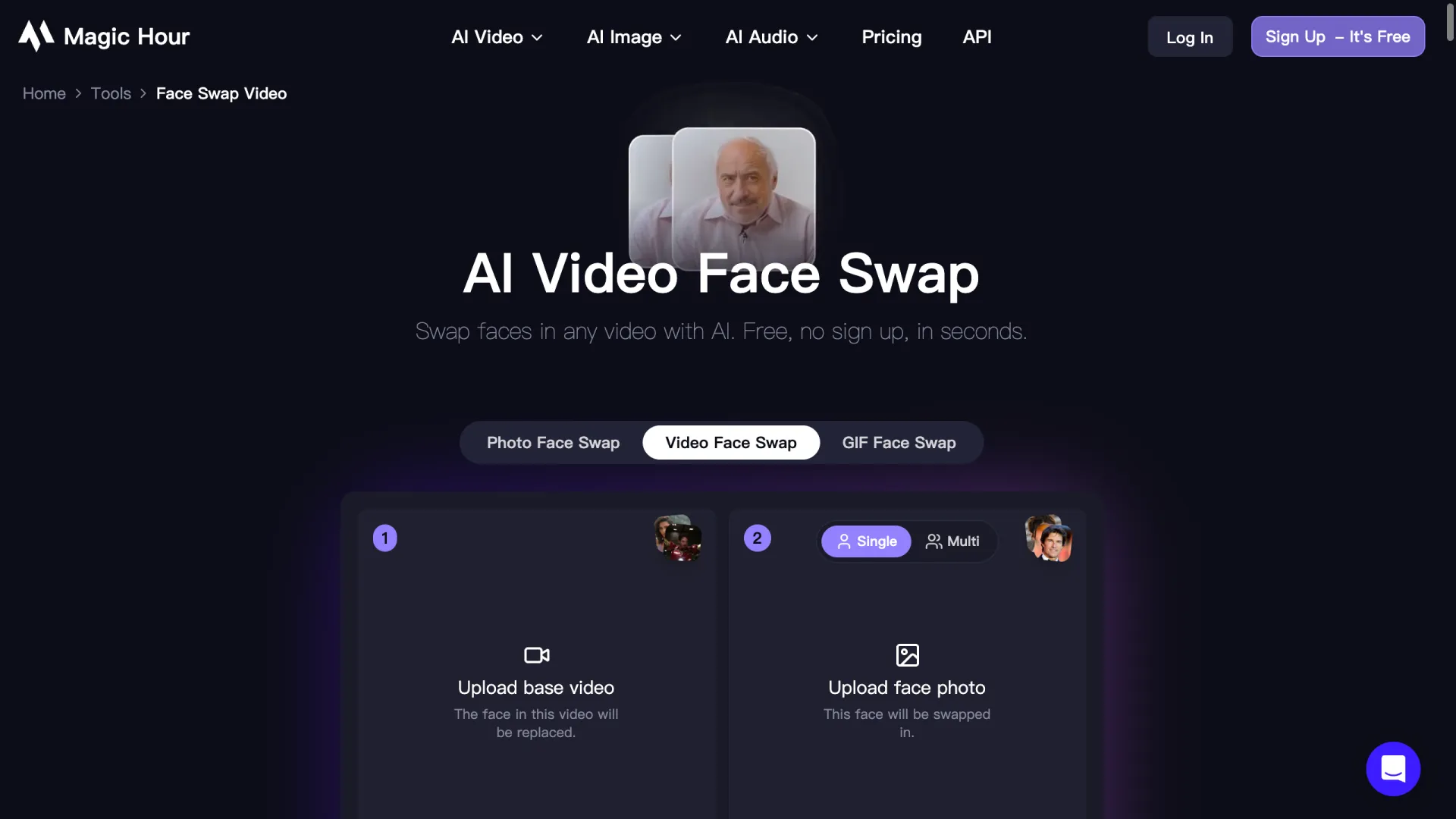
Magic Hour has built a reputation as more of a full production suite than a single-purpose swap tool. It combines face swapping with lip-syncing, upscaling, and image-to-video generation, letting creators chain several editing steps together without exporting and re-importing between apps. This makes it appealing for creators who want to go from raw footage to a fully polished clip (swap, upscale, sync) in one continuous workflow rather than stitching together separate tools.
Where Magic Hour tends to shine is in handling trickier variables like extreme head angles or fast lighting shifts, since it leans on frequently updated underlying models. The tradeoff is that its broader feature set can feel like more than what a casual user needs if all they want is a quick, clean face swap.
3. Invideo: Best for Testing Different Faces in Existing Clip

Invideo's face swap feature lets you start with footage you already have. Open Cast Swap, upload your clip, and add a clear photo of the face you want to use. The tool detects and replaces the face, making it useful for testing casting ideas, changing characters, or creating different versions of a promotional clip. Invideo also supports motion and expression matching and batch processing, so you can submit several swaps at once instead of handling each job separately. That makes it worth considering for projects with multiple variations to review. Before choosing your final version, check the results in shots with head turns or partially covered faces.
4. A2E AI: Best for Avatar and Lip: Sync Heavy Workflows
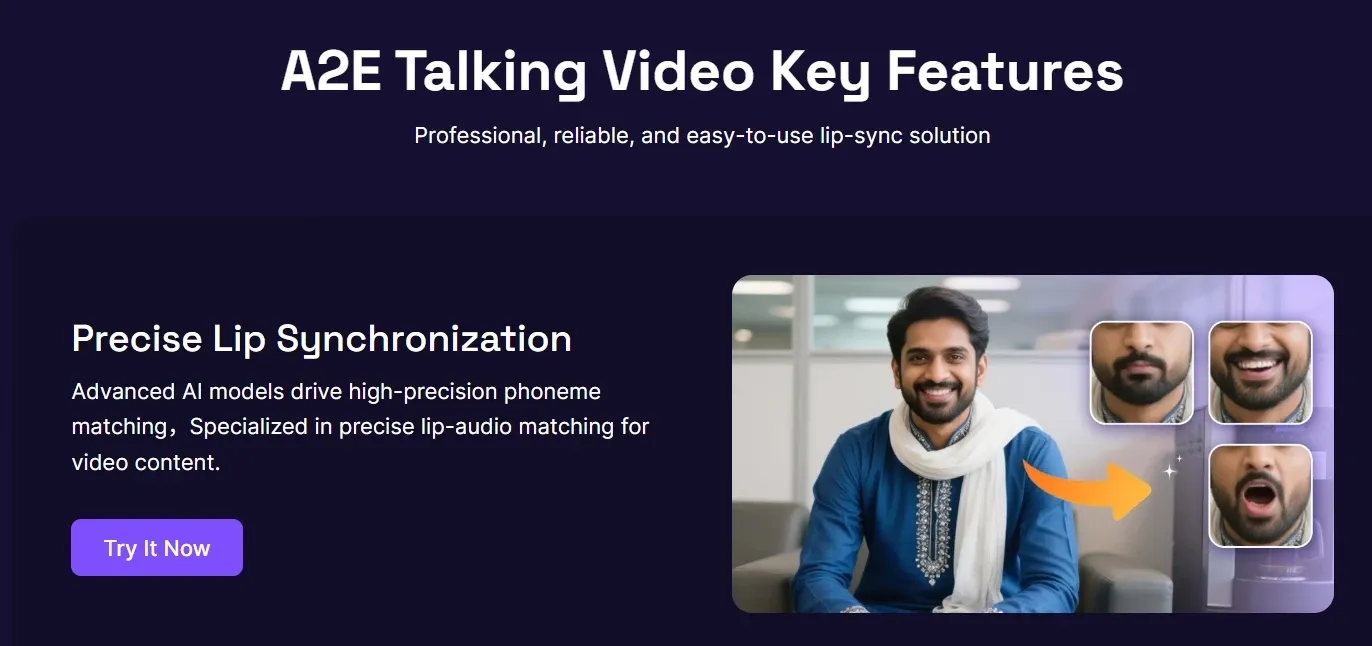
A2E leans into a slightly different use case: AI avatars, head swaps, voice cloning, and lip-sync generation alongside face swapping. It's a good fit for creators building virtual presenters, explainer videos, or branded avatar content where the face swap is just one piece of a larger synthetic video pipeline. If your project needs more than a straightforward face replacement (say, a talking avatar reading a script) A2E's combined toolset can save time compared to piecing together separate apps for voice, lip-sync, and face.
5. VidpexAI: Best for Creators Who Also Need Generation Tools
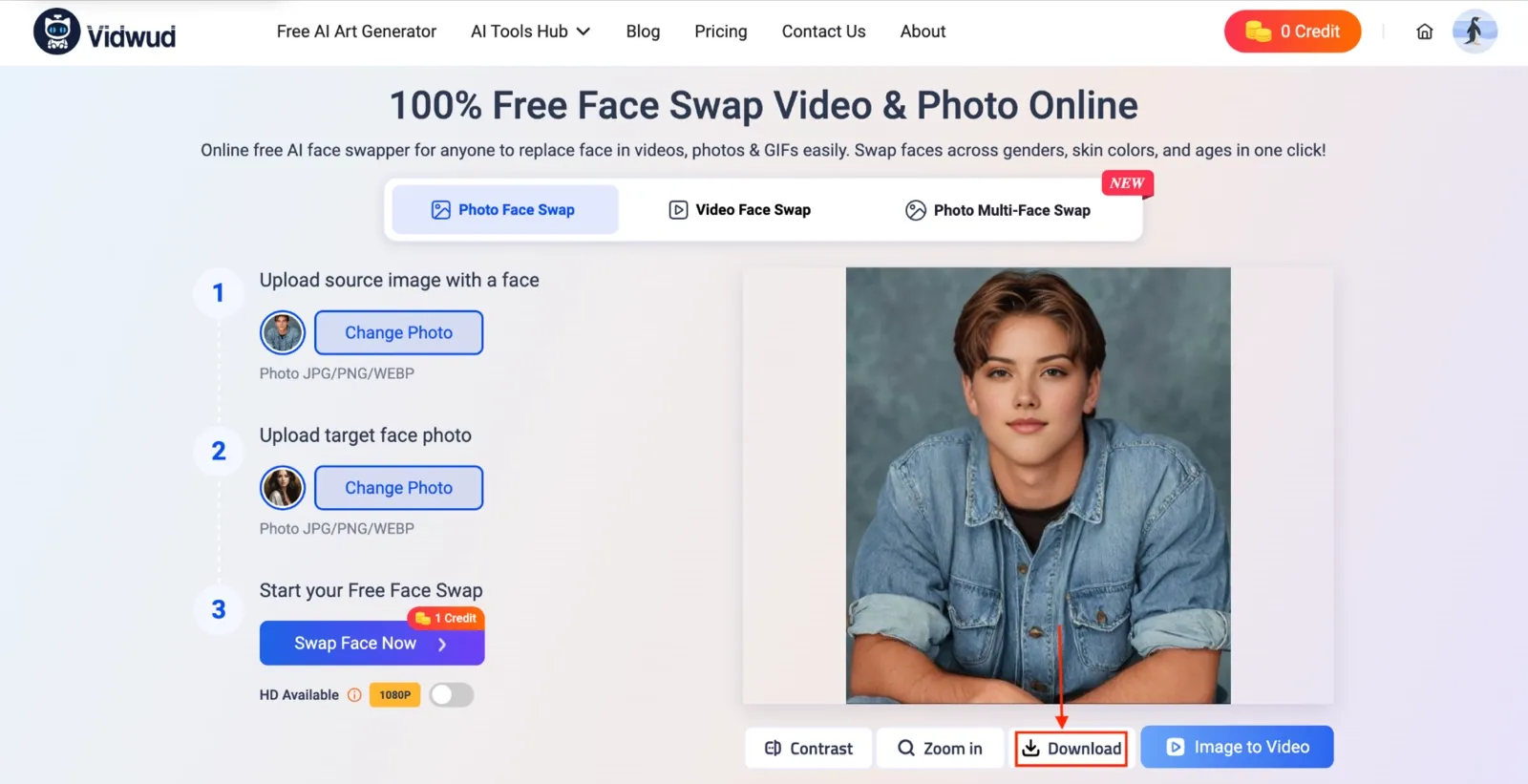
VidpexAI positions itself as a broader creative suite, combining text-to-video and image-to-video generation with editing tools like face swap. It suits users who are producing original AI video content from scratch and only occasionally need a face swap as part of a bigger creative project, rather than users whose primary need is repeated, high-frequency face swapping.
How to Choose Between Them
If your priority is realism and speed without a steep learning curve, and you want to start swapping without creating an account first, VidMage is the most straightforward choice, particularly its dedicated video face swap page, which is built around exactly this use case rather than treating video as an afterthought to photo swapping.
If you're building a heavier production pipeline that spans generation, avatars, and voice alongside face swapping, tools like Magic Hour, A2E, or VidpexAI might fit better into that broader workflow, even if the core face swap quality is comparable.
A Quick Walkthrough: Doing a Video Face Swap in Under a Minute
Regardless of which tool you land on, the general process looks similar. Using VidMage's video face swap tool as an example:
Upload your clip. MP4, MOV, and M4V formats are typically supported. For the cleanest result, choose footage where the face is clearly visible and well-lit for most of the clip.
Add a source face photo. A clear, front-facing photo with good lighting gives the AI the most accurate data to work from. No manual cropping or masking is needed, the detection happens automatically.
Run the swap. The AI tracks the face across every frame, matching expression, motion, and lighting as it blends the new face in.
Preview and download. Check a few frames where the person turns their head or changes expression, since that's where quality differences between tools show up most clearly. If it holds up there, it'll hold up everywhere.
The whole process, from upload to download, typically takes under a minute for short clips, a dramatic contrast to the hours (or days) manual face-swapping VFX work used to require.
A Note on Responsible Use
Face swap technology is powerful, and with that power comes a responsibility to use it thoughtfully. Stick to content you have the rights to, get consent from anyone whose likeness you're using, and be transparent when sharing AI-edited content publicly, especially as regions like the EU introduce stricter labeling requirements for synthetic media. Used well, video face swap tools are a genuinely fun and useful creative tool (for memes, marketing, storytelling, and everything in between) without needing to cross into misleading territory.
Best Video Face Swap Tool for Specific Use Cases
Different projects call for different priorities, so it's worth breaking the recommendation down further by what you're actually trying to make.
Best video face swap app for beginners with no editing experience
If you've never touched video editing software and just want a clean result without a learning curve, look for a tool where the entire process is upload → pick a face → download, with no timeline, no keyframes, and no manual masking. VidMage is built around exactly this kind of guided, three-step flow, which is why it tends to be recommended for first-time users testing the concept before investing in anything more advanced.
Best free video face swap online with no watermark
Plenty of "free" tools quietly cap you at low resolution or stamp a watermark across the output, which makes the result unusable for anything beyond a private joke. A free tier that genuinely delivers 1080p without a watermark, even with a daily limit, is a meaningfully better deal than a tool that's technically free but produces content you can't actually use anywhere.
Best video face swap tool for TikTok and short: form content
Speed matters here more than almost anything else, since short-form creators are often producing multiple variants of the same clip to test what performs. A tool that processes a clip in under a minute, with no sign-up friction, fits naturally into a rapid iteration workflow where you might try three or four different faces before landing on the one that gets used.
Best video face swap tool for group or multi: person videos
Group content (duets, sketches, team intros, party recaps) needs a tool that can detect and track several faces independently in the same frame. This is a meaningfully harder technical problem than single-face swapping, since the AI has to avoid mixing features between faces that are close together or moving at the same time. Fewer tools handle this well, so it's worth checking specifically whether a platform supports multi-face swap rather than assuming single-face capability extends automatically.
Best video face swap software for Mac with offline processing
For users who need maximum privacy (nothing ever leaving the device) or who want real-time face swapping during live video calls, a dedicated desktop client that processes locally is the right category to look for, rather than a browser-only tool.
Best video face swap tool for marketing and personalized ads
Marketers producing paid social variants at scale care about consistency across a batch of clips, predictable pricing, and commercial usage rights. A transparent, per-second or per-credit pricing model makes it much easier to budget a campaign than a flat subscription with unclear per-clip cost.
Frequently Asked Questions About Video Face Swap Tools
Q1: Is video face swap technology free to use?
A1: Most tools offer a free tier for basic testing, typically limited by daily usage, video length, or resolution. Full-length or higher-resolution video swaps, along with watermark removal, are usually reserved for paid plans. VidMage's free tier is notably generous for a face-swap tool, offering usable 1080p output without watermarks within a daily quota.
Q2: How long does a video face swap take to process?
A2: This varies by clip length and tool, but modern AI face swap platforms typically process short clips (10–30 seconds) in under a minute. Longer or higher-resolution videos naturally take more time.
Q3: Can these tools swap more than one face in the same video?
A3: Some can, and some can't, this is one of the biggest differentiators between tools. If your content involves multiple people, confirm multi-face support before choosing a tool, since single-face-only platforms will either ignore additional faces or produce inconsistent results.
Q4: What file formats do video face swap tools usually support?
A4: MP4, MOV, and M4V are the most commonly supported formats across major platforms, though file size and length limits vary between free and paid tiers.
Final Thoughts
The video face swap category has matured fast. What was a novelty a couple of years ago is now a reliable part of many creators' and marketers' toolkits, and the gap between the best and worst tools has never been more obvious once you actually test them side by side on a moving clip. For most people looking for a fast, realistic, and low-friction option, VidMage and its video face swap feature are worth starting with, it handles the hard parts (motion tracking, lighting, multi-face support) automatically, so you can spend your time on the creative decisions instead of fighting the tool.
Bottom Line
There's no single winner across every use case. For the most common need (realistic, fast, multi-face-capable video face swapping without a steep learning curve) VidMage is a strong default to start testing with. Teams building broader AI pipelines should weigh the criteria above against their own workflow before committing.
After you export clips for campaigns or client reviews, keep notes and briefs in editable Office files with WPS Office so your team can open DOCX, XLSX, and PDF handoffs cleanly.
Published by WPS Office. All product details verified as of the publication date.

'%3e%3cpath%20d='M19.9911%204.11386V6.471H18.5894C18.0775%206.471%2017.7322%206.57814%2017.5536%206.79243C17.3751%207.00671%2017.2858%207.32814%2017.2858%207.75671V9.44421H19.9019L19.5536%2012.0871H17.2858V18.8639H14.5536V12.0871H12.2769V9.44421H14.5536V7.49779C14.5536%206.39064%2014.8632%205.53201%2015.4822%204.92189C16.1013%204.31177%2016.9257%204.00671%2017.9554%204.00671C18.8304%204.00671%2019.509%204.04243%2019.9911%204.11386Z'%20fill='%23333333'/%3e%3c/g%3e%3cdefs%3e%3cclipPath%20id='clip0_2938_8199'%3e%3crect%20width='16'%20height='16'%20fill='white'%20transform='translate(8%204.00671)'/%3e%3c/clipPath%3e%3c/defs%3e%3c/svg%3e)
'%3e%3cpath%20d='M17.5237%2010.7813L23.4811%204H22.0699L16.8949%209.88693L12.7648%204H8L14.2469%2012.9029L8%2020.0133H9.4112L14.8725%2013.7952L19.2352%2020.0133H24M9.92053%205.04213H12.0885L22.0688%2019.0224H19.9003'%20fill='%23333333'/%3e%3c/g%3e%3cdefs%3e%3cclipPath%20id='clip0_2938_8200'%3e%3crect%20width='16'%20height='16.0134'%20fill='white'%20transform='translate(8%204)'/%3e%3c/clipPath%3e%3c/defs%3e%3c/svg%3e)


