

'%3e%3cpath%20d='M8%200C12.4183%200%2016%203.58172%2016%208C16%2012.4183%2012.4183%2016%208%2016C3.58172%2016%200%2012.4183%200%208C0%203.58172%203.58172%200%208%200ZM11.6162%204.38379C11.2257%203.99337%2010.5927%203.99338%2010.2021%204.38379L8%206.58594L5.79785%204.38379C5.40732%203.99334%204.77429%203.99329%204.38379%204.38379C3.99331%204.77429%203.99335%205.40733%204.38379%205.79785L6.58594%208L4.38379%2010.2021C3.99348%2010.5927%203.99341%2011.2257%204.38379%2011.6162C4.77426%2012.0066%205.40734%2012.0065%205.79785%2011.6162L8%209.41406L10.2021%2011.6162C10.5927%2012.0066%2011.2257%2012.0067%2011.6162%2011.6162C12.0067%2011.2257%2012.0066%2010.5927%2011.6162%2010.2021L9.41406%208L11.6162%205.79785C12.0066%205.40735%2012.0066%204.77429%2011.6162%204.38379Z'%20fill='%23080E17'%20fill-opacity='0.46'/%3e%3c/g%3e%3cdefs%3e%3cclipPath%20id='clip0_3761_713'%3e%3crect%20width='16'%20height='16'%20fill='white'/%3e%3c/clipPath%3e%3c/defs%3e%3c/svg%3e)



'%3e%3cpath%20fill-rule='evenodd'%20clip-rule='evenodd'%20d='M21.4999%2010.9993C21.4999%205.20009%2016.7986%200.498901%2010.9993%200.498901C5.19994%200.498901%200.498657%205.20009%200.498657%2010.9993C0.498657%2016.2404%204.33858%2020.5844%209.35855%2021.3722V14.0346H6.69238V10.9993H9.35855V8.68594C9.35855%206.05427%2010.9262%204.60062%2013.3248%204.60062C14.4736%204.60062%2015.6753%204.80571%2015.6753%204.80571V7.38979H14.3512C13.0468%207.38979%2012.64%208.19921%2012.64%209.0296V10.9993H15.5523L15.0867%2014.0346H12.64V21.3722C17.66%2020.5844%2021.4999%2016.2404%2021.4999%2010.9993Z'%20fill='%231568EA'/%3e%3c/g%3e%3c/svg%3e)


'%3e%3cpath%20d='M2.42045%2022.1876H6.31818V12.7217L0.75%208.54553V20.5171C0.75%2021.4414%201.49892%2022.1876%202.42045%2022.1876Z'%20fill='%234285F4'/%3e%3cpath%20d='M19.682%2022.1876H23.5797C24.5041%2022.1876%2025.2502%2021.4387%2025.2502%2020.5171V8.54553L19.682%2012.7217'%20fill='%2334A853'/%3e%3cpath%20d='M19.682%205.48293V12.7216L25.2502%208.54543V6.31816C25.2502%204.25236%2022.8921%203.07469%2021.2411%204.31361'%20fill='%23FBBC04'/%3e%3cpath%20d='M6.31824%2012.7217V5.48303L13.0001%2010.4944L19.6819%205.48303V12.7217L13.0001%2017.733'%20fill='%23EA4335'/%3e%3cpath%20d='M0.75%206.31816V8.54543L6.31818%2012.7216V5.48293L4.75909%204.31361C3.10534%203.07469%200.75%204.25236%200.75%206.31816Z'%20fill='%23C5221F'/%3e%3c/g%3e%3cdefs%3e%3cclipPath%20id='clip0_2954_7305'%3e%3crect%20width='24.5'%20height='18.375'%20fill='white'%20transform='translate(0.75%203.8125)'/%3e%3c/clipPath%3e%3c/defs%3e%3c/svg%3e)


You highlight a sentence that sounds stiff, paste it into a chat box, copy the result back, and lose your formatting—or worse, your meaning shifts. When you only need to rewrite this paragraph inside the file you already have open, an in-document AI rewriter is faster and easier to control.
How to Rewrite Text with WPS AI Rewriter (2026 Guide)
When an AI rewriter helps rewrite this text
An AI rewriter rephrases selected copy while keeping the same intent. It fits emails that read too casual for leadership, blog intros that repeat the same phrase, product blurbs that need a clearer hook, and notes you want shorter before a meeting.
Use it on your own draft or on text you have rights to edit. It is a poor fit for quoted material you must not change, graded work where AI is restricted, or passages that need new facts you have not verified. For long essays with citations, see our essay rewriter guide in WPS; this article focuses on quick in-place rewrites in Writer.
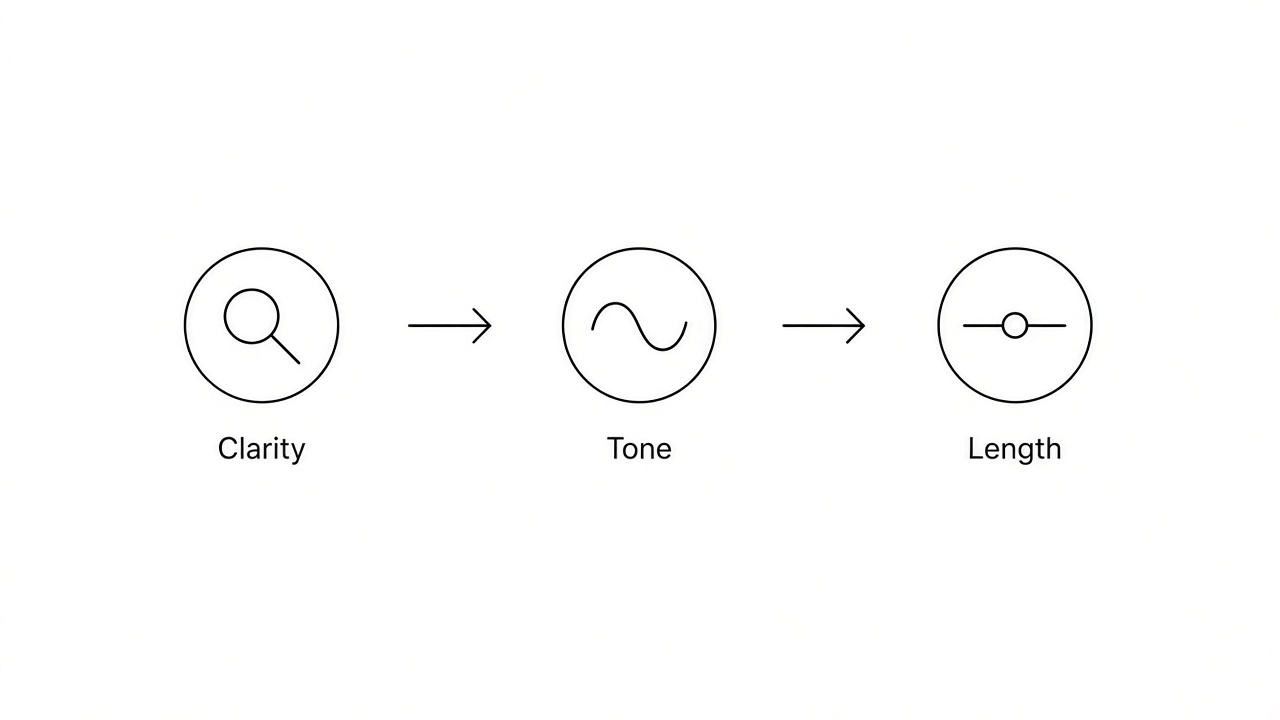
AI rewriter goals clarity tone length


Rewrite text with the WPS AI rewriter
WPS Writer includes WPS AI with a Rewrite action on selected text—the same highlight-and-rewrite flow many online AI rewriter tools use, without leaving your document.
Open your draft in WPS Writer (desktop or web) and save a copy with File > Save As before you accept changes.
Select the sentence or paragraph you want to change. Shorter selections reduce the chance the AI rewriter drifts from your facts.
Open WPS AI, choose Rewrite (or Polish / Improve Writing on some builds), and pick a tone if offered—more formal for reports, simpler for customer emails.
Read the suggestion beside your original. Reject any rewrite that adds numbers, promises, or claims that were not in your selection.
Apply the rewrite and repeat on the next weak section. Leave strong paragraphs untouched.
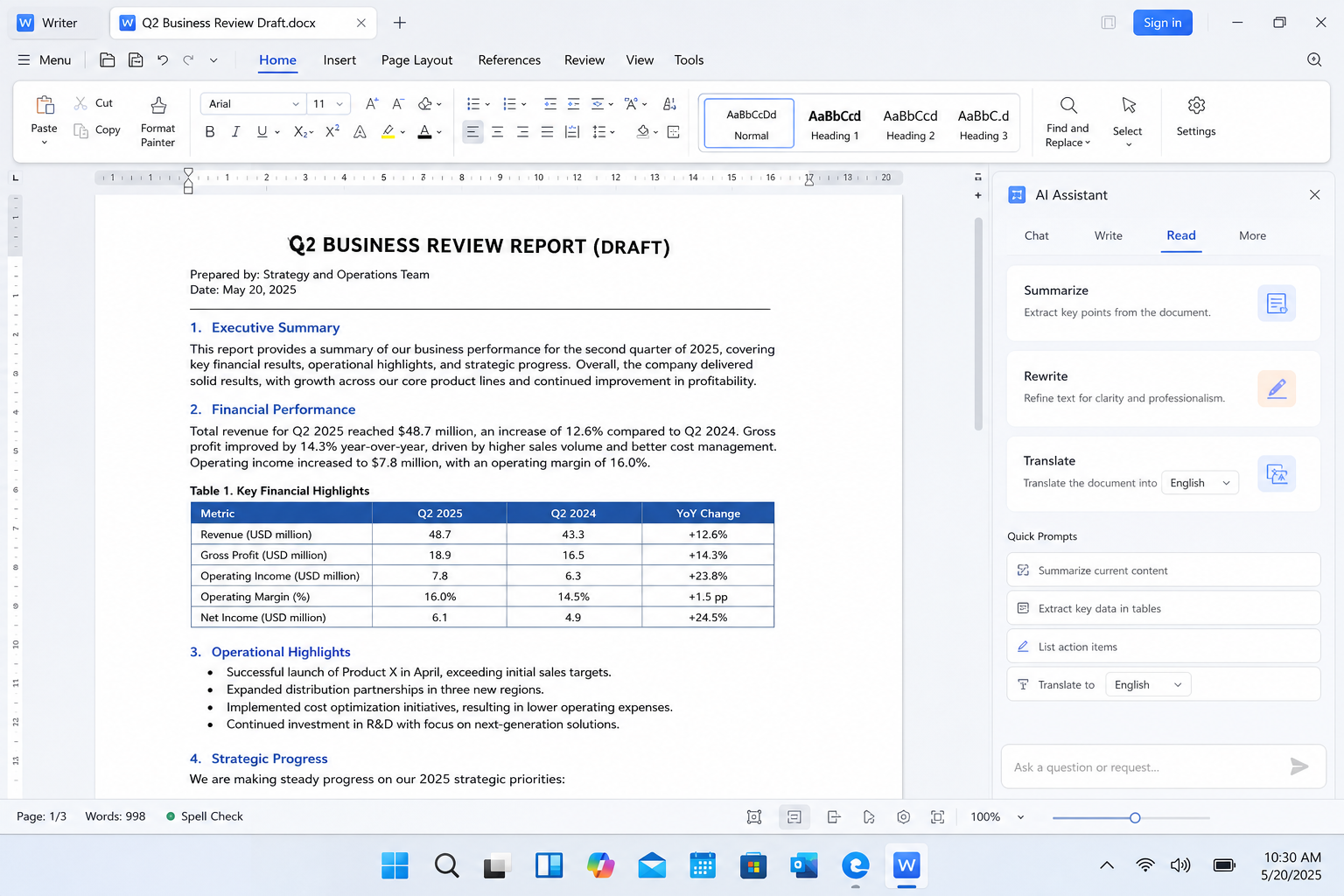
WPS Writer AI rewriter rewrite panel
Tone and length options after an AI rewrite
After the first AI rewriter pass, use related WPS AI commands on the same selection instead of starting over in another app.
Formal or casual tone
Run Rewrite again with a different tone preset, or ask for a more formal or friendlier version in a custom prompt. Compare both against your audience—legal and finance readers usually need tighter, neutral wording.
Shorter or longer versions
Use Shorten when a paragraph must fit a slide or character limit, or Expand when a bullet list needs a fuller explanation. Check that shortened text still states every obligation or deadline you intended.
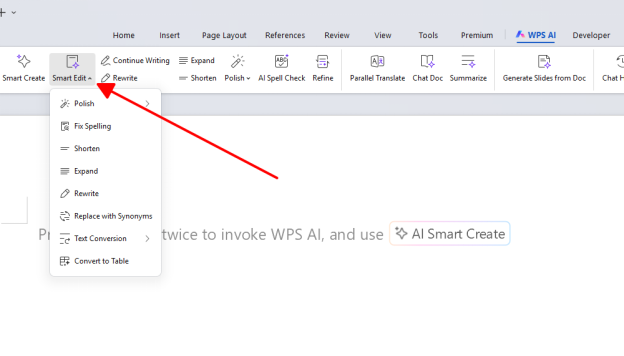
WPS AI rewriter polish and tone menu
Use an AI rewriter responsibly
Treat the AI rewriter as an editor, not a way to pass off someone else’s work. Paraphrase sources honestly, cite ideas that are not yours, and follow your school or employer rules on AI disclosure.
Do not rewrite copyrighted text to avoid permission or attribution.
Do not use rewrite tools only to evade plagiarism or AI detectors; fix the underlying writing instead.
Verify names, dates, and figures after every rewrite—the AI rewriter can sound confident while changing a detail.
Our plagiarism-free writing workflow walks through paraphrasing and checks that pair well with an AI rewriter.
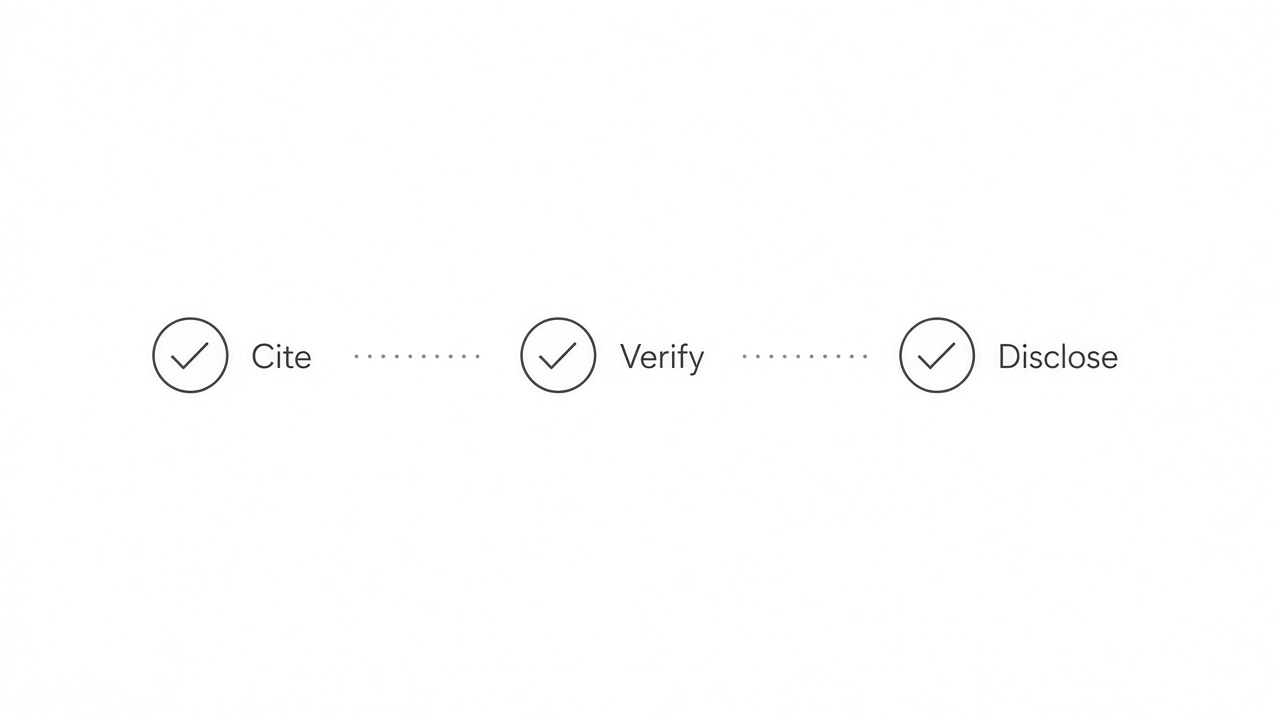
Cite verify and disclose after AI rewrite
The Best Free Alternative: WPS Office
Browser AI rewriter tabs break your flow: copy, paste, copy again. WPS Office keeps Rewrite, Shorten, Expand, and spell check inside the same .docx file, with headings and tables intact.
Use Writer for drafts, export to PDF when you need a clean share link, and open the same file on desktop or mobile when a deadline moves.
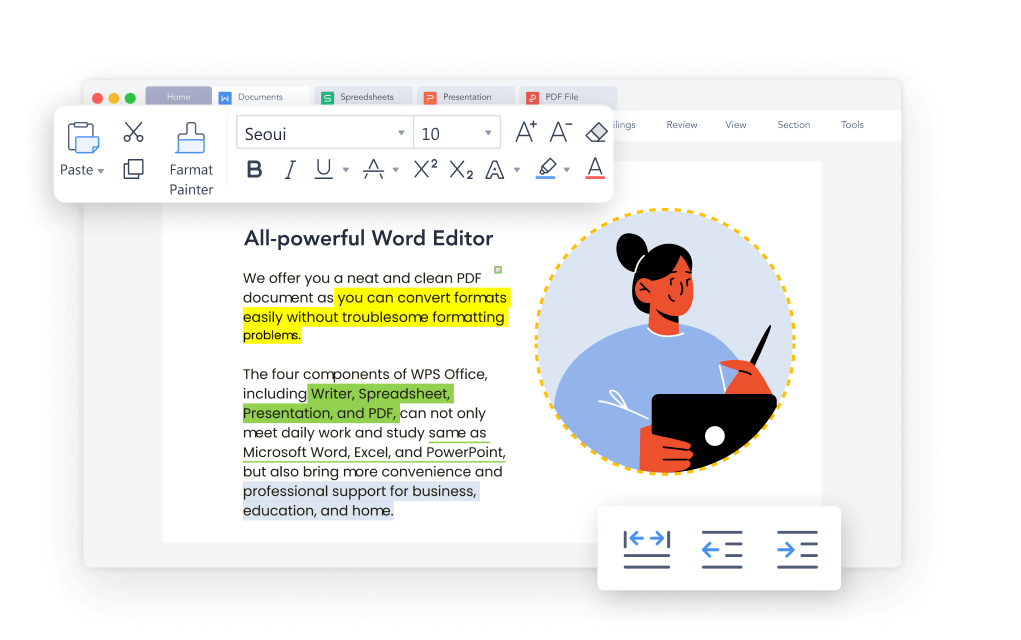
WPS Word editor with AI rewriter tools
FAQs
What is an AI rewriter?
An AI rewriter uses a language model to rephrase your selected text while aiming to preserve meaning. WPS AI Rewrite applies that inside Writer so you review changes in context.
Is “rewrite this” the same as an AI rewriter?
People often say “rewrite this” when they highlight a passage. The feature name on most tools—including WPS—is Rewrite or AI rewriter; the action matches the phrase even when the keyword differs.
How is paraphrasing different from rewriting?
Paraphrasing usually restates an idea in new words, often for sources. Rewriting can also adjust tone, order, and length for your own draft. WPS AI handles both when you edit the result carefully.
Can I rewrite only one sentence?
Yes. Select a single sentence, run Rewrite, and accept or reject the suggestion. Sentence-level edits are often the safest way to use an AI rewriter.
Is WPS AI rewriter free?
WPS Office offers free personal use with AI features subject to in-app limits shown on your plan. Check the allowance in WPS AI before a long rewrite session.


'%3e%3cpath%20d='M19.9911%204.11386V6.471H18.5894C18.0775%206.471%2017.7322%206.57814%2017.5536%206.79243C17.3751%207.00671%2017.2858%207.32814%2017.2858%207.75671V9.44421H19.9019L19.5536%2012.0871H17.2858V18.8639H14.5536V12.0871H12.2769V9.44421H14.5536V7.49779C14.5536%206.39064%2014.8632%205.53201%2015.4822%204.92189C16.1013%204.31177%2016.9257%204.00671%2017.9554%204.00671C18.8304%204.00671%2019.509%204.04243%2019.9911%204.11386Z'%20fill='%23333333'/%3e%3c/g%3e%3cdefs%3e%3cclipPath%20id='clip0_2938_8199'%3e%3crect%20width='16'%20height='16'%20fill='white'%20transform='translate(8%204.00671)'/%3e%3c/clipPath%3e%3c/defs%3e%3c/svg%3e)
'%3e%3cpath%20d='M17.5237%2010.7813L23.4811%204H22.0699L16.8949%209.88693L12.7648%204H8L14.2469%2012.9029L8%2020.0133H9.4112L14.8725%2013.7952L19.2352%2020.0133H24M9.92053%205.04213H12.0885L22.0688%2019.0224H19.9003'%20fill='%23333333'/%3e%3c/g%3e%3cdefs%3e%3cclipPath%20id='clip0_2938_8200'%3e%3crect%20width='16'%20height='16.0134'%20fill='white'%20transform='translate(8%204)'/%3e%3c/clipPath%3e%3c/defs%3e%3c/svg%3e)


