

'%3e%3cpath%20d='M8%200C12.4183%200%2016%203.58172%2016%208C16%2012.4183%2012.4183%2016%208%2016C3.58172%2016%200%2012.4183%200%208C0%203.58172%203.58172%200%208%200ZM11.6162%204.38379C11.2257%203.99337%2010.5927%203.99338%2010.2021%204.38379L8%206.58594L5.79785%204.38379C5.40732%203.99334%204.77429%203.99329%204.38379%204.38379C3.99331%204.77429%203.99335%205.40733%204.38379%205.79785L6.58594%208L4.38379%2010.2021C3.99348%2010.5927%203.99341%2011.2257%204.38379%2011.6162C4.77426%2012.0066%205.40734%2012.0065%205.79785%2011.6162L8%209.41406L10.2021%2011.6162C10.5927%2012.0066%2011.2257%2012.0067%2011.6162%2011.6162C12.0067%2011.2257%2012.0066%2010.5927%2011.6162%2010.2021L9.41406%208L11.6162%205.79785C12.0066%205.40735%2012.0066%204.77429%2011.6162%204.38379Z'%20fill='%23080E17'%20fill-opacity='0.46'/%3e%3c/g%3e%3cdefs%3e%3cclipPath%20id='clip0_3761_713'%3e%3crect%20width='16'%20height='16'%20fill='white'/%3e%3c/clipPath%3e%3c/defs%3e%3c/svg%3e)



'%3e%3cpath%20fill-rule='evenodd'%20clip-rule='evenodd'%20d='M21.4999%2010.9993C21.4999%205.20009%2016.7986%200.498901%2010.9993%200.498901C5.19994%200.498901%200.498657%205.20009%200.498657%2010.9993C0.498657%2016.2404%204.33858%2020.5844%209.35855%2021.3722V14.0346H6.69238V10.9993H9.35855V8.68594C9.35855%206.05427%2010.9262%204.60062%2013.3248%204.60062C14.4736%204.60062%2015.6753%204.80571%2015.6753%204.80571V7.38979H14.3512C13.0468%207.38979%2012.64%208.19921%2012.64%209.0296V10.9993H15.5523L15.0867%2014.0346H12.64V21.3722C17.66%2020.5844%2021.4999%2016.2404%2021.4999%2010.9993Z'%20fill='%231568EA'/%3e%3c/g%3e%3c/svg%3e)


'%3e%3cpath%20d='M2.42045%2022.1876H6.31818V12.7217L0.75%208.54553V20.5171C0.75%2021.4414%201.49892%2022.1876%202.42045%2022.1876Z'%20fill='%234285F4'/%3e%3cpath%20d='M19.682%2022.1876H23.5797C24.5041%2022.1876%2025.2502%2021.4387%2025.2502%2020.5171V8.54553L19.682%2012.7217'%20fill='%2334A853'/%3e%3cpath%20d='M19.682%205.48293V12.7216L25.2502%208.54543V6.31816C25.2502%204.25236%2022.8921%203.07469%2021.2411%204.31361'%20fill='%23FBBC04'/%3e%3cpath%20d='M6.31824%2012.7217V5.48303L13.0001%2010.4944L19.6819%205.48303V12.7217L13.0001%2017.733'%20fill='%23EA4335'/%3e%3cpath%20d='M0.75%206.31816V8.54543L6.31818%2012.7216V5.48293L4.75909%204.31361C3.10534%203.07469%200.75%204.25236%200.75%206.31816Z'%20fill='%23C5221F'/%3e%3c/g%3e%3cdefs%3e%3cclipPath%20id='clip0_2954_7305'%3e%3crect%20width='24.5'%20height='18.375'%20fill='white'%20transform='translate(0.75%203.8125)'/%3e%3c/clipPath%3e%3c/defs%3e%3c/svg%3e)


Videos credited to Claude Opus 5.5 have spread rapidly across X: animated explainers, product launches, data stories, music visuals, and browser-based 3D scenes. The surprising part is not that Anthropic quietly added a text-to-video model. It did not. The model is writing the software that draws, times, previews, and renders the video.
This distinction changes both the opportunity and the workflow. Claude Opus 5.5 can act like a motion-design engineer—researching a topic, planning scenes, writing animation code, revising the timeline, and invoking local tools—but the final MP4 still comes from a rendering framework, browser capture, or an external media model. Here is how the viral process works, where it excels, and how to test it without confusing an impressive demo with a guaranteed one-click feature.
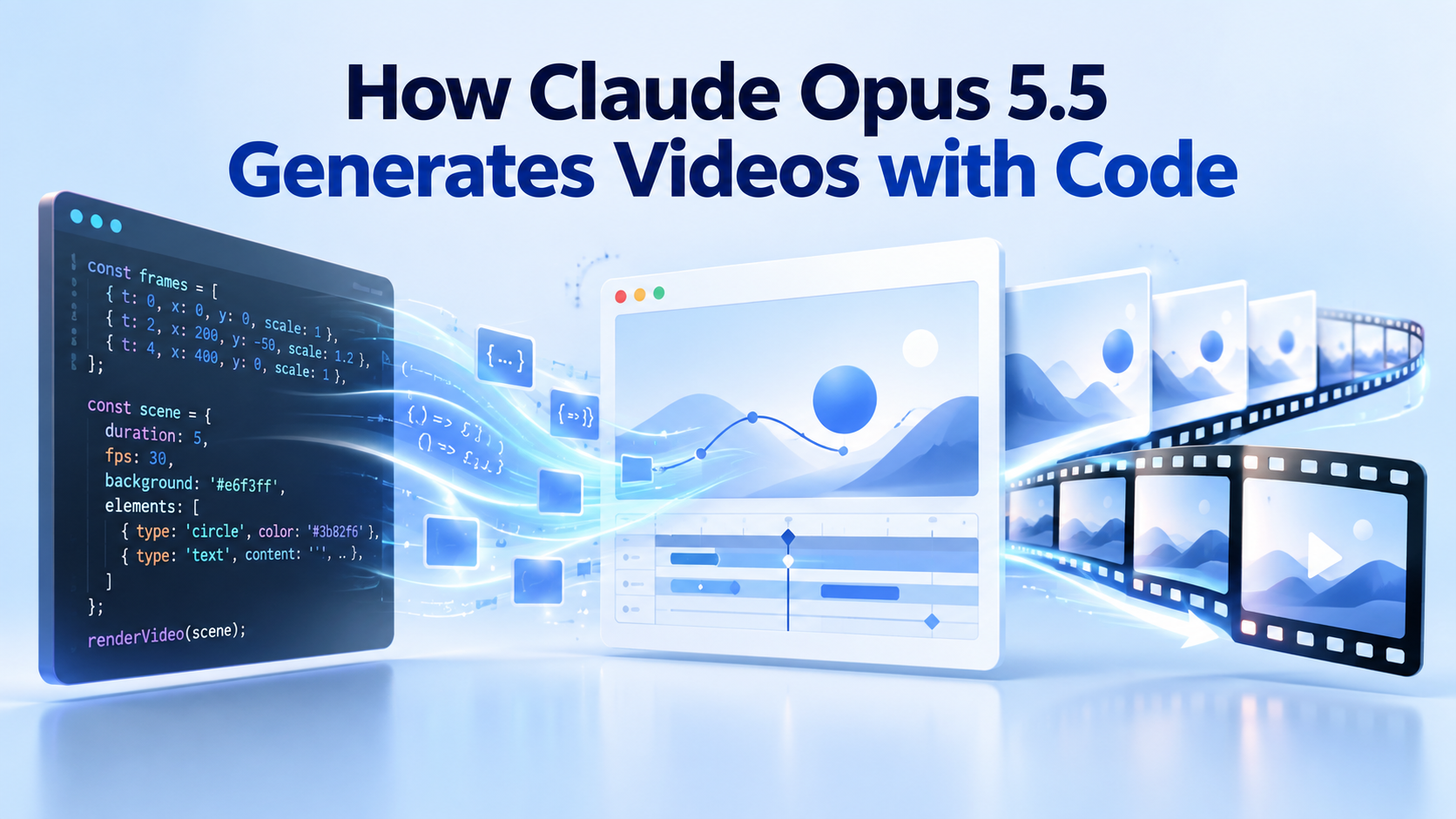
How Claude Opus 5.5 Generates Videos with Code
Claude Opus 5.5 video generation is code, not native video
Anthropic released Claude Opus 5.5 on September 22, 2026. Its official model documentation lists a 1-million-token context window, up to 128,000 output tokens in standard use, and an input/output profile of text and images to text. That profile matters: Claude does not natively return a sequence of generated video frames the way a dedicated text-to-video model does.
Instead, a typical “made with Opus 5.5” project follows four stages:
Prompt: The creator supplies a topic, audience, duration, style direction, source material, and delivery requirements.
Code: Claude writes a project in Remotion, JavaScript Canvas, p5.js, Three.js, Manim, Blender scripting, or another programmable visual system.
Render: A browser, graphics engine, or headless renderer evaluates the project frame by frame. Audio, subtitles, images, and other assets may come from separate tools.
Export: Remotion, FFmpeg, screen capture, or a custom pipeline encodes the result as MP4, WebM, GIF, or an interactive webpage.
That is why code-generated clips often have unusually clean typography, deterministic charts, stable diagrams, and repeatable transitions. Every object can be positioned by coordinates and every frame can be calculated from time. The tradeoff is equally important: realistic humans, organic motion, and cinematic footage still require filmed assets, 3D production, or a separate generative-video service.
A widely shared example from Chinese creator Baoyu used Claude Code and Opus 5.5 to build a long Transformer explainer for high-school students. Community documentation attributes the workflow to Remotion for video, KaTeX for formulas, and Microsoft Edge TTS for narration. Treat that as a creator-reported case study, not an official Anthropic benchmark or proof that every one-line prompt will reproduce the same result.
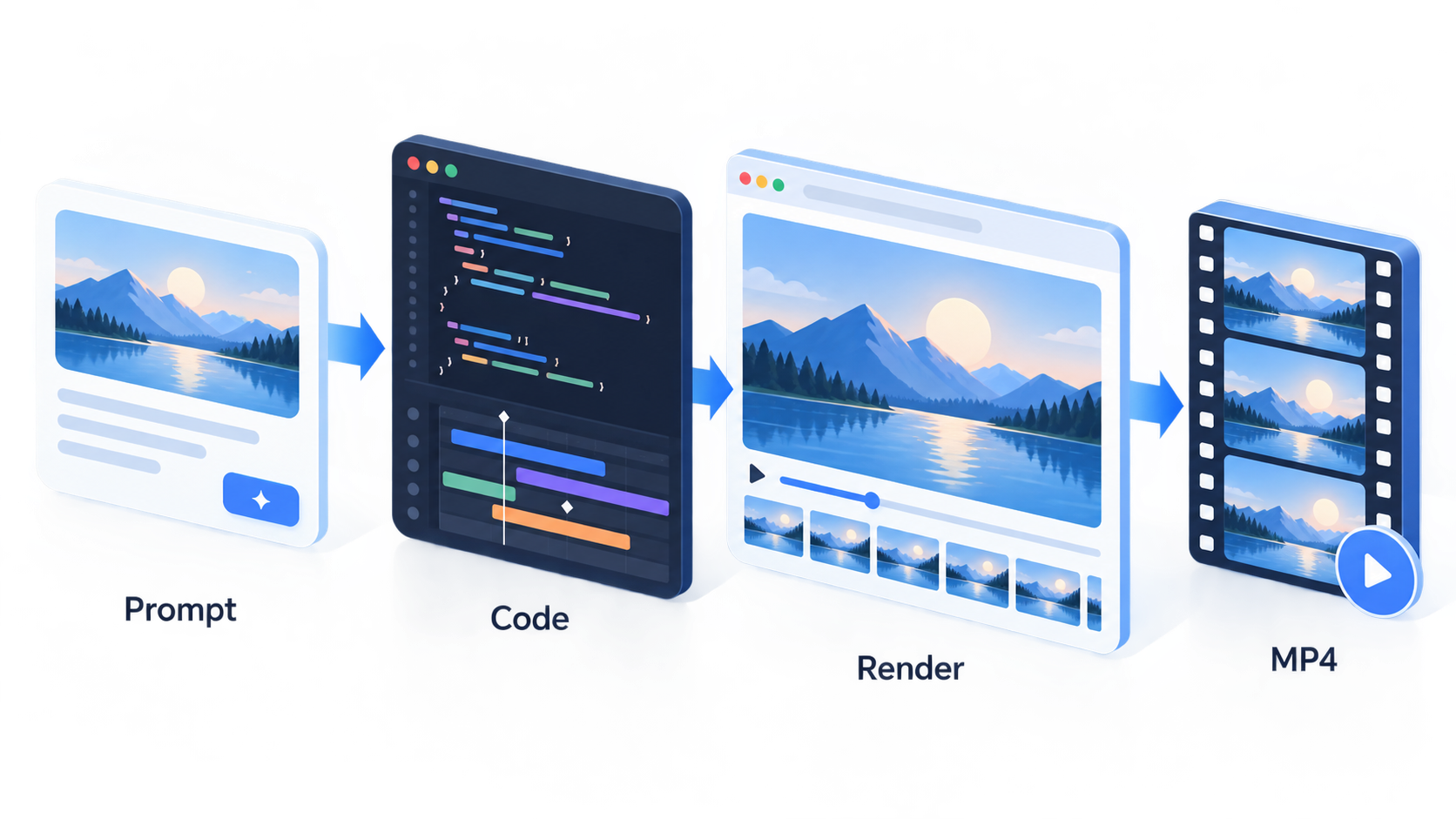
Claude code to video workflow


How to create a video with Claude Opus 5.5
The fastest reliable method is to ask Claude for an editable project, not merely “a video.” An editable project lets you inspect the script, correct claims, replace assets, change timing, and render the same composition again.
Choose the rendering route before prompting
Remotion: A strong default for React-based motion graphics, product videos, subtitles, charts, and frame-accurate MP4 rendering.
Canvas or p5.js: Good for hand-drawn effects, particles, generative art, and lightweight browser animations.
Three.js: Useful for interactive or rendered 3D scenes, cameras, lighting, and object animation.
Manim: Designed for mathematical and educational animations with formulas and geometric transformations.
External video APIs: Better when the brief needs photoreal people, natural environments, or image-to-video motion. Claude can orchestrate the API, but that service—not Claude—generates the footage.
Use a reviewable production sequence
Write the brief. State the audience, outcome, duration, aspect ratio, factual sources, visual style, audio policy, and required output.
Ask for a storyboard first. Request a scene table with timestamps, narration, on-screen text, visuals, transitions, and source notes. Approve the structure before code generation.
Build one representative scene. Test the typography, motion language, and render process before Claude expands the entire timeline.
Generate the project. Require a readable folder structure, dependency list, render command, asset manifest, and comments around timing constants.
Preview and revise. Review at full resolution. Ask for targeted changes such as “hold scene 3 for two more seconds” instead of restarting the project.
Render and audit. Export a draft, then verify every claim, license, subtitle, frame edge, audio level, and final duration before the master render.
Use version control or save numbered project copies. An agent can change many files in one pass; a known-good checkpoint makes experimentation recoverable.
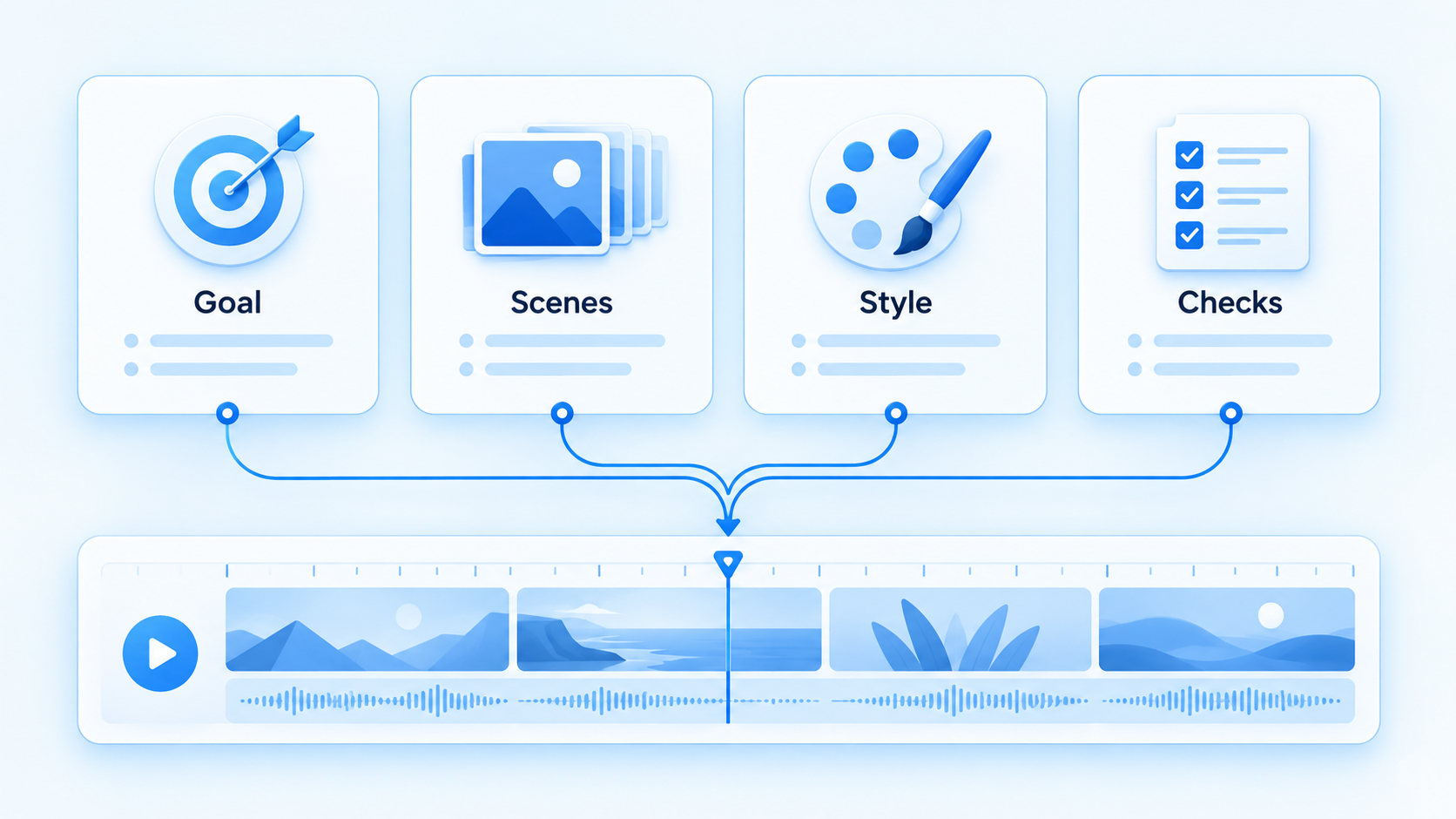
Claude video prompt production structure
Best Claude Opus 5.5 video generation use cases
Code rendering is not a universal substitute for a camera or a diffusion video model. It is strongest when precision, structure, and editability matter more than photorealism.
| Use case | Why code works well | Watch for |
|---|---|---|
| Product launch clips | Precise typography, brand colors, UI callouts, and repeatable timing. | Do not invent product interfaces or performance claims. |
| Educational explainers | Diagrams, equations, labels, and narration can share one timed structure. | Subject-matter review is still required. |
| Data stories | Charts can be derived from real data and animated deterministically. | Document the dataset and avoid misleading scales. |
| Kinetic typography | Text remains crisp and can be synchronized to beats or narration. | Dense copy becomes unreadable on small screens. |
| UI demos and tutorials | Reusable components make transitions and highlights consistent. | Use authentic screenshots or clearly label mock interfaces. |
It is a weaker fit for convincing talking heads, nuanced acting, wildlife, documentary footage, or complex fluid motion. For those projects, use Claude for research, scripting, shot planning, asset organization, and tool orchestration while a dedicated video model or production team creates the footage.
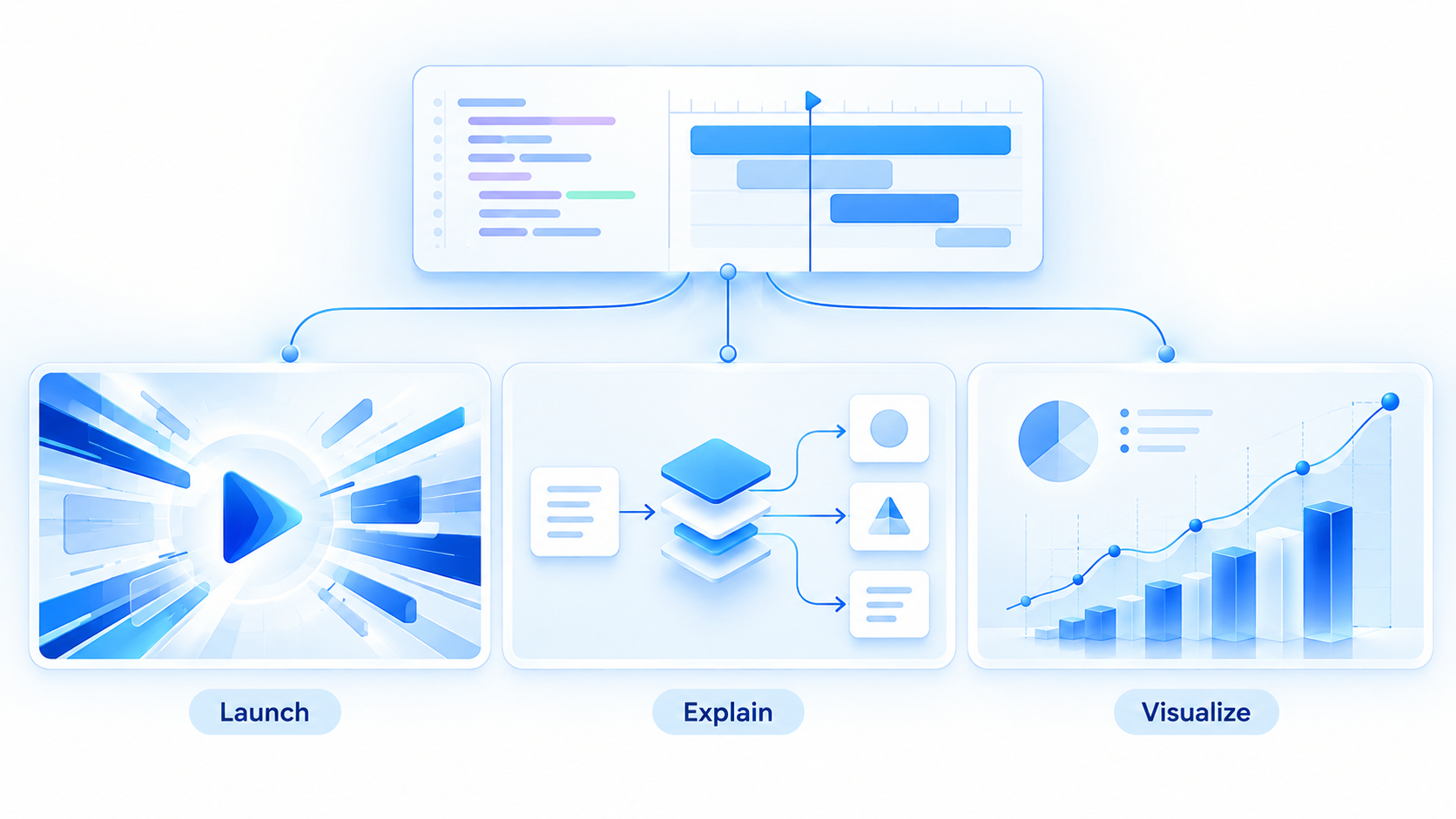
Claude video generation best uses
A practical Claude Opus 5.5 video prompt template
A good request behaves like a production brief. It limits ambiguity without prescribing every frame. Copy and adapt this original English template:
Create an editable [DURATION]-second [FORMAT] video for [AUDIENCE] about [TOPIC].

Goal: The viewer should understand or do [OUTCOME].
Sources: Use only [URLS / DOCUMENTS / DATA]. Flag any claim you cannot verify.
Structure: Begin with [HOOK], develop [2–4 KEY BEATS], and end with [CTA OR TAKEAWAY].
Visual system: [STYLE], [COLOR PALETTE], [TYPE RULES], and [REFERENCE]. Keep on-screen text under [LIMIT].
Production: Use [REMOTION / CANVAS / THREE.JS / MANIM]. Build an editable project, not a screen recording.
Audio: [NARRATION / MUSIC / SILENCE]. Use only assets with documented rights and include an asset manifest.
Delivery: [RESOLUTION], [ASPECT RATIO], [FPS], captions, preview command, and final MP4 render command.

Before coding, return a timestamped storyboard and list every dependency, asset, factual claim, and unresolved question. Wait for approval before building the complete timeline.
For a one-shot experiment, remove the approval gate and let the agent build. For client or educational work, keep the gate: storyboarding is cheaper than rewriting an entire animation. Add measurable checks such as safe margins, maximum subtitle length, color contrast, target loudness, and a prohibition on unlicensed assets.
Avoid vague style demands such as “make it cinematic” without examples. Describe rhythm, camera behavior, typography, color, density, and transition rules. Ask Claude to expose those decisions as configuration values so you can revise them globally.
Claude video prompt template elements
Claude Opus 5.5 video generation limits, cost, and rights
The official Claude Platform price for Opus 5.5 at launch is $4 per million input tokens and $20 per million output tokens, with separate cache pricing. That is a model price, not a fixed “cost per video.” A long agent session repeatedly reading project files, viewing renders, and revising code can use far more tokens than a short prompt. Rendering infrastructure, voice generation, stock assets, music, and third-party video APIs may add separate charges.
Quality and reliability limits
One prompt is not a guarantee: viral examples are selected successes. Results depend on the harness, tools, assets, model settings, runtime, prompt, and revision loop.
Code can fail: dependency conflicts, missing fonts, memory limits, browser differences, and render timeouts can stop an otherwise good project.
Long videos amplify defects: small timing, subtitle, or layout errors repeat across hundreds or thousands of frames.
Facts require human review: research and narration can still contain unsupported or outdated claims.
Accessibility is not automatic: check captions, contrast, flashing effects, reading speed, and audio descriptions where appropriate.
Copyright and disclosure checks
Use assets you created, licensed, or are authorized to reuse. Record the source and license for images, fonts, music, narration, video clips, 3D models, and datasets. Do not assume that an agent finding a public URL grants commercial rights. Obtain permission before cloning a person's voice or likeness, and disclose synthetic or heavily manipulated media when platform rules, contracts, or local law require it.
Keep an asset manifest next to the project. It should list the file, source URL, creator, license, modification, and required attribution. For client work, also preserve the approved script, final prompt, model/version, render settings, and human sign-off.
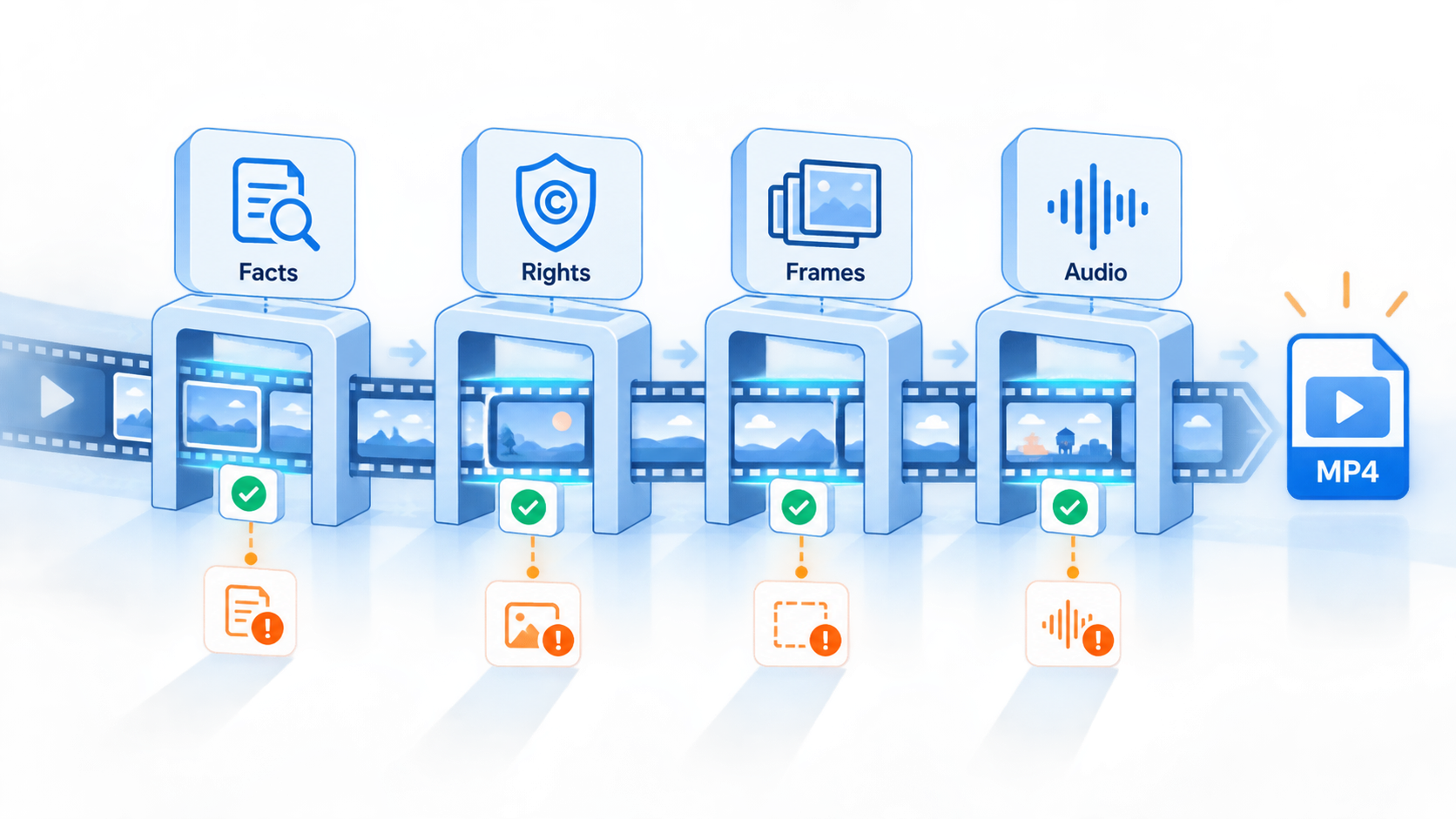
Claude video quality control checks
Plan Claude Opus 5.5 videos with WPS Office
Code may render the final frames, but production still begins with a clear brief and reviewable storyboard. WPS Office provides a practical workspace for the planning layer: draft the script and source notes in WPS Writer, organize claims and asset licenses in WPS Spreadsheet, and present scene boards in WPS Presentation for stakeholder review.
WPS AI Slides can help turn an approved outline into a visual presentation that teams can annotate before the animation project begins. Treat the slides as a planning artifact—not as proof of the final motion design. Once the scene order, wording, data, and visual references are approved, transfer that structured brief into Claude Code and the chosen rendering framework.
Fewer expensive revisions: reviewers can change the narrative before code and rendering begin.
Clearer source tracking: a spreadsheet makes facts, URLs, licenses, and owners auditable.
Better handoff: writers, designers, developers, and clients review the same numbered scenes.
Explore WPS Presentation to build and review the storyboard before committing to a full video render.
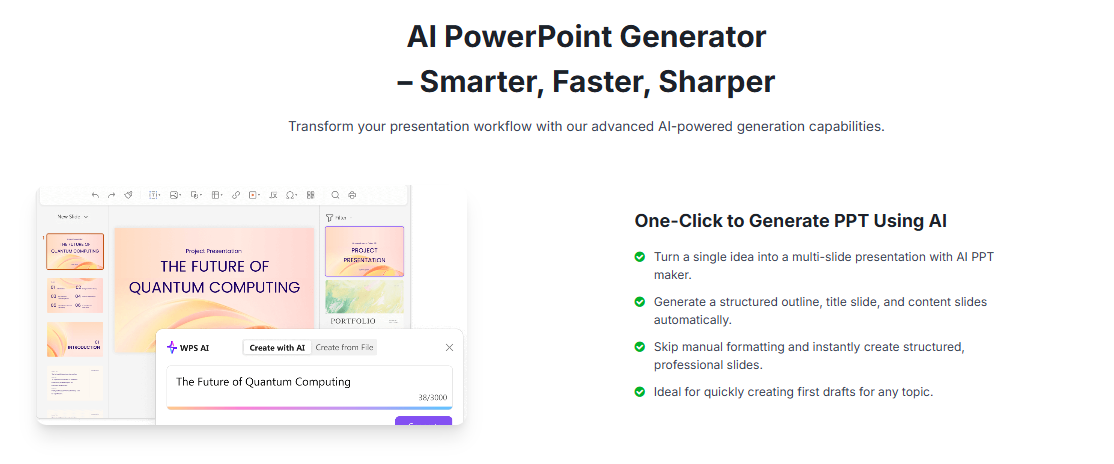
WPS AI Slides storyboard planning
FAQs
Can Claude Opus 5.5 generate video directly?
No. Anthropic documents Opus 5.5 as producing text output from text and image inputs. It can write and operate code that a renderer converts into video, or orchestrate an external video-generation service.
Which tool is best for Claude code-generated video?
Remotion is a strong general choice for React-based motion graphics and MP4 export. Canvas or p5.js suits generative 2D work, Three.js suits 3D scenes, and Manim suits mathematical explainers.
Do I need Claude Code to make these videos?
You need an environment where Claude can create files, run tools, inspect previews, and iterate. Claude Code is a common option, but a custom agent or development environment with equivalent permissions can support the same pattern.
How much does a Claude Opus 5.5 video cost?
There is no fixed per-video price. Cost depends on model tokens, number of revisions, project size, render compute, and any external services for voice, music, images, or generated footage.
What videos should not be made with code alone?
Photoreal talking heads, acting, organic environments, and cinematic footage are usually better produced with cameras, 3D pipelines, or dedicated generative-video models. Claude can still plan and coordinate those workflows.



'%3e%3cpath%20d='M19.9911%204.11386V6.471H18.5894C18.0775%206.471%2017.7322%206.57814%2017.5536%206.79243C17.3751%207.00671%2017.2858%207.32814%2017.2858%207.75671V9.44421H19.9019L19.5536%2012.0871H17.2858V18.8639H14.5536V12.0871H12.2769V9.44421H14.5536V7.49779C14.5536%206.39064%2014.8632%205.53201%2015.4822%204.92189C16.1013%204.31177%2016.9257%204.00671%2017.9554%204.00671C18.8304%204.00671%2019.509%204.04243%2019.9911%204.11386Z'%20fill='%23333333'/%3e%3c/g%3e%3cdefs%3e%3cclipPath%20id='clip0_2938_8199'%3e%3crect%20width='16'%20height='16'%20fill='white'%20transform='translate(8%204.00671)'/%3e%3c/clipPath%3e%3c/defs%3e%3c/svg%3e)
'%3e%3cpath%20d='M17.5237%2010.7813L23.4811%204H22.0699L16.8949%209.88693L12.7648%204H8L14.2469%2012.9029L8%2020.0133H9.4112L14.8725%2013.7952L19.2352%2020.0133H24M9.92053%205.04213H12.0885L22.0688%2019.0224H19.9003'%20fill='%23333333'/%3e%3c/g%3e%3cdefs%3e%3cclipPath%20id='clip0_2938_8200'%3e%3crect%20width='16'%20height='16.0134'%20fill='white'%20transform='translate(8%204)'/%3e%3c/clipPath%3e%3c/defs%3e%3c/svg%3e)


