

'%3e%3cpath%20d='M8%200C12.4183%200%2016%203.58172%2016%208C16%2012.4183%2012.4183%2016%208%2016C3.58172%2016%200%2012.4183%200%208C0%203.58172%203.58172%200%208%200ZM11.6162%204.38379C11.2257%203.99337%2010.5927%203.99338%2010.2021%204.38379L8%206.58594L5.79785%204.38379C5.40732%203.99334%204.77429%203.99329%204.38379%204.38379C3.99331%204.77429%203.99335%205.40733%204.38379%205.79785L6.58594%208L4.38379%2010.2021C3.99348%2010.5927%203.99341%2011.2257%204.38379%2011.6162C4.77426%2012.0066%205.40734%2012.0065%205.79785%2011.6162L8%209.41406L10.2021%2011.6162C10.5927%2012.0066%2011.2257%2012.0067%2011.6162%2011.6162C12.0067%2011.2257%2012.0066%2010.5927%2011.6162%2010.2021L9.41406%208L11.6162%205.79785C12.0066%205.40735%2012.0066%204.77429%2011.6162%204.38379Z'%20fill='%23080E17'%20fill-opacity='0.46'/%3e%3c/g%3e%3cdefs%3e%3cclipPath%20id='clip0_3761_713'%3e%3crect%20width='16'%20height='16'%20fill='white'/%3e%3c/clipPath%3e%3c/defs%3e%3c/svg%3e)




'%3e%3cpath%20fill-rule='evenodd'%20clip-rule='evenodd'%20d='M21.4999%2010.9993C21.4999%205.20009%2016.7986%200.498901%2010.9993%200.498901C5.19994%200.498901%200.498657%205.20009%200.498657%2010.9993C0.498657%2016.2404%204.33858%2020.5844%209.35855%2021.3722V14.0346H6.69238V10.9993H9.35855V8.68594C9.35855%206.05427%2010.9262%204.60062%2013.3248%204.60062C14.4736%204.60062%2015.6753%204.80571%2015.6753%204.80571V7.38979H14.3512C13.0468%207.38979%2012.64%208.19921%2012.64%209.0296V10.9993H15.5523L15.0867%2014.0346H12.64V21.3722C17.66%2020.5844%2021.4999%2016.2404%2021.4999%2010.9993Z'%20fill='%231568EA'/%3e%3c/g%3e%3c/svg%3e)


'%3e%3cpath%20d='M2.42045%2022.1876H6.31818V12.7217L0.75%208.54553V20.5171C0.75%2021.4414%201.49892%2022.1876%202.42045%2022.1876Z'%20fill='%234285F4'/%3e%3cpath%20d='M19.682%2022.1876H23.5797C24.5041%2022.1876%2025.2502%2021.4387%2025.2502%2020.5171V8.54553L19.682%2012.7217'%20fill='%2334A853'/%3e%3cpath%20d='M19.682%205.48293V12.7216L25.2502%208.54543V6.31816C25.2502%204.25236%2022.8921%203.07469%2021.2411%204.31361'%20fill='%23FBBC04'/%3e%3cpath%20d='M6.31824%2012.7217V5.48303L13.0001%2010.4944L19.6819%205.48303V12.7217L13.0001%2017.733'%20fill='%23EA4335'/%3e%3cpath%20d='M0.75%206.31816V8.54543L6.31818%2012.7216V5.48293L4.75909%204.31361C3.10534%203.07469%200.75%204.25236%200.75%206.31816Z'%20fill='%23C5221F'/%3e%3c/g%3e%3cdefs%3e%3cclipPath%20id='clip0_2954_7305'%3e%3crect%20width='24.5'%20height='18.375'%20fill='white'%20transform='translate(0.75%203.8125)'/%3e%3c/clipPath%3e%3c/defs%3e%3c/svg%3e)


Something strange happened in AI this month. A model that refuses to write a single word climbed developer feeds, and the demos people shared were not essays or images: a model choosing buttons in a browser, grading another agent’s finished work, labeling thousands of ads, and playing DOOM one action at a time.
The model is called Jev, it comes from TypeSafe AI, and it belongs to a new category the company calls System One models. Instead of generating text, Jev reads a state, answers typed questions about it, and returns values your software can branch on directly, with probabilities and a confidence score attached. TypeSafe says those answers come back in 70 to 500 milliseconds at $0.042 per million input tokens, with output tokens free.
That trade-off is why developers care. Most agent work is not writing; it is deciding. Which tool should this call hit? Is this task finished? Does this reply follow policy? This guide explains what Jev is and then focuses on where people are actually using it, plus the limits worth knowing before you build on it.
What Is Jev? TypeSafe's System One Model and Its Best Use Cases
What Is Jev and Why It Went Viral
TypeSafe AI released Jev on September 15, 2026, in early access, after two years of quiet work. Founder Diogo Almeida previously worked at OpenAI on the methods that made language models good at following instructions and holding conversations. In the launch post, he frames Jev as an answer to a gap: chat models got superhuman at talking, but automation did not follow.
Jev is not a chatbot and not a smaller LLM. It never produces free-form text, which is exactly the point. Because the possible answers are defined in advance, the output cannot drift off-script, and there is nothing to parse, validate, or retry. TypeSafe describes it as a frontier-intelligence function call: unstructured state in, typed probabilistic decisions out.
The names are deliberate. “System One” borrows Daniel Kahneman’s fast, intuitive mode of thinking from Thinking, Fast and Slow, while “Jev” nods to William Stanley Jevons and the Jevons paradox: when a resource becomes dramatically cheaper, total consumption usually rises rather than falls. A judgement that costs a ten-thousandth of a chat model call tends to appear in places where nobody would previously have paid for AI at all.
That is what the community responded to. Demos spread across developer feeds within days of launch, a LangChain team published a Jev-as-a-Judge experiment on September 20, and open-source projects quickly appeared for Claude Code context management and browser automation. Jev is still early access, and TypeSafe itself notes that demand is high enough for it to adjust rate limits dynamically.
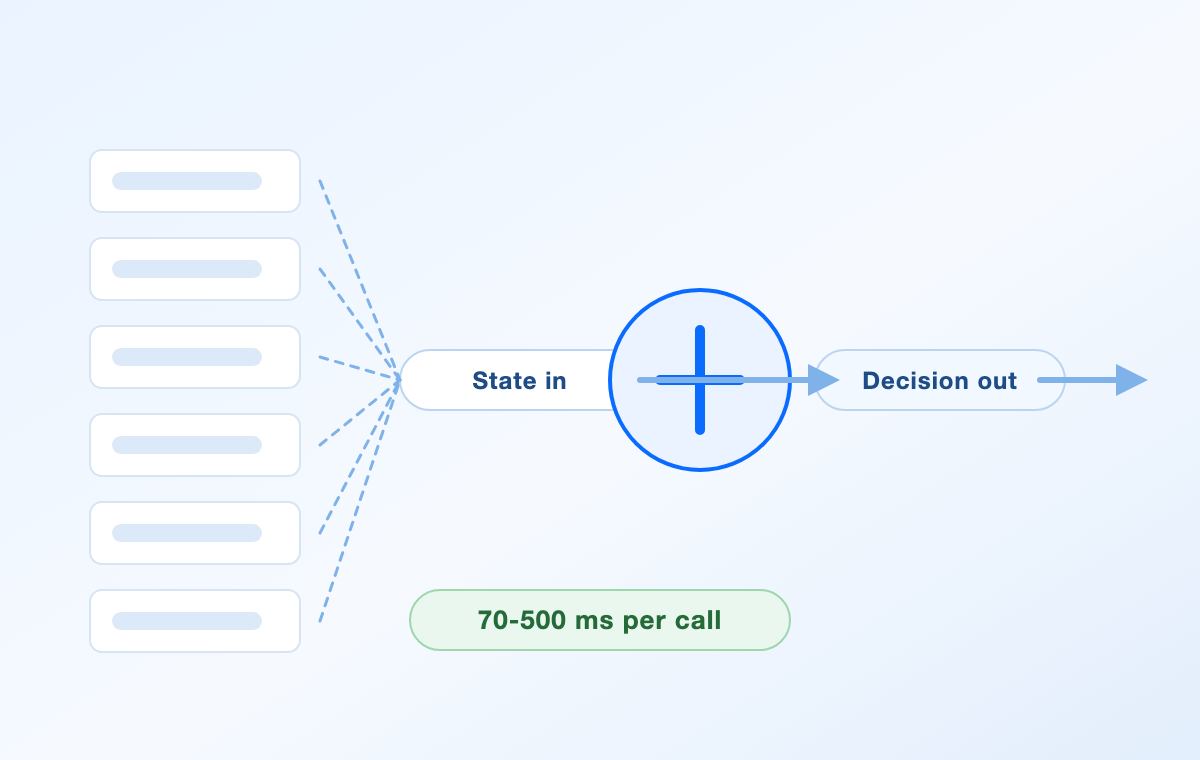
Jev turning high volume decisions


How Jev Works: Choice, Score, and Noul
You define the answers, Jev supplies the judgement. Every request carries a state (a paragraph, a JSON object, or an array of text) plus one or more typed questions, and all three question types can be mixed in a single call. Each question is evaluated in parallel and in isolation against the same state, so adding questions barely changes response time, and one crowded context does not blur the others.
Choice — choose one option from a list you provide. For example, which team should handle this ticket: billing, technical, or sales. It returns the chosen option, a probability for every option, and a confidence score.
Score — place the state on an ordered rubric you define, such as calm, frustrated, or very frustrated. It returns a score, the probability distribution across the rubric, and a confidence score.
Noul — decide whether a single statement is true, such as “this message requests a refund”. It returns a value between 0 and 1 rather than a text answer.
Under the hood, TypeSafe trained Jev with RLCD, short for Reinforcement Learning for Calibrated Decisions. Where RLHF optimises for responses human raters prefer, RLCD optimises for probabilities that honestly reflect outcomes, which is what makes confidence thresholds usable in production code at all.
Confidence is not a guarantee
Confidence is derived from the probability distribution of the answers, so a lopsided distribution scores high and a near-tie scores low. It is not the probability that this particular answer is correct. Calibration is measured across groups of predictions, so the useful move is to collect your own labelled samples, check how often confident answers were right, and only then pick a threshold for acting automatically versus escalating to a bigger model or a human.
What a request looks like
Calls go to POST https://api.typesafe.ai/v1/systemone with an API key, and TypeSafe ships Python and JavaScript SDKs plus a browser playground. The docs default to the jev-latest alias, which currently resolves to Jev 1.13 (jev-1.13.0), with a 64k token context per request. Input is text only: images, audio, and video are not supported yet.
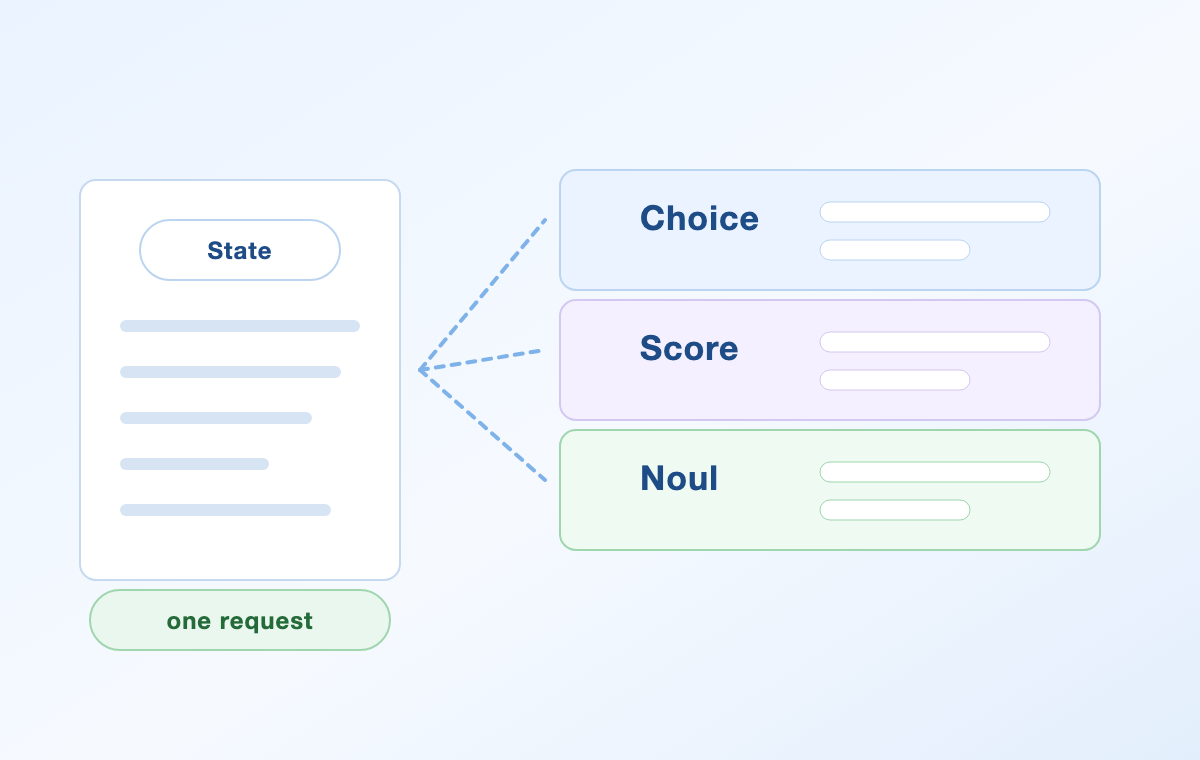
Jev Choice Score and Noul questions
Jev Use Cases for AI Agents and Developers
The fastest-growing use case is judging other AI. An agent that writes code, calls tools, and edits files has no reliable sense of whether it actually finished, and asking the same expensive model to grade its own work is slow and biased. Handing the trace to Jev and asking a few atomic questions is cheaper and easier to audit.
Task verification and acceptance. Ask whether the goal was met, whether anything is missing, and which quality band the result falls into. LangChain published a small experiment along these lines, scoring fixed agent outputs with Jev alongside GPT-5.6 Luna, GPT-5.6 Terra, and Claude Sonnet 4.6; Jev averaged roughly 0.44 seconds and about $0.00035 per call, with notably consistent scores across repeated runs. LangChain described the test as early and small, so treat the numbers as directional.
Tool selection and model routing. Because Jev can only answer within the options you define, it cannot invent a tool that does not exist. That makes it a natural router: choose which tool to call, which domain a request belongs to, and whether the prompt deserves an expensive reasoning model or a cheap one.
Guardrails on every input, output, and tool call. Check for prompt injection, jailbreak attempts, policy breaches, sensitive data, and broken tool arguments, then log the structured results so failures are traceable.
Context management. An open-source Claude Code plug-in scores tool output and terminal logs for relevance so the agent can compact its own context without losing what matters.
Semantic linting. Teams define coding or writing conventions as questions and run them in CI, flagging only the changes that break the rule.
The common thread is frequency. A single routing decision that saves 300 milliseconds is irrelevant; the same decision made hundreds of thousands of times a day is a design constraint.
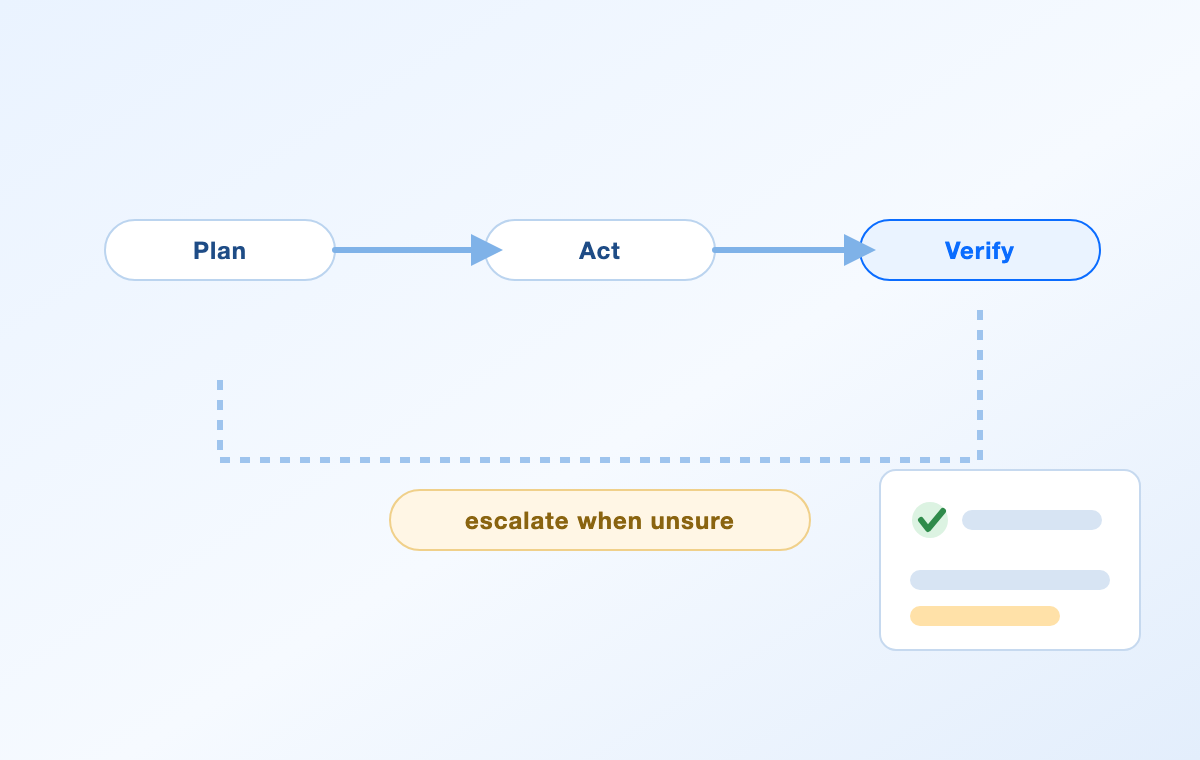
Jev verifying an agent work loop
Jev Use Cases for Triage, Moderation, and Risk Review
Customer-facing text work is mostly classification at volume, which fits Jev’s model well. Support teams classify incoming tickets by product area and intent, detect urgency, frustration, churn risk, and refund requests, then route cases to the right queue. The same questions can verify a drafted reply against the policy before it is sent.
Trust and safety teams apply it to nuanced moderation calls, combining a severity score with confidence to allow, warn, send for review, or block. In regulated industries the pattern repeats: insurers classify first-notice-of-loss reports and flag missing information, fraud teams screen transaction narratives and KYC documents, and legal teams check contracts and marketing claims against explicit requirements, escalating uncertain findings to a person.
Commerce and marketing use it a little differently. Marketplaces normalise messy seller listings and detect prohibited or counterfeit signals, while advertising teams score brand safety and check whether a landing page actually matches the ad that points to it.
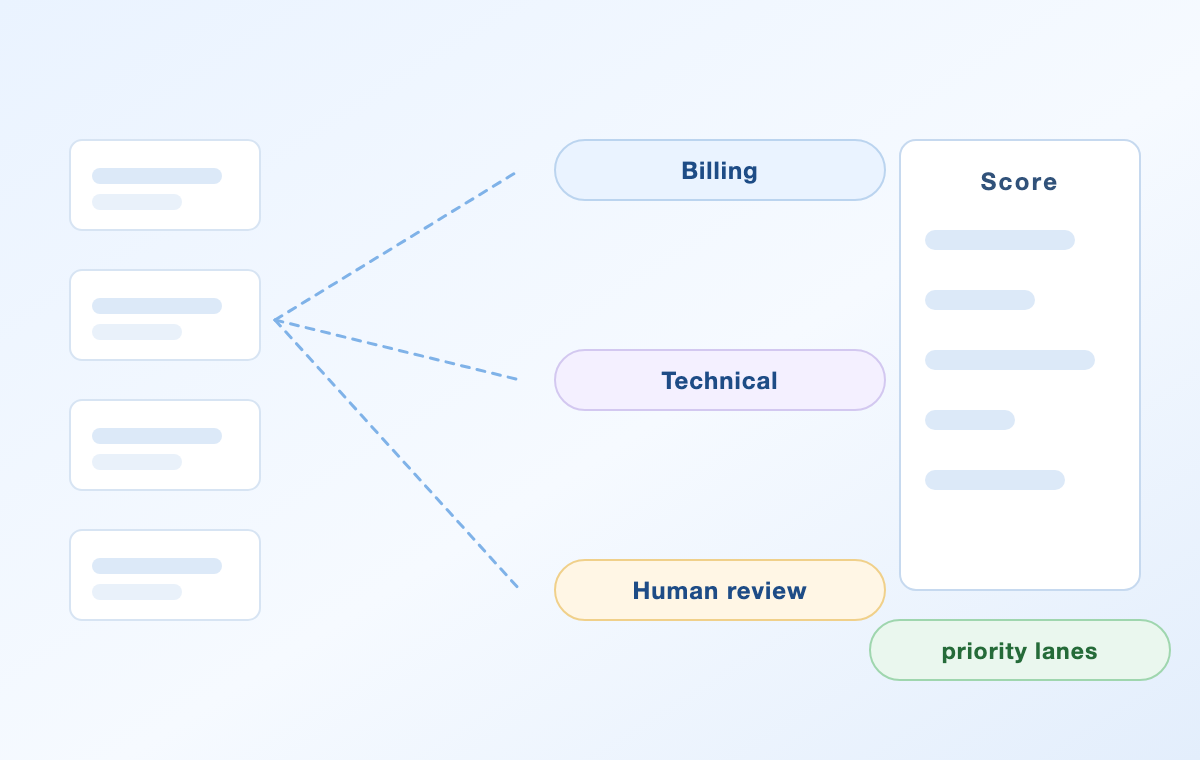
Jev triage scoring and routing lanes
Jev Use Cases for Search, Ranking, and Big-Data Labeling
Retrieval pipelines are full of small relevance judgements. Teams use Jev to score how well a document answers a query, rerank candidates, and pick the context worth passing to a downstream model, which is often cheaper than pushing more tokens through an assistant.
The economics show up most clearly in bulk work. One developer-published experiment classified 724 live ads from 37 brands across hook, format, offer, call to action, awareness stage, and ad-to-landing-page consistency, producing 8,724 separate judgements in about 40 seconds for roughly nine cents in token cost, at a median of about 216 milliseconds per ad. A separate community project labelled 10,000 comments on relevance, sentiment, and intent; it processed the batch in 203 seconds versus 823 seconds for a chat model on the same sample, at about $0.84 instead of $1.50, with accuracy within a few percentage points. That project is explicit that its accuracy figure came from AI review rather than a human gold standard, so read it as a workflow demonstration rather than a benchmark.
There is a quieter use case underneath all of this: feature extraction. Probabilistic outputs such as purchase intent, urgency, or competitive pressure become numeric features that feed ordinary machine-learning models or forecasting systems, turning unstructured text into signals a spreadsheet or model can use.
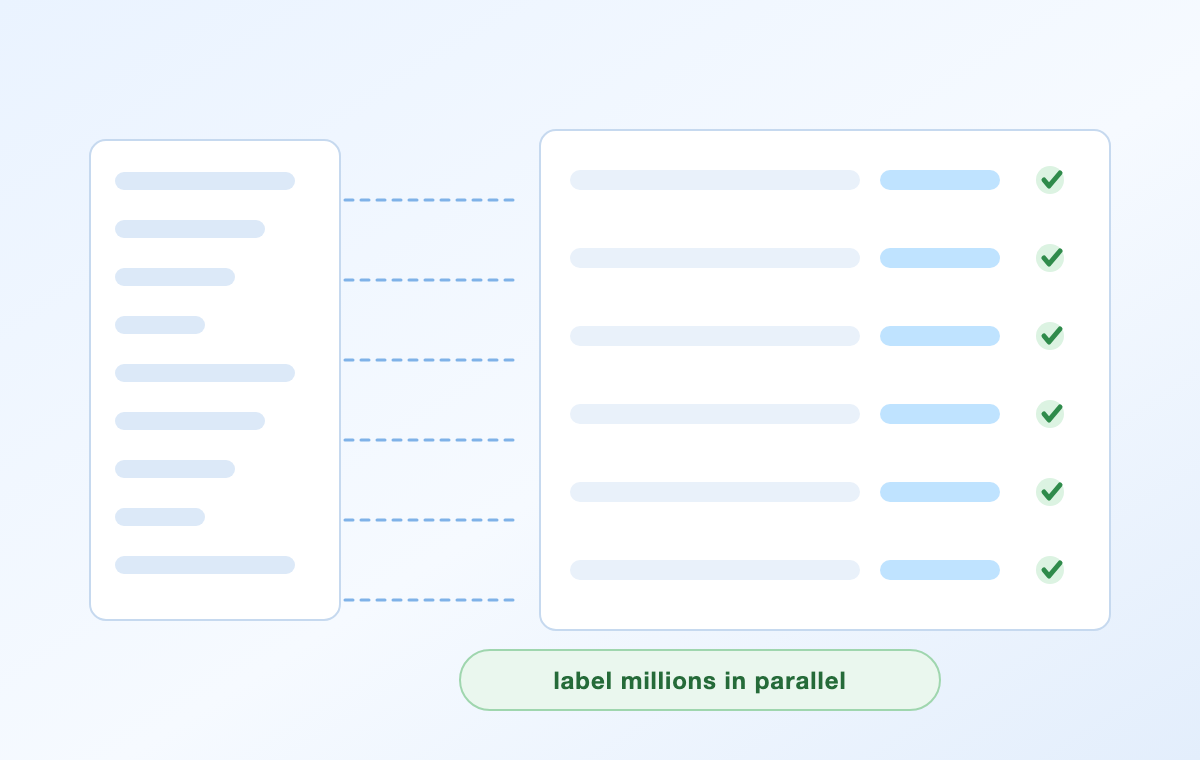
Jev labeling large datasets in parallel
Jev Use Cases in Real Time: Games, Browsers, and Devices
TypeSafe positions sub-150-millisecond decisions as fast enough to sit inside a user interface or a game loop, and the community has taken that literally. In a DOOM build, the game hands Jev a structured description of health, enemies, and exits, and Jev returns one action from a fixed list while the engine keeps rendering and physics. TypeSafe has described that setup running at roughly ten requests per second, and community videos show similar loops for other games.
Browser automation is the more commercially interesting example. The page is reduced to numbered elements, a generation model handles any writing that is needed, and Jev decides which element to click or which link to follow next. In one published flight-search run, the agent completed 17 Jev requests and 2 text-generation calls in about 7 seconds for roughly $0.004 in token cost.
Smart-device control shows the parallel questions pattern well. A single spoken instruction becomes several simultaneous questions — which device, what scope, which action — and the answers are combined in code before anything switches on. In each case, Jev is choosing; the surrounding software still owns control flow.
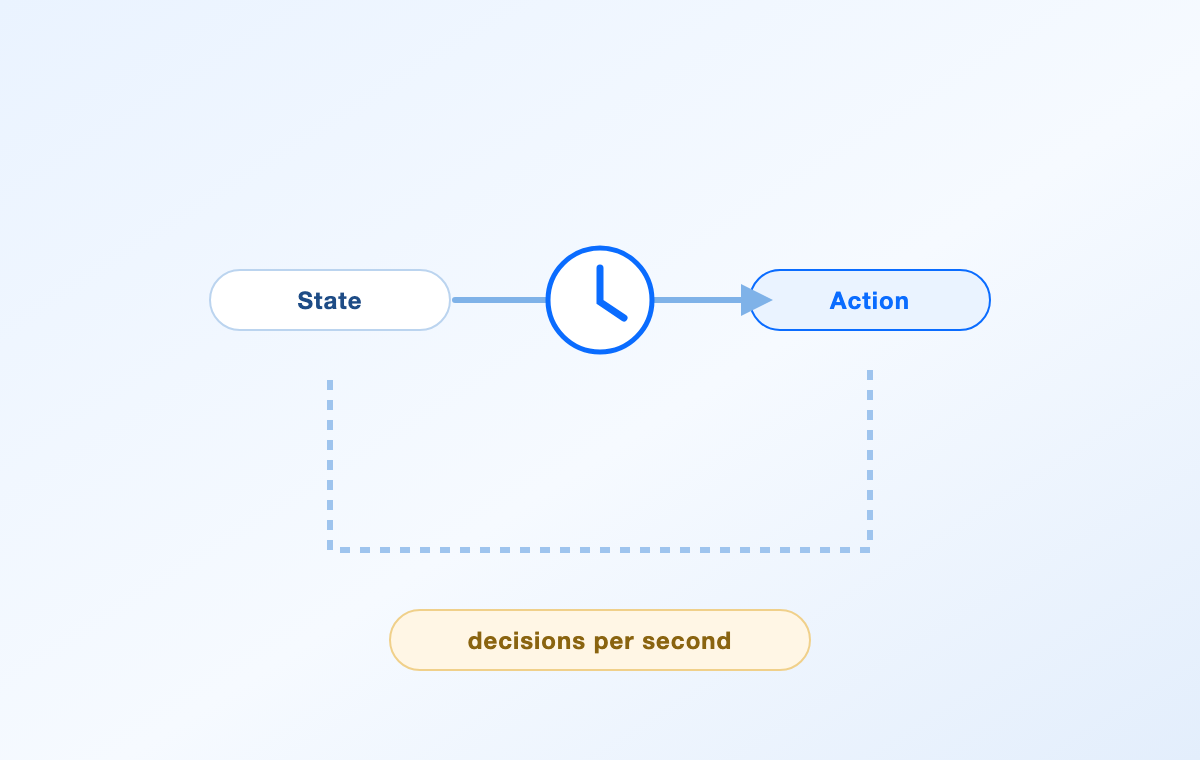
Jev realtime state to action loop
What Jev Cannot Do, and How to Test It Yourself
Jev is deliberately narrow, and the limits matter as much as the capabilities. It does not write prose, generate code, explain its reasoning, or hold a conversation, and it will not help with long multi-step derivations. Input is text only, so images, audio, and video have to be converted to text or structured fields first. Context is capped at 64k tokens per request, with 32k available for the state plus the longest question. English is the primary training language and where accuracy is best; other languages, including CJK scripts, work but should be tested on your own content. Rate limits are explicitly subject to change while TypeSafe scales capacity.
TypeSafe’s own headline numbers for Jev, up to roughly 193 times faster and 444 times cheaper on some workflow tasks, come from a test set the company built, and the post itself flags those as the high end of the expected range. The honest way to read any of these figures, vendor or community, is as a reason to run your own test.
A four-step way to evaluate Jev on your own data
Pick one high-frequency decision. Choose a judgement your system already makes thousands of times a day, where the answer space is small and the cost of a wrong call is bounded.
Write atomic questions with explicit criteria. One question per factor, with the options and rubric spelled out, then combine the results with your own logic instead of asking for a single holistic verdict.
Measure against labelled samples. Score a few hundred examples you have already labelled and compare accuracy per question, plus how well confidence tracks correctness.
Set thresholds and a fallback. Decide what confidence is enough to act automatically, what should escalate to a larger model, and what should go to a person, then keep the questions and thresholds in one reviewable file.
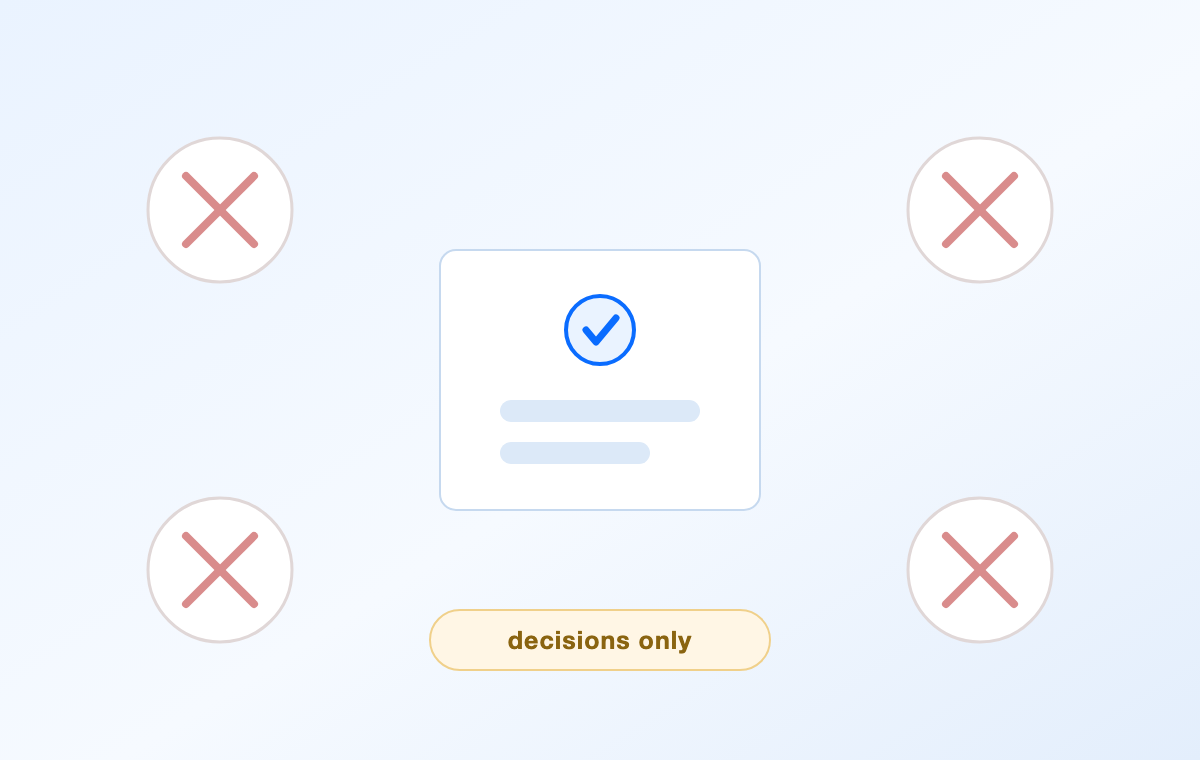
Jev decisions only model limits
Where Jev Fits in a Document Workflow With WPS Office
It is worth being blunt about one thing: Jev is developer infrastructure, not an app you open. There is no Jev button in your word processor, and Typesafe sells API access rather than a writing assistant. If you want AI help inside a document, that job belongs to a document suite.
WPS Office Writer is the free, Word-compatible route to that, and WPS AI sits inside the document rather than in a separate tab. It drafts content from a prompt, rewrites and polishes wording, adjusts tone, expands or shortens paragraphs, summarises long documents, translates them, and checks spelling and grammar, all while you stay in a .doc or .docx file you can share with anyone.
The two live on different layers, and that is the useful part. Jev-style checks answer narrow factual questions about text at volume — does this cited passage support the claim, is a required clause missing, is this claim consistent with the policy you supplied — while WPS AI handles the writing and editing itself. A team building a review pipeline can put a decision check in front of the human editor; an individual can get most of the same outcomes by drafting in Writer, letting WPS AI tighten the result, and keeping a short checklist next to it.
A simple version of that workflow: write or paste your draft in WPS Writer, run WPS AI spell check and rewrite passes on the weakest sections, verify the facts and citations yourself, then export to .docx or PDF from the same window. If you want to see how AI tools compare by task before you commit, our 2026 AI tier list sorts tools by use case, and WPS Office is free to install on Windows, macOS, Linux, Android, iOS, and the web.

WPS AI writing tools in WPS Office
FAQs
Is Jev a replacement for ChatGPT or Claude?
No. Jev does not generate text, code, or explanations, so it cannot write your email or refactor your project. It replaces the small decisions you would otherwise ask an LLM to make: routing, classification, scoring, verification, and tool selection. Most teams that adopt it keep a text-generating model for writing and use Jev for the judgements around it.
What do Choice, Score, and Noul return?
Choice returns the option Jev picked from your list, a probability for each option, and a confidence score. Score returns a value on your rubric plus the probability distribution and confidence. Noul returns a number between 0 and 1 for whether a statement is true. All three can be asked together about the same state in one request.
How much does Jev cost?
TypeSafe lists Jev 1.13 at $0.042 per million input tokens, with output tokens free, which works out to $42 per billion input tokens. Access is usage-based through an API key rather than a consumer subscription, and rate limits are published in the docs.
How fast is Jev, and what are the limits?
TypeSafe quotes 70 to 500 milliseconds end to end. Requests carry a 64k token context, inputs must be text, and the docs note that images, audio, and video are not supported yet. Rate limits are being adjusted while the service scales, so check the model page before you size a production workload.
Should I use Jev for non-English content or document work?
Test first if your content is not English. English is the primary training language and the strongest, while other languages work but are not equally accurate. For document work in general, keep the writing and editing in a tool built for it, such as WPS Office Writer with WPS AI, and reserve a decision model for the automated checks around that document.


'%3e%3cpath%20d='M19.9911%204.11386V6.471H18.5894C18.0775%206.471%2017.7322%206.57814%2017.5536%206.79243C17.3751%207.00671%2017.2858%207.32814%2017.2858%207.75671V9.44421H19.9019L19.5536%2012.0871H17.2858V18.8639H14.5536V12.0871H12.2769V9.44421H14.5536V7.49779C14.5536%206.39064%2014.8632%205.53201%2015.4822%204.92189C16.1013%204.31177%2016.9257%204.00671%2017.9554%204.00671C18.8304%204.00671%2019.509%204.04243%2019.9911%204.11386Z'%20fill='%23333333'/%3e%3c/g%3e%3cdefs%3e%3cclipPath%20id='clip0_2938_8199'%3e%3crect%20width='16'%20height='16'%20fill='white'%20transform='translate(8%204.00671)'/%3e%3c/clipPath%3e%3c/defs%3e%3c/svg%3e)
'%3e%3cpath%20d='M17.5237%2010.7813L23.4811%204H22.0699L16.8949%209.88693L12.7648%204H8L14.2469%2012.9029L8%2020.0133H9.4112L14.8725%2013.7952L19.2352%2020.0133H24M9.92053%205.04213H12.0885L22.0688%2019.0224H19.9003'%20fill='%23333333'/%3e%3c/g%3e%3cdefs%3e%3cclipPath%20id='clip0_2938_8200'%3e%3crect%20width='16'%20height='16.0134'%20fill='white'%20transform='translate(8%204)'/%3e%3c/clipPath%3e%3c/defs%3e%3c/svg%3e)


