

'%3e%3cpath%20d='M8%200C12.4183%200%2016%203.58172%2016%208C16%2012.4183%2012.4183%2016%208%2016C3.58172%2016%200%2012.4183%200%208C0%203.58172%203.58172%200%208%200ZM11.6162%204.38379C11.2257%203.99337%2010.5927%203.99338%2010.2021%204.38379L8%206.58594L5.79785%204.38379C5.40732%203.99334%204.77429%203.99329%204.38379%204.38379C3.99331%204.77429%203.99335%205.40733%204.38379%205.79785L6.58594%208L4.38379%2010.2021C3.99348%2010.5927%203.99341%2011.2257%204.38379%2011.6162C4.77426%2012.0066%205.40734%2012.0065%205.79785%2011.6162L8%209.41406L10.2021%2011.6162C10.5927%2012.0066%2011.2257%2012.0067%2011.6162%2011.6162C12.0067%2011.2257%2012.0066%2010.5927%2011.6162%2010.2021L9.41406%208L11.6162%205.79785C12.0066%205.40735%2012.0066%204.77429%2011.6162%204.38379Z'%20fill='%23080E17'%20fill-opacity='0.46'/%3e%3c/g%3e%3cdefs%3e%3cclipPath%20id='clip0_3761_713'%3e%3crect%20width='16'%20height='16'%20fill='white'/%3e%3c/clipPath%3e%3c/defs%3e%3c/svg%3e)




'%3e%3cpath%20fill-rule='evenodd'%20clip-rule='evenodd'%20d='M21.4999%2010.9993C21.4999%205.20009%2016.7986%200.498901%2010.9993%200.498901C5.19994%200.498901%200.498657%205.20009%200.498657%2010.9993C0.498657%2016.2404%204.33858%2020.5844%209.35855%2021.3722V14.0346H6.69238V10.9993H9.35855V8.68594C9.35855%206.05427%2010.9262%204.60062%2013.3248%204.60062C14.4736%204.60062%2015.6753%204.80571%2015.6753%204.80571V7.38979H14.3512C13.0468%207.38979%2012.64%208.19921%2012.64%209.0296V10.9993H15.5523L15.0867%2014.0346H12.64V21.3722C17.66%2020.5844%2021.4999%2016.2404%2021.4999%2010.9993Z'%20fill='%231568EA'/%3e%3c/g%3e%3c/svg%3e)


'%3e%3cpath%20d='M2.42045%2022.1876H6.31818V12.7217L0.75%208.54553V20.5171C0.75%2021.4414%201.49892%2022.1876%202.42045%2022.1876Z'%20fill='%234285F4'/%3e%3cpath%20d='M19.682%2022.1876H23.5797C24.5041%2022.1876%2025.2502%2021.4387%2025.2502%2020.5171V8.54553L19.682%2012.7217'%20fill='%2334A853'/%3e%3cpath%20d='M19.682%205.48293V12.7216L25.2502%208.54543V6.31816C25.2502%204.25236%2022.8921%203.07469%2021.2411%204.31361'%20fill='%23FBBC04'/%3e%3cpath%20d='M6.31824%2012.7217V5.48303L13.0001%2010.4944L19.6819%205.48303V12.7217L13.0001%2017.733'%20fill='%23EA4335'/%3e%3cpath%20d='M0.75%206.31816V8.54543L6.31818%2012.7216V5.48293L4.75909%204.31361C3.10534%203.07469%200.75%204.25236%200.75%206.31816Z'%20fill='%23C5221F'/%3e%3c/g%3e%3cdefs%3e%3cclipPath%20id='clip0_2954_7305'%3e%3crect%20width='24.5'%20height='18.375'%20fill='white'%20transform='translate(0.75%203.8125)'/%3e%3c/clipPath%3e%3c/defs%3e%3c/svg%3e)


AI-powered slide tools have transformed the way presentations are created. Many professionals, educators, and students struggle to choose between tools like Beautiful AI and Gamma, unsure which fits their workflow best. In this Beautiful AI vs Gamma guide, the comparison dives into real features, practical pros and cons, pricing, and template options. It also highlights WPS AI Slides as a smarter alternative, combining AI-generated content with full editing freedom. By the end, you’ll understand which tool works best for your workflow, helping you save time and create professional presentations without getting lost in trial and error.

Beautiful AI vs Gamma: Pricing and Highlights
Before we compare costs and standout features, it helps to understand the vibes of these two AI slide creators. Beautiful AI leans into structured, polished designs built for business presentations, while Gamma focuses on rapid, narrative-style slide generation using AI. This section breaks down what you pay for and what you actually get from each.
Beautiful AI: Introduction
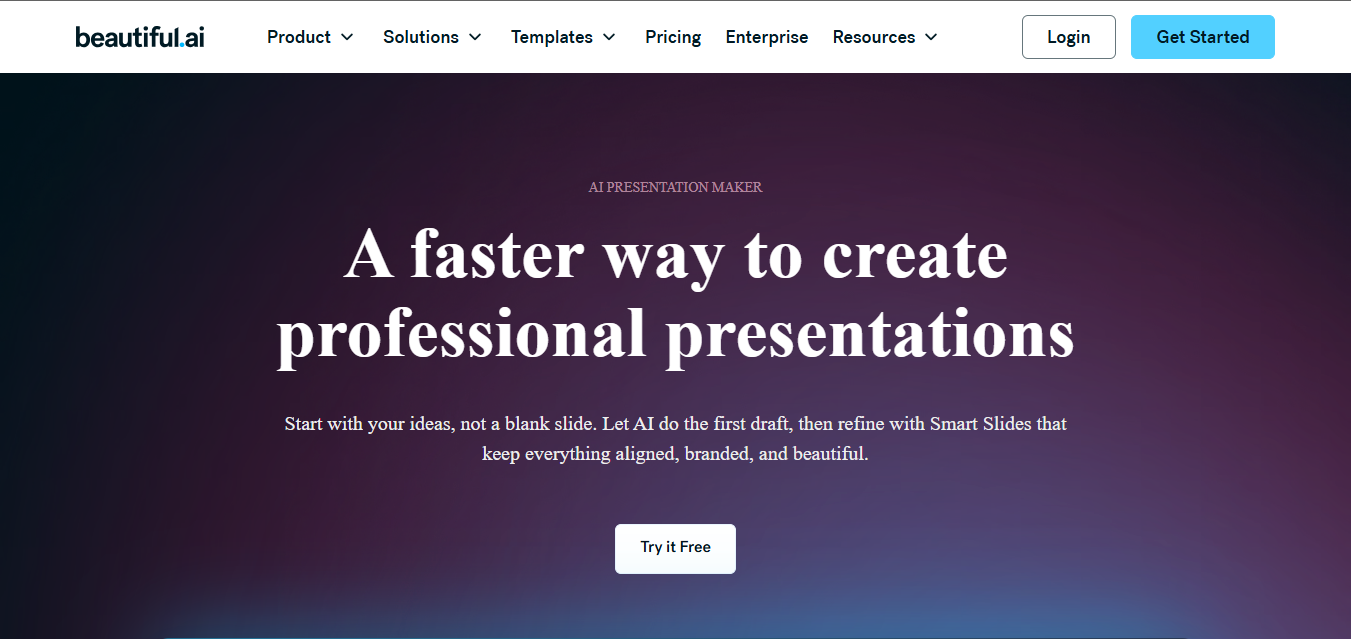
Beautiful AI is designed for people who care deeply about structure and visual consistency. When I first used it, the biggest difference I noticed was how opinionated the design system felt. You’re guided into layouts that already look professional, which reduces design mistakes fast. It feels especially built for business decks where alignment, spacing, and hierarchy matter. You don’t start from a blank slide; instead, you work within smarttemplates. This makes it feel reliable for teams that want predictable results.
Pricing:
Beautiful AI offers tiered pricing aimed at individuals and teams. The paid plans unlock advanced templates, brand controls, and collaboration tools.
For solo users, the cost can feel premium, but teams benefit from shared branding and centralized design rules.
Pros:
Smart templates automatically adjust layouts as you add content, which saves time during revisions.
Strong brand control features help you keep fonts, colors, and layouts consistent across decks.
Output quality feels polished and client-ready without extra design effort.
Cons:
Creative flexibility is limited if you want unconventional layouts or storytelling formats.
Exporting and tweaking slides in traditional PPT tools can feel restrictive.
Pricing may feel high if you only create presentations occasionally.
I found Beautiful AI dependable for professional decks, but it expects you to trust its design rules almost fully.
Gamma: Introduction
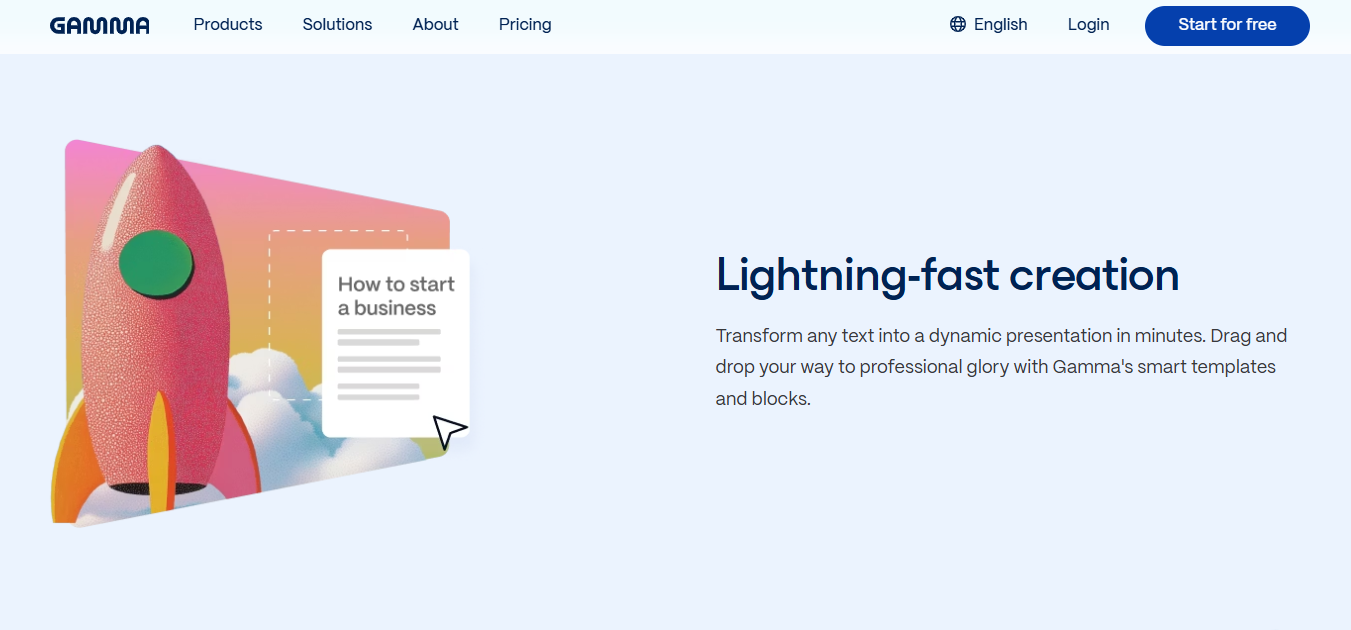
Gamma AI takes a very different approach. Instead of focusing on slide-by-slide perfection, it prioritizes fast content generation and narrative flow. When I tested Gamma AI presentation generator features, it felt closer to a storytelling tool than a traditional slide builder. You input an idea, and Gamma builds a structured narrative almost instantly. This speed is impressive for brainstorming and early drafts. It’s less about pixel-perfect slides and more about momentum.

Pricing:
Gamma offers a freemium model with limits on exports and advanced AI usage.
Paid plans unlock higher-quality exports and more customization options.
Pros:
Extremely fast slide creation using AI-generated content and layouts.
Simple interface that beginners can pick up within minutes.
Ideal for quick pitch drafts and internal presentations.
Cons:
Limited PowerPoint compatibility impacts traditional workflows.
Custom design control is minimal compared to structured tools.
Slides may need refinement for formal business settings.
Gamma helped me move from idea to draft fast, but I often needed another tool to finalize the deck.
Beautiful AI vs Gamma: Template Repository
Before we dive into how templates shape your workflow, it’s key to understand how each platform approaches ready-made slide designs. Beautiful AI comes with curated, structured templates that keep your decks looking consistent and professional. Gamma takes a more flexible, on-the-fly layout approach that adapts dynamically to your content.
Beautiful AI Templates
Beautiful AI’s template library focuses on business-ready formats. You’ll find layouts for reports, timelines, comparisons, and pitch decks. Each template feels intentional, built to guide attention logically. Instead of overwhelming choices, the platform offers fewer but higher-quality templates. This helps you stay focused on content instead of design decisions, making it easier to consider a Beautiful AI alternative if more flexibility or customization is needed.

I trusted these templates for client-facing work because they rarely needed visual fixes, making them a strong reference point in any Gamma vs Beautiful AI PPT comparison.
Gamma Templates
Gamma’s templates are more fluid and narrative-driven. They adapt dynamically based on your text input. You won’t browse a large static library; instead, the AI builds layoutson the fly. This feels refreshing but less predictable, especially when comparing it to a Beautiful AI presentation tool designed for structured, polished decks. It’s better for storytellingdecks than structured reports.
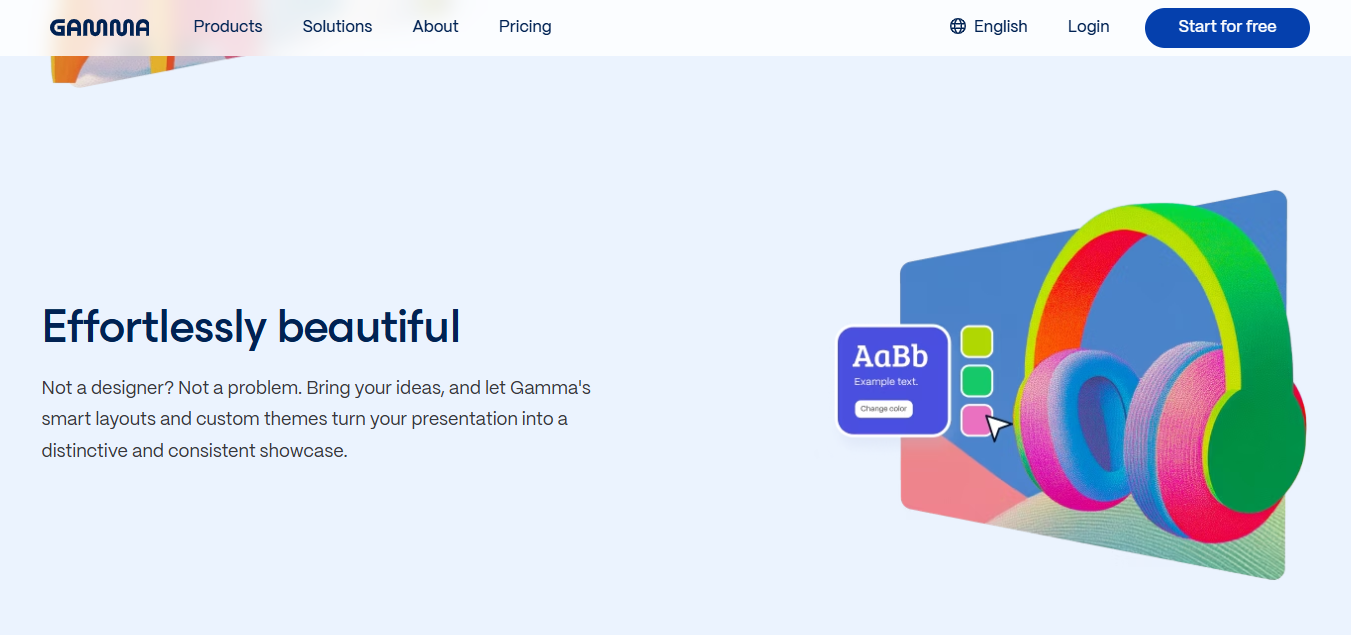
Gamma templates felt exciting early on, but consistency became an issue for longer decks.
Beautiful AI vs Gamma: Fonts
Before we get into Beautiful AI vs Gamma when it comes to their fonts, it’s helpful to know that typography plays a big role in how your audience perceives your slides. Beautiful AI uses controlled font choices to keep designs clean and consistent. Gamma’s font handling is more flexible but leans on automatic adjustments to suit your content flow.
Beautiful AI limits font choices to maintain designharmony. While this might feel restrictive, it ensures professional readability. Brand font uploads are supported in higher plans, which helps teams stay aligned. Gamma offers more freedom but fewer advanced font controls. Typography adapts automatically based on content type. This works for casual decks but feels less controlled for formal use.
Font choices were fine, but I missed deeper control for branding. For teams working with strict brand guidelines, this can slow things down or force compromises. I often found myself wishing for more control over font pairing and hierarchy to better match existing brand assets.
Beautiful AI vs Gamma: Animations and Transitions
Animations in Beautiful AI are subtle and professional. They support clarity rather than flashiness. You won’t find heavy transitions, but the flow feels clean. These animations worked well for corporate presentations without distracting the audience. Gamma uses smooth, modern transitions that feel web-native. They enhance storytelling but may feel informal in boardroom settings. I liked the flow, but I avoided them for serious business decks.
A Smarter AI Presentation Alternative – WPS AI Slides
After working with both tools, I noticed a gap that WPS AI Slides fills well. It combines AI generation with full editing freedom. You’re not locked into rigid systems or limited exports. WPS AI Slides works inside WPS Office, which feels familiar if you’ve used PowerPoint-style tools before. You get AI assistance without losing manual control.
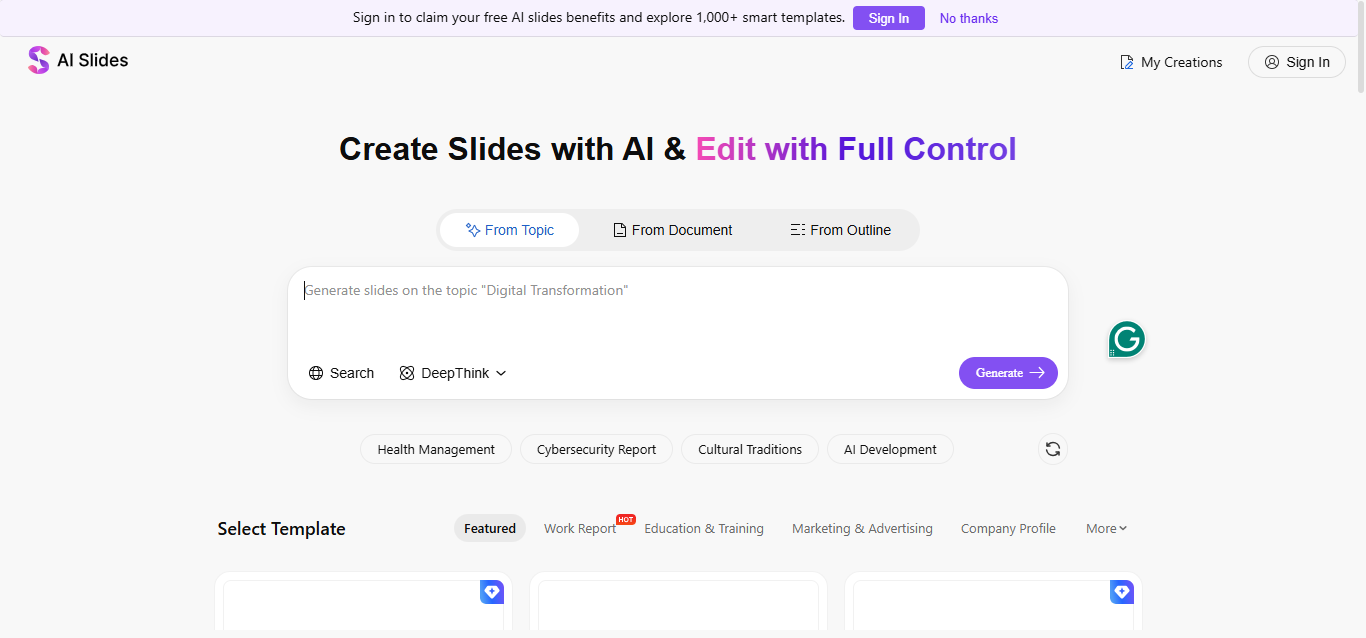
What stands out is how smoothly it fits into real-world workflows where revisions, feedback, and file sharing are routine. Slides can be refined down to small details without fighting preset limitations. This balance makes it practical for business, academic, and long-term presentation needs.
Features
AI-generatedslide outlines and structured content that you can fully edit.
PowerPoint-compatible files that fit traditional workflows.
Rich templates and themes for business, education, and academic use.
Seamless integration with WPS Office for offline and online work.
How to Use WPS AI Slides
Before jumping into steps, it helps to know that WPS AI Slides is built for flexibility, not automation alone. Here’s an easy step by step guide on how to use this tool.
Steps:
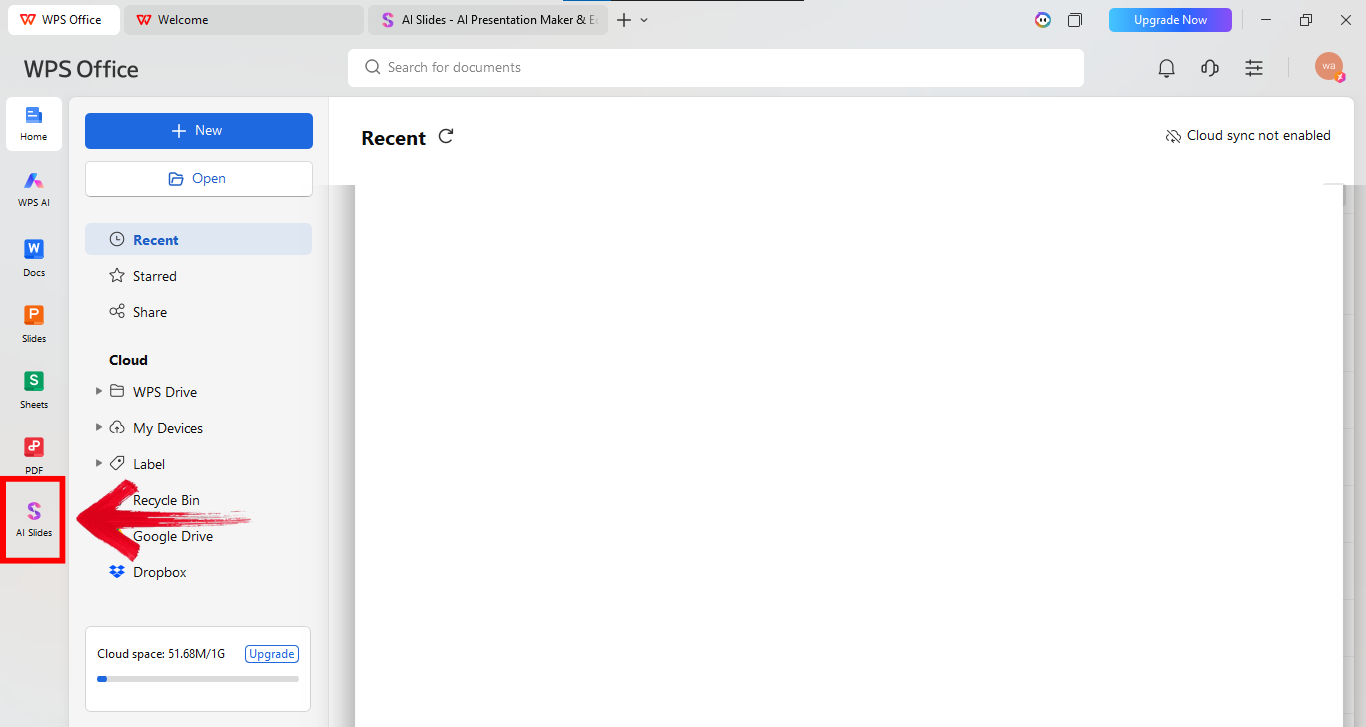
Step 1: First of all, open WPS office and click AI Slides from the panel on the left side of your screen.
Step 2: Now explain your startup in the prompt box. Give details about the audience, and goal. Longer prompts work better here. Once done, click “Generate” to bring the presentation to life.

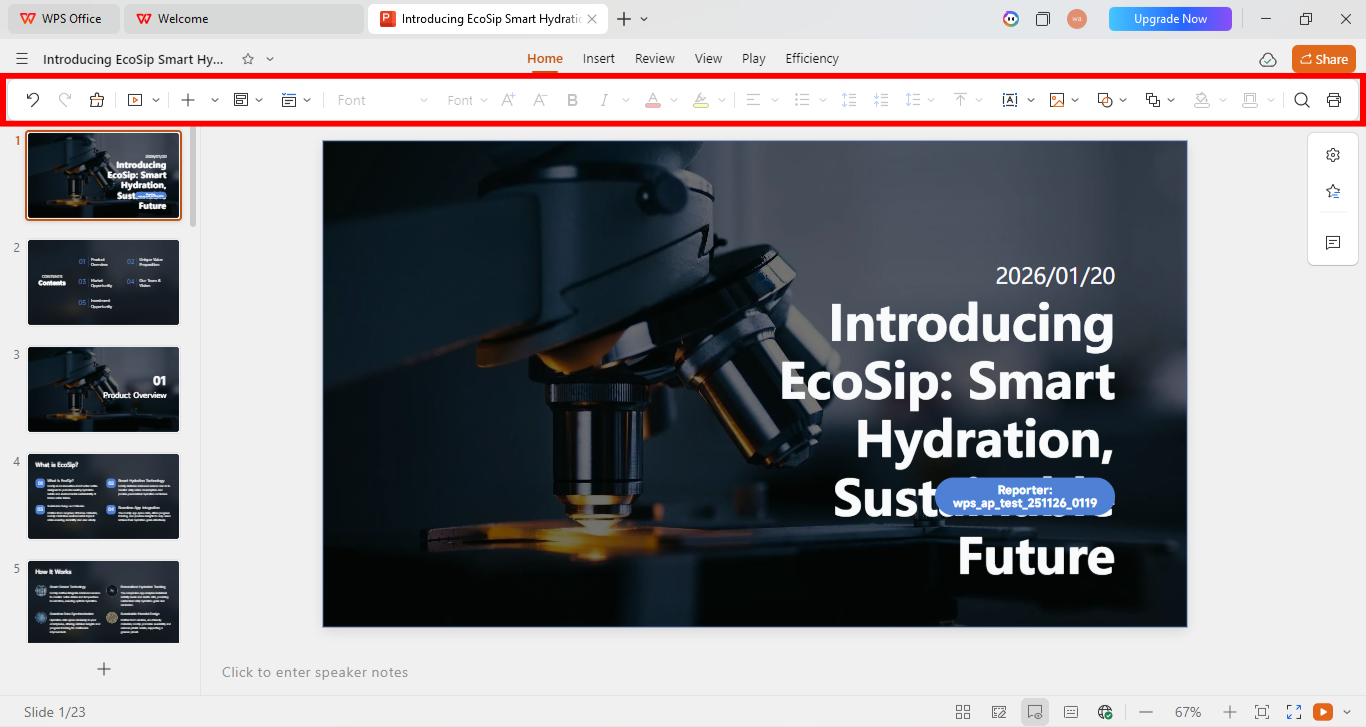
Step 3: Once the presentation is there, use the editing panel above your presentation to make relevant changes.
Step 4: Now go to the options on the top left of your screen and click “Export as” to export the file in your preferred file type.
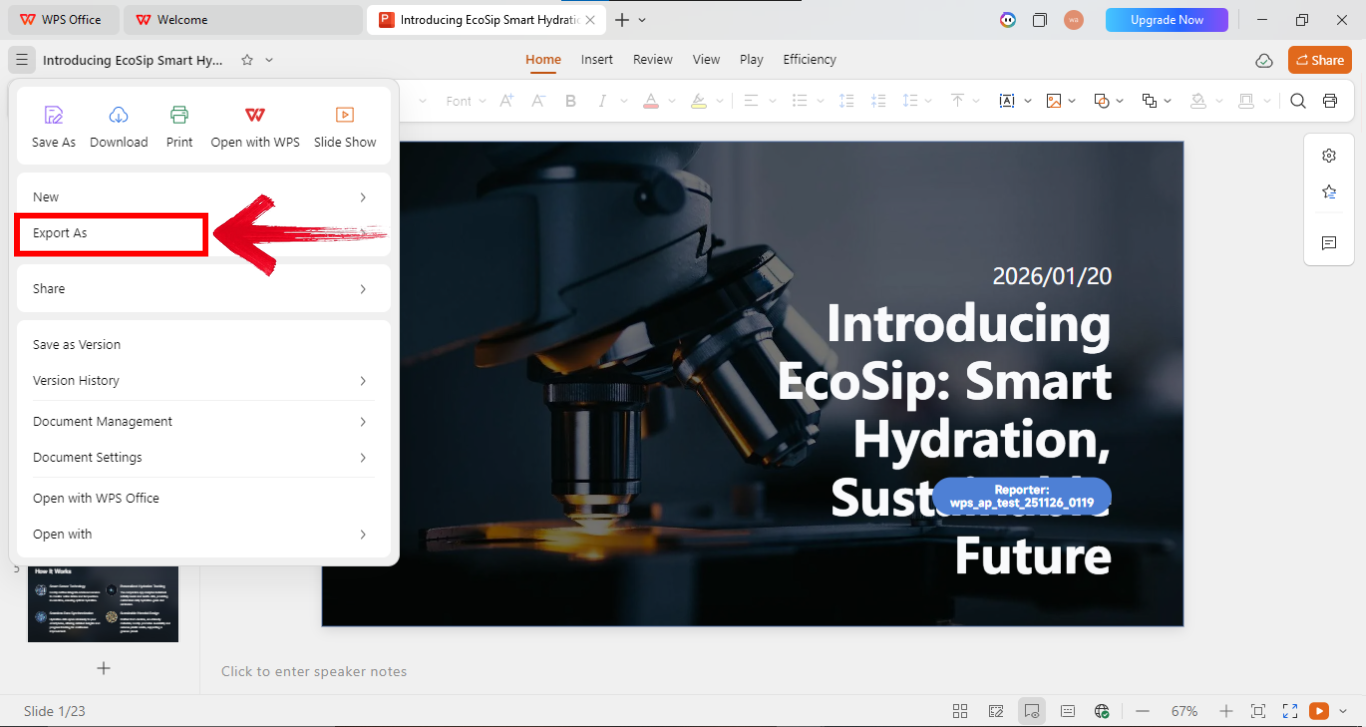
Alt text: Export file
This felt like the most balanced option when I needed both speed and control.
FAQs
Q1: Is Beautiful AI better than Gamma?
Beautiful AI works better for structured business presentations, while Gamma focuses on fast storytelling decks.
Q2: Can Gamma export to PowerPoint?
Gamma offers limited export options, which can affect traditional PPT workflows.
Q3: Which tool is better for beginners?
Gamma is easier for quick drafts, while Beautiful AI takes some learning but rewards consistency.
Q4: Is Beautiful AI a good Gamma alternative?
Yes, for users who prioritize design consistency over speed.
Q5: Which tool suits academic presentations?
WPS AI Slides often fits better due to editable and PPT-compatible outputs.
Closing Insights
This Beautiful AI vs Gamma comparison highlights two distinct approaches to creating AI-powered presentations. Beautiful AI focuses on structure, polished layouts, and design consistency, making it ideal for professional decks. Gamma prioritizes speed and storytelling, helping users generate content quickly. For those who need a balance of automation and control, WPS AI Slides offers a practical alternative. It combines AI-generated slide creation with full editing freedom, letting users refine every detail while still benefiting from smart automation.

'%3e%3cpath%20d='M19.9911%204.11386V6.471H18.5894C18.0775%206.471%2017.7322%206.57814%2017.5536%206.79243C17.3751%207.00671%2017.2858%207.32814%2017.2858%207.75671V9.44421H19.9019L19.5536%2012.0871H17.2858V18.8639H14.5536V12.0871H12.2769V9.44421H14.5536V7.49779C14.5536%206.39064%2014.8632%205.53201%2015.4822%204.92189C16.1013%204.31177%2016.9257%204.00671%2017.9554%204.00671C18.8304%204.00671%2019.509%204.04243%2019.9911%204.11386Z'%20fill='%23333333'/%3e%3c/g%3e%3cdefs%3e%3cclipPath%20id='clip0_2938_8199'%3e%3crect%20width='16'%20height='16'%20fill='white'%20transform='translate(8%204.00671)'/%3e%3c/clipPath%3e%3c/defs%3e%3c/svg%3e)
'%3e%3cpath%20d='M17.5237%2010.7813L23.4811%204H22.0699L16.8949%209.88693L12.7648%204H8L14.2469%2012.9029L8%2020.0133H9.4112L14.8725%2013.7952L19.2352%2020.0133H24M9.92053%205.04213H12.0885L22.0688%2019.0224H19.9003'%20fill='%23333333'/%3e%3c/g%3e%3cdefs%3e%3cclipPath%20id='clip0_2938_8200'%3e%3crect%20width='16'%20height='16.0134'%20fill='white'%20transform='translate(8%204)'/%3e%3c/clipPath%3e%3c/defs%3e%3c/svg%3e)


