

'%3e%3cpath%20d='M8%200C12.4183%200%2016%203.58172%2016%208C16%2012.4183%2012.4183%2016%208%2016C3.58172%2016%200%2012.4183%200%208C0%203.58172%203.58172%200%208%200ZM11.6162%204.38379C11.2257%203.99337%2010.5927%203.99338%2010.2021%204.38379L8%206.58594L5.79785%204.38379C5.40732%203.99334%204.77429%203.99329%204.38379%204.38379C3.99331%204.77429%203.99335%205.40733%204.38379%205.79785L6.58594%208L4.38379%2010.2021C3.99348%2010.5927%203.99341%2011.2257%204.38379%2011.6162C4.77426%2012.0066%205.40734%2012.0065%205.79785%2011.6162L8%209.41406L10.2021%2011.6162C10.5927%2012.0066%2011.2257%2012.0067%2011.6162%2011.6162C12.0067%2011.2257%2012.0066%2010.5927%2011.6162%2010.2021L9.41406%208L11.6162%205.79785C12.0066%205.40735%2012.0066%204.77429%2011.6162%204.38379Z'%20fill='%23080E17'%20fill-opacity='0.46'/%3e%3c/g%3e%3cdefs%3e%3cclipPath%20id='clip0_3761_713'%3e%3crect%20width='16'%20height='16'%20fill='white'/%3e%3c/clipPath%3e%3c/defs%3e%3c/svg%3e)



'%3e%3cpath%20fill-rule='evenodd'%20clip-rule='evenodd'%20d='M21.4999%2010.9993C21.4999%205.20009%2016.7986%200.498901%2010.9993%200.498901C5.19994%200.498901%200.498657%205.20009%200.498657%2010.9993C0.498657%2016.2404%204.33858%2020.5844%209.35855%2021.3722V14.0346H6.69238V10.9993H9.35855V8.68594C9.35855%206.05427%2010.9262%204.60062%2013.3248%204.60062C14.4736%204.60062%2015.6753%204.80571%2015.6753%204.80571V7.38979H14.3512C13.0468%207.38979%2012.64%208.19921%2012.64%209.0296V10.9993H15.5523L15.0867%2014.0346H12.64V21.3722C17.66%2020.5844%2021.4999%2016.2404%2021.4999%2010.9993Z'%20fill='%231568EA'/%3e%3c/g%3e%3c/svg%3e)


'%3e%3cpath%20d='M2.42045%2022.1876H6.31818V12.7217L0.75%208.54553V20.5171C0.75%2021.4414%201.49892%2022.1876%202.42045%2022.1876Z'%20fill='%234285F4'/%3e%3cpath%20d='M19.682%2022.1876H23.5797C24.5041%2022.1876%2025.2502%2021.4387%2025.2502%2020.5171V8.54553L19.682%2012.7217'%20fill='%2334A853'/%3e%3cpath%20d='M19.682%205.48293V12.7216L25.2502%208.54543V6.31816C25.2502%204.25236%2022.8921%203.07469%2021.2411%204.31361'%20fill='%23FBBC04'/%3e%3cpath%20d='M6.31824%2012.7217V5.48303L13.0001%2010.4944L19.6819%205.48303V12.7217L13.0001%2017.733'%20fill='%23EA4335'/%3e%3cpath%20d='M0.75%206.31816V8.54543L6.31818%2012.7216V5.48293L4.75909%204.31361C3.10534%203.07469%200.75%204.25236%200.75%206.31816Z'%20fill='%23C5221F'/%3e%3c/g%3e%3cdefs%3e%3cclipPath%20id='clip0_2954_7305'%3e%3crect%20width='24.5'%20height='18.375'%20fill='white'%20transform='translate(0.75%203.8125)'/%3e%3c/clipPath%3e%3c/defs%3e%3c/svg%3e)


Chinese AI models have drawn global attention for strong Chinese-language understanding, competitive pricing, and workflows that fit Asia-focused business and study. This guide reviews seven practical Chinese AI tools—from general large language models to office-focused AI—so you can choose what fits research, trade, coding, or day-to-day document work.
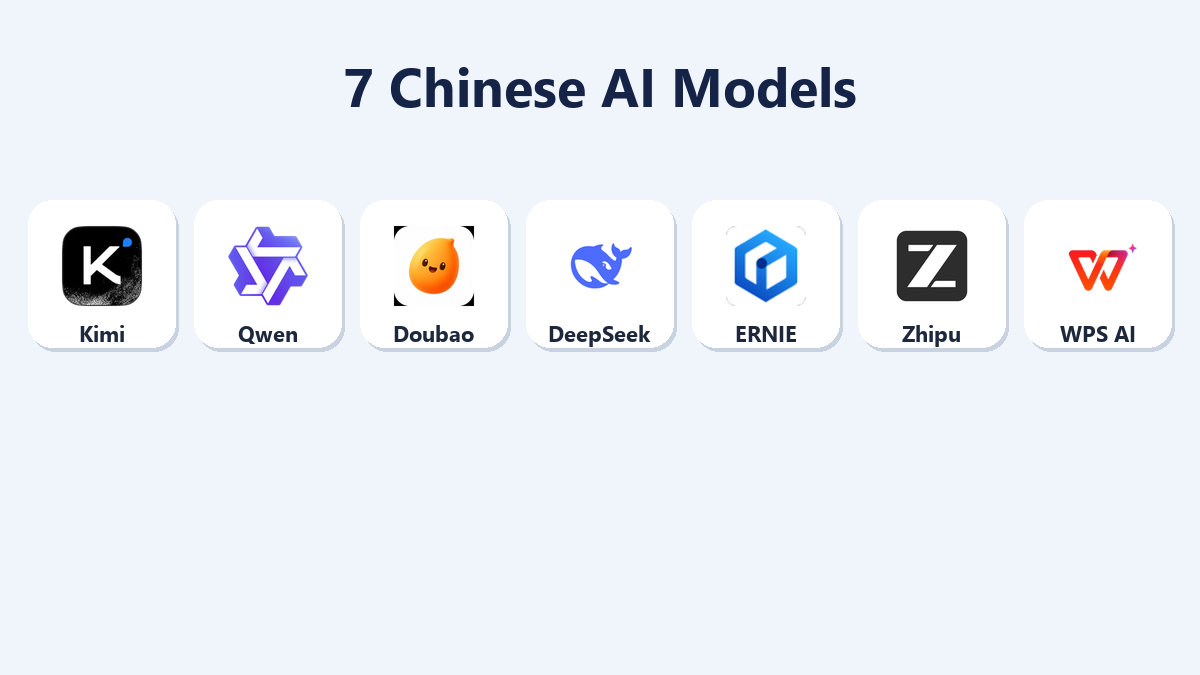
Quick answer: Start with DeepSeek when coding, math, or technical reasoning is the main job—strong engineering performance, solid open-source options, and practical local-deploy paths. Then pick specialists: Kimi for long documents, Tongyi Qwen for multilingual business and deployment, Doubao for creative content, ERNIE Bot for formal/factual drafting, and Zhipu Qingyan for bilingual academic writing. For Word, Excel, PowerPoint, and PDF work inside your files, use WPS AI.
Quick Comparison Infographic: 7 Chinese AI Tools (DeepSeek First)
| Tool | Standout strength | Best for |
|---|---|---|
| DeepSeek | Coding, math, and reasoning | Programming, technical writing |
| Kimi | Ultra-long context for long files | Research papers, contracts, reports |
| Tongyi Qwen | Open ecosystem + multilingual APIs | Translation, e-commerce, custom apps |
| Doubao | Culture-aware chat + creative drafts | Content, tutoring, everyday Q&A |
| ERNIE Bot | Factual queries + industry solutions | Formal docs, education, policy explainers |
| Zhipu Qingyan | Bilingual writing + agents / knowledge bases | Thesis polish, internal knowledge libraries |
| WPS AI | AI inside Writer, Spreadsheets, Presentation, PDF | Editing, PDF work, sheets, slides, translation |
1. DeepSeek (Top Pick for Coding & Reasoning)
DeepSeek is the standout Chinese AI model on this list for software work and hard reasoning. It is widely used for coding assistance, algorithm design, debugging, and math-heavy problem solving—areas where many general chatbots feel shallow or unreliable.
Beyond autocomplete-style coding help, DeepSeek tends to hold up better on multi-step engineering logic: breaking down requirements, proposing implementations, checking edge cases, and explaining trade-offs. Users also report fewer factual slips on technical questions compared with casual consumer chatbots, which matters when you are writing scripts, reviewing pull requests, or drafting technical papers.
Coding strength: Strong at Python, JavaScript/TypeScript, C/C++, and common web/backend stacks for day-to-day development tasks.
Math & engineering reasoning: Useful for modeling, proofs-style steps, quantitative homework, and technical explanations.
Open-source / local options: Lightweight open-source editions make personal or private local deployment more realistic when you need control over cost and data.
Research writing support: Helps outline methods sections, clarify formulas, and polish technical wording for engineering theses.
Best for: Software programming, mathematical modeling, professional technical thesis writing, and any workflow where reasoning quality matters more than casual chat style.
2. Kimi (Moonshot AI)
Kimi stands out for a very large context window—useful when you need one session to handle long papers, legal contracts, or financial reports. Task splitting and a clean interface make multi-step document work easier to manage.
Best for: Academic research, contract review, deep analysis of lengthy documents.
3. Tongyi Qwen (Alibaba Cloud)
Tongyi Qwen is widely used by developers thanks to a mature open-source ecosystem. It offers solid multimodal analysis, support for 100+ languages, affordable API access, and flexible private or local deployment options. It also pairs well with cross-border e-commerce and team collaboration stacks.
Best for: Multilingual business translation, AI product builds, overseas e-commerce operations.
4. Doubao (ByteDance)
Doubao handles Chinese slang, classic literature references, and everyday cultural context well. It is a practical pick for image prompts, short-video scripts, and quick bilingual chat, with generous free quotas and fast responses for many daily tasks.
Best for: Content creation, casual bilingual communication, student tutoring.
5. ERNIE Bot (Baidu)
ERNIE Bot (Wenxin Yiyan) leans on knowledge-graph style grounding for factual Q&A. It covers multimodal features and offers more mature solutions for government, education, and finance-style use cases where formal tone and accuracy matter.
Best for: Official document drafting, policy explainers, teaching materials.
6. Zhipu Qingyan
Zhipu Qingyan balances Chinese and English writing well. Strong agent workflows and private knowledge-base setup help teams keep answers grounded in their own files, and academic drafts often come out cleanly structured for international formats.
Best for: University research, English thesis revision, internal enterprise knowledge libraries.
7. WPS AI (Best for Everyday Office Work)


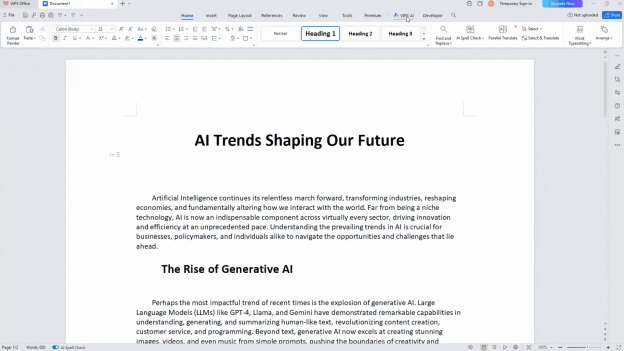
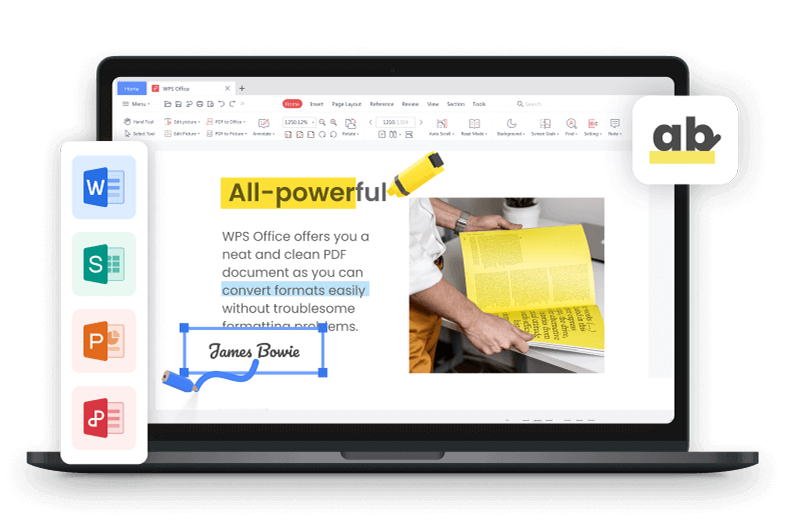
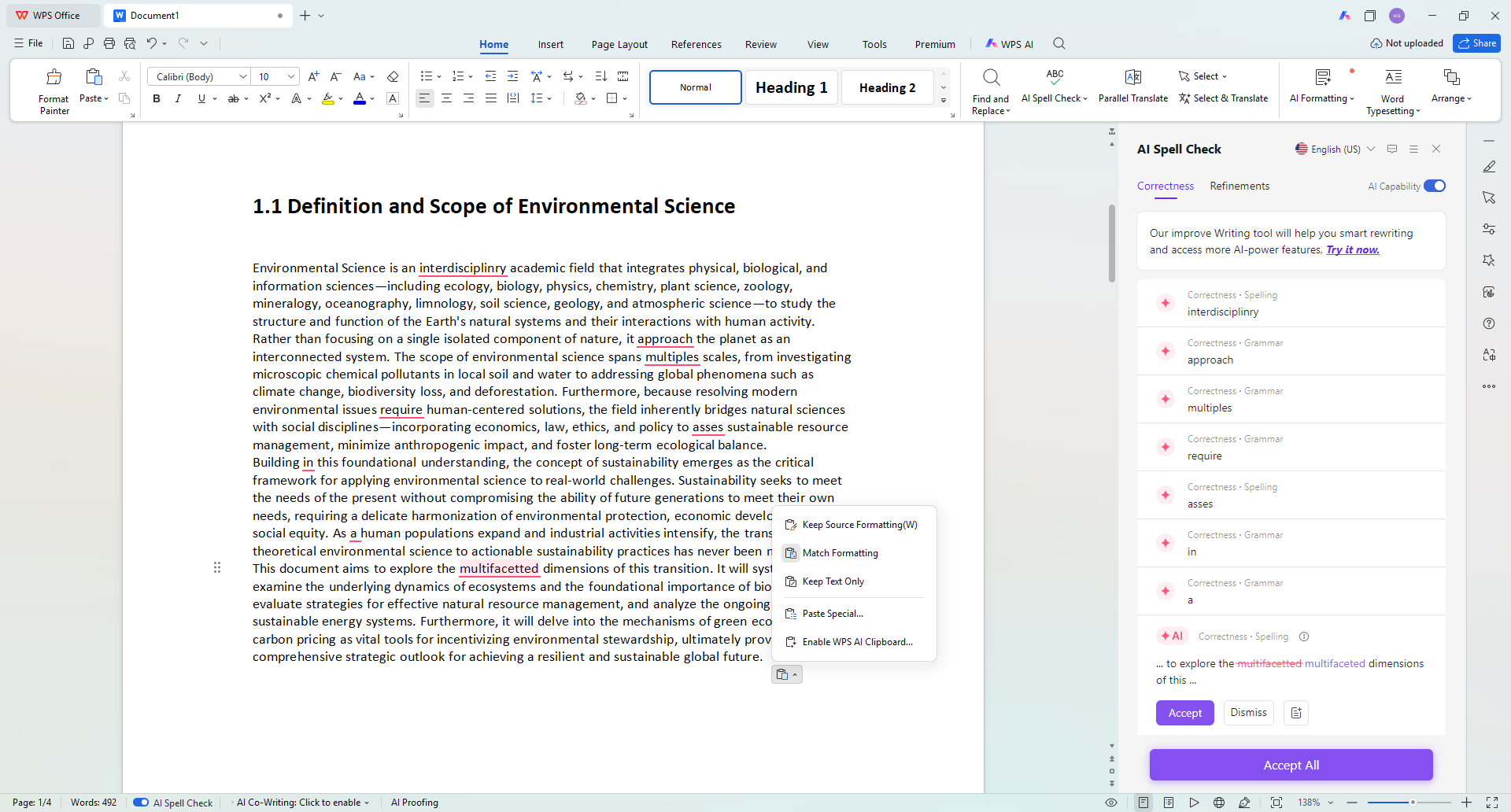
WPS AI is built into the full WPS Office suite—Writer, Spreadsheets, Presentation, and PDF tools. Unlike chatbots that force constant upload → download → reconvert loops, AI actions run in the editing panel so drafting, polishing, and archiving stay in one place.
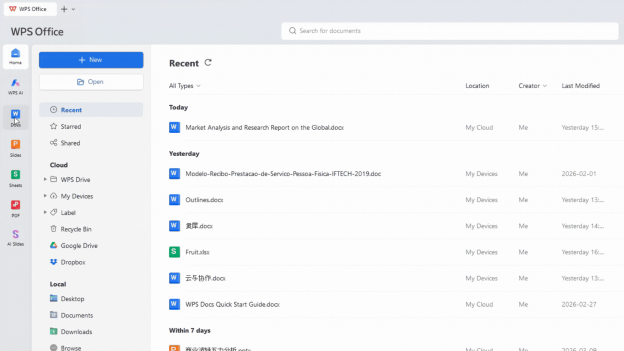
Why WPS AI works well for document-heavy work
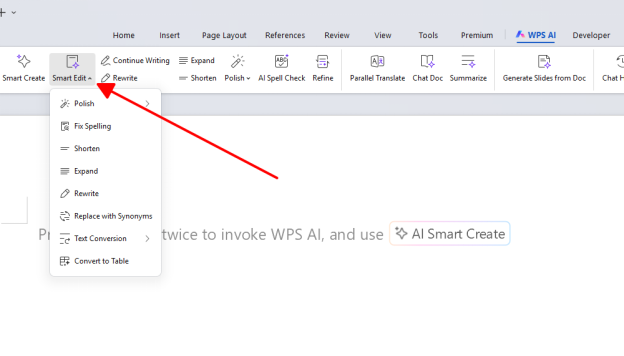
Strong Office-format compatibility: Works with mainstream .docx, .xlsx, and .pptx files and keeps layouts steadier on bilingual business docs, contracts, and Chinese-format paperwork—fewer broken fonts, shifted tables, or collapsed layouts than you often see when Western chat tools rewrite files outside a real editor.
Cross-device sync: Keep progress consistent across Windows, macOS, Linux, Android, and iOS.
Writing assistant: Draft emails, trade contracts, and reports; polish tone; fix bilingual grammar.
ChatPDF-style PDF tools: Summarize long agreements, search clauses, annotate, and extract text inside PDFs—handy if you need deeper PDF AI than a basic chat add-on.
High-accuracy OCR: Turn scanned trade paperwork and handwritten notes into editable documents.
Spreadsheet analytics: Build formulas, analyze transaction data, create charts, and organize financial statements.
One-click presentations: Turn outlines into structured slides fast.
Layout-aware translation: Translate long files across 100+ languages while keeping tables and paragraph structure intact.
Value, access, and China-trade workflows
Many everyday AI features stay free for individual users, and premium AI privileges typically sit inside WPS membership instead of a separate high-priced Copilot-style add-on. An international edition with overseas servers aims for smoother global access and standard privacy expectations—so you can sign in through the official global site without relying on risky third-party proxies for sensitive contracts.
WPS AI is also tuned for China-related trade paperwork—customs forms, export rebate documents, and common Asian business formats—so it often understands foreign-trade terminology better than generic international chatbots.
Best for: Cross-border trade contracts, international student assignments, admin paperwork, bulk PDF sorting, financial statement prep, and collaborative editing for multinational teams.
What These Chinese AI Tools Share
Stronger handling of Chinese cultural context and regional trade language than many Western defaults.
Generous free tiers that keep ongoing costs low for individuals and small teams.
Clear specialization—so you can mix tools instead of forcing one model to do everything.
How to Choose the Right Chinese AI Tool
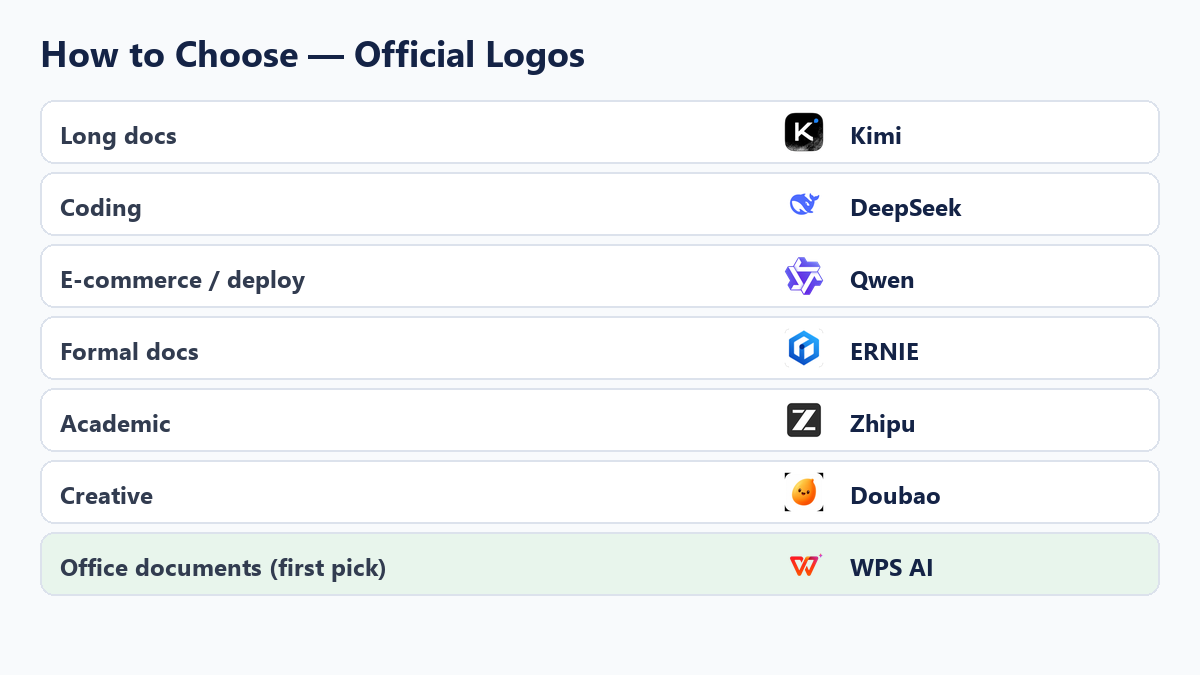
| If you need… | Start with |
|---|---|
| Coding & technical development | DeepSeek (first pick for tech work) |
| Long documents & legal review | Kimi |
| E-commerce & local deployment | Tongyi Qwen |
| Official / formal documents | ERNIE Bot |
| Academic paper polishing | Zhipu Qingyan |
| Daily creative content | Doubao |
| General document editing & office tasks | WPS AI |
FAQ
What are the best Chinese AI models for beginners?
If you code or need technical reasoning, start with DeepSeek. For everyday chat and content, try Doubao. If most of your work happens in Word, Excel, PowerPoint, or PDF files, use WPS AI.
Are Chinese AI tools free to use?
Most offer free basic access. Paid plans differ by provider. For office work, many core WPS AI features remain free for individuals, with membership unlocking more premium AI privileges.
Which Chinese AI model is best for long documents?
Kimi is the strongest long-context chat option on this list. If you also need to edit, translate, or reformat the file itself, pair it with—or switch to—WPS AI inside the document.
How is WPS AI different from chat-based Chinese LLMs?
Chat models shine for Q&A, coding help, and brainstorming. WPS AI runs inside the office suite, so writing, PDF analysis, OCR, spreadsheets, slides, and layout-aware translation happen without constant file hopping.
Can international users access these Chinese AI tools safely?
Availability varies by product and region. For documents and collaboration, use official global sites and accounts—for example WPS’s international edition—rather than unofficial proxies when handling confidential contracts or business archives.
Conclusion
These seven Chinese AI models and tools cover research, engineering, content, and office productivity. For coding and technical reasoning, DeepSeek is the strongest specialist on this list; other chat LLMs fill adjacent jobs. When your day is mostly bilingual files, PDFs, sheets, and slides—especially China-focused trade paperwork—WPS AI is the most practical first choice because it keeps AI inside the document workflow instead of outside it.

'%3e%3cpath%20d='M19.9911%204.11386V6.471H18.5894C18.0775%206.471%2017.7322%206.57814%2017.5536%206.79243C17.3751%207.00671%2017.2858%207.32814%2017.2858%207.75671V9.44421H19.9019L19.5536%2012.0871H17.2858V18.8639H14.5536V12.0871H12.2769V9.44421H14.5536V7.49779C14.5536%206.39064%2014.8632%205.53201%2015.4822%204.92189C16.1013%204.31177%2016.9257%204.00671%2017.9554%204.00671C18.8304%204.00671%2019.509%204.04243%2019.9911%204.11386Z'%20fill='%23333333'/%3e%3c/g%3e%3cdefs%3e%3cclipPath%20id='clip0_2938_8199'%3e%3crect%20width='16'%20height='16'%20fill='white'%20transform='translate(8%204.00671)'/%3e%3c/clipPath%3e%3c/defs%3e%3c/svg%3e)
'%3e%3cpath%20d='M17.5237%2010.7813L23.4811%204H22.0699L16.8949%209.88693L12.7648%204H8L14.2469%2012.9029L8%2020.0133H9.4112L14.8725%2013.7952L19.2352%2020.0133H24M9.92053%205.04213H12.0885L22.0688%2019.0224H19.9003'%20fill='%23333333'/%3e%3c/g%3e%3cdefs%3e%3cclipPath%20id='clip0_2938_8200'%3e%3crect%20width='16'%20height='16.0134'%20fill='white'%20transform='translate(8%204)'/%3e%3c/clipPath%3e%3c/defs%3e%3c/svg%3e)


