

'%3e%3cpath%20d='M8%200C12.4183%200%2016%203.58172%2016%208C16%2012.4183%2012.4183%2016%208%2016C3.58172%2016%200%2012.4183%200%208C0%203.58172%203.58172%200%208%200ZM11.6162%204.38379C11.2257%203.99337%2010.5927%203.99338%2010.2021%204.38379L8%206.58594L5.79785%204.38379C5.40732%203.99334%204.77429%203.99329%204.38379%204.38379C3.99331%204.77429%203.99335%205.40733%204.38379%205.79785L6.58594%208L4.38379%2010.2021C3.99348%2010.5927%203.99341%2011.2257%204.38379%2011.6162C4.77426%2012.0066%205.40734%2012.0065%205.79785%2011.6162L8%209.41406L10.2021%2011.6162C10.5927%2012.0066%2011.2257%2012.0067%2011.6162%2011.6162C12.0067%2011.2257%2012.0066%2010.5927%2011.6162%2010.2021L9.41406%208L11.6162%205.79785C12.0066%205.40735%2012.0066%204.77429%2011.6162%204.38379Z'%20fill='%23080E17'%20fill-opacity='0.46'/%3e%3c/g%3e%3cdefs%3e%3cclipPath%20id='clip0_3761_713'%3e%3crect%20width='16'%20height='16'%20fill='white'/%3e%3c/clipPath%3e%3c/defs%3e%3c/svg%3e)




'%3e%3cpath%20fill-rule='evenodd'%20clip-rule='evenodd'%20d='M21.4999%2010.9993C21.4999%205.20009%2016.7986%200.498901%2010.9993%200.498901C5.19994%200.498901%200.498657%205.20009%200.498657%2010.9993C0.498657%2016.2404%204.33858%2020.5844%209.35855%2021.3722V14.0346H6.69238V10.9993H9.35855V8.68594C9.35855%206.05427%2010.9262%204.60062%2013.3248%204.60062C14.4736%204.60062%2015.6753%204.80571%2015.6753%204.80571V7.38979H14.3512C13.0468%207.38979%2012.64%208.19921%2012.64%209.0296V10.9993H15.5523L15.0867%2014.0346H12.64V21.3722C17.66%2020.5844%2021.4999%2016.2404%2021.4999%2010.9993Z'%20fill='%231568EA'/%3e%3c/g%3e%3c/svg%3e)


'%3e%3cpath%20d='M2.42045%2022.1876H6.31818V12.7217L0.75%208.54553V20.5171C0.75%2021.4414%201.49892%2022.1876%202.42045%2022.1876Z'%20fill='%234285F4'/%3e%3cpath%20d='M19.682%2022.1876H23.5797C24.5041%2022.1876%2025.2502%2021.4387%2025.2502%2020.5171V8.54553L19.682%2012.7217'%20fill='%2334A853'/%3e%3cpath%20d='M19.682%205.48293V12.7216L25.2502%208.54543V6.31816C25.2502%204.25236%2022.8921%203.07469%2021.2411%204.31361'%20fill='%23FBBC04'/%3e%3cpath%20d='M6.31824%2012.7217V5.48303L13.0001%2010.4944L19.6819%205.48303V12.7217L13.0001%2017.733'%20fill='%23EA4335'/%3e%3cpath%20d='M0.75%206.31816V8.54543L6.31818%2012.7216V5.48293L4.75909%204.31361C3.10534%203.07469%200.75%204.25236%200.75%206.31816Z'%20fill='%23C5221F'/%3e%3c/g%3e%3cdefs%3e%3cclipPath%20id='clip0_2954_7305'%3e%3crect%20width='24.5'%20height='18.375'%20fill='white'%20transform='translate(0.75%203.8125)'/%3e%3c/clipPath%3e%3c/defs%3e%3c/svg%3e)


Every year, Spotify Wrapped takes over the internet. For a brief moment, millions of listeners around the world celebrate their music identities, showing off their top artists, most-played songs, quirky listening stats, and hidden guilty pleasures. But because the official Spotify Wrapped only launches once a year, many people miss their chance to join the viral trend. In this article, I’ll show you the best templates and explain how to create Spotify Wrapped template using WPS tools.


What Is a Spotify Wrapped Template?
Spotify Wrapped templates are pre-designed layouts built to reflect the familiar breakdown of listening habits. Rather than building the design from scratch or guessing which element goes where, a solid template gives you a ready-made framework tailored for your year-in-music recap. Many versions come in user-friendly formats so you can drop in your stats, change colours and fonts, and tailor it to your vibe without becoming a designer overnight.
These are the types of Spotify Wrapped templates:
Editable Templates: These allow full customization as you can add text, change colors, move elements, and export in multiple formats.
Pre-Made Joke Templates: These mimic the Wrapped design but exaggerate stats or create humorous “fake flex” versions like “Top 0.001% listener. They’re perfect for memes.
Video Templates: Some templates come in video format, allowing users to animate their own Wrapped reveal.
Printable Posters: These templates are designed for printing making them great for dorm walls, gifts for friends, or music-themed decor.
Spotify Wrapped has become a cultural ritual. People love sharing it, laughing at their own stats, comparing their music taste with friends, and turning their year-in-music into a storytelling moment. Templates make this trend accessible all year round.
10 Spotify Wrapped Templates [Free Download]
While some layouts focus on top songs or minutes listened, others lean into jokes, bold color palettes, or Instagram-ready designs. I’ve gathered a mix of options that cover different purposes whether you prefer a simple, data-focused recap or something more playful. Each one is available in an easy-to-edit format, so you can drop in your listening stats and customize the look without dealing with complicated design tools.
1. Spotify Wrapped 2024 Generator (No.1 Song) to Edit
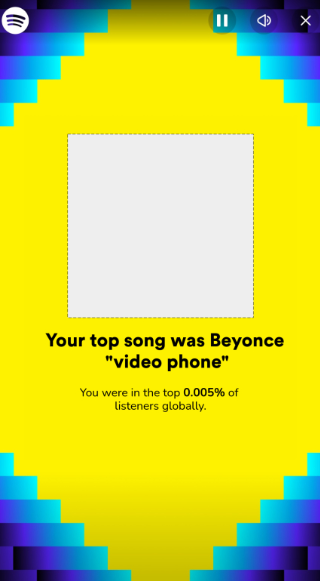
This template is a personalized digital summary screen, typically seen in year-end music platform reports, featuring a bright yellow background and high-contrast blue and purple stepped borders. It prominently displays a key metric of user engagement, specifically highlighting the user's top song and their ranking globally. The design is highly graphical, focusing on immediate impact and celebrating user statistics.
2. Spotify Wrapped 2024 Meme Template with Font to Edit
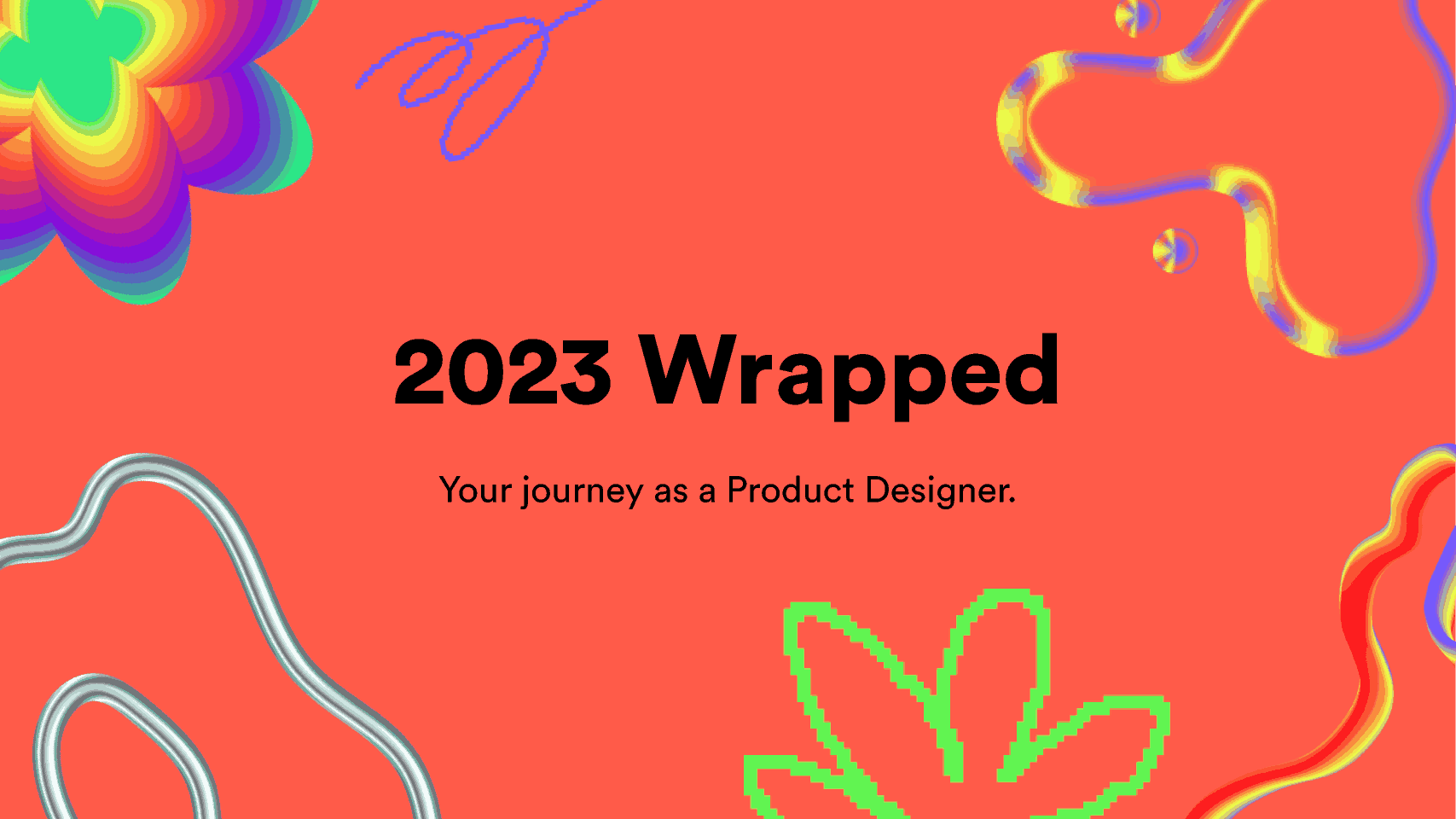
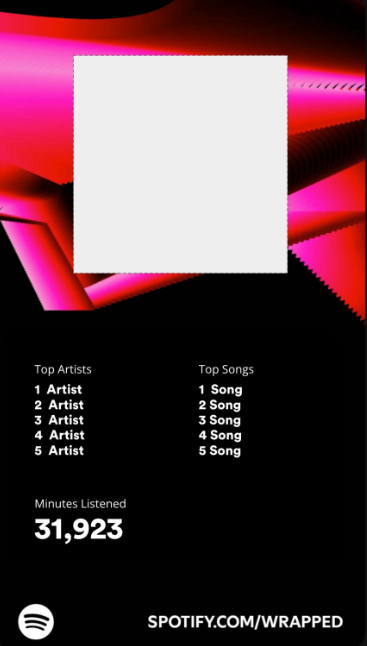
This template is a personalized digital report screen, utilizing a dark background with striking red and pink abstract graphics for visual impact. It provides a minimalist data display, specifically summarizing the user's Top Artists and Top Songs in two separate ranked lists. The screen prominently features the core metric of user activity, displaying the total Minutes Listened in a large, bold font.
3. Custom Spotify Wrapped 2024 Template (Top 5 Songs) to Edit
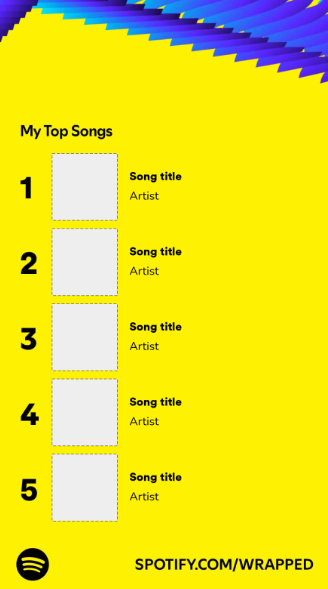
This template is a personalized digital screen, characteristic of year-end music platform summaries, featuring a high-contrast bright yellow background and a blue/purple decorative header. The primary function is a ranked display of the user's My Top Songs, listing five entries with placeholders for the song title, artist, and corresponding album art. The numbering and bold text ensure the data is immediately scannable and visually appealing.
4. Spotify Wrapped 2024 “Blank” Template (Minutes Listened) to Edit
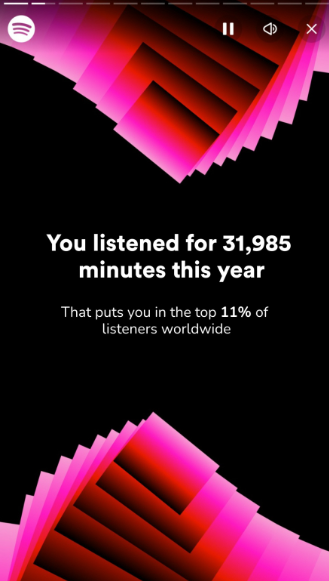
This template is a personalized digital report screen, typically found in year-end music platform summaries, featuring a black background with dynamic, abstract red and pink angled graphics. The primary function is to display key user statistics, prominently stating the total minutes listened this year and the user's corresponding worldwide listener rank. The bold white text set against the dark background ensures high readability and impact.
5. Spotify Wrapped 2024 “Blank” Template (Songs Played) to Edit
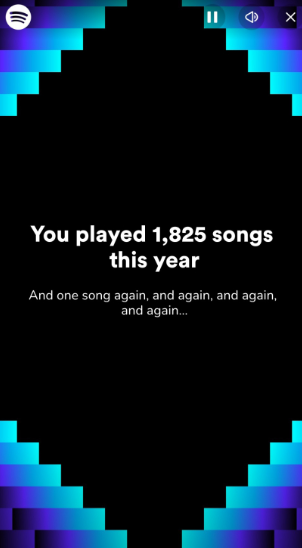
This template is a personalized digital report screen, utilizing a dark background with striking blue and purple pixelated staircase graphics running along the sides. The main function is to display key user engagement statistics, prominently stating the total number of songs played this year. The screen includes a humorous secondary line of text regarding re-listening habits, adding a personalized touch.
6. Fake Spotify Wrapped Template (Top 0.005% / 0.001%)
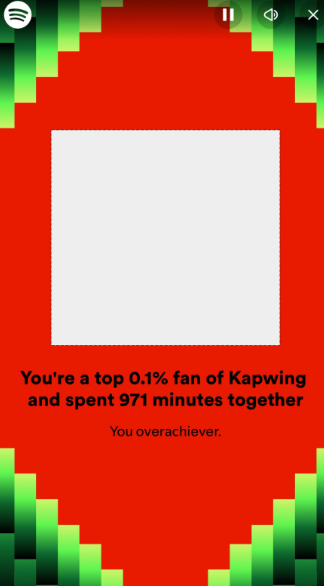
This template is a personalized digital report screen, designed with high-contrast red and green pixelated graphics, often seen in year-end digital summaries. The main function is to celebrate user engagement, highlighting the user as a top 0.1% fan and displaying the 971 minutes spent engaging with the content creator. The design includes a large central graphic placeholder and a casual, complimentary remark, reinforcing personalization.
7. Earth Tone Aesthetic Folk Album Cover (PDF & Image)
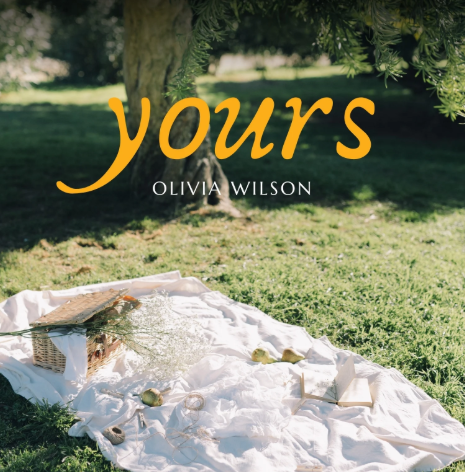
This template is designed as cover art, potentially for an album or book, set against a warm, sunlit outdoor scene featuring a picnic blanket and a tree trunk. The title "yours" is rendered in a bold, handwritten orange-yellow font, establishing a soft and personal tone. The artist or author name is featured directly below the title in a simple, high-contrast font.
8. Pink Minimalist Podcast Guest Poster (PDF & Image)
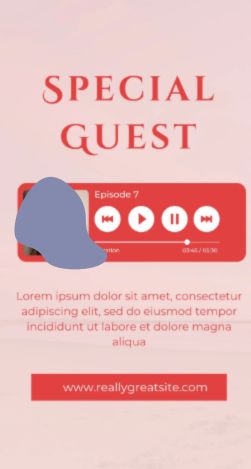
This vertical graphic template is designed for promoting a digital media episode, such as a podcast or video, featuring a light pink background and bold red text. The title Special Guest is prominently displayed, drawing immediate attention. The main feature is a graphic player box showing a guest's profile picture, episode number, and playback controls with duration. A call-to-action button at the bottom directs users to a website.
9. Dynamic Music Player Instagram Story (PDF & Image)
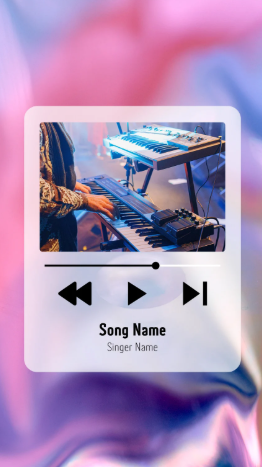
This template is a stylish social media graphic designed as a music player overlay, featuring a translucent, frosted glass effect against a vibrant pink and purple marbled background. It showcases a photo of a keyboard player performing and includes standard playback controls, a progress bar, and placeholders for the Song Name and Singer Name. The design is ideal for promoting new music releases or live performance clips on vertical platforms.
10. Spotify Playlist Song Instagram Post (PDF & Image)
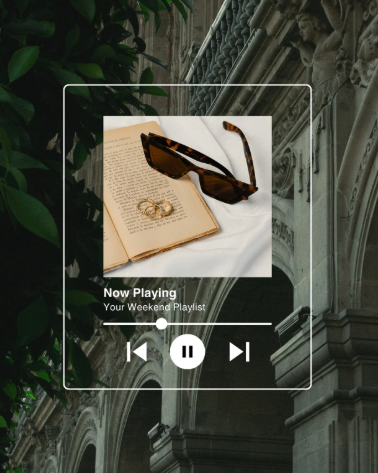
This template is a highly stylized social media graphic designed for sharing a playlist, featuring a modern, transparent white player overlay set against a vintage, architectural background with dark foliage. The main graphic area displays an open, aged book with sunglasses and rings on a white cloth, suggesting a weekend or archival theme. The overlay indicates Now Playing: Your Weekend Playlist and includes simple playback controls, making it ideal for sharing mood-setting content.
How to Edit and Print Your Spotify Wrapped Template
Depending on the type of file you choose, editing a spotify wrapped template can take different approaches. Image templates like PNG or JPG are ideal if you want to focus on visuals, such as refining contrast, applying filters, or layering additional graphics to make the design pop. PDF templates are better when you need to manipulate structured information, like adding extra sections for top tracks, adjusting text sizes, or reorganizing layout elements.
Tools like WPS Photo let you enhance image templates with AI-powered features, improve clarity, and fine-tune colors effortlessly. For PDFs, WPS PDF provides precise control over text and graphics, allows you to insert or remove content, and even convert files into other formats.
How to Edit the Template in WPS Photo (Images)
Once your Spotify Wrapped template is saved as an image, WPS Photo lets you quickly refine and customize it. You can adjust colors, enhance clarity, add text or graphics, and make sure your recap looks sharp and ready to share. Here’s how to get started:
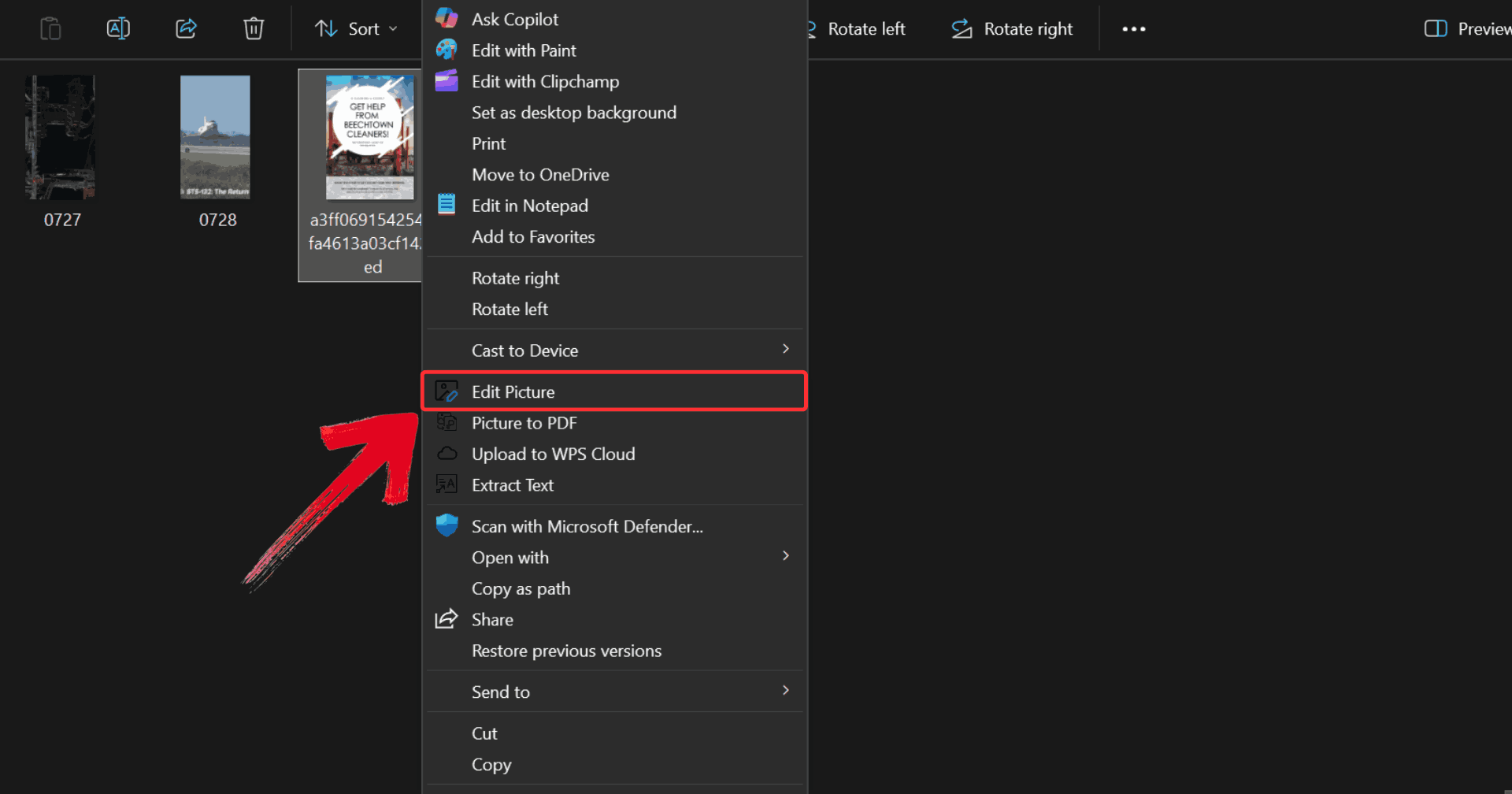
Step 1: Right-click on the template you want to edit, then click on “Edit Photo” to open it in WPS Photo Editor.
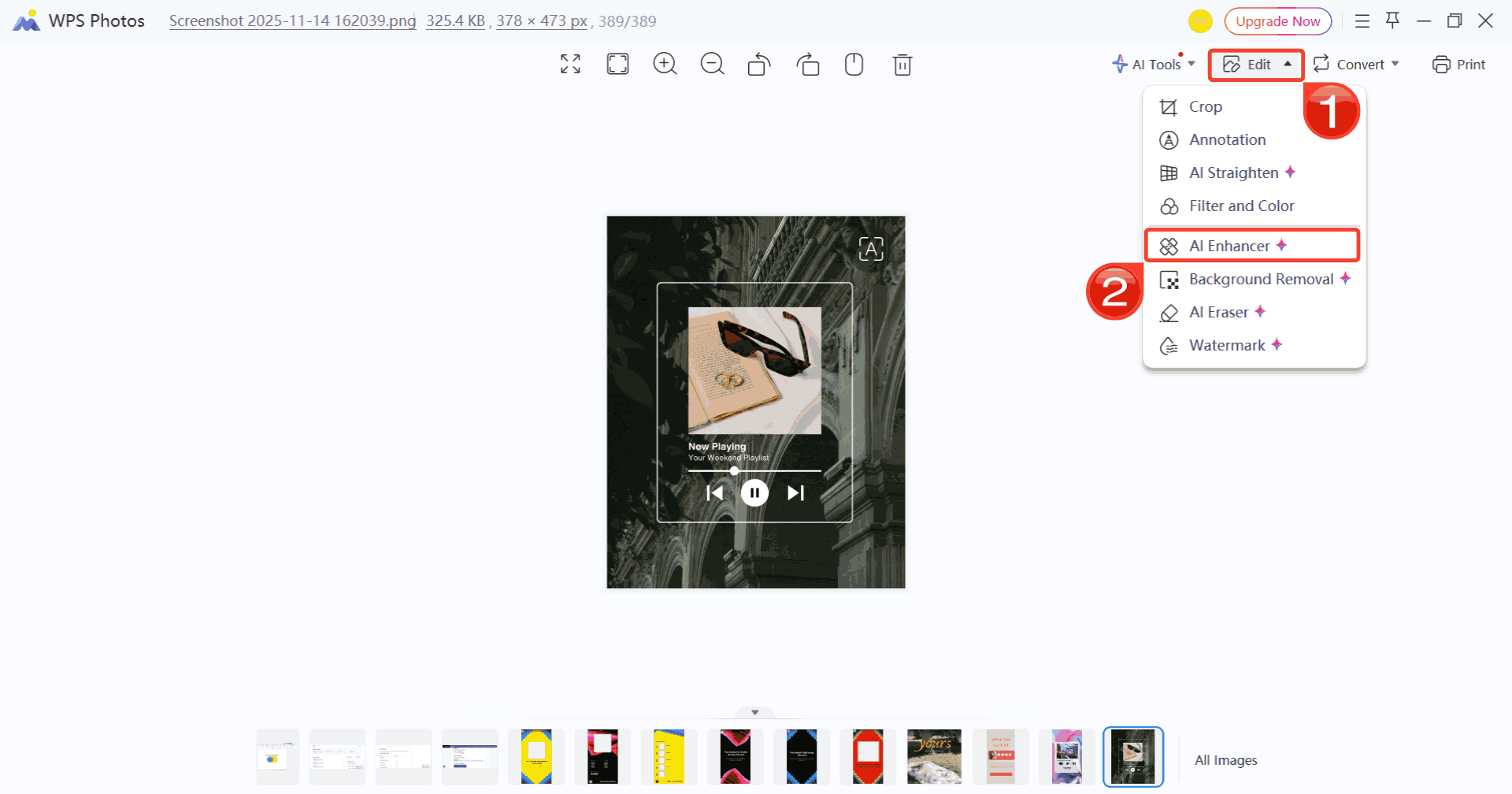
Step 2: Make whatever changes you like by clicking on “Edit” and choosing from the options listed such as using the AI Enhancer and adjusting colors for a refined look.
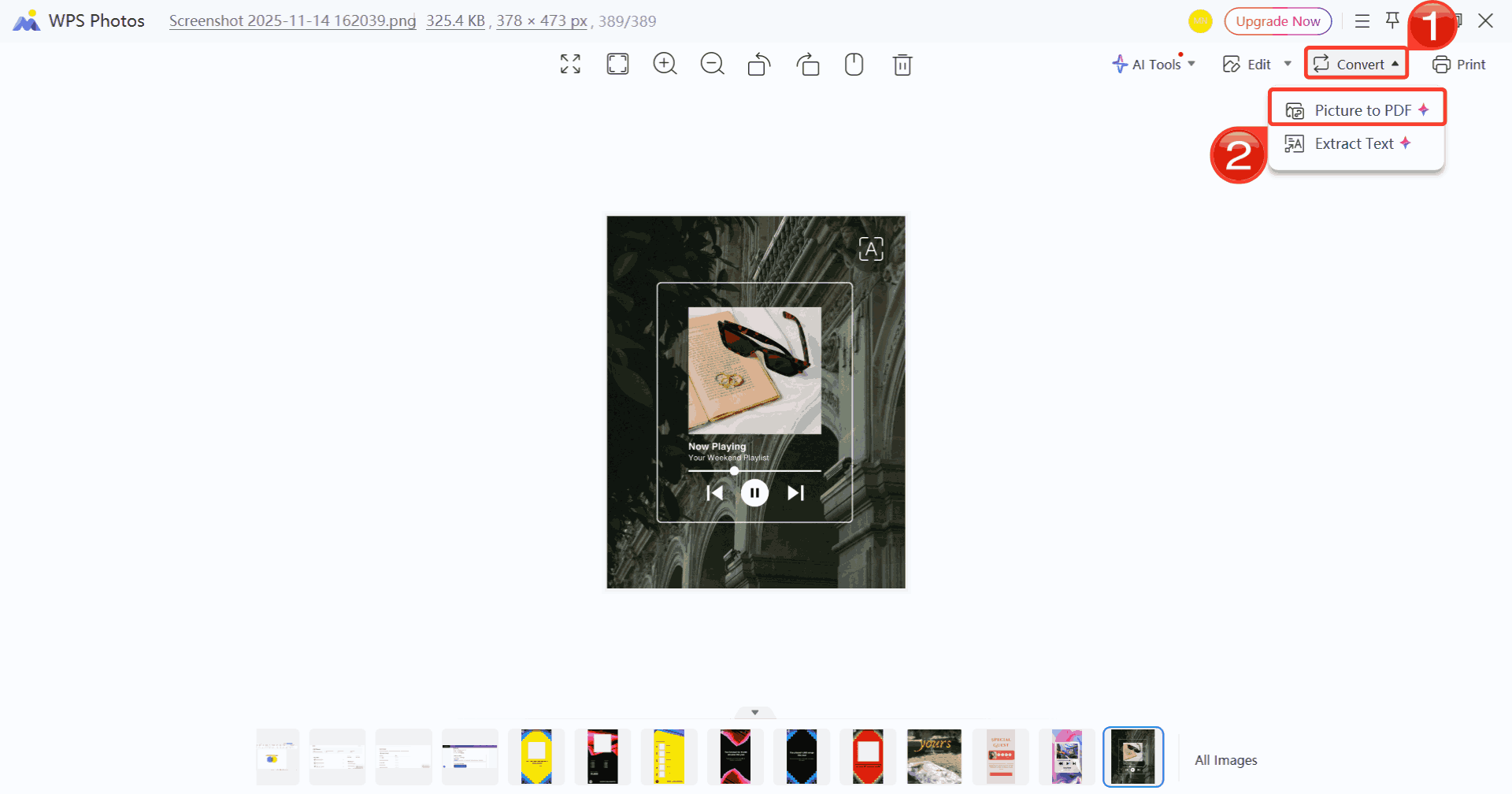
Step 3: Click on “Convert”, then select “Picture to PDF” to save your changes and convert your edited template to a PDF file.
How to Edit the Template in WPS PDF (PDF Files)
For PDF-based graphic organizer templates, WPS PDF offers a range of editing capabilities to tailor your template exactly to your needs. You can modify text, add or rearrange boxes, insert images, and annotate content with precision. Here’s how to create a graphic organizer template inside WPS PDF.
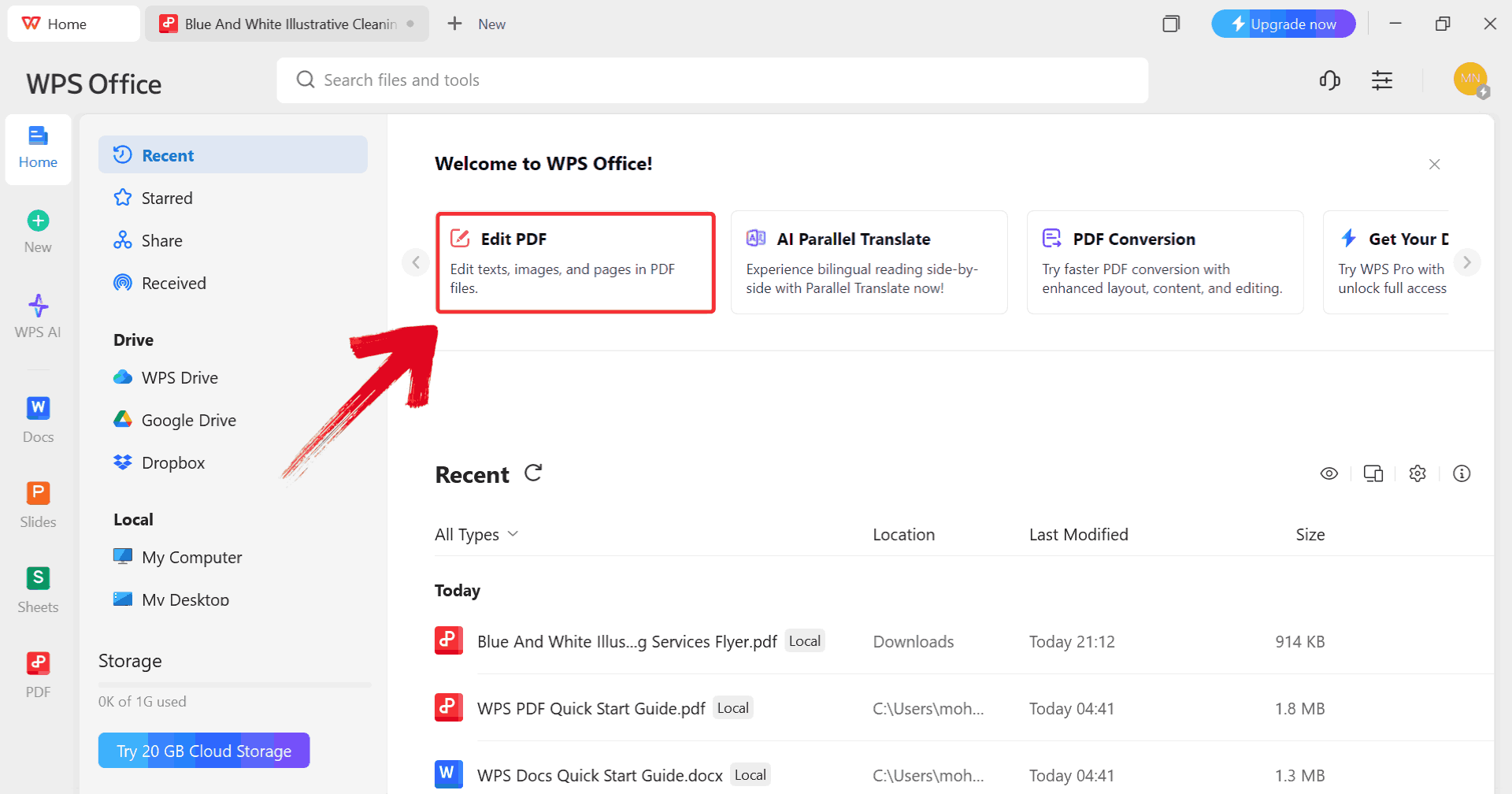
Step 1: Start by clicking on “Edit PDF” on the WPS Office dashboard to import your template.
Step 2: When prompted, browse through your computer and select the PDF file you want to edit.
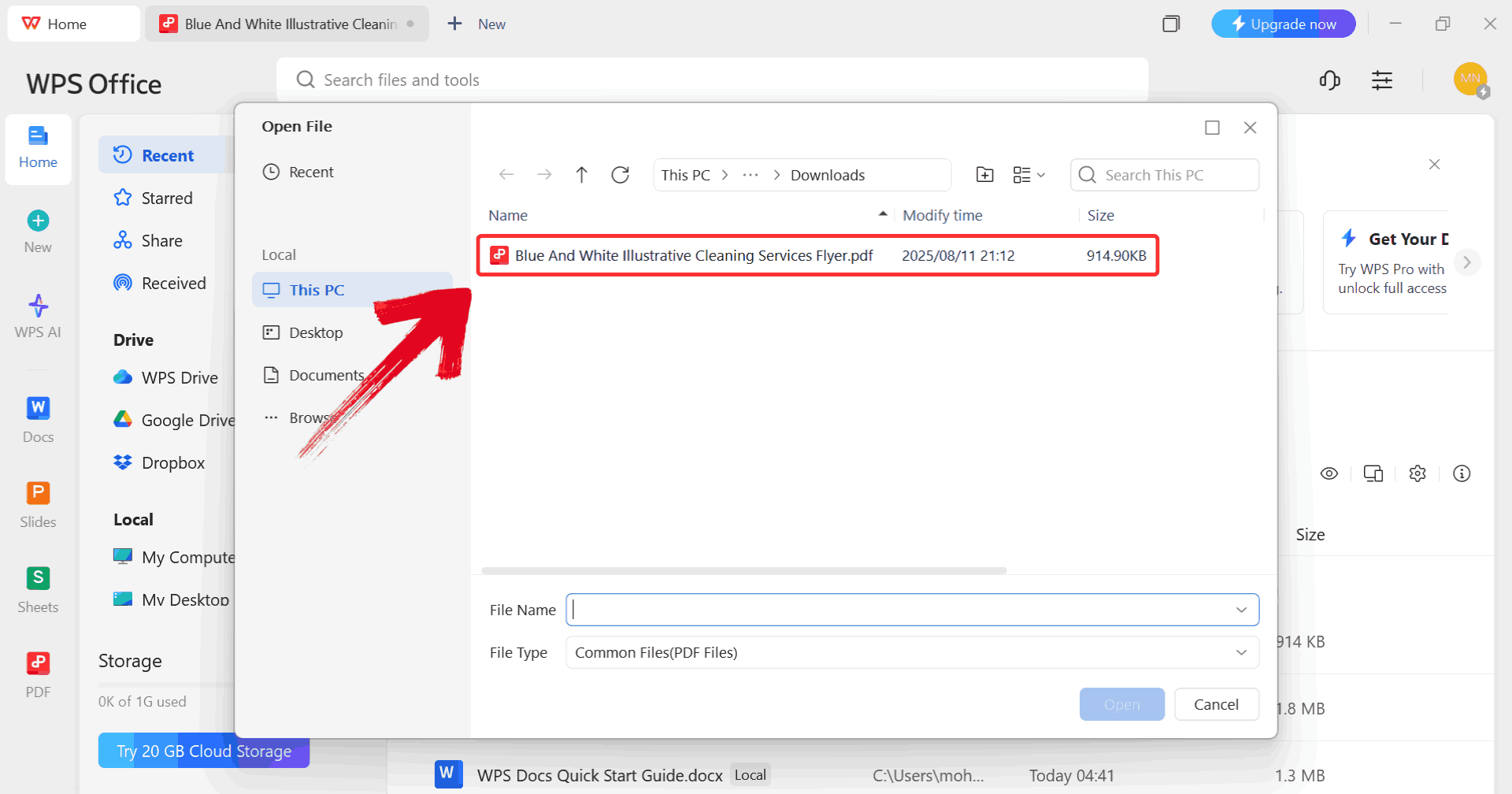
Step 3: Make any changes you want to the PDF using the available editing tools such as highlighting something or adding a text box.
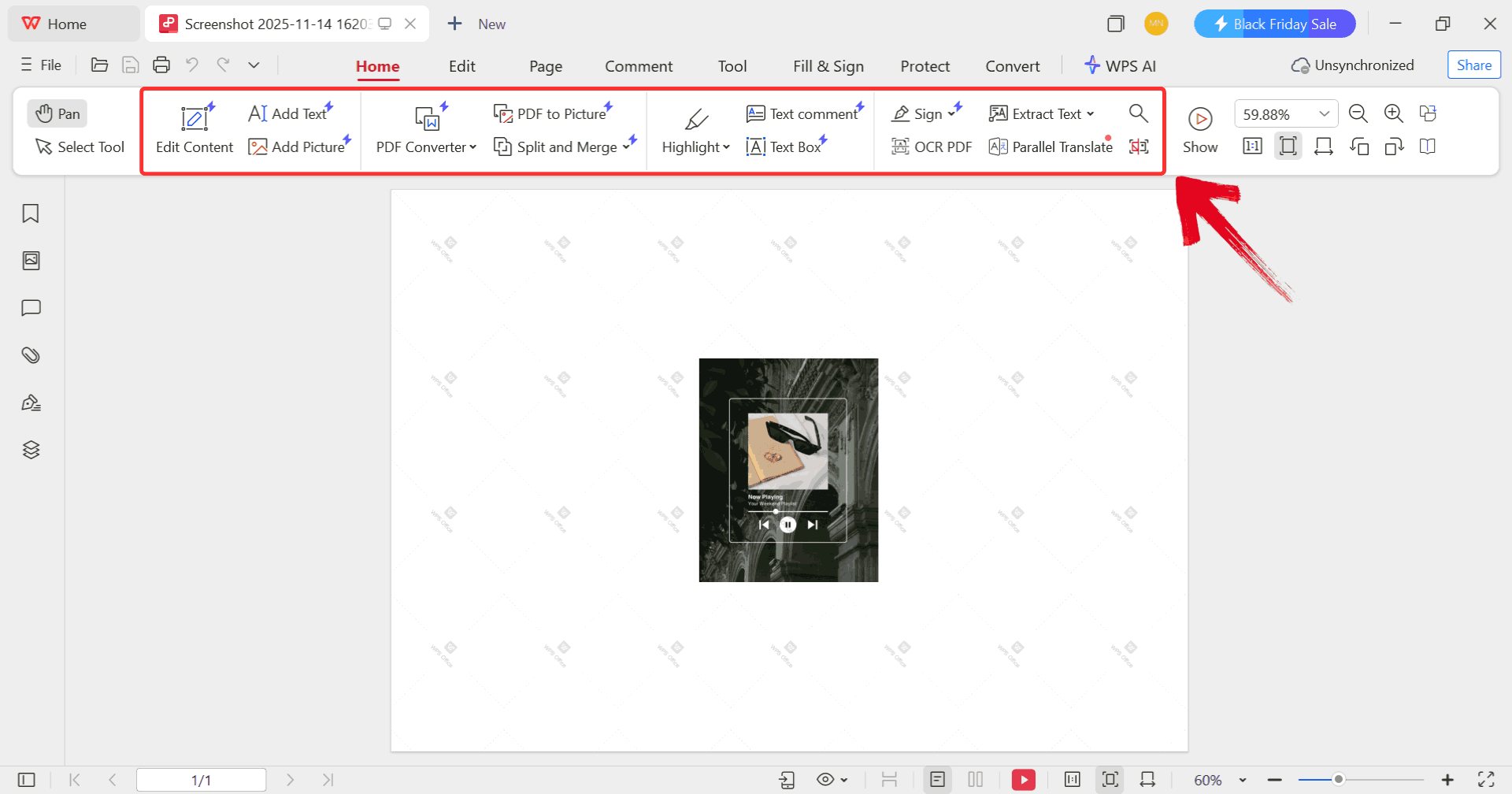
Step 4: Once you’ve made the changes, click on the printer icon to start printing your template but make sure your printer is connected to your device.
Free & Easy Office Suite: Design Your Template
WPS Office makes it easy to bring your spotify wrapped template into a refined, exportable format whether you're working with images or PDF files. Its PDF editor doesn’t just let you swap in your song titles or listening stats, it also uses AI to detect fonts and rewrite text cleanly, and OCR means you can turn scanned or exported Wrapped-style reports into fully editable layouts. On the design side, WPS’s photo tools handle image templates smoothly: you can enhance resolution, clean up backgrounds, or recolor elements without losing quality.
Together, these tools give you the flexibility to transform a basic spotify wrapped template into a customized, professional-looking recap.
FAQs
1. How do I get my data to fill out the template?
You’ll need to manually check your Spotify profile, playlists like “On Repeat,” or use third-party listening-history analyzers.
2. How do I share my finished template on social media?
Save it as a PNG or JPEG and upload it to Instagram, TikTok, Twitter, or any other platform like a regular image.
3. Can I create a Spotify Wrapped template from scratch?
Yes, using WPS Photo or WPS Office Presentation, you can build your own layout with shapes, icons, gradients, and text.
4. Which format should I download: PDF or image?
Choose PDF if you want clean text editing, and choose JPG/PNG if you prefer photo-style edits.

'%3e%3cpath%20d='M19.9911%204.11386V6.471H18.5894C18.0775%206.471%2017.7322%206.57814%2017.5536%206.79243C17.3751%207.00671%2017.2858%207.32814%2017.2858%207.75671V9.44421H19.9019L19.5536%2012.0871H17.2858V18.8639H14.5536V12.0871H12.2769V9.44421H14.5536V7.49779C14.5536%206.39064%2014.8632%205.53201%2015.4822%204.92189C16.1013%204.31177%2016.9257%204.00671%2017.9554%204.00671C18.8304%204.00671%2019.509%204.04243%2019.9911%204.11386Z'%20fill='%23333333'/%3e%3c/g%3e%3cdefs%3e%3cclipPath%20id='clip0_2938_8199'%3e%3crect%20width='16'%20height='16'%20fill='white'%20transform='translate(8%204.00671)'/%3e%3c/clipPath%3e%3c/defs%3e%3c/svg%3e)
'%3e%3cpath%20d='M17.5237%2010.7813L23.4811%204H22.0699L16.8949%209.88693L12.7648%204H8L14.2469%2012.9029L8%2020.0133H9.4112L14.8725%2013.7952L19.2352%2020.0133H24M9.92053%205.04213H12.0885L22.0688%2019.0224H19.9003'%20fill='%23333333'/%3e%3c/g%3e%3cdefs%3e%3cclipPath%20id='clip0_2938_8200'%3e%3crect%20width='16'%20height='16.0134'%20fill='white'%20transform='translate(8%204)'/%3e%3c/clipPath%3e%3c/defs%3e%3c/svg%3e)


