In the automotive repair world, trust and
transparency are everything. For mechanics and auto shop
owners, a clear and detailed invoice isn’t just paperwork, it’s proof of
honesty and professionalism. Yet, many still rely on outdated,
generic forms that don’t reflect the complexity of modern
repair services. These often lack details like diagnostic fees or parts
used, creating confusion and even underbilling.
So, how can auto repair shops or mobile mechanics easily
create professional invoices that capture every detail, without
spending hours formatting? In this guide, we’ll explore what
makes a great auto repair invoice form, share 10 free
templates you can download and edit instantly, and show you how
to simplify everything using WPS Invoice Generator.
Use Word, Excel, and PPT for FREE
Part 1. What
Are Auto Repair Invoice Forms?
An auto repair invoice form is a professional
document used by mechanics or auto shops to bill customers for vehicle
repair and maintenance services. It serves as a record of the
transaction, ensuring clarity between both parties and
protecting the business from potential disputes.
What Must Be on the Invoice?
According to industry best practices, a proper repair invoice should
include:
Business and customer contact details
Vehicle information (make, model, VIN, license plate)
Unique invoice number and invoice date
Description of services provided
List of parts used with prices
Labor hours and hourly rates
Diagnostic or miscellaneous fees
Subtotal, taxes, and total amount due
Payment terms and due date
Authorized signatures (if needed)
How to Create a Repair Invoice?
Enter Your Contact and Customer Information Include your shop name, address, and contact info, along with
the customer’s details.
Create a Unique Invoice Number This helps with recordkeeping and avoids confusion between
jobs.
Add Vehicle Details Record essential vehicle data like VIN, mileage, and plate
number.
Itemize Services and Parts Break down each service performed and parts used for
transparency.
Define Invoice and Payment Dates Specify when the invoice was issued and when payment is
due.
Add Notes or Warranty Information Include a message about guarantees, policies, or future
maintenance reminders.
Calculate Totals and Taxes Ensure all costs are accurate and clearly displayed.
Part
2. 10 Excellent WPS Invoice Templates [Free Download]
Here are 10 free and editable invoice templates you
can use for your auto repair business. Each template can be downloaded
and customized in WPS Office.
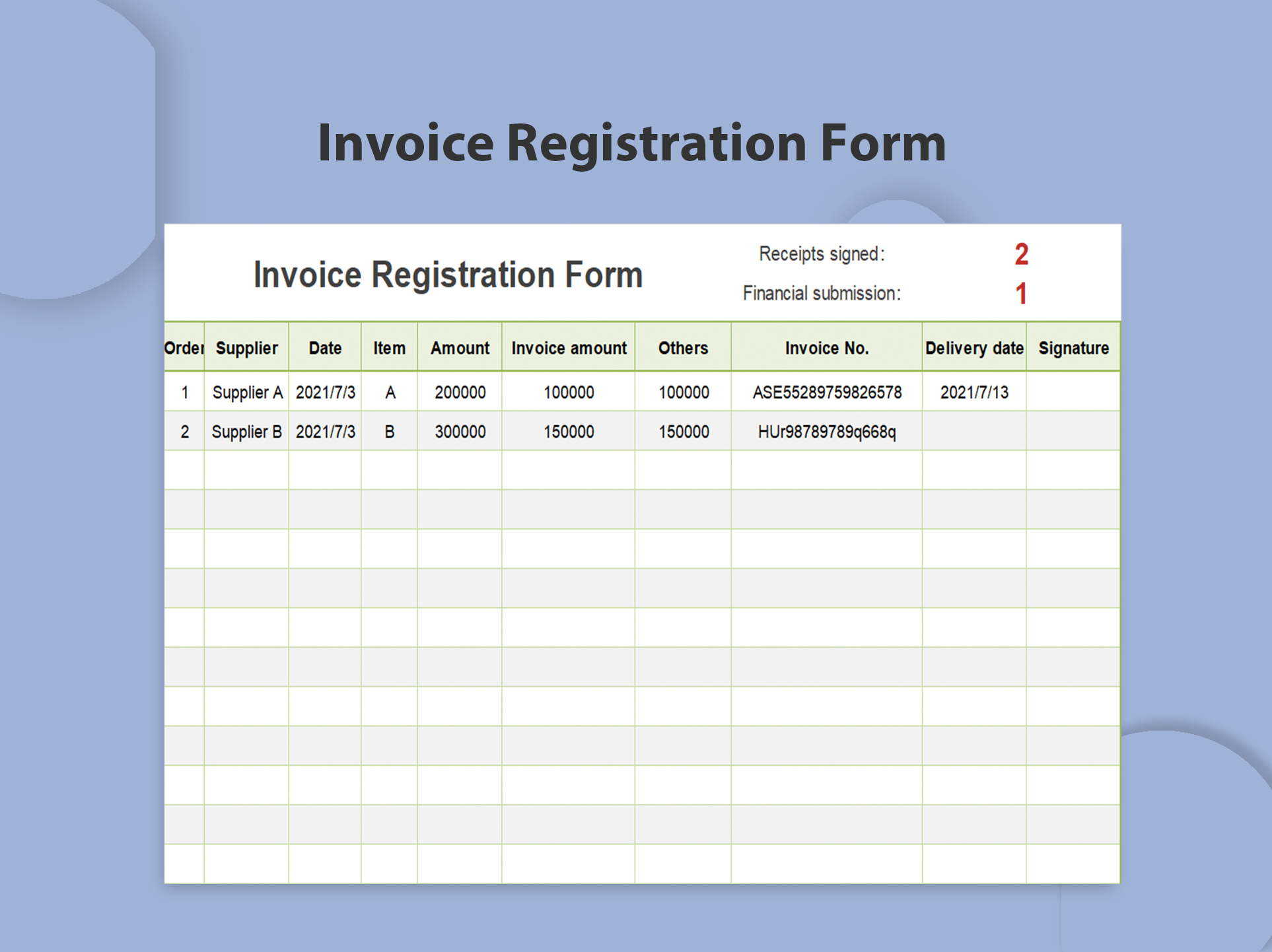
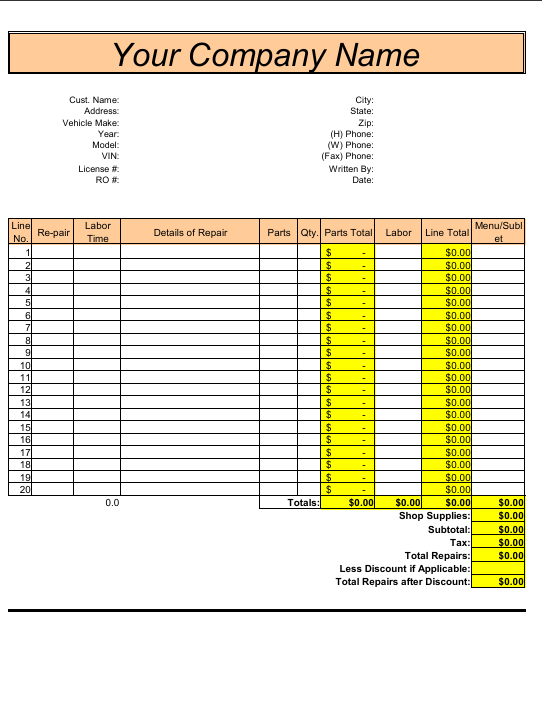
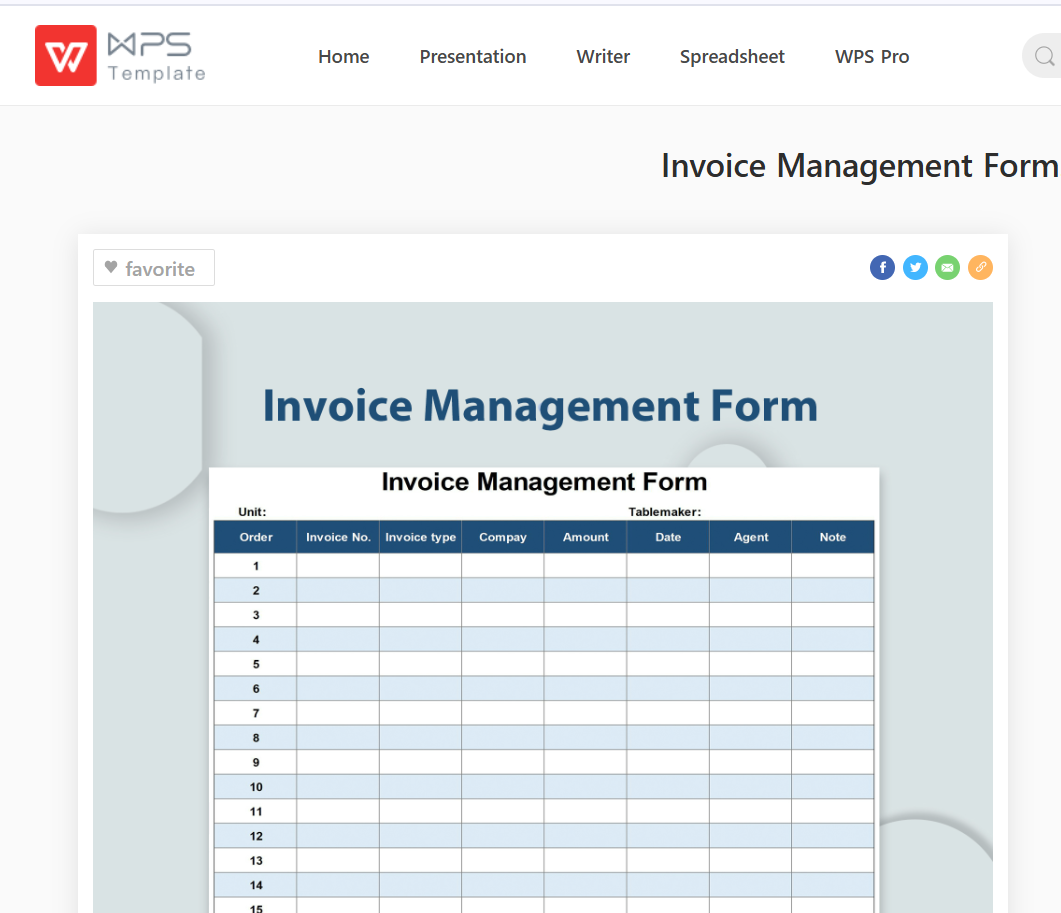
This minimalist invoice template is perfect for quick repairs and
general auto services. It provides a clean layout that makes filling in
labor and parts costs fast and easy, ideal for busy mechanics who want
simplicity without sacrificing professionalism.
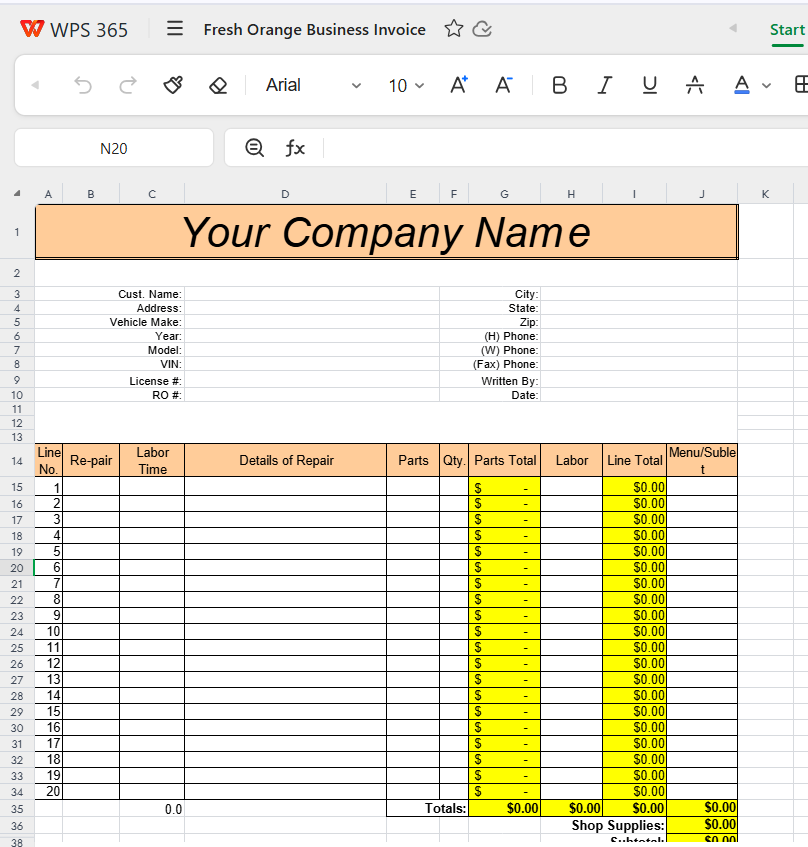
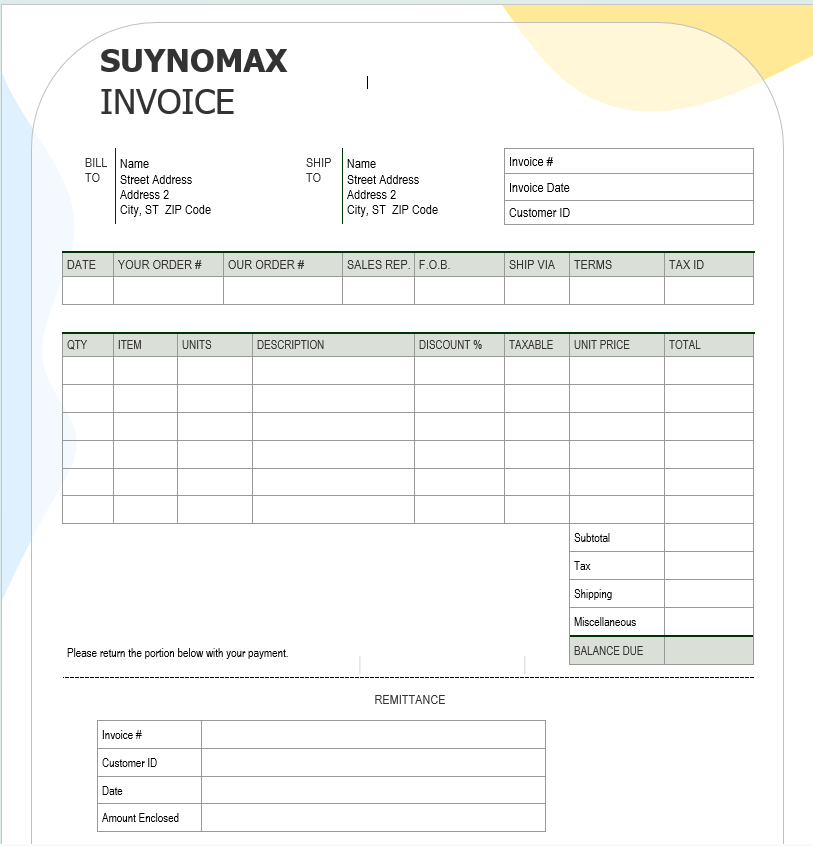
Add a pop of color to your paperwork with this bright orange invoice
design. The bold layout ensures key details like total cost and customer
info stand out, great for modern garages looking to make a confident,
vibrant impression.
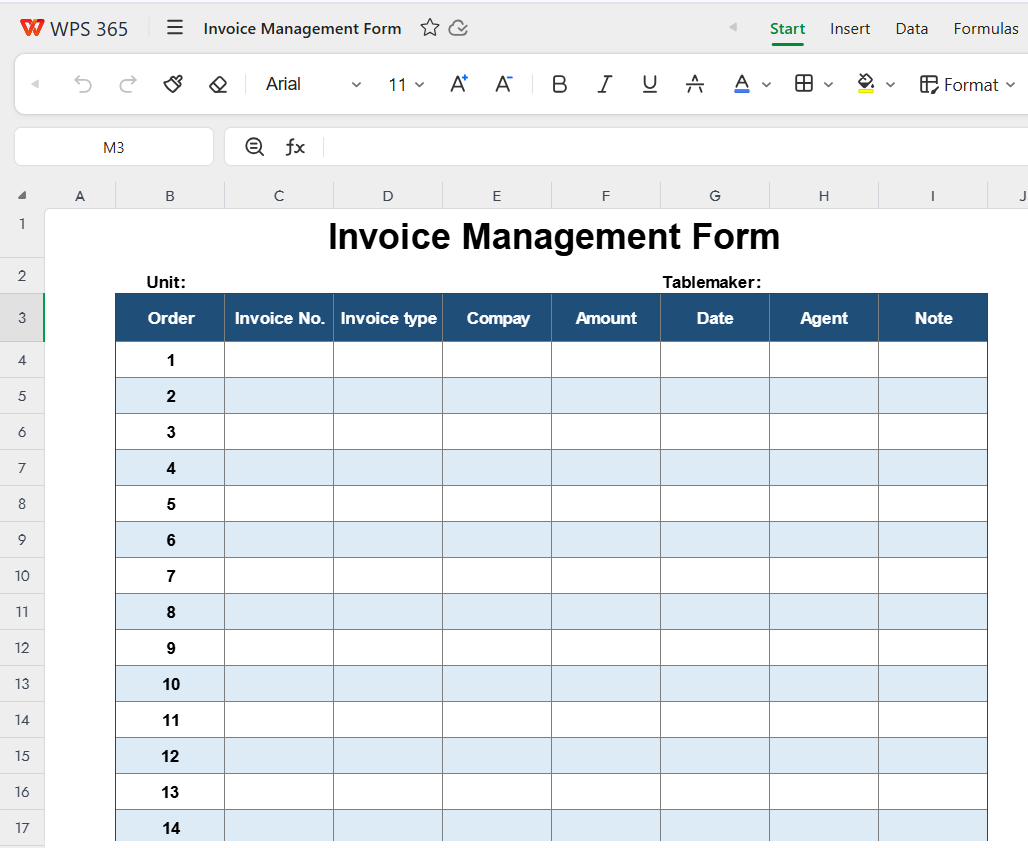
Designed for organized auto shops, this structured template helps
track multiple clients and jobs in one place. It includes sections for
parts, labor hours, taxes, and notes, ideal for comprehensive invoice
management.
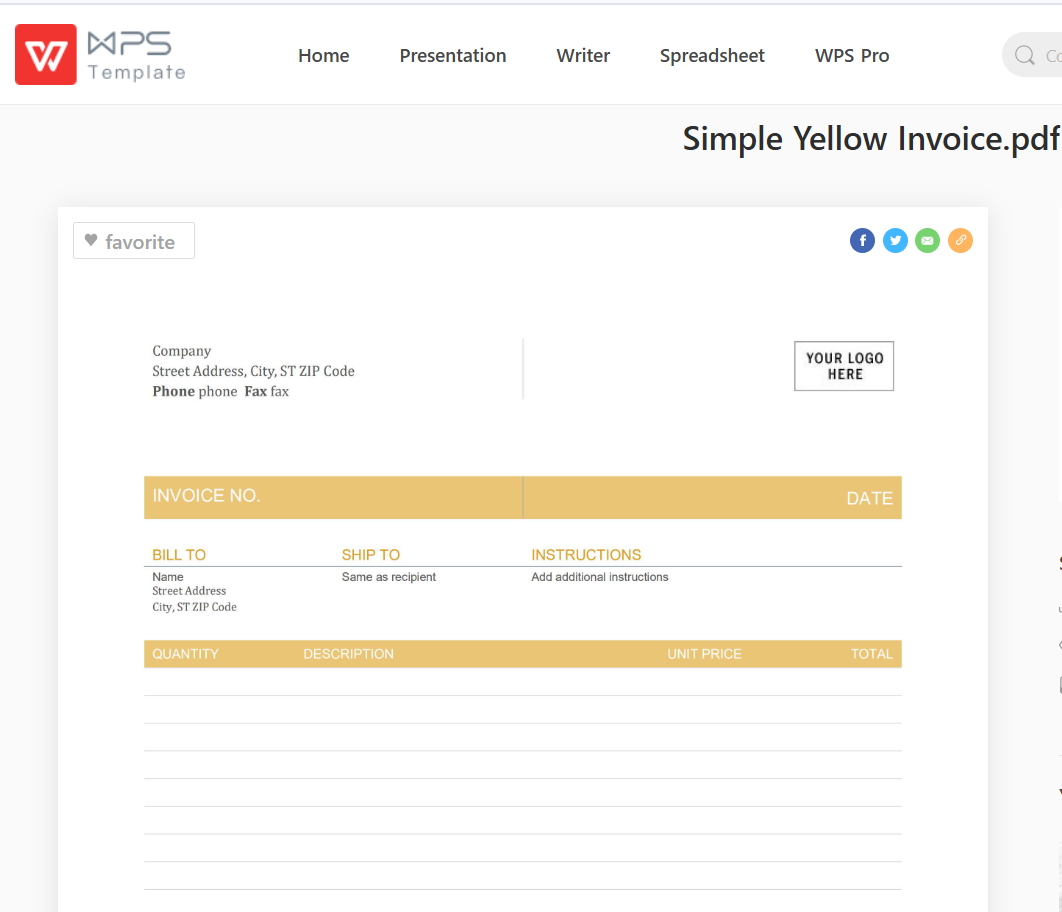
With its crisp yellow accents, this template keeps your billing
visually appealing and easy to read. It’s excellent for detailed cost
breakdowns, ensuring customers understand every charge clearly.
Professional and polished, this invoice template gives your auto
repair business a corporate edge. Perfect for established shops that
handle recurring clients and need a dependable, formal billing
layout.
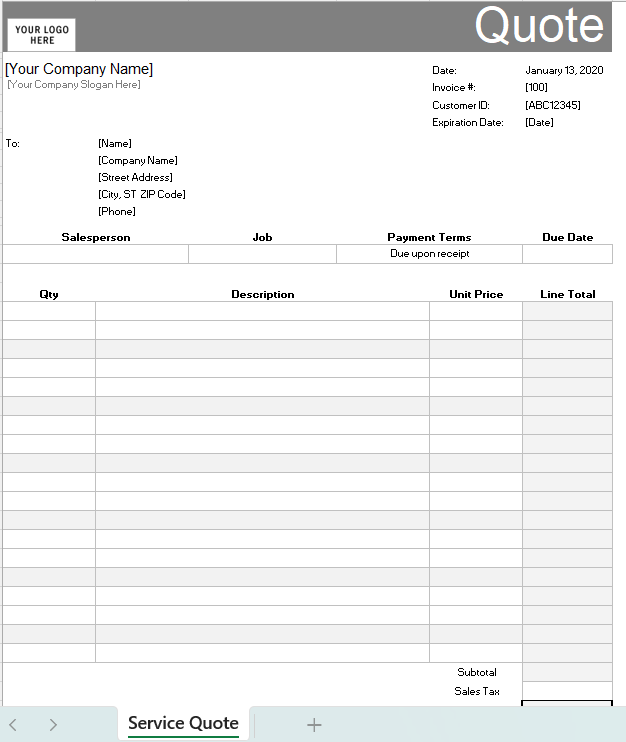
Easy to read and pleasant to look at, this template is great for
small auto shops or mobile mechanics. It keeps things straightforward,
helping you record service details quickly and accurately.
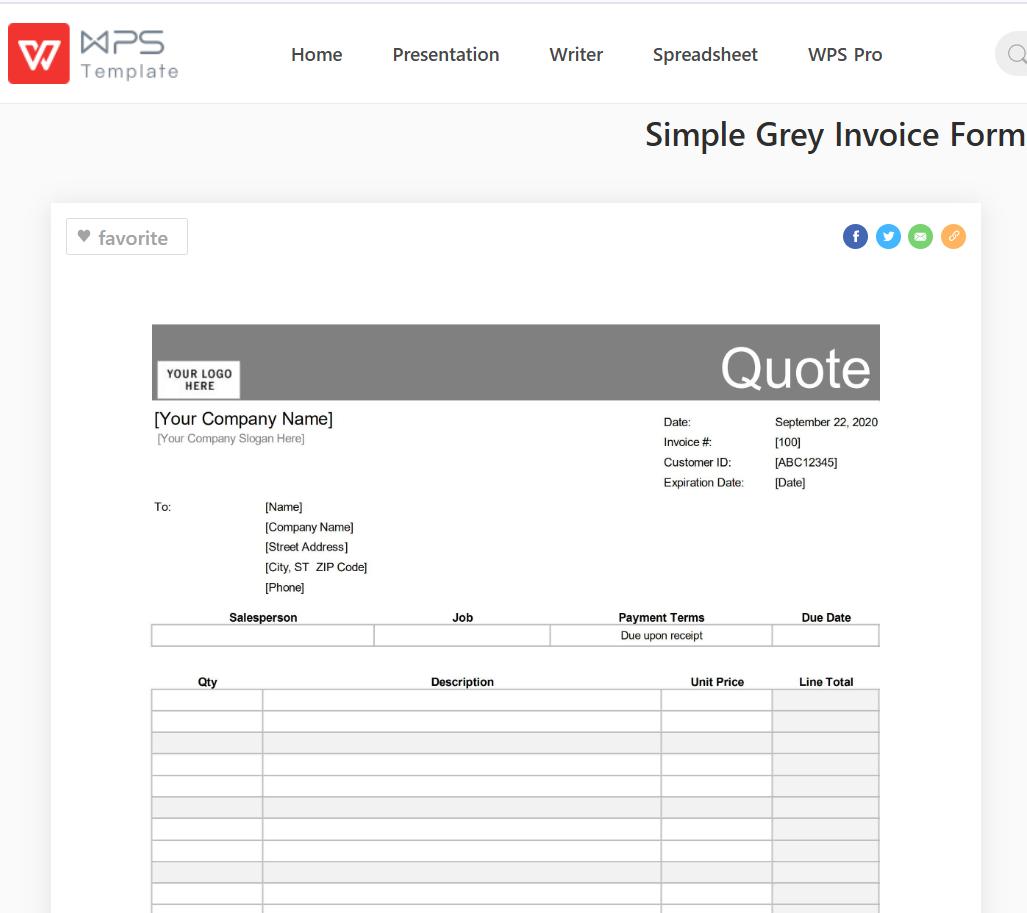
This sleek grey-toned invoice is ideal for those who prefer a clean,
neutral design. It gives your auto repair shop a professional touch,
perfect for printing or emailing to clients directly.
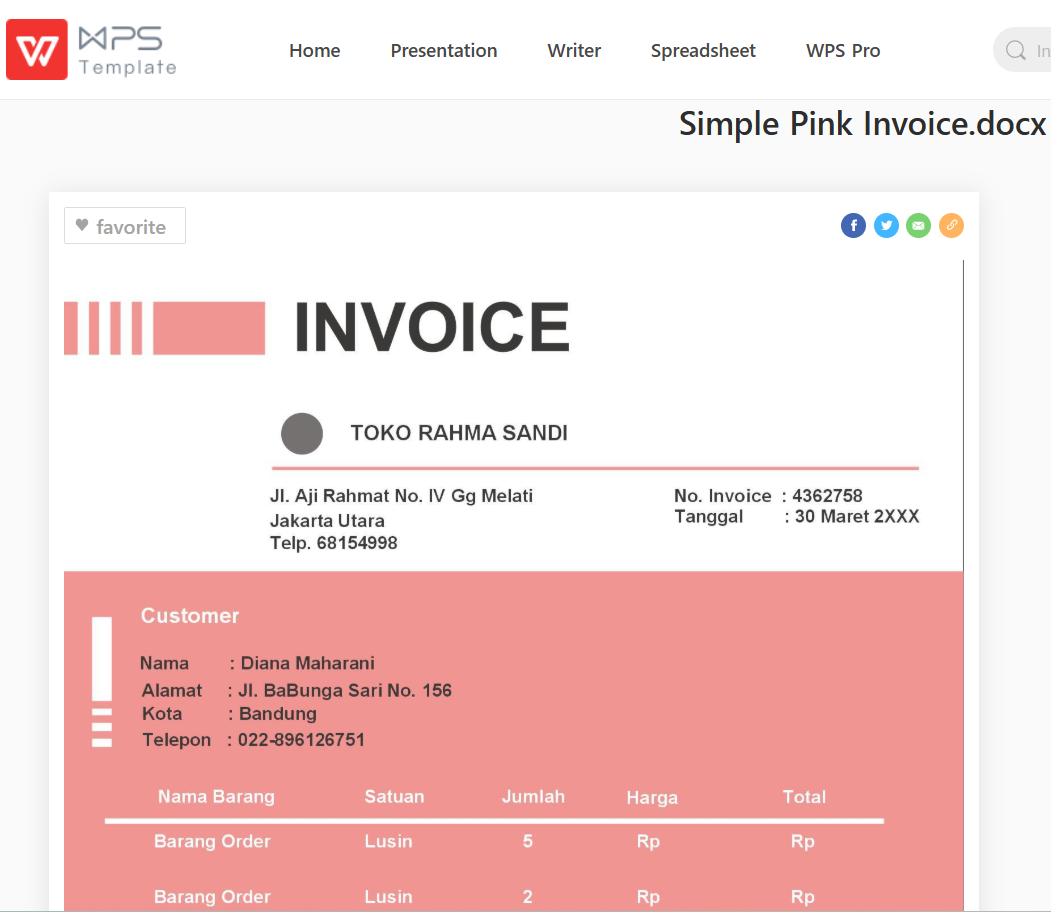
Stylish yet practical, this pink-themed invoice form brings a touch
of personality to your documents. Easy to edit in Word, it’s perfect for
quick customizations and on-the-go invoicing.
Built for the digital age, this invoice is perfect for mobile
mechanics or shops offering online services. It’s designed for easy
editing, digital signatures, and smooth electronic delivery.
A sleek, modern design that fits any type of repair service, from oil
changes to engine rebuilds. With clean sections for parts, labor, and
totals, it helps you present a polished and trustworthy image.
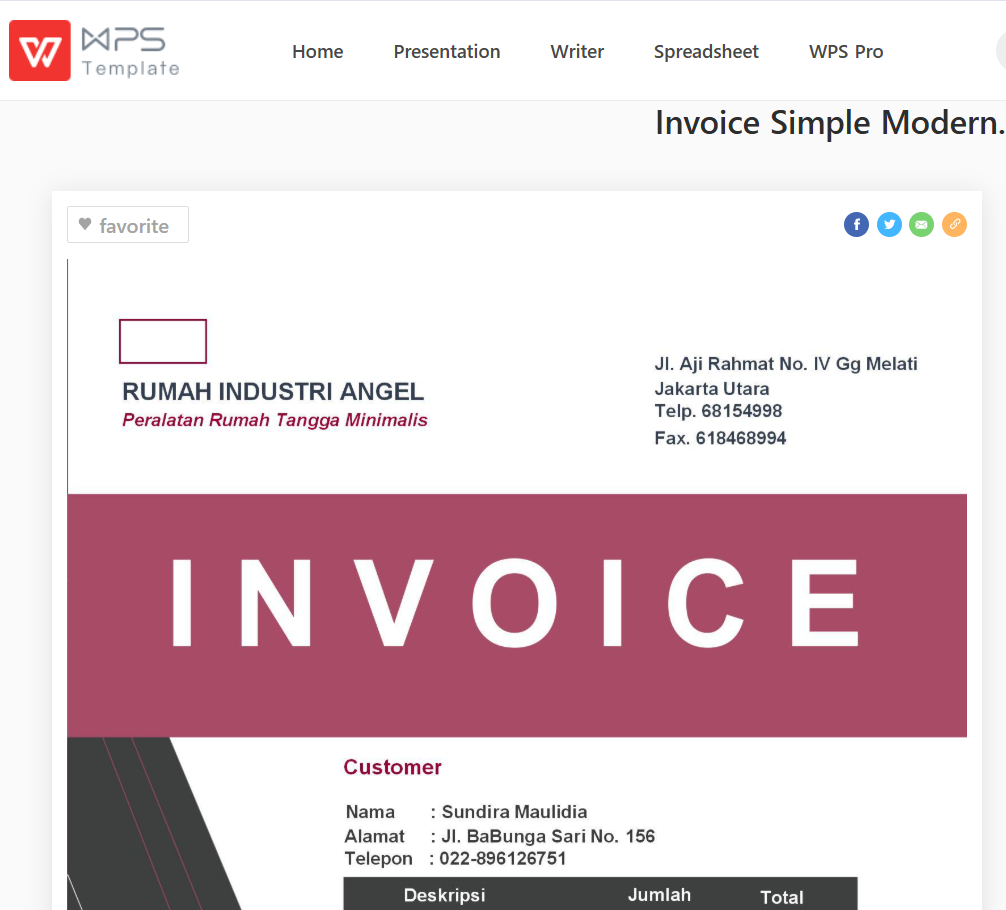
Invoice Simple Modern
How to Use These Templates?
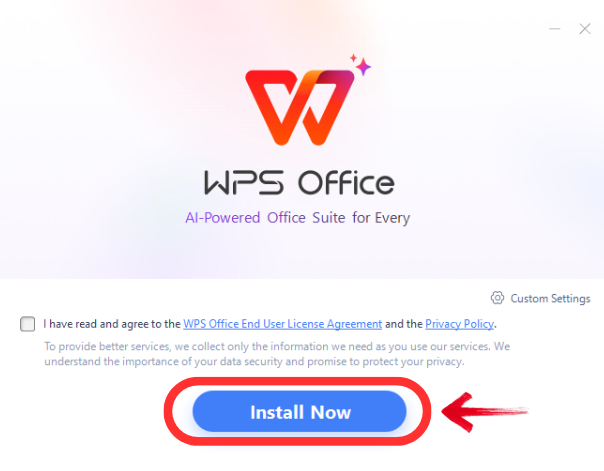
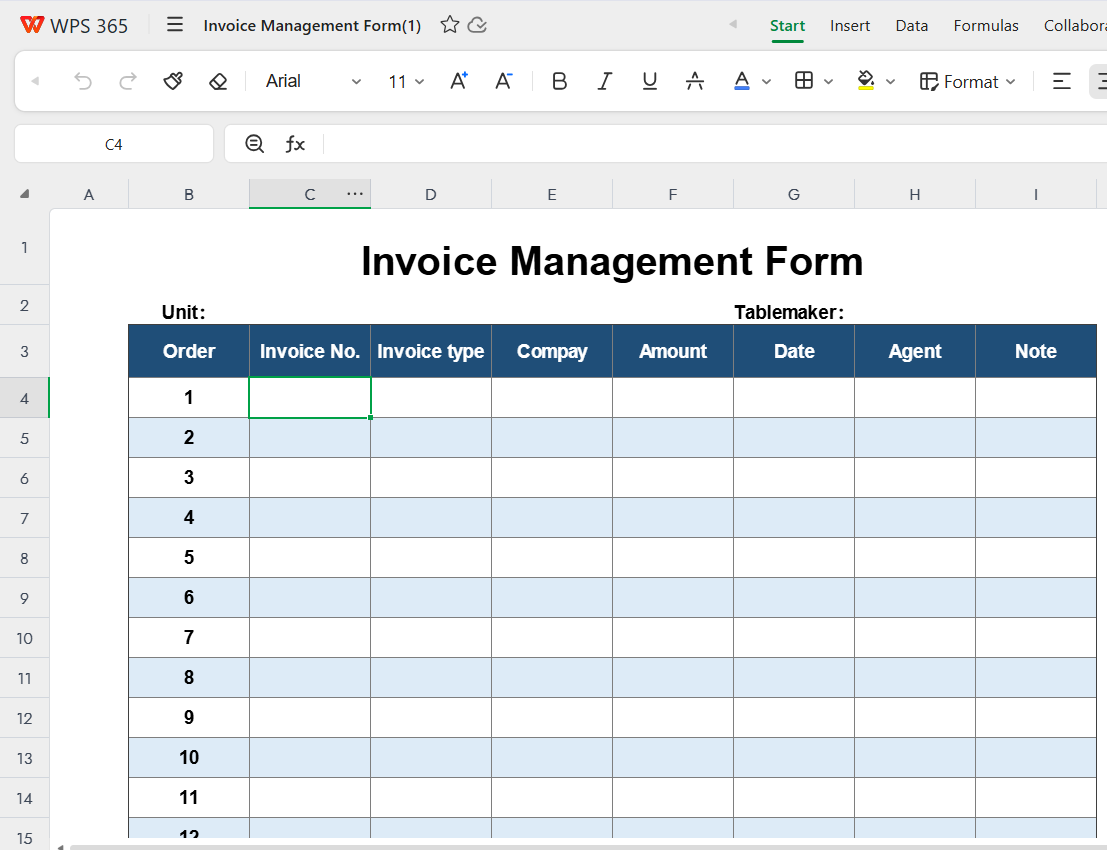
Once you’ve downloaded a template: Open it in the WPS Office. Replace placeholder text with your shop
details, vehicle info, and service list. Add your logo for branding.
Save as PDF or print directly.
From my own experience, the WPS templates are
incredibly intuitive, you can edit every cell, format pricing columns,
and even automate totals. They make professional invoicing possible in
minutes, without needing specialized software.
Part
3. The Best Auto Repair Invoice Forms Helper: WPS Invoice
Generator
If you want to go beyond traditional templates, the WPS Invoice
Generator is the perfect all in one solution for modern mechanics and
auto shop owners. This smart digital tool allows you to create,
customize, and send invoices in just a few clicks, removing the hassle
of manual data entry or design work. It’s designed for busy
professionals who want their paperwork to be as efficient and
professional as their repair services. WPS PDF , WPS Excel and WPS PPT are also helpful in various things.
WPS Office
Why Go Digital?
Manual invoice forms are often time consuming, prone to human error,
and difficult to manage when you’re handling multiple clients or complex
service details. Switching to a digital platform like WPS Invoice
Generator streamlines your workflow saving time, reducing billing
errors, and ensuring every invoice looks clean and professional. With
automated calculations and easy to edit sections, it helps you maintain
accuracy and consistency across all your transactions.
Key Benefits
Ease of Use: Create professional invoices in seconds no design skills needed.
Professional Appearance: Pre-built templates ensure every document looks polished.
Efficiency: Manage multiple clients, payments, and invoices all in one place.
Customization: Add your business logo, brand colors, and personalized fields.
Smart AI Integration: Automatically calculates totals and optimizes layouts for clarity.
How to Create Your First Auto Repair Invoice with
WPS?
Select Your Template: Choose from a variety of
auto repair free invoice templates pdf in the WPS library.
Select Template in WPS library
Enter Information: Fill in customer details,
vehicle information, and a breakdown of labor and parts.
Fill in customer details
Generate & Send: With one click, download
your invoice as a PDF or send it directly to your client.
Download your invoice as a PDF
From personal experience, using the WPS Invoice Generator has
completely transformed the invoicing process. Instead of juggling
between Excel sheets and PDFs, I can now create, edit, and send invoices
in under two minutes from a single dashboard. It’s a truly efficient
tool that makes billing faster, smarter, and far more professional,
perfect for any auto repair business aiming to boost productivity and
client satisfaction.
100% secure
FAQs
1. Can I customize the templates with my own logo? Absolutely. You can add your logo, shop name, and other
branding details easily.
2. Can I use these forms for different types of repair
jobs? Yes! The templates are fully adaptable for oil changes, brake
repairs, diagnostics, and more.
3. How do I send the finished invoice to a customer? Simply save it as a PDF and email it directly. It’s fast,
professional, and eco-friendly.
Summary
A well-crafted auto repair invoice form not only enhances professionalism but also builds customer trust by ensuring clear and accurate billing. It helps mechanics and repair shops maintain transparency in their services, preventing misunderstandings and reinforcing a reputation for reliability. Using the right template can simplify the invoicing process and save valuable time.
To take invoicing efficiency to the next level, digital tools like WPS Officeprovide a smarter, faster, and more professional solution. With easy customization, automated calculations, and sleek templates, WPS Office helps you create polished invoices that reflect your business’s quality, making every transaction seamless and impressive.
With 4 years of hands-on experience, I specialize in finding smart tools that boost productivity and make work-life smoother. If it streamlines the office, I’ve probably tested it—follow for practical tech tips and trusted recommendations.


'%3e%3cpath%20d='M8%200C12.4183%200%2016%203.58172%2016%208C16%2012.4183%2012.4183%2016%208%2016C3.58172%2016%200%2012.4183%200%208C0%203.58172%203.58172%200%208%200ZM11.6162%204.38379C11.2257%203.99337%2010.5927%203.99338%2010.2021%204.38379L8%206.58594L5.79785%204.38379C5.40732%203.99334%204.77429%203.99329%204.38379%204.38379C3.99331%204.77429%203.99335%205.40733%204.38379%205.79785L6.58594%208L4.38379%2010.2021C3.99348%2010.5927%203.99341%2011.2257%204.38379%2011.6162C4.77426%2012.0066%205.40734%2012.0065%205.79785%2011.6162L8%209.41406L10.2021%2011.6162C10.5927%2012.0066%2011.2257%2012.0067%2011.6162%2011.6162C12.0067%2011.2257%2012.0066%2010.5927%2011.6162%2010.2021L9.41406%208L11.6162%205.79785C12.0066%205.40735%2012.0066%204.77429%2011.6162%204.38379Z'%20fill='%23080E17'%20fill-opacity='0.46'/%3e%3c/g%3e%3cdefs%3e%3cclipPath%20id='clip0_3761_713'%3e%3crect%20width='16'%20height='16'%20fill='white'/%3e%3c/clipPath%3e%3c/defs%3e%3c/svg%3e)




'%3e%3cpath%20fill-rule='evenodd'%20clip-rule='evenodd'%20d='M21.4999%2010.9993C21.4999%205.20009%2016.7986%200.498901%2010.9993%200.498901C5.19994%200.498901%200.498657%205.20009%200.498657%2010.9993C0.498657%2016.2404%204.33858%2020.5844%209.35855%2021.3722V14.0346H6.69238V10.9993H9.35855V8.68594C9.35855%206.05427%2010.9262%204.60062%2013.3248%204.60062C14.4736%204.60062%2015.6753%204.80571%2015.6753%204.80571V7.38979H14.3512C13.0468%207.38979%2012.64%208.19921%2012.64%209.0296V10.9993H15.5523L15.0867%2014.0346H12.64V21.3722C17.66%2020.5844%2021.4999%2016.2404%2021.4999%2010.9993Z'%20fill='%231568EA'/%3e%3c/g%3e%3c/svg%3e)


'%3e%3cpath%20d='M2.42045%2022.1876H6.31818V12.7217L0.75%208.54553V20.5171C0.75%2021.4414%201.49892%2022.1876%202.42045%2022.1876Z'%20fill='%234285F4'/%3e%3cpath%20d='M19.682%2022.1876H23.5797C24.5041%2022.1876%2025.2502%2021.4387%2025.2502%2020.5171V8.54553L19.682%2012.7217'%20fill='%2334A853'/%3e%3cpath%20d='M19.682%205.48293V12.7216L25.2502%208.54543V6.31816C25.2502%204.25236%2022.8921%203.07469%2021.2411%204.31361'%20fill='%23FBBC04'/%3e%3cpath%20d='M6.31824%2012.7217V5.48303L13.0001%2010.4944L19.6819%205.48303V12.7217L13.0001%2017.733'%20fill='%23EA4335'/%3e%3cpath%20d='M0.75%206.31816V8.54543L6.31818%2012.7216V5.48293L4.75909%204.31361C3.10534%203.07469%200.75%204.25236%200.75%206.31816Z'%20fill='%23C5221F'/%3e%3c/g%3e%3cdefs%3e%3cclipPath%20id='clip0_2954_7305'%3e%3crect%20width='24.5'%20height='18.375'%20fill='white'%20transform='translate(0.75%203.8125)'/%3e%3c/clipPath%3e%3c/defs%3e%3c/svg%3e)





'%3e%3cpath%20d='M19.9911%204.11386V6.471H18.5894C18.0775%206.471%2017.7322%206.57814%2017.5536%206.79243C17.3751%207.00671%2017.2858%207.32814%2017.2858%207.75671V9.44421H19.9019L19.5536%2012.0871H17.2858V18.8639H14.5536V12.0871H12.2769V9.44421H14.5536V7.49779C14.5536%206.39064%2014.8632%205.53201%2015.4822%204.92189C16.1013%204.31177%2016.9257%204.00671%2017.9554%204.00671C18.8304%204.00671%2019.509%204.04243%2019.9911%204.11386Z'%20fill='%23333333'/%3e%3c/g%3e%3cdefs%3e%3cclipPath%20id='clip0_2938_8199'%3e%3crect%20width='16'%20height='16'%20fill='white'%20transform='translate(8%204.00671)'/%3e%3c/clipPath%3e%3c/defs%3e%3c/svg%3e)
'%3e%3cpath%20d='M17.5237%2010.7813L23.4811%204H22.0699L16.8949%209.88693L12.7648%204H8L14.2469%2012.9029L8%2020.0133H9.4112L14.8725%2013.7952L19.2352%2020.0133H24M9.92053%205.04213H12.0885L22.0688%2019.0224H19.9003'%20fill='%23333333'/%3e%3c/g%3e%3cdefs%3e%3cclipPath%20id='clip0_2938_8200'%3e%3crect%20width='16'%20height='16.0134'%20fill='white'%20transform='translate(8%204)'/%3e%3c/clipPath%3e%3c/defs%3e%3c/svg%3e)


