

'%3e%3cpath%20d='M8%200C12.4183%200%2016%203.58172%2016%208C16%2012.4183%2012.4183%2016%208%2016C3.58172%2016%200%2012.4183%200%208C0%203.58172%203.58172%200%208%200ZM11.6162%204.38379C11.2257%203.99337%2010.5927%203.99338%2010.2021%204.38379L8%206.58594L5.79785%204.38379C5.40732%203.99334%204.77429%203.99329%204.38379%204.38379C3.99331%204.77429%203.99335%205.40733%204.38379%205.79785L6.58594%208L4.38379%2010.2021C3.99348%2010.5927%203.99341%2011.2257%204.38379%2011.6162C4.77426%2012.0066%205.40734%2012.0065%205.79785%2011.6162L8%209.41406L10.2021%2011.6162C10.5927%2012.0066%2011.2257%2012.0067%2011.6162%2011.6162C12.0067%2011.2257%2012.0066%2010.5927%2011.6162%2010.2021L9.41406%208L11.6162%205.79785C12.0066%205.40735%2012.0066%204.77429%2011.6162%204.38379Z'%20fill='%23080E17'%20fill-opacity='0.46'/%3e%3c/g%3e%3cdefs%3e%3cclipPath%20id='clip0_3761_713'%3e%3crect%20width='16'%20height='16'%20fill='white'/%3e%3c/clipPath%3e%3c/defs%3e%3c/svg%3e)




'%3e%3cpath%20fill-rule='evenodd'%20clip-rule='evenodd'%20d='M21.4999%2010.9993C21.4999%205.20009%2016.7986%200.498901%2010.9993%200.498901C5.19994%200.498901%200.498657%205.20009%200.498657%2010.9993C0.498657%2016.2404%204.33858%2020.5844%209.35855%2021.3722V14.0346H6.69238V10.9993H9.35855V8.68594C9.35855%206.05427%2010.9262%204.60062%2013.3248%204.60062C14.4736%204.60062%2015.6753%204.80571%2015.6753%204.80571V7.38979H14.3512C13.0468%207.38979%2012.64%208.19921%2012.64%209.0296V10.9993H15.5523L15.0867%2014.0346H12.64V21.3722C17.66%2020.5844%2021.4999%2016.2404%2021.4999%2010.9993Z'%20fill='%231568EA'/%3e%3c/g%3e%3c/svg%3e)


'%3e%3cpath%20d='M2.42045%2022.1876H6.31818V12.7217L0.75%208.54553V20.5171C0.75%2021.4414%201.49892%2022.1876%202.42045%2022.1876Z'%20fill='%234285F4'/%3e%3cpath%20d='M19.682%2022.1876H23.5797C24.5041%2022.1876%2025.2502%2021.4387%2025.2502%2020.5171V8.54553L19.682%2012.7217'%20fill='%2334A853'/%3e%3cpath%20d='M19.682%205.48293V12.7216L25.2502%208.54543V6.31816C25.2502%204.25236%2022.8921%203.07469%2021.2411%204.31361'%20fill='%23FBBC04'/%3e%3cpath%20d='M6.31824%2012.7217V5.48303L13.0001%2010.4944L19.6819%205.48303V12.7217L13.0001%2017.733'%20fill='%23EA4335'/%3e%3cpath%20d='M0.75%206.31816V8.54543L6.31818%2012.7216V5.48293L4.75909%204.31361C3.10534%203.07469%200.75%204.25236%200.75%206.31816Z'%20fill='%23C5221F'/%3e%3c/g%3e%3cdefs%3e%3cclipPath%20id='clip0_2954_7305'%3e%3crect%20width='24.5'%20height='18.375'%20fill='white'%20transform='translate(0.75%203.8125)'/%3e%3c/clipPath%3e%3c/defs%3e%3c/svg%3e)


Crafting a beautiful obituary is one of the best ways you can honor a deceased loved one, but this can be extremely difficult during a time of such emotional pain. A lot of people tend to struggle a lot when trying to write a respectful tribute from scratch. So, how can you create a heartfelt obituary without any hassle? In this guide, I’ll show you some free editable obituary templates for Word and how you can use WPS to polish them without any stress.



What Is an Obituary Template
Dealing with the death of someone you once knew can be a great toll on your emotions, especially if they were someone who meant a lot to you. At this time, it’s hard to focus my mind enough to write a suitable obituary that properly honors the deceased person. This is where obituary templates come in, letting me write an appropriate one in just a few simple steps without any extra hassle.
Helps express emotions in a clear and respectful manner
Saves a lot of time and manual effort
Makes sure all the important details of the person are mentioned
Ensures a proper format for the entire obituary
10 Free Obituary Templates You Can Use Right Now
Creating an obituary from scratch is not something everybody can do, particularly when you’re going through the passing of someone really close to you. I went through this myself, and I used printable obituary template PDF downloads to simplify the process and save myself a lot of time and stress. In this section, I’ll be highlighting 10 of the templates I found and helping you choose the right one depending on your needs.
1. Newspaper Obituary Template
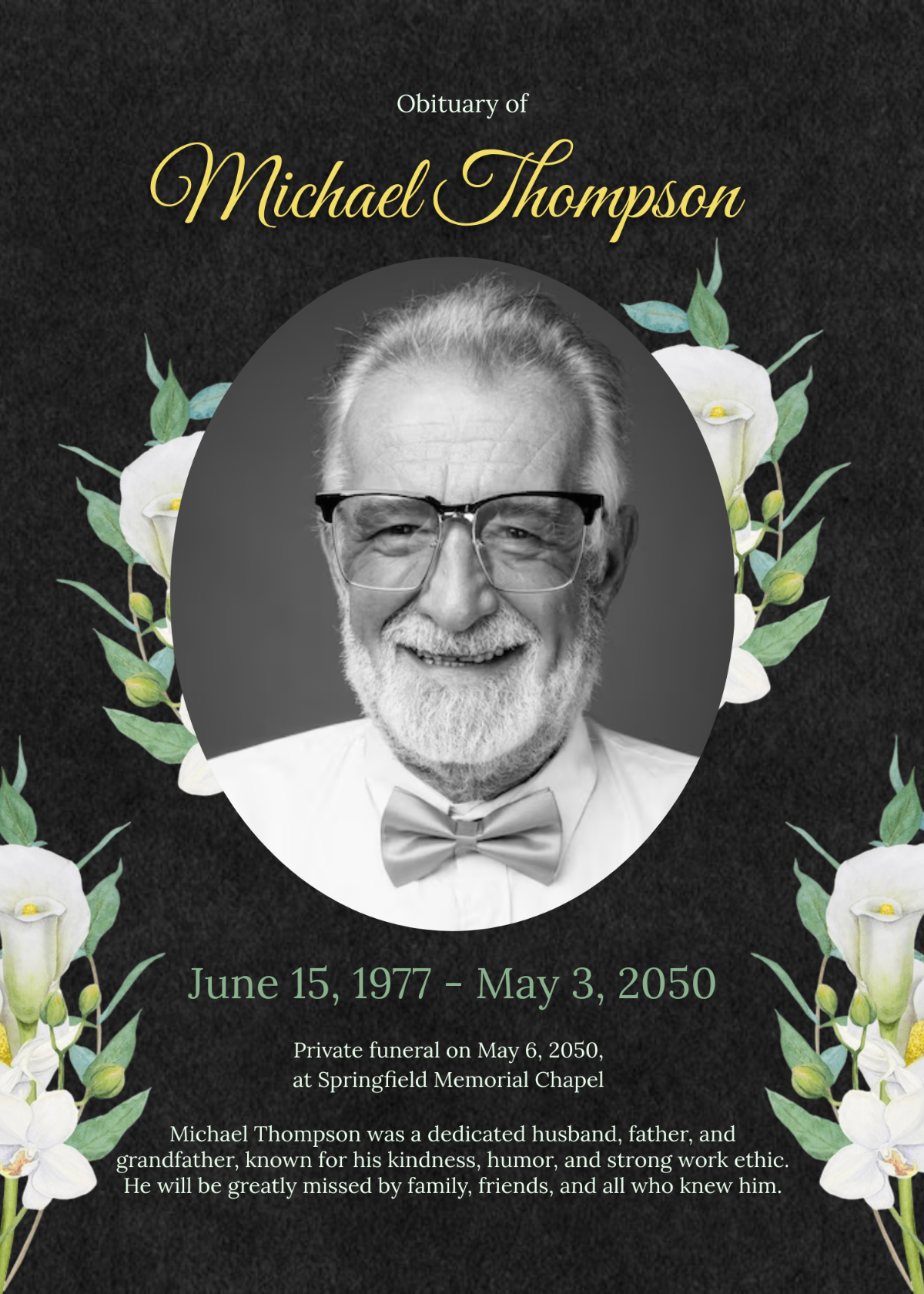
The Newspaper Obituary Template is a great way to pay respects to a loved one or a friend who recently passed away. It features an elegant layout with flowers framing the portrait of the deceased in a newspaper-like style. There’s a heartfelt message written at the very bottom of the obituary; you can edit this however you want.
Type
PNG/PDF
Best For
Paying respects to a close person in a classic manner
2. Celebration of Life Obituary Template
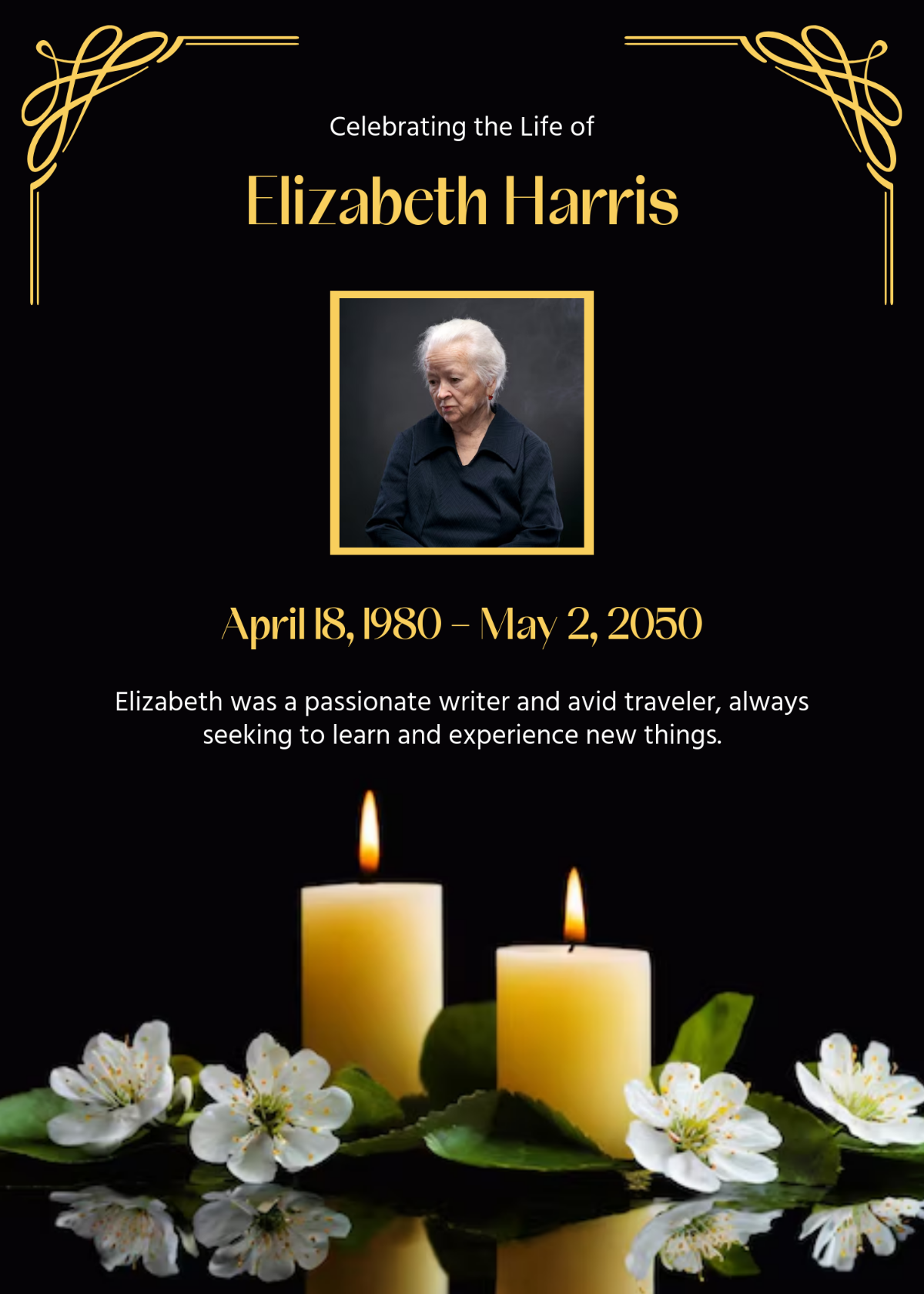
If you want to go for something a bit different and make this day worthy of the person who passed away, then the Celebration of Life Obituary Template might be a better choice for you. It features a beautiful black background with candles and flowers to mark the passing, along with the details of the deceased at the centre, which you can customize to match your own.
Type
PNG/PDF
Best For
Crafting an obituary worthy of the deceased
3. Obituary Article Template
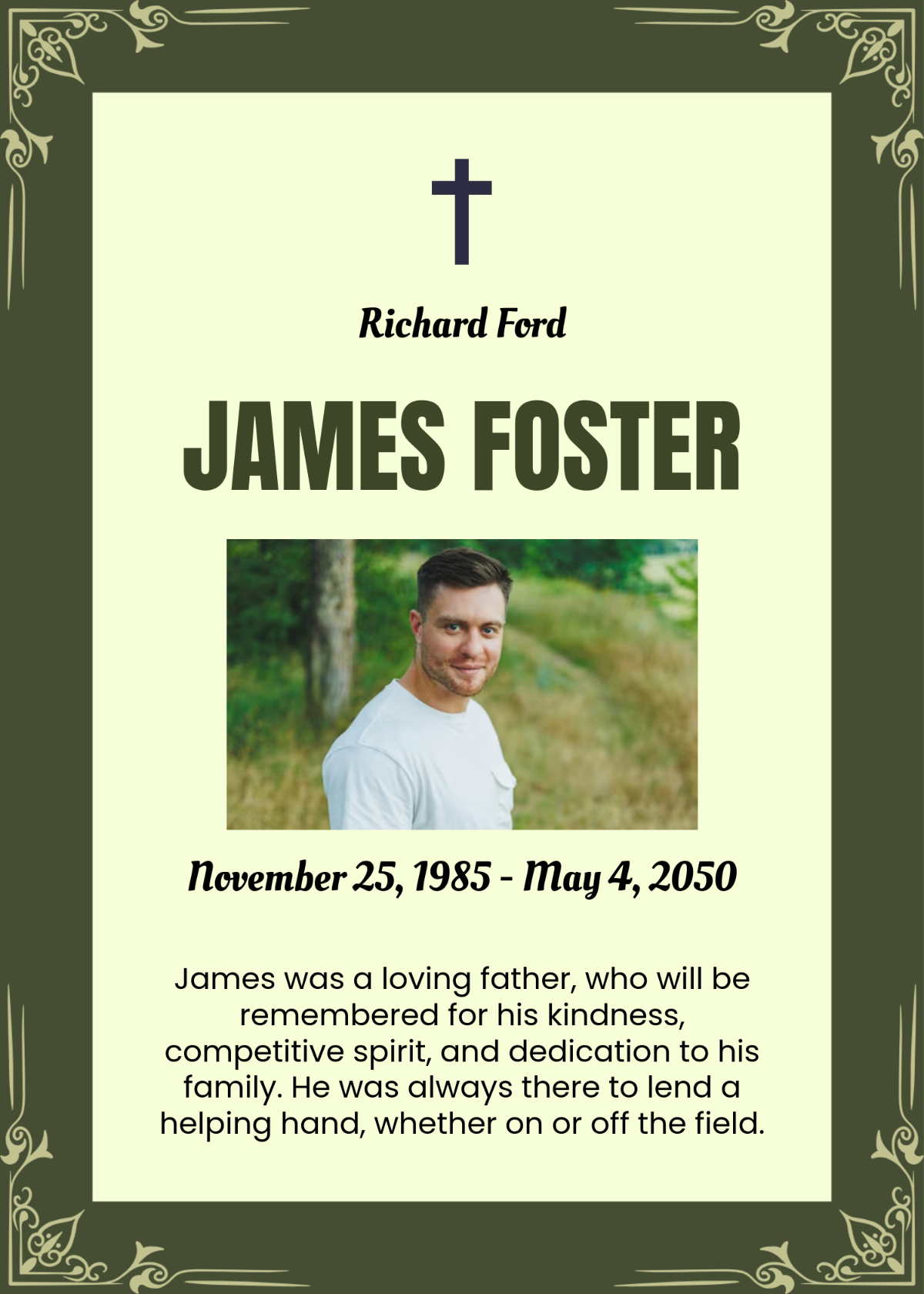
The Obituary Article Template is a great way to pay your respects to the dead in a respectful and appropriate way. It conveys the emotions and mourning of the death, along with honouring the person in a suitable manner. It features a dark green background along with the details of the person, which you can edit on your own.
Type
PNG/PDF
Best For
Paying respects to the dead respectfully
4. Obituary Prayer Card Template
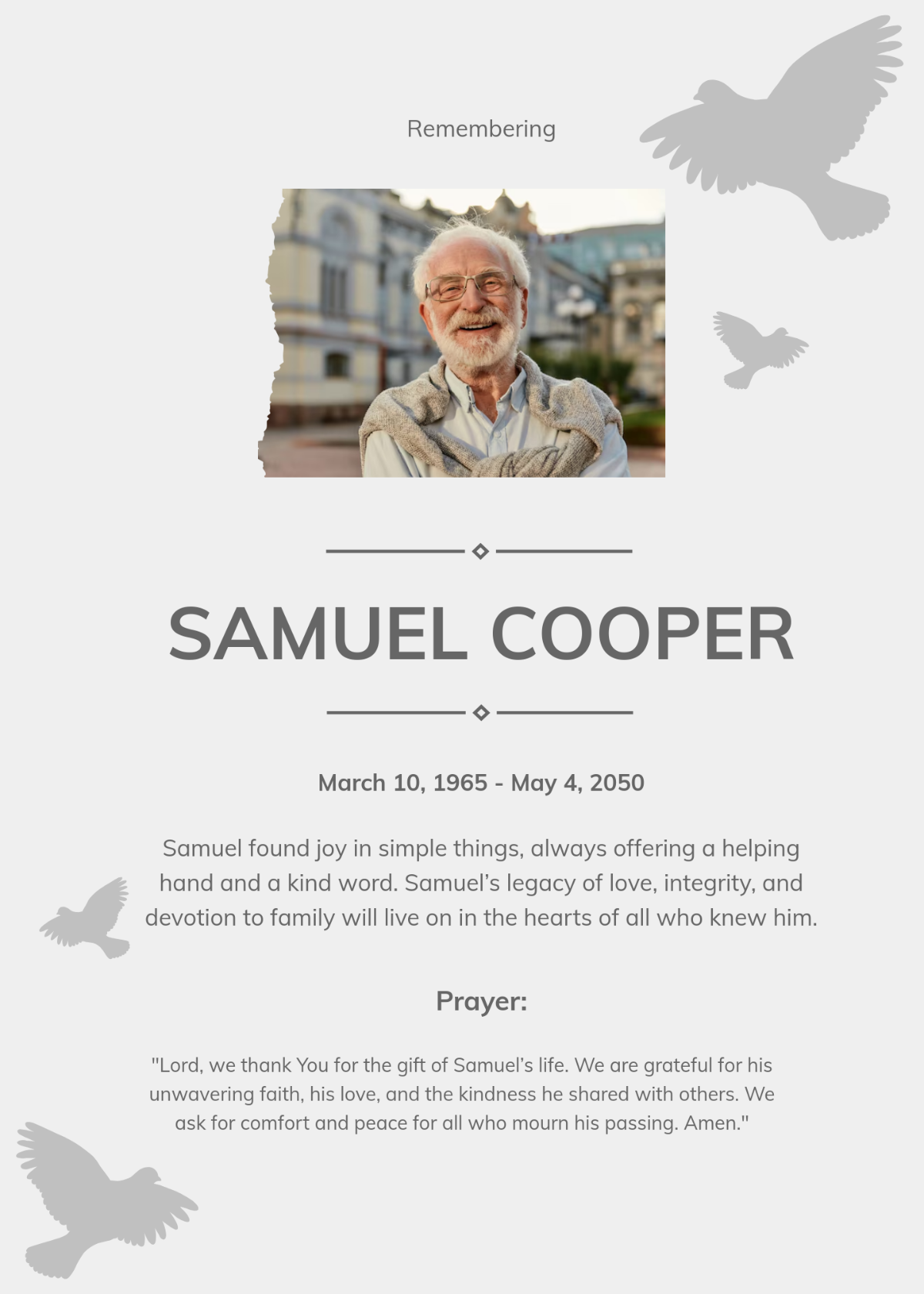
If the person who passed away was close to their religion and you want to make an obituary suitable to them, then going for the Obituary Prayer Card Template is an ideal choice. It features a plain white background displaying silhouettes of doves as a way to honor the deceased. The obituary prayer and other details are completely customizable.
Type
PNG/PDF
Best For
Honouring the religious deceased person
5. Creative Poem Obituary Template
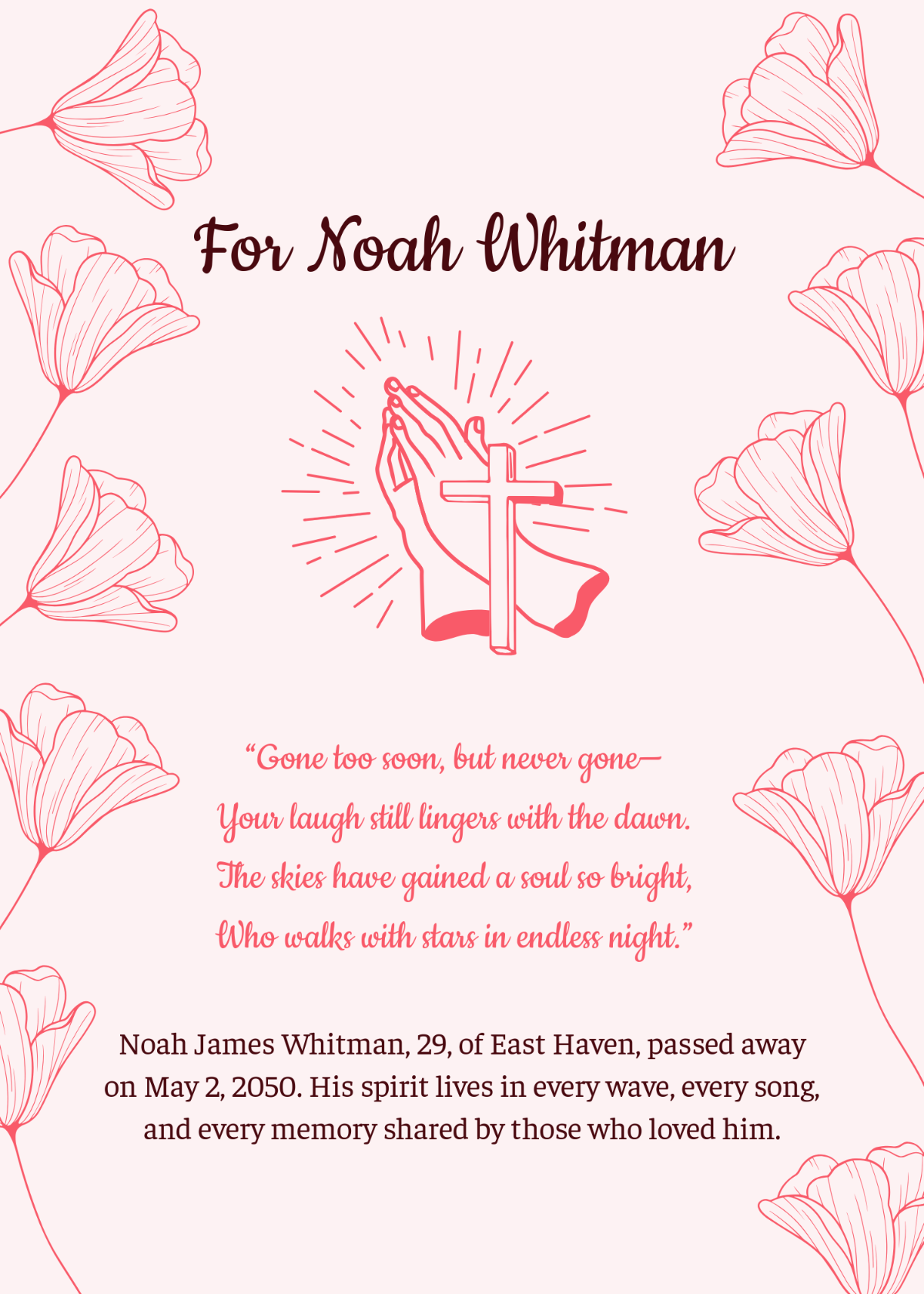
If the person who passed away was someone really close to you and you want your obituary to reflect this bond and love for them, then I would personally recommend the Creative Poem Obituary Template for you. It features a light pink background adorned with flowers all around it, along with a beautifully written poem in the centre, which you can edit to add your own personal touch.
Type
PNG/PDF
Best For
Showing your bond and love with the deceased person creatively
6. Trifold Obituary Template
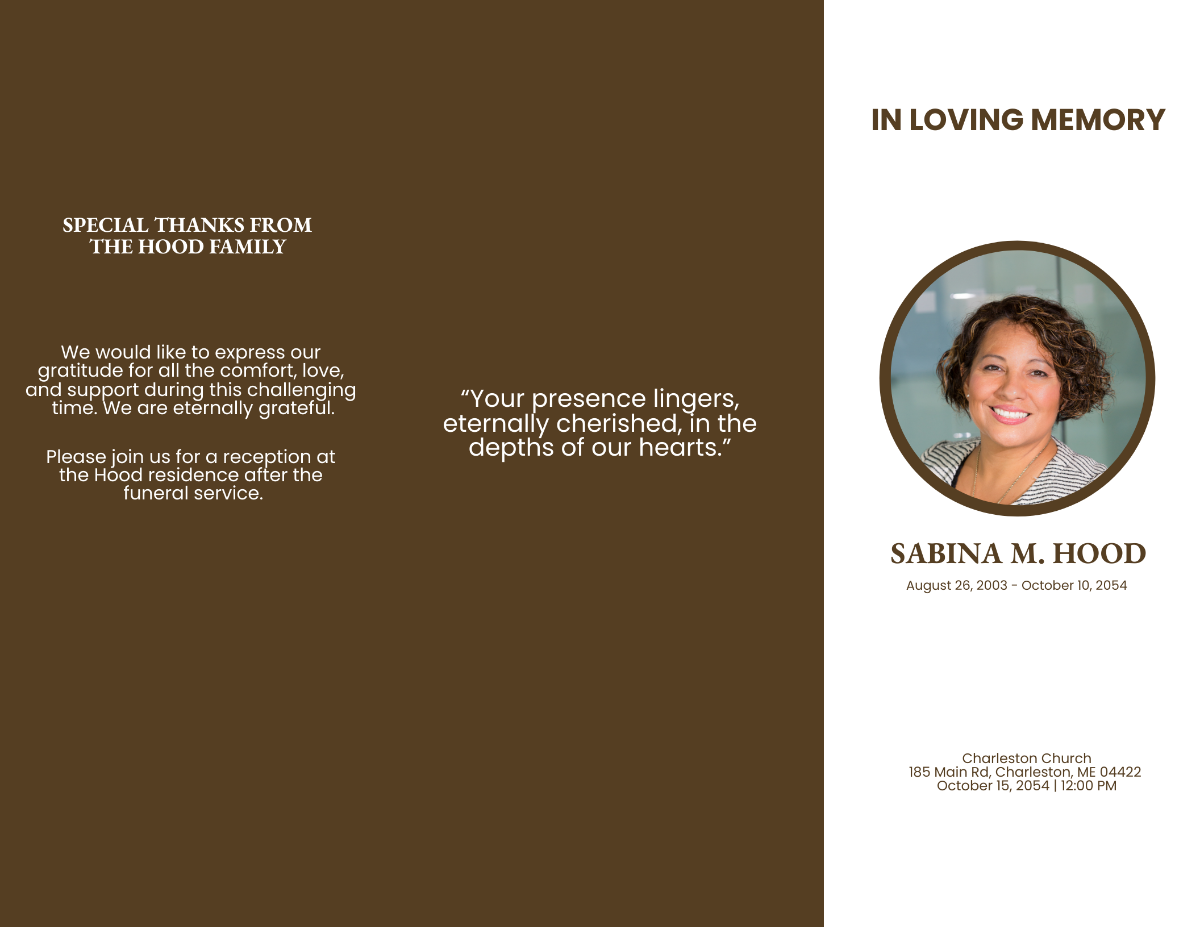
If your colleague or an employee passed away recently, then you can pay your respects professionally using the Trifold Obituary Template. It features a picture of the deceased worker, along with some quotes about that person to appropriately pay respects to them. All the details are completely editable, so you can edit and make it your own.
Type
PNG/PDF
Best For
Paying respects to a colleague or an employee
7. Professional Biography Obituary Template
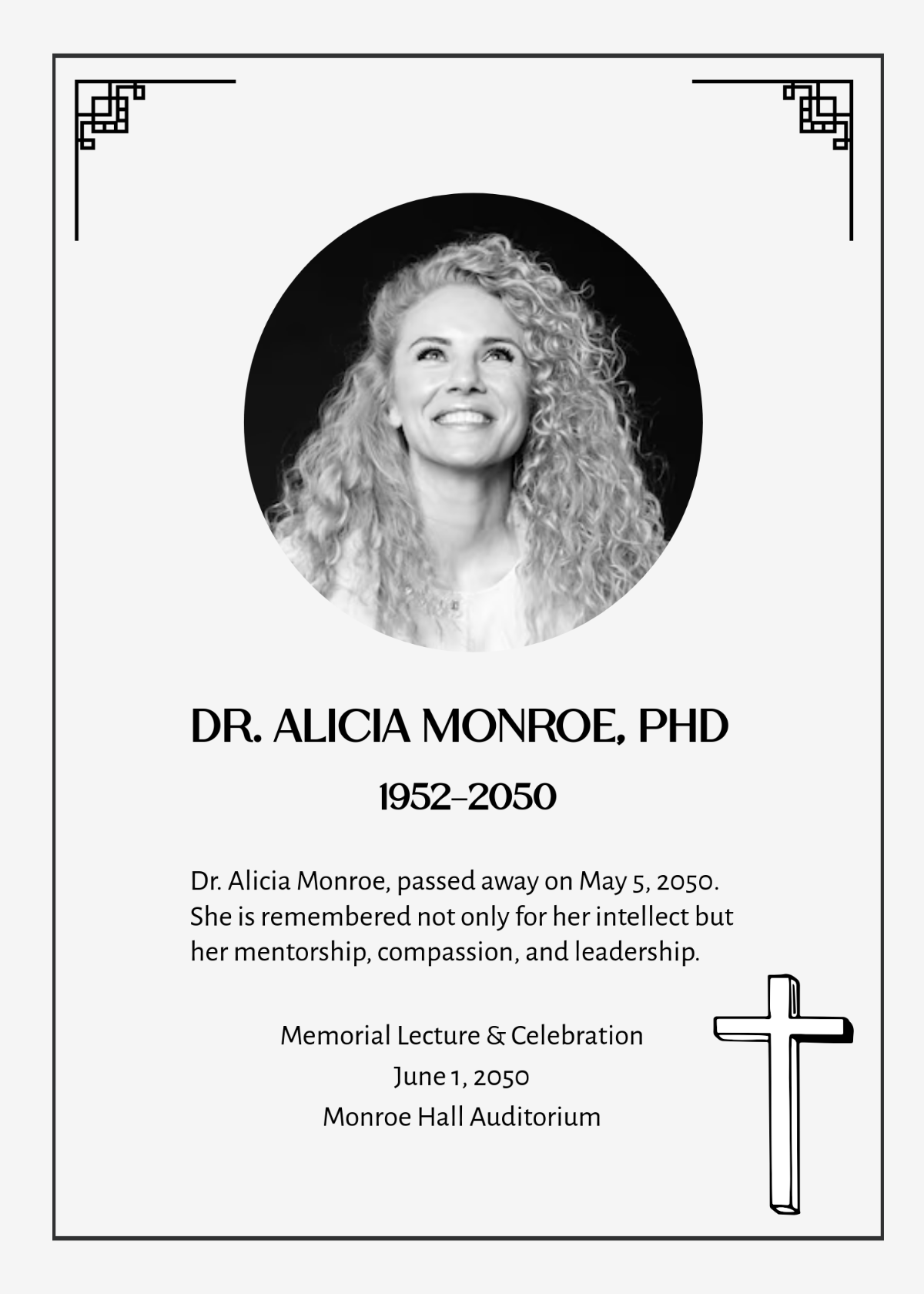
If you want your obituary to honor the deceased in a professional and polished way in their respect, then you should choose the Professional Biography Obituary Template for them. It has a plain white background that is beautifully decorated with an elegant frame and a heartfelt message for the deceased.
Type
PNG/PDF
Best For
Professional obituary writing to respect the dead
8. Pet Obituary Template
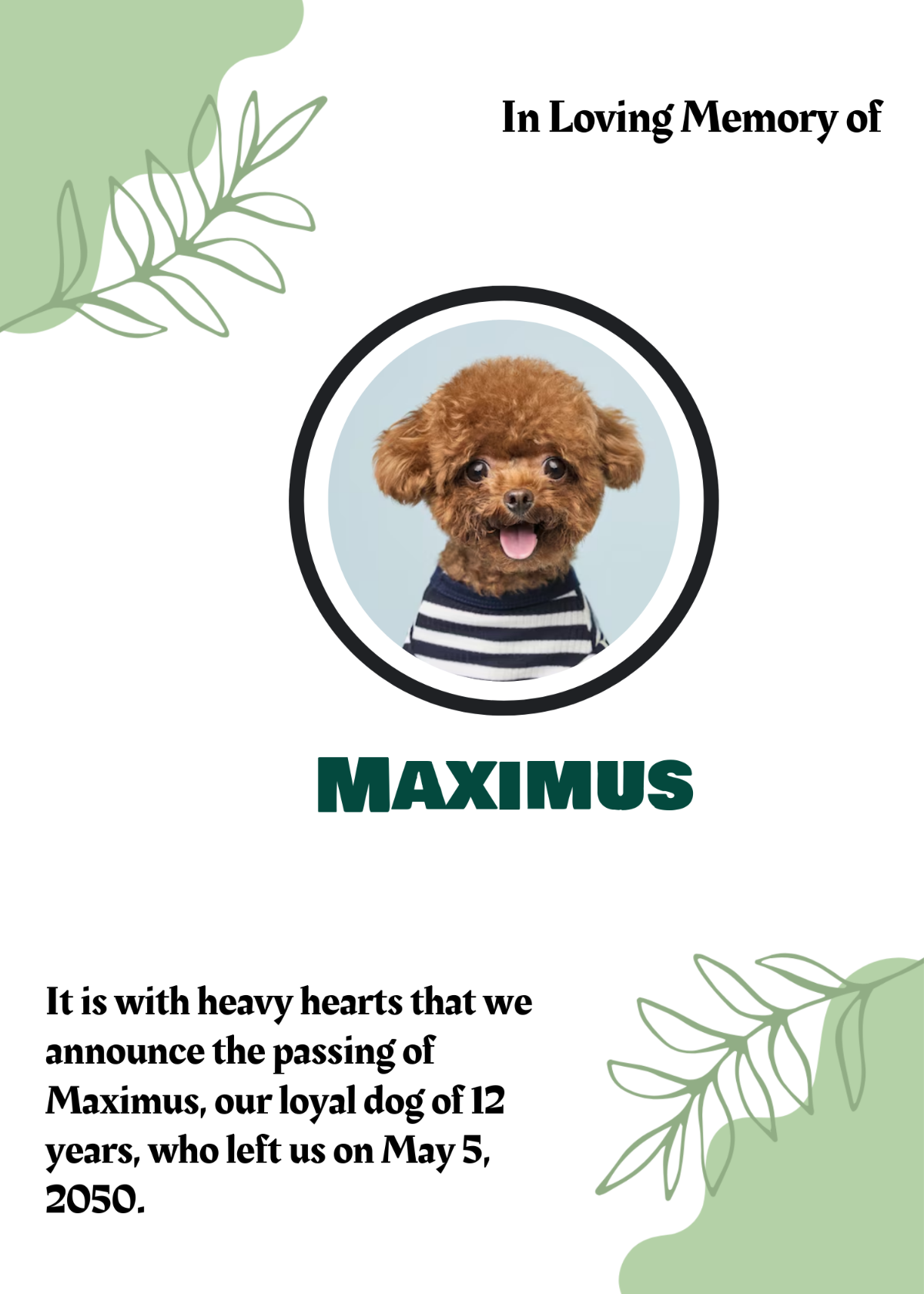
Having a pet of yours pass away can be incredibly difficult, especially for the kids in the family. You can pay your respects using the Pet Obituary Template and honor the innocent pet’s death. It features a circular frame where you can add an image of your beloved pet, and some details about them at the bottom, which you can completely customize.
Type
PNG/PDF
Best For
Dealing with the death of a pet
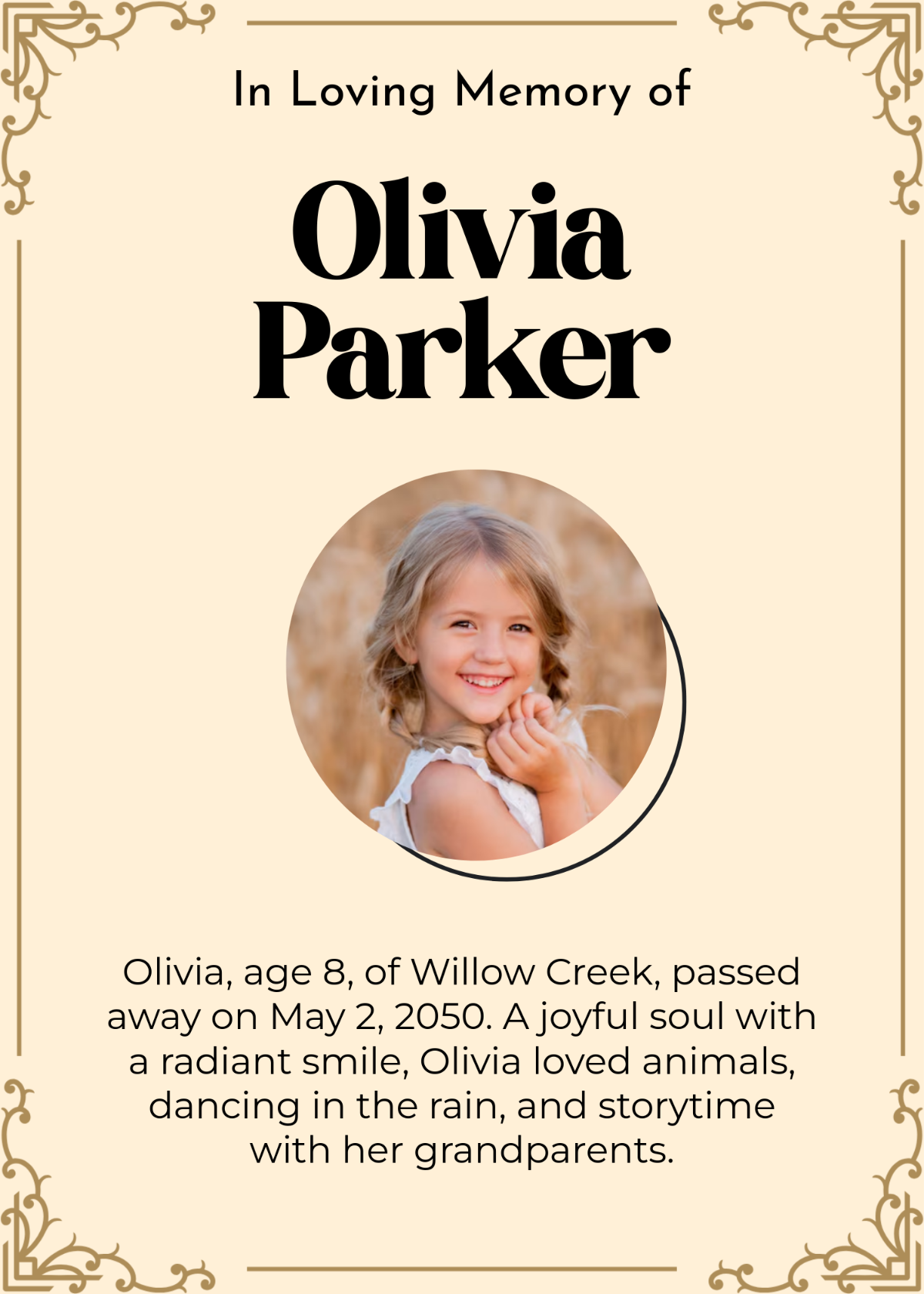
9. Modern Child Obituary Template
Dealing with the death of a child can be incredibly traumatic, and you can honour them and pay your respects using the Modern Child Obituary Template. It features a modern beige background with an elegant frame that decorates it beautifully. Then there’s a heartfelt message written at the very bottom, which you can change however you like.
Type
PNG/PDF
Best For
Paying respects to a child who passed away
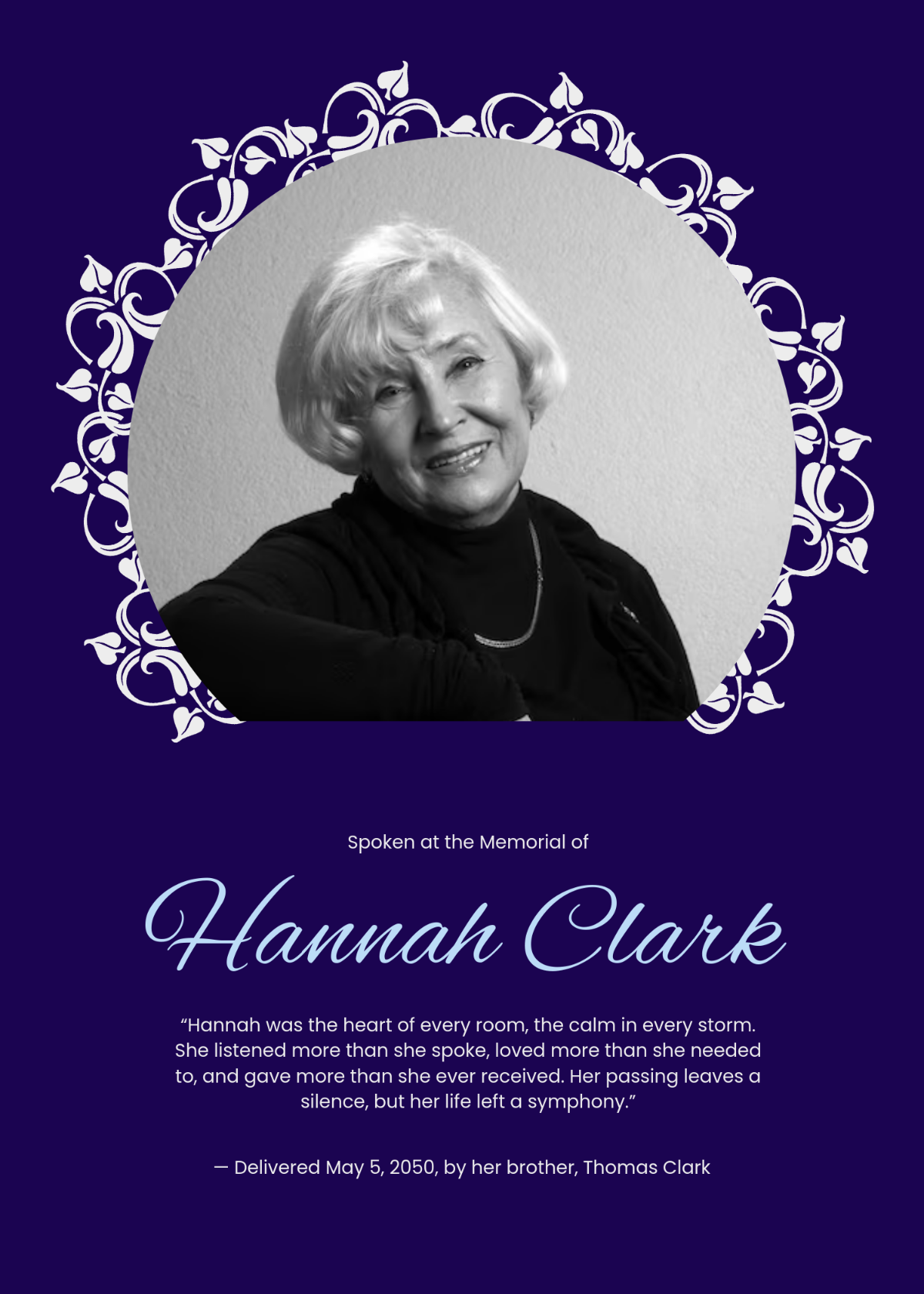
10. Blue Eulogy Obituary Template
If you want something more elegant and modern that’s worthy of the person who passed away, then going for the Blue Eulogy Obituary Template will serve you well. It features a dark blue background, which sets the mournful nature of the obituary, along with an emotional message at the bottom that pays respects to the deceased person.
Type
PNG/PDF
Best For
An elegant and modern obituary to honor the dead person
How to Edit and Personalize Your Obituary Template
Once you’ve decided on the template you want to use for your obituary, the next step is actually editing and customizing it to match the deceased person. Regardless of the format your obituary template is in, you can easily edit it using WPS Office. It has extensive templates and smart features, which make the entire process feel smooth and seamless. In this section, I’ll be walking you through how to write a heartfelt obituary with AI help from WPS Office.
How to Edit Free Obituary Template in PDF
If your obituary template is saved as a PDF, you can enhance it further pretty easily. WPS PDF Editor allows me to edit any PDF document in just a few simple steps. I’ll walk you through the entire process myself, step by step, so you don’t have to deal with any confusion.
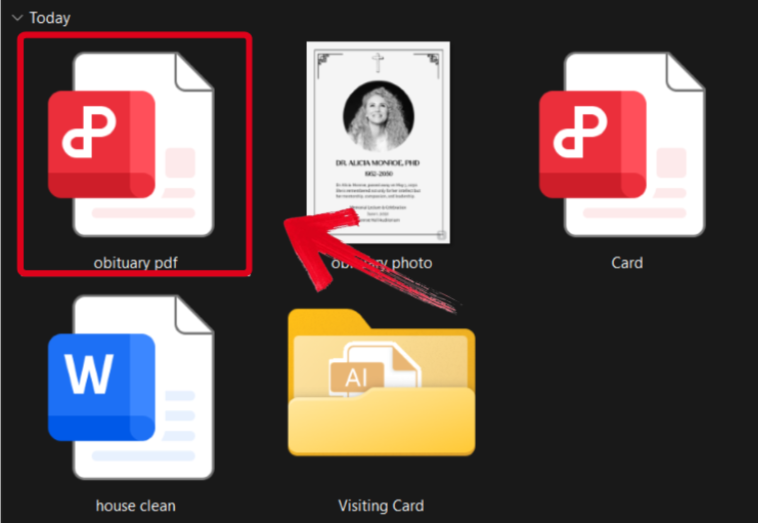
Step 1: Download the obituary template you want to use as a PDF and open it using WPS Office.
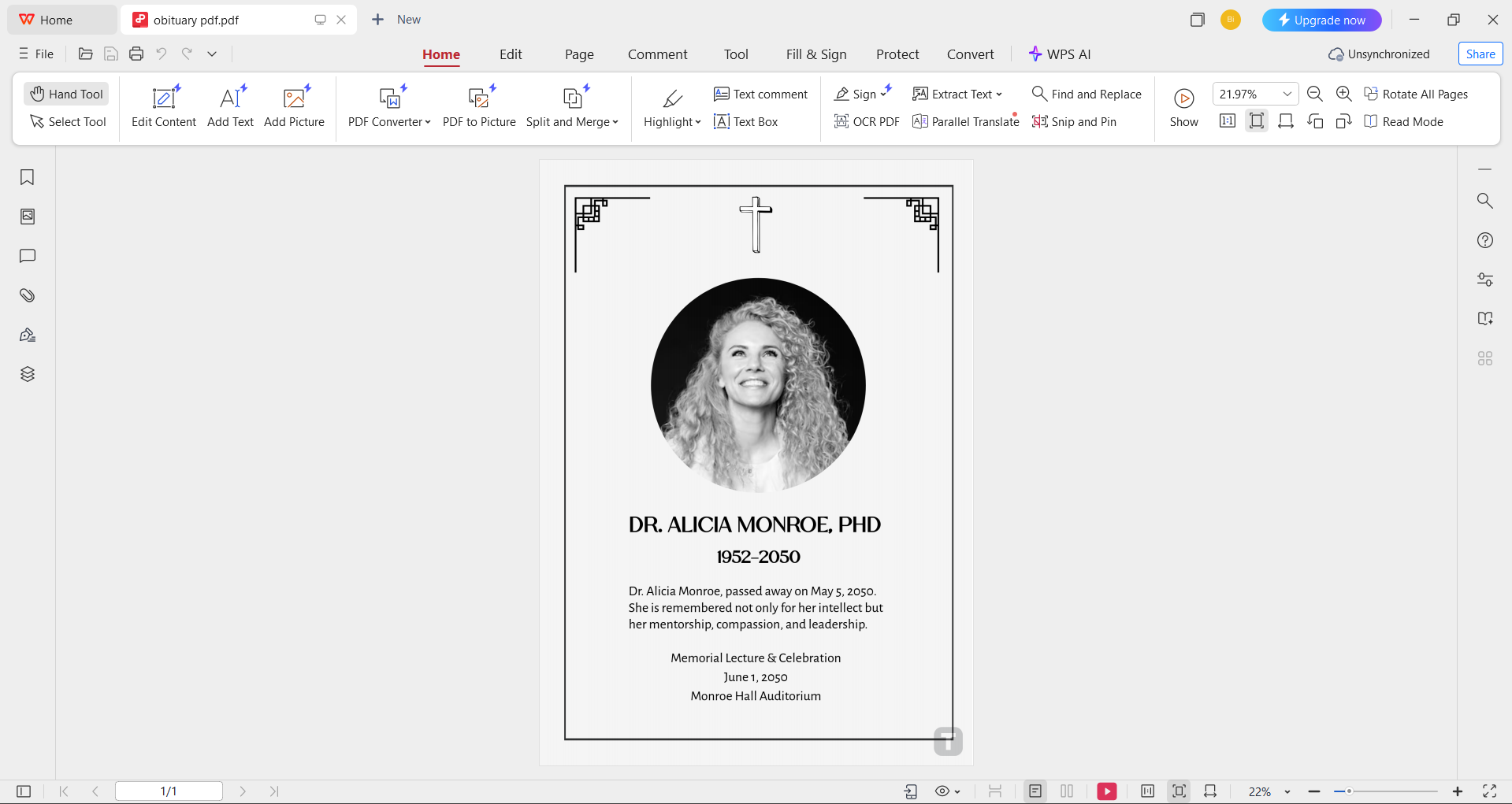
Step 2: Change the obituary details to match the deceased person. You can change the font, text size, and even the color scheme using the tools provided to you.
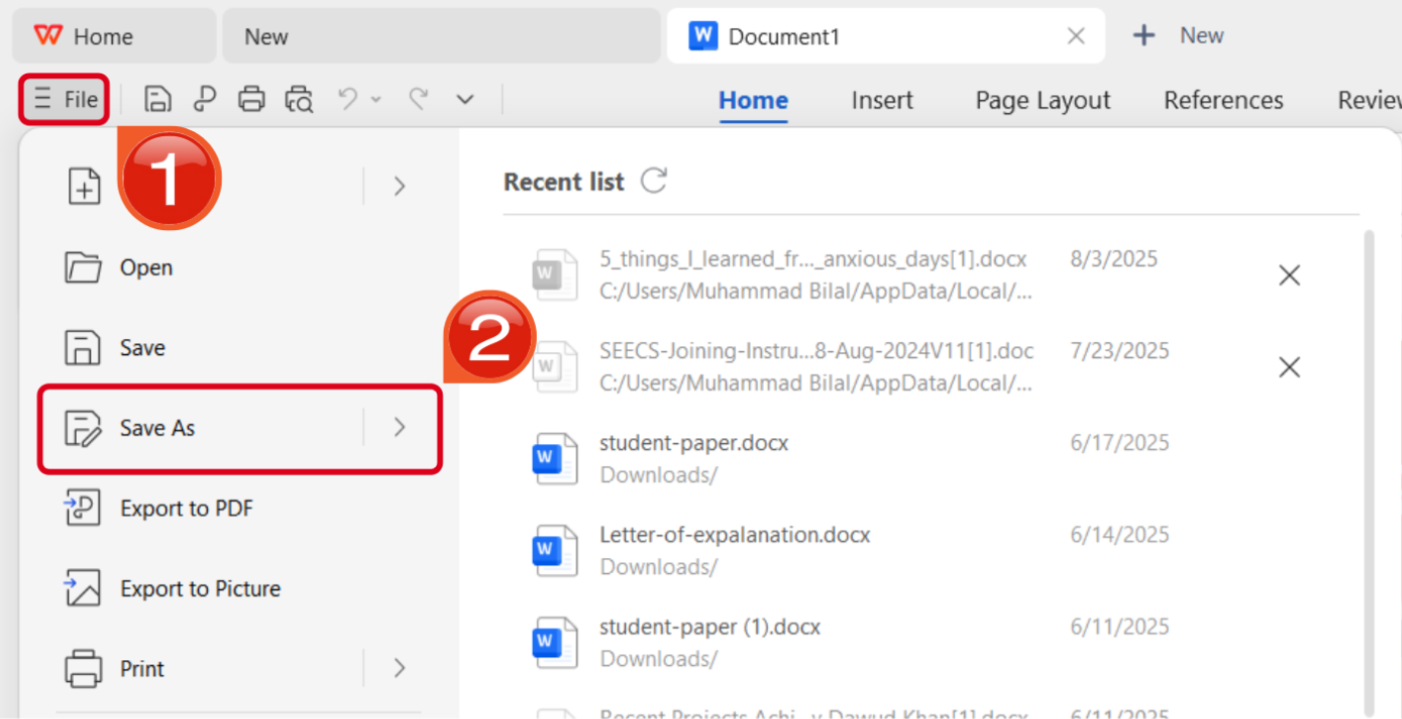
Step 3: Once you’ve finished editing, press theFile button in the top-right corner and then hitSave As.
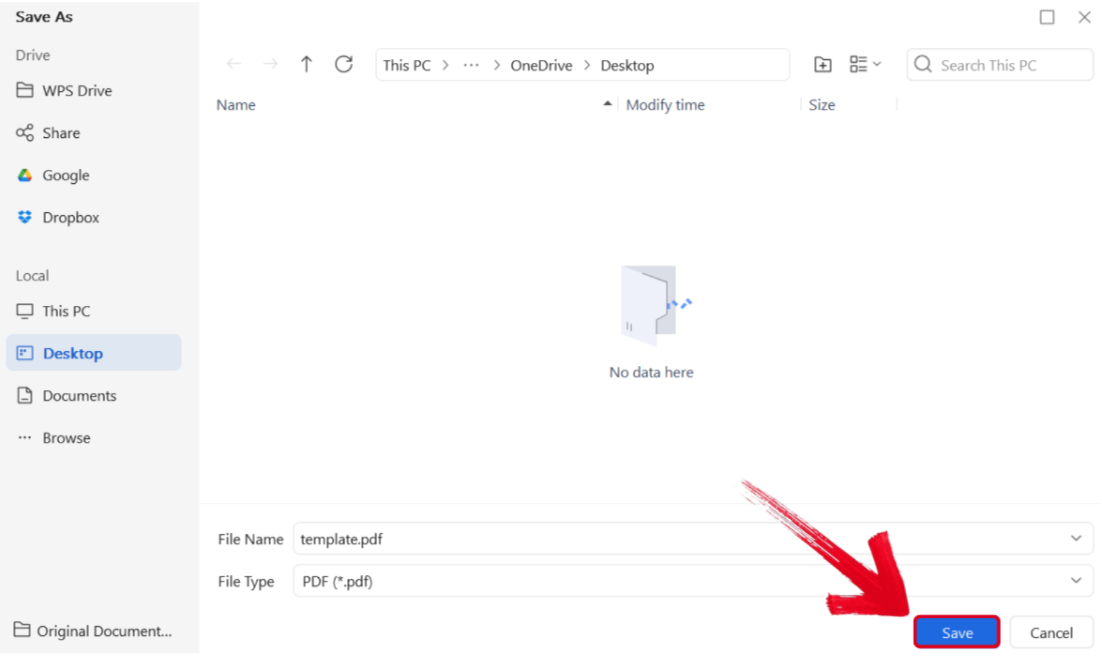
Step 4: Select the folder you want your PDF downloaded to, then press Save.
How to Edit Free Obituary Template in WPS Photo
For image obituary templates, WPS Photo allows me to easily enhance them in a few simple steps. The entire process is pretty straightforward, and I’ll walk you through each step myself.
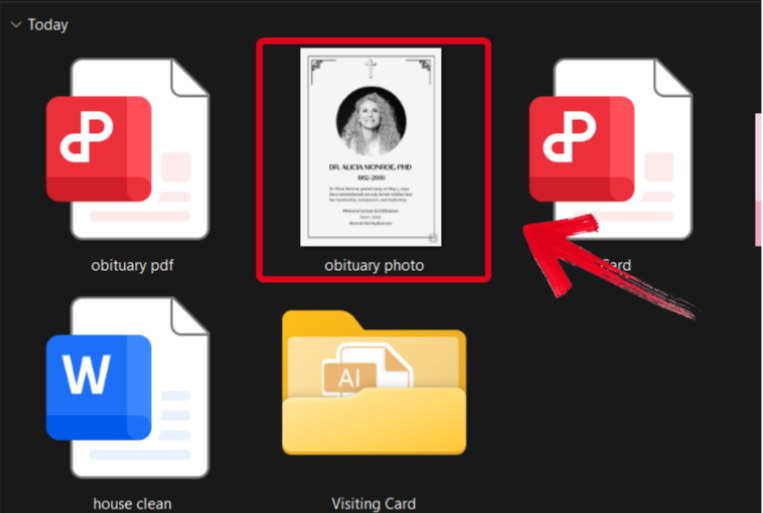
Step 1: Open the obituary template you downloaded using WPS Photos to get started.
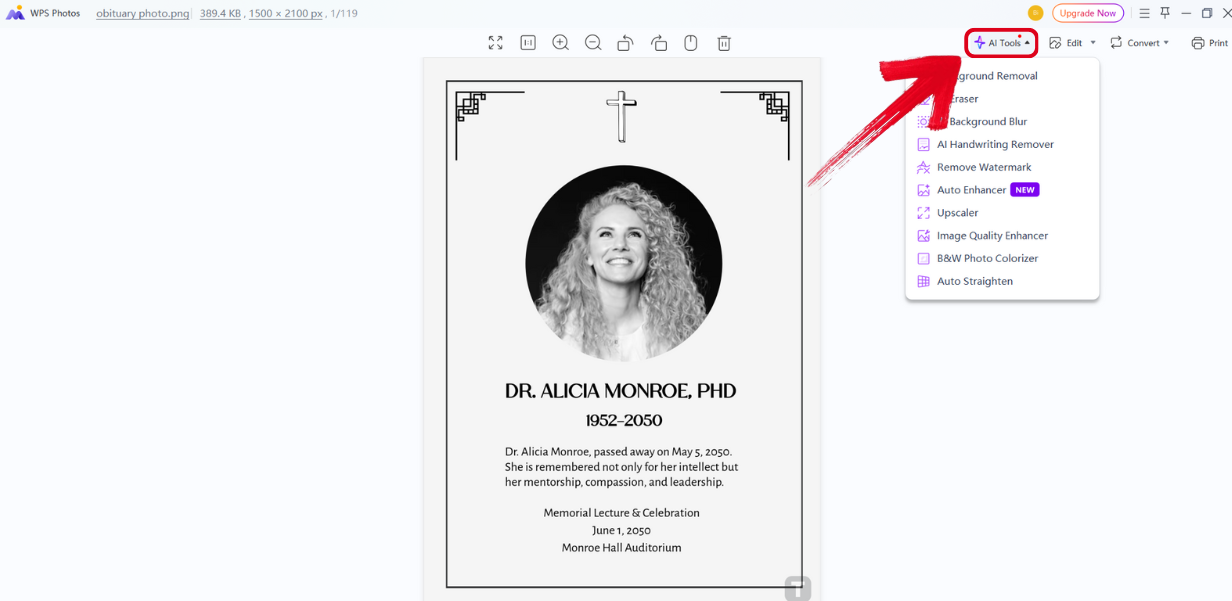
Step 2: In the WPS Photos window, you’ll see a variety of editing features provided to you to help you enhance your photos.
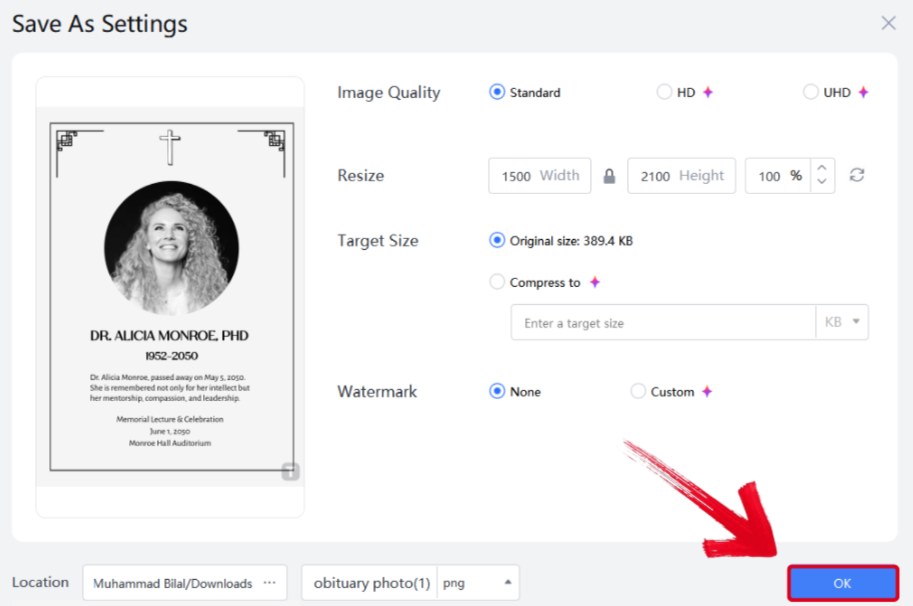
Step 3: Press Ctrl + S to open theSave As window. Adjust the image quality, size, and format, and then press OK to finish.
WPS Office – Free Office Suite Combining Word, Excel, PowerPoint & AI
When I’m dealing with the death of someone who was really close to me, it’s really stressful and the last thing I want to deal with is slow and unreliable software. This is why I only rely on WPS Office for all my templates and work needs. It features a wide library filled with a variety of templates, along with smart features that help me enhance them in just a few simple steps. In this section, I’ll highlight some of the features of WPS that make it ideal for my workflow.

Features
AI features that help me enhance my templates
Budget-friendly and lightweight
A wide range of different templates to choose from
Cloud syncing features that make sharing easy
The free customizable templates are just one of the many features offered by WPS Office. It provides me with everything I need to maintain a smoothly flowing workflow, without slowing me down or asking for any payment. It has easily become my top choice for all my work, whether it’s customizing obituary templates or completing my assignments on time using the AI Writer.
FAQs
Q1: How do I make an obituary feel personal using a template?
Add unique stories, favorite quotes, and personal messages to make the obituary a heartfelt tribute rather than just a formal notice.
Q2: Are there AI tools that can help me write an obituary using a template?
Yes, tools like WPS Office’s AI features can suggest wording, correct grammar, and help structure your obituary for clarity and tone.
Q3: How long should an obituary be?
Obituaries typically range from 150 to 500 words, depending on publication rules and family preferences.
Q4: Can I personalize obituary templates?
Yes, templates can be customized with personal details, photos, and messages.
Paying Respect Appropriately
Death is something everyone experiences, whether it’s someone close to you or someone you work with. This can be extremely stressful, especially if the person meant a lot to you. Paying respects to honour the deceased person helps to ease the built-up tension, but writing obituaries from scratch in a time like this is not practical. In this guide, I’ve shown you some free obituary templates you can use to simplify the entire process.
I personally pair my templates with WPS Office for the ideal workflow. It’s completely free and equips me with everything I need to work efficiently and boost my productivity, making it a top choice for anyone who values their time.

'%3e%3cpath%20d='M19.9911%204.11386V6.471H18.5894C18.0775%206.471%2017.7322%206.57814%2017.5536%206.79243C17.3751%207.00671%2017.2858%207.32814%2017.2858%207.75671V9.44421H19.9019L19.5536%2012.0871H17.2858V18.8639H14.5536V12.0871H12.2769V9.44421H14.5536V7.49779C14.5536%206.39064%2014.8632%205.53201%2015.4822%204.92189C16.1013%204.31177%2016.9257%204.00671%2017.9554%204.00671C18.8304%204.00671%2019.509%204.04243%2019.9911%204.11386Z'%20fill='%23333333'/%3e%3c/g%3e%3cdefs%3e%3cclipPath%20id='clip0_2938_8199'%3e%3crect%20width='16'%20height='16'%20fill='white'%20transform='translate(8%204.00671)'/%3e%3c/clipPath%3e%3c/defs%3e%3c/svg%3e)
'%3e%3cpath%20d='M17.5237%2010.7813L23.4811%204H22.0699L16.8949%209.88693L12.7648%204H8L14.2469%2012.9029L8%2020.0133H9.4112L14.8725%2013.7952L19.2352%2020.0133H24M9.92053%205.04213H12.0885L22.0688%2019.0224H19.9003'%20fill='%23333333'/%3e%3c/g%3e%3cdefs%3e%3cclipPath%20id='clip0_2938_8200'%3e%3crect%20width='16'%20height='16.0134'%20fill='white'%20transform='translate(8%204)'/%3e%3c/clipPath%3e%3c/defs%3e%3c/svg%3e)


