

'%3e%3cpath%20d='M8%200C12.4183%200%2016%203.58172%2016%208C16%2012.4183%2012.4183%2016%208%2016C3.58172%2016%200%2012.4183%200%208C0%203.58172%203.58172%200%208%200ZM11.6162%204.38379C11.2257%203.99337%2010.5927%203.99338%2010.2021%204.38379L8%206.58594L5.79785%204.38379C5.40732%203.99334%204.77429%203.99329%204.38379%204.38379C3.99331%204.77429%203.99335%205.40733%204.38379%205.79785L6.58594%208L4.38379%2010.2021C3.99348%2010.5927%203.99341%2011.2257%204.38379%2011.6162C4.77426%2012.0066%205.40734%2012.0065%205.79785%2011.6162L8%209.41406L10.2021%2011.6162C10.5927%2012.0066%2011.2257%2012.0067%2011.6162%2011.6162C12.0067%2011.2257%2012.0066%2010.5927%2011.6162%2010.2021L9.41406%208L11.6162%205.79785C12.0066%205.40735%2012.0066%204.77429%2011.6162%204.38379Z'%20fill='%23080E17'%20fill-opacity='0.46'/%3e%3c/g%3e%3cdefs%3e%3cclipPath%20id='clip0_3761_713'%3e%3crect%20width='16'%20height='16'%20fill='white'/%3e%3c/clipPath%3e%3c/defs%3e%3c/svg%3e)




'%3e%3cpath%20fill-rule='evenodd'%20clip-rule='evenodd'%20d='M21.4999%2010.9993C21.4999%205.20009%2016.7986%200.498901%2010.9993%200.498901C5.19994%200.498901%200.498657%205.20009%200.498657%2010.9993C0.498657%2016.2404%204.33858%2020.5844%209.35855%2021.3722V14.0346H6.69238V10.9993H9.35855V8.68594C9.35855%206.05427%2010.9262%204.60062%2013.3248%204.60062C14.4736%204.60062%2015.6753%204.80571%2015.6753%204.80571V7.38979H14.3512C13.0468%207.38979%2012.64%208.19921%2012.64%209.0296V10.9993H15.5523L15.0867%2014.0346H12.64V21.3722C17.66%2020.5844%2021.4999%2016.2404%2021.4999%2010.9993Z'%20fill='%231568EA'/%3e%3c/g%3e%3c/svg%3e)


'%3e%3cpath%20d='M2.42045%2022.1876H6.31818V12.7217L0.75%208.54553V20.5171C0.75%2021.4414%201.49892%2022.1876%202.42045%2022.1876Z'%20fill='%234285F4'/%3e%3cpath%20d='M19.682%2022.1876H23.5797C24.5041%2022.1876%2025.2502%2021.4387%2025.2502%2020.5171V8.54553L19.682%2012.7217'%20fill='%2334A853'/%3e%3cpath%20d='M19.682%205.48293V12.7216L25.2502%208.54543V6.31816C25.2502%204.25236%2022.8921%203.07469%2021.2411%204.31361'%20fill='%23FBBC04'/%3e%3cpath%20d='M6.31824%2012.7217V5.48303L13.0001%2010.4944L19.6819%205.48303V12.7217L13.0001%2017.733'%20fill='%23EA4335'/%3e%3cpath%20d='M0.75%206.31816V8.54543L6.31818%2012.7216V5.48293L4.75909%204.31361C3.10534%203.07469%200.75%204.25236%200.75%206.31816Z'%20fill='%23C5221F'/%3e%3c/g%3e%3cdefs%3e%3cclipPath%20id='clip0_2954_7305'%3e%3crect%20width='24.5'%20height='18.375'%20fill='white'%20transform='translate(0.75%203.8125)'/%3e%3c/clipPath%3e%3c/defs%3e%3c/svg%3e)


Yo, let’s be real: writing an About Me section is like trying to describe your vibe without sounding like a robot or your mom bragging at a cookout. Blank page for a job, school project, or website bio? Brain’s like, “I’m out!” You wanna show off your skills, maybe sneak in that you’re a tamale-making pro or obsessed with retro bottle caps. I got you! Here’s 10 free About Me templates to make it a breeze, plus tips on how to write an About Me template with WPS Office, a free app that’s your creative homie. Let’s make an intro that’s straight fire!
Part 1: How to Write an About Me Template
What is an About Me Template?
An About Me template is like your bestie hyping you up to sound dope without the awkward. It’s a pre-made layout mixing your background, skills, and vibe, so you’re not stuck panicking over a blank page. Whether it’s a resume, classroom poster, or TikTok bio, it’s your cheat code to looking pro, no stress. It shares just enough to grab attention without spilling your whole life, like that time you got stuck in a bouncy castle.
What to Include in an About Me Poster?
Your About Me poster should feel like you’re spilling the tea with a new pal over a burger, short, real, and fun. Here’s what to toss in to make it pop:
Name and Photo: Drop your full name and a pic where you’re looking chill, think “grinning at a food truck,” not “DMV photo gone wrong.” A good pic makes you seem like someone they’d wanna grab a slushie with.
Background: Share a quick peek into your life, like “I’m a coffee fiend from Chicago” or “I’m studying music in Miami.” Keep it short but juicy enough to give a sense of who you are.
Skills and Achievements: Pick 2–3 things you’re straight-up killing it at, like “I’m a coding wizard” or “I threw a fundraiser that brought in $2K.” These show what you’re bringing to the table.
Hobbies and Interests: Add a quirky fact, like “I’m obsessed with collecting retro keychains” or “I binge true crime podcasts like it’s my job,” to let your personality shine.
Goals or Values: Say what gets you hyped, like “I’m all about spreading good vibes” or “I wanna design games that blow minds.” This adds a little heart to your story.
Tips: Think about who’s gonna see this. Job app? Flex those skills like you’re pitching to a big shot. School project? Let your goofy side take center stage with hobbies. If you’re stuck, check out personal About Me examples online for a quick hit of inspo. Just keep it real, nobody wants a robot’s life story, ya know?
Part 2: 10 Free About Me Templates [Download]
I’ve scrounged up 10 free About Me templates to match whatever you’re cooking up, job apps, school intros, or creative portfolios. Each one’s got its own vibe, and they’re all crazy easy to tweak in WPS Office, so you can make ‘em scream you in like 10 minutes.
Professional About Me Template (Word)
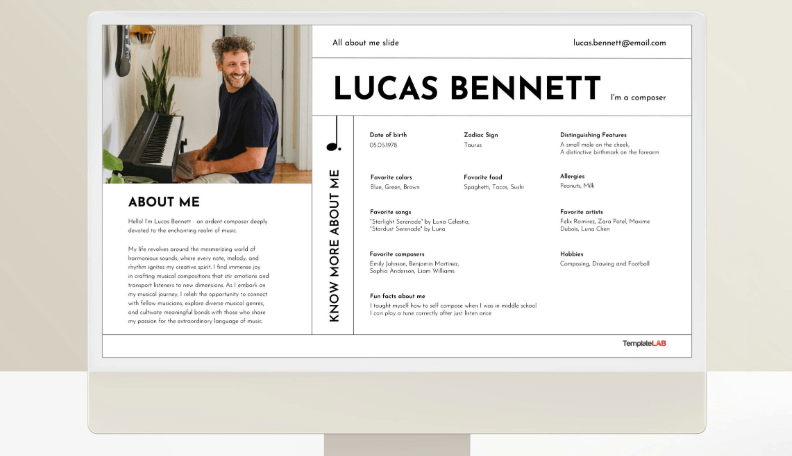
This slick About Me template is your job app or LinkedIn wingman, flexing your career wins like a boss. It’s clean, no-drama, and says “hire me” without being extra. Perfect for snagging a recruiter’s attention, it’s got space for a hint of your vibe, like your cold brew obsession. It’s your digital handshake to land that dream gig.
Creative About Me Poster (Word)
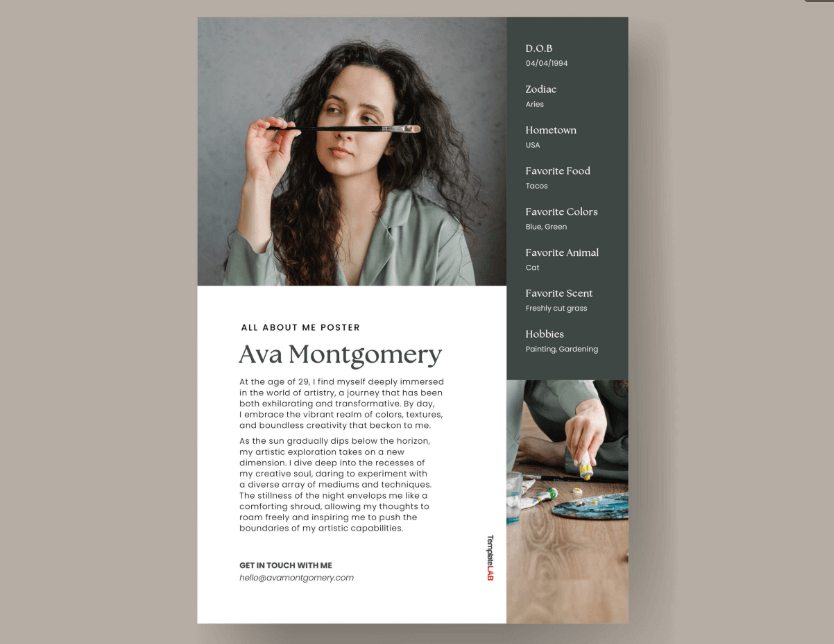
Packed with wild colors, this About Me template is for artists who want their personality to pop like a firecracker. It’s perfect for portfolios or networking, letting you flex your quirky side, like your love for neon doodles. The bold layout keeps it polished but loud. It’s your inner creative screaming, “Check my vibe!”
Student About Me Template (Word)
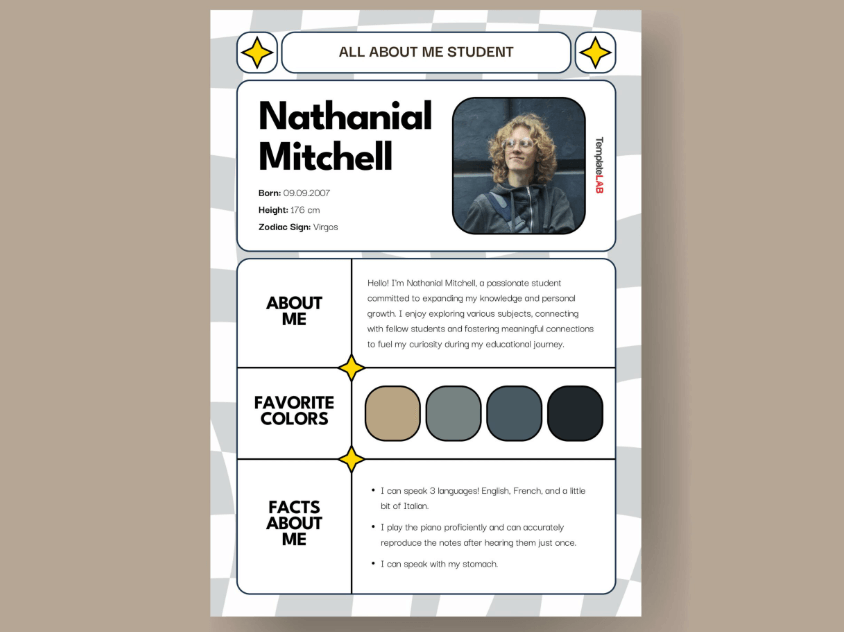
This chill About Me template helps students share their passions for school projects or intros. It’s so easy, you could fill it out while scrolling TikTok. Perfect for teens, it highlights fave subjects or hobbies without feeling like homework. It’s your first-day-of-school icebreaker, making you the coolest kid in class.
Simple About Me Worksheet (Word)
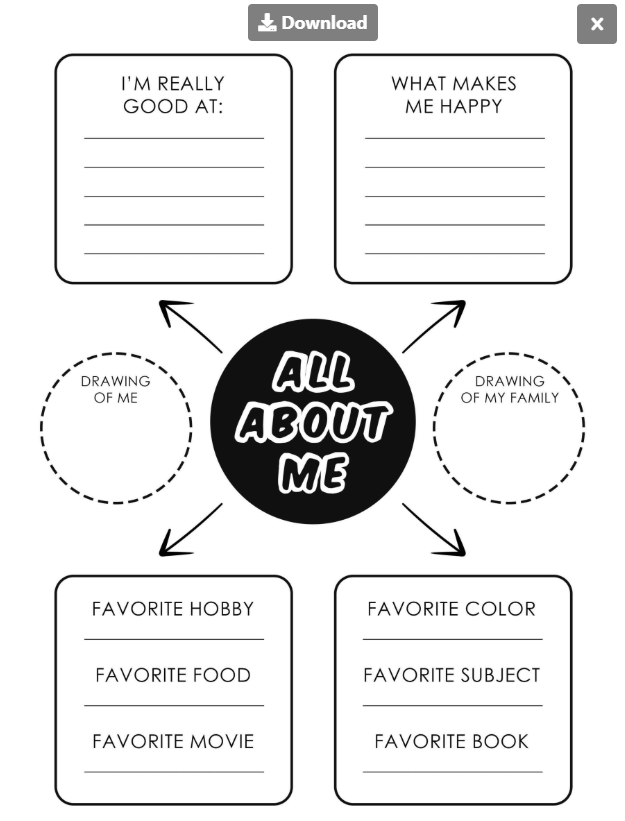
No fluff, just the goods, this About Me template is great for quick intros at workshops or icebreakers. Its clean design makes it easy to share your story without overthinking. Perfect for keeping things short and sweet, it’s like a quick high-five that gets it done. Ideal for low-key intros.
Kids All About Me Poster (Word)
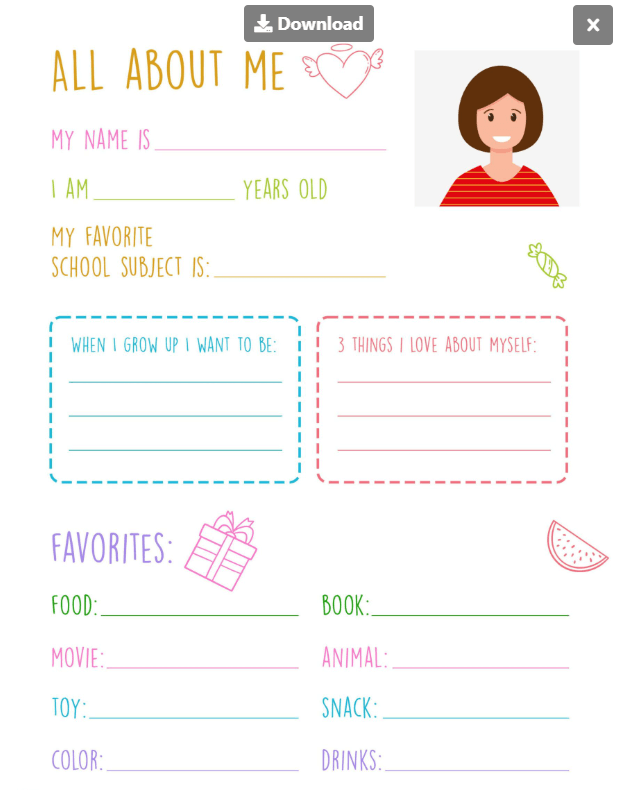
Bright and goofy, this About Me template gets kids stoked to share their fave things with doodle spaces and easy prompts. Perfect for classrooms or camps, it lets kids show off their personality. The colorful layout makes it fun to talk about pets or dreams. It’s a scrapbook page they’ll love!
Teacher About Me Sheet (Word)
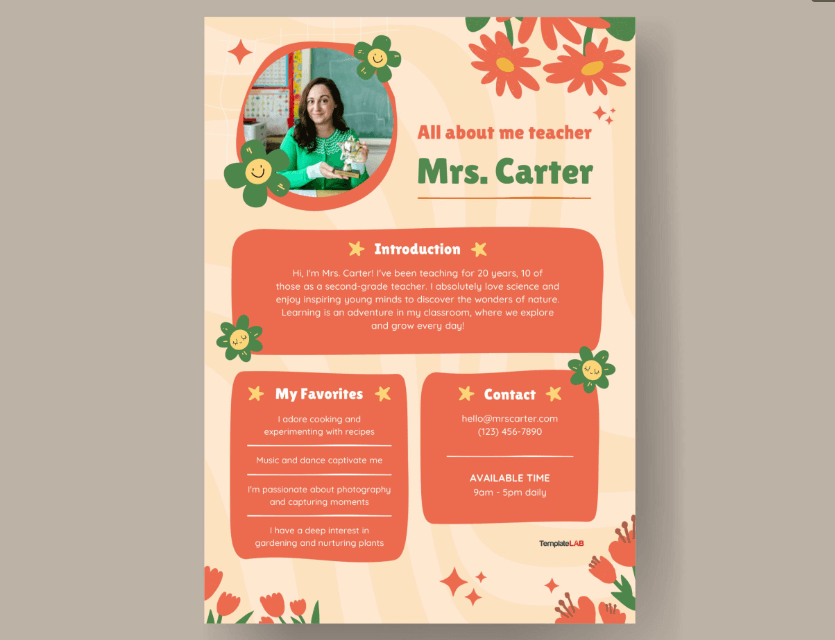
Built for teachers, this About Me template flexes your teaching style and personality. It’s a dope way to introduce yourself to students or parents, with space for your classroom vibe. Perfect for building connections, it’s like a welcome mat saying, “This year’s gonna be lit!”
Editable Personal Bio Template (Word)
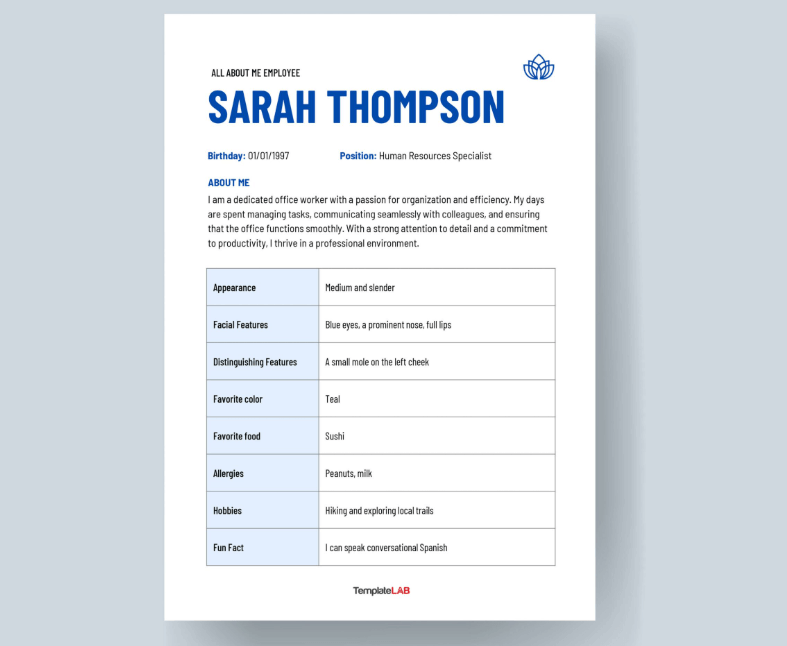
This flexible About Me template is your jam for websites or freelance gigs. Its simple layout lets you tweak it for any crowd, bloggers, clients, or fans, without stress. Polished but not stuffy, it’s an all-purpose intro that fits your vibe, whether you’re a blogger or hustler.
Printable About Me Poster (Word)
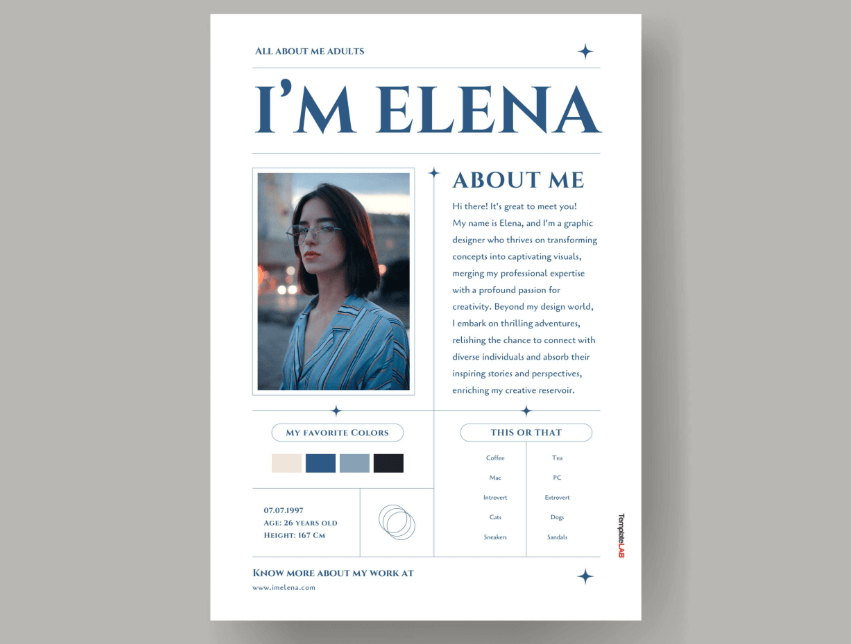
Bold and loud, this About Me template is built for networking or community boards to grab attention like a rockstar. Its visuals and details pop, perfect for showing your story in a crowd. Great for creatives, it’s like a billboard screaming, “Yo, check me out!”
Minimalist About Me Template (Word)
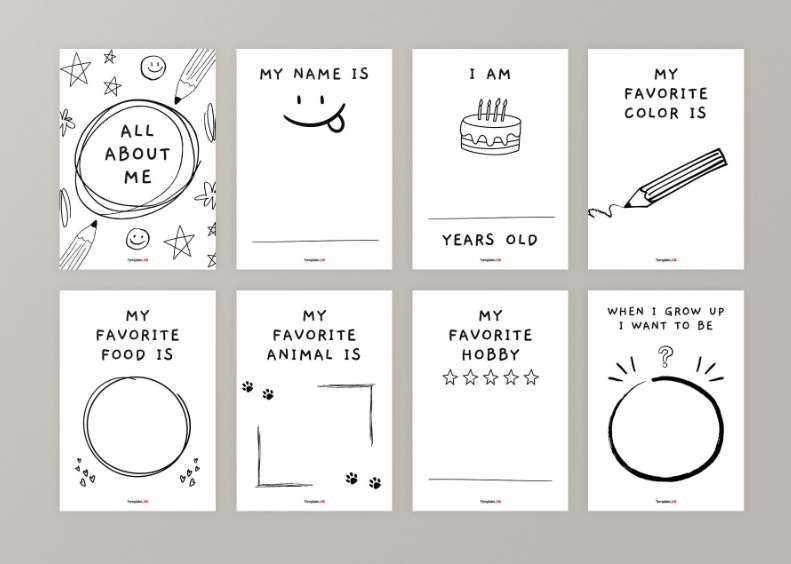
Clean and no-BS, this About Me template is for pros who want a bio without fluff. It’s ideal for resumes or formal intros, keeping it tight and professional. Perfect for clarity over flash, it’s like a crisp suit, sharp and ready to impress without trying too hard.
About Me Profile Template (Word)
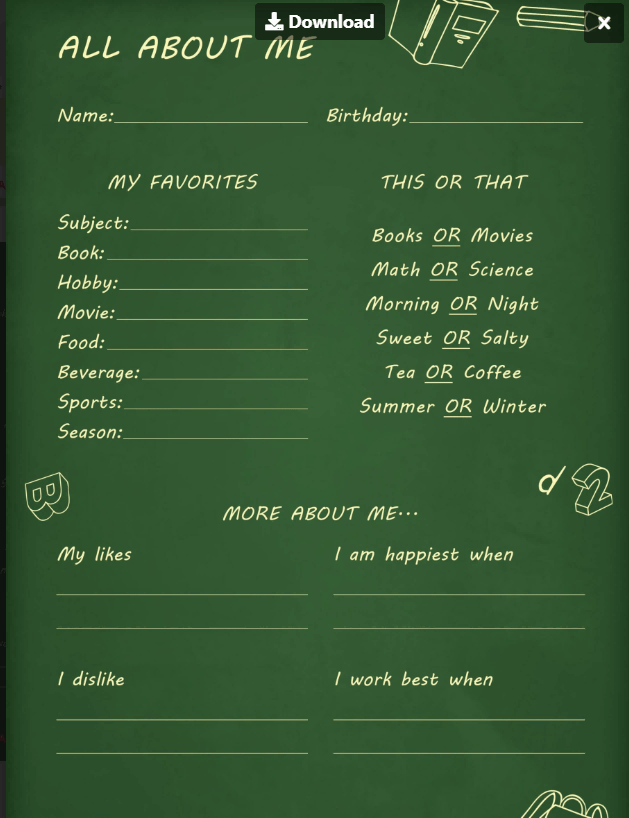
This slick About Me template mixes pro vibes with a bit of personality for online profiles or websites. It lets you flex skills and sneak in fun facts, like your taco obsession. Perfect for bloggers or freelancers, it’s your digital business card saying, “I’m legit and kinda fun.”
Tips: Pick a template that vibes with what you’re doing, professional for jobs, creative for artsy stuff, or simple for quick intros. Open ‘em in WPS Office to mess around and find your groove. Not sure which one’s your vibe? Try a couple to see what feels like you.
Part 3: How to Edit and Print About Me Templates
Editing with WPS Writer
WPS Writer, part of the free WPS Office suite, makes tweaking your About Me template as easy as picking your favorite snack at a gas station. Whether you’re crafting a pro bio or a wild poster, here’s the lowdown:
Step 1: Download and Open
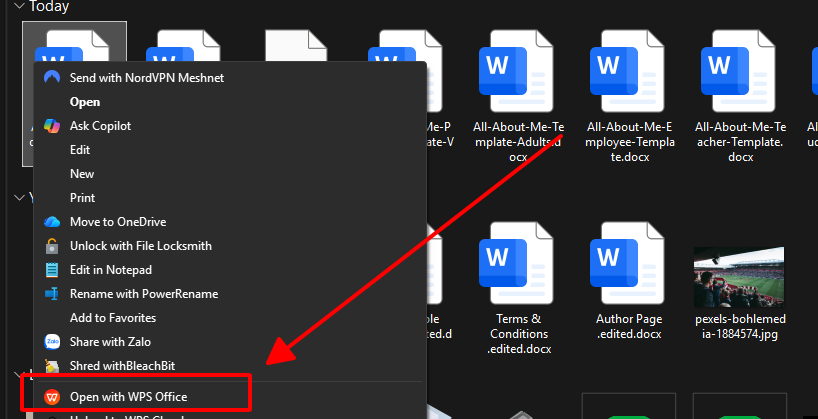
Snag a template from the links above and open it in WPS Writer. Don’t have WPS Office? Grab it free at wps.com, it’s light, fast, and vibes with Word files like they’re old pals. Takes like two seconds to get rolling.
Step 2: Add Your Sauce
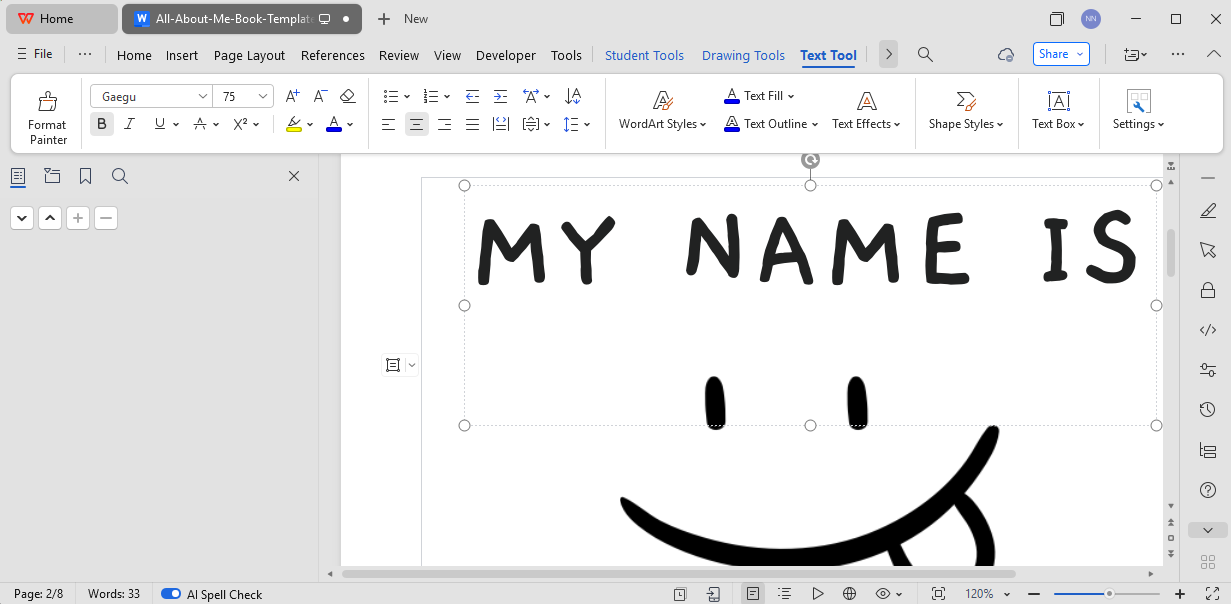
Click on placeholders like “Your Name” or “Your Skills” and toss in your details, think “Jaden Cruz” or “I’m a pro at video editing.” Play with WPS’s toolbar to switch up fonts, colors, or layouts. Wanna make it pop? Throw in a bold title, some bullet points for your skills, or a splash of color to match your vibe.
Step 3: Share or Print
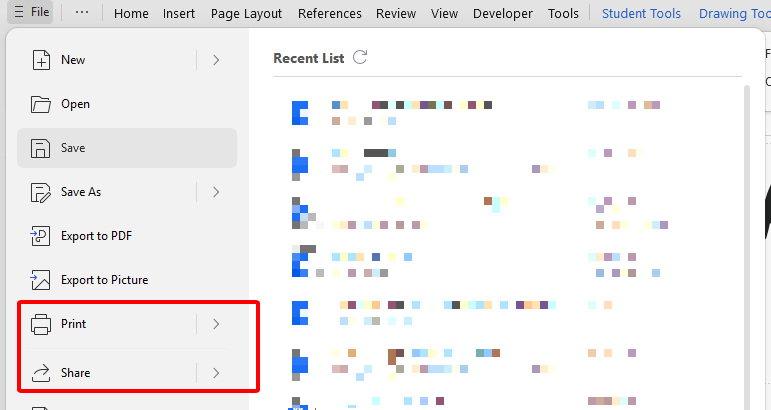
For online sharing, hit File > Export to PDF for a clean, pro-looking file you can email or post. For a hard copy, go to File > Print, mess with your printer settings (like paper size or margins), and print it out. WPS makes sure it looks fire whether it’s digital or paper.
Tips: Save your work every few minutes so you don’t lose your masterpiece, trust me, it’s the worst when you gotta start over. Printing? Check the margins first, some templates have tight edges that might need a quick nudge to fit right.
Part 4: Free Office Suite with Abundant Templates
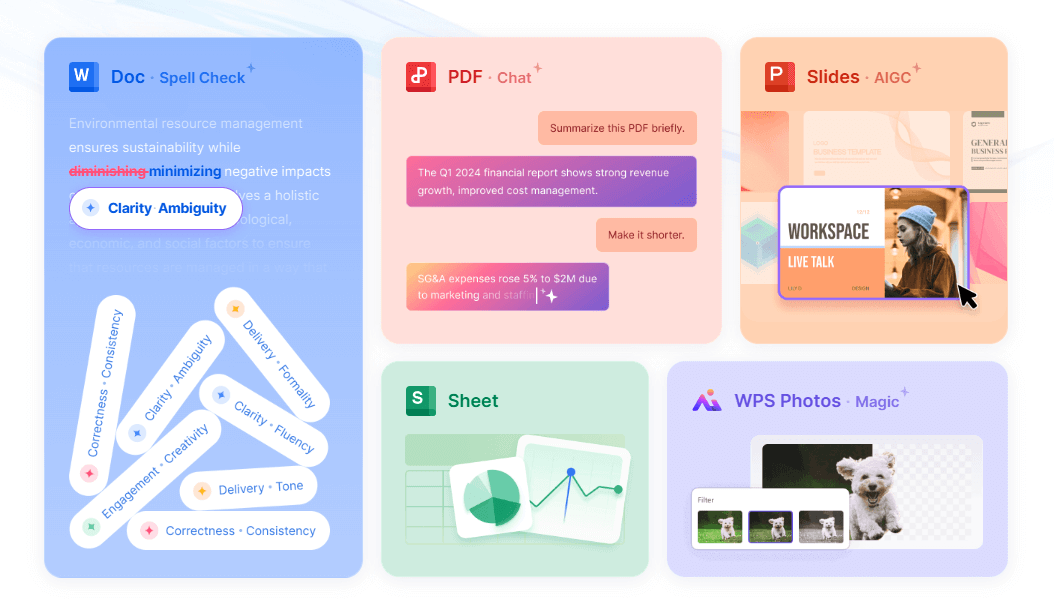
WPS Office is like that free, all-in-one toolbox you didn’t know you needed, packed with Writer, Spreadsheets, Presentation, and PDF tools that give you Microsoft Office vibes without spending a dime. It’s perfect for tweaking free About Me templates, with a ton of cool designs and an interface so easy it’s like scrolling your fave app. Whether you’re a student scrambling through finals, a side-hustler grinding for gigs, or just playing around with creative projects, WPS Office is your homie. It’s got you covered for any task and makes you look like a total pro.
Why It’s Awesome:
Totally free to download, no ads, no sketchy fees, just straight-up good stuff.
Loads of free templates for bios, resumes, posters, or whatever wild idea you’ve got.
Cloud storage and collab features so you can work with your crew from anywhere, phone, laptop, whatever.
Built-in PDF export for clean, pro-looking files you can share in a snap.
AI tools that suggest layouts to make your work look fire.
Tips: Poke around WPS’s template store for more About Me designs if you’re feeling choosy. The cloud sync is a lifesaver for saving and sharing your stuff with your squad, no matter where you’re at.
FAQs
1. How long should an About Me section be?
Keep it to 3–5 sentences for quick bios to stay short and sweet, nobody’s got time for a novel. For posters, you can stretch to a page if you’re telling a bigger story, but don’t ramble like you’re writing a diary.
2. Can I use About Me templates for professional resumes?
Hell yeah! The Professional About Me Template is built for resumes and cover letters, giving you a crisp, career-focused vibe that screams “I’m the one you want.”
3. How do I make my About Me template stand out?
Drop in a cool win, like “I started a podcast with 1K listeners,” or a fun fact, like “I’m a taco-rolling legend.” Tell your story like you’re spilling tea with a friend, keep it real and fun.
4. Are About Me templates free to edit?
Yup, every template here is fully editable in WPS Office, which is free to download and use. No tricks, no paywalls, just vibes.
5. Can I add images to my About Me template?
You know it! WPS Writer lets you toss in photos or graphics to give your template some extra spice, think a selfie or a cool doodle.
6. What file formats are About Me templates compatible with?
Most are Word (DOCX) files, but WPS Office handles DOCX, PDF, and a bunch more, so you can edit and share however you want without a hitch.
Summary
This guide walked you through how to write an About Me template that’s got your unique sauce, whether you’re chasing a dream job, killing it in a school project, or building your personal brand. You got 10 free About Me templates, from pro bios to wild posters, to make your intro a total breeze. Plus, you learned how to customize and print ‘em with WPS Office, a free suite loaded with templates, cloud sync, and AI tools to make your work pop off the page. Ready to show the world your vibe? Hit up wps.com, grab WPS Office, and pick a template to create an About Me that’s gonna have everyone obsessed!

'%3e%3cpath%20d='M19.9911%204.11386V6.471H18.5894C18.0775%206.471%2017.7322%206.57814%2017.5536%206.79243C17.3751%207.00671%2017.2858%207.32814%2017.2858%207.75671V9.44421H19.9019L19.5536%2012.0871H17.2858V18.8639H14.5536V12.0871H12.2769V9.44421H14.5536V7.49779C14.5536%206.39064%2014.8632%205.53201%2015.4822%204.92189C16.1013%204.31177%2016.9257%204.00671%2017.9554%204.00671C18.8304%204.00671%2019.509%204.04243%2019.9911%204.11386Z'%20fill='%23333333'/%3e%3c/g%3e%3cdefs%3e%3cclipPath%20id='clip0_2938_8199'%3e%3crect%20width='16'%20height='16'%20fill='white'%20transform='translate(8%204.00671)'/%3e%3c/clipPath%3e%3c/defs%3e%3c/svg%3e)
'%3e%3cpath%20d='M17.5237%2010.7813L23.4811%204H22.0699L16.8949%209.88693L12.7648%204H8L14.2469%2012.9029L8%2020.0133H9.4112L14.8725%2013.7952L19.2352%2020.0133H24M9.92053%205.04213H12.0885L22.0688%2019.0224H19.9003'%20fill='%23333333'/%3e%3c/g%3e%3cdefs%3e%3cclipPath%20id='clip0_2938_8200'%3e%3crect%20width='16'%20height='16.0134'%20fill='white'%20transform='translate(8%204)'/%3e%3c/clipPath%3e%3c/defs%3e%3c/svg%3e)


