

![Microsoft Excel 2019 Free Download [Full Version]](https://res-academy.cache.wpscdn.com/upload/seo-engine-admin/2026-03-06/362ed588339e1cc11aa4ee6db1ac8d06.png)
Feb 15, 2026
Microsoft Excel 2019 Free Download [Full Version]Get Excel 2019 free download on Windows or Mac with this step-by-step guide. Discover legal methods, safe tips, and free modern alternatives.
Read more
Download the original the Microsoft Excel 2016 free download Professional Plus offline installer (ISO for 32/64-bit). This version includes powerful features like Power Query and new chart types. Important: Activation requires a valid 25-digit product key. If you don't have one, we recommend downloading the free Excel alternative which requires no key.

Opens .xlsx files seamlessly. Ideal for Windows 11/10.
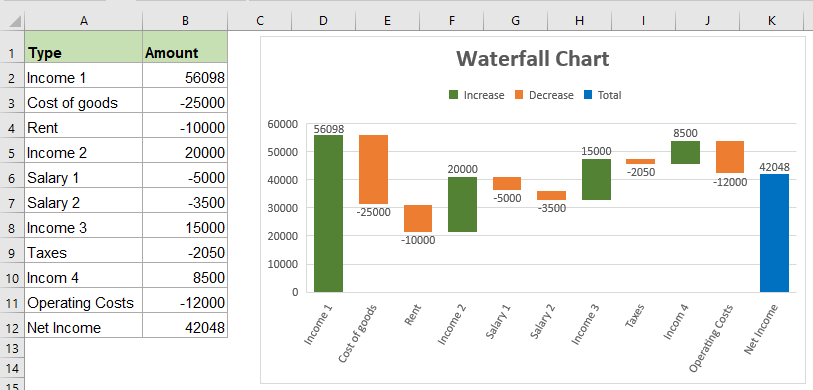
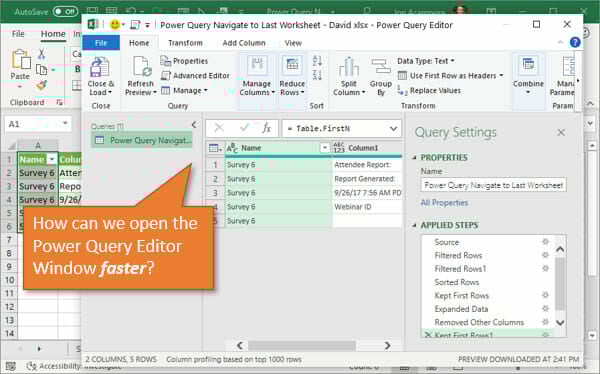
Microsoft Excel 2016 free download version is a powerful spreadsheet application that was a key part of the Office 2016 suite. It introduced significant enhancements for data analysis, including built-in Power Query, new chart types like Waterfall and Treemap, and the 'Tell Me' feature for easier command access.
As a perpetual license product, you buy it once and own it forever. However, mainstream support ended in 2020, and extended support (security updates) ends on October 14, 2025. After this date, using Excel 2016 will be a security risk. For ongoing security and modern features, downloading the free WPS Spreadsheets is the recommended solution. To compare all Excel download options, visit Microsoft Excel Free Download for a complete guide across all versions and platforms.
| # | Product Key | # | Product Key |
|---|---|---|---|
| 1 | W2J6F-VNXJD-FFHBG-MQKPM-39M3P | 8 | J484Y-4NKBF-W2HMG-DBMJC-PGWR7 |
| 2 | NKGG6-WBPCC-HXWMY-6DQGJ-CPQVG | 9 | YG9NW-3K39V-2T3HJ-93F3Q-G83KT |
| 3 | 9C2PK-NWTVB-JMPW8-BFT28-7FTBF | 10 | DR92N-9HTF2-97XKM-XW2WJ-XW3J6 |
| 4 | PD3PC-RHNGV-FXJ29-8JK7D-RJRJK | 11 | J7MQP-HNJ4Y-WJ7YM-PFYGF-BY6C6 |
| 5 | GNH9Y-D2J4T-FJHGG-QRVH7-QPFDW | 12 | 869NQ-FJ69K-466HW-QYCP2-DDBV6 |
| 6 | R69KK-NTPKF-7M3Q4-QYBHW-6MT9B | 13 | JNRGM-WHDWX-FJJG3-K47QV-DRTFM |
| 7 | C2FG9-N6J68-H8BTJ-BW3QX-RM3B3 | 14 | 7WHWN-4T7MP-G96JF-G33KR-W8GF4 |
Note: These keys are for reference only. For a fully free and always-updated solution, use WPS Office instead.
No recurring subscription fees; own the software outright.
Becomes a security risk after October 14, 2025.
Includes Power Query and advanced charting features.
Requires a product key, which is no longer sold by Microsoft.
Full functionality without an internet connection — great for air-gapped environments.
Stagnant feature set — no dynamic arrays, AI tools, or modern functions.
Classic ribbon UI that long-time Office users know and trust.
Lacks cloud co-authoring; cannot work simultaneously with others on the same file.
Downloading Microsoft Excel 2016 is a popular choice for users who prefer a one-time purchase over a subscription. It remains a robust and capable tool for data analysis, financial modeling, and everyday spreadsheet tasks. It's particularly valued for its stability and powerful features that don't require an internet connection.
Critical Support Warning: It is crucial to understand that extended support for the entire Office 2016 suite, including Excel 2016, ends on October 14, 2025. After this date, Microsoft will no longer provide security updates, making your software vulnerable to new threats. For long-term security and access to modern features like AI and real-time collaboration, using the free WPS Spreadsheets is the recommended path forward.
New Chart Types
Six new types including Waterfall, Sunburst, and Treemap for richer data visualization.
Integrated Power Query
Get & Transform built directly into the Data tab — no add-in needed for data import and transformation.
"Tell Me" Search Box
Smart command search bar — find any feature instantly without digging through menus.
| Feature | Excel 2016 | WPS Spreadsheets (Free) |
|---|---|---|
| Security Updates | Ends Oct 2025 | Yes, Continuous |
| Product Key | Required (Not Sold) | Not Required |
| AI Features | None | Yes, Integrated |
| Platform Support | Windows only | Win, Mac, Linux, Mobile |
| Real-time Collaboration | No | Yes, with WPS Cloud |
Verdict: the Excel 2016 free download was a great product, but its time is running out. For secure, modern, and collaborative work, download WPS Office for a free and more capable experience.
Go to the Official website of Microsoft Office.
Sign in with the same Microsoft account you used while getting a subscription to Microsoft Office 2016.
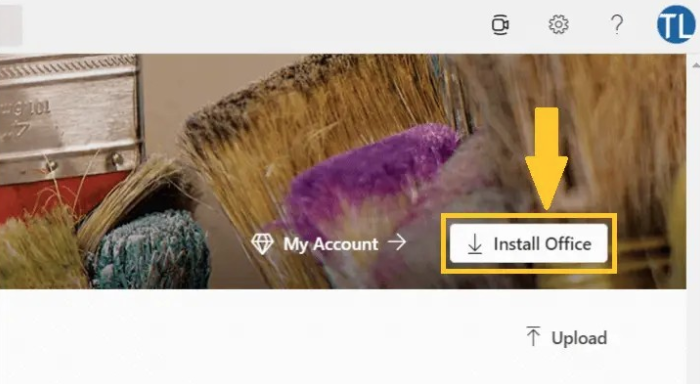
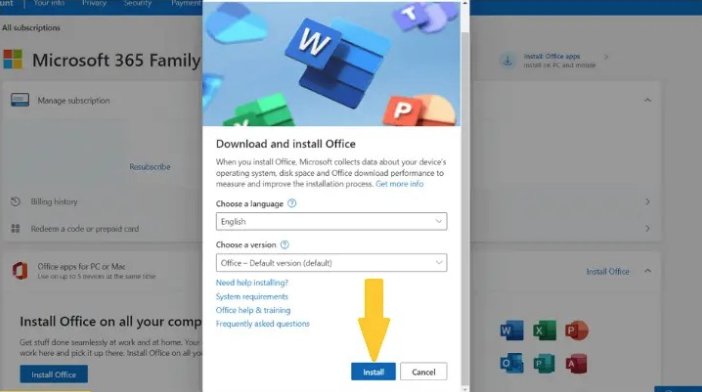
After signing in, click on Install Office.
On the next pop-up window, again hit Install.
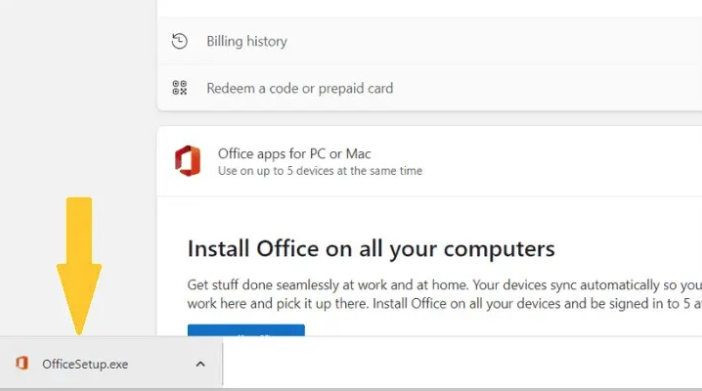
The Office setup file will be downloaded on your PC. Open it to run the setup.
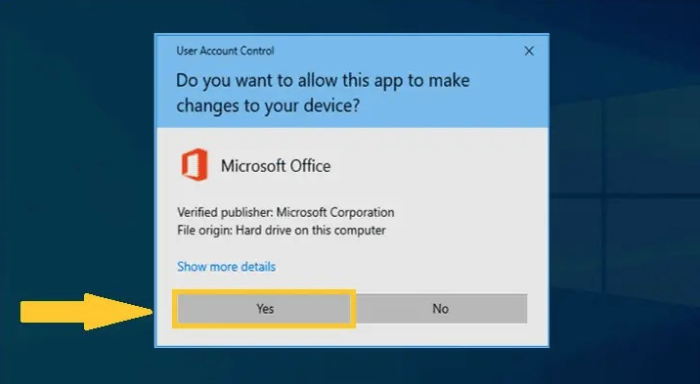
Hit on the Yes button to install the setup file on your PC.
The installation process will start. Wait for a while to complete the installation.
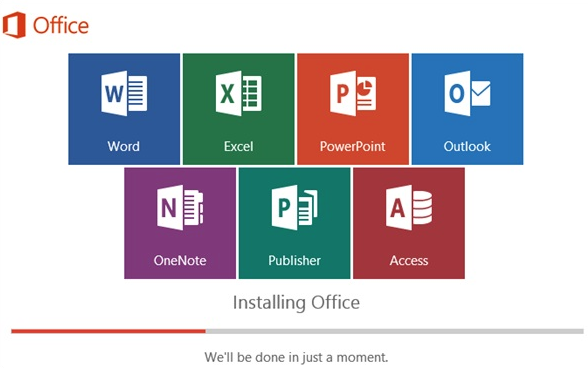
🎉 Congratulations, you have reinstalled Microsoft Office 2016. You can use Microsoft Excel 2016 now.
You can download the installer, but a product key is required for activation, and Microsoft no longer sells them. The best truly free option is an alternative like WPS Spreadsheets.
No, Excel 2016 is not officially supported by Microsoft for use on Windows 11. It may run, but you risk encountering bugs and instability. For a stable experience on Windows 11, use a modern office suite.
It is safe only until October 14, 2025. After that date, it will no longer receive security updates and will become vulnerable to exploits. We do not recommend using it for sensitive data after its end-of-life date.
Excel 2016 is a 'buy once' static version. Excel in Microsoft 365 is a subscription that is constantly updated with the latest features (like AI tools and dynamic arrays), security patches, and cloud collaboration capabilities.

15 years of office industry experience, tech lover and copywriter. Follow me for product reviews, comparisons, and recommendations for new apps and software.
Don't risk your security. Use WPS Office for free. It's fully compatible, modern, and safe.
The classic spreadsheet application. (Support ends 2025)
Legacy word processor. (Support ends 2025)
The full legacy suite. (Support ends 2025)
The modern, subscription-based Office suite with AI.
Best free, secure, and modern alternative to Excel.
A powerful and free tool to read, edit, and convert PDFs.
Get Excel 2019 free download on Windows or Mac with this step-by-step guide. Discover legal methods, safe tips, and free modern alternatives.
Read more![Free Download Microsoft Excel 2016 [Step-by-step Guide]](https://res-academy.cache.wpscdn.com/upload/seo-engine-admin/2026-03-06/ab15d8fae75fffd54402b172d5853669.png)
Here is a step-by-step guide to Microsoft Excel 2016 free download. We have also given details about some best alternatives to Microsoft Excel 2016.
Read more
Get the Microsoft Excel 2021 free download with this updated 2025 guide. Learn how to install it safely or explore the best free alternative.
Read moreTired of product key errors and looming security risks? Get a complete, modern office suite that's fully compatible with all Microsoft Excel formats for free. Experience a lightweight, powerful, and secure solution.
* Basic components (Writer, Spreadsheet, Presentation) are permanently free.
Open, edit, and save .xls and .xlsx files seamlessly.