

'%3e%3cpath%20d='M8%200C12.4183%200%2016%203.58172%2016%208C16%2012.4183%2012.4183%2016%208%2016C3.58172%2016%200%2012.4183%200%208C0%203.58172%203.58172%200%208%200ZM11.6162%204.38379C11.2257%203.99337%2010.5927%203.99338%2010.2021%204.38379L8%206.58594L5.79785%204.38379C5.40732%203.99334%204.77429%203.99329%204.38379%204.38379C3.99331%204.77429%203.99335%205.40733%204.38379%205.79785L6.58594%208L4.38379%2010.2021C3.99348%2010.5927%203.99341%2011.2257%204.38379%2011.6162C4.77426%2012.0066%205.40734%2012.0065%205.79785%2011.6162L8%209.41406L10.2021%2011.6162C10.5927%2012.0066%2011.2257%2012.0067%2011.6162%2011.6162C12.0067%2011.2257%2012.0066%2010.5927%2011.6162%2010.2021L9.41406%208L11.6162%205.79785C12.0066%205.40735%2012.0066%204.77429%2011.6162%204.38379Z'%20fill='%23080E17'%20fill-opacity='0.46'/%3e%3c/g%3e%3cdefs%3e%3cclipPath%20id='clip0_3761_713'%3e%3crect%20width='16'%20height='16'%20fill='white'/%3e%3c/clipPath%3e%3c/defs%3e%3c/svg%3e)




'%3e%3cpath%20fill-rule='evenodd'%20clip-rule='evenodd'%20d='M21.4999%2010.9993C21.4999%205.20009%2016.7986%200.498901%2010.9993%200.498901C5.19994%200.498901%200.498657%205.20009%200.498657%2010.9993C0.498657%2016.2404%204.33858%2020.5844%209.35855%2021.3722V14.0346H6.69238V10.9993H9.35855V8.68594C9.35855%206.05427%2010.9262%204.60062%2013.3248%204.60062C14.4736%204.60062%2015.6753%204.80571%2015.6753%204.80571V7.38979H14.3512C13.0468%207.38979%2012.64%208.19921%2012.64%209.0296V10.9993H15.5523L15.0867%2014.0346H12.64V21.3722C17.66%2020.5844%2021.4999%2016.2404%2021.4999%2010.9993Z'%20fill='%231568EA'/%3e%3c/g%3e%3c/svg%3e)


'%3e%3cpath%20d='M2.42045%2022.1876H6.31818V12.7217L0.75%208.54553V20.5171C0.75%2021.4414%201.49892%2022.1876%202.42045%2022.1876Z'%20fill='%234285F4'/%3e%3cpath%20d='M19.682%2022.1876H23.5797C24.5041%2022.1876%2025.2502%2021.4387%2025.2502%2020.5171V8.54553L19.682%2012.7217'%20fill='%2334A853'/%3e%3cpath%20d='M19.682%205.48293V12.7216L25.2502%208.54543V6.31816C25.2502%204.25236%2022.8921%203.07469%2021.2411%204.31361'%20fill='%23FBBC04'/%3e%3cpath%20d='M6.31824%2012.7217V5.48303L13.0001%2010.4944L19.6819%205.48303V12.7217L13.0001%2017.733'%20fill='%23EA4335'/%3e%3cpath%20d='M0.75%206.31816V8.54543L6.31818%2012.7216V5.48293L4.75909%204.31361C3.10534%203.07469%200.75%204.25236%200.75%206.31816Z'%20fill='%23C5221F'/%3e%3c/g%3e%3cdefs%3e%3cclipPath%20id='clip0_2954_7305'%3e%3crect%20width='24.5'%20height='18.375'%20fill='white'%20transform='translate(0.75%203.8125)'/%3e%3c/clipPath%3e%3c/defs%3e%3c/svg%3e)


Trivia PowerPoint templates are very commonly used for quizzes, games, and interactive learning, helping people save time and add more excitement to presentations. However, creating an animated and timed quiz from scratch can be confusing for beginners. So, where can you find a trivia PowerPoint template that’s interactive and easy to customize? In this guide, I’ll be covering 10 professionally designed templates for a smooth and engaging trivia session with minimal setup.


Top 10 Interactive Trivia PowerPoint Templates
Traditional presentations often lack the excitement required to keep the audience hooked, which is a major problem when you’re trying to convey important information. By adding an element of interactivity, this problem can easily be solved in just a few steps. In this section, I’ll be covering 10 of the most effective and fully customizable trivia PowerPoint templates I found to help you simplify the process and elevate your presentations.
1. True or False Quiz Game
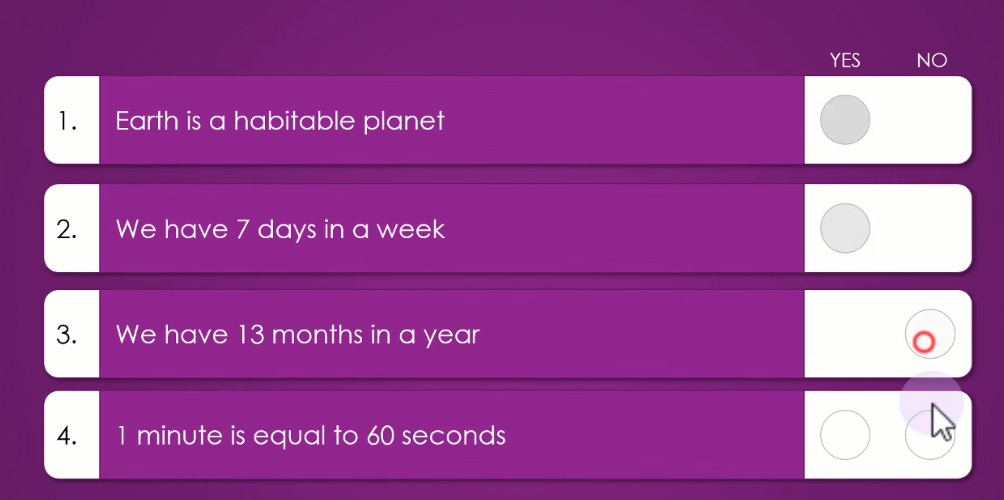
The True or False Quiz Game is a practical and straightforward template designed specifically to test your audience’s knowledge through simple True/False questions. It features a clean, well-organized, purple-themed layout where users can easily choose their answer between “YES” and “NO” for given statements.
2. Simple Interactive Quiz
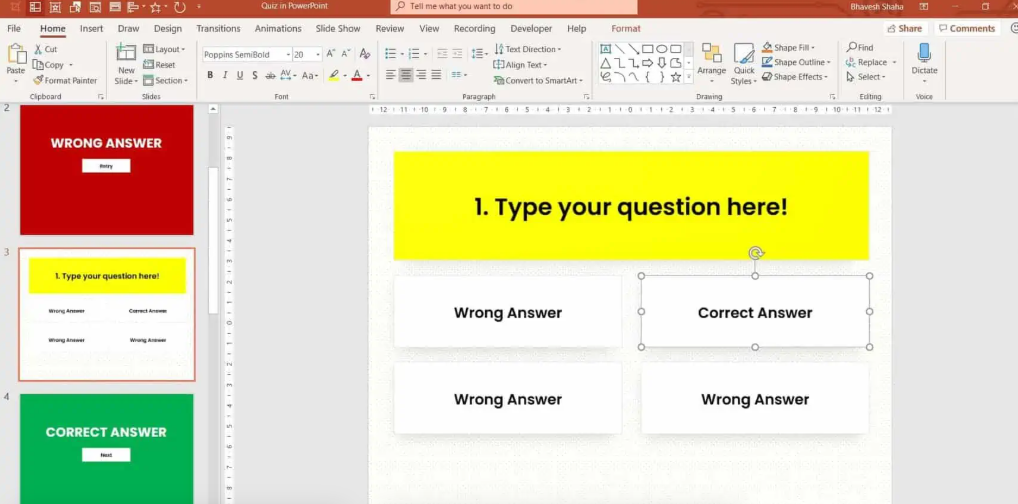
The Simple Interactive Quiz is a great choice for those looking for a standard MCQ format that provides immediate feedback without any further delays. The template includes dedicated slides for correct and wrong answers, making sure the editing process doesn’t take too long for you.
3. Quiz with Report Card
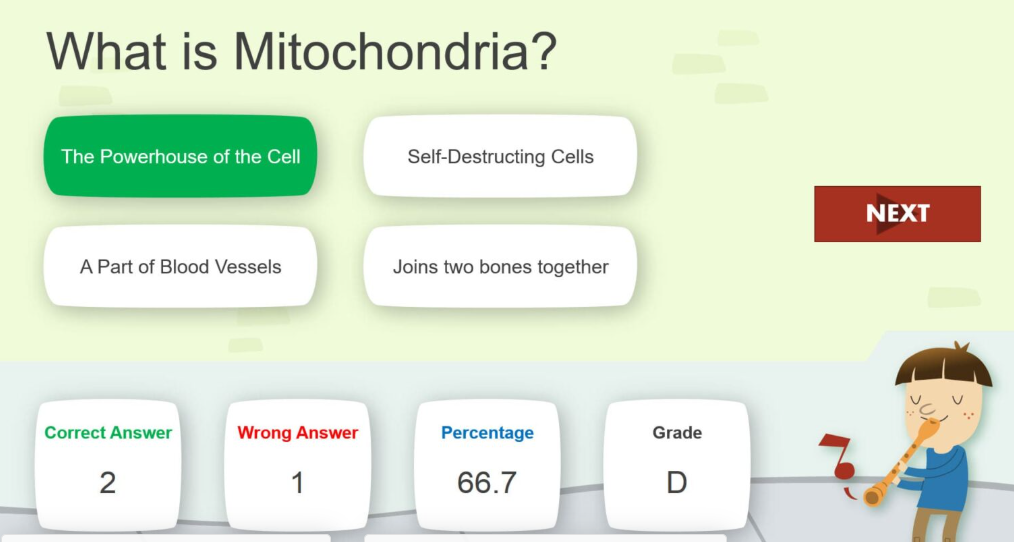
For those working in education or trainers looking for a detailed performance summary of their students, the Quiz with Report Card template is one of the best trivia PowerPoint template quiz games out there. Not only does it provide interactive questions for your audience to interact with, but it also automatically tracks the data of each individual for a final report card.
4. Illustrative Virtual Quiz Slides
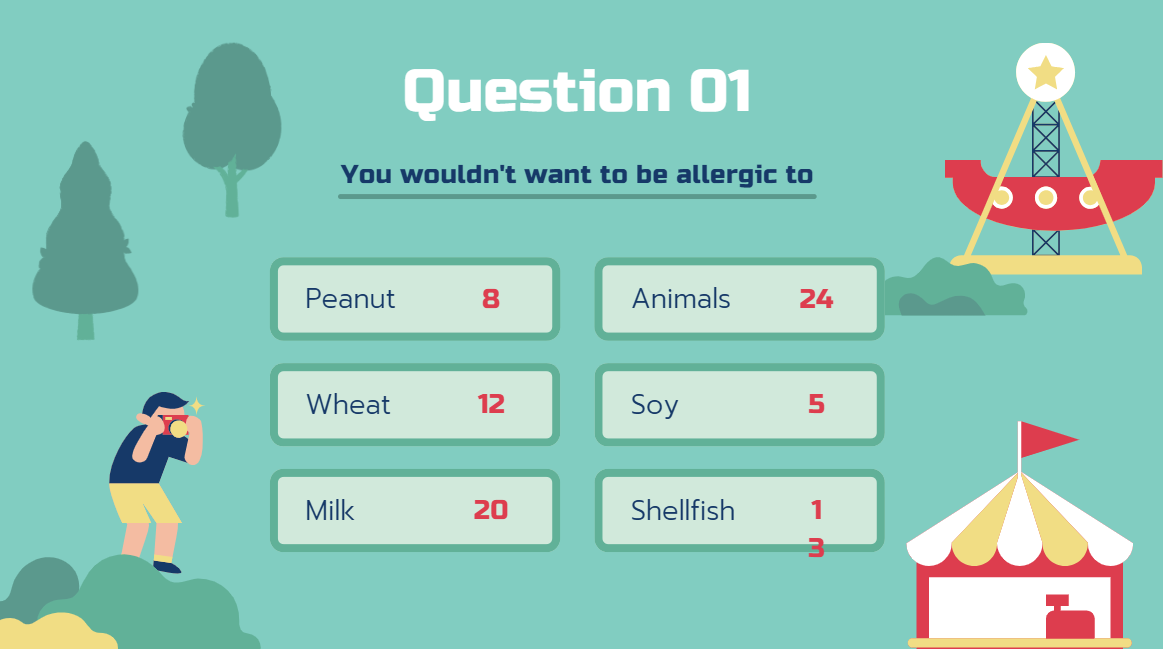
The Illustrative Virtual Quiz Slides template offers a visually rich and theme-based design, which is the perfect option for those looking to provide their students with light-hearted and educational trivia sessions without going through any hassle. It’s professionally designed and fully customizable, making sure you can personalize it however you like.
5. Classic Family Feud Board Background Slides
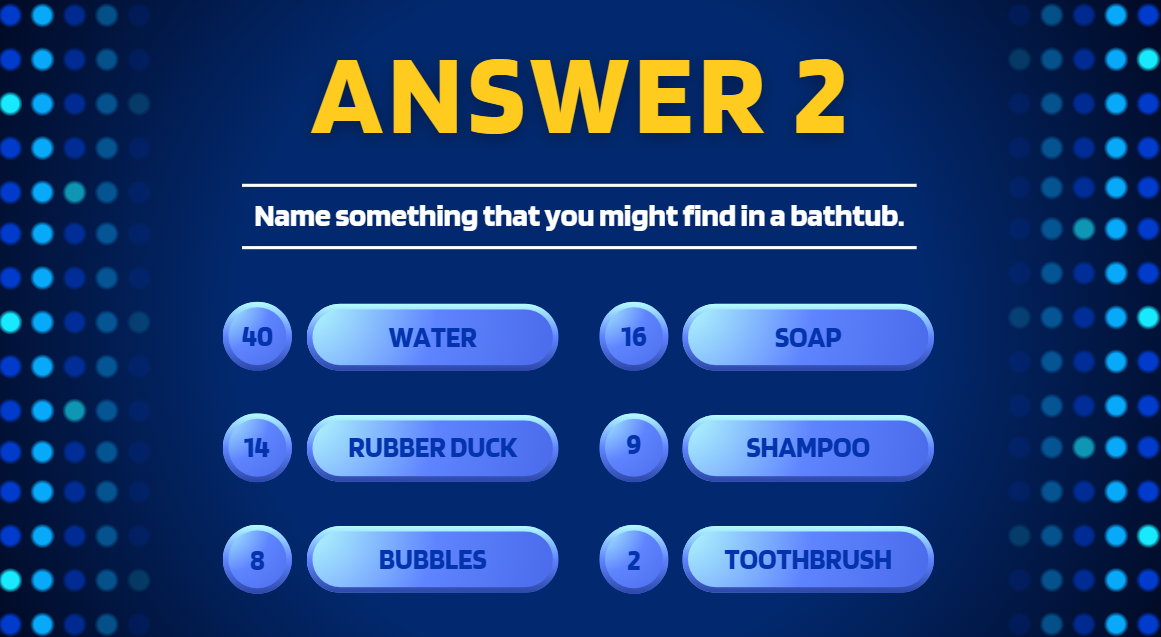
The Classic Family Feud Board Background Slides template is an exciting option modeled after the iconic game show layout. It features the familiar blue grid and numbered answer slots, allowing the presenters to reveal popular responses and the point value of each answer to let your audience evaluate their own results.
6. Orange and Green Illustrative Trivia Quiz Presentation
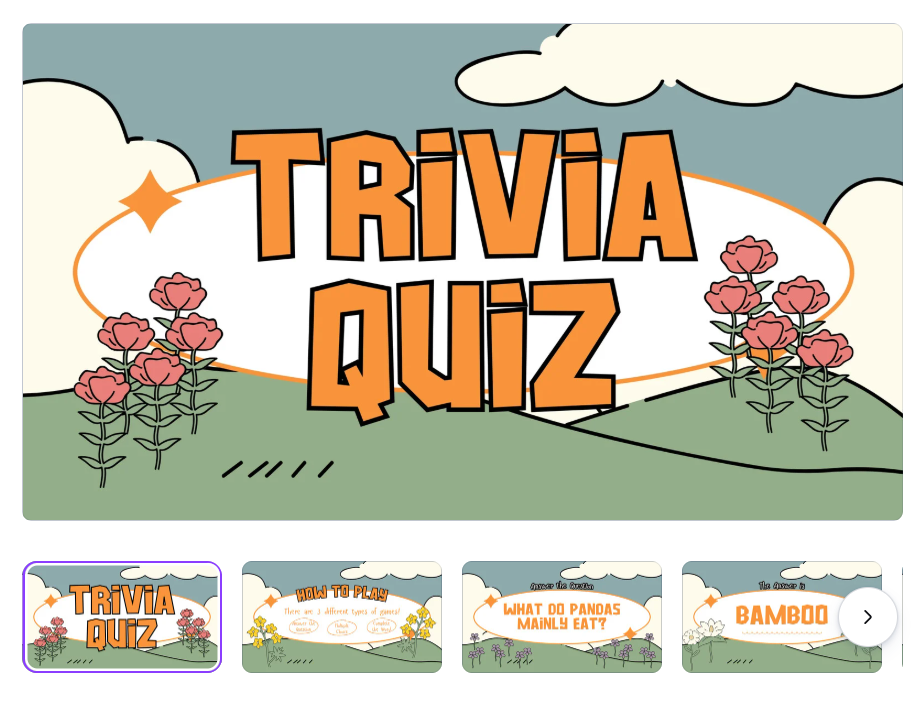
If you’re looking for a retro and artistic vibe for your presentation quizzes, then the Orange and Green Illustrative Trivia Quiz Presentation is a standout choice. It uses a unique and visually appealing floral-themed background with bold fonts to present questions in a stylish and clear format for all your viewers to see.
7. Blue and Green Retro Pixelated Illustrated Quiz Presentation
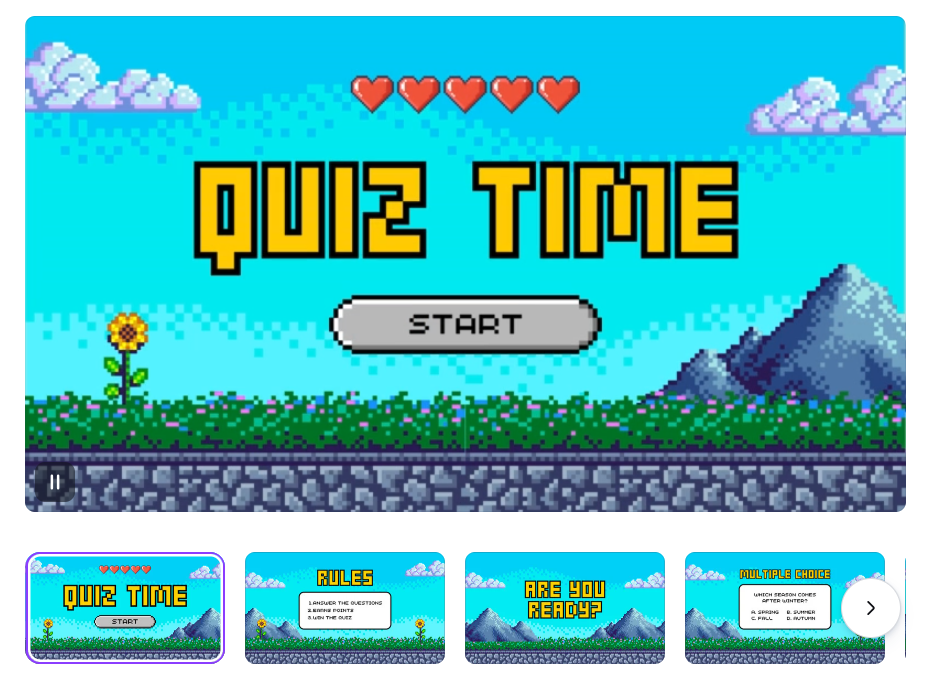
The Blue and Green Retro Pixelated Illustrated Quiz Presentation is perfect for gaming enthusiasts and tech-themed presentations with built-in trivia questions. It features a “Quiz Time” starting screen inspired by classic pixel-based video games, filled with landscapes and heart-shaped life counters to add to the aesthetic.
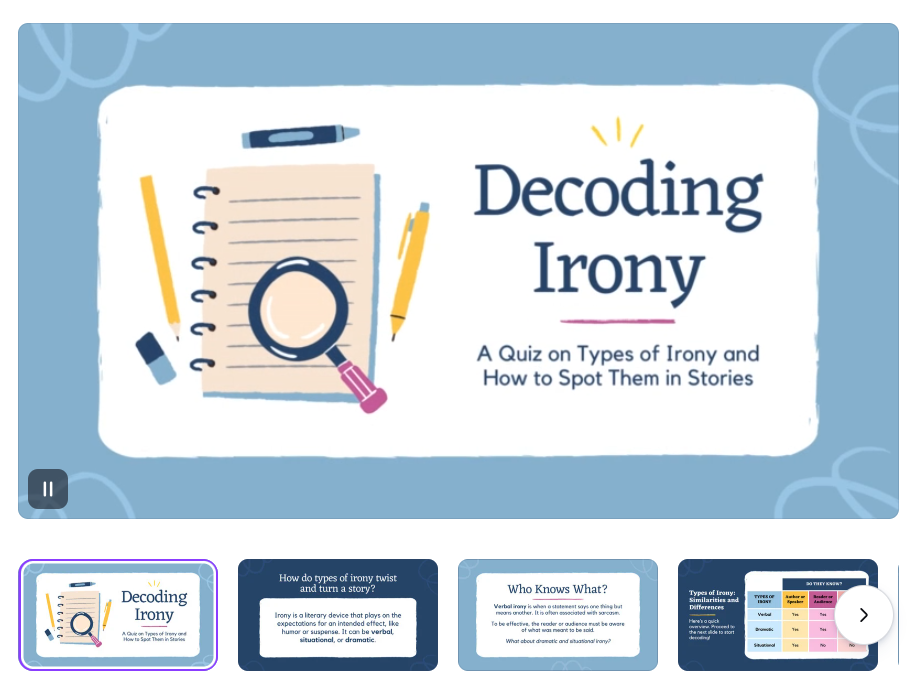
8. Decoding Irony Quiz Presentation Activity
The Decoding Irony Quiz Presentation Activity is a specialized informative trivia PowerPoint template free download specifically designed to help students distinguish between literary devices such as irony. It features a school-based aesthetic with illustrations of notebooks, magnifying glasses, and pencils, making sure everything aligns with its theme.
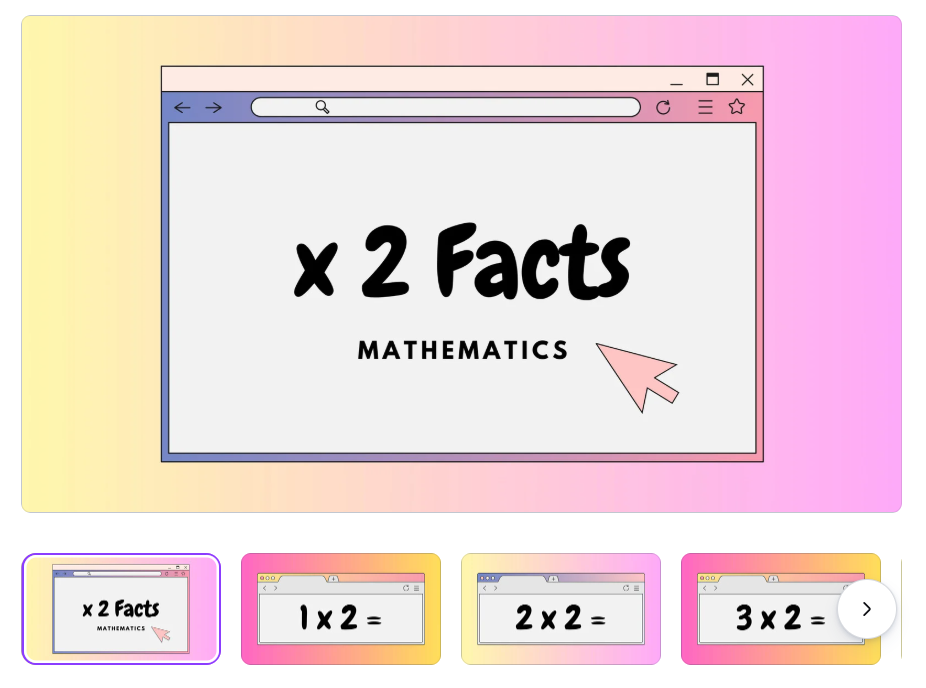
9. Colorful Bold Two Timestable Multiplication Math Facts Quiz
For those looking to create presentations for math-focused sessions, the Colorful Bold Two Timestable Multiplication Math Facts Quiz provides a bright and encouraging environment for your students to learn without getting bored. It uses a window-based aesthetic to guide learners through basic arithmetic problems in a clear and organized manner.
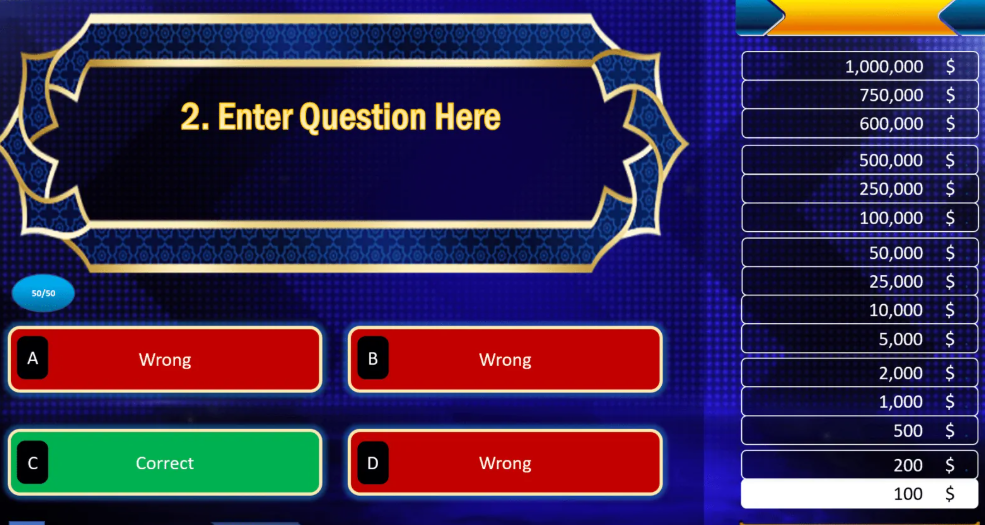
10. Millionaire-Themed Quiz Game
The Millionaire-Themed Quiz Game is a professionally designed template that accurately replicates the suspense of the famous trivia show. It includes the signature money table on the side and an MCQ-based question-answer interface to help add a competitive spirit to any presentation.
How to Further Edit and Print Optimized Trivia PowerPoint
Once you’ve chosen the trivia PowerPoint template with timer you’re going to be using for your quiz-presentation, the next step is actually editing it to make it your own. There are many editing tools you can use for this step, but I personally rely on WPS Office to ensure a smooth and hassle-free process. In this section, I’ll be highlighting all the steps you need to follow to fully personalize your Trivia PowerPoint templates.
Step 1: Open your PPT-formatted template using WPS Office to get started.
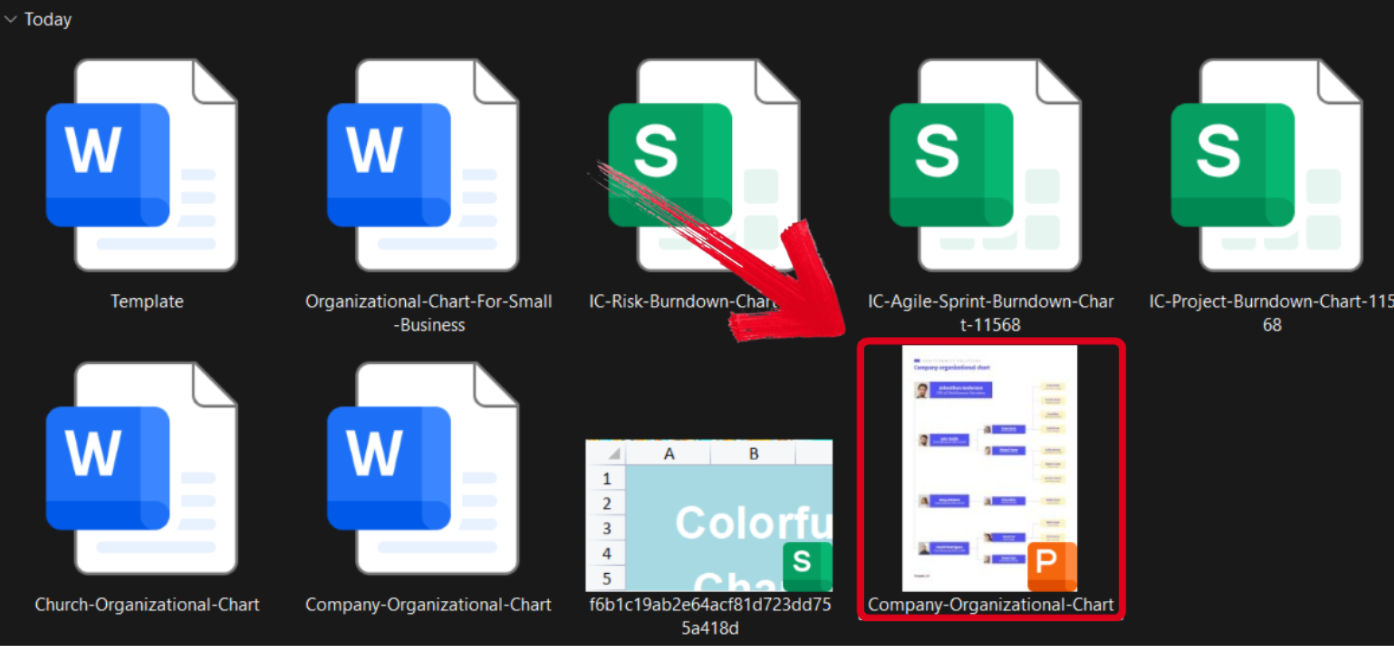
Step 2: Customize the template to add the details of your issue and contributing factors. You can even change the colours and add more text boxes.
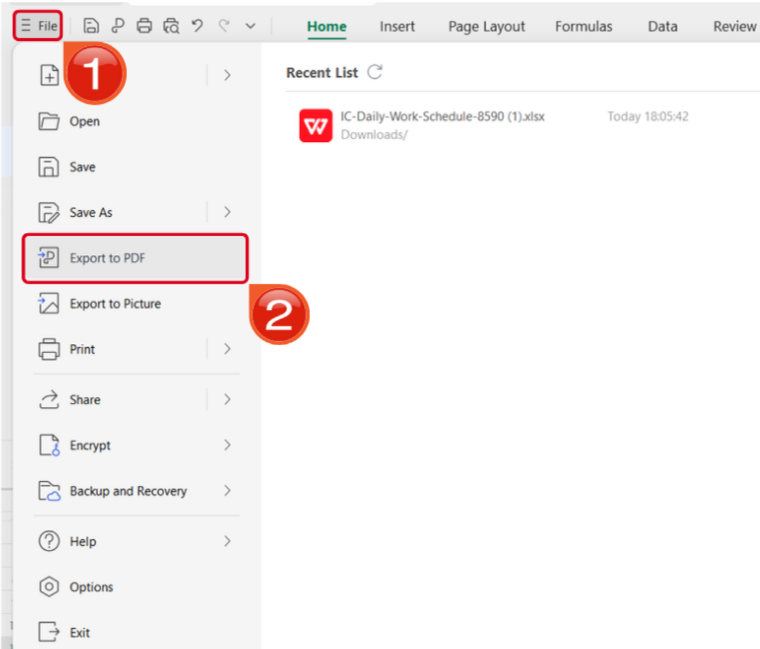
Step 3: Open the Files menu and select Export to PDF to convert your template to a PDF document.
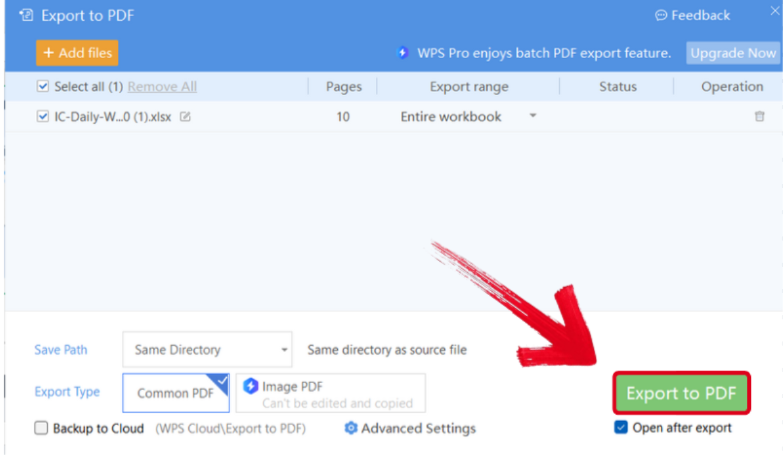
Step 4: Your PPT file will now start conversion into a PDF file. Press Export to PDF to save it to your device.
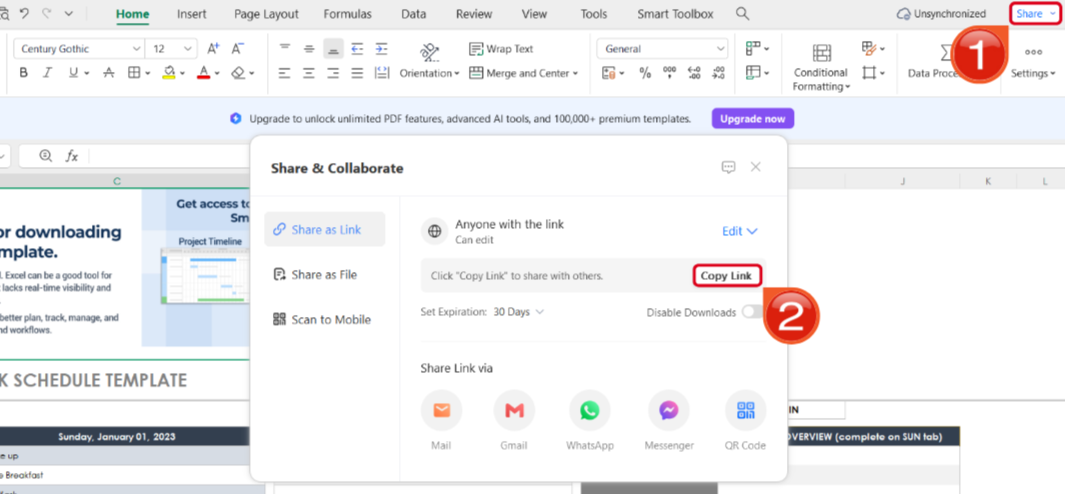
Step 5: Once you’re done saving it as a PDF, press Share to generate an online link for your file. Then press Copy Link to copy it to your clipboard and share it with others.
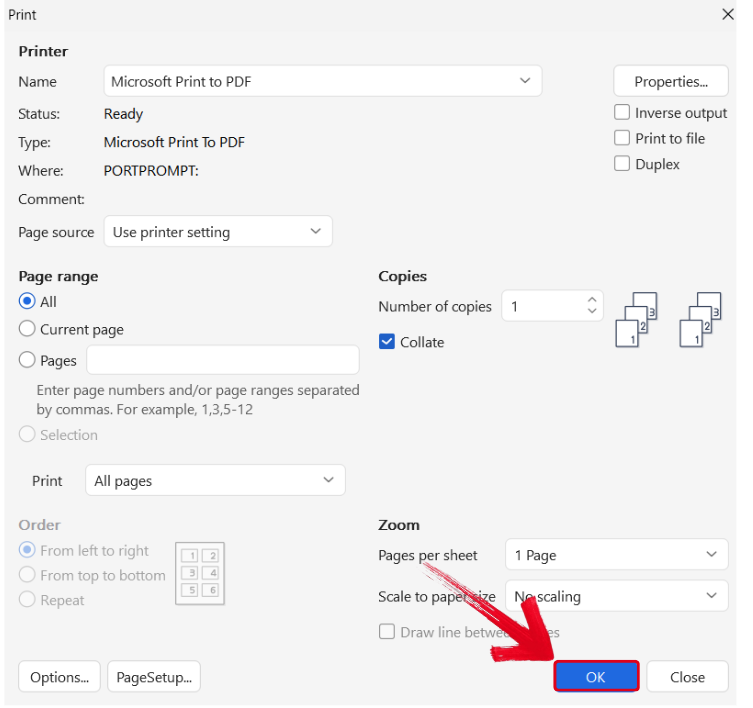
Step 6: Press Ctrl + P to open the printing window. Then, select your printing device and press OK to start printing.
Free Office Suite with Editable Templates
If you’re someone who works with presentations and slides on a regular basis, having reliable tools to help you in the editing process is incredibly important. However, I’ve found most online options to be incredibly slow and unreliable. This is why I use WPS Office for all my productivity needs. It’s completely free and incredibly reliable, equipping me with all the tools I need to design professional and polished presentations.
FAQs
Q1: What is a trivia PowerPoint template?
It’s a pre-designed PPT file used to create quiz or trivia games, usually including question slides, answer slides, and score layouts.
Q2: How can these quizzes PowerPoint templates enhance my trivia PowerPoint template?
Using a PowerPoint quiz template can make your presentations interactive and engaging. With visually appealing designs and pre-built question formats, it allows you to easily create quizzes, test knowledge, and keep your audience actively involved throughout the presentation.
Q3: What are these trivia PowerPoint template suitable for?
These quiz presentation templates are suitable for educators, trainers, or anyone looking to create engaging and interactive quizzes. They can be used in classrooms, training sessions, or online learning platforms to test knowledge and assess understanding.
Q4: Can I use a trivia PowerPoint template for games or classrooms?
Yes. These templates are commonly used for classroom quizzes, team games, parties, and training sessions.
Q5. Do these trivia PowerPoint template work with Google Slides?
Some are compatible, but animations or timers may not fully transfer—always test first.
Q6. Do animations and transitions work in WPS?
Basic animations, slide transitions, and click-to-reveal answers usually work well. Complex macros may not.
Q7. Can I edit trivia questions and answers in WPS?
Yes. Text, images, options, and answer slides are fully editable in WPS.
Q8. Is WPS free for using trivia PowerPoint templates?
Yes. The free version of WPS is enough for opening, editing, and presenting trivia templates.

'%3e%3cpath%20d='M19.9911%204.11386V6.471H18.5894C18.0775%206.471%2017.7322%206.57814%2017.5536%206.79243C17.3751%207.00671%2017.2858%207.32814%2017.2858%207.75671V9.44421H19.9019L19.5536%2012.0871H17.2858V18.8639H14.5536V12.0871H12.2769V9.44421H14.5536V7.49779C14.5536%206.39064%2014.8632%205.53201%2015.4822%204.92189C16.1013%204.31177%2016.9257%204.00671%2017.9554%204.00671C18.8304%204.00671%2019.509%204.04243%2019.9911%204.11386Z'%20fill='%23333333'/%3e%3c/g%3e%3cdefs%3e%3cclipPath%20id='clip0_2938_8199'%3e%3crect%20width='16'%20height='16'%20fill='white'%20transform='translate(8%204.00671)'/%3e%3c/clipPath%3e%3c/defs%3e%3c/svg%3e)
'%3e%3cpath%20d='M17.5237%2010.7813L23.4811%204H22.0699L16.8949%209.88693L12.7648%204H8L14.2469%2012.9029L8%2020.0133H9.4112L14.8725%2013.7952L19.2352%2020.0133H24M9.92053%205.04213H12.0885L22.0688%2019.0224H19.9003'%20fill='%23333333'/%3e%3c/g%3e%3cdefs%3e%3cclipPath%20id='clip0_2938_8200'%3e%3crect%20width='16'%20height='16.0134'%20fill='white'%20transform='translate(8%204)'/%3e%3c/clipPath%3e%3c/defs%3e%3c/svg%3e)


