

'%3e%3cpath%20d='M8%200C12.4183%200%2016%203.58172%2016%208C16%2012.4183%2012.4183%2016%208%2016C3.58172%2016%200%2012.4183%200%208C0%203.58172%203.58172%200%208%200ZM11.6162%204.38379C11.2257%203.99337%2010.5927%203.99338%2010.2021%204.38379L8%206.58594L5.79785%204.38379C5.40732%203.99334%204.77429%203.99329%204.38379%204.38379C3.99331%204.77429%203.99335%205.40733%204.38379%205.79785L6.58594%208L4.38379%2010.2021C3.99348%2010.5927%203.99341%2011.2257%204.38379%2011.6162C4.77426%2012.0066%205.40734%2012.0065%205.79785%2011.6162L8%209.41406L10.2021%2011.6162C10.5927%2012.0066%2011.2257%2012.0067%2011.6162%2011.6162C12.0067%2011.2257%2012.0066%2010.5927%2011.6162%2010.2021L9.41406%208L11.6162%205.79785C12.0066%205.40735%2012.0066%204.77429%2011.6162%204.38379Z'%20fill='%23080E17'%20fill-opacity='0.46'/%3e%3c/g%3e%3cdefs%3e%3cclipPath%20id='clip0_3761_713'%3e%3crect%20width='16'%20height='16'%20fill='white'/%3e%3c/clipPath%3e%3c/defs%3e%3c/svg%3e)




'%3e%3cpath%20fill-rule='evenodd'%20clip-rule='evenodd'%20d='M21.4999%2010.9993C21.4999%205.20009%2016.7986%200.498901%2010.9993%200.498901C5.19994%200.498901%200.498657%205.20009%200.498657%2010.9993C0.498657%2016.2404%204.33858%2020.5844%209.35855%2021.3722V14.0346H6.69238V10.9993H9.35855V8.68594C9.35855%206.05427%2010.9262%204.60062%2013.3248%204.60062C14.4736%204.60062%2015.6753%204.80571%2015.6753%204.80571V7.38979H14.3512C13.0468%207.38979%2012.64%208.19921%2012.64%209.0296V10.9993H15.5523L15.0867%2014.0346H12.64V21.3722C17.66%2020.5844%2021.4999%2016.2404%2021.4999%2010.9993Z'%20fill='%231568EA'/%3e%3c/g%3e%3c/svg%3e)


'%3e%3cpath%20d='M2.42045%2022.1876H6.31818V12.7217L0.75%208.54553V20.5171C0.75%2021.4414%201.49892%2022.1876%202.42045%2022.1876Z'%20fill='%234285F4'/%3e%3cpath%20d='M19.682%2022.1876H23.5797C24.5041%2022.1876%2025.2502%2021.4387%2025.2502%2020.5171V8.54553L19.682%2012.7217'%20fill='%2334A853'/%3e%3cpath%20d='M19.682%205.48293V12.7216L25.2502%208.54543V6.31816C25.2502%204.25236%2022.8921%203.07469%2021.2411%204.31361'%20fill='%23FBBC04'/%3e%3cpath%20d='M6.31824%2012.7217V5.48303L13.0001%2010.4944L19.6819%205.48303V12.7217L13.0001%2017.733'%20fill='%23EA4335'/%3e%3cpath%20d='M0.75%206.31816V8.54543L6.31818%2012.7216V5.48293L4.75909%204.31361C3.10534%203.07469%200.75%204.25236%200.75%206.31816Z'%20fill='%23C5221F'/%3e%3c/g%3e%3cdefs%3e%3cclipPath%20id='clip0_2954_7305'%3e%3crect%20width='24.5'%20height='18.375'%20fill='white'%20transform='translate(0.75%203.8125)'/%3e%3c/clipPath%3e%3c/defs%3e%3c/svg%3e)


AI productivity tools like Goblin Tools have become popular for making everyday work feel more manageable, especially when it comes to organizing tasks and simplifying complex thoughts. The challenge usually appears when those plans need to turn into something concrete, like a professional report or a presentation. While these tools excel at breaking work into smaller steps, they often lack the flexibility and export options needed for polished, shareable results. In this Goblin Tools review, we will see if these tools live up to their hype or not.
Overview of Goblin Tools
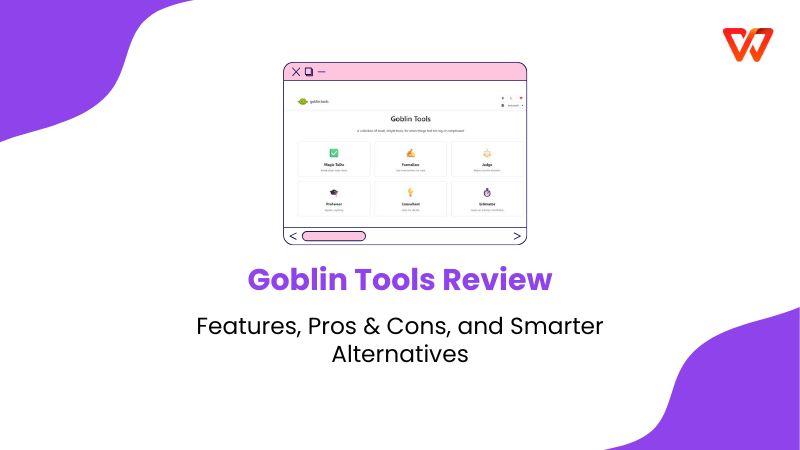
Goblin Tools is a collection of simple, single-purpose AI utilities designed to lower the barrier to starting tasks. Specifically built to support users who struggle with executive dysfunction, it helps reduce the cognitive load of daily planning. By using accessible AI to interpret tone, estimate timeframes, and deconstruct complex projects, it serves as a practical copilot for anyone looking to navigate their to-do list with less anxiety.
Core Features of Goblin Tools:
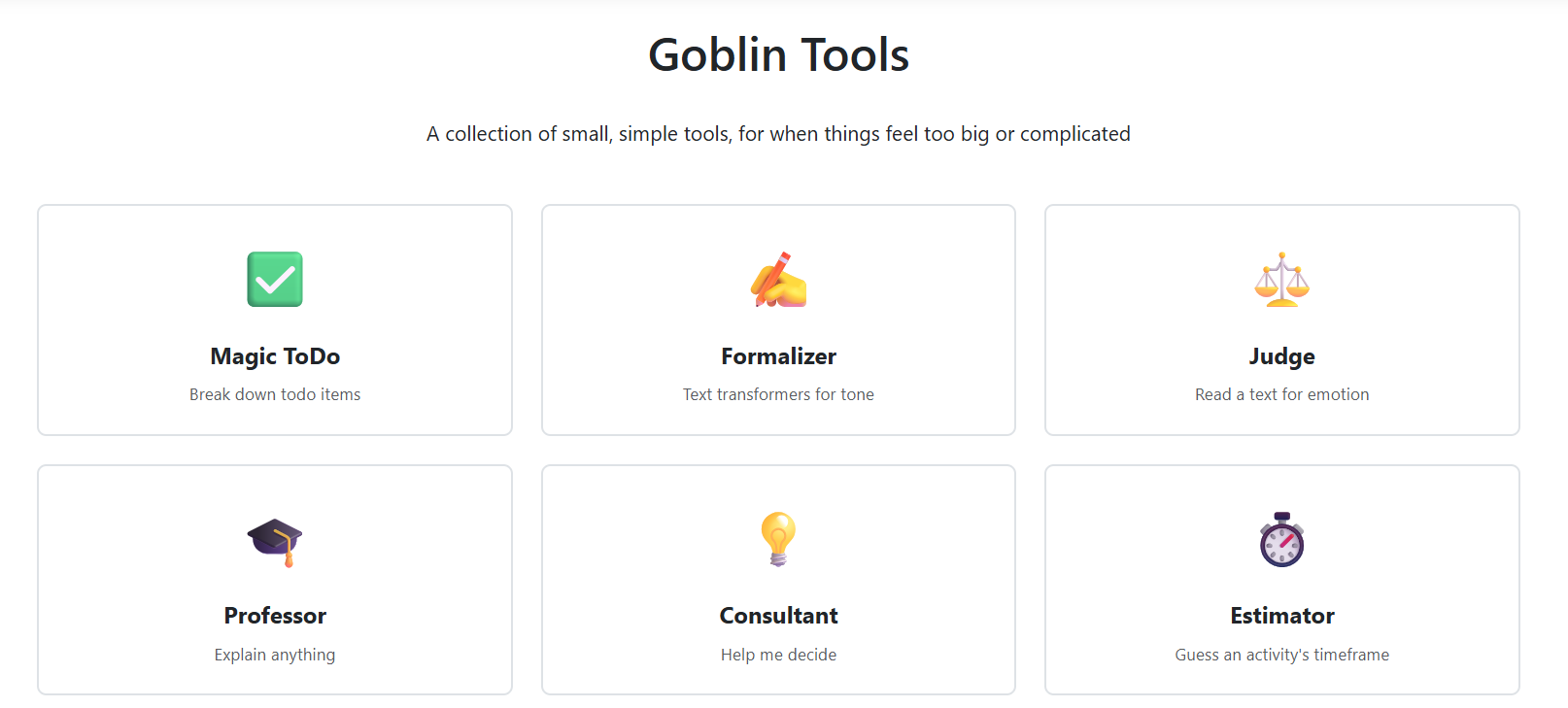
Magic ToDo: Instantly breaks down vague or overwhelming tasks into a clear, step-by-step checklist to make starting easier.
The Formalizer: Uses AI to rewrite your unpolished thoughts, allowing you to adjust the tone to be more professional, polite, or direct depending on the context.
The Judge: Analyzes incoming text to help you accurately interpret the emotional tone and intent behind a confusing message.
The Estimator: Provides an AI-generated prediction of how long a specific task is likely to take, helping users manage their time expectations realistically.
General Limitations:
No Presentation Support: It is strictly a text and task utility; it cannot generate slides, visual decks, or structured documents for professional meetings.
Limited Customization: The tools are designed for simplicity, offering users very little control over the formatting or visual style of the output.
Text-Only Exports: It is not designed for creating final deliverables, lacking the ability to export content into polished formats like PDF or PowerPoint.
Key Pros and Cons of Goblin Tools
Goblin Tools has earned its reputation not by adding more features, but by stripping them away. It creates a low-pressure environment that is perfect for anyone who feels overwhelmed by standard project management software. It is designed to help you start. However, that specialized focus means it lacks the engine to help you finish complex deliverables. It is a brilliant thinking aid, but a poor production tool. Here are the Goblin Tools pros and cons to see if they fit your needs.
Pros
Breaks complex tasks into clear, manageable steps
Reduces overwhelm and decision fatigue
Simple distraction-free interface
Especially helpful for planning and organizing work
Cons
Not designed for creating finished deliverables
Limited support for structured documents or presentations
Requires switching tools to present or share work professionally
Goblin Tools Alternatives Comparison Table
To help you decide if Goblin Tools AI fits your current workflow or if you require a more robust solution for professional outputs, we have compared it against the top Goblin Tools alternatives. The table below highlights the key differences in task assistance, presentation support, and customization capabilities.
| Tool | Primary Focus | Task Assistance | Presentation Support | Customization Level | Best For |
|---|---|---|---|---|---|
| Goblin Tools | Task breakdown & writing | Yes | No | Low | Daily planning & accessibility |
| ClickUp AI | Productivity & project management | Yes | Limited | Medium | Team workflows |
| Notion AI | Knowledge & writing | Yes | Limited | Medium | Documentation |
| ChatGPT | General AI assistance | Yes | No | Medium | Flexible AI use |
| WPS AI Slides | AI presentation creation | Partial | Yes | High | Structured presentations |
Why WPS AI Slides Is a Smarter Alternative to Goblin Tools
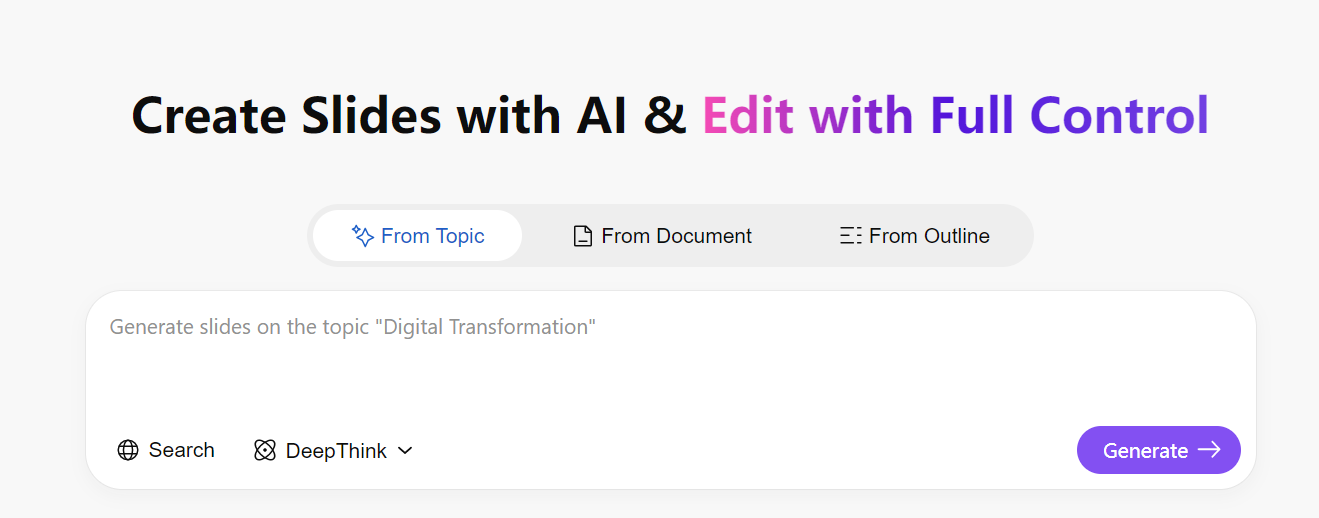
Breaking a project into steps helps you get organized, but it doesn’t help you explain your idea to other people. Checklists are useful for planning, not for presenting. To share your work clearly, you need a tool that turns notes into real output. WPS AI Slides does exactly that by converting simple text outlinesinto complete, editable presentations you can use in meetings or presentations.
1. Strategic Fit: From “Task Breakdown” to “Final Delivery”
Goblin Tools is a great task breakdown AI tool. Tools like Magic ToDo or Formalizer make it easy to reduce overwhelm and clarify what you want to do, but they stop short at execution. You can plan a project perfectly, but turning those ideas into slides, reports, or documents that others can actually use requires a full workflow. That’s where WPS AI steps in.
2. Recommended WPS AI Tools & Use Cases (Mapped to Goblin Tools)
Let’s look at a couple of cases where both the Goblins Tools and the WPS Office tools can combine to give you even better planning and execution of your tasks.
A. From Magic ToDo → WPS AI Slides
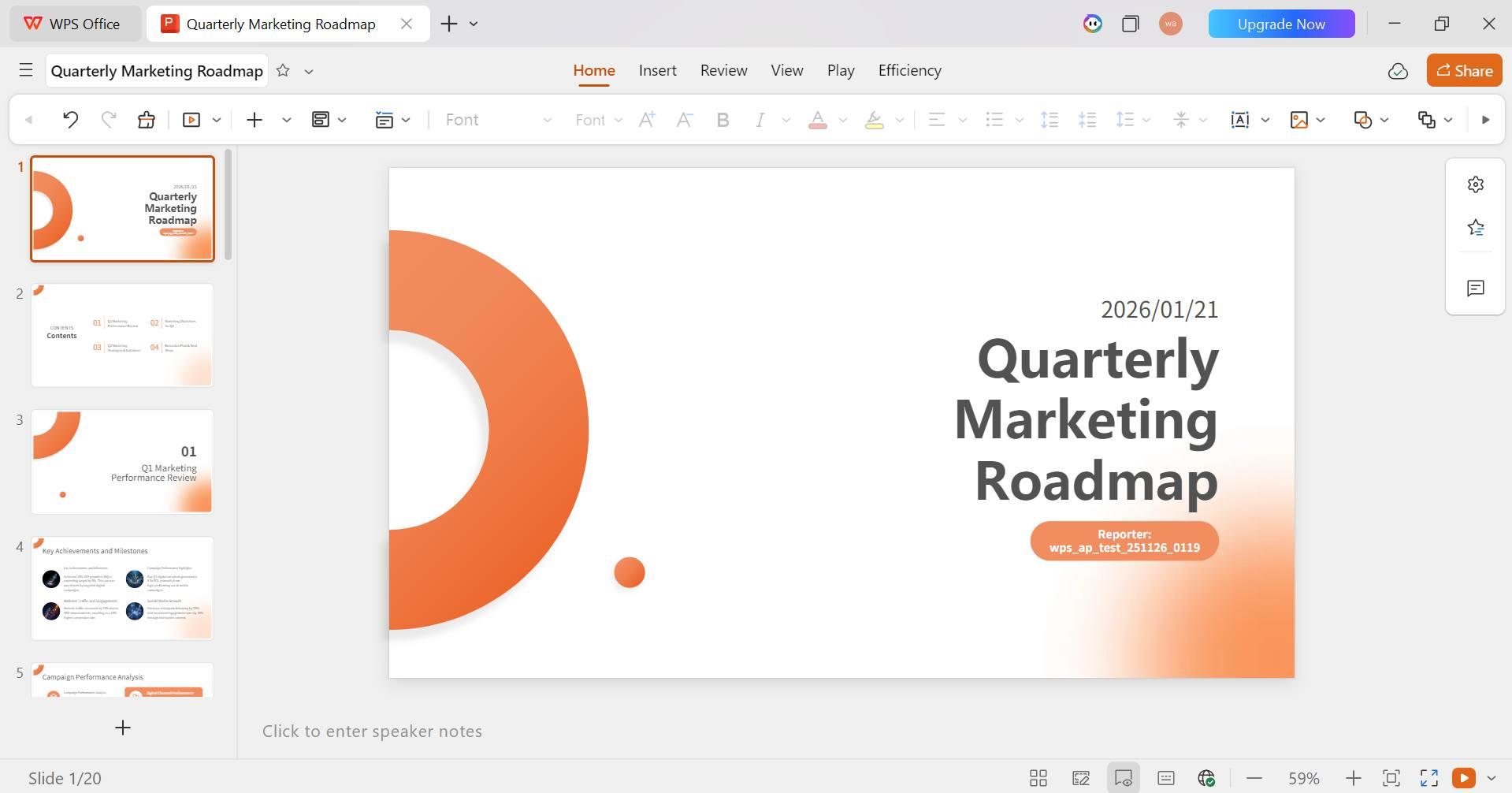
If you’ve broken a project like a Quarterly Marketing Roadmap into steps using Magic ToDo, WPS AI Slides can take that structured task list and turn it into a polished presentation in seconds. Simply paste your tasks into WPS AI, and it automatically generates a slide outline. With a single click, the text transforms into a professional PPT, saving you from the tedious work of formatting and arranging slides. This approach turns fragmented to-dos into a cohesive, presentation-ready deck, something Goblin Tools doesn’t support.
Why it works:
Paste your task list directly into WPS AI
AI turns it into a structured slide outline
One click generates a professional PPT
No more manual formatting or arranging slides
B. From Formalizer → WPS AI Writer
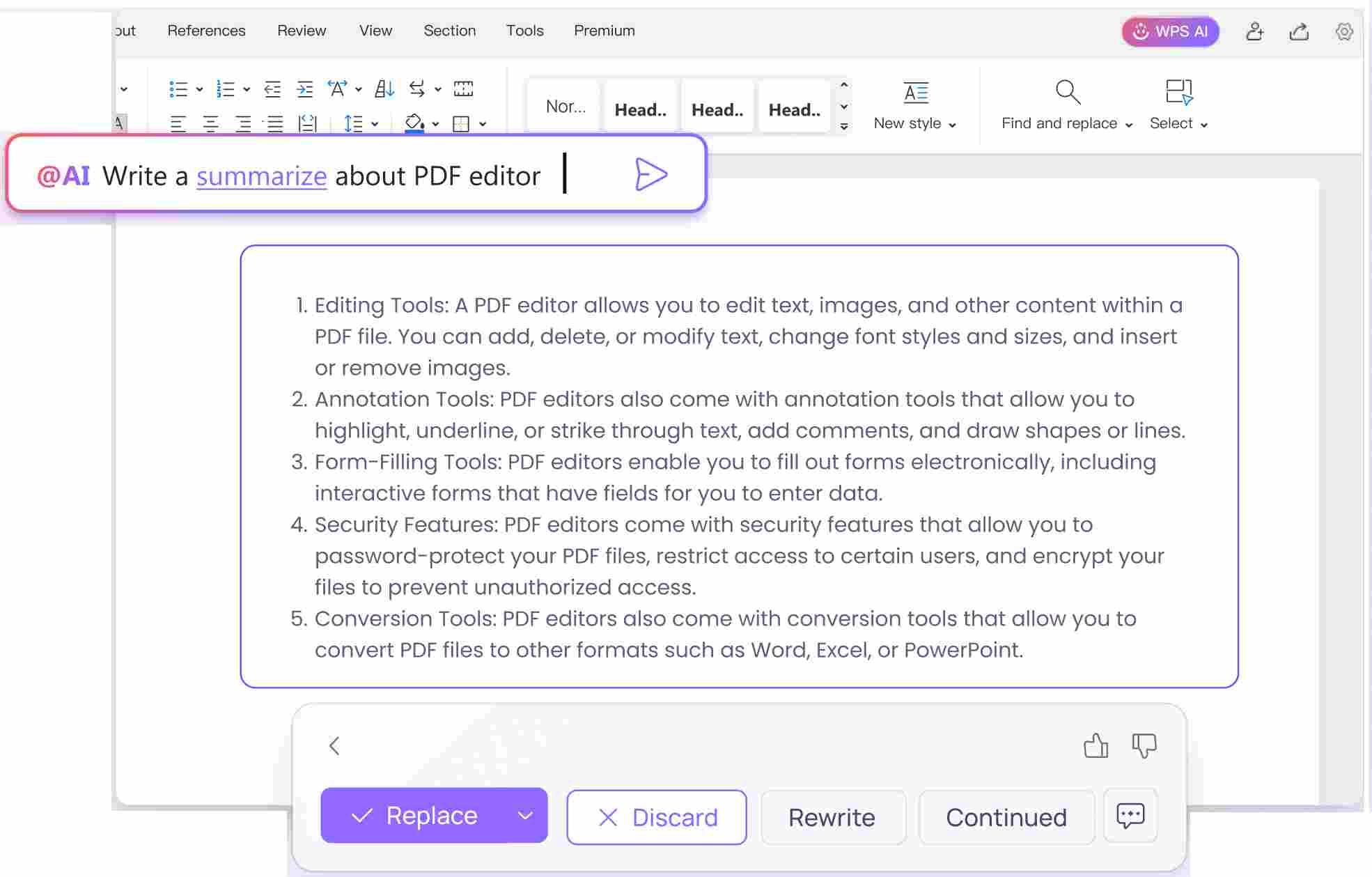
When you use Formalizer to rewrite a casual paragraph into a professional tone, WPS AI Writer takes the next step by expanding those ideas into complete documents. Whether you need a full report, a businessproposal, or an academic-style paper, WPS AI Writer supports structured writing, paragraph expansion, and tone adjustment within an easy-to-use document editor. Where Goblin Tools stops at simple text edits, WPS AI develops ideas into polished, shareable content that’s ready to send or present.
Why it works:
Formalizer is great for quick edits
WPS AI Writer expands those ideas into full documents like reports, proposals, or academic-style content
Adjust tone, structure paragraphs, and build a complete, polished document
C. From Compiler → WPS AI PDF
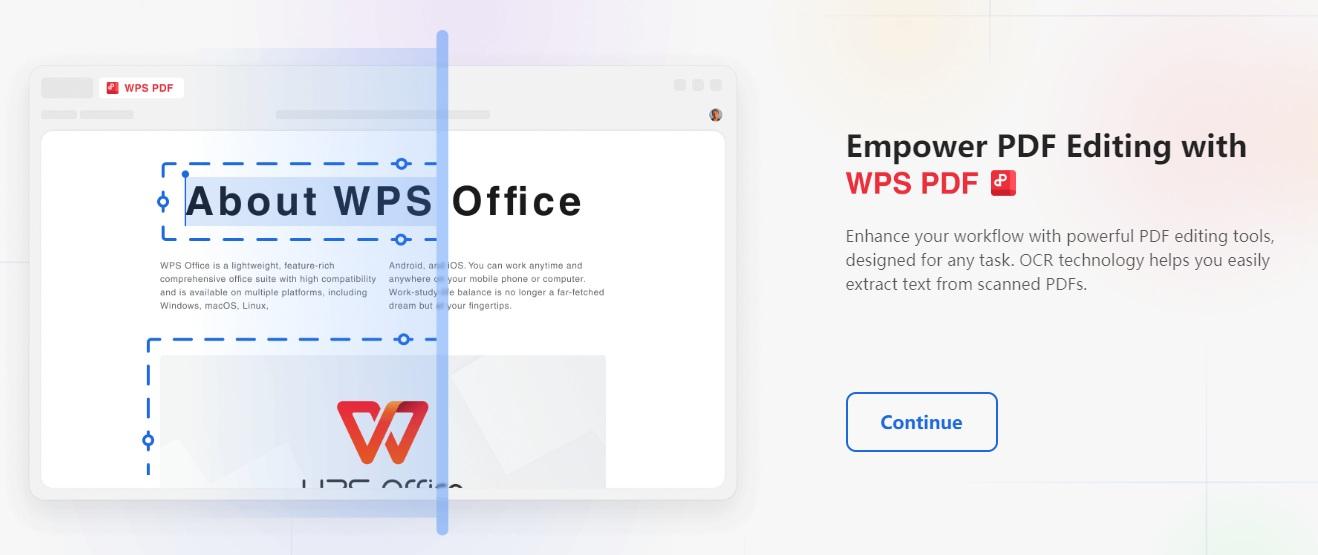
After summarizing ideas with Compiler, WPS AI PDF helps you analyze large documents, research papers, or reports with ease. You can upload a PDF and use Chat with PDF to extract key insights, generate comparisons, or summarize findings instantly. This transforms raw notes into knowledge-backed, actionable insights rather than leaving you with just basic summaries, making it a far more powerful tool for research, professional work, or academic projects.
Why it works:
Upload your documents and extract insights instantly
Summarize, compare, or explain content in seconds
Perfect for studying, research, or professional review
3. Why WPS AI Works Better as a Long-Term Productivity Hub
| Aspect | Goblin Tools | WPS AI |
|---|---|---|
| Core Strength | Task simplification | Content creation & delivery |
| Output Type | Short text / task lists | Documents, slides, PDFs |
| Best Use Case | Neurodivergent task support | Academic & professional output |
| File Support | Limited | Word / PPT / PDF |
| Workflow Role | Starting point | Final execution |
Ultimately, the relationship between these tools is complementary. Goblin Tools helps you think clearly and is one of the best AI tools for neurodivergent users, while WPS Office ensures you deliver professionally. If Goblin Tools acts as the spark to organize your thoughts and reduce mental load, WPS AI provides the engine to turn those initial concepts into real-world results.
By using WPS AI Writer to expand on your ideas, WPS AI Slides to present them visually, and WPS AI PDF to refine your research, you create a seamless workflow. Together, they form a complete productivity loop that takes you all the way from a rough idea to final execution.
FAQs
1. Is Goblin Tools free to use?
Yes, Goblin Tools generally offers free access to its core features through its web interface, making it highly accessible for personal use.
2. Is Goblin Tools suitable for professional presentations?
No, Goblin Tools is not designed for creating or exporting presentation slides. It focuses on text and task management.
3. What is a good alternative to Goblin Tools for presentations?
WPS AI Slides is a strong alternative for users who need AI-assisted, customizable presentation creation. It allows you to take the ideas generated in a task list and instantly format them into a slide deck.
From Task Management to Professional Output
While Goblin Tools is an excellent utility for breaking down tasks and managing daily productivity hurdles, it lacks the firepower needed for professional content creation. WPS AI Slides fills this gap by providing a robust platform to transform your organized thoughts into polished presentations and documents. By using them together or graduating to WPS for complex projects, you ensure that your productivity system doesn't just help you plan, but helps you deliver.

'%3e%3cpath%20d='M19.9911%204.11386V6.471H18.5894C18.0775%206.471%2017.7322%206.57814%2017.5536%206.79243C17.3751%207.00671%2017.2858%207.32814%2017.2858%207.75671V9.44421H19.9019L19.5536%2012.0871H17.2858V18.8639H14.5536V12.0871H12.2769V9.44421H14.5536V7.49779C14.5536%206.39064%2014.8632%205.53201%2015.4822%204.92189C16.1013%204.31177%2016.9257%204.00671%2017.9554%204.00671C18.8304%204.00671%2019.509%204.04243%2019.9911%204.11386Z'%20fill='%23333333'/%3e%3c/g%3e%3cdefs%3e%3cclipPath%20id='clip0_2938_8199'%3e%3crect%20width='16'%20height='16'%20fill='white'%20transform='translate(8%204.00671)'/%3e%3c/clipPath%3e%3c/defs%3e%3c/svg%3e)
'%3e%3cpath%20d='M17.5237%2010.7813L23.4811%204H22.0699L16.8949%209.88693L12.7648%204H8L14.2469%2012.9029L8%2020.0133H9.4112L14.8725%2013.7952L19.2352%2020.0133H24M9.92053%205.04213H12.0885L22.0688%2019.0224H19.9003'%20fill='%23333333'/%3e%3c/g%3e%3cdefs%3e%3cclipPath%20id='clip0_2938_8200'%3e%3crect%20width='16'%20height='16.0134'%20fill='white'%20transform='translate(8%204)'/%3e%3c/clipPath%3e%3c/defs%3e%3c/svg%3e)


