Feeling excited, and a little overwhelmed? A birth plan turns your
preferences, wishes, and values into a clear, respectful guide for your
care team, so you feel heard and empowered. But between appointments and
information overload, starting from scratch can be daunting. What should
you include? How do you make it neat, readable, and you,
without paying for the wrong template? So, how can you effortlessly
create a personalized birth plan you’re proud to share? This guide gives
you 10 free templates and shows you exactly how to edit and beautify
them fast.
Use Word, Excel, and PPT for FREE
Part 1. What is a Birth
Plan?
A birth plan is a short document that tells your healthcare team what
matters to you during labor, birth, and the immediate hours after,
covering your environment, pain relief, newborn care, and more. It’s a
helpful “wish list,” not a contract; safety comes first, but a plan
helps everyone pull in the same direction.
When should I make one? Begin in the third trimester, around 32–36 weeks, so you have
time to discuss it with your partner and care team and revise as needed.
(National health guidance suggests thinking through key choices and
using a template to structure them.)
What birth plan typically includes?
Key people involved: birthing partner(s), doula, who you want in the room.
Relevant medical info: allergies, GBS status, previous births, special considerations.
Birthplace & environment: lighting, music, mobility, intermittent vs. continuous monitoring.
Pain relief preferences: breathing, water, nitrous oxide, epidurals, what you’d like to try first.
Preferences for positions & pushing:upright, side-lying, water birth options where available.
Assisted birth & cesarean preferences: if needed, what matters (e.g., clear drape, delayed cord clamping).
Unexpected changes: a note that safety overrides preferences if circumstances change.
Pro Tip: Pregnancy announcement info (if you’re designing one alongside your plan): baby’s name (if sharing), due date, parents’ names, optional photo/scan, and a short message. Canva’s free announcement layouts make this simple.
Part
2. 10 Eye-Catching Birth Plan Templates [Free Download]
Most links let you export as PDF and sometimes image (PNG/JPG). Pick PDF for clean
printing/editing text; pick image if you want to style
it like a poster or share on social media.
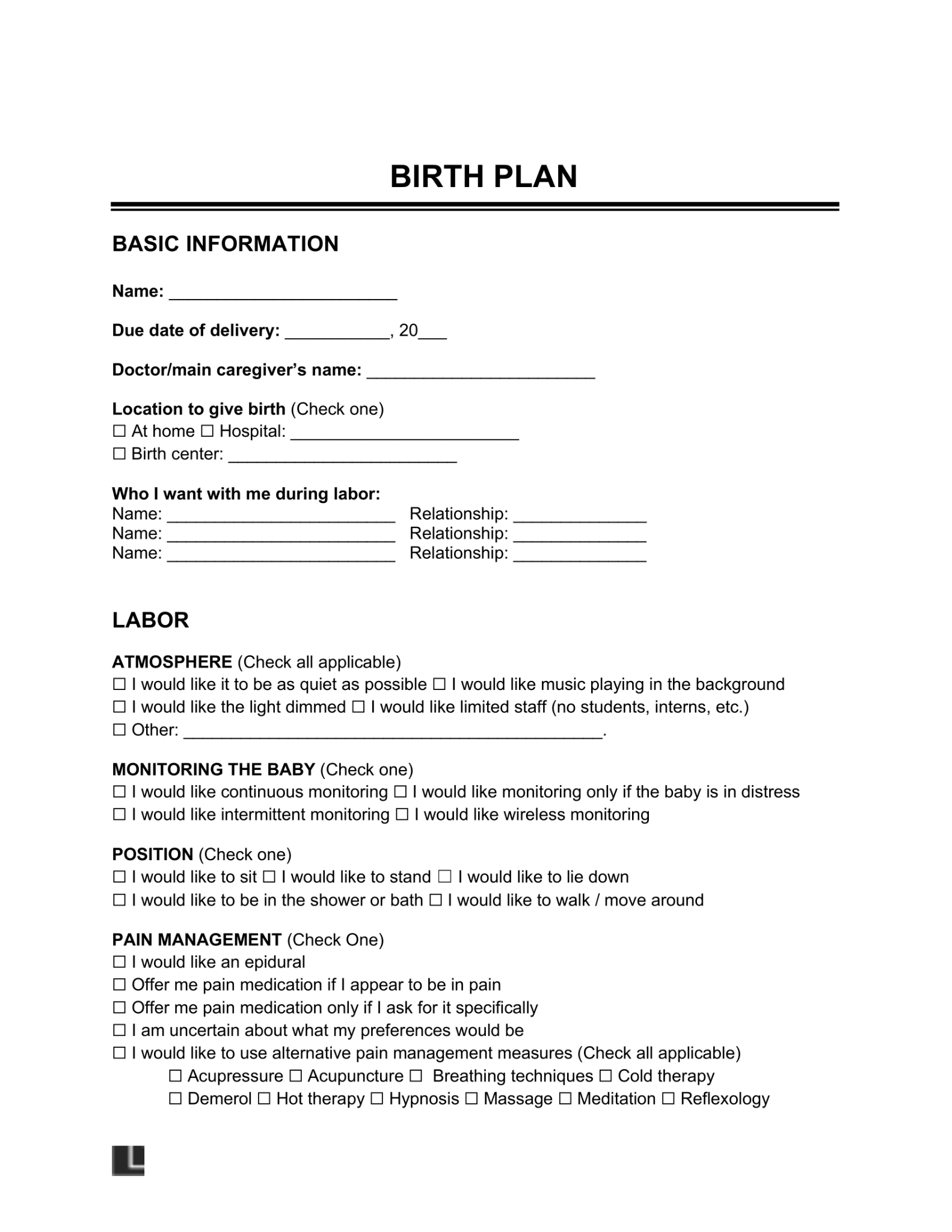
Calm neutrals and tidy sections, great for a one-page summary you can
keep on your phone and print. Best for: Parents who want a sleek, modern look with
quick-scan bullets.
Why it works: strong contrast and clear icons help
staff find key info fast.
A popular, well-known format many teams recognize.
Best for: quick adoption by hospital staff.
Why it works: familiar layout speeds reading and
reduces clarification questions.
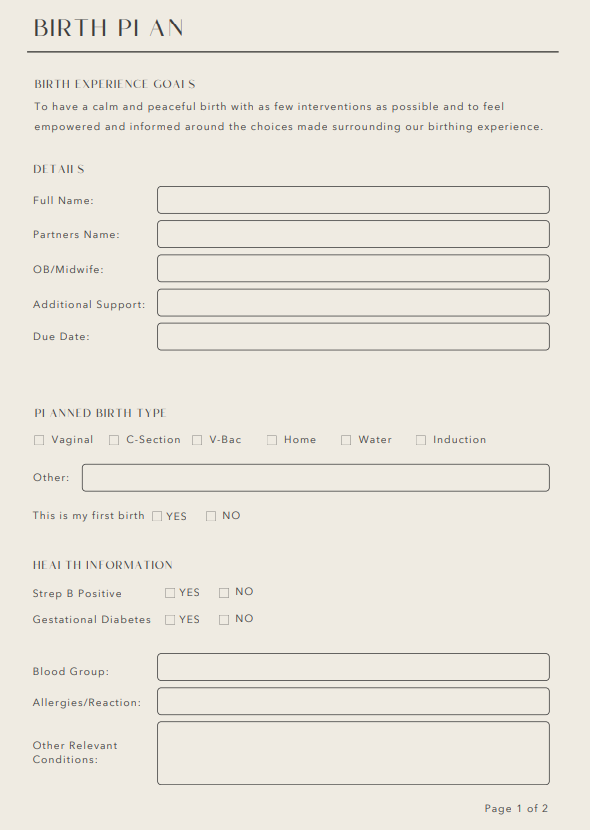
The Bump Birth Plan
My quick picks (why these work):
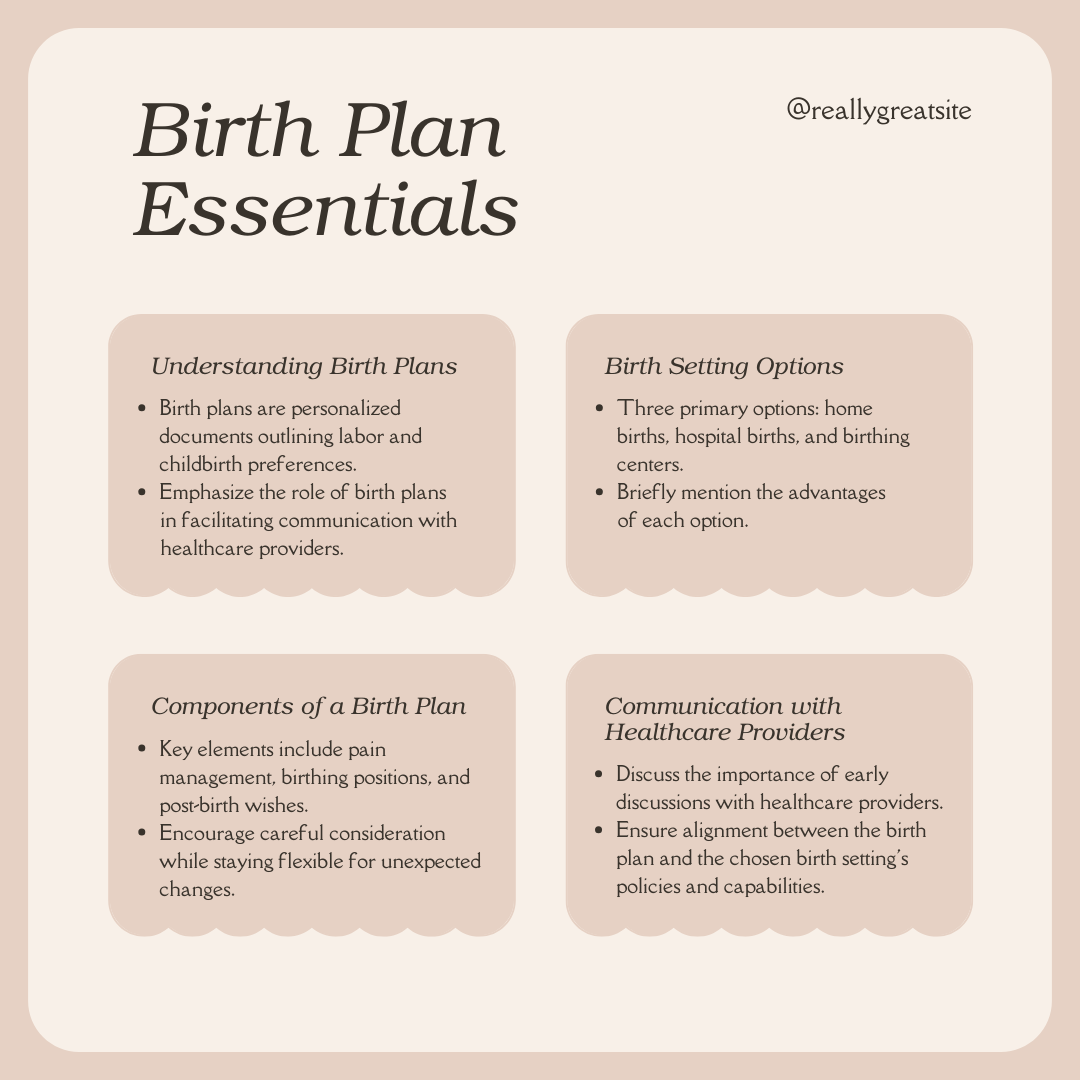
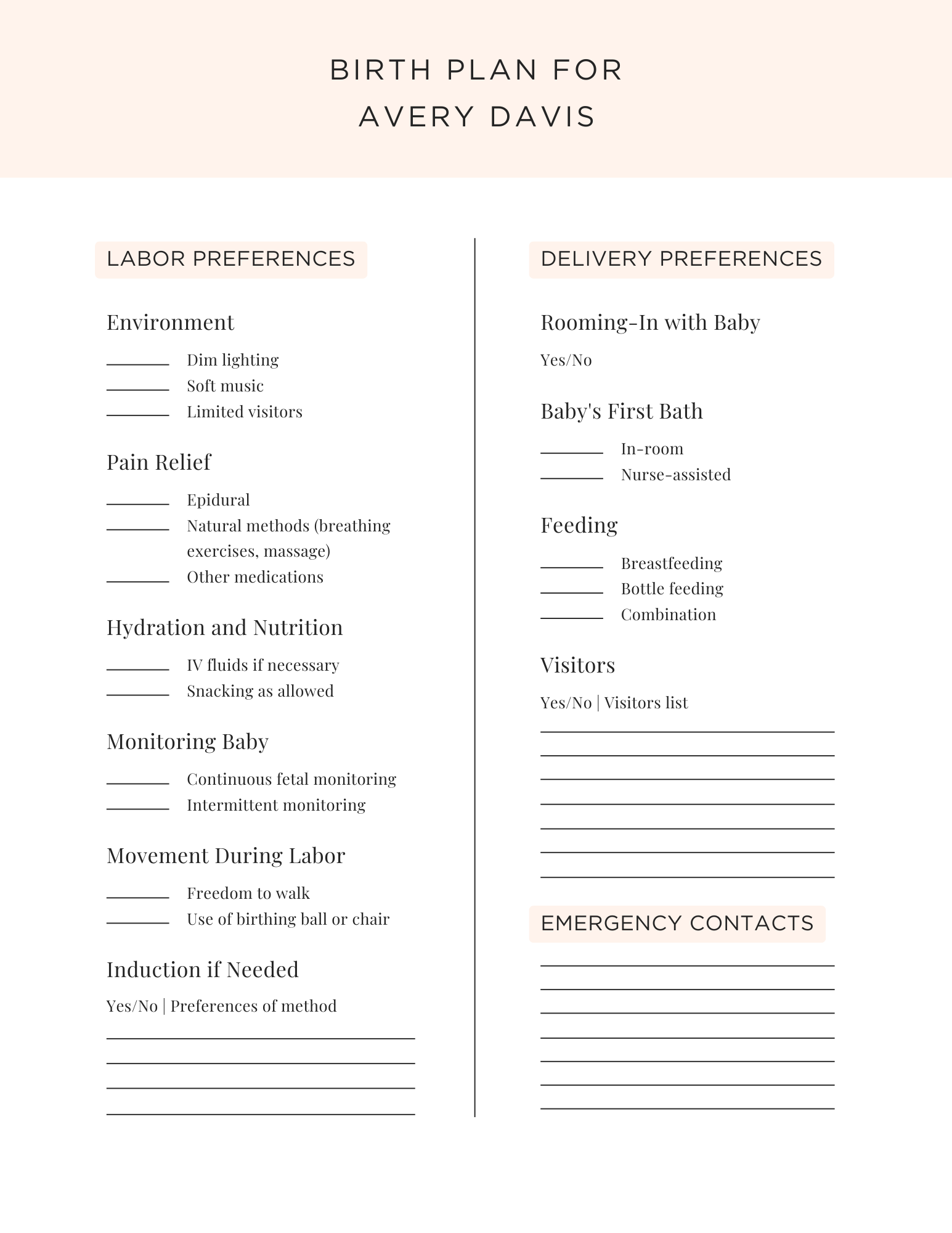
Fast & visual: Template 1 and 2 are perfect for a one-page, at-a-glance plan you can show from your phone.
Medical-team friendly: Template 10 mirrors layout clinicians often recognize, which can speed review.
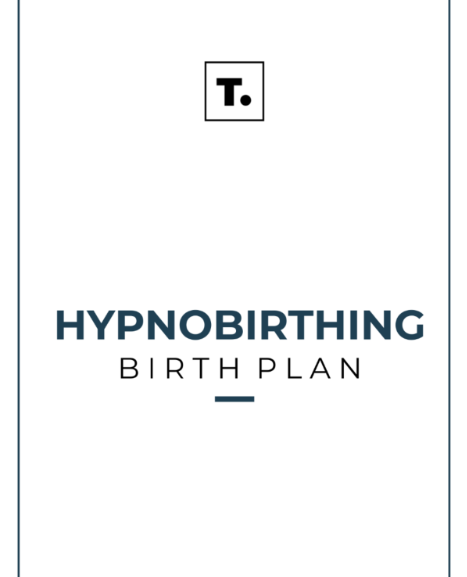
Scenario-specific: Template 5 (gentle cesarean) and Template 9 (hypnobirthing) speaks directly to different birthing styles, so your key wishes don’t get buried.
Part
3. How to Edit and Print Birth Plan Templates in PDF & Photo in WPS
Office?
You now have 10 beautiful starting points. Download the version that
fits your style, PDF for text-heavy forms or image (PNG/JPG) for visual checklists, then use the
quick steps below to personalize, beautify, and print.
A) Edit an image version with WPS Photo
Great for Canva exports or any template you saved as PNG/JPG.
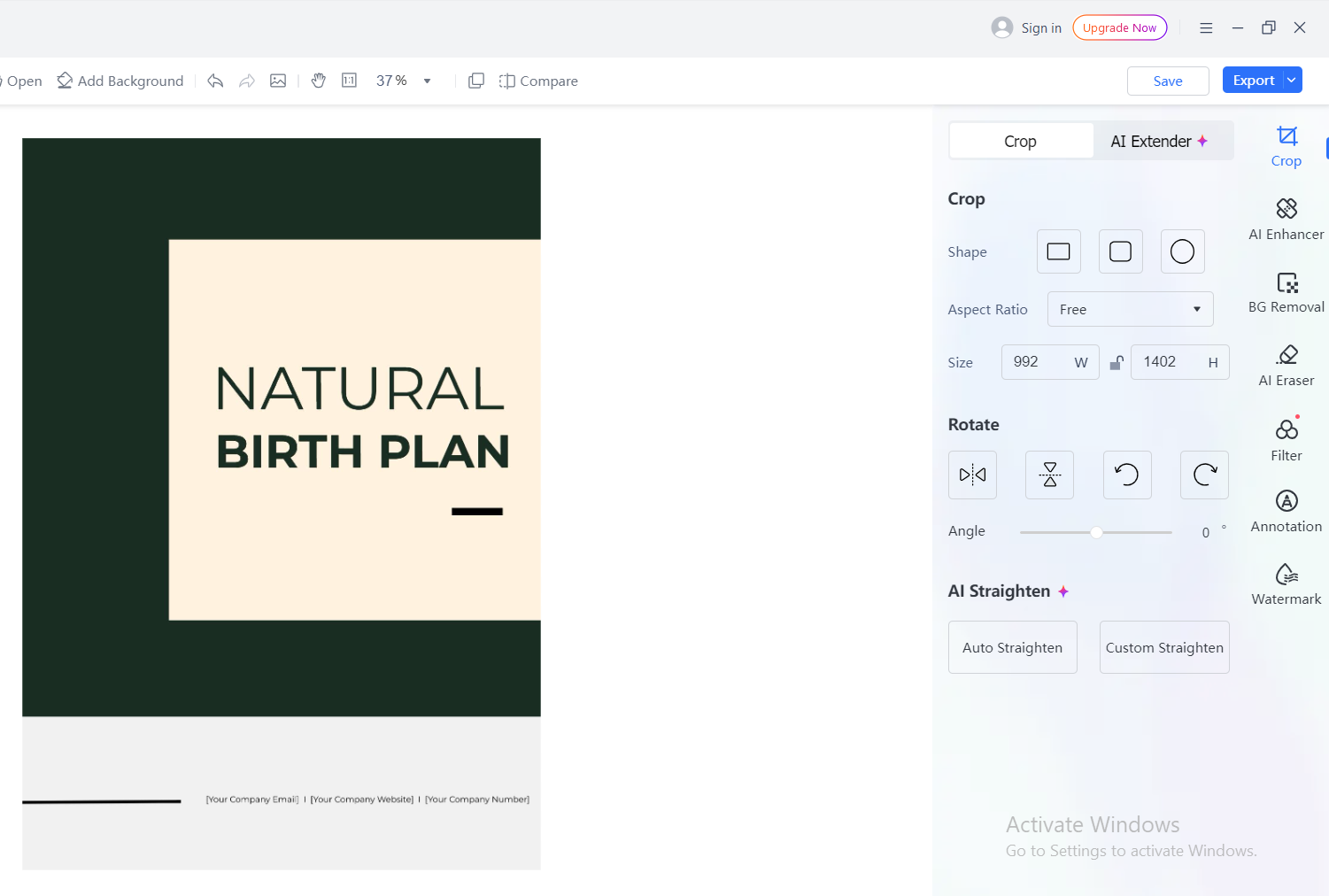
Step-by-step Guide:
Open in WPS Photo → Import your image.
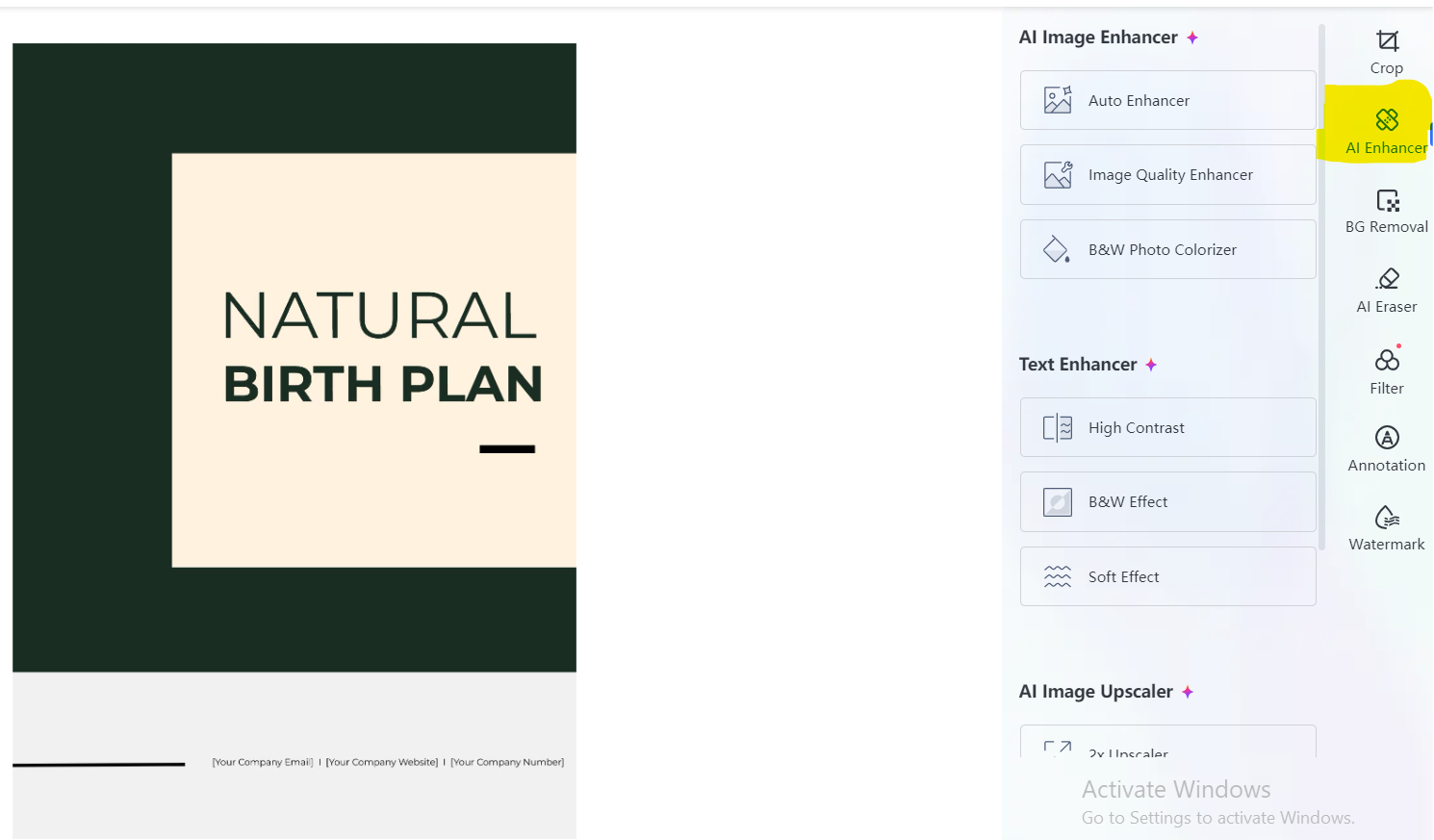
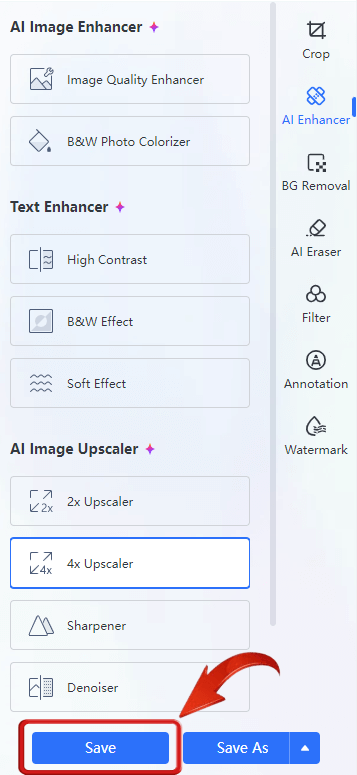
AI Image Enhancer → One-click clarity boost; fix
noise, sharpen text boxes.
AI Image Enhancer WPS Office
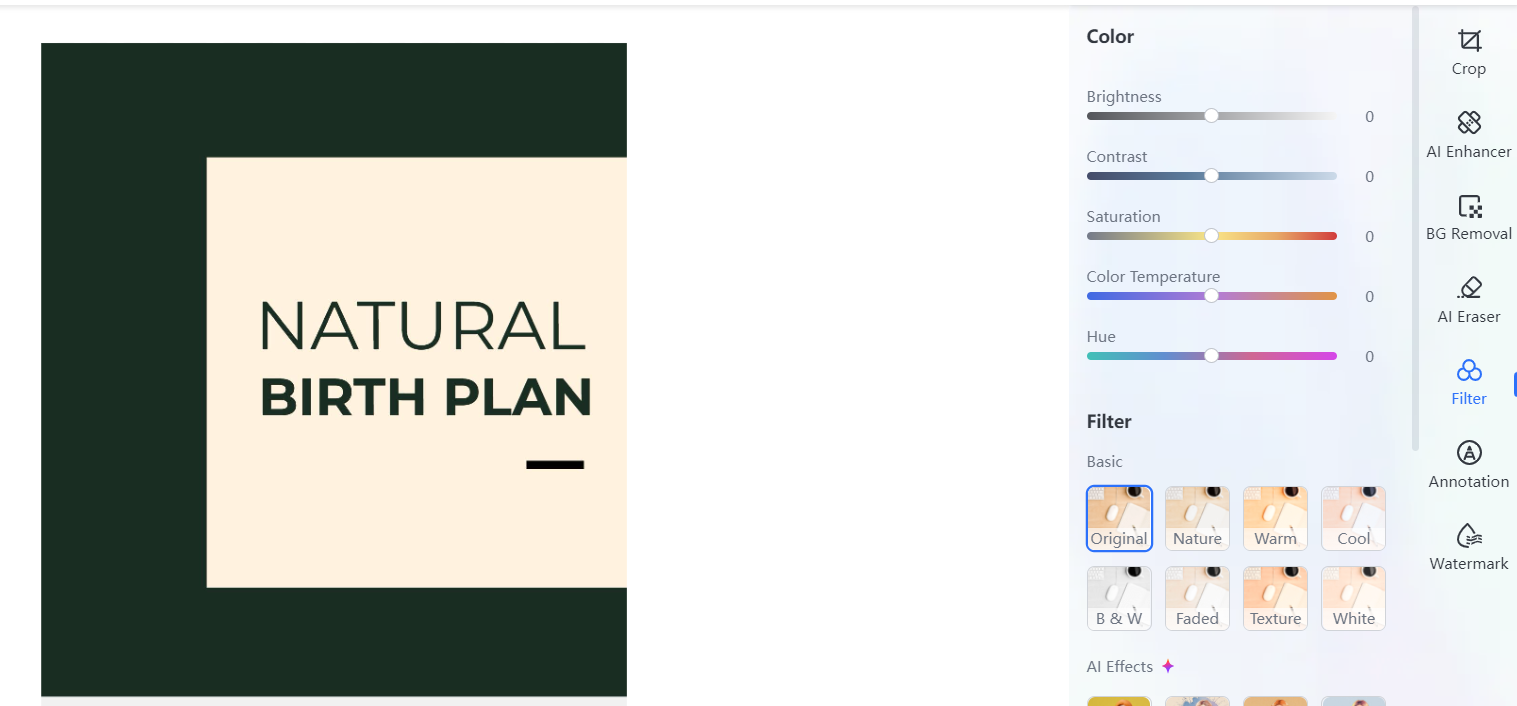
Adjust Colors → Nudge brightness/contrast and
white balance so printed text is crisp.
WPS Office Adjust Colors
AI Upscaler (optional) → Enlarge to 2× or 4× for
razor-sharp print without pixelation.
WPS Office Upscaler
Tidy edges / watermark removal (if present on your own
asset) → Use built-in cleanup tools to remove stray marks or
backgrounds before printing (respecting template licenses).
Add text boxes for names, due date, preferences;
align to the template’s grid; save as high-quality JPG/PNG.
B) Edit a PDF version with WPS PDF
Perfect for fillable plans and clean printing.
Step-by-step :
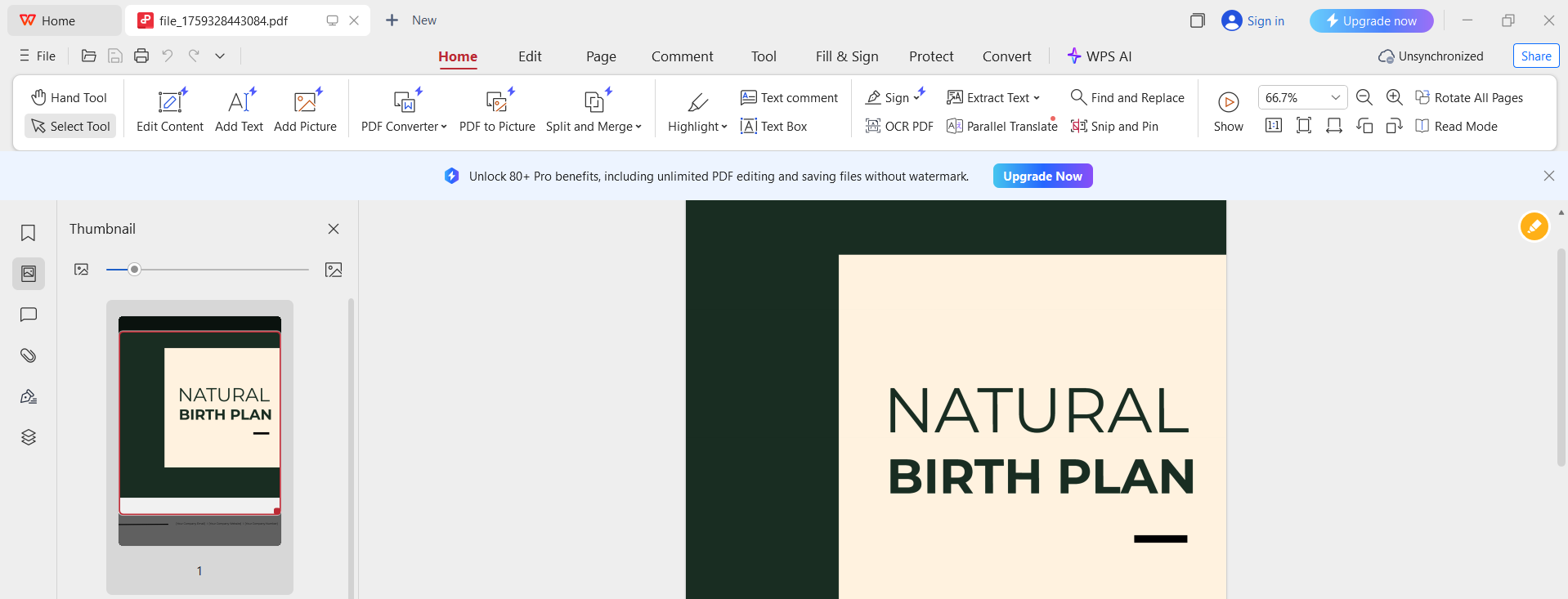
Open PDF in WPS PDF.
Open PDF in WPS PDF
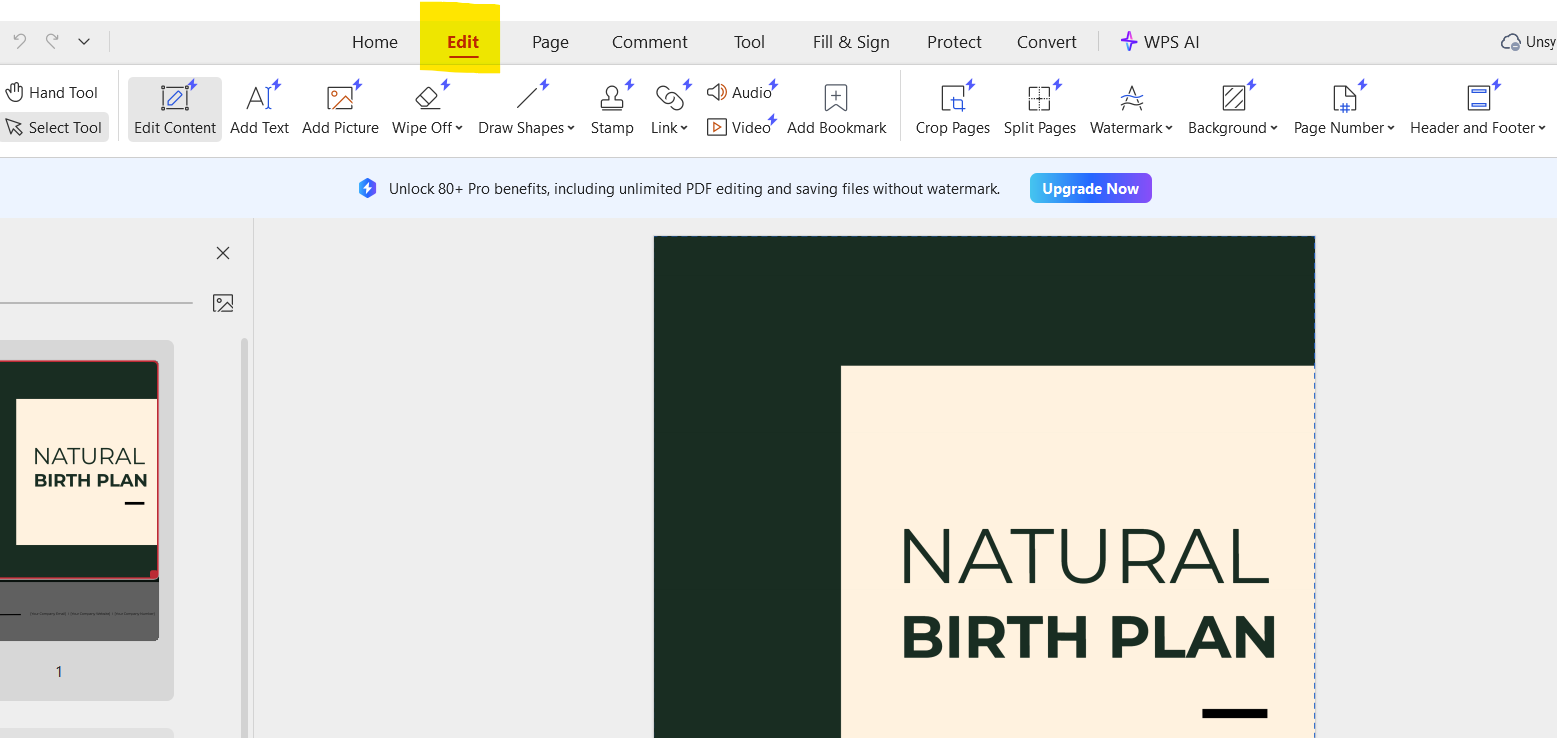
Click Edit → type directly, add or modify
text/images, or rearrange pages.
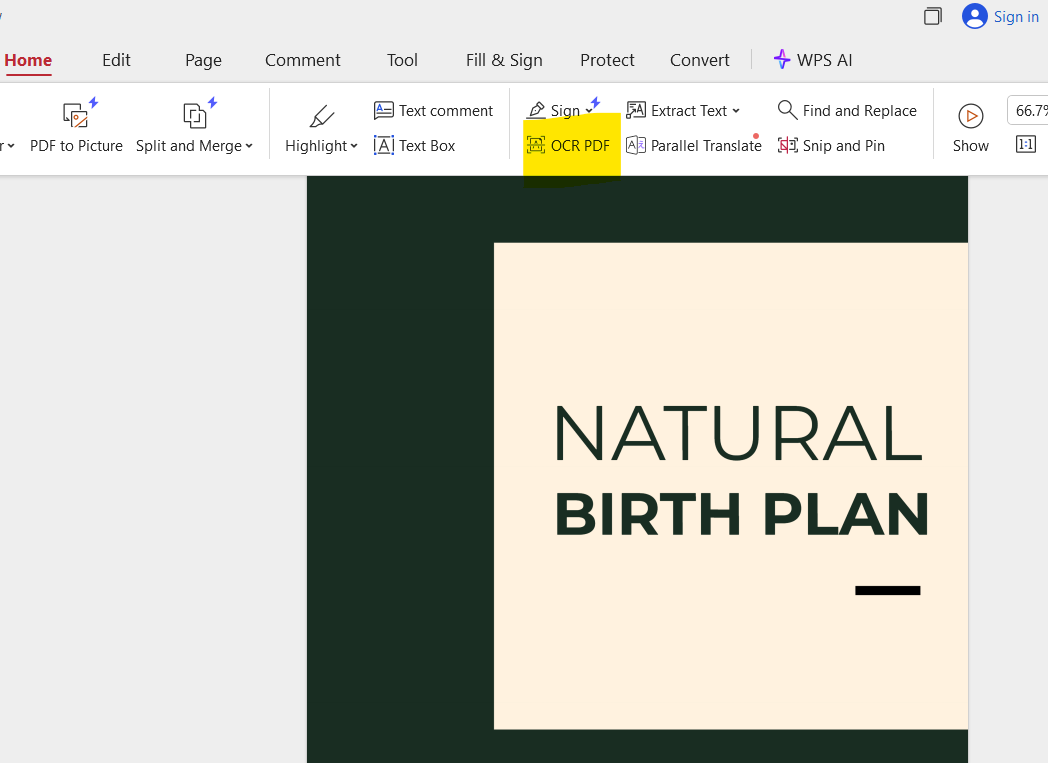
OCR scanned PDFs to make text editable; then
annotate or highlight critical preferences.
OCR scanned PDFs to make text editable; then annotate or highlight critical preferences
Export/Print: Save a clean copy for your care
team; keep another for your hospital bag and a digital one on your
phone. (Many checklists recommend carrying your plan with
ID/insurance.)
Export/Share
Part
4. Free & Easy: Design Your Personalized Birth Plan (Why WPS
Office)
WPS Office is a free, cross-platform suite
(Writer/Spreadsheet/Presentation) with a powerful PDF
toolkit and handy Photo tools, ideal for
editing both image-based and PDF birth plans.
WPS Office
Why it helps here
Lots of free templates and an editor that feels familiar.
Edit PDFs directly (text, images, forms) +OCR for scanned docs.
AI assists for photo enhancement and PDF edits.
Free download; works on Windows, Mac, mobile.
Cloud & sharing for quick review with your partner or doula.
100% secure
FAQs
1) When should I write my birth plan? Start in the third trimester (around 32–36
weeks) so you can discuss it and make changes before the big
day.
2) Do hospitals and doctors really follow birth plans? Most appreciate them as a clear guide to your preferences;
medical teams will prioritize safety but generally try to honor your
wishes when possible.
3) How long should my birth plan be? Aim for one page (front & back max) with
headings or checklists, easy for staff to scan quickly.
4) What if everything changes during labor? That’s okay, include a line noting that safety
overrides preferences and empower your partner to advocate for
the next-best options you’ve discussed.
Summary
You now have 10 free, stylish birth plan templates, ranging from minimalist checklists to scenario-specific options like gentle cesarean and hypnobirthing, plus a quick guide on what to include (key people, medical details, environment, pain relief, positions, newborn care). The idea is simple: pick a template that fits your vibe, keep it to one readable page, and add a safety note acknowledging that plans can change. Start your draft around 32–36 weeks so there’s time to discuss and tweak with your partner and care team.
For fast, polished editing, I recommend WPS Office. Use WPS PDF to type directly into PDFs (with OCR for scanned files) and WPS Photo to enhance and annotate image-based templates, sharpen text, adjust colors, upscale for crisp printing, and tidy any visual elements. WPS Office is free to download, cross-platform, and includes a rich template store, cloud sharing, and a powerful PDF toolkit, making it an easy all-in-one solution to finalize, print, and share your birth plan.
With 4 years of hands-on experience, I specialize in finding smart tools that boost productivity and make work-life smoother. If it streamlines the office, I’ve probably tested it—follow for practical tech tips and trusted recommendations.


'%3e%3cpath%20d='M8%200C12.4183%200%2016%203.58172%2016%208C16%2012.4183%2012.4183%2016%208%2016C3.58172%2016%200%2012.4183%200%208C0%203.58172%203.58172%200%208%200ZM11.6162%204.38379C11.2257%203.99337%2010.5927%203.99338%2010.2021%204.38379L8%206.58594L5.79785%204.38379C5.40732%203.99334%204.77429%203.99329%204.38379%204.38379C3.99331%204.77429%203.99335%205.40733%204.38379%205.79785L6.58594%208L4.38379%2010.2021C3.99348%2010.5927%203.99341%2011.2257%204.38379%2011.6162C4.77426%2012.0066%205.40734%2012.0065%205.79785%2011.6162L8%209.41406L10.2021%2011.6162C10.5927%2012.0066%2011.2257%2012.0067%2011.6162%2011.6162C12.0067%2011.2257%2012.0066%2010.5927%2011.6162%2010.2021L9.41406%208L11.6162%205.79785C12.0066%205.40735%2012.0066%204.77429%2011.6162%204.38379Z'%20fill='%23080E17'%20fill-opacity='0.46'/%3e%3c/g%3e%3cdefs%3e%3cclipPath%20id='clip0_3761_713'%3e%3crect%20width='16'%20height='16'%20fill='white'/%3e%3c/clipPath%3e%3c/defs%3e%3c/svg%3e)




'%3e%3cpath%20fill-rule='evenodd'%20clip-rule='evenodd'%20d='M21.4999%2010.9993C21.4999%205.20009%2016.7986%200.498901%2010.9993%200.498901C5.19994%200.498901%200.498657%205.20009%200.498657%2010.9993C0.498657%2016.2404%204.33858%2020.5844%209.35855%2021.3722V14.0346H6.69238V10.9993H9.35855V8.68594C9.35855%206.05427%2010.9262%204.60062%2013.3248%204.60062C14.4736%204.60062%2015.6753%204.80571%2015.6753%204.80571V7.38979H14.3512C13.0468%207.38979%2012.64%208.19921%2012.64%209.0296V10.9993H15.5523L15.0867%2014.0346H12.64V21.3722C17.66%2020.5844%2021.4999%2016.2404%2021.4999%2010.9993Z'%20fill='%231568EA'/%3e%3c/g%3e%3c/svg%3e)


'%3e%3cpath%20d='M2.42045%2022.1876H6.31818V12.7217L0.75%208.54553V20.5171C0.75%2021.4414%201.49892%2022.1876%202.42045%2022.1876Z'%20fill='%234285F4'/%3e%3cpath%20d='M19.682%2022.1876H23.5797C24.5041%2022.1876%2025.2502%2021.4387%2025.2502%2020.5171V8.54553L19.682%2012.7217'%20fill='%2334A853'/%3e%3cpath%20d='M19.682%205.48293V12.7216L25.2502%208.54543V6.31816C25.2502%204.25236%2022.8921%203.07469%2021.2411%204.31361'%20fill='%23FBBC04'/%3e%3cpath%20d='M6.31824%2012.7217V5.48303L13.0001%2010.4944L19.6819%205.48303V12.7217L13.0001%2017.733'%20fill='%23EA4335'/%3e%3cpath%20d='M0.75%206.31816V8.54543L6.31818%2012.7216V5.48293L4.75909%204.31361C3.10534%203.07469%200.75%204.25236%200.75%206.31816Z'%20fill='%23C5221F'/%3e%3c/g%3e%3cdefs%3e%3cclipPath%20id='clip0_2954_7305'%3e%3crect%20width='24.5'%20height='18.375'%20fill='white'%20transform='translate(0.75%203.8125)'/%3e%3c/clipPath%3e%3c/defs%3e%3c/svg%3e)







'%3e%3cpath%20d='M19.9911%204.11386V6.471H18.5894C18.0775%206.471%2017.7322%206.57814%2017.5536%206.79243C17.3751%207.00671%2017.2858%207.32814%2017.2858%207.75671V9.44421H19.9019L19.5536%2012.0871H17.2858V18.8639H14.5536V12.0871H12.2769V9.44421H14.5536V7.49779C14.5536%206.39064%2014.8632%205.53201%2015.4822%204.92189C16.1013%204.31177%2016.9257%204.00671%2017.9554%204.00671C18.8304%204.00671%2019.509%204.04243%2019.9911%204.11386Z'%20fill='%23333333'/%3e%3c/g%3e%3cdefs%3e%3cclipPath%20id='clip0_2938_8199'%3e%3crect%20width='16'%20height='16'%20fill='white'%20transform='translate(8%204.00671)'/%3e%3c/clipPath%3e%3c/defs%3e%3c/svg%3e)
'%3e%3cpath%20d='M17.5237%2010.7813L23.4811%204H22.0699L16.8949%209.88693L12.7648%204H8L14.2469%2012.9029L8%2020.0133H9.4112L14.8725%2013.7952L19.2352%2020.0133H24M9.92053%205.04213H12.0885L22.0688%2019.0224H19.9003'%20fill='%23333333'/%3e%3c/g%3e%3cdefs%3e%3cclipPath%20id='clip0_2938_8200'%3e%3crect%20width='16'%20height='16.0134'%20fill='white'%20transform='translate(8%204)'/%3e%3c/clipPath%3e%3c/defs%3e%3c/svg%3e)


