

'%3e%3cpath%20d='M8%200C12.4183%200%2016%203.58172%2016%208C16%2012.4183%2012.4183%2016%208%2016C3.58172%2016%200%2012.4183%200%208C0%203.58172%203.58172%200%208%200ZM11.6162%204.38379C11.2257%203.99337%2010.5927%203.99338%2010.2021%204.38379L8%206.58594L5.79785%204.38379C5.40732%203.99334%204.77429%203.99329%204.38379%204.38379C3.99331%204.77429%203.99335%205.40733%204.38379%205.79785L6.58594%208L4.38379%2010.2021C3.99348%2010.5927%203.99341%2011.2257%204.38379%2011.6162C4.77426%2012.0066%205.40734%2012.0065%205.79785%2011.6162L8%209.41406L10.2021%2011.6162C10.5927%2012.0066%2011.2257%2012.0067%2011.6162%2011.6162C12.0067%2011.2257%2012.0066%2010.5927%2011.6162%2010.2021L9.41406%208L11.6162%205.79785C12.0066%205.40735%2012.0066%204.77429%2011.6162%204.38379Z'%20fill='%23080E17'%20fill-opacity='0.46'/%3e%3c/g%3e%3cdefs%3e%3cclipPath%20id='clip0_3761_713'%3e%3crect%20width='16'%20height='16'%20fill='white'/%3e%3c/clipPath%3e%3c/defs%3e%3c/svg%3e)




'%3e%3cpath%20fill-rule='evenodd'%20clip-rule='evenodd'%20d='M21.4999%2010.9993C21.4999%205.20009%2016.7986%200.498901%2010.9993%200.498901C5.19994%200.498901%200.498657%205.20009%200.498657%2010.9993C0.498657%2016.2404%204.33858%2020.5844%209.35855%2021.3722V14.0346H6.69238V10.9993H9.35855V8.68594C9.35855%206.05427%2010.9262%204.60062%2013.3248%204.60062C14.4736%204.60062%2015.6753%204.80571%2015.6753%204.80571V7.38979H14.3512C13.0468%207.38979%2012.64%208.19921%2012.64%209.0296V10.9993H15.5523L15.0867%2014.0346H12.64V21.3722C17.66%2020.5844%2021.4999%2016.2404%2021.4999%2010.9993Z'%20fill='%231568EA'/%3e%3c/g%3e%3c/svg%3e)


'%3e%3cpath%20d='M2.42045%2022.1876H6.31818V12.7217L0.75%208.54553V20.5171C0.75%2021.4414%201.49892%2022.1876%202.42045%2022.1876Z'%20fill='%234285F4'/%3e%3cpath%20d='M19.682%2022.1876H23.5797C24.5041%2022.1876%2025.2502%2021.4387%2025.2502%2020.5171V8.54553L19.682%2012.7217'%20fill='%2334A853'/%3e%3cpath%20d='M19.682%205.48293V12.7216L25.2502%208.54543V6.31816C25.2502%204.25236%2022.8921%203.07469%2021.2411%204.31361'%20fill='%23FBBC04'/%3e%3cpath%20d='M6.31824%2012.7217V5.48303L13.0001%2010.4944L19.6819%205.48303V12.7217L13.0001%2017.733'%20fill='%23EA4335'/%3e%3cpath%20d='M0.75%206.31816V8.54543L6.31818%2012.7216V5.48293L4.75909%204.31361C3.10534%203.07469%200.75%204.25236%200.75%206.31816Z'%20fill='%23C5221F'/%3e%3c/g%3e%3cdefs%3e%3cclipPath%20id='clip0_2954_7305'%3e%3crect%20width='24.5'%20height='18.375'%20fill='white'%20transform='translate(0.75%203.8125)'/%3e%3c/clipPath%3e%3c/defs%3e%3c/svg%3e)


A pay stub template is a pre-made layout you can use to fill in employer details, pay period, gross pay, and withholdings. But most options out there tend to be really unreliable, having confusing layouts and not meeting local payroll requirements. So, are there reliable pay stub templates you can customize for professional results? In this guide, I’ll highlight 10 free pay stub template examples and help you customize them smoothly.


How to Write a Pay Stub
A pay stub template is basically a pre-designed document that businesses and professionals can use to create consistent pay stubs without doing everything from scratch every single time. It saves a lot of time and eliminates the hassle of juggling spreadsheets and manual calculations, including all the necessary details in a clear and easy-to-edit layout. In this section, I’ll be highlighting the essential elements you need to have in your pay stub template for the best results.
Pay Stub Templates
If you’re trying to design pay stubs by yourself, it can be quite stressful if you don’t know what you’re doing and don’t have any prior experience. You can simplify the process for yourself by using free and fully editable templates. In this section, I’ll highlight 10 of the most reliable options I’ve found and help you decide on the right one for yourself.
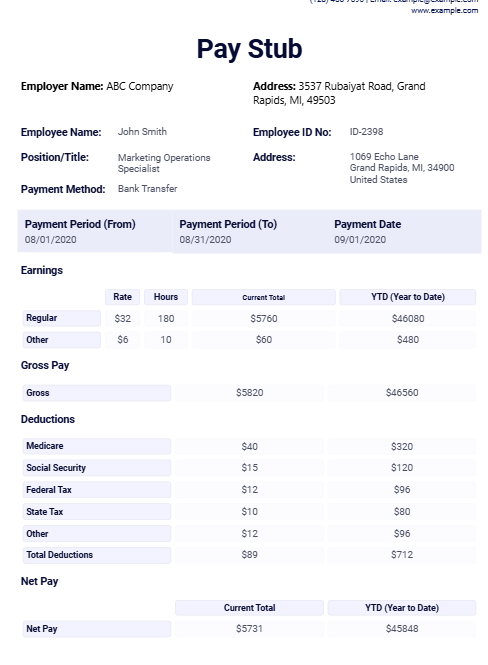
1. Fillable Free Pay Stub PDF Template
The Fillable Free Pay Stub PDF Template is one of the most reliable options out there for ensuring a clean and professional layout to document earnings. It features a polished layout that clearly defines employer details, employee ID, and payment methods, along with organized sections for earnings and tax deductions.
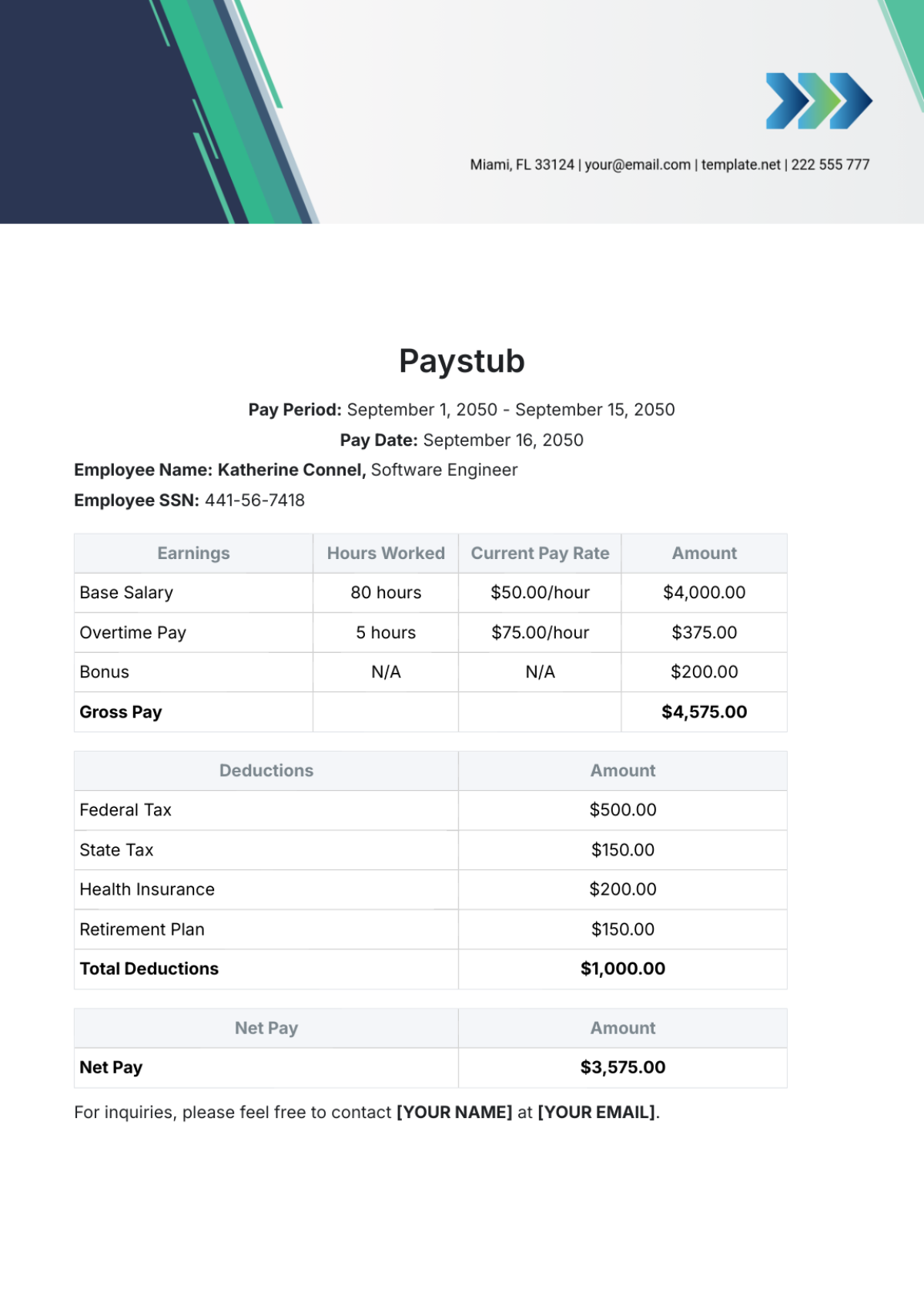
2. Free Paystub Template
The Free Paystub Template is an excellent choice for businesses that need to highlight specific pay details like overtime and base salary in a detailed format. It provides a clear and easy-to-understand breakdown of the net pay after factoring in retirement plans and health insurance fees, making it ideal for maintaining professional payroll records.
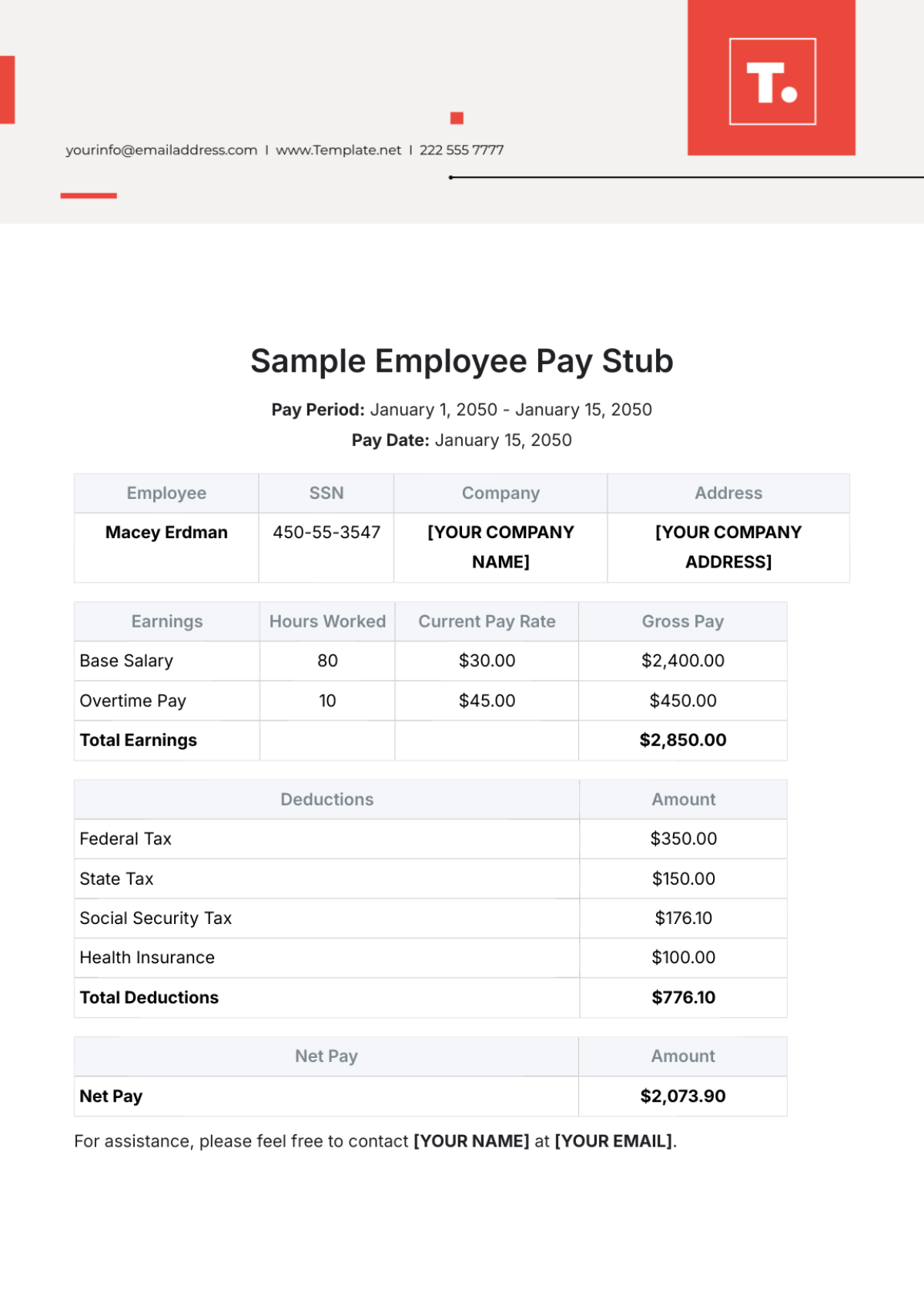
3. Free Sample Employee Pay Stub Template
For those looking for a simple yet effective layout that helps them save time and be more efficient, the Free Sample Employee Pay Stub Template is a great choice. It streamlines the process by featuring all the essential data fields like the pay date and company address in a clean and well-organized layout.
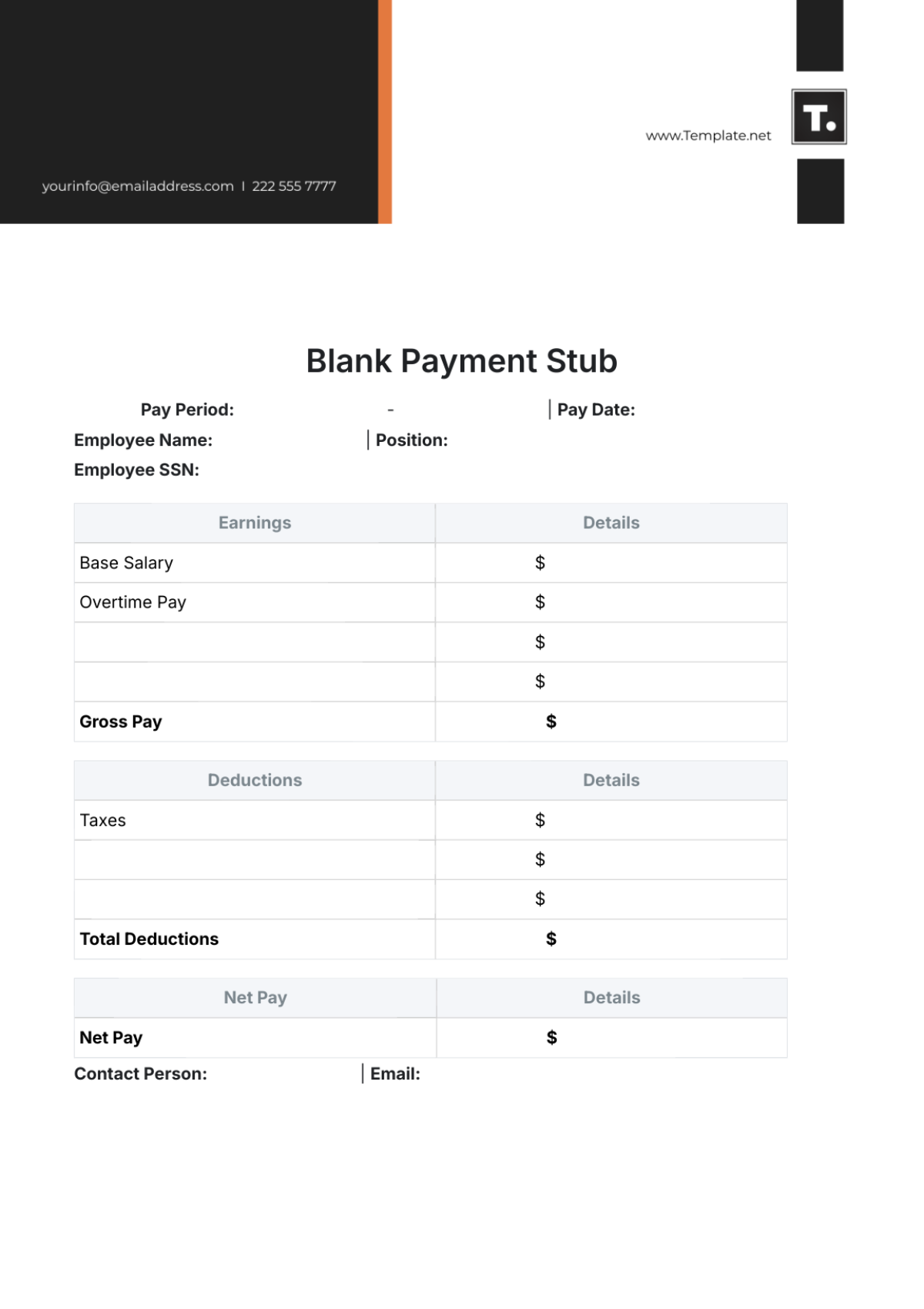
4. Free Blank Payment Stub Template
The Free Blank Payment Stub Template offers an incredibly practical and straightforward design for professionals who prefer to customize their documents from scratch with full creative control. It includes all the necessary fields for employee SSN and position, ensuring that every detail is clearly mentioned without confusing the reader.
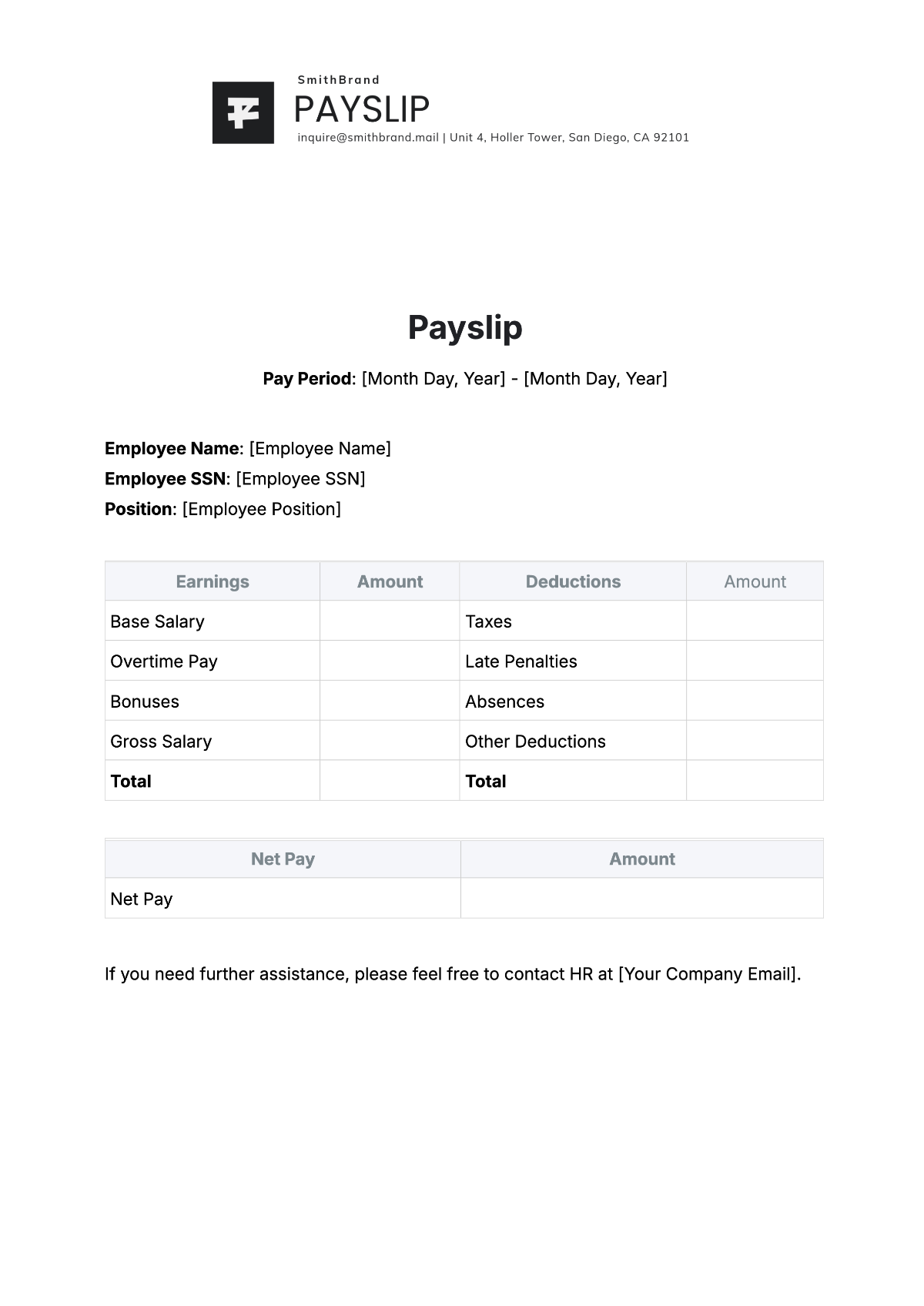
5. Free Payslip Template
If you’re looking for a professional and streamlined template to boost your productivity without much hassle, the Free Payslip Template is the perfect choice. It features a unique layout that categorizes bonuses and late penalties separately, helping you maintain a high level of transparency in the communication of your company.
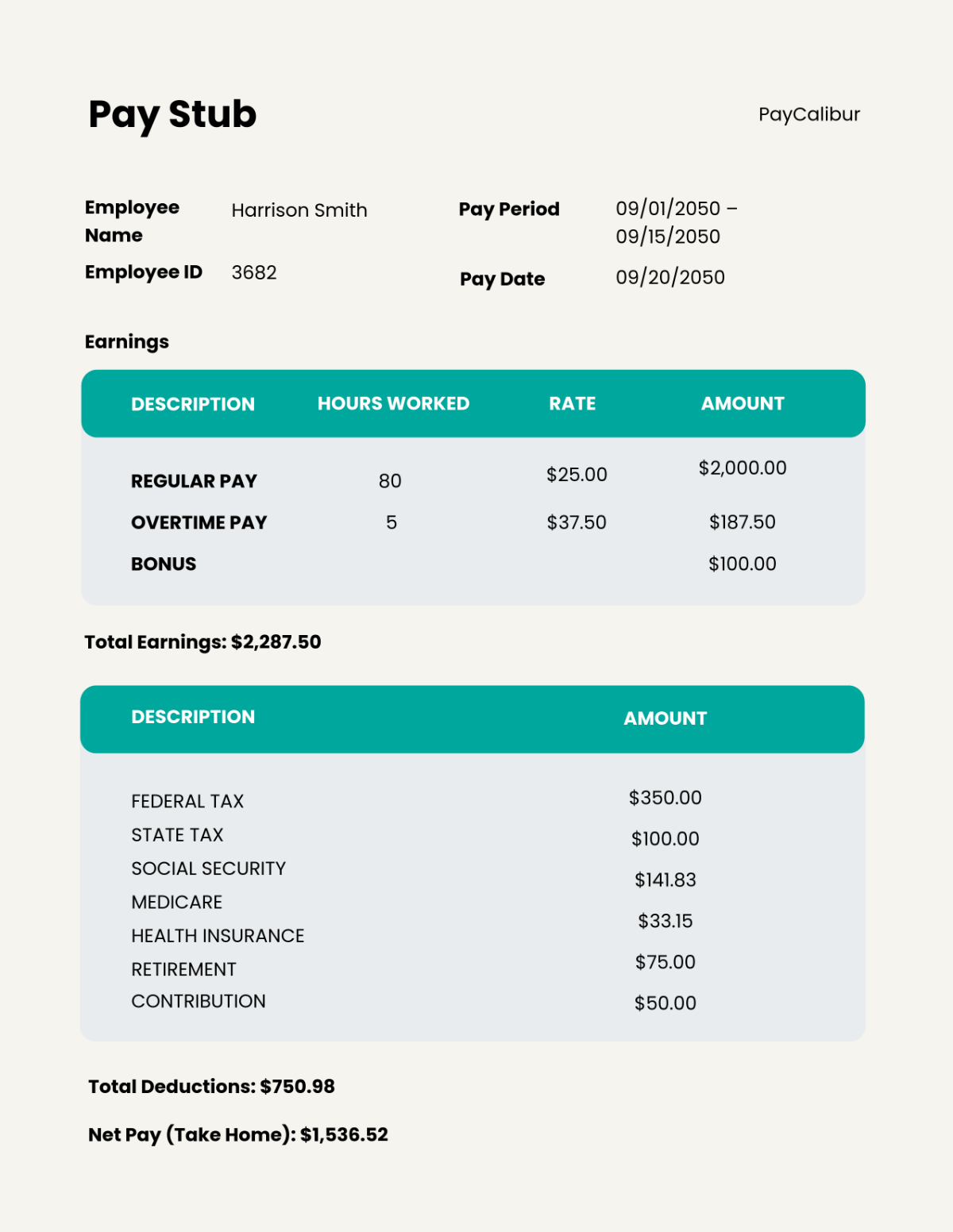
6. Free Professional Pay Stub Template
The Free Professional Pay Stub Template is a polished option that is specifically designed to maintain a consistent and uniform look across records while also including comprehensive data for the pay period. It provides a detailed breakdown of the work and the specific tax contributions, like Medicare and Social Security.
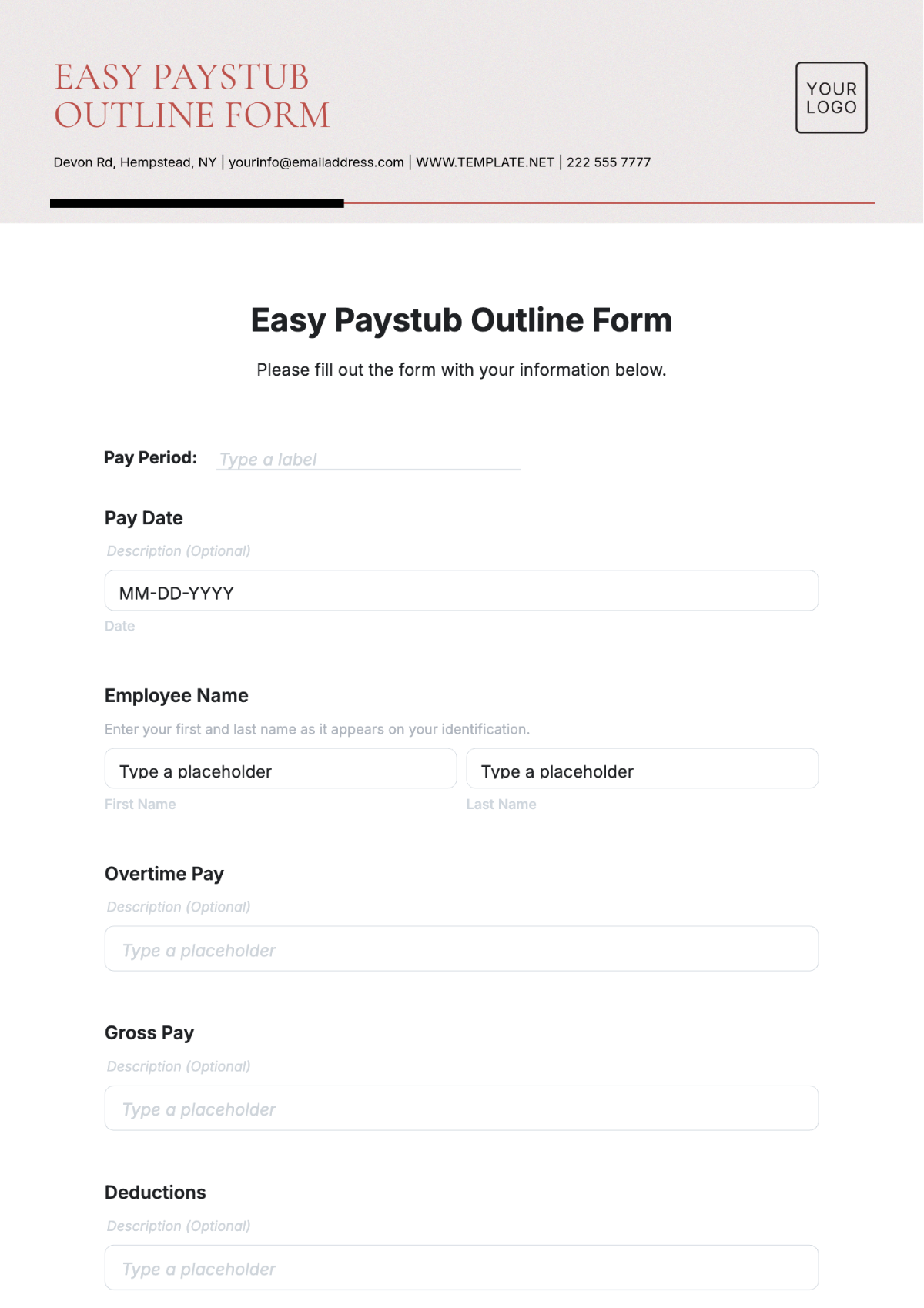
7. Free Easy Paystub Outline Template
If you’re looking for a simple yet effective way to visualize payroll data without going through complicated formatting, the Free Easy Paystub Outline Template is a top choice. It features a straightforward layout that allows you to quickly fill out the gross pay and deductions, making it an incredibly reliable option for professionals with busy routines.
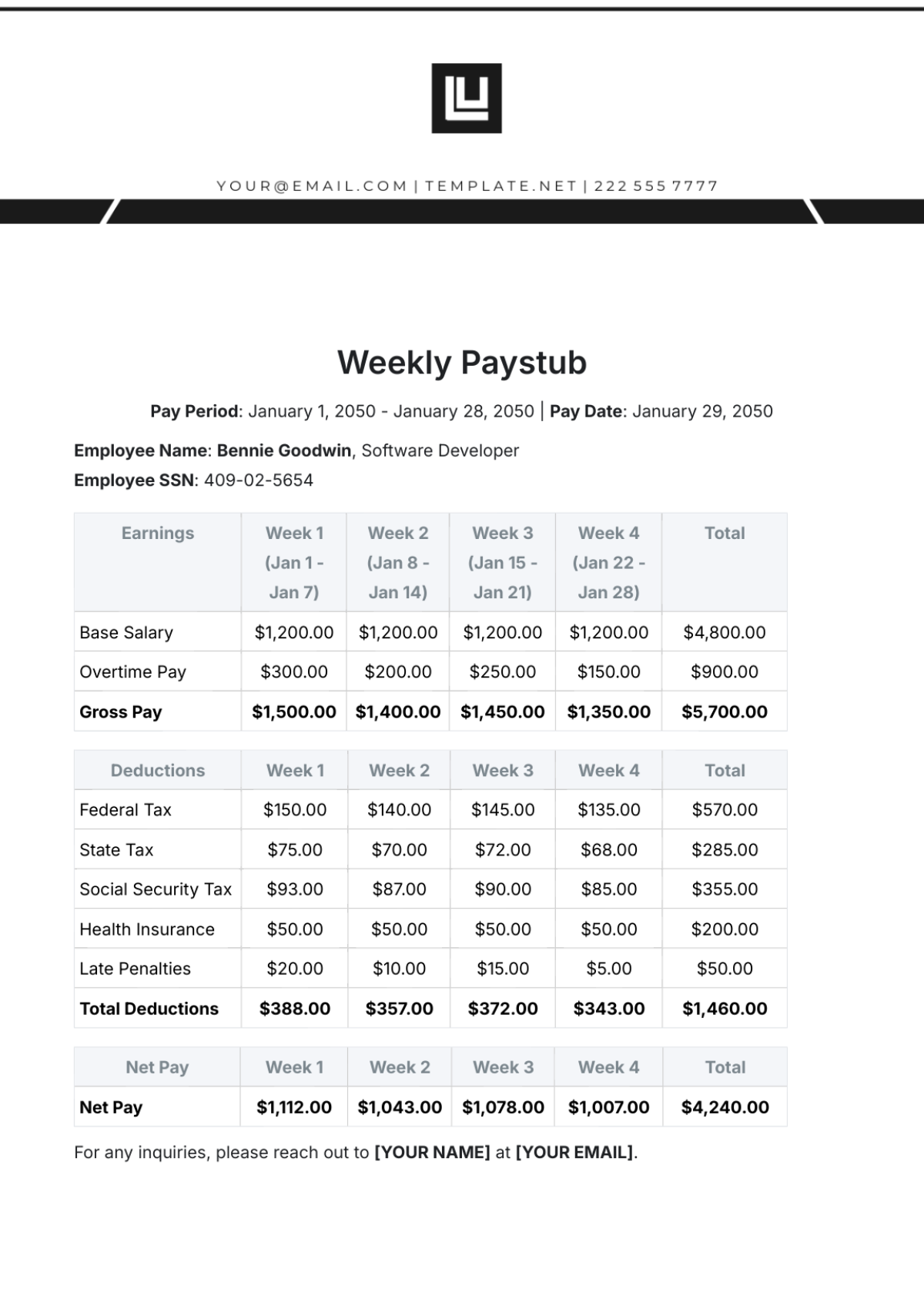
8. Free Weekly Paystub Template
For businesses and institutes that need to manage frequent transactions and track weekly progress, the Free Weekly Paystub Template is an ideal choice. It features a detailed and comprehensive layout that highlights earnings across multiple weeks in a table, ensuring there is no confusion regarding totals or deductions.
9. Free Monthly Paystub Template
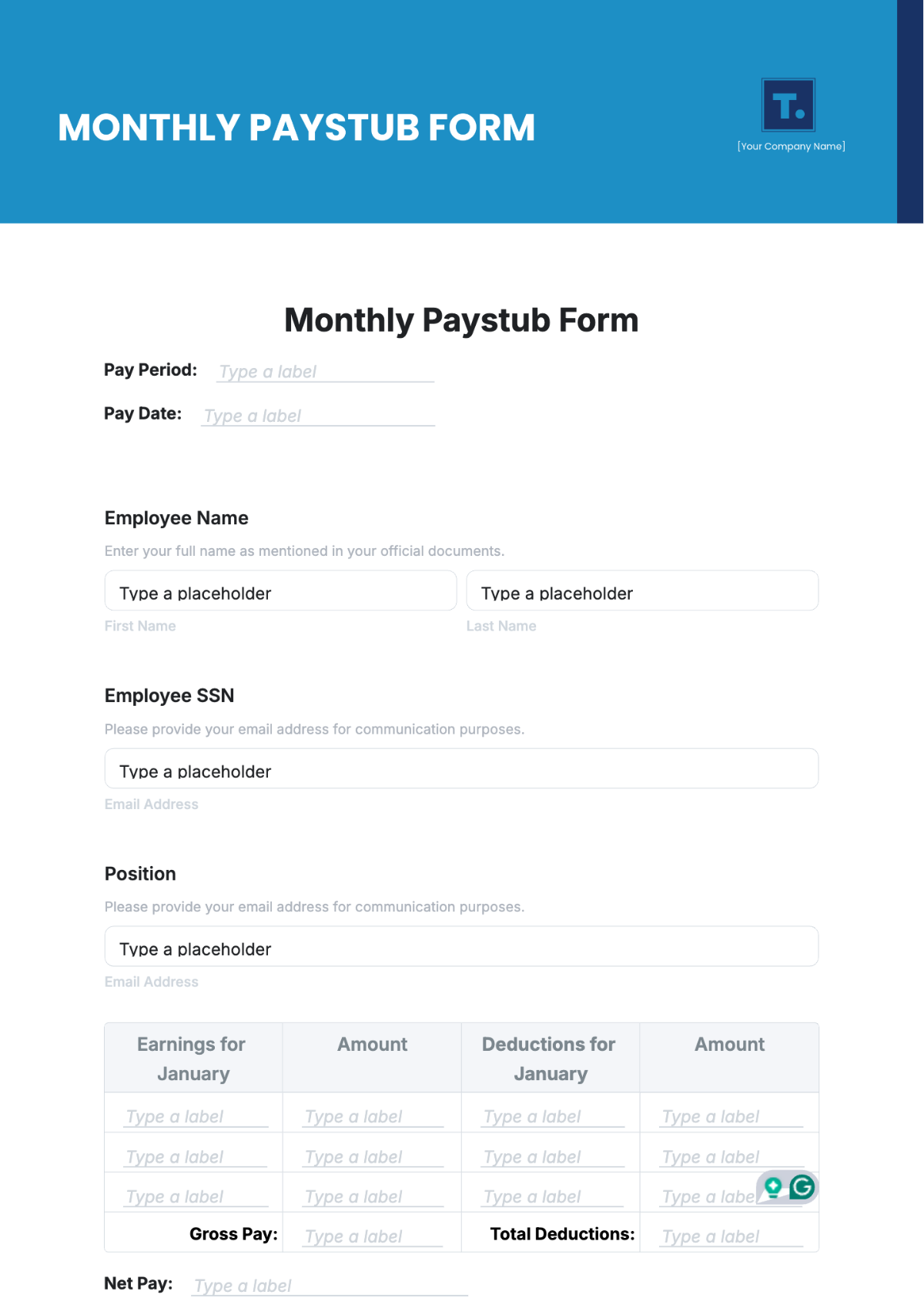
The Free Monthly Paystub Template is a streamlined template you can use to simplify your monthly financial management. It uses clear sections and placeholders for names and positions, allowing you to fully customize the document to match your specific payroll requirements without going through much hassle.
10. Free Pay Stub for Self-Employed Template
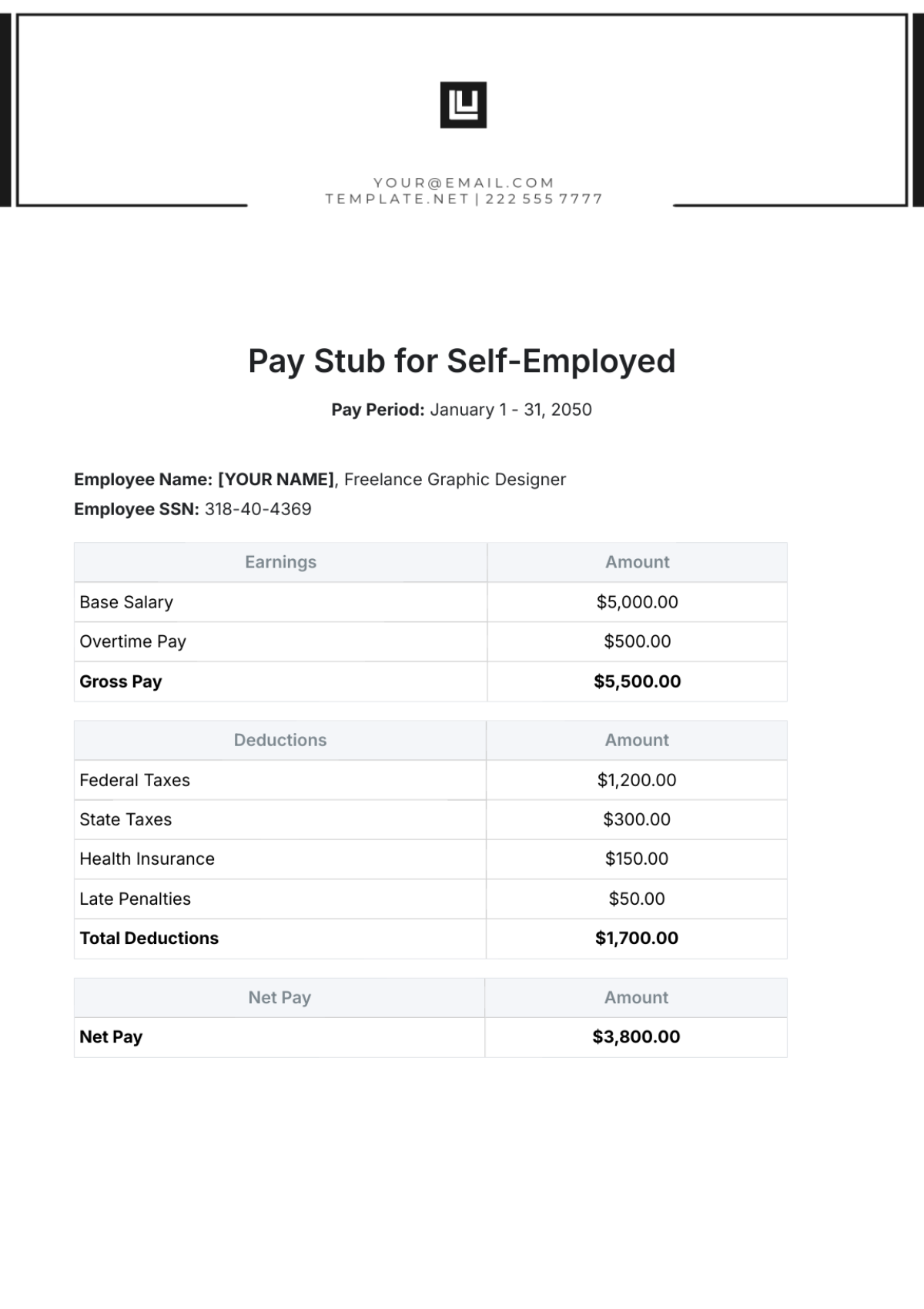
For independent contractors looking for an effective way to document personal income, the Free Pay Stub for Self-Employed Template is one of the best choices you can go for. It features a clean and professional design that highlights freelance specifics while also identifying the net pay and tax deductions clearly.
Before choosing the right template to use for your paystubs, it’s important to know how to edit and download them without any hassle. I’ll be highlighting the exact steps you need to follow to ensure the best results for your focus group guides.
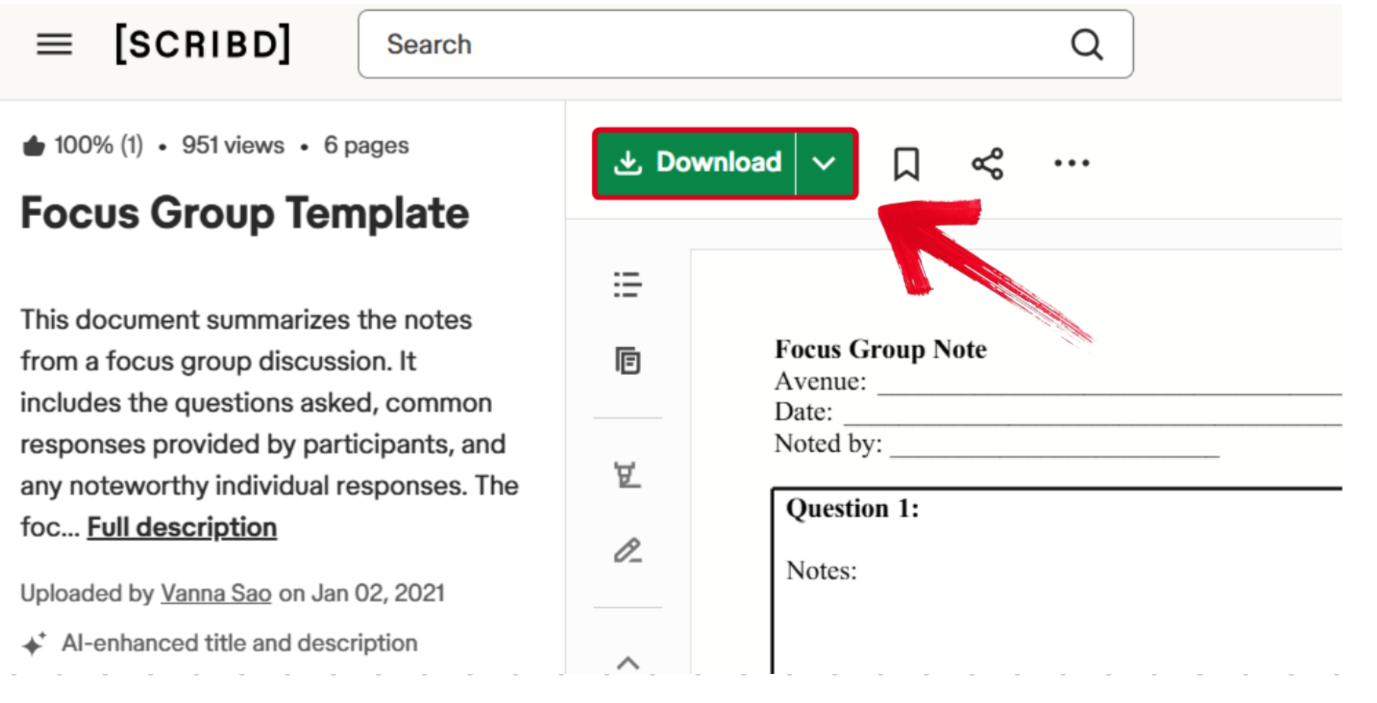
Step 1: Click on the link provided to open the template.
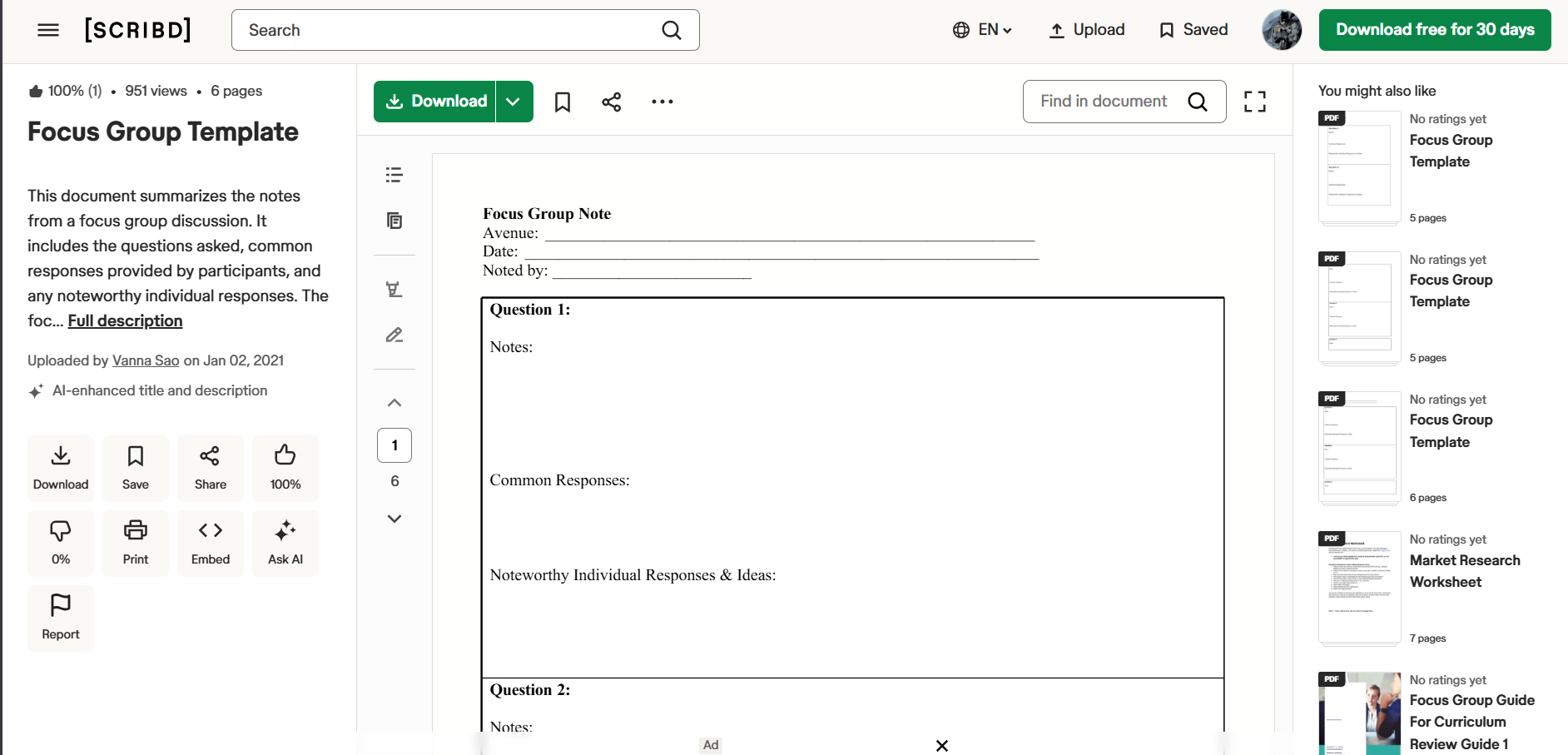
Step 2: Once you’re there, simply press Download to export it to your device and start editing.
All of the highlighted options in this section have helped me save time whenever I’m drafting pay stubs. But if none of them seem to fit your requirements, you can explore countless other options on WPS Template. It features reliable and fully customizable templates for all your productivity needs for free.
How to Further Edit and Print Optimized Paystub Templates
If you’re done choosing the template you’re going to be using for your pay stubs, the next step is to figure out how to write a pay stub template by customizing it. There are many editors out there to help you personalize your template, but I personally rely on WPS Office to ensure a smooth and hassle-free process. It’s completely free and streamlines all my template-editing work without any extra effort.
How to Edit the Paystub Template in WPS PDF
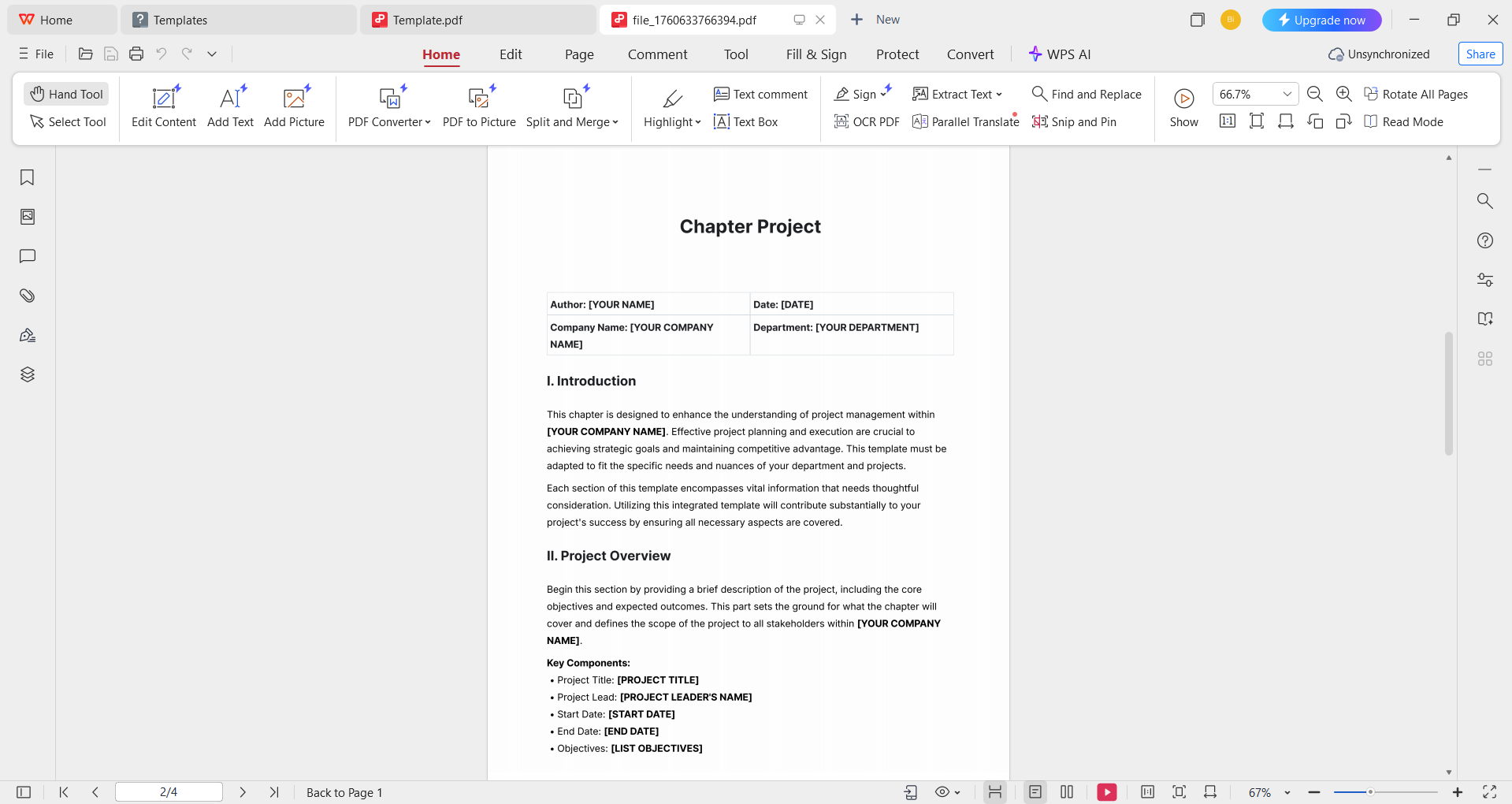
If your template is saved as a PDF, you can customize it easily in just a few simple steps. WPS PDF Editor has features to edit any PDF document in just a few simple steps, and I’ll be walking you through the entire step-by-step process myself.
Step 1: Open your downloaded PDF template in WPS Office to start.
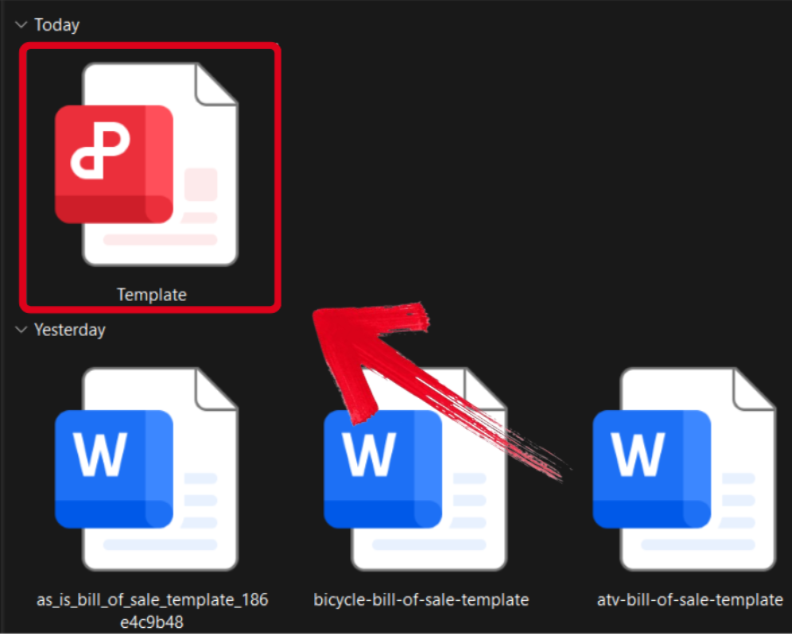
Step 2: Customize the template using your own details, while making sure everything is correct before saving.
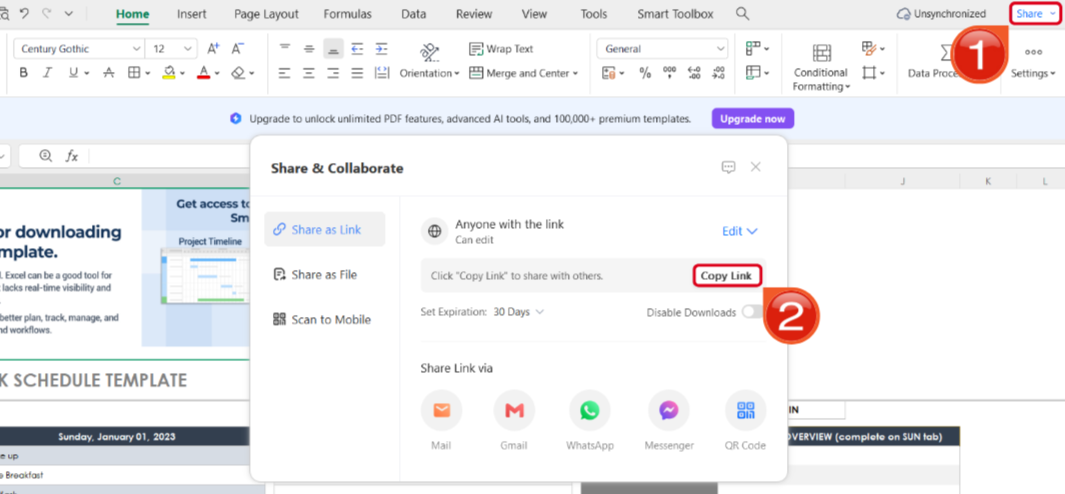
Step 3: After you’ve saved the changes to your PDF file, press Share to generate an online link for your file. Then press Copy Link to save it to your clipboard.
How to Edit the Paystub Template in WPS Word
If your template is stored as a Word file (in the .docx or .doc format), editing it using WPS Writer is straightforward. I'll personally guide you through each step to ensure a clear and hassle-free process.
Step 1: Open your pre-made template in WPS Office to get started on the editing process.
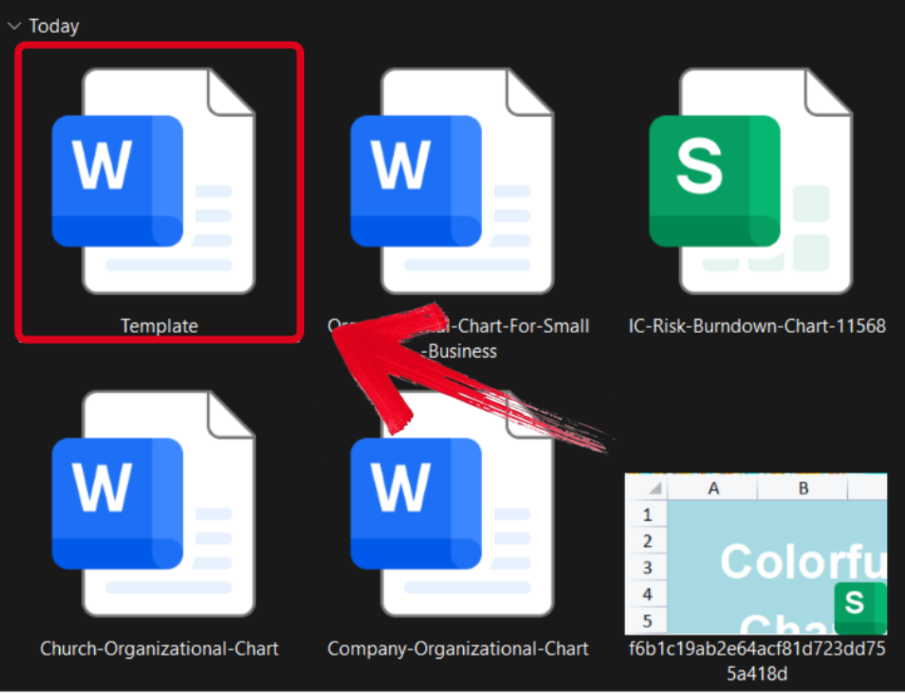
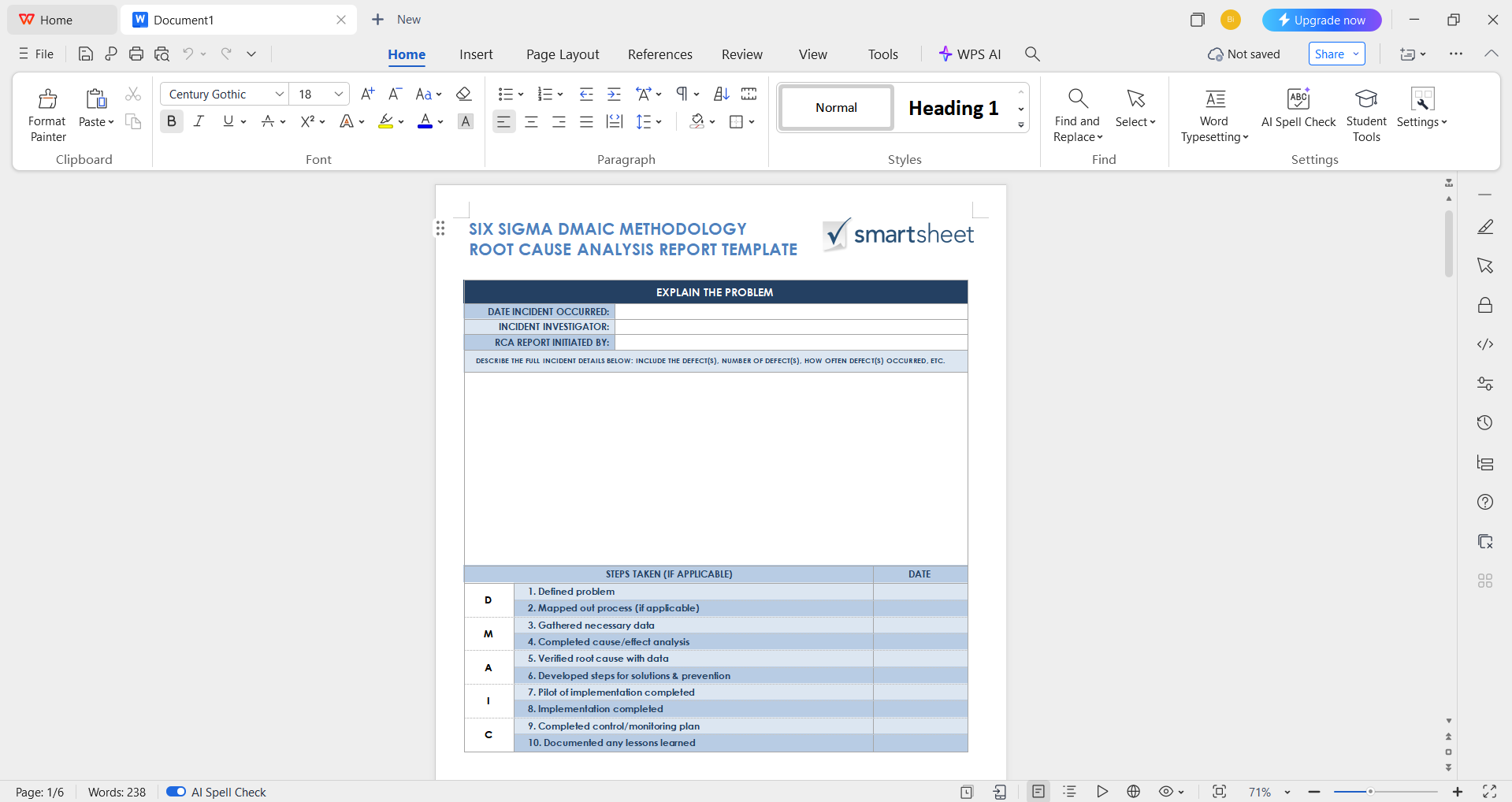
Step 2: Add in your details and make sure to verify each field of the template thoroughly before saving.
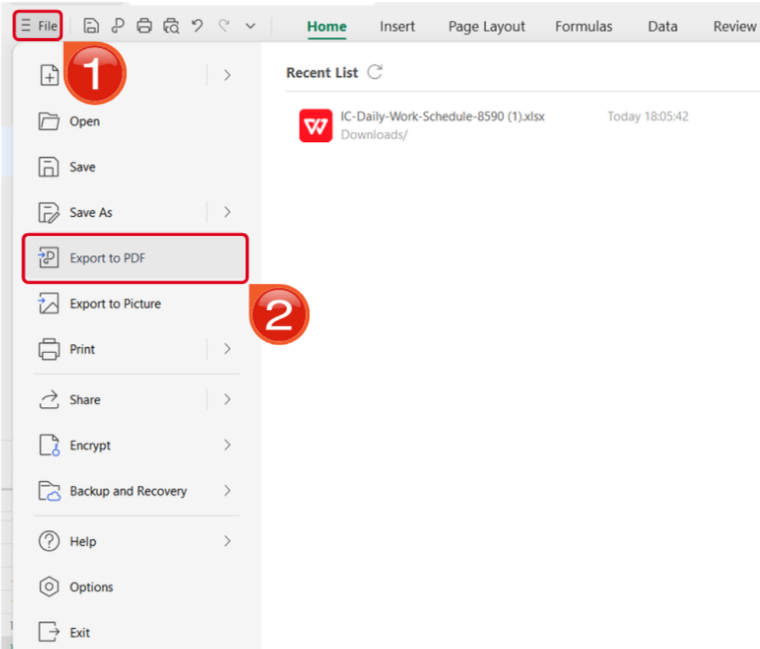
Step 3: Navigate to the Files menu and select Export to PDF to convert your template to a PDF document.
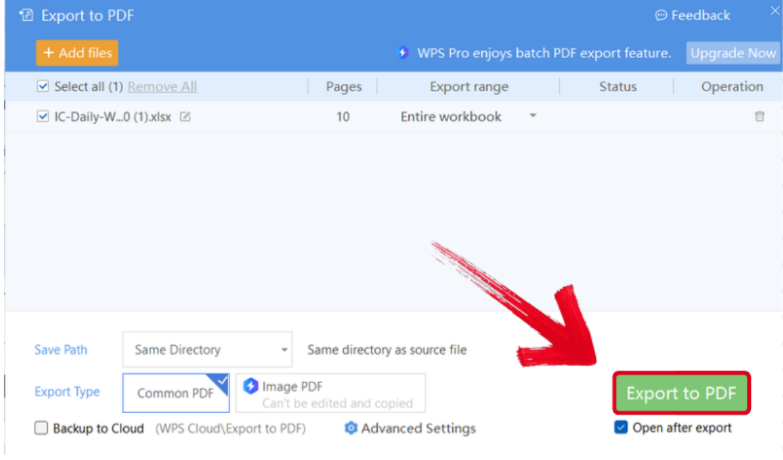
Step 4: Your Word file will now start conversion into a PDF file. Press Export to PDF to download it to your device.
Free Office Suite with Editable Templates
If you’re dealing with paystubs and invoicing documents on a regular basis, having the right tools can be a great help to simplify your workflow and be more productive. I personally found WPS Office to be one of the most valuable tools to simplify all my productivity needs. It’s completely free and incredibly powerful, giving me all the smart features and tools I need to streamline my workflow and draft polished documents with ease.
FAQs
Q1. What information should a pay stub include?
Most pay stubs include employee and employer details, pay period, hours worked, pay rate, gross pay, deductions and withholdings, and net pay.
Q2. What is the most secure way to send a completed pay stub to an employee?
The best practice is to send the pay stub as a PDF file, as it is non-editable and maintains a professional format. WPS Office has a built-in Export to PDF feature, allowing you to convert your completed template into a secure PDF with one click before sharing it.
Q3. How can I share a completed pay stub professionally?
After editing in WPS Office, export the pay stub as a PDF so formatting stays consistent when emailed or printed.
Q4. Can I customize a pay stub template with my company branding?
Yes. You can edit colors, fonts, and add your company logo in the template to match your brand identity before issuing pay stubs.
Q5. How often should pay stubs be issued to employees?
Pay stubs should be issued every time employees receive payment, whether weekly, biweekly, or monthly, so they can clearly track earnings and deductions.

'%3e%3cpath%20d='M19.9911%204.11386V6.471H18.5894C18.0775%206.471%2017.7322%206.57814%2017.5536%206.79243C17.3751%207.00671%2017.2858%207.32814%2017.2858%207.75671V9.44421H19.9019L19.5536%2012.0871H17.2858V18.8639H14.5536V12.0871H12.2769V9.44421H14.5536V7.49779C14.5536%206.39064%2014.8632%205.53201%2015.4822%204.92189C16.1013%204.31177%2016.9257%204.00671%2017.9554%204.00671C18.8304%204.00671%2019.509%204.04243%2019.9911%204.11386Z'%20fill='%23333333'/%3e%3c/g%3e%3cdefs%3e%3cclipPath%20id='clip0_2938_8199'%3e%3crect%20width='16'%20height='16'%20fill='white'%20transform='translate(8%204.00671)'/%3e%3c/clipPath%3e%3c/defs%3e%3c/svg%3e)
'%3e%3cpath%20d='M17.5237%2010.7813L23.4811%204H22.0699L16.8949%209.88693L12.7648%204H8L14.2469%2012.9029L8%2020.0133H9.4112L14.8725%2013.7952L19.2352%2020.0133H24M9.92053%205.04213H12.0885L22.0688%2019.0224H19.9003'%20fill='%23333333'/%3e%3c/g%3e%3cdefs%3e%3cclipPath%20id='clip0_2938_8200'%3e%3crect%20width='16'%20height='16.0134'%20fill='white'%20transform='translate(8%204)'/%3e%3c/clipPath%3e%3c/defs%3e%3c/svg%3e)


