

'%3e%3cpath%20d='M8%200C12.4183%200%2016%203.58172%2016%208C16%2012.4183%2012.4183%2016%208%2016C3.58172%2016%200%2012.4183%200%208C0%203.58172%203.58172%200%208%200ZM11.6162%204.38379C11.2257%203.99337%2010.5927%203.99338%2010.2021%204.38379L8%206.58594L5.79785%204.38379C5.40732%203.99334%204.77429%203.99329%204.38379%204.38379C3.99331%204.77429%203.99335%205.40733%204.38379%205.79785L6.58594%208L4.38379%2010.2021C3.99348%2010.5927%203.99341%2011.2257%204.38379%2011.6162C4.77426%2012.0066%205.40734%2012.0065%205.79785%2011.6162L8%209.41406L10.2021%2011.6162C10.5927%2012.0066%2011.2257%2012.0067%2011.6162%2011.6162C12.0067%2011.2257%2012.0066%2010.5927%2011.6162%2010.2021L9.41406%208L11.6162%205.79785C12.0066%205.40735%2012.0066%204.77429%2011.6162%204.38379Z'%20fill='%23080E17'%20fill-opacity='0.46'/%3e%3c/g%3e%3cdefs%3e%3cclipPath%20id='clip0_3761_713'%3e%3crect%20width='16'%20height='16'%20fill='white'/%3e%3c/clipPath%3e%3c/defs%3e%3c/svg%3e)




'%3e%3cpath%20fill-rule='evenodd'%20clip-rule='evenodd'%20d='M21.4999%2010.9993C21.4999%205.20009%2016.7986%200.498901%2010.9993%200.498901C5.19994%200.498901%200.498657%205.20009%200.498657%2010.9993C0.498657%2016.2404%204.33858%2020.5844%209.35855%2021.3722V14.0346H6.69238V10.9993H9.35855V8.68594C9.35855%206.05427%2010.9262%204.60062%2013.3248%204.60062C14.4736%204.60062%2015.6753%204.80571%2015.6753%204.80571V7.38979H14.3512C13.0468%207.38979%2012.64%208.19921%2012.64%209.0296V10.9993H15.5523L15.0867%2014.0346H12.64V21.3722C17.66%2020.5844%2021.4999%2016.2404%2021.4999%2010.9993Z'%20fill='%231568EA'/%3e%3c/g%3e%3c/svg%3e)


'%3e%3cpath%20d='M2.42045%2022.1876H6.31818V12.7217L0.75%208.54553V20.5171C0.75%2021.4414%201.49892%2022.1876%202.42045%2022.1876Z'%20fill='%234285F4'/%3e%3cpath%20d='M19.682%2022.1876H23.5797C24.5041%2022.1876%2025.2502%2021.4387%2025.2502%2020.5171V8.54553L19.682%2012.7217'%20fill='%2334A853'/%3e%3cpath%20d='M19.682%205.48293V12.7216L25.2502%208.54543V6.31816C25.2502%204.25236%2022.8921%203.07469%2021.2411%204.31361'%20fill='%23FBBC04'/%3e%3cpath%20d='M6.31824%2012.7217V5.48303L13.0001%2010.4944L19.6819%205.48303V12.7217L13.0001%2017.733'%20fill='%23EA4335'/%3e%3cpath%20d='M0.75%206.31816V8.54543L6.31818%2012.7216V5.48293L4.75909%204.31361C3.10534%203.07469%200.75%204.25236%200.75%206.31816Z'%20fill='%23C5221F'/%3e%3c/g%3e%3cdefs%3e%3cclipPath%20id='clip0_2954_7305'%3e%3crect%20width='24.5'%20height='18.375'%20fill='white'%20transform='translate(0.75%203.8125)'/%3e%3c/clipPath%3e%3c/defs%3e%3c/svg%3e)


Root Cause Analysis, or RCA, is a strategic process I often use to trace problems back to their source and build lasting solutions. No matter what field you’re in, learning RCA can make problem-solving a lot simpler. Still, I know it’s not easy to create a RCA report from scratch. That’s why, in this guide, I’ll share 10 free RCA templates from WPS Template and show you how you can edit a root cause analysis template directly in WPS Office, along with a few handy WPS features that make creating documents faster and easier.


What Makes a Good Root Cause Analysis Template?
A well-made Root Cause Analysis report sample can be the difference between finding a permanent fix and recurring problems. RCA reports should be organized and polished, making sure everything stays clean without any clutter that overwhelms or confuses you. In this section, I’ll be breaking down the key sections that every RCA template should include.
Key Sections
10 Best Free Root Cause Analysis Templates
Figuring out how to write a Root Cause Analysis report by yourself can be an incredibly frustrating and stressful task, especially if you’re a beginner who has never done it before. With the right template, you can relieve yourself of this stress and remove the hassle from the process. All you have to do is download the template and customize it to your liking. In this section, I’ll be showing you 10 reliable options you can use for your work.
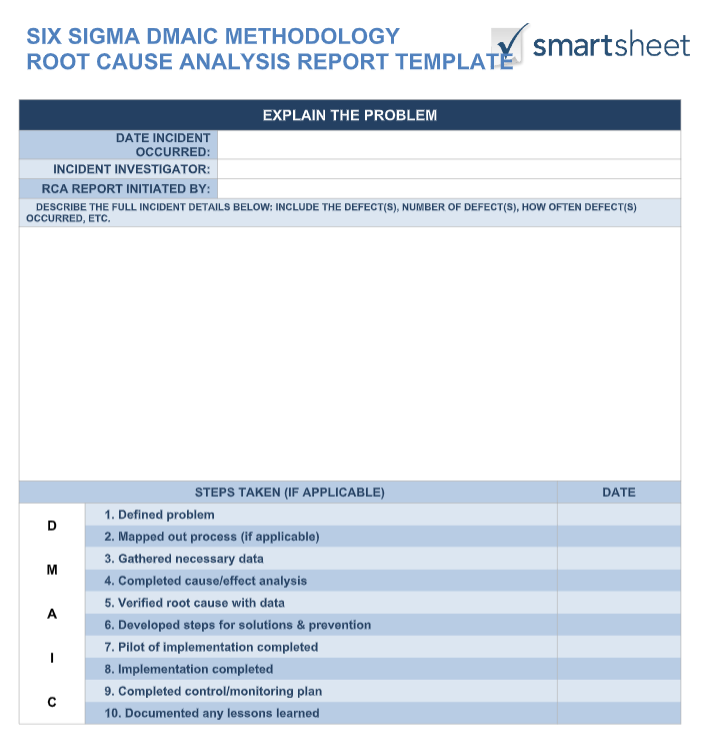
1. [Word] Project Management Root Cause Analysis Template
If you want a simplistic editable root cause analysis Word template to diagnose your problem and triangulate the exact cause, then you can use the Project Management Root Cause Analysis Template to simplify the process for yourself. It features a simple table-based structure, including a step-by-step approach to figure out the exact cause.
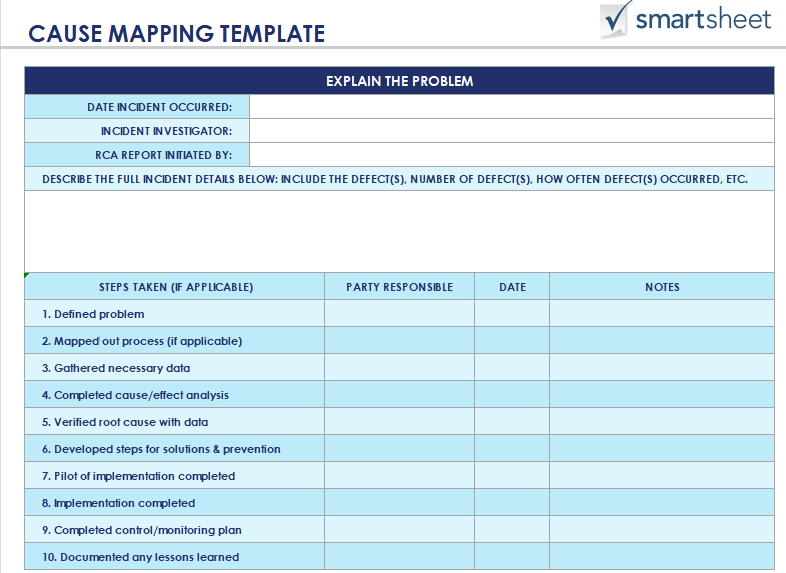
2. [Excel] Cause Mapping Template
If you want a more visual, chart-based approach to figuring out the cause of your problem at work, then you could use the Cause Mapping Template for yourself. It features a flowchart highlighting the entire process of getting to the solution, making it very simple to get to the exact origin.
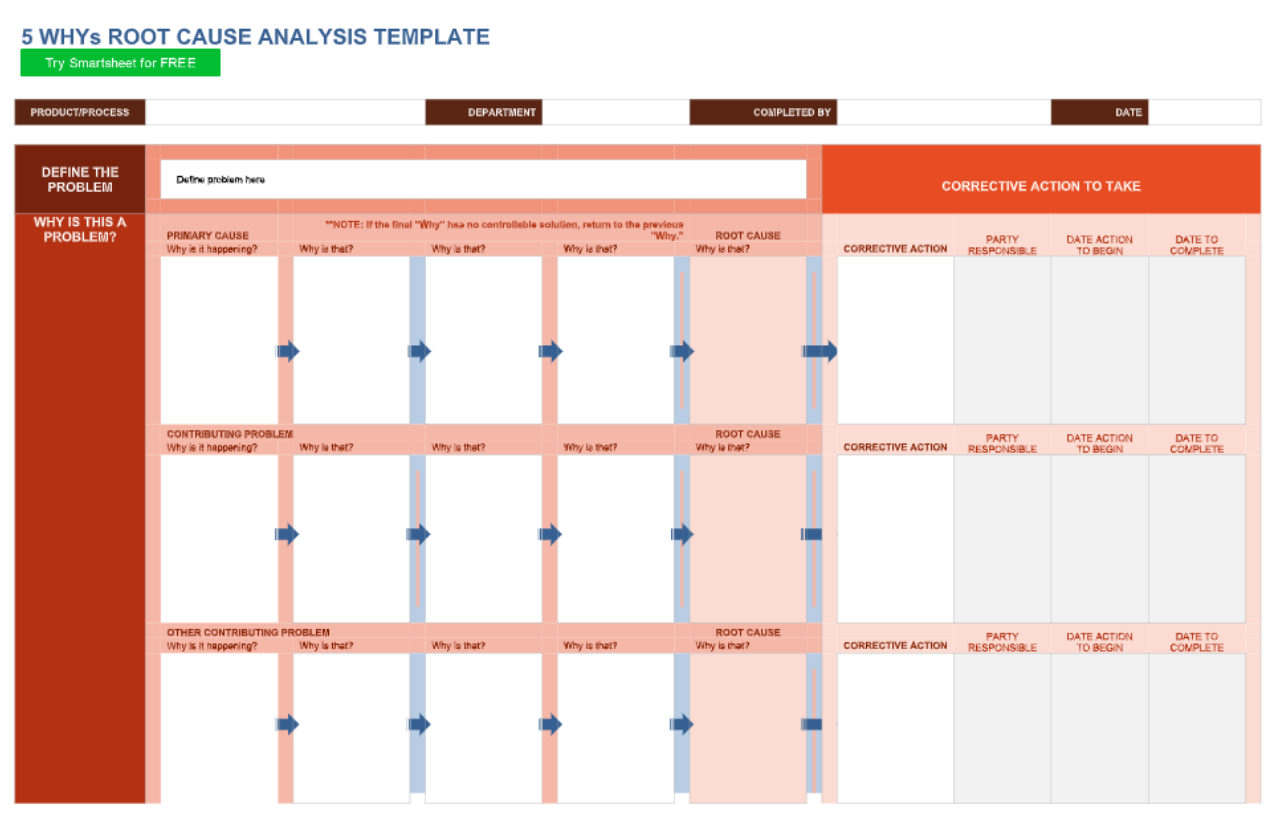
3. [Word] 5 Whys Root Cause Analysis Template
If you are looking for a detailed breakdown of your problem and the steps you’ll be taking to find the cause, the 5 Whys Root Cause Analysis Template would be an ideal choice for you. It features an in-depth approach to mapping out the primary problem and other contributing factors, ensuring that every factor is taken into consideration.
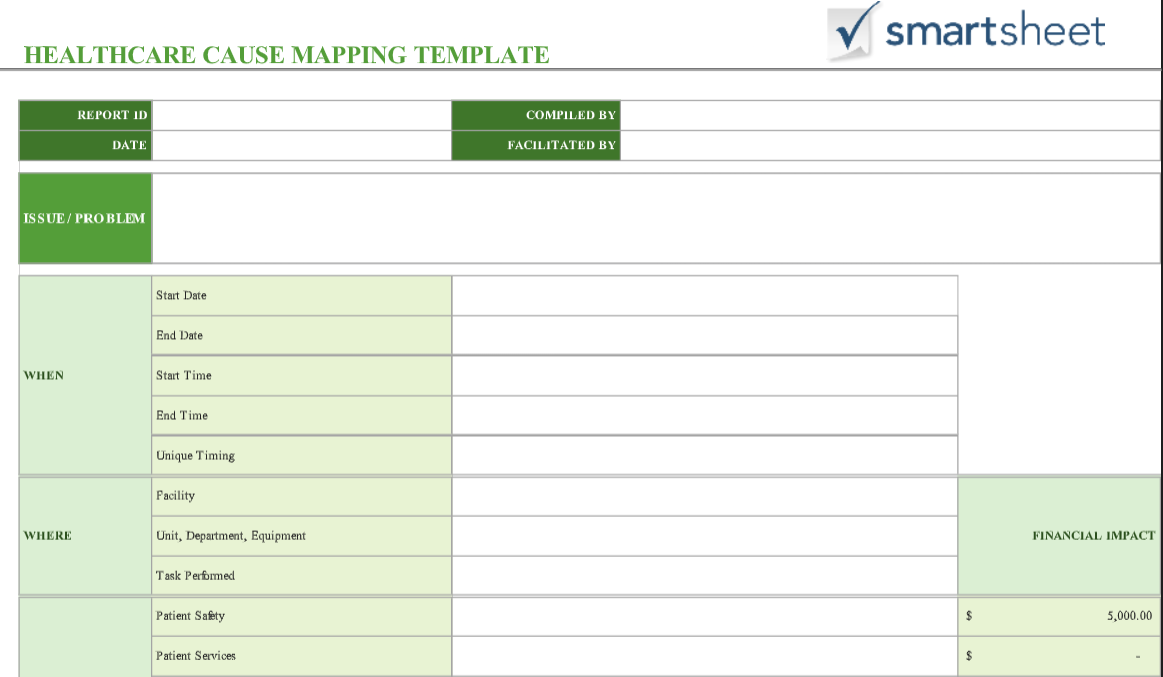
4. [Excel] Healthcare Cause Mapping Template
If you’re someone working in the healthcare industry and need a template to simplify problem-solving and diagnosing in your workplace, you can utilize the Healthcare Cause Mapping Template for yourself. It is available in Excel format, so you can easily edit it in any spreadsheet processing software and add your own details.
5. [Excel] Simple Root Cause Analysis Template
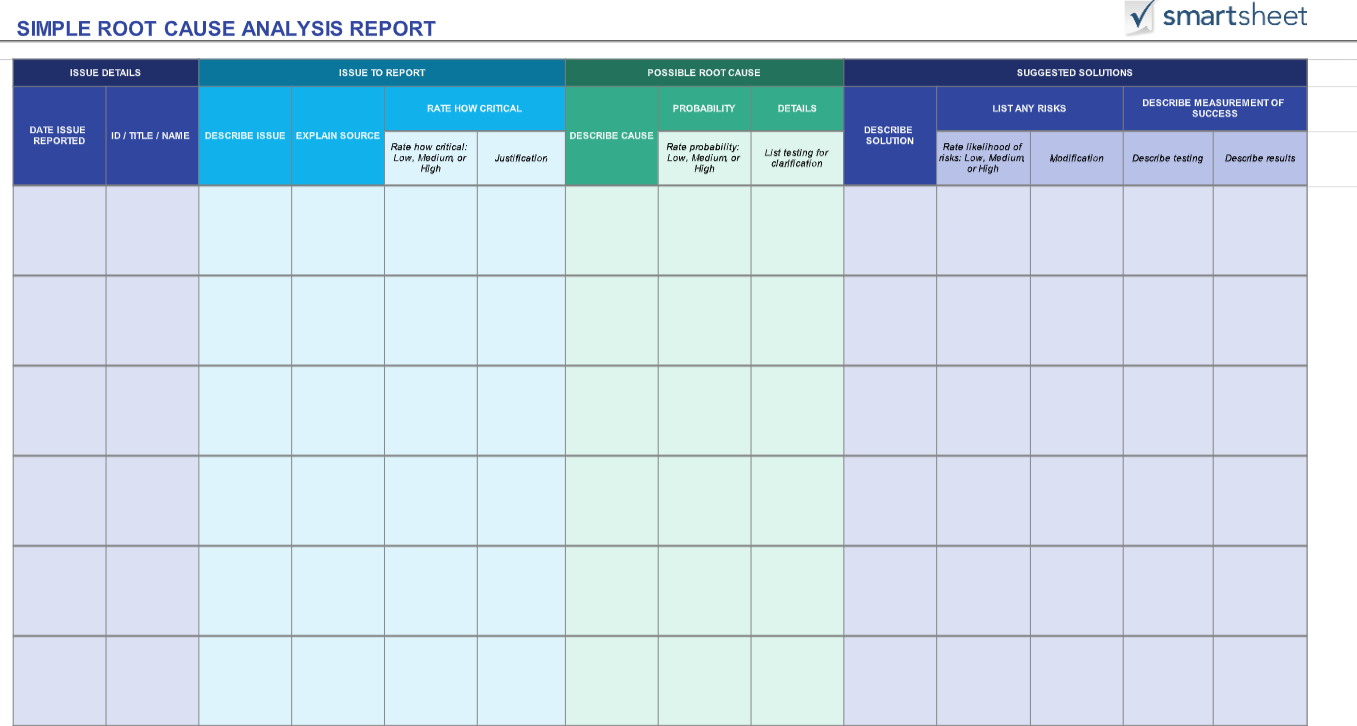
If you want a basic yet detailed analysis of your problem and its cause, then you can use the Simple Root Cause Analysis Template to streamline the process. It features in-depth descriptions of the issue, the possible causes, and even the steps that can be taken to diagnose and solve the problem.
6. [PDF] Root Cause Analysis Template
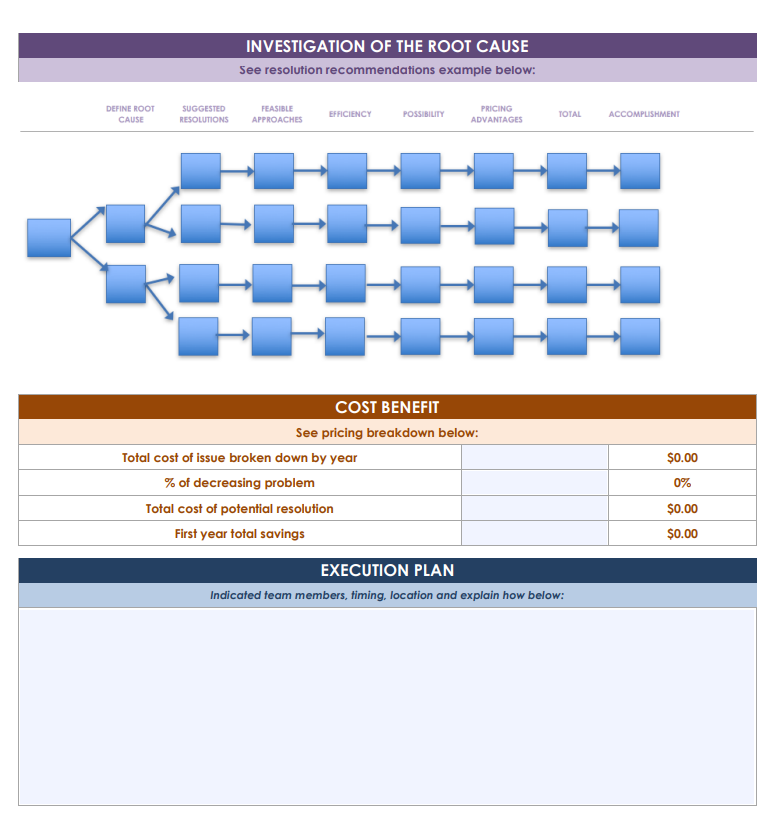
For project managers or entrepreneurs who need a clear investigation report of the incident and its possible contributing causes and factors, the Root Cause Analysis PDF Template is a really good choice. It includes all the basic analytical details, along with an execution plan for solving the problem through a step-by-step approach.
7. [PDF] Organization Root Cause Analysis Report
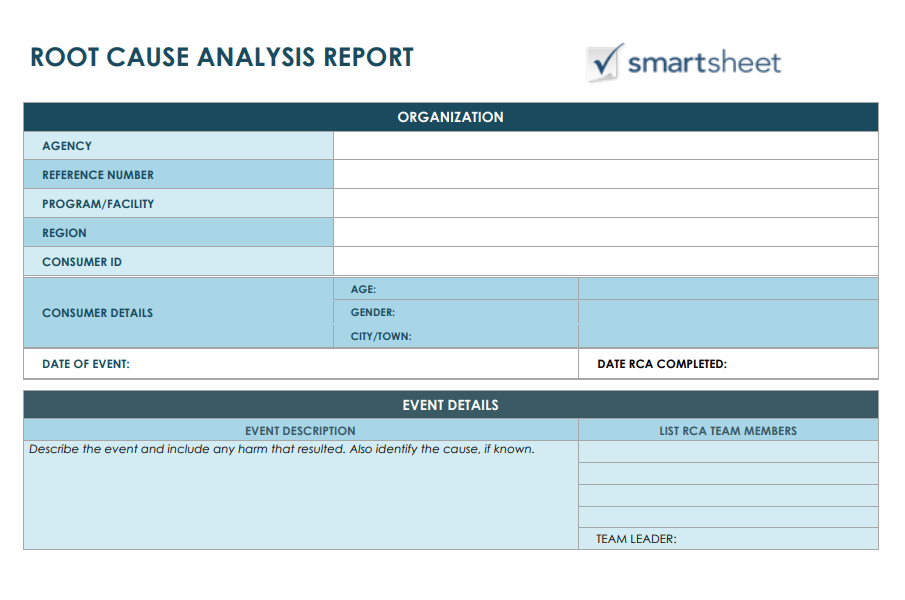
If you want a template that maps out a step-by-step approach to finding the exact root cause of your issue, along with devising strategies for solving and preventing the problem in the future, you can use the Root Cause Analysis Report for yourself. It maps out the exact process you need to take to diagnose and solve the problem in just a few steps.
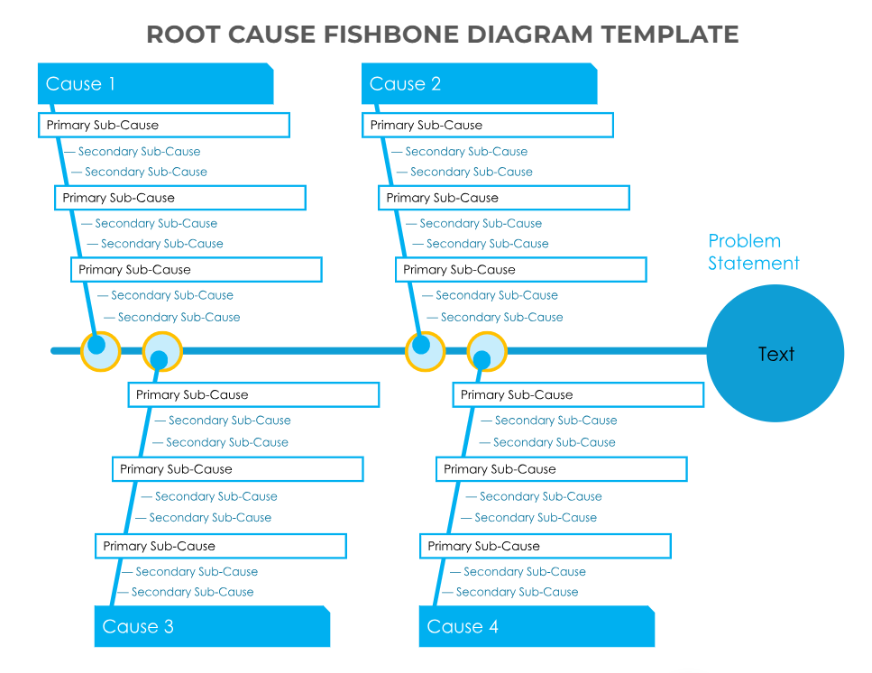
8. [PDF] Fishbone Diagram Template
If you want a straightforward tool to help you diagnose your problems and find the exact cause that’s messing with your work, then you can use the Fishbone Diagram Template for yourself. It features all the details and analytical statistics you need to make sure you find the exact cause and eliminate it effectively.
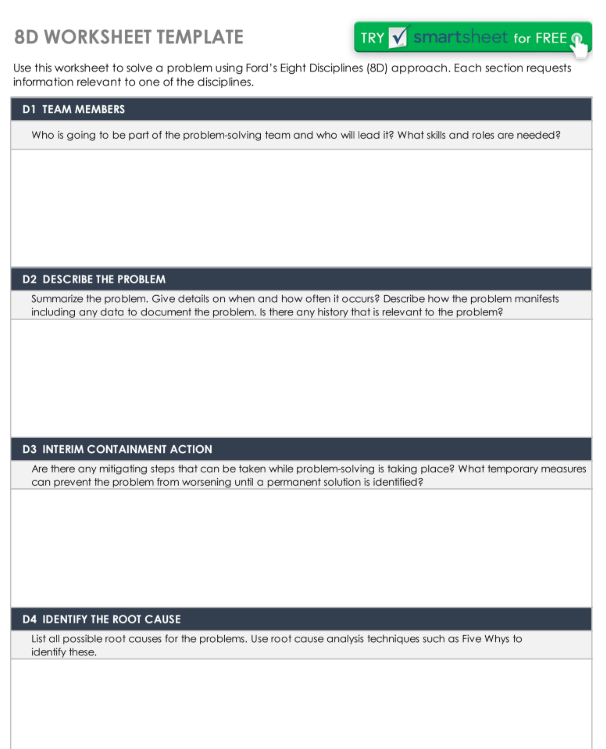
9. [PDF] 8D Worksheet Template
If you want a worksheet that goes into detail about the incident, the team members, the potential causes, and contributing factors to the issue, then you can use the 8D Worksheet Template for yourself. It features an 8-step approach to figuring out the cause of a problem and taking the right steps to solve it.
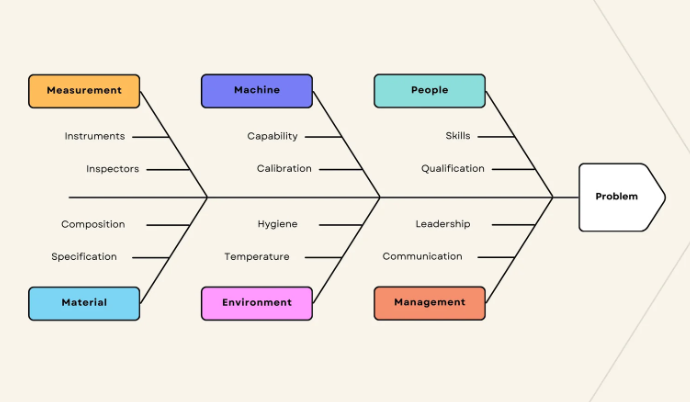
10. [PDF] Beige Simple Modern Fishbone Diagram Graph
The Beige Simple Modern Fishbone Diagram Graph template is the perfect option for beginners who aren’t used to dealing with complicated and detailed RCA graphs for diagnosing issues. It features a simple but clear, visual-based approach that helps map out all the factors that might be contributing to the problem.
All of these templates have been really helpful in simplifying problem-solving for me, making sure I don’t need to deal with the hassle of manual formatting myself. However, if none of them seem like the right option for you, you can visit WPS’s official template site and find countless others to choose from.
How to Further Edit a Root Cause Analysis Template
Once you’ve chosen the right template to use for your Root Cause Analysis, you need to actually edit and format it to match your problem. I personally rely on WPS Office for this step as it helps me simplify the formatting process, along with providing me additional help with its AI-based tools. In this section, I’ll be walking you through the editing process of your RCA template through WPS Office, regardless of the format it’s in.
How to Edit the RCA Template in Word
If your RCA template is saved as a Word file (.docx/.doc), then you can easily edit it through WPS Word. I’ll walk you through each step myself to clear out any confusion you may be facing along the way.
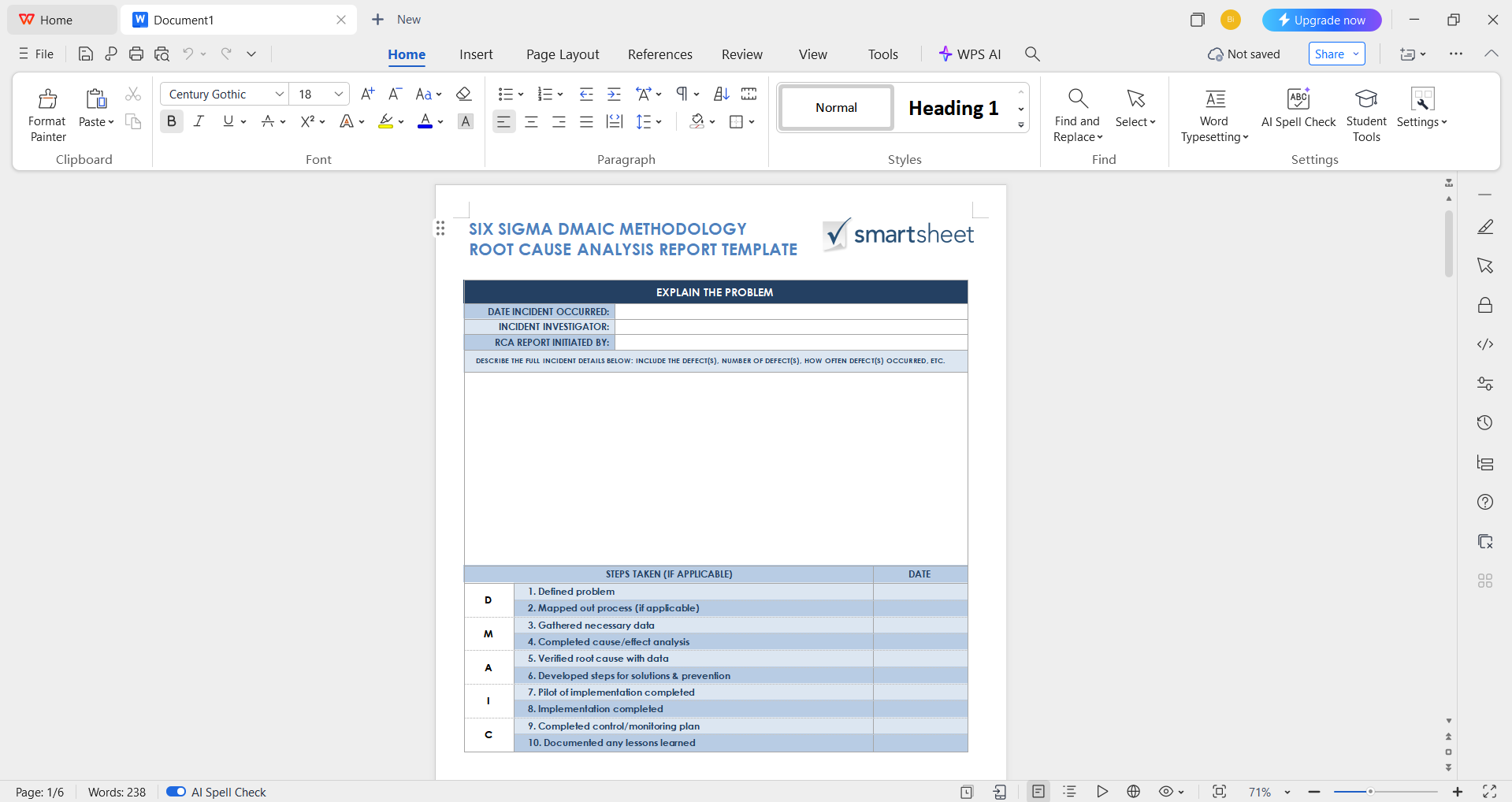
Step 1: Open your pre-made template in WPS Office to get started on the editing process.
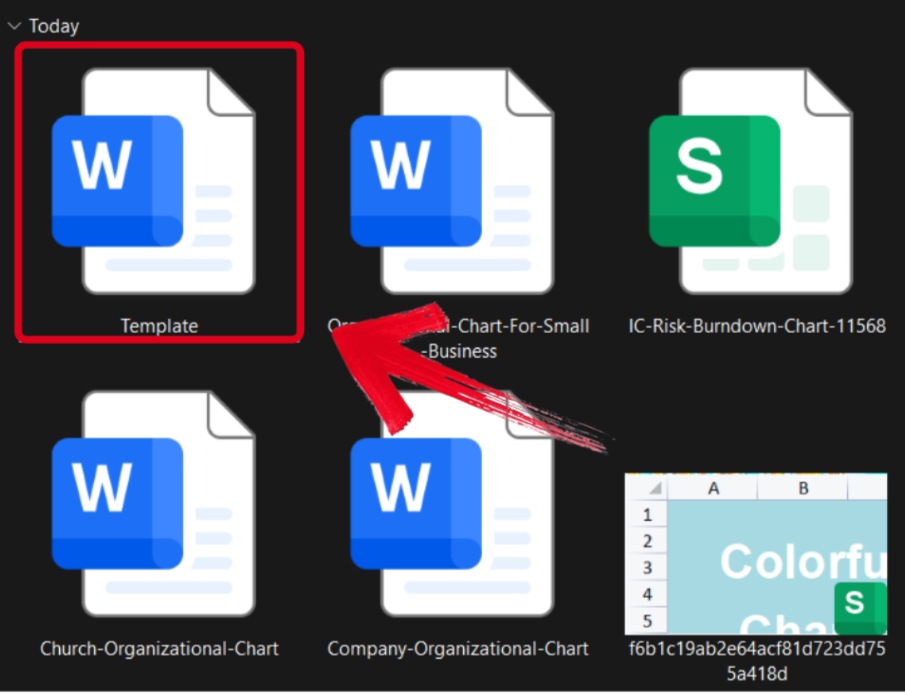
Step 2: Add in your details and make sure to verify each field of the template thoroughly before saving.
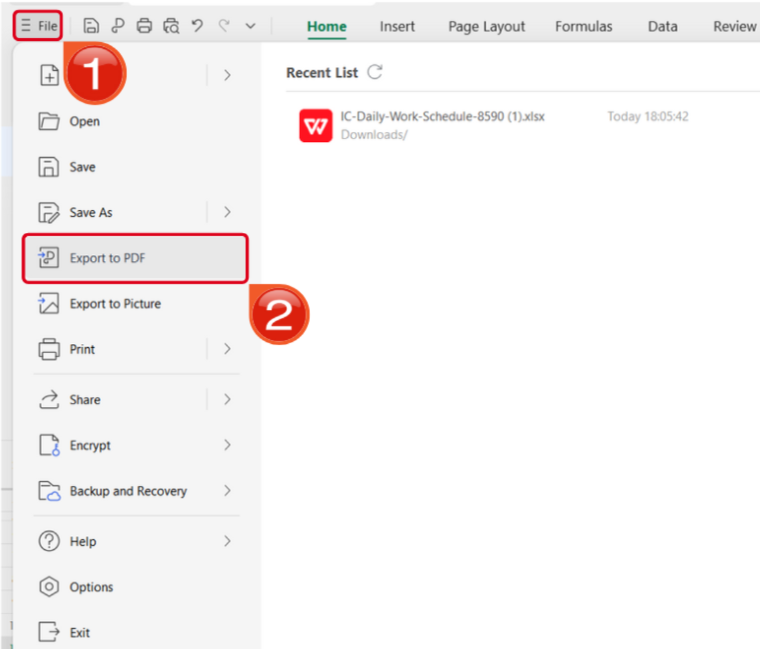
Step 3: Navigate to the Files menu and select Export to PDF to convert your template to a PDF document.
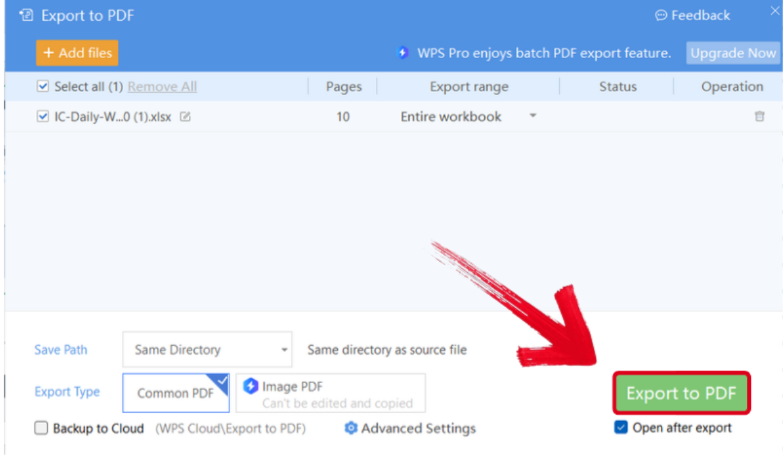
Step 4: Your Word file will now start conversion into a PDF file. Press Export to PDF to download it to your device.
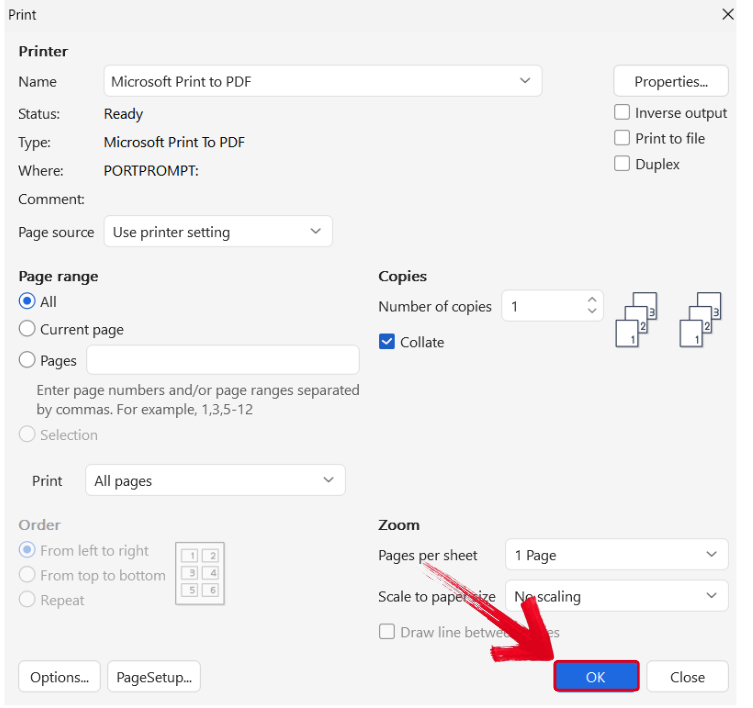
Step 5: Press Ctrl + P to open the printing window. Then, select your printing device and press OK to start printing.
How to Edit the RCA Template in Excel
If your RCA template is in Excel format, you can easily edit it through WPS Sheets. I’ll walk you through each step of the process myself.
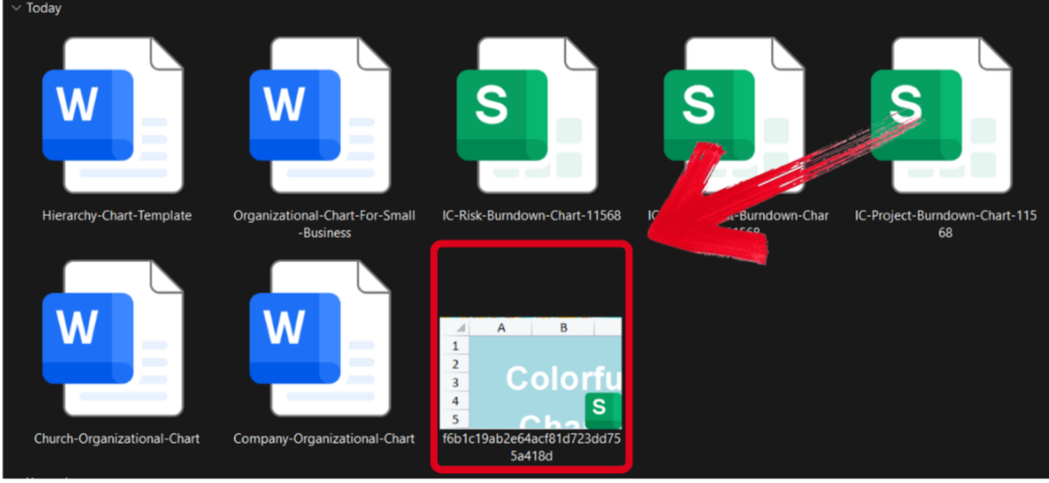
Step 1: Open your chart template in the WPS Office to get started.
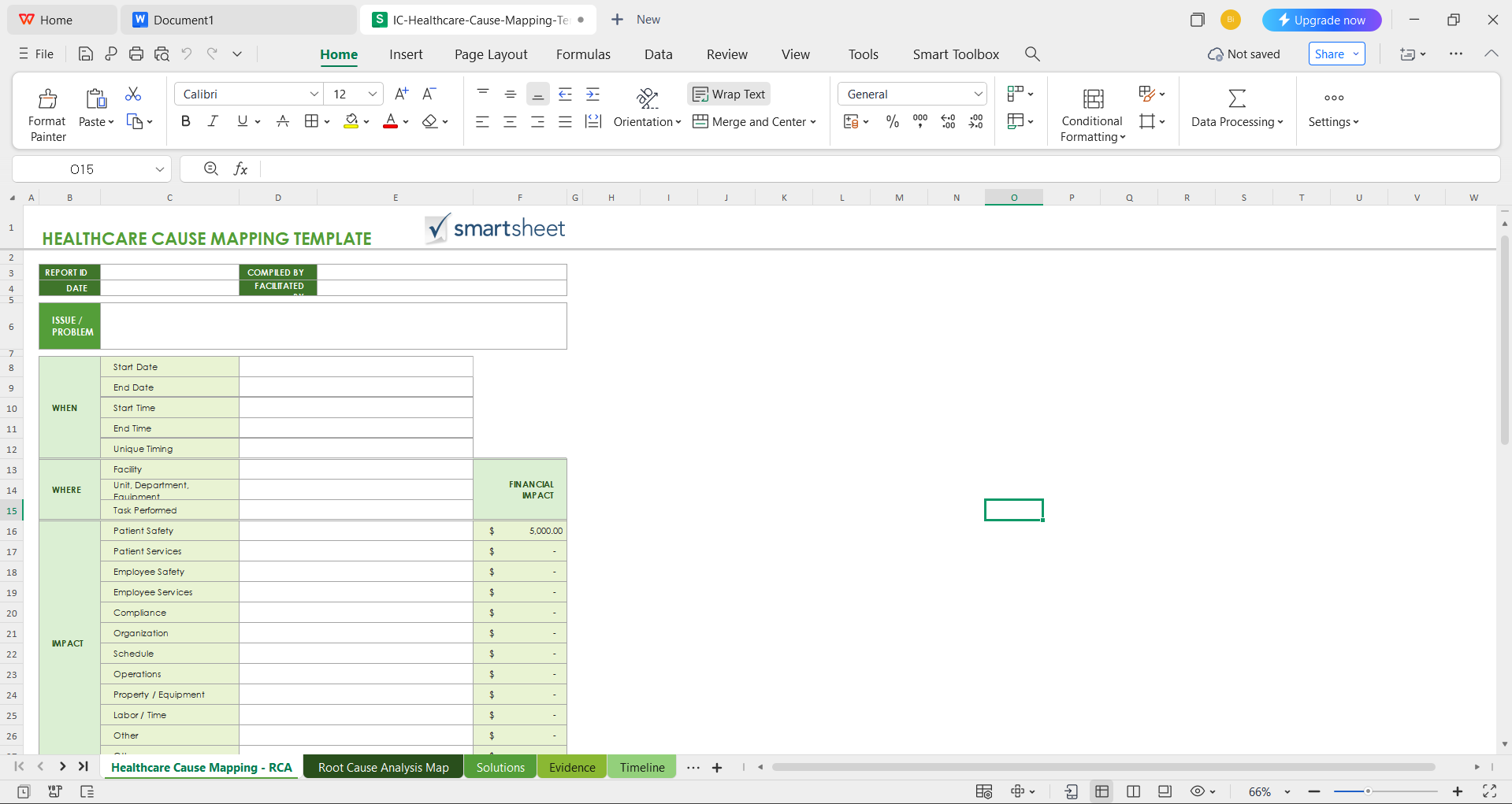
Step 2: Edit the template to add the details of your problem and its causes.
Step 3: Open the Files menu and select Export to PDF to convert your template to a PDF document.
Step 4: Your Excel file will now start conversion into a PDF file. Press Export to PDF to save it to your device.
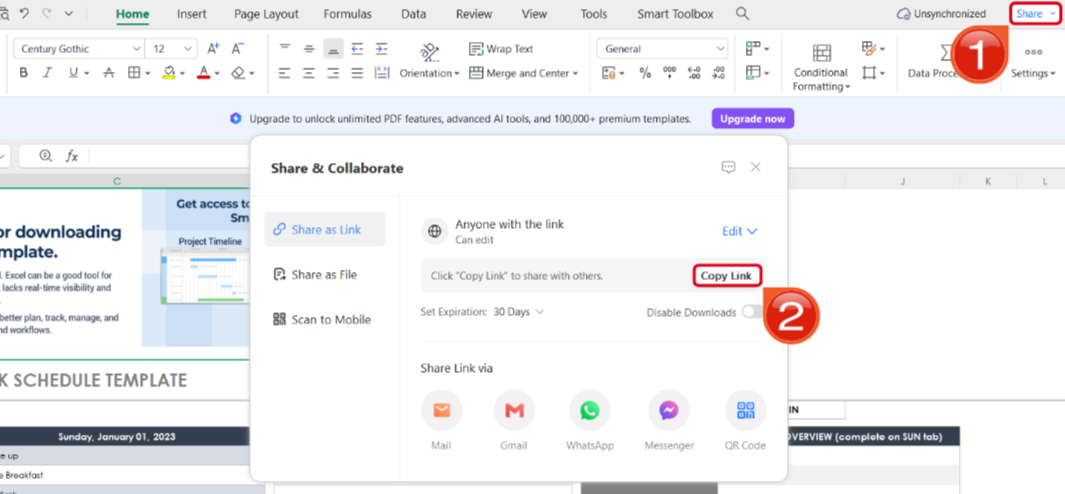
Step 5: Once you’re done saving it as a PDF, press Share to generate an online link for your file. Then press Copy Link to copy it to your clipboard and share it with others.
How to Edit the RCA Template in PDF
If your template is saved as a PDF file, WPS Office provides all the features you need to edit it to your liking. I’ll walk you through the entire process, step by step.
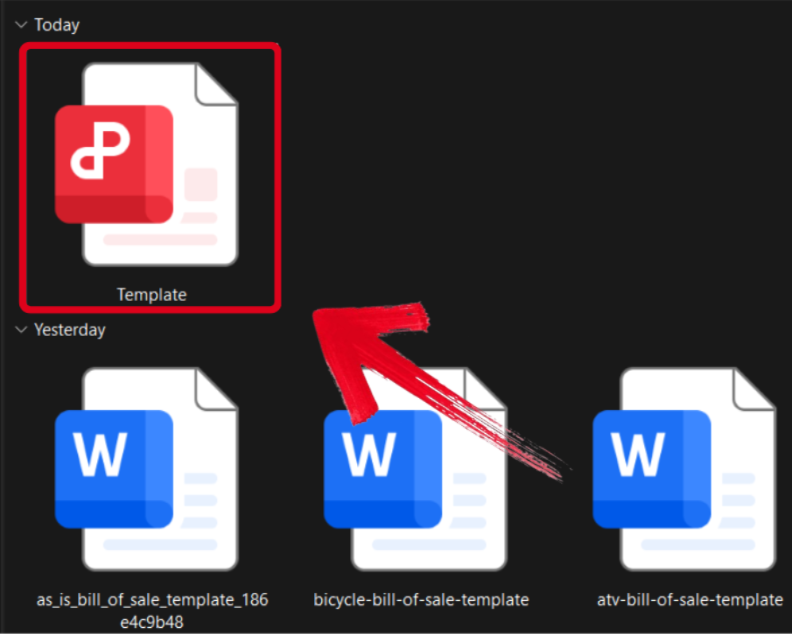
Step 1: Open your PDF template in WPS Office to start customizing it.
Step 2: Fill in the template with your own details and make sure everything is correct and valid before you save.
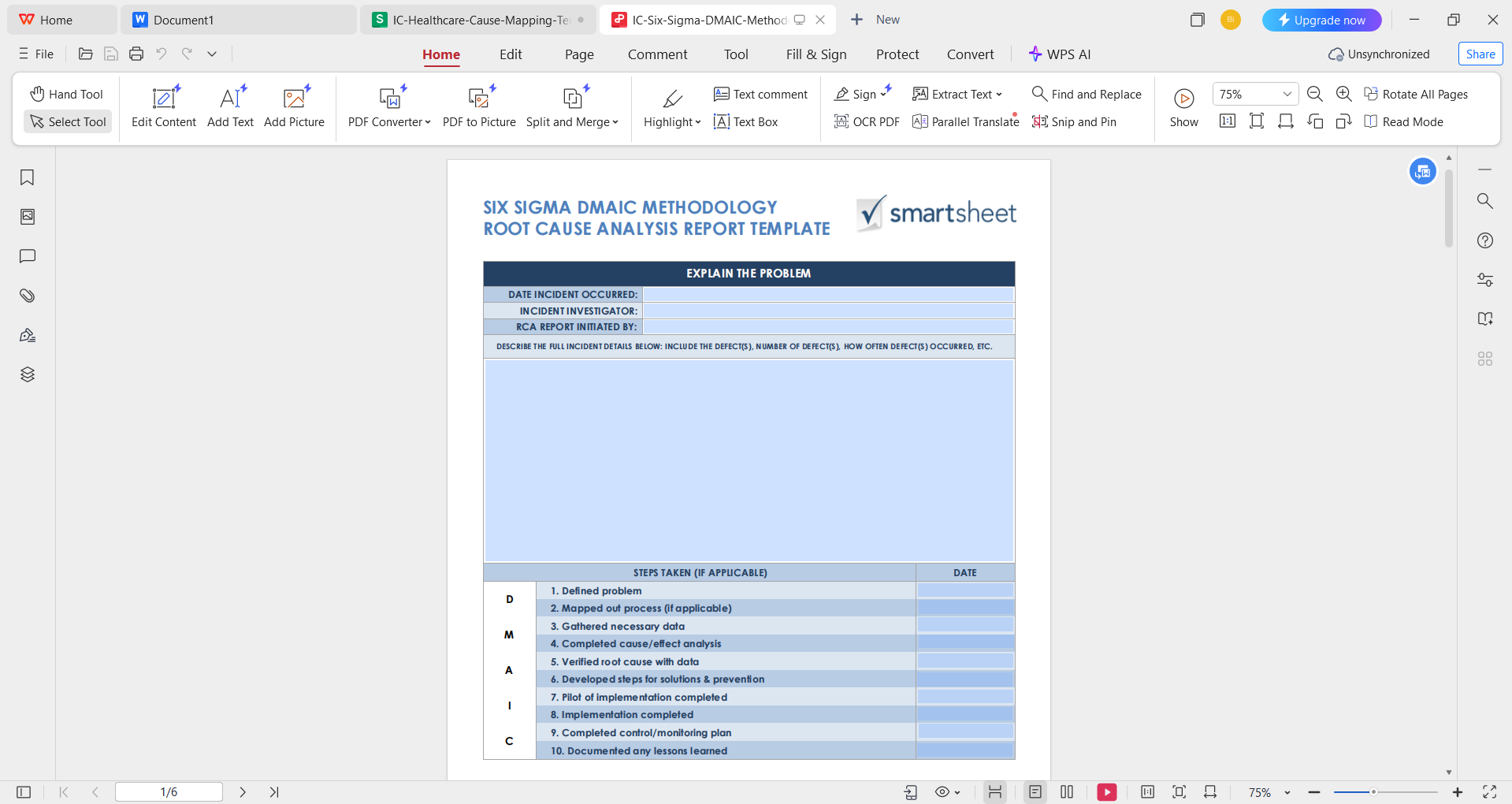
Step 3: After you’ve saved the changes to your PDF file, press Share to generate an online link for your file. Then press Copy Link to save it to your clipboard.
Free Office Suite with Editable Templates
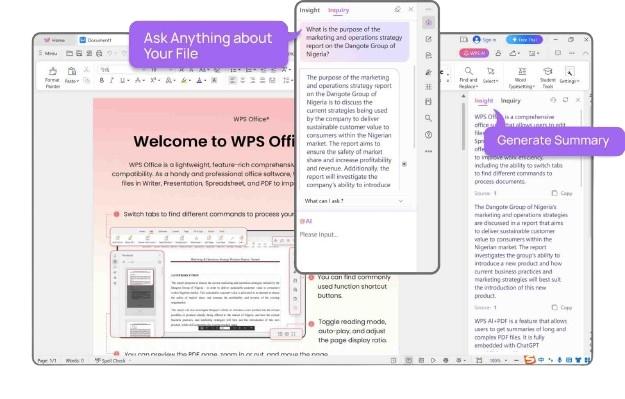
When I’m dealing with problems and issues in my workflow, it can be really frustrating, and I can not afford to deal with unreliable tools that only slow me down. This is where WPS Office streamlines everything for me, making sure I have all the tools I need to polish and format my templates reliably. It’s completely free and filled with countless useless features to boost your productivity without any hassle.
Features
FAQs
Q1. Are these RCA templates free to use in WPS?
Yes, WPS Office offers many RCA templates for free, and upgrading to WPS Pro unlocks an even larger collection of premium options.
Q2. Can I edit them on my phone or tablet?
Yes, WPS Office’s mobile apps let you open, edit, and save templates easily on both Android and iOS devices.
Q3. Can I export my RCA report to PDF?
Absolutely, WPS Writer supports one-click PDF export, making it easy to share your report in a professional format.
Q4. Can I work on the document with others online?
Yes, WPS Cloud enables seamless real-time collaboration so multiple users can review and edit together.
Q5. Is WPS Office secure to use?
Yes, WPS Office is trusted globally and equipped with strong security measures to help protect your documents and data.

'%3e%3cpath%20d='M19.9911%204.11386V6.471H18.5894C18.0775%206.471%2017.7322%206.57814%2017.5536%206.79243C17.3751%207.00671%2017.2858%207.32814%2017.2858%207.75671V9.44421H19.9019L19.5536%2012.0871H17.2858V18.8639H14.5536V12.0871H12.2769V9.44421H14.5536V7.49779C14.5536%206.39064%2014.8632%205.53201%2015.4822%204.92189C16.1013%204.31177%2016.9257%204.00671%2017.9554%204.00671C18.8304%204.00671%2019.509%204.04243%2019.9911%204.11386Z'%20fill='%23333333'/%3e%3c/g%3e%3cdefs%3e%3cclipPath%20id='clip0_2938_8199'%3e%3crect%20width='16'%20height='16'%20fill='white'%20transform='translate(8%204.00671)'/%3e%3c/clipPath%3e%3c/defs%3e%3c/svg%3e)
'%3e%3cpath%20d='M17.5237%2010.7813L23.4811%204H22.0699L16.8949%209.88693L12.7648%204H8L14.2469%2012.9029L8%2020.0133H9.4112L14.8725%2013.7952L19.2352%2020.0133H24M9.92053%205.04213H12.0885L22.0688%2019.0224H19.9003'%20fill='%23333333'/%3e%3c/g%3e%3cdefs%3e%3cclipPath%20id='clip0_2938_8200'%3e%3crect%20width='16'%20height='16.0134'%20fill='white'%20transform='translate(8%204)'/%3e%3c/clipPath%3e%3c/defs%3e%3c/svg%3e)


