

'%3e%3cpath%20d='M8%200C12.4183%200%2016%203.58172%2016%208C16%2012.4183%2012.4183%2016%208%2016C3.58172%2016%200%2012.4183%200%208C0%203.58172%203.58172%200%208%200ZM11.6162%204.38379C11.2257%203.99337%2010.5927%203.99338%2010.2021%204.38379L8%206.58594L5.79785%204.38379C5.40732%203.99334%204.77429%203.99329%204.38379%204.38379C3.99331%204.77429%203.99335%205.40733%204.38379%205.79785L6.58594%208L4.38379%2010.2021C3.99348%2010.5927%203.99341%2011.2257%204.38379%2011.6162C4.77426%2012.0066%205.40734%2012.0065%205.79785%2011.6162L8%209.41406L10.2021%2011.6162C10.5927%2012.0066%2011.2257%2012.0067%2011.6162%2011.6162C12.0067%2011.2257%2012.0066%2010.5927%2011.6162%2010.2021L9.41406%208L11.6162%205.79785C12.0066%205.40735%2012.0066%204.77429%2011.6162%204.38379Z'%20fill='%23080E17'%20fill-opacity='0.46'/%3e%3c/g%3e%3cdefs%3e%3cclipPath%20id='clip0_3761_713'%3e%3crect%20width='16'%20height='16'%20fill='white'/%3e%3c/clipPath%3e%3c/defs%3e%3c/svg%3e)




'%3e%3cpath%20fill-rule='evenodd'%20clip-rule='evenodd'%20d='M21.4999%2010.9993C21.4999%205.20009%2016.7986%200.498901%2010.9993%200.498901C5.19994%200.498901%200.498657%205.20009%200.498657%2010.9993C0.498657%2016.2404%204.33858%2020.5844%209.35855%2021.3722V14.0346H6.69238V10.9993H9.35855V8.68594C9.35855%206.05427%2010.9262%204.60062%2013.3248%204.60062C14.4736%204.60062%2015.6753%204.80571%2015.6753%204.80571V7.38979H14.3512C13.0468%207.38979%2012.64%208.19921%2012.64%209.0296V10.9993H15.5523L15.0867%2014.0346H12.64V21.3722C17.66%2020.5844%2021.4999%2016.2404%2021.4999%2010.9993Z'%20fill='%231568EA'/%3e%3c/g%3e%3c/svg%3e)


'%3e%3cpath%20d='M2.42045%2022.1876H6.31818V12.7217L0.75%208.54553V20.5171C0.75%2021.4414%201.49892%2022.1876%202.42045%2022.1876Z'%20fill='%234285F4'/%3e%3cpath%20d='M19.682%2022.1876H23.5797C24.5041%2022.1876%2025.2502%2021.4387%2025.2502%2020.5171V8.54553L19.682%2012.7217'%20fill='%2334A853'/%3e%3cpath%20d='M19.682%205.48293V12.7216L25.2502%208.54543V6.31816C25.2502%204.25236%2022.8921%203.07469%2021.2411%204.31361'%20fill='%23FBBC04'/%3e%3cpath%20d='M6.31824%2012.7217V5.48303L13.0001%2010.4944L19.6819%205.48303V12.7217L13.0001%2017.733'%20fill='%23EA4335'/%3e%3cpath%20d='M0.75%206.31816V8.54543L6.31818%2012.7216V5.48293L4.75909%204.31361C3.10534%203.07469%200.75%204.25236%200.75%206.31816Z'%20fill='%23C5221F'/%3e%3c/g%3e%3cdefs%3e%3cclipPath%20id='clip0_2954_7305'%3e%3crect%20width='24.5'%20height='18.375'%20fill='white'%20transform='translate(0.75%203.8125)'/%3e%3c/clipPath%3e%3c/defs%3e%3c/svg%3e)


A printable spelling test paper takes one minute to prepare: pick a 5, 10, 15, or 20-word layout, print it, and number the lines before class starts. Below you get ready-to-copy layouts for each size, plus a quick way to make your own in WPS Writer so every test matches your word list.
Spelling Test Paper: Free Printable Templates for 5-20 Words
Choose the right spelling test paper layout
The best layout is the one that matches your word list — extra blank lines invite doodling, and cramped lines invite messy handwriting. Match the count to the grade level:
5 words — kindergarten and first grade, large lines with wide spacing.
10 words — the default for grades 1–3; one column, numbered lines, room for a sentence bonus.
15 words — upper elementary, when challenge words join the list.
20 words, two columns — middle school and vocabulary-heavy subjects.
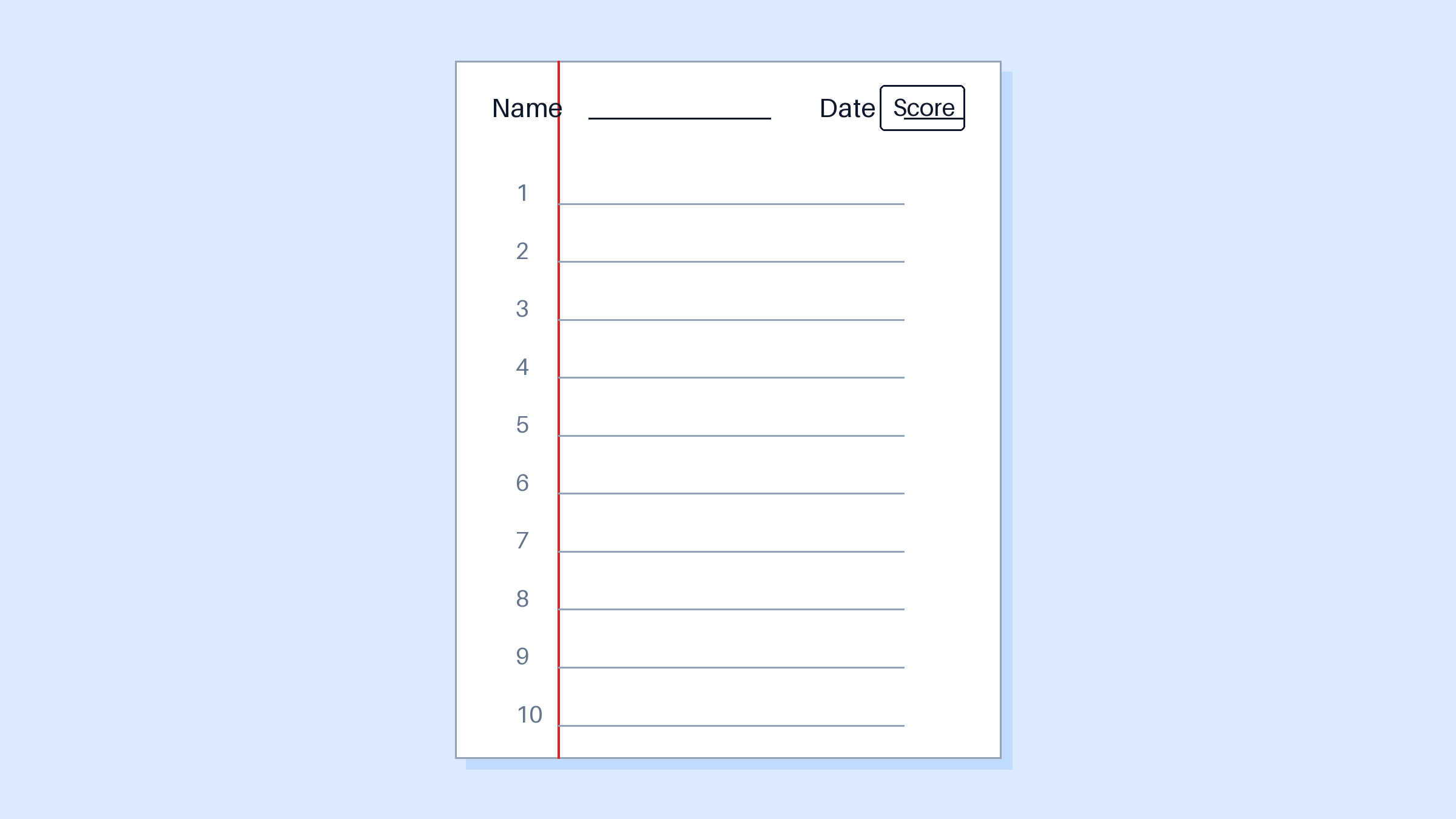
Ten word spelling test paper layout


Free spelling test paper templates to copy
Copy either layout below into any word processor, or recreate it in two minutes with the steps in the next section. Every template keeps the same skeleton: a name and date header, a score box, numbered lines, and — for the 20-word version — two columns with a red center margin.
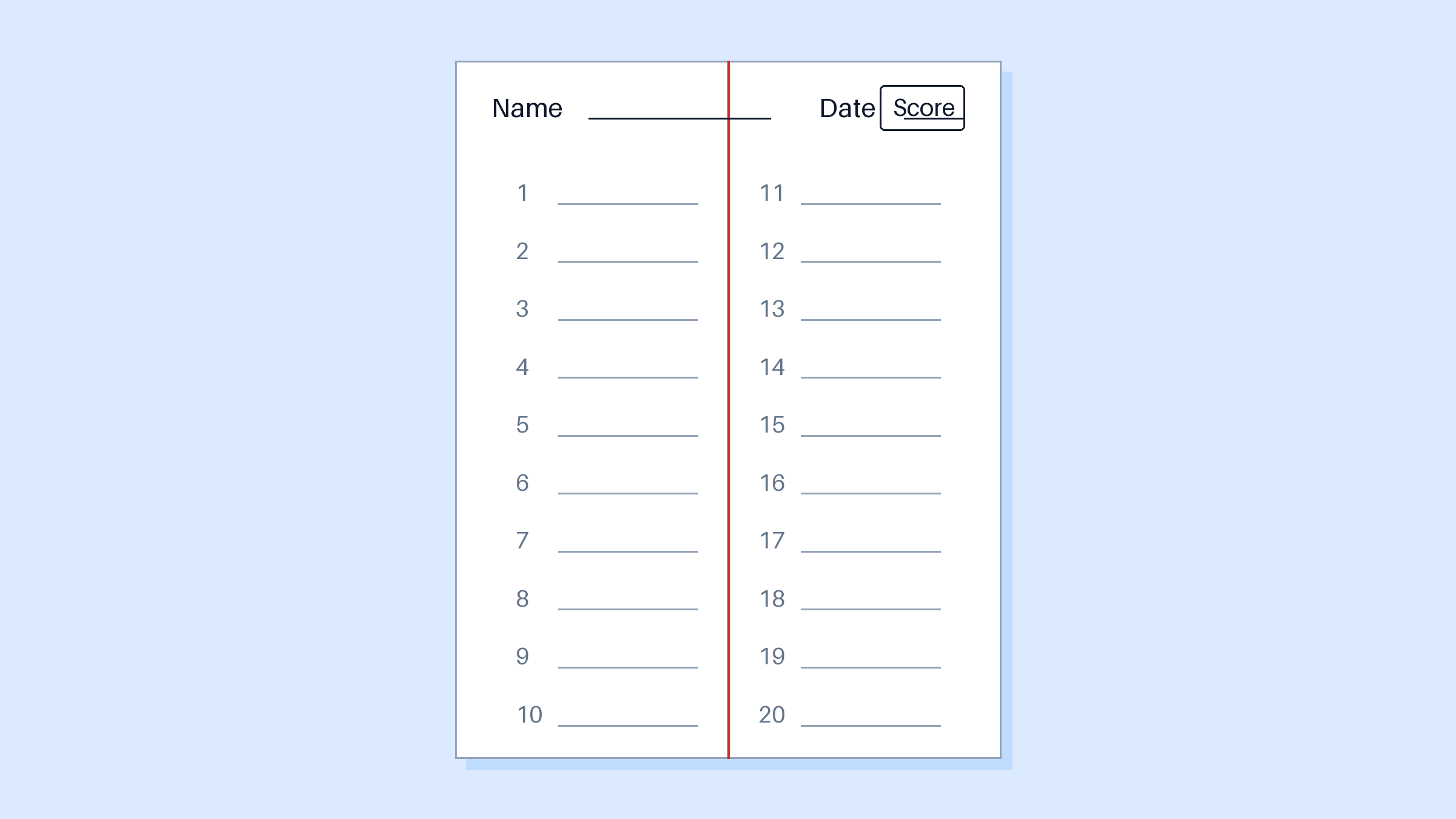
Twenty word two column spelling test paper
Print a stack for the week, or keep the digital file and type the word list once so it repeats on every printed page.
For students who finish early, add a flipped version: the paper ships with the words printed and the definitions blank, and students write meanings from memory instead of spellings. Same skeleton, reversed direction, and it turns test day into a second study session.
How to make your own spelling test paper in WPS Writer
Set the page. Open a new document in WPS Writer and choose Layout > Margins > Narrow so you fit 20 numbered lines comfortably.
Add the header. Type Name and Date with underscores after each, then insert a small one-cell table in the top-right corner for the score.
Insert the numbered lines. Use a borderless two-column table; type 1–20 in the left cells, then apply bottom borders to the neighboring cells as writing lines. For a red center margin, color the table's center vertical border red.
Save as a template. File > Save As > Word Template (.dotx) or keep the .docx as your master copy.
Type the word list for a study copy. Duplicate the page, replace the blank lines with the week's words, and print it as the take-home practice sheet.
Once the master exists, each week costs one typed list and one print job.
One paper supports several test styles. For dictation, read a sentence and have students write it on the numbered lines — the same 10-word layout works, just grade for whole-sentence accuracy. For challenge words, reserve the last two lines of a 15-word sheet and mark them double points. For a review week, print the 20-word two-column version and pull half the words from previous lists so old material keeps resurfacing.
How to give the test and grade it fast
A smooth test day is mostly logistics. Hand out the papers face down, say each word twice followed by the sentence you planned, and keep about ten seconds between words — enough time to write, not enough to panic. For younger grades, add an oral sentence bonus at the end using one of the week's words to test the word in context.
Grading speed comes from the paper's design, not from checking each word twice. Mark right or left of the numbered line, tally correct answers into the score box, and return tests the same day — the correction window matters more than the grade itself. Words missed by half the class go straight onto next week's list; words missed by one student go into that student's personal review pile.
Keep a simple tracker beside your master template: one row per student, one column per week. Ten minutes of data entry reveals the words your whole class keeps missing — far more useful than a stack of graded papers.
The Best Free Word Alternative: WPS Writer
WPS Writer is the free desktop app for this whole workflow — identical ribbon layout to Microsoft Word, full .docx compatibility, and free spelling test templates built in. It also checks spelling as you type, so the practice sheet you send home never teaches a typo.
Because it reads Word files without conversion, teachers can swap test papers with colleagues regardless of what they use. Everything runs free, with no watermark on printouts.
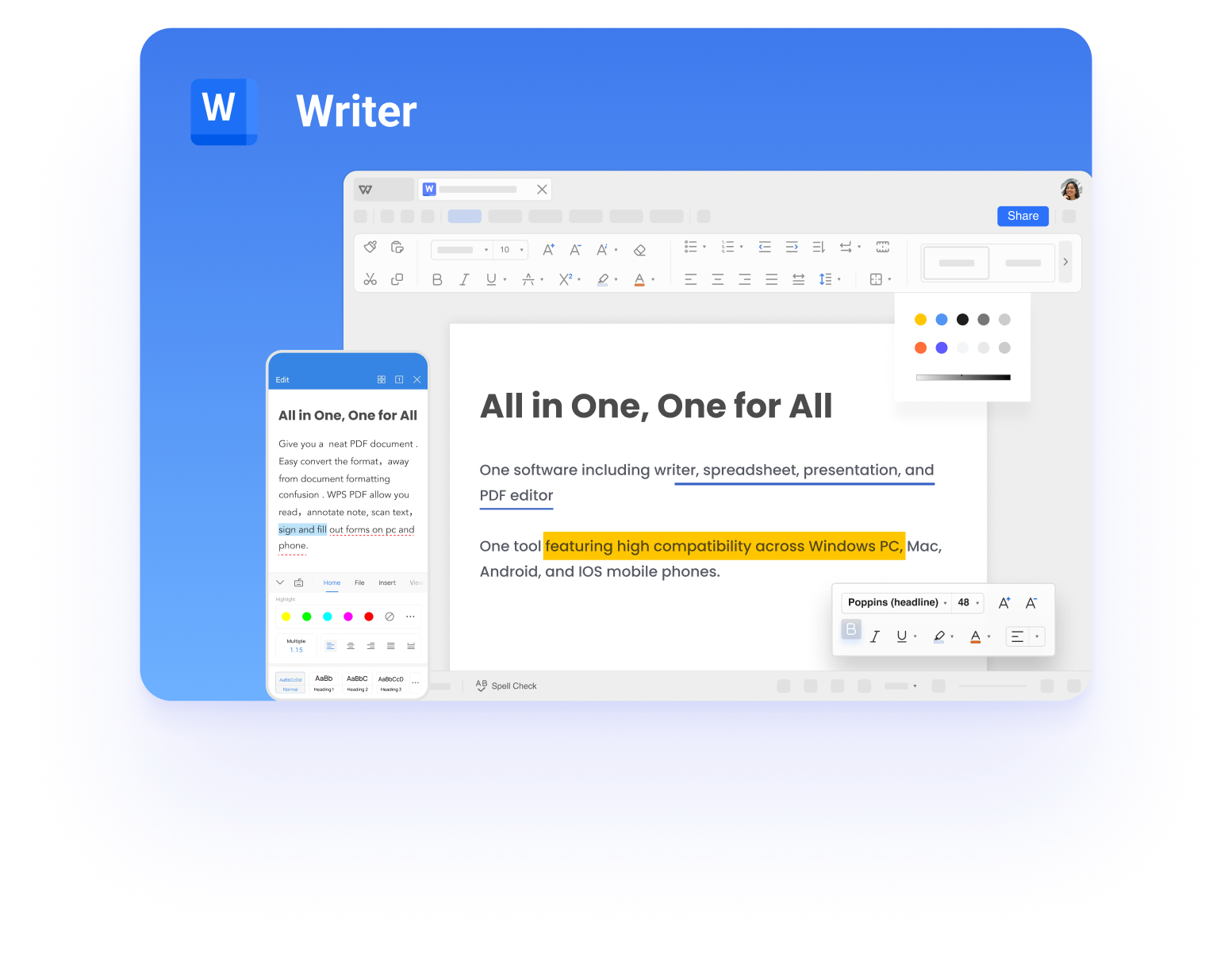
Make spelling test papers in WPS Writer
FAQs
How many words fit on a spelling test paper?
Comfortably 20 on one page: 10 per column in two columns, or 15 single-column with slightly tighter lines. Beyond 20, move to a second page rather than shrinking the writing lines.
Can I edit these spelling test papers?
Yes. Every layout here is a normal document, so you can change fonts, add challenge-word lines, or merge the spelling paper with a dictation section before printing.
What is the difference between a spelling test paper and a spelling worksheet?
A test paper is blank numbered lines used during the test. A worksheet is practice material — word searches, missing letters, sentence writing — completed before the test.
Is there a 20-word spelling test template PDF I can download free?
Yes — recreate the two-column layout from this guide in WPS Writer and export with File > Export to PDF, or grab one of the free teacher templates inside WPS Office.
Should spelling tests be on paper or online?
Paper remains the standard for early grades because handwriting reinforces letter forms. Online tools suit older students and auto-grading, but keep a printed backup for test day.


'%3e%3cpath%20d='M19.9911%204.11386V6.471H18.5894C18.0775%206.471%2017.7322%206.57814%2017.5536%206.79243C17.3751%207.00671%2017.2858%207.32814%2017.2858%207.75671V9.44421H19.9019L19.5536%2012.0871H17.2858V18.8639H14.5536V12.0871H12.2769V9.44421H14.5536V7.49779C14.5536%206.39064%2014.8632%205.53201%2015.4822%204.92189C16.1013%204.31177%2016.9257%204.00671%2017.9554%204.00671C18.8304%204.00671%2019.509%204.04243%2019.9911%204.11386Z'%20fill='%23333333'/%3e%3c/g%3e%3cdefs%3e%3cclipPath%20id='clip0_2938_8199'%3e%3crect%20width='16'%20height='16'%20fill='white'%20transform='translate(8%204.00671)'/%3e%3c/clipPath%3e%3c/defs%3e%3c/svg%3e)
'%3e%3cpath%20d='M17.5237%2010.7813L23.4811%204H22.0699L16.8949%209.88693L12.7648%204H8L14.2469%2012.9029L8%2020.0133H9.4112L14.8725%2013.7952L19.2352%2020.0133H24M9.92053%205.04213H12.0885L22.0688%2019.0224H19.9003'%20fill='%23333333'/%3e%3c/g%3e%3cdefs%3e%3cclipPath%20id='clip0_2938_8200'%3e%3crect%20width='16'%20height='16.0134'%20fill='white'%20transform='translate(8%204)'/%3e%3c/clipPath%3e%3c/defs%3e%3c/svg%3e)


