A well-designed menu is more than just a list, it’s the first
impression of your food, brand, and creativity. But for many small
business owners, event organizers, or even home chefs, building a
beautiful menu feels overwhelming. Design software is expensive, layout
ideas are hard to find, and many free resources are low-quality or
undatable. So where do you start? Are there truly free
templates worth using? And how do you edit them easily? This
article gives you 10 high-quality, editable
templates—plus step-by-step help for editing and printing them
in WPS Office.
Part
1: How to Create a Menu (Tips Before You Start)
Before diving into templates, here are some key tips:
Define your concept and theme Match your menu design to your restaurant type—modern, rustic,
family-friendly, etc.
Group logically Separated by sections like Appetizers, Mains, Desserts, and
Drinks.
Limit choices A cluttered menu overwhelms customers. Keep it simple and
focused.
Use descriptive item names Add brief descriptions for clarity or to highlight
ingredients.
Include pricing Make it clear, aligned, and easy to read.
Readable font & clean layout Use 2–3 fonts maximum and plenty of white space.
Highlight specials Use icons or callout boxes to promote bestsellers or chef’s
picks.
Update regularly Keep seasonal items fresh and remove low-performing
dishes.
Part
2: Top 10 Free Menu Templates [Download + Image Preview]
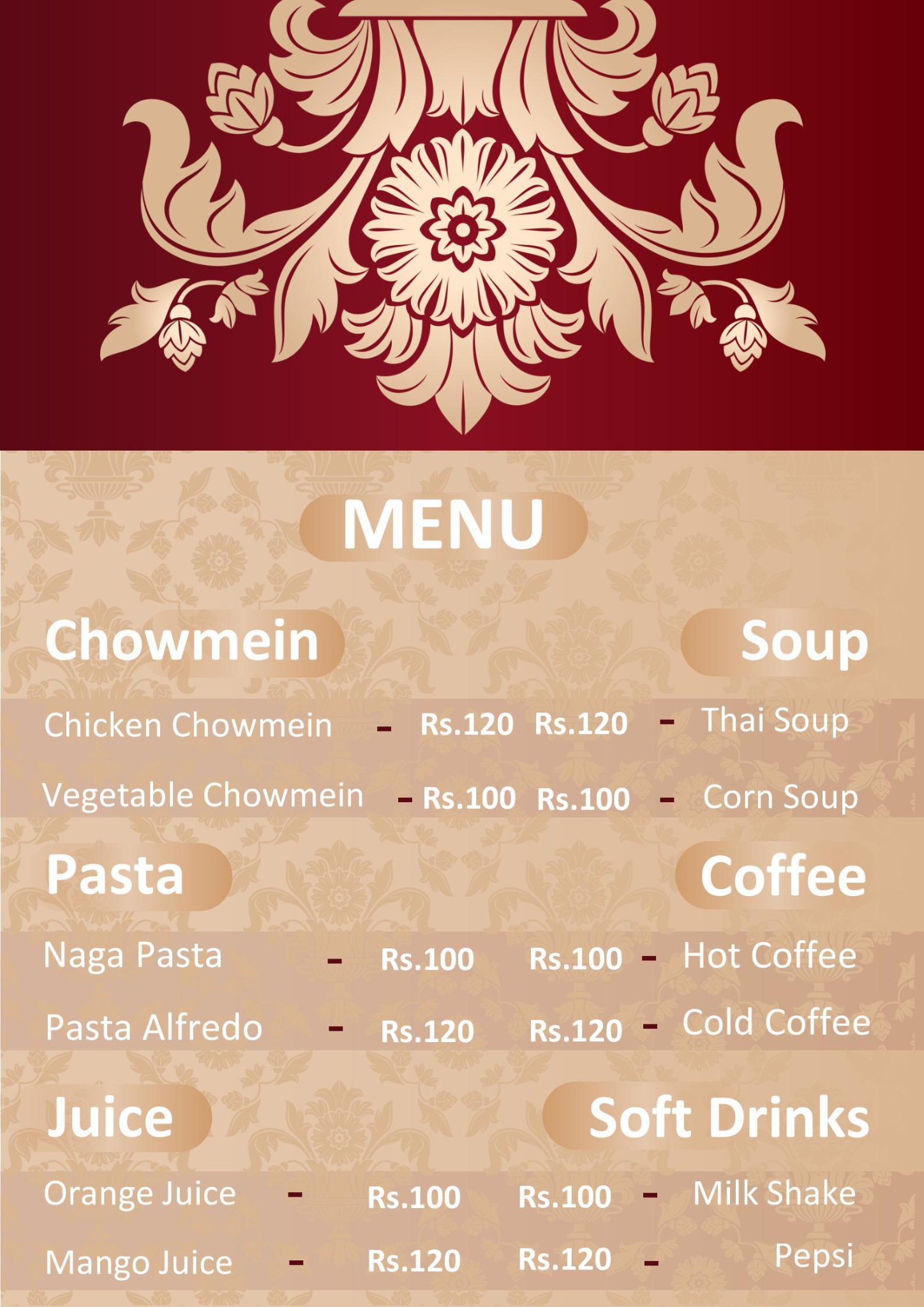
1. Red Menu Card
Red Menu Card
If you're looking for a simple yet elegant design that instantly
elevates your restaurant or event menu, the Red Menu
Card is a great place to start. Its rich red color gives it a
sophisticated, premium feel, ideal for fine dining, romantic dinners, or
holiday-themed menus. The layout is clean, with clear headings and ample
space for descriptions and pricing. I’ve personally used this template for a Valentine’s Day dinner
event, and it made a huge impression on the guests. It’s easy to edit in
WPS Writer, even if you have zero design experience. Just add your
dishes, tweak the fonts if needed, and export as a PDF, done! Ideal for:
Upscale restaurants, date night menus, seasonal specials. DownloadNow.
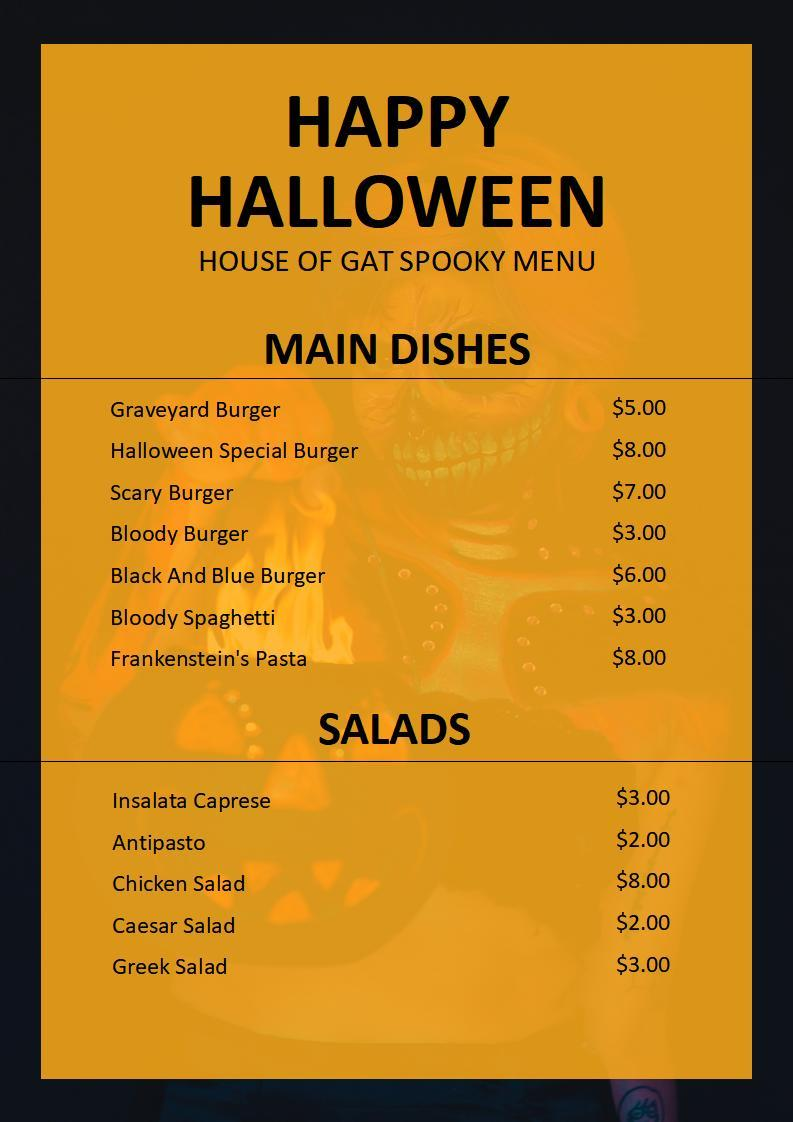
2. Black, Orange Halloween Menu
Black, Orange Halloween Menu
If you’re planning a special Halloween-themed dinner or event, theBlack Orange Halloween Menu template is a fun and
festive way to impress your guests. With bold black and orange tones, it
perfectly captures the spirit of the season while keeping the layout
clean and readable. The design includes thematic icons like bats or
pumpkins, making it immediately recognizable as a Halloween
menu. I used this template for a Halloween pop-up restaurant event
last year, and it created such a buzz! It’s incredibly easy to customize
in WPS Writer: just replace placeholder text with your menu items,
adjust fonts or colors if desired, and add any spooky images or accent
lines. Ideal for: Seasonal menus, themed parties, or any spooky
celebration. DownloadNow.
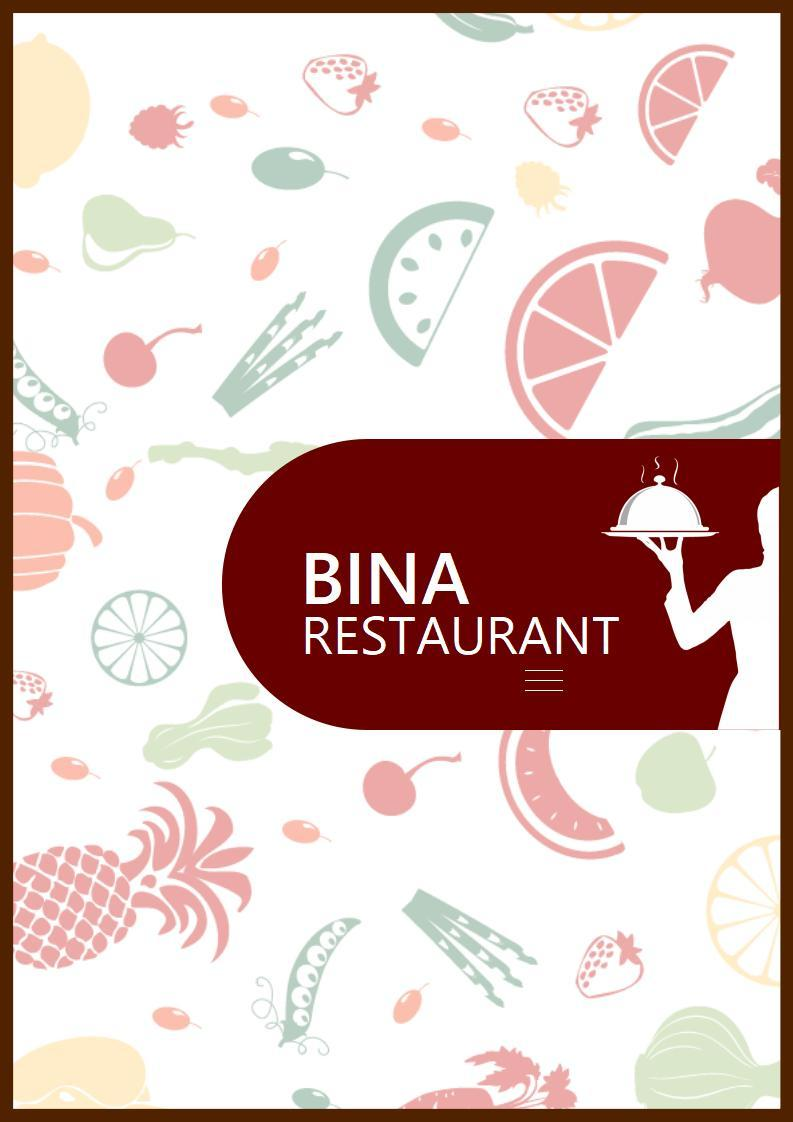
3. Indian Bina Restaurant Menu Card
The Indian Bina Restaurant Menu Card brings a
delightful blend of traditional Indian aesthetics and practical layout
design. With its warm tones and ornate border—or subtle mandala motifs
depending on the version, it’s visually inviting yet remains clear and
content-focused. Designed specifically for Indian cuisine, this template
highlights main dishes, breads, and beverages in a structured,
easy-to-navigate format. When I hosted a home-style dinner featuring biryanis, curries,
and naan platters, I used this template, it instantly elevated the
presentation. Even in WPS Writer, editing was seamless: just swap in
your own dishes, update the prices, and adjust colors or fonts if you
like. Ideal for: Indian restaurants, fusion kitchens, cultural events,
and home catering menus. DownloadNow.
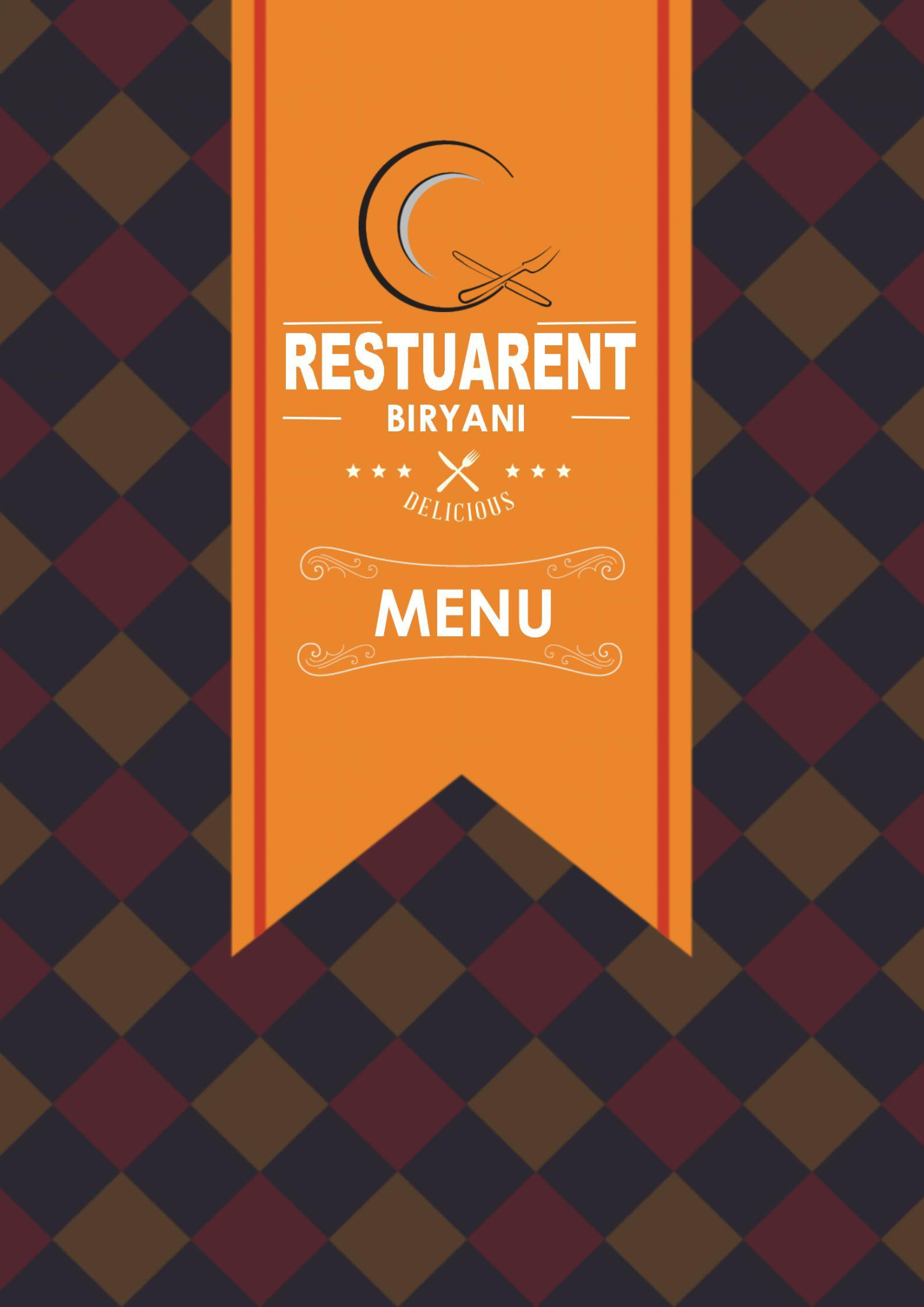
4. Creative Biryani Menu Card
Creative Biryani Menu Card
The Creative Biryani Menu Card is designed to
highlight your biryani specials with flair—featuring a striking
orange-and-brown color palette and clean, sectioned layout for clarity.
The bold typography gears the focus toward biryani, kebabs, curries, and
desserts, while maintaining ample space for descriptions and prices so
your dishes shine. When I used this template to promote a biryani-themed pop‑up,
it received heartfelt compliments from guests. It’s especially effective
for showcasing specialty biryanis (such as Royal Chicken, Mutton Seekh,
or Egg Biryani). Ideal for: Indian restaurants, biryani festivals, home
catering menus, or any menu focused on rice-based specialties. DownloadNow.
5. Modern Black Weekly Menu
Modern Black Weekly Menu
The Modern Black Weekly Menu template offers a
crisp, minimalist aesthetic with a dark, polished design that’s perfect
for planning meals across the week. Its clean layout, with bold section
headers and simple table format, makes it ideal for weekly planners,
meal prep services, or even home cooks mapping out breakfast, lunch,
dinner, and snacks. I’ve used this template for organizing weekly meal plans for my
family and small catering projects, and it’s become my go-to. With a
dark background and white text, everything looks sharp, clear, and
professional. Ideal for: Cafés offering weekly
specials, meal planners, home cooking schedules, or small catering
menus. DownloadNow.
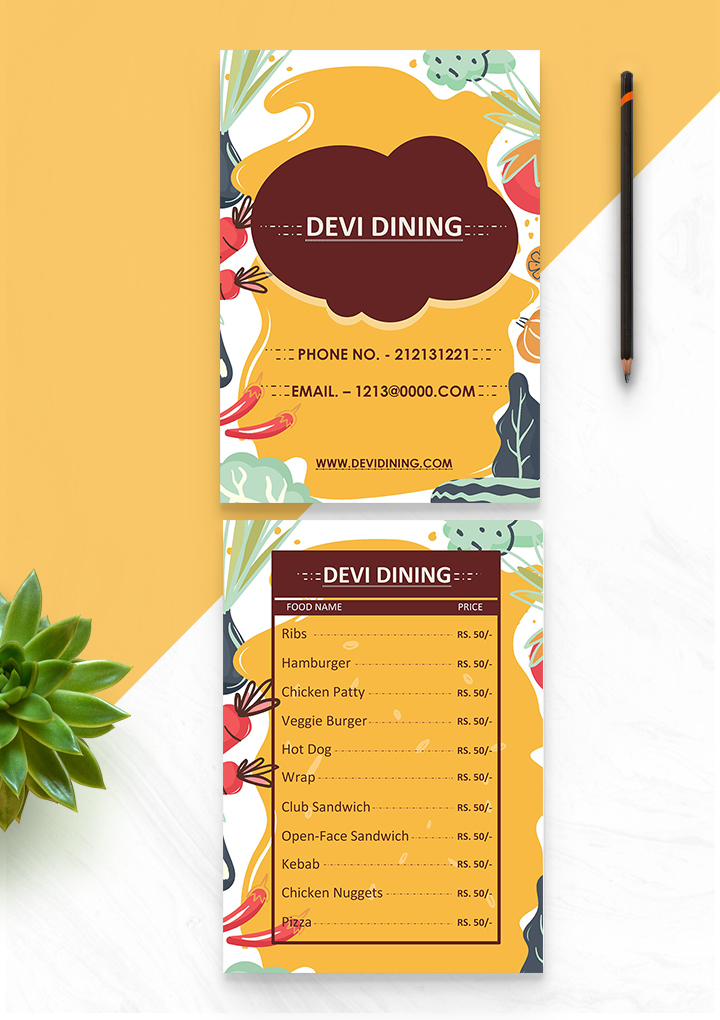
6. Deep Yellow Brown Menu Card
Deep Yellow Brown Menu Card
The Deep Yellow Brown Menu Card brings a cozy,
rustic feel with its deep golden yellows and rich brown accents. It’s
designed to feel both welcoming and refined, making it ideal for cafés,
bakeries, casual bistros, or comfort‑food themed menus. The layout is
clean and reader-friendly, with clear sections, ample space for
descriptions, and a comforting color palette that feels handcrafted yet
professional wps.com.
I tested this template for a neighborhood café featuring chai,
pakoras, and artisanal bread loaves, and it received wonderful feedback.
The warm tones and golden highlights created an inviting visual
impression. Customizing it in WPS Writer was smooth: just update the
dish names, prices, and any decorations like borders or clip art.Ideal for: Casual dining, cultural cafes, tea menus,
printed takeaway versions. DownloadNow.
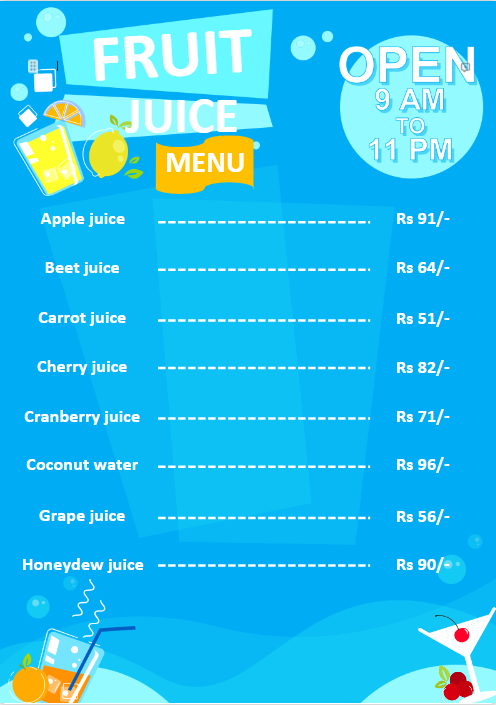
7. Fruit Juice Menu Card
Fruit Juice Menu Card
The Fruit Juice Menu Card template bursts with color
and freshness—featuring a vibrant blue background, playful fruit icons,
and a clean layout perfect for juice bars, cafes, or healthy snack
spots. The dotted lines and vertical format make price listings neat and
easy to scan, giving it a modern and energetic feel. I used this template for a pop-up juice stand during summer,
customers loved how crisp and inviting it looked at a glance. Editing in
WPS Writer is effortless: simply update the fruit names, prices, and
service hours (like “Open 9 AM to 11 PM”). You can even insert your logo
or small fruit photos for added personality. Ideal for:Juice stands, cafes, healthy snack spots, or wellness events, especially
during warmer seasons. DownloadNow.
Use Word, Excel, and PPT for FREE
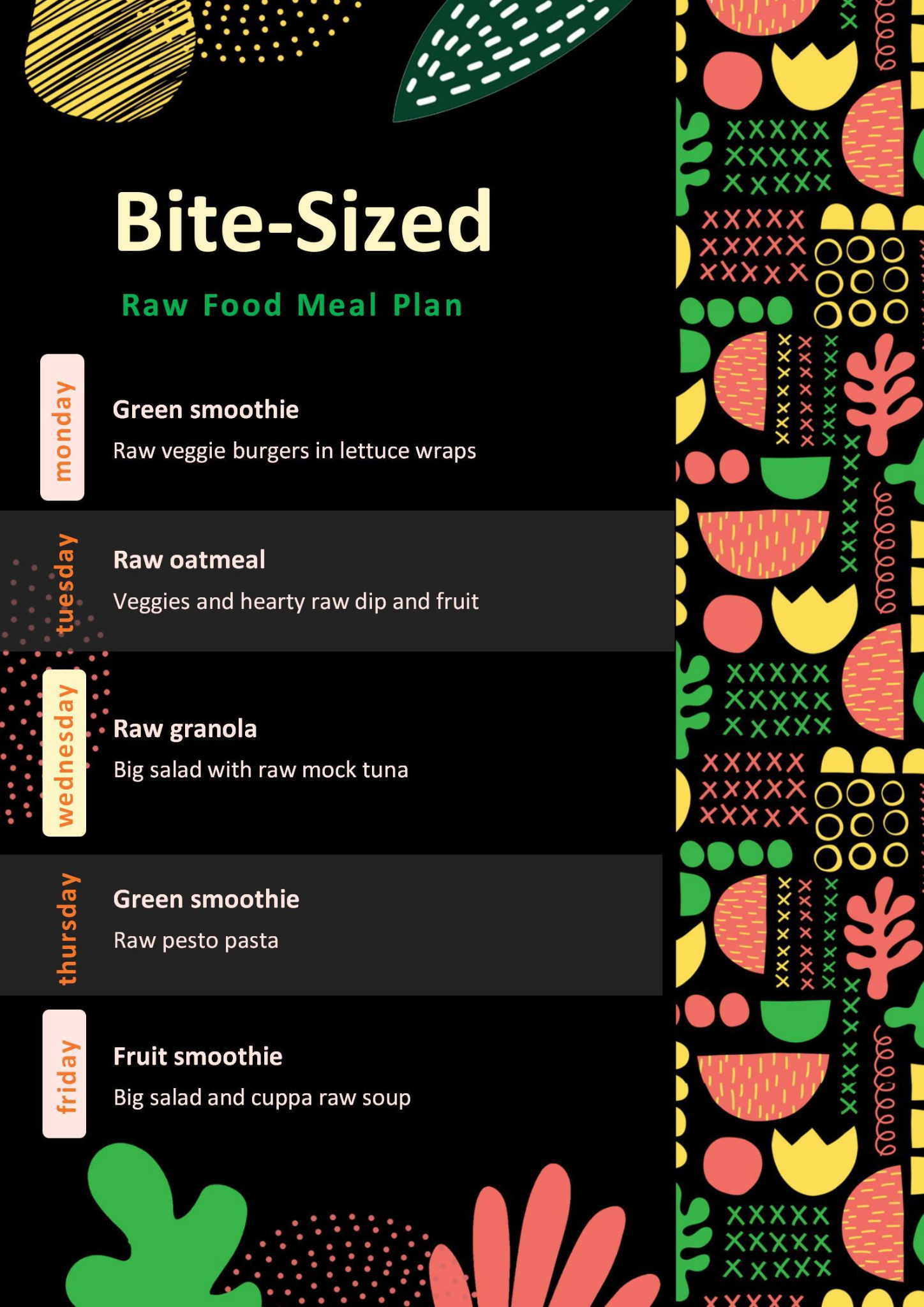
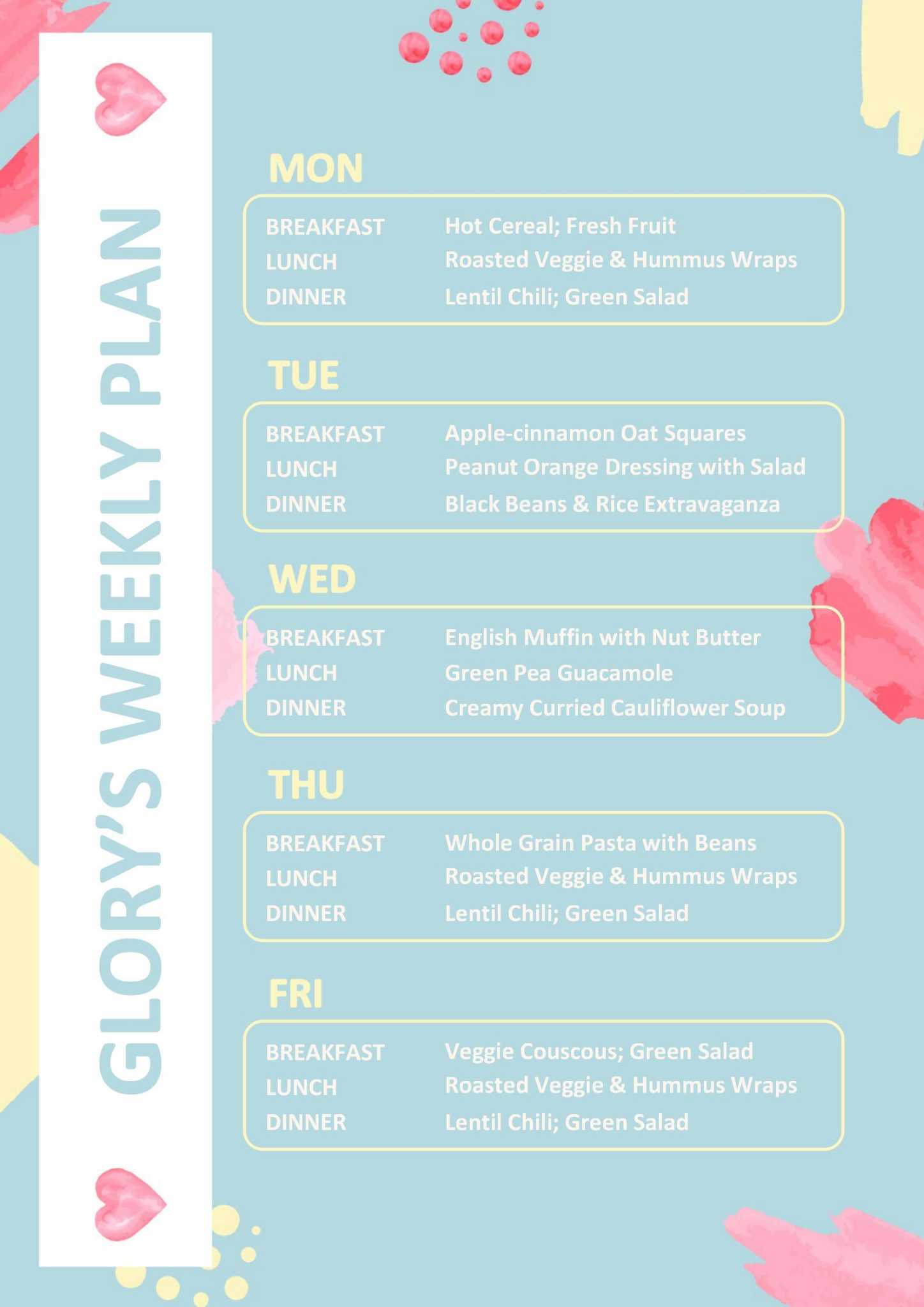
8. Fresh Simple Weekly Menu
Fresh Simple Weekly Menu
The Fresh Simple Weekly Menu offers a fresh and
cheerful layout, perfect for planning meals throughout the week. With
soft pastel hues and a clean design, it's ideal for meal planning, cafes
offering weekly specials, or home cooks organizing breakfast, lunch, and
dinner schedules. I used this template to map out meals for a wellness workshop
last month. The colors and layout helped participants easily follow the
daily offerings, smoothie, salad, dinner plan, and the dotted separators
gave a neat structure. Editing in WPS Writer was a breeze: just insert
your meals for each day, update descriptions or times, and you’re ready.
Ideal for: Weekly meal planners, home cooks, wellness cafes, and small
seasonal menus. DownloadNow.
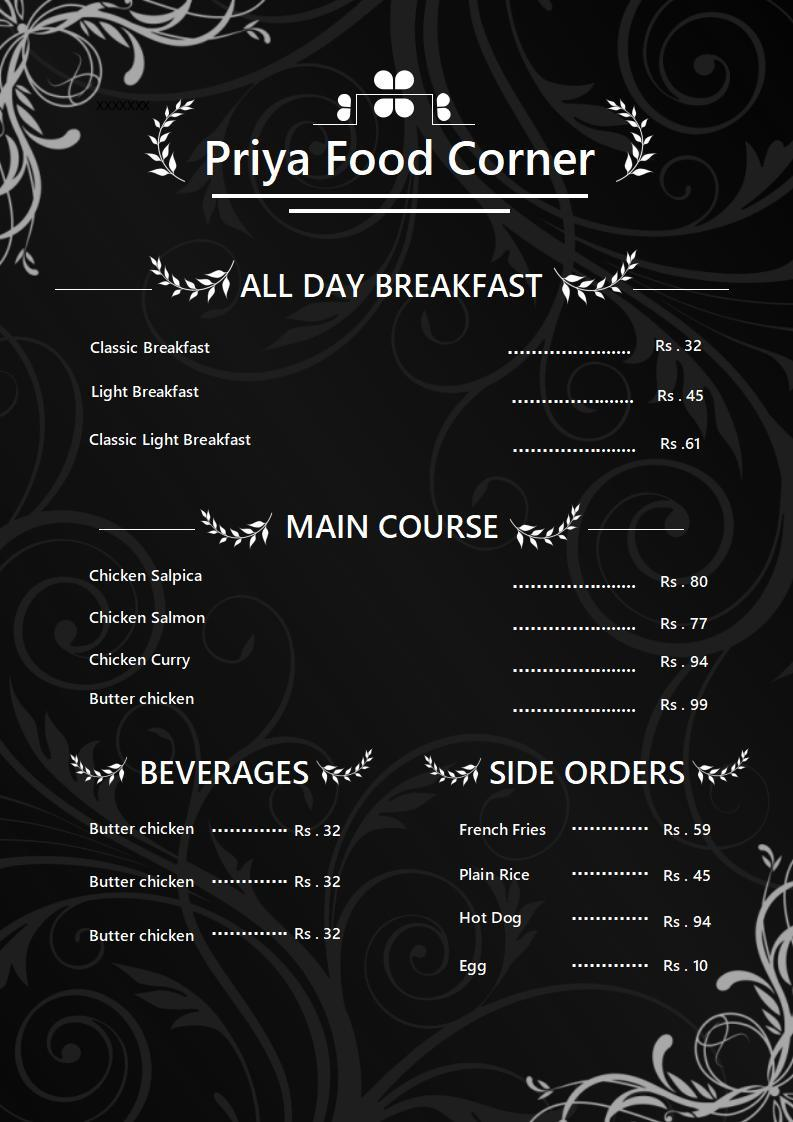
9. Simple Fashion Black Menu
Simple Fashion Black Menu
The Simple Fashion Black Menu template offers a
sophisticated, high-contrast design with crisp white text set against a
solid black background. Elegant flourishes and minimalist layout ensure
readability while exuding upscale ambiance—perfect for upscale cafes,
fine-dining restaurants, or fashion-styled events. I used this template for a launch event menu at a boutique
café, it looked sleek and refined, earning instant appreciation from
guests. Its simplicity is its strength: the bold contrast makes dish
titles and prices easy to read, and the minimal decorative elements
maintain a clean look. Editing in WPS Writer is straightforward, just
plug in your own menu items, align the pricing, and tweak fonts or
spacing as needed. Ideal for: Upscale venues, modern
restaurant menus, fashion-forward events, or minimalist branding. DownloadNow.
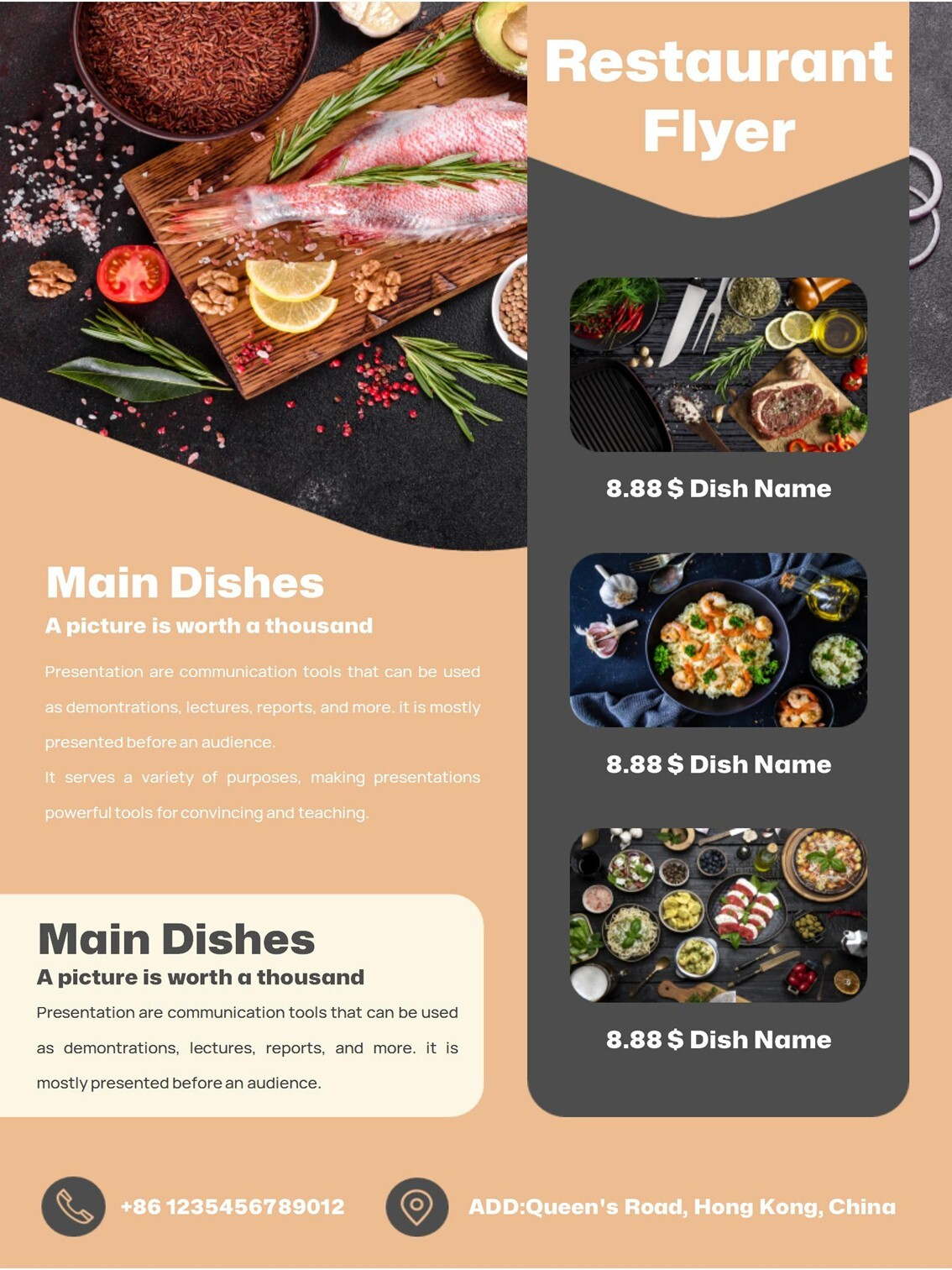
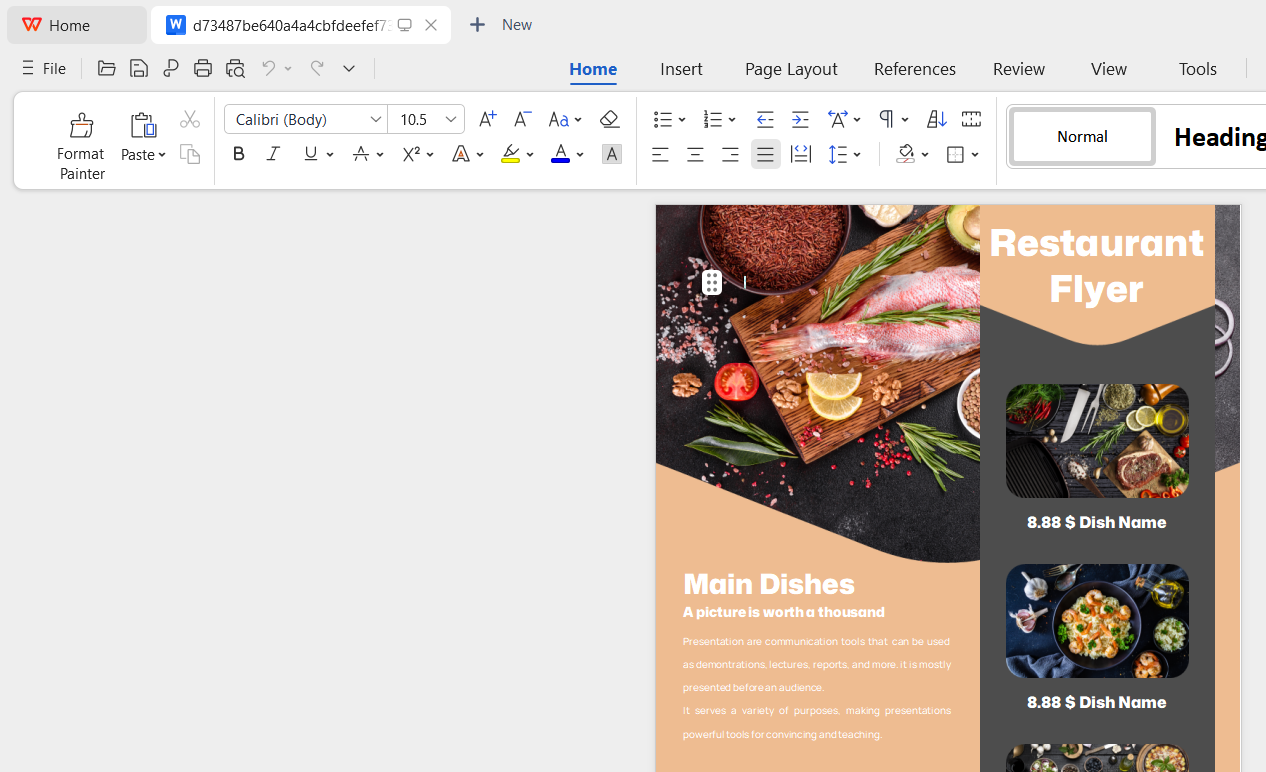
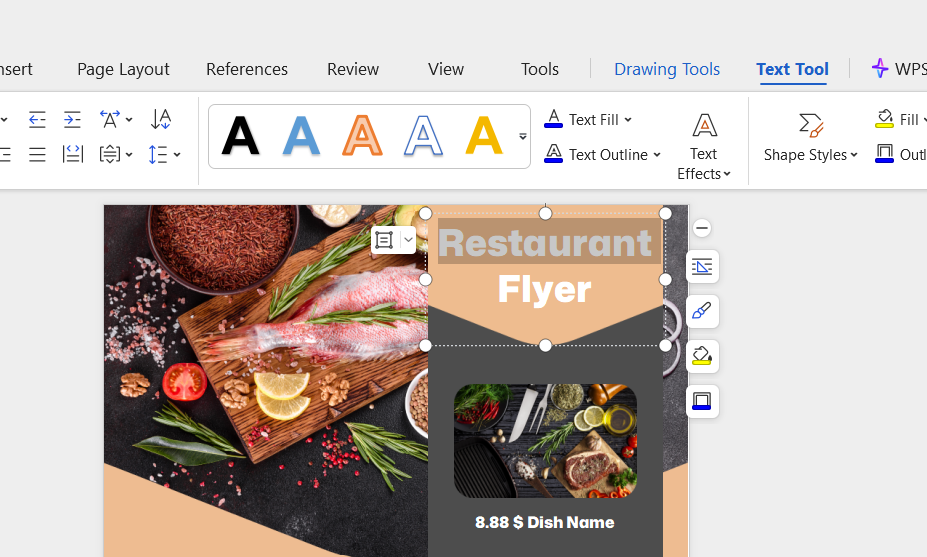
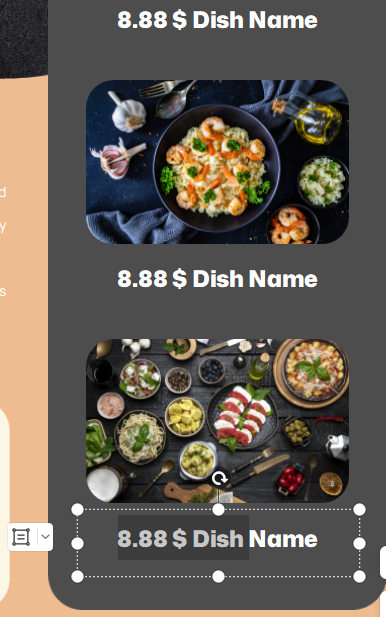
10. Restaurant Flyer Template
Restaurant Flyer Template
The Restaurant Flyer Template is designed as a
promotional menu that’s ideal for takeaways, delivery offers, or special
events. With its flexible two-column layout and bold headings, this
template balances visuals and text, perfect for showcasing signature
dishes, combo deals, opening offers, or seasonal
promotions. I used this flyer-style template for a weekend takeaway event
during Ramadan, promoting appetizer + main combos. Guests appreciated
the clear layout and well-organized pricing sections, the flyer format
made it easy to share both digitally and in print. Editing in WPS Writer
is simple: swap in your dishes, update the pricing or offer details, and
insert photos or a logo if desired. Ideal for: Takeaway
menus, promotional flyers, café specials, catering events, or delivery
marketing. DownloadNow.
These templates are free, editable, and professionally designed. To
explore more, visit the WPS Template
Store , there’s always one that fits your theme
perfectly!
Editor’s Picks:
For elegant themes → Try Red Menu Card or Fashion
Black Menu
For event-based menus → Use Halloween or Flyerformats
For daily/weekly planning → Go for Modern Black Weekly
Menu
Part
3: How to Edit and Print a Menu Template in WPS Writer?
100% secure
Steps to Edit in WPS Writer:
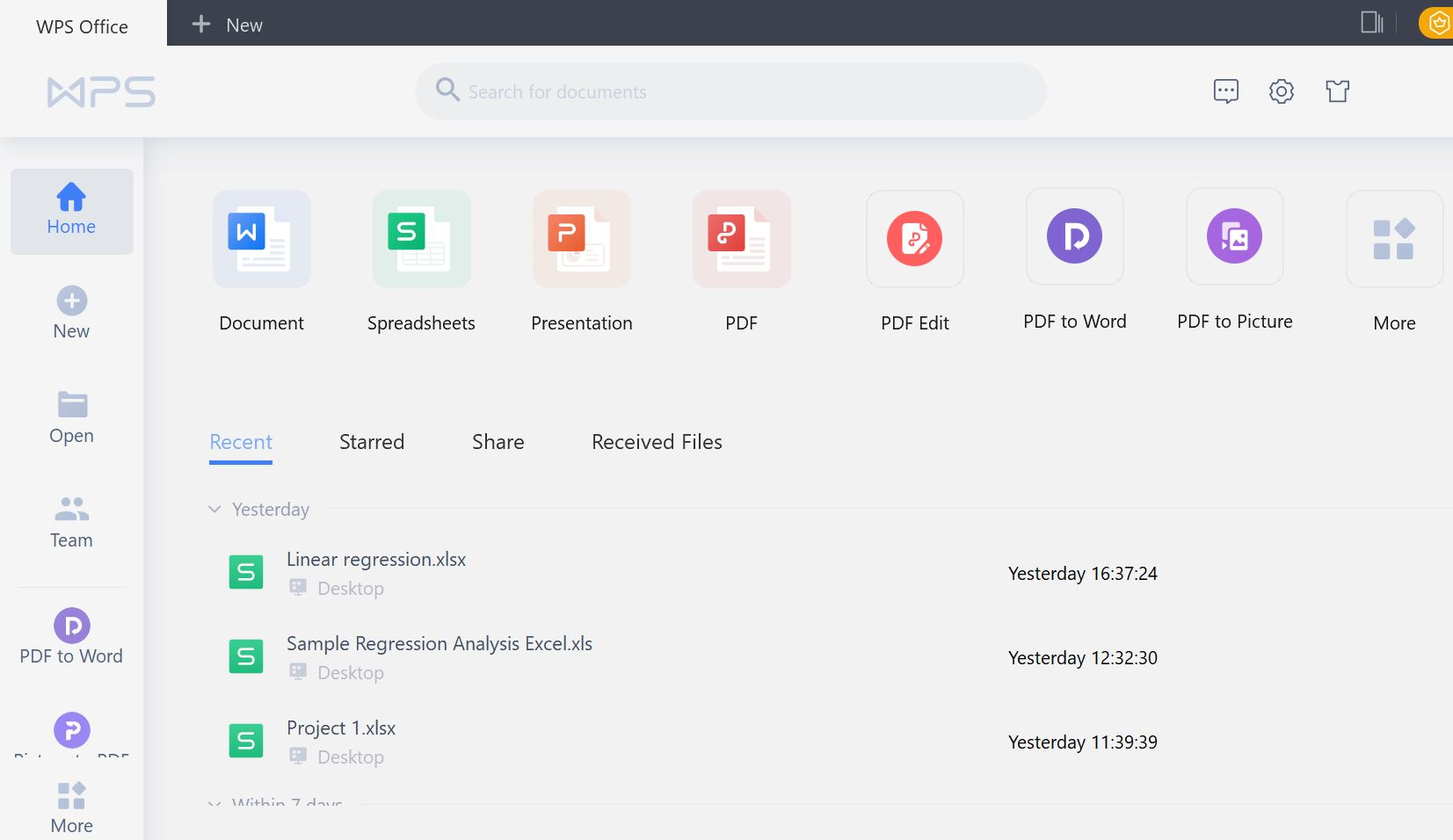
Open WPS Office → Writer
Open WPS Office
Download a template from the above templates.
Import it into Writer
Import the template into WPS Writer
Customize text & titles
Customize text & titles
Edit pricing or item descriptions
Edit pricing or item descriptions
Add or remove items as needed
Insert logos or images (optional)
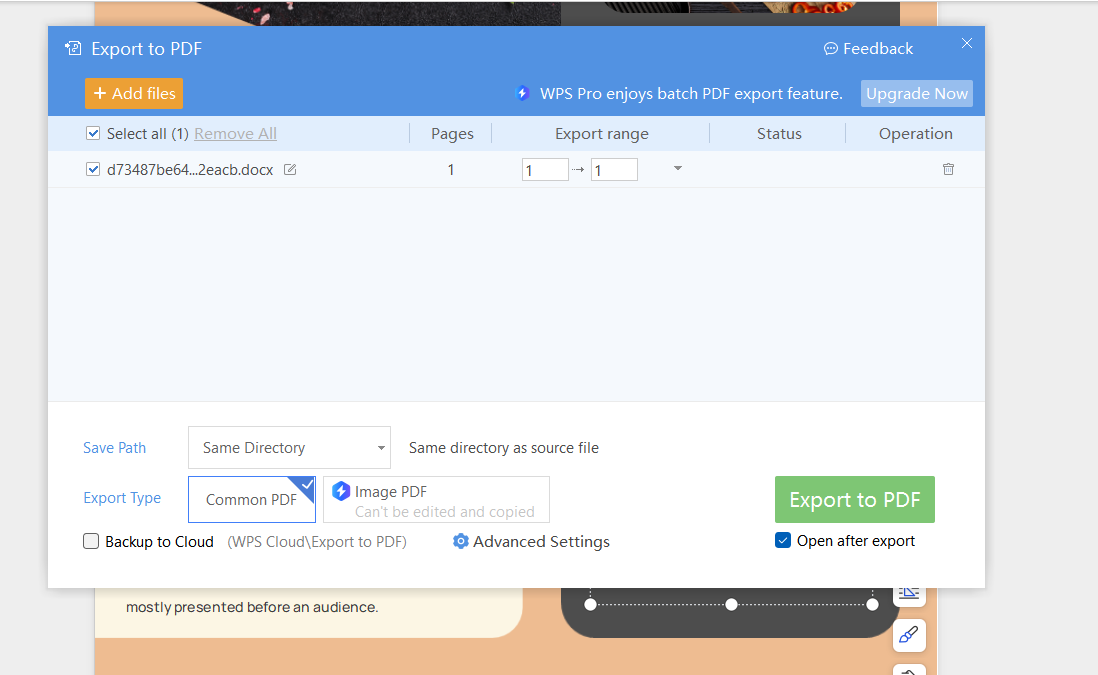
Save as PDF:
Go to File > Export to PDF to save a
printable copy
Go to File > Export to PDF
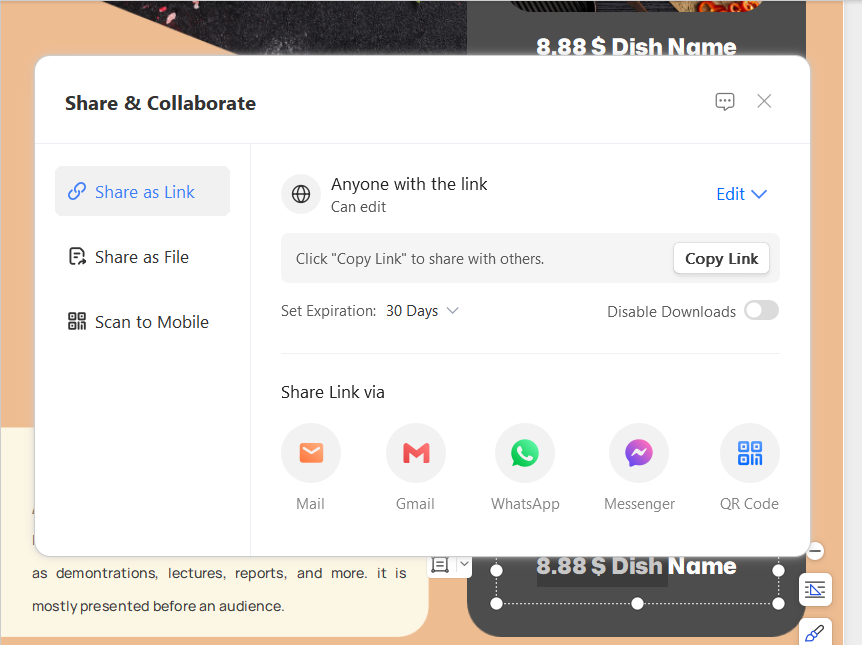
Share as Online Link:
File > Share > Generate Link Collaborate easily with teammates or print shops!
File > Share > Generate Link
Part
4: WPS Office – Free Suite with Powerful Templates
Use Word, Excel, and PPT for FREE
Why WPS Office?
As someone who frequently creates documents, menus, and flyers, WPS
Office is my go-to tool.
You don’t need expensive software. Just download WPS Office and start editing like
a pro!
FAQs
1. What essential information should a menu template
include?
Restaurant name, logo
Section headings (e.g., Starters, Mains)
Dish names with descriptions
Pricing
Contact info or address (optional)
2. How do I make my menu look professional?
Use max 2–3 fonts
Keep layout clean
Align prices
Add white space
Proofread thoroughly
3. Can I print these menu templates directly?
Yes. After editing, export to PDF and print in high quality.
4. Can I share the edited file online with a
client?
Yes. WPS lets you generate a shareable link for collaboration.
5. Can I use these templates for my home-based food
business?
Absolutely! They’re perfect for small or solo adventures.
Summary
It lets you simulate and synchronize movements to move around likein The joystick mode lets you navigate through the mapThe tool supports all the latest IOS versions and models
With 4 years of hands-on experience, I specialize in finding smart tools that boost productivity and make work-life smoother. If it streamlines the office, I’ve probably tested it—follow for practical tech tips and trusted recommendations.


'%3e%3cpath%20d='M8%200C12.4183%200%2016%203.58172%2016%208C16%2012.4183%2012.4183%2016%208%2016C3.58172%2016%200%2012.4183%200%208C0%203.58172%203.58172%200%208%200ZM11.6162%204.38379C11.2257%203.99337%2010.5927%203.99338%2010.2021%204.38379L8%206.58594L5.79785%204.38379C5.40732%203.99334%204.77429%203.99329%204.38379%204.38379C3.99331%204.77429%203.99335%205.40733%204.38379%205.79785L6.58594%208L4.38379%2010.2021C3.99348%2010.5927%203.99341%2011.2257%204.38379%2011.6162C4.77426%2012.0066%205.40734%2012.0065%205.79785%2011.6162L8%209.41406L10.2021%2011.6162C10.5927%2012.0066%2011.2257%2012.0067%2011.6162%2011.6162C12.0067%2011.2257%2012.0066%2010.5927%2011.6162%2010.2021L9.41406%208L11.6162%205.79785C12.0066%205.40735%2012.0066%204.77429%2011.6162%204.38379Z'%20fill='%23080E17'%20fill-opacity='0.46'/%3e%3c/g%3e%3cdefs%3e%3cclipPath%20id='clip0_3761_713'%3e%3crect%20width='16'%20height='16'%20fill='white'/%3e%3c/clipPath%3e%3c/defs%3e%3c/svg%3e)




'%3e%3cpath%20fill-rule='evenodd'%20clip-rule='evenodd'%20d='M21.4999%2010.9993C21.4999%205.20009%2016.7986%200.498901%2010.9993%200.498901C5.19994%200.498901%200.498657%205.20009%200.498657%2010.9993C0.498657%2016.2404%204.33858%2020.5844%209.35855%2021.3722V14.0346H6.69238V10.9993H9.35855V8.68594C9.35855%206.05427%2010.9262%204.60062%2013.3248%204.60062C14.4736%204.60062%2015.6753%204.80571%2015.6753%204.80571V7.38979H14.3512C13.0468%207.38979%2012.64%208.19921%2012.64%209.0296V10.9993H15.5523L15.0867%2014.0346H12.64V21.3722C17.66%2020.5844%2021.4999%2016.2404%2021.4999%2010.9993Z'%20fill='%231568EA'/%3e%3c/g%3e%3c/svg%3e)


'%3e%3cpath%20d='M2.42045%2022.1876H6.31818V12.7217L0.75%208.54553V20.5171C0.75%2021.4414%201.49892%2022.1876%202.42045%2022.1876Z'%20fill='%234285F4'/%3e%3cpath%20d='M19.682%2022.1876H23.5797C24.5041%2022.1876%2025.2502%2021.4387%2025.2502%2020.5171V8.54553L19.682%2012.7217'%20fill='%2334A853'/%3e%3cpath%20d='M19.682%205.48293V12.7216L25.2502%208.54543V6.31816C25.2502%204.25236%2022.8921%203.07469%2021.2411%204.31361'%20fill='%23FBBC04'/%3e%3cpath%20d='M6.31824%2012.7217V5.48303L13.0001%2010.4944L19.6819%205.48303V12.7217L13.0001%2017.733'%20fill='%23EA4335'/%3e%3cpath%20d='M0.75%206.31816V8.54543L6.31818%2012.7216V5.48293L4.75909%204.31361C3.10534%203.07469%200.75%204.25236%200.75%206.31816Z'%20fill='%23C5221F'/%3e%3c/g%3e%3cdefs%3e%3cclipPath%20id='clip0_2954_7305'%3e%3crect%20width='24.5'%20height='18.375'%20fill='white'%20transform='translate(0.75%203.8125)'/%3e%3c/clipPath%3e%3c/defs%3e%3c/svg%3e)





'%3e%3cpath%20d='M19.9911%204.11386V6.471H18.5894C18.0775%206.471%2017.7322%206.57814%2017.5536%206.79243C17.3751%207.00671%2017.2858%207.32814%2017.2858%207.75671V9.44421H19.9019L19.5536%2012.0871H17.2858V18.8639H14.5536V12.0871H12.2769V9.44421H14.5536V7.49779C14.5536%206.39064%2014.8632%205.53201%2015.4822%204.92189C16.1013%204.31177%2016.9257%204.00671%2017.9554%204.00671C18.8304%204.00671%2019.509%204.04243%2019.9911%204.11386Z'%20fill='%23333333'/%3e%3c/g%3e%3cdefs%3e%3cclipPath%20id='clip0_2938_8199'%3e%3crect%20width='16'%20height='16'%20fill='white'%20transform='translate(8%204.00671)'/%3e%3c/clipPath%3e%3c/defs%3e%3c/svg%3e)
'%3e%3cpath%20d='M17.5237%2010.7813L23.4811%204H22.0699L16.8949%209.88693L12.7648%204H8L14.2469%2012.9029L8%2020.0133H9.4112L14.8725%2013.7952L19.2352%2020.0133H24M9.92053%205.04213H12.0885L22.0688%2019.0224H19.9003'%20fill='%23333333'/%3e%3c/g%3e%3cdefs%3e%3cclipPath%20id='clip0_2938_8200'%3e%3crect%20width='16'%20height='16.0134'%20fill='white'%20transform='translate(8%204)'/%3e%3c/clipPath%3e%3c/defs%3e%3c/svg%3e)


