

'%3e%3cpath%20d='M8%200C12.4183%200%2016%203.58172%2016%208C16%2012.4183%2012.4183%2016%208%2016C3.58172%2016%200%2012.4183%200%208C0%203.58172%203.58172%200%208%200ZM11.6162%204.38379C11.2257%203.99337%2010.5927%203.99338%2010.2021%204.38379L8%206.58594L5.79785%204.38379C5.40732%203.99334%204.77429%203.99329%204.38379%204.38379C3.99331%204.77429%203.99335%205.40733%204.38379%205.79785L6.58594%208L4.38379%2010.2021C3.99348%2010.5927%203.99341%2011.2257%204.38379%2011.6162C4.77426%2012.0066%205.40734%2012.0065%205.79785%2011.6162L8%209.41406L10.2021%2011.6162C10.5927%2012.0066%2011.2257%2012.0067%2011.6162%2011.6162C12.0067%2011.2257%2012.0066%2010.5927%2011.6162%2010.2021L9.41406%208L11.6162%205.79785C12.0066%205.40735%2012.0066%204.77429%2011.6162%204.38379Z'%20fill='%23080E17'%20fill-opacity='0.46'/%3e%3c/g%3e%3cdefs%3e%3cclipPath%20id='clip0_3761_713'%3e%3crect%20width='16'%20height='16'%20fill='white'/%3e%3c/clipPath%3e%3c/defs%3e%3c/svg%3e)




'%3e%3cpath%20fill-rule='evenodd'%20clip-rule='evenodd'%20d='M21.4999%2010.9993C21.4999%205.20009%2016.7986%200.498901%2010.9993%200.498901C5.19994%200.498901%200.498657%205.20009%200.498657%2010.9993C0.498657%2016.2404%204.33858%2020.5844%209.35855%2021.3722V14.0346H6.69238V10.9993H9.35855V8.68594C9.35855%206.05427%2010.9262%204.60062%2013.3248%204.60062C14.4736%204.60062%2015.6753%204.80571%2015.6753%204.80571V7.38979H14.3512C13.0468%207.38979%2012.64%208.19921%2012.64%209.0296V10.9993H15.5523L15.0867%2014.0346H12.64V21.3722C17.66%2020.5844%2021.4999%2016.2404%2021.4999%2010.9993Z'%20fill='%231568EA'/%3e%3c/g%3e%3c/svg%3e)


'%3e%3cpath%20d='M2.42045%2022.1876H6.31818V12.7217L0.75%208.54553V20.5171C0.75%2021.4414%201.49892%2022.1876%202.42045%2022.1876Z'%20fill='%234285F4'/%3e%3cpath%20d='M19.682%2022.1876H23.5797C24.5041%2022.1876%2025.2502%2021.4387%2025.2502%2020.5171V8.54553L19.682%2012.7217'%20fill='%2334A853'/%3e%3cpath%20d='M19.682%205.48293V12.7216L25.2502%208.54543V6.31816C25.2502%204.25236%2022.8921%203.07469%2021.2411%204.31361'%20fill='%23FBBC04'/%3e%3cpath%20d='M6.31824%2012.7217V5.48303L13.0001%2010.4944L19.6819%205.48303V12.7217L13.0001%2017.733'%20fill='%23EA4335'/%3e%3cpath%20d='M0.75%206.31816V8.54543L6.31818%2012.7216V5.48293L4.75909%204.31361C3.10534%203.07469%200.75%204.25236%200.75%206.31816Z'%20fill='%23C5221F'/%3e%3c/g%3e%3cdefs%3e%3cclipPath%20id='clip0_2954_7305'%3e%3crect%20width='24.5'%20height='18.375'%20fill='white'%20transform='translate(0.75%203.8125)'/%3e%3c/clipPath%3e%3c/defs%3e%3c/svg%3e)


For a productive and stress-free routine, an organized daily schedule is a must for every professional or student. However, many people don’t really know how to schedule properly and find it hard to stick to a rigid routine. Is there an easy way to make and format your daily schedule for free? In this guide, I’ll highlight 11 daily schedule templates for you and show you how you can edit them reliably using efficient tools.
How to Create a Daily Schedule
A daily schedule is one of the easiest and most reliable ways to organize tasks and chores in a clean, structured way. Before I started using one, my days felt hectic and overwhelming, and I constantly felt behind. Once I learned how to create a daily schedule, I was able to remove the stress from my routine and stay on top of everything. In this section, I’ll highlight some common types of daily schedules, along with their key benefits, so you can decide if it’s worth your time or not.
Benefits
Saves time in daily planning
Helps you build a routine
Removes stress from your day
Better focus on tasks
Types
Digital Schedules: You can access them digitally across multiple devices and easily update them.
Analog Schedules: Physical planners that can feel calming, but are inconvenient and inaccessible.
Dated Schedules: Organized and structured, but they may feel rigid to some people.
Undated Schedules: Provide more flexibility, but make it harder to keep track of different days.
Top 11 Daily Schedule Templates [Free Download]
If you feel like a daily schedule would help you be more productive and efficient, then the next step is actually making one. However, creating an entire schedule from scratch can feel overwhelming and takes a lot of time. This is where templates are incredibly useful, helping me eliminate the hassle from the process. In this section, I’ll be covering some free daily schedule templates I’ve personally used to craft my own routine.
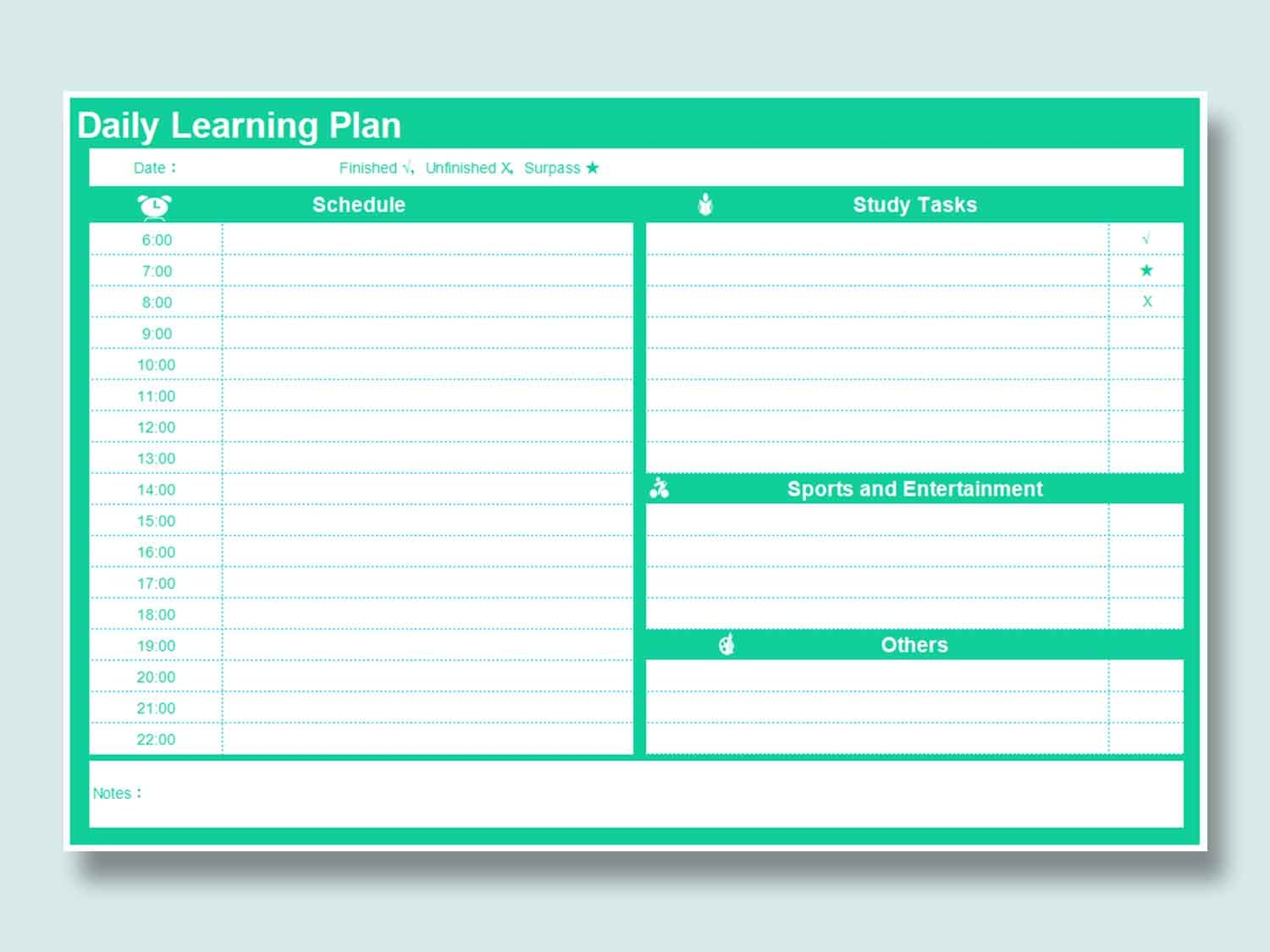
1. Daily Learning Plan [Excel]
If you are looking for something simple and minimalistic that doesn’t overwhelm you with too much information, then the Daily Learning Plan template would be the right choice for you. It features time-slots for your entire day, organizing study, sports, and other tasks in different tables for a polished appearance.
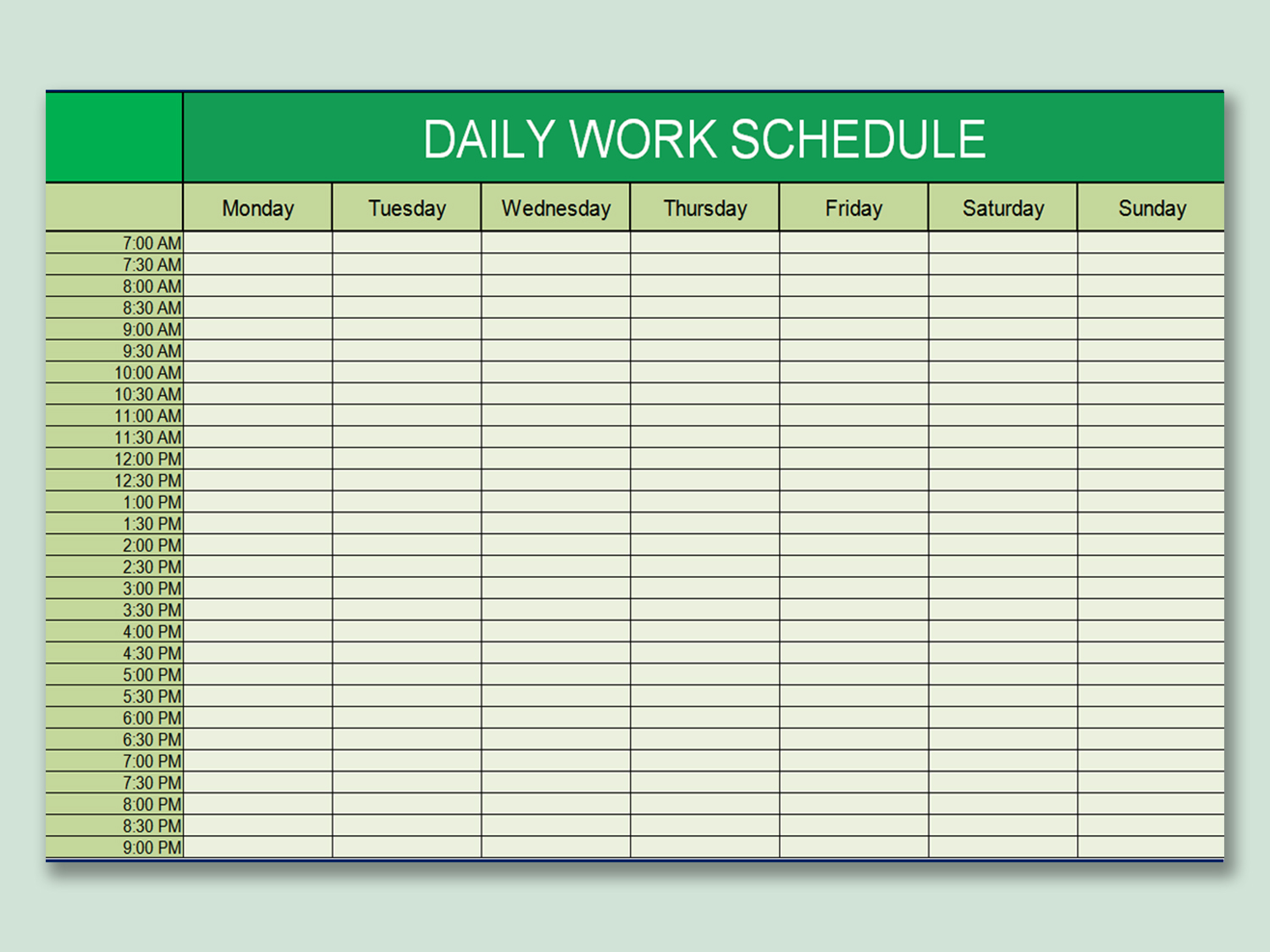
2. Fresh Green Daily Schedule [Excel]
For those of you who want a weekly schedule with all their tasks and activities listed on an hourly basis, then going for the Fresh Green Daily Schedule template would be a better option. It features all seven days of the week listed in columns, along with 30-minute time slots as rows, helping you organize everything precisely.
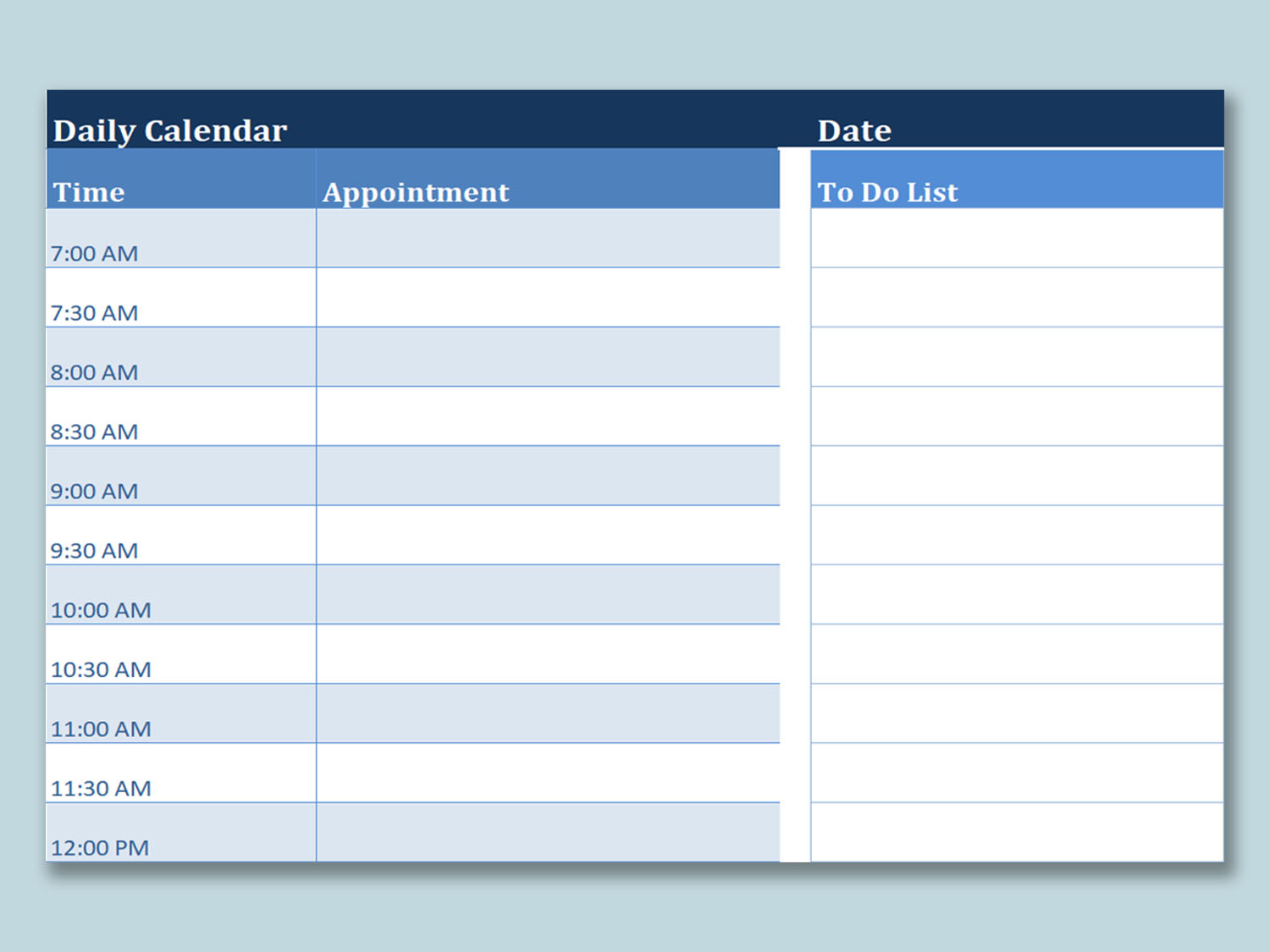
3. Basic Daily Schedule [Excel]
The Basic Daily Schedule is perfect for students and professionals who want to organize their routine along with keeping track of the work they have to do. It features a daily calendar with time slots, along with a structured To-Do List so you don’t forget anything in your busy day.
4. Daily Schedule [Excel]
If you are looking for a daily schedule that not only keeps track of your routine but also looks aesthetically pleasing, then the Daily Schedule template would serve you well. It features an attractive color scheme with a table filled with days of the entire week, letting you easily organize your whole week at once.
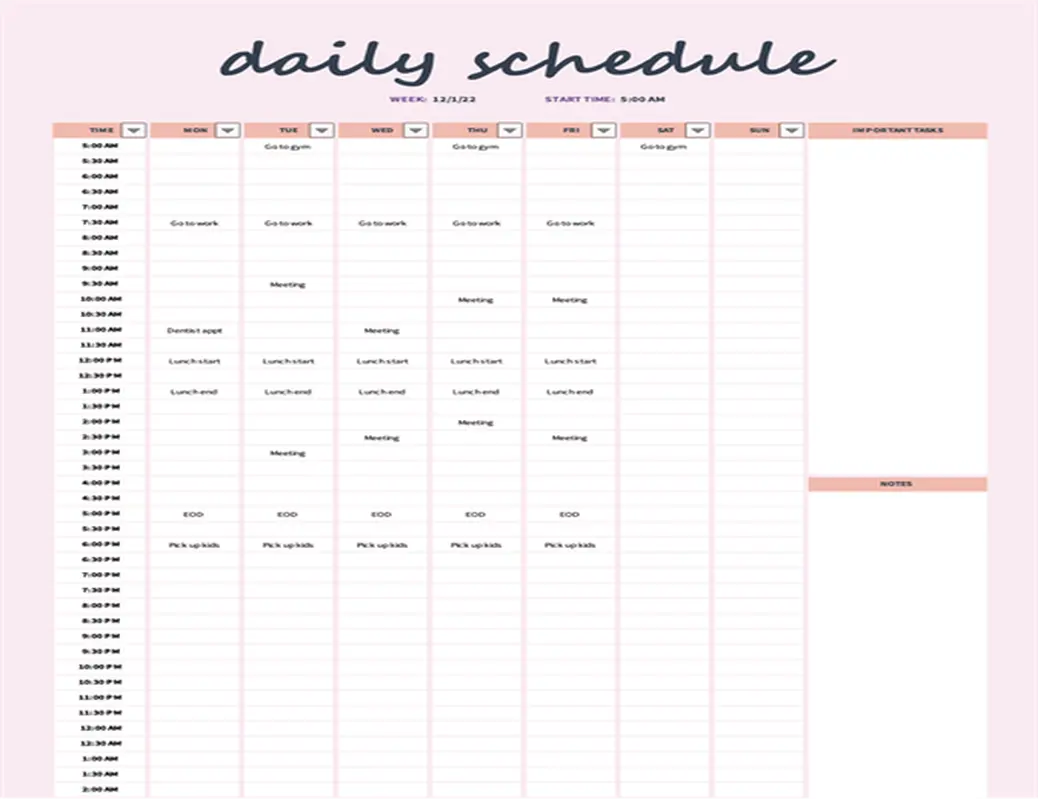
5. Daily Work Schedule Template [Excel]
For working professionals who want something more sophisticated to organize their daily routines, the Daily Work Schedule Template might be a suitable option. It features a list of time slots for your daily tasks, along with an additional column for any additional notes or details you want to add.
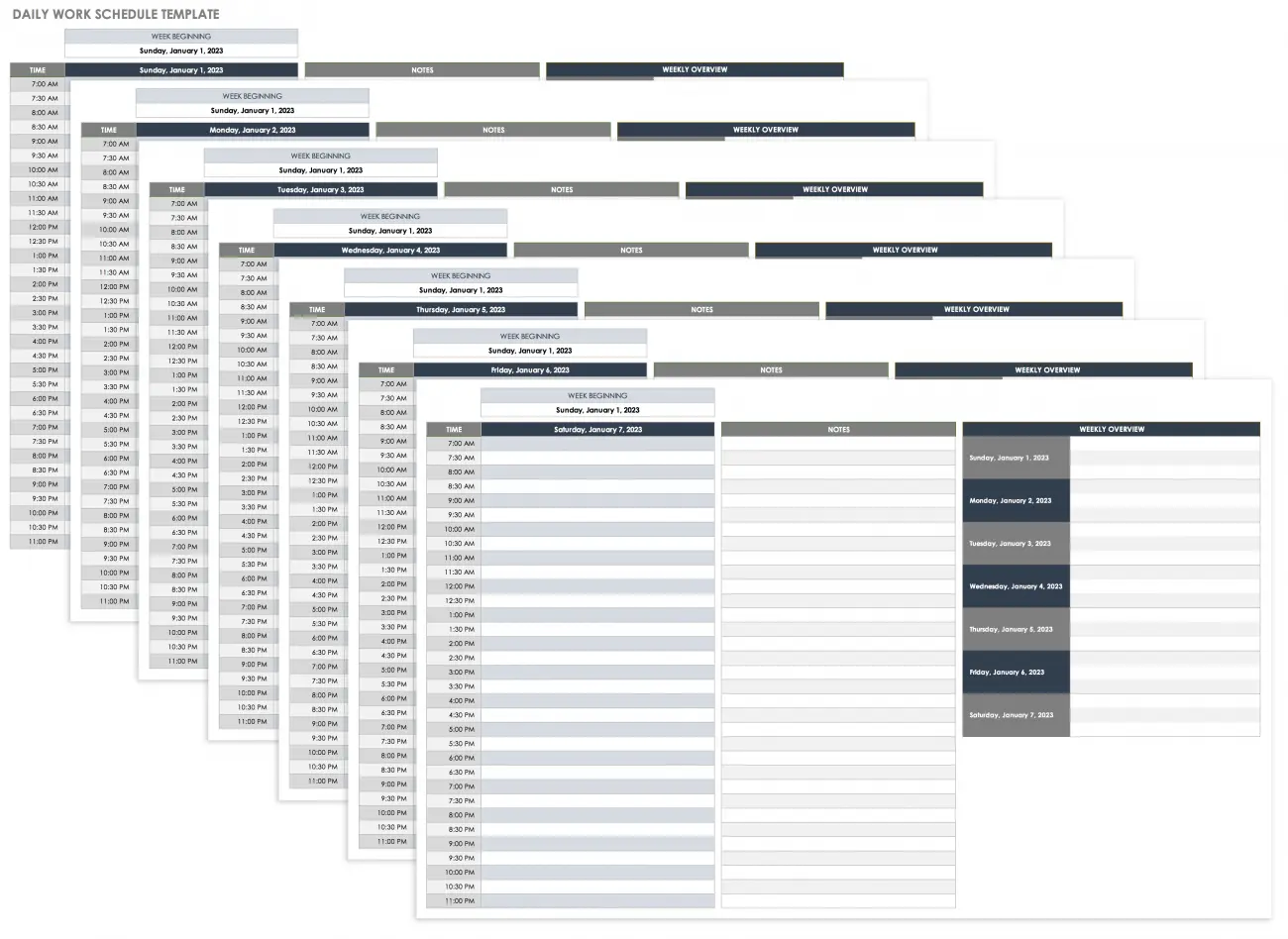
6. Fresh Daily Schedule [Word]
If you want a daily schedule that doesn’t seem depressing or gloomy, then I would personally recommend the Fresh Daily Schedule template for your routine needs. It features bright and refreshing colours so you feel relaxed and less stressed when organizing your daily routine.
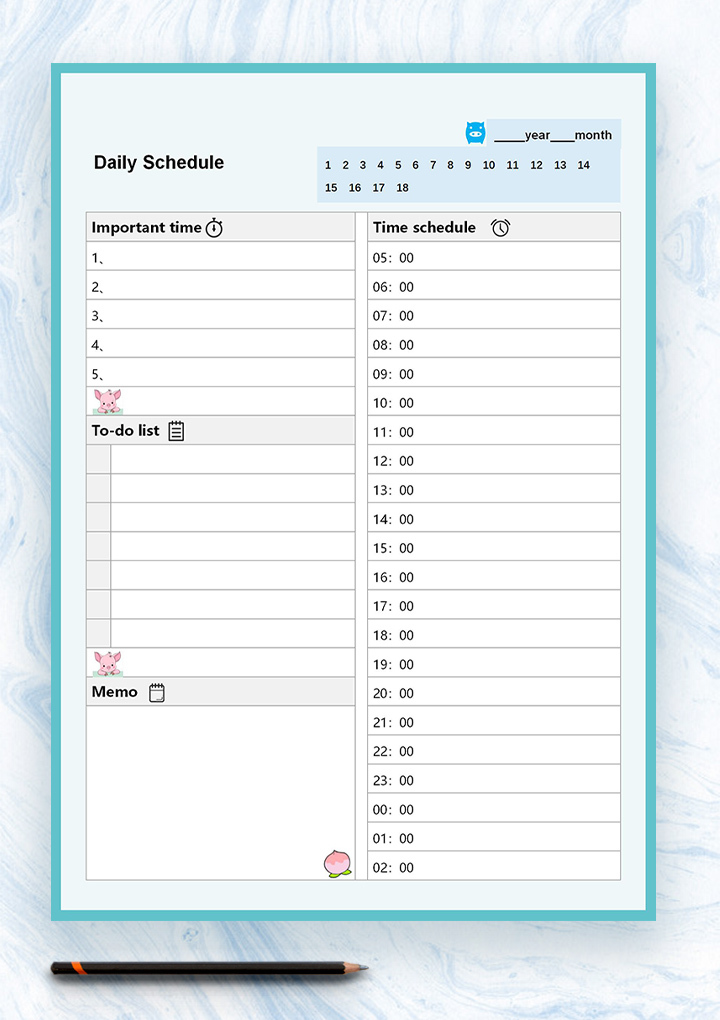
7. Cute Daily Schedule [Word]
For those of you looking for something cute and exciting, the Cute Daily Schedule template seems like the perfect option. It features a different approach to forming routines and schedules by making it less boring and adding more colors to everything, making it perfect for chaotic routines.
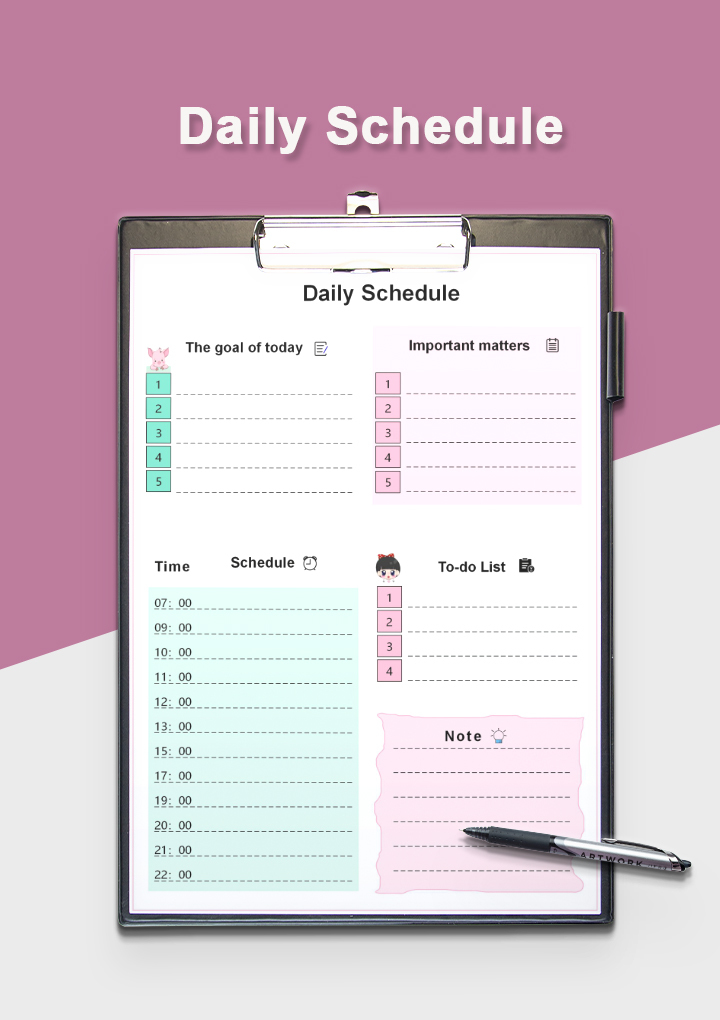
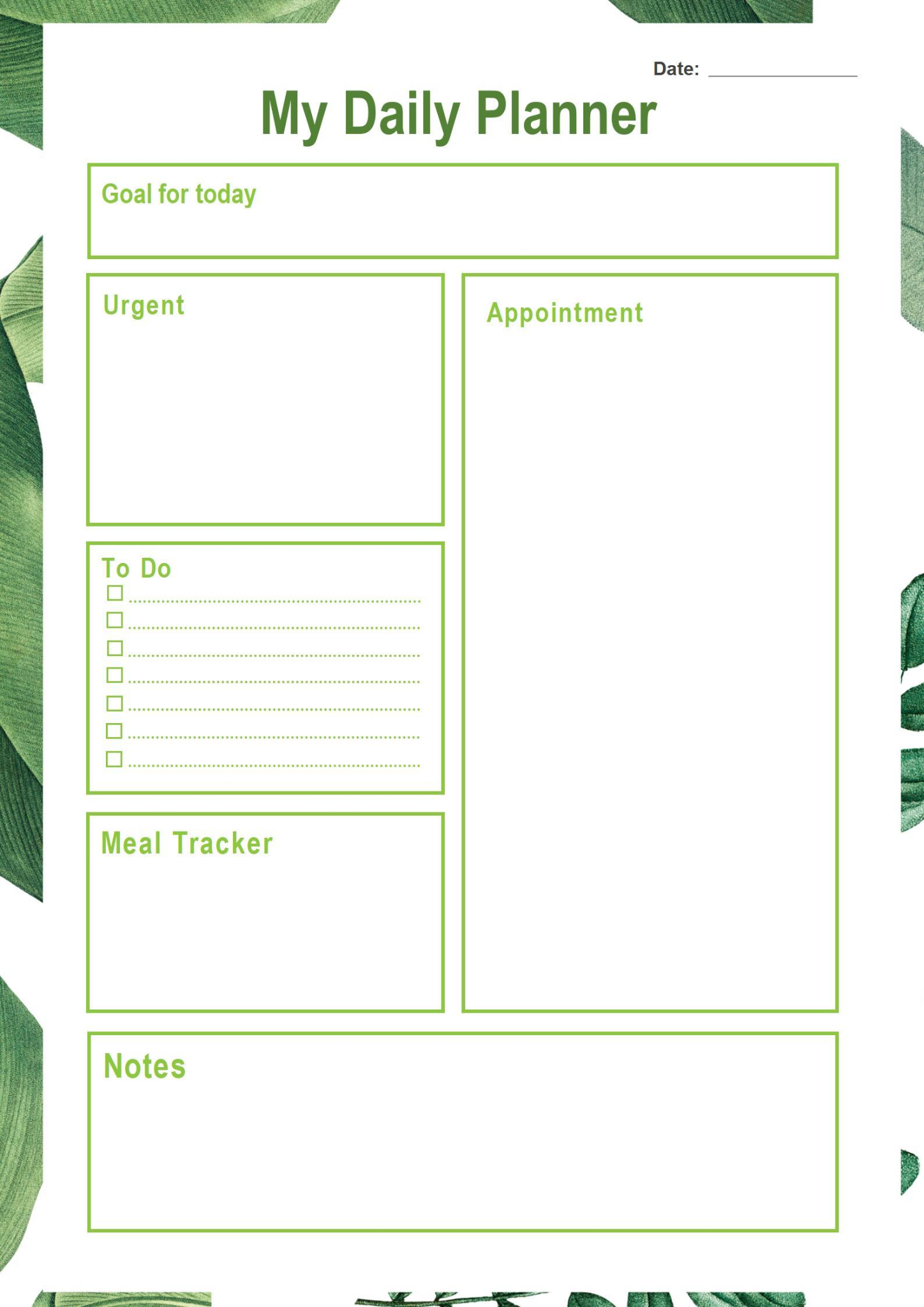
8. Green Daily Planner [Word]
If you’re a nature enthusiast and want it reflected in your schedule planner as well, then the Green Daily Planner template is made for you. It features a white and green planner template with goals and notes listed in separate tables, making sure you can keep track of everything easily.
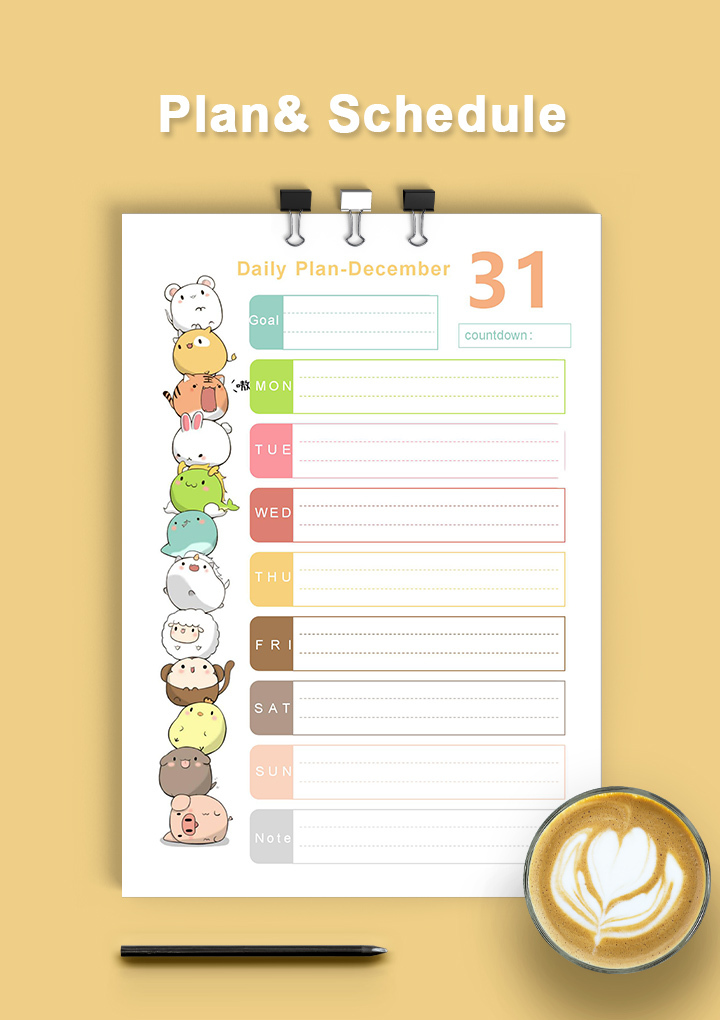
9. Cartoon Daily Plan [Word]
If you’re making a daily plan for your child or just want a lighthearted schedule for yourself, then the Cartoon Daily Plan template is a decent option. It features cute and colorful cartoons that decorate the daily planning tables, giving you some comfort on chaotic days.
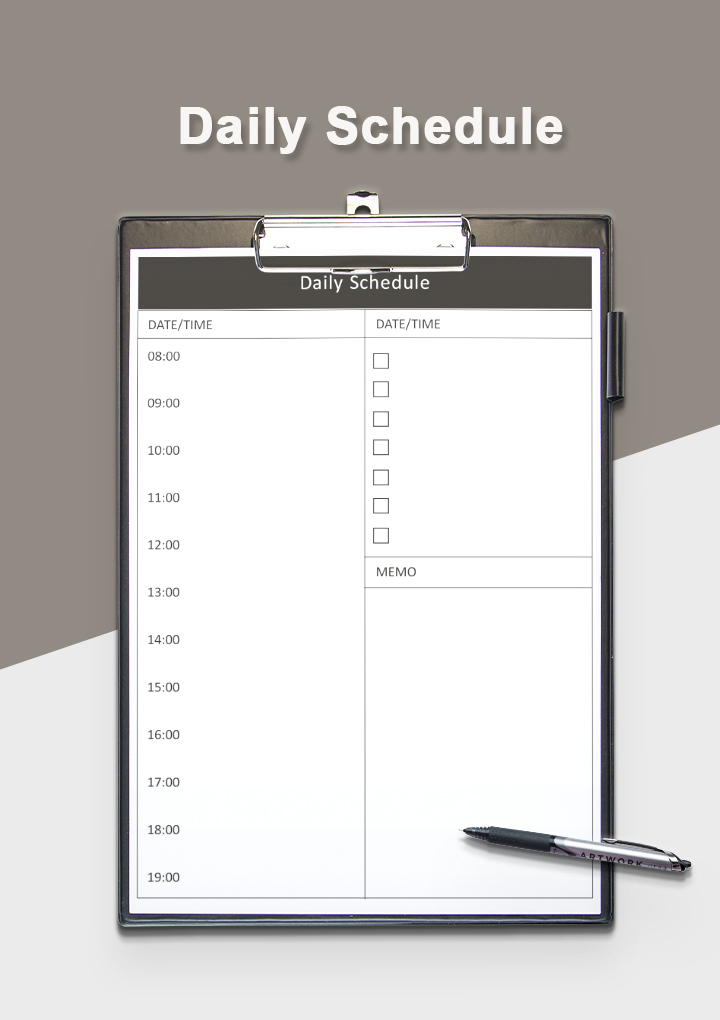
10. Simple Daily Business Schedule [Word]
If you’re a businessman who doesn’t want to spend much time formatting a daily schedule, then you should opt for the Simple Daily Business Schedule. It has everything you need for a basic daily planner, without any irrelevant details or elements to distract you.
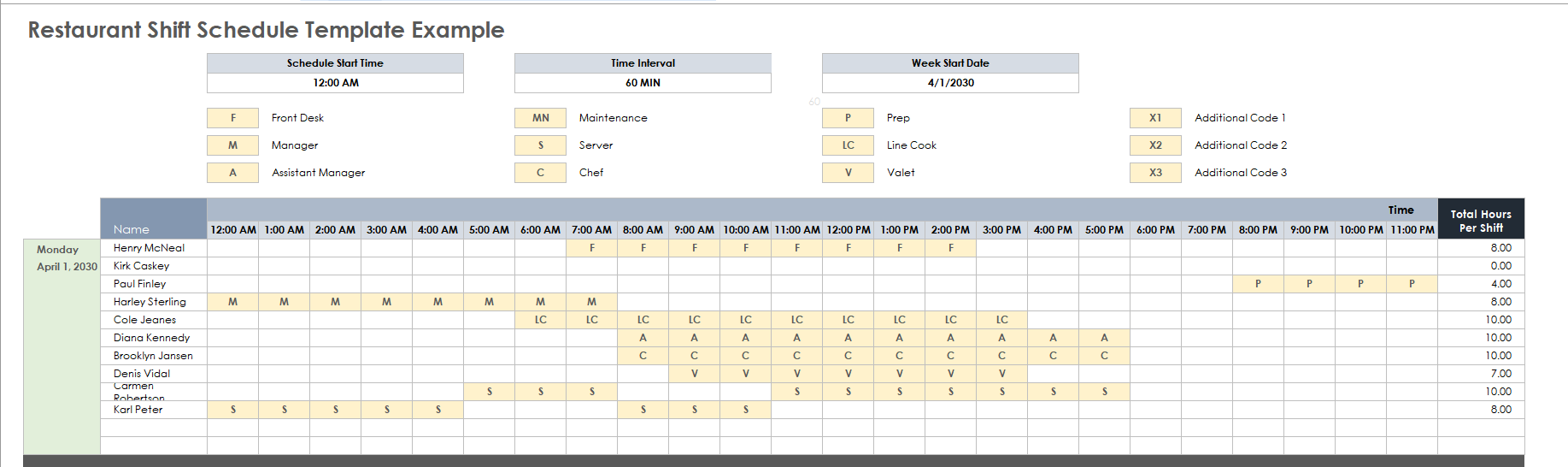
11. Restaurant Shift Schedule Template [Word]
If you’re a restaurant manager who wants to make a work schedule for your employees, then the Restaurant Shift Schedule Template is definitely worth trying. It features a detailed spreadsheet with the names of all your employees listed, along with comprehensive schedule slots for you to edit yourself.
If none of these templates seem to match your needs, then you can find a wide range of other templates on WPS Template. It is filled with free and editable daily schedule examples that you can use with just one click.
How to Edit and Print a Daily Schedule Template in Excel & Word
After you’ve decided on the daily schedule template you want to manage your daily routine, the next step is actually editing it to make it your own. WPS Office equips me with all the tools I need to format my templates, whether they’re in Word format or Excel. In this section, I’ll walk you through the steps you need to follow to edit and print a daily schedule template in WPS Office.
How to Edit Daily Schedule in Excel
If your daily schedule template is in Excel format, you can easily edit it through WPS.
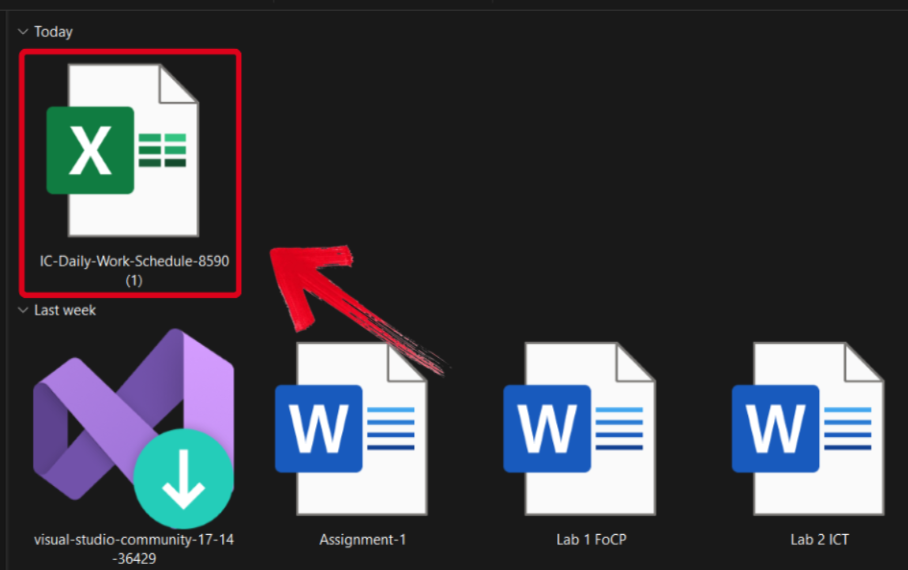
Step 1: Open your daily schedule in the WPS Office to get started.
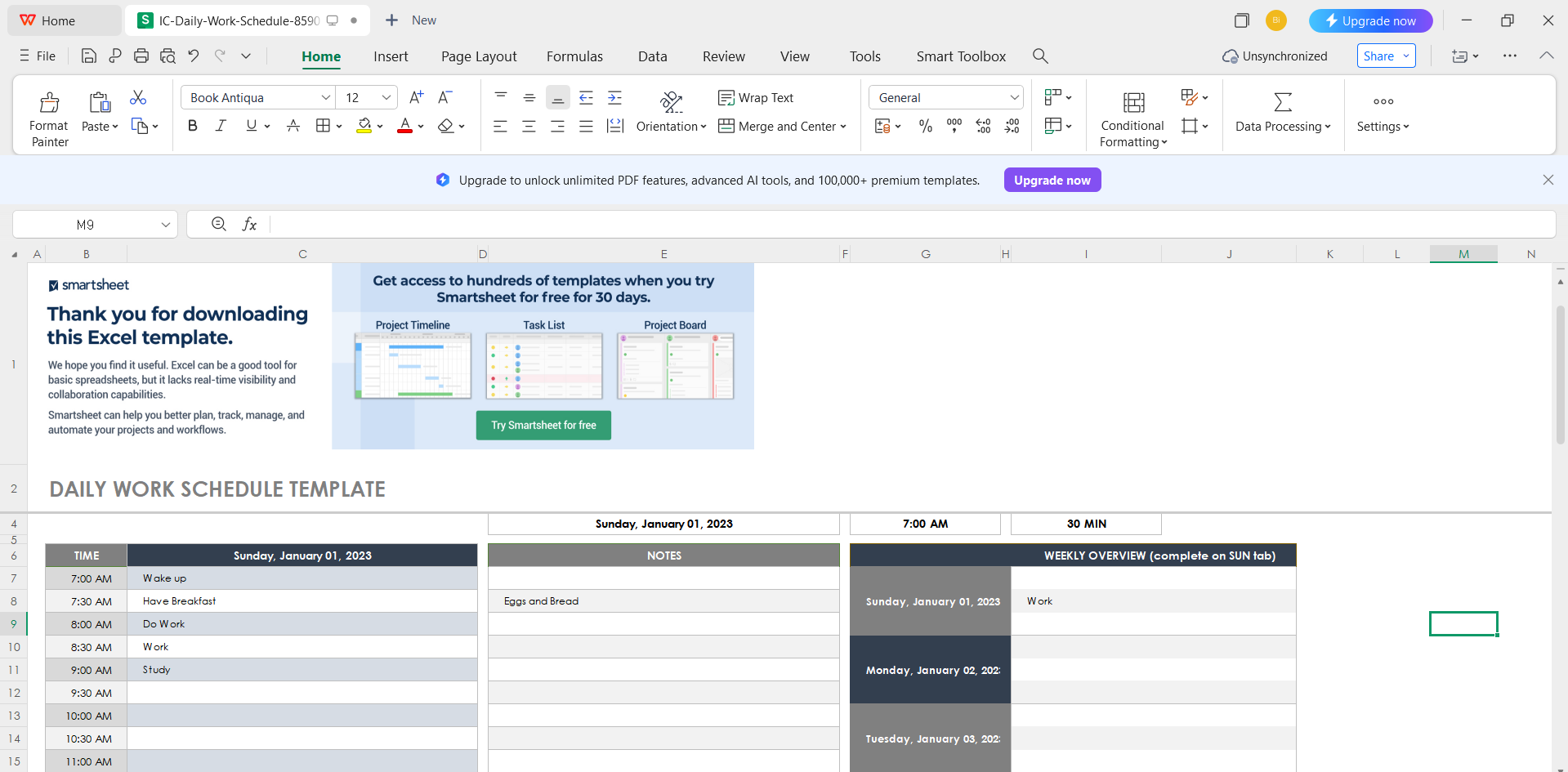
Step 2: Edit the template and add your own tasks and activities for the day.
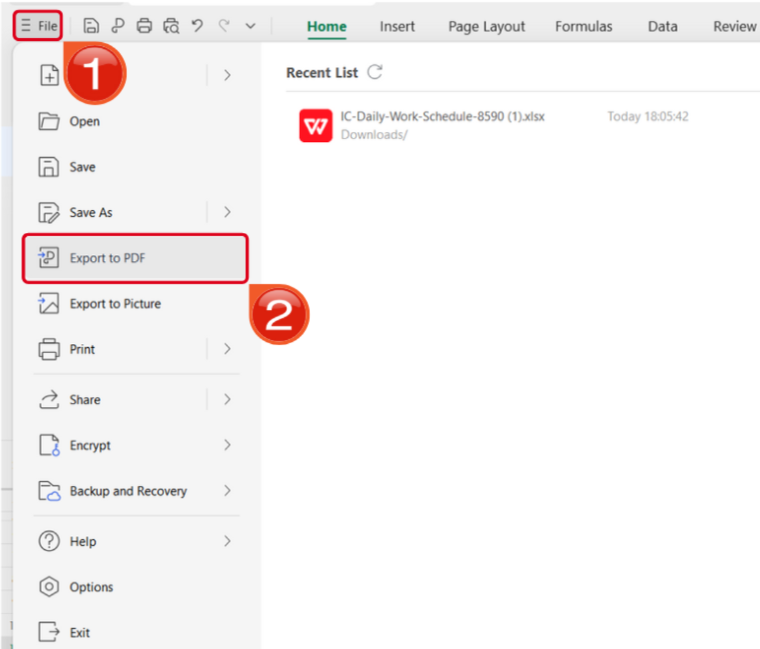
Step 3: Open the Files menu and select Export to PDF to convert your schedule to a PDF document.
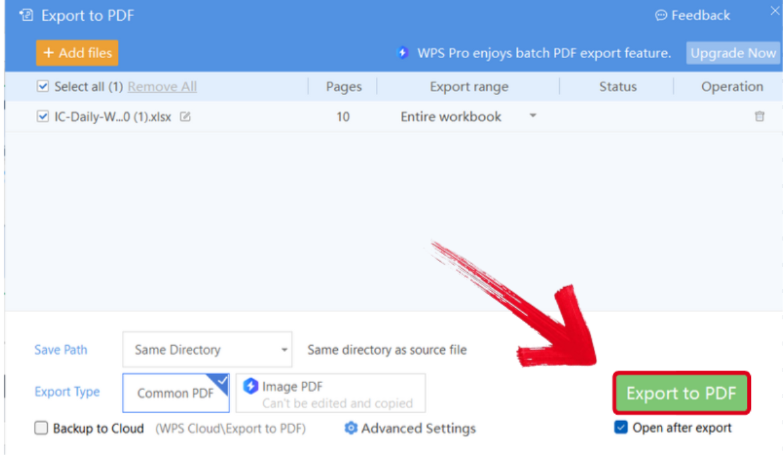
Step 4: Your Excel file will now start conversion into a PDF file. Press Export to PDF to save it to your device.
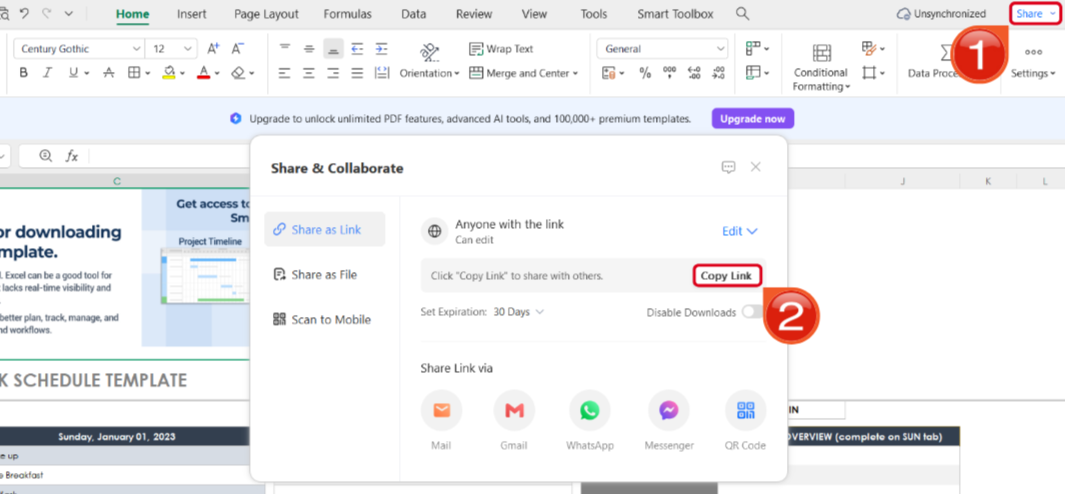
Step 5: Once you’re done saving it as a PDF, pressShare to generate an online link for your file. Then press Copy Link to copy it to your clipboard and share it with others.
How to Edit Daily Schedule in Word
If your schedule template is saved as a Word file, then editing it is even easier with WPS Office. I’ll walk you through each step myself so you don’t feel lost or confused.
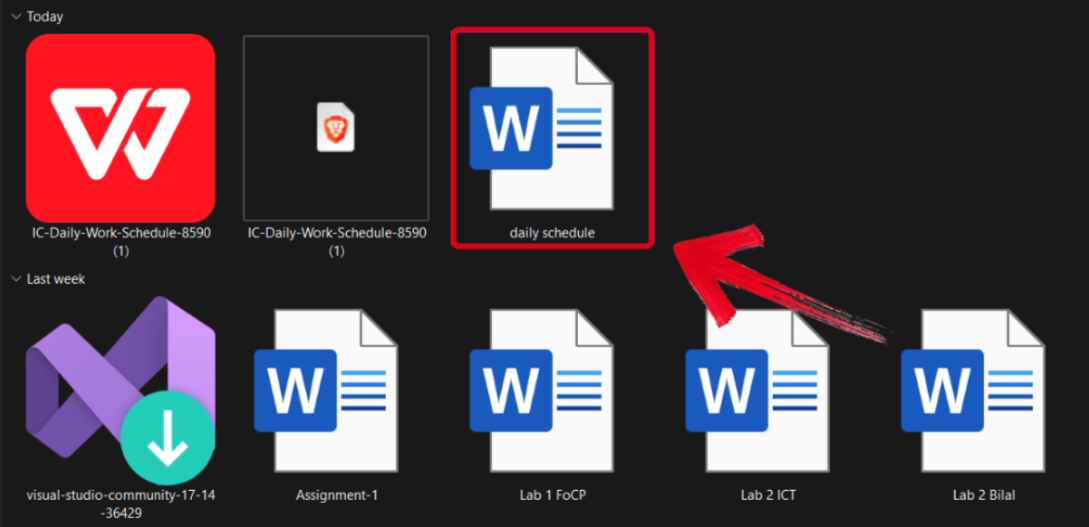
Step 1: Open your schedule template in WPS Word to get started.
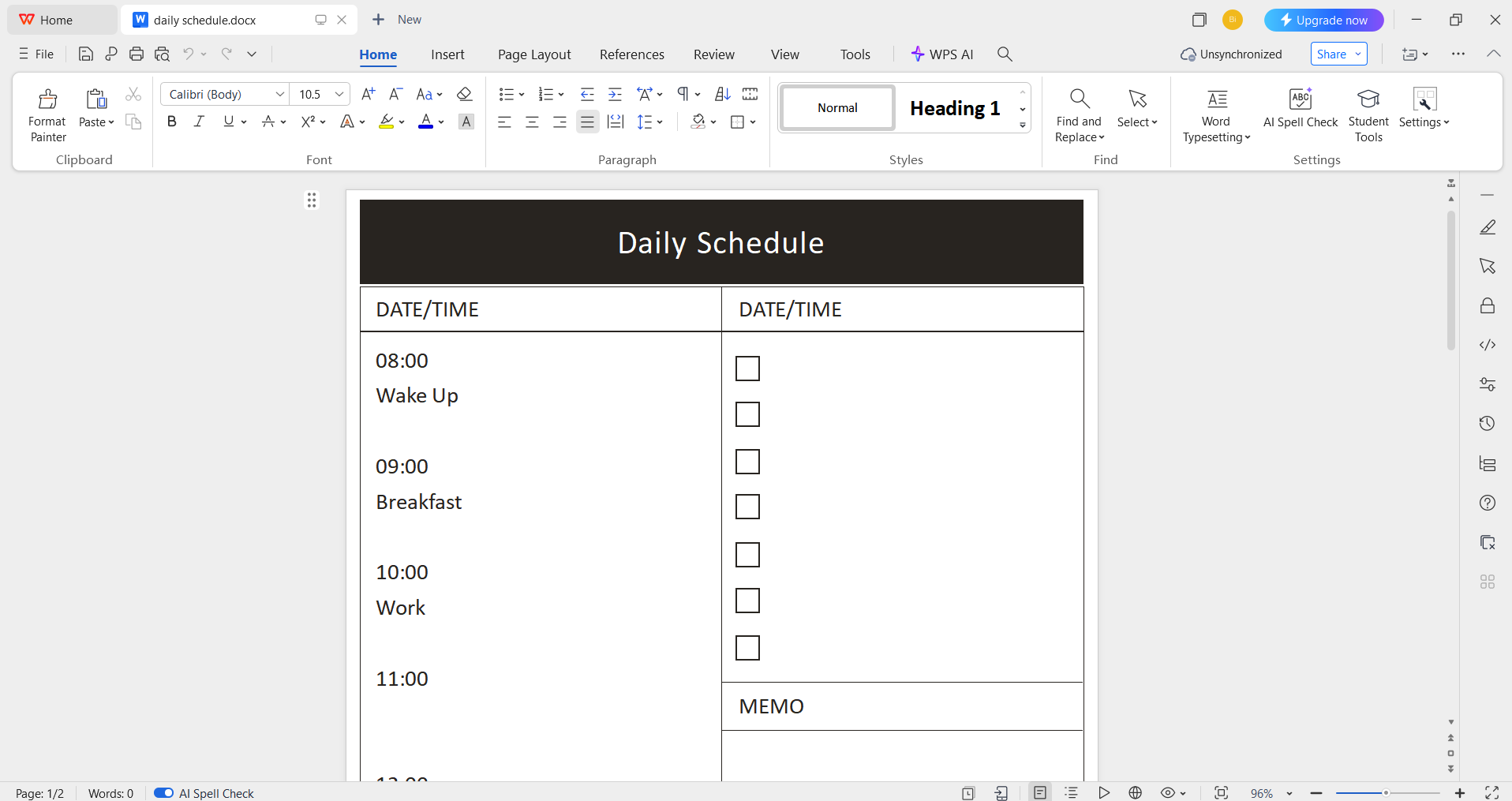
Step 2: Add in your schedule details and customize anything else you want to change.
Step 3: Navigate to the Files menu and select Export to PDF to convert your schedule to a PDF document.
Step 4: Your Word file will now start conversion into a PDF file. Press Export to PDF to download it to your device.
Step 5: After you’ve saved your schedule as a PDF, press Share to generate an online link for your file. Then press Copy Link to save it to your clipboard.
Tips for Using a Staff Schedule
For managers and business owners, keeping track of their employees can be stressful if they don’t have an organized schedule. You can use a free editablestaff schedule template to make this process much easier and stay on top of everything. In this section, I’ll be highlighting some useful tipsyou can use while creating your own staff schedule.
Tips
Schedules your daily goals to meet them on time
Limits your procrastination and be consistent
Creates a healthy work-life balance
Boosts your productivity
Free Office Suite with Editable Templates & Smart AI
Making and planning your daily schedule can be a frustrating task, especially if you’ve never done it before. When I’m crafting my own day planner, I can not afford to waste any time on clunky and unreliable tools. This is why I rely on WPS Office for a smooth and seamless workflow, which boosts my productivity. It gives me all the features I need to ensure that I stay efficient and don’t waste any time. In this section, I’ll be highlighting some of its useful features, which make it an integral part of my workflow.

Features
Smart AI assistance to help you polish your templates
Completely free to use; without any paywalls or hidden fees
A wide library filled with countless editable templates
Easy sharing through cloud syncing features
The free editable templates are just one of the many features provided by WPS Office in my workflow. It gives me everything I need for a reliable workflow without slowing me down or asking for any payment. It has become my companion for all my work, whether it’s customizing daily schedule templates or writing my assignments using the AI Writer.
FAQs
Q1. How can I customize a daily schedule template to fit my needs?
Customization is the key to making a template work for you. You can:
Add or remove time slots to match your routine
Adjust the color scheme to suit your personal style
Include dedicated sections for meals, exercise, or breaks
Integrate it with digital tools like calendars or project management apps
Q2. How do I make myself stick to my daily schedule?
Consistency requires both discipline and flexibility. Try these tips:
Be realistic and avoid over-scheduling
Build in buffer time for unexpected interruptions
Focus on a “highlight” or “big three” tasks each day
Use a reward system to celebrate progress and small wins
Q3. What should I do if I fall behind on my schedule?
Falling behind is normal, and the key is to adjust instead of giving up. You can:
Re-prioritize tasks based on urgency
Move non-essential tasks to another day
Shorten or simplify tasks to make progress without pressure
Q4. Is it better to use a digital or paper daily schedule?
Both have their advantages, and the choice depends on your lifestyle:
Digital schedules are easier to edit, integrate with apps, and set reminders
Paper schedules can improve focus by reducing distractions and making tasks more tangible
Some people prefer a hybrid approach, using both for different purposes
Streamlining Daily Schedules
Keeping track of your daily work activities can be difficult if you don’t have an organized schedule. But everyone doesn’t have the time to make an entire schedule from scratch, especially if they have no experience. In this guide, I’ve covered some of the best daily schedule templates I found, along with how you can easily edit them in both Word and Excel formats.
WPS Office makes it really easy for me to find and customize any template I want in just a few simple steps. It has a wide range of different templates, along with extensive smart features to help me customize and make them my own, making it the perfect tool for any workflow.

'%3e%3cpath%20d='M19.9911%204.11386V6.471H18.5894C18.0775%206.471%2017.7322%206.57814%2017.5536%206.79243C17.3751%207.00671%2017.2858%207.32814%2017.2858%207.75671V9.44421H19.9019L19.5536%2012.0871H17.2858V18.8639H14.5536V12.0871H12.2769V9.44421H14.5536V7.49779C14.5536%206.39064%2014.8632%205.53201%2015.4822%204.92189C16.1013%204.31177%2016.9257%204.00671%2017.9554%204.00671C18.8304%204.00671%2019.509%204.04243%2019.9911%204.11386Z'%20fill='%23333333'/%3e%3c/g%3e%3cdefs%3e%3cclipPath%20id='clip0_2938_8199'%3e%3crect%20width='16'%20height='16'%20fill='white'%20transform='translate(8%204.00671)'/%3e%3c/clipPath%3e%3c/defs%3e%3c/svg%3e)
'%3e%3cpath%20d='M17.5237%2010.7813L23.4811%204H22.0699L16.8949%209.88693L12.7648%204H8L14.2469%2012.9029L8%2020.0133H9.4112L14.8725%2013.7952L19.2352%2020.0133H24M9.92053%205.04213H12.0885L22.0688%2019.0224H19.9003'%20fill='%23333333'/%3e%3c/g%3e%3cdefs%3e%3cclipPath%20id='clip0_2938_8200'%3e%3crect%20width='16'%20height='16.0134'%20fill='white'%20transform='translate(8%204)'/%3e%3c/clipPath%3e%3c/defs%3e%3c/svg%3e)


