'%3e%3cpath%20d='M8%200C12.4183%200%2016%203.58172%2016%208C16%2012.4183%2012.4183%2016%208%2016C3.58172%2016%200%2012.4183%200%208C0%203.58172%203.58172%200%208%200ZM11.6162%204.38379C11.2257%203.99337%2010.5927%203.99338%2010.2021%204.38379L8%206.58594L5.79785%204.38379C5.40732%203.99334%204.77429%203.99329%204.38379%204.38379C3.99331%204.77429%203.99335%205.40733%204.38379%205.79785L6.58594%208L4.38379%2010.2021C3.99348%2010.5927%203.99341%2011.2257%204.38379%2011.6162C4.77426%2012.0066%205.40734%2012.0065%205.79785%2011.6162L8%209.41406L10.2021%2011.6162C10.5927%2012.0066%2011.2257%2012.0067%2011.6162%2011.6162C12.0067%2011.2257%2012.0066%2010.5927%2011.6162%2010.2021L9.41406%208L11.6162%205.79785C12.0066%205.40735%2012.0066%204.77429%2011.6162%204.38379Z'%20fill='%23080E17'%20fill-opacity='0.46'/%3e%3c/g%3e%3cdefs%3e%3cclipPath%20id='clip0_3761_713'%3e%3crect%20width='16'%20height='16'%20fill='white'/%3e%3c/clipPath%3e%3c/defs%3e%3c/svg%3e)




'%3e%3cpath%20fill-rule='evenodd'%20clip-rule='evenodd'%20d='M21.4999%2010.9993C21.4999%205.20009%2016.7986%200.498901%2010.9993%200.498901C5.19994%200.498901%200.498657%205.20009%200.498657%2010.9993C0.498657%2016.2404%204.33858%2020.5844%209.35855%2021.3722V14.0346H6.69238V10.9993H9.35855V8.68594C9.35855%206.05427%2010.9262%204.60062%2013.3248%204.60062C14.4736%204.60062%2015.6753%204.80571%2015.6753%204.80571V7.38979H14.3512C13.0468%207.38979%2012.64%208.19921%2012.64%209.0296V10.9993H15.5523L15.0867%2014.0346H12.64V21.3722C17.66%2020.5844%2021.4999%2016.2404%2021.4999%2010.9993Z'%20fill='%231568EA'/%3e%3c/g%3e%3c/svg%3e)


'%3e%3cpath%20d='M2.42045%2022.1876H6.31818V12.7217L0.75%208.54553V20.5171C0.75%2021.4414%201.49892%2022.1876%202.42045%2022.1876Z'%20fill='%234285F4'/%3e%3cpath%20d='M19.682%2022.1876H23.5797C24.5041%2022.1876%2025.2502%2021.4387%2025.2502%2020.5171V8.54553L19.682%2012.7217'%20fill='%2334A853'/%3e%3cpath%20d='M19.682%205.48293V12.7216L25.2502%208.54543V6.31816C25.2502%204.25236%2022.8921%203.07469%2021.2411%204.31361'%20fill='%23FBBC04'/%3e%3cpath%20d='M6.31824%2012.7217V5.48303L13.0001%2010.4944L19.6819%205.48303V12.7217L13.0001%2017.733'%20fill='%23EA4335'/%3e%3cpath%20d='M0.75%206.31816V8.54543L6.31818%2012.7216V5.48293L4.75909%204.31361C3.10534%203.07469%200.75%204.25236%200.75%206.31816Z'%20fill='%23C5221F'/%3e%3c/g%3e%3cdefs%3e%3cclipPath%20id='clip0_2954_7305'%3e%3crect%20width='24.5'%20height='18.375'%20fill='white'%20transform='translate(0.75%203.8125)'/%3e%3c/clipPath%3e%3c/defs%3e%3c/svg%3e)


Sharing sensitive business strategies can be risky if you don’t have an accurate agreement in place. Drafting a legally sound confidentiality agreement can be difficult if you don't know what to include and what not to. Using a solid confidentiality agreement template is the first line of defense against any potential threats to your business. This guide explains how to draft a legally sound agreement and provides access to the best free downloadable options.
How to Write a Confidentiality Agreement
Creating a legally binding document requires precision to ensure your business interests are fully protected. Drafting a legal document can be challenging, especially since one minor mistake can lead to a void contract. However, learning how to write a confidentiality agreement is straightforward when you prioritize clarity over complex legal terms.
Here are the essential elements you must include:
Define the Parties: Clearly state who the "Disclosing Party" (you) and the "Receiving Party" (them) are. Use full legal names to avoid ambiguity.
Specify Confidential Information: Don't just say "everything is secret." You must define the scope, such as client lists, trade secrets, or financial data. Crucially, list exclusions (info already known or public) so the contract isn't deemed overly broad by a court.
Outline Obligations: What can the receiving party actually do with the info? Usually, you need to specify that they cannot disclose it to third parties and can only use it for the specific business purpose you agreed upon.
Set the Duration: I always advise setting a specific timeframe. Is the secrecy indefinite, or does it expire after 2 or 5 years?
Remedies and Law: If they break the promise, what happens? State which state’s laws apply and the consequences, such as injunctions or monetary damages.
Keep your language clear and concise. Avoid clichés or overly archaic words; a professional tone that is easy to understand is often more enforceable than confusing legalese.
Top 10 Free Confidentiality Agreement Templates
Using a confidentiality agreement Templatecan save you a lot of time and energy, which you should rather spend on researching and planning your document. These templates are designed for Word, so you can download them and edit them straight away. Here are 10 of the free confidentiality agreement template examples.
Confidentiality Agreement Template 01
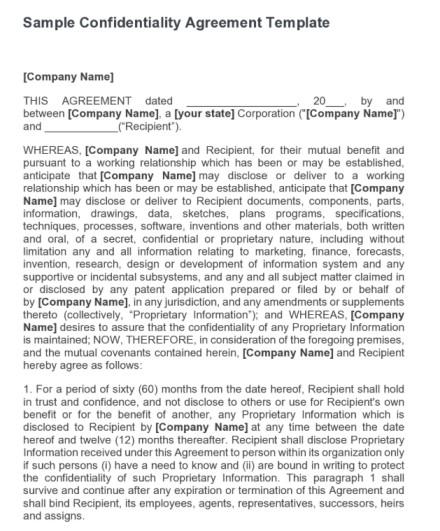
This unilateral agreement template is designed for corporations needing to protect proprietary information shared with a single recipient during business discussions. It includes clearly defined fields for Company Name, State of Incorporation, and the Recipient, along with a detailed definition of proprietary data and a strict sixty-month confidentiality clause. Unlike general NDAs, this document specifically outlines a five-year protection period, making it ideal for long-term strategic partnerships where sustained secrecy is required.
Confidentiality Agreement Template 02
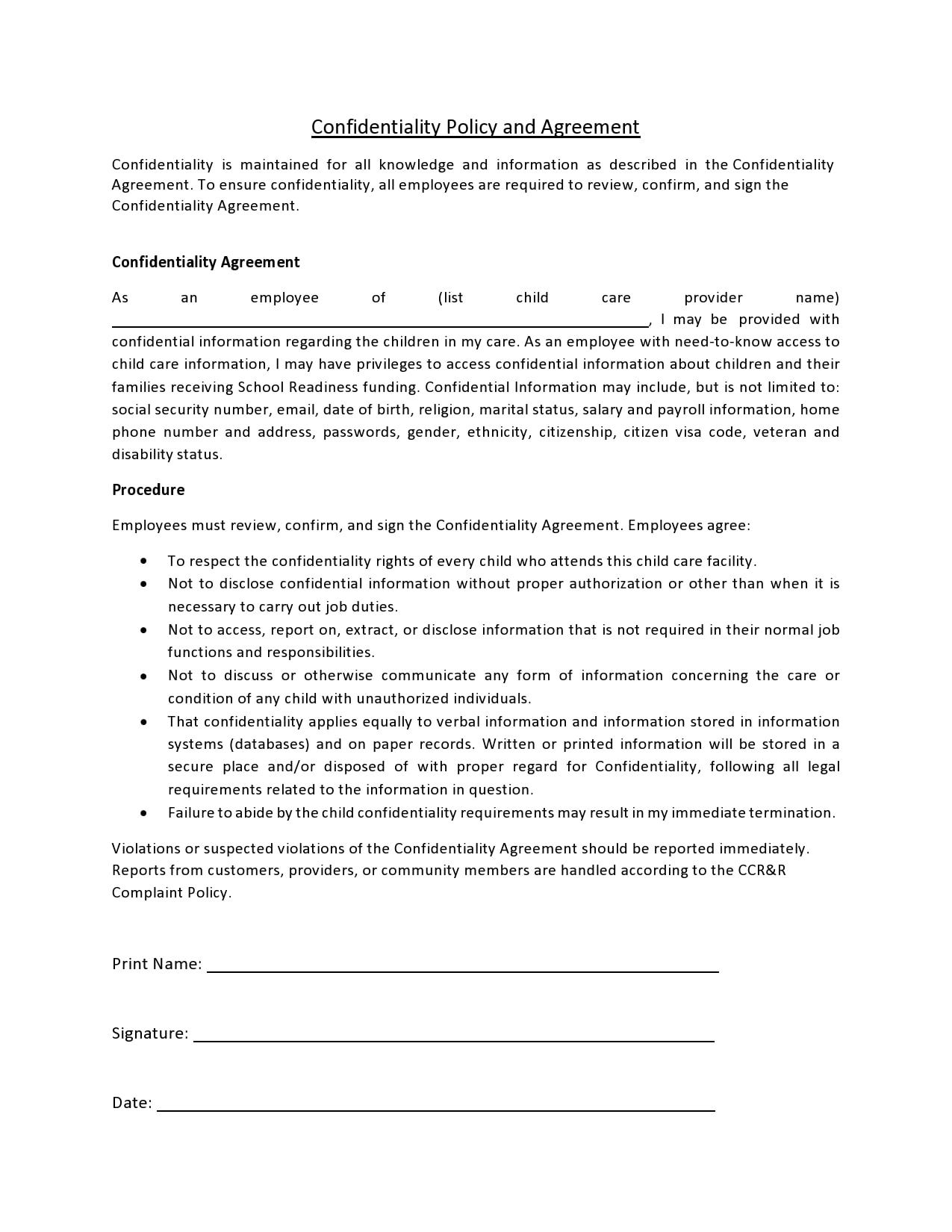
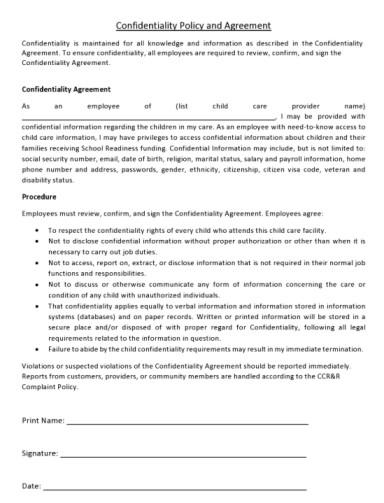
This policy-focused agreement is tailored for child care centers, requiring employees to safeguard sensitive personal data like social security numbers and family records. It features specific procedural bullet points, a clear definition of protected information, and fields for Print Name and Signature. Unlike the standard business contract, this template addresses industry-specific privacy needs, explicitly citing termination as a consequence for unauthorized disclosure of child-related information.
Confidentiality Agreement Template 03
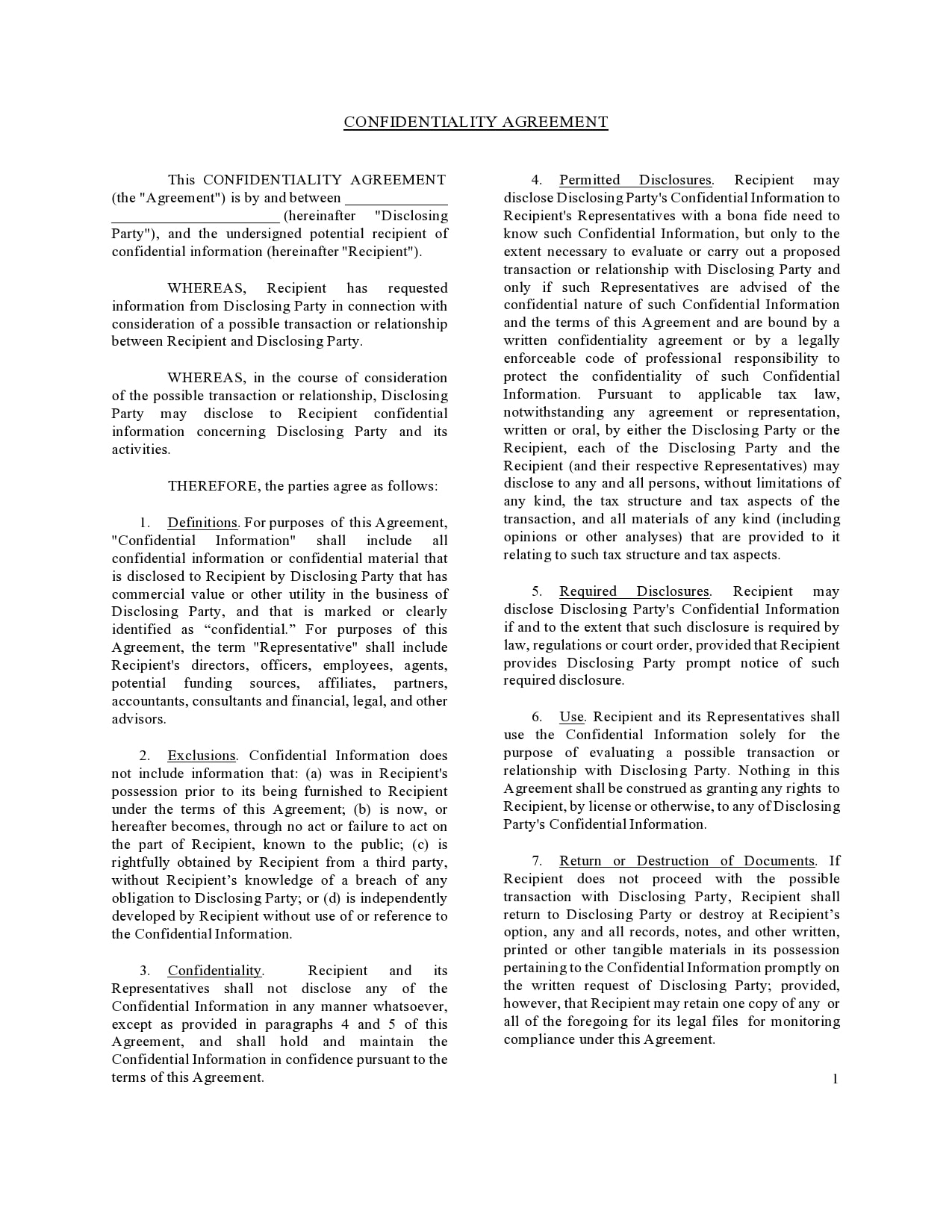
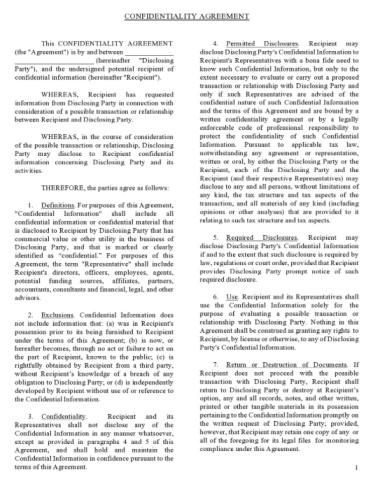
This transactional agreement template facilitates secure preliminary discussions between a Disclosing Party and a Recipient exploring a potential business deal. It features comprehensive clauses for Permitted Disclosures, Required Disclosures, and the Return or Destruction of Documents, ensuring strict control during the evaluation phase. Unlike the time-bound unilateral template or the childcare policy, this form includes unique provisions for tax structure disclosures and is specifically tailored for due diligence scenarios.
Confidentiality Agreement Template 04
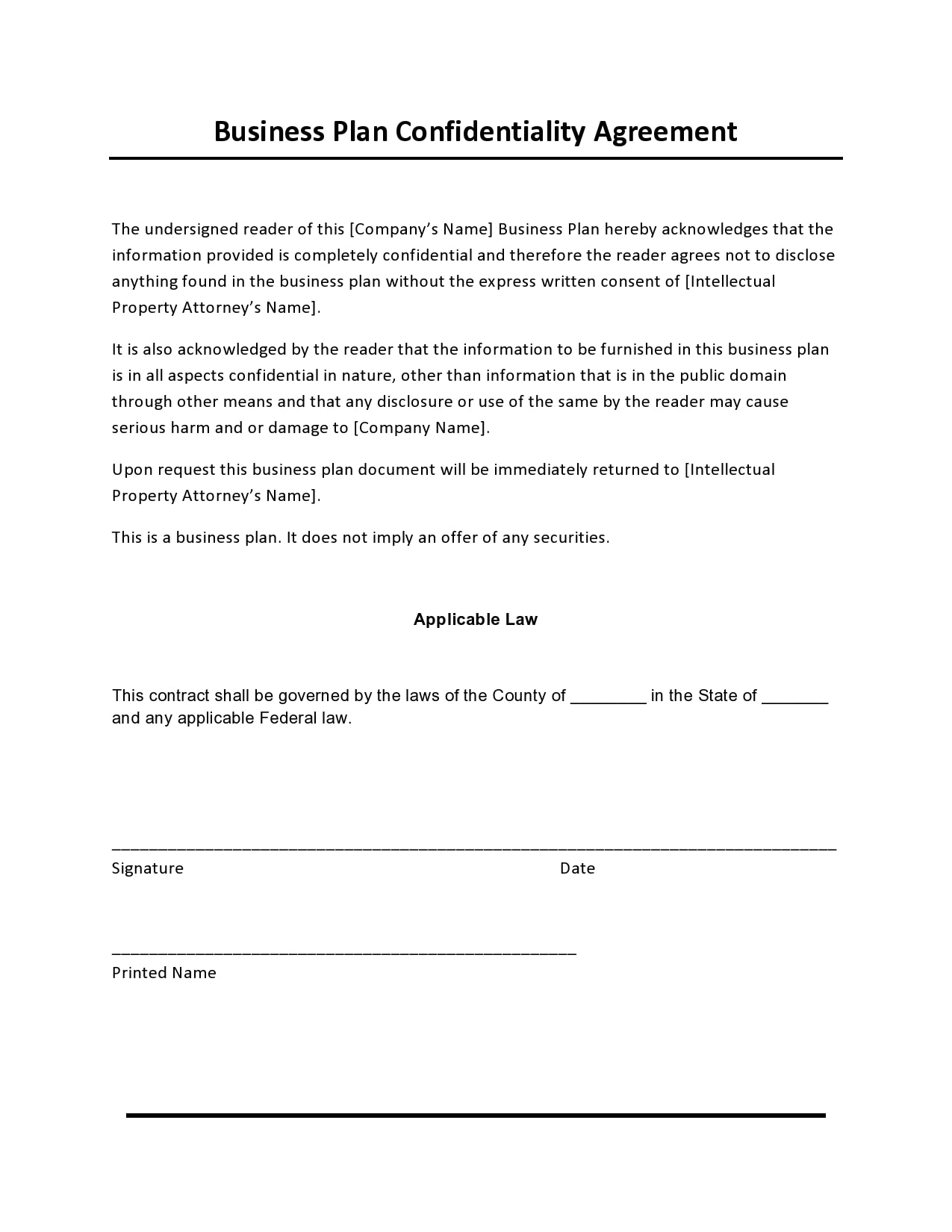
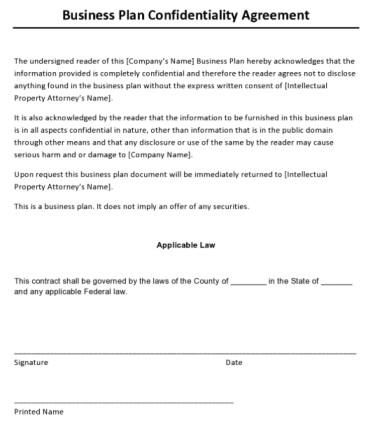
This investor-focused agreement safeguards a company's strategic roadmap, requiring the undersigned reader to keep all contents of the provided business plan strictly confidential. It includes a critical disclaimer that the document is not an offer of securities and mandates the immediate return of materials to the Intellectual Property Attorney upon request. Unlike general transactional or employee contracts, this template is specifically tailored for fundraising scenarios, focusing solely on protecting the business plan itself rather than a broader working relationship.
Confidentiality Agreement Template 05
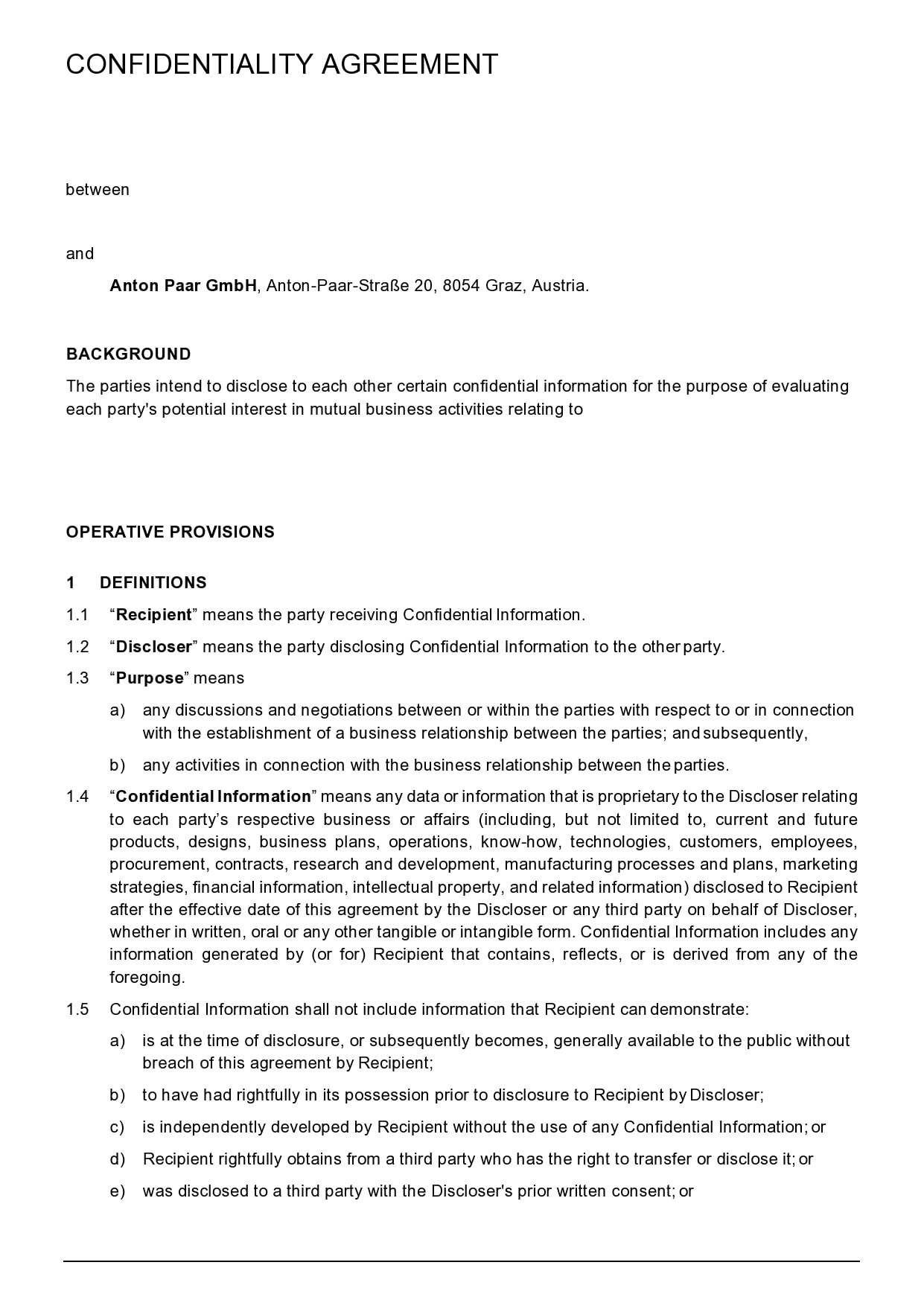
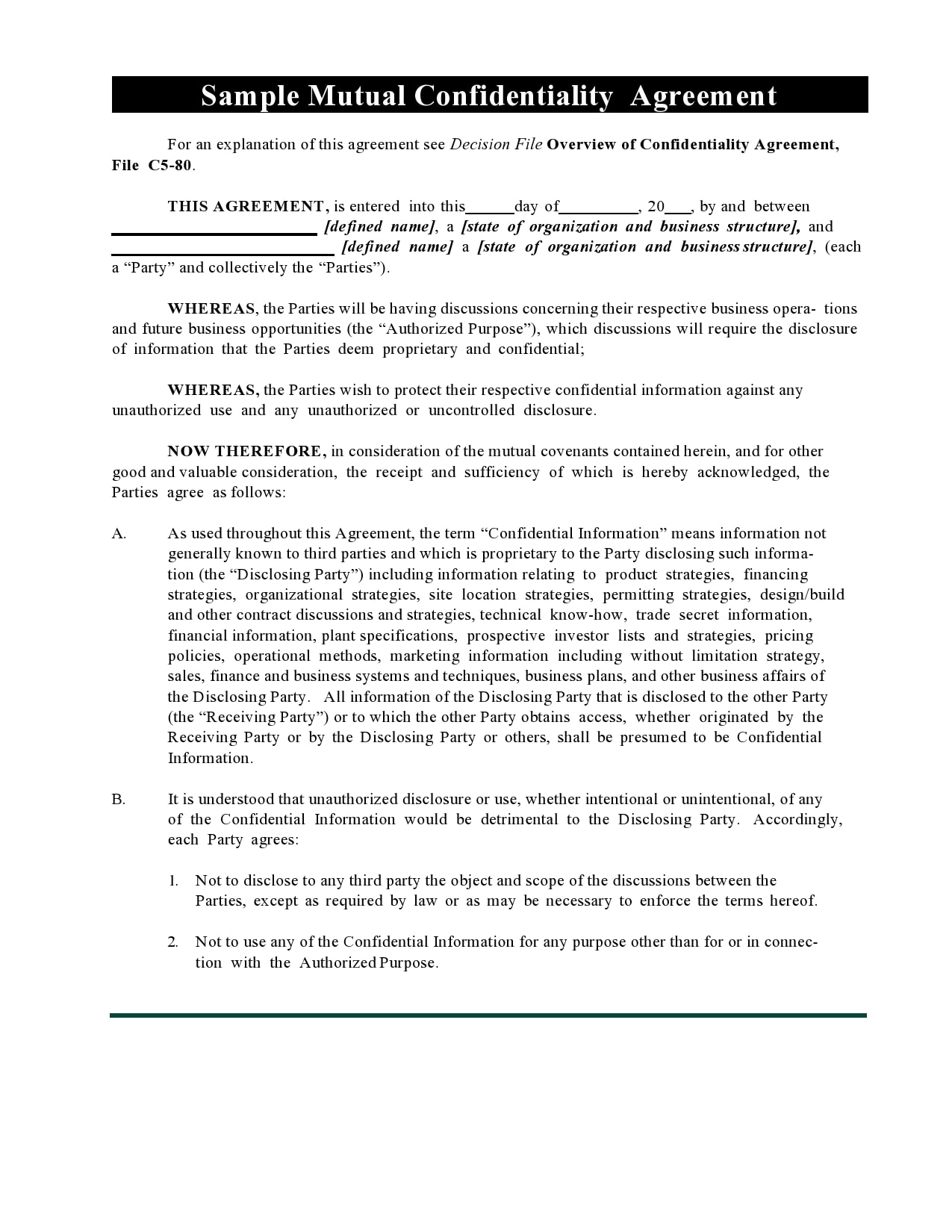
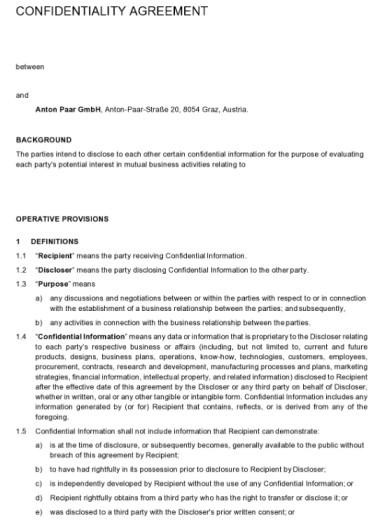
This mutual confidentiality agreement is designed for corporate entities that intend to share sensitive information to evaluate potential joint business activities. It clearly defines the Disclosing Party and Recipient, outlining a broad scope of Confidential Information that includes designs, business plans, and financial data. Unlike unilateral or employee-specific contracts, this template features a robust "Operative Provisions" section that emphasizes mutual exchange and specifically addresses information generated by the recipient based on the disclosed data.
Confidentiality Agreement Template 06
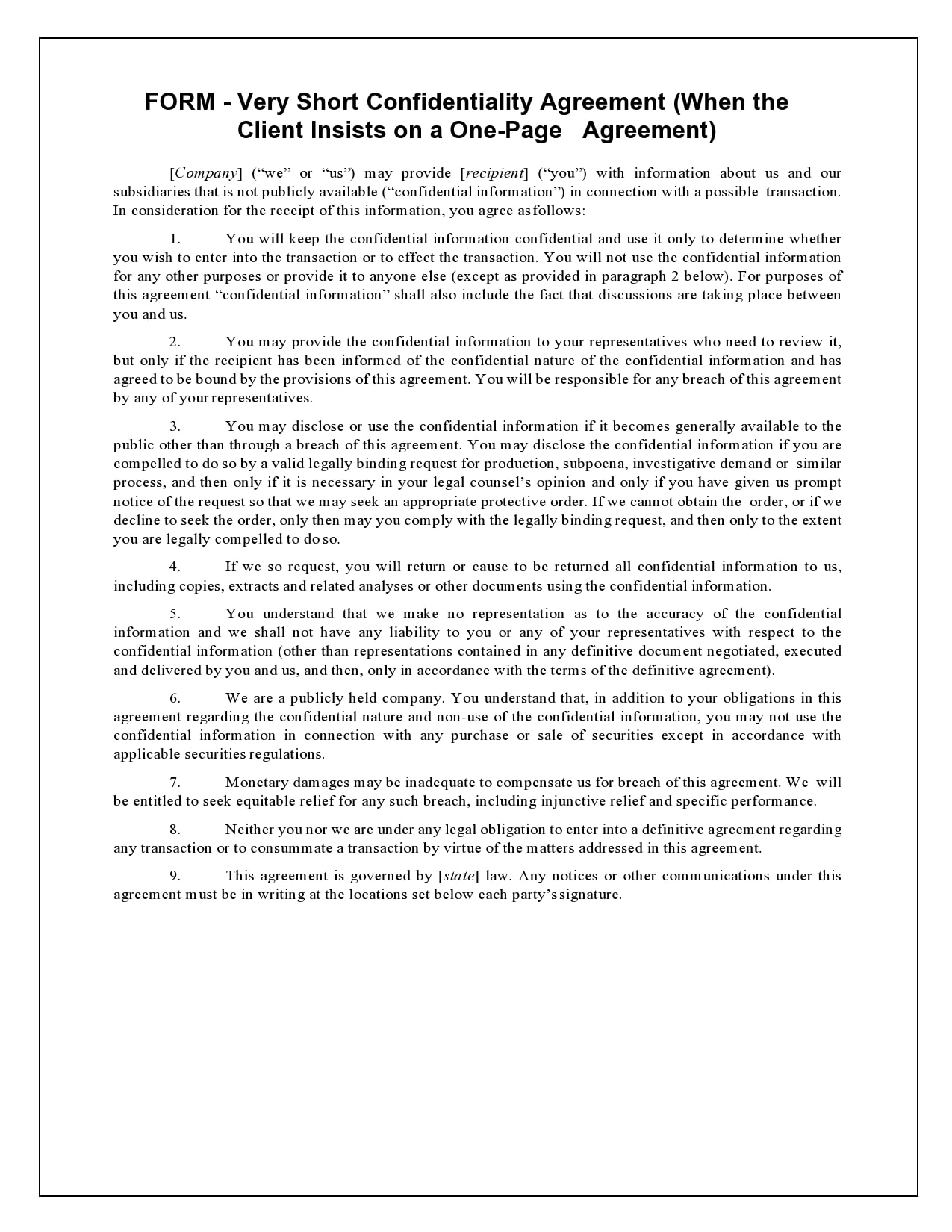
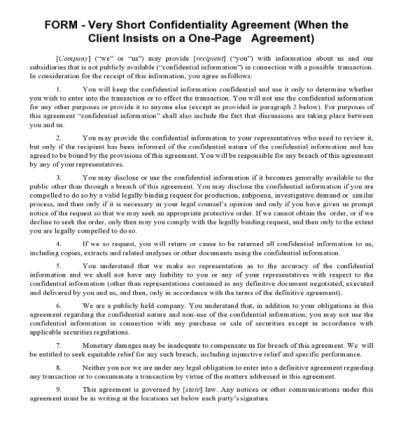
This one-page agreement template is specifically drafted for scenarios where a client insists on brevity without sacrificing core legal protections. It condenses essential clauses into nine concise points, covering equitable relief, securities regulations, and the standard return of information policy. Unlike the extensive multi-page corporate or transactional templates, this document prioritizes speed and simplicity, making it ideal for preliminary discussions where a heavy legal document might be a deal-breaker.
Confidentiality Agreement Template 07
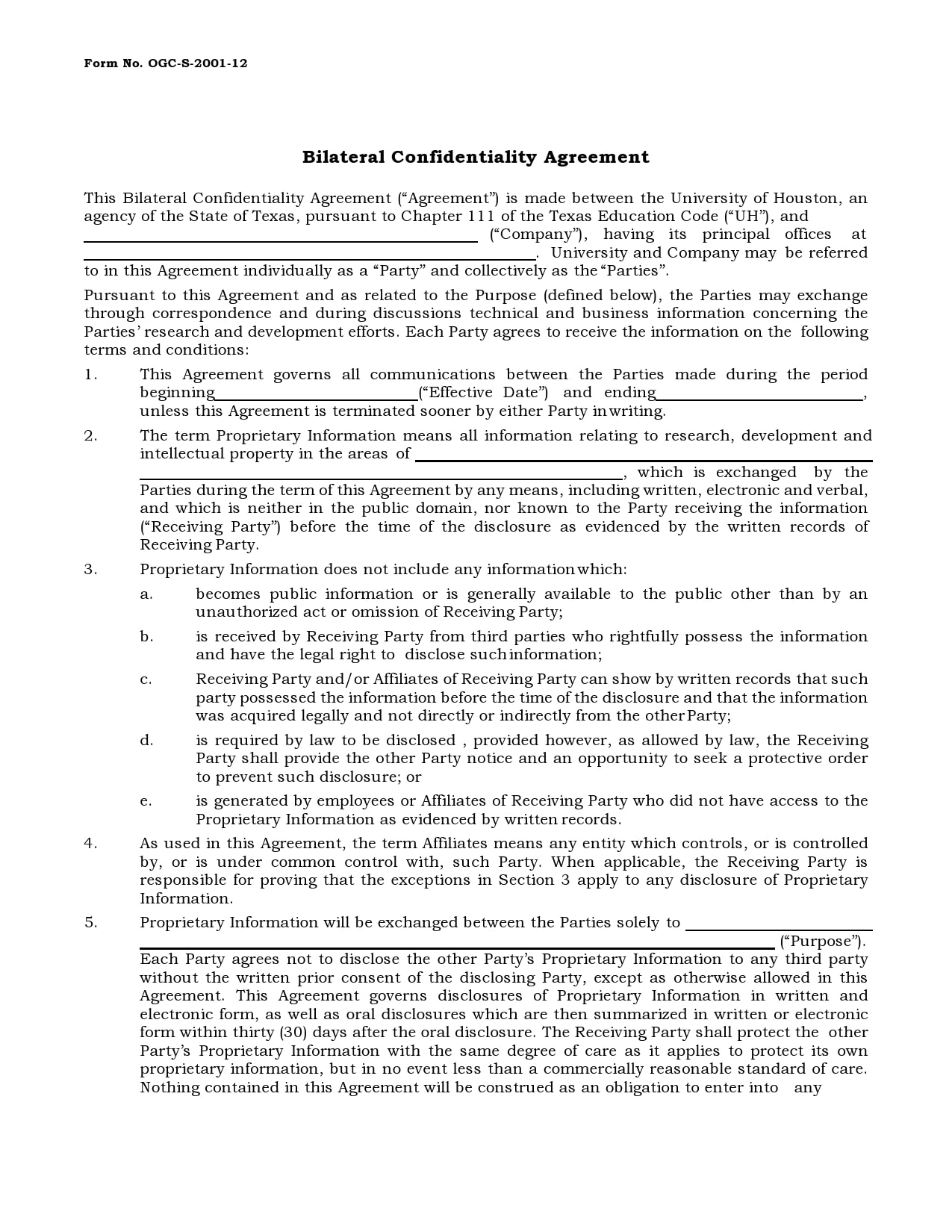
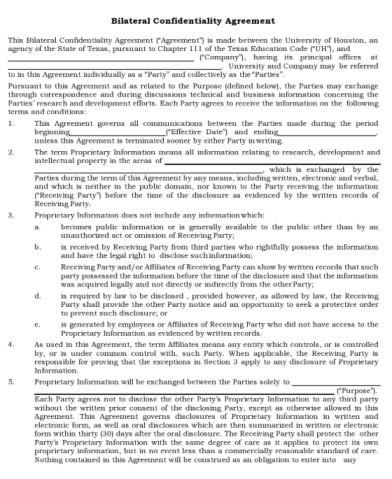
This bilateral agreement is crafted for two entities, such as a University and a Company, to exchange research and development data securely. It defines a specific Effective Date and includes comprehensive clauses for Proprietary Information exclusions, such as prior knowledge or public availability. Unlike standard unilateral forms, this template emphasizes mutual protection for both parties' technical and business information, making it suitable for joint ventures or academic-corporate partnerships.
Confidentiality Agreement Template 08
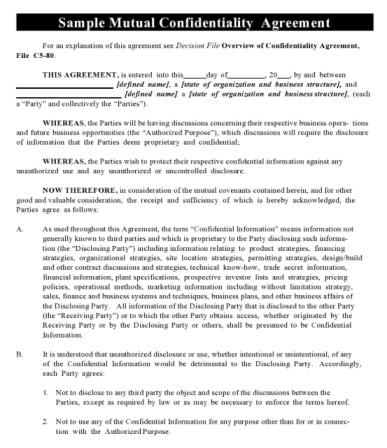
This transaction-focused agreement facilitates secure preliminary discussions between a Disclosing Party and a Recipient regarding a potential business relationship or deal. It features detailed clauses for Permitted Disclosures, Required Disclosures, and the Return or Destruction of Documents, ensuring strict control over sensitive data during the evaluation phase. Unlike the time-bound unilateral template or the childcare policy, this form includes specific provisions for tax structure disclosures and is tailored for due diligence scenarios where financial and operational data is exchanged.
Confidentiality Agreement Template 09
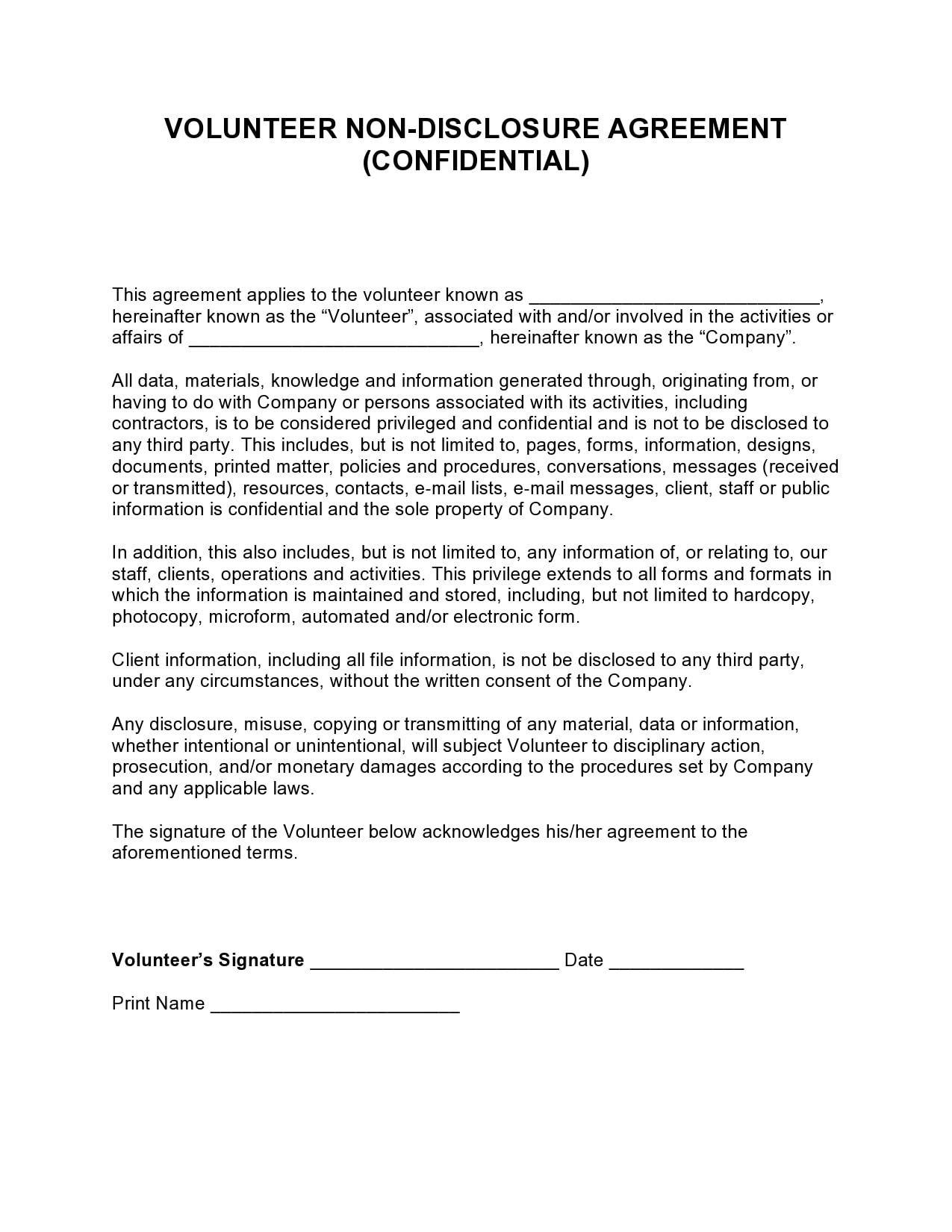
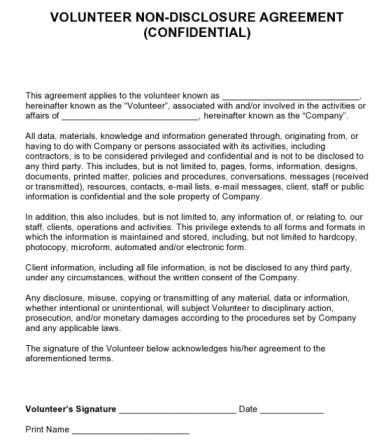
This volunteer-specific agreement is designed for organizations to ensure that unpaid contributors maintain strict confidentiality regarding internal affairs and client data. It comprehensively lists protected assets, including pages, forms, designs, and e-mail messages, while clearly stating that violations may result in disciplinary action or prosecution. Unlike standard employment contracts or corporate NDAs, this template specifically addresses the role of a Volunteer, extending legal privilege to all knowledge generated through their activities to prevent unauthorized disclosure to third parties.
Confidentiality Agreement Template 10
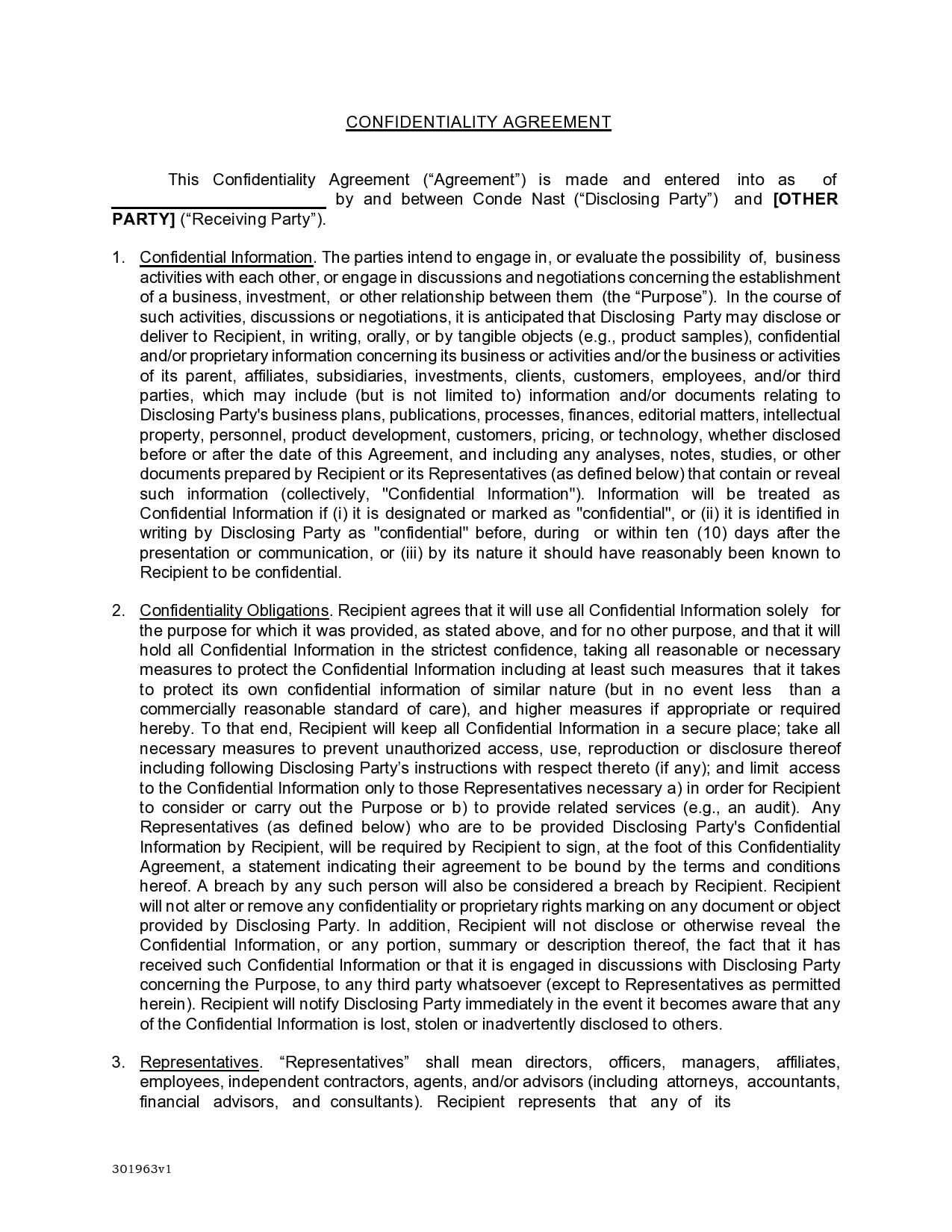
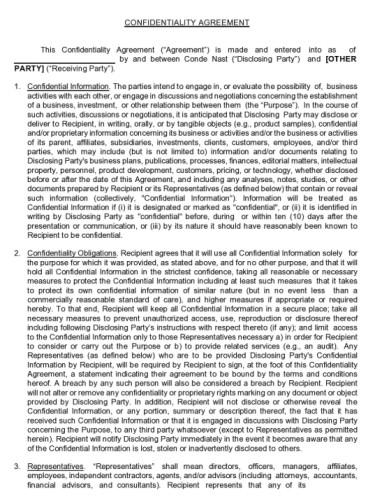
This publisher-specific agreement is designed for high-stakes business discussions. It details strict obligations for the Recipient to protect "Confidential Information," including business plans, publications, and editorial matters. Unlike standard NDAs, this template includes a unique clause requiring that oral confidential information be identified in writing within ten (10) days of disclosure to remain protected.
How to Convert, Edit, and Print (From JPG to Word / Editable Format)
Finding the right template is often just the beginning of the process. Most comprehensive legal forms are available only as static images or scanned PDFs, effectively locking you out of the editing process. Instead of wasting time retyping every clause manually to fit your business needs, you need a seamless workflow to convert these files in seconds. Below, I’ve explained step by step how you can convert your template into JPG form and editable Word format in a matter of seconds.
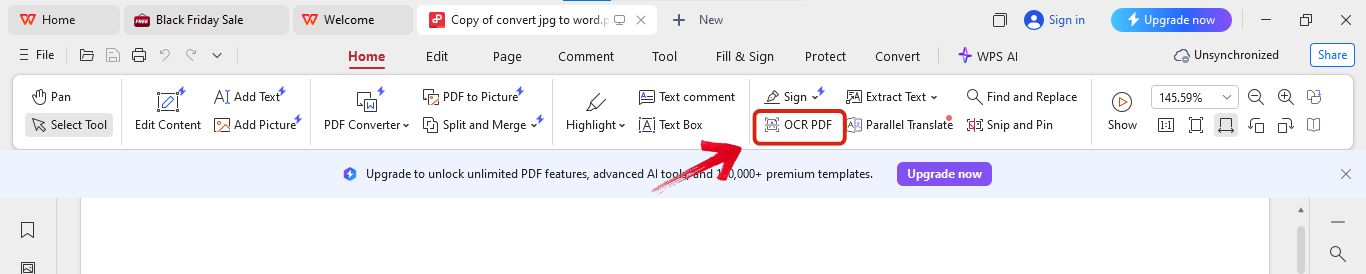
Step 1: First, open the file in WPS Office.
Step 2: Now, click on the "OCR PDF"option provided in the menu.
Step 3: After this, click "Perform OCR" to start scanning the file.
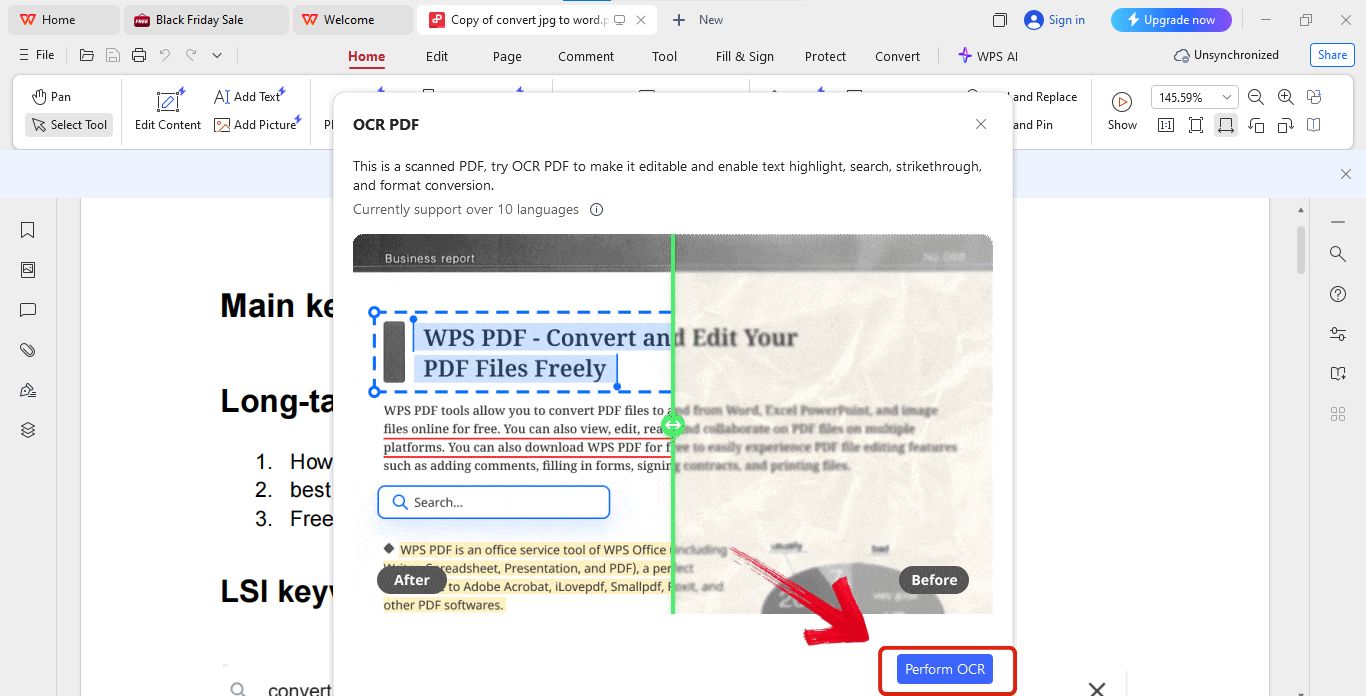
Step 4: Finally, just paste this text into Word or WPS Writer and export it in docx format.
Free Office Suite with Abundant Templates
When it comes to drafting and securing legal documents, the software you utilize is vital. WPS Office best handles the transition from static templates to editable contracts. It serves as the central hub for my document workflow. It is a robust, free office suite offering Writer, Spreadsheet, and Presentation tools that are highly efficient and light on system resources.
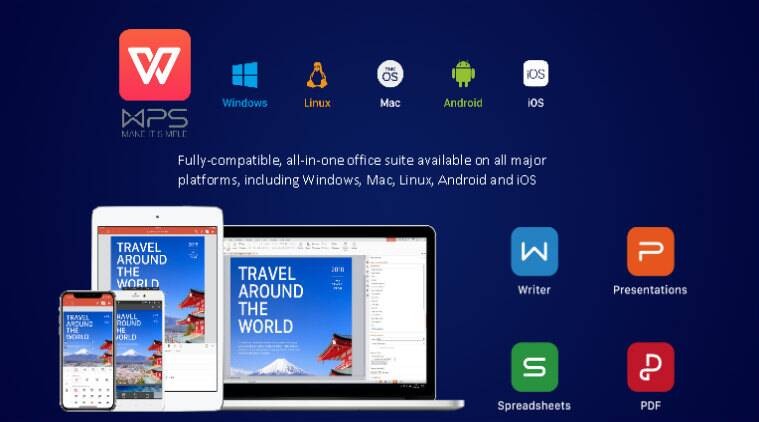
WPS Office stands out as a comprehensive solution that integrates PDF editing and word processing into a single interface. Unlike heavier alternatives that can slow down your workflow, this suite is designed for speed and compatibility, allowing you to access and modify a vast library of legal templates directly.
Key Advantages:
Free and Lightweight: The software is optimized to run smoothly on various systems without consuming excessive storage or memory.
Broad Format Support: It offers seamless compatibility with DOC, PPT, PDF, and JPG formats, ensuring you can open any template you download.
Built-in Template Library: Users gain access to thousands of professional layouts, including flyers, resumes, and business contracts.
Cross-Platform Availability: Whether online or offline, the suite functions consistently across Windows, Mac, Android, and iOS devices.
FAQs
Q1: What is a confidentiality agreement template?
It is a preformatted legal document (often called an NDA) used to outline the terms for protecting sensitive information between parties.
Q2: Are these templates legally binding?
Yes, when they are properly filled out, signed by all parties, and contain clauses that comply with applicable local laws.
Q3: Can I convert an image template (JPG) into Word?
Yes, you can use OCR tools like the WPS JPG-to-Word feature to extract text from an image and make it editable.
Q4: Must I review the template with a lawyer?
While templates are a great starting point, I highly recommend having a legal professional review the final document to ensure it is enforceable in your specific jurisdiction.
Q5: Which software is best for editing?
WPS Office is excellent because of its built-in OCR and PDF tools, but Microsoft Word and Google Docs are also common choices.
Q6: What is the difference between an NDA and a Confidentiality Agreement?
Generally, they are the same thing. "Non-Disclosure Agreement" is often used in the US, while "Confidentiality Agreement" is more common in other regions or employment contexts, but they serve the same legal purpose.
Q7: Can I write my own confidentiality agreement?
Yes, you can draft one yourself using a template as a guide, but ensure you include all critical elements like scope, exclusions, and duration to make it effective.
Streamline Your Legal Security with the Right Tools
Securing your business data is a critical step that you shouldn't overlook. By understanding the core components of these contracts and utilizing a high-quality confidentiality agreement template, you can protect your interests with confidence. Remember to use tools like WPS Office to easily convert, edit, and manage your documents for a professional finish.

'%3e%3cpath%20d='M19.9911%204.11386V6.471H18.5894C18.0775%206.471%2017.7322%206.57814%2017.5536%206.79243C17.3751%207.00671%2017.2858%207.32814%2017.2858%207.75671V9.44421H19.9019L19.5536%2012.0871H17.2858V18.8639H14.5536V12.0871H12.2769V9.44421H14.5536V7.49779C14.5536%206.39064%2014.8632%205.53201%2015.4822%204.92189C16.1013%204.31177%2016.9257%204.00671%2017.9554%204.00671C18.8304%204.00671%2019.509%204.04243%2019.9911%204.11386Z'%20fill='%23333333'/%3e%3c/g%3e%3cdefs%3e%3cclipPath%20id='clip0_2938_8199'%3e%3crect%20width='16'%20height='16'%20fill='white'%20transform='translate(8%204.00671)'/%3e%3c/clipPath%3e%3c/defs%3e%3c/svg%3e)
'%3e%3cpath%20d='M17.5237%2010.7813L23.4811%204H22.0699L16.8949%209.88693L12.7648%204H8L14.2469%2012.9029L8%2020.0133H9.4112L14.8725%2013.7952L19.2352%2020.0133H24M9.92053%205.04213H12.0885L22.0688%2019.0224H19.9003'%20fill='%23333333'/%3e%3c/g%3e%3cdefs%3e%3cclipPath%20id='clip0_2938_8200'%3e%3crect%20width='16'%20height='16.0134'%20fill='white'%20transform='translate(8%204)'/%3e%3c/clipPath%3e%3c/defs%3e%3c/svg%3e)