

'%3e%3cpath%20d='M8%200C12.4183%200%2016%203.58172%2016%208C16%2012.4183%2012.4183%2016%208%2016C3.58172%2016%200%2012.4183%200%208C0%203.58172%203.58172%200%208%200ZM11.6162%204.38379C11.2257%203.99337%2010.5927%203.99338%2010.2021%204.38379L8%206.58594L5.79785%204.38379C5.40732%203.99334%204.77429%203.99329%204.38379%204.38379C3.99331%204.77429%203.99335%205.40733%204.38379%205.79785L6.58594%208L4.38379%2010.2021C3.99348%2010.5927%203.99341%2011.2257%204.38379%2011.6162C4.77426%2012.0066%205.40734%2012.0065%205.79785%2011.6162L8%209.41406L10.2021%2011.6162C10.5927%2012.0066%2011.2257%2012.0067%2011.6162%2011.6162C12.0067%2011.2257%2012.0066%2010.5927%2011.6162%2010.2021L9.41406%208L11.6162%205.79785C12.0066%205.40735%2012.0066%204.77429%2011.6162%204.38379Z'%20fill='%23080E17'%20fill-opacity='0.46'/%3e%3c/g%3e%3cdefs%3e%3cclipPath%20id='clip0_3761_713'%3e%3crect%20width='16'%20height='16'%20fill='white'/%3e%3c/clipPath%3e%3c/defs%3e%3c/svg%3e)




'%3e%3cpath%20fill-rule='evenodd'%20clip-rule='evenodd'%20d='M21.4999%2010.9993C21.4999%205.20009%2016.7986%200.498901%2010.9993%200.498901C5.19994%200.498901%200.498657%205.20009%200.498657%2010.9993C0.498657%2016.2404%204.33858%2020.5844%209.35855%2021.3722V14.0346H6.69238V10.9993H9.35855V8.68594C9.35855%206.05427%2010.9262%204.60062%2013.3248%204.60062C14.4736%204.60062%2015.6753%204.80571%2015.6753%204.80571V7.38979H14.3512C13.0468%207.38979%2012.64%208.19921%2012.64%209.0296V10.9993H15.5523L15.0867%2014.0346H12.64V21.3722C17.66%2020.5844%2021.4999%2016.2404%2021.4999%2010.9993Z'%20fill='%231568EA'/%3e%3c/g%3e%3c/svg%3e)


'%3e%3cpath%20d='M2.42045%2022.1876H6.31818V12.7217L0.75%208.54553V20.5171C0.75%2021.4414%201.49892%2022.1876%202.42045%2022.1876Z'%20fill='%234285F4'/%3e%3cpath%20d='M19.682%2022.1876H23.5797C24.5041%2022.1876%2025.2502%2021.4387%2025.2502%2020.5171V8.54553L19.682%2012.7217'%20fill='%2334A853'/%3e%3cpath%20d='M19.682%205.48293V12.7216L25.2502%208.54543V6.31816C25.2502%204.25236%2022.8921%203.07469%2021.2411%204.31361'%20fill='%23FBBC04'/%3e%3cpath%20d='M6.31824%2012.7217V5.48303L13.0001%2010.4944L19.6819%205.48303V12.7217L13.0001%2017.733'%20fill='%23EA4335'/%3e%3cpath%20d='M0.75%206.31816V8.54543L6.31818%2012.7216V5.48293L4.75909%204.31361C3.10534%203.07469%200.75%204.25236%200.75%206.31816Z'%20fill='%23C5221F'/%3e%3c/g%3e%3cdefs%3e%3cclipPath%20id='clip0_2954_7305'%3e%3crect%20width='24.5'%20height='18.375'%20fill='white'%20transform='translate(0.75%203.8125)'/%3e%3c/clipPath%3e%3c/defs%3e%3c/svg%3e)


Mind maps have this almost magical way of turning scattered thoughts into something structured and clear. But here’s the thing: while they look simple, creating a polished one from scratch can be frustrating. You sit there with ideas floating around, not sure how to connect them visually or make them look clean enough to present. That’s where templates come in. In this guide, I’ll share 10 free mind map templates you can download right now and show you exactly how to edit, personalize, and export them using WPS Office: a free, smart, and beginner-friendly suite designed to make your creative process effortless.


10 Mind Map Template Options
Below are ten editable mind map template options that are perfect for both beginners and professionals. You can use them for brainstorming, essay writing, personal projects, or academic planning.
Mind Mapping Template
This Mind Mapping Template provides a simple and clean layout ideal for visualizing multiple ideas around a central theme. It’s perfect for classroom use, team discussions, or project planning. The structure helps you capture key points without clutter. You can easily adjust the branches to include extra subtopics as your ideas grow.
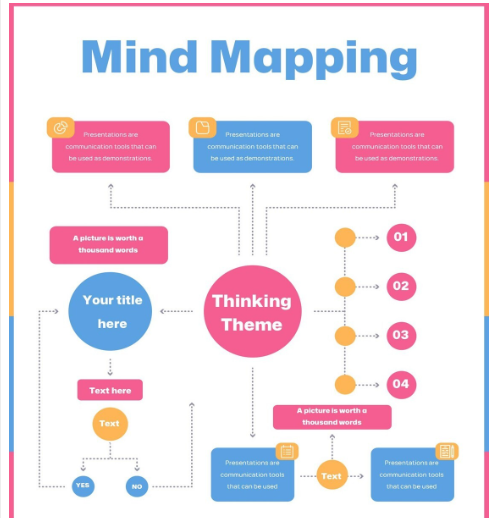
I found this layout super useful for teaching sessions where I had to break down big topics into smaller, easy-to-understand parts.
Mind Mapping1 Template
This MindMapping1 Template is a slightly more detailed version of the first one, great for in-depth brainstorming. It comes with extended branches for subtopics, letting you dive deeper into each concept. It’s ideal for project managers or students organizing complex research.
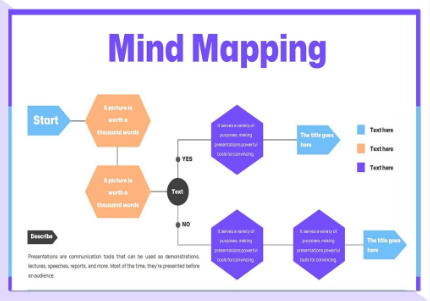
It worked wonders when I was planning multiple class lesson ideas at once.
Essay Mind Map Template
The Essay Mind Map Template is designed specifically for academic purposes, helping students structure their essays logically. You can map out your introduction, arguments, and conclusion in a clear visual layout. It’s also a great tool to visualize supporting evidence for each paragraph.
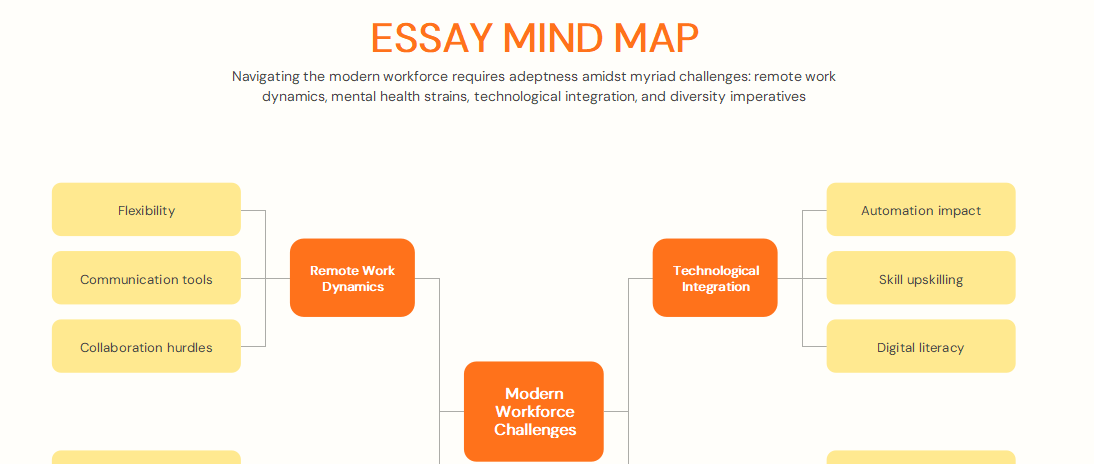
I’ve recommended this to my students, it makes essay outlines less intimidating and helps them see how their arguments connect.
Book Mind Map Template
The Book Mind Map Template is ideal for analyzing or summarizing a book. It provides sections for main characters, themes, settings, and key events, helping you retain essential details. This layout makes it easy to connect chapters and identify recurring motifs.
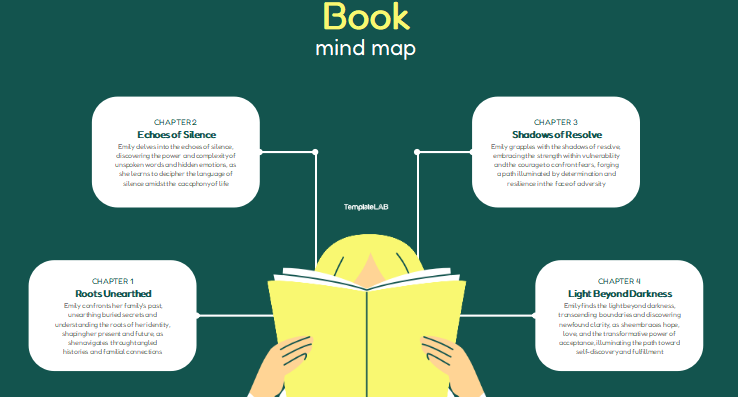
I’ve used this template while tutoring literature; it simplifies character relationships and storyline progression.
Character Mind Map Template
This Character Mind Map Template is a must-have for writers or students analyzing character development. It’s designed to help you explore personality traits, goals, and changes throughout a story. It also encourages creative thinking by showing how different characters influence one another.
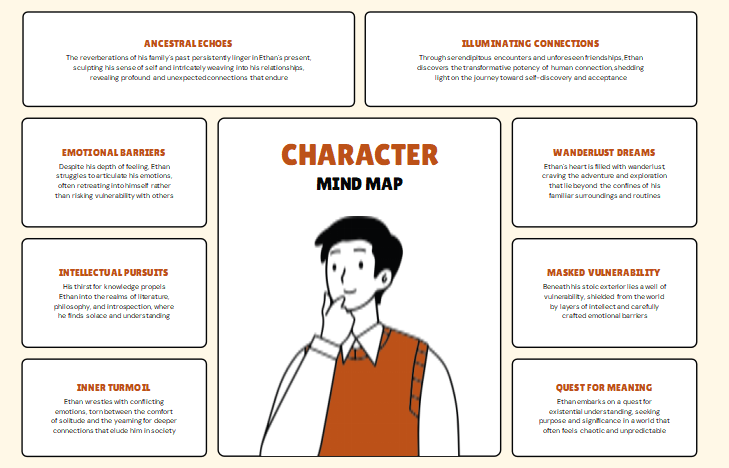
While working on creative writing projects, this template helped me bring consistency and depth to each character.
Creative Mind Map Template
The Creative Mind Map Template encourages creativity and flexibility. Its colorful and freeform design helps you explore ideas for design projects, campaigns, or art concepts. It’s especially great for visual learners who thrive on color-coded organization.
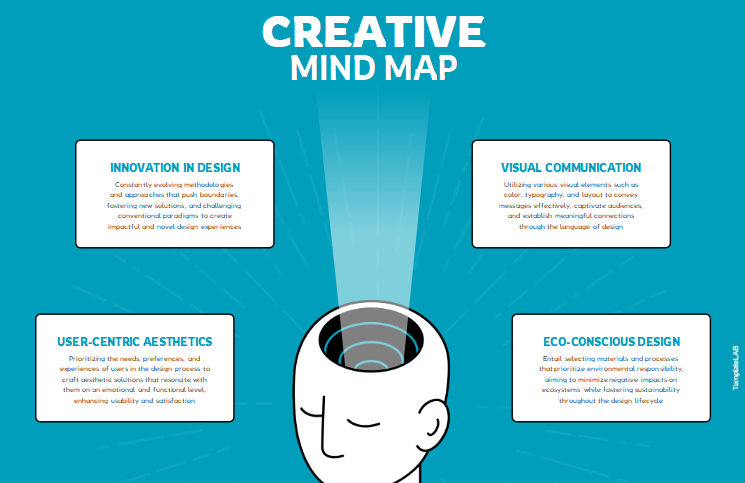
I loved using this when brainstorming for my AI bot project; it kept my thoughts organized while allowing free creative flow.
Bubble Mind Map Template
The Bubble Mind Map Template uses bubble-shaped nodes to organize ideas. It’s great for presentations and group brainstorming because it’s easy to read and visually appealing. The rounded layout makes complex ideas look cleaner and more approachable.
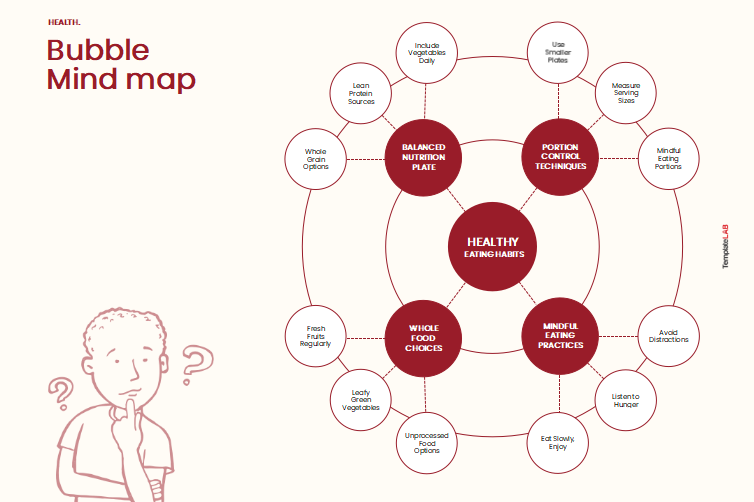
I used it in a collaborative project, it worked wonders in keeping everyone on the same page during discussions.
Brainstorming Mind Map Template
This Brainstorming Mind Map Template is a practical choice for team meetings. It lets you capture and connect spontaneous ideas in real time. Its flexible branching system allows for quick adjustments during live sessions.
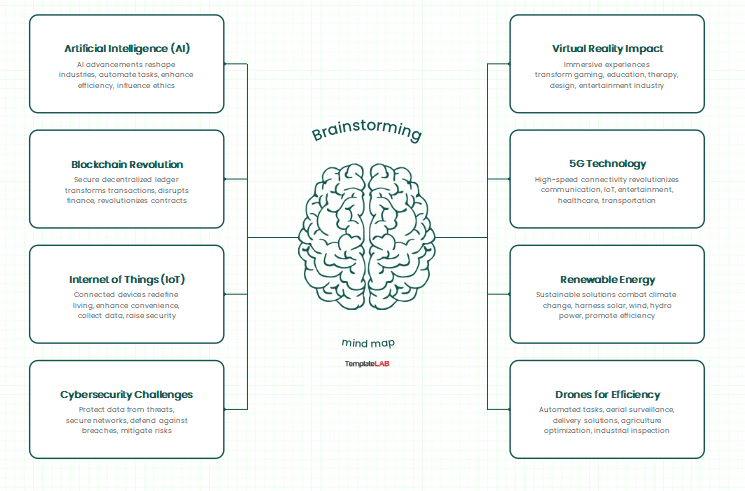
During my teaching prep, I used this to collect my students’ ideas collectively before finalizing topics.
Personal Mind Map Template
The Personal Mind Map Template is reflective and goal-oriented. It’s designed for personal development planning, covering goals, values, strengths, and areas for growth. You can also add visuals or icons to represent long-term ambitions.
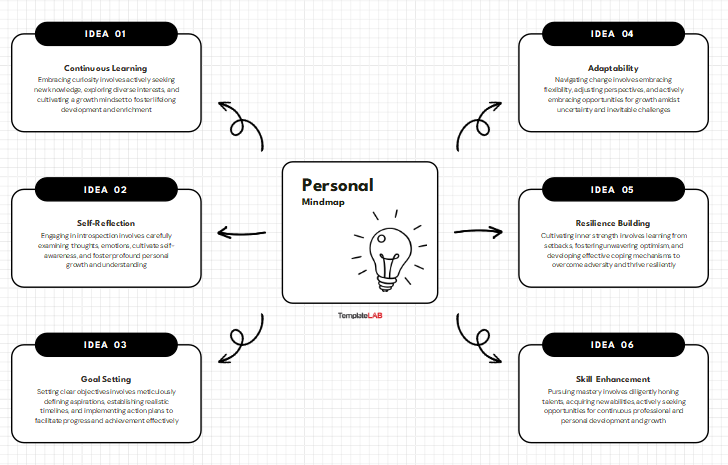
I use this regularly for self-assessment and productivity planning; it helps me visualize where I stand and what I need to improve.
Psychology Mind Map Template
The Psychology Mind Map Template focuses on behavioral and cognitive themes. It’s great for psychology students or professionals organizing theoretical frameworks or research findings. The structure also supports visual comparison of multiple theories at once.
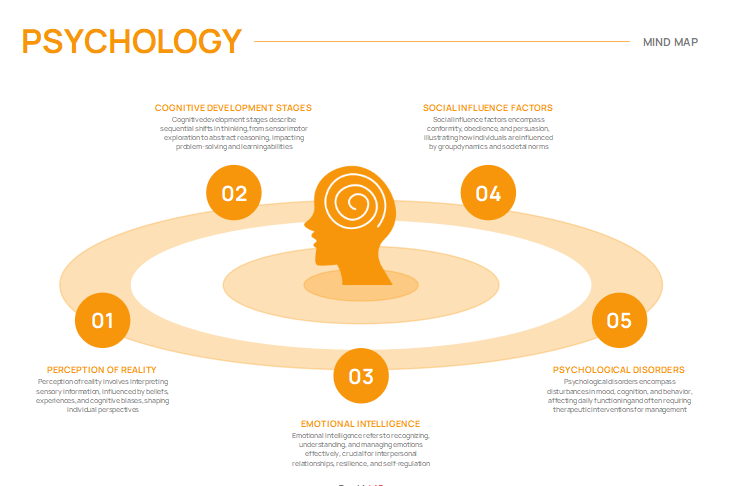
I once used this for a student’s research outline, it made complex psychological theories easier to digest.
How to Edit Mind Map Templates
Once you’ve chosen your preferred mind map template, editing it is quick and straightforward using WPS Writer. Here’s a short guide to get you started.
Step 1: After downloading your chosen editable mind map template, open it in WPS Writer. The software is compatible with Word files, so everything stays perfectly formatted.
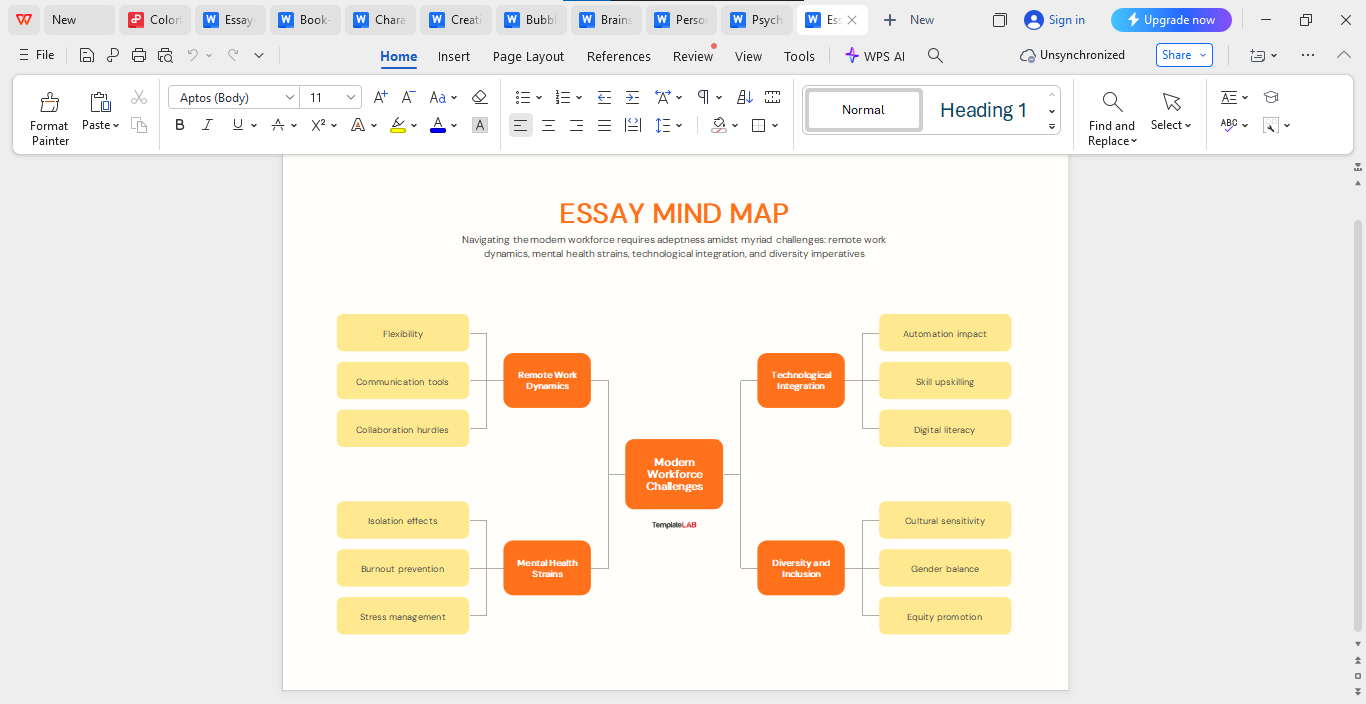
Step 2: Each template comes with placeholder text for main ideas and sub-ideas. Simply click and replace them with your actual topics, notes, or brainstorming points.
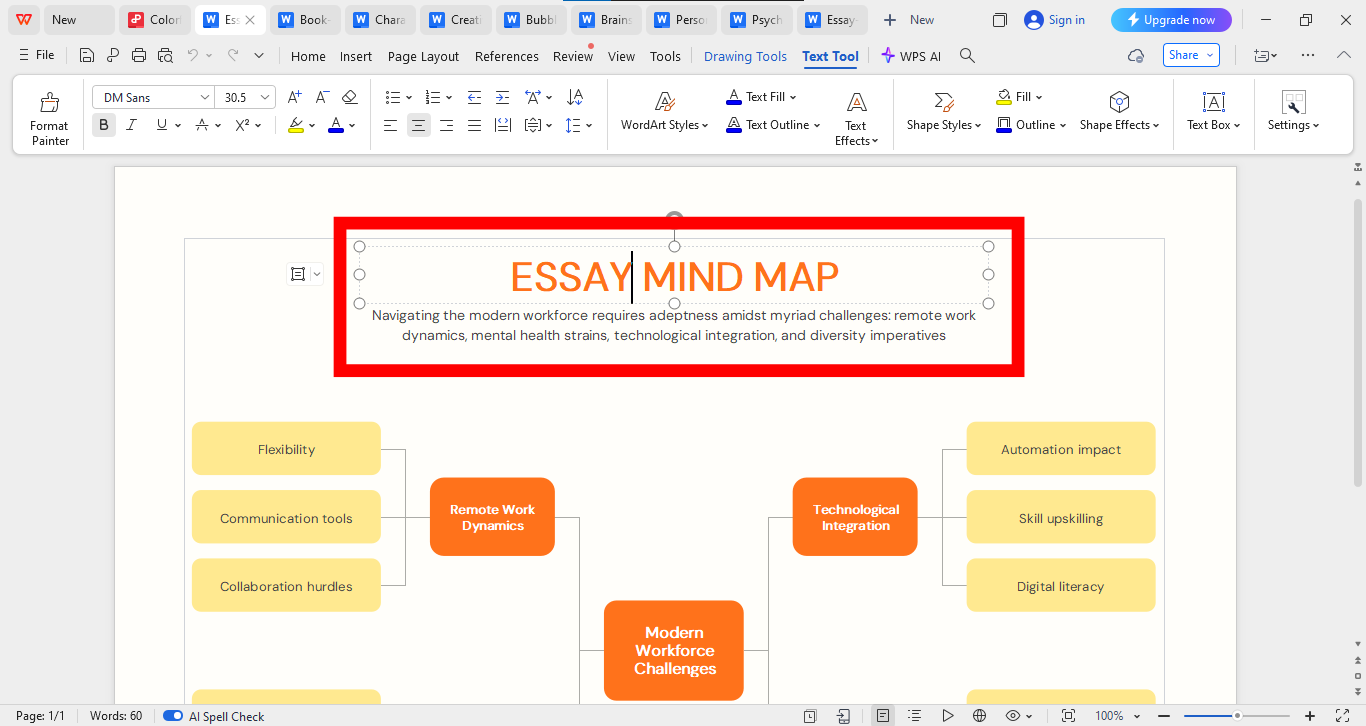
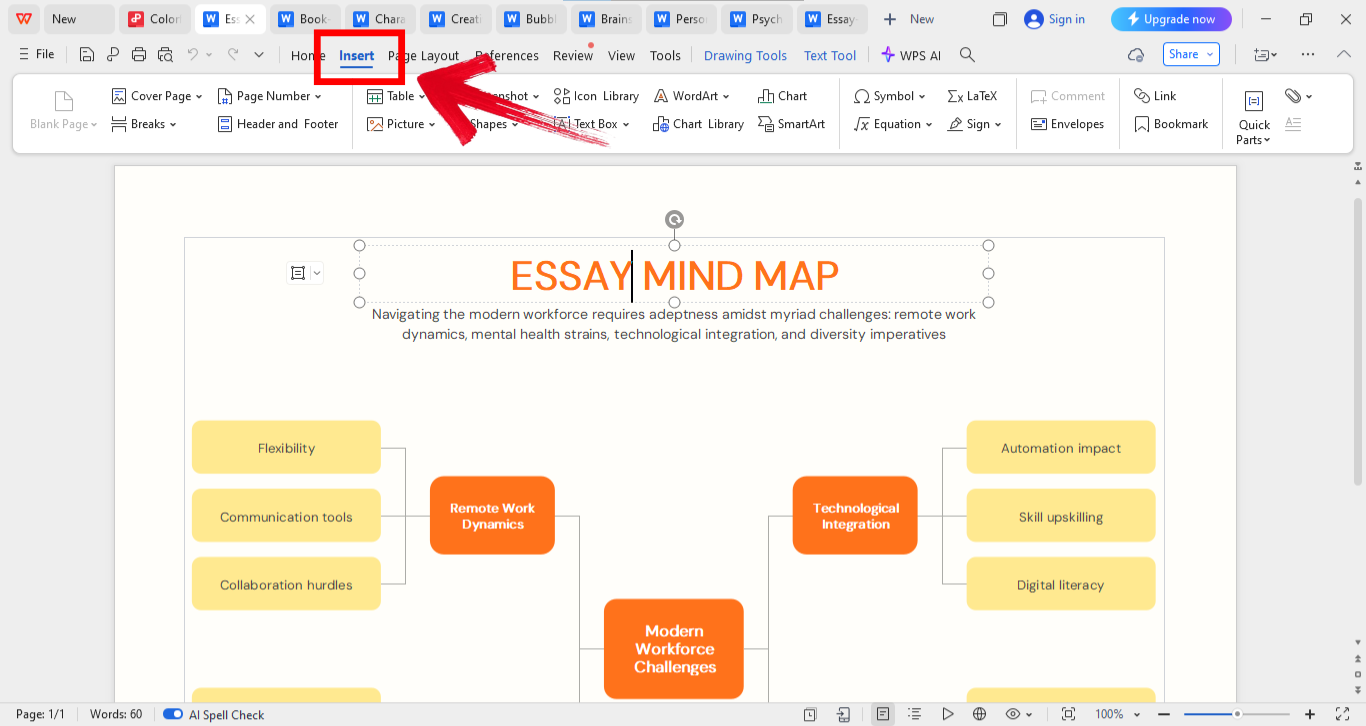
Step 3: If your ideas grow beyond the given structure, insert new shapes or connectors using the “Insert” tab. WPS Writer makes it easy to keep your layout neat.
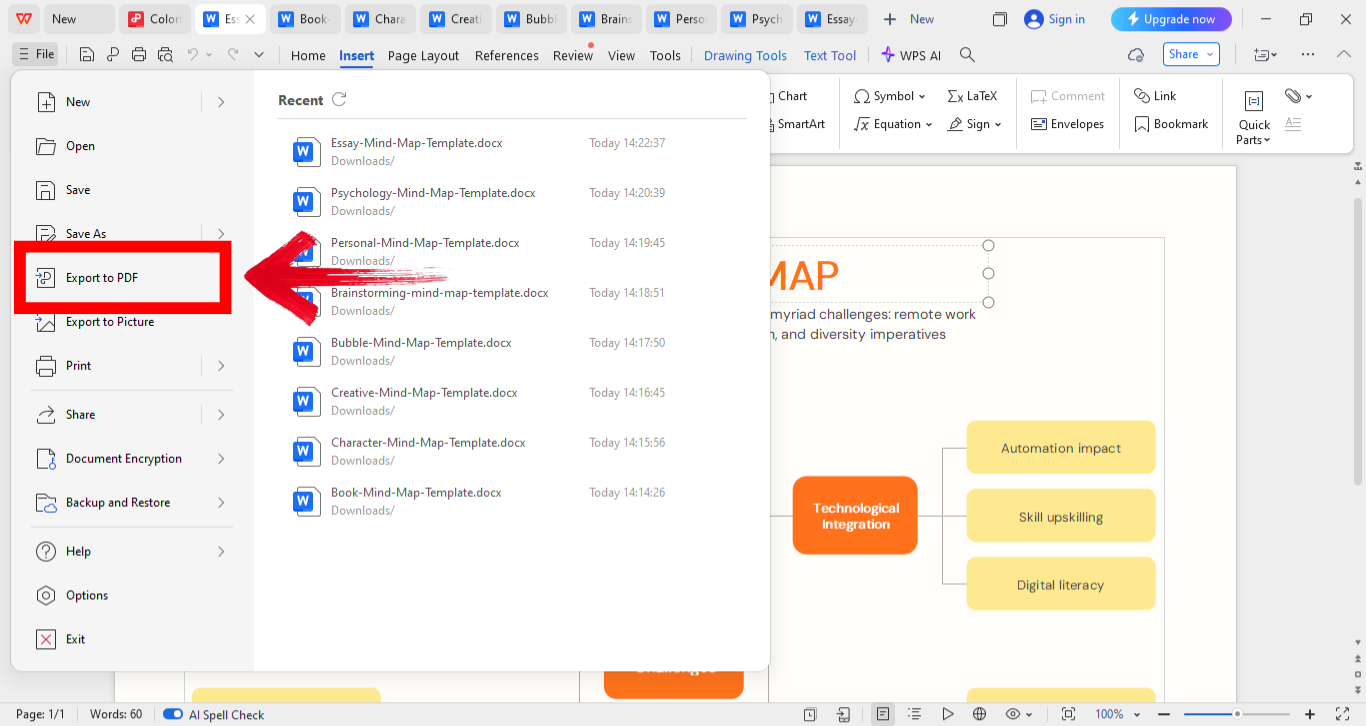
Step 4: Once your mind map looks the way you want, go to the “Files” menu on the top left of your screen and then click “Export to PDF” to save it as PDF for easy sharing or embedding in slides.
Editing templates in WPS Writer feels intuitive. I’ve used it to plan lectures and even business strategies. The best part was that there were no formatting issues when I printed.
A Smarter Office Suite to Support Mind Map Template Editing
When working with mind map templates, you need an office suite that’s smooth, flexible, and reliable. That’s where WPS Office shines. It’s not just a replacement for traditional tools; it’s a smarter, more accessible solution for creating and sharing visually appealing documents. I’ve personally used it for years, and what stands out most is its balance between simplicity and power.
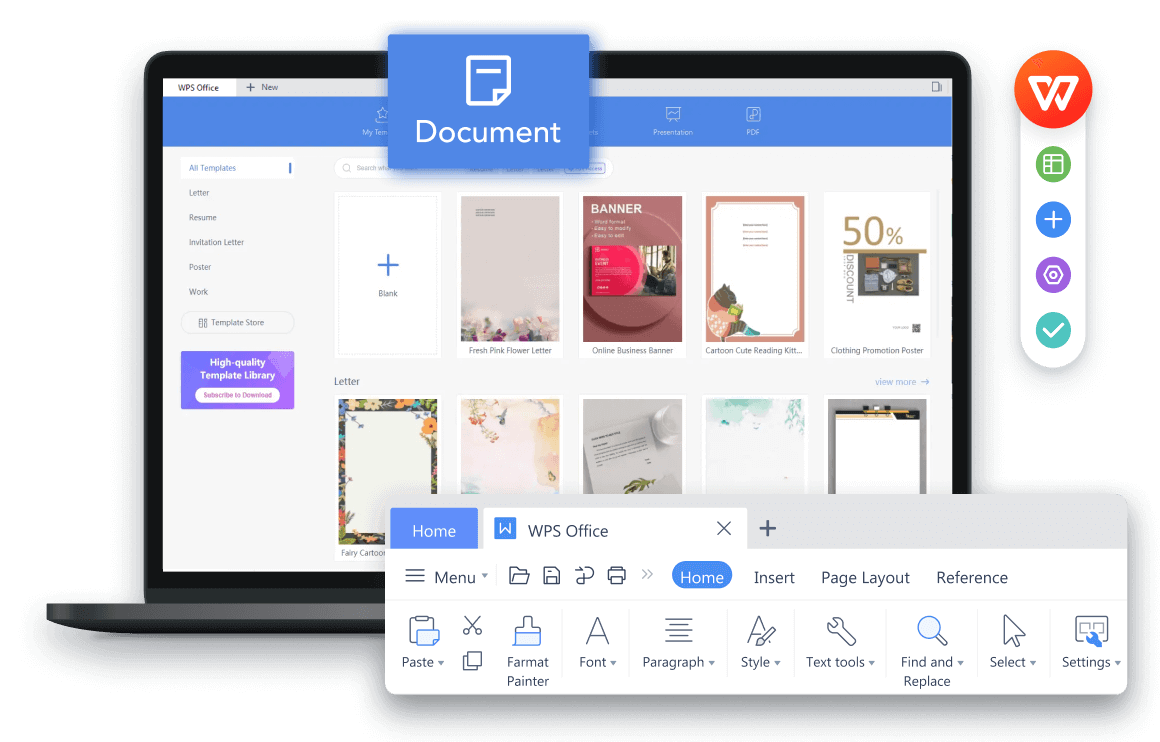
It runs efficiently even on lower-end devices, which makes it perfect for students or freelancers working on the go. The interface feels intuitive, so you can focus on your creativity instead of struggling with menus. Plus, its cloud storage keeps your work synced and accessible anywhere. WPS Office truly bridges the gap between professional performance and everyday usability.
Pros:
Cons:
WPS Office has been my main workspace for years. Its editing tools make even complex templates easy to handle. I’ve used it for essays, brainstorming sessions, and teaching material, and it’s never failed me.
FAQs
Q1: What is a mind map template?
A mind map template is a pre-structured visual layout that helps you organize topics, subtopics, and relationships effectively.
Q2: Can I edit mind map templates in WPS Office?
Yes, WPS Office fully supports editable Word or PDF mind map templates.
Q3: Are these mind map templates free?
Absolutely. Each of the listed templates is available for free download and personal or professional use.
Q4: Which format is best for sharing mind maps?
PDF is ideal for easy sharing, while editable Word files allow for continued customization.
Wrapping Up Your Mind Mapping Journey
Mind maps are honestly one of the best ways to turn messy thoughts into clear, actionable ideas. They help you visualize connections, spark creativity, and bring structure to brainstorming sessions that would otherwise feel chaotic. The 10 mind map templates I’ve listed above make that process way easier; they’re editable, beginner-friendly, and completely free to customize for school, work, or personal projects. Now, when it comes to actually editing or sharing those templates, I’ve found WPS Office to be a total game changer. It keeps your layouts clean, lets you collaborate effortlessly, and ensures your ideas look as professional as they feel. For anyone who juggles multiple tasks or projects, it’s a lightweight, reliable option that keeps your workflow organized and creative energy flowing.

'%3e%3cpath%20d='M19.9911%204.11386V6.471H18.5894C18.0775%206.471%2017.7322%206.57814%2017.5536%206.79243C17.3751%207.00671%2017.2858%207.32814%2017.2858%207.75671V9.44421H19.9019L19.5536%2012.0871H17.2858V18.8639H14.5536V12.0871H12.2769V9.44421H14.5536V7.49779C14.5536%206.39064%2014.8632%205.53201%2015.4822%204.92189C16.1013%204.31177%2016.9257%204.00671%2017.9554%204.00671C18.8304%204.00671%2019.509%204.04243%2019.9911%204.11386Z'%20fill='%23333333'/%3e%3c/g%3e%3cdefs%3e%3cclipPath%20id='clip0_2938_8199'%3e%3crect%20width='16'%20height='16'%20fill='white'%20transform='translate(8%204.00671)'/%3e%3c/clipPath%3e%3c/defs%3e%3c/svg%3e)
'%3e%3cpath%20d='M17.5237%2010.7813L23.4811%204H22.0699L16.8949%209.88693L12.7648%204H8L14.2469%2012.9029L8%2020.0133H9.4112L14.8725%2013.7952L19.2352%2020.0133H24M9.92053%205.04213H12.0885L22.0688%2019.0224H19.9003'%20fill='%23333333'/%3e%3c/g%3e%3cdefs%3e%3cclipPath%20id='clip0_2938_8200'%3e%3crect%20width='16'%20height='16.0134'%20fill='white'%20transform='translate(8%204)'/%3e%3c/clipPath%3e%3c/defs%3e%3c/svg%3e)


