

'%3e%3cpath%20d='M8%200C12.4183%200%2016%203.58172%2016%208C16%2012.4183%2012.4183%2016%208%2016C3.58172%2016%200%2012.4183%200%208C0%203.58172%203.58172%200%208%200ZM11.6162%204.38379C11.2257%203.99337%2010.5927%203.99338%2010.2021%204.38379L8%206.58594L5.79785%204.38379C5.40732%203.99334%204.77429%203.99329%204.38379%204.38379C3.99331%204.77429%203.99335%205.40733%204.38379%205.79785L6.58594%208L4.38379%2010.2021C3.99348%2010.5927%203.99341%2011.2257%204.38379%2011.6162C4.77426%2012.0066%205.40734%2012.0065%205.79785%2011.6162L8%209.41406L10.2021%2011.6162C10.5927%2012.0066%2011.2257%2012.0067%2011.6162%2011.6162C12.0067%2011.2257%2012.0066%2010.5927%2011.6162%2010.2021L9.41406%208L11.6162%205.79785C12.0066%205.40735%2012.0066%204.77429%2011.6162%204.38379Z'%20fill='%23080E17'%20fill-opacity='0.46'/%3e%3c/g%3e%3cdefs%3e%3cclipPath%20id='clip0_3761_713'%3e%3crect%20width='16'%20height='16'%20fill='white'/%3e%3c/clipPath%3e%3c/defs%3e%3c/svg%3e)



'%3e%3cpath%20fill-rule='evenodd'%20clip-rule='evenodd'%20d='M21.4999%2010.9993C21.4999%205.20009%2016.7986%200.498901%2010.9993%200.498901C5.19994%200.498901%200.498657%205.20009%200.498657%2010.9993C0.498657%2016.2404%204.33858%2020.5844%209.35855%2021.3722V14.0346H6.69238V10.9993H9.35855V8.68594C9.35855%206.05427%2010.9262%204.60062%2013.3248%204.60062C14.4736%204.60062%2015.6753%204.80571%2015.6753%204.80571V7.38979H14.3512C13.0468%207.38979%2012.64%208.19921%2012.64%209.0296V10.9993H15.5523L15.0867%2014.0346H12.64V21.3722C17.66%2020.5844%2021.4999%2016.2404%2021.4999%2010.9993Z'%20fill='%231568EA'/%3e%3c/g%3e%3c/svg%3e)


'%3e%3cpath%20d='M2.42045%2022.1876H6.31818V12.7217L0.75%208.54553V20.5171C0.75%2021.4414%201.49892%2022.1876%202.42045%2022.1876Z'%20fill='%234285F4'/%3e%3cpath%20d='M19.682%2022.1876H23.5797C24.5041%2022.1876%2025.2502%2021.4387%2025.2502%2020.5171V8.54553L19.682%2012.7217'%20fill='%2334A853'/%3e%3cpath%20d='M19.682%205.48293V12.7216L25.2502%208.54543V6.31816C25.2502%204.25236%2022.8921%203.07469%2021.2411%204.31361'%20fill='%23FBBC04'/%3e%3cpath%20d='M6.31824%2012.7217V5.48303L13.0001%2010.4944L19.6819%205.48303V12.7217L13.0001%2017.733'%20fill='%23EA4335'/%3e%3cpath%20d='M0.75%206.31816V8.54543L6.31818%2012.7216V5.48293L4.75909%204.31361C3.10534%203.07469%200.75%204.25236%200.75%206.31816Z'%20fill='%23C5221F'/%3e%3c/g%3e%3cdefs%3e%3cclipPath%20id='clip0_2954_7305'%3e%3crect%20width='24.5'%20height='18.375'%20fill='white'%20transform='translate(0.75%203.8125)'/%3e%3c/clipPath%3e%3c/defs%3e%3c/svg%3e)


Smart templates are presentation templates with built-in intelligence: the layout, spacing, and visual structure adjust automatically as you type, so a timeline, a SWOT matrix, or a Gantt chart still looks professionally designed after your tenth edit. The best ones in 2026 share three traits — automatic layout adaptation, brand consistency, and a library deep enough to cover timelines, comparisons, roadmaps, and org charts without manual drawing.
This guide ranks the smart templates readers actually search for, explains what each one does well, and shows how to apply them in a free office suite so you never have to build these layouts from scratch again.
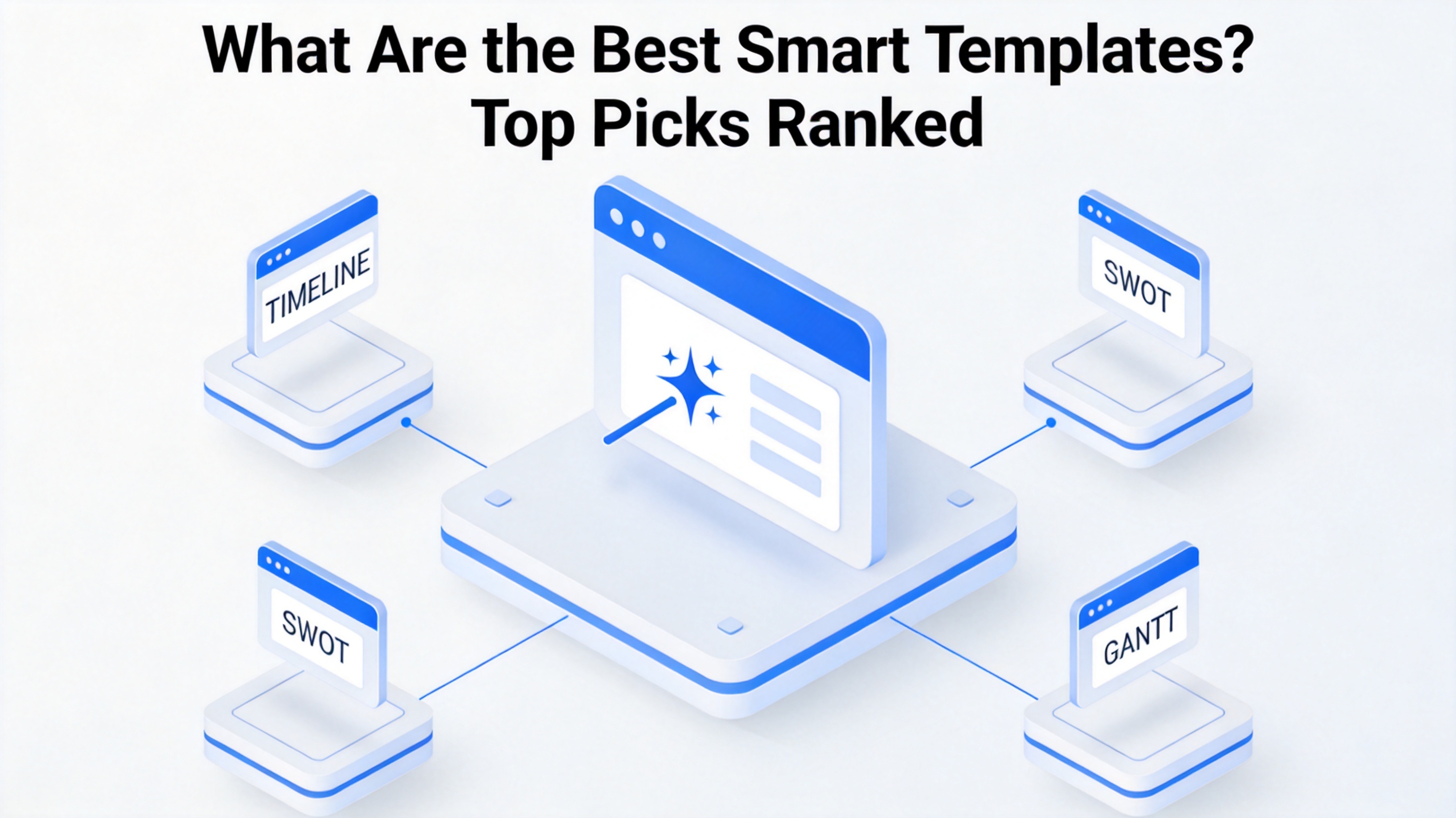
What Are the Best Smart Templates? Top Picks Ranked
What Makes Smart Templates the Best Choice
A smart template is more than a pretty background. Ordinary templates give you fixed text boxes: the moment your bullet list grows from three lines to six, the design breaks. Smart templates treat layout as a rule set instead of a picture, which changes how they behave in daily work.
What separates the best ones from ordinary templates:
Automatic layout adaptation. Add a fifth bullet or a longer sentence and the boxes, fonts, and spacing re-balance themselves instead of overlapping.
Built-in visualization. Type dates into a timeline placeholder and the markers move; enter values into a chart slide and the bars resize — no manual drawing.
Brand consistency. Colors, fonts, and logo placement follow the deck's master, so slide 40 still matches slide 1.
Cross-platform compatibility. The best smart templates export cleanly to .pptx, so teammates without the original tool can still edit them.
These four traits are exactly what reviewers praise in leading smart-slide tools in 2026, and they are the criteria behind the ranking below.

Smart layout auto design in templates


The Best Smart Templates Ranked for 2026
Based on what users search for, vote for, and download most, these are the smart templates worth keeping in your toolkit, roughly in order of everyday usefulness.
Timeline — the workhorse of status updates and roadmaps. Add or remove milestones and the layout redistributes automatically.
SWOT matrix — a four-quadrant grid that keeps Strengths, Weaknesses, Opportunities, and Threats visually balanced no matter how long each cell gets.
Gantt chart — task bars, dependencies, and milestones on a calendar axis; ideal for project plans and product launches.
Photo grid — mixes images and captions in a self-balancing collage for portfolios, event recaps, and product showcases.
Team slide — photo, name, and title cards for leadership intros and onboarding decks; adding a member re-flows the grid.
Org chart — reporting lines that redraw themselves when you add or move a role.
Funnel — sales or conversion stages that resize by value, useful for pipeline reviews.
Flowchart — decision steps and branches with auto-aligned connectors for process documentation.
Radial bar chart — a circular take on the bar chart that makes comparisons feel fresher in KPI decks.
Journey map — a customer path with touchpoints and pain points marked along a non-linear route.
If you only adopt three, start with the timeline, the SWOT matrix, and the Gantt chart — they cover status meetings, analysis, and planning, the three most common business presentations.

Top 10 smart templates ranked list
How to Find and Apply the Best Smart Templates in WPS
You do not need a subscription to use these layouts. WPS Office ships a large built-in template library, and its smart formatting keeps slides aligned as you edit. Here is the fastest path from a blank file to a finished smart-template deck.
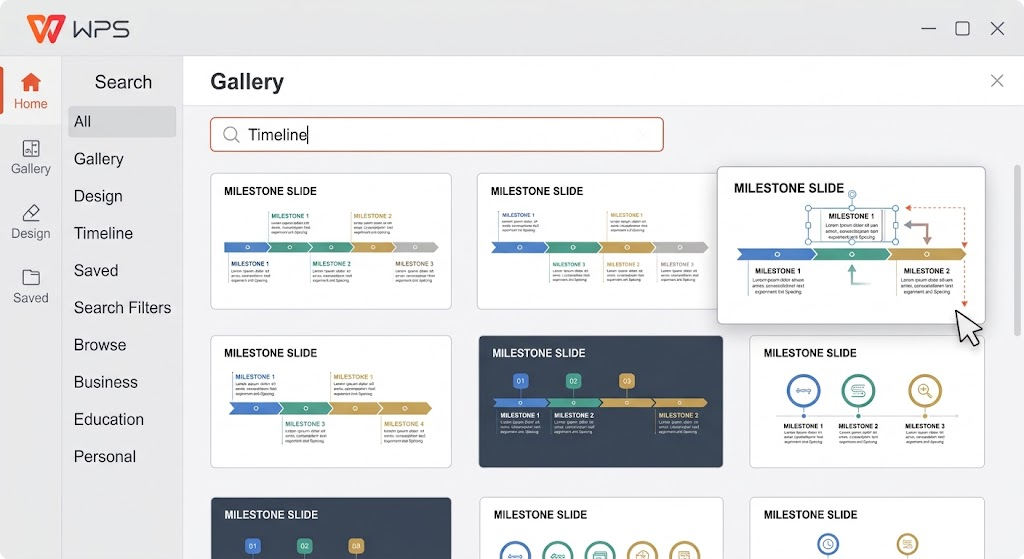
Open WPS Presentation and click New to open the template gallery.
Search the gallery for the layout you need — try "timeline", "SWOT", or "Gantt chart" — and preview a few candidates.
Apply the template with one click; the deck is created with placeholder slides already structured for that layout.
Replace the placeholders: type your milestones, drag your photos into the grid, or paste your data into the chart. The smart formatting keeps spacing and alignment intact as content changes.
Adjust colors and fonts once via Design > Themes; the change propagates to every slide, keeping the deck on-brand.
Export to .pptx via File > Save As so colleagues in PowerPoint or Google Slides can keep editing.
Because the gallery is built in, the whole loop — search, preview, apply, edit — takes minutes rather than an afternoon of manual layout work.
Why Smart Templates Beat Manual Design
The core value of smart templates is not just speed, although saving 80% of formatting time is the headline benefit. It is reliability: a deck edited by five people, over three weeks, still looks like one person designed it.
Manual design fails in predictable ways — overlapping text after an edit, mismatched fonts after a copy-paste, charts rebuilt by hand for every update. Smart templates remove those failure modes because the design logic lives in the template, not in someone's careful manual alignment. For recurring decks like QBRs, project reviews, and training material, that difference compounds every cycle.
There is also a collaboration angle: brand masters and shared template libraries let a whole team produce consistent output, so the newest hire can produce slides that look like the design lead made them.

Brand consistent smart template deck
The Best Free Alternative: WPS Office for Smart Templates
Premium smart-slide tools price per seat per month, which adds up for teams. WPS Office gives you the same core workflow free: a built-in library of thousands of professionally designed presentation templates, smart formatting that keeps layouts clean as you type, and full compatibility with PowerPoint files.
You get Presentation, Writer, and Spreadsheet in one lightweight suite, offline editing when you travel, and cross-platform sync across Windows, macOS, iOS, and Android. For most individuals and small teams, it covers everything the ranking above requires — timelines, SWOT grids, Gantt charts, photo grids — without a subscription.
FAQs
1. What are the best smart templates for business presentations?
The timeline, SWOT matrix, and Gantt chart are the top three for business use: they cover status updates, analysis, and planning. Add a photo grid and a team slide and you can assemble most corporate decks entirely from smart layouts.
2. Are smart templates compatible with PowerPoint?
Yes, when they come from a suite that exports standard files. WPS Presentation saves decks as .pptx, so smart-template slides you build open and edit normally in PowerPoint and Google Slides.
3. Can I use smart templates for free?
Yes. WPS Office includes a large built-in template library at no cost, and its smart formatting works on free accounts. Some premium AI features in paid tiers are optional, not required for template use.
4. What is the difference between a smart template and a normal template?
A normal template is a static design: edit too much text and the layout breaks. A smart template holds layout rules — alignment, spacing, auto-sizing visuals — so the design re-balances itself as your content changes.
5. How do I customize a smart template with my brand colors?
Open the deck, go to Design > Themes (or the slide master), set your brand colors and fonts once, and every slide in the template updates to match — including slides you add later.


'%3e%3cpath%20d='M19.9911%204.11386V6.471H18.5894C18.0775%206.471%2017.7322%206.57814%2017.5536%206.79243C17.3751%207.00671%2017.2858%207.32814%2017.2858%207.75671V9.44421H19.9019L19.5536%2012.0871H17.2858V18.8639H14.5536V12.0871H12.2769V9.44421H14.5536V7.49779C14.5536%206.39064%2014.8632%205.53201%2015.4822%204.92189C16.1013%204.31177%2016.9257%204.00671%2017.9554%204.00671C18.8304%204.00671%2019.509%204.04243%2019.9911%204.11386Z'%20fill='%23333333'/%3e%3c/g%3e%3cdefs%3e%3cclipPath%20id='clip0_2938_8199'%3e%3crect%20width='16'%20height='16'%20fill='white'%20transform='translate(8%204.00671)'/%3e%3c/clipPath%3e%3c/defs%3e%3c/svg%3e)
'%3e%3cpath%20d='M17.5237%2010.7813L23.4811%204H22.0699L16.8949%209.88693L12.7648%204H8L14.2469%2012.9029L8%2020.0133H9.4112L14.8725%2013.7952L19.2352%2020.0133H24M9.92053%205.04213H12.0885L22.0688%2019.0224H19.9003'%20fill='%23333333'/%3e%3c/g%3e%3cdefs%3e%3cclipPath%20id='clip0_2938_8200'%3e%3crect%20width='16'%20height='16.0134'%20fill='white'%20transform='translate(8%204)'/%3e%3c/clipPath%3e%3c/defs%3e%3c/svg%3e)


