

'%3e%3cpath%20d='M8%200C12.4183%200%2016%203.58172%2016%208C16%2012.4183%2012.4183%2016%208%2016C3.58172%2016%200%2012.4183%200%208C0%203.58172%203.58172%200%208%200ZM11.6162%204.38379C11.2257%203.99337%2010.5927%203.99338%2010.2021%204.38379L8%206.58594L5.79785%204.38379C5.40732%203.99334%204.77429%203.99329%204.38379%204.38379C3.99331%204.77429%203.99335%205.40733%204.38379%205.79785L6.58594%208L4.38379%2010.2021C3.99348%2010.5927%203.99341%2011.2257%204.38379%2011.6162C4.77426%2012.0066%205.40734%2012.0065%205.79785%2011.6162L8%209.41406L10.2021%2011.6162C10.5927%2012.0066%2011.2257%2012.0067%2011.6162%2011.6162C12.0067%2011.2257%2012.0066%2010.5927%2011.6162%2010.2021L9.41406%208L11.6162%205.79785C12.0066%205.40735%2012.0066%204.77429%2011.6162%204.38379Z'%20fill='%23080E17'%20fill-opacity='0.46'/%3e%3c/g%3e%3cdefs%3e%3cclipPath%20id='clip0_3761_713'%3e%3crect%20width='16'%20height='16'%20fill='white'/%3e%3c/clipPath%3e%3c/defs%3e%3c/svg%3e)



'%3e%3cpath%20fill-rule='evenodd'%20clip-rule='evenodd'%20d='M21.4999%2010.9993C21.4999%205.20009%2016.7986%200.498901%2010.9993%200.498901C5.19994%200.498901%200.498657%205.20009%200.498657%2010.9993C0.498657%2016.2404%204.33858%2020.5844%209.35855%2021.3722V14.0346H6.69238V10.9993H9.35855V8.68594C9.35855%206.05427%2010.9262%204.60062%2013.3248%204.60062C14.4736%204.60062%2015.6753%204.80571%2015.6753%204.80571V7.38979H14.3512C13.0468%207.38979%2012.64%208.19921%2012.64%209.0296V10.9993H15.5523L15.0867%2014.0346H12.64V21.3722C17.66%2020.5844%2021.4999%2016.2404%2021.4999%2010.9993Z'%20fill='%231568EA'/%3e%3c/g%3e%3c/svg%3e)


'%3e%3cpath%20d='M2.42045%2022.1876H6.31818V12.7217L0.75%208.54553V20.5171C0.75%2021.4414%201.49892%2022.1876%202.42045%2022.1876Z'%20fill='%234285F4'/%3e%3cpath%20d='M19.682%2022.1876H23.5797C24.5041%2022.1876%2025.2502%2021.4387%2025.2502%2020.5171V8.54553L19.682%2012.7217'%20fill='%2334A853'/%3e%3cpath%20d='M19.682%205.48293V12.7216L25.2502%208.54543V6.31816C25.2502%204.25236%2022.8921%203.07469%2021.2411%204.31361'%20fill='%23FBBC04'/%3e%3cpath%20d='M6.31824%2012.7217V5.48303L13.0001%2010.4944L19.6819%205.48303V12.7217L13.0001%2017.733'%20fill='%23EA4335'/%3e%3cpath%20d='M0.75%206.31816V8.54543L6.31818%2012.7216V5.48293L4.75909%204.31361C3.10534%203.07469%200.75%204.25236%200.75%206.31816Z'%20fill='%23C5221F'/%3e%3c/g%3e%3cdefs%3e%3cclipPath%20id='clip0_2954_7305'%3e%3crect%20width='24.5'%20height='18.375'%20fill='white'%20transform='translate(0.75%203.8125)'/%3e%3c/clipPath%3e%3c/defs%3e%3c/svg%3e)


You draft a deck in Gamma, export a gamma ppt file for the client, and the first slide opens with missing fonts, shifted text, or a blank Slide Master. The story is fine—the .pptx just does not behave like a native PowerPoint file yet.
Gamma PPT: Fix Exported Decks in WPS Presentation (2026 Guide)
When a gamma ppt export needs repair in WPS
Gamma builds web-native cards first and converts them to slides when you export. That conversion is good for speed, not always for editable gamma ppt deliverables. You notice the problem when PowerPoint or WPS Presentation shows substituted fonts, cropped text, or masters that look empty even though Normal view still shows backgrounds.
Treat gamma ppt as a two-stage workflow: generate and share in Gamma, then finish in a desktop editor when the file must be a standard .pptx. WPS Presentation handles the repair pass without forcing you to buy another subscription—especially if your team already uses WPS Office for Word and PDF.
Gamma web PPTX export WPS fix


Export gamma ppt to PPTX from Gamma
Start in Gamma with a clean Present view—what you see there is what the exporter snapshots into slides. For menu-level detail, see our Gamma export to PowerPoint walkthrough; this section is the short gamma ppt checklist before you open WPS.
Finish edits in Gamma, switch to Present, and trim busy cards so text is not edge-to-edge.
Open the share menu and choose Export or Share and export, then select PowerPoint (.pptx).
Save the downloaded file locally. Rename it if your team uses version numbers—keep the .pptx extension intact.
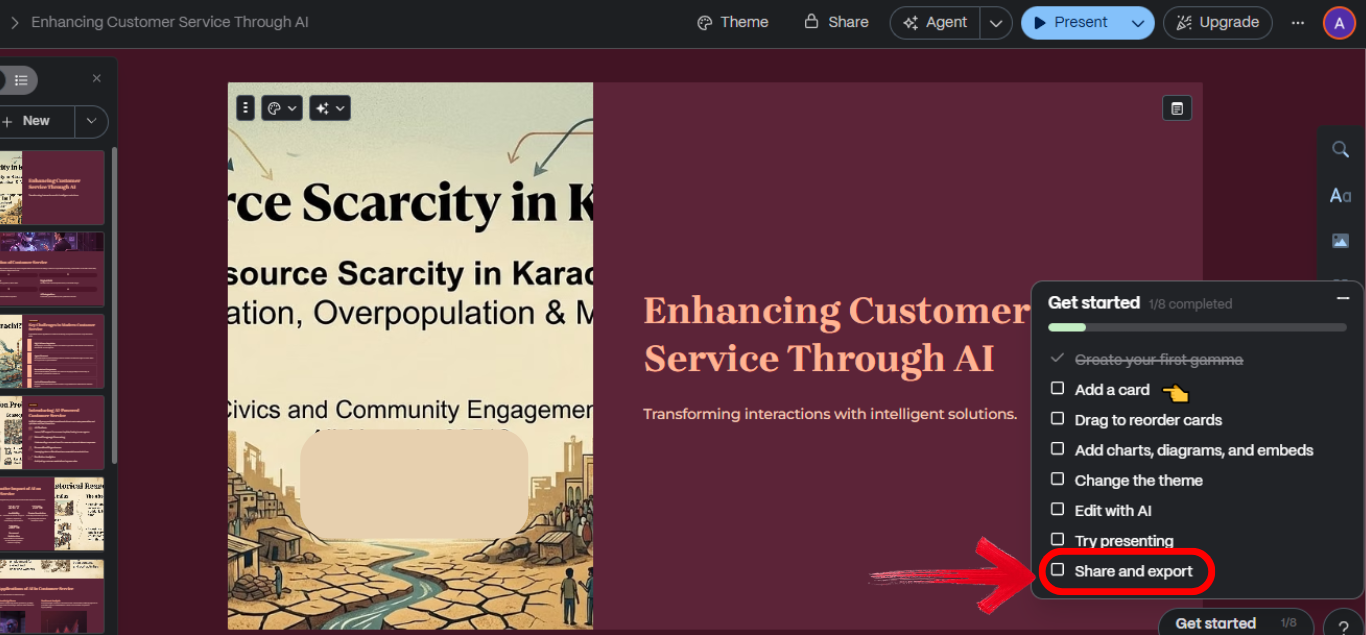
Gamma export menu PowerPoint PPTX
Common gamma ppt problems after export
Exported gamma ppt files are editable, but not always predictable. Plan a short QA pass instead of assuming pixel-perfect parity with the Gamma URL.
Fonts: Custom typefaces swap to defaults if they are not installed locally or embedded.
Layout: Text boxes resize and line breaks shift on dense slides.
Static blocks: Interactive cards and embeds flatten into images—you can move them but not edit inner text.
Slide Master gaps: Backgrounds may show in Normal view while master placeholders look empty—see our Slide Master troubleshooting note for Gamma exports.
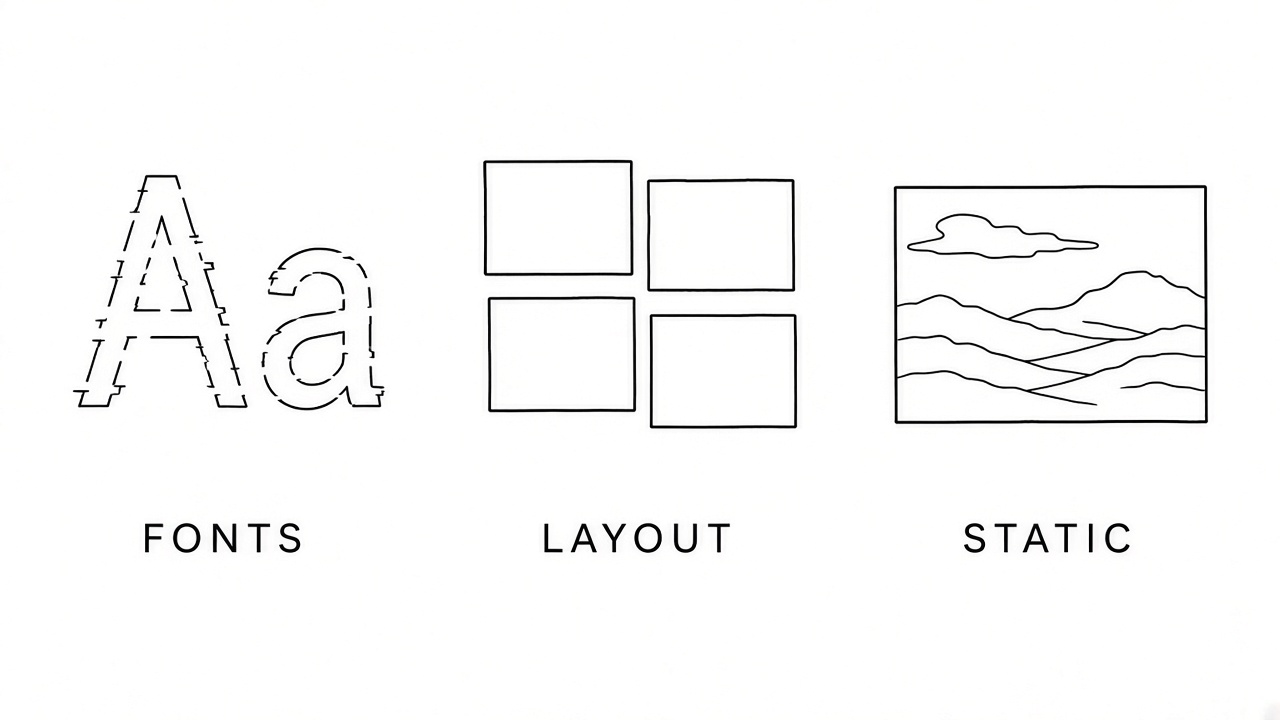
Gamma ppt export fonts layout static
Fix gamma ppt fonts and Slide Master in WPS Presentation
Open the exported gamma ppt in WPS Presentation and fix structure before you tweak individual bullets. Slide Master edits keep title and footer placeholders consistent across the deck.
Open the .pptx in WPS Presentation and save a copy with Menu > Save As.
Click the View tab, then Slide Master (WPS opens a dedicated Slide Master tab). In the left pane, select the top master or the layout most slides use and confirm title and body placeholders exist. If masters look blank after a gamma ppt export, apply a WPS theme under Design or rebuild backgrounds on the master.
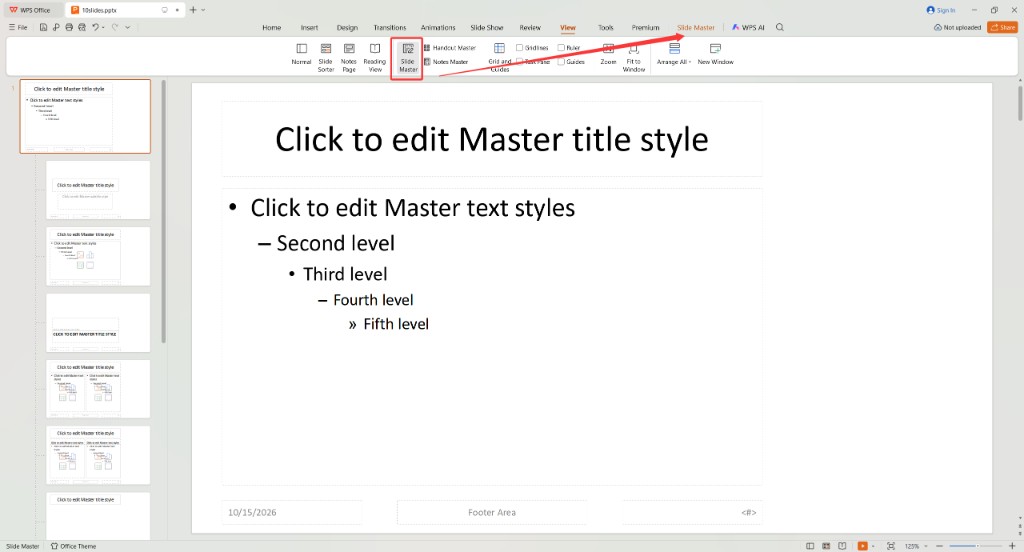
WPS View tab and Slide Master for gamma ppt
With placeholders selected, adjust fonts on the Home tab if you only need master-level styles. Click Close Master View when finished.
Back in Normal view, replace missing Gamma typefaces across the deck: on the Design tab click Unify Fonts and open the Replace Font dialog, or use Home > Replace > Replace Font if your build shows it there. Map each missing face to Calibri, Arial, or your brand typeface, then click Replace.
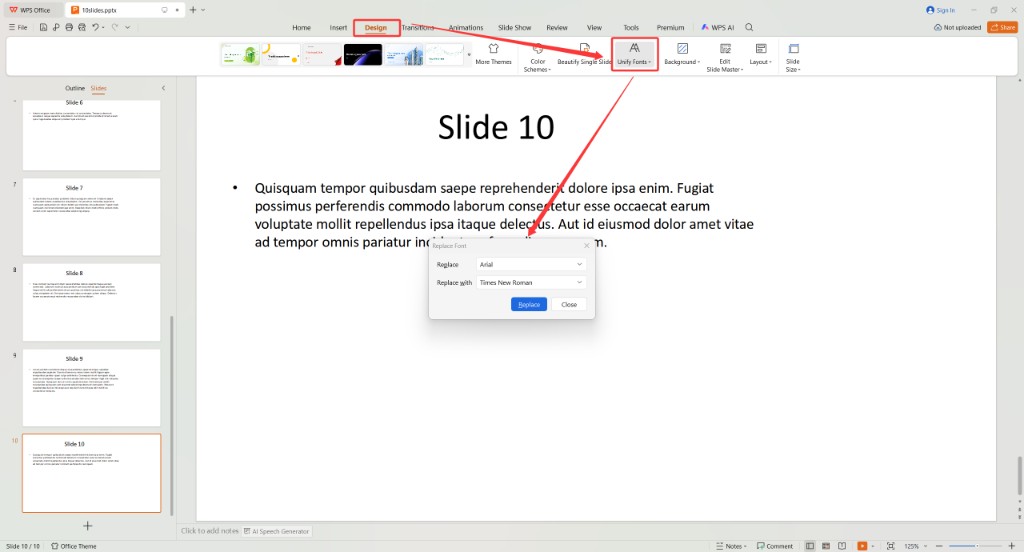
WPS Design Unify Fonts and Replace Font dialog
Spot-check slides 1, a middle content slide, and the last slide. For deeper Slide Master help, see how to use Slide Master in WPS Presentation.
Rebuild crowded gamma ppt slides in Normal view
After masters and fonts are stable, fix slide-level layout in Normal view. Gamma exports often pack multiple cards into one slide—split them when presenters need speaker notes or animations.
Select overflowing text boxes and drag handles until line breaks match your speaking pace.
Use Home > Layout to reapply Title and Content when placeholders overlap.
Delete flattened image blocks only if you have editable text elsewhere; otherwise leave the image and add a new text box.
Save as .pptx and send a test file to one colleague before the client deadline.
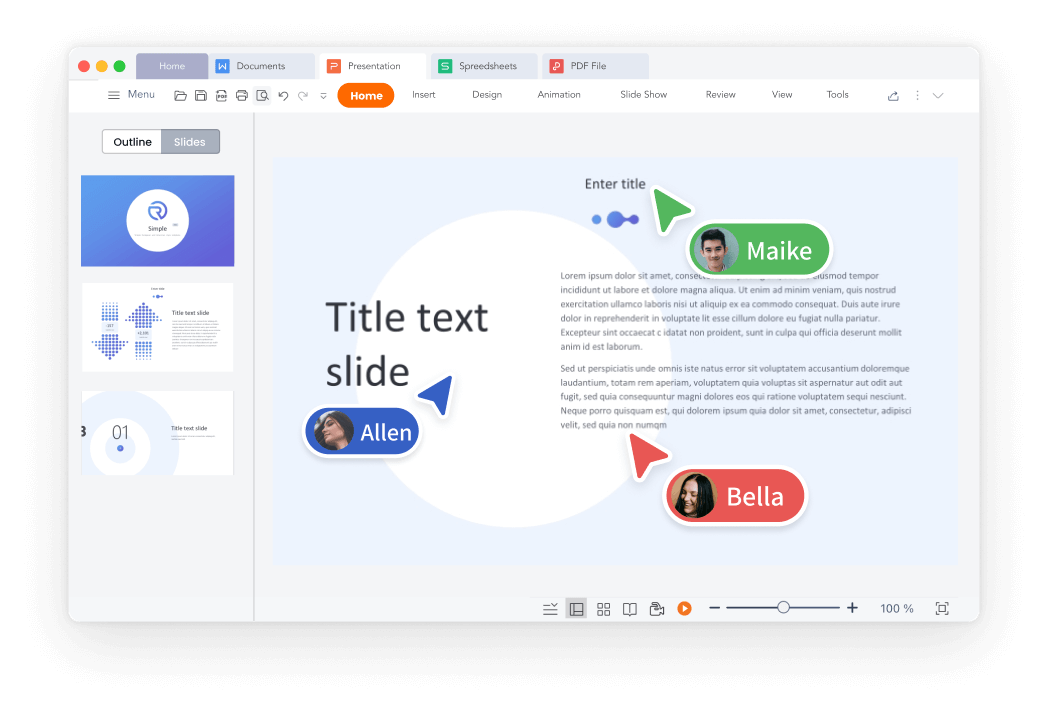
WPS Presentation slide editing interface
When to skip gamma ppt export for WPS AI Slides
If every deliverable must be a native .pptx with your template, drafting in Gamma and exporting may cost more cleanup time than starting in WPS AI Slides. Use Gamma when the shareable web link is the product; use WPS when PowerPoint compatibility is the product from slide one.
WPS AI Slides generates outlines and slides inside the WPS ecosystem, so masters, layouts, and exports stay on the same engine. Compare options in our Gamma AI review and alternatives if you are choosing a primary tool.
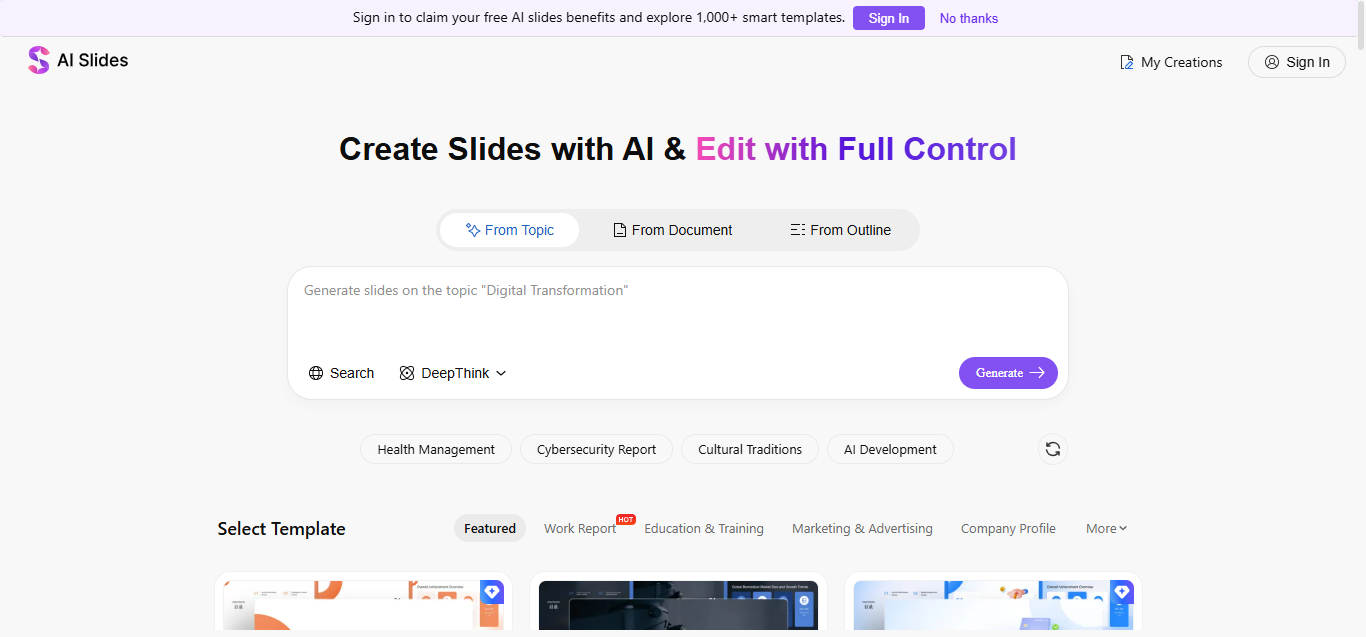
WPS AI Slides presentation generator
The Best Free Presentation Alternative: WPS Office
Gamma ppt cleanup, Slide Master fixes, and Replace Font batches all stay in the same WPS Presentation editor—no extra PowerPoint license. WPS Office keeps Writer, Spreadsheet, Presentation, and PDF in one install—useful when the deck references spreadsheets or PDF appendices.
WPS Presentation product slide interface
FAQs
Does Gamma export a real gamma ppt file?
Yes. Gamma downloads a standard .pptx you can open in WPS Presentation or Microsoft PowerPoint. Layout fidelity varies by deck complexity.
Why do gamma ppt fonts change after export?
Gamma web fonts may not be installed on your PC and might not embed in the export. Replace Fonts in WPS Presentation maps them to available typefaces.
Can WPS Presentation fix a missing Slide Master from Gamma?
Often partially. You can rebuild masters in Slide Master view or apply a WPS template; severe structural issues may require recreating slides manually.
Is gamma ppt the same as sharing a Gamma link?
No. A link keeps the web experience; a gamma ppt file is an offline .pptx for email, LMS uploads, or corporate templates.
Should I use WPS AI Slides instead of Gamma?
Choose Gamma for fast web decks and links. Choose WPS AI Slides when you need native .pptx editing from the start with fewer export surprises.


'%3e%3cpath%20d='M19.9911%204.11386V6.471H18.5894C18.0775%206.471%2017.7322%206.57814%2017.5536%206.79243C17.3751%207.00671%2017.2858%207.32814%2017.2858%207.75671V9.44421H19.9019L19.5536%2012.0871H17.2858V18.8639H14.5536V12.0871H12.2769V9.44421H14.5536V7.49779C14.5536%206.39064%2014.8632%205.53201%2015.4822%204.92189C16.1013%204.31177%2016.9257%204.00671%2017.9554%204.00671C18.8304%204.00671%2019.509%204.04243%2019.9911%204.11386Z'%20fill='%23333333'/%3e%3c/g%3e%3cdefs%3e%3cclipPath%20id='clip0_2938_8199'%3e%3crect%20width='16'%20height='16'%20fill='white'%20transform='translate(8%204.00671)'/%3e%3c/clipPath%3e%3c/defs%3e%3c/svg%3e)
'%3e%3cpath%20d='M17.5237%2010.7813L23.4811%204H22.0699L16.8949%209.88693L12.7648%204H8L14.2469%2012.9029L8%2020.0133H9.4112L14.8725%2013.7952L19.2352%2020.0133H24M9.92053%205.04213H12.0885L22.0688%2019.0224H19.9003'%20fill='%23333333'/%3e%3c/g%3e%3cdefs%3e%3cclipPath%20id='clip0_2938_8200'%3e%3crect%20width='16'%20height='16.0134'%20fill='white'%20transform='translate(8%204)'/%3e%3c/clipPath%3e%3c/defs%3e%3c/svg%3e)


