WPS Writer · Compare Documents

Compare Two Word Documents

Spot every edit between drafts in seconds. Use WPS Writer to compare two Word documents, highlight differences in red, and accept or reject revisions—free, offline, and Microsoft Word compatible.

  • Review → Compare — pick original & revised DOCX
  • Word-level or character-level difference view
  • Accept / reject changes & save clean final DOCX
0 Monthly Active Users DOC · DOCX Compare two Word documents · Offline
Pain → Solution

Stop Scrolling Line by Line. Compare Two Word Documents in WPS Writer

Long contracts, group papers, and policy drafts hide edits in walls of text. WPS Writer helps you compare two Word documents, highlight every difference, and finalize a clean DOCX—without a costly Office license.

Manual Proofreading Takes Forever

Pain

You read two 40-page Word files side by side and still miss a changed clause, date, or dollar amount.

WPS Solution

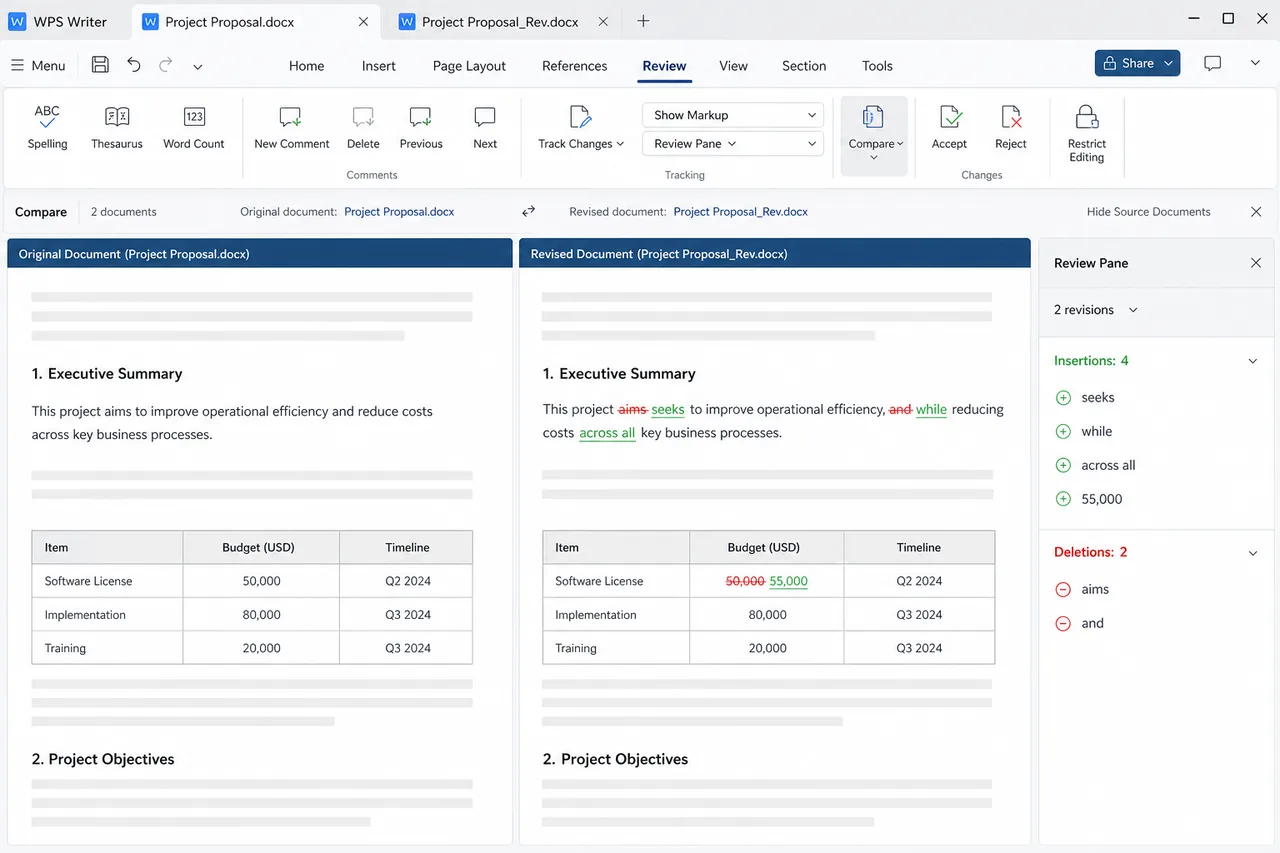
Compare two Word documents — WPS highlights additions, deletions, and edits in red automatically.
Auto Highlight

Track Changes Was Never On

Pain

Teammates return edited DOCX files without revision marks, so you cannot see what changed or who changed it.

WPS Solution

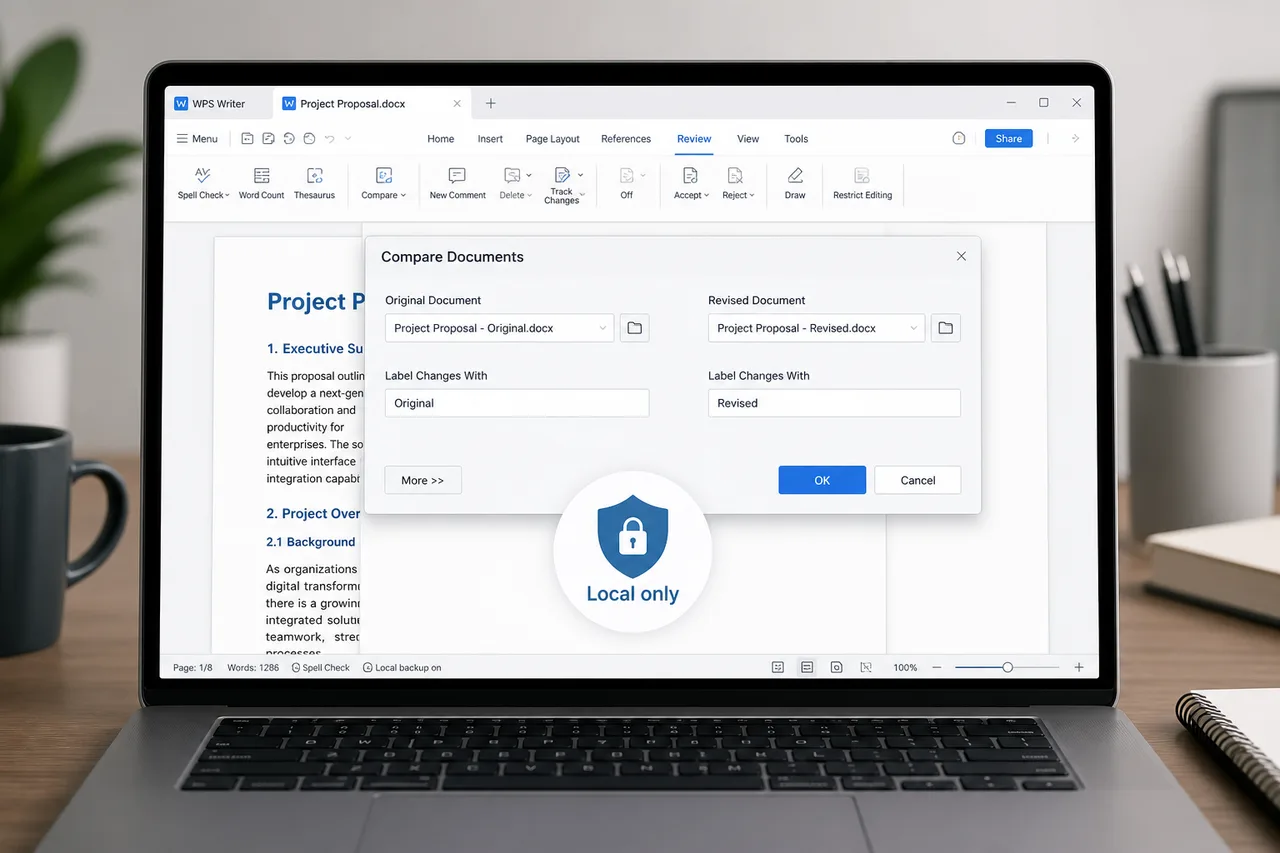
Review → Compare — diff the original against the revised file even when Track Changes was off.

No Track Needed

Office License Just for Compare

Pain

You only need to compare two Word documents a few times a month—not another full Microsoft 365 subscription.

WPS Solution

Free WPS Writer — built-in Compare tool with Word-compatible DOCX support, no extra fee to start.

Free to Start

Risky Online Diff Tools

Pain

Web comparators ask you to upload contracts, HR policies, or student theses to unknown servers.

WPS Solution

Local comparison — compare two Word documents offline on your PC or Mac; files stay on your device.

Private Files

Built Into WPS Writer

Compare Two Word Documents Free — Get WPS Office

Download WPS Office and use Review → Compare to compare two Word documents, highlight differences in red, and accept or reject each revision—offline, Word compatible, and free to start.

Compare Documents DOC · DOCX Accept / Reject
Download WPS App Free

Lightweight Installer (< 50MB) · 100% Safe & Secure

WPS Writer document comparison tool

WPS Writer document comparison tool

Why Choose WPS for Compare Two Word Documents

Compare two Word documents offline with word- and character-level detection, flexible accept/reject controls, and Microsoft Word–compatible DOC/DOCX output—inside WPS Writer.

100% Offline Privacy-focused Comparison

  • All difference calculations run locally on your device—no upload required to compare two Word documents.
  • Keep contracts, HR policies, and confidential business drafts off third-party comparison websites.
  • Reduce data-leak risk when reviewing sensitive clauses, pricing, or internal report revisions offline.
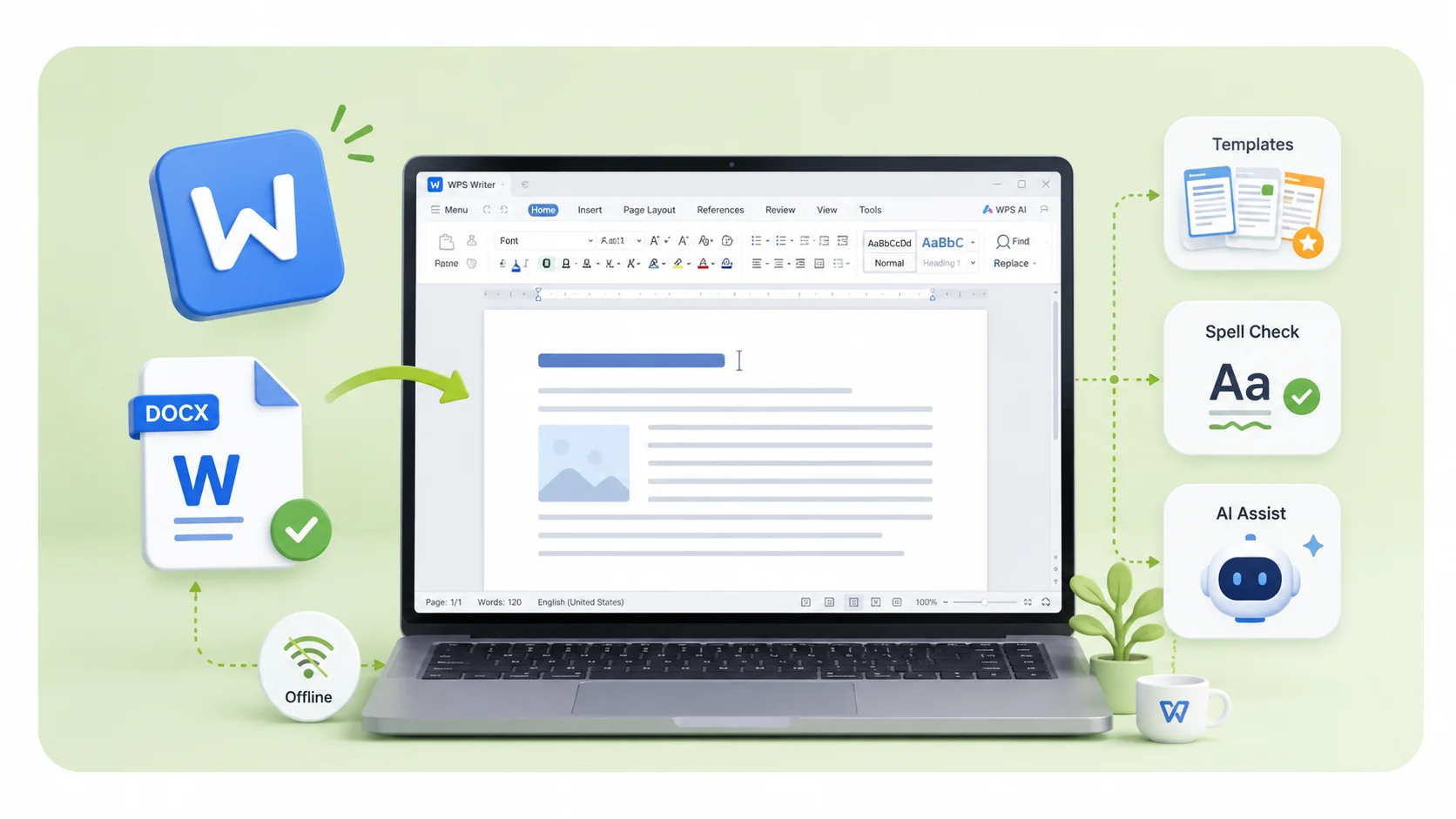
WPS offline local document comparison

WPS offline local document comparison

Detect Every Tiny Modification

  • Scan at word level or character level so small edits—like a single digit or typo—still surface clearly.
  • Capture changes in body text and table content when you compare two Word documents side by side.
  • Spot formatting adjustments as well as wording updates, so nothing important slips past review.
WPS word character level change detection

WPS word character level change detection

Flexible Revision Management

  • Preview highlighted differences first, then decide which edits belong in the final document.
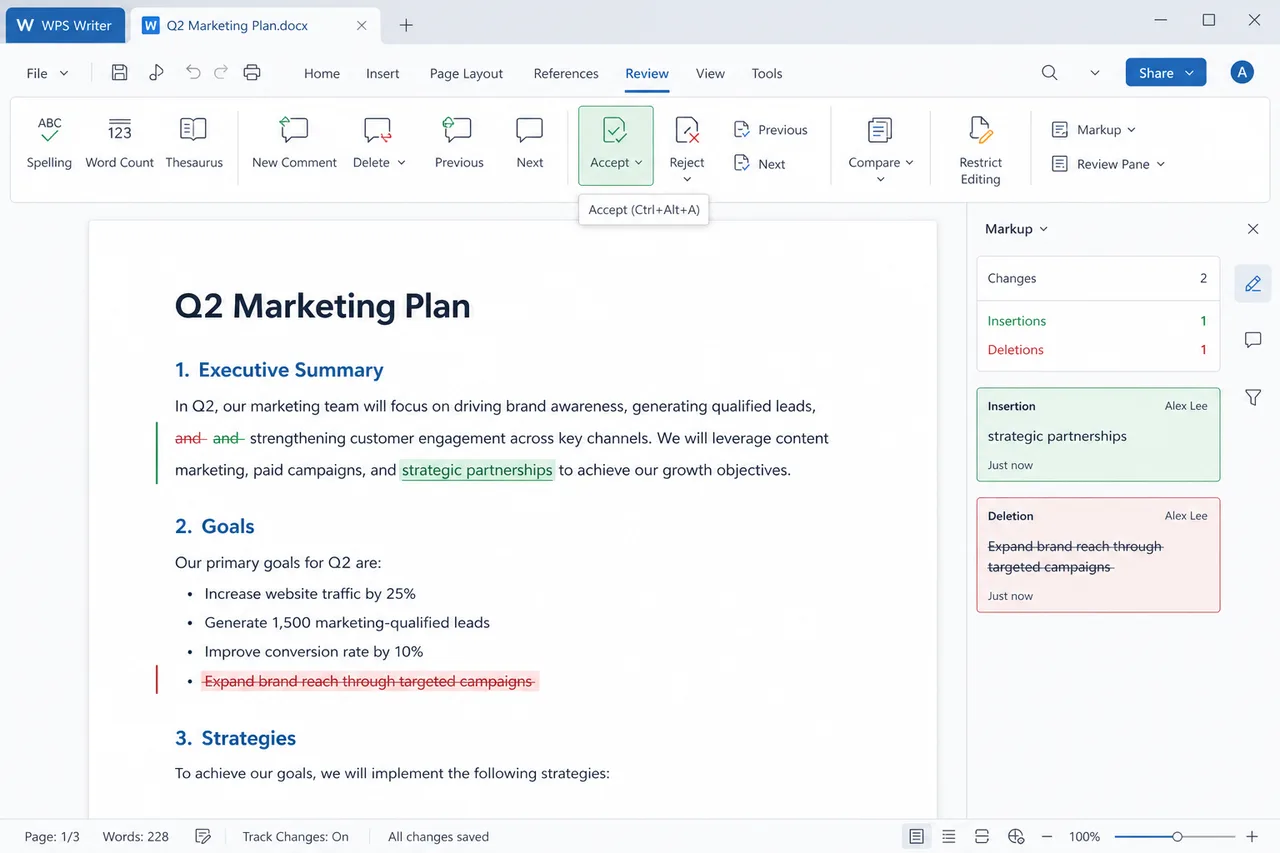
  • Selectively accept or reject each change instead of merging every revision blindly.
  • Produce a clean final DOCX in one pass when every mark has been reviewed and cleared.
WPS accept reject revision management

WPS accept reject revision management

High Compatibility with Word File Formats

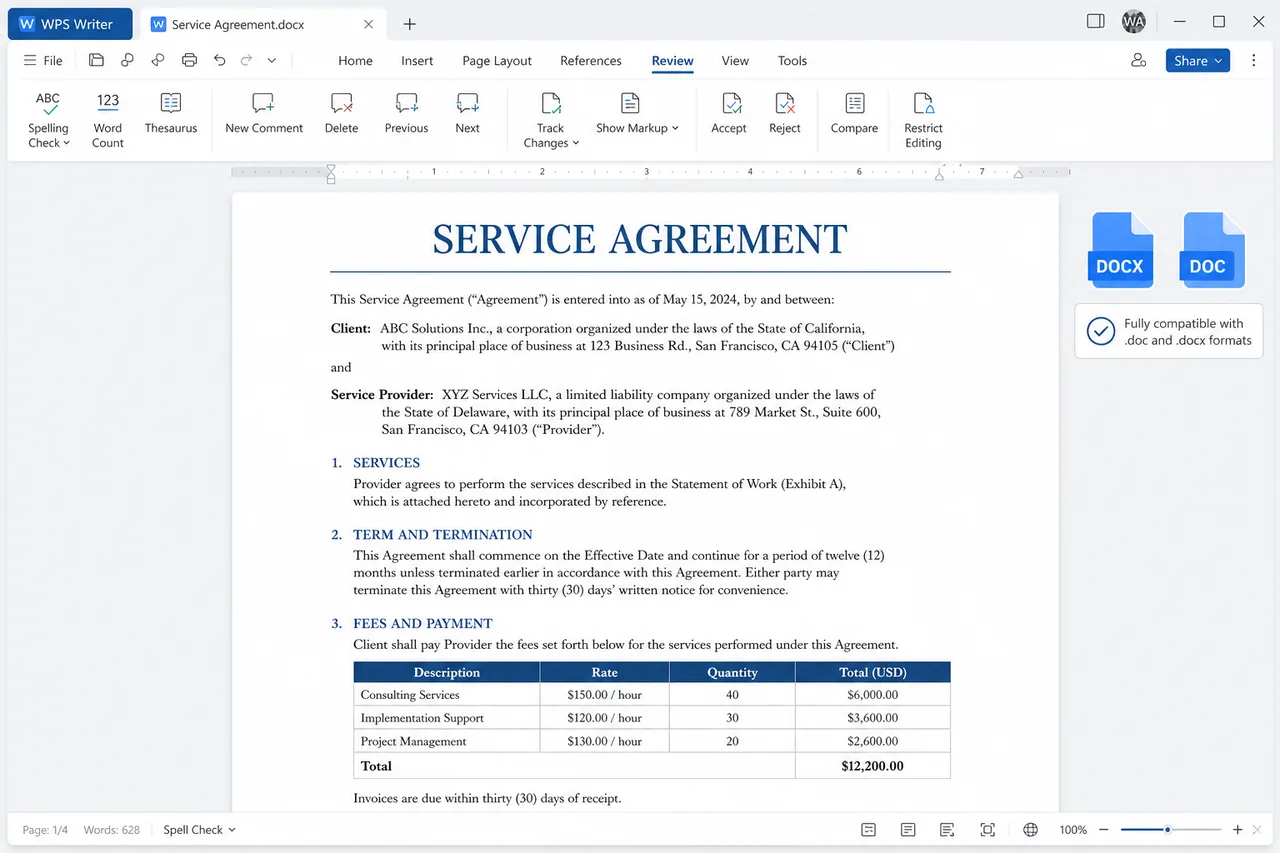
  • Open and compare standard DOC and DOCX files created in Microsoft Word or WPS Writer.
  • Keep headings, tables, and layout intact in the revised output after comparison.
  • Share the final file confidently with teammates who still use Microsoft Word.
WPS DOC DOCX Word format compatibility

WPS DOC DOCX Word format compatibility

REAL USERS · WPS OFFICE

Ready to Compare Two Word Documents Without Microsoft Office?

Install WPS Office and compare two Word documents in minutes—highlight differences, accept or reject edits, and save a clean DOCX.

0

Global MAU

DOCX

Word Ready

Review

Compare Tool

Download WPS Office Free

Free to start · Compatible with Windows, Mac, iOS, Android & Linux

★★★★★

"I compare two Word documents for vendor contracts in WPS Writer—red highlights show every clause change without uploading files online."

MR

Maya R.

QA Engineer

3 Steps

How to Use WPS Office Compare Two Word Documents in 3 Steps

From install to a reviewed DOCX — a simple path to compare two Word documents in WPS Writer.

  1. Download WPS Office

    Install free WPS Office on Windows, Mac, iOS, or Android. The Compare tool is built into WPS Writer—no separate document diff app.

  2. Open Review → Compare

    Open a document in WPS Writer, go to the Review tab, click Compare, and select your original and revised Word documents. Use More for word-level or character-level settings.

  3. Review, Accept / Reject, Save

    Scroll through red-highlighted changes, then use Review → Accept or Reject to finalize. Save the clean DOCX when you finish comparing two Word documents.

FAQ

Frequently Asked Questions

FREE DOWNLOAD · ALL PLATFORMS

Unlock Document Review with the WPS Office Compare Two Word Documents

Download WPS Office free and compare two Word documents locally—highlight every edit, accept or reject changes, and save a clean DOCX without Microsoft Office.

  • Review → Compare for original vs revised DOCX
  • Red highlights, accept / reject, Word compatible
  • Trusted by 600M+ users worldwide
Free Download WPS Office

One installer · Writer + Spreadsheet + Presentation + PDF

WPS Writer free download all devices