WPS Presentation

How to Record PowerPoint Presentations Effortlessly

One-Click Built-in Recorder for WPS Presentation — Capture Screen, Webcam & Narration Simultaneously.

  • Record PowerPoint slides with clear audio voiceover & webcam video
  • Export high-quality MP4 files directly without extra software
  • Fully compatible with all Microsoft PowerPoint (.pptx) formats

Free to start · No credit card required · Compatible with Windows, Mac, iOS & Android

4 Common Pain Points When Recording PowerPoint — Solved by WPS

Say goodbye to complex setups, out-of-sync audio, and quality loss. Here is how WPS Presentation makes slide recording effortless.

Juggling Third-Party Tools

✕ Pain

Downloading separate screen recorders and webcam apps causes system clutter, crashes, and ruined PPT formatting.

✓ WPS Solution

Native All-in-One Recorder — Record directly inside WPS Presentation with zero extra software downloads.

Zero Extra Apps
Audio & Video Out of Sync

✕ Pain

External tools fail to synchronize webcam video and microphone audio, requiring tedious post-production editing.

✓ WPS Solution

Perfect Hardware Sync — Capture slides, narration, and camera feed in one seamless, synchronized track.

Auto Audio Sync

Broken Layouts & Lost Animations

✕ Pain

Screen recorders blur text, drop PowerPoint slide transitions, and ignore live laser pen annotations.

✓ WPS Solution

100% Fidelity Retention — Keep crisp slide typography, transitions, and live digital pen marks in the video.

100% Vector Quality

Export & Sharing Limitations

✕ Pain

Paywalled high-res exports or proprietary formats that cannot be uploaded to YouTube or Google Classroom.

✓ WPS Solution

Direct MP4 Export — Export adjustable 720P/1080P MP4 files with a single click for instant sharing.

Instant 1080P MP4

NO EXTRA PLUGINS REQUIRED

Record, Annotate & Export — All Inside One Slide Editor

Open any .pptx file, capture crisp voiceovers with webcam overlay, and export HD MP4 videos directly — without ever switching to third-party tools.

100% .pptx Native Smart Teleprompter Instant 1080P Export
Download WPS Office Free

One Slide Editor

Record → Annotate → Export

LIVE
1 · Record 2 · Annotate 3 · Export
TELEPROMPTER
Speak to the camera · Highlight the demo CTA next · Keep eye contact while you narrate…

Pitch_Deck.pptx · Slide 04

Product Walkthrough

100% .pptx Native
Annotate live

Record

00:02:15

Annotate

Pen + Webcam

Export

1080P MP4

No third-party tools — all inside WPS Presentation

Key Features to Record PowerPoint Presentation with Audio & Video

Everything you need to create engaging presentation videos, async updates, and online course lessons — directly inside WPS Slides.

Record PowerPoint with Voice Audio Narration

  • Built-in noise reduction for clear voiceover, with flexible slide-by-slide re-recording.
  • Integrated rehearsal timer to automatically match speaking duration per slide.
  • Sync native PPT background music, audio transitions, and embedded sound effects.
Noise Reduction Slide-by-Slide Re-record
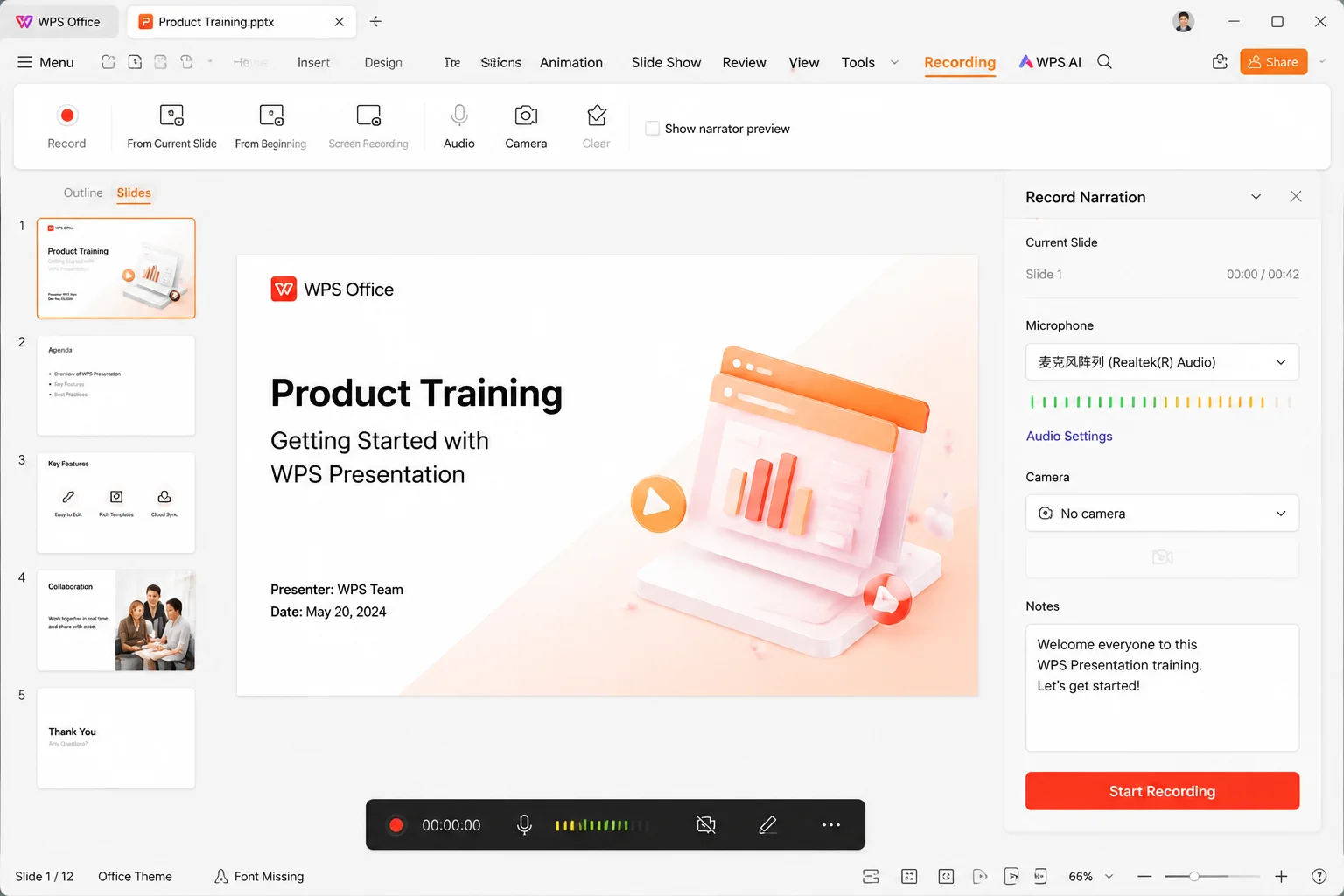
Record PowerPoint with voice audio narration in WPS Presentation
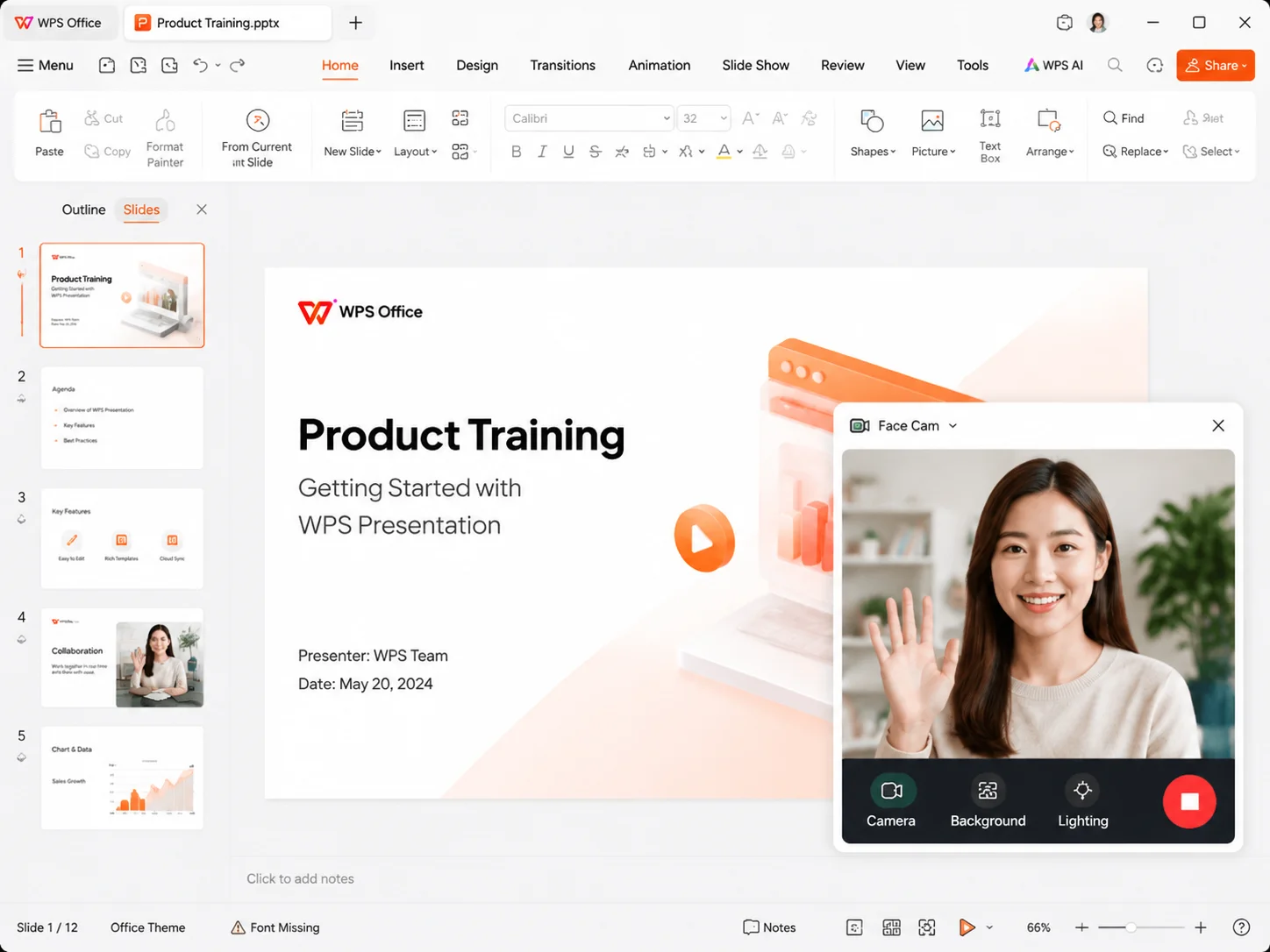
Capture webcam video alongside PowerPoint slides with picture-in-picture

Capture Webcam Video Alongside Slides

  • Picture-in-picture webcam recording with customizable bubble size and position.
  • One-click camera toggle to quickly switch between face cam and pure slide modes.
  • Built-in portrait lighting and subtle face-enhancement controls for web lessons.
Picture-in-Picture Face Lighting

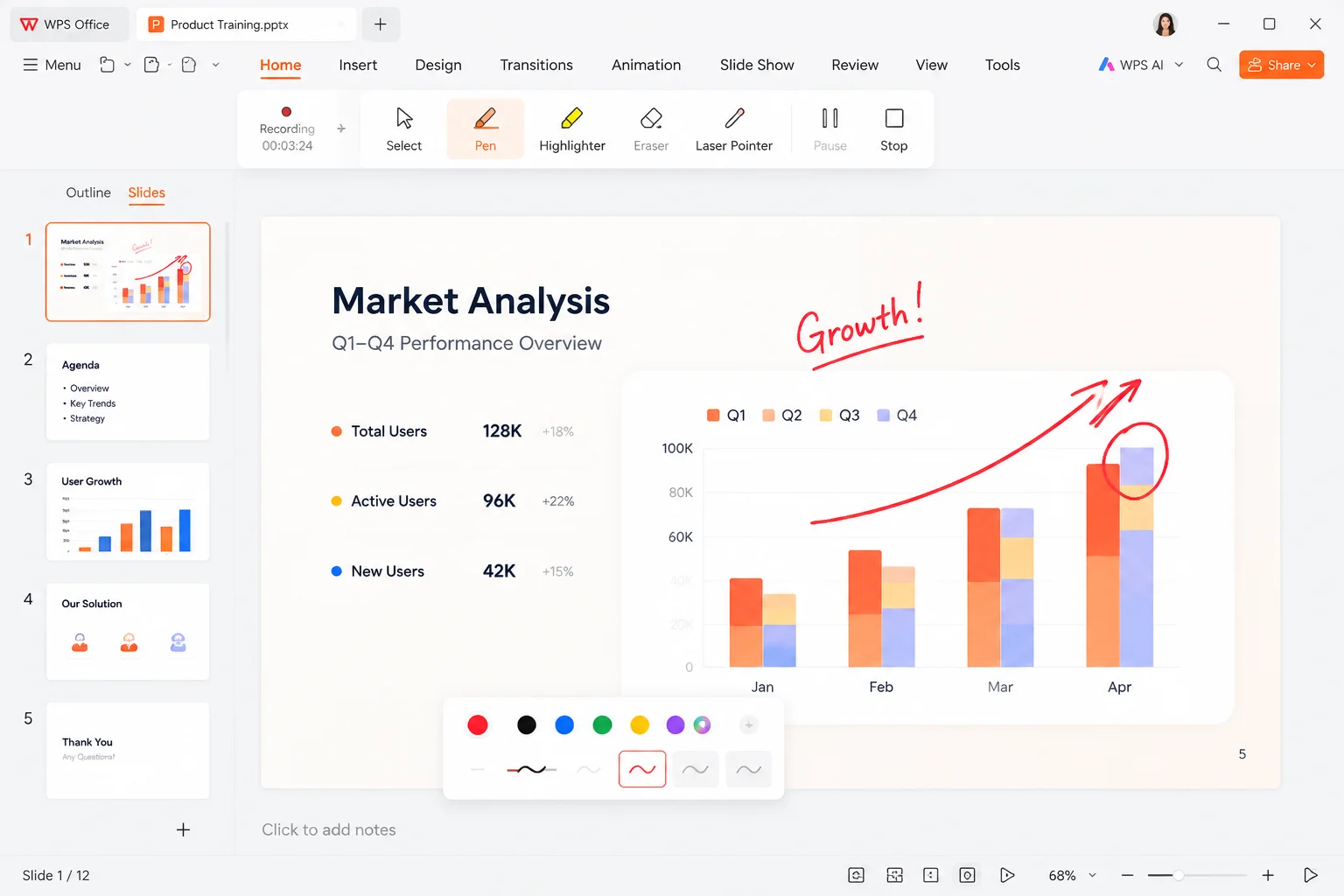
Annotate & Draw While Recording PowerPoint

  • Live laser pointer, digital pens, and highlighters saved directly into video output.
  • Pause recording anytime to fix slide content without starting over from page one.
  • Non-destructive eraser tool that keeps your original .pptx file untouched.
Live Laser Pointer Pause & Edit
Annotate and draw on PowerPoint slides while recording
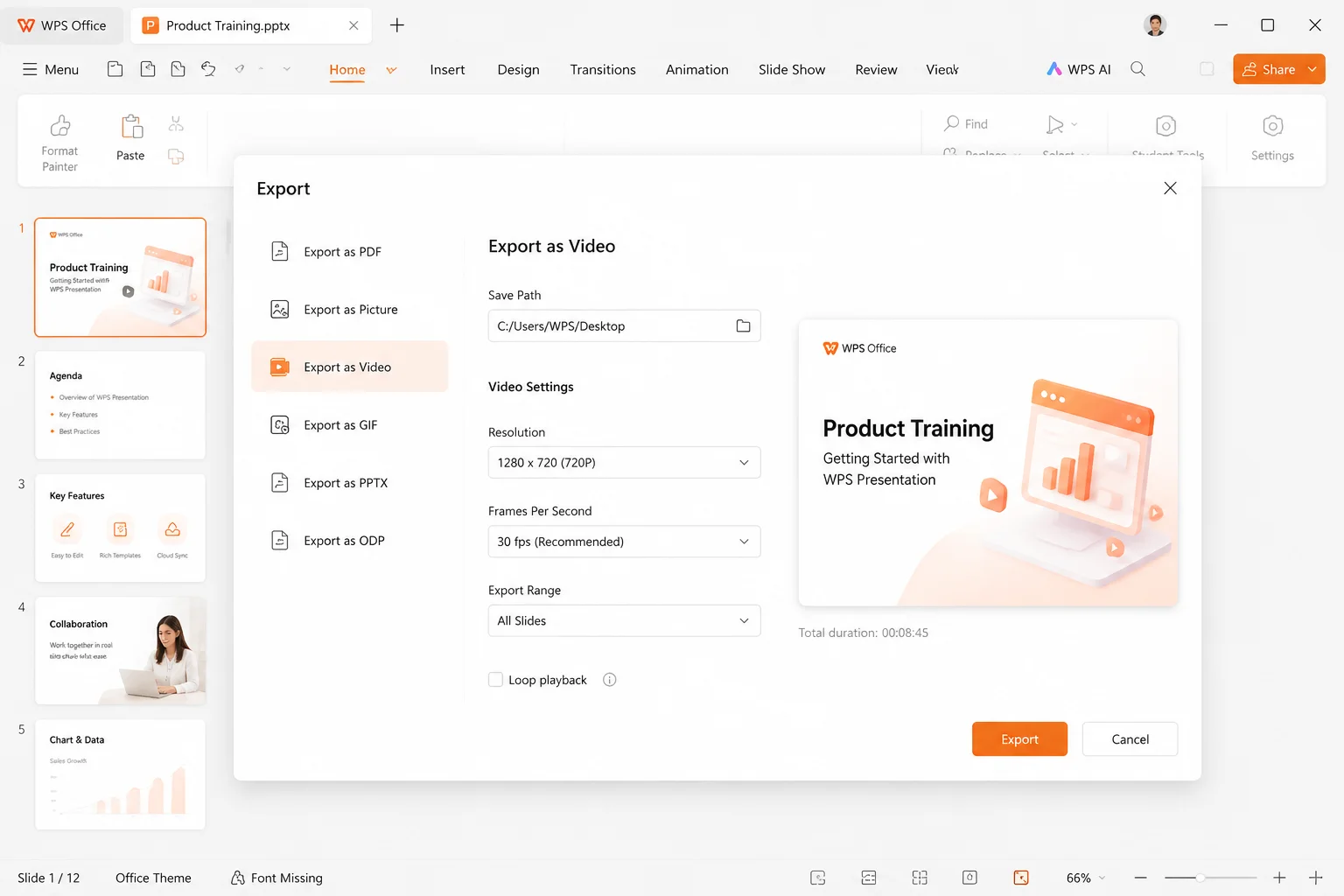
Export recorded PowerPoint presentation as HD MP4 video

Export Recorded PowerPoint as MP4 HD Video

  • One-click 720P/1080P MP4 export compatible with YouTube, Google Classroom, and LMS.
  • Custom per-slide auto-play timing for hands-free video generation.
  • Seamless native support for Microsoft PowerPoint .pptx files — open and record instantly.
1080P MP4 Export Native .pptx

Why Choose WPS to Record PowerPoint With Audio & Video

Native recording inside your deck — fewer tools, cleaner workflow.

WPS Slides
No Plugin

Zero Extra Software

Recorder native inside slides — no extra plugins or downloads required.

SYNC

Perfect Audio-Video Sync

Frame-accurate capture locking camera and audio seamlessly without post-editing.

.pptx
100%

Full PPT Compatibility

Open and record any .pptx file natively with 100% layout and animation retention.

HD MP4
FREE No Card

Free Basic Access

No credit card needed. Start recording standard slides and export HD videos immediately.

REAL USERS · WPS OFFICE

Ready to Record PowerPoint Presentations Effortlessly?

Empower your lectures, business pitches, and product demos with WPS built-in slide recorder.

0

Global MAU

0

Layout Keep

0

Slide Suite

Download WPS Office Free

Free to start · Compatible with Windows, Mac, iOS, Android & Linux

★★★★★

"The built-in teleprompter made recording online lectures so much easier. I no longer have to memorize scripts or edit audio separately!"

AL

Amanda L.

Educator

STEP-BY-STEP GUIDE

How to Record PowerPoint Presentation with Audio and Video in 4 Steps

From open to MP4 — a simple path to record powerpoint like a pro.

  1. 1

    Open Your Presentation

    Launch WPS Presentation and open your .pptx file.

  2. 2

    Configure Audio & Camera

    Go to Slide Show > Record, turn on your mic and webcam.

  3. 3

    Record & Annotate

    Click Record, deliver your presentation, and use screen pens to highlight key points.

  4. 4

    Save & Export as MP4

    Review slides and export the recording into a 1080P MP4 file.

FAQ

Frequently Asked Questions

FREE DOWNLOAD · ALL PLATFORMS

Download WPS — Record PowerPoint Offline with Full Power

Start with built-in slide recording in WPS Presentation, or download WPS Office for offline narration, webcam overlay, teleprompter & HD MP4 export on every device.

  • Record PowerPoint with audio & video — no Microsoft PowerPoint required
  • Teleprompter, live annotations, webcam overlay & slide re-recording
  • Trusted by 600M+ users worldwide
Free Download WPS Office

One installer · Writer + Spreadsheet + Presentation + PDF

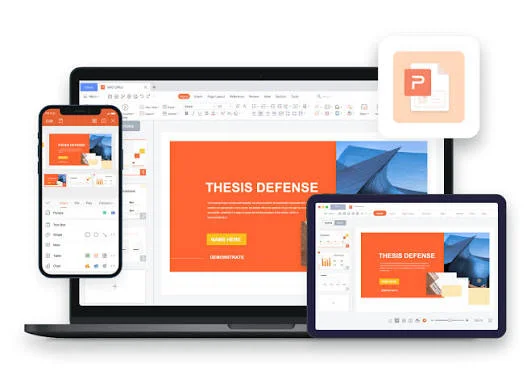
WPS Office multi-device — record PowerPoint offline with laptop, phone, and HD MP4 export